
Computer Organization CT 213 Computing Systems Organization Overview
- Slides: 25
Computer Organization CT 213 – Computing Systems Organization
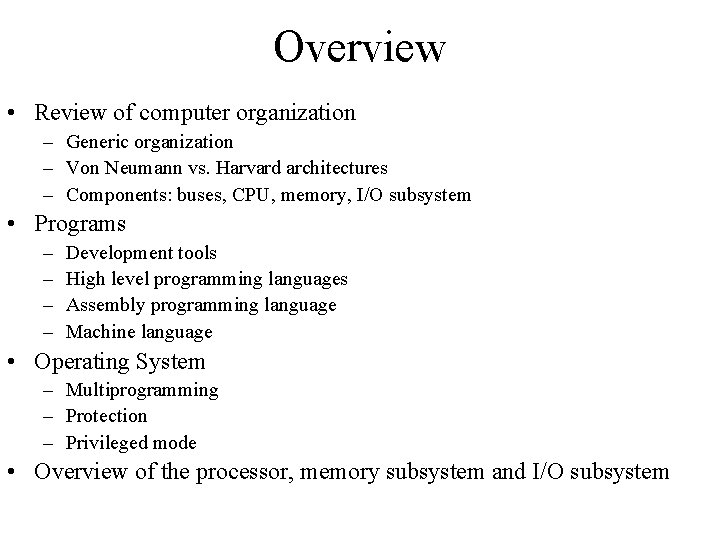
Overview • Review of computer organization – Generic organization – Von Neumann vs. Harvard architectures – Components: buses, CPU, memory, I/O subsystem • Programs – – Development tools High level programming languages Assembly programming language Machine language • Operating System – Multiprogramming – Protection – Privileged mode • Overview of the processor, memory subsystem and I/O subsystem
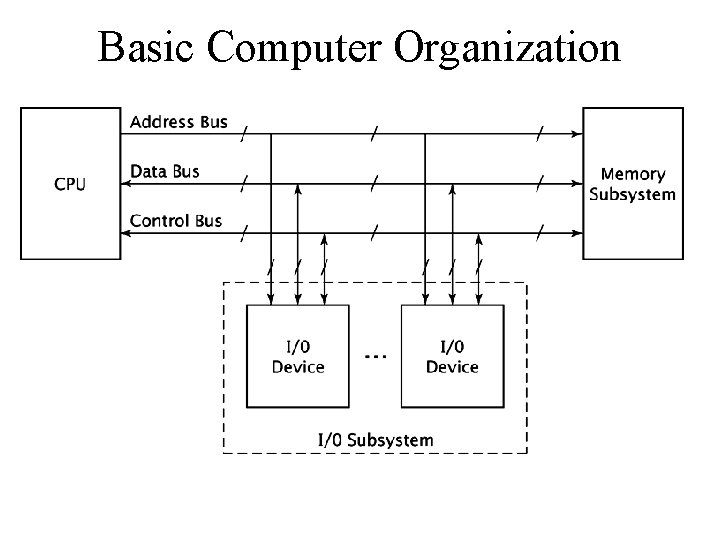
Basic Computer Organization
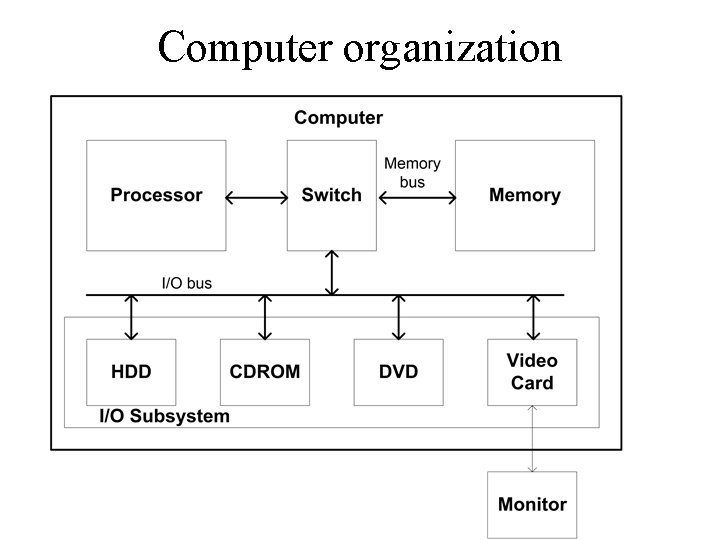
Computer organization
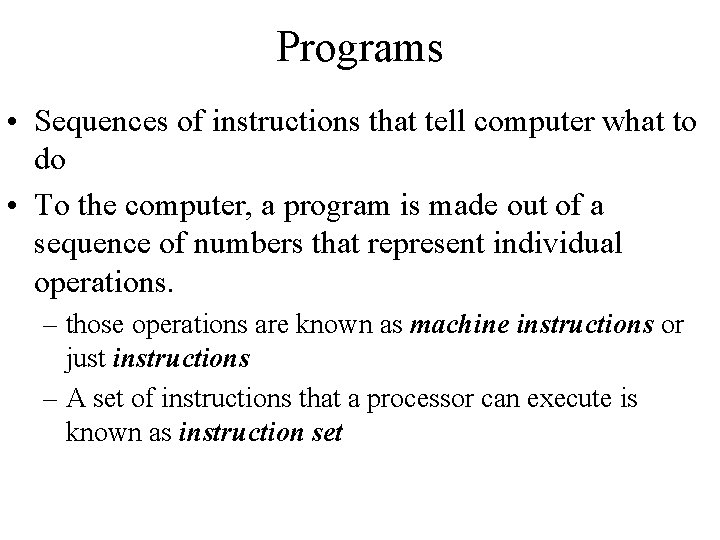
Programs • Sequences of instructions that tell computer what to do • To the computer, a program is made out of a sequence of numbers that represent individual operations. – those operations are known as machine instructions or just instructions – A set of instructions that a processor can execute is known as instruction set
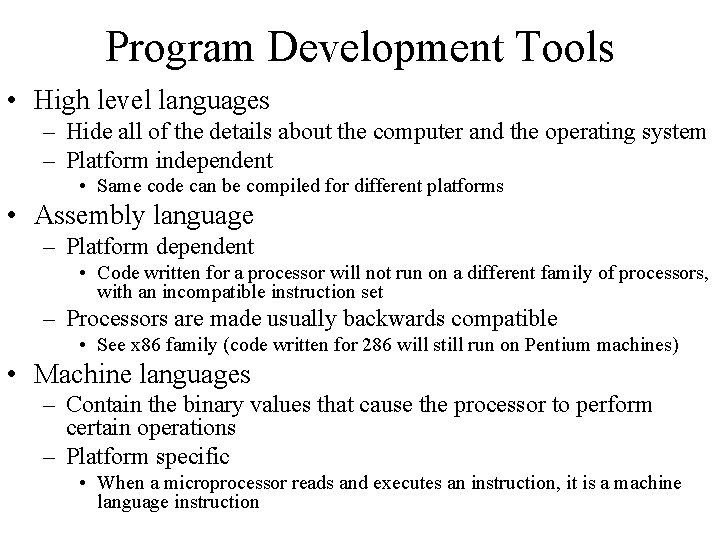
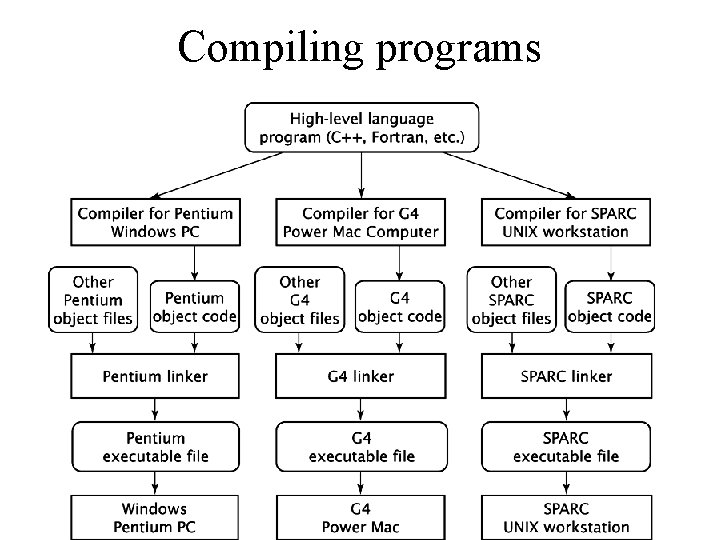
Program Development Tools • High level languages – Hide all of the details about the computer and the operating system – Platform independent • Same code can be compiled for different platforms • Assembly language – Platform dependent • Code written for a processor will not run on a different family of processors, with an incompatible instruction set – Processors are made usually backwards compatible • See x 86 family (code written for 286 will still run on Pentium machines) • Machine languages – Contain the binary values that cause the processor to perform certain operations – Platform specific • When a microprocessor reads and executes an instruction, it is a machine language instruction
Compiling programs
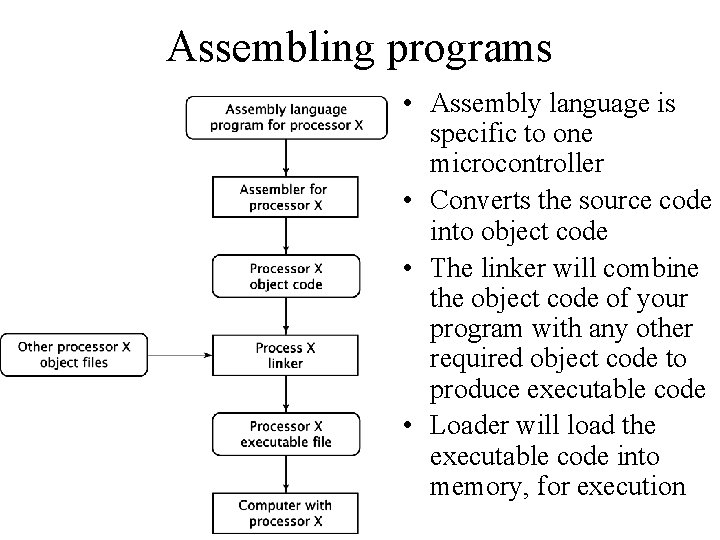
Assembling programs • Assembly language is specific to one microcontroller • Converts the source code into object code • The linker will combine the object code of your program with any other required object code to produce executable code • Loader will load the executable code into memory, for execution
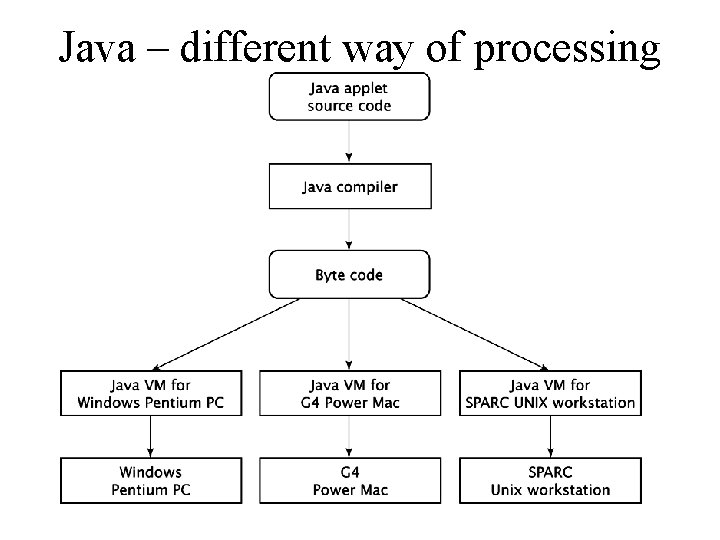
Java – different way of processing
Operating System • Responsible for managing the physical resources of complex systems (PCs, workstations, mainframe computers) • Responsible for loading and executing programs and interfacing with the users • Usually no operating system for small embedded systems – Computers designed for one specific task • It is a program that runs on the computer, that knows about all the hardware and usually runs in privileged (or supervisor) mode, having access to physical resources that user programs can’t control and has the ability to start and stop user programs
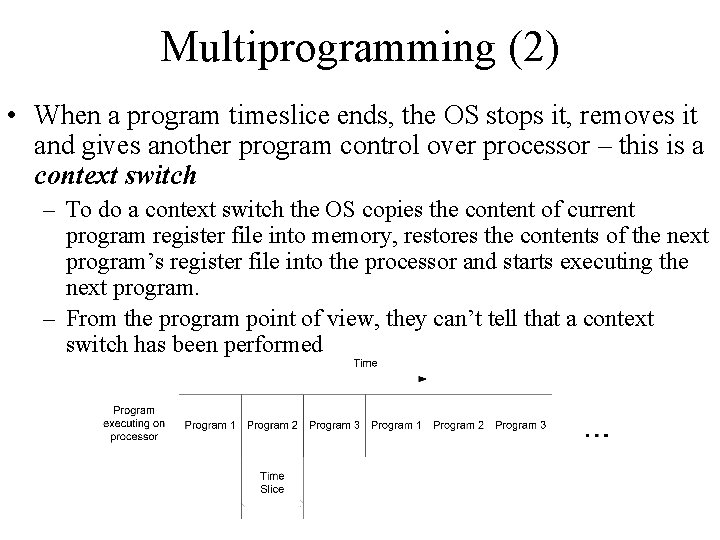
Multiprogramming (1) • Technique that allows the system to present the illusion that multiple programs are running on the computer simultaneously – Protection between programs is very important • Many multiprogrammed computers are multiuser – Allow multiple persons to be logged on at a time – Beside protection, data privacy is also important • Multiprogramming is achieved by switching rapidly between programs. – Each program is allowed to execute for a fixed amount of time – timeslice
Multiprogramming (2) • When a program timeslice ends, the OS stops it, removes it and gives another program control over processor – this is a context switch – To do a context switch the OS copies the content of current program register file into memory, restores the contents of the next program’s register file into the processor and starts executing the next program. – From the program point of view, they can’t tell that a context switch has been performed
Protection (1) • The result of any program running on a muliprogrammed computer must be the same as if the program was the only program running on the computer • Programs must not be able to aces other program’s data and must be confident that their data will not be modified by other programs. • Programs must not interfere with other program’s use of I/O devices
Protection (2) • Protection is achieved by having the operating system to have full control over the resources of the system (processor, memory and I/O devices) • Virtual memory is one of the techniques used to achieve protection between programs – Each program operates as if it were the only program on the computer, occupying a full set of the address space in its virtual space. The OS is translating memory addresses that the program references into physical addresses used by the memory system. – As long as two program’s addresses are not translated to same address space, programs can be written as they were the only ones running on the machine
Privileged Mode • To ensure that the operating system is the only one that can control the physical resources it executes in privileged mode – User programs execute in user mode • When user mode programs want to execute something that requires privileged rights, it sends a request to the OS, known as system call, that asks the OS to do the operation for them • OS is also responsible for low level UI – Keys are pressed, the OS is responsible to determine which program should receive the input – When a program wants to display some output, the user program executes some system call that displays the data
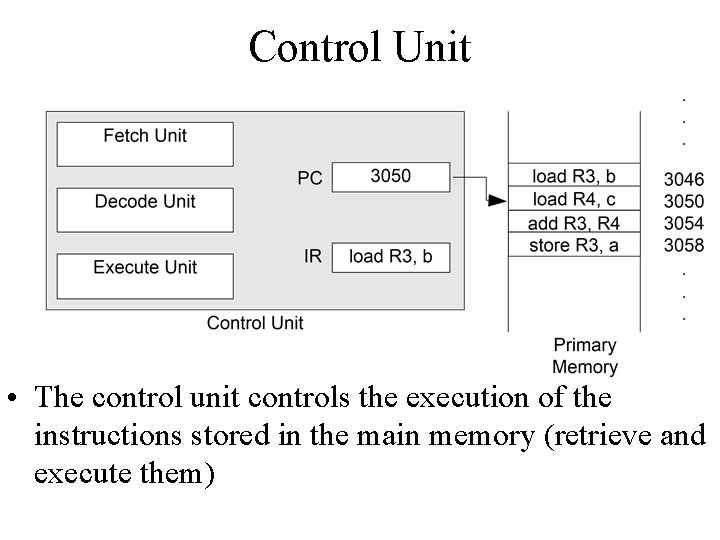
The Processor - Instruction Cycles • The instruction cycle is the procedure of processing an instruction by the microprocessor: – Fetches or reads the instruction from the memory – Decodes the instruction, determining which instruction is to be executed (which instruction has been fetched) – Executes the instruction – performs the operations necessary to complete what the instruction is suppose to do (different from instruction to instruction, may read data from memory, may write data to memory or I/O device, perform only operations within CPU or combination of those) • Each of the functions fetch -> decode -> execute consist of a sequence of one or more operations inside the CPU (and interaction with the subsystems)
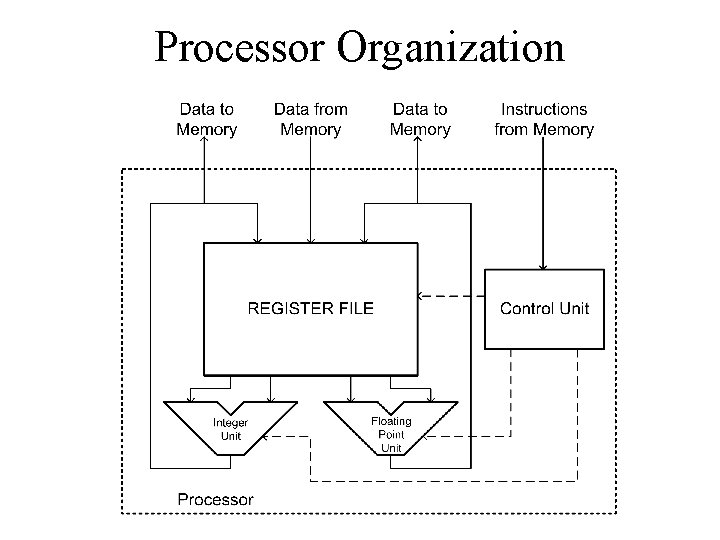
Processor Organization
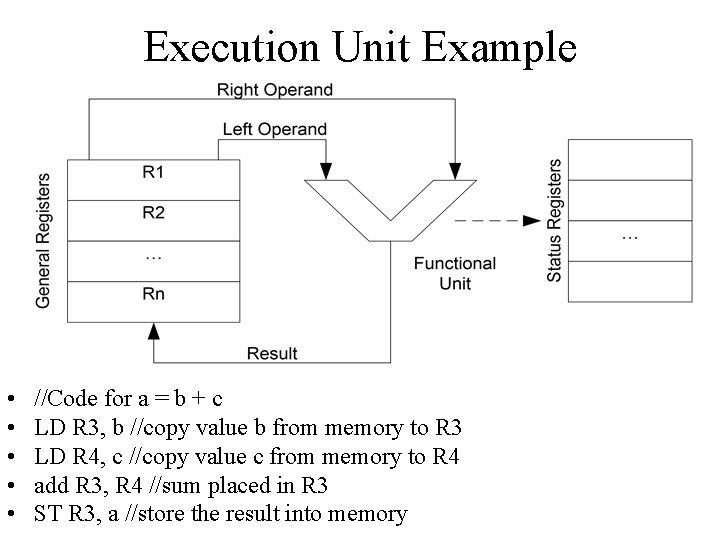
Execution Unit Example • • • //Code for a = b + c LD R 3, b //copy value b from memory to R 3 LD R 4, c //copy value c from memory to R 4 add R 3, R 4 //sum placed in R 3 ST R 3, a //store the result into memory
Control Unit • The control unit controls the execution of the instructions stored in the main memory (retrieve and execute them)
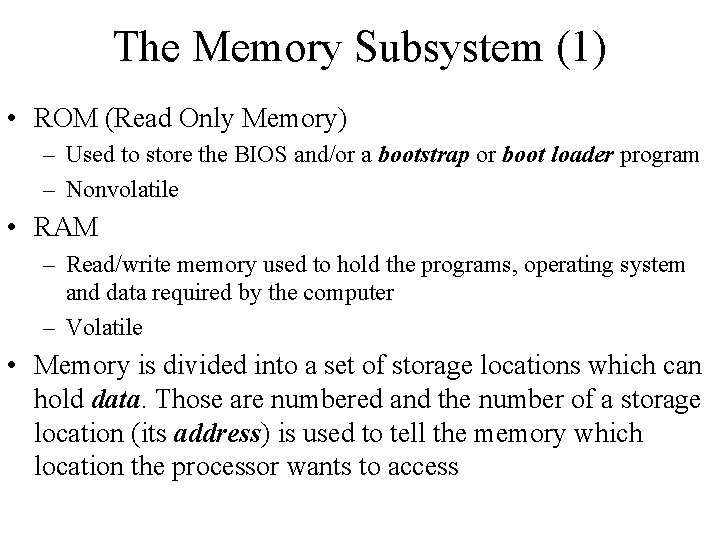
The Memory Subsystem (1) • ROM (Read Only Memory) – Used to store the BIOS and/or a bootstrap or boot loader program – Nonvolatile • RAM – Read/write memory used to hold the programs, operating system and data required by the computer – Volatile • Memory is divided into a set of storage locations which can hold data. Those are numbered and the number of a storage location (its address) is used to tell the memory which location the processor wants to access
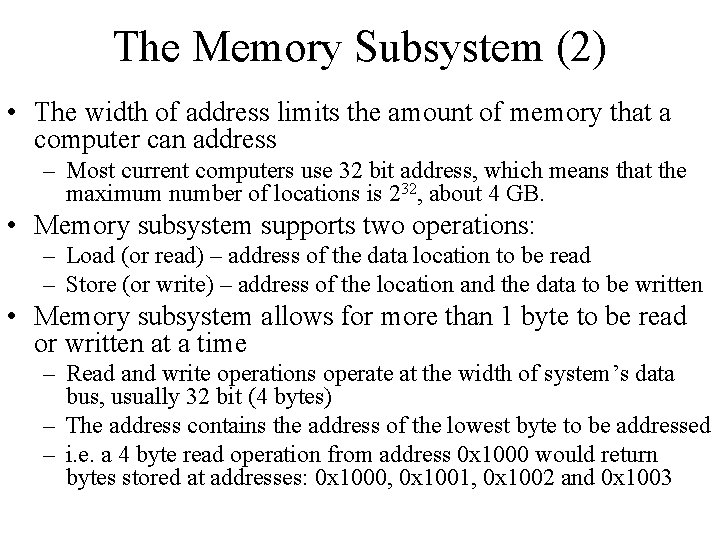
The Memory Subsystem (2) • The width of address limits the amount of memory that a computer can address – Most current computers use 32 bit address, which means that the maximum number of locations is 232, about 4 GB. • Memory subsystem supports two operations: – Load (or read) – address of the data location to be read – Store (or write) – address of the location and the data to be written • Memory subsystem allows for more than 1 byte to be read or written at a time – Read and write operations operate at the width of system’s data bus, usually 32 bit (4 bytes) – The address contains the address of the lowest byte to be addressed – i. e. a 4 byte read operation from address 0 x 1000 would return bytes stored at addresses: 0 x 1000, 0 x 1001, 0 x 1002 and 0 x 1003
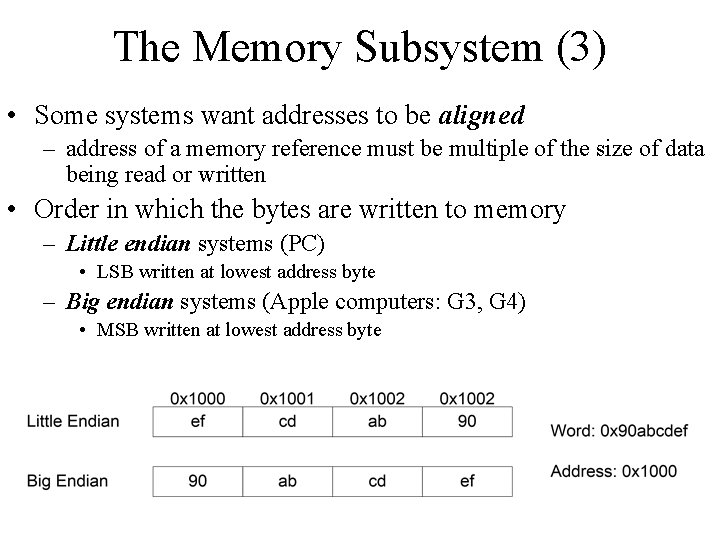
The Memory Subsystem (3) • Some systems want addresses to be aligned – address of a memory reference must be multiple of the size of data being read or written • Order in which the bytes are written to memory – Little endian systems (PC) • LSB written at lowest address byte – Big endian systems (Apple computers: G 3, G 4) • MSB written at lowest address byte
The I/O Subsystem • Contains devices that the computer uses to communicate with outside world and to store data • I/O devices are usually communicating with the processor using and I/O bus – PCs are using PCI bus for their I/O bus – OS needs a device driver to access a given I/O device • Program that allows the OS to control the I/O device
I/O read/write operations • The I/O read and write operations are similar to the memory read and write operations. • A processor may use: – memory mapped I/O (when the address of the I/O device is in the direct memory space, and the sequence to read/write data in the device are the same with the memory read/write sequence) – isolated I/O – the process is similar, but the processor has a second set of control signals to make the distinction between a memory access and an I/O access (memory locations and I/O devices can be located at the same address, which makes this extra control signal necessary); for I/O operations, the processor holds IO/M’ (or similar) signal high for the duration of the I/O operation
References • “Computer Systems Organization & Architecture”, John D. Carpinelli, ISBN: 0 -201 -61253 -4