
Computer Organization and Assembly Language Instructor Asra Ashraf

Computer Organization and Assembly Language Instructor: Asra Ashraf asra. ashraf@nu. edu. pk 1
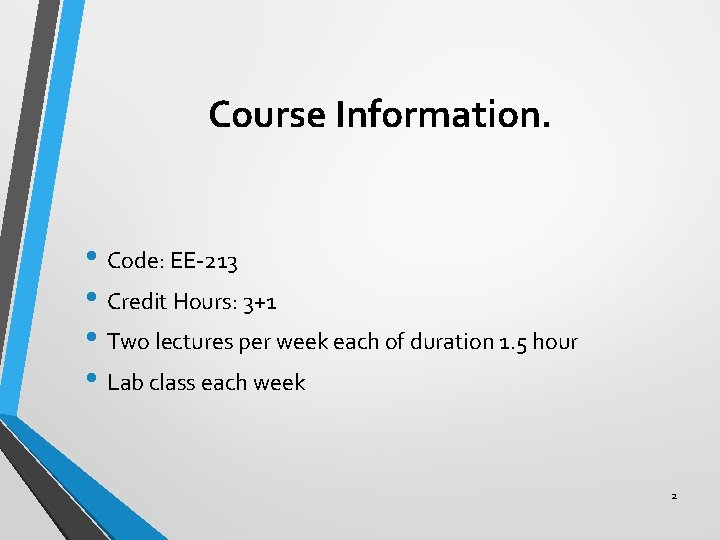
Course Information. • Code: EE-213 • Credit Hours: 3+1 • Two lectures per week each of duration 1. 5 hour • Lab class each week 2
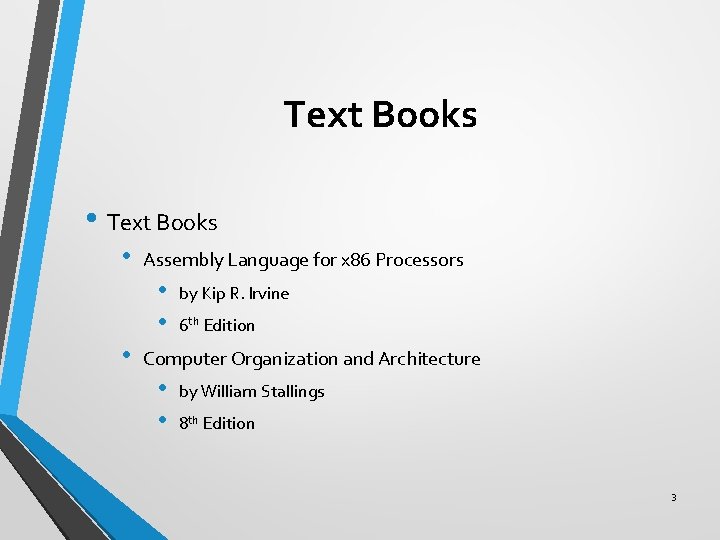
Text Books • Assembly Language for x 86 Processors • • • by Kip R. Irvine 6 th Edition Computer Organization and Architecture • • by William Stallings 8 th Edition 3
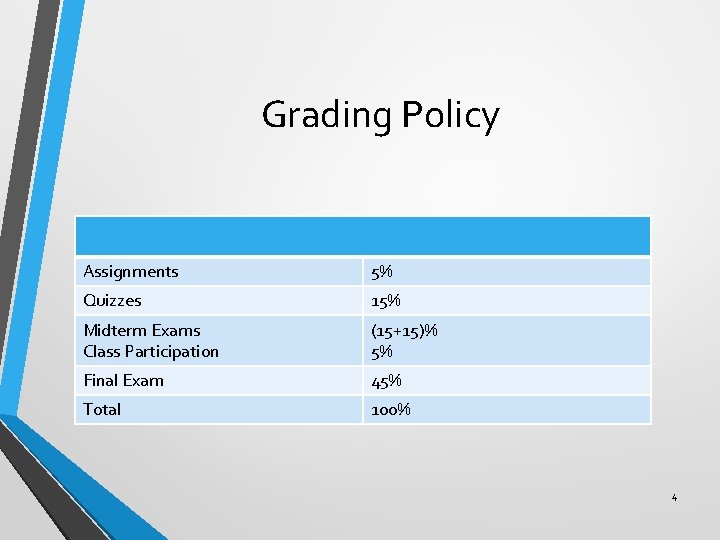
Grading Policy Assignments 5% Quizzes 15% Midterm Exams Class Participation (15+15)% 5% Final Exam 45% Total 100% 4
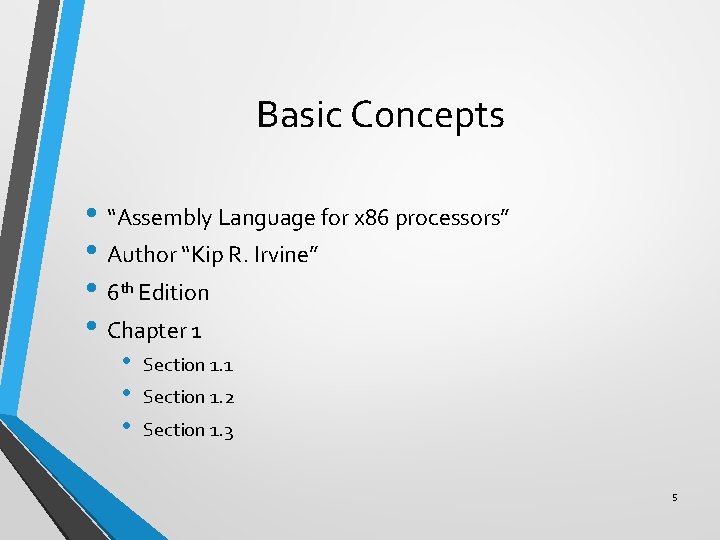
Basic Concepts • “Assembly Language for x 86 processors” • Author “Kip R. Irvine” • 6 th Edition • Chapter 1 • • • Section 1. 1 Section 1. 2 Section 1. 3 5
Some Questions to Ask • High and Low Level Computer Languages • What is Assembly Language? • What is Machine Language? • How is Assembly related to High Level Language? • Is Assembly Language portable? 6
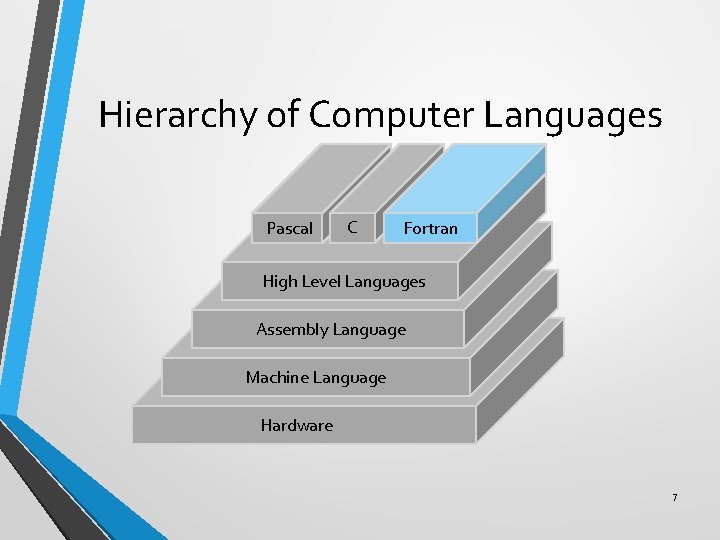
Hierarchy of Computer Languages Pascal C Fortran High Level Languages Assembly Language Machine Language Hardware 7
High Level Language • Called High Level because closer to human language and farther from machine language • Independent of a particular type of processor • Easier to read, write and understand because uses natural language elements • Hides implementation details • Must be translated to machine language 8
Assembly Language • • • Low level programming language Used to interact with computer hardware Specific to a particular computer architecture Focuses on programming microprocessors Used to program • • • Embedded system Real time applications Device driver programming 9
Machine Language • Lowest level programming language • Sequence of 1 s and 0 s • Easily understood by computers • Almost impossible for humans to use • Each CPU has its own unique machine language 10
Conversion from High Level (HL) to Low Level (LL) Language • From Assembly to Machine Language • Assembler is used • From High Level to Machine Level Language • • Compiler converts High Level Language to Object Code Assembler is used to convert Assembly Language code to Machine Code 11
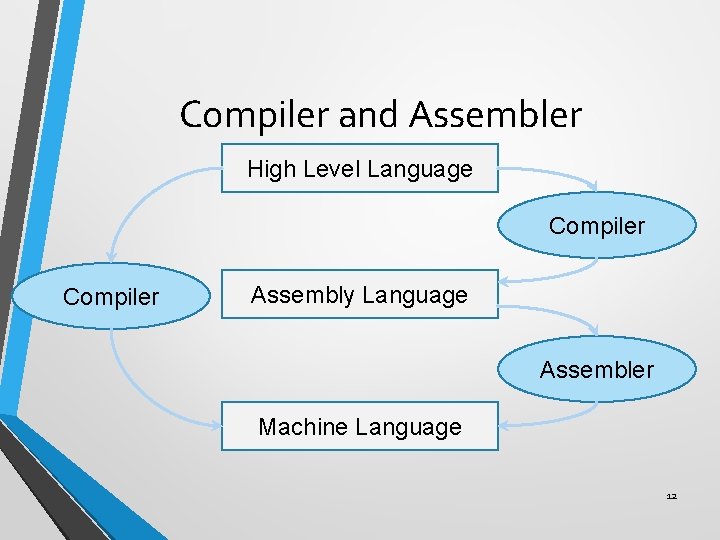
Compiler and Assembler High Level Language Compiler Assembly Language Assembler Machine Language 12
Assembly Language Portability • Can be compiled and run on a wide variety of computers • Assembly is designed for a specific processor family • Motorola 68 x 00, x 86, SUN Sparc, IBM-370 are different processor architectures 13
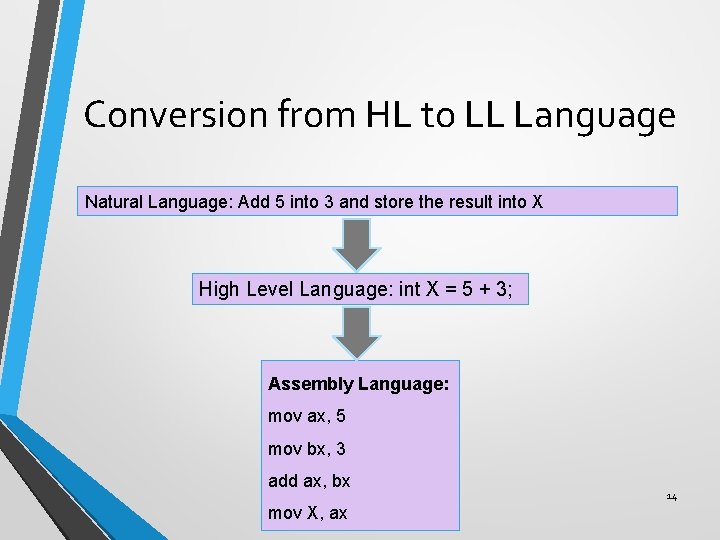
Conversion from HL to LL Language Natural Language: Add 5 into 3 and store the result into X High Level Language: int X = 5 + 3; Assembly Language: mov ax, 5 mov bx, 3 add ax, bx mov X, ax 14
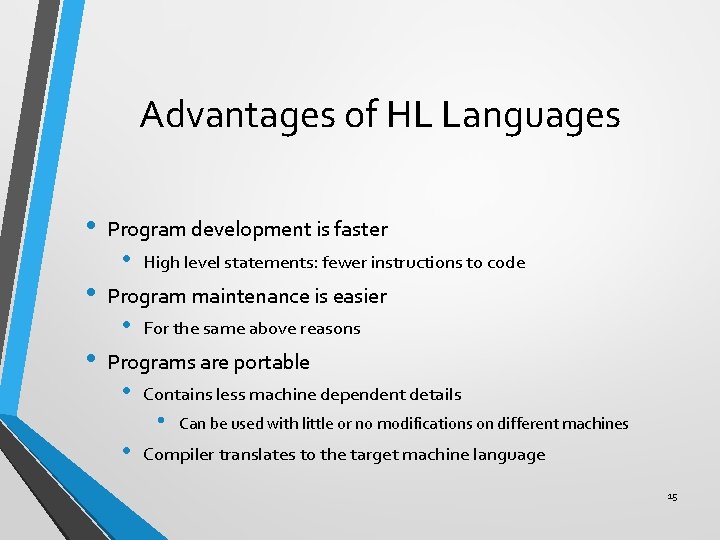
Advantages of HL Languages • • • Program development is faster • High level statements: fewer instructions to code Program maintenance is easier • For the same above reasons Programs are portable • • Contains less machine dependent details • Can be used with little or no modifications on different machines Compiler translates to the target machine language 15
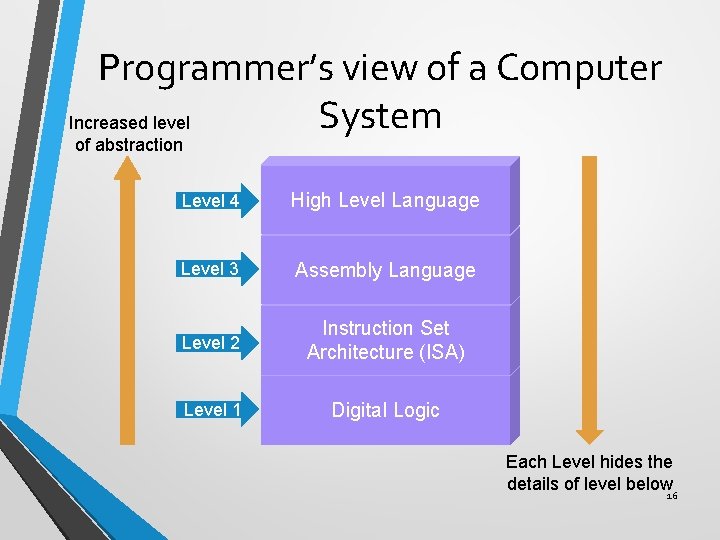
Programmer’s view of a Computer System Increased level of abstraction Level 4 High Level Language Level 3 Assembly Language Level 2 Instruction Set Architecture (ISA) Level 1 Digital Logic Each Level hides the details of level below 16
Programmer’s view (1/2) • Digital Logic (Level 1) • • Uses logic gates which are implemented using transistors Machine language is used to program logic gates • Instruction Set Architecture (Level 2) • • • Specifies how a processor functions Also called Machine Language Machine instructions, registers and memory are exposed 17
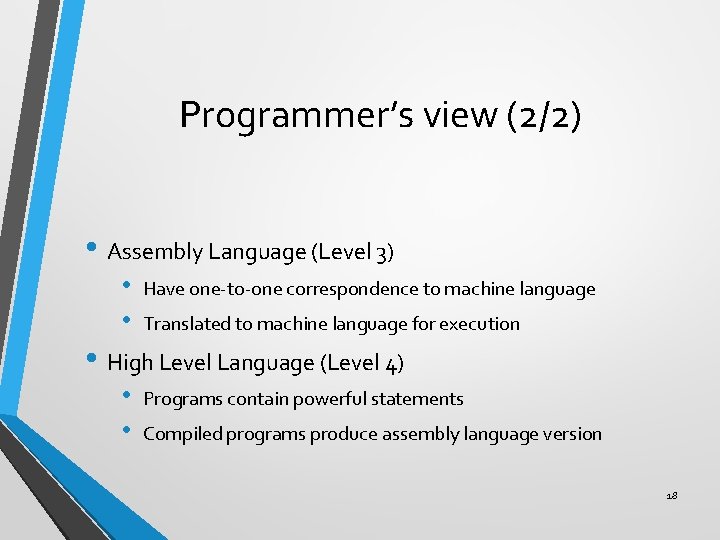
Programmer’s view (2/2) • Assembly Language (Level 3) • • Have one-to-one correspondence to machine language Translated to machine language for execution • High Level Language (Level 4) • • Programs contain powerful statements Compiled programs produce assembly language version 18
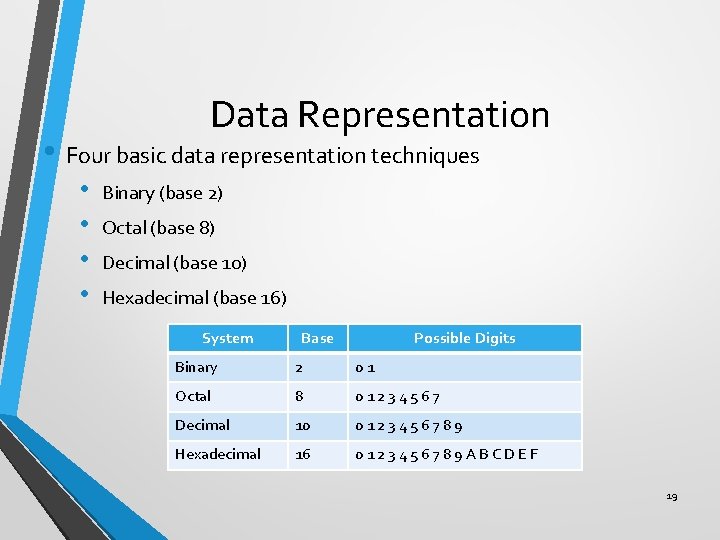
Data Representation • Four basic data representation techniques • • Binary (base 2) Octal (base 8) Decimal (base 10) Hexadecimal (base 16) System Base Possible Digits Binary 2 01 Octal 8 01234567 Decimal 10 0123456789 Hexadecimal 16 0123456789 ABCDEF 19
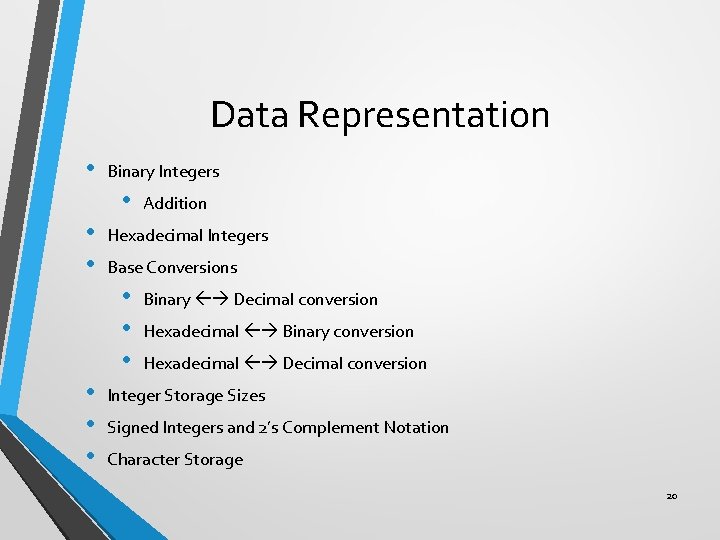
Data Representation • Binary Integers • • • Hexadecimal Integers Base Conversions • • • Addition Binary Decimal conversion Hexadecimal Binary conversion Hexadecimal Decimal conversion Integer Storage Sizes Signed Integers and 2’s Complement Notation Character Storage 20
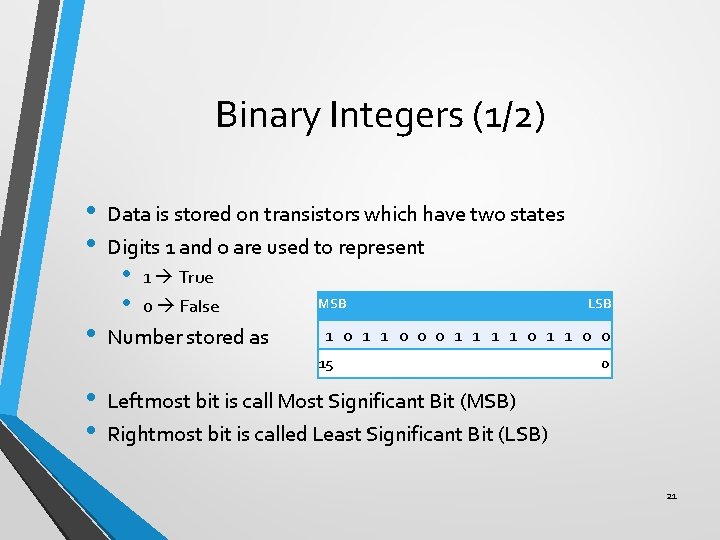
Binary Integers (1/2) • • • Data is stored on transistors which have two states Digits 1 and 0 are used to represent • • 1 True 0 False Number stored as MSB 1 0 1 1 0 0 0 1 1 0 0 15 • • LSB 0 Leftmost bit is call Most Significant Bit (MSB) Rightmost bit is called Least Significant Bit (LSB) 21
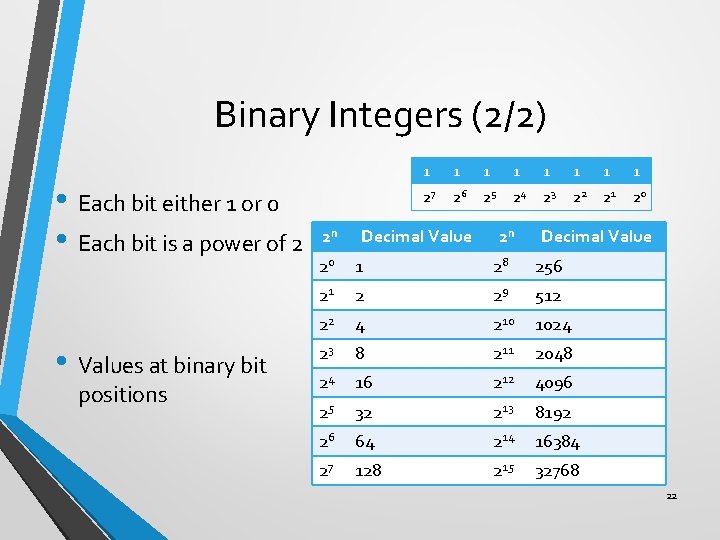
Binary Integers (2/2) • Each bit either 1 or 0 • Each bit is a power of 2 • Values at binary bit positions 2 n 1 1 1 1 27 26 25 24 23 22 21 20 Decimal Value 2 n Decimal Value 20 1 28 256 21 2 29 512 22 4 210 1024 23 8 211 2048 24 16 212 4096 25 32 213 8192 26 64 214 16384 27 128 215 32768 22
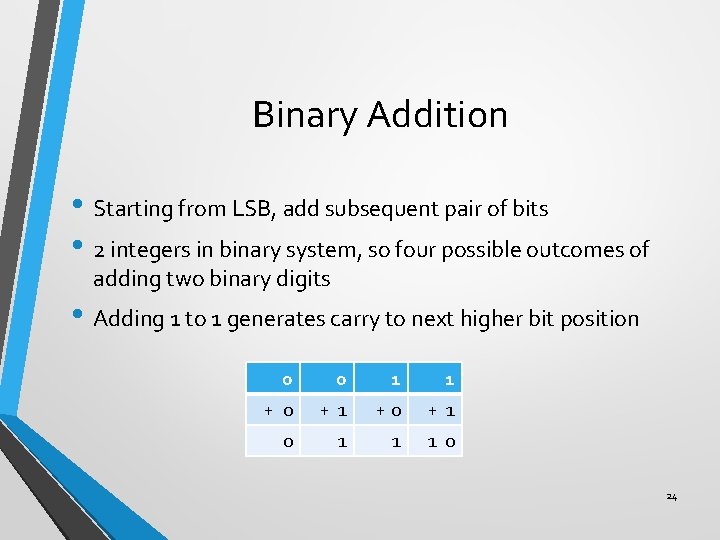
Binary Addition • Starting from LSB, add subsequent pair of bits • 2 integers in binary system, so four possible outcomes of adding two binary digits • Adding 1 to 1 generates carry to next higher bit position 0 0 1 1 + 0 + 1 +0 + 1 0 1 1 1 0 24
Hexadecimal Integers • Used to represent large binary numbers • Digits 0 to 15 are used in hexadecimal notation • Commonly used to represent memory addresses 25
Base Conversions • Unsigned binary integers to decimal • Unsigned decimal integers to binary • Hexadecimal to binary • Binary to hexadecimal • Hexadecimal to decimal • Decimal to hexadecimal 26

Binary to Decimal (1/2) Dec = (Dn-1 x 2 n-1) + (Dn-2 x 2 n-2) +. . . + (D 1 x 21) + (D 0 x 20) • Weighted Positional Notation method • • D = binary digit n = bit position number in binary number 27
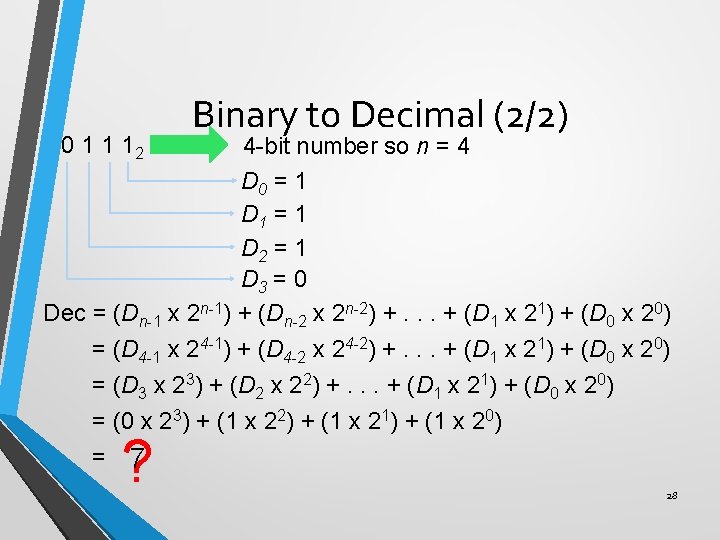
0 1 1 12 Binary to Decimal (2/2) 4 -bit number so n = 4 D 0 = 1 D 1 = 1 D 2 = 1 D 3 = 0 Dec = (Dn-1 x 2 n-1) + (Dn-2 x 2 n-2) +. . . + (D 1 x 21) + (D 0 x 20) = (D 4 -1 x 24 -1) + (D 4 -2 x 24 -2) +. . . + (D 1 x 21) + (D 0 x 20) = (D 3 x 23) + (D 2 x 22) +. . . + (D 1 x 21) + (D 0 x 20) = (0 x 23) + (1 x 22) + (1 x 21) + (1 x 20) = 7 ? 28
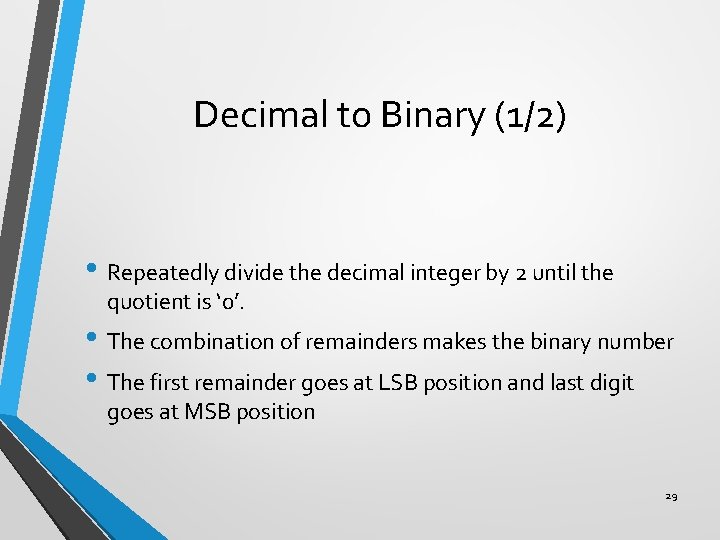
Decimal to Binary (1/2) • Repeatedly divide the decimal integer by 2 until the quotient is ‘ 0’. • The combination of remainders makes the binary number • The first remainder goes at LSB position and last digit goes at MSB position 29
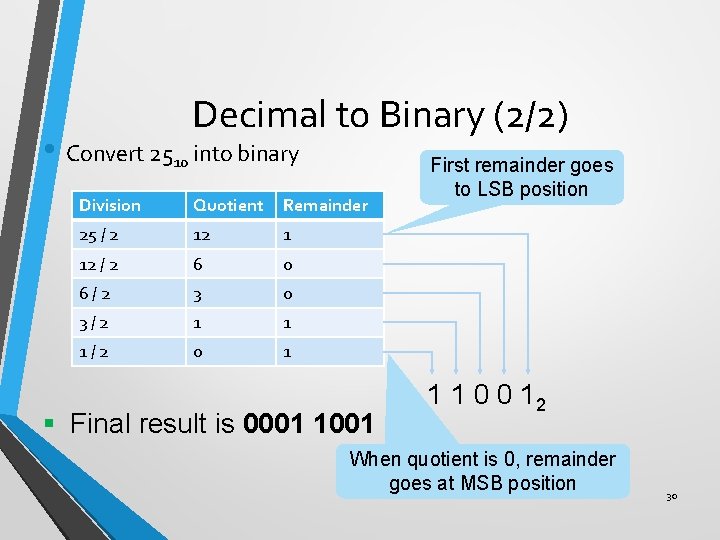
Decimal to Binary (2/2) • Convert 2510 into binary Division Quotient Remainder 25 / 2 12 1 12 / 2 6 0 6/2 3 0 3/2 1 1 1/2 0 1 § Final result is 0001 1001 First remainder goes to LSB position 1 1 0 0 12 When quotient is 0, remainder goes at MSB position 30
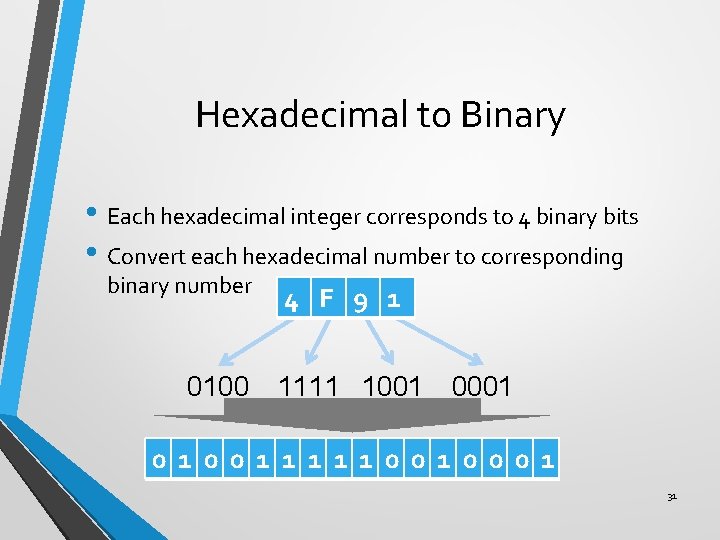
Hexadecimal to Binary • Each hexadecimal integer corresponds to 4 binary bits • Convert each hexadecimal number to corresponding binary number 0100 4 F 9 1 1111 1001 0 1 0 0 1 1 1 0 0 0 1 31
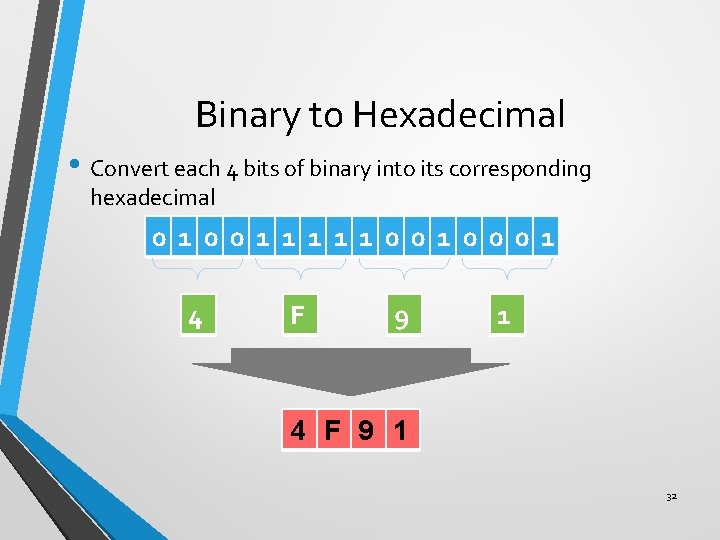
Binary to Hexadecimal • Convert each 4 bits of binary into its corresponding hexadecimal 0 1 0 0 1 1 1 0 0 0 1 4 F 9 1 32
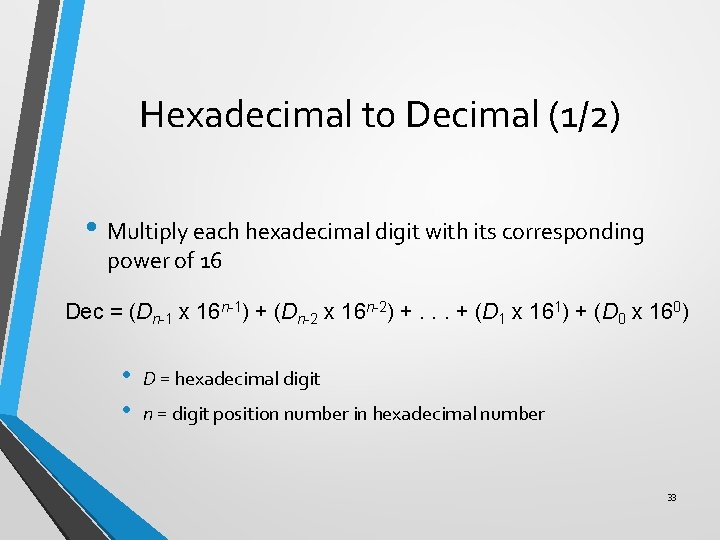
Hexadecimal to Decimal (1/2) • Multiply each hexadecimal digit with its corresponding power of 16 Dec = (Dn-1 x 16 n-1) + (Dn-2 x 16 n-2) +. . . + (D 1 x 161) + (D 0 x 160) • • D = hexadecimal digit n = digit position number in hexadecimal number 33
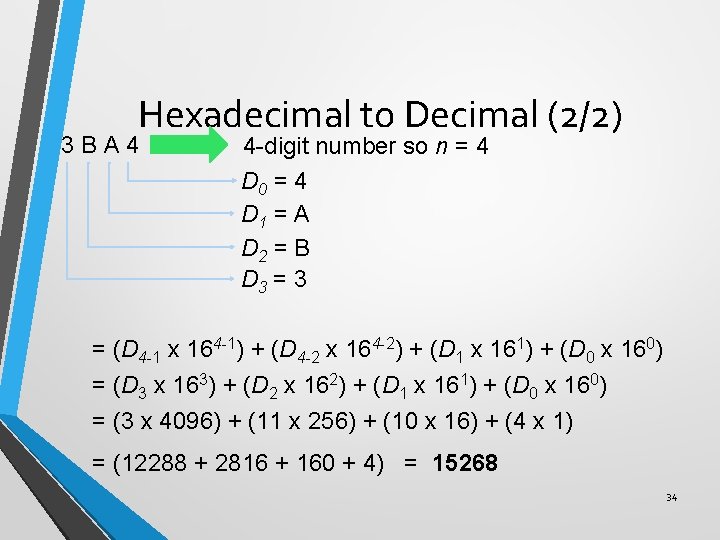
Hexadecimal to Decimal (2/2) 3 BA 4 4 -digit number so n = 4 D 0 = 4 D 1 = A D 2 = B D 3 = (D 4 -1 x 164 -1) + (D 4 -2 x 164 -2) + (D 1 x 161) + (D 0 x 160) = (D 3 x 163) + (D 2 x 162) + (D 1 x 161) + (D 0 x 160) = (3 x 4096) + (11 x 256) + (10 x 16) + (4 x 1) = (12288 + 2816 + 160 + 4) = 15268 34
Decimal to Hexadecimal (1/2) • Repeatedly divide the decimal integer by 16 until last quotient is 0 • Each remainder is a hex digit • First remainder goes at least significant position and last remainder goes at most significant position 35
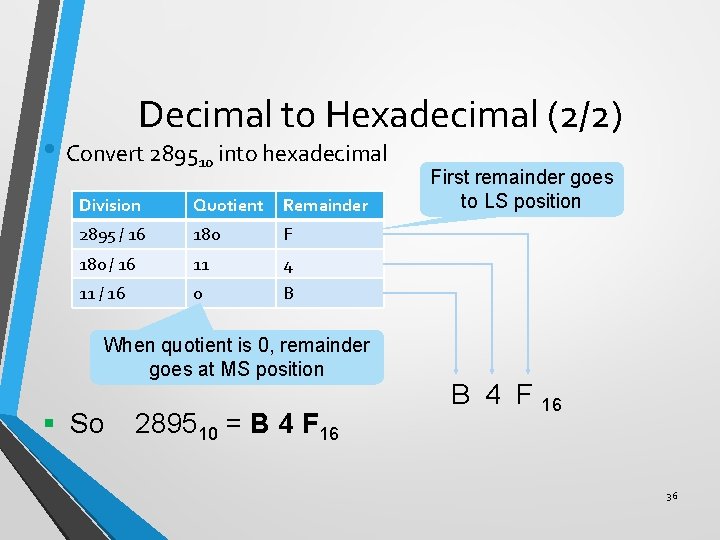
Decimal to Hexadecimal (2/2) • Convert 289510 into hexadecimal Division Quotient Remainder 2895 / 16 180 F 180 / 16 11 4 11 / 16 0 B When quotient is 0, remainder goes at MS position § So 289510 = B 4 F 16 First remainder goes to LS position B 4 F 16 36
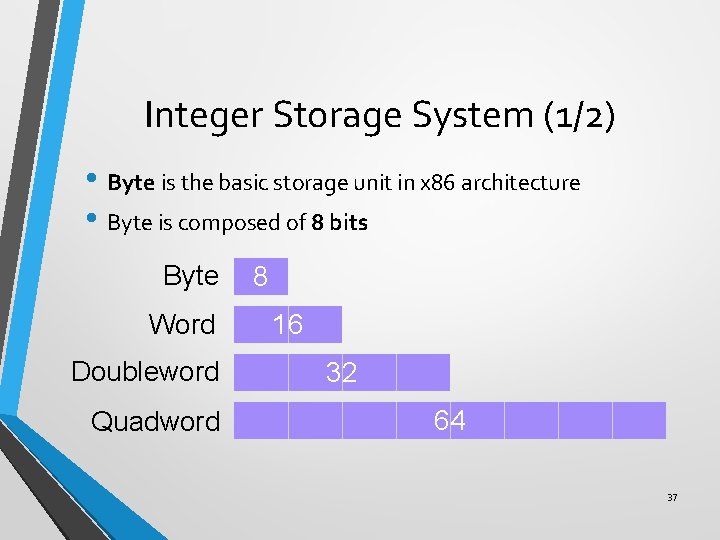
Integer Storage System (1/2) • Byte is the basic storage unit in x 86 architecture • Byte is composed of 8 bits Byte Word Doubleword Quadword 8 16 32 64 37
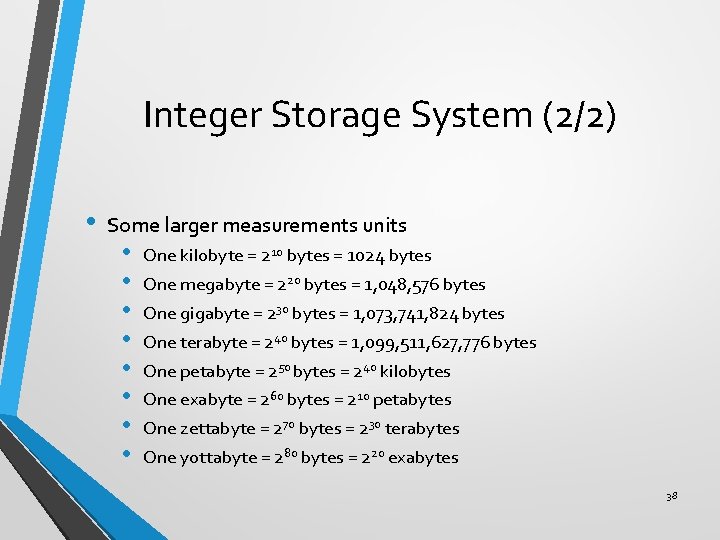
Integer Storage System (2/2) • Some larger measurements units • • One kilobyte = 210 bytes = 1024 bytes One megabyte = 220 bytes = 1, 048, 576 bytes One gigabyte = 230 bytes = 1, 073, 741, 824 bytes One terabyte = 240 bytes = 1, 099, 511, 627, 776 bytes One petabyte = 250 bytes = 240 kilobytes One exabyte = 260 bytes = 210 petabytes One zettabyte = 270 bytes = 230 terabytes One yottabyte = 280 bytes = 220 exabytes 38
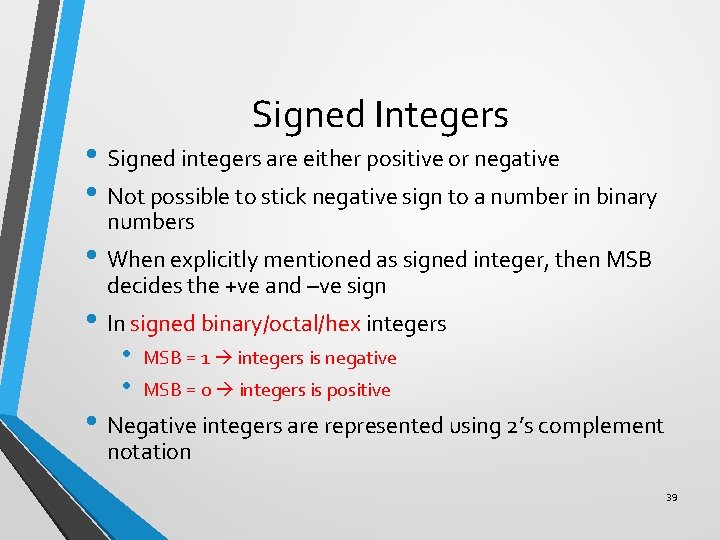
Signed Integers • Signed integers are either positive or negative • Not possible to stick negative sign to a number in binary numbers • When explicitly mentioned as signed integer, then MSB decides the +ve and –ve sign • In signed binary/octal/hex integers • • MSB = 1 integers is negative MSB = 0 integers is positive • Negative integers are represented using 2’s complement notation 39
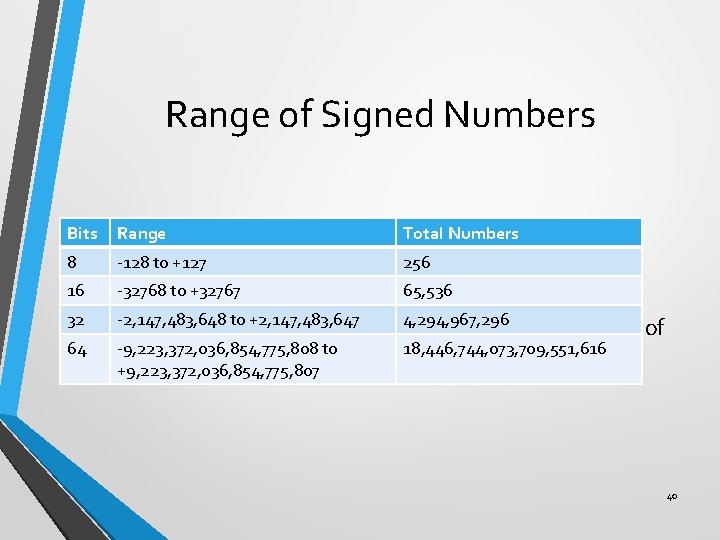
Range of Signed Numbers Bits Range Total Numbers 8 -128 to +127 256 16 -32768 to +32767 65, 536 to +2, 147, 483, 647 4, 294, 967, 296 • A-2, 147, 483, 648 certain number of bits can store only a fixed number of 32 64 -9, 223, 372, 036, 854, 775, 808 to signed integers +9, 223, 372, 036, 854, 775, 807 18, 446, 744, 073, 709, 551, 616 40
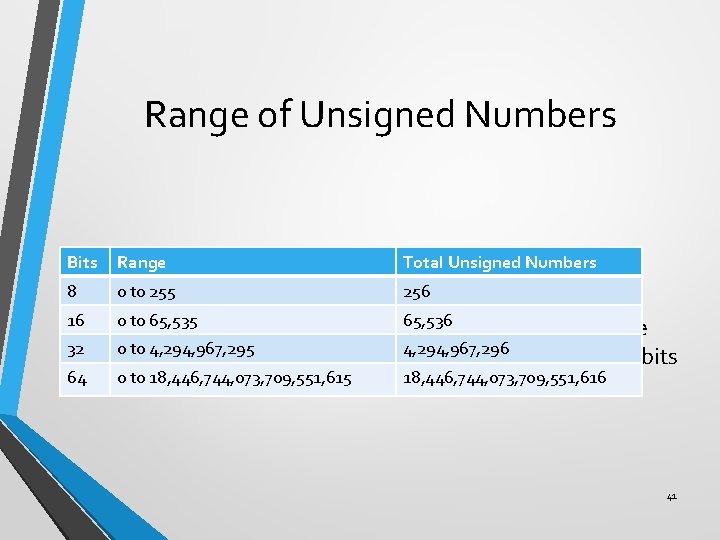
Range of Unsigned Numbers Bits Range Total Unsigned Numbers 8 0 to 255 256 0 to 65, 535 65, 536 • Total numbers in signed integers is exactly equal to the 16 32 64 0 to 4, 294, 967, 295 4, 294, 967, 296 total numbers in unsigned integers in the same size of bits 0 to 18, 446, 744, 073, 709, 551, 615 18, 446, 744, 073, 709, 551, 616 41
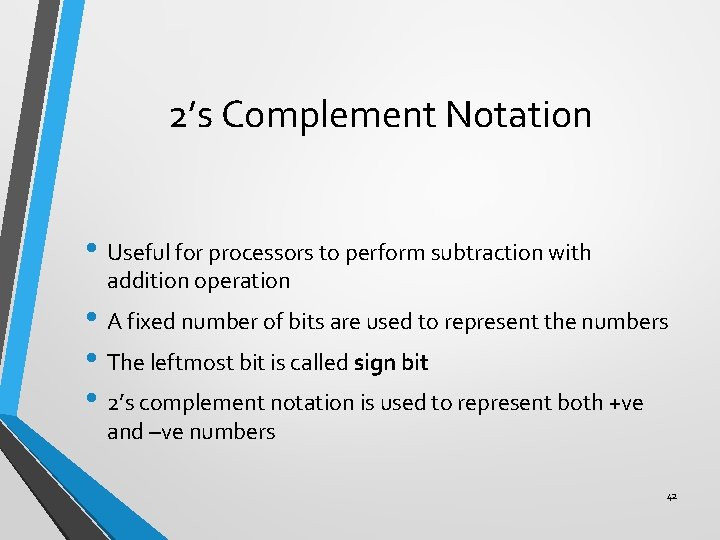
2’s Complement Notation • Useful for processors to perform subtraction with addition operation • A fixed number of bits are used to represent the numbers • The leftmost bit is called sign bit • 2’s complement notation is used to represent both +ve and –ve numbers 42
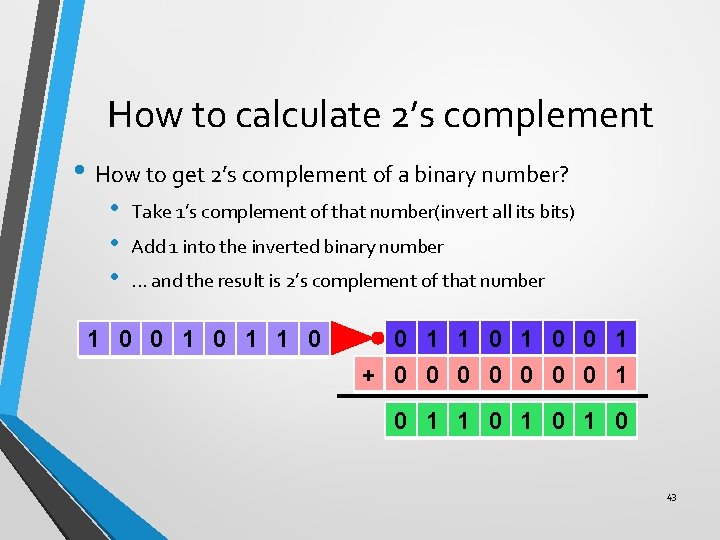
How to calculate 2’s complement • How to get 2’s complement of a binary number? • • • Take 1’s complement of that number(invert all its bits) Add 1 into the inverted binary number. . . and the result is 2’s complement of that number 1 0 0 1 1 0 0 1 + 0 0 0 0 1 1 0 1 0 43
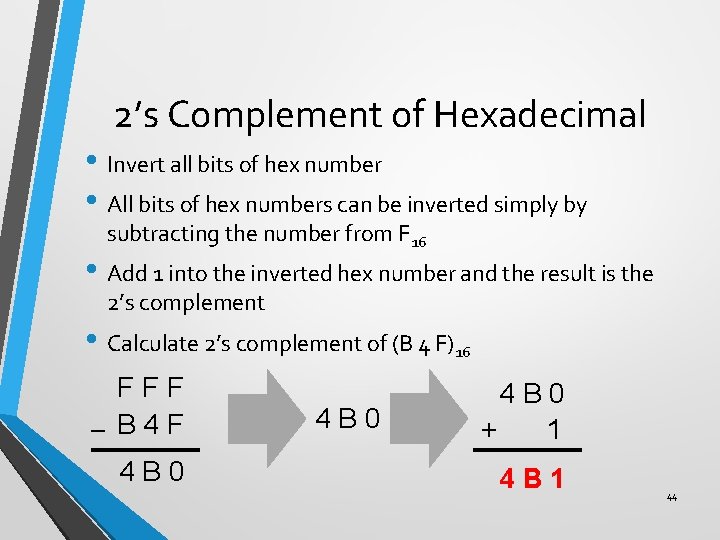
2’s Complement of Hexadecimal • Invert all bits of hex number • All bits of hex numbers can be inverted simply by subtracting the number from F 16 • Add 1 into the inverted hex number and the result is the 2’s complement • Calculate 2’s complement of (B 4 F)16 FFF – B 4 F 4 B 0 + 1 4 B 1 44
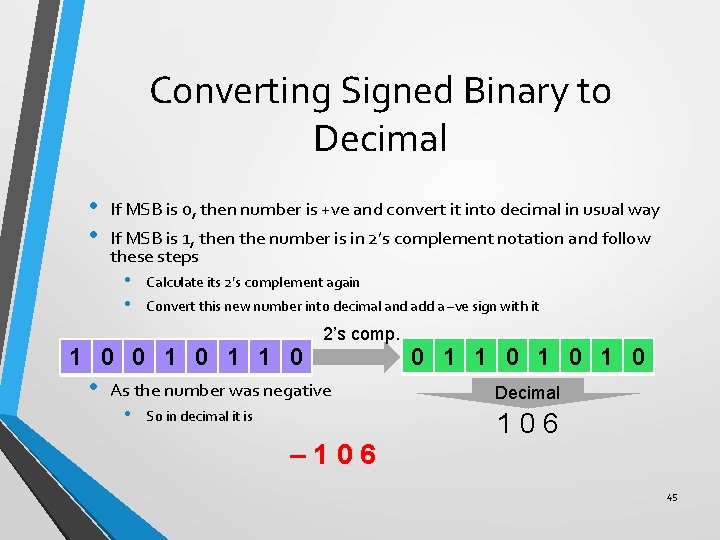
Converting Signed Binary to Decimal • • If MSB is 0, then number is +ve and convert it into decimal in usual way If MSB is 1, then the number is in 2’s complement notation and follow these steps • • Calculate its 2’s complement again Convert this new number into decimal and add a –ve sign with it 1 0 0 1 1 0 • 2’s comp. As the number was negative • So in decimal it is – 106 0 1 1 0 1 0 Decimal 106 45
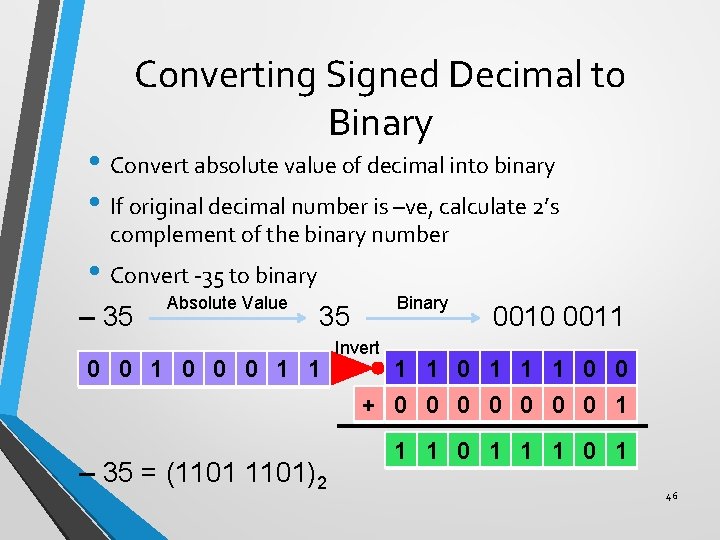
Converting Signed Decimal to Binary • Convert absolute value of decimal into binary • If original decimal number is –ve, calculate 2’s complement of the binary number • Convert -35 to binary – 35 Absolute Value Binary 35 0 0 1 0 0 0 1 1 Invert 0010 0011 1 1 0 0 + 0 0 0 0 1 – 35 = (1101)2 1 1 0 1 46
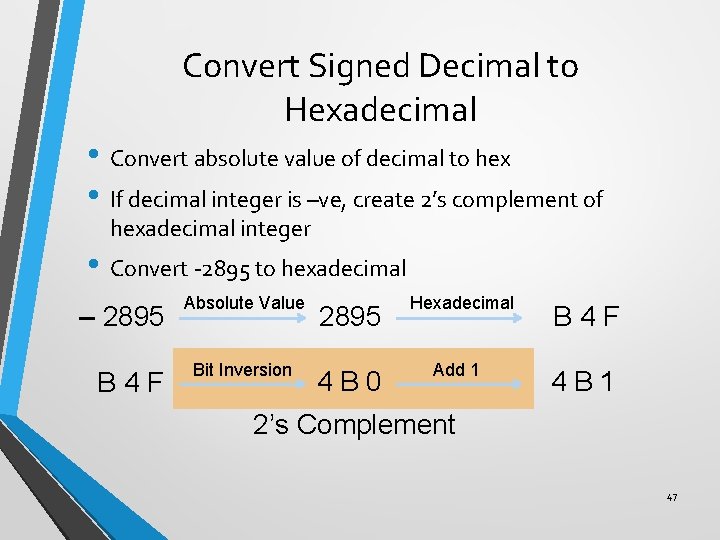
Convert Signed Decimal to Hexadecimal • Convert absolute value of decimal to hex • If decimal integer is –ve, create 2’s complement of hexadecimal integer • Convert -2895 to hexadecimal – 2895 B 4 F Absolute Value Bit Inversion 2895 Hexadecimal B 4 F 4 B 0 Add 1 4 B 1 2’s Complement 47
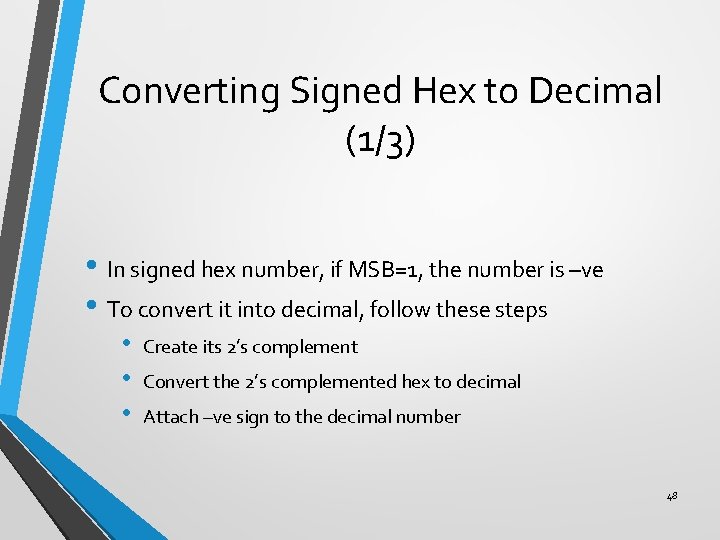
Converting Signed Hex to Decimal (1/3) • In signed hex number, if MSB=1, the number is –ve • To convert it into decimal, follow these steps • • • Create its 2’s complement Convert the 2’s complemented hex to decimal Attach –ve sign to the decimal number 48
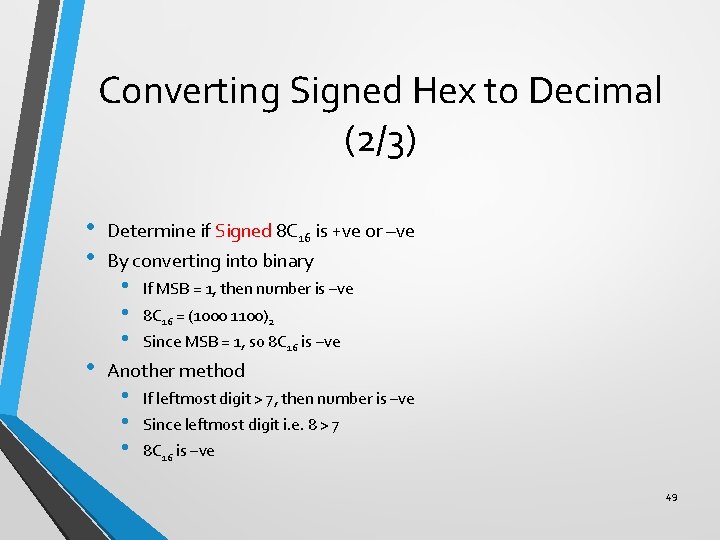
Converting Signed Hex to Decimal (2/3) • • • Determine if Signed 8 C 16 is +ve or –ve By converting into binary • • • If MSB = 1, then number is –ve 8 C 16 = (1000 1100)2 Since MSB = 1, so 8 C 16 is –ve Another method • • • If leftmost digit > 7, then number is –ve Since leftmost digit i. e. 8 > 7 8 C 16 is –ve 49
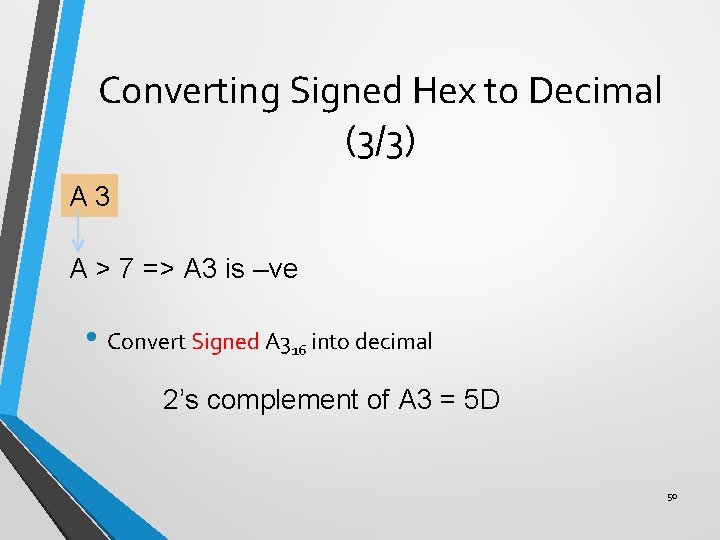
Converting Signed Hex to Decimal (3/3) A 3 A > 7 => A 3 is –ve • Convert Signed A 316 into decimal 2’s complement of A 3 = 5 D 50
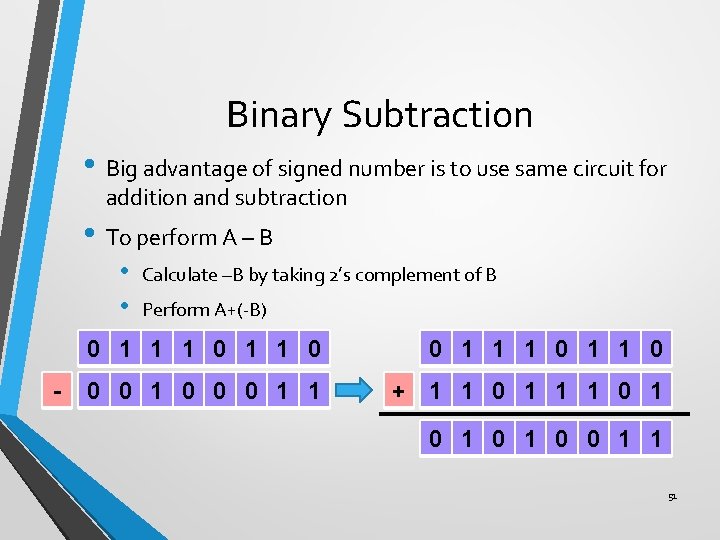
Binary Subtraction • Big advantage of signed number is to use same circuit for addition and subtraction • To perform A – B • • - Calculate –B by taking 2’s complement of B Perform A+(-B) 0 1 1 1 0 0 0 1 0 0 0 1 1 + 1 1 0 1 0 1 0 0 1 1 51
1. 4 Boolean operations • Reading assignment! 52
- Slides: 51