
Computer Networks Transport Layer Topics F Introduction 6
- Slides: 34
Computer Networks Transport Layer
Topics F Introduction (6. 1) F Connection Issues (6. 2 - 6. 2. 3) F TCP (6. 4)
Introduction F Efficient, reliable and cost-effective service to users (application layer) – despite limitations of network layer F Features (a lot like the Network layer? ) – Connection oriented vs. Connectionless – Addressing and Flow Control F But Transport layer can make lower subnet reliable (Qo. S), and gives standard interface F Major boundary between user and network! – Few users write code for network layer – Many write code for transport layer
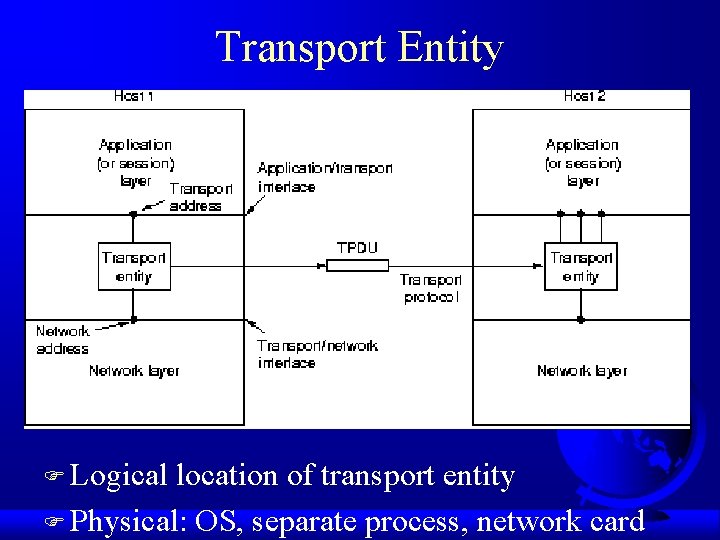
Transport Entity F Logical location of transport entity F Physical: OS, separate process, network card
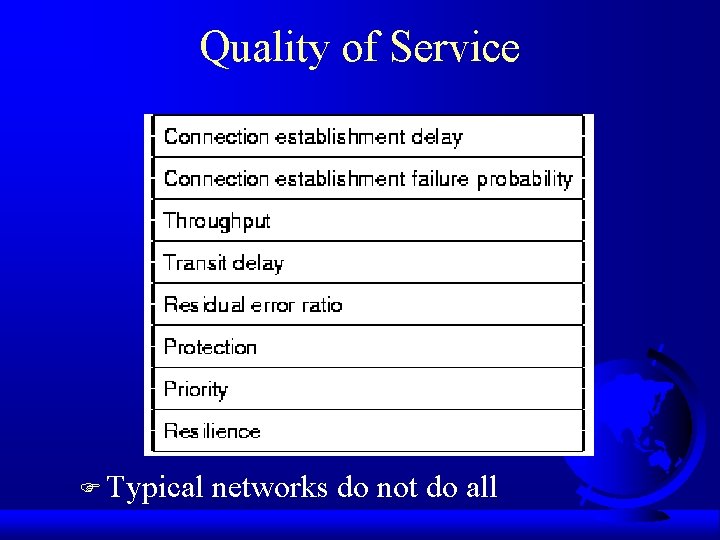
Quality of Service F Typical networks do not do all
Transport Protocol F Like Data Link layer: – error control, sequencing, flow control… F But different: – must specify router (data link layer always same) – destination may be down – network may store packets – many lines and variance make buffering and flow control different
Finding a Server F “Connect to a Server” is a Transport level service F How do you find it? – service mapper - names to transport layer address – name server F Analogy – how do you find phone number?
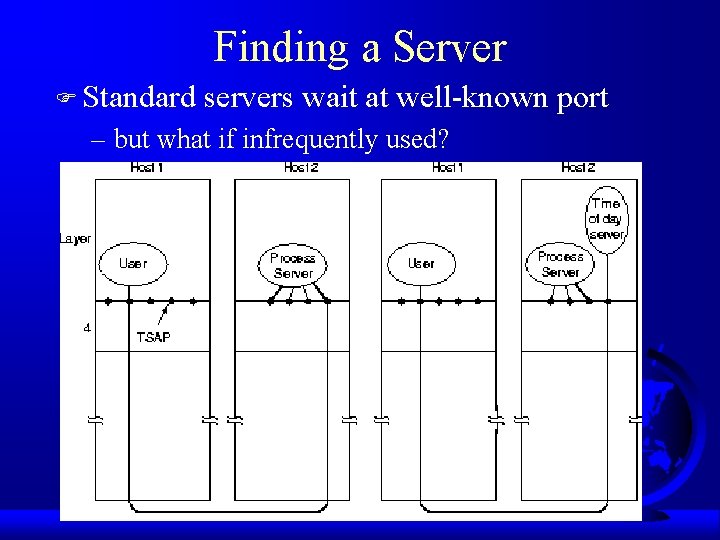
Finding a Server F Standard servers wait at well-known port – but what if infrequently used?
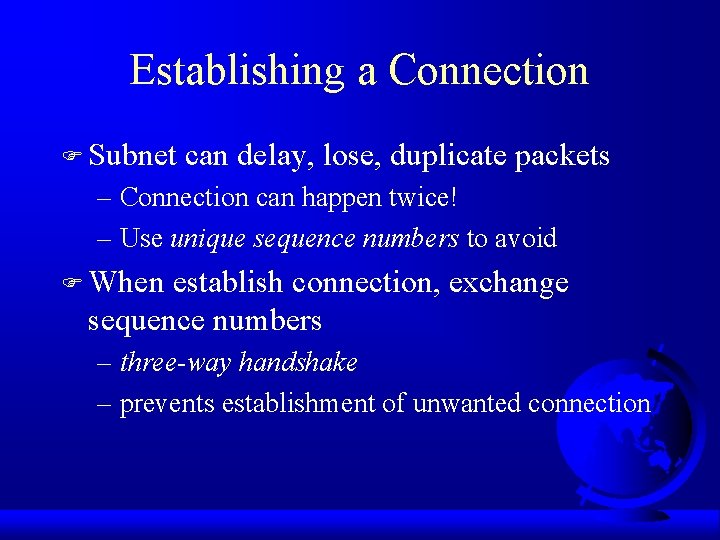
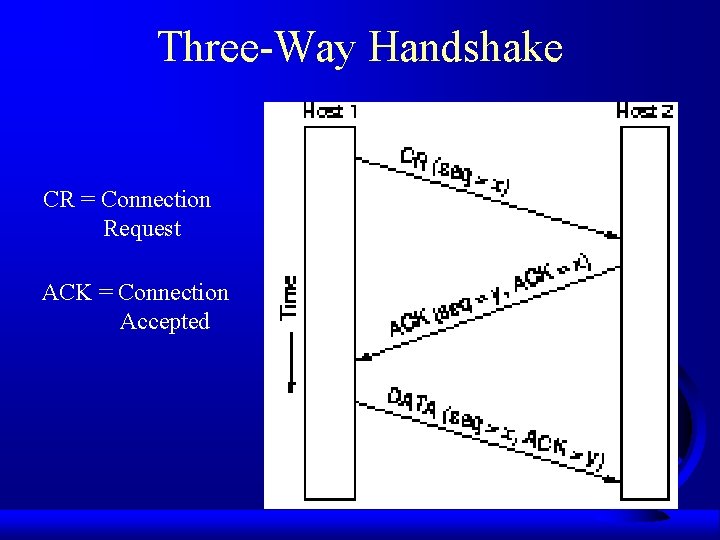
Establishing a Connection F Subnet can delay, lose, duplicate packets – Connection can happen twice! – Use unique sequence numbers to avoid F When establish connection, exchange sequence numbers – three-way handshake – prevents establishment of unwanted connection
Three-Way Handshake CR = Connection Request ACK = Connection Accepted
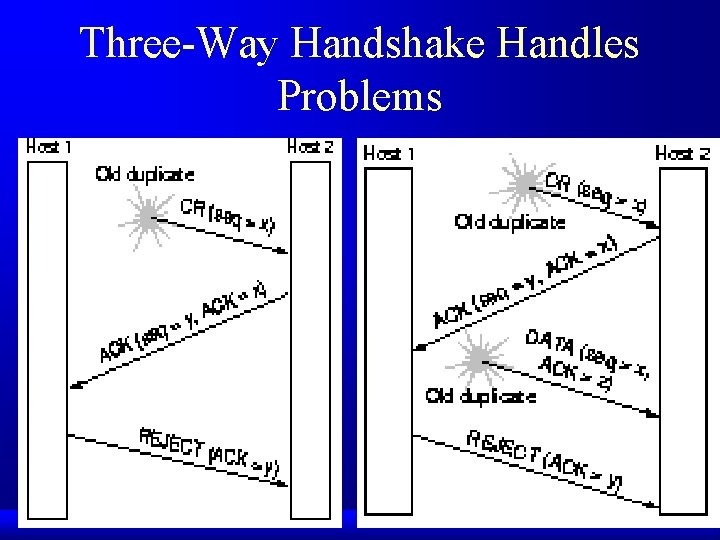
Three-Way Handshake Handles Problems
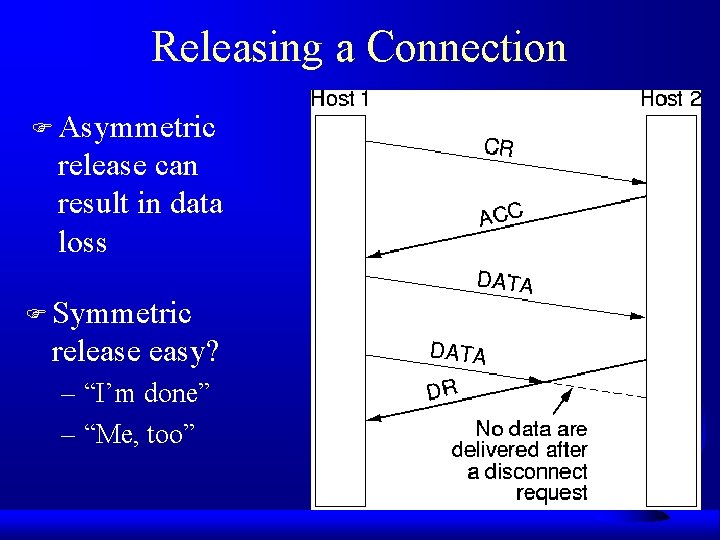
Releasing a Connection F Asymmetric release can result in data loss F Symmetric release easy? – “I’m done” – “Me, too”
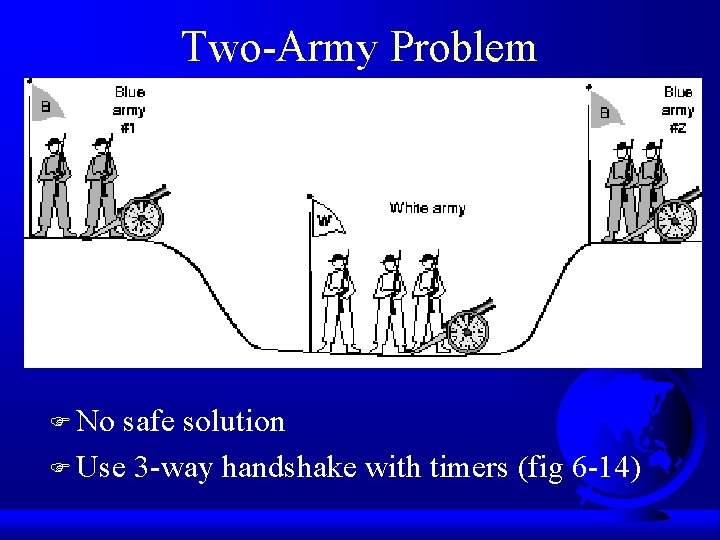
Two-Army Problem F No safe solution F Use 3 -way handshake with timers (fig 6 -14)
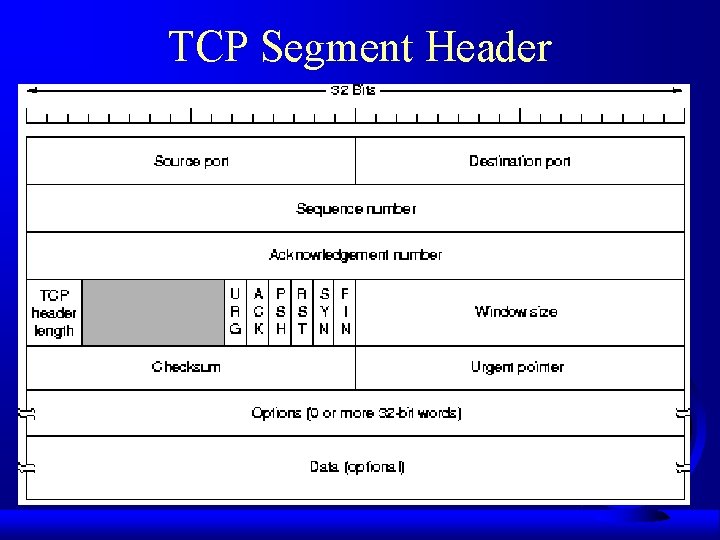
TCP F Connection-oriented F Reliable, end-to-end byte-stream – message boundaries not preserved F Adapt to a variety of underlying networks F Robust in the face of failures F Break data into segments – 64 Kbytes max (often, only 1. 5 Kbytes) – 20 byte header F Sliding window
TCP Segment Header
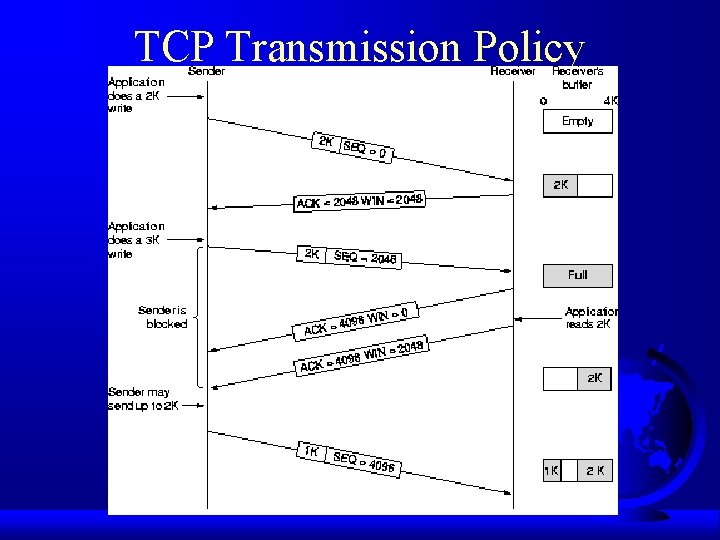
TCP Transmission Policy
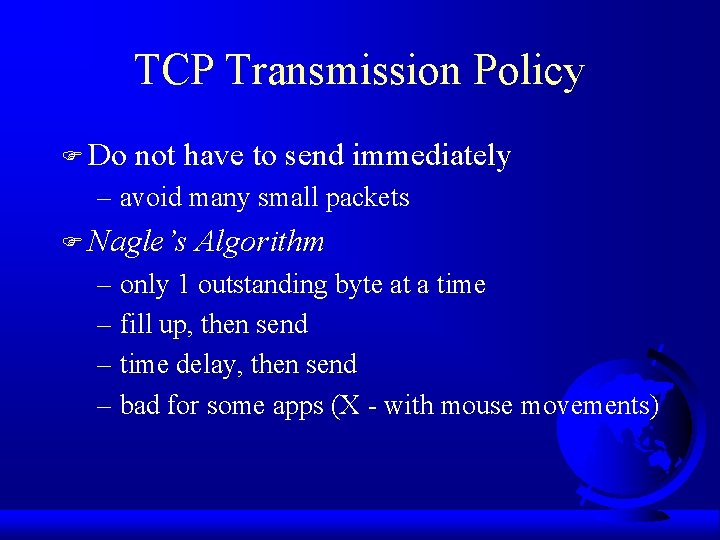
TCP Transmission Policy F Do not have to send immediately – avoid many small packets F Nagle’s Algorithm – only 1 outstanding byte at a time – fill up, then send – time delay, then send – bad for some apps (X - with mouse movements)
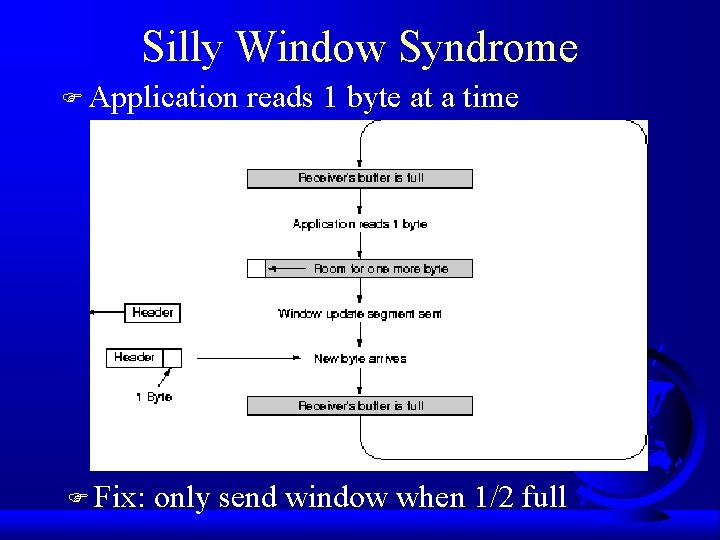
Silly Window Syndrome F Application F Fix: reads 1 byte at a time only send window when 1/2 full
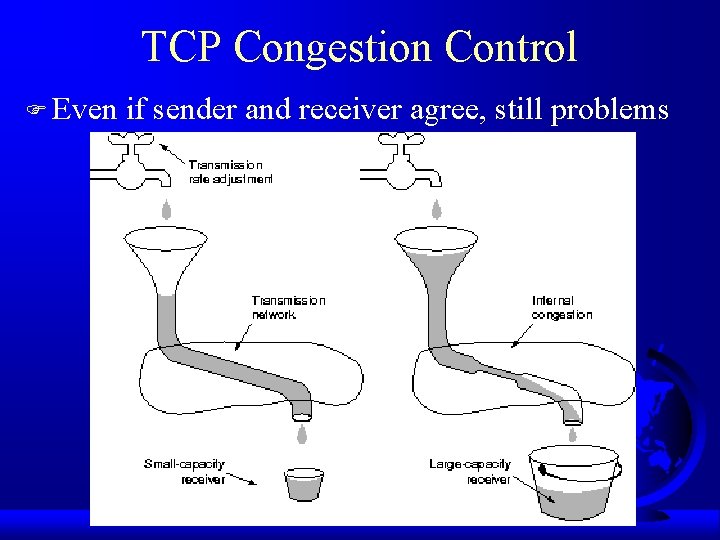
TCP Congestion Control F Even if sender and receiver agree, still problems
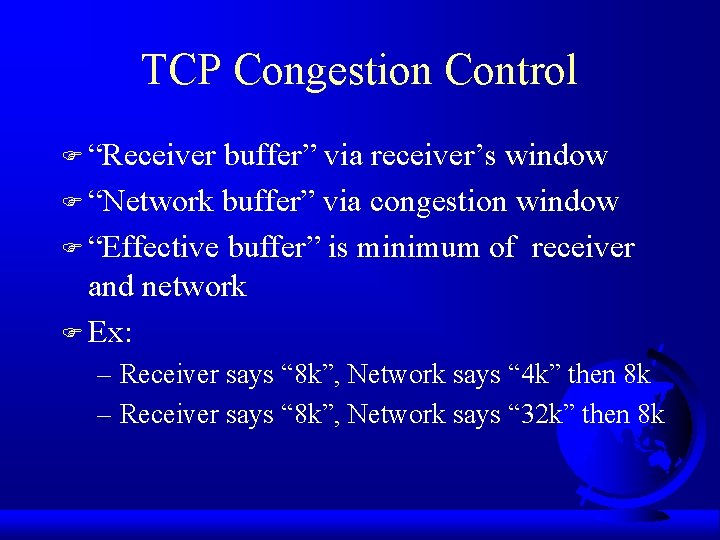
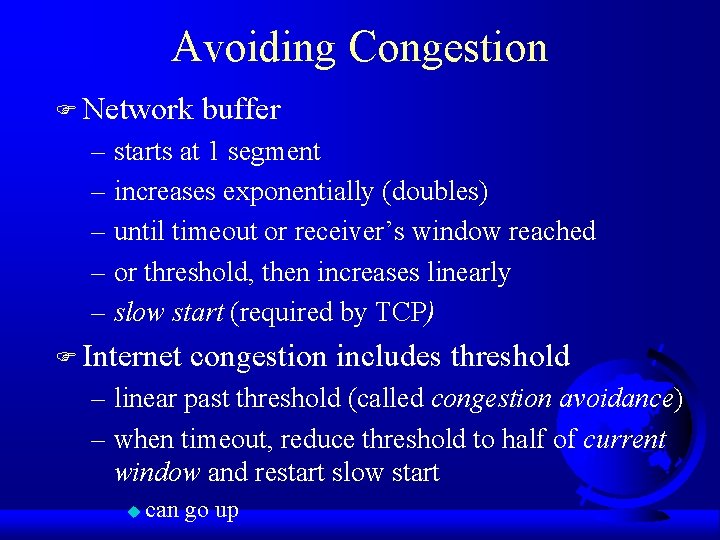
TCP Congestion Control F “Receiver buffer” via receiver’s window F “Network buffer” via congestion window F “Effective buffer” is minimum of receiver and network F Ex: – Receiver says “ 8 k”, Network says “ 4 k” then 8 k – Receiver says “ 8 k”, Network says “ 32 k” then 8 k
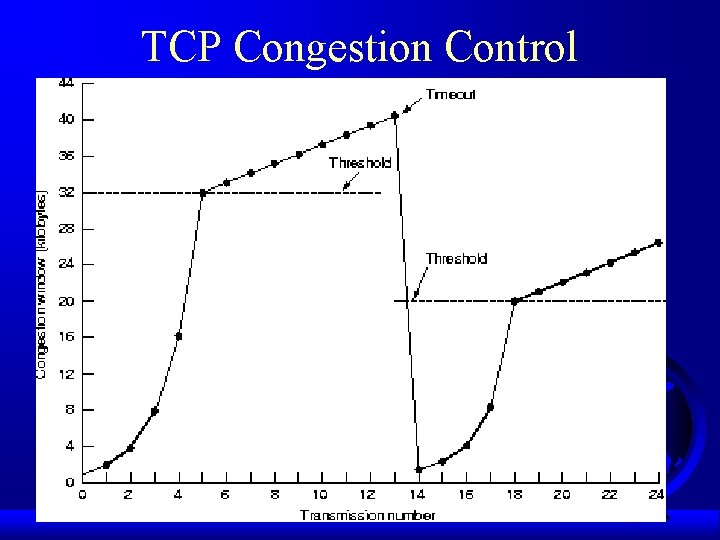
Avoiding Congestion F Network buffer – starts at 1 segment – increases exponentially (doubles) – until timeout or receiver’s window reached – or threshold, then increases linearly – slow start (required by TCP) F Internet congestion includes threshold – linear past threshold (called congestion avoidance) – when timeout, reduce threshold to half of current window and restart slow start u can go up
TCP Congestion Control
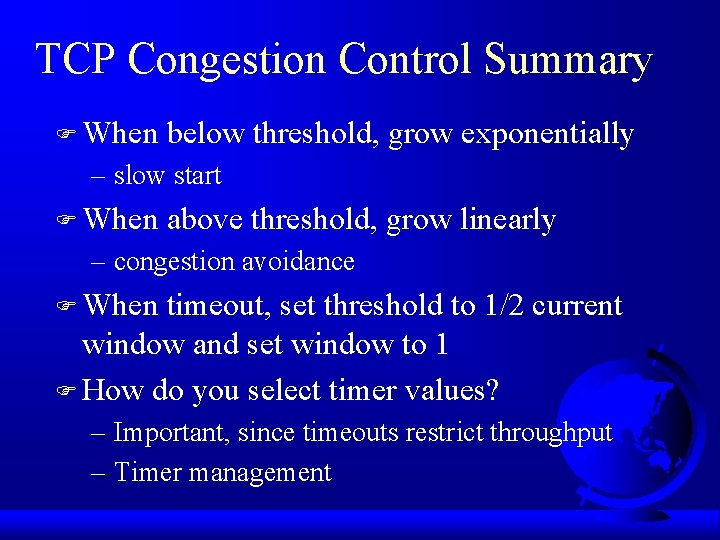
TCP Congestion Control Summary F When below threshold, grow exponentially – slow start F When above threshold, grow linearly – congestion avoidance F When timeout, set threshold to 1/2 current window and set window to 1 F How do you select timer values? – Important, since timeouts restrict throughput – Timer management
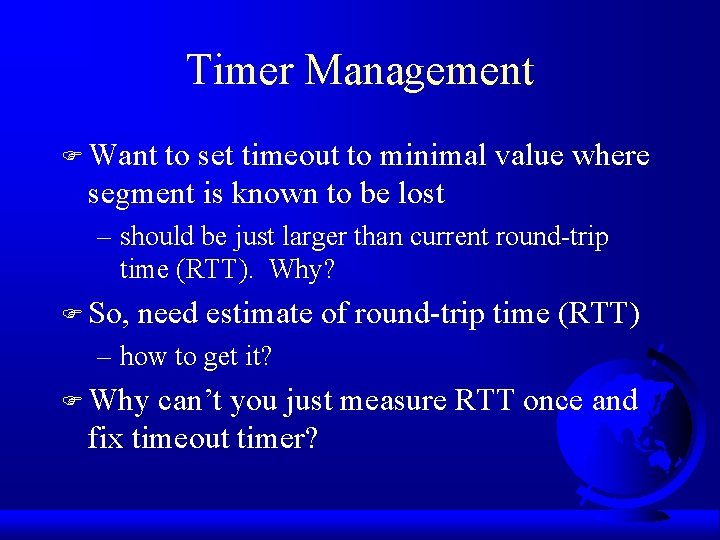
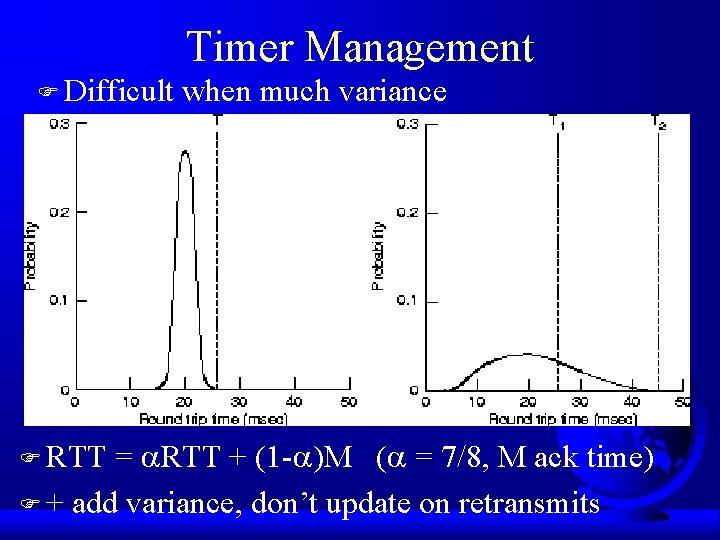
Timer Management F Want to set timeout to minimal value where segment is known to be lost – should be just larger than current round-trip time (RTT). Why? F So, need estimate of round-trip time (RTT) – how to get it? F Why can’t you just measure RTT once and fix timeout timer?
Timer Management F Difficult when much variance = RTT + (1 - )M ( = 7/8, M ack time) F + add variance, don’t update on retransmits F RTT
Enhancement to TCP, or … A Trip to Nevada F Tahoe (traditional TCP) F Reno (most TCP implementations) F Vegas (not yet, but may be coming)
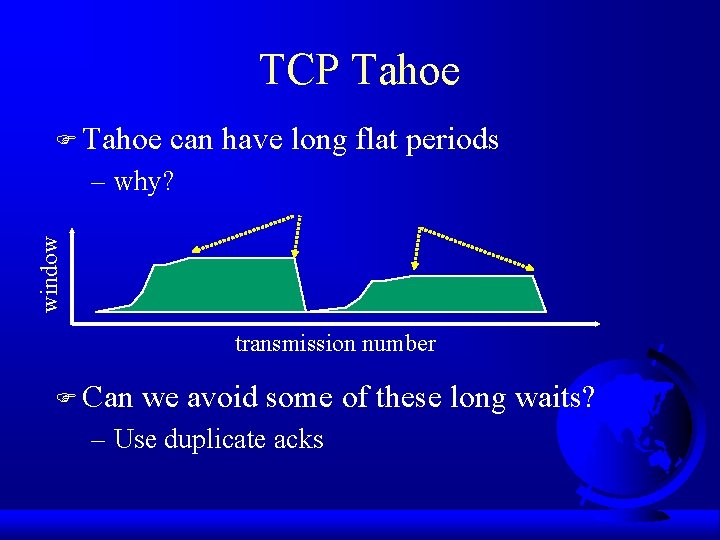
TCP Tahoe F Tahoe can have long flat periods window – why? transmission number F Can we avoid some of these long waits? – Use duplicate acks
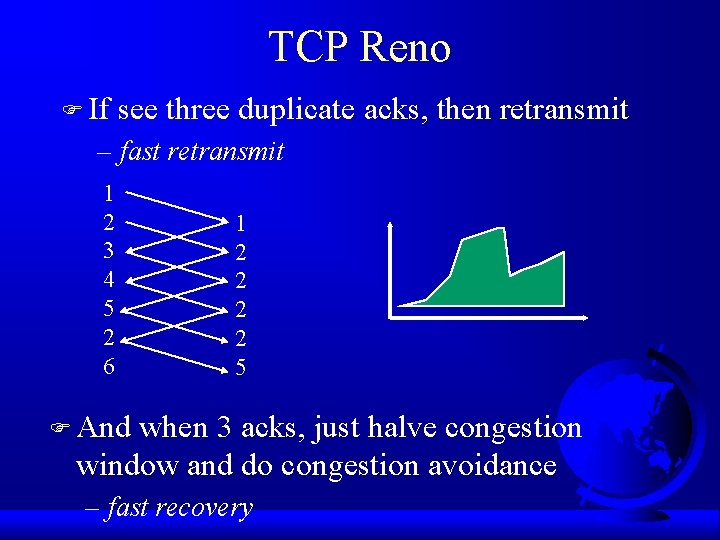
TCP Reno F If see three duplicate acks, then retransmit – fast retransmit 1 2 3 4 5 2 6 1 2 2 5 F And when 3 acks, just halve congestion window and do congestion avoidance – fast recovery
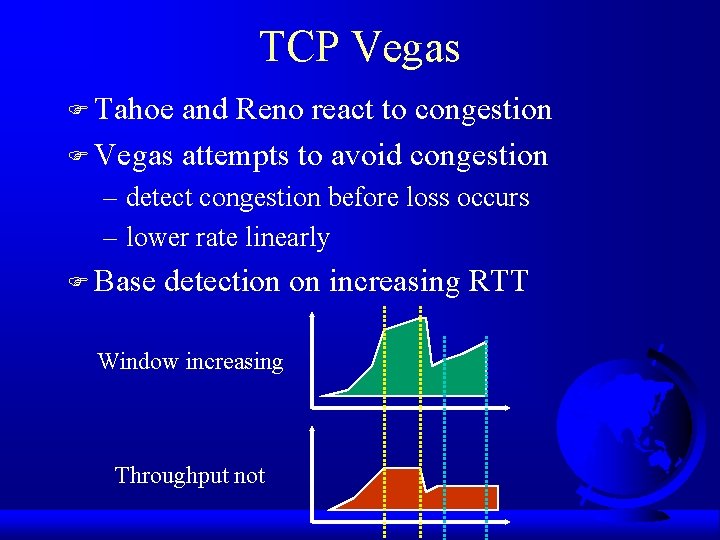
TCP Vegas F Tahoe and Reno react to congestion F Vegas attempts to avoid congestion – detect congestion before loss occurs – lower rate linearly F Base detection on increasing RTT Window increasing Throughput not
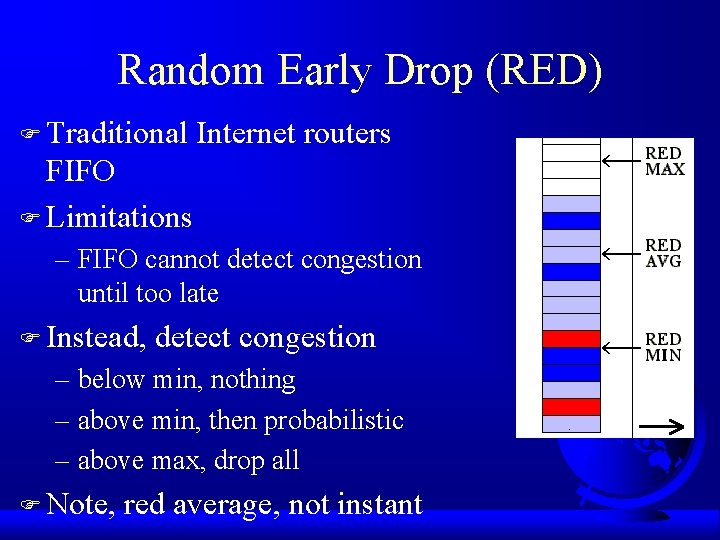
Random Early Drop (RED) F Traditional Internet routers FIFO F Limitations – FIFO cannot detect congestion until too late F Instead, detect congestion – below min, nothing – above min, then probabilistic – above max, drop all F Note, red average, not instant
Explicit Congestion Notification F Routers use loss as a means of indicating congestion – FIFO can’t help it – RED tries to tell TCP flows congestion is coming – implicit F Instead, routers can indicate congestion with a bit – explicit F In acks to sender, better but tough (why? ) – so on outgoing packets
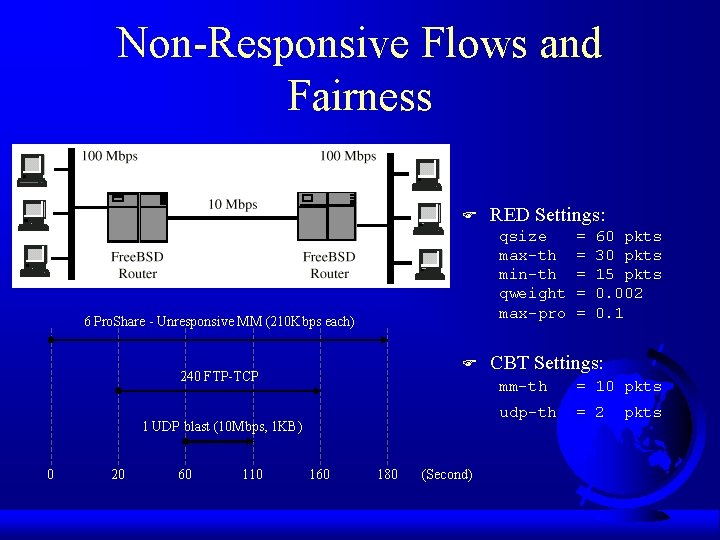
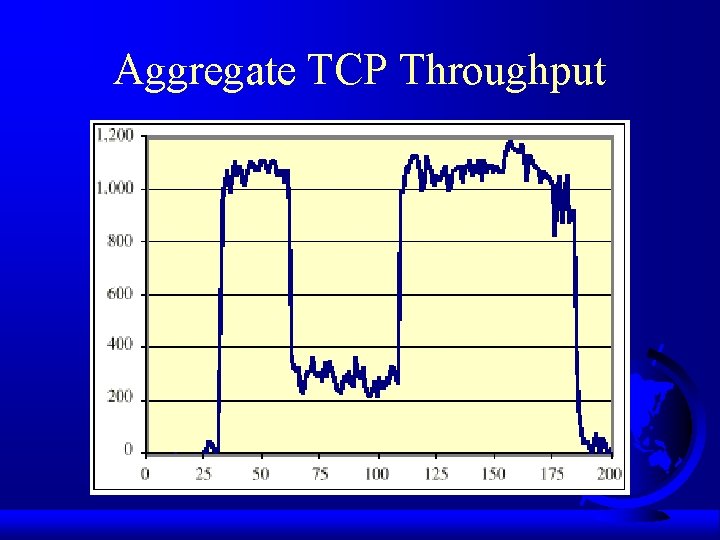
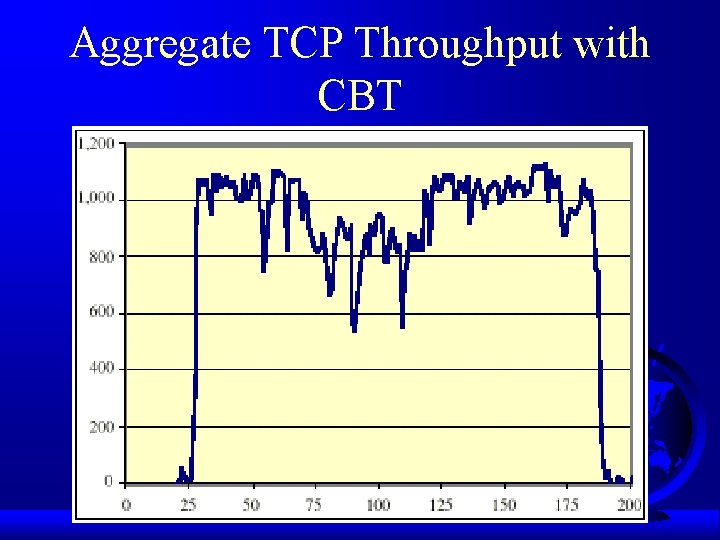
Non-Responsive Flows and Fairness F qsize max-th min-th qweight max-pro 6 Pro. Share - Unresponsive MM (210 Kbps each) F 240 FTP-TCP 1 UDP blast (10 Mbps, 1 KB) 0 20 60 110 160 RED Settings: 180 (Second) = = = 60 pkts 30 pkts 15 pkts 0. 002 0. 1 CBT Settings: mm-th = 10 pkts udp-th = 2 pkts
Aggregate TCP Throughput
Aggregate TCP Throughput with CBT