
Computer Networks Topic 5 Lecture 2 Network Connectors




- Slides: 33
Computer Networks Topic 5 – Lecture 2: Network Connectors V 1. 0
Connectors Network Media & Connectors • Network consists of: – Nodes – Media • Also need to connect the media to the nodes • Range of devices for doing this • Choice depends upon – Cable type – Network type – Device V 1. 0 Topic 5 - 5. 20
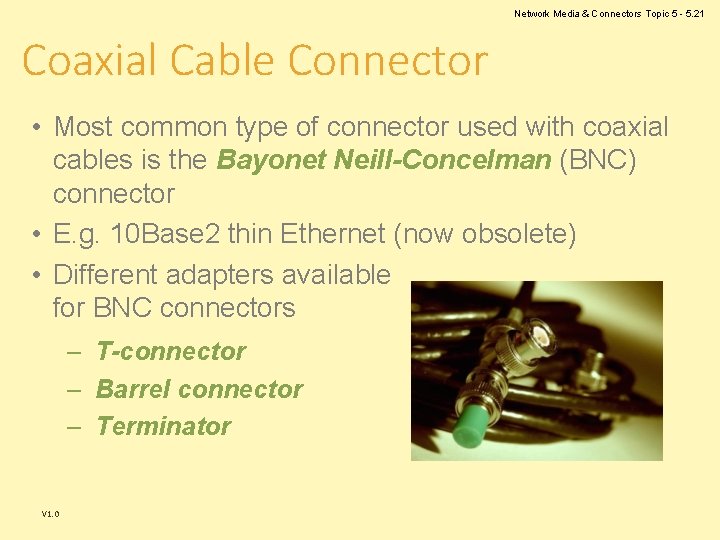
Network Media & Connectors Topic 5 - 5. 21 Coaxial Cable Connector • Most common type of connector used with coaxial cables is the Bayonet Neill-Concelman (BNC) connector • E. g. 10 Base 2 thin Ethernet (now obsolete) • Different adapters available for BNC connectors – T-connector – Barrel connector – Terminator V 1. 0
Network Media & Connectors UTP Connectors • UTP comes in 2 main forms: – Two-pair (four wire) for telephone – Four-pair (eight wire) for data networks • Each has a different connector: – RJ-11 for four-wire telephony – RJ-45 for eight wire data networks V 1. 0 Topic 5 - 5. 22
Network Media & Connectors RJ-11 • RJ stands for registered jack • Strictly this is a combination of plug and wiring configuration • Used for a single telephone line V 1. 0 Topic 5 - 5. 23
Network Media & Connectors Topic 5 - 5. 24 RJ-45 • The standard connector for UTP cabling in data networks • Like a large telephone-style connector • Made of plastic • Can only be inserted one way • Standard designates which wire goes with each pin inside the connector V 1. 0
Network Media & Connectors Topic 5 - 5. 25 Wiring an RJ-45 Connector • The wiring configuration depends upon the standard being followed. • Private Study Exercise 2 asks you to investigate the wiring configurations. V 1. 0
Network Media & Connectors Fibre Optic Connectors • • Terminate the end of an optical fibre Enable connection faster than splicing Align the cores of fibres so that light can pass Common connectors are: – – – V 1. 0 FC LC MT-RJ SC ST Topic 5 - 5. 26
Network Media & Connectors FC Connectors Ferrule Connector • A popular connector for monomode fibre optic cable • A screw on connection • Must have the key aligned in the slot properly before tightening • It is steadily being replaced by SCs and LCs. V 1. 0 Topic 5 - 5. 27
Network Media & Connectors Topic 5 - 5. 28 LC Connectors Lucent Connector (or Local Connector) • A relatively recent connector that is smaller than many others • A standard ceramic ferrule connector • It is easily terminated with adhesive • Good performance • Used widely in monomode V 1. 0
Network Media & Connectors MT-RJ Connectors Mechanical Transfer Registered Jack • A duplex connector • Both fibres in a single polymer ferrule • Uses pins for alignment • Has male and female versions • Multimode only V 1. 0 Topic 5 - 5. 29
Network Media & Connectors SC Connectors Subscriber Connector (or Square Connector or Standard Connector) • A snap-in connector • Widely used in monomode systems • Has excellent performance • Connects with a simple push-pull motion • Also available in a duplex configuration V 1. 0 Topic 5 - 5. 30
Network Media & Connectors Topic 5 - 5. 31 ST Connectors Straight Tip • Most popular connector for multimode networks • Has a bayonet mount and a long cylindrical ferrule to hold the fibre • Ferrules are usually ceramic • Ferrules are spring-loaded; you have to make sure they are seated properly. V 1. 0
Network Media & Connectors Topic 5 - 5. 32 USB Connectors Universal Serial Bus • Developed as a means to connect a large number of devices to the PC • The standard for peripherals • Allows Plug and Play - no special user-knowledge required to install a new device • All devices distinguishable from other devices – the correct driver software was always automatically used V 1. 0
Network Media & Connectors USB 2. 0 • • The most common implementation Very easy to connect Half-duplex USB 3. 0 has been developed: – Higher data speeds – Less power consumption – Full duplex V 1. 0 Topic 5 - 5. 33
Network Media & Connectors Topic 5 - 5. 34 NIC Network Interface Card • Required for a computer to communicate on a network. • Establishes and manages the computer’s network connection • Translates incoming/outgoing messages • Modern computers have a NIC built in V 1. 0
Computer Networks Topic 5 – Lecture 3: Selecting Media and Connectors V 1. 0
Network Media & Connectors Selection Criteria • Factors to be considered: – – – – V 1. 0 Bandwidth Budget Capacity Placement Existing cables Environmental considerations Geographic area Specifics of organisation and location Topic 5 - 5. 36
Network Media & Connectors Topic 5 - 5. 37 Small Networks • For small networks, such as a home network or small office, common choices are: – Ethernet using 10 Base. T for a network using physical media – Wireless LANs are becoming more common due to ease of setting up and accessing the network. • For larger organisations covering several office and/or buildings, a more structured approach is required V 1. 0
Network Media & Connectors Topic 5 - 5. 38 Cable Choice • Most networks use some type of unshielded twisted-pair cabling. • Some organisations use optic fibre directly to their desktop machines. • Wireless is an option • Ideally use Cat 5 e UTP as a minimum, if using cable V 1. 0
Network Media & Connectors Topic 5 - 5. 39 Installation Standards • Two standards bodies have recognised standards for the installation of data networks: – The Telecommunications Industry Association (TIA) • TIA-568 -C. 2, Balanced Twisted-Pair Telecommunications Cabling and Components Standard, 2009 – The International Organization for Standardization (ISO) • ISO 11801, 2 nd Ed. , Information technology Generic Cabling for Customer Premises, 2002 V 1. 0
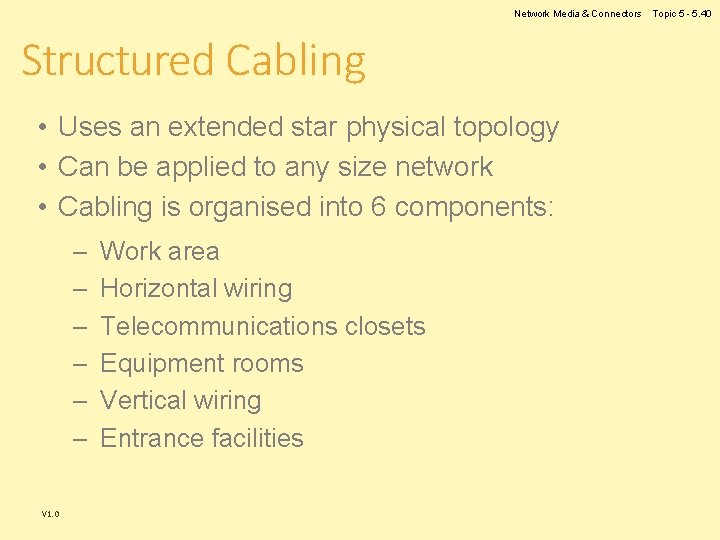
Network Media & Connectors Structured Cabling • Uses an extended star physical topology • Can be applied to any size network • Cabling is organised into 6 components: – – – V 1. 0 Work area Horizontal wiring Telecommunications closets Equipment rooms Vertical wiring Entrance facilities Topic 5 - 5. 40
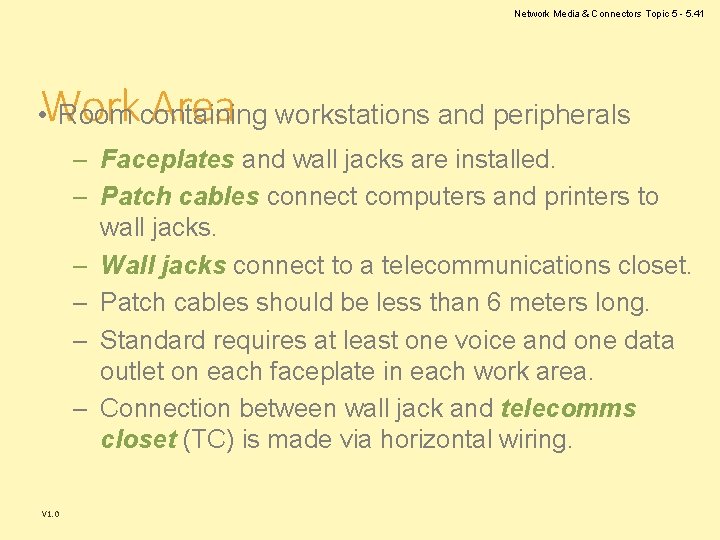
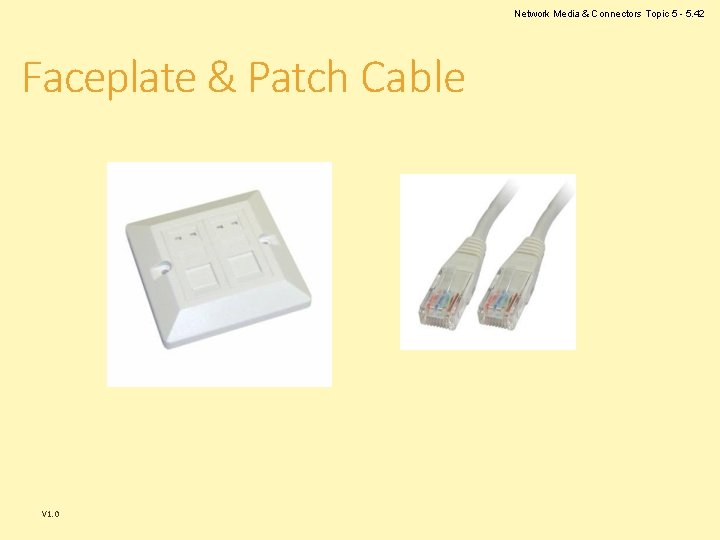
Network Media & Connectors Topic 5 - 5. 41 Work Area • Room containing workstations and peripherals – Faceplates and wall jacks are installed. – Patch cables connect computers and printers to wall jacks. – Wall jacks connect to a telecommunications closet. – Patch cables should be less than 6 meters long. – Standard requires at least one voice and one data outlet on each faceplate in each work area. – Connection between wall jack and telecomms closet (TC) is made via horizontal wiring. V 1. 0
Network Media & Connectors Topic 5 - 5. 42 Faceplate & Patch Cable V 1. 0
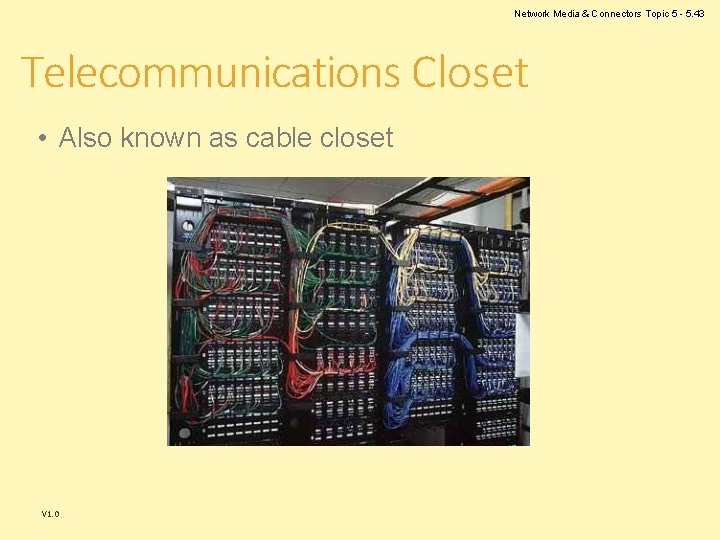
Network Media & Connectors Topic 5 - 5. 43 Telecommunications Closet • Also known as cable closet V 1. 0
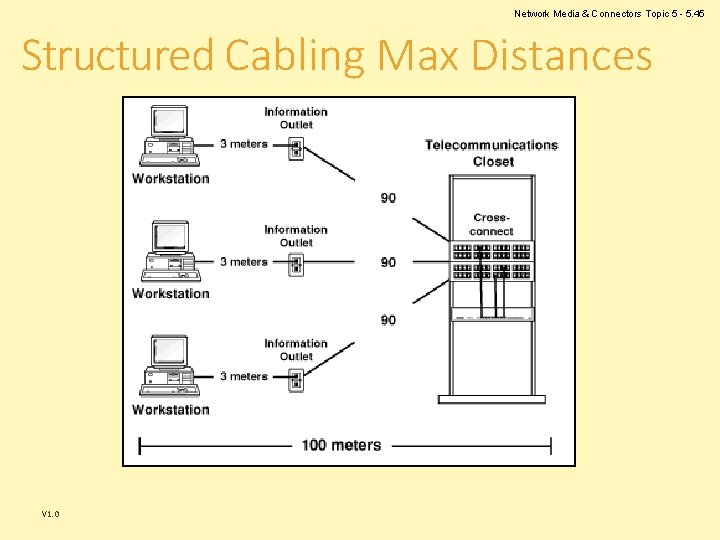
Network Media & Connectors Topic 5 - 5. 44 Horizontal Wiring • Runs from the work area wall jack to the telecommunications closet • Types include four-pair UTP (Category 5 e or 6) or two fibre-optic cables • Horizontal wiring from the wall jack to the patch panel should be no longer than 90 metres – Patch cables in the work area and in the telecommunications closet can total up to 100 meters V 1. 0
Network Media & Connectors Topic 5 - 5. 45 Structured Cabling Max Distances V 1. 0
Network Media & Connectors Equipment Rooms • Contains servers, routers, switches, and other major network equipment • Serves as a connection point for vertical cabling running between TCs • In installations covering several buildings, each building may have its own equipment room. V 1. 0 Topic 5 - 5. 46
Vertical Cabling Network Media & Connectors Topic 5 - 5. 47 • Interconnects telecommunications closets and equipment rooms • Runs between floors and between buildings • Often fibre optic (but can be UTP) – Multimode fibre optic, up to 2000 meters – Single-mode fibre optic, up to 3000 meters – Between equipment rooms and TCs, distance is limited to 500 metres for both fibre optic cable types – From the main cross-connect to equipment rooms, fibre optic cable can run up to 1500 meters V 1. 0
Network Media & Connectors Topic 5 - 5. 48 Entrance Facilities • The location of the cabling and equipment connecting corporate network to telecoms provider • Can also serve as an equipment room and the main cross -connect for all vertical cabling – Where a connection to a WAN is made – Where corporate LAN equipment ends and a thirdparty provider’s equipment and cabling begins V 1. 0
Network Media & Connectors Topic 5 - 5. 49 Wireless Networks • Remember that wireless networking is gaining in popularity • Acts like a wired network • Uses electromagnetic frequencies: – – V 1. 0 Radio Microwave Infrared Laser
Network Media & Connectors Topic 5 - 5. 50 References • Elliot, B. (2002). Designing a Structured Cabling System to ISO 11801, 2 nd edition. Woodhead Publishing Ltd. • British Telecom (2004). BT Structured Cabling, British Telecom • Tomsho, G. (2006). Guide to Networking Essentials, 5 th edition. Course Technology. V 1. 0
Network Media & Connectors Topic 5 – Network Media & Connectors Any Questions? V 1. 0 Topic 5 - 5. 51