
Computer Networks Physical Layer Based on slides from
Computer Networks Physical Layer Based on slides from Zoltán Ács ELTE and D. Choffnes Northeastern U. , Philippa Gill from Stony. Brook University , Revised in 2018 by S. Laki

Physical Layer 2 Applicatio n Presentatio n Session Transport Network Data Link Physical Function: � Get bits across a physical medium Key challenge: � How to represent bits in analog � Ideally, want high-bit rate � But, must avoid desynchronization
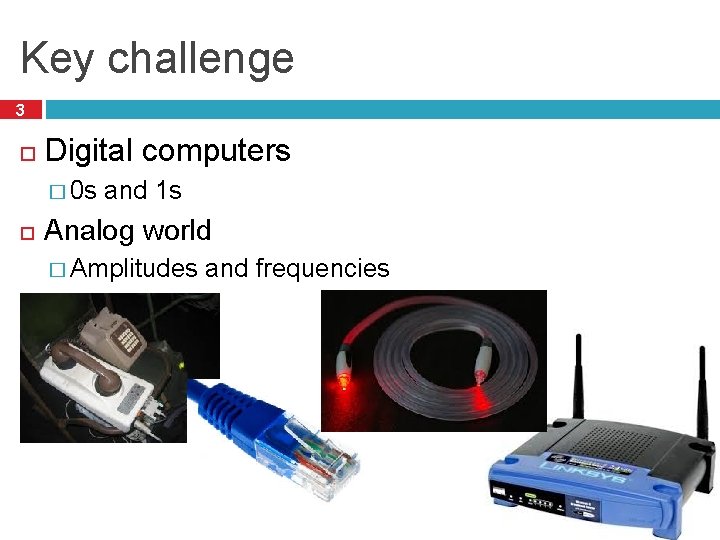
Key challenge 3 Digital computers � 0 s and 1 s Analog world � Amplitudes and frequencies
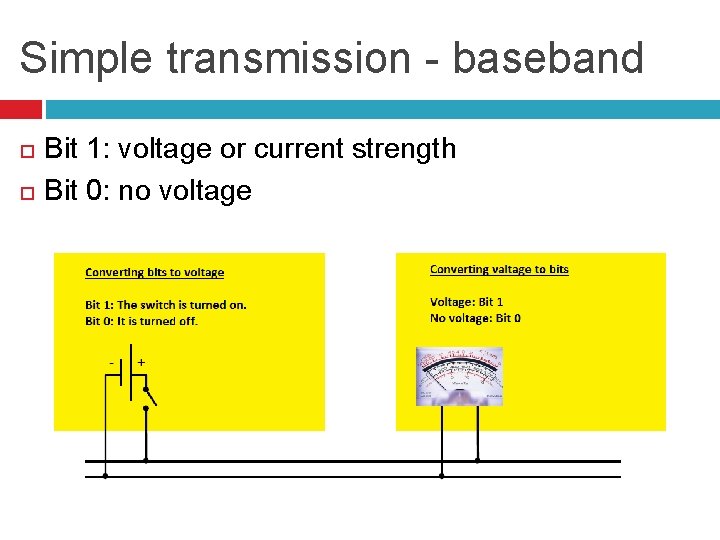
Simple transmission - baseband Bit 1: voltage or current strength Bit 0: no voltage
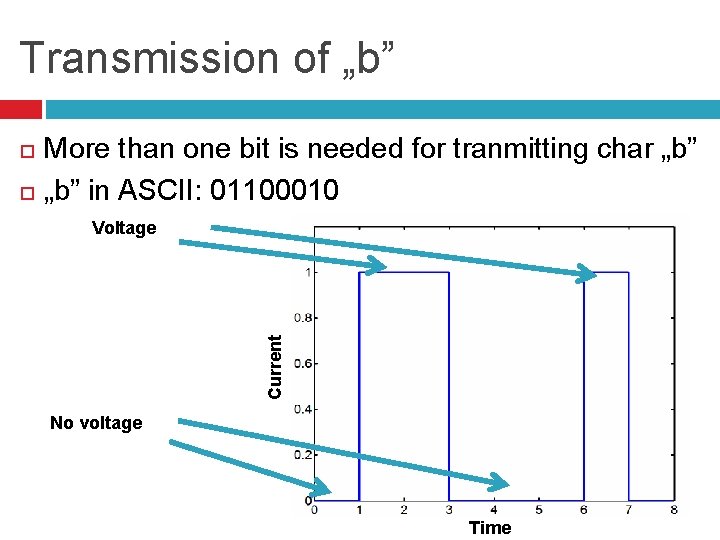
Transmission of „b” More than one bit is needed for tranmitting char „b” in ASCII: 01100010 Voltage Current No voltage Time
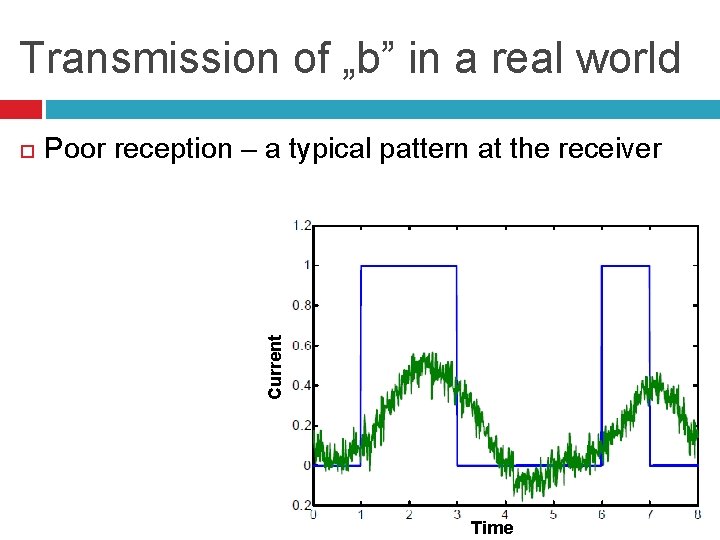
Transmission of „b” in a real world Poor reception – a typical pattern at the receiver Current Time
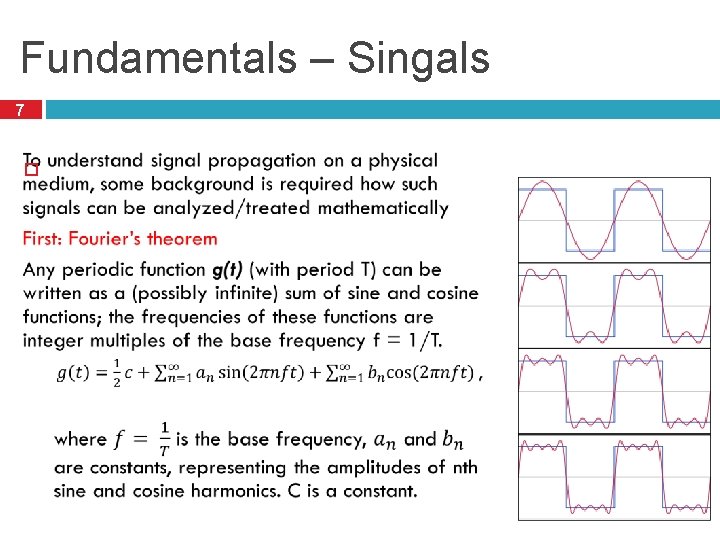
Fundamentals – Singals 7
Fundamental – Terms of the Fourier series 8
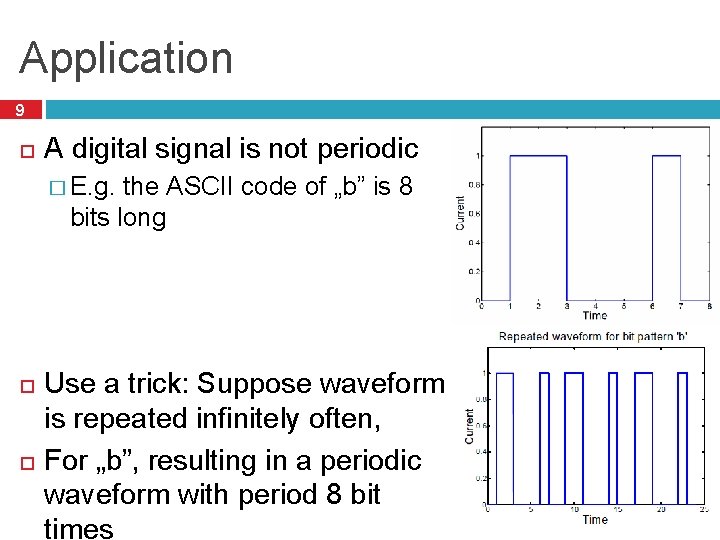
Application 9 A digital signal is not periodic � E. g. the ASCII code of „b” is 8 bits long Use a trick: Suppose waveform is repeated infinitely often, For „b”, resulting in a periodic waveform with period 8 bit times
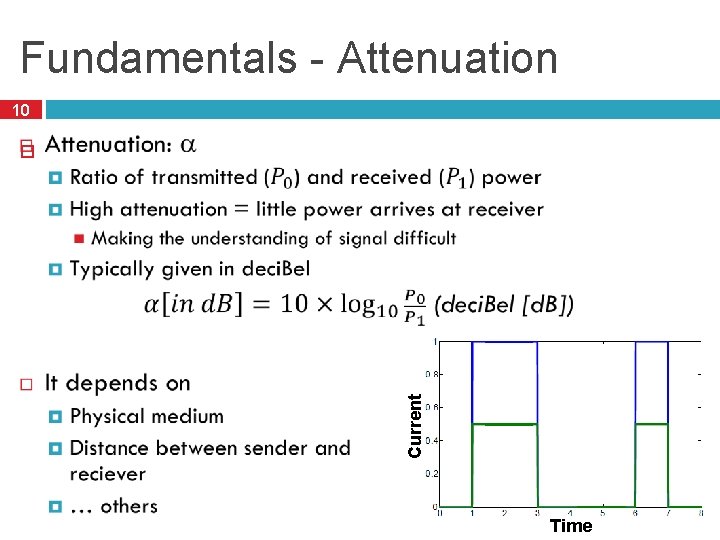
Fundamentals - Attenuation 10 Current Time
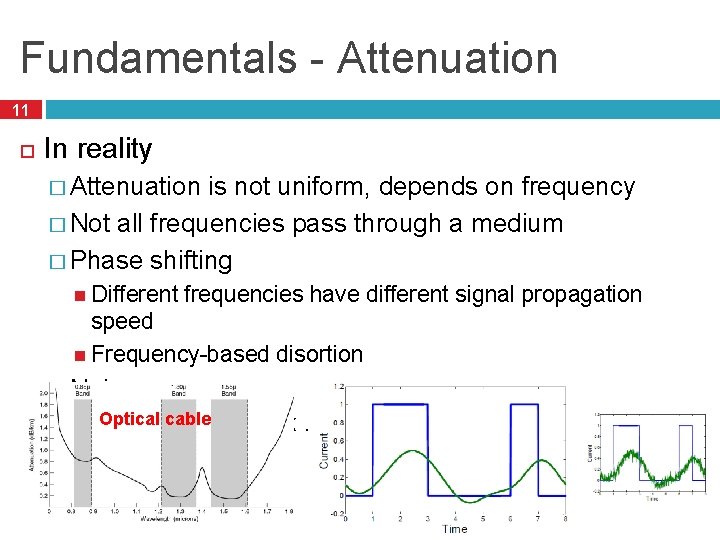
Fundamentals - Attenuation 11 In reality � Attenuation is not uniform, depends on frequency � Not all frequencies pass through a medium � Phase shifting Different frequencies have different signal propagation speed Frequency-based disortion � Noise Optical cable Hő, más rendszerek …
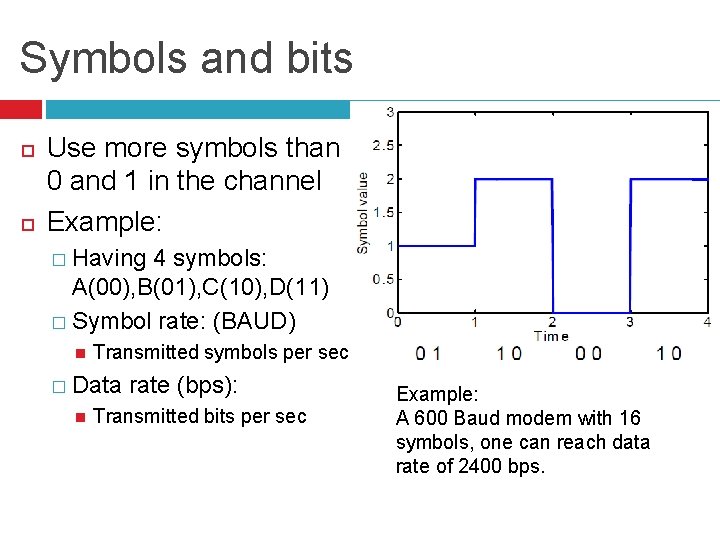
Symbols and bits Use more symbols than 0 and 1 in the channel Example: � Having 4 symbols: A(00), B(01), C(10), D(11) � Symbol rate: (BAUD) Transmitted symbols per sec � Data rate (bps): Transmitted bits per sec Example: A 600 Baud modem with 16 symbols, one can reach data rate of 2400 bps.
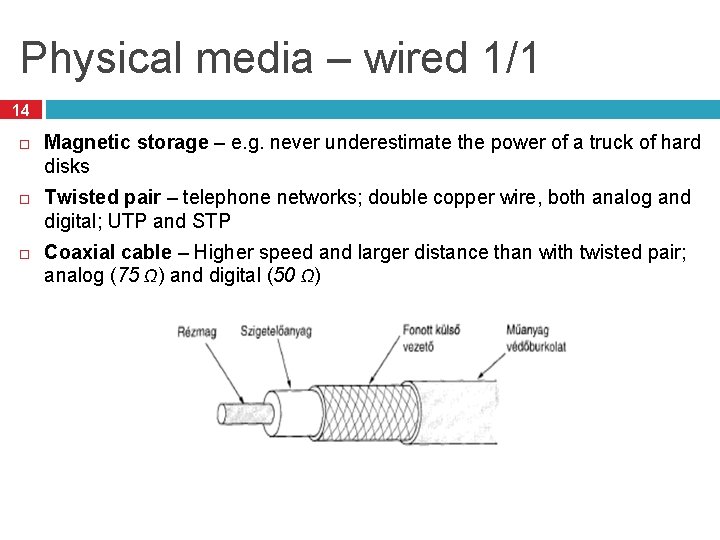
Physical media – wired 1/1 14 Magnetic storage – e. g. never underestimate the power of a truck of hard disks Twisted pair – telephone networks; double copper wire, both analog and digital; UTP and STP Coaxial cable – Higher speed and larger distance than with twisted pair; analog (75 Ω) and digital (50 Ω) (Tanenbaum)
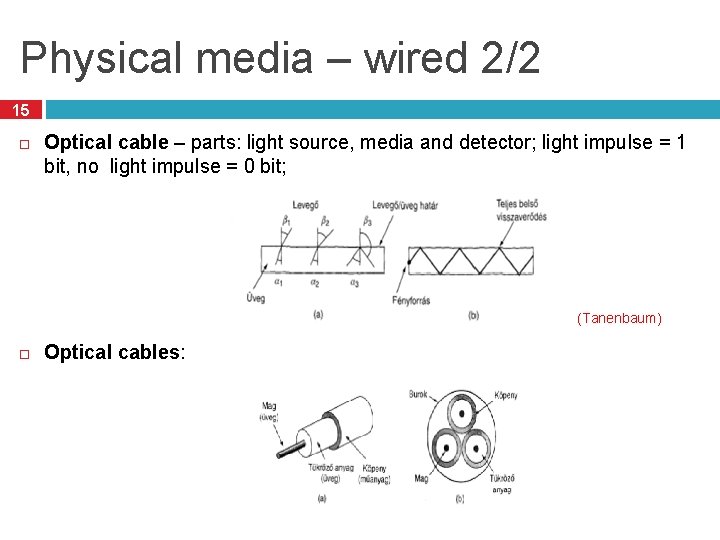
Physical media – wired 2/2 15 Optical cable – parts: light source, media and detector; light impulse = 1 bit, no light impulse = 0 bit; (Tanenbaum) Optical cables:
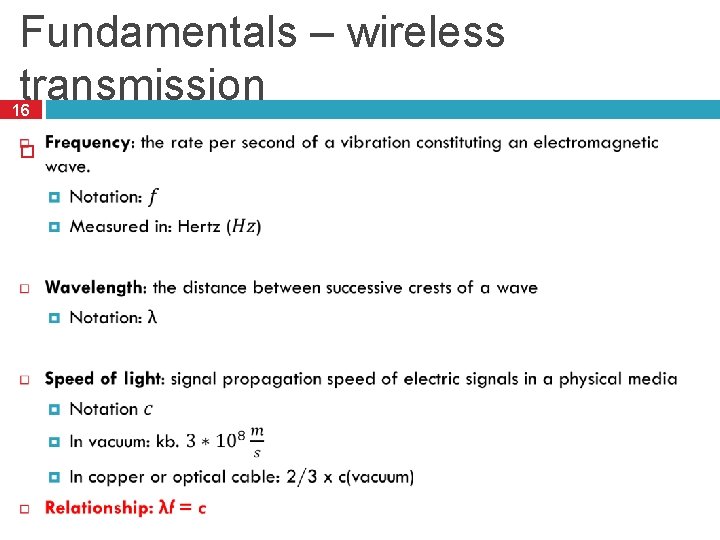
Fundamentals – wireless transmission 16
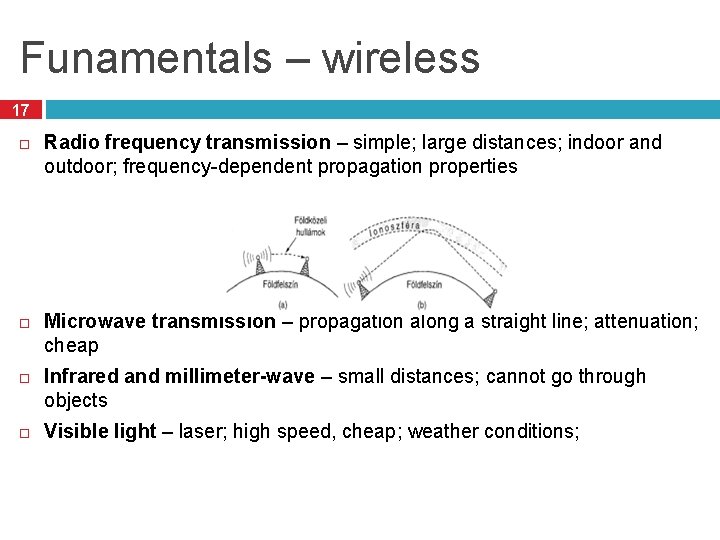
Funamentals – wireless 17 Radio frequency transmission – simple; large distances; indoor and outdoor; frequency-dependent propagation properties Microwave transmission – propagation along a straight line; attenuation; cheap Infrared and millimeter-wave – small distances; cannot go through objects Visible light – laser; high speed, cheap; weather conditions;
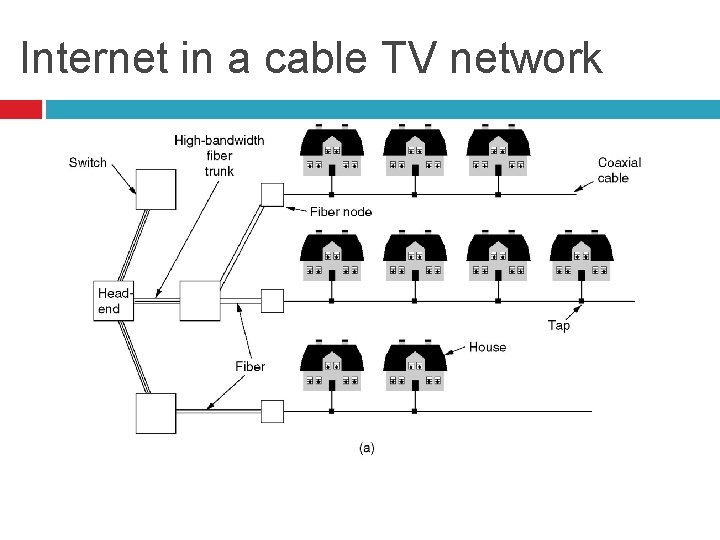
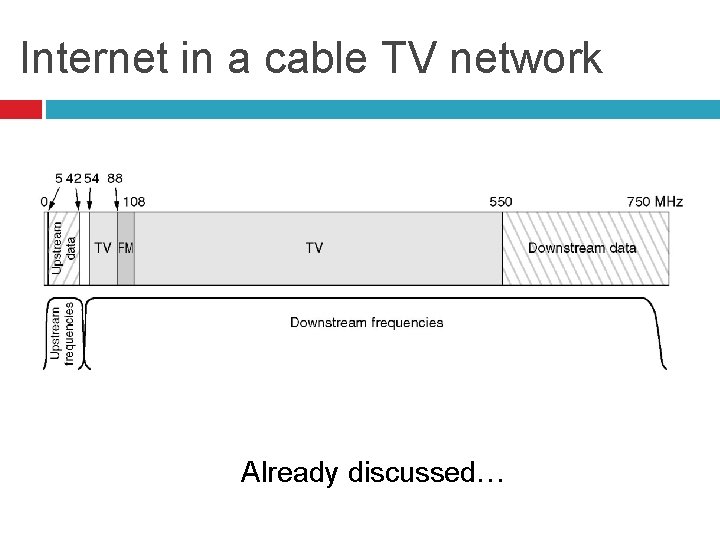
Internet in a cable TV network
Internet in a cable TV network Already discussed…
20 Data transmission
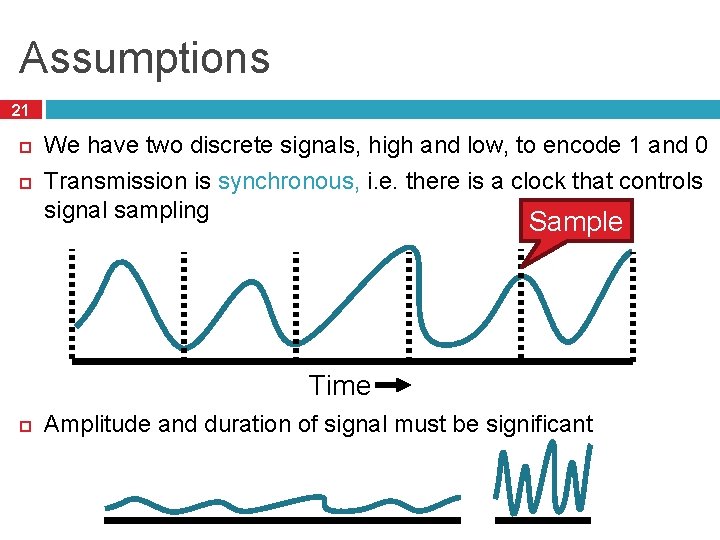
Assumptions 21 We have two discrete signals, high and low, to encode 1 and 0 Transmission is synchronous, i. e. there is a clock that controls signal sampling Sample Time Amplitude and duration of signal must be significant
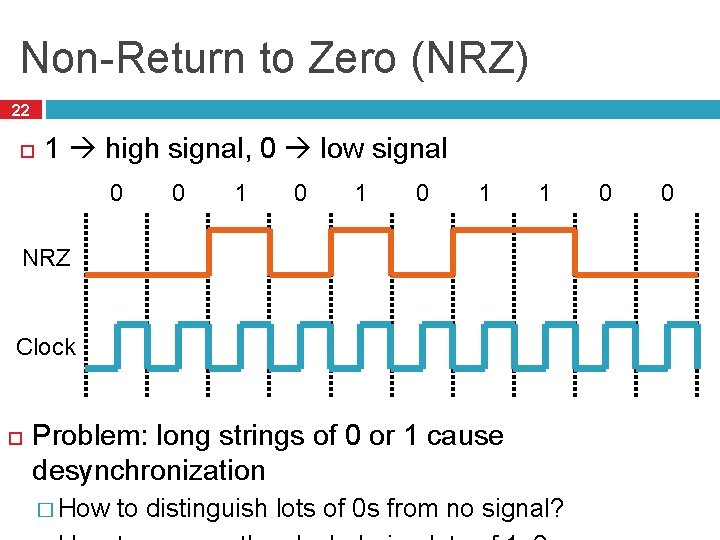
Non-Return to Zero (NRZ) 22 1 high signal, 0 low signal 0 0 1 0 1 1 NRZ Clock Problem: long strings of 0 or 1 cause desynchronization � How to distinguish lots of 0 s from no signal? 0 0
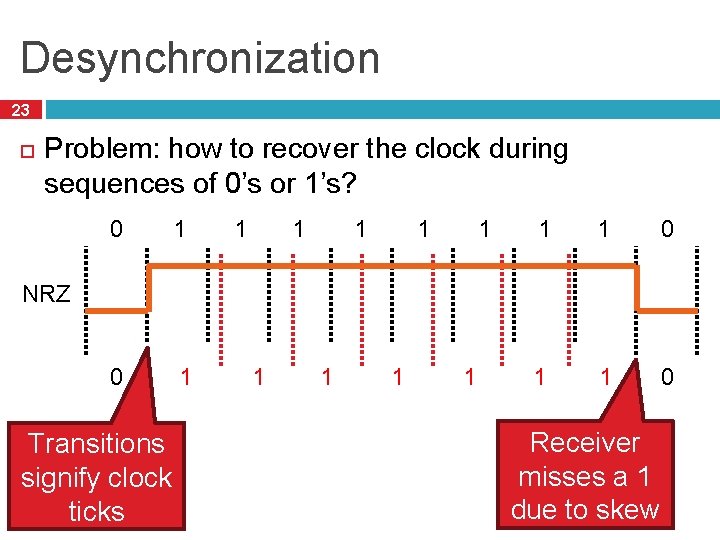
Desynchronization 23 Problem: how to recover the clock during sequences of 0’s or 1’s? 0 1 1 1 1 1 0 NRZ Transitions signify clock ticks 1 1 Receiver misses a 1 due to skew
24 Clock drift is major problem – two different clocks never stay in perfect synchrony
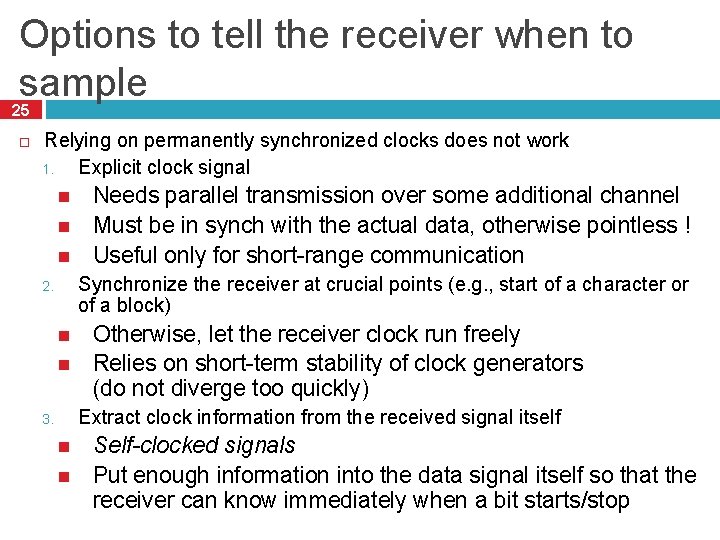
Options to tell the receiver when to sample 25 Relying on permanently synchronized clocks does not work 1. Explicit clock signal Needs parallel transmission over some additional channel Must be in synch with the actual data, otherwise pointless ! Useful only for short-range communication Synchronize the receiver at crucial points (e. g. , start of a character or of a block) 2. Otherwise, let the receiver clock run freely Relies on short-term stability of clock generators (do not diverge too quickly) Extract clock information from the received signal itself 3. Self-clocked signals Put enough information into the data signal itself so that the receiver can know immediately when a bit starts/stop
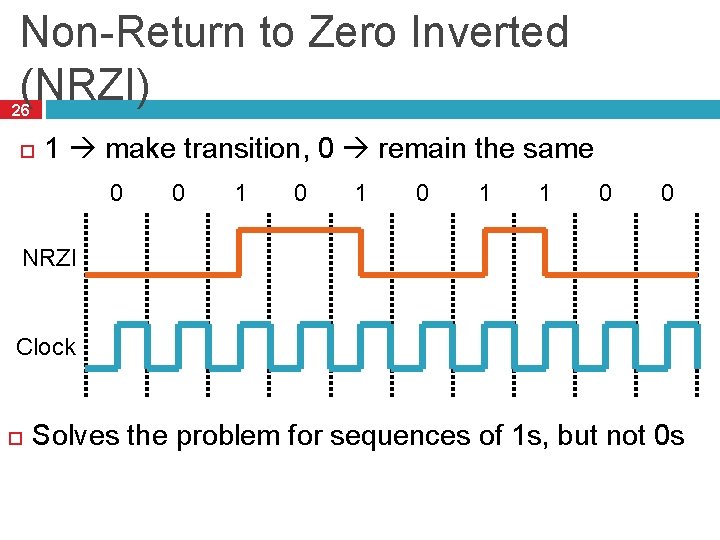
Non-Return to Zero Inverted (NRZI) 26 1 make transition, 0 remain the same 0 0 1 0 1 1 0 0 NRZI Clock Solves the problem for sequences of 1 s, but not 0 s
27 Ethernet examples: 10 BASE-TX 100 BASE-TX
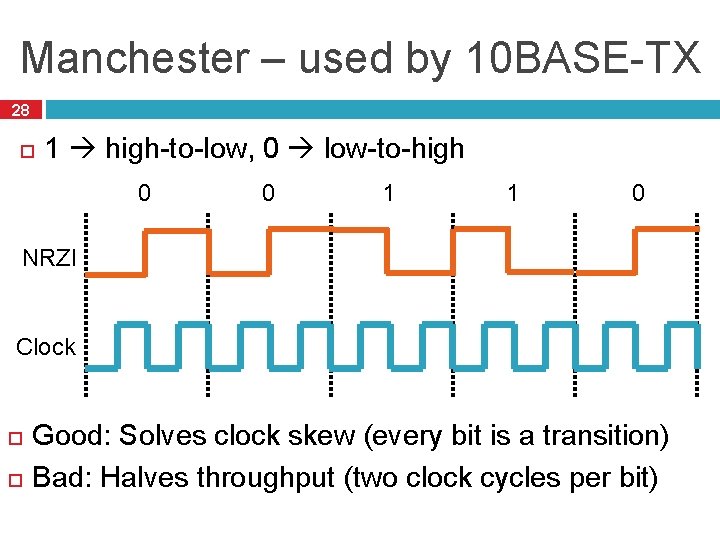
Manchester – used by 10 BASE-TX 28 1 high-to-low, 0 low-to-high 0 0 1 1 0 NRZI Clock Good: Solves clock skew (every bit is a transition) Bad: Halves throughput (two clock cycles per bit)
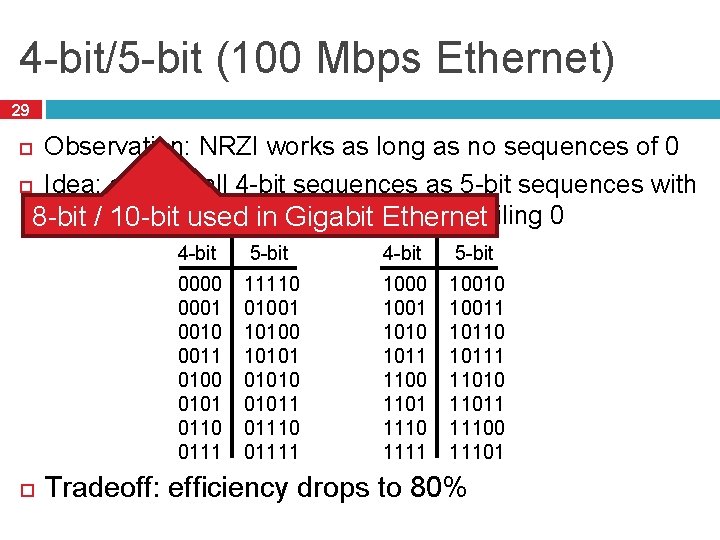
4 -bit/5 -bit (100 Mbps Ethernet) 29 Observation: NRZI works as long as no sequences of 0 Idea: encode all 4 -bit sequences as 5 -bit sequences with no more thanused one leading 0 and two trailing 0 8 -bit / 10 -bit in Gigabit Ethernet 4 -bit 5 -bit 0000 0001 0010 0011 0100 0101 0110 0111 11110 01001 10100 101010 01011 01110 01111 1000 1001 1010 1011 1100 1101 1110 1111 10010 10011 10110 10111 11010 11011 11100 11101 Tradeoff: efficiency drops to 80%
30 Signal transmission
Baseband VS broadband transmission 31 baseband � Baseband transmission directly puts the digital symbol sequences onto the wire � At different levels of current, voltage, … essentially, direct current (DC) is used for signaling � Baseband transmission suffers from the problems discussed above Limited bandwidth reshapes the signal at receiver Attenuation and distortion depend on frequency and baseband transmissions have many different frequencies because of their wide Fourier spectrum broadband � � Idea: get rid of the wide spectrum needed for DC transmission Use a sine wave as a carrier for the symbols to be transmitted � Typically, the sine wave has high frequency But only a single frequency! Pure sine waves has no information, so its shape has to be influenced according to the symbols to be transmitted The carrier has to be modulated by the symbols (widening the spectrum)
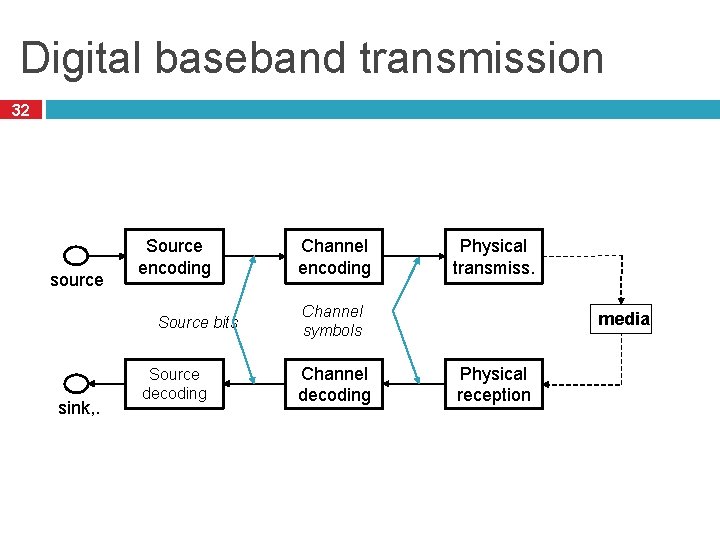
Digital baseband transmission 32 source Source encoding Source bits sink, . Source decoding Channel encoding Physical transmiss. Channel symbols Channel decoding media Physical reception
33 Bring source information in digital form � E. g. , sample and quantize an analog voice signal, represent text as ASCII Source encode: Remove redundant or irrelevant data � E. g. , lossy compression (MP 3, MPEG 4); lossless compression (Huffmann coding, runlength coding) Channel encode: Map source bits to channel symbols � Potentially several bits per symbol � May add redundancy bits to protect against errors � Tailored to channel characteristics Physical transmit: Turn the channel symbols into physical signals At receiver: Reverse all these steps
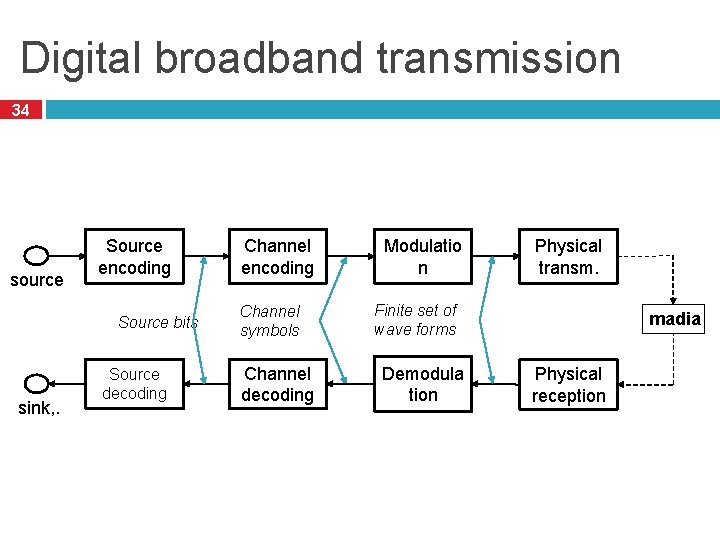
Digital broadband transmission 34 source Source encoding Source bits sink, . Source decoding Channel encoding Channel symbols Channel decoding Modulatio n Physical transm. Finite set of wave forms Demodula tion madia Physical reception
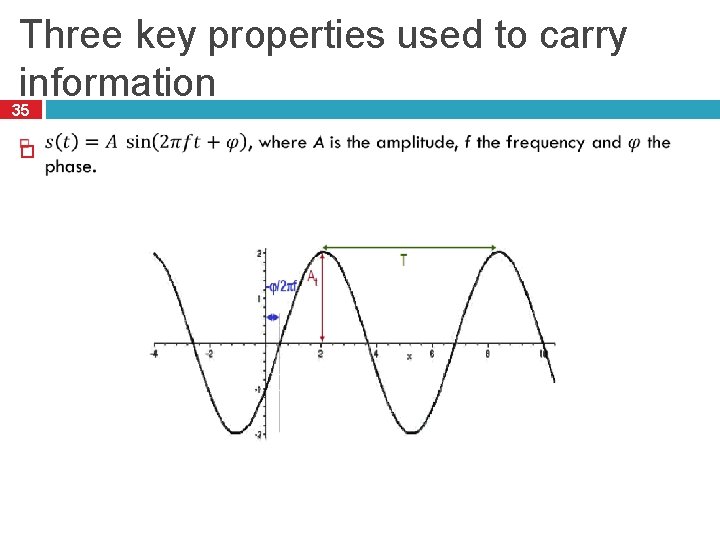
Three key properties used to carry information 35
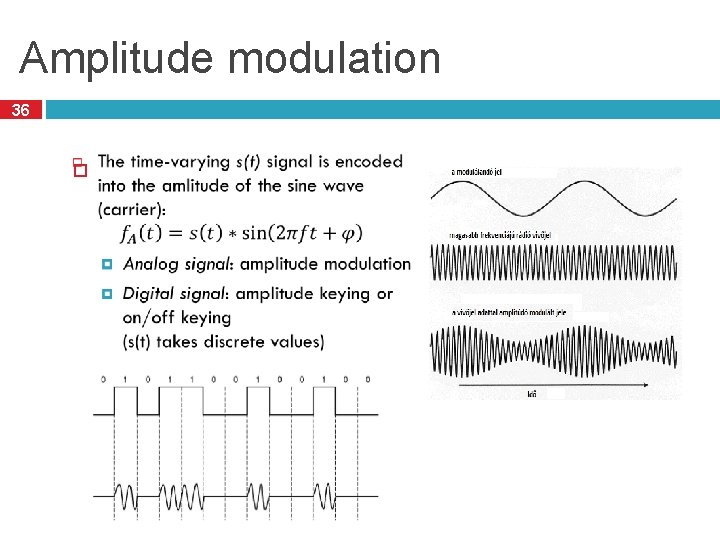
Amplitude modulation 36
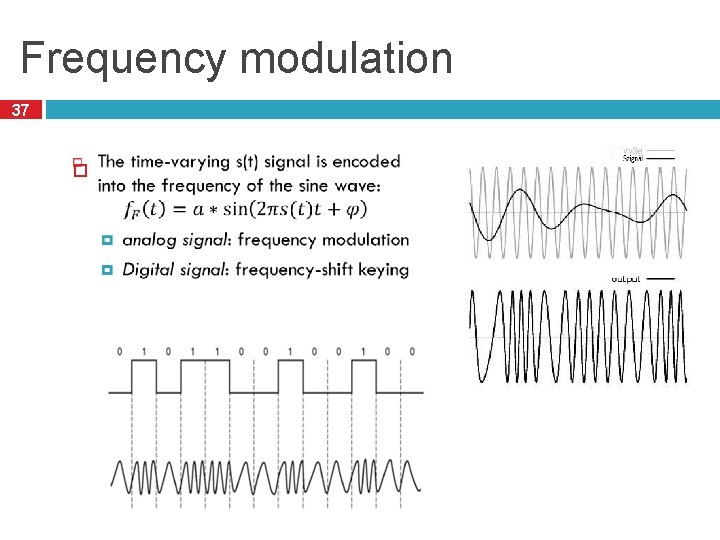
Frequency modulation 37
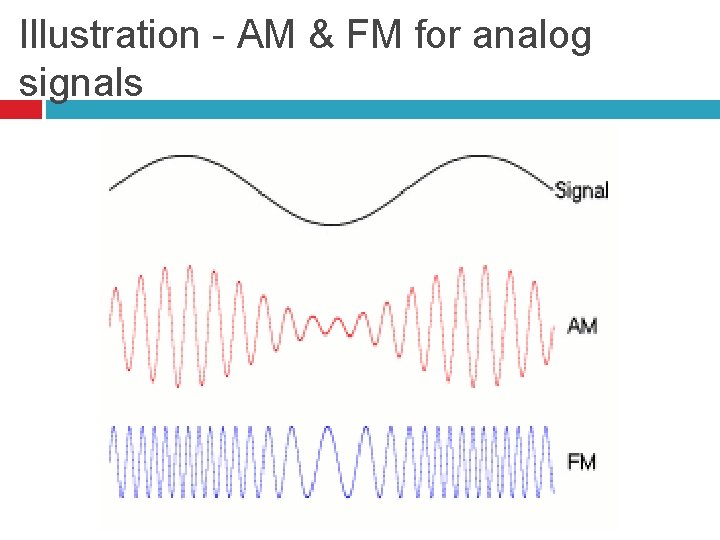
Illustration - AM & FM for analog signals
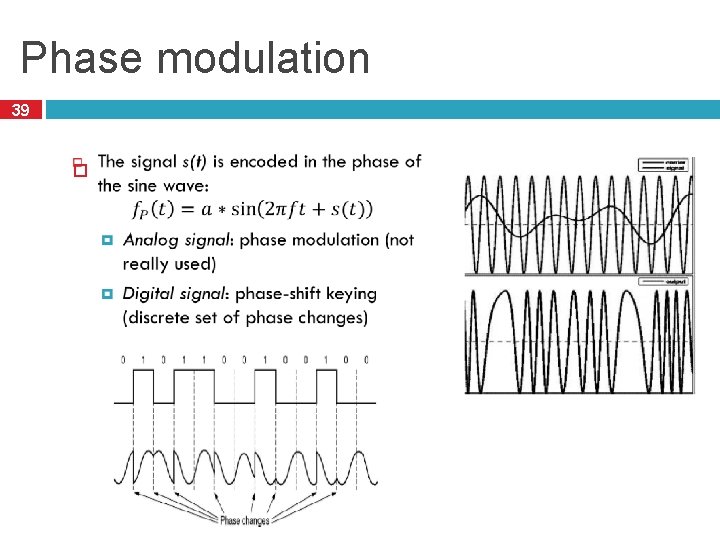
Phase modulation 39
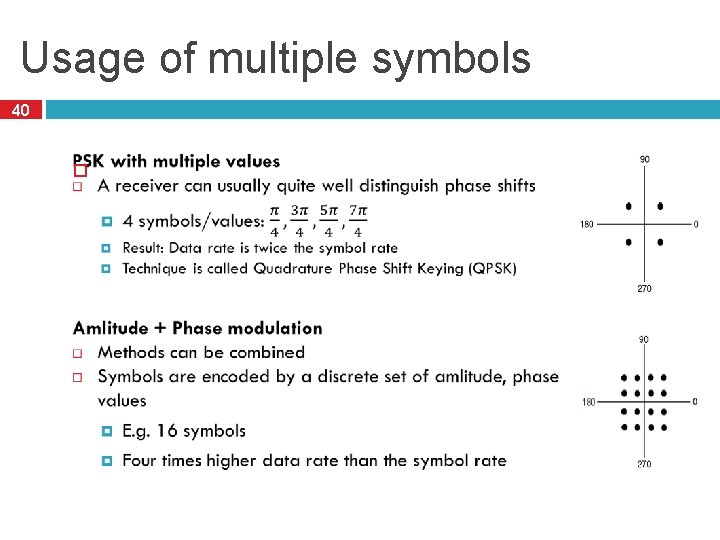
Usage of multiple symbols 40
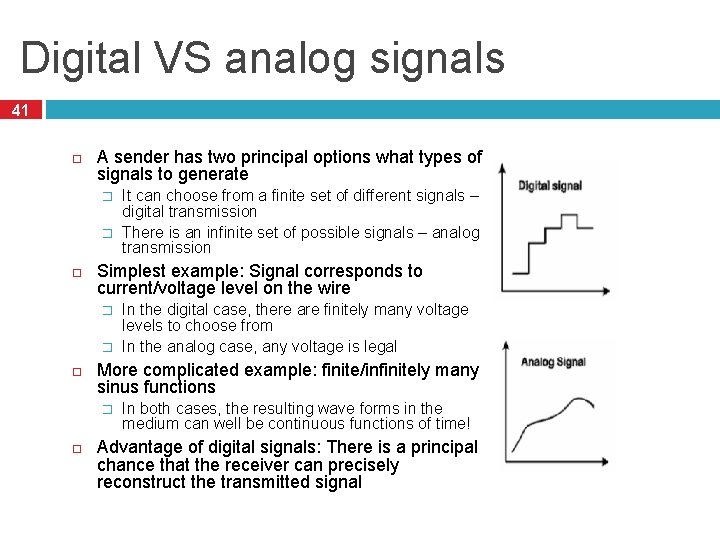
Digital VS analog signals 41 A sender has two principal options what types of signals to generate � � Simplest example: Signal corresponds to current/voltage level on the wire � � In the digital case, there are finitely many voltage levels to choose from In the analog case, any voltage is legal More complicated example: finite/infinitely many sinus functions � It can choose from a finite set of different signals – digital transmission There is an infinite set of possible signals – analog transmission In both cases, the resulting wave forms in the medium can well be continuous functions of time! Advantage of digital signals: There is a principal chance that the receiver can precisely reconstruct the transmitted signal
42 Static Channel Allocation
Multiplexing 43 Enabling multiple signals to travel through the same media at the same time To this end, the channel is split into multiple smaller subchannels A special device (multiplexer) is needed at the sender, transmitting signals to the proper subchannel
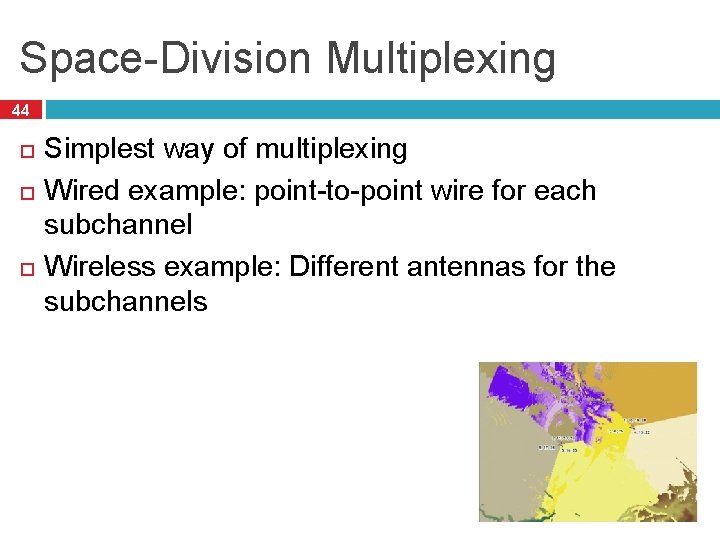
Space-Division Multiplexing 44 Simplest way of multiplexing Wired example: point-to-point wire for each subchannel Wireless example: Different antennas for the subchannels
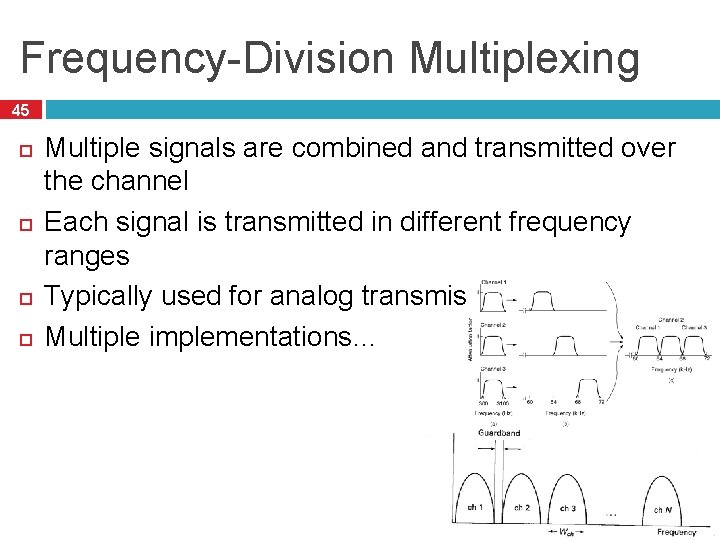
Frequency-Division Multiplexing 45 Multiple signals are combined and transmitted over the channel Each signal is transmitted in different frequency ranges Typically used for analog transmission Multiple implementations…
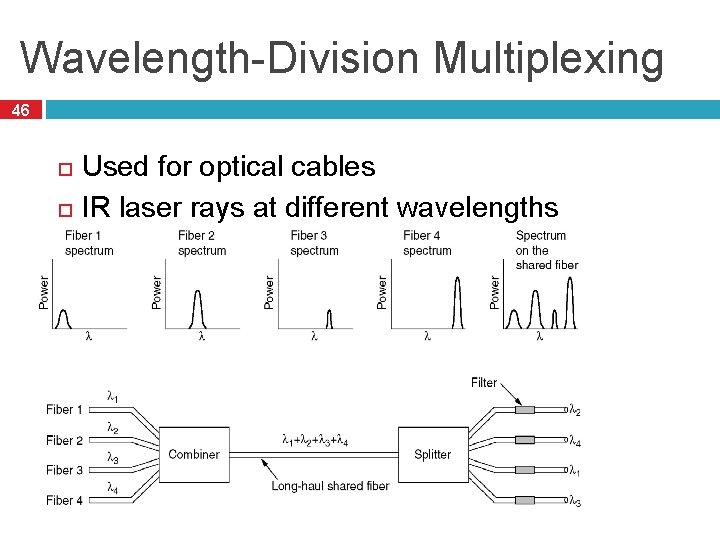
Wavelength-Division Multiplexing 46 Used for optical cables IR laser rays at different wavelengths TR 1 TR 2 TR 3 TR 4 TR 1 W D M TR 2 TR 3 TR 4
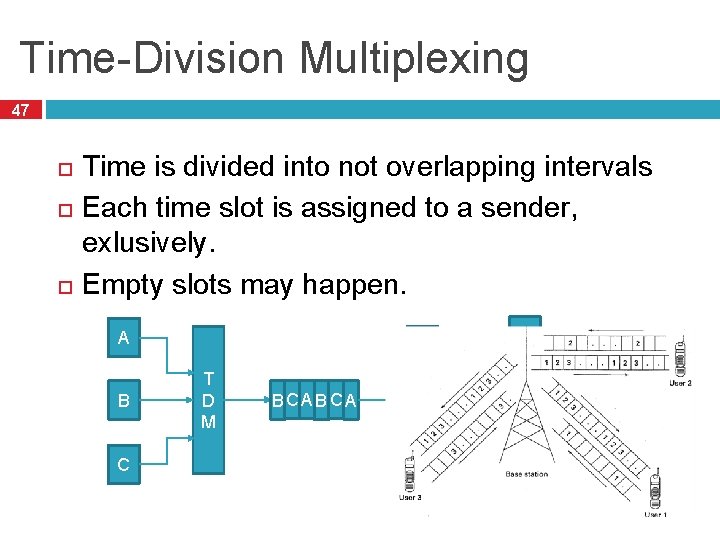
Time-Division Multiplexing 47 Time is divided into not overlapping intervals Each time slot is assigned to a sender, exlusively. Empty slots may happen. A A B C T D M BC A B C A T D M B C
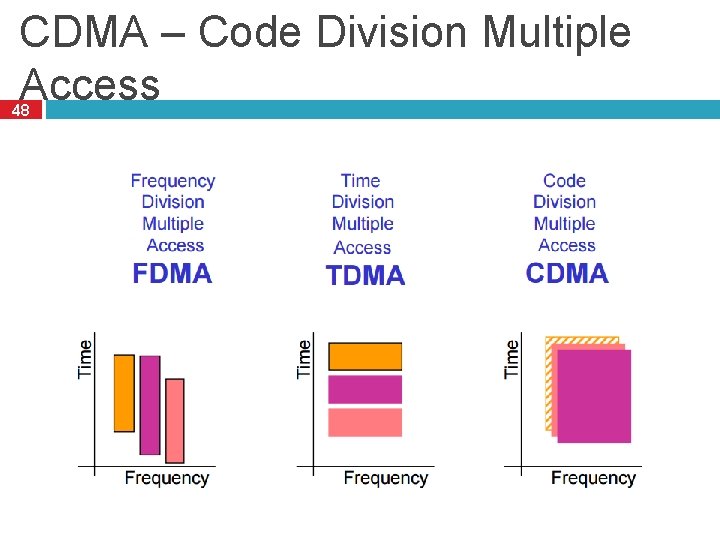
CDMA – Code Division Multiple Access 48
CDMA Analogy 10 people in a room. � 5 speak English, 2 speak Spanish, 2 speak Chinese, and 1 speaks Russian. Everyone is talking at relatively the same time over the same medium – the air. Who can listen to whom and why? Who can’t you understand? Who can’t speak to anyone else?
CDMA – Code Division Multiple Access 50 Used by 3 G and 4 G cellular networks Each station can broadcast at any time in the full frequency spectrum The signals may interfere � Resulting in a linear combination of individual signals Algorithm � We assign a vector of length m to each station: v � � � Pairwise orthogonal vectors!!! Each bit is encoded by the chip vector of the sender or it’s complement: v or -v If it sends bit 1, it transmits v If it sends bit 0, it transmits -v Result is a sequence of vectors of length m
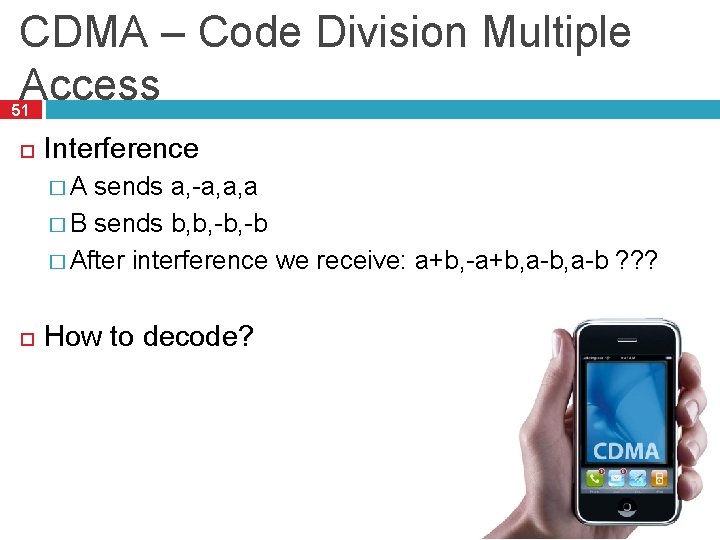
CDMA – Code Division Multiple Access 51 Interference �A sends a, -a, a, a � B sends b, b, -b � After interference we receive: a+b, -a+b, a-b ? ? ? How to decode?
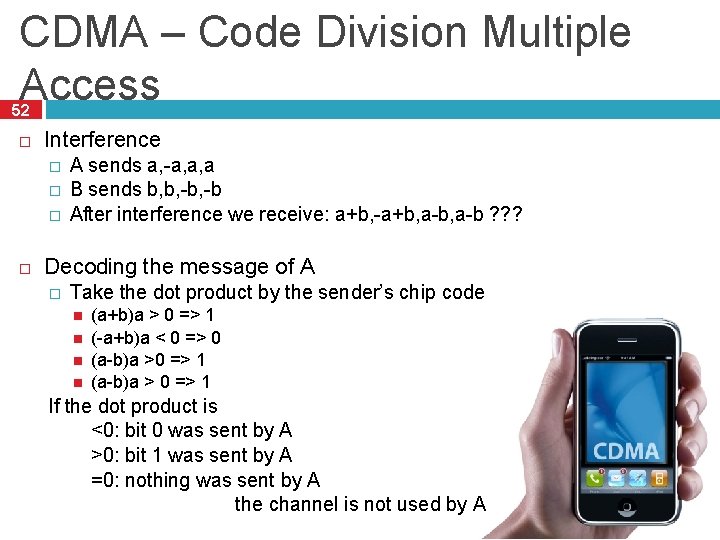
CDMA – Code Division Multiple Access 52 Interference � � � A sends a, -a, a, a B sends b, b, -b After interference we receive: a+b, -a+b, a-b ? ? ? Decoding the message of A � Take the dot product by the sender’s chip code (a+b)a > 0 => 1 (-a+b)a < 0 => 0 (a-b)a >0 => 1 (a-b)a > 0 => 1 If the dot product is <0: bit 0 was sent by A >0: bit 1 was sent by A =0: nothing was sent by A the channel is not used by A

53 Thank you…
- Slides: 52