
Computer Networks part IV Wireless Introduction topologies A
- Slides: 37
Computer Networks - part IV (Wireless: Introduction & topologies)
A Wireless Network Definition: A Group of interconnected nodes that exchange information and share resources through a wireless transmission medium 2
TYPES OF WIRELESS NETWORKS • • • Wireless PAN Wireless LAN Wireless Broadband Wireless WAN (satellite , Microwave , . . etc) Cellular Networks 3
Broadband Wireless Technology • Higher data rates obtainable with broadband wireless technology – Graphics, video, audio • Shares same advantages of all wireless services: convenience and reduced cost – Service can be deployed faster than fixed service – No cost of cable plant – Service is mobile, deployed almost anywhere 4
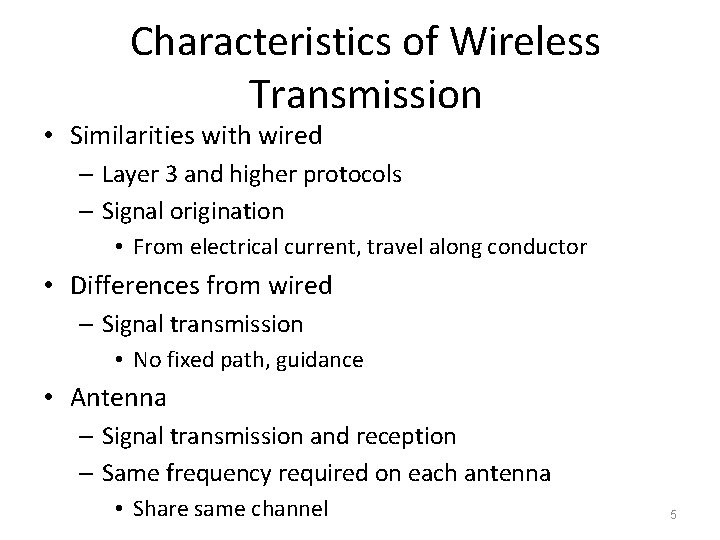
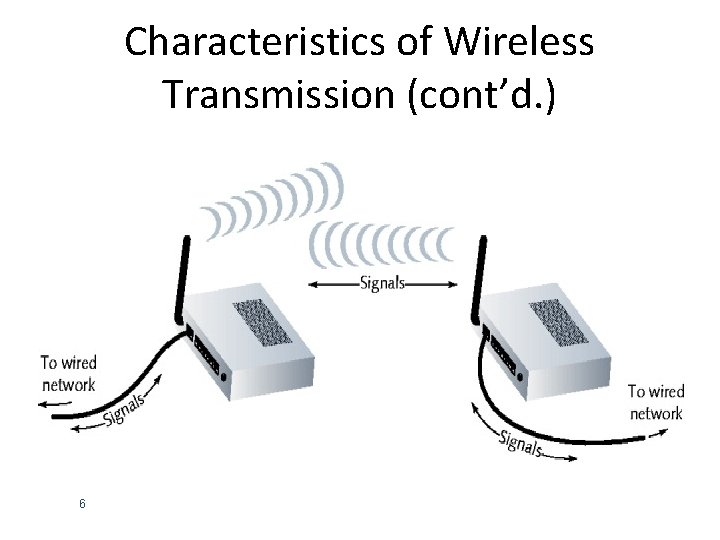
Characteristics of Wireless Transmission • Similarities with wired – Layer 3 and higher protocols – Signal origination • From electrical current, travel along conductor • Differences from wired – Signal transmission • No fixed path, guidance • Antenna – Signal transmission and reception – Same frequency required on each antenna • Share same channel 5
Characteristics of Wireless Transmission (cont’d. ) 6
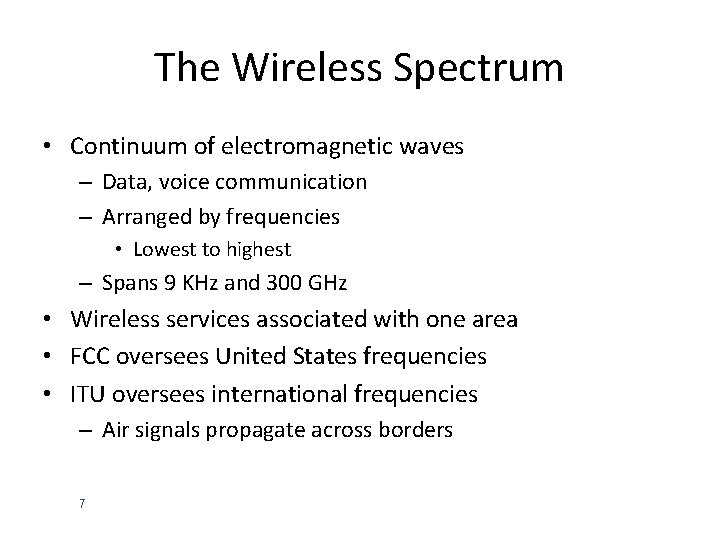
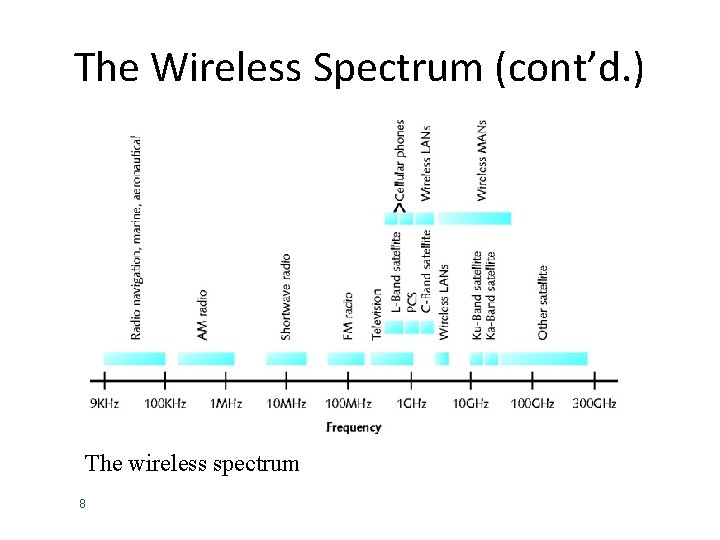
The Wireless Spectrum • Continuum of electromagnetic waves – Data, voice communication – Arranged by frequencies • Lowest to highest – Spans 9 KHz and 300 GHz • Wireless services associated with one area • FCC oversees United States frequencies • ITU oversees international frequencies – Air signals propagate across borders 7
The Wireless Spectrum (cont’d. ) The wireless spectrum 8
Antennas • Radiation pattern – Relative strength over three-dimensional area • All electromagnetic energy antenna sends, receives • Directional antenna – Issues wireless signals along single direction • Omnidirectional antenna – Issues, receives wireless signals • Equal strength, clarity • All directions • Range – Reachable geographical area 9
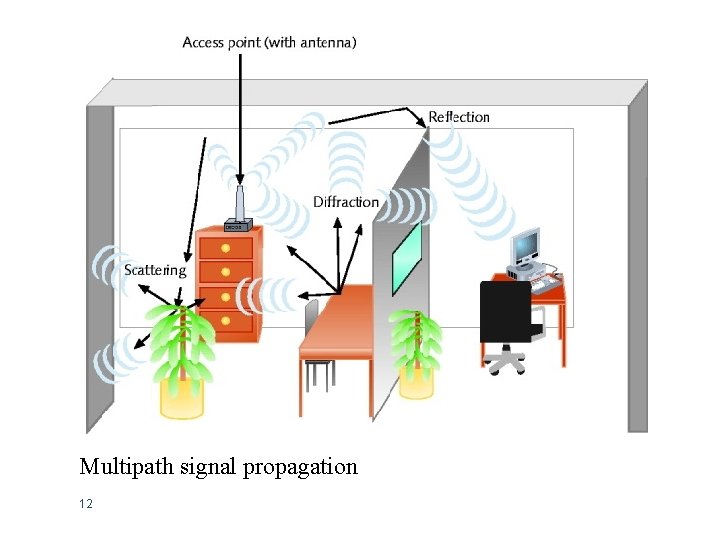
Signal Propagation • LOS (line-of-sight) – Signal travels • In straight line, directly from transmitter to receiver • Obstacles affect signal travel – Pass through them – Absorb into them – Subject signal to three phenomena • Reflection: bounce back to source • Diffraction: splits into secondary waves • Scattering: diffusion in multiple different directions 10
Signal Propagation (cont’d. ) • Multipath signals – Wireless signals follow different paths to destination – Caused by reflection, diffraction, scattering – Advantage • Better chance of reaching destination – Disadvantage • Signal delay 11
Multipath signal propagation 12
Signal Degradation • Fading – Change in signal strength • Electromagnetic energy scattered, reflected, diffracted • Attenuation – Signal weakens • Moving away from transmission antenna – Correcting signal attenuation • Amplify (analog), repeat (digital) • Noise – Significant problem • No wireless conduit, shielding 13
Narrowband, Broadband, and Spread Spectrum Signals • Defines wireless spectrum use: – Narrowband • Transmitter concentrates signal energy at single frequency, very small frequency range – Broadband • Relatively wide wireless spectrum band • Higher throughputs than narrowband – Spread-spectrum • Multiple frequencies used to transmit signal • Offers security 14
Narrowband, Broadband, and Spread Spectrum Signals (cont’d. ) • FHSS (frequency hopping spread spectrum) – Signal jumps between several different frequencies within band – Synchronization pattern known only to channel’s receiver, transmitter • DSSS (direct-sequence spread spectrum) – Signal’s bits distributed over entire frequency band at once – Each bit coded • Receiver reassembles original signal upon receiving bits 15
Fixed versus Mobile • Fixed communications wireless systems – Transmitter, receiver locations do not move – Transmitting antenna focuses energy directly toward receiving antenna • Point-to-point link results – Advantage • No wasted energy issuing signals • More energy used for signal itself • Mobile communications wireless systems – Receiver located anywhere within transmitter’s range • Receiver can roam 16
The Need for Wireless MANs • Traditional point-to-point and switched network techniques used in WANs are inadequate for growing needs of organizations • Need for high capacity and low costs over large area • MAN provides: – Service to customers in metropolitan areas – Required capacity – Lower cost and greater efficiency than equivalent service from telephone company • Standards for Wireless MANS is WI-MAX 17
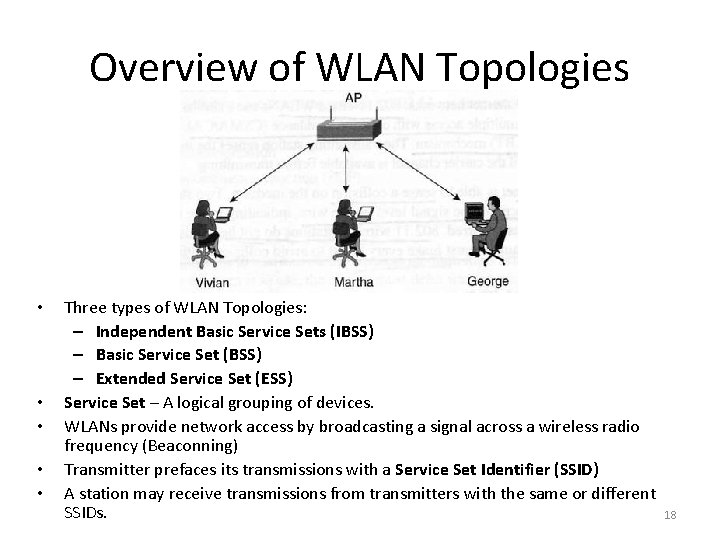
Overview of WLAN Topologies • • • Three types of WLAN Topologies: – Independent Basic Service Sets (IBSS) – Basic Service Set (BSS) – Extended Service Set (ESS) Service Set – A logical grouping of devices. WLANs provide network access by broadcasting a signal across a wireless radio frequency (Beaconning) Transmitter prefaces its transmissions with a Service Set Identifier (SSID) A station may receive transmissions from transmitters with the same or different SSIDs. 18
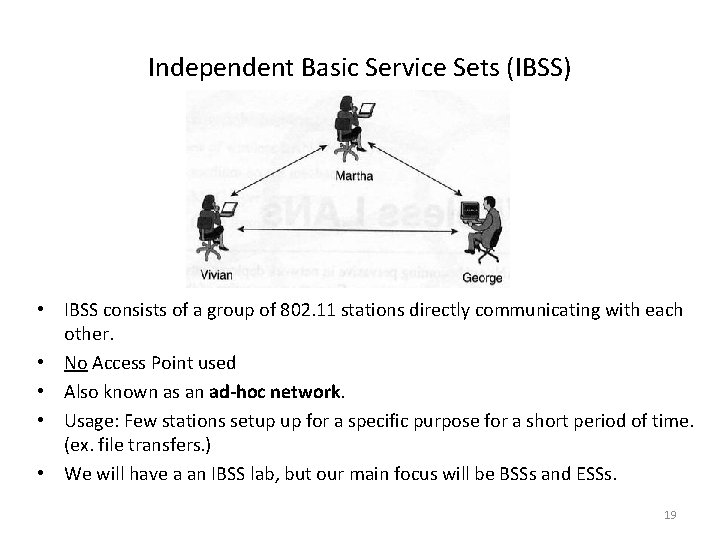
Independent Basic Service Sets (IBSS) • IBSS consists of a group of 802. 11 stations directly communicating with each other. • No Access Point used • Also known as an ad-hoc network. • Usage: Few stations setup up for a specific purpose for a short period of time. (ex. file transfers. ) • We will have a an IBSS lab, but our main focus will be BSSs and ESSs. 19
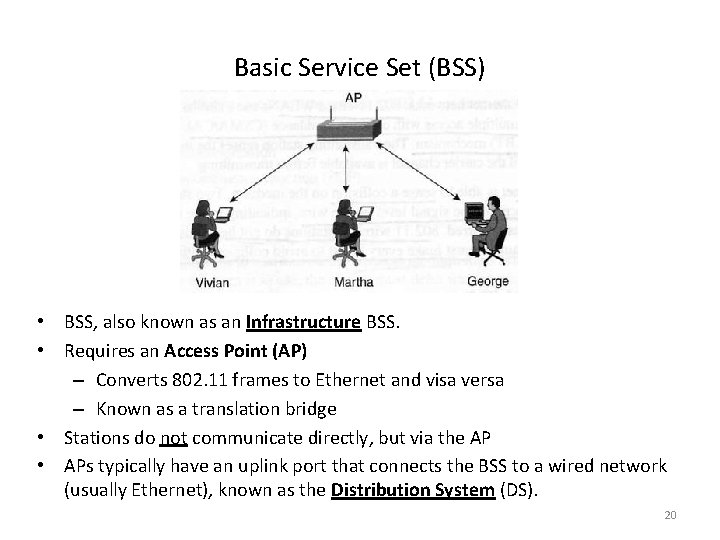
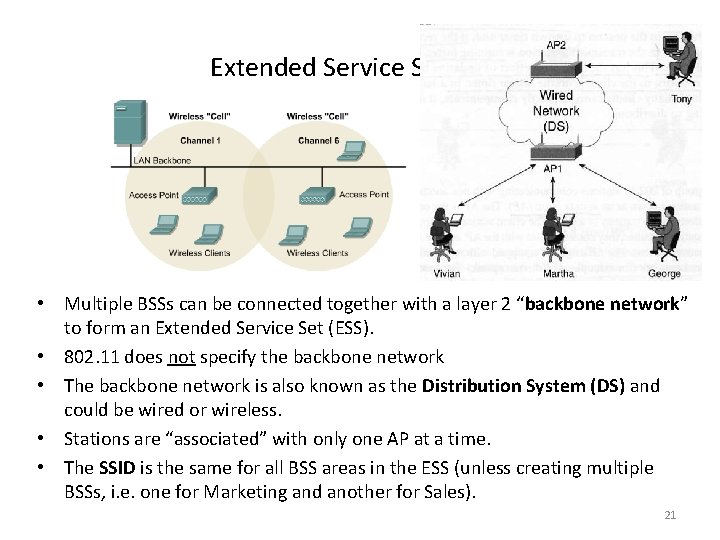
Basic Service Set (BSS) • BSS, also known as an Infrastructure BSS. • Requires an Access Point (AP) – Converts 802. 11 frames to Ethernet and visa versa – Known as a translation bridge • Stations do not communicate directly, but via the AP • APs typically have an uplink port that connects the BSS to a wired network (usually Ethernet), known as the Distribution System (DS). 20
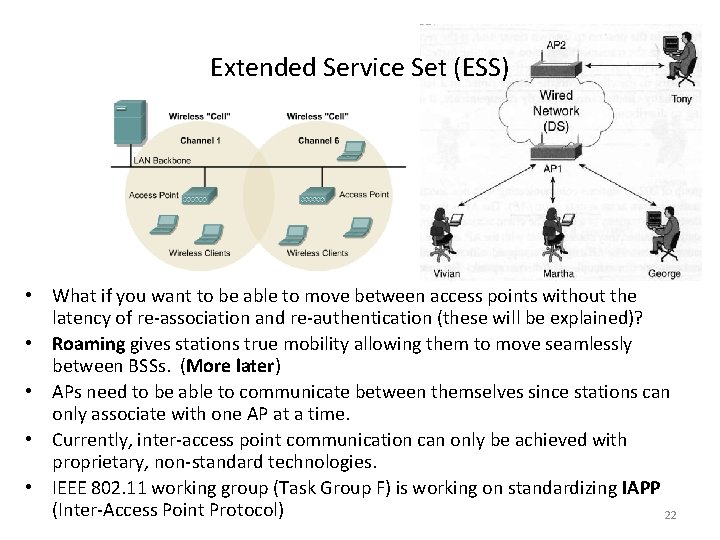
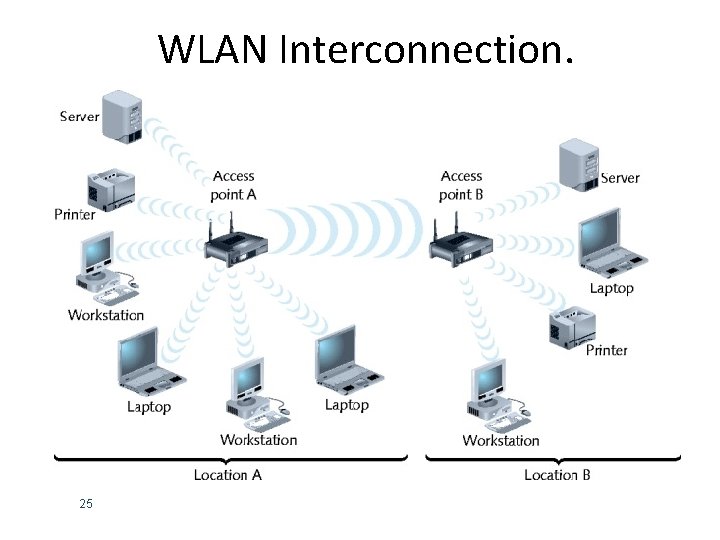
Extended Service Set (ESS) • Multiple BSSs can be connected together with a layer 2 “backbone network” to form an Extended Service Set (ESS). • 802. 11 does not specify the backbone network • The backbone network is also known as the Distribution System (DS) and could be wired or wireless. • Stations are “associated” with only one AP at a time. • The SSID is the same for all BSS areas in the ESS (unless creating multiple BSSs, i. e. one for Marketing and another for Sales). 21
Extended Service Set (ESS) • What if you want to be able to move between access points without the latency of re-association and re-authentication (these will be explained)? • Roaming gives stations true mobility allowing them to move seamlessly between BSSs. (More later) • APs need to be able to communicate between themselves since stations can only associate with one AP at a time. • Currently, inter-access point communication can only be achieved with proprietary, non-standard technologies. • IEEE 802. 11 working group (Task Group F) is working on standardizing IAPP (Inter-Access Point Protocol) 22
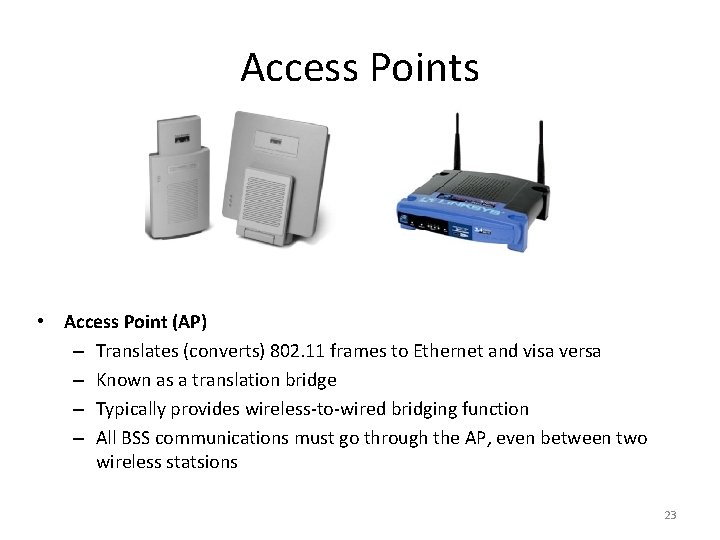
Access Points • Access Point (AP) – Translates (converts) 802. 11 frames to Ethernet and visa versa – Known as a translation bridge – Typically provides wireless-to-wired bridging function – All BSS communications must go through the AP, even between two wireless statsions 23
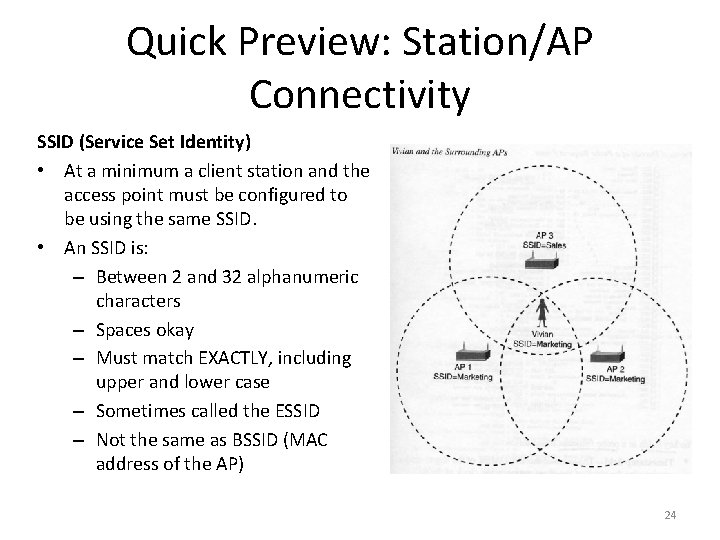
Quick Preview: Station/AP Connectivity SSID (Service Set Identity) • At a minimum a client station and the access point must be configured to be using the same SSID. • An SSID is: – Between 2 and 32 alphanumeric characters – Spaces okay – Must match EXACTLY, including upper and lower case – Sometimes called the ESSID – Not the same as BSSID (MAC address of the AP) 24
WLAN Interconnection. 25
Association • Packet exchanged between computer, access point – Gain Internet access • Scanning – Surveying surroundings for access point – Active scanning transmits special frame • Probe – Passive scanning listens for special signal • Beacon fame 26
Association (cont’d. ) • SSID (service set identifier) – Unique character string identifying access point • In beacon fame information – Configured in access point – Better security, easier network management 27
Association (cont’d. ) • ESS with several authorized access points – Must allow station association with any access point • While maintaining network connectivity • Reassociation – Mobile user moves from one access point’s range into another’s range – Occurs by simply moving, high error rate • Stations’ scanning feature – Used to automatically balance transmission loads • Between access points 28
Factors To Consider For Wireless LAN Same as any LAN High capacity, short distances, full connectivity, broadcast capability Throughput: efficient use wireless medium Number of nodes: Hundreds of nodes across multiple cells Connection to backbone LAN: Use control modules to connect to both types of LANs Service area: 100 to 300 m Low power consumption: Need long battery life on mobile stations Mustn't require nodes to monitor access points or frequent handshakes Transmission robustness and security: Interference prone and easily eavesdropped 29
Factors To Consider For Wireless LAN • Collocated network operation: Two or more wireless LANs in same area • License-free operation • Handoff/roaming: Move from one cell to another • Dynamic configuration: Addition, deletion, and relocation of end systems without disruption to users 30
Wireless LAN Applications • • LAN Extension Cross-Building Interconnect Nomadic Access Ad Hoc Networking 31
Applications - LAN Extension Saves installation of LAN cabling Eases relocation and other modifications to network structure Wireless LAN to replace wired LANs has not happened In some environments, role for the wireless LAN Buildings with large open areas Manufacturing plants, stock exchange trading floors, warehouses Historical buildings Small offices where wired LANs not economical May also have wired LAN Servers and stationary workstations 32
Applications – Cross-Building Interconnect • • Connect LANs in nearby buildings Point-to-point wireless link Connect bridges or routers Not a LAN per se – Usual to include this application under heading of wireless LAN 33
Applications - Nomadic Access • Link between LAN hub and mobile data terminal – Laptop or notepad computer – Enable employee returning from trip to transfer data from portable computer to server • Also useful in extended environment such as campus or cluster of buildings – Users move around with portable computers – May wish access to servers on wired LAN 34
Applications – Ad Hoc Networking • Peer-to-peer network • Set up temporarily to meet some immediate need • E. g. group of employees, each with laptop or palmtop, in business or classroom meeting • Network for duration of meeting 35
Bluetooth Networks • Version 1. 1 – – Maximum theoretical throughput: 1 Mbps Effective throughput: 723 Kbps 10 meter node difference Designed for PANs (personal area networks) • Version 2. 0 (2004) – Different encoding schemes • 2. 1 -Mbps throughput – 30 meters node difference – Usage: cellular telephones, phone headsets, computer peripherals, PDAs 36
Bluetooth Networks • Ericson’s original goals – Wireless technology compatible with multiple devices – Require little power – Cover short ranges • Aim of Bluetooth Special Interest Group (SIG) – Refine and standardize technology – Result: Bluetooth • Mobile wireless networking standard using FHSS (frequency hopping spread spectrum) RF signaling in 2. 4 -GHz band 37