
Computer Networks Lecture 6 a Interconnecting LANs Based
Computer Networks Lecture 6 a: Interconnecting LANs Based on slides from D. Choffnes Northeastern U. and P. Gill from Stony. Brook University Revised Autumn 2015 by S. Laki
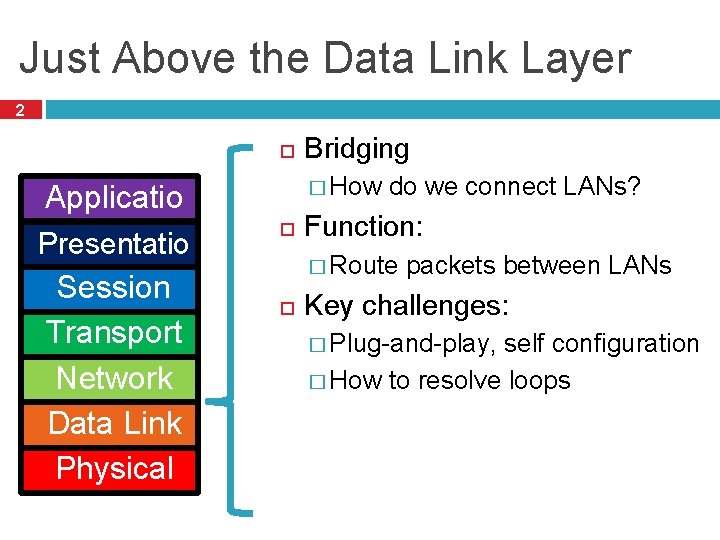
Just Above the Data Link Layer 2 Applicatio n Presentatio n Session Transport Network Data Link Physical Bridging � How do we connect LANs? Function: � Route packets between LANs Key challenges: � Plug-and-play, self configuration � How to resolve loops
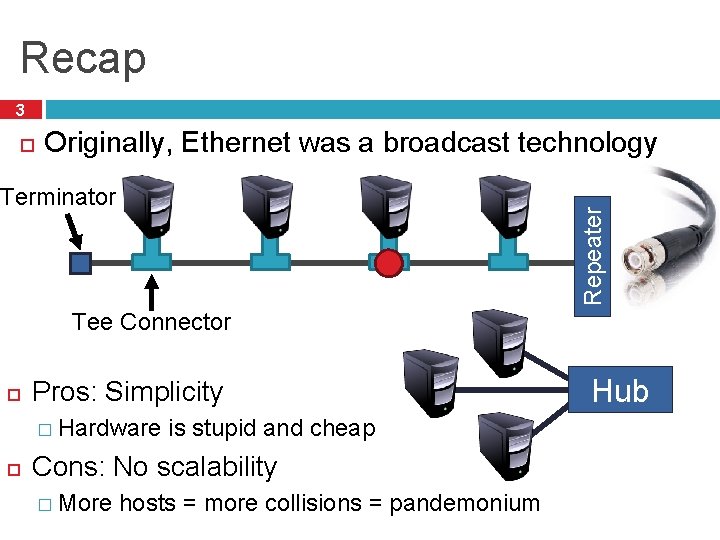
Recap 3 Originally, Ethernet was a broadcast technology Repeater Terminator Tee Connector Pros: Simplicity � Hardware is stupid and cheap Cons: No scalability � More hosts = more collisions = pandemonium Hub
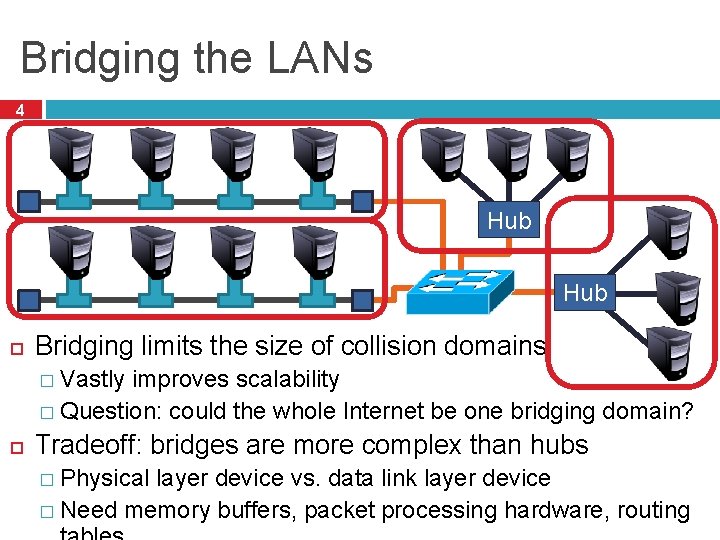
Bridging the LANs 4 Hub Bridging limits the size of collision domains � Vastly improves scalability � Question: could the whole Internet be one bridging domain? Tradeoff: bridges are more complex than hubs � Physical layer device vs. data link layer device � Need memory buffers, packet processing hardware, routing
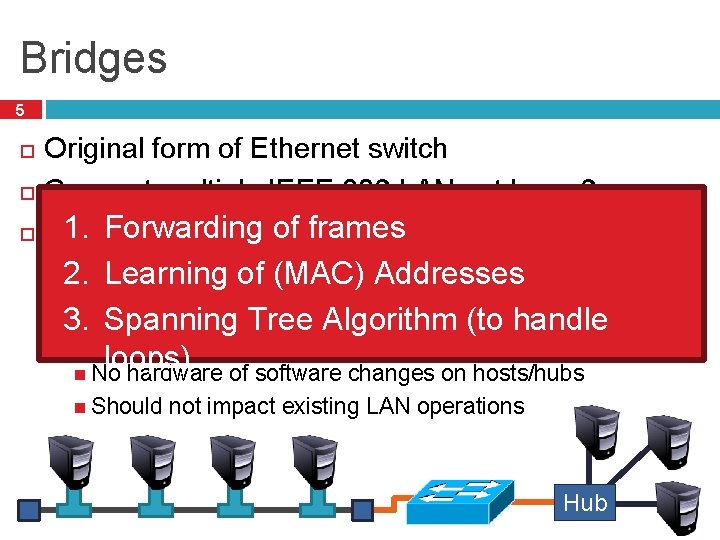
Bridges 5 Original form of Ethernet switch Connect multiple IEEE 802 LANs at layer 2 1. Forwarding of frames Goals the collision domain 2. Learning of (MAC) Addresses � Complete transparency 3. Spanning Tree Algorithm (to handle “Plug-and-play, ” self-configuring loops) No hardware of software changes on hosts/hubs � Reduce Should not impact existing LAN operations Hub
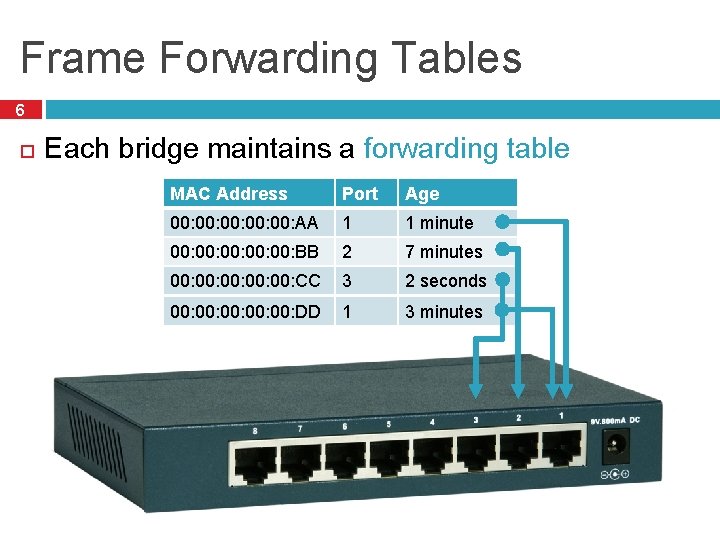
Frame Forwarding Tables 6 Each bridge maintains a forwarding table MAC Address Port Age 00: 00: 00: AA 1 1 minute 00: 00: 00: BB 2 7 minutes 00: 00: 00: CC 3 2 seconds 00: 00: 00: DD 1 3 minutes
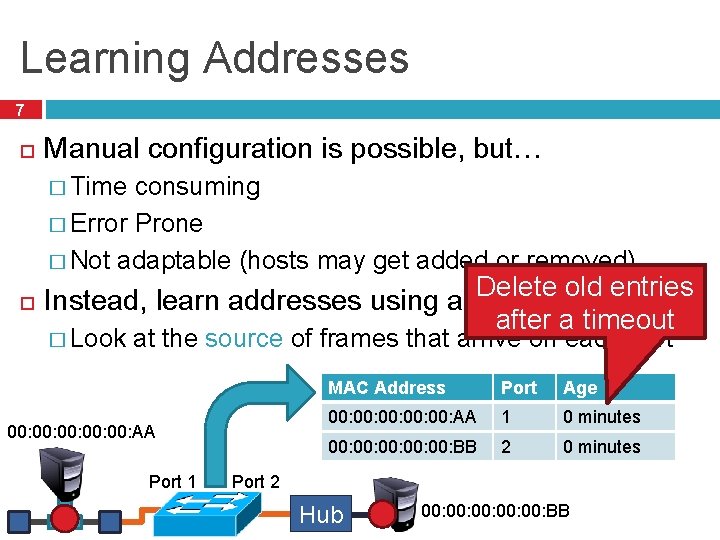
Learning Addresses 7 Manual configuration is possible, but… � Time consuming � Error Prone � Not adaptable (hosts may get added or removed) Delete old entries Instead, learn addresses using a simple heuristic after a timeout � Look at the source of frames that arrive on each port 00: 00: 00: AA Port 1 MAC Address Port Age 00: 00: 00: AA 1 0 minutes 00: 00: 00: BB 2 0 minutes Port 2 Hub 00: 00: 00: BB
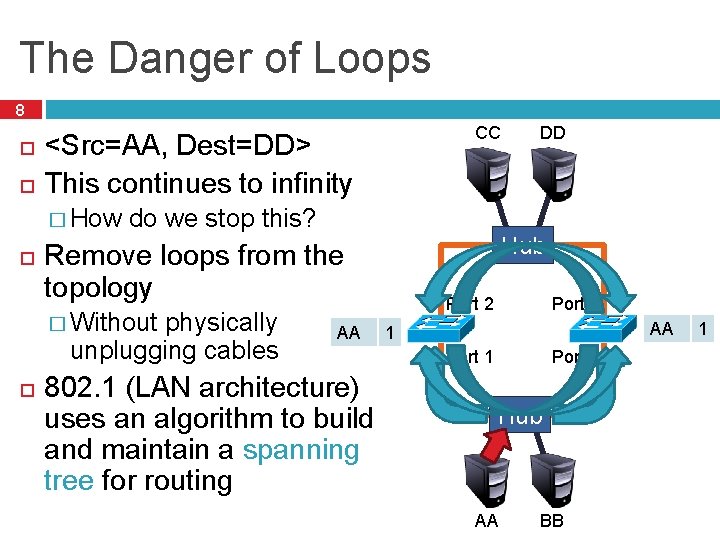
The Danger of Loops 8 <Src=AA, Dest=DD> This continues to infinity � How do we stop this? physically unplugging cables AA 802. 1 (LAN architecture) uses an algorithm to build and maintain a spanning tree for routing DD Hub Remove loops from the topology � Without CC Port 2 AA 2 1 Port 1 Hub AA BB 2 1
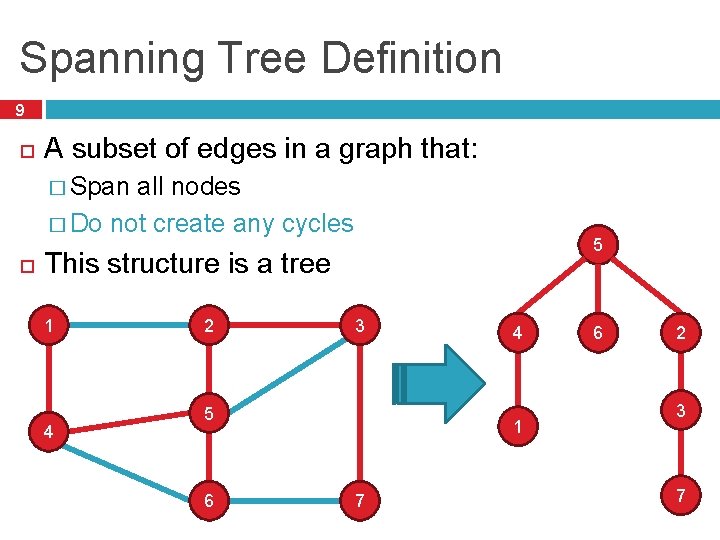
Spanning Tree Definition 9 A subset of edges in a graph that: � Span all nodes � Do not create any cycles 5 This structure is a tree 1 4 2 3 5 6 4 1 7 6 2 3 7
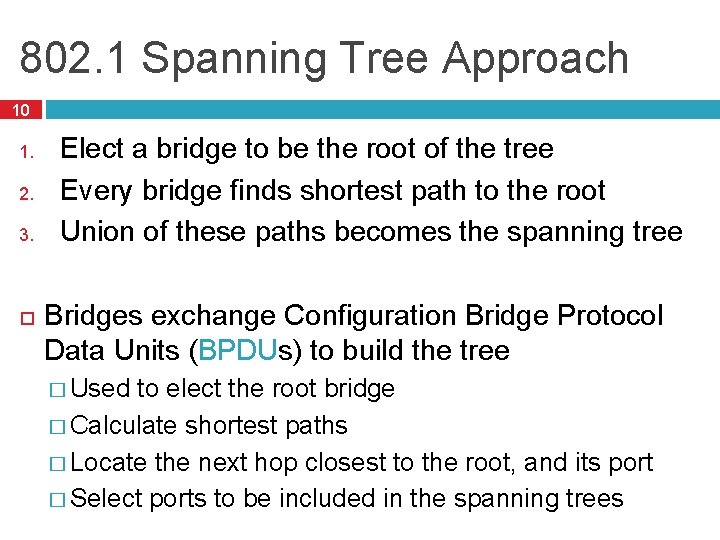
802. 1 Spanning Tree Approach 10 1. 2. 3. Elect a bridge to be the root of the tree Every bridge finds shortest path to the root Union of these paths becomes the spanning tree Bridges exchange Configuration Bridge Protocol Data Units (BPDUs) to build the tree � Used to elect the root bridge � Calculate shortest paths � Locate the next hop closest to the root, and its port � Select ports to be included in the spanning trees
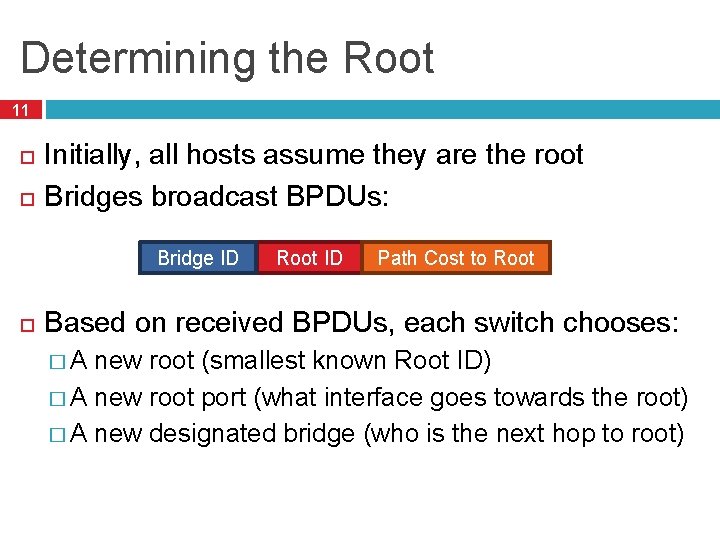
Determining the Root 11 Initially, all hosts assume they are the root Bridges broadcast BPDUs: Bridge ID Root ID Path Cost to Root Based on received BPDUs, each switch chooses: �A new root (smallest known Root ID) � A new root port (what interface goes towards the root) � A new designated bridge (who is the next hop to root)
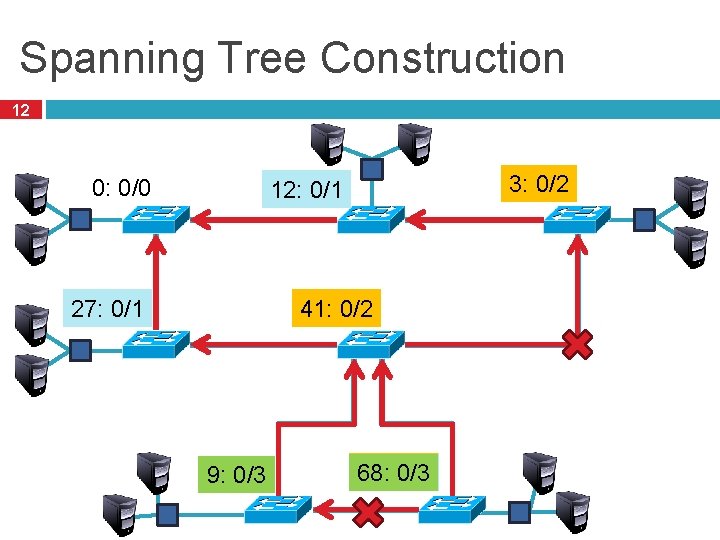
Spanning Tree Construction 12 0: 0/0 3: 0/2 3/0 12: 12/0 0/1 12: 3/1 41: 41/0 0/2 41: 27: 27/0 0/1 27: 3/2 9: 0/3 9/0 3/2 9/1 68: 68/0 0/3 68:
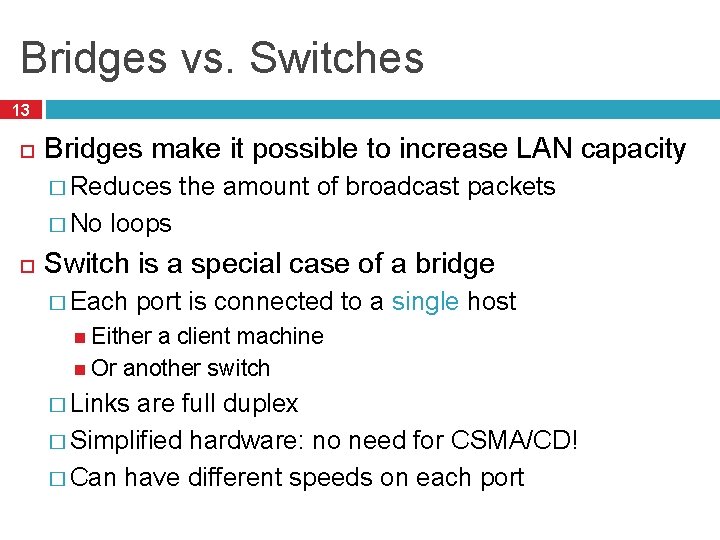
Bridges vs. Switches 13 Bridges make it possible to increase LAN capacity � Reduces � No the amount of broadcast packets loops Switch is a special case of a bridge � Each port is connected to a single host Either a client machine Or another switch � Links are full duplex � Simplified hardware: no need for CSMA/CD! � Can have different speeds on each port
Switching the Internet 14 Capabilities of switches: � Network-wide routing based on MAC addresses � Learn routes to new hosts automatically � Resolve loops Could the whole Internet be one switching domain? NO
Limitations of MAC Routing 15 Inefficient � Flooding packets to locate unknown hosts Poor Performance � Spanning � Hot spots Extremely Poor Scalability � Every tree does not balance load switch needs every MAC address on the Internet in its routing table! IP addresses these problems (next …)
Computer Networks Lecture 6 b: Network Layer Based on slides from D. Choffnes Northeastern U. and P. Gill from Stony. Brook University Revised Autumn 2015 by S. Laki
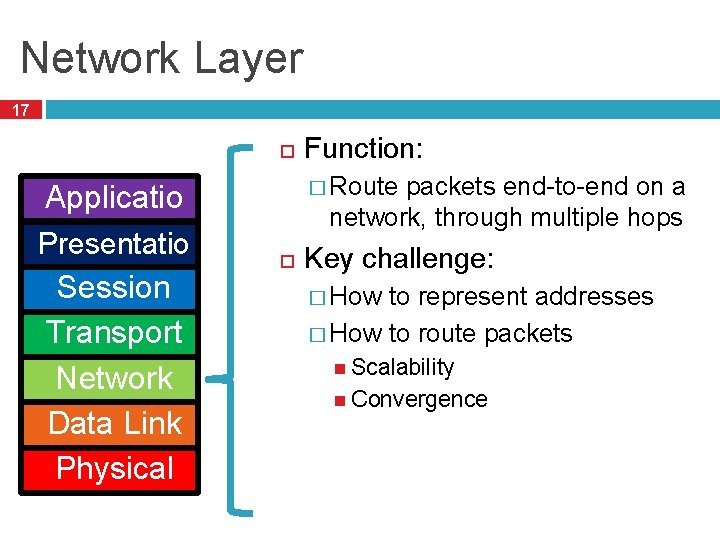
Network Layer 17 Applicatio n Presentatio n Session Transport Network Data Link Physical Function: � Route packets end-to-end on a network, through multiple hops Key challenge: � How to represent addresses � How to route packets Scalability Convergence
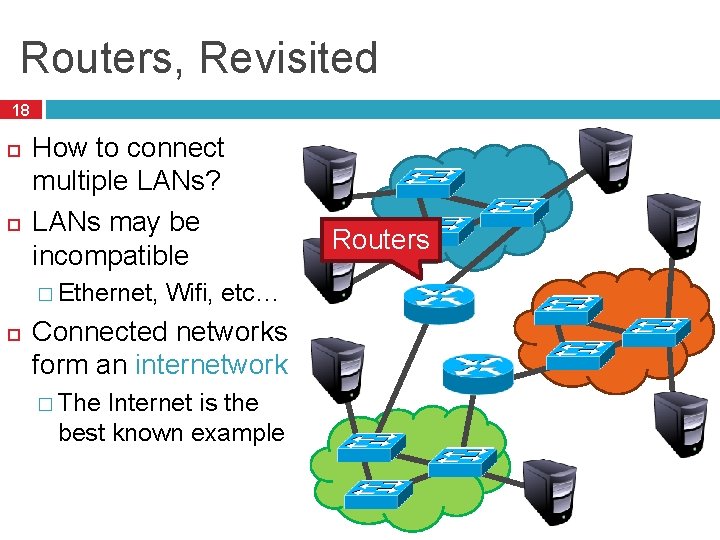
Routers, Revisited 18 How to connect multiple LANs? LANs may be incompatible � Ethernet, Wifi, etc… Connected networks form an internetwork � The Internet is the best known example Routers
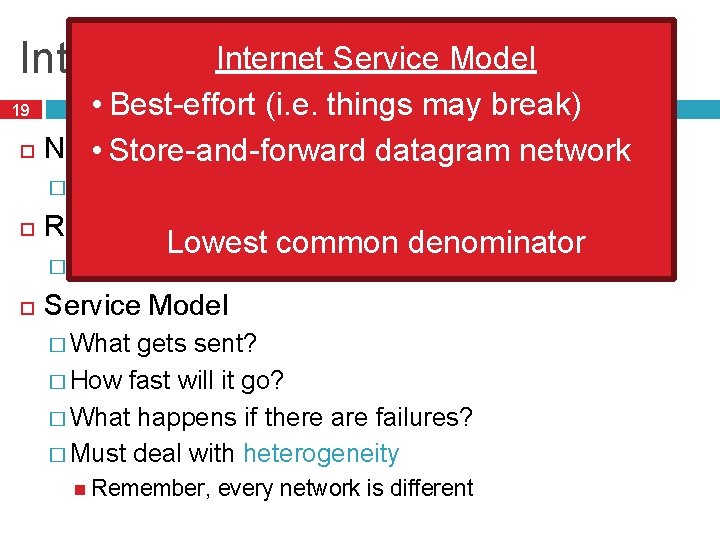
Internet Issues Service Model Internetworking • Best-effort (i. e. things may break) Naming / Addressing • Store-and-forward datagram network 19 � How do you designate hosts? Routing � Must Lowest common denominator be scalable (i. e. a switched Internet won’t work) Service Model � What gets sent? � How fast will it go? � What happens if there are failures? � Must deal with heterogeneity Remember, every network is different
Outline 20 q Addressing q q q IPv 4 Protocol Details q q q Class-based CIDR Packed Header Fragmentation IPv 6
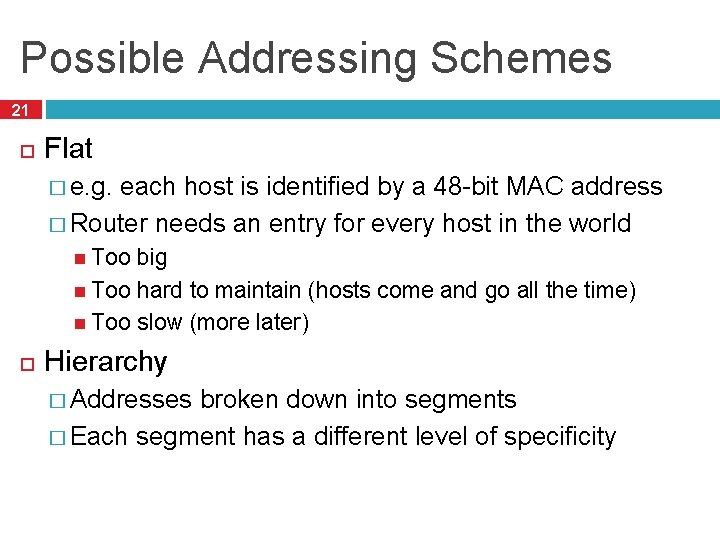
Possible Addressing Schemes 21 Flat � e. g. each host is identified by a 48 -bit MAC address � Router needs an entry for every host in the world Too big Too hard to maintain (hosts come and go all the time) Too slow (more later) Hierarchy � Addresses broken down into segments � Each segment has a different level of specificity
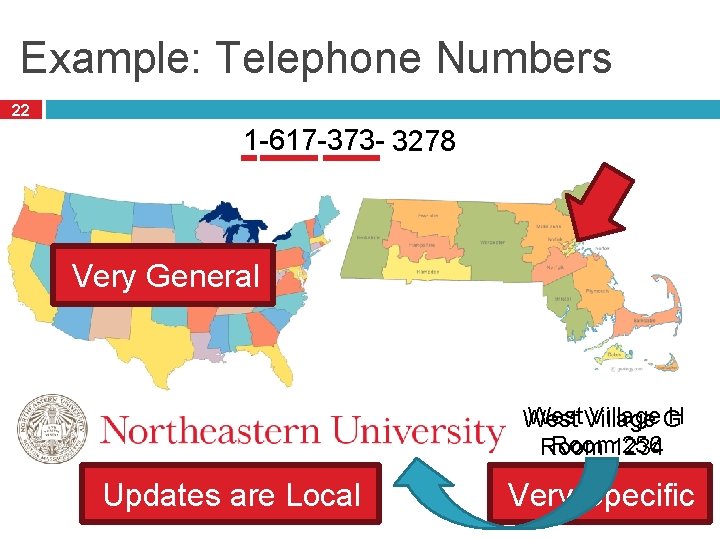
Example: Telephone Numbers 22 1 -617 -373 -1234 3278 Very General West Village G H West Room 1234 256 Room Updates are Local Very Specific
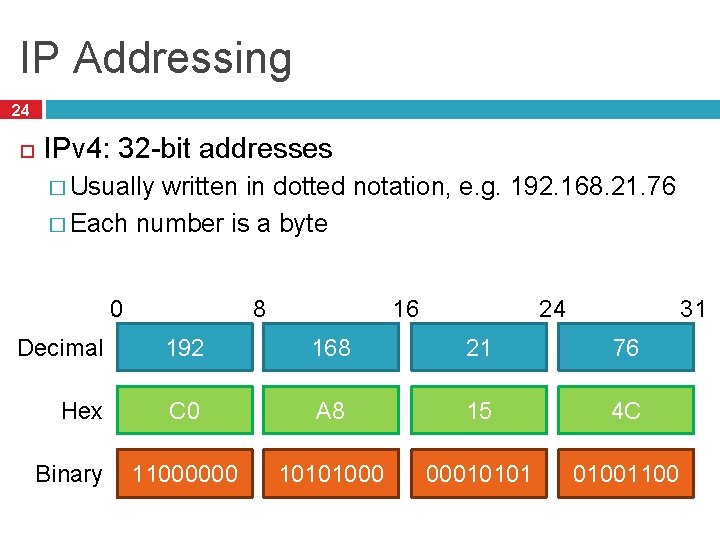
IP Addressing 24 IPv 4: 32 -bit addresses � Usually written in dotted notation, e. g. 192. 168. 21. 76 � Each number is a byte 0 8 31 24 16 Decimal 192 168 21 76 Hex C 0 A 8 15 4 C 11000000 10101000 00010101 01001100 Binary
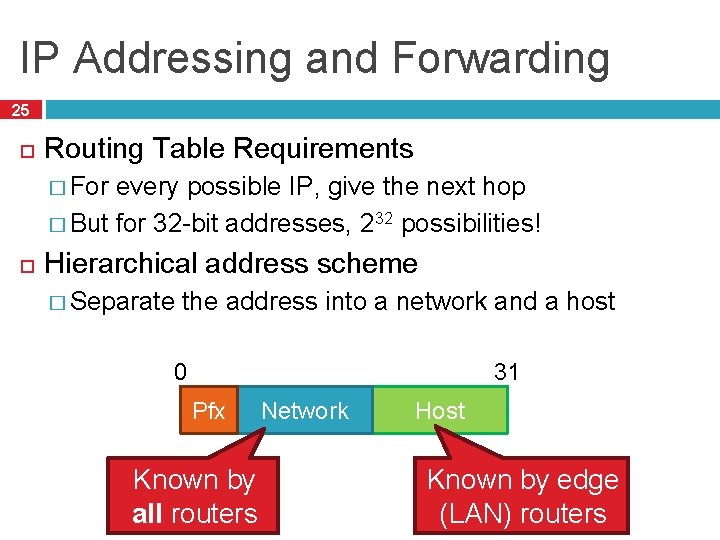
IP Addressing and Forwarding 25 Routing Table Requirements � For every possible IP, give the next hop � But for 32 -bit addresses, 232 possibilities! Hierarchical address scheme � Separate the address into a network and a host 0 31 Pfx Known by all routers Network Host Known by edge (LAN) routers
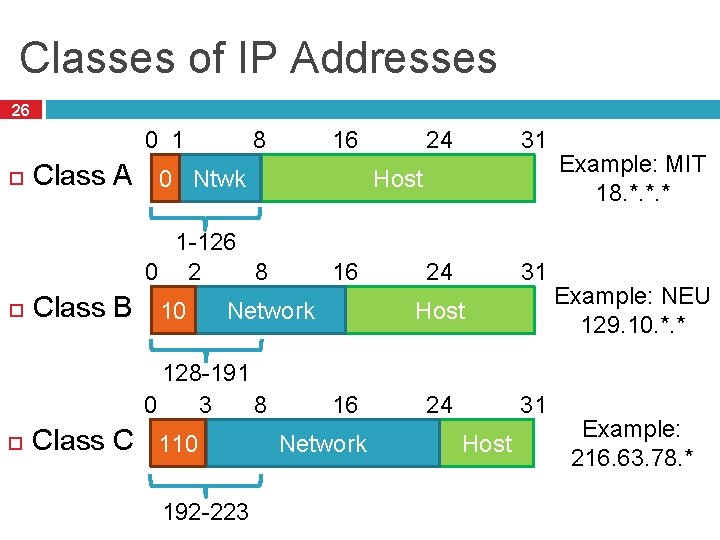
Classes of IP Addresses 26 16 8 0 1 Class A 0 Ntwk Class B 10 16 Network 128 -191 8 0 3 Class C 110 192 -223 31 24 31 Host 1 -126 8 0 2 24 Host 16 Network 24 31 Host Example: MIT 18. *. *. * Example: NEU 129. 10. *. * Example: 216. 63. 78. *
How Do You Get IPs? 27 IP address ranges controlled by IANA � Internet Assigned Number Authority � Roots go back to 1972, ARPANET, UCLA � Today, part of ICANN IANA grants IPs to regional authorities � ARIN (American Registry of Internet Numbers) may grant you a range of IPs � You may then advertise routes to your new IP range � There are now secondary markets, auctions, …
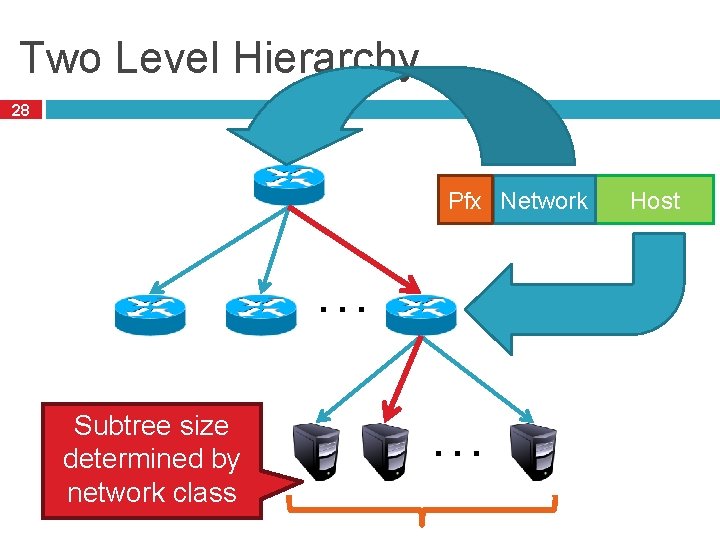
Two Level Hierarchy 28 Pfx Network … Subtree size determined by network class … Host
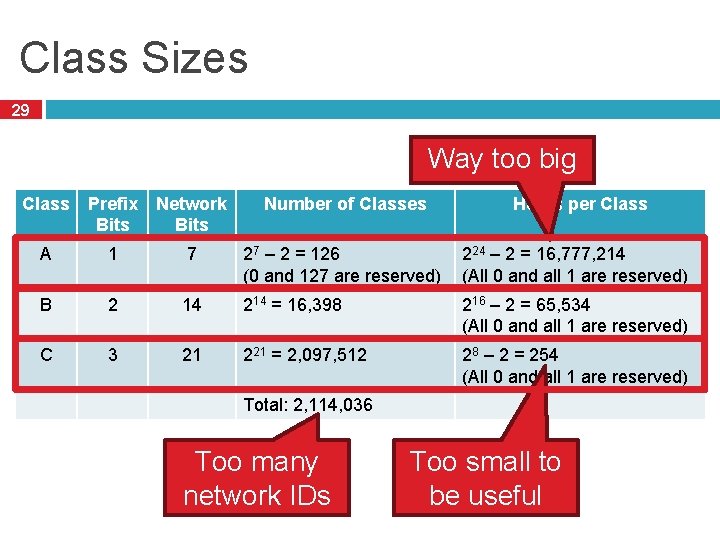
Class Sizes 29 Way too big Class Prefix Bits Network Bits Number of Classes Hosts per Class A 1 7 27 – 2 = 126 (0 and 127 are reserved) 224 – 2 = 16, 777, 214 (All 0 and all 1 are reserved) B 2 14 214 = 16, 398 216 – 2 = 65, 534 (All 0 and all 1 are reserved) C 3 21 221 = 2, 097, 512 28 – 2 = 254 (All 0 and all 1 are reserved) Total: 2, 114, 036 Too many network IDs Too small to be useful
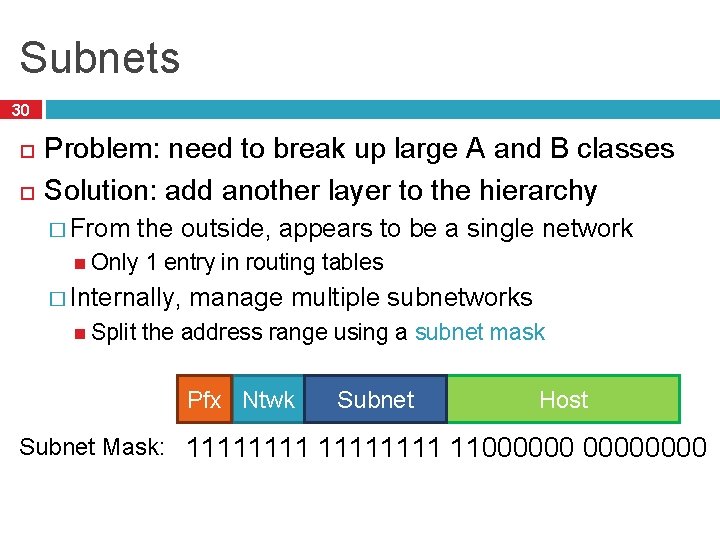
Subnets 30 Problem: need to break up large A and B classes Solution: add another layer to the hierarchy � From the outside, appears to be a single network Only 1 entry in routing tables � Internally, Split manage multiple subnetworks the address range using a subnet mask Pfx Ntwk Subnet Host Subnet Mask: 11111111 11000000
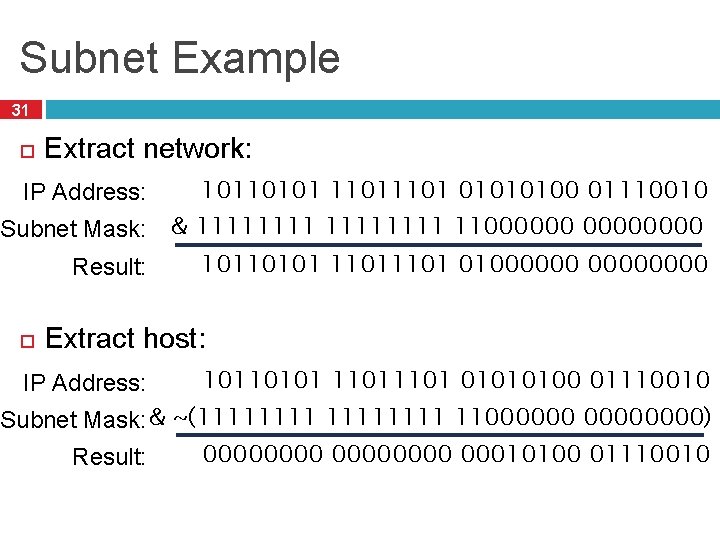
Subnet Example 31 Extract network: IP Address: 10110101 1101 01010100 01110010 Subnet Mask: & 11111111 11000000 10110101 1101 01000000 Result: Extract host: IP Address: 10110101 1101 01010100 01110010 Subnet Mask: & ~(11111111 11000000) 00000000 00010100 01110010 Result:
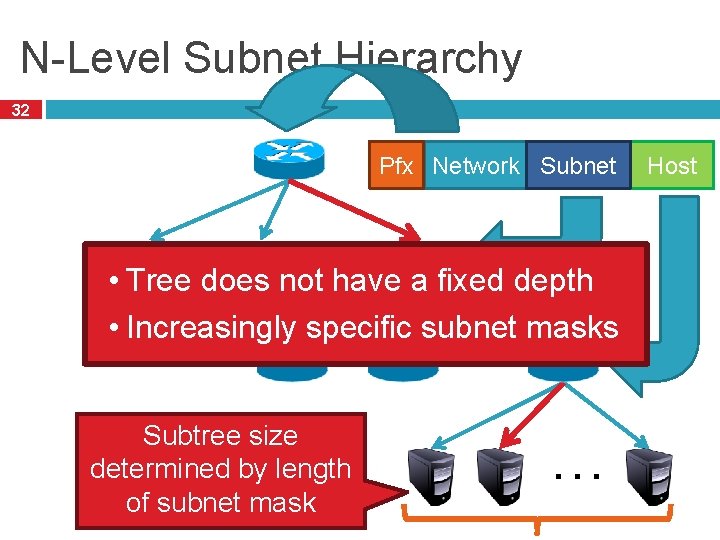
N-Level Subnet Hierarchy 32 Pfx Network Subnet … • Tree does not have a fixed depth • Increasingly specific subnet masks … Subtree size determined by length of subnet mask … Host
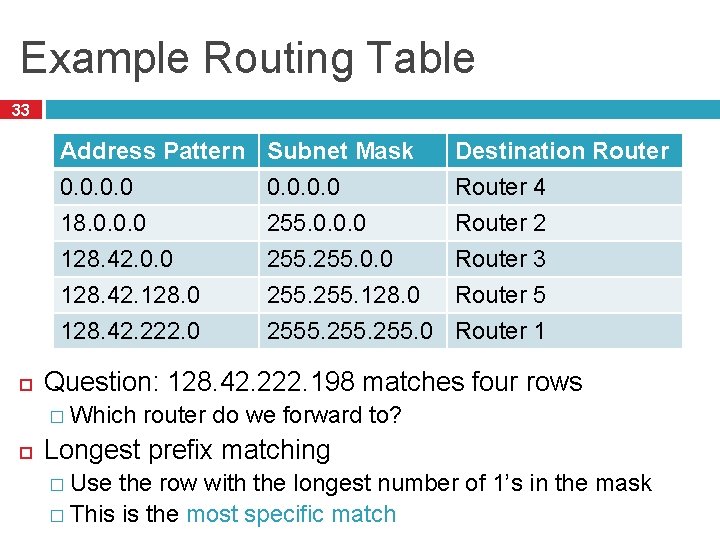
Example Routing Table 33 Address Pattern 0. 0 18. 0. 0. 0 128. 42. 128. 0 128. 42. 222. 0 Destination Router 4 Router 2 Router 3 Router 5 Router 1 Question: 128. 42. 222. 198 matches four rows � Which Subnet Mask 0. 0 255. 128. 0 2555. 255. 0 router do we forward to? Longest prefix matching � Use the row with the longest number of 1’s in the mask � This is the most specific match
Subnetting Revisited 34 Question: does subnetting solve all the problems of class-based routing? NO Classes are still too coarse � Class A can be subnetted, but only 126 available � Class C is too small � Class B is nice, but there are only 16, 398 available Routing tables are still too big � 2. 1 million entries per router
Classless Inter Domain Routing 35 CIDR, pronounced ‘cider’ Key ideas: � Get rid of IP classes � Use bitmasks for all levels of routing � Aggregation to minimize FIB (forwarding information base) Arbitrary split between network and host � Specified as a bitmask or prefix length � Example: Stony Brook 130. 245. 0. 0 with netmask 255. 0. 0 130. 245. 0. 0 / 16
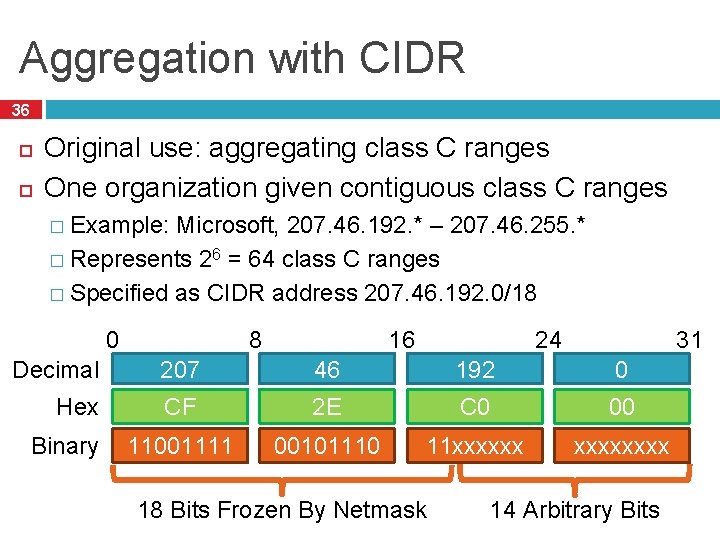
Aggregation with CIDR 36 Original use: aggregating class C ranges One organization given contiguous class C ranges � Example: Microsoft, 207. 46. 192. * – 207. 46. 255. * � Represents 26 = 64 class C ranges � Specified as CIDR address 207. 46. 192. 0/18 0 8 31 24 16 Decimal 207 46 192 0 Hex CF 2 E C 0 00 11001111 00101110 11 xxxxxx Binary 18 Bits Frozen By Netmask 14 Arbitrary Bits
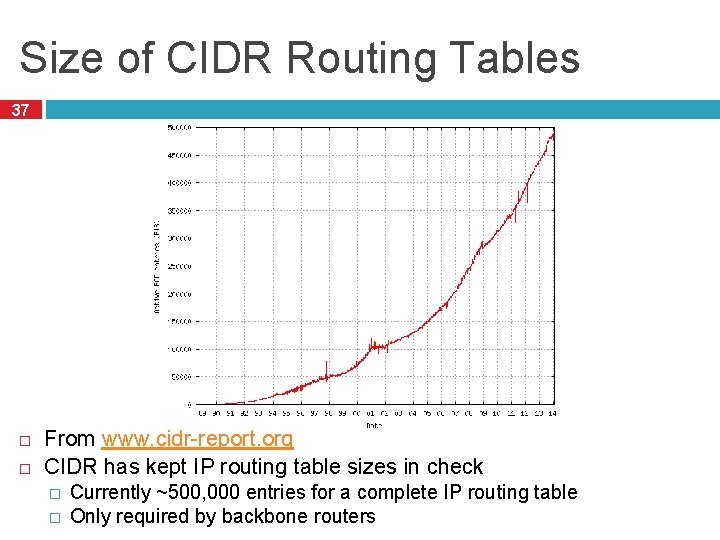
Size of CIDR Routing Tables 37 From www. cidr-report. org CIDR has kept IP routing table sizes in check � � Currently ~500, 000 entries for a complete IP routing table Only required by backbone routers
We had a special day in summer 2014! 38 512 K day – August 12, 2014 Default threshold size for IPv 4 route data in older Cisco routers 512 K routes � Some RAM vs. CAM (content addressable memory) � Some routers failed over to slower memory routes dropped Cisco issues update in May anticipating this issue � Reallocated Part of the cause � Growth some IPv 6 space for IPv 4 routes in emerging markets http: //cacm. org/news/178293 -internet-routing-failures-bringarchitecture-changes-back-to-the-table/fulltext
Takeaways 39 Hierarchical addressing is critical for scalability � Not all routers need all information � Limited number of routers need to know about changes Non-uniform hierarchy useful for heterogeneous networks � Class-based addressing is too course � CIDR improves scalability and granularity Implementation challenges � Longest prefix matching is more difficult than schemes with no ambiguity
- Slides: 38