
Computer Networks Lab Materials Part 4 NAT IPv
Computer Networks Lab Materials Part 4: NAT, IPv 6 © Michael Turek
IP Address Translation NAT The use of devices converting IP addresses (Network Address Translation - NAT) for networks or hosts Common name associated with the NAT functionality provided by the conversion: masquerade - address translation allows among other things, to "hide" an isolated network Host addresses on the subnet from which outgoing traffic to be converted are configured using the traditional setting of the default gateway - which at the same time making the IP host address translation (hardware router, server, etc. ). The gateway receives datagram and changes its IP’s to another value (often also changing the TCP port number) The disadvantage is the difficulty with the operation of certain services the higher layers - consuming connections established in the opposite direction than the output from the local area network (server-> TCP
Translation IP - address blocks NAT can translate the mode: One IP address <-> one address Multiple IP addresses (IP pool) <-> one address Multiple IP addresses <-> multiple IP addresses The conversion does not have to be binding datagram going through the gate - it is possible to use the so-called. router on a stick (the router on a stick), where the datagram after conversion back to the same network As a rule, NAT operates on three blocks of addresses assigned to the socalled. private networks. The vast majority of routers but has no limitations INT addressing to the private network. Blocks of addresses are treated as belonging to the private network: Class A: 10. 0 - 10. 255 Class B: 172. 16. 0. 0 - 172. 31. 255 Class C: 192. 168. 0. 0 - 192. 168. 255
NAT - overloading lets you create a relationship of "one to many" between IP addresses during translation (NAT). Without NAT mode overloading It allows only a translation in the IP address for anothers. In most NAT router is configured based on the so-called. IP address pools (in this manner, the range of addresses). Control of the translation process is controlled by the standard control lists (ACLs) Interfaces are additionally distinguished, among which the following translation (inside and outside) In the case of mode overloading also possible to define a pool of addresses - but then one-address and assigns it to the interface inside (This interface datagrams are received from different senders - so with different IP addresses to convert to "sender address" in the outside)
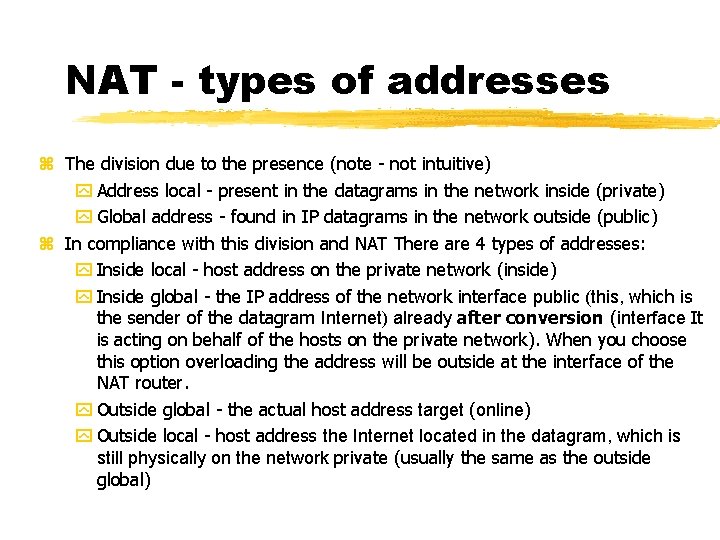
NAT - types of addresses The division due to the presence (note - not intuitive) Address local - present in the datagrams in the network inside (private) Global address - found in IP datagrams in the network outside (public) In compliance with this division and NAT There are 4 types of addresses: Inside local - host address on the private network (inside) Inside global - the IP address of the network interface public (this, which is the sender of the datagram Internet) already after conversion (interface It is acting on behalf of the hosts on the private network). When you choose this option overloading the address will be outside at the interface of the NAT router. Outside global - the actual host address target (online) Outside local - host address the Internet located in the datagram, which is still physically on the network private (usually the same as the outside global)

NAT - types of addresses INSIDE network NAT OUTSIDE network Source Destinat. INSIDE LOCAL OUTSIDE LOCAL INSIDE GLOBAL OUTSIDE GLOBAL Destinat. Source INSIDE LOCAL OUTSIDE LOCAL INSIDE GLOBAL OUTSIDE GLOBAL
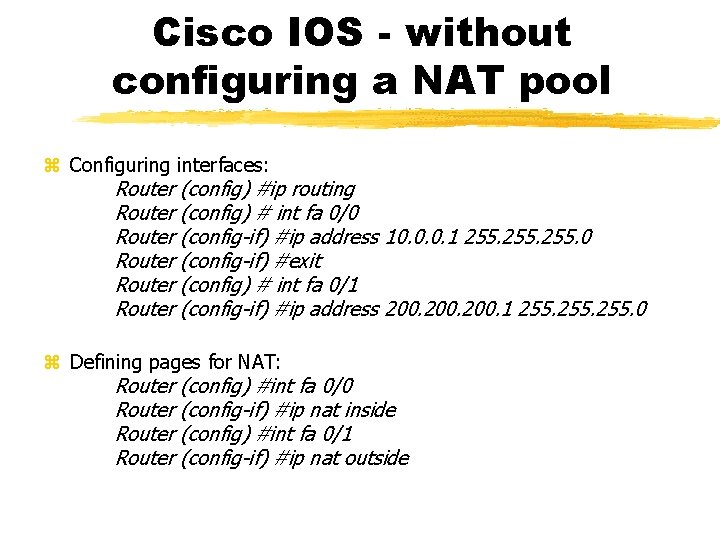
Cisco IOS - without configuring a NAT pool Configuring interfaces: Router (config) #ip routing Router (config) # int fa 0/0 Router (config-if) #ip address 10. 0. 0. 1 255. 0 Router (config-if) #exit Router (config) # int fa 0/1 Router (config-if) #ip address 200. 1 255. 0 Defining pages for NAT: Router (config) #int fa 0/0 Router (config-if) #ip nat inside Router (config) #int fa 0/1 Router (config-if) #ip nat outside
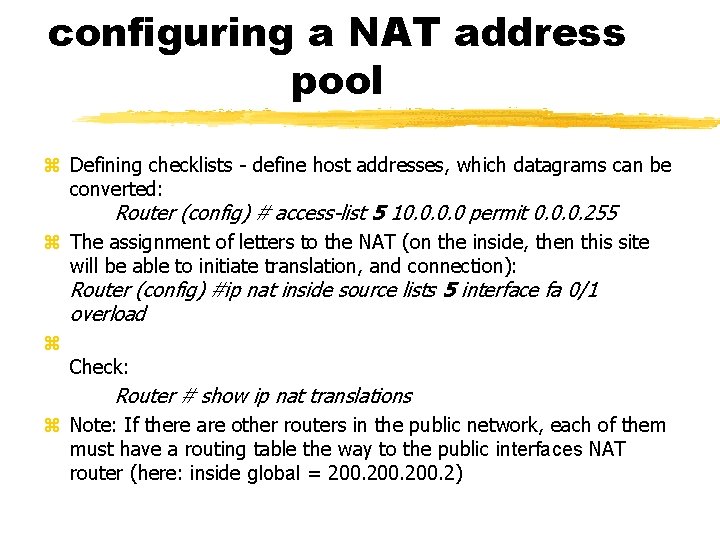
configuring a NAT address pool Defining checklists - define host addresses, which datagrams can be converted: Router (config) # access-list 5 10. 0 permit 0. 0. 0. 255 The assignment of letters to the NAT (on the inside, then this site will be able to initiate translation, and connection): Router (config) #ip nat inside source lists 5 interface fa 0/1 overload Check: Router # show ip nat translations Note: If there are other routers in the public network, each of them must have a routing table the way to the public interfaces NAT router (here: inside global = 200. 2)
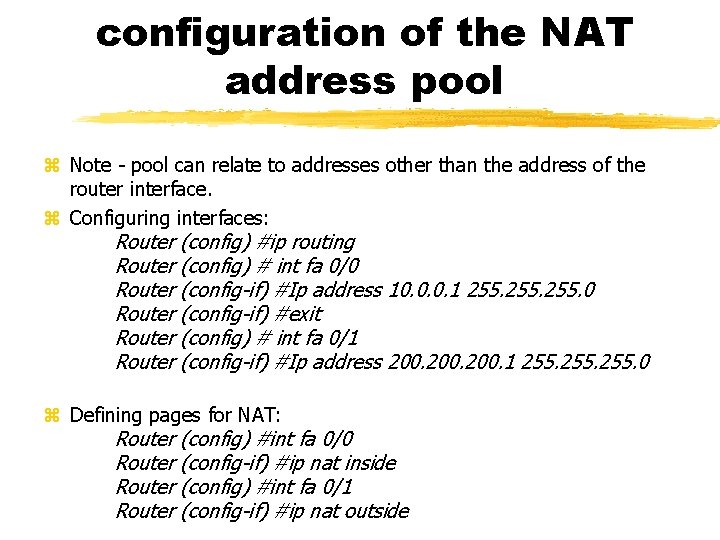
configuration of the NAT address pool Note - pool can relate to addresses other than the address of the router interface. Configuring interfaces: Router (config) #ip routing Router (config) # int fa 0/0 Router (config-if) #Ip address 10. 0. 0. 1 255. 0 Router (config-if) #exit Router (config) # int fa 0/1 Router (config-if) #Ip address 200. 1 255. 0 Defining pages for NAT: Router (config) #int fa 0/0 Router (config-if) #ip nat inside Router (config) #int fa 0/1 Router (config-if) #ip nat outside

configuration of the NAT address pool Defining address pool for NAT Router (config) # ip nat pool 200. 1 200. 254 netmask 255. 0 Checklists specifying host addresses, which datagrams can be subjected to conversion - with the assignment to NAT (on the inside, this site can initiate calls and translation): Router (config) # access-list 5 permit 10. 0. 255 Router (config) #ip nat inside source lists 5 pool overload Verification: Router # show ip nat translations
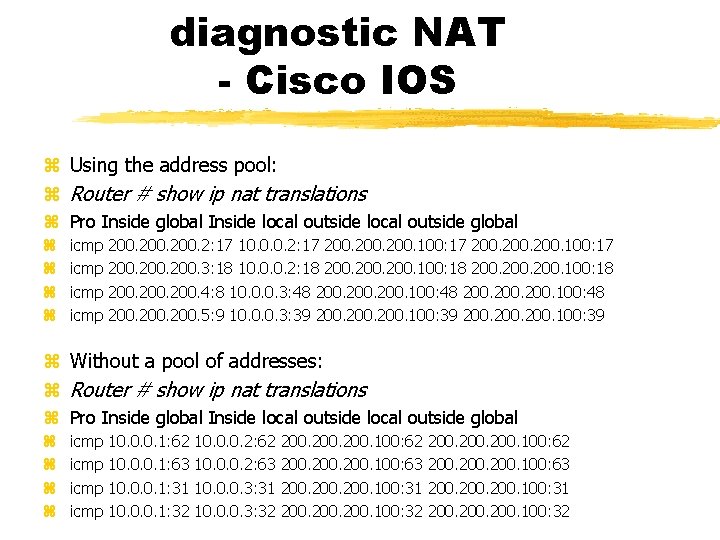
diagnostic NAT - Cisco IOS Using the address pool: Router # show ip nat translations Pro Inside global Inside local outside global icmp 200. 2: 17 10. 0. 0. 2: 17 200. 100: 17 200. 3: 18 10. 0. 0. 2: 18 200. 100: 18 200. 4: 8 10. 0. 0. 3: 48 200. 100: 48 200. 5: 9 10. 0. 0. 3: 39 200. 100: 39 Without a pool of addresses: Router # show ip nat translations Pro Inside global Inside local outside global icmp 10. 0. 0. 1: 62 10. 0. 0. 1: 63 10. 0. 0. 1: 31 10. 0. 0. 1: 32 10. 0. 0. 2: 63 10. 0. 0. 3: 31 10. 0. 0. 3: 32 200. 100: 62 200. 100: 63 200. 100: 31 200. 100: 32
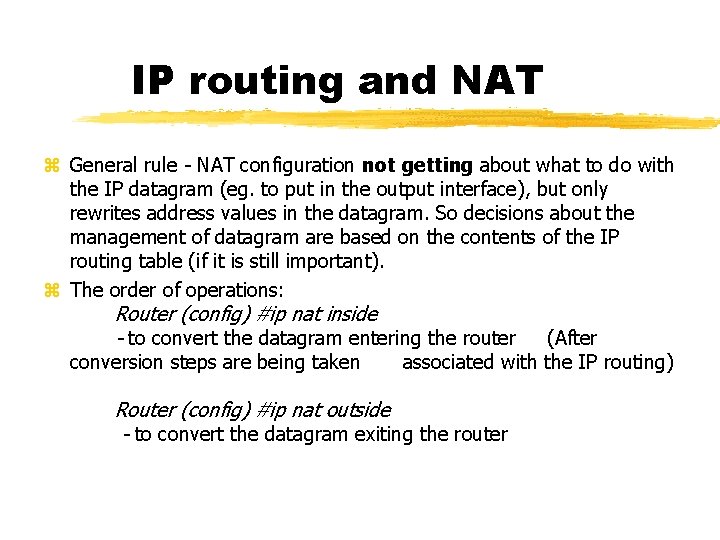
IP routing and NAT General rule - NAT configuration not getting about what to do with the IP datagram (eg. to put in the output interface), but only rewrites address values in the datagram. So decisions about the management of datagram are based on the contents of the IP routing table (if it is still important). The order of operations: Router (config) #ip nat inside - to convert the datagram entering the router (After conversion steps are being taken associated with the IP routing) Router (config) #ip nat outside - to convert the datagram exiting the router

NAT - Create a DMZ and static mappings Allowing port mapping for TCP streams from the network to the outside network services inside: Router (config) # ip nat inside source static tcp 10. 0. 0. 2 10. 0. 0. 1 80 8080 where 10. 0. 0. 2 is inside local address, 10. 0. 0. 1 is inside global address, This instruction operates mostly in combination with the static mapping Mapping (translation) occurs in the static NAT table all the time. Define static translation: Router (config) # ip nat inside source static 10. 0. 0. 3 200. 2
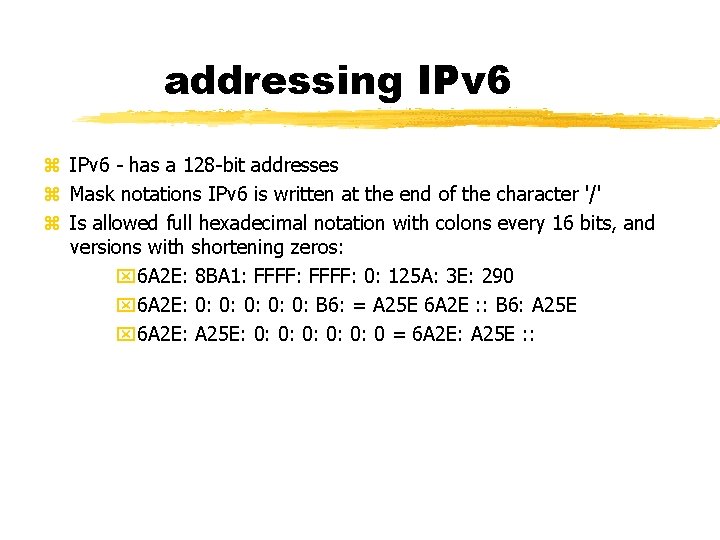
addressing IPv 6 - has a 128 -bit addresses Mask notations IPv 6 is written at the end of the character '/' Is allowed full hexadecimal notation with colons every 16 bits, and versions with shortening zeros: 6 A 2 E: 8 BA 1: FFFF: 0: 125 A: 3 E: 290 6 A 2 E: 0: 0: 0: B 6: = A 25 E 6 A 2 E : : B 6: A 25 E 6 A 2 E: A 25 E: 0: 0: 0 = 6 A 2 E: A 25 E : :
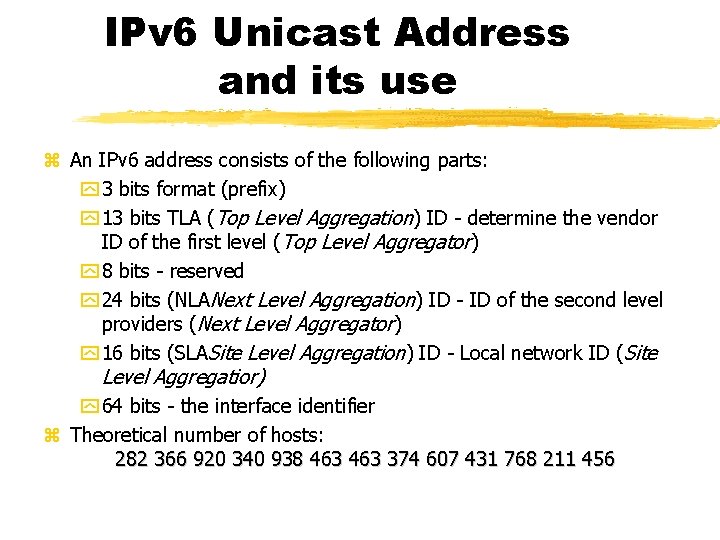
IPv 6 Unicast Address and its use An IPv 6 address consists of the following parts: 3 bits format (prefix) 13 bits TLA (Top Level Aggregation) ID - determine the vendor ID of the first level (Top Level Aggregator) 8 bits - reserved 24 bits (NLANext Level Aggregation) ID - ID of the second level providers (Next Level Aggregator) 16 bits (SLASite Level Aggregation) ID - Local network ID (Site Level Aggregatior) 64 bits - the interface identifier Theoretical number of hosts: 282 366 920 340 938 463 374 607 431 768 211 456
IPv 6 address - unicast Components of an IPv 6 address: TLA correspond to entries in the global routing table, there may be 8192, the amount may be larger in the future taking of 8 bits reserved NLA should specify the purpose under one TLA, typically one identifier may be awarded to a single institution SLA - allows you to specify local subnets, there may be 65, 535 Interface identifier is associated with the Ethernet address (MAC), but allocated to him 64 rather than 48 bits. Often it is constructed by inserting the MAC 3 rd byte MAC additional 16 bits set to 0 x. FFFE.
IPv 6 unicast and EUI-64 Notation EUI-64 (64 -bit Extended Unique Identifier) - when used in the IPv 6 address are id interface (64 -bit portion of an IPv 6 address youngest) comprising MAC address (48 bits) supplemented 0 x. FFFE the middle value. An example definition of an address for the device interface (Cisco) 5555: 1111: 1111 : : / 64 eui-64 The interface will then receive a new IPv 6 address being a combination of the above construction and MAC (also 7 th oldest bit of the MAC is set to 1) Unicast value reserved for IPv 6: 2000 : : / 3 - Global Unicast fc 00 : : / 7 - Unique Local Unicast fe 80 : : / 10 - Link Local Unicast
IPv 6 - addresses and special prefixes Purpose IP address determines the prefix (referred to as an amount of the respective bits of the mask), eg. : : : / 128 or 0: 0: 0 - address not specified (equivalent 0. 0/32 in IPv 4) - used to determine the permitted client connections : : / 0 0. 0/0 (equivalent to 0. 0/0 IPv 4) - used to determine default routes the routing 0: 0: 1 - equivalent to 127. 0. 0. 1 in IPv 4 fc 80: prefix: : / 10 - unique local address, Used to (unique also in the case of getting out of the current network) addressing local hosts. Do not routable. Often complemented by the EUI-64. Telephone is 41 + 16 bits (Link + Subnet ID) FE 80 : : / 10 - The link-local prefix (Equivalent to the address carkonfiguracji in 169. 254. 0. 0/16 in IPv 4), Each interface it is (emergency). It is often complemented by the EUI-64
IPv 6 - addresses and special prefixes FEC 0 : : / 7 - Unique Local Addresses (local site), Not intended for routing (or routable in very limited situations in a group of several distinguished nodes) 2001 : : / ? , a 2002 : : /? - addresses for tunneling (different technologies, the masks '? ') FF 01 : : ? , FF 02 : : ? , ff 05 : : ? - multicast addresses used to support special functions (variable number is a number that identifies the next function). Examples of features include a traffic routing processes (eg. Routers identification protocols RIPng, OSPF, EIGRP for IPv 6), DHCP network naming and promoting links, DNS, NTP, and others. FF 00 : : 0/8 are reserved.
Features IPv 6 interface Interface can have multiple IPv 6 addresses, for example, several different. : Link-local address. global address and other. Addresses can be permanent or temporary (may be used only for a specific outgoing call, identifying the customer + service based on the content of the IPv 6 address) There are configurable "boards preferences", linking each given address prefix (routing prefix) Of the so-called. precedence level (A number, which is a priority). If you have (eg. Temporary) of a given address - then it is possible to automatically decide which address to use, eg. As the source for the outgoing call.
Lifetime for IPv 6 addresses Each IPv 6 address has a lifetime (by default configured as infinite) Router configuration of IPv 6 addresses of remote interfaces can exchange their addresses interfaces providing additional value lifetime address Expired passes the IPv 6 address on the interface from the state preferred down deprecated (Hereafter may be used, but can not establish new connections with its use) After further time to state invalid. INthen you may already be assigned to another interface
IPv 6 multicast address includes: 8 -bit prefix with a value of 1111 (FF) 4 -bit field of flags (3 bits used) 4 -bit field identifies the scope field uniqueness address and (partially) belonging to a particular service, and above all, the extent to which the recipient may be datagram 112 -bit identifier field multicast group IPv 6 multicast addresses are commonly used to support Internet protocol IPv 6 traffic managers over
IPv 6 multicast address scopes Significant fields scope deciding on the classification of IPv 6 multicast traffic (in the following formulas ' x ' is any number between 1. . 8): FF 00 : : / 128 -ff 0 f : : / 128 - Reserved (do not use) ffx 1 : : / 16 - interface-local multicast - datagrams do not go beyond localhost (it is possible to broadcast within a single host, the transfer of traffic to multiple applications) ffx 2 : : / 16 - Link-local multicast - destined for the local network segment will not be routed datagrams (equivalent to IPv 4 224. 0. 0. 0/24) ffx 5 : : / 16 - site-local multicast - intended for the local physical network. In this case also (depending on the specific devices) - movement can be blocked in a medium converting device (eg. In the Access Point Wi. Fi) ffxe : : / 16 - global scope - ordinary and routable IPv 6 multicast group
IPv 6 - routing and mask If hosts do not apply to assignments masks interfaces. Native demarcation network prefix followed by a half-length address (lower 64 bits are the interface identifier) Other than / 64 masks are defined in the routers directly connected to the network. In practice - only those that do not contain target hosts Host has a routing table. The default rule should be guided by the movement of the gate (note - it applies to all addresses not link - local) Depending on the selected address different is the behavior of the hostbroadcaster (another type of source address in the IP datagram causes a different interpretation of the local IPv 6 routing table). For example when we send a multicast packet typeglobal scope (: ) will be used ffxe sender address global. Iflocal scope (Ffx 2: : ) - address of the sender Unicast local scope.
Cisco IOS - Configure IPv 6 has its own implementation of TCP / IP stack - a consequence of the router has two routing tables A separate set of commands for managing IPv 6 - available in the tree command ipv 6 Protocols ISO OSI layer 4 and above are no longer dependent on the distribution of Defining an IPv 6 address for the interface: Router (config-if) # ipv 6 address 1: 2: 1 : : 2/64 Defining IP address in the EUI-64 standard for the interface: Router (config-if) # ipv 6 address 1111: 1111 : : / 64 eui-64 Diagnostics: Router # show ipv 6 int brief Router # show ipv 6 protocols Router # show ipv 6 tunnel
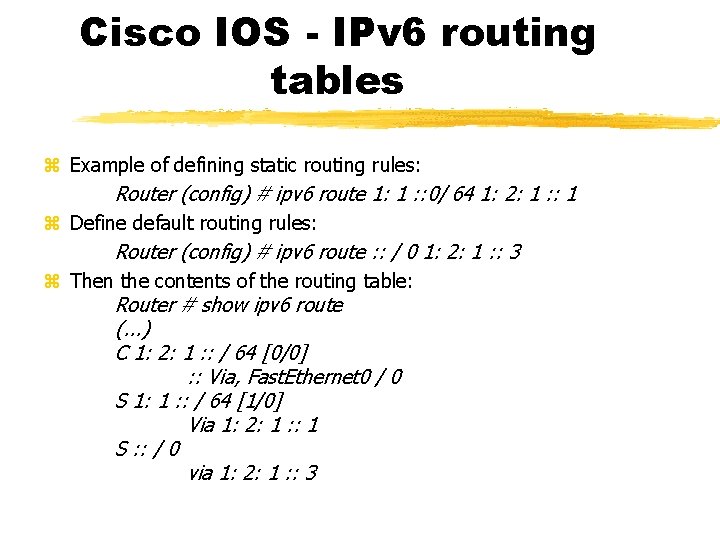
Cisco IOS - IPv 6 routing tables Example of defining static routing rules: Router (config) # ipv 6 route 1: 1 : : 0/ 64 1: 2: 1 : : 1 Define default routing rules: Router (config) # ipv 6 route : : / 0 1: 2: 1 : : 3 Then the contents of the routing table: Router # show ipv 6 route (. . . ) C 1: 2: 1 : : / 64 [0/0] : : Via, Fast. Ethernet 0 / 0 S 1: 1 : : / 64 [1/0] Via 1: 2: 1 : : 1 S : : / 0 via 1: 2: 1 : : 3
IPv 6 and IPv 4 - Address Mapping The use of IPv 6 is now largely based on the mappings to these addresses using the previous version of the protocol (IPv 4). This technique is sometimes known 6 to 4. Mapping addresses: 2002: xxxx : : / 16 <-> xx. xx. xx where xxxx is the content of the IPv 4 address (decimal representation must be converted to hexadecimal when storing the content) There also mapped IPv 6 addresses with IPv 4 in a different way. The resulting address is here referred to as. IPv 4 -mapped IPv 6 or IPv 4 compatible address: 0: 0: 0: FFFF: xxxx / 96 or 0: 0: 0: xxxx / 96 where xxxx is the IPv 4 address (decimal representation is used, which is automatically replace by hexadecimal). Address record thus contains both the symbols ": " and ". " and so his character is processed by the operating systems of devices in the issued commands
IPv 6 - 6 in 4 mechanism The mechanism involves placing IPv 6 datagram point-to-point tunnels created in IPv 4 (the following encapsulation of datagrams IPv 4) For the determination of a tunneling protocol (6 in 4) in IP datagrams to 41 is used Tunnels are assembled manually by configuring routers gateway It is possible to setup tunnels "dynamic" ( "heartbeat proto-41 'tunnels) - where the opposite end of the tunnel may migrate between multiple hosts (routers). The new address of the tunnel is then passed through the heartbeat message.
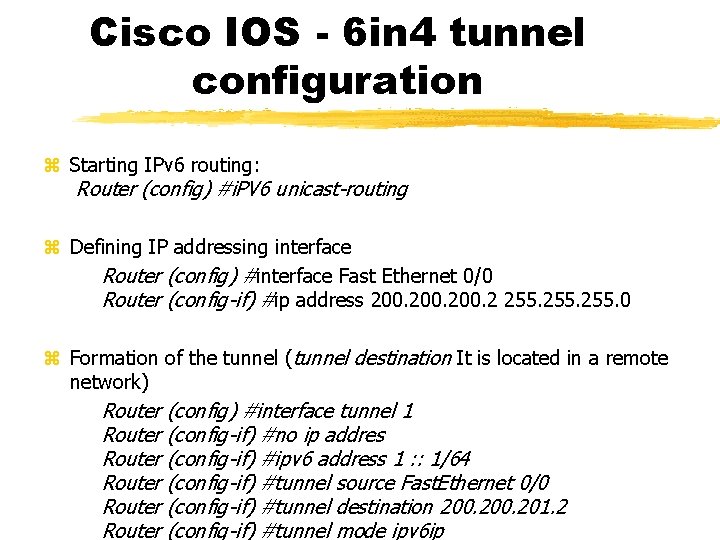
Cisco IOS - 6 in 4 tunnel configuration Starting IPv 6 routing: Router (config) #i. PV 6 unicast-routing Defining IP addressing interface Router (config) #interface Fast Ethernet 0/0 Router (config-if) #ip address 200. 2 255. 0 Formation of the tunnel (tunnel destination It is located in a remote network) Router (config) #interface tunnel 1 Router (config-if) #no ip addres Router (config-if) #ipv 6 address 1 : : 1/64 Router (config-if) #tunnel source Fast. Ethernet 0/0 Router (config-if) #tunnel destination 200. 201. 2 Router (config-if) #tunnel mode ipv 6 ip
Transmission of IPv 6 over IPv 4 - use 6 to 4 Direct Mapping (6 to 4) does not require manual configuration address IPv 6 tunnel between networks. The system uses tunnels here is based on the use of individual hosts or edge routers addresses created according to the 6 to 4 IPv 6 network communicating (ie. The island IPv 6). In both cases, you must have an IPv 4 address in the global network. According to 6 to 4 is then emulated pseudo-interface IPv 6 address: 2002: xxxx : : / 16 or / 48 (where xxxx: xxxx is a global IP address) Router operating in addressing automatic 6 to 4 tunnels IPv 6 datagrams, when they have the prefix 2002 : . Tunnels (as in the case of an ordinary tulenowania 6 in 4) use a tunneling protocol described protocol identifier value of 41, but addresses the ends of the tunnels are determined based on the content of IPv 6
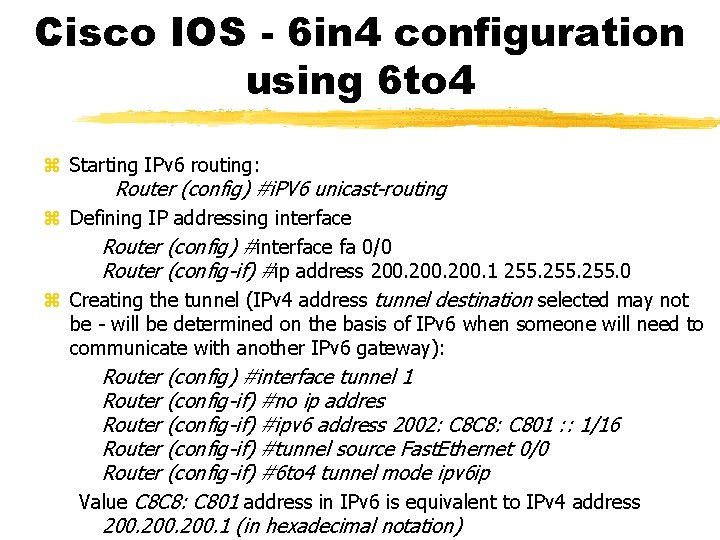
Cisco IOS - 6 in 4 configuration using 6 to 4 Starting IPv 6 routing: Router (config) #i. PV 6 unicast-routing Defining IP addressing interface Router (config) #interface fa 0/0 Router (config-if) #ip address 200. 1 255. 0 Creating the tunnel (IPv 4 address tunnel destination selected may not be - will be determined on the basis of IPv 6 when someone will need to communicate with another IPv 6 gateway): Router (config) #interface tunnel 1 Router (config-if) #no ip addres Router (config-if) #ipv 6 address 2002: C 8 C 8: C 801 : : 1/16 Router (config-if) #tunnel source Fast. Ethernet 0/0 Router (config-if) #6 to 4 tunnel mode ipv 6 ip Value C 8 C 8: C 801 address in IPv 6 is equivalent to IPv 4 address 200. 1 (in hexadecimal notation)
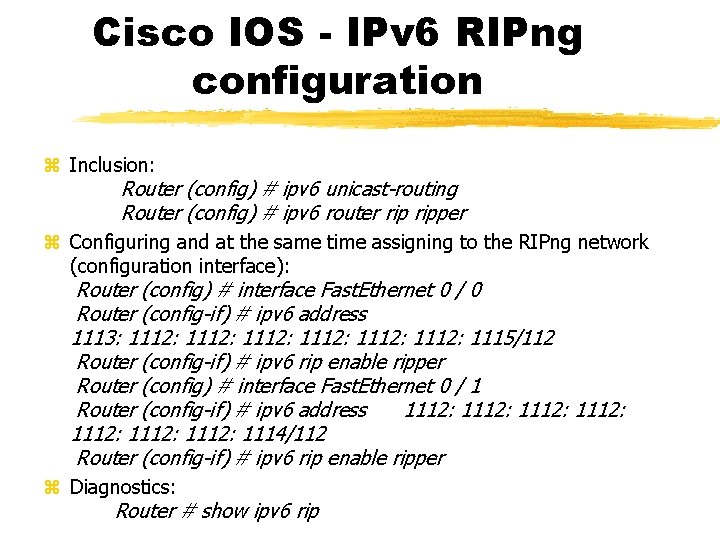
Cisco IOS - IPv 6 RIPng configuration Inclusion: Router (config) # ipv 6 unicast-routing Router (config) # ipv 6 router ripper Configuring and at the same time assigning to the RIPng network (configuration interface): Router (config) # interface Fast. Ethernet 0 / 0 Router (config-if) # ipv 6 address 1113: 1112: 1112: 1115/112 Router (config-if) # ipv 6 rip enable ripper Router (config) # interface Fast. Ethernet 0 / 1 Router (config-if) # ipv 6 address 1112: 1112: 1114/112 Router (config-if) # ipv 6 rip enable ripper Diagnostics: Router # show ipv 6 rip
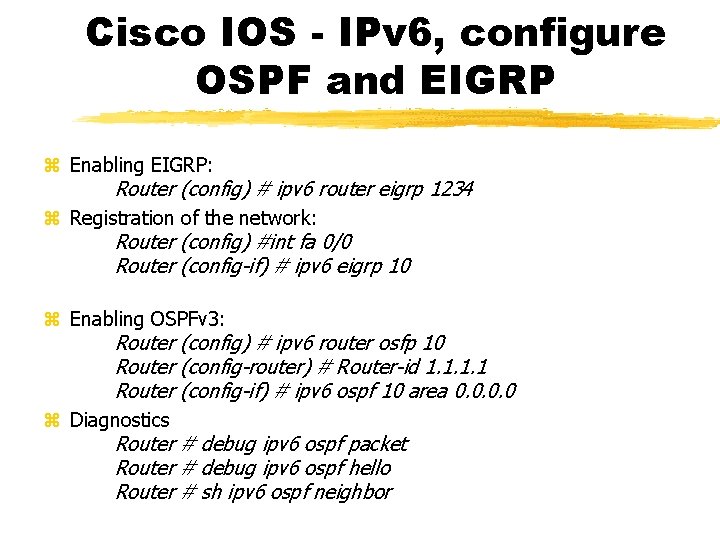
Cisco IOS - IPv 6, configure OSPF and EIGRP Enabling EIGRP: Router (config) # ipv 6 router eigrp 1234 Registration of the network: Router (config) #int fa 0/0 Router (config-if) # ipv 6 eigrp 10 Enabling OSPFv 3: Router (config) # ipv 6 router osfp 10 Router (config-router) # Router-id 1. 1 Router (config-if) # ipv 6 ospf 10 area 0. 0 Diagnostics Router # debug ipv 6 ospf packet Router # debug ipv 6 ospf hello Router # sh ipv 6 ospf neighbor
Using IPv 6 addresses on the operating system When typing the URL use brackets [] - should be entered in the URL, eg. : http: // [IPv 6 address] / https: // [IPv 6 address]: 443 / IPv 6 uses a UNC path looks like this: \ 1111 -1 -1 -1 -1111. ipv 6 -literal. net (In the address mark are used instead of '' and DNS suffix picking out the IPv 6 address) In DNS: To convert (resolving name) AAAA record is analogous to a record in the DNS similarly for IPv 4 There ICMPv 6 protocol - defining the equivalent commands for IPv 4 ICMP
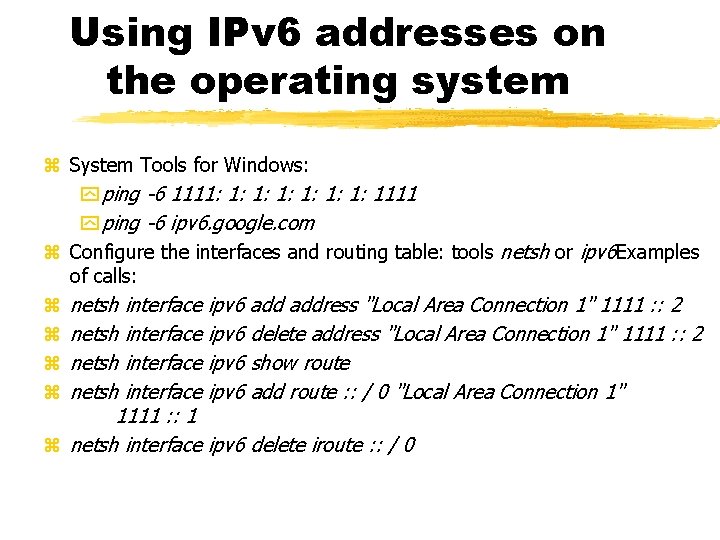
Using IPv 6 addresses on the operating system System Tools for Windows: ping -6 1111: 1: 1111 ping -6 ipv 6. google. com Configure the interfaces and routing table: tools netsh or ipv 6 Examples of calls: netsh interface ipv 6 address "Local Area Connection 1" 1111 : : 2 netsh interface ipv 6 delete address "Local Area Connection 1" 1111 : : 2 netsh interface ipv 6 show route netsh interface ipv 6 add route : : / 0 "Local Area Connection 1" 1111 : : 1 netsh interface ipv 6 delete iroute : : / 0
NAT in IPv 6 NAT, due to the wide range of adresacyjny IPv 6 technology is not directly related to IPv 6 (IPv 4 was created over because of deficiencies in addressing) Implemented to carry out conversion of host-to-host (no technique oveloading) - a technology called NAT 64. This is called variantstateless (lack overloading) NAT is used quite often to drive conversion IPv 4 <-> IPv 6 - where hosts do not have the opposite addresses (IPv 4 and IPv 6, respectively) need to communicate. The technology called NAT 64. In her case, it is necessary translation of everything that flows into the IPv 6 interface (not defined pools of IP addresses). On the IPv 6 technique uses pseudo-IPv 6 interface (generates IPv 6 addresses of the sender). On the IPv 4 - is used IPv 4 address of the device, which translates the router.
Principle of operation NAT 64 IPv 6 host intends to connect to the server IPv 4, knowing his address (IPv 4, for example, 1. 1). Then sends to the router NAT 64 IPv 6 packet from the IPv 6 destination address with the following contents: 64: ff 9 b : : 0101 where the older 64 -bit is a specific value of NAT 64 defined by IANA, and the younger 64 bits is the IPv 4 address (1. 1) NAT 64 router on the basis of the received IPv 6 packet generates an IPv 4 packet and sends to your IPv 4 address as the sender's address. When you receive a reply - reverse converts and sends the IPv 6 packet to the original host There service DNS 64, which is a proxy for DNS and operating on similar principles: the request for AAAA record sent to the service generates the next request for an A record, and after receiving the response - sending it to the questioner about the AAAA record with the addition of the IPv 6 address DNS responses prefix 64: ff 9 b : :
Cisco IOS - IPv 6 configuration NAT 64 Configuring interfaces (one of them is IPv 4, the second - IPv 6) and turning NAT 64 Router (config) # interface Fast. Ethernet 0 / 0 Router (config-if) # ipv 6 address 1111 : : 1112/112 Router (config-if) # nat 64 enable Router (config) # interface Fast. Ethernet 0 / 1 Router (config-if) # ipv 6 address 200. 1 255. 0 Router (config-if) # nat 64 enable Enabling routing and determine the route to the next IPv 6 gateway: Router (config) # PV 6 unicast-routing Router (config) # ipv 6 route : : / 0 1111 : : Changing the target pool of IPv 6 translation of 64: FF 9 B : : / 96 (IANA) on your own: Router (config) # nat 64 stateful prefix 2222 : : / 96
- Slides: 38