
COMPUTER NETWORKS ECS 601 MAHUA S MAITY CSE


- Slides: 115
COMPUTER NETWORKS (ECS 601) MAHUA S. MAITY CSE DEPTT.
UNIT 1 Introduction Concepts: Goals and Applications of Networks, Network structure and architecture, The OSI reference model, services, Network Topology Design - Delay Analysis, Back Bone Design, Local Access Network Design. Physical Layer Transmission Media, Switching methods, ISDN, Terminal Handling.
Introduction • • Data Communication Networks Protocols and Standards Standard Organizations
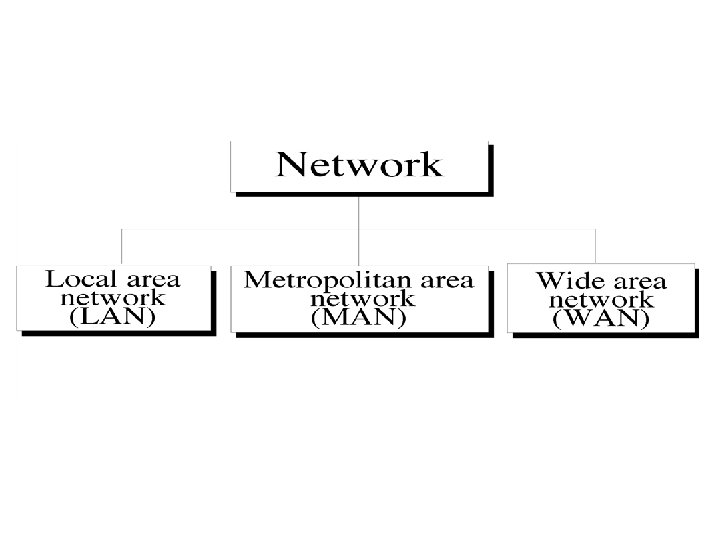
Uses of Computer Networks 1. Network Goals & Application • Resource Sharing • High Reliability. • Saving Money. • Powerful Communication Medium 1. LAN 2. MAN 3. WAN
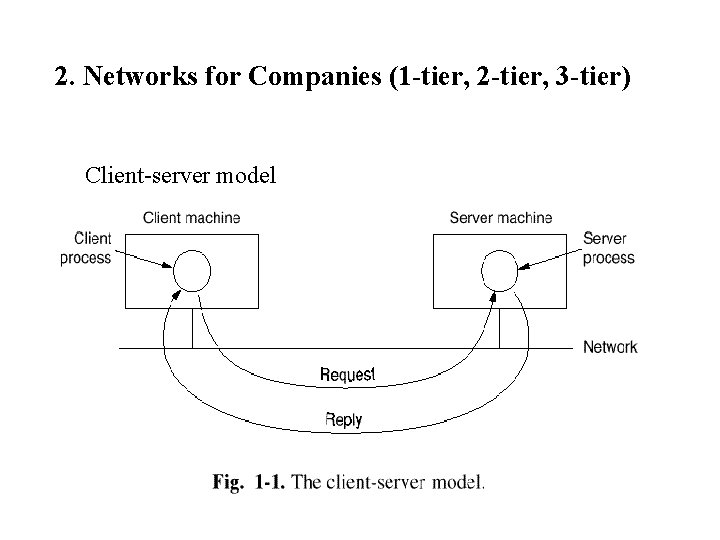
2. Networks for Companies (1 -tier, 2 -tier, 3 -tier) Client-server model
CONTT. 2. Networks for Companies Client-server model Concurrent server vs. Iterative server Stateful server vs. Stateless server
3. Networks for People • Person-to-person communication Electronic mail, ICQ (I seek you), Videoconference • Interactive entertainment Video-on-Demand, Games • Access to remote information World Wide Web
4. Social Issues Privacy Copyright Pornography Anonymity freedom of speech vs. censorship responsibility of the service providers
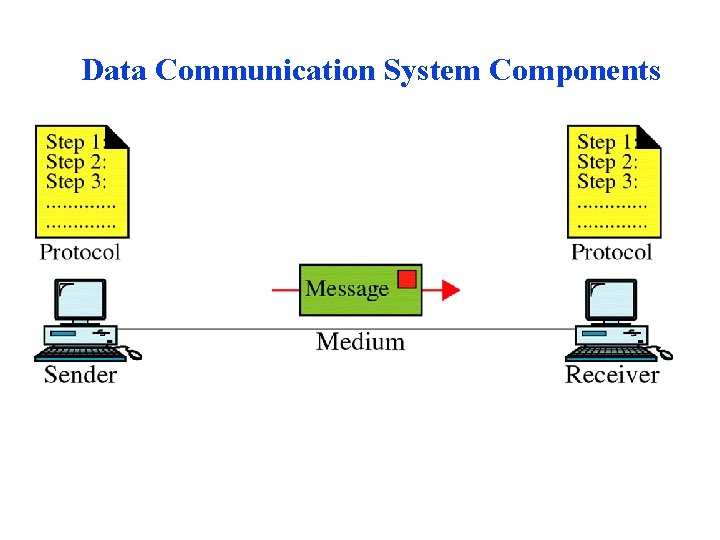
Data Communication System Components
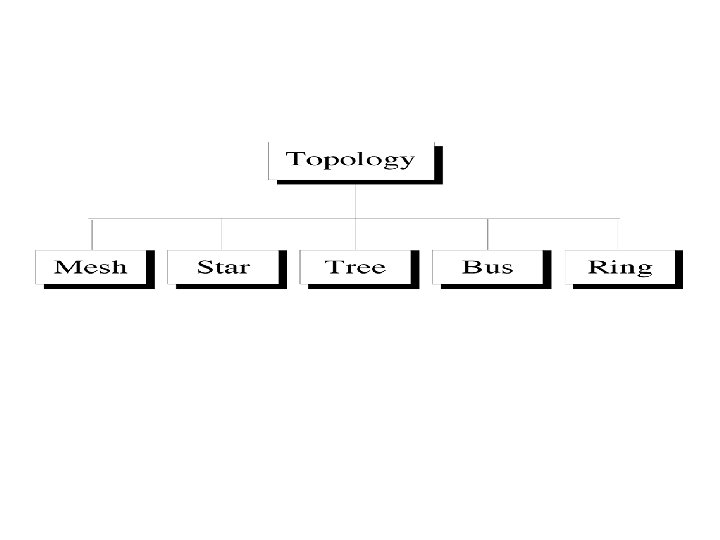
Basic Concepts • • • Line Configuration Topology Transmission Mode Categories of Networks Internetworks
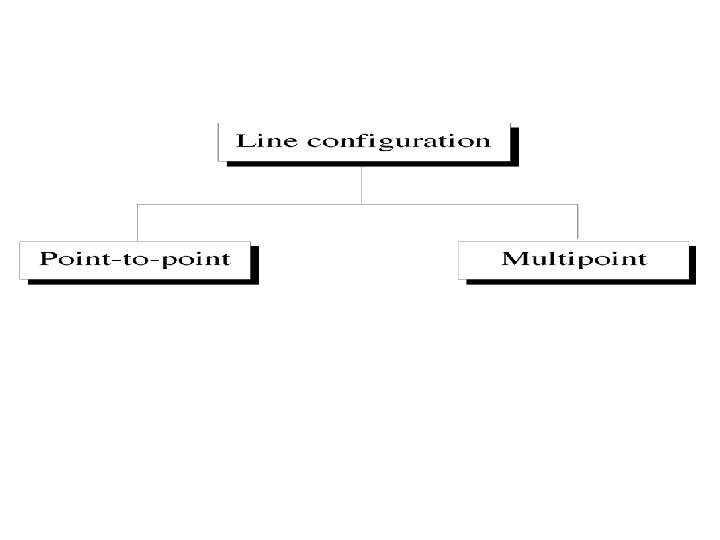
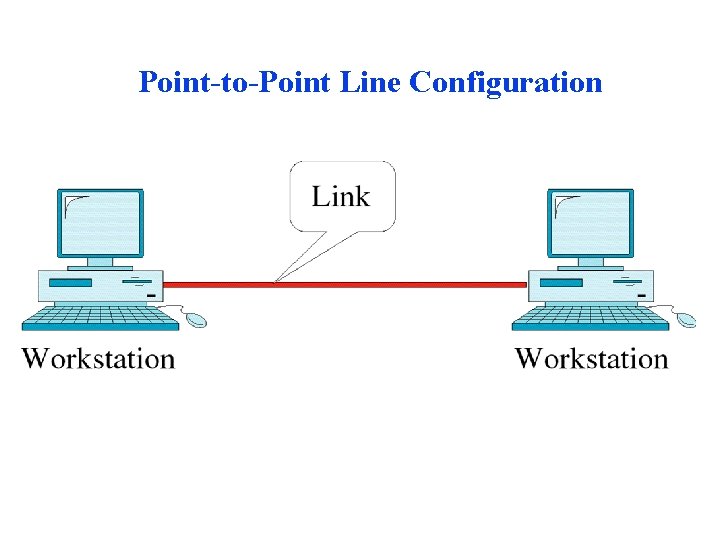
Point-to-Point Line Configuration
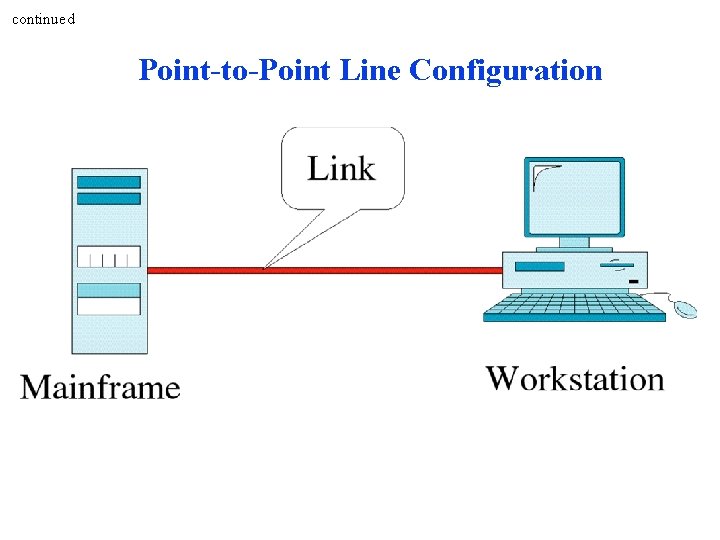
continued Point-to-Point Line Configuration
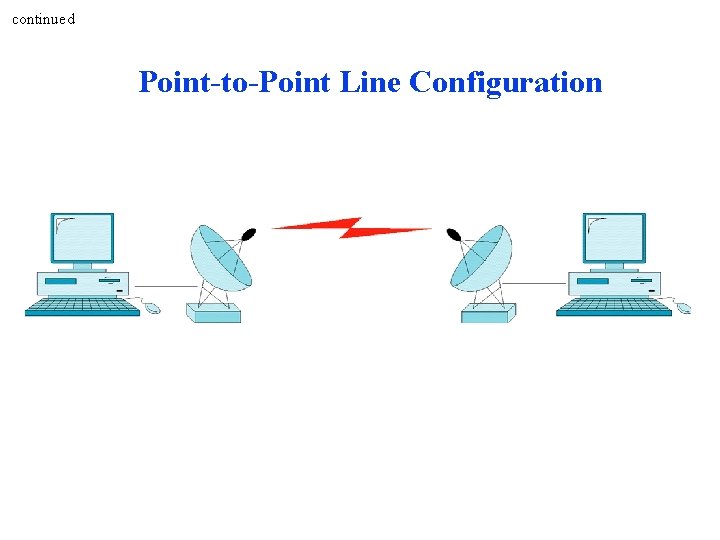
continued Point-to-Point Line Configuration
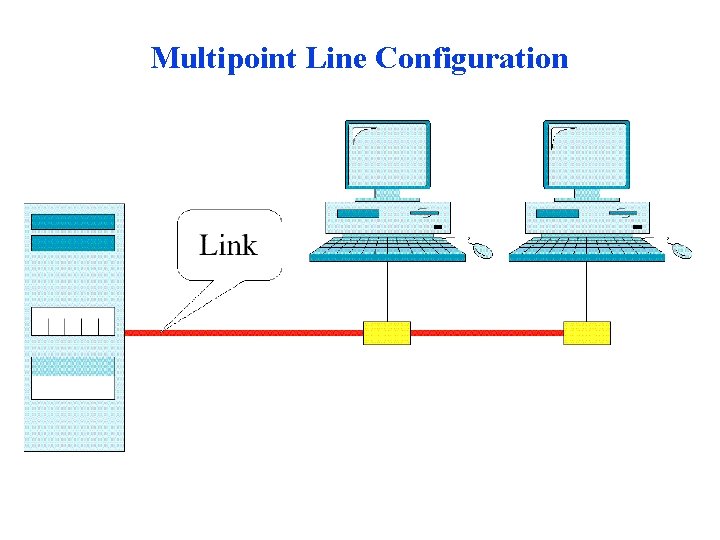
Multipoint Line Configuration
Mesh Topology
Star Topology
Tree Topology
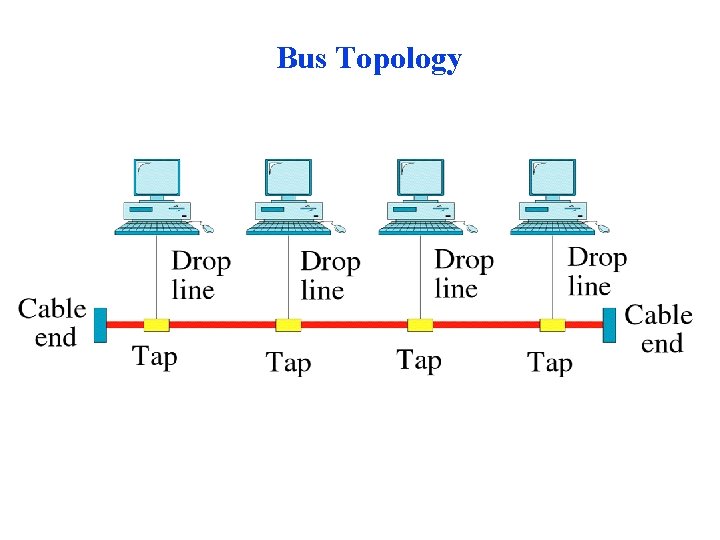
Bus Topology
Ring Topology
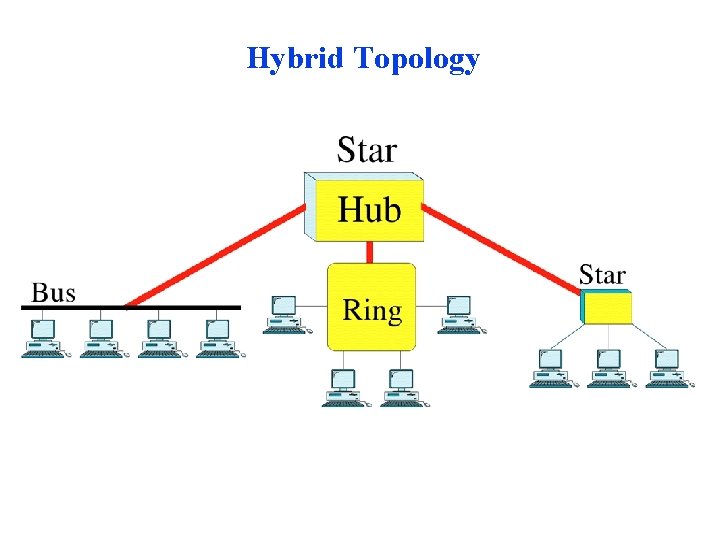
Hybrid Topology
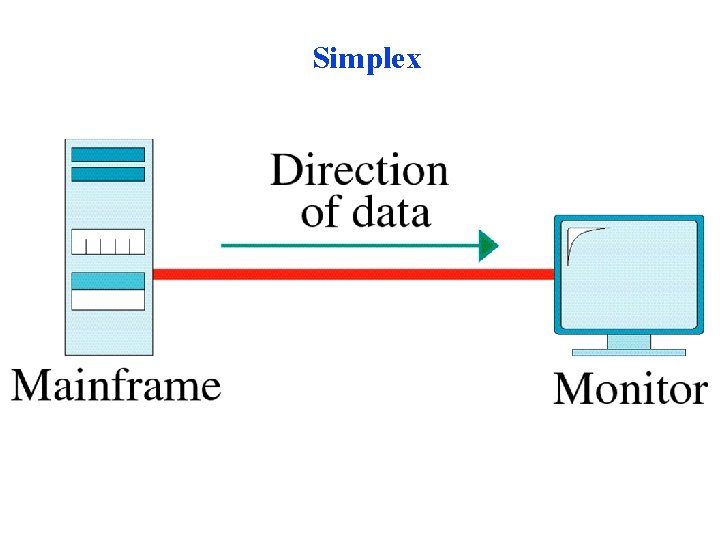
Simplex
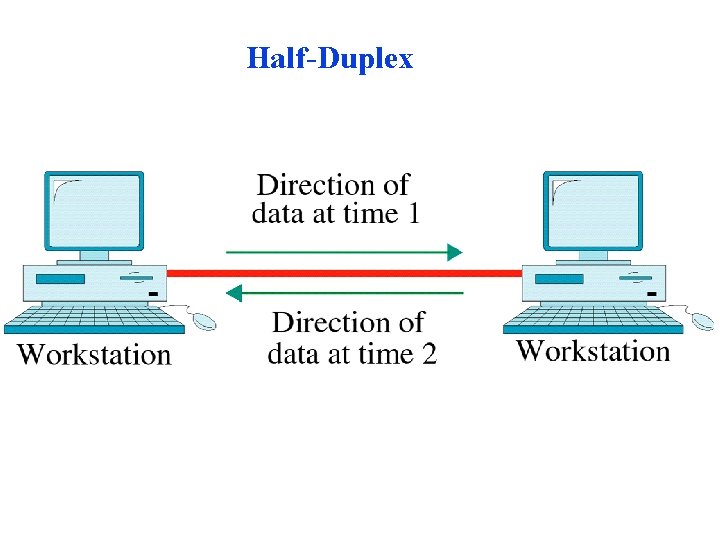
Half-Duplex
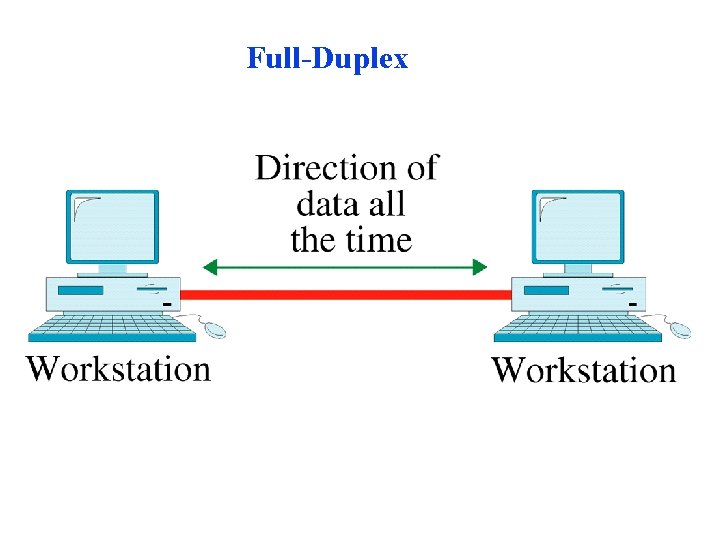
Full-Duplex
OSI Model (Open systems interconnection references model) • The model • Functions of the layers
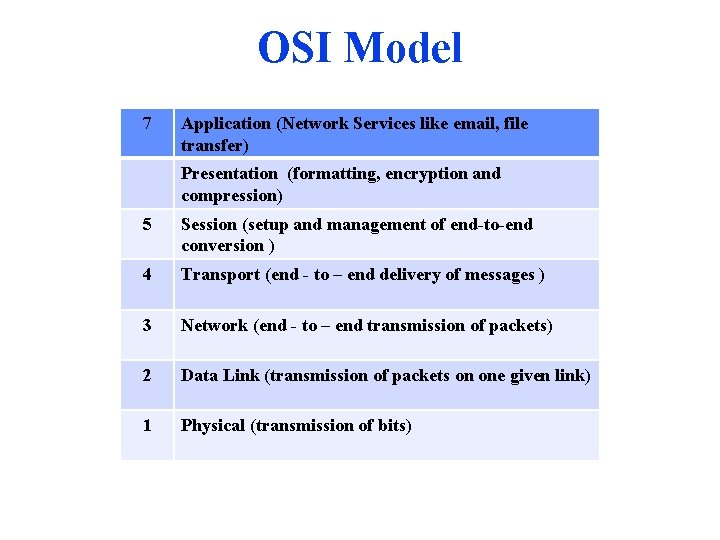
OSI Model 7 Application (Network Services like email, file transfer) Presentation (formatting, encryption and compression) 5 Session (setup and management of end-to-end conversion ) 4 Transport (end - to – end delivery of messages ) 3 Network (end - to – end transmission of packets) 2 Data Link (transmission of packets on one given link) 1 Physical (transmission of bits)
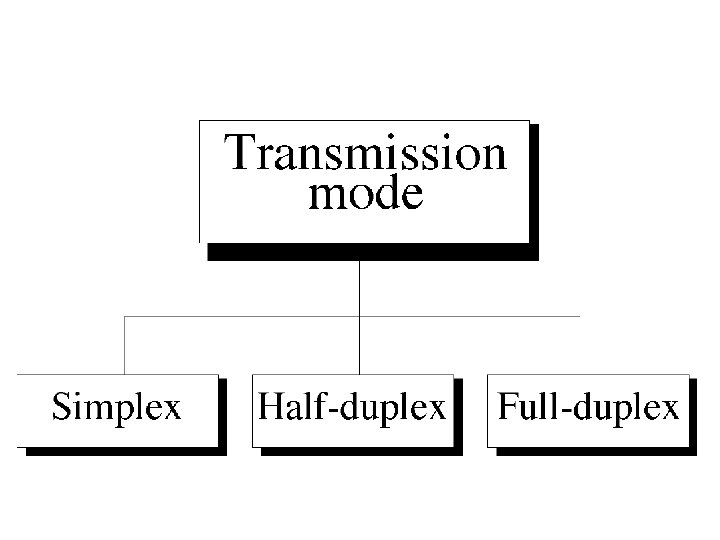
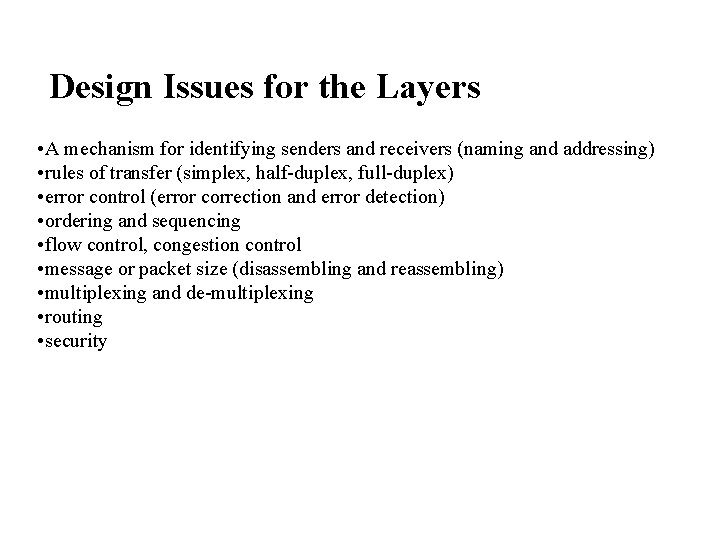
Design Issues for the Layers • A mechanism for identifying senders and receivers (naming and addressing) • rules of transfer (simplex, half-duplex, full-duplex) • error control (error correction and error detection) • ordering and sequencing • flow control, congestion control • message or packet size (disassembling and reassembling) • multiplexing and de-multiplexing • routing • security
OSI Layers (The interaction between layers in the OSI model )
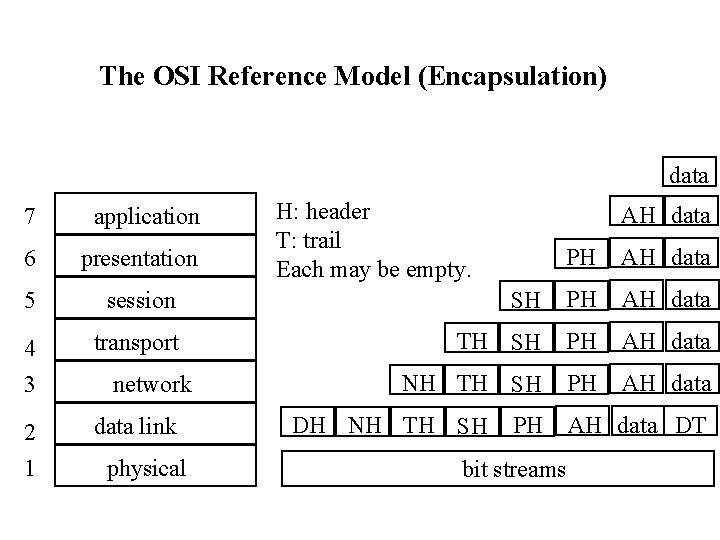
The OSI Reference Model (Encapsulation) data 7 application 6 presentation 5 session 4 3 transport 2 1 data link network physical H: header T: trail Each may be empty. AH data PH AH data SH PH AH data TH SH PH AH data NH TH SH PH AH data DH NH TH SH PH bit streams AH data DT
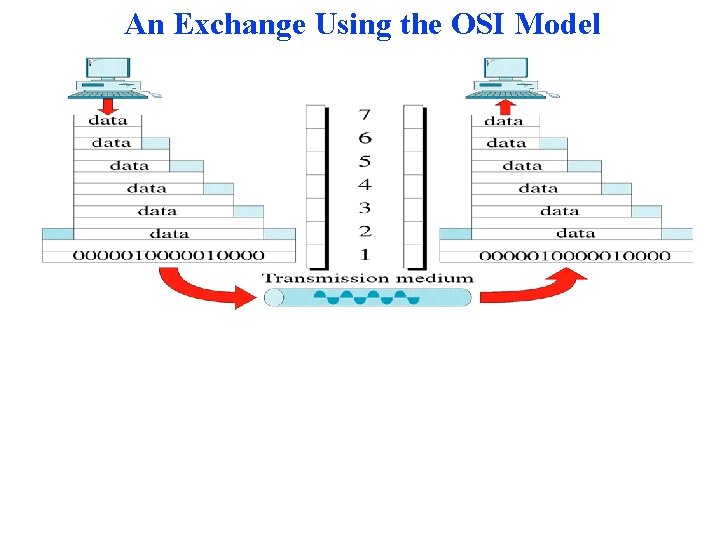
An Exchange Using the OSI Model
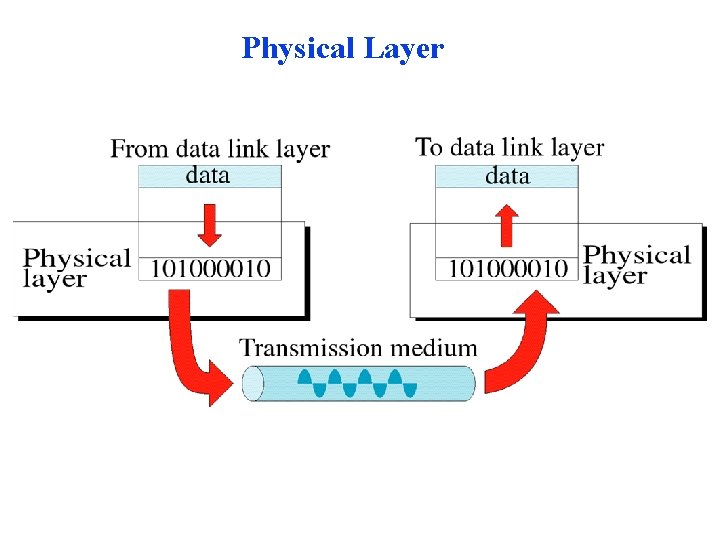
Physical Layer
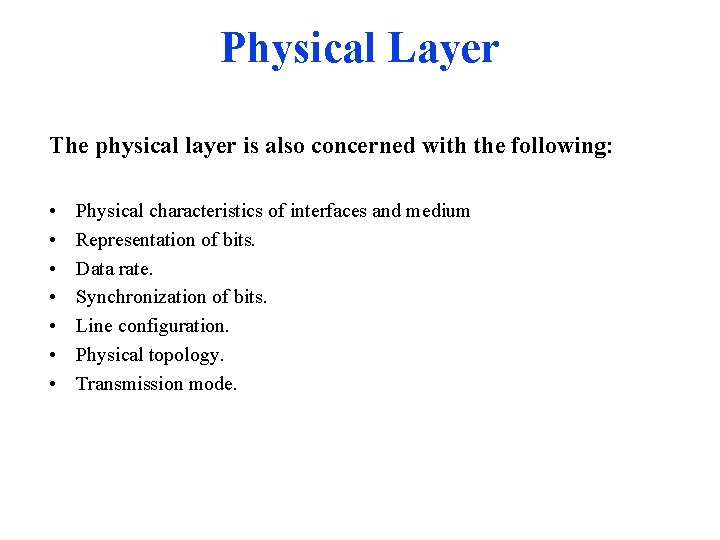
Physical Layer The physical layer is also concerned with the following: • • Physical characteristics of interfaces and medium Representation of bits. Data rate. Synchronization of bits. Line configuration. Physical topology. Transmission mode.
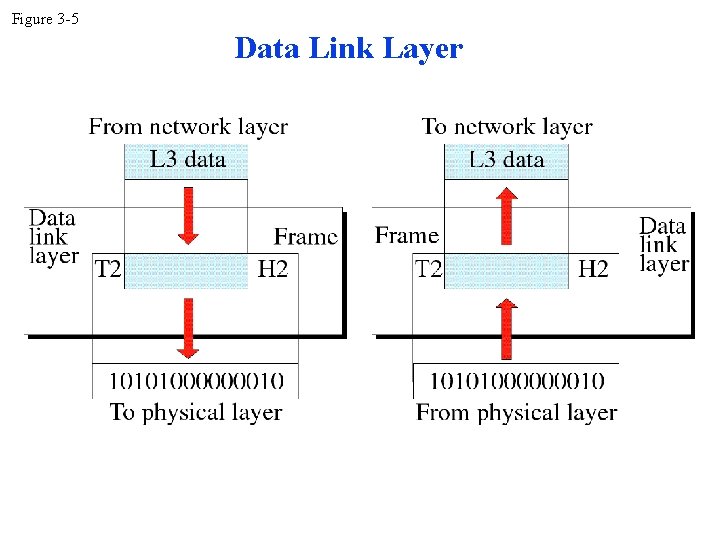
Figure 3 -5 Data Link Layer
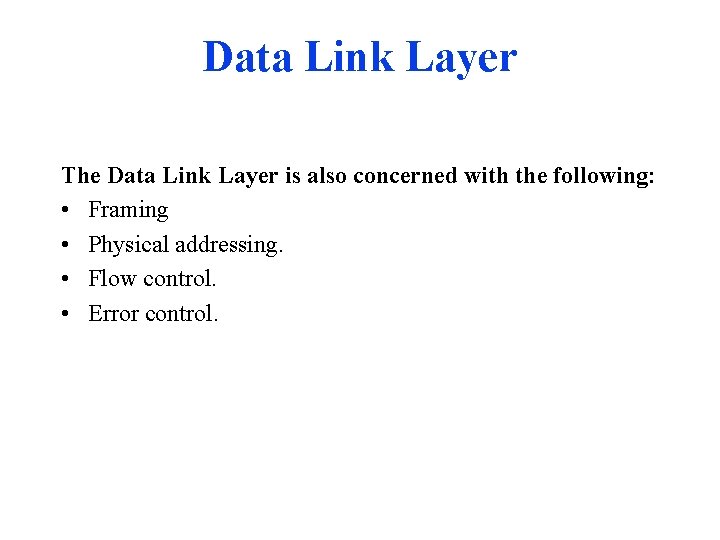
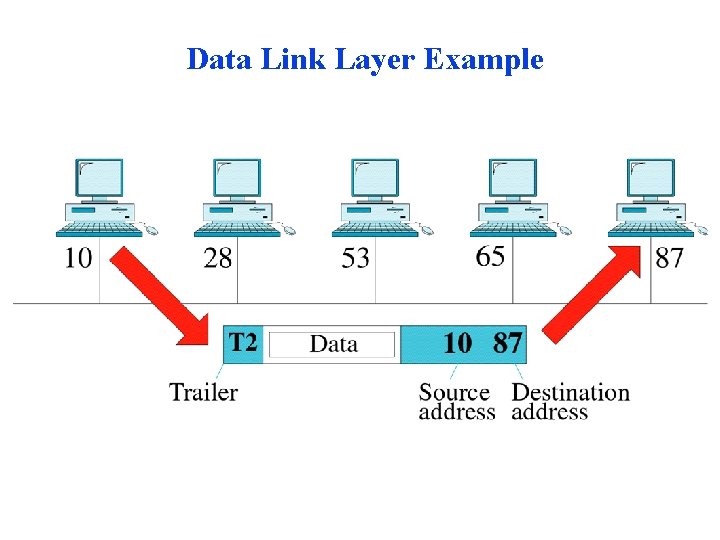
Data Link Layer The Data Link Layer is also concerned with the following: • Framing • Physical addressing. • Flow control. • Error control.
Data Link Layer Example
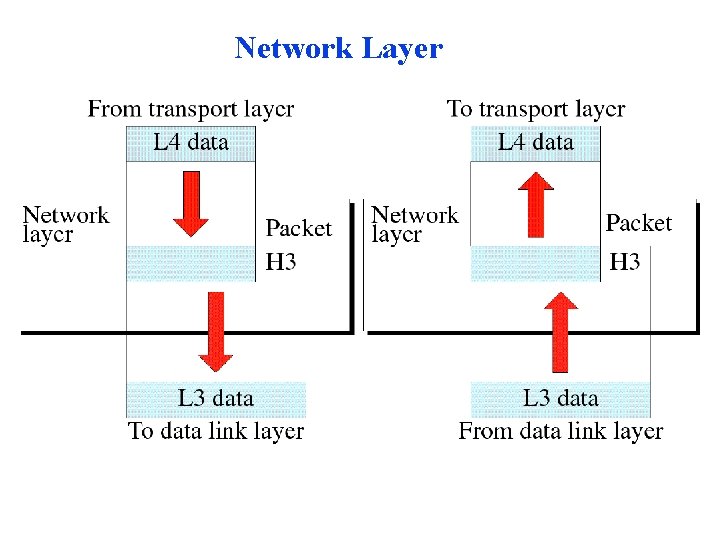
Network Layer
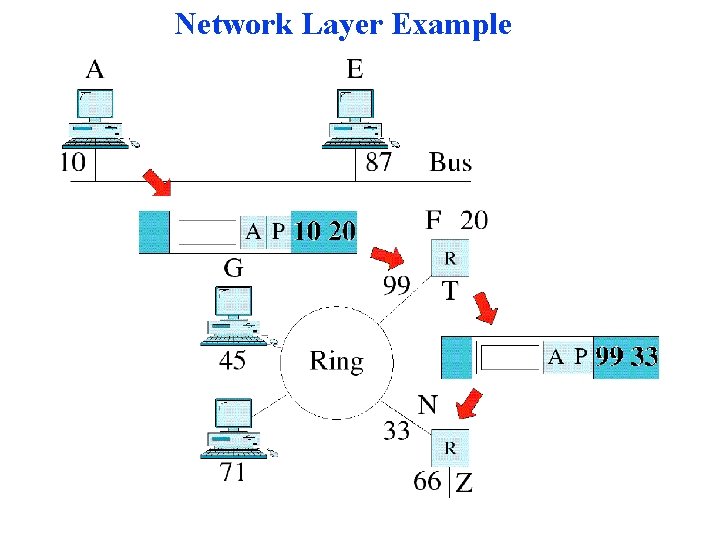
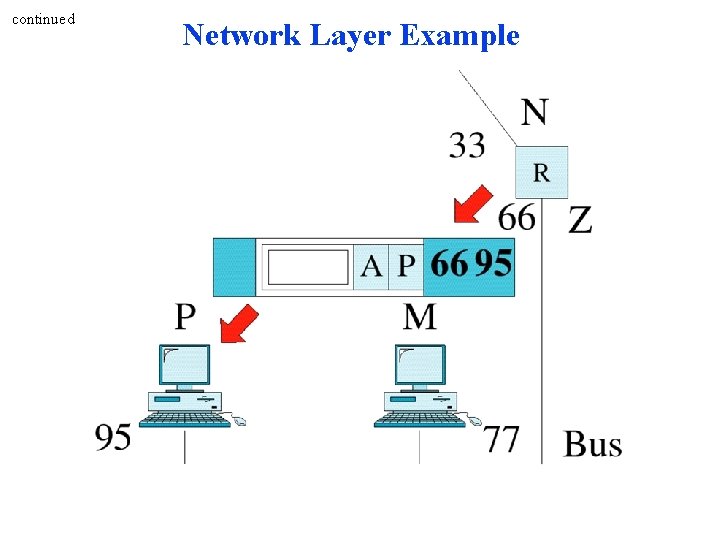
Network Layer The Network Layer is also concerned with the following: • Logical Address • Routing
Network Layer Example
continued Network Layer Example
Transport Layer
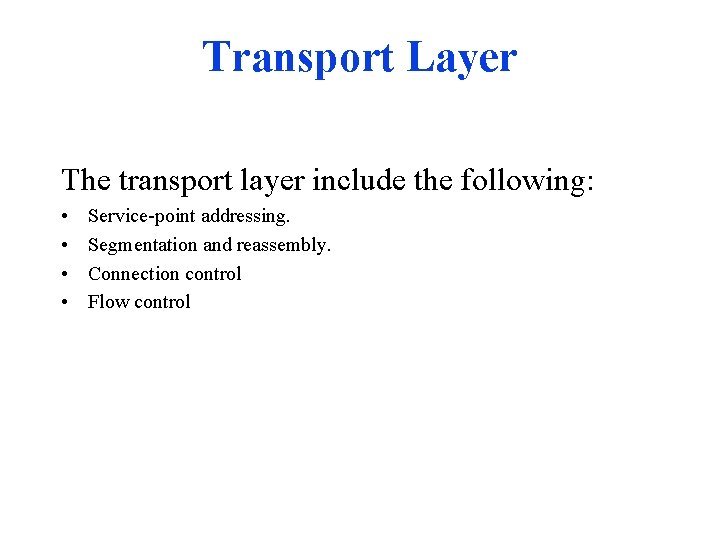
Transport Layer The transport layer include the following: • • Service-point addressing. Segmentation and reassembly. Connection control Flow control
Transport Layer Example
continued Transport Layer Example
Session Layer
Session Layer The session layer include the following: • Dialog control(half-duplex or full duplex) • Synchronization
Presentation Layer
Presentation Layer Specific responsibilities of the presentation layer include the following: • Translation. • Encryption. • Compression.
Application Layer
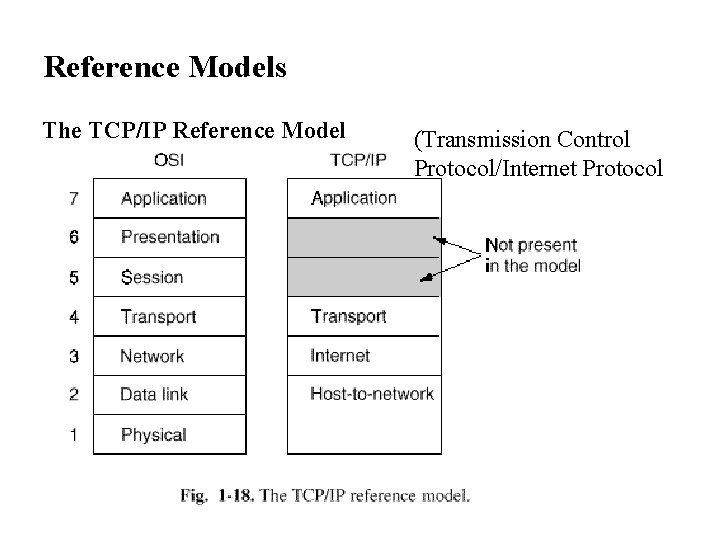
Reference Models The TCP/IP Reference Model (Transmission Control Protocol/Internet Protocol
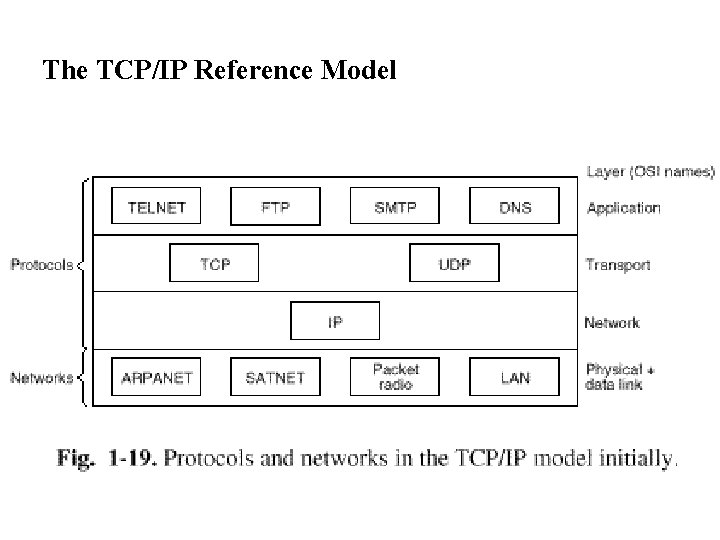
The TCP/IP Reference Model
A Comparison of the OSI and TCP/IP Reference Model SIMILARITIES The main similarities between the two models include the following: • They share similar architecture. - Both of the models share a similar architecture. This can be illustrated by the fact that both of them are constructed with layers. • They share a common application layer. - Both of the models share a common "application layer". However in practice this layer includes different services depending upon each model. • Both models have comparable transport and network layers. - This can be illustrated by the fact that whatever functions are performed between the presentation and network layer of the OSI model similar functions are performed at the Transport layer of the TCP/IP model.
• Knowledge of both models is required by networking professionals. - According to article obtained from the internet networking professionals "need to know both models". • Both models assume that packets are switched. - Basically this means that individual packets may take differing paths in order to reach the same destination. DIFFERENCES • The main differences between the two models are as follows: TCP/IP Protocols are considered to be standards around which the internet has developed. The OSI model however is a "generic, protocol- independent standard. ” • TCP/IP combines the presentation and session layer issues into its application layer. • TCP/IP combines the OSI data link and physical layers into the network access layer.
• TCP/IP appears to be a more simpler model and this is mainly due to the fact that it has fewer layers. • TCP/IP is considered to be a more credible model- This is mainly due to the fact because TCP/IP protocols are the standards around which the internet was developed therefore it mainly gains creditability due to this reason. Where as in contrast networks are not usually built around the OSI model as it is merely used as a guidance tool. • The OSI model consists of 7 architectural layers whereas the TCP/IP only has 4 layers
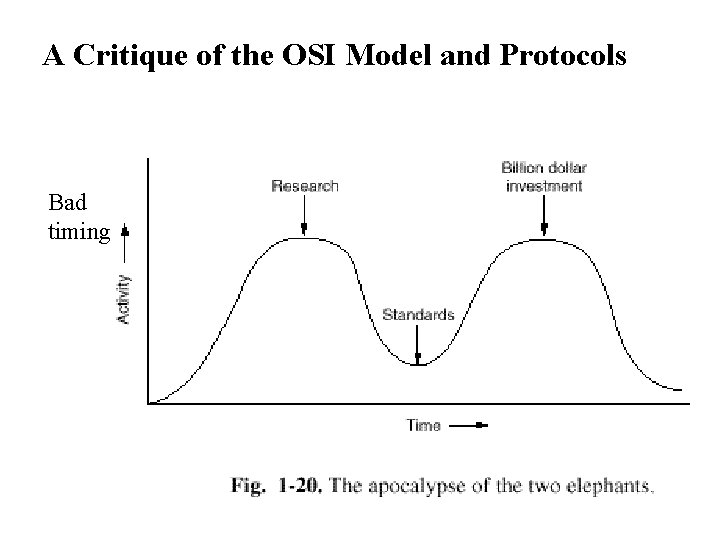
A Critique of the OSI Model and Protocols 1. Bad timing 2. Bad technology 3. Bad implementation 4. Bad politics
A Critique of the OSI Model and Protocols Bad timing
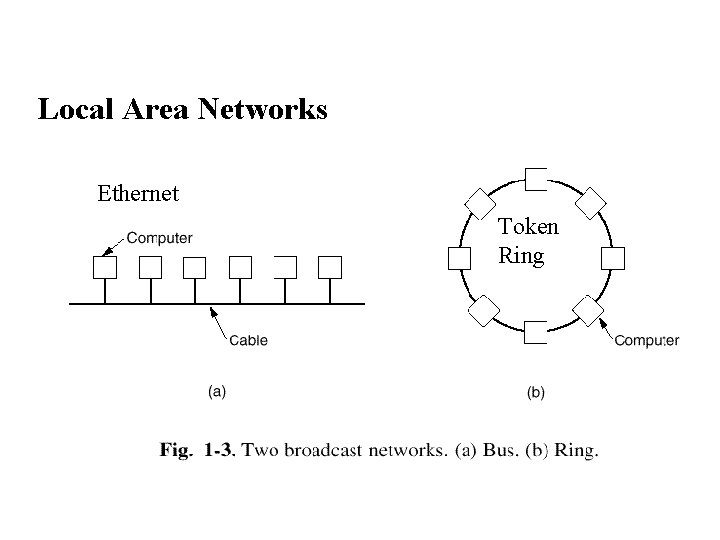
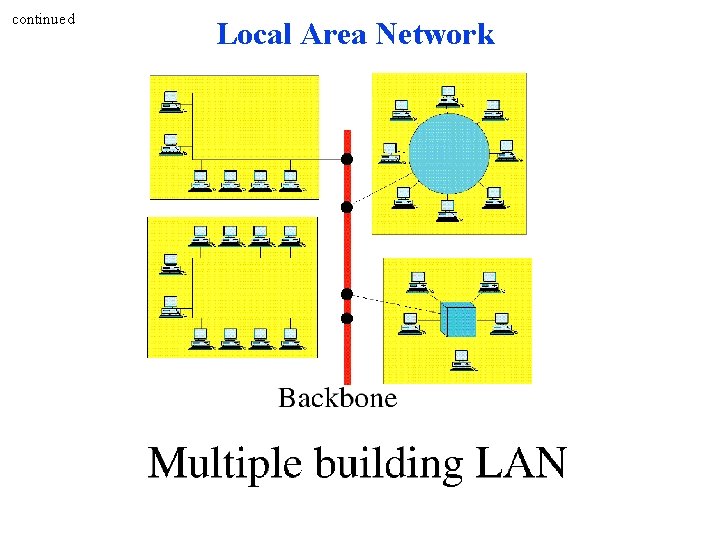
Local Area Networks Ethernet Token Ring
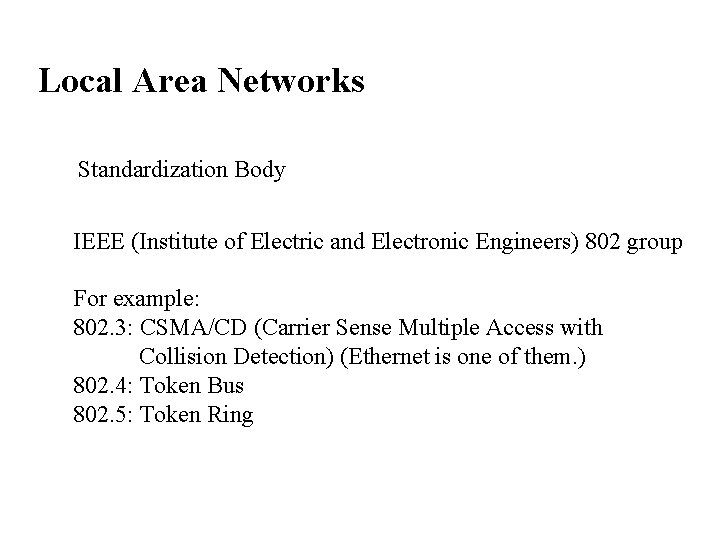
Local Area Networks Standardization Body IEEE (Institute of Electric and Electronic Engineers) 802 group For example: 802. 3: CSMA/CD (Carrier Sense Multiple Access with Collision Detection) (Ethernet is one of them. ) 802. 4: Token Bus 802. 5: Token Ring
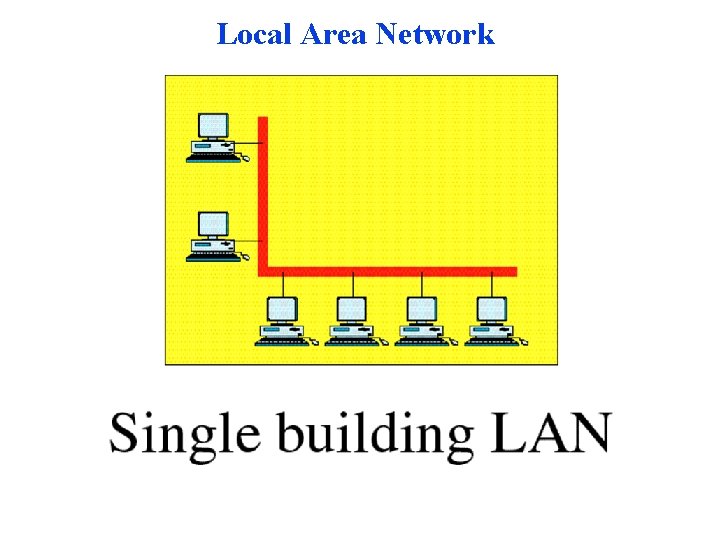
Local Area Network
continued Local Area Network
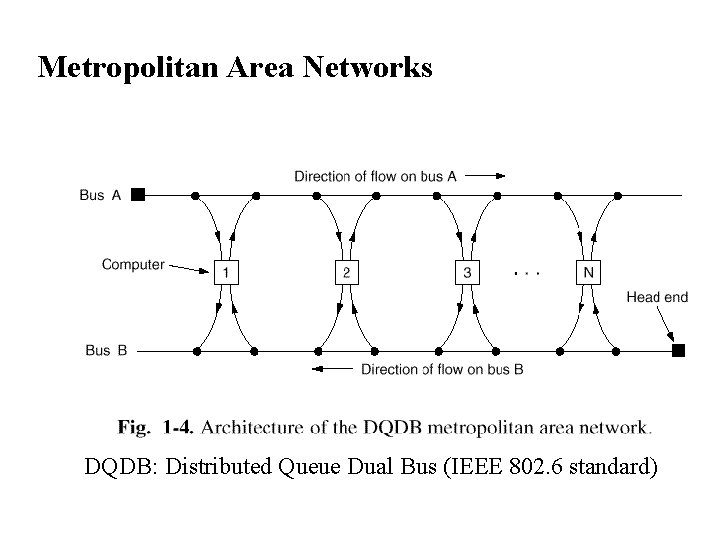
Metropolitan Area Networks DQDB: Distributed Queue Dual Bus (IEEE 802. 6 standard)
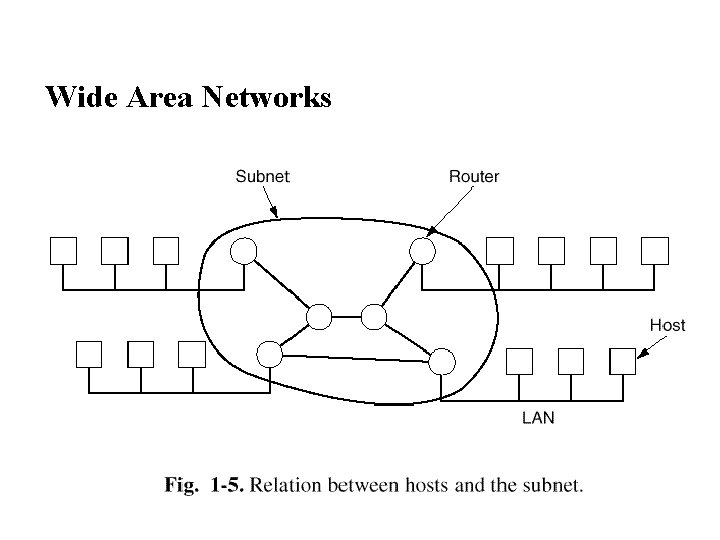
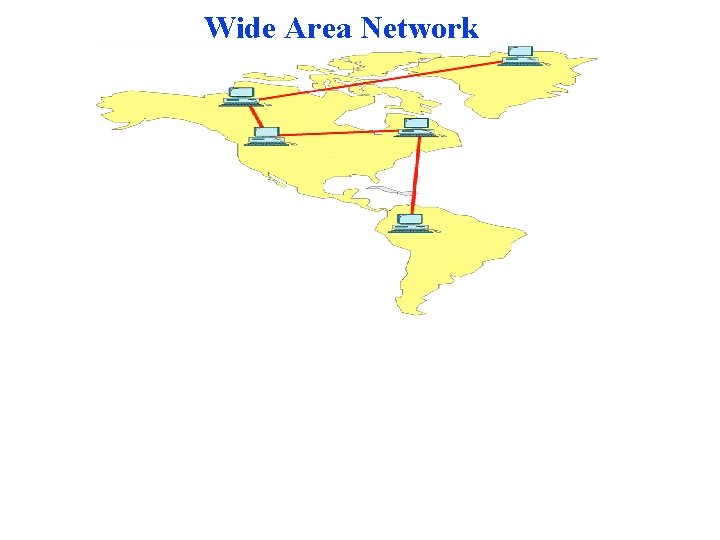
Wide Area Networks
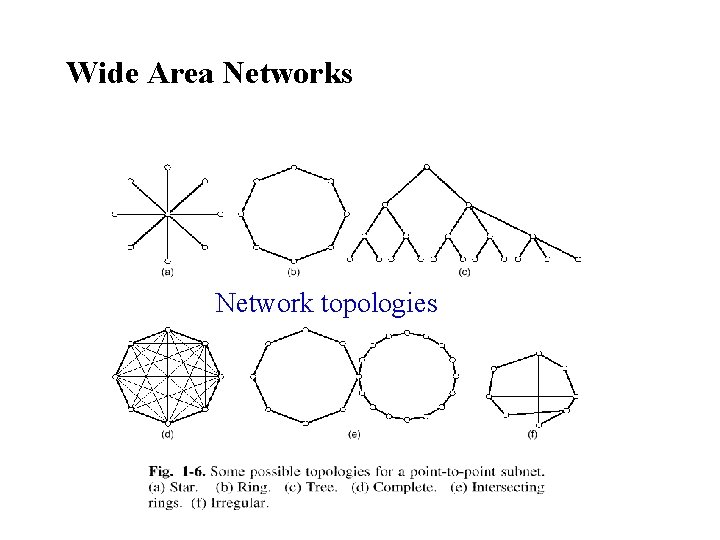
Wide Area Networks Network topologies
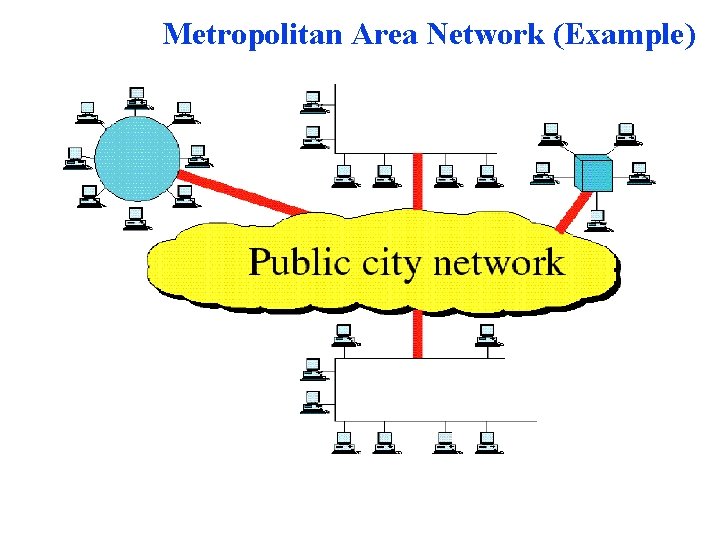
Metropolitan Area Network (Example)
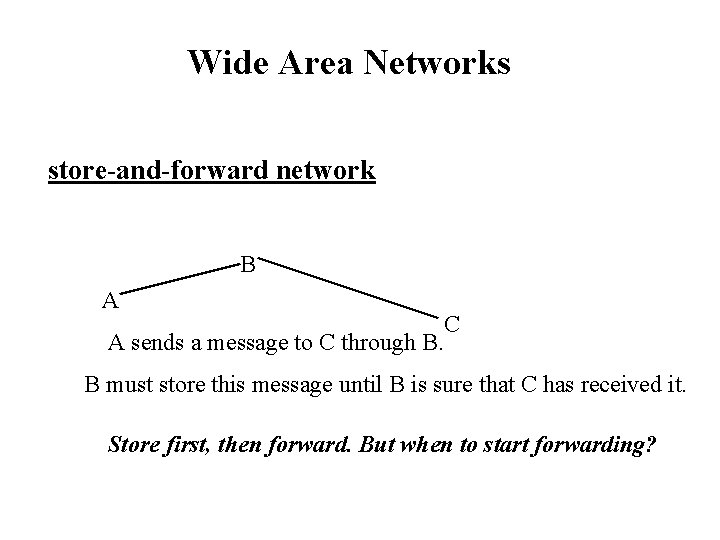
Wide Area Networks store-and-forward network B A A sends a message to C through B. C B must store this message until B is sure that C has received it. Store first, then forward. But when to start forwarding?
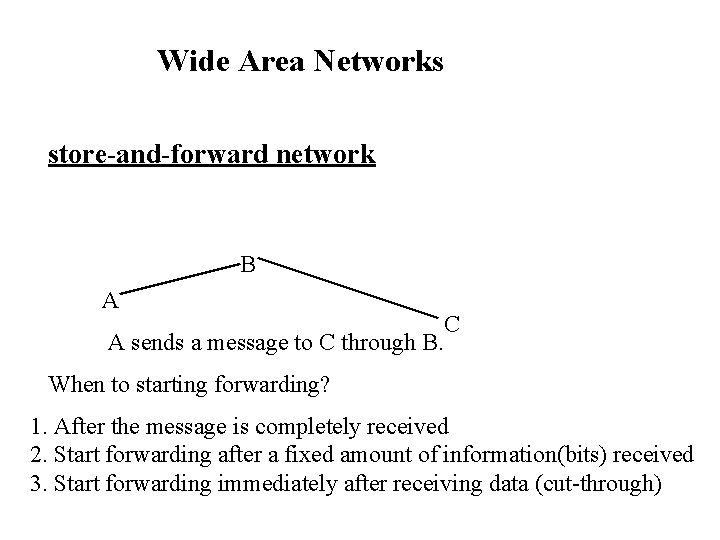
Wide Area Networks store-and-forward network B A A sends a message to C through B. C When to starting forwarding? 1. After the message is completely received 2. Start forwarding after a fixed amount of information(bits) received 3. Start forwarding immediately after receiving data (cut-through)
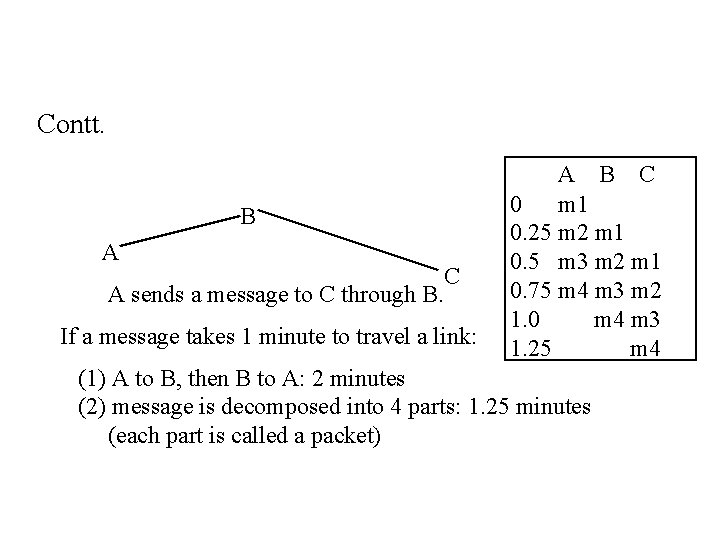
Contt. B A A sends a message to C through B. C If a message takes 1 minute to travel a link: A B C 0 m 1 0. 25 m 2 m 1 0. 5 m 3 m 2 m 1 0. 75 m 4 m 3 m 2 1. 0 m 4 m 3 1. 25 m 4 (1) A to B, then B to A: 2 minutes (2) message is decomposed into 4 parts: 1. 25 minutes (each part is called a packet)
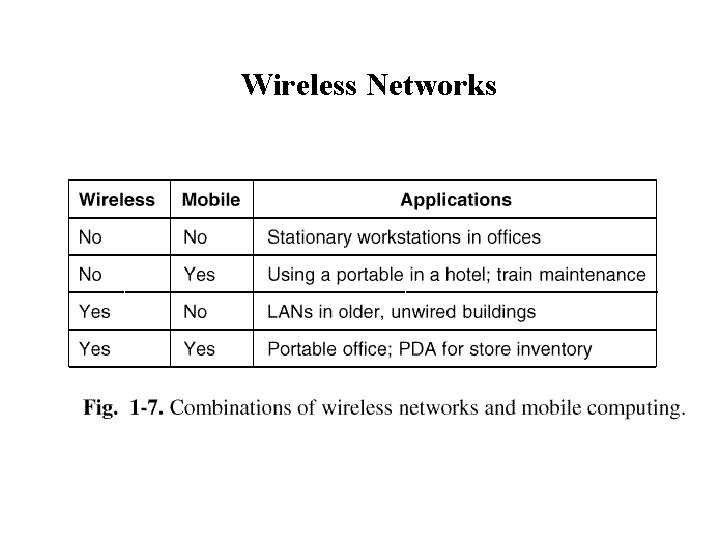
Wireless Networks The fast-growing segment of the industry: • notebook computers • personal digital assistants • cellular phones Before long, we would have: • palmtop computers • wristwatch computers
Wireless Networks
Wide Area Network
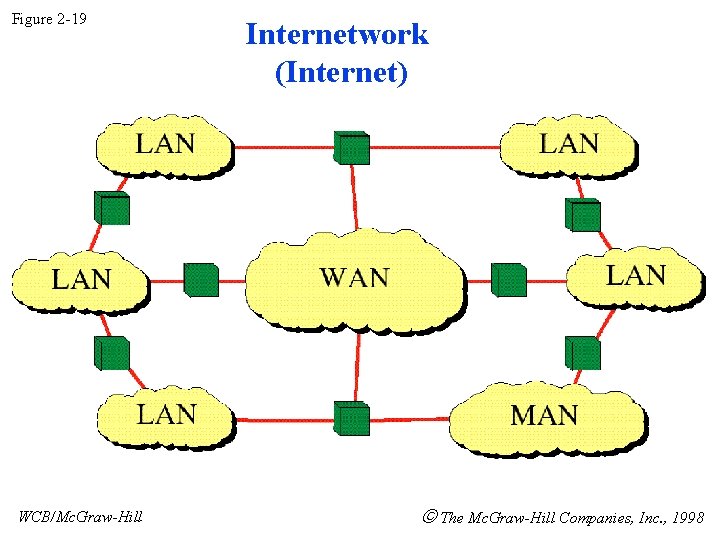
Figure 2 -19 WCB/Mc. Graw-Hill Internetwork (Internet) The Mc. Graw-Hill Companies, Inc. , 1998
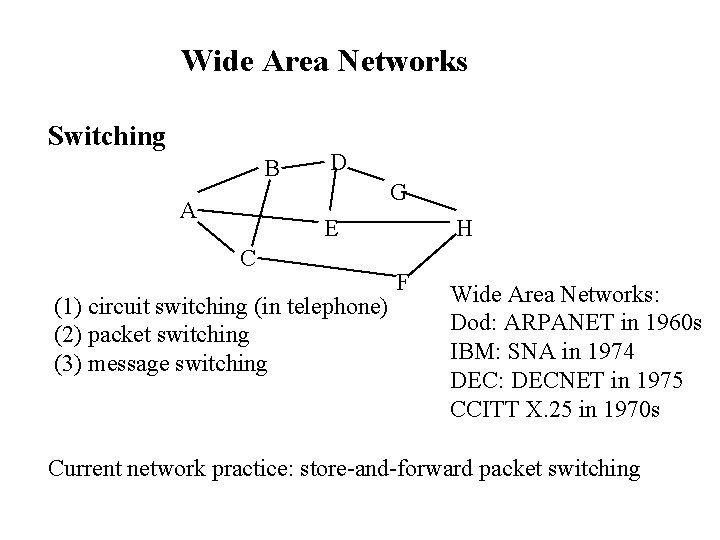
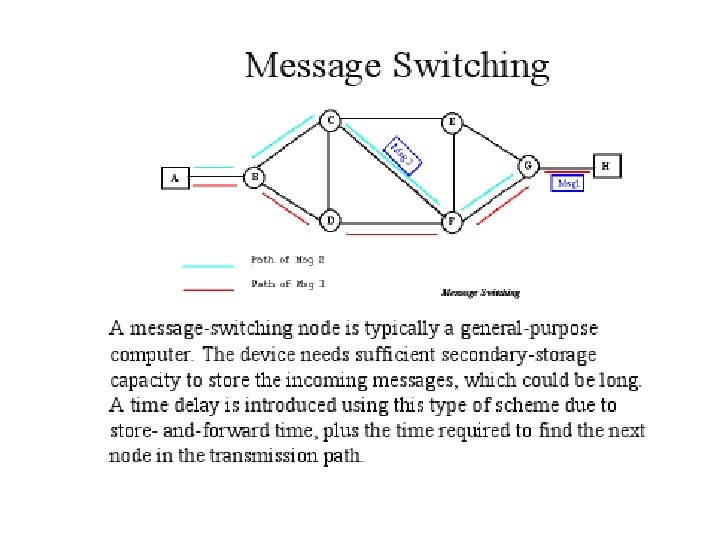
Wide Area Networks Switching B A D G E C (1) circuit switching (in telephone) (2) packet switching (3) message switching H F Wide Area Networks: Dod: ARPANET in 1960 s IBM: SNA in 1974 DEC: DECNET in 1975 CCITT X. 25 in 1970 s Current network practice: store-and-forward packet switching
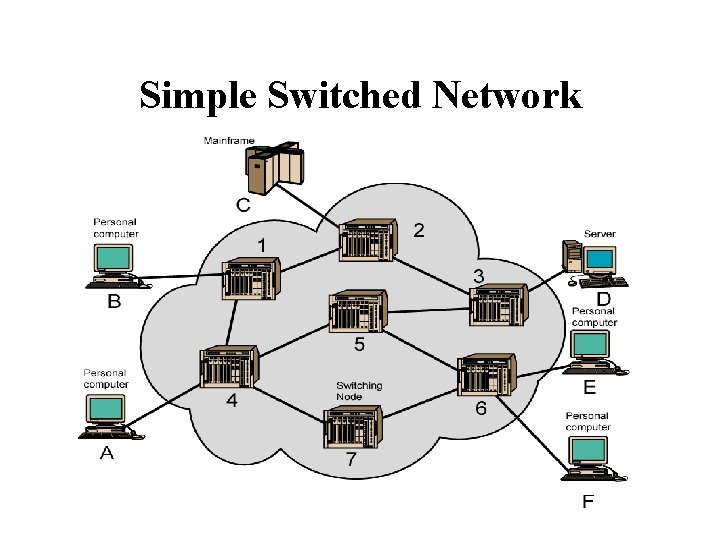
Switching Networks • Long distance transmission is typically done over a network of switched nodes • Nodes not concerned with content of data • End devices are stations – Computer, terminal, phone, etc. • A collection of nodes and connections is a communications network • Data routed by being switched from node to node
Simple Switched Network
Circuit Switching • Dedicated communication path between two stations • Three phases – Establish – Transfer – Disconnect • Must have switching capacity and channel capacity to establish connection • Must have intelligence to work out routing
Circuit Switching - Applications • Inefficient – Channel capacity dedicated for duration of connection – If no data, capacity wasted • Set up (connection) takes time • Once connected, transfer is transparent • Developed for voice traffic (phone)
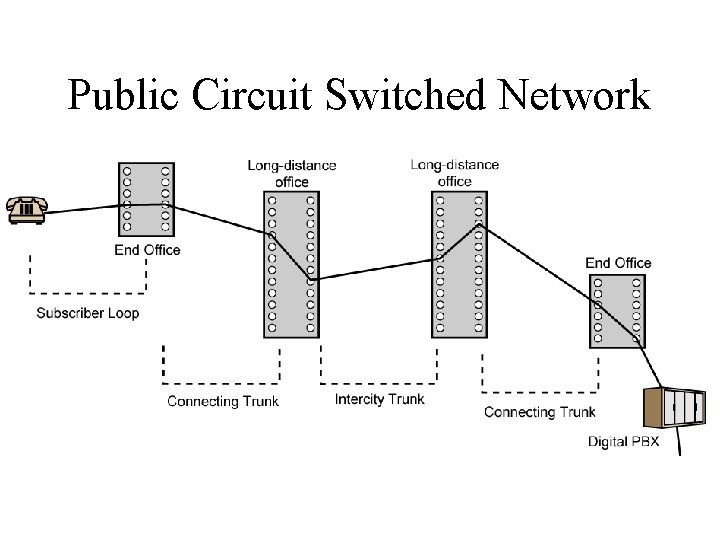
Public Circuit Switched Network
Telecomms Components • Subscriber – Devices attached to network • Subscriber line – – Local Loop Subscriber loop Connection to network Few km up to few tens of km • Exchange – Switching centers – End office - supports subscribers • Trunks – Branches between exchanges – Multiplexed
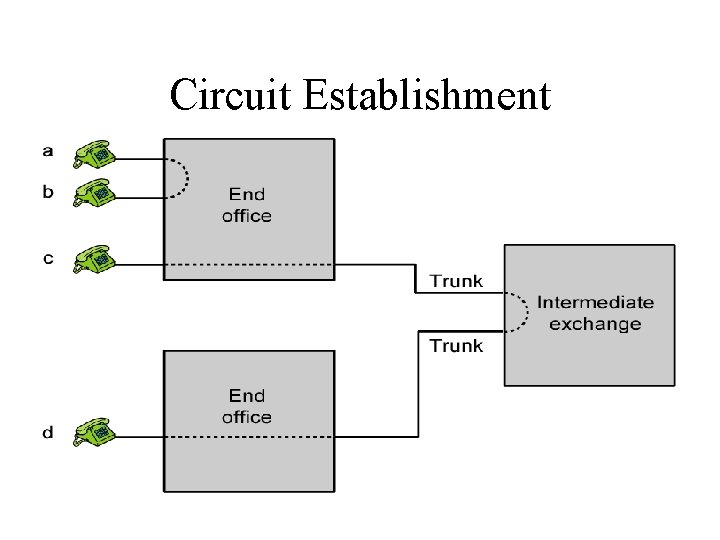
Circuit Establishment
Circuit Switching Concepts • Digital Switch – Provide transparent signal path between devices • Network Interface • Control Unit – Establish connections • Generally on demand • Handle and acknowledge requests • Determine if destination is free • construct path – Maintain connection – Disconnect
Packet Switching Principles • Circuit switching designed for voice – Resources dedicated to a particular call – Much of the time a data connection is idle – Data rate is fixed • Both ends must operate at the same rate
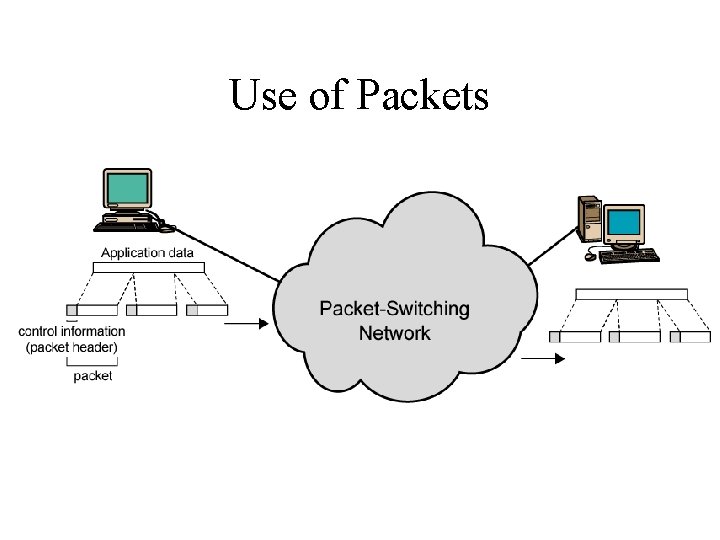
Basic Operation • Data transmitted in small packets – Typically 1000 octets – Longer messages split into series of packets – Each packet contains a portion of user data plus some control info • Control info – Routing (addressing) info • Packets are received, stored briefly (buffered) and past on to the next node – Store and forward
Use of Packets
Advantages • Line efficiency – Single node to node link can be shared by many packets over time – Packets queued and transmitted as fast as possible • Data rate conversion – Each station connects to the local node at its own speed – Nodes buffer data if required to equalize rates • Packets are accepted even when network is busy – Delivery may slow down • Priorities can be used
Disadvantages: • Protocols for packet switching are typically more complex. • It can add some initial costs in implementation. • If packet is lost, sender needs to retransmit the data. • Another disadvantage is that packet-switched systems still can’t deliver the same quality as dedicated circuits in applications requiring very little delay - like voice conversations or moving images.
Message Switching • In message switching there is no need to establish a dedicated path between two stations. • When a station sends a message, the destination address is appended to the message. • The message is then transmitted through the network, in its entirety, from node to node. • Each node receives the entire message, stores it in its entirety on disk, and then transmits the message to the next node. • This type of network is called a store-and-forward network.
Message Switching Advantages: • Channel efficiency can be greater compared to circuitswitched systems, because more devices are sharing the channel. • Traffic congestion can be reduced, because messages may be temporarily stored in route. • Message priorities can be established due to store-andforward technique. • Message broadcasting can be achieved with the use of broadcast address appended in the message.
Message Switching Disadvantages: • Message switching is not compatible with interactive applications. • Store-and-forward devices are expensive, because they must have large disks to hold potentially long messages.
Transmission Media(Overview) • • Guided - wire Unguided - wireless Characteristics and quality determined by medium and signal For guided, the medium is more important For unguided, the bandwidth produced by the antenna is more important Key concerns are data rate and distance
Design Factors • • Bandwidth Higher bandwidth gives higher data rate Transmission impairments Attenuation Order of losses: Twisted pair, coaxial then fibre Interference Overlapping of frequencies in unguided medium Emanations from adjacent cables in guided. (Use screening) Number of receivers In guided media More receivers (multi-point) introduce more attenuation
Guided Transmission Media • Twisted Pair • Coaxial cable • Optical fiber
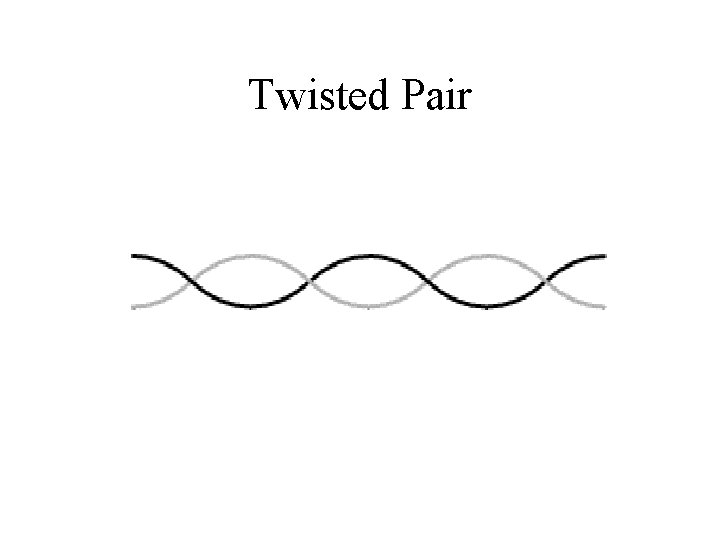
Twisted Pair
Twisted Pair - Applications • Most common medium • Telephone network Between house and local exchange (subscriber loop) • Within buildings To private branch exchange (PBX) • For local area networks (LAN) 10 Mbps or 100 Mbps
Twisted Pair - Pros and Cons • • Cheap Easy to work with Low data rate Short range
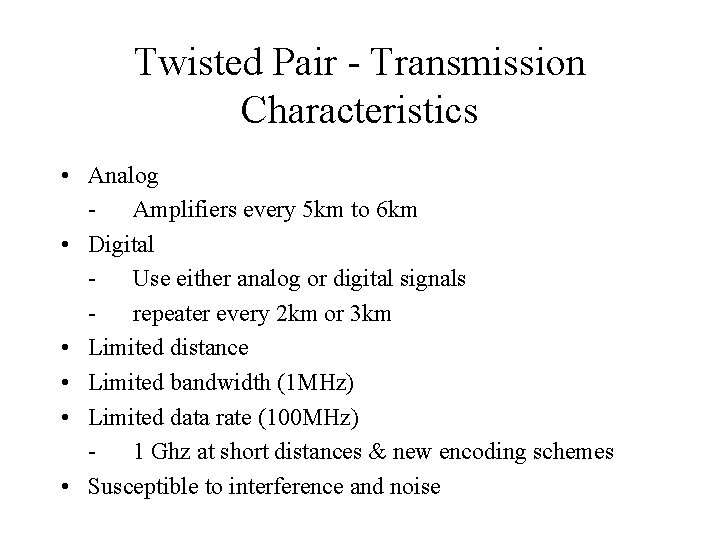
Twisted Pair - Transmission Characteristics • Analog Amplifiers every 5 km to 6 km • Digital Use either analog or digital signals repeater every 2 km or 3 km • Limited distance • Limited bandwidth (1 MHz) • Limited data rate (100 MHz) 1 Ghz at short distances & new encoding schemes • Susceptible to interference and noise
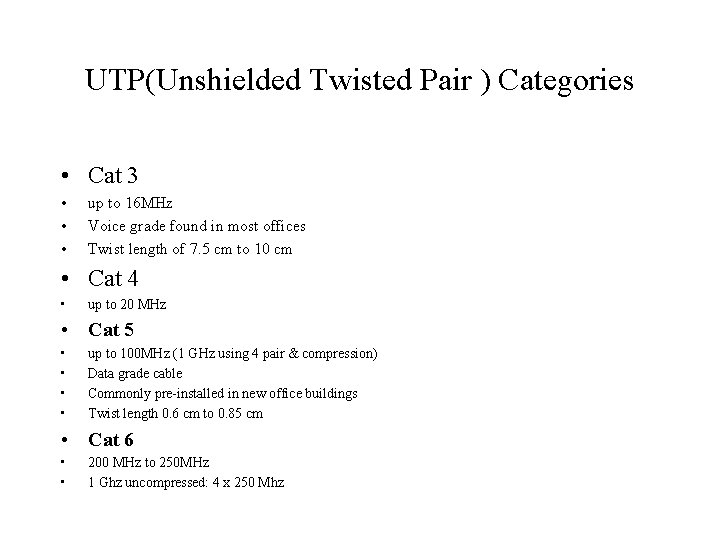
UTP(Unshielded Twisted Pair ) Categories • Cat 3 • • • up to 16 MHz Voice grade found in most offices Twist length of 7. 5 cm to 10 cm • Cat 4 • up to 20 MHz • Cat 5 • • up to 100 MHz (1 GHz using 4 pair & compression) Data grade cable Commonly pre-installed in new office buildings Twist length 0. 6 cm to 0. 85 cm • Cat 6 • • 200 MHz to 250 MHz 1 Ghz uncompressed: 4 x 250 Mhz
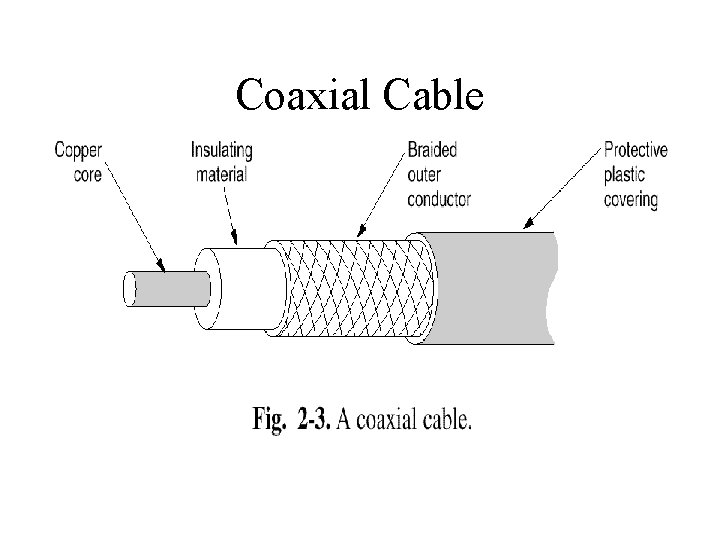
Coaxial Cable
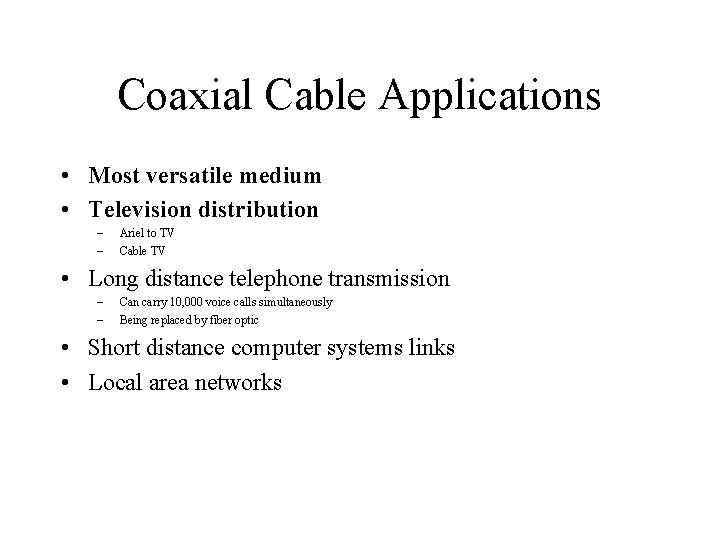
Coaxial Cable Applications • Most versatile medium • Television distribution – – Ariel to TV Cable TV • Long distance telephone transmission – – Can carry 10, 000 voice calls simultaneously Being replaced by fiber optic • Short distance computer systems links • Local area networks
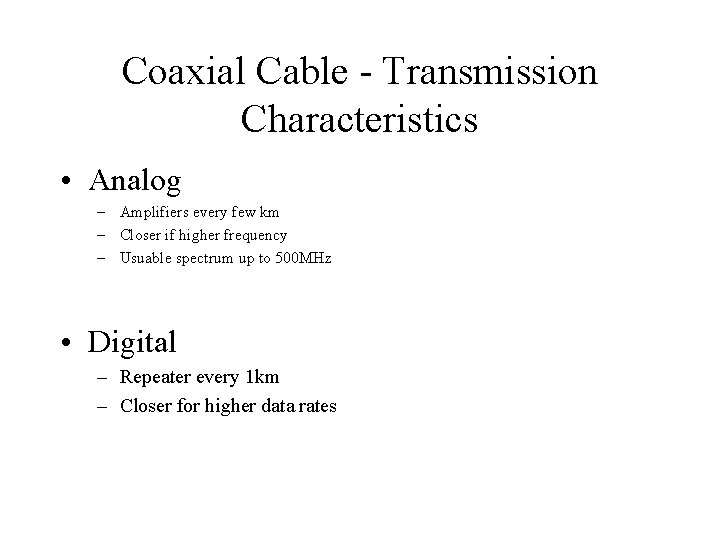
Coaxial Cable - Transmission Characteristics • Analog – Amplifiers every few km – Closer if higher frequency – Usuable spectrum up to 500 MHz • Digital – Repeater every 1 km – Closer for higher data rates
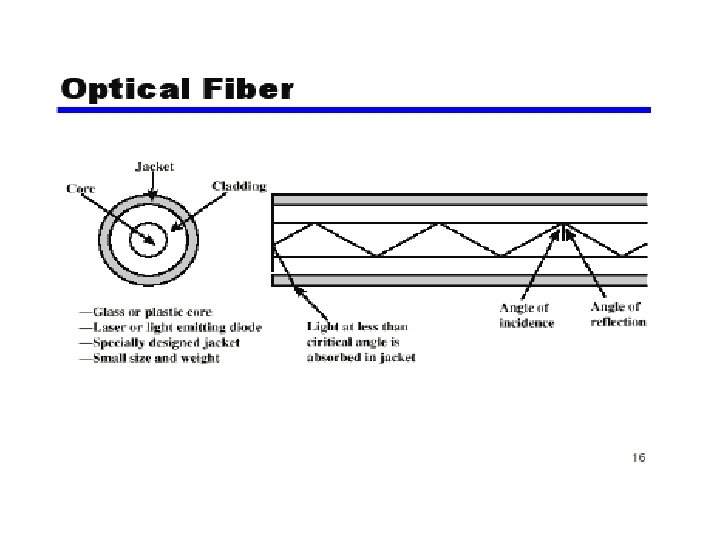
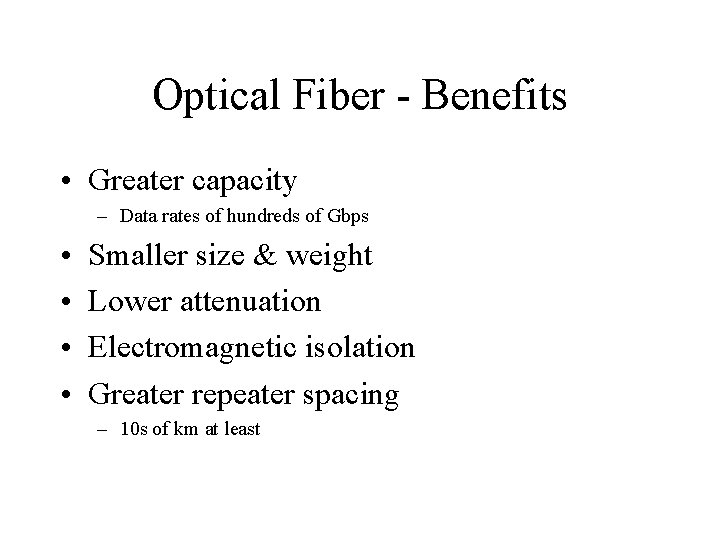
Optical Fiber - Benefits • Greater capacity – Data rates of hundreds of Gbps • • Smaller size & weight Lower attenuation Electromagnetic isolation Greater repeater spacing – 10 s of km at least
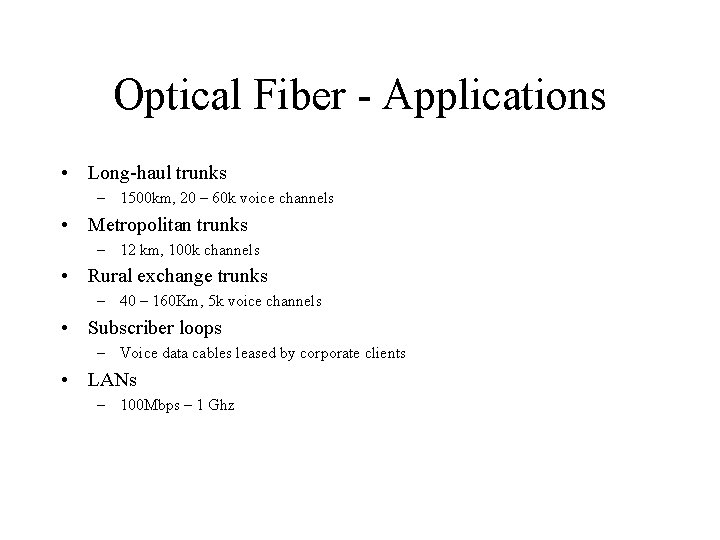
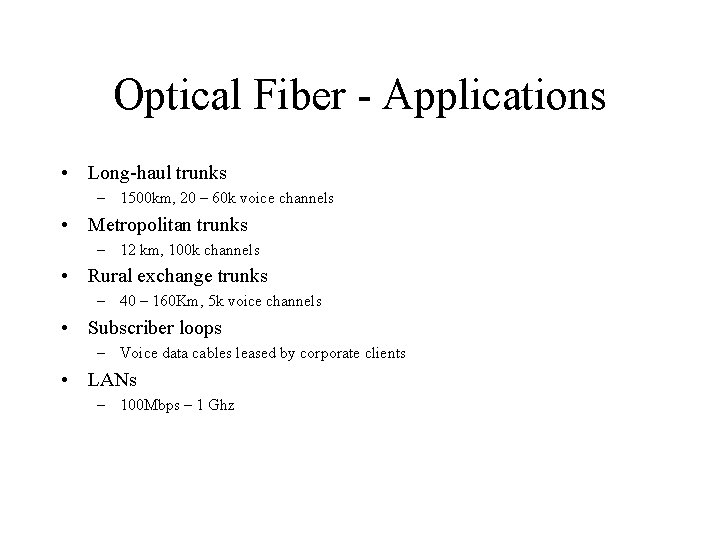
Optical Fiber - Applications • Long-haul trunks – 1500 km, 20 – 60 k voice channels • Metropolitan trunks – 12 km, 100 k channels • Rural exchange trunks – 40 – 160 Km, 5 k voice channels • Subscriber loops – Voice data cables leased by corporate clients • LANs – 100 Mbps – 1 Ghz
Optical Fiber - Applications • Long-haul trunks – 1500 km, 20 – 60 k voice channels • Metropolitan trunks – 12 km, 100 k channels • Rural exchange trunks – 40 – 160 Km, 5 k voice channels • Subscriber loops – Voice data cables leased by corporate clients • LANs – 100 Mbps – 1 Ghz
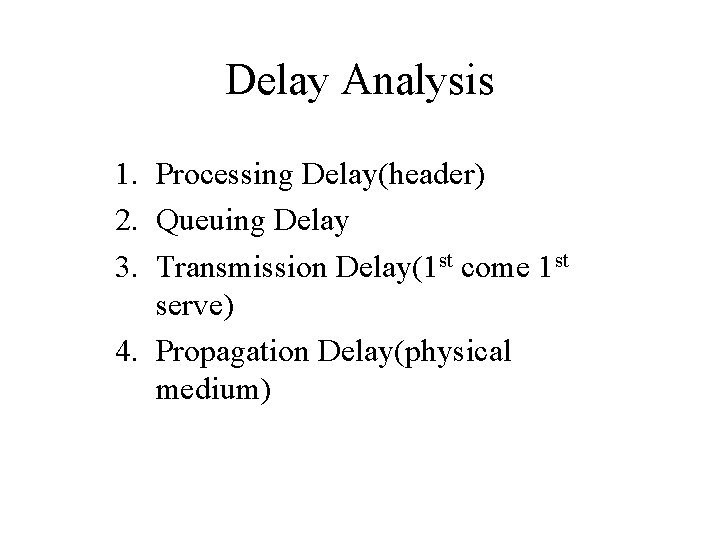
Delay Analysis 1. Processing Delay(header) 2. Queuing Delay 3. Transmission Delay(1 st come 1 st serve) 4. Propagation Delay(physical medium)
Integrated Services Digital Network
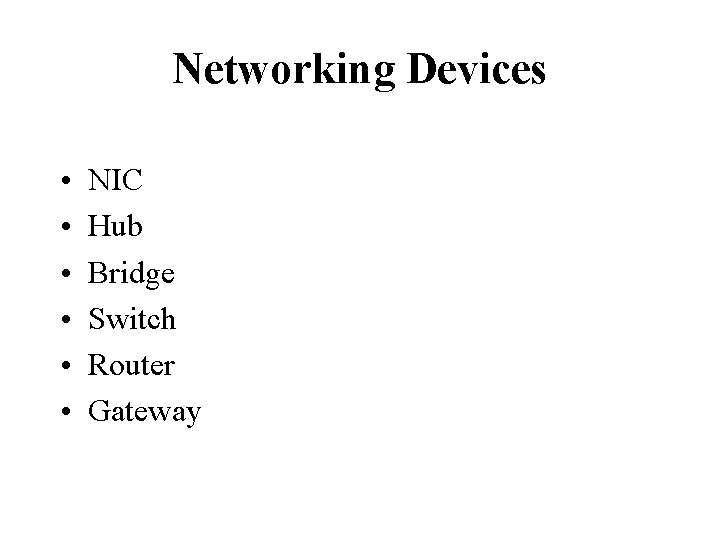
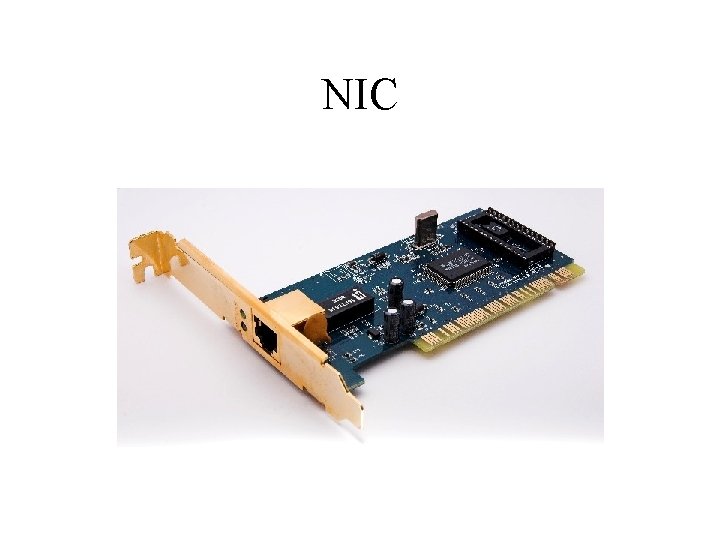
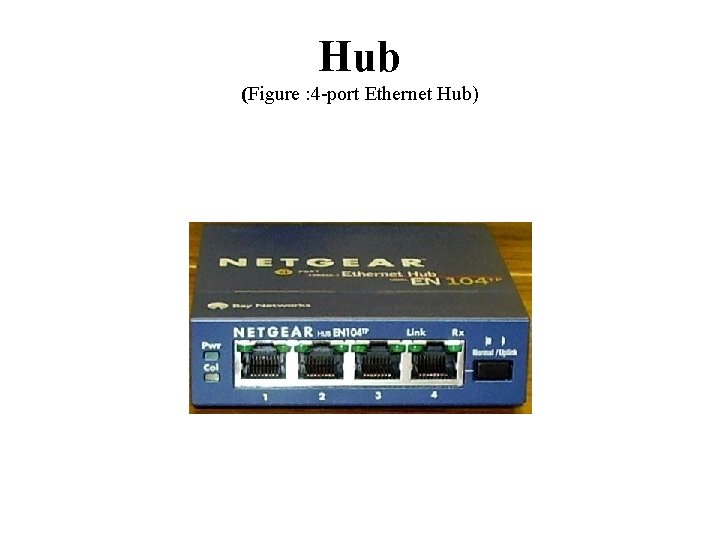
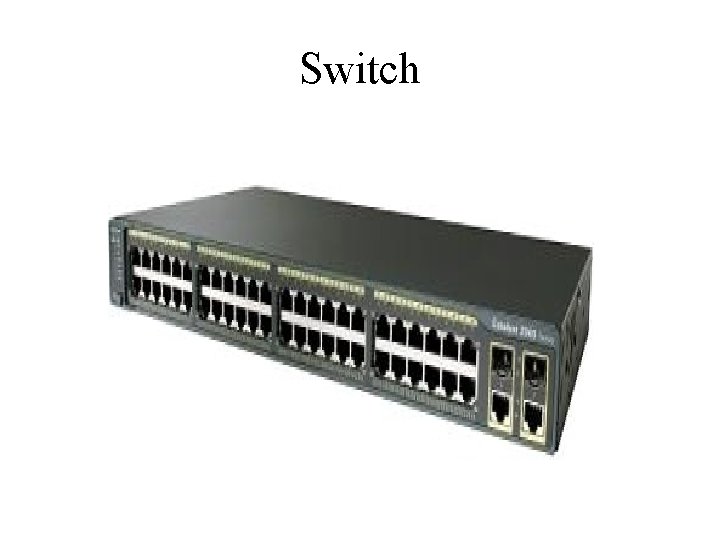
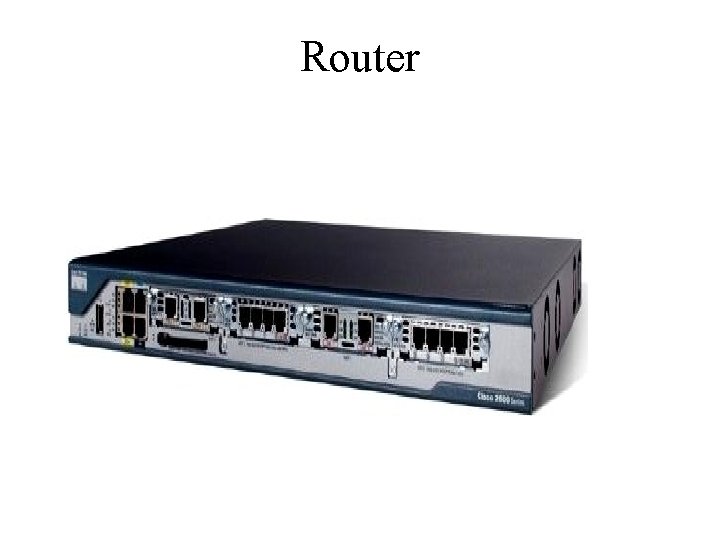
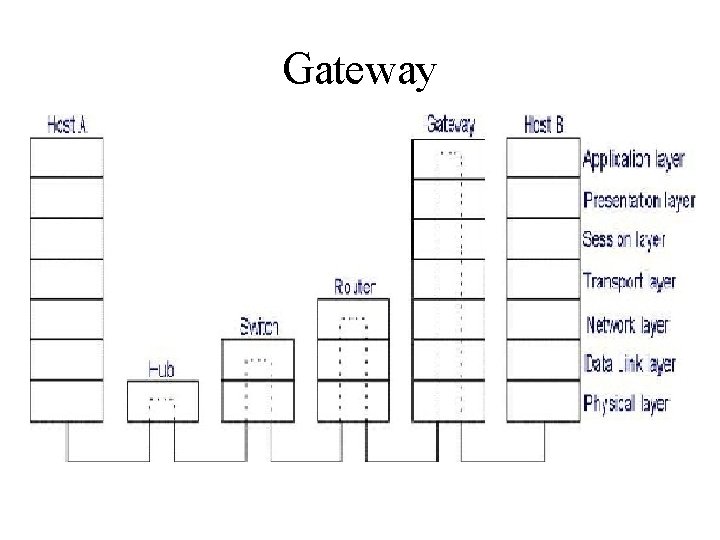
Networking Devices • • • NIC Hub Bridge Switch Router Gateway
NIC
Hub (Figure : 4 -port Ethernet Hub)
Switch
Router
Gateway