
Computer Networks Chapter 6 7 1 Transport layer
- Slides: 25
Computer Networks Chapter 6 & 7 1
Transport layer The basic function of the transport layer is to accept data from above, split it up into smaller units if need be, pass these to the network layer, and ensure that the pieces all arrive correctly at the other end. 2
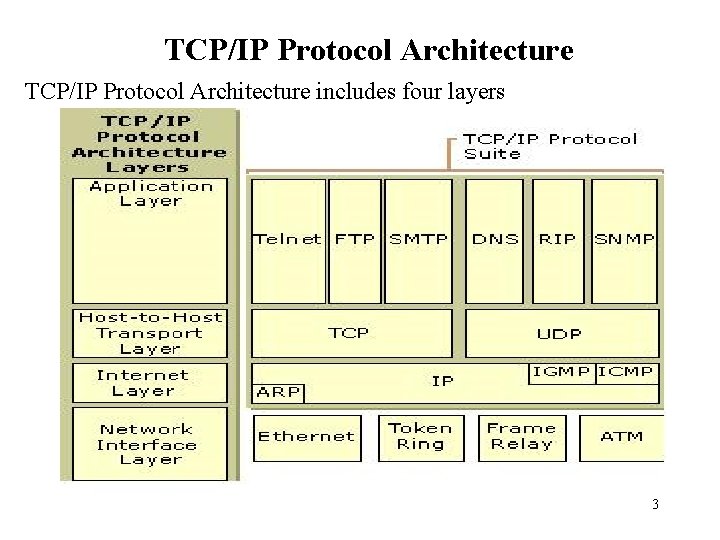
TCP/IP Protocol Architecture includes four layers 3
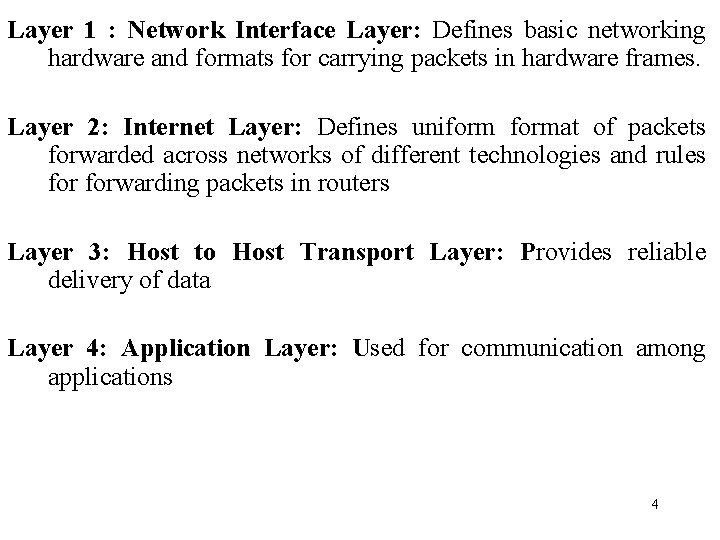
Layer 1 : Network Interface Layer: Defines basic networking hardware and formats for carrying packets in hardware frames. Layer 2: Internet Layer: Defines uniformat of packets forwarded across networks of different technologies and rules forwarding packets in routers Layer 3: Host to Host Transport Layer: Provides reliable delivery of data Layer 4: Application Layer: Used for communication among applications 4
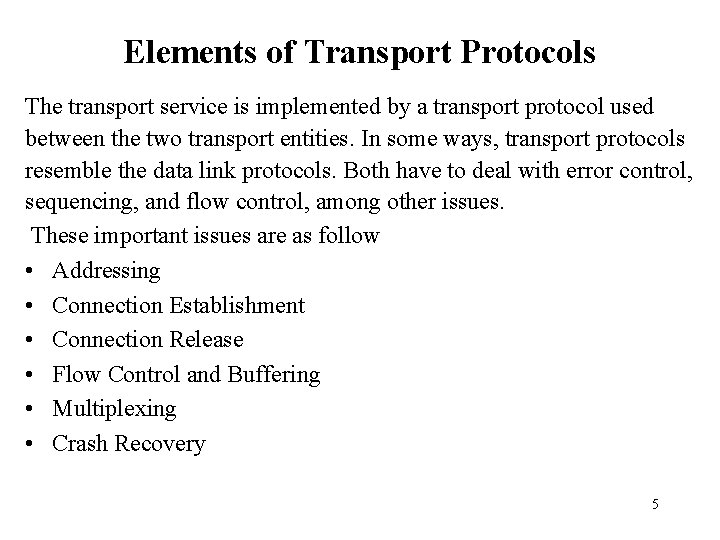
Elements of Transport Protocols The transport service is implemented by a transport protocol used between the two transport entities. In some ways, transport protocols resemble the data link protocols. Both have to deal with error control, sequencing, and flow control, among other issues. These important issues are as follow • Addressing • Connection Establishment • Connection Release • Flow Control and Buffering • Multiplexing • Crash Recovery 5
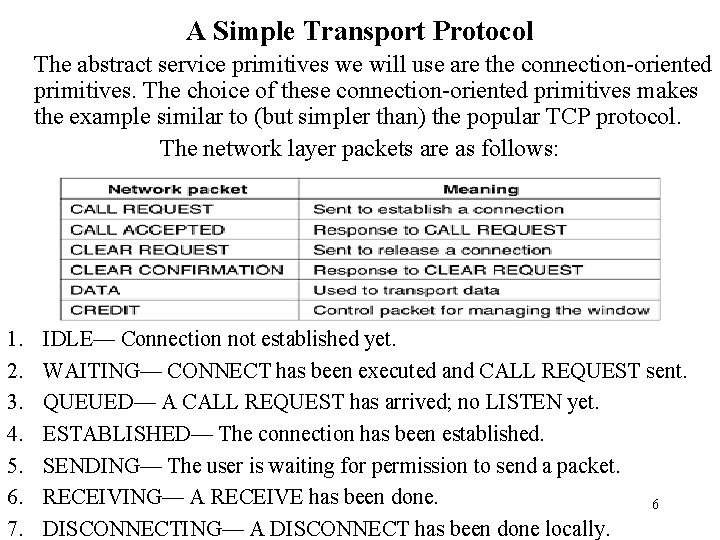
A Simple Transport Protocol The abstract service primitives we will use are the connection-oriented primitives. The choice of these connection-oriented primitives makes the example similar to (but simpler than) the popular TCP protocol. The network layer packets are as follows: 1. 2. 3. 4. 5. 6. 7. IDLE— Connection not established yet. WAITING— CONNECT has been executed and CALL REQUEST sent. QUEUED— A CALL REQUEST has arrived; no LISTEN yet. ESTABLISHED— The connection has been established. SENDING— The user is waiting for permission to send a packet. RECEIVING— A RECEIVE has been done. 6 DISCONNECTING— A DISCONNECT has been done locally.
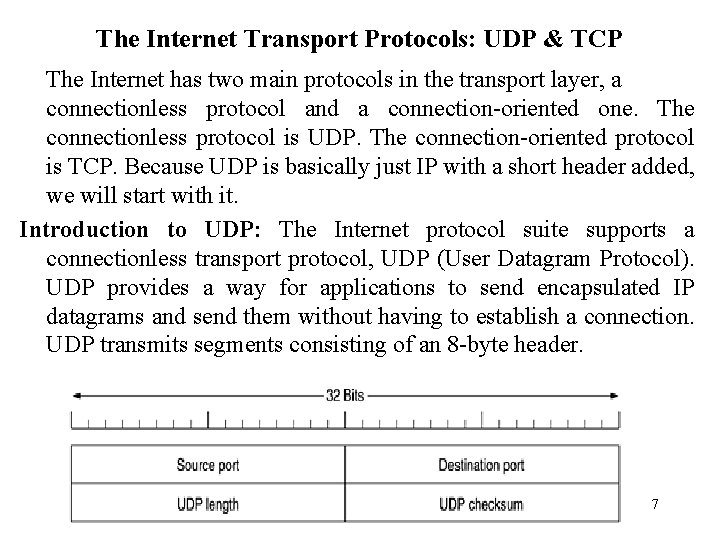
The Internet Transport Protocols: UDP & TCP The Internet has two main protocols in the transport layer, a connectionless protocol and a connection-oriented one. The connectionless protocol is UDP. The connection-oriented protocol is TCP. Because UDP is basically just IP with a short header added, we will start with it. Introduction to UDP: The Internet protocol suite supports a connectionless transport protocol, UDP (User Datagram Protocol). UDP provides a way for applications to send encapsulated IP datagrams and send them without having to establish a connection. UDP transmits segments consisting of an 8 -byte header. 7
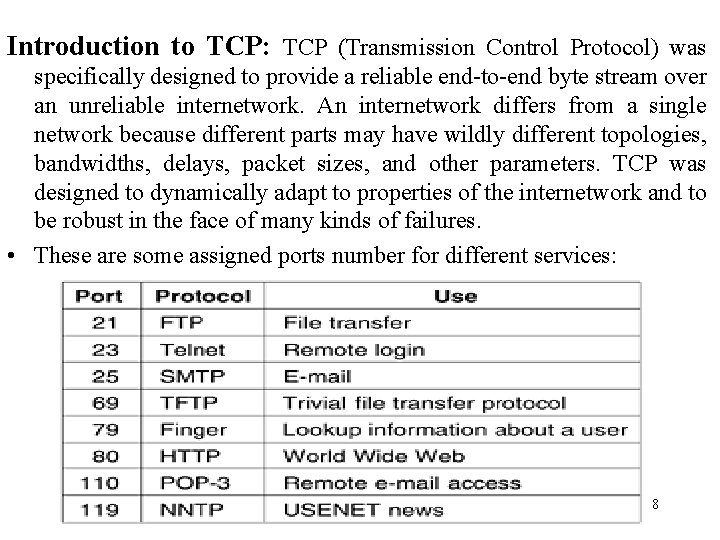
Introduction to TCP: TCP (Transmission Control Protocol) was specifically designed to provide a reliable end-to-end byte stream over an unreliable internetwork. An internetwork differs from a single network because different parts may have wildly different topologies, bandwidths, delays, packet sizes, and other parameters. TCP was designed to dynamically adapt to properties of the internetwork and to be robust in the face of many kinds of failures. • These are some assigned ports number for different services: 8
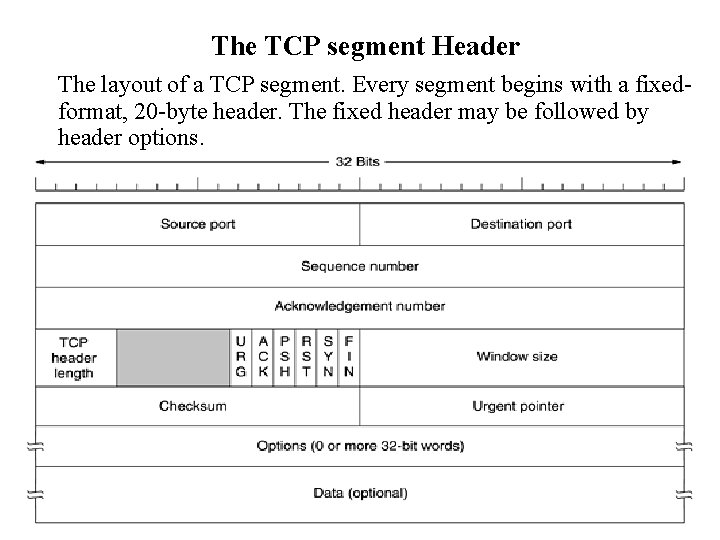
The TCP segment Header The layout of a TCP segment. Every segment begins with a fixedformat, 20 -byte header. The fixed header may be followed by header options. 9
Wireless TCP and UDP In theory, transport protocols should be independent of the technology of the underlying network layer. In particular, TCP should not care whether IP is running over fiber or over radio. In practice, it does matter because most TCP implementations have been carefully optimized based on assumptions that are true for wired networks but that fail for wireless networks. While UDP does not suffer from the same problems as TCP, wireless communication also introduces difficulties for it. The main trouble is that programs use UDP expecting it to be highly reliable. They know that no guarantees are given, but they still expect it to be near perfect. In a wireless environment, UDP will be far from perfect. 10
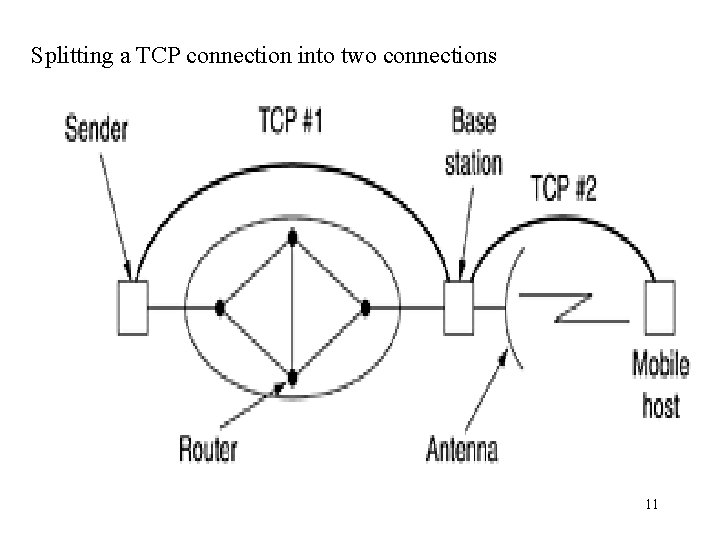
Splitting a TCP connection into two connections 11
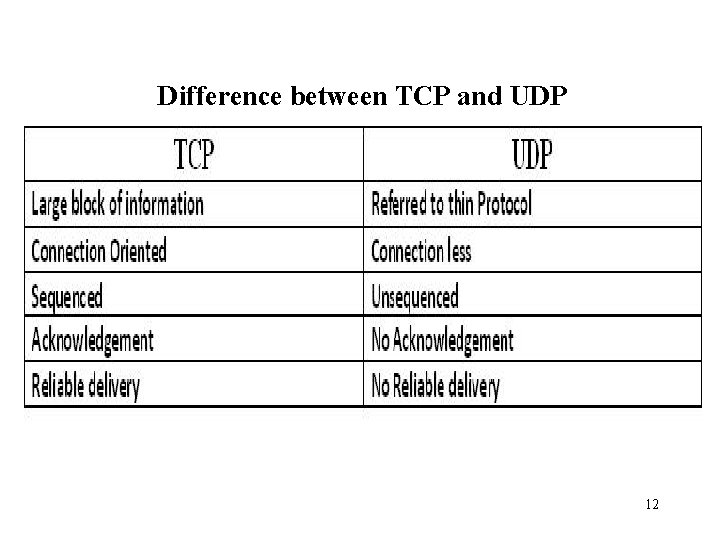
Difference between TCP and UDP 12
Performance Issues Performance issues are very important in computer networks. When hundreds or thousands of computers are interconnected, complex interactions, with unforeseen consequences, are common. The transport layer is not the only place performance issues arise. Five aspects of network performance are as follows: 1. Performance problems. 2. Measuring network performance. 3. System design for better performance. 4. Fast TPDU processing. 5. Protocols for future high-performance networks. 13
Application layer Supplying services to application procedures such as Email or file transfer) that are outside the OSI model. That makes the spot where user actually communicates to the computer. The layer actually comes into play when it’s apparent that access to the network is going to needed soon. DNS—The Domain Name System • The Domain Name System (DNS) is a hierarchical naming system built on a distributed database for computers, services, or any resource connected to the Internet or a private network. It associates various information with domain names assigned to each of the participating entities. • Most importantly, it translates domain names meaningful to humans into the numerical identifiers associated with networking equipment for the purpose of locating and addressing 14 these devices worldwide.
Electronic mail: or e-mail As it is known to its many fans, has been around for over two decades. Before 1990, it was mostly used in academia. During the 1990 s, it became known to the public at large and grew exponentially to the point where the number of e-mails sent per day. Simple Network Management Protocol (SNMP) Is an "Internet-standard protocol for managing devices on IP networks. Devices that typically support SNMP include routers, switches, servers, workstations, printers, modem racks, and more. 15
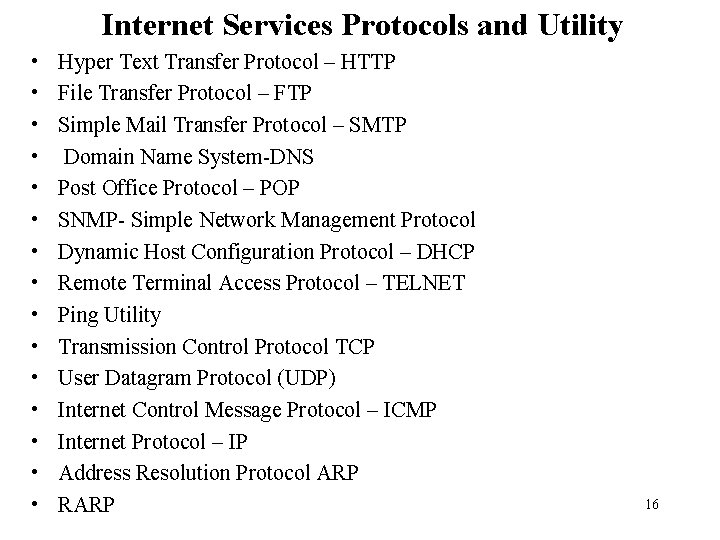
Internet Services Protocols and Utility • • • • Hyper Text Transfer Protocol – HTTP File Transfer Protocol – FTP Simple Mail Transfer Protocol – SMTP Domain Name System-DNS Post Office Protocol – POP SNMP- Simple Network Management Protocol Dynamic Host Configuration Protocol – DHCP Remote Terminal Access Protocol – TELNET Ping Utility Transmission Control Protocol TCP User Datagram Protocol (UDP) Internet Control Message Protocol – ICMP Internet Protocol – IP Address Resolution Protocol ARP RARP 16
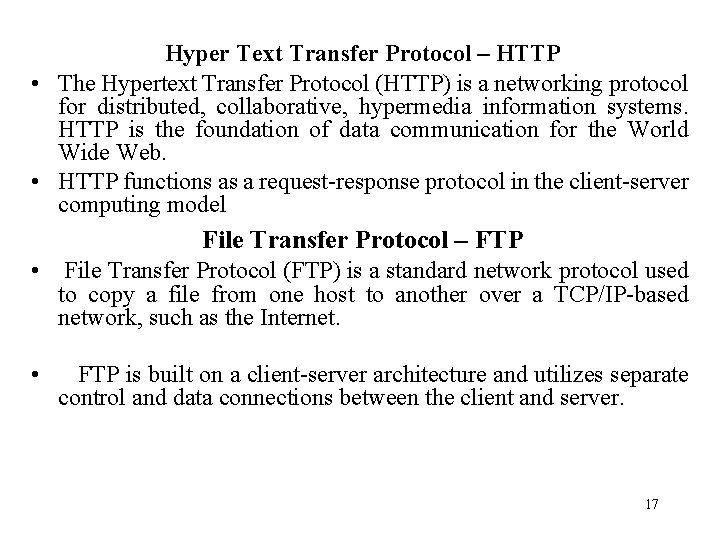
Hyper Text Transfer Protocol – HTTP • The Hypertext Transfer Protocol (HTTP) is a networking protocol for distributed, collaborative, hypermedia information systems. HTTP is the foundation of data communication for the World Wide Web. • HTTP functions as a request-response protocol in the client-server computing model File Transfer Protocol – FTP • File Transfer Protocol (FTP) is a standard network protocol used to copy a file from one host to another over a TCP/IP-based network, such as the Internet. • FTP is built on a client-server architecture and utilizes separate control and data connections between the client and server. 17
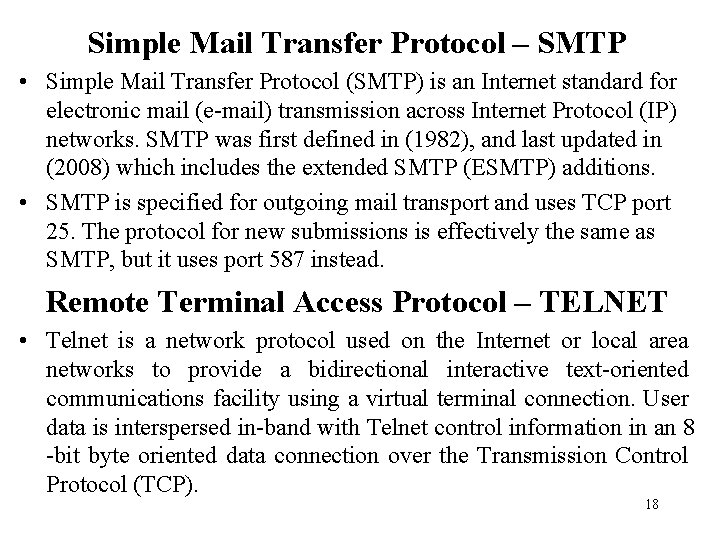
Simple Mail Transfer Protocol – SMTP • Simple Mail Transfer Protocol (SMTP) is an Internet standard for electronic mail (e-mail) transmission across Internet Protocol (IP) networks. SMTP was first defined in (1982), and last updated in (2008) which includes the extended SMTP (ESMTP) additions. • SMTP is specified for outgoing mail transport and uses TCP port 25. The protocol for new submissions is effectively the same as SMTP, but it uses port 587 instead. Remote Terminal Access Protocol – TELNET • Telnet is a network protocol used on the Internet or local area networks to provide a bidirectional interactive text-oriented communications facility using a virtual terminal connection. User data is interspersed in-band with Telnet control information in an 8 -bit byte oriented data connection over the Transmission Control Protocol (TCP). 18
Ping • Ping is a computer network administration utility used to test the reach ability of a host on an Internet Protocol (IP) network and to measure the round-trip time for messages sent from the originating host to a destination computer. The name comes from active sonar terminology. 19
Communication Devices • • Repeater Bridge Router Switch Gateway Multiplexer Demultiplexer
Repeater • A repeater is an electronic device that receives a signal, cleans it of unnecessary noise, regenerates it, and retransmits it at a higher power level, or to the other side of an obstruction, so that the signal can cover longer distances without degradation. In most twisted pair Ethernet configurations, repeaters are required for cable that runs longer than 100 meters. • Repeaters work on the Physical Layer of the OSI model.
Bridge • A network bridge connects multiple network segments at the data link layer (layer 2) of the OSI model. Bridges broadcast to all ports except the port on which the broadcast was received. • Bridges come in three basic types: • Local bridges: Directly connect local area networks (LANs) • Remote bridges: Can be used to create a wide area network (WAN) link between LANs. Remote bridges, where the connecting link is slower than the end networks, largely have been replaced with routers. • Wireless bridges: Can be used to join LANs or connect remote stations to LANs.
Routers • A router is a hardware component used to interconnect networks • A router has interfaces on multiple network. • Networks can use different technologies. • Router forwards packets between networks • Transforms packets as necessary to meet standards for each network.
Switch • A network switch is a device that forwards and filters OSI layer 2 datagram (chunk of data communication) between ports (connected cables) based on the MAC addresses in the packets. A switch is distinct from a hub in that it only forwards the frames to the ports involved in the communication rather than all ports connected. • A switch normally has numerous ports, facilitating a star topology for devices, and cascading additional switches. Some switches are capable of routing based on Layer 3 addressing or additional logical levels; these are called multi-layer switches.
Gateway • In computer networking, a gateway is a node (a router) on a TCP/IP network that serves as an access point to another network. A default gateway is the node on the computer network that the network software uses when an IP address does not match any other routes in the routing table. • In organizational systems a gateway is a node that routes the traffic from a workstation to another network segment. The default gateway commonly connects the internal networks and the outside network (Internet). In such a situation, the gateway node could also act as a proxy server and a firewall. The gateway is also associated with both a router, which uses headers and forwarding tables to determine where packets are sent, and a switch, which provides the actual path for the packet in and out of the gateway. • In other words, a default gateway provides an entry point and an exit point in a network.