
Computer Networking Fundamentals Lesson 1 Lesson 1 Computer


- Slides: 27
Computer Networking Fundamentals Lesson 1
Lesson 1 : Computer Network Fundamentals Lesson Objectives • Describe a Computer Network • Identify the advantages and Disadvantages of a computer network • Identify the types of computer network • Identify the physical components of a computer network
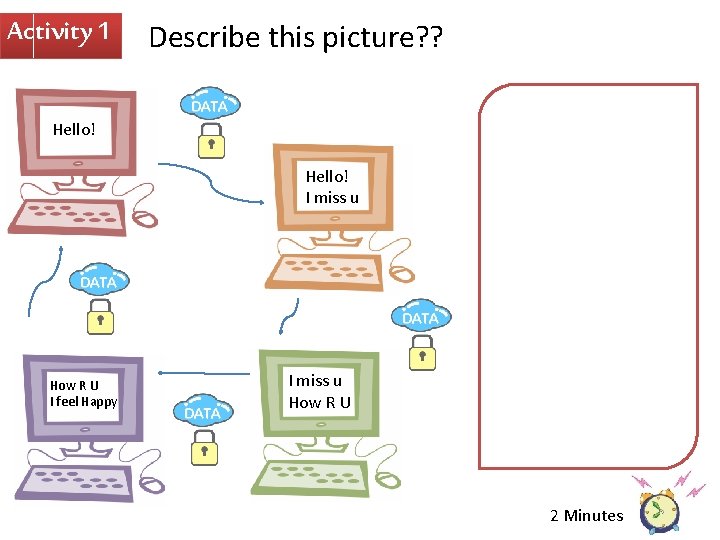
Activity 1 Describe this picture? ? Hello! I miss u How R U I feel Happy I miss u How R U 2 Minutes
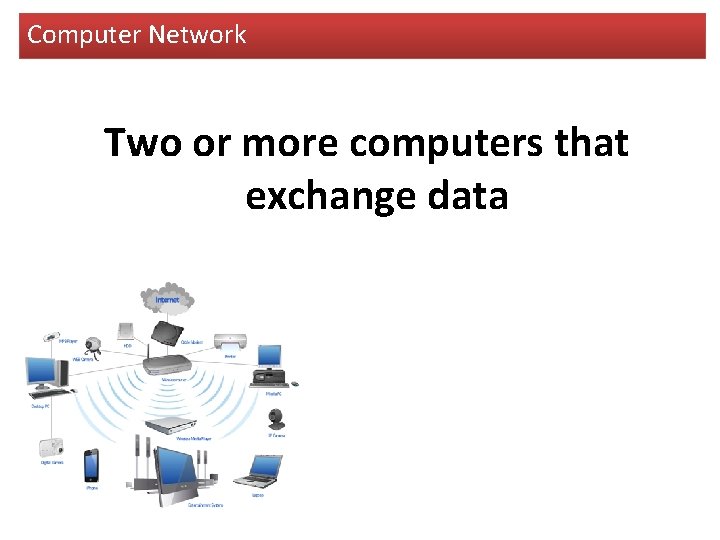
Computer Network Two or more computers that exchange data
Activity 2 Sort out the advantages and disadvantages of computer network? ? 2 Minutes
es g a t n a Adv n a v s e g ta D d a is
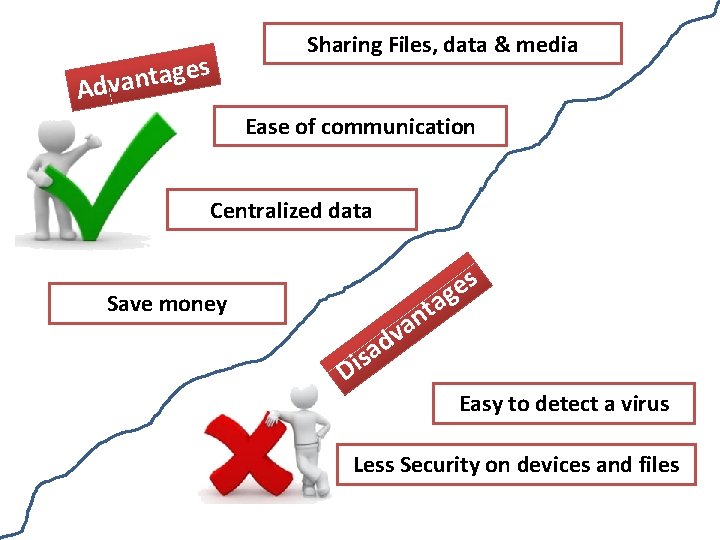
es g a t n a Adv Sharing Files, data & media Ease of communication Centralized data s e g a Save money d a s i D t n va Easy to detect a virus Less Security on devices and files
Student Book Exercise
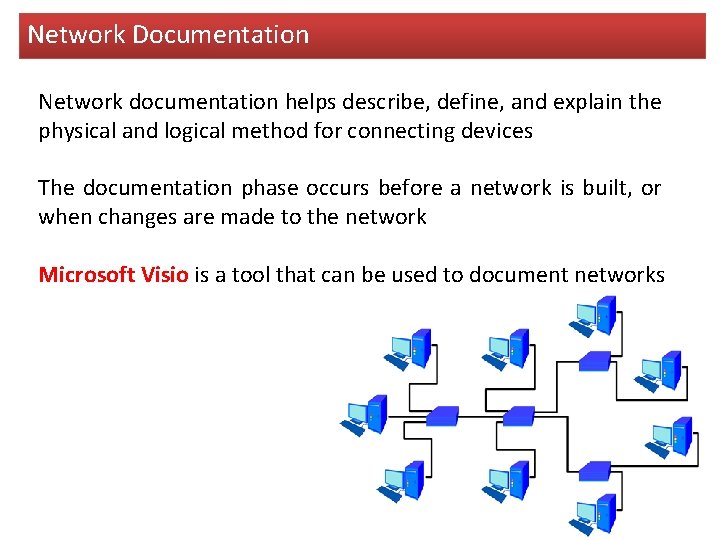
Network Documentation Network documentation helps describe, define, and explain the physical and logical method for connecting devices The documentation phase occurs before a network is built, or when changes are made to the network Microsoft Visio is a tool that can be used to document networks
Types of Computer Network (Geographical Area) Activity 3 Complete the following table by adding the correct example 2 Minutes
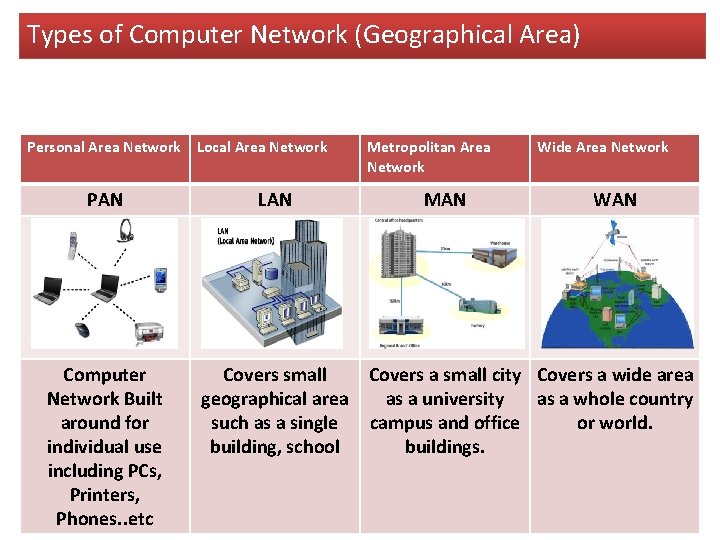
Types of Computer Network (Geographical Area) Personal Area Network PAN Computer Network Built around for individual use including PCs, Printers, Phones. . etc Local Area Network LAN Metropolitan Area Network MAN Wide Area Network WAN Covers small Covers a small city Covers a wide area geographical area as a university as a whole country such as a single campus and office or world. building, school buildings.
Student Book Exercise Complete the table
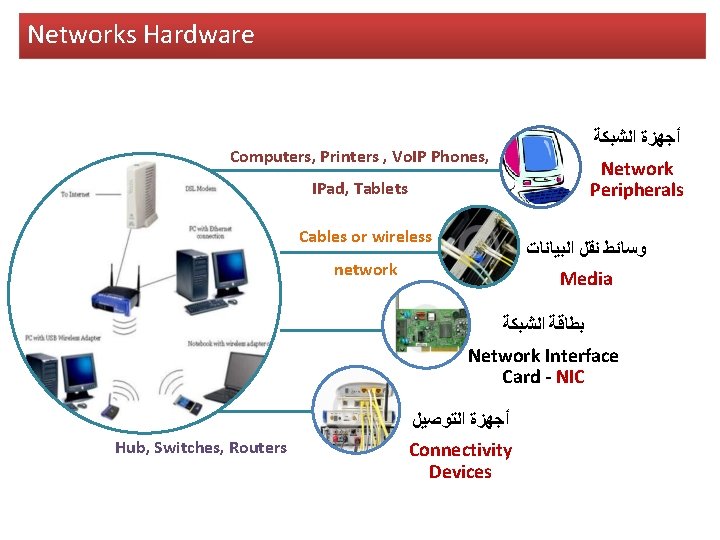
Networks Hardware All physical devices required for communication All devices that can be seen or touched and required for communication
Network Hardware Activity 4 Brain Storm and list of all the devices required to be connected to the internet. 2 Minutes
Networks Hardware Computers, Printers , Vo. IP Phones, IPad, Tablets Cables or wireless ﺃﺠﻬﺰﺓ ﺍﻟﺸﺒﻜﺔ Network Peripherals ﻭﺳﺎﺋﻂ ﻧﻘﻞ ﺍﻟﺒﻴﺎﻧﺎﺕ Media network ﺑﻄﺎﻗﺔ ﺍﻟﺸﺒﻜﺔ Network Interface Card - NIC Hub, Switches, Routers ﺃﺠﻬﺰﺓ ﺍﻟﺘﻮﺻﻴﻞ Connectivity Devices
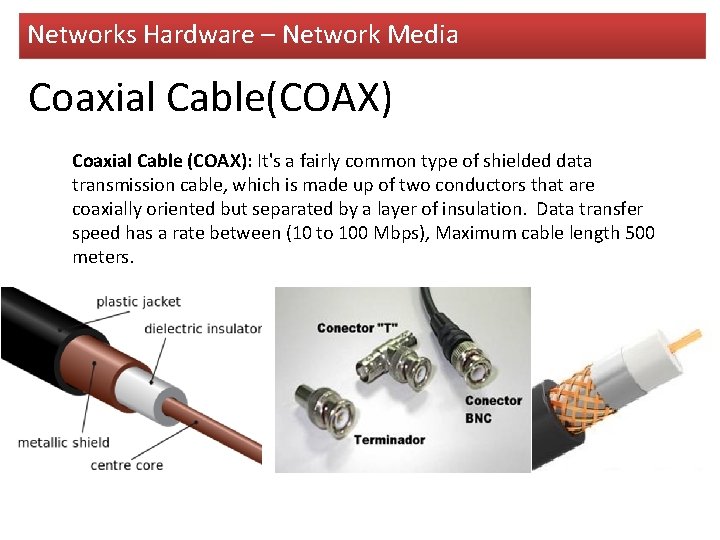
Networks Hardware – Network Media Coaxial Cable(COAX) Coaxial Cable (COAX): It's a fairly common type of shielded data transmission cable, which is made up of two conductors that are coaxially oriented but separated by a layer of insulation. Data transfer speed has a rate between (10 to 100 Mbps), Maximum cable length 500 meters.
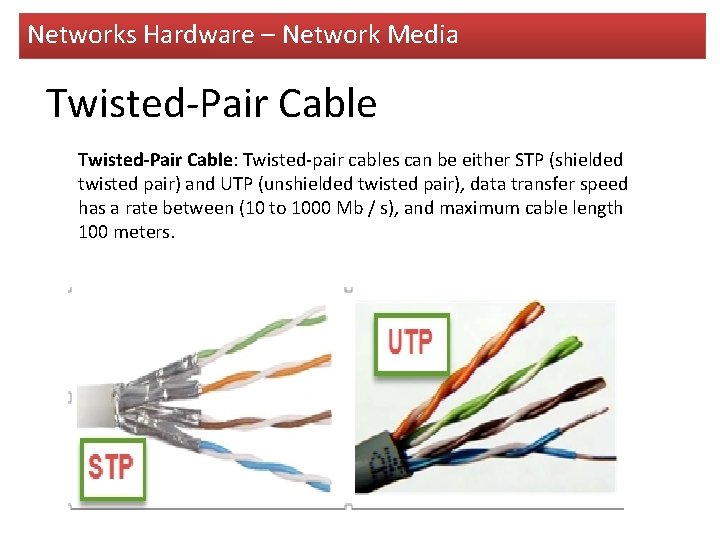
Networks Hardware – Network Media Twisted-Pair Cable: Twisted-pair cables can be either STP (shielded twisted pair) and UTP (unshielded twisted pair), data transfer speed has a rate between (10 to 1000 Mb / s), and maximum cable length 100 meters.
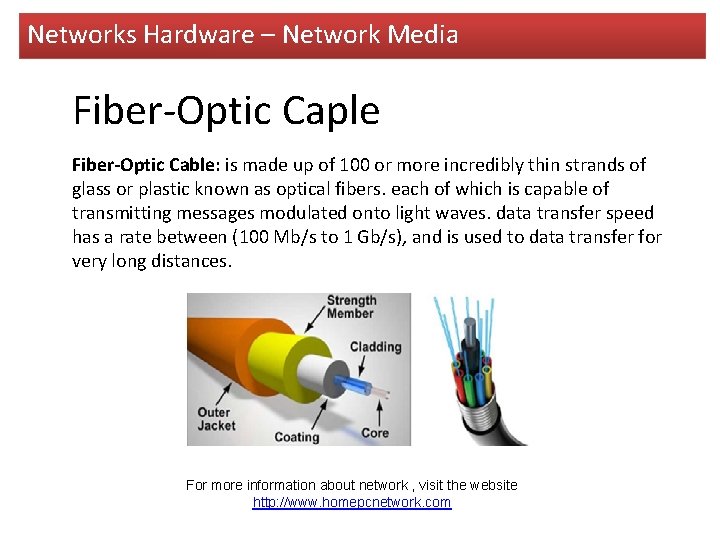
Networks Hardware – Network Media Fiber-Optic Caple Fiber-Optic Cable: is made up of 100 or more incredibly thin strands of glass or plastic known as optical fibers. each of which is capable of transmitting messages modulated onto light waves. data transfer speed has a rate between (100 Mb/s to 1 Gb/s), and is used to data transfer for very long distances. For more information about network , visit the website http: //www. homepcnetwork. com
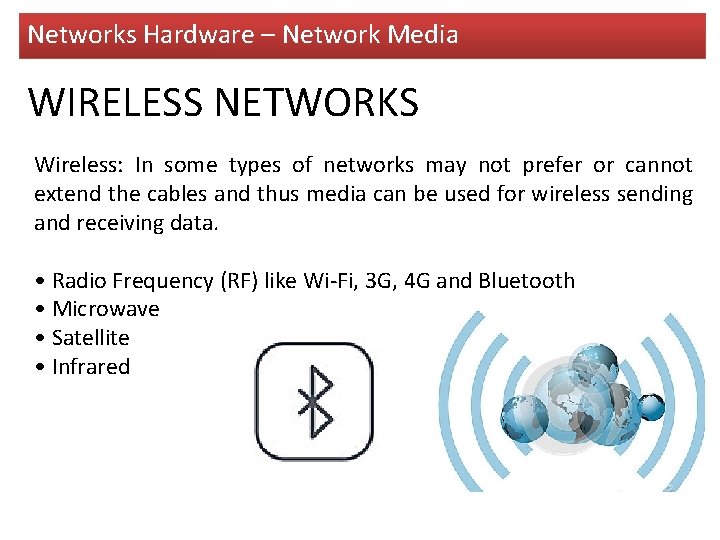
Networks Hardware – Network Media WIRELESS NETWORKS Wireless: In some types of networks may not prefer or cannot extend the cables and thus media can be used for wireless sending and receiving data. • Radio Frequency (RF) like Wi-Fi, 3 G, 4 G and Bluetooth • Microwave • Satellite • Infrared
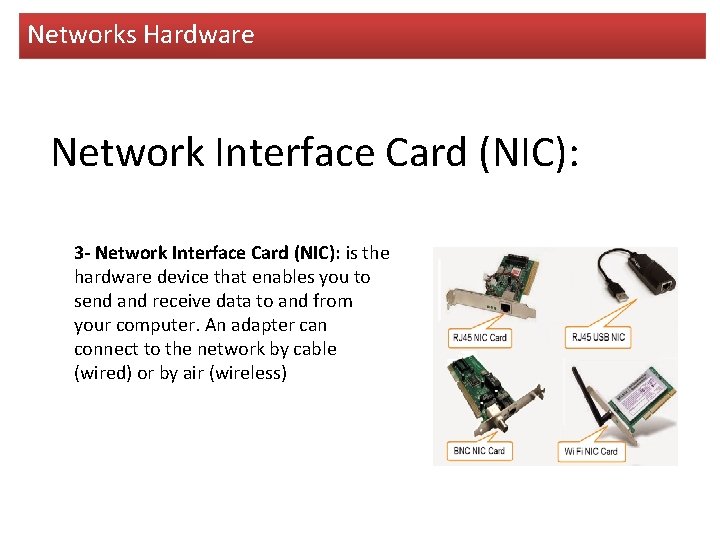
Networks Hardware Network Interface Card (NIC): 3 - Network Interface Card (NIC): is the hardware device that enables you to send and receive data to and from your computer. An adapter can connect to the network by cable (wired) or by air (wireless)
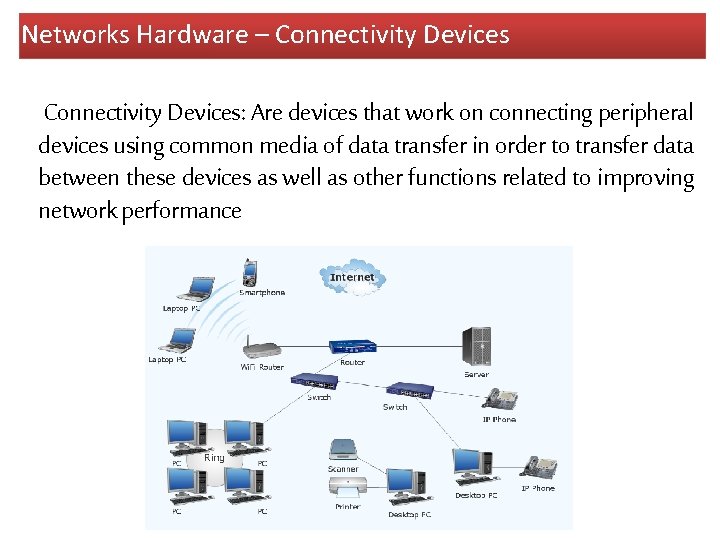
Networks Hardware – Connectivity Devices: Are devices that work on connecting peripheral devices using common media of data transfer in order to transfer data between these devices as well as other functions related to improving network performance
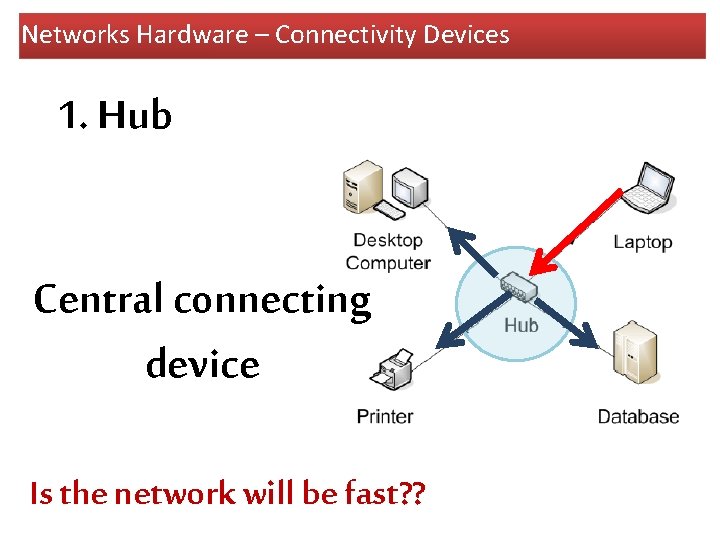
Networks Hardware – Connectivity Devices 1. Hub Central connecting device Is the network will be fast? ?
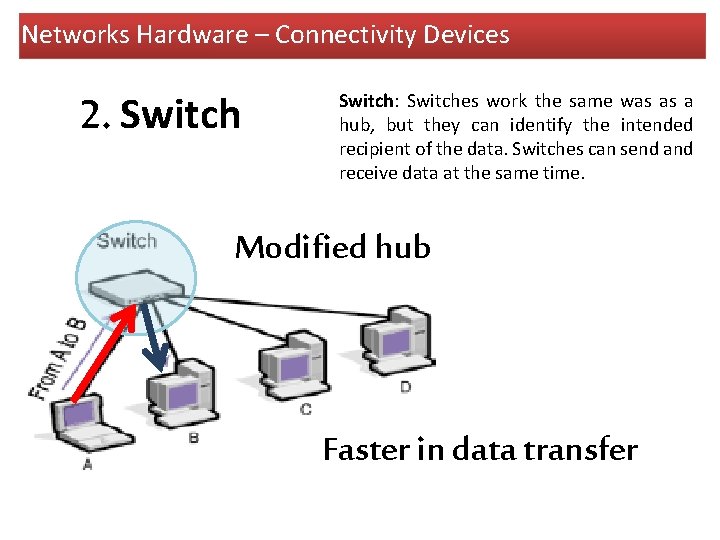
Networks Hardware – Connectivity Devices 2. Switch: Switches work the same was as a hub, but they can identify the intended recipient of the data. Switches can send and receive data at the same time. Modified hub Faster in data transfer
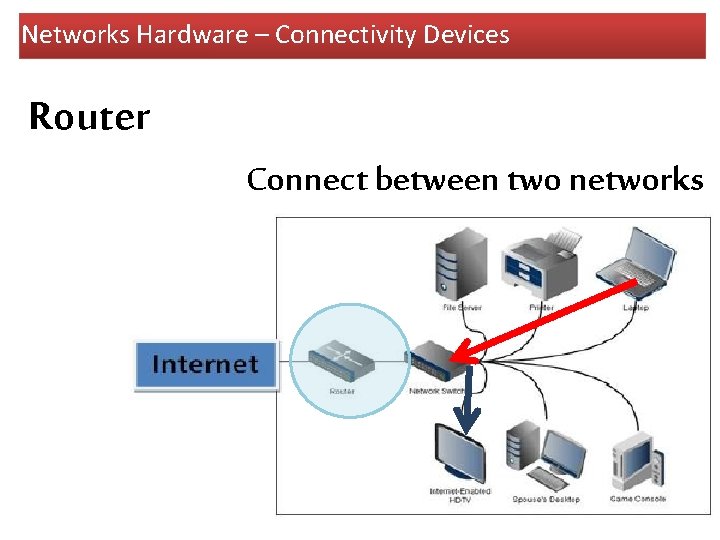
Networks Hardware – Connectivity Devices Router Connect between two networks
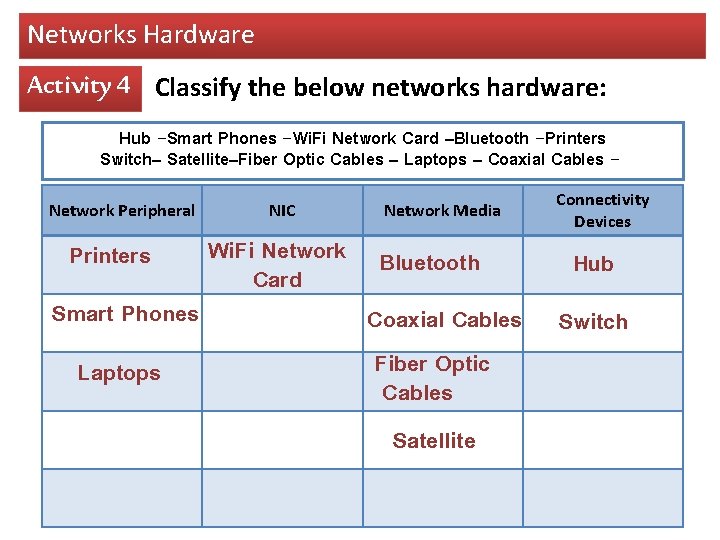
Networks Hardware Activity 4 Classify the below networks hardware: Hub -Smart Phones -Wi. Fi Network Card –Bluetooth -Printers Switch– Satellite–Fiber Optic Cables – Laptops – Coaxial Cables Network Peripheral Printers Smart Phones Laptops NIC Wi. Fi Network Card Network Media Bluetooth Coaxial Cables Fiber Optic Cables Satellite Connectivity Devices Hub Switch
Networks Hardware Activity 5 Draw a mind map for networks hardware”
Networks Hardware Activity 6 Using Microsoft Visio program, draw a diagram for your school network ? Microsoft Visio 2010