
COMPUTER NETWORK AND DESIGN CSCI 3385 K Network
- Slides: 56
COMPUTER NETWORK AND DESIGN CSCI 3385 K
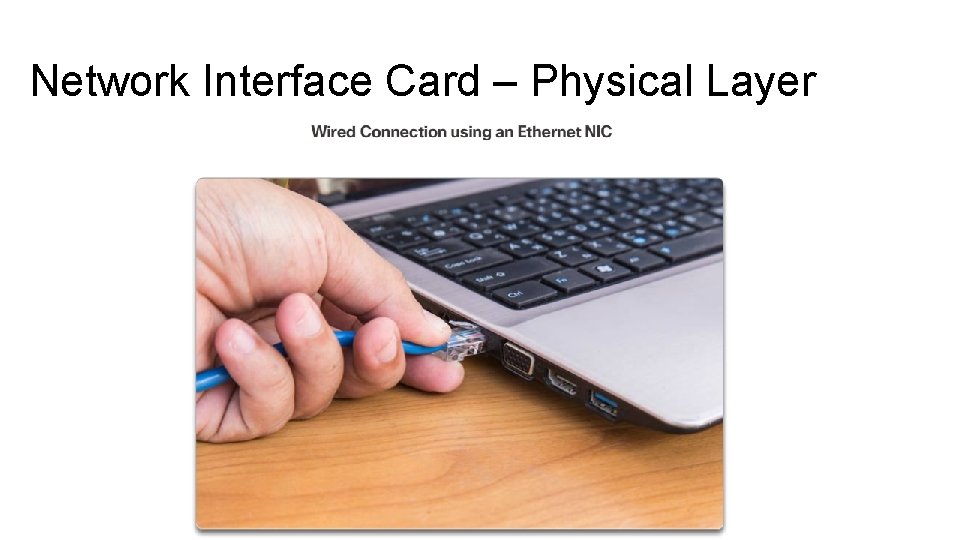
Network Interface Card – Physical Layer Network Interface Cards (NICs) connect a device to the network. Ethernet NICs are used for a wired connection, as shown in Figure 1, whereas WLAN (Wireless Local Area Network) NICs are used for wireless. An end-user device may include one or both types of NICs. A network printer, for example, may only have an Ethernet NIC, and therefore, must connect to the network using an Ethernet cable. Other devices, such as tablets and smartphones, might only contain a WLAN NIC and must use a wireless connection.
Network Interface Card – Physical Layer
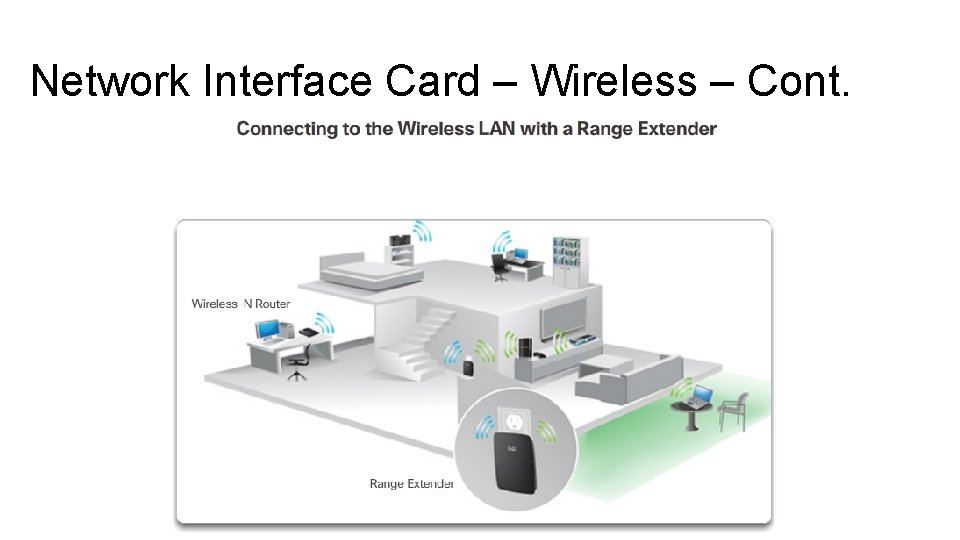
Network Interface Card – Wireless Not all physical connections are equal, in terms of the performance level, when connecting to a network. For example, a wireless device will experience degradation in performance based on its distance from a wireless access point. The further the device is from the access point, the weaker the wireless signal it receives. This can mean less bandwidth or no wireless connection at all. • Wireless range extender can be used to regenerate the wireless signal to other parts of the house that are too far from the wireless access point. Alternatively, a wired connection will not degrade in performance.
Network Interface Card – Wireless – Cont. All wireless devices must share access to the airwaves connecting to the wireless access point. This means slower network performance may occur as more wireless devices access the network simultaneously. A wired device does not need to share its access to the network with other devices. Each wired device has a separate communications channel over its Ethernet cable. This is important when considering some applications, such as online gaming, streaming video, and video conferencing, which require more dedicated bandwidth than other applications.
Network Interface Card – Wireless – Cont.
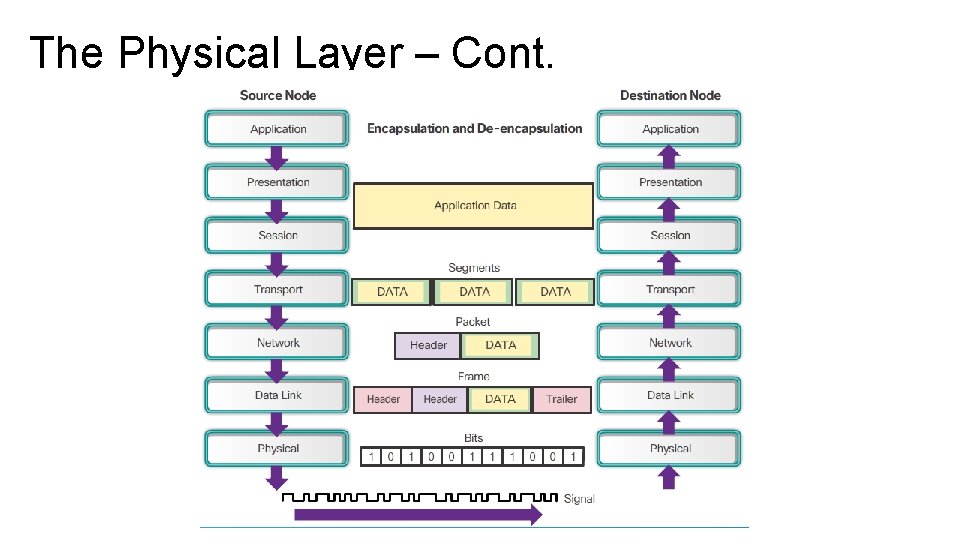
The Physical Layer The OSI physical layer provides the means to transport the bits that make up a data link layer frame across the network media. This layer accepts a complete frame from the data link layer and encodes it as a series of signals that are transmitted onto the local media. The encoded bits that comprise a frame are received by either an end device or an intermediate device. The process that data undergoes from a source node to a destination node is: • The user data is segmented by the transport layer, placed into packets by the network layer, and further encapsulated into frames by the data link layer. • The physical layer encodes the frames and creates the electrical, optical, or radio wave signals that represent the bits in each frame. • These signals are then sent on the media, one at a time. • The destination node physical layer retrieves these individual signals from the media, restores them to their bit representations, and passes the bits up to the data link layer as a complete frame.
The Physical Layer – Cont.
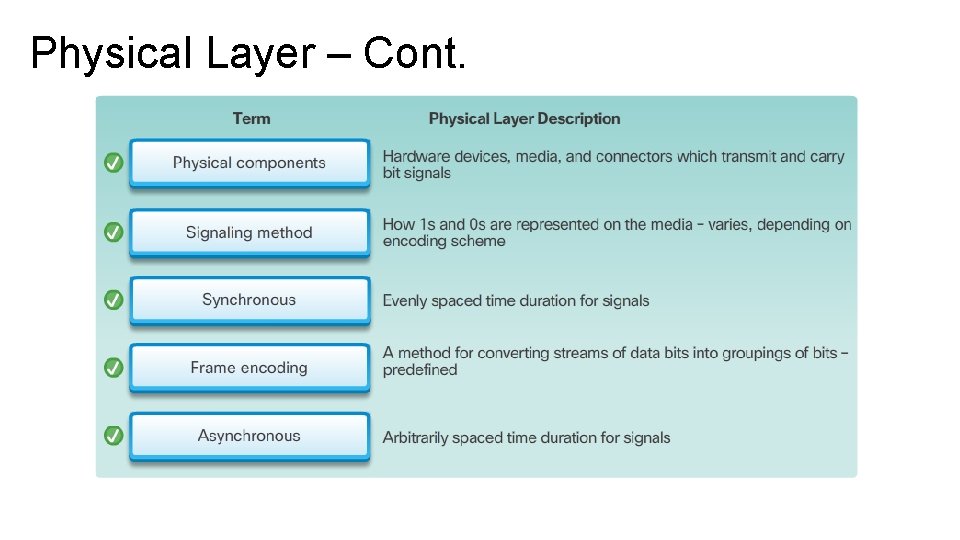
Physical Layer – Cont.
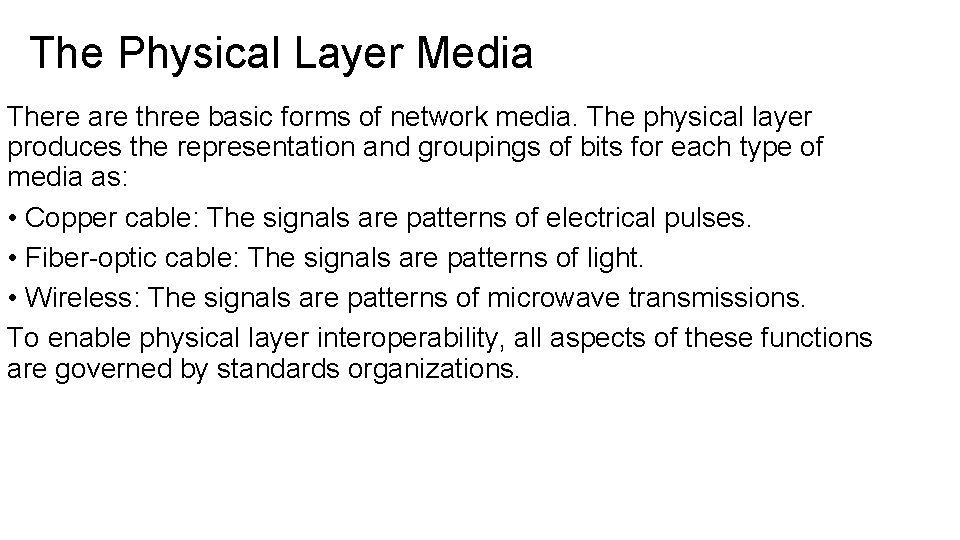
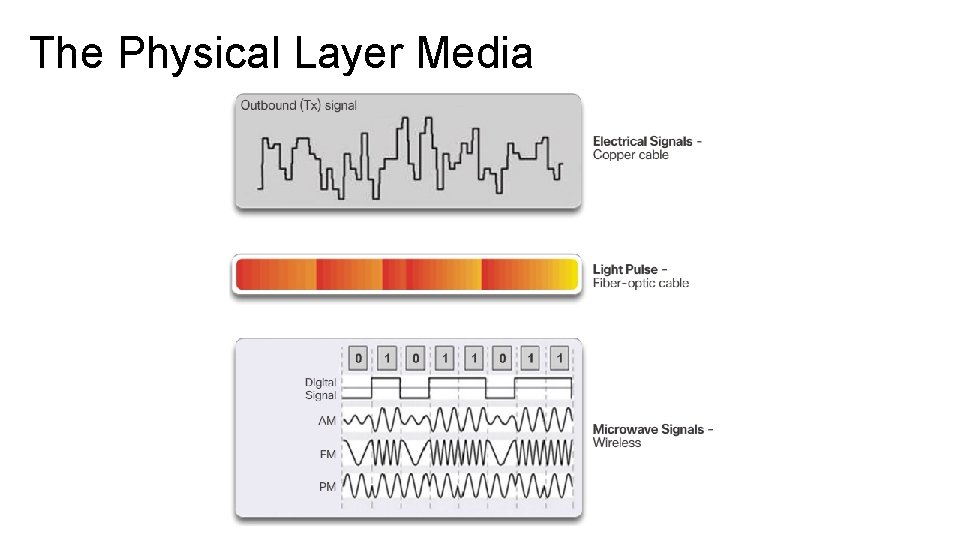
The Physical Layer Media There are three basic forms of network media. The physical layer produces the representation and groupings of bits for each type of media as: • Copper cable: The signals are patterns of electrical pulses. • Fiber-optic cable: The signals are patterns of light. • Wireless: The signals are patterns of microwave transmissions. To enable physical layer interoperability, all aspects of these functions are governed by standards organizations.
The Physical Layer Media
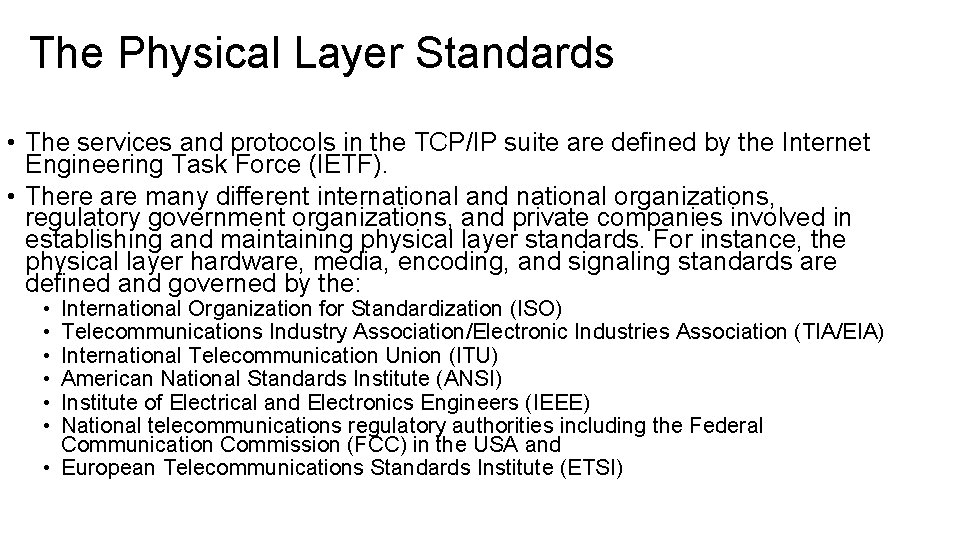
The Physical Layer Standards • The services and protocols in the TCP/IP suite are defined by the Internet Engineering Task Force (IETF). • There are many different international and national organizations, regulatory government organizations, and private companies involved in establishing and maintaining physical layer standards. For instance, the physical layer hardware, media, encoding, and signaling standards are defined and governed by the: • • • International Organization for Standardization (ISO) Telecommunications Industry Association/Electronic Industries Association (TIA/EIA) International Telecommunication Union (ITU) American National Standards Institute (ANSI) Institute of Electrical and Electronics Engineers (IEEE) National telecommunications regulatory authorities including the Federal Communication Commission (FCC) in the USA and • European Telecommunications Standards Institute (ETSI)
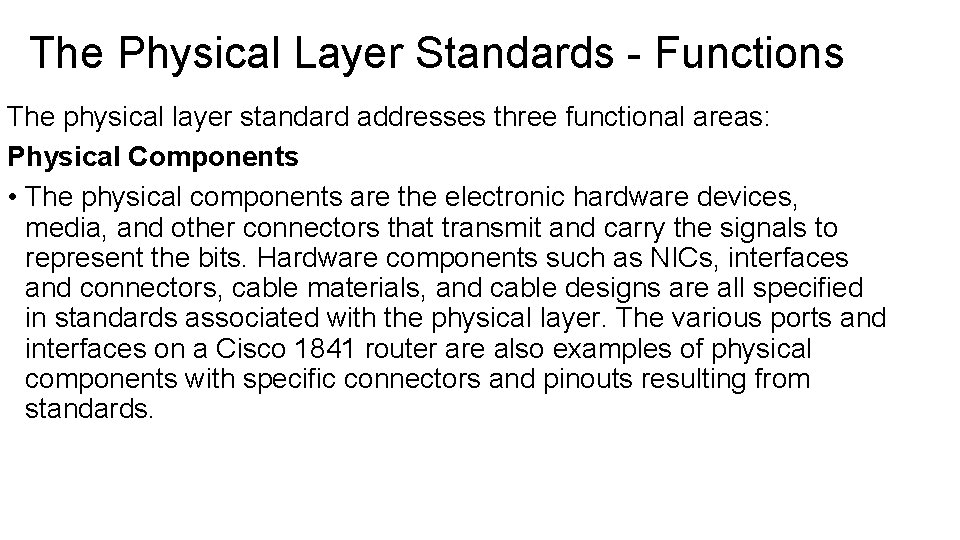
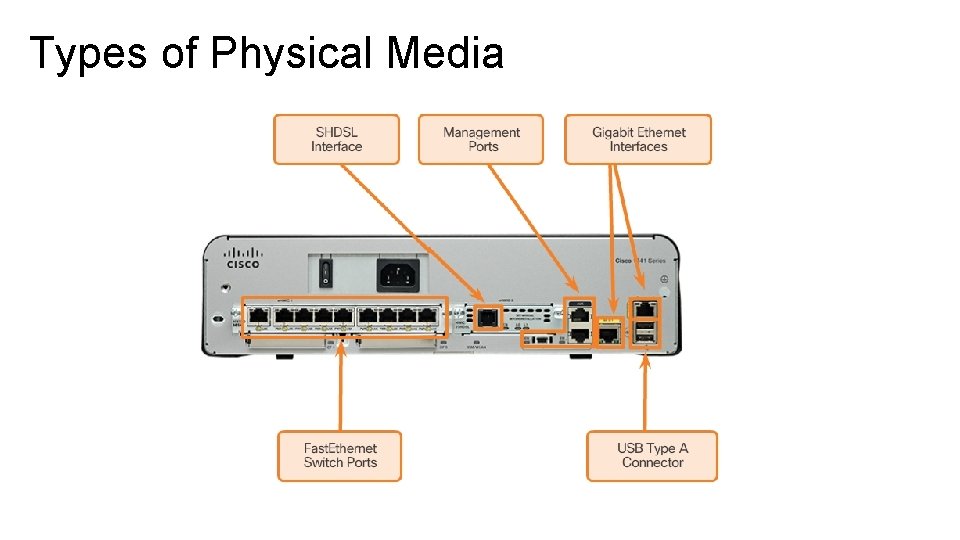
The Physical Layer Standards - Functions The physical layer standard addresses three functional areas: Physical Components • The physical components are the electronic hardware devices, media, and other connectors that transmit and carry the signals to represent the bits. Hardware components such as NICs, interfaces and connectors, cable materials, and cable designs are all specified in standards associated with the physical layer. The various ports and interfaces on a Cisco 1841 router are also examples of physical components with specific connectors and pinouts resulting from standards.
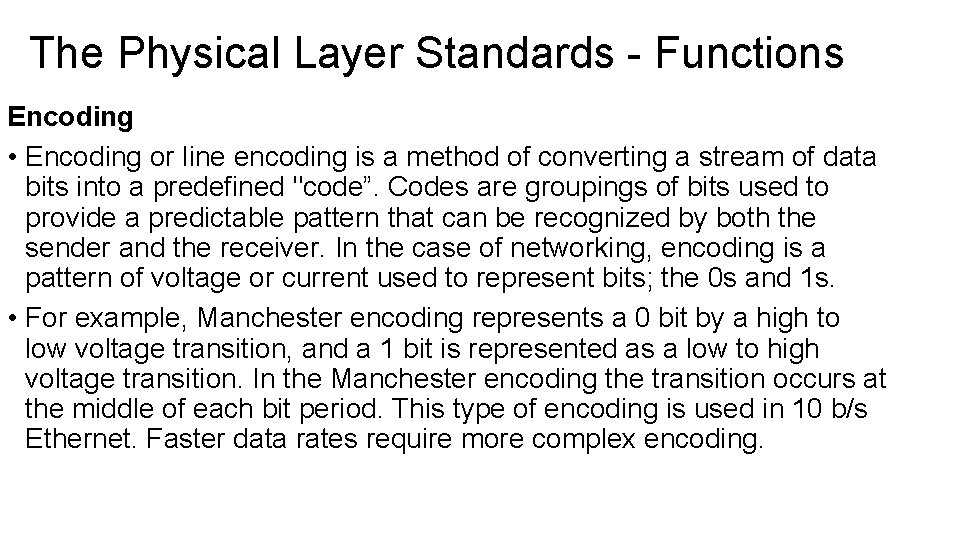
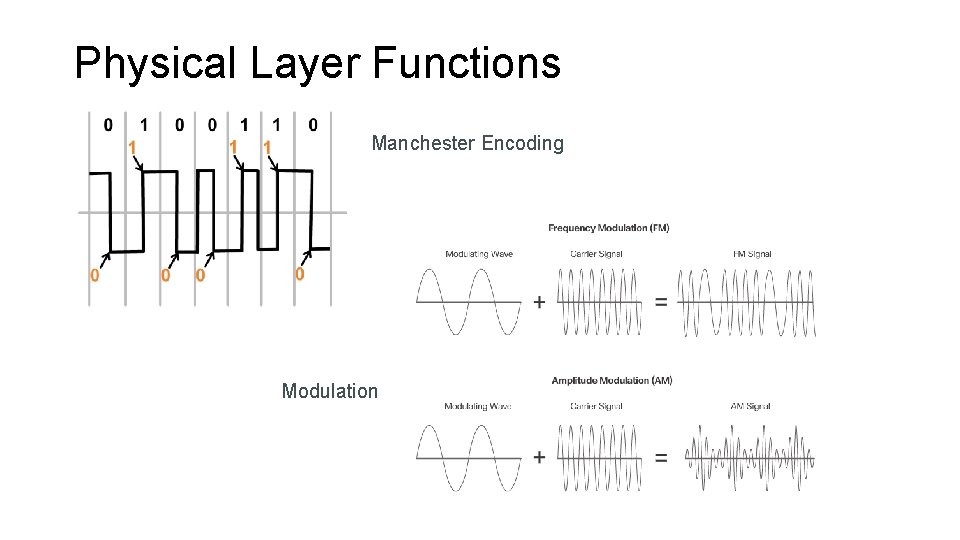
The Physical Layer Standards - Functions Encoding • Encoding or line encoding is a method of converting a stream of data bits into a predefined "code”. Codes are groupings of bits used to provide a predictable pattern that can be recognized by both the sender and the receiver. In the case of networking, encoding is a pattern of voltage or current used to represent bits; the 0 s and 1 s. • For example, Manchester encoding represents a 0 bit by a high to low voltage transition, and a 1 bit is represented as a low to high voltage transition. In the Manchester encoding the transition occurs at the middle of each bit period. This type of encoding is used in 10 b/s Ethernet. Faster data rates require more complex encoding.
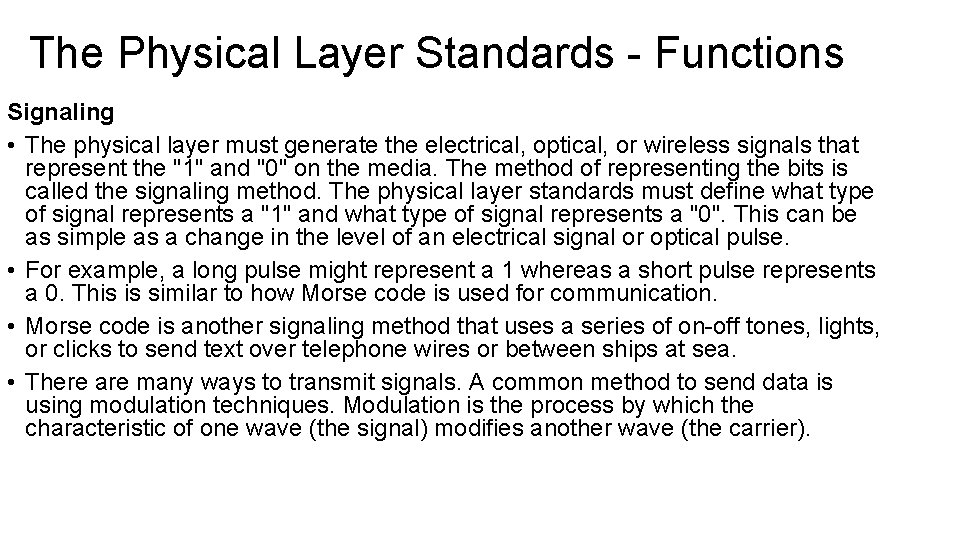
The Physical Layer Standards - Functions Signaling • The physical layer must generate the electrical, optical, or wireless signals that represent the "1" and "0" on the media. The method of representing the bits is called the signaling method. The physical layer standards must define what type of signal represents a "1" and what type of signal represents a "0". This can be as simple as a change in the level of an electrical signal or optical pulse. • For example, a long pulse might represent a 1 whereas a short pulse represents a 0. This is similar to how Morse code is used for communication. • Morse code is another signaling method that uses a series of on-off tones, lights, or clicks to send text over telephone wires or between ships at sea. • There are many ways to transmit signals. A common method to send data is using modulation techniques. Modulation is the process by which the characteristic of one wave (the signal) modifies another wave (the carrier).
Physical Layer Functions Manchester Encoding Modulation
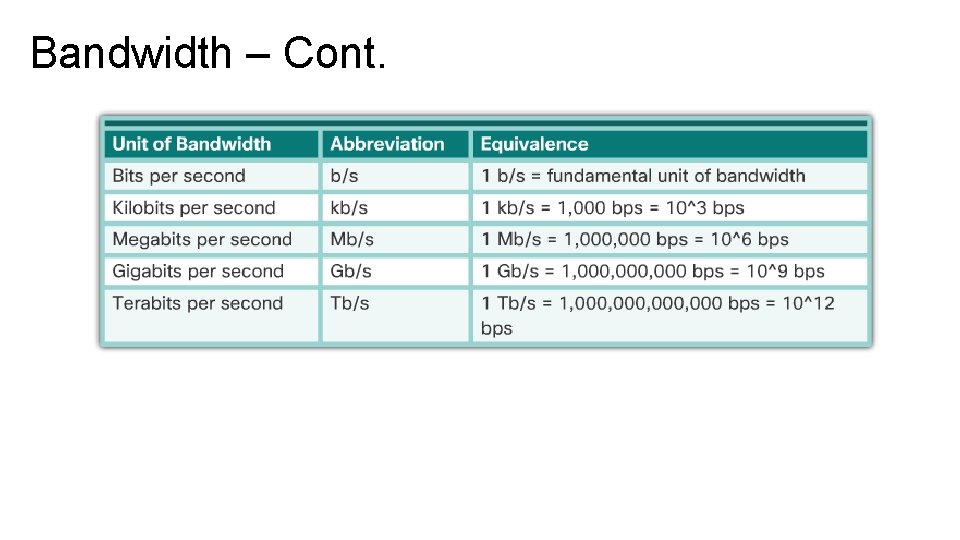
Bandwidth • Data transfer is usually discussed in terms of bandwidth and throughput. • Bandwidth is the capacity of a medium to carry data. • Digital bandwidth measures the amount of data that can flow from one place to another in a given amount of time. • Bandwidth is typically measured in kilobits per second (kb/s), megabits per second (Mb/s), or gigabits per second (Gb/s). • Bandwidth is sometimes thought of as the speed that bits travel, however this is not accurate. For example, in both 10 Mb/s and 100 Mb/s Ethernet, the bits are sent at the speed of electricity. The difference is the number of bits that are transmitted per second. A combination of factors determines the practical bandwidth of a network: • The properties of the physical media • The technologies chosen for signaling and detecting network signals Physical media properties, current technologies, and the laws of physics all play a role in determining the available bandwidth.
Bandwidth – Cont.
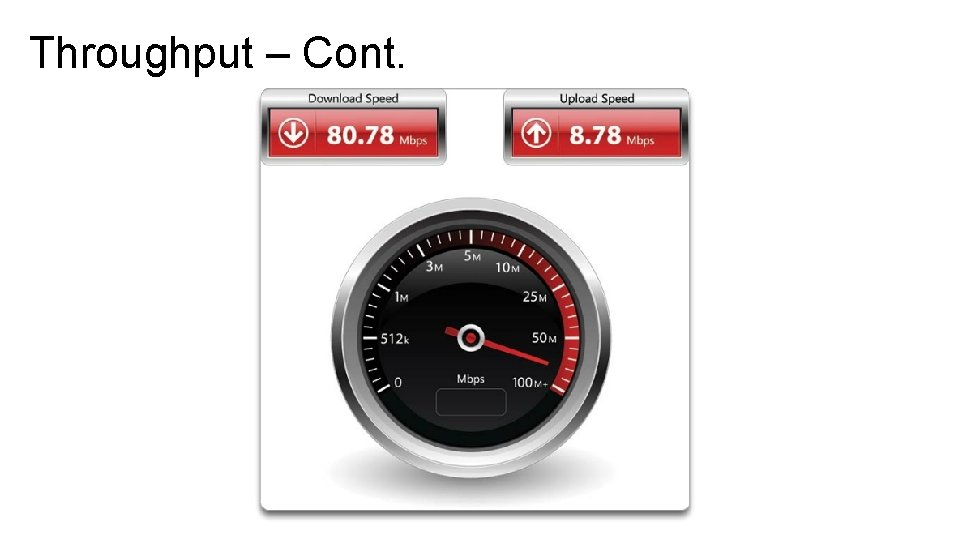
Throughput is the measure of the transfer of bits across the media over a given period of time. Due to a number of factors, throughput usually does not match the specified bandwidth in physical layer implementations. Many factors influence throughput, including: • The amount of traffic • The type of traffic • The latency created by the number of network devices encountered between source and destination • Latency refers to the amount of time, to include delays, for data to travel from one given point to another. • In an internetwork or network with multiple segments, throughput cannot be faster than the slowest link in the path from source to destination. Even if all or most of the segments have high bandwidth, it will only take one segment in the path with low throughput to create a bottleneck to the throughput of the entire network. • There is a third measurement to assess the transfer of usable data that is known as goodput. • Goodput is the measure of usable data transferred over a given period of time. Goodput is throughput minus traffic overhead for establishing sessions, acknowledgments, and encapsulation.
Throughput – Cont.
Types of Physical Media The physical layer produces the representation and groupings of bits as voltages, radio frequencies, or light pulses. Various standards organizations have contributed to the definition of the physical, electrical, and mechanical properties of the media available for different data communications. These specifications guarantee that cables and connectors will function as anticipated with different data link layer implementations. As an example, standards for copper media are defined for the: • Type of copper cabling used • Bandwidth of the communication • Type of connectors used • Pinout and color codes of connections to the media • Maximum distance of the media
Types of Physical Media
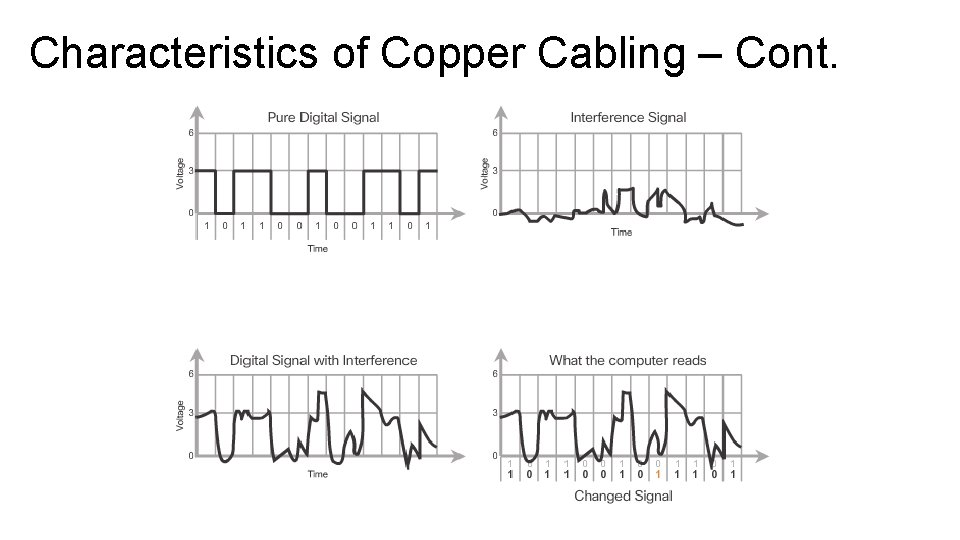
Characteristics of Copper Cabling • Data is transmitted on copper cables as electrical pulses. A detector in the network interface of a destination device must receive a signal that can be successfully decoded to match the signal sent. However, the longer the signal travels, the more it deteriorates. This is referred to as signal attenuation. For this reason, all copper media must follow strict distance limitations as specified by the guiding standards. • The timing and voltage values of the electrical pulses are also susceptible to interference from two sources: • Electromagnetic interference (EMI) or Radio frequency interference (RFI) • EMI and RFI signals can distort and corrupt the data signals being carried by copper media. Potential sources of EMI and RFI include radio waves and electromagnetic devices, such as fluorescent lights or electric motors.
Characteristics of Copper Cabling – Cont. • Crosstalk - Crosstalk is a disturbance caused by the electric or magnetic fields of a signal on one wire to the signal in an adjacent wire. In telephone circuits, crosstalk can result in hearing part of another voice conversation from an adjacent circuit. Specifically, when an electrical current flows through a wire, it creates a small, circular magnetic field around the wire, which can be picked up by an adjacent wire. The susceptibility of copper cables to electronic noise can also be limited by: • Selecting the cable type or category most suited to a given networking environment. • Designing a cable infrastructure to avoid known and potential sources of interference in the building structure. • Using cabling techniques that include the proper handling and termination of the cables.
Characteristics of Copper Cabling – Cont.
Copper Media
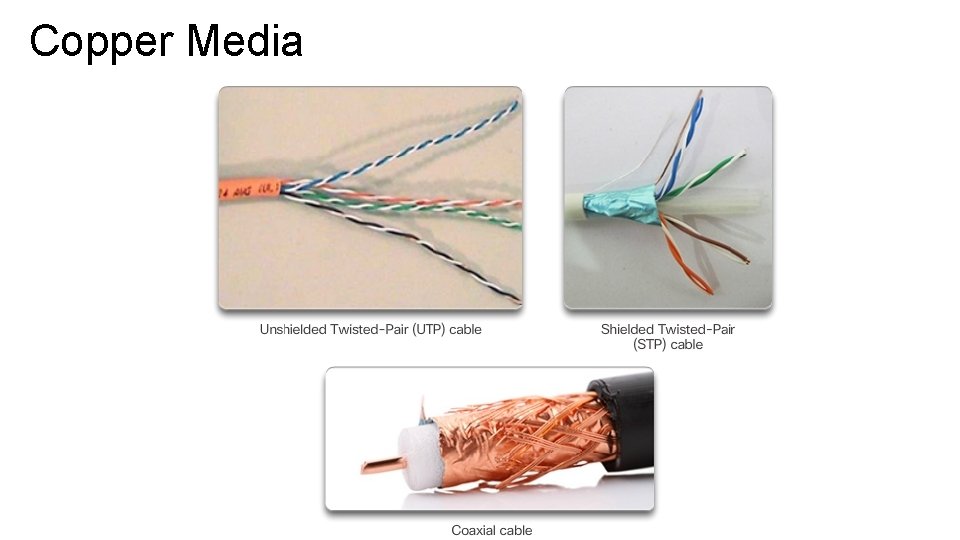
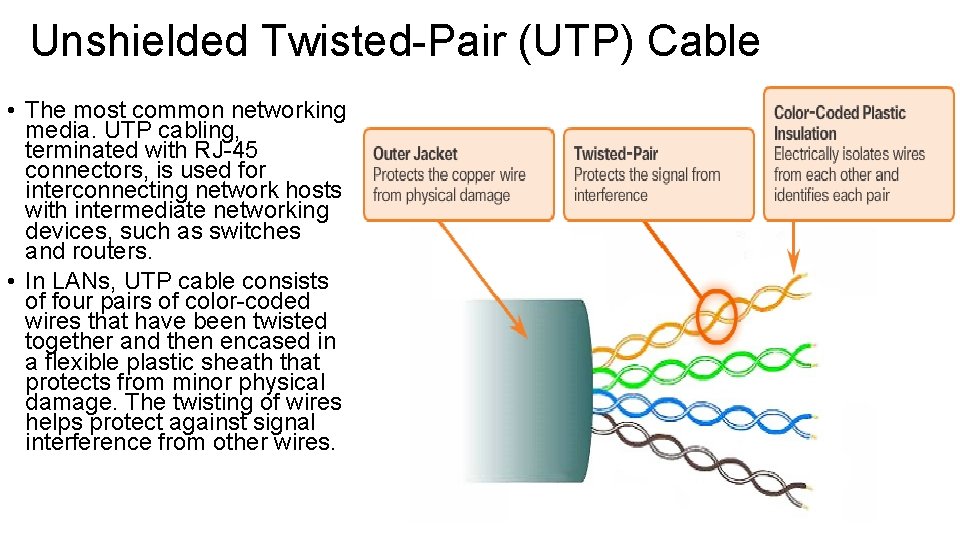
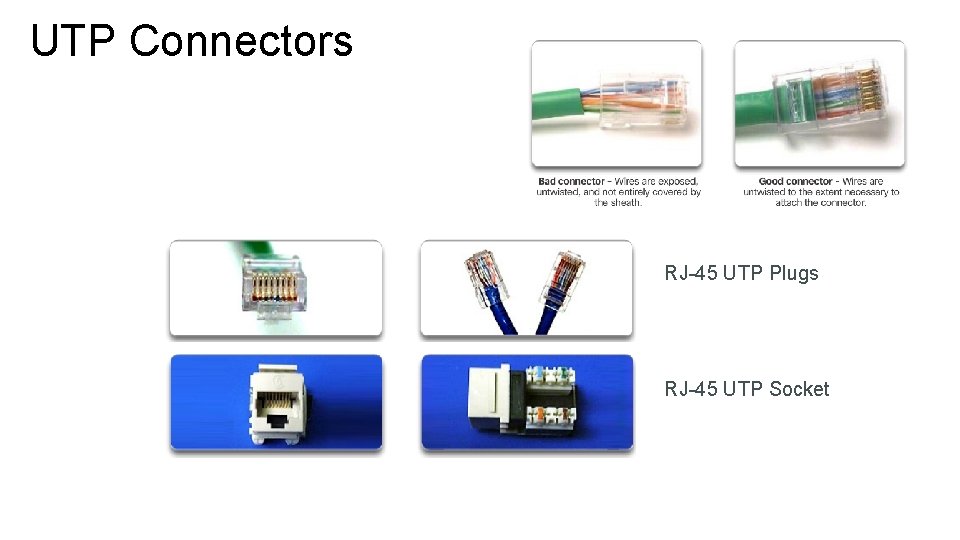
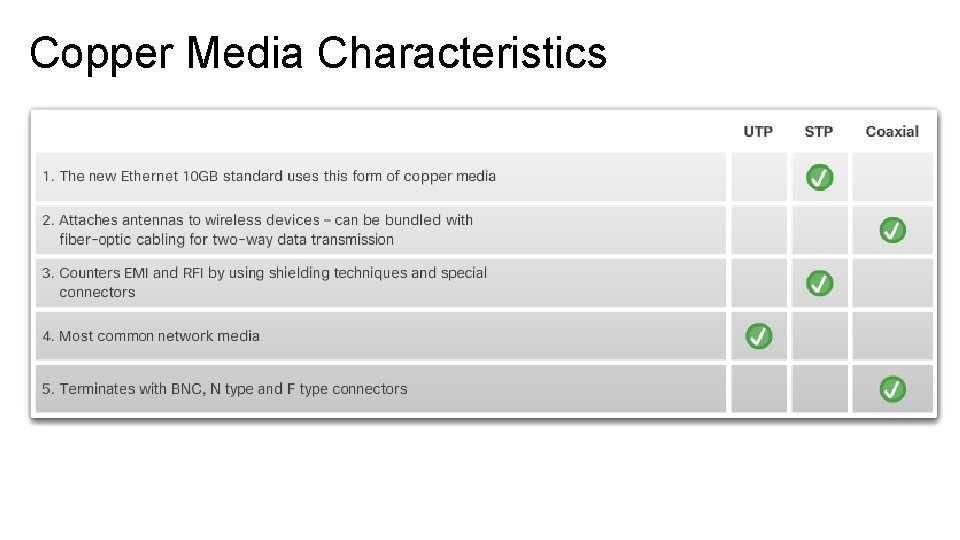
Unshielded Twisted-Pair (UTP) Cable • The most common networking media. UTP cabling, terminated with RJ-45 connectors, is used for interconnecting network hosts with intermediate networking devices, such as switches and routers. • In LANs, UTP cable consists of four pairs of color-coded wires that have been twisted together and then encased in a flexible plastic sheath that protects from minor physical damage. The twisting of wires helps protect against signal interference from other wires.
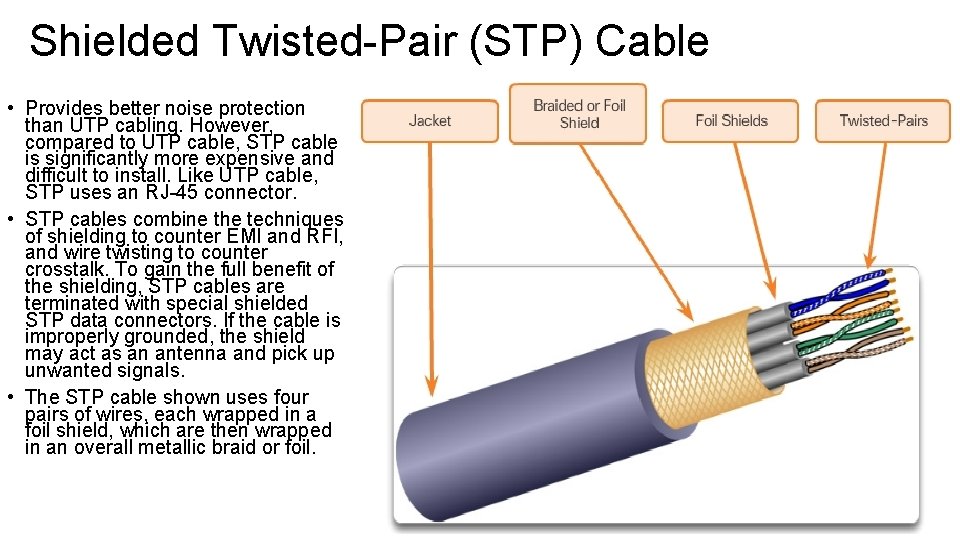
Shielded Twisted-Pair (STP) Cable • Provides better noise protection than UTP cabling. However, compared to UTP cable, STP cable is significantly more expensive and difficult to install. Like UTP cable, STP uses an RJ-45 connector. • STP cables combine the techniques of shielding to counter EMI and RFI, and wire twisting to counter crosstalk. To gain the full benefit of the shielding, STP cables are terminated with special shielded STP data connectors. If the cable is improperly grounded, the shield may act as an antenna and pick up unwanted signals. • The STP cable shown uses four pairs of wires, each wrapped in a foil shield, which are then wrapped in an overall metallic braid or foil.
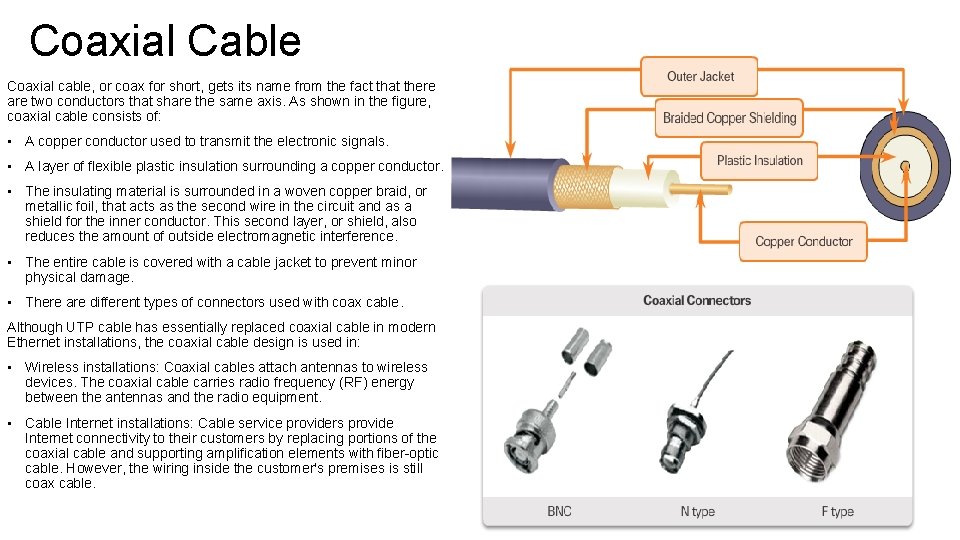
Coaxial Cable Coaxial cable, or coax for short, gets its name from the fact that there are two conductors that share the same axis. As shown in the figure, coaxial cable consists of: • A copper conductor used to transmit the electronic signals. • A layer of flexible plastic insulation surrounding a copper conductor. • The insulating material is surrounded in a woven copper braid, or metallic foil, that acts as the second wire in the circuit and as a shield for the inner conductor. This second layer, or shield, also reduces the amount of outside electromagnetic interference. • The entire cable is covered with a cable jacket to prevent minor physical damage. • There are different types of connectors used with coax cable. Although UTP cable has essentially replaced coaxial cable in modern Ethernet installations, the coaxial cable design is used in: • Wireless installations: Coaxial cables attach antennas to wireless devices. The coaxial cable carries radio frequency (RF) energy between the antennas and the radio equipment. • Cable Internet installations: Cable service providers provide Internet connectivity to their customers by replacing portions of the coaxial cable and supporting amplification elements with fiber-optic cable. However, the wiring inside the customer's premises is still coax cable.
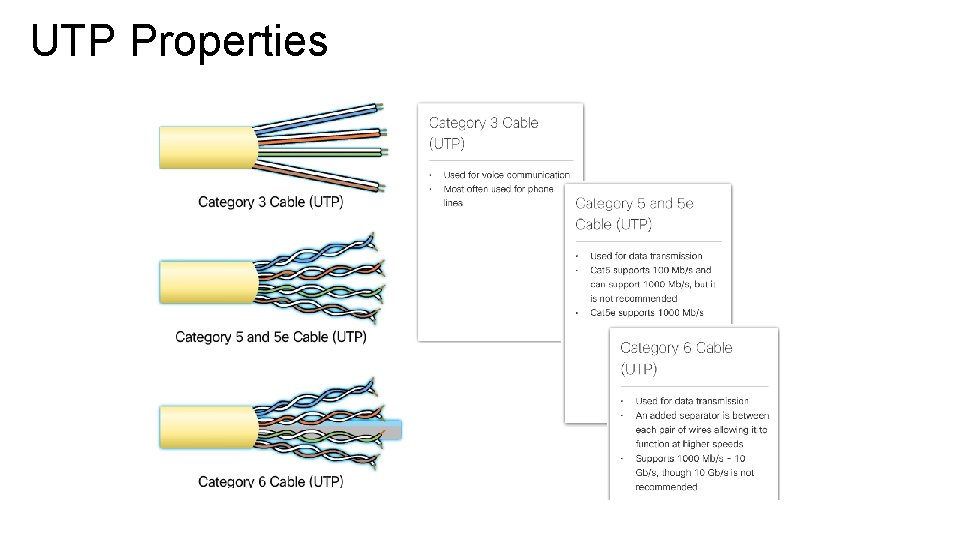
UTP Properties
UTP Connectors RJ-45 UTP Plugs RJ-45 UTP Socket
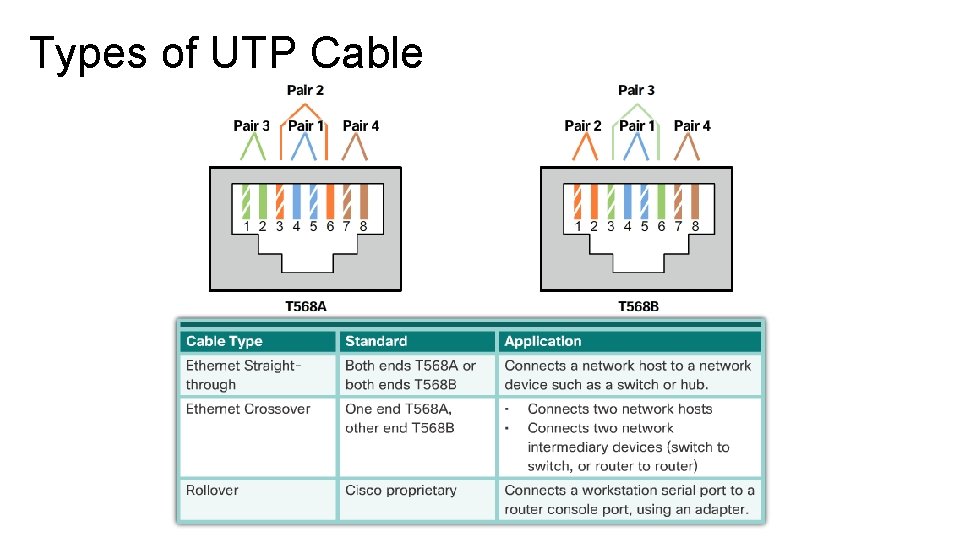
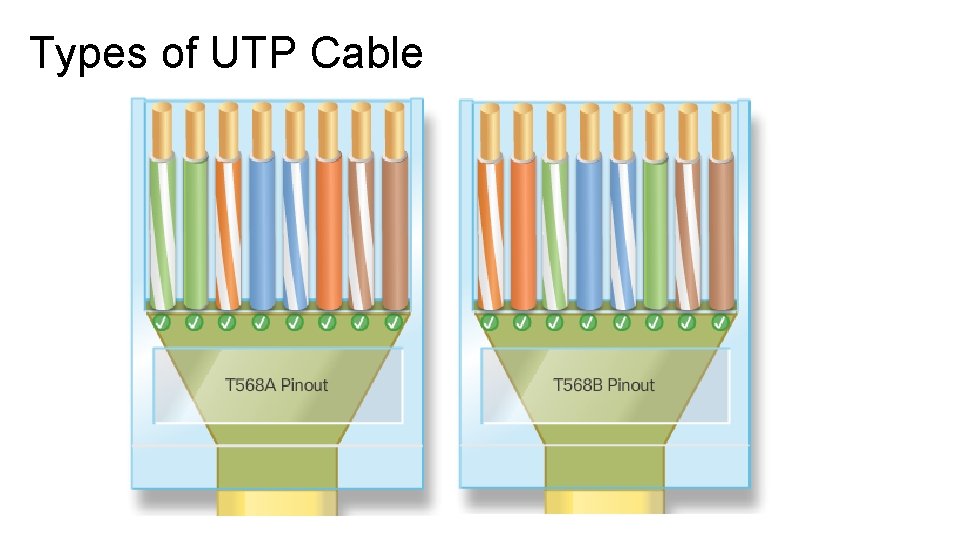
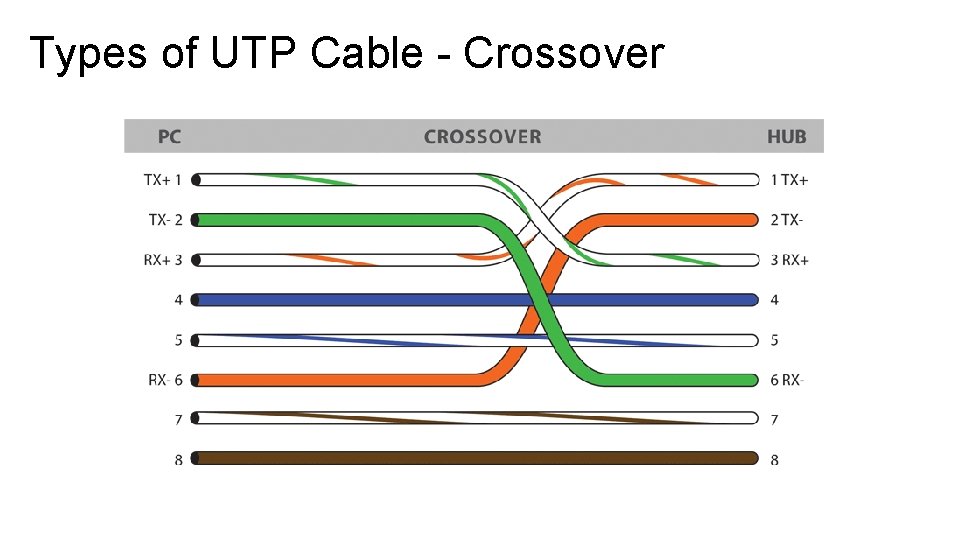
Types of UTP Cable Ethernet Straight-through: The most common type of networking cable. It is commonly used to interconnect a host to a switch and a switch to a router. Ethernet Crossover: A cable used to interconnect similar devices. For example to connect a switch to a switch, a host to a host, or a router to a router. Rollover: A Cisco proprietary cable used to connect a workstation to a router or switch console port.
Types of UTP Cable
Types of UTP Cable
Types of UTP Cable - Crossover
Copper Media Characteristics
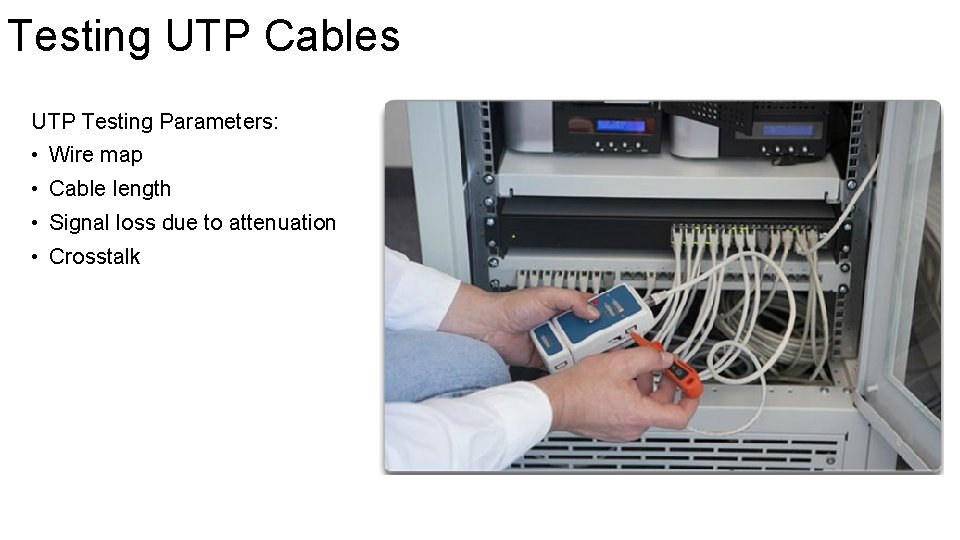
Testing UTP Cables UTP Testing Parameters: • Wire map • Cable length • Signal loss due to attenuation • Crosstalk
Fiber Optic Cabling
Fiber Optic Properties • Optical fiber cable transmits data over longer distances and at higher bandwidths than any other networking media. Unlike copper wires, fiber-optic cable can transmit signals with less attenuation and is completely immune to EMI and RFI. Optical fiber is commonly used to interconnect network devices. • Optical fiber is a flexible, but extremely thin, transparent strand of very pure glass, not much bigger than a human hair. Bits are encoded on the fiber as light impulses. The fiberoptic cable acts as a waveguide, or “light pipe, ” to transmit light between the two ends with minimal loss of signal. • As an analogy, consider an empty paper towel roll with the inside coated like a mirror. It is a thousand meters in length, and a small laser pointer is used to send Morse code signals at the speed of light. Essentially that is how a fiber-optic cable operates, except that it is smaller in diameter and uses sophisticated light technologies.
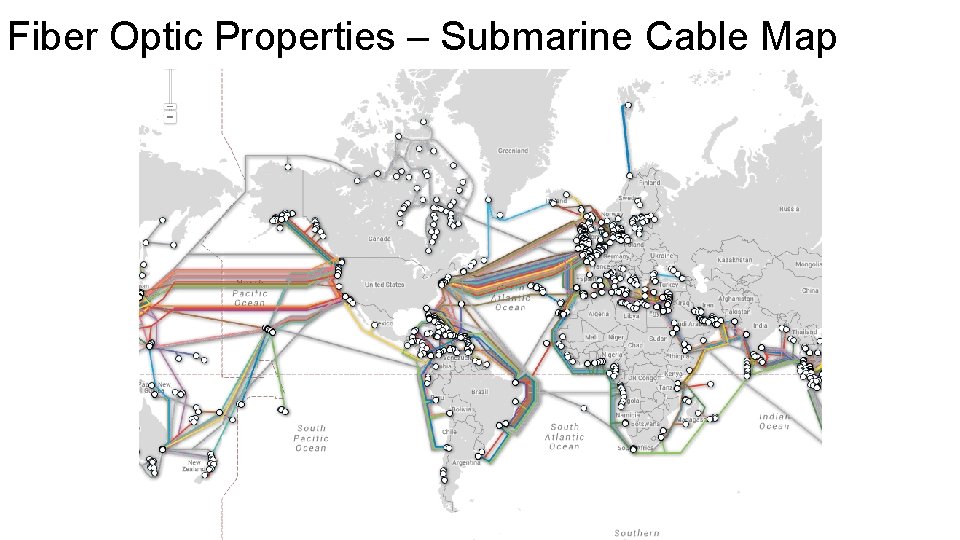
Fiber Optic Properties – Cont. Fiber-optic cabling is now being used in four types of industry: • Enterprise Networks: Used for backbone cabling applications and interconnecting infrastructure devices. • Fiber-to-the-Home (FTTH): Used to provide always-on broadband services to homes and small businesses. • Long-Haul Networks: Used by service providers to connect countries and cities. • Submarine Networks: Used to provide reliable high-speed, high-capacity solutions capable of surviving in harsh undersea environments up to transoceanic distances.
Fiber Optic Properties – Submarine Cable Map
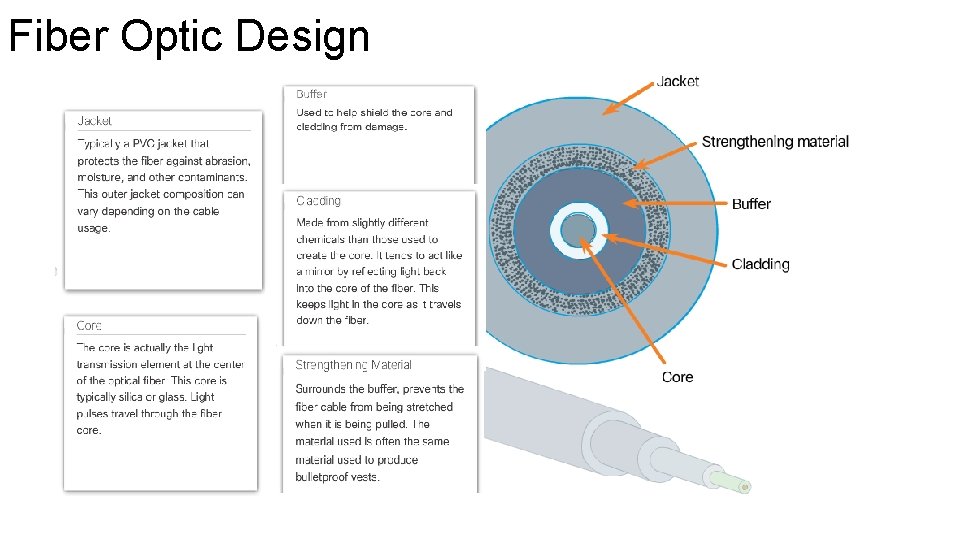
Fiber Optic Design
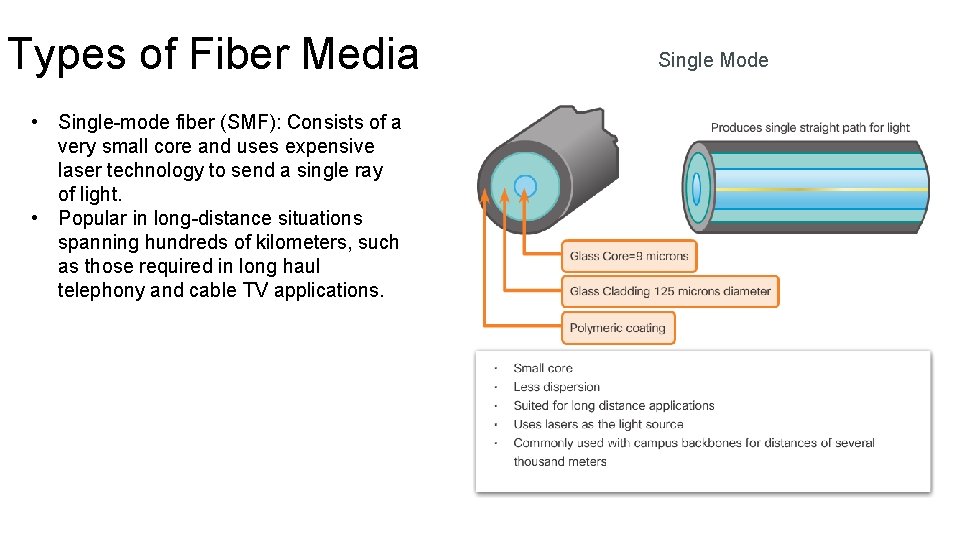
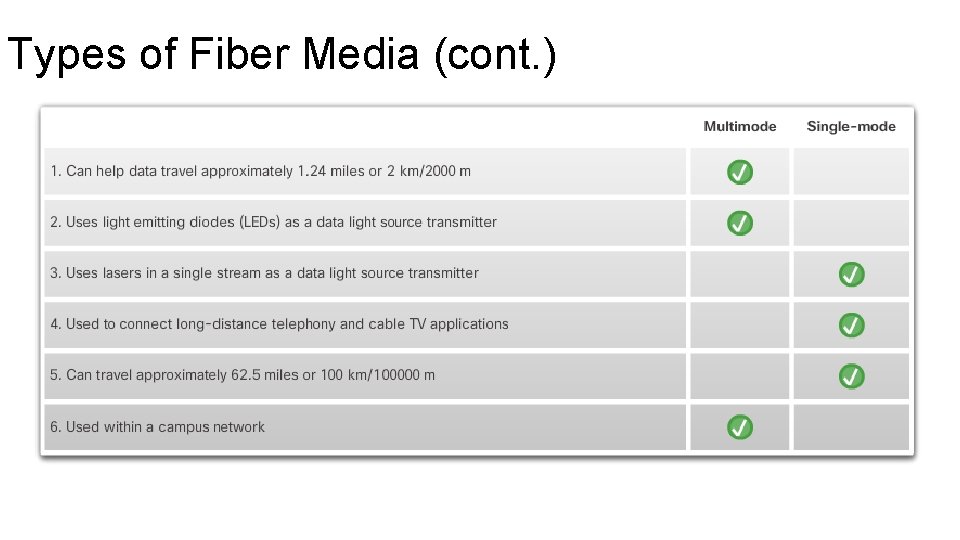
Types of Fiber Media • Single-mode fiber (SMF): Consists of a very small core and uses expensive laser technology to send a single ray of light. • Popular in long-distance situations spanning hundreds of kilometers, such as those required in long haul telephony and cable TV applications. Single Mode
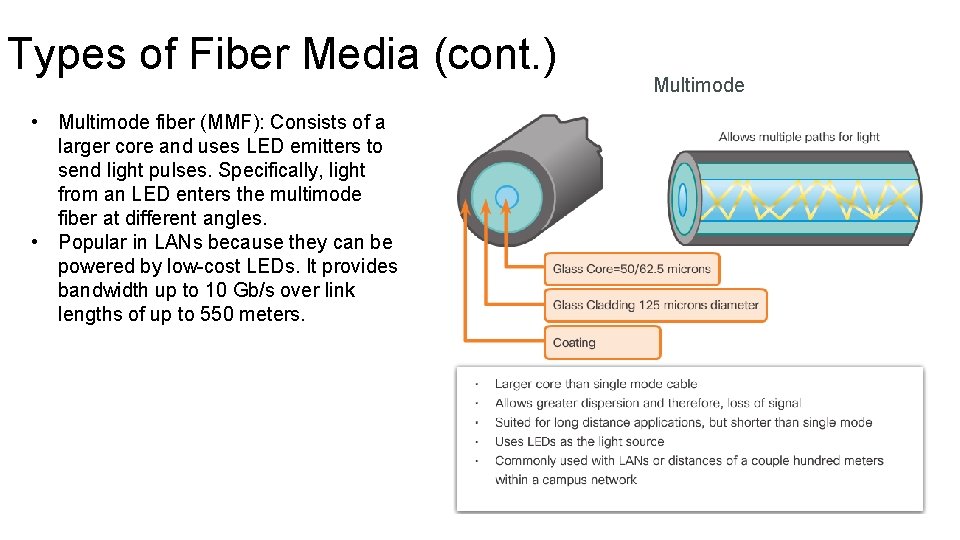
Types of Fiber Media (cont. ) • Multimode fiber (MMF): Consists of a larger core and uses LED emitters to send light pulses. Specifically, light from an LED enters the multimode fiber at different angles. • Popular in LANs because they can be powered by low-cost LEDs. It provides bandwidth up to 10 Gb/s over link lengths of up to 550 meters. Multimode
Types of Fiber Media (cont. )
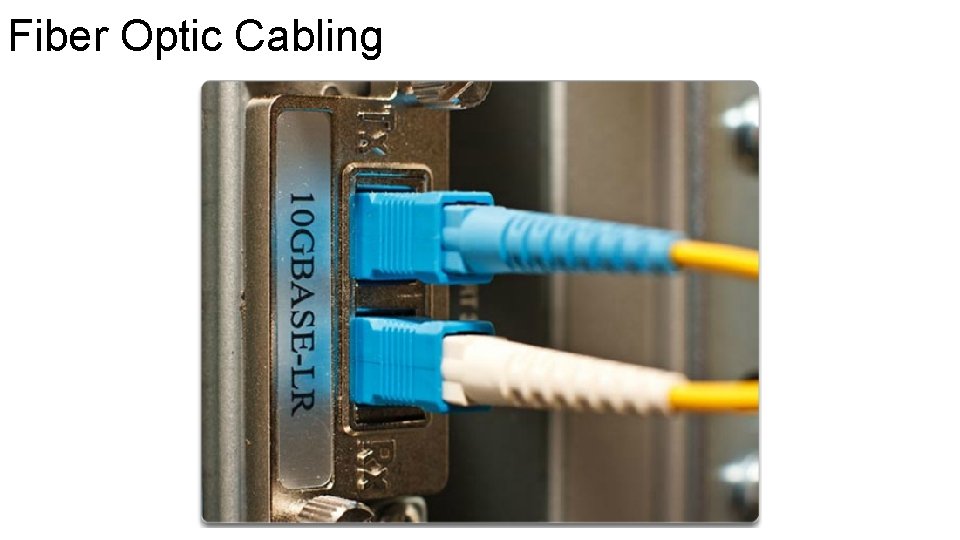
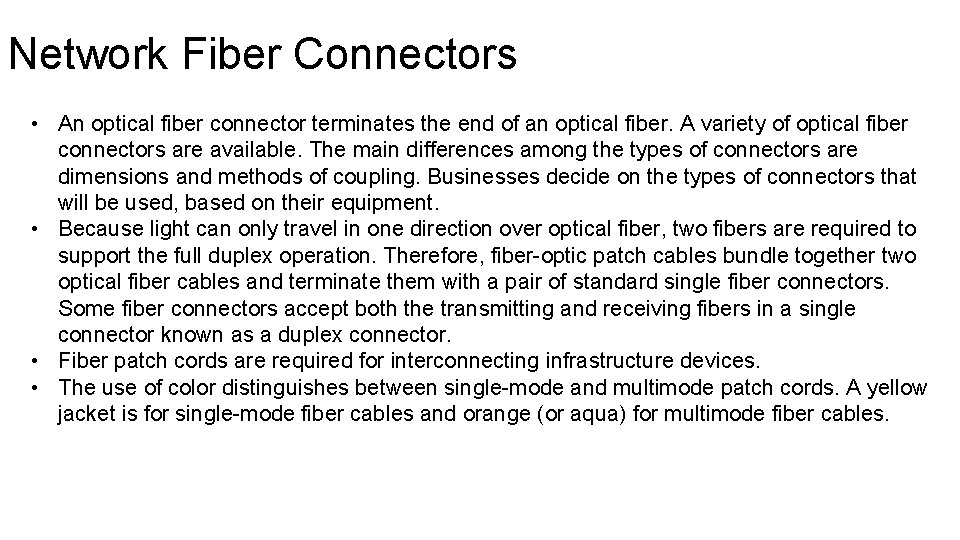
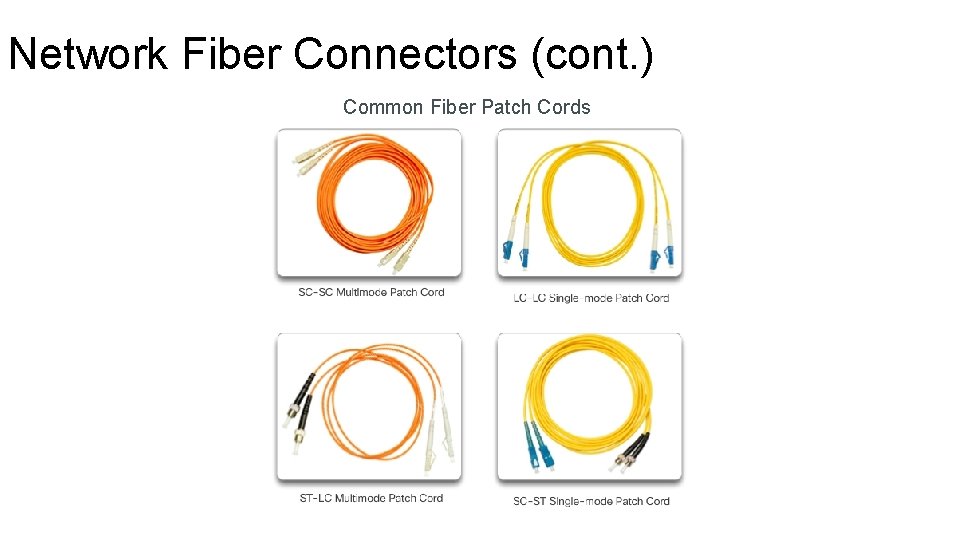
Network Fiber Connectors • An optical fiber connector terminates the end of an optical fiber. A variety of optical fiber connectors are available. The main differences among the types of connectors are dimensions and methods of coupling. Businesses decide on the types of connectors that will be used, based on their equipment. • Because light can only travel in one direction over optical fiber, two fibers are required to support the full duplex operation. Therefore, fiber-optic patch cables bundle together two optical fiber cables and terminate them with a pair of standard single fiber connectors. Some fiber connectors accept both the transmitting and receiving fibers in a single connector known as a duplex connector. • Fiber patch cords are required for interconnecting infrastructure devices. • The use of color distinguishes between single-mode and multimode patch cords. A yellow jacket is for single-mode fiber cables and orange (or aqua) for multimode fiber cables.
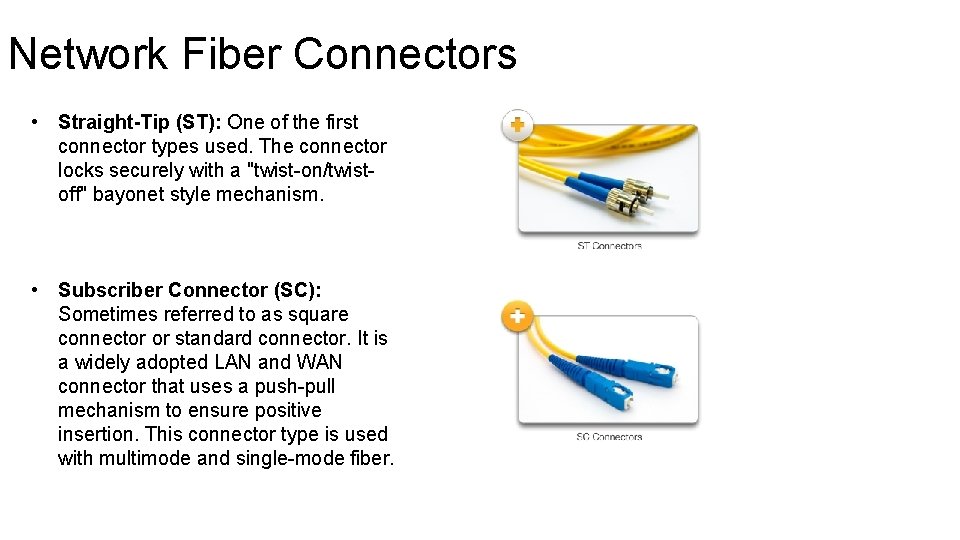
Network Fiber Connectors • Straight-Tip (ST): One of the first connector types used. The connector locks securely with a "twist-on/twistoff" bayonet style mechanism. • Subscriber Connector (SC): Sometimes referred to as square connector or standard connector. It is a widely adopted LAN and WAN connector that uses a push-pull mechanism to ensure positive insertion. This connector type is used with multimode and single-mode fiber.
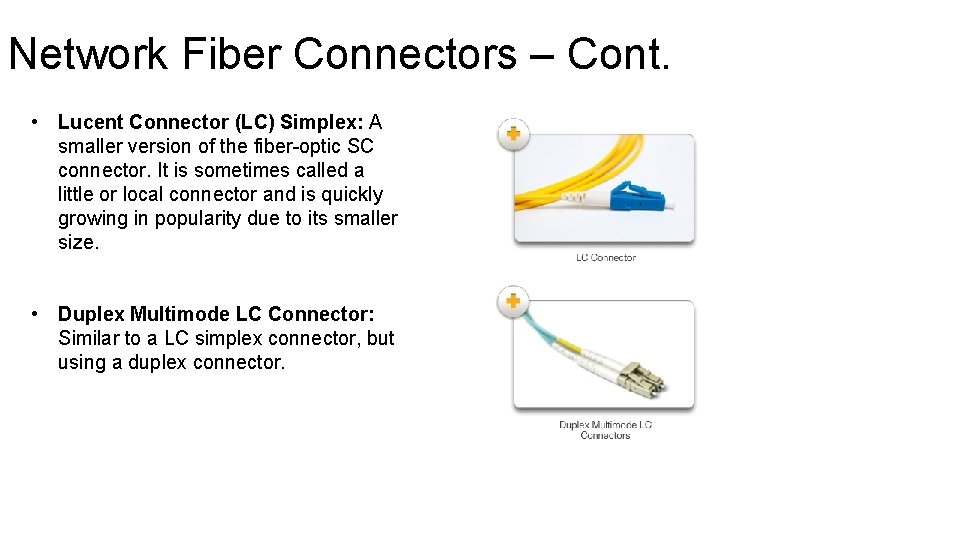
Network Fiber Connectors – Cont. • Lucent Connector (LC) Simplex: A smaller version of the fiber-optic SC connector. It is sometimes called a little or local connector and is quickly growing in popularity due to its smaller size. • Duplex Multimode LC Connector: Similar to a LC simplex connector, but using a duplex connector.
Network Fiber Connectors (cont. ) Common Fiber Patch Cords
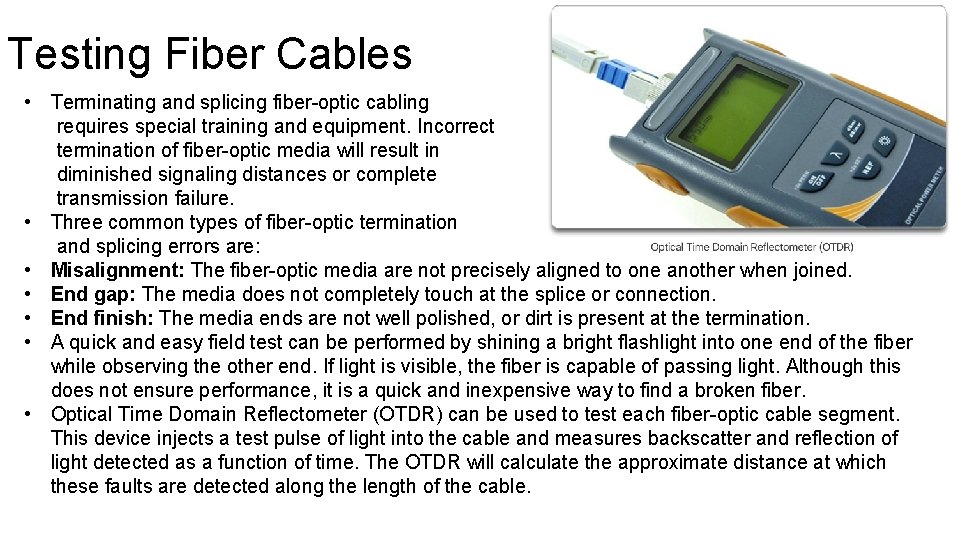
Testing Fiber Cables • Terminating and splicing fiber-optic cabling requires special training and equipment. Incorrect termination of fiber-optic media will result in diminished signaling distances or complete transmission failure. • Three common types of fiber-optic termination and splicing errors are: • Misalignment: The fiber-optic media are not precisely aligned to one another when joined. • End gap: The media does not completely touch at the splice or connection. • End finish: The media ends are not well polished, or dirt is present at the termination. • A quick and easy field test can be performed by shining a bright flashlight into one end of the fiber while observing the other end. If light is visible, the fiber is capable of passing light. Although this does not ensure performance, it is a quick and inexpensive way to find a broken fiber. • Optical Time Domain Reflectometer (OTDR) can be used to test each fiber-optic cable segment. This device injects a test pulse of light into the cable and measures backscatter and reflection of light detected as a function of time. The OTDR will calculate the approximate distance at which these faults are detected along the length of the cable.
Wireless Media - Properties • Wireless media carry electromagnetic signals that represent the binary digits of data communications using radio or microwave frequencies. • Wireless media provides the greatest mobility options of all media, and the number of wireless-enabled devices continues to increase. As network bandwidth options increase, wireless is quickly gaining in popularity in enterprise networks. Wireless does have some areas of concern, including: • Coverage area: Wireless data communication technologies work well in open environments. However, certain construction materials used in buildings and structures, and the local terrain, will limit the effective coverage. • Interference: Wireless is susceptible to interference and can be disrupted by such common devices as household cordless phones, some types of fluorescent lights, microwave ovens, and other wireless communications.
Wireless Media – Properties – Cont. • Security: Wireless communication coverage requires no access to a physical strand of media. Therefore, devices and users, not authorized for access to the network, can gain access to the transmission. Network security is a major component of wireless network administration. • Shared medium: WLANs operate in half-duplex, which means only one device can send or receive at a time. The wireless medium is shared amongst all wireless users. The more users needing to access the WLAN simultaneously, results in less bandwidth for each user. • Although wireless is increasing in popularity for desktop connectivity, copper and fiber are the most popular physical layer media for network deployments.
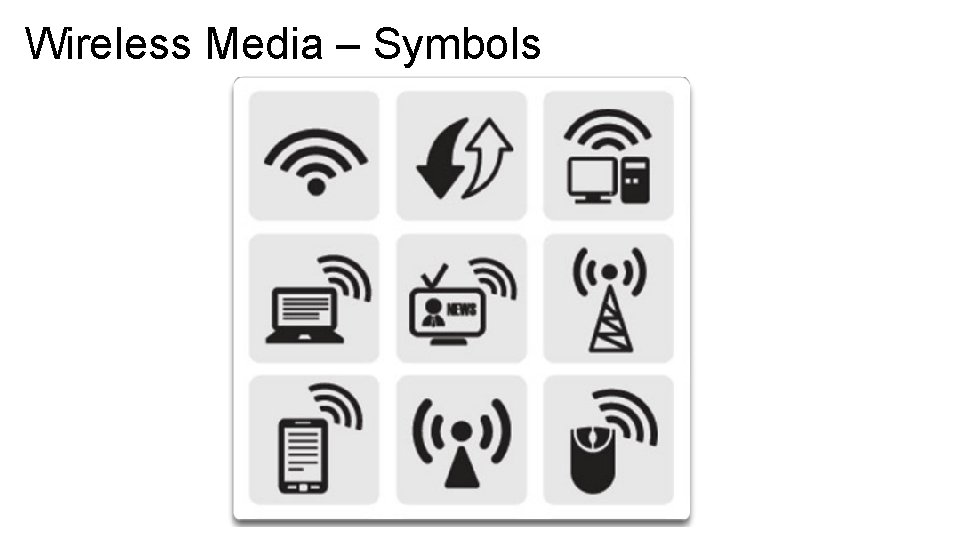
Wireless Media – Symbols
Types of Wireless Media • Wi-Fi (Standard IEEE 802. 11): Wireless LAN (WLAN) technology, commonly referred to as Wi-Fi. WLAN uses a contention-based protocol known as Carrier Sense Multiple Access/Collision Avoidance (CSMA/CA). The wireless NIC must first listen before transmitting to determine if the radio channel is clear. If another wireless device is transmitting, then the NIC must wait until the channel is clear.
Types of Wireless Media • Bluetooth (Standard IEEE 802. 15): Wireless Personal Area Network (WPAN) standard, commonly known as "Bluetooth", uses a device pairing process to communicate over distances from 1 to 100 meters. • Wi. MAX (Standard IEEE 802. 16): Commonly known as Worldwide Interoperability for Microwave Access (Wi. MAX), uses a point-to-multipoint topology to provide wireless broadband access.
Wireless LAN A wireless LAN requires the following network devices: Wireless Access Point (AP): Concentrates the wireless signals from users and connects to the existing copper-based network infrastructure, such as Ethernet. Home and small business wireless routers integrate the functions of a router, switch, and access point into one device as shown in the figure. Wireless NIC adapters: Provide wireless communication capability to each network host. As the technology has developed, a number of WLAN Ethernet-based standards have emerged. Care needs to be taken in purchasing wireless devices to ensure compatibility and interoperability. The benefits of wireless data communications technologies are evident, especially the savings on costly premises wiring and the convenience of host mobility. Network administrators need to develop and apply stringent security policies and processes to protect wireless LANs from unauthorized access and damage.