
Computer Mediated Communications Week 10 LBSC 690 Information
Computer Mediated Communications Week 10 LBSC 690 Information Technology
Agenda • Questions • Computer mediated communication • Computer-Supported Cooperative Work • Online communities • Educational computing (if time allows)

Computer Mediated Communication • CMC refers to human communication via computers--including computer network communication on the Internet and the World Wide Web. People interested in CMC study a range of phenomena--from the dynamics of group communication in Usenet news articles to how people use hypertext to shape meaning. from http: //www. ibiblio. org/cmc/center. html

CMC Applications • Email • Usenet News Groups – Google/Yahoo Groups • • Bulletin Board Service List. Serv Discussion List Wiki Blogs Chat room Instant Messenger Blackboard, Web. CT Video teleconferencing (Access Grid at HBK 2119) ……
CMC Studies • • Computer Science Communication Studies Social psychology, sociology Information Studies
Plan • CMC applications • Information services, user tasks • Design a process using technologies to support CMC • Design systems using CMC to support user tasks
Describing CMC Applications • How many participants? – One or many • When? – Synchronous or asynchronous • Where? – Local or remote
CMC Applications • Email • Usenet News Groups – Google/Yahoo Groups • • Bulletin Board Service List. Serv Discussion List Wiki Blogs Chat room Instant Messenger Blackboard, Web. CT Video teleconferencing (Access Grid at HBK 2119) ……
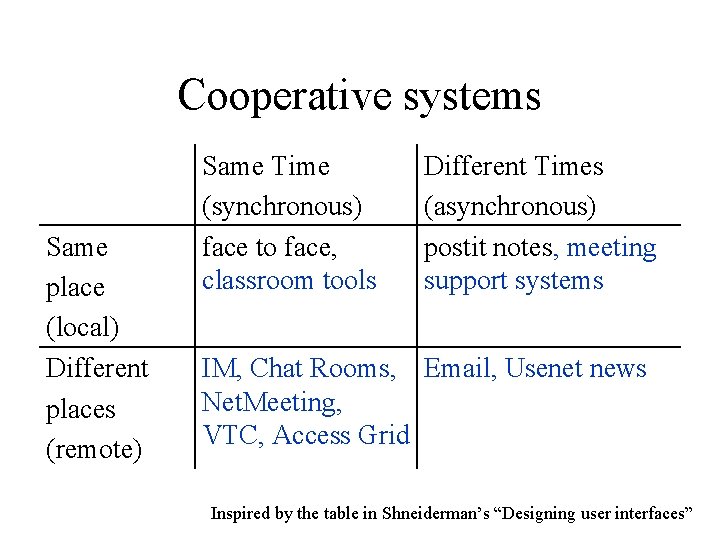
Cooperative systems Same place (local) Different places (remote) Same Time (synchronous) face to face, classroom tools Different Times (asynchronous) postit notes, meeting support systems IM, Chat Rooms, Email, Usenet news Net. Meeting, VTC, Access Grid Inspired by the table in Shneiderman’s “Designing user interfaces”
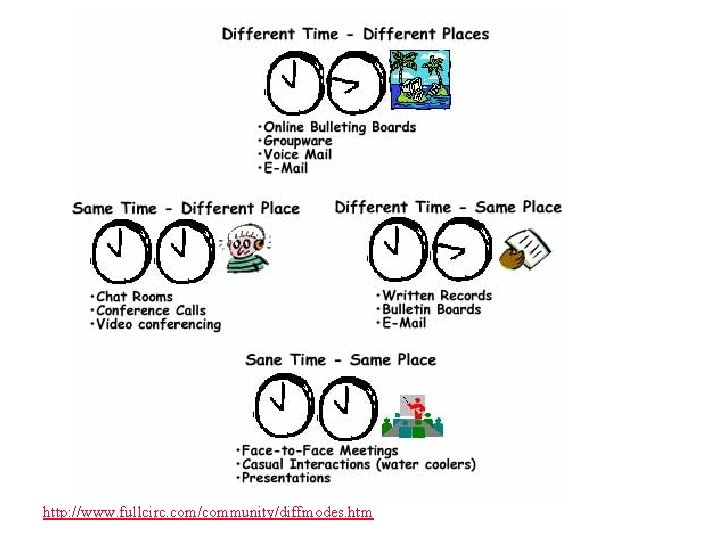
http: //www. fullcirc. com/community/diffmodes. htm
Asynchronous Remote • Email: centralized storage – Individual – Mailing lists • Usenet: distributed storage – http: //en. wikipedia. org/wiki/Usenet – Hierarchical organization • comp. edu. languages. natural – Archive: groups. google. com – Analysis: http: //research. microsoft. com/~masmith/ • Threaded discussion lists (moderated) – JESSE: http: //web. utk. edu/~gwhitney/jesse. html – Example: http: //discus. hope. edu/f 05
Synchronous Remote • Instant Messaging (IM) – e. g. , AIM, Windows Live Messenger – Often with audio and video – Sometimes with whiteboard+shared applications • Chat Rooms – Whole lines are sent at a time – e. g. , http: //messenger. yahoo. com/chat. php
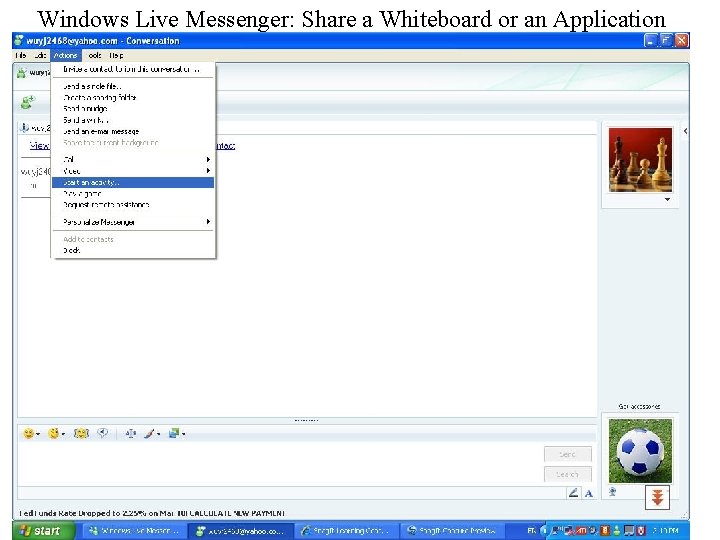
Windows Live Messenger: Share a Whiteboard or an Application
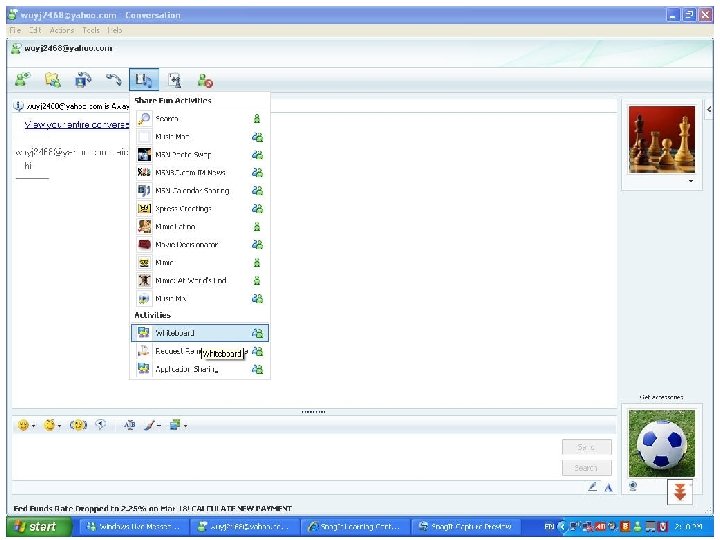
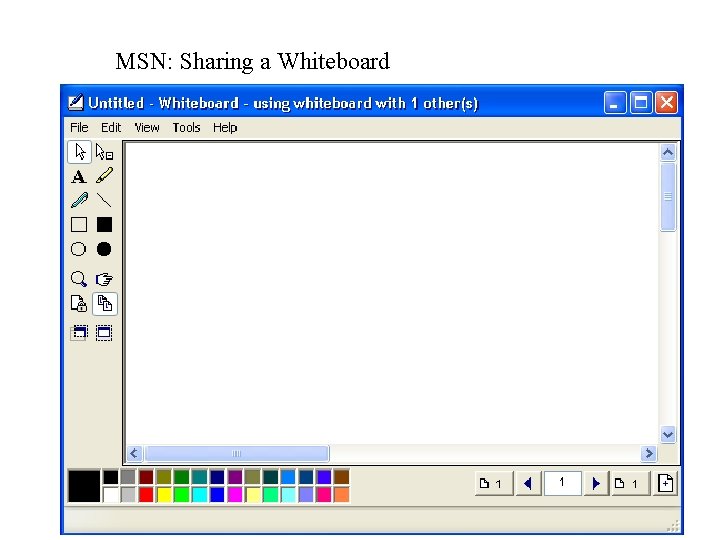
MSN: Sharing a Whiteboard
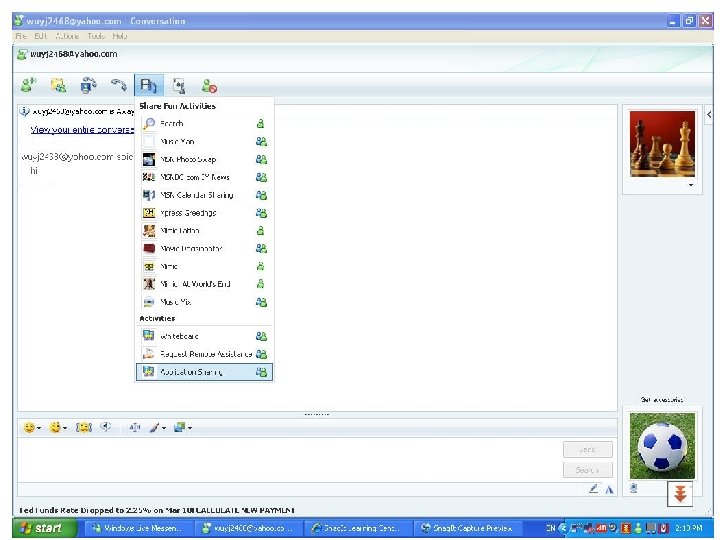
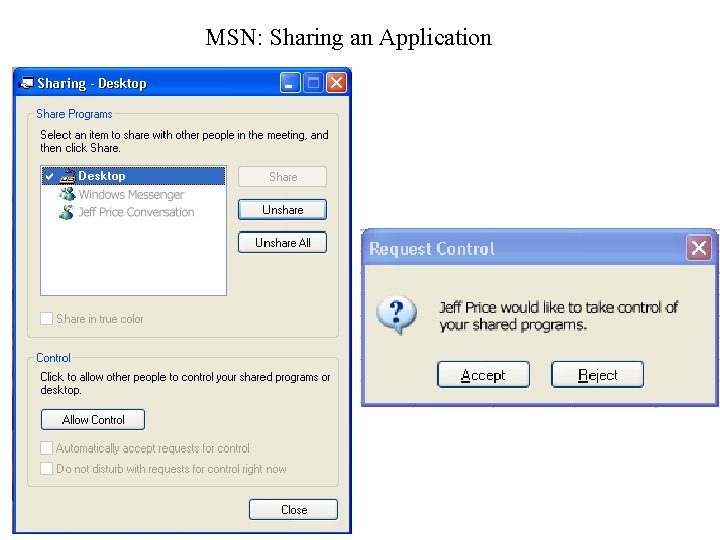
MSN: Sharing an Application
MSN: Sharing Whiteboard/Application • Wired Internet Connection • Tutorial (for MSN 5. 0) – http: //www. nd. gov/itd/messenger/docs/share-apps. doc – http: //download. microsoft. com/download/f/8/0/f 80 a 2 bb 3 -10 e 5 -443 c-a 59 c 9 d 3 de 865 eb 0 b/Windows. XP 201 Tutorial. doc
Collaborative Editing • Google Docs – Docs. google. com
Glass Wall • Unplanned interactions • Informal communication
Synchronous Local • Meeting support systems – Brainstorming – Online review – Annotated minutes • Example – Teaching theater student tools
Computer Supported Cooperative Work (CSCW) • Work – Grounded in the study of work processes • Cooperative – Assumes a shared objective, task • Technology-supported – Computers are just one type of tools used – “Groupware” – http: //en. wikipedia. org/wiki/Collaborative_software
Key Issues in CSCW • • • Shared information space Group awareness Coordination Concurrency control Multi-user interfaces Heterogeneous environments
Case Study 1: Virtual Reference • http: //www. askusnow. info/ • Required functions • System architecture • Adoption
Virtual Reference Problems • • • Language Routing (questions to expertise) Collaborative response Low technology requirement Load balancing Transaction tracking
Case Study 2: Your Project Team! • • Face to face meetings Teleconferences Shared workspace on WAM IM-synchronized work sessions – Shared applications?
Online Communities • Any collection of people who communicate online • People • Shared purpose – Interest, need, goal • Policies – tacit assumptions, rituals, protocols, rules, laws • Computer systems (Preece, 2000)
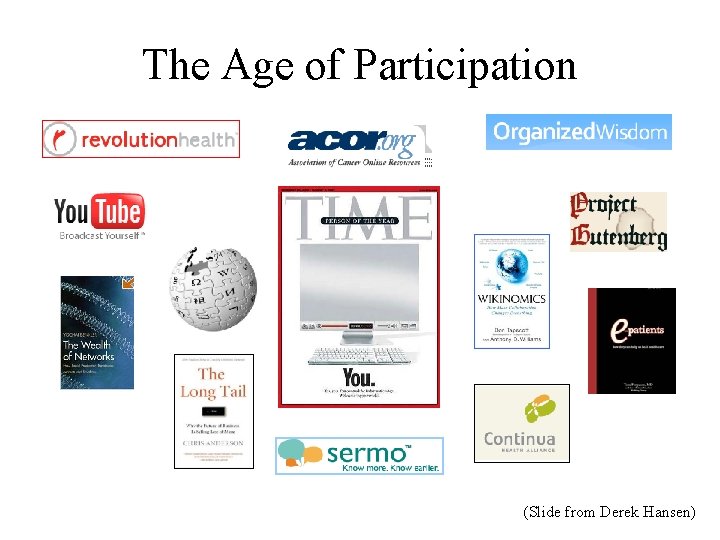
The Age of Participation (Slide from Derek Hansen)
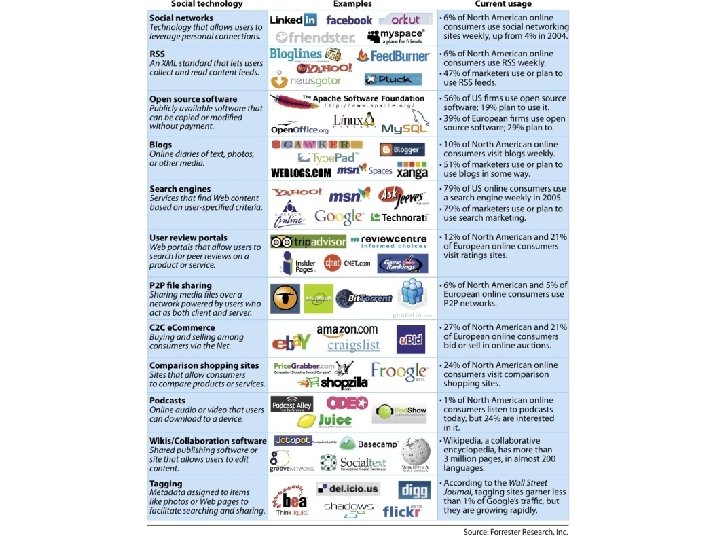
Social Networks • User-generated content technologies on the web – – – Blogging, Photo sharing (like in Flickr), Tagging (like in delicious), Social networking (like in facebook), Video sharing (like You. Tube), • Incomplete list of social networks: http: //trust. mindswap. org/cgibin/relationship. Table. cgi (size and purpose) http: //www. cs. umd. edu/~golbeck/LBSC 690/VL. shtml
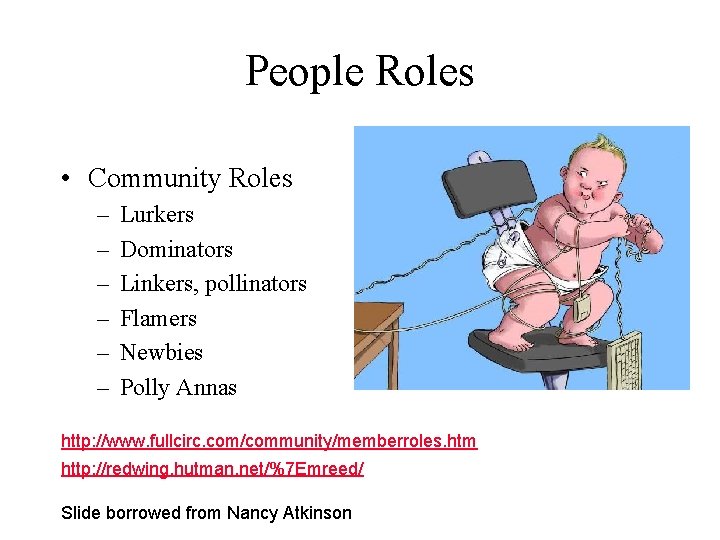
People Roles • Community Roles – – – Lurkers Dominators Linkers, pollinators Flamers Newbies Polly Annas http: //www. fullcirc. com/community/memberroles. htm http: //redwing. hutman. net/%7 Emreed/ Slide borrowed from Nancy Atkinson
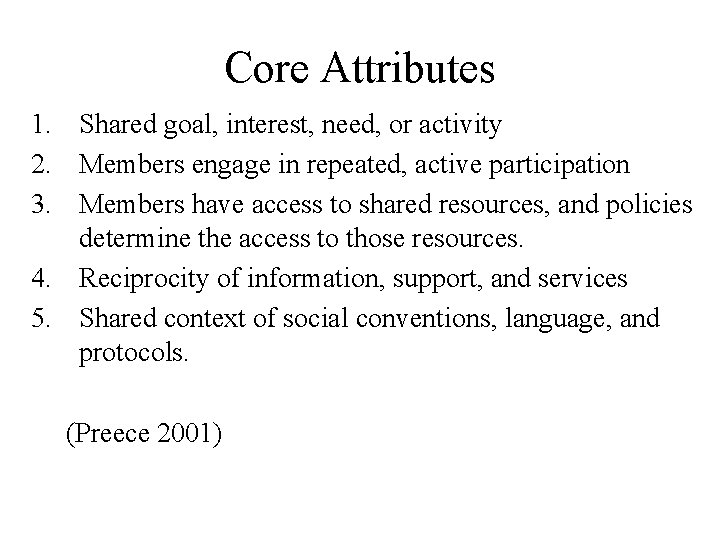
Core Attributes 1. Shared goal, interest, need, or activity 2. Members engage in repeated, active participation 3. Members have access to shared resources, and policies determine the access to those resources. 4. Reciprocity of information, support, and services 5. Shared context of social conventions, language, and protocols. (Preece 2001)
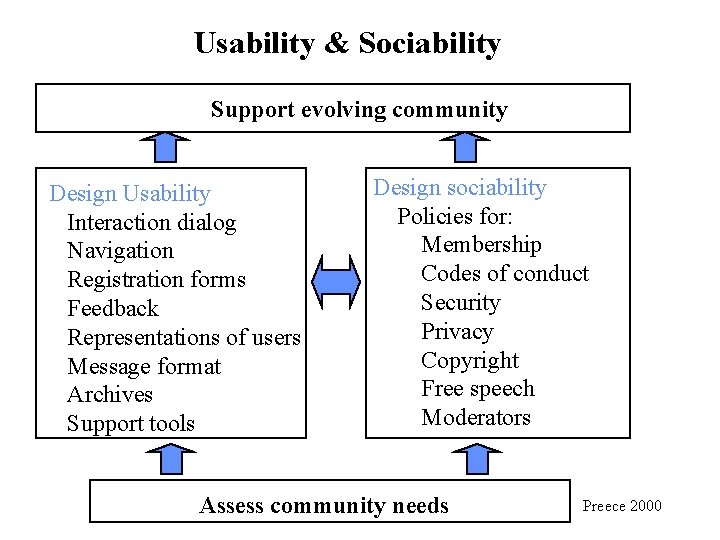
Usability & Sociability Support evolving community Design Usability Interaction dialog Navigation Registration forms Feedback Representations of users Message format Archives Support tools Design sociability Policies for: Membership Codes of conduct Security Privacy Copyright Free speech Moderators Assess community needs Preece 2000
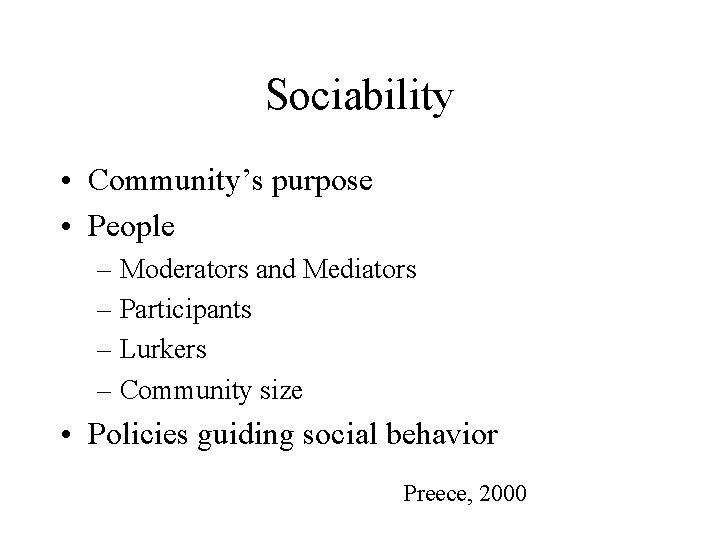
Sociability • Community’s purpose • People – Moderators and Mediators – Participants – Lurkers – Community size • Policies guiding social behavior Preece, 2000
Policies • • Requirements for joining a community, Style of communication among participants, Accepted conduct (netiquette) Repercussions for nonconformance. Preece, 2000
Usability • Software supporting user tasks • Tasks • Users • Software
Usability – Tasks • • Exchange information Provide support Enable people to chat or socialize informally Discuss ideas
Example User Tasks • • Compose message Edit messages Send messages to the whole community Read messages Send replies to individuals, discussion groups Access the Web to research the URLs Find and search community archives Read the profile of a participant
Usability - Users • Physical differences – Console or standalone kiosk • Cognitive and perceptual differences – Menu design • • Gender Age Cultural diversity Educational training Experience with computers and online communities Disabilities Social and economic differences – Equipment, bandwidth Preece 2000
Usability - Software • Consistent terms and procedures • Controllable • Predictable behavior
Design Principles of Successful Communities • Group boundaries are clearly defined • Rules governing the use of collective goods are well matched to local needs and conditions • Most individuals affected by these rules can participate in modifying the rules • The right of community members to devise their own rules is respected by external authorities • A system for monitoring members' behavior exists; this monitoring is undertaken by the community members • A graduated system of sanctions is used • Community members have access to low-cost conflict resolution mechanisms http: //www. sscnet. ucla. edu/soc/faculty/kollock/papers/design. htm (Kollock 1997)
Design Strategies of Successful Communities • Define and articulate your PURPOSE • Build flexible, extensible gathering PLACES • Create meaningful and evolving member PROFILES • Design for a range of ROLES (newcomers, leaders …) • Develop a strong LEADERSHIP program • Encourage appropriate ETIQUETTE • Promote cyclic EVENTS • Integrate the RITUALS of community life • Facilitate member-run SUBGROUPS http: //www. peachpit. com/articles/printerfriendly. aspx? p=21189 (Kim 2001)
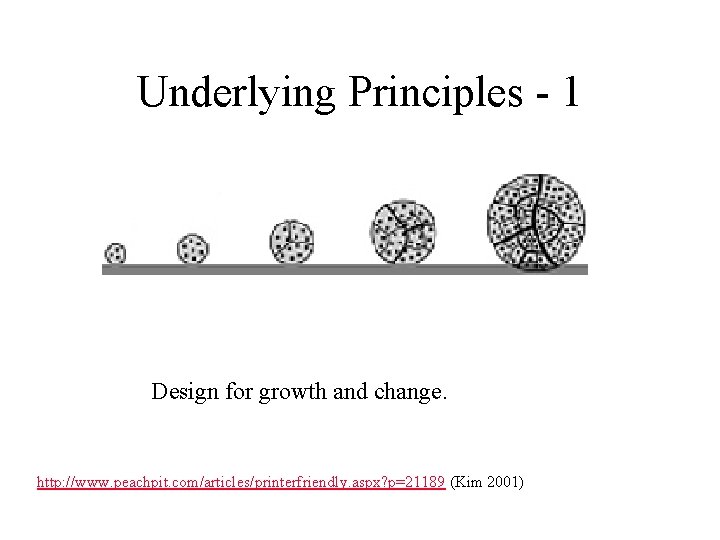
Underlying Principles - 1 Design for growth and change. http: //www. peachpit. com/articles/printerfriendly. aspx? p=21189 (Kim 2001)
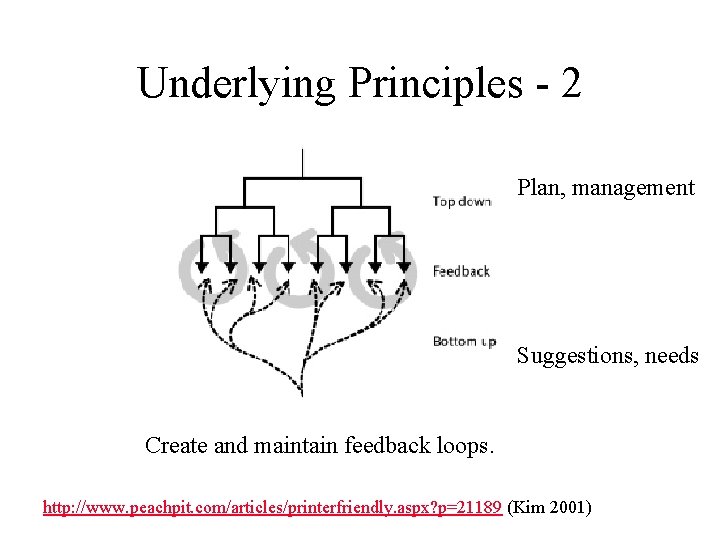
Underlying Principles - 2 Plan, management Suggestions, needs Create and maintain feedback loops. http: //www. peachpit. com/articles/printerfriendly. aspx? p=21189 (Kim 2001)
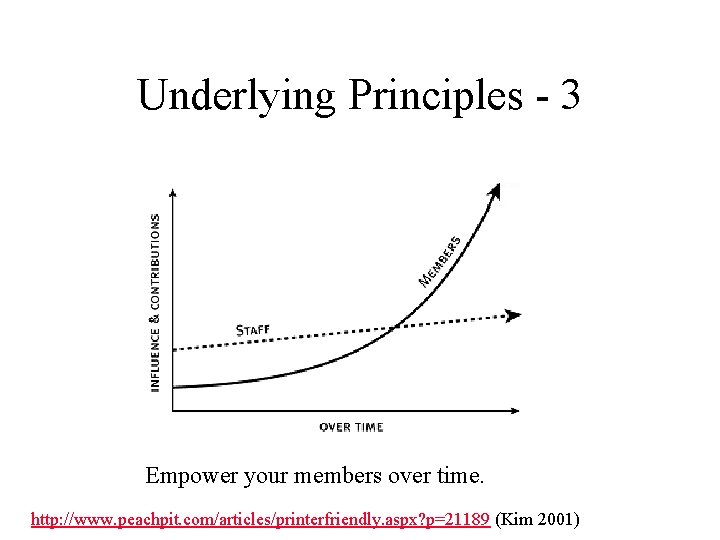
Underlying Principles - 3 Empower your members over time. http: //www. peachpit. com/articles/printerfriendly. aspx? p=21189 (Kim 2001)
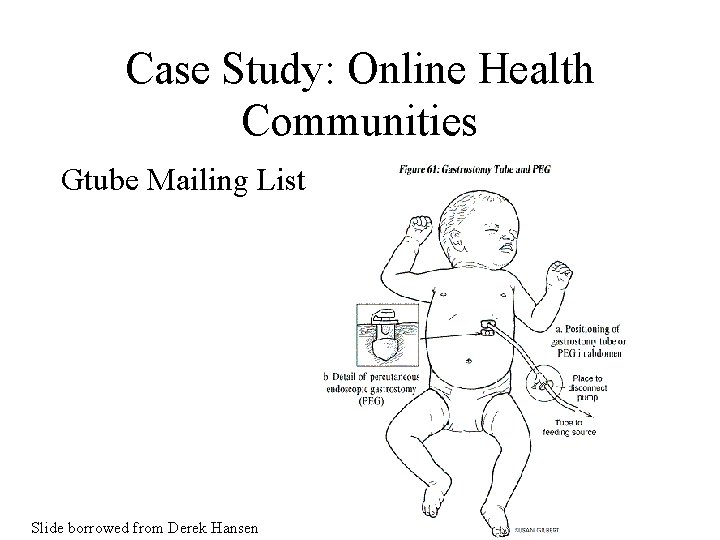
Case Study: Online Health Communities Gtube Mailing List Slide borrowed from Derek Hansen
Online Patient Support Groups Online support group participants include 28% of adult Internet users (34 million) in 2001 Slide borrowed from Derek Hansen
Who Participates? • • Better educated Younger Caregivers Patients with – Chronic conditions – Rare conditions – Limited access to professional care Slide borrowed from Derek Hansen
Advantages • • • Available 24 -7 Free Accessible from home Empathetic Semi-Anonymous Holistic approach Slide borrowed from Derek Hansen
Concerns • • Quality of information Privacy Deception / Spam Poor medium (text-only) Slide borrowed from Derek Hansen
Gtube Mailing List Primary Activities • Share gtube related information via Q&As • “Vent” & support • Other – Share info believed to be of general interest – Introductions & welcomes – Exchange gtube supplies – Provide updates on “kiddos” – ‘Thank you’s Slide borrowed from Derek Hansen
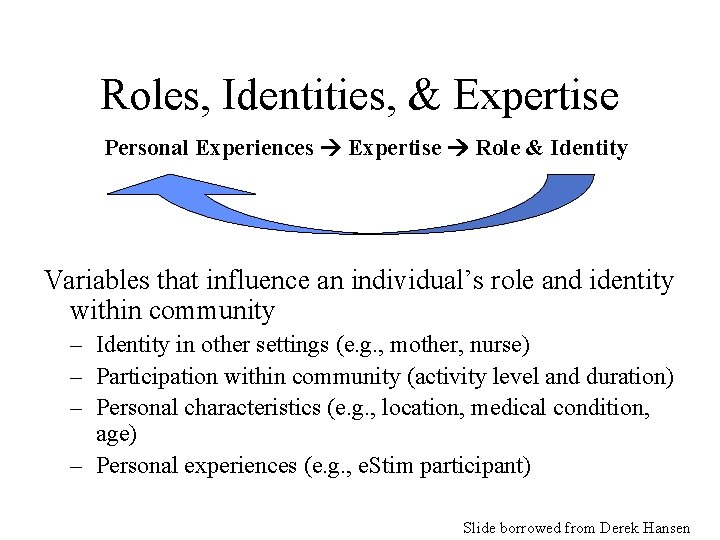
Roles, Identities, & Expertise Personal Experiences Expertise Role & Identity Variables that influence an individual’s role and identity within community – Identity in other settings (e. g. , mother, nurse) – Participation within community (activity level and duration) – Personal characteristics (e. g. , location, medical condition, age) – Personal experiences (e. g. , e. Stim participant) Slide borrowed from Derek Hansen
Major Roles in Gtube List • • Caretaker (e. g. , mother) “Adult gtuber” Medical practitioner Support provider Slide borrowed from Derek Hansen
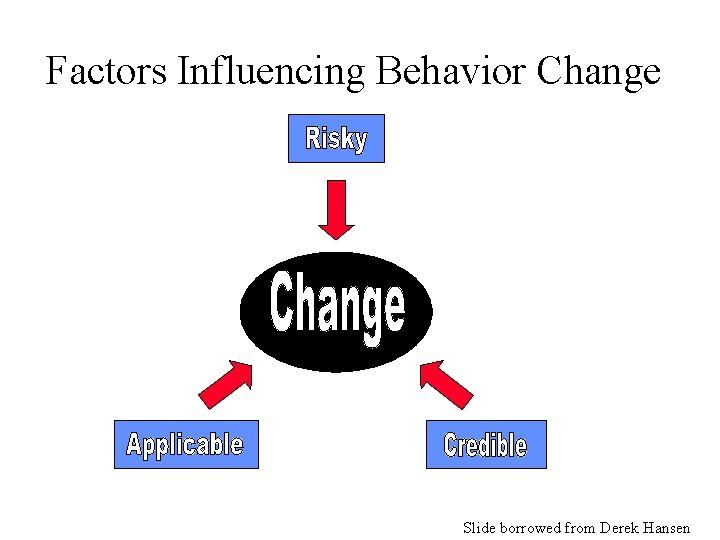
Factors Influencing Behavior Change Slide borrowed from Derek Hansen
Credibility • • Consistent with personal experience Discuss with medical practitioner Consensus among multiple sources/members Trust author of message – Credentials of sender (or referenced source) – Author has “experience to back it up” – Tone of author & style of writing (e. g. , rational, defiant, “closed-minded”) Slide borrowed from Derek Hansen
Applicability • Similar experience (e. g. , diagnosis) • From “friend” who knows patients situation & treatment philosophy best • Discuss with medical practitioner “I trust it all…I don’t doubt their experience for a minute…I certainly don’t assume they were right because they couldn’t see his condition” “I also look at their experience (adult or child, same diagnosis, other similar issues etc. )” Slide borrowed from Derek Hansen

Risk Assessment • When low risk, use trial and error • When high risk, research more and consult doctor “I wouldn’t change any med dosage based on someone else’s opinion, but I’ve tried methods to keep the tube site from leaking…”
A Look Ahead • Must learn to cultivate communities, not simply present information or prescriptions • Integrating patient content with professional content • Including e-patients in disease research • Patient records Slide borrowed from Derek Hansen
Discussion • How would you design an online community for people who have moved, or are interested in moving (permanently) from Estonia to the United States of America?
Course on Online Communities • LBSC 690 Gateway • LBSC 708 P Communities of Practice – Ning: http: //www. ning. com/ • Online Communities Toolkit: – http: //www. fullcirc. com/communitymanual. htm
Educational Computing • Computer Assisted Education – What most people think of first • Computer Managed Instruction – What most people really do first! • Computer Mediated Communication – All that CSCW stuff applied to education • Computer-Based Multimedia – Just another filmstrip machine?
Rationales • Pedagogic – Use computers to teach • Vocational – Computer programming is a skill like typing • Social – Computers are a part of the fabric of society • Catalytic – Computers are symbols of progress
Conditions for Success • Most prerequisites are not computer-specific – Need, know-how, time, commitment, leadership, incentives, expectations • The most important barrier is time – Teacher time is by far the most important factor
Discussion Point: Computers as Educational Media • What are the most salient characteristics – Books – Video – Computers
Distance Education • Correspondence courses – Focus on dissemination and evaluation • Instructional television – Dissemination, interaction, and evaluation • Computer-Assisted Instruction – Same three functions w/ubiquitous technology

Before You Go! • On a sheet of paper (no names), answer the following question: What was the muddiest point in today’s class?
- Slides: 66