
Computer Incident Response NSF Cybersecurity Summit August 26
Computer Incident Response NSF Cybersecurity Summit August 26 th, 2014
Who we are Randy Butler - Director of Cybersecurity Directorate National Center for Supercomputing Applications Warren Raquel - Head of Operational Security and Incident Response National Center for Supercomputing Applications Patrick Duda – Research Programmer National Center for Supercomputing Applications Incident Response Aug 26, 2014
Class Outline ● Introduction – 15 minutes ● Section One – What you need to know about preparing well in advance of an incident – 55 minutes ● Section Two – General incident response process ● Detection and analysis – 40 minutes ● Eradication and Recovery – 10 minutes ● 30 Minute Break ● Section Three – Four use case scenarios of real incidents Incident Response Aug 26, 2014
Definition of Terms ● Alert – Warning/signal about something unexpected ● Event – An event is any observable change in a system or network, the severity of which needs to be determined/ ● Computer Security Incident – human caused event which is a violation or threat of the computer security policies. ● Information sources - logs, alerts, people, etc. . . ● Monitoring - ongoing activity of looking at information sources for anomalous events ● Investigation - is the activity of figuring out what has occurred in enough depth to understand what next steps need to be taken to remedy the situation ● Incident Response Team – team organized to perform the investigation Incident Response Aug 26, 2014
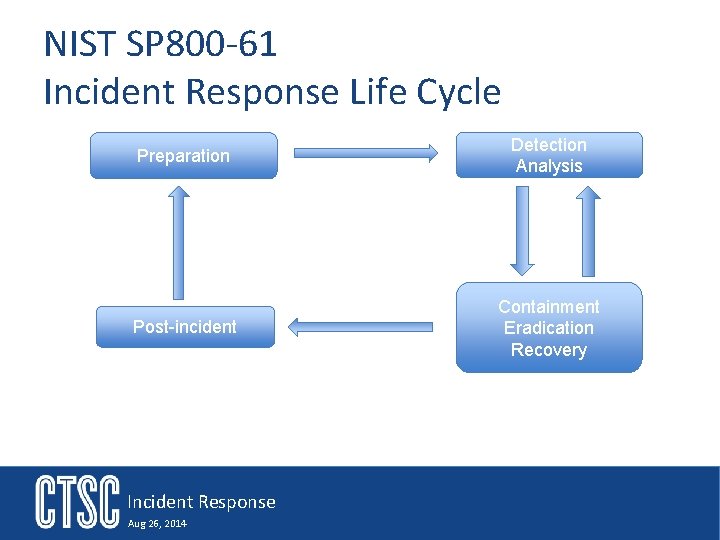
NIST SP 800 -61 Incident Response Life Cycle Preparation Detection Analysis Post-incident Containment Eradication Recovery Incident Response Aug 26, 2014
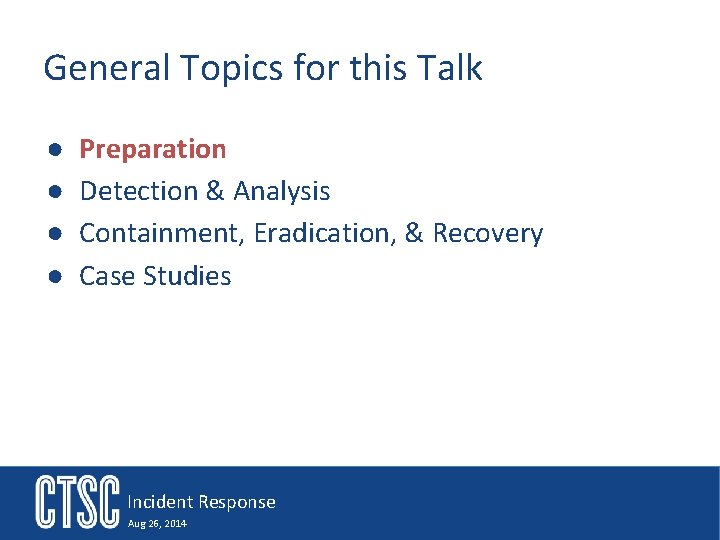
General Topics for this Talk ● ● Preparation Detection & Analysis Containment, Eradication, & Recovery Case Studies Incident Response Aug 26, 2014
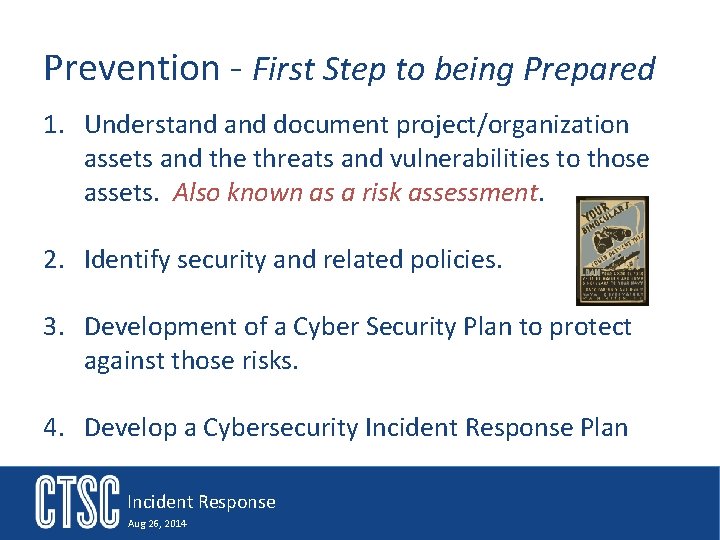
Prevention - First Step to being Prepared 1. Understand document project/organization assets and the threats and vulnerabilities to those assets. Also known as a risk assessment. 2. Identify security and related policies. 3. Development of a Cyber Security Plan to protect against those risks. 4. Develop a Cybersecurity Incident Response Plan Incident Response Aug 26, 2014
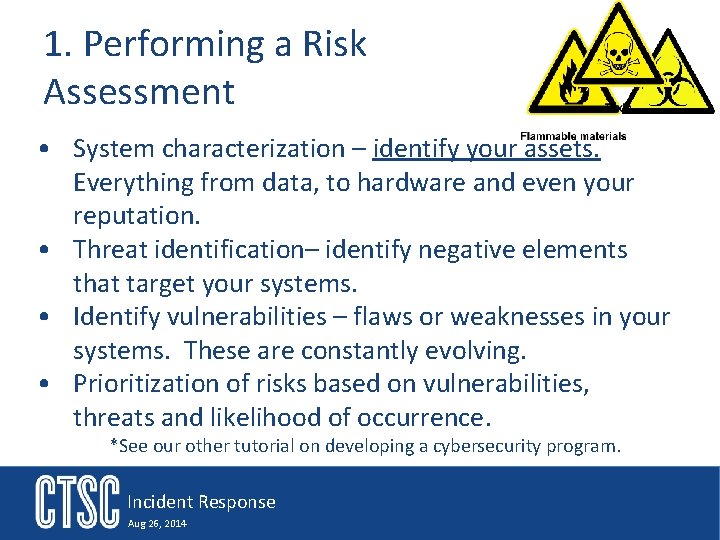
1. Performing a Risk Assessment • System characterization – identify your assets. Everything from data, to hardware and even your reputation. • Threat identification– identify negative elements that target your systems. • Identify vulnerabilities – flaws or weaknesses in your systems. These are constantly evolving. • Prioritization of risks based on vulnerabilities, threats and likelihood of occurrence. *See our other tutorial on developing a cybersecurity program. Incident Response Aug 26, 2014
2. A Policy • A formally documented set of rules and requirements that must be met. • Lays out what is important to the organization or project by identifying key assets and the need to protect or manage those assets. • You may have project policy, organization/departmental policies, institutional policy and government regulated policies. Incident Response Aug 26, 2014
2. B Policy Examples • Information classification policy - Classifies types of data and what risk exposure is to them. • HIPAA, FERPA, ITAR, EAR – Federal government regulations • Information disclosure policy - How and to whom project information might be shared. • Media policy - Who and how will interaction with the media be conducted. • Privacy policy - Address the privacy expectations of participants in the project. • Security policy - How will security be treated by the project. • Disaster recovery - How will the project recover from any type of disaster. Incident Response Aug 26, 2014
3. Cybersecurity Plan ● A plan/strategy to address the risks your project/organization have identified. ● Cybersecurity best practice – as a starting point ➢ http: //www. sans. org/critical-security-controls ➢ For more details see our tutorial on developing a cybersecurity plan. ● Monitoring and alert systems ➢ These feed your incident investigations ➢ In open environments monitoring is a key security backbone. ● ● ● Networks & firewalls Hosts & application logging Intrusion detection systems Scans Security threat lists and feeds Much more on this later in the talk Incident Response Aug 26, 2014
Incident Response Planning Incident Response Aug 26, 2014
4. Incident Response Plan • Guide – NIST SP 800 -61 • Identifies Ø Process used to investigate an incident Ø Incident mitigation to remedy the situation, including potentially patching, blocking off, and recovery Ø Documents what was found, how, when, and what was done to remedy it Incident Response Aug 26, 2014
Incident Response Plan Categories 1. Incident Alert Mechanisms 2. Forming a team – makeup and skills 3. Contact information & Incident reporting mechanisms – who, what, when, how…… 4. Team coordination & communication 5. Secure information channels 6. Monitoring - Information sources & tools 7. Log Management Incident Response Aug 26, 2014
1. General Incident Response Preparation • Establish and document ways for stakeholders to contact the security team. ØMembers of the organization ØMembers of other organizations ØEstablish accessible and searchable on-line site for this and other information related to contacting incident response and security contact • Establish ways to track an incident “ticket” Incident Response Aug 26, 2014
2. A Forming an IR Team • Decide who is on the team ➢ ➢ Someone to lead investigation (may depend upon experience) Network expertise Key application expertise Security knowledge and responsibility • Define roles and responsibilities ➢ ➢ ➢ Who is leading Analysts Containment Restore Define expectations of outside resources • Identify subject matter experts Incident Response Aug 26, 2014
2. B Types of IR Teams ● Managed Security Team ➢ This team has experience with security and incident response. ➢ Likely more than a single individual ● One (maybe full-time) security person. ➢ Several other members who know they will be called on during an incident ● A person who is assigned as part of other duties ● Distributed Team ➢ May be a coordinated response by multiple teams Incident Response Aug 26, 2014
2. C IR Team Skills Team Leader ✓ Communication skills ✓ Diplomacy ✓ Organized ✓ Integrity ✓ Coping with Stress ✓ Problem Solving ✓ Time Management Incident Response Aug 26, 2014 Team Members ✓ Networking Expertise ✓ Knowledge of Key Applications and Services ✓ Host & System Expertise ✓ Malicious Code (Viruses, Worms, Trojan Horse programs) ✓ Programming Skills
3. Who to contact and When Campus ● IT Incident Response team ● Organizational Leads System Owners and Developers ● Resource Owner ● Network and System admins ● Apps and Services experts Project Leads ● PI ● Managers Stakeholders ● On Campus ● Other Sites ● Users Law Enforcement ● Campus Legal ● Police, etc. . . Media ● Talk to campus first It is also important to know HOW you will communicate to each of these Incident Response Aug 26, 2014
4. A Internal IR Team Coordination & Communications ● Identify the leader of the incident ➢ Define responsibilities and roles ➢ Assign the roles ● Identify who is authorized to make decisions ➢ Does the system have to come down? ➢ Whole system need to be scrubbed and reinstalled? ● Define communication and collaboration plan ➢ Remote access ➢ Outside organizations ➢ Collaboration environments ● Name who will interact with external groups Incident Response Aug 26, 2014
4. B External IR Coordination • Develop Relationships ➢ Other departments ➢ University IT/Security team ➢ ISP ➢ Related projects ➢ Vendors ➢ Legal advisors ➢ Law enforcement – you may need approval from legal first Incident Response Aug 26, 2014 • Information Sharing Agreements ➢ How and how much ➢ Sharing mechanisms ➢ Security considerations • Reporting Requirements
4. C Dry Run/Practicing ● Test all your IR plans and procedures ➢ Run through all the scenarios you’re prepared for if possible ➢ Involve as many of the team members as possible ➢ Be sure to test disaster recovery procedures ● Test at least once per year ● Might be parts of the testing is just reviewing the procedures ● Better to find issues during a test than a real incident Incident Response Aug 26, 2014
5. Secure Communications • Direct Communications ➢ Person to person calls ➢ PGP with an Email client is a great communication tool - If you have a distributed team then hold signing sessions at events ➢ Jabber for IM style messaging - http: //www. jabber. org/ ➢Other IM tools may work well such as OTR (https: //otr. cypherpunks. ca/) combined with Adium ➢ Secure phone conferencing – authenticated ➢Pay special attention to #passcode distribution methods ➢Voice authenticate each participant • On-line Collaboration ➢ Secure Wiki - Store evidence and other incident data for collaborative investigations Incident Response Aug 26, 2014
5. A Monitoring Services • Security systems ➢ Intrusion Detection System logs ➢ Firewall logs ➢ Vulnerability scan reports – a service that is run ➢ Log analysis services ➢ DHCP – bind IP assignment to devices and owners • Network and switch devices & services ➢ Netflow – capture of network level flows typically just headers ➢ DNS – device connections • Storage infrastructure – usage information • Operating systems and Applications ➢ Syslog ➢ Key-stroke ➢ Performance and reliability logs Incident Response Aug 26, 2014
5. B Of Special Interest • Authentication logs – These are key focus points in understanding the attack vector of many of the common incidents. • You should monitor: ➢ Login attempts – successes and failures • From where (ip address) • When (btw make sure your running utilizing NTP for time synchronization) • Authentication method and versions ➢ Privilege escalation attempts – successes and failures ➢ Logout times Incident Response Aug 26, 2014
6. Log Management Policies and Procedures Best Practices in Log Management for Security and Compliance RSA The Security Division of EMC http: //www. complytec. com/pdf/en. Vision_Best_Practices_Log_Man_Security_Compliance. pdf Incident Response Aug 26, 2014
Log Management Policies and Procedures • Establish standard log management operational procedures to support and maintain the policies • Plan and implement a dedicated log management infrastructure to support and maintain the policies Best Practices in Log Management for Security and Compliance RSA The Security Division of EMC http: //www. complytec. com/pdf/en. Vision_Best_Practices_Log_Man_Security_Compliance. pdf Incident Response Aug 26, 2014
Log Generation • Ensure logging is enabled on security systems, network infrastructure devices, storage infrastructure, operating systems and both commercial and custom developed applications • Ensure that data captured includes all key event and activity logs • Ensure that details captured for events and activities are in accordance with the requirements of your policy • Ensure that you are able to track individual users by capturing unique user identification information for all user actions • Synchronize time stamps • Watch for sensitive data collection • Consider privacy issues when setting up user activity logging • Aggregate logs using centrally managed log management Best Practices in Log Management for Security and Compliance infrastructure RSA The Security Division of EMC http: //www. complytec. com/pdf/en. Vision_Best_Practices_Log_Man_Security_Compliance. pdf Incident Response Aug 26, 2014
Log Retention and Storage • Retain logs in a secure, well managed storage • Use an information lifecycle management approach whereby logged data is stored relative to access requirements • Retain data on-line for X amount of time • Retain back-up data near-line for the same period as production data • Retain archive data for approximately 2 – 7+ years using near -line storage for more recent records then possibly moving some records to off-line storage (e. g. 5 years +) • Address the preservation of original logs • Ensure retired logs are disposed of Best Practices in Log Management for Security and Compliance RSA The Security Division of EMC http: //www. complytec. com/pdf/en. Vision_Best_Practices_Log_Man_Security_Compliance. pdf Incident Response Aug 26, 2014
Log Analysis • Regularly review and analyze logs • Automate as much of the log analysis process as possible • Leverage correlation tools for holistic view & reduce false positives • Use automated reporting tools to facilitate review of logs though report generation • Review procedures should include real-time monitoring of applicable log events • Set up an alerting system based on priorities • Develop a baseline of typical log entries in order to detect unusual or anomalous events or activities Best Practices in Log Management for Security and Compliance RSA The Security Division of EMC http: //www. complytec. com/pdf/en. Vision_Best_Practices_Log_Man_Security_Compliance. pdf Incident Response Aug 26, 2014
Log Protection • Secure the processes that generates log entries • Limit access to log files • Implement secure mechanisms for transferring log data • Protect log files in storage • Protect the confidentiality and integrity of log files • Provide adequate physical protection for logging mechanisms and stored logs • Maintain business continuity for logging services Best Practices in Log Management for Security and Compliance RSA The Security Division of EMC http: //www. complytec. com/pdf/en. Vision_Best_Practices_Log_Man_Security_Compliance. pdf Incident Response Aug 26, 2014
Log Analysis Tools/Services ELSA (https: //code. google. com/p/enterprise-log-search-and-archive/) ELSA provides a query interface that normalizes logs and makes searching for arbitrary strings easy. . OSSEC (http: //www. ossec. net/) OSSEC performs log analysis, file integrity checking, policy monitoring, rootkit detection, real-time alerting and active response. – SEC - simple event correlator (http: //simple-evcorr. sourceforge. net/) SEC is an event correlation tool for event processing which can be harnessed for event log monitoring, for network and security management. – Splunk (http: //www. splunk. com/? r=header) Collects data from remote sources and helps to correlate complex events. Splunk will allow you to index data and make it searchable. – Bro (http: //bro-ids. org/) Provides logging activities and traffic analysis and a very extensible way to analyze network data in real time – Incident Response Aug 26, 2014
Containment Preparation ● Dictated by the incident but may include the following procedures: ➢ Internet disconnection ➢ Disabling accounts & privileges ➢ Firewalling & port blocks ➢ Black hole routing ➢ Increased monitoring • Syslog • Bro Incident Response Aug 26, 2014
Eradication Preparation ● This is difficult to list a set of steps ● It is really dictated by the scope of each incident ● The key to it however is understanding what was done so it can be undone ● Then it works closely with the recovery procedures to restore old settings or software but ensuring that any vulnerabilities have been addressed first Incident Response Aug 26, 2014
Recovery Preparation ● Dictated by the incident but may include being prepared to perform: ➢ Image restoration ● OS ● Applications ● Configurations ● Data ➢ Notification process for those affected ➢ Protection plan modifications Incident Response Aug 26, 2014
Ok so that was the end of the preparation section Incident Response Aug 26, 2014
General Topics for this Talk ● ● Preparation Detection & Analysis Containment, Eradication, & Recovery Case Studies Incident Response Aug 26, 2014
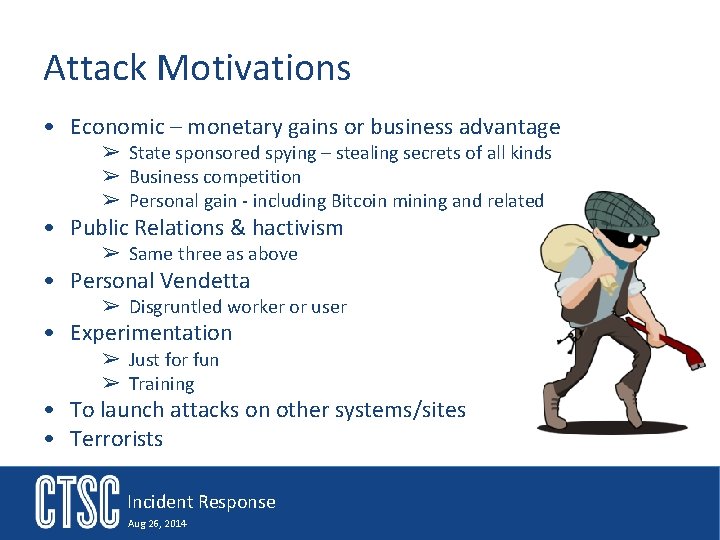
Attack Motivations • Economic – monetary gains or business advantage ➢ State sponsored spying – stealing secrets of all kinds ➢ Business competition ➢ Personal gain - including Bitcoin mining and related • Public Relations & hactivism ➢ Same three as above • Personal Vendetta ➢ Disgruntled worker or user • Experimentation ➢ Just for fun ➢ Training • To launch attacks on other systems/sites • Terrorists Incident Response Aug 26, 2014
Understanding Basic Attack Vectors • Stolen accounts & brute force – basically password attacks ➢ Attacker stole the username and password from another site – likely a system that is more vulnerable • Insider attacks – believe it or not students and even professors are an attack vector. Unfortunately these can be very difficult to detect or protect against • Software vulnerabilities ➢ Misconfiguration of systems ➢ Poor patch management – unaddressed known vulnerabilities – these are what intruders scan for and then utilize root kits to attack for privilege access. ➢ Zero day attacks • Malicious Code (Viruses, Worms, Trojan Horses, etc…) Incident Response Aug 26, 2014
Alerts to an Incident “Gee, that does not look right!” • System admins keeping an eye on the system • Poor system Performance ➢Process monitoring ➢Memory usage ➢Disk or networking activity • Unusual ➢ In/Out connections ➢ Traffic patterns Incident Response Aug 26, 2014 • Storage has filled up • Unusual user behavior ➢Active at unusual times ➢Unusual increase in their usage • Users see suspicious activities with their own accounts ➢ Odd files or directories ➢ Usage increases ➢ History file changes
Other Common Incident Alerts • Direct alerts from your monitoring services • Automated analysis of logs and correlations • Alerts from trusted sources of malicious activities or newly exposed vulnerabilities ➢ Partner alerts you on suspicious activities ➢ Alerts from vulnerability scans ➢ Vulnerability alerts from a vendor or trusted agent Incident Response Aug 26, 2014
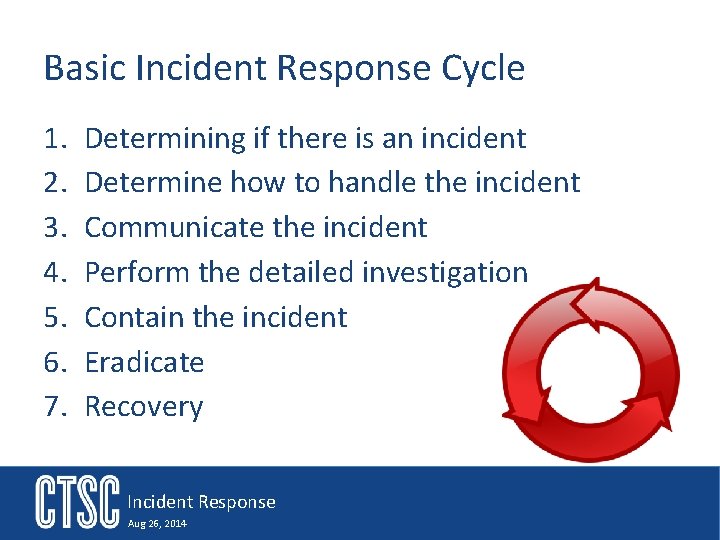
Basic Incident Response Cycle 1. 2. 3. 4. 5. 6. 7. Determining if there is an incident Determine how to handle the incident Communicate the incident Perform the detailed investigation Contain the incident Eradicate Recovery Incident Response Aug 26, 2014
Step 1: Determine if there is an Incident ● Head of security or incident response team has been alerted to some kind of unusual behavior by an individual or service. *remember the monitoring services you put into place in the preparation section ● Perhaps notified by some outside source that interesting things are happening. ➢ Might be a new vulnerability announced ➢ A detected incident at a different site that points to your site ➢ Maybe you just feel something does not look right ● Now your security or IR lead is responsible to determine if there is an incident ● Begin to gather information from the alert source ● Then perform an initial investigation Incident Response Aug 26, 2014
Step 2: Determining How to Handle the Incident ● Review alert details to understand what it is telling you ● Look for other alerts that may be related ● Review pertinent logs and services to validate the alert ➢ This is why you est. log management procedures ➢ This is when you start to utilize your log analysis tools ● Characterize the impact of the incident ➢ Has it or is it capable to causing harm to your assets? ➢ How much impact might it have? ➢ Is this a recently detected “older” event or something new and rapidly expanding? ➢ Identify roughly when this incident started (if possible) ➢ Who needs to know about and what decisions need to me made? ➢ Who might I need to assist with the investigation? ➢ Determine the attack vector. Incident Response Aug 26, 2014
2. A Decide how to proceed with incident response • Understand what tools and data sources are available to you for further understanding the scope of the incident ➢ ➢ ➢ system logs application logs firewall logs IDS alerts File system information • Are there any mitigation strategies we need to deploy? ➢ Increase the monitoring of the affected environment to assess whether it’s being actively used by an attacker ➢ Firewalling or black hole routing Incident Response Aug 26, 2014
2. B Additional Questions to Consider ● Decide what the response goal is for this incident ➢ End the attack and get back on-line quickly ➢ investigate with the idea of prosecution ➢ or? ● Do you already have response procedures? ➢ If so, are they valid for this incident? ● If the incident is still going on will we perform live analysis? ➢ What tools can monitor the environment ● Decide if you have to perform a formal investigation ● Check your backup and restore capabilities ➢ Have they been followed? ➢ Are the backups valid? ● Make assignments on who will do what next Incident Response Aug 26, 2014
2. C Privacy Breaches • Special note here - be aware if this incident: ➢ Involves any Personally Identifiable Information (PII) or Personal Health Information (PHI)? ➢ Violates International Traffic and Arms Regulations (ITAR) compliance? ➢ Or other privacy policy infraction Incident Response Aug 26, 2014
Step 3. A: Communicate the Incident ● Summarize what you know and using your communication plan begin to inform the contacts via the reporting procedures you established as part of your incident response plan. ● Make sure everyone knows you’re on top of the incident ● Identify who is authorized to make decisions ● Identify who will interact with external groups Incident Response Aug 26, 2014
Step 3. B: Form Incident Response Team ● Pull team together and layout the incident details ● Assign duties and review procedures ● Team communications & sharing services ➢ Secure Email ➢ Secure Wiki ● Schedule team physical collaboration spaces such as a war room Incident Response Aug 26, 2014
Step 4: Perform the Detailed Investigation ● Gather up the needed information ● Some of this will be pulling logs together ● Some of it will be analysis of systems and services for additional information ➢ Has anything been left behind – • Applications and tools • Data files ➢ Have files been modified? ➢ Have access permissions been modified? ➢ Did the intruder gain root ● Move forward and backwards through the logs as well as diagonally through other logs, systems and organizations. Incident Response Aug 26, 2014
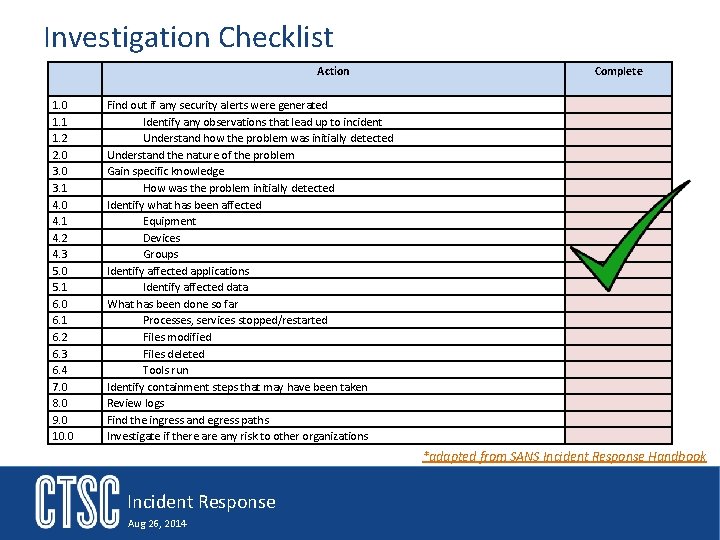
Investigation Checklist Action 1. 0 1. 1 1. 2 2. 0 3. 1 4. 0 4. 1 4. 2 4. 3 5. 0 5. 1 6. 0 6. 1 6. 2 6. 3 6. 4 7. 0 8. 0 9. 0 10. 0 Complete Find out if any security alerts were generated Identify any observations that lead up to incident Understand how the problem was initially detected Understand the nature of the problem Gain specific knowledge How was the problem initially detected Identify what has been affected Equipment Devices Groups Identify affected applications Identify affected data What has been done so far Processes, services stopped/restarted Files modified Files deleted Tools run Identify containment steps that may have been taken Review logs Find the ingress and egress paths Investigate if there any risk to other organizations *adapted from SANS Incident Response Handbook Incident Response Aug 26, 2014
Secure Evidence ● It may be vital to secure evidence for later disciplinary actions ➢ We have had requests from our university legal for incidents that are over 3 years old ➢ Most times we know in advance these are likely to be on-going needs for the evidence ● Preserve evidence in a secure way ● Maintain a chain of custody Incident Response Aug 26, 2014
General Topics for this Talk ● ● Preparation Detection & Analysis Containment, Eradication, & Recovery Case Studies Incident Response Aug 26, 2014
Should be 110 minutes in Or 2: 50
Step 5: Containment: Limit the damage and prevent any further damage 1. Understand what the problem is and decide how to proceed Ø Let it run – this allows you to gather more information Ø Isolate the service or host that has been compromised Ø Bring everything down 2. How do you make the decision? Ø Do you have to contact people? Ø What does your procedure say to do? Ø Contact list Incident Response Aug 26, 2014
Containment: Options 1. Short-term Containment Ø Can the problem be isolated? Taken offline? Ø Are all affected systems isolated from non-affected systems? 2. System Backup Ø Gather information from affected systems for further analysis Ø Have all commands and other documentation since the incident occurred been kept up to date? 3. Long-term containment Ø If the system can be taken offline, then proceed to the Eradication phase. Ø If the system must remain in production, proceed with long-term containment by removing all malware and other artifacts from affected systems. Harden the affected systems from further attacks until an ideal circumstance will allow the affected systems to be reimaged. Incident Response Aug 26, 2014
Recovery • Bring any affected systems, services, and applications back into production • Restore data and configurations ➢ Identify the proper time and date of the recovery media ➢ Verify images restored correctly and completely • Ensure the entire incident is cleaned up • Test all systems, services and applications if possible • Continue to monitor for any signs of an on-going issue ➢ Any more strange behavior ➢ Access attempts from the same attack IP(s) or account(s) Incident Response Aug 26, 2014
Is the Incident Really Eradicated? ● How do you know the problem is really gone? ● You need to really understand what happened. ➢ Attack vector(s) ➢ Backdoors ➢ Changes made ● All files that have been changed need to be identified ● Close all the doors that might have been used ● Exhaustive search for any tools that might have been installed Incident Response Aug 26, 2014
Document Lessons Learned ● Document the details so you have a complete record of everything that happened ● When was the problem was first detected and by whom? ● The scope and impact of the incident? ● What actions were taken to identify and address? ● How did you ensure it was all cleaned up? ● What actions were taken in the recovery process? ● Was the incident response plan effective? And if not what needs to be addressed Incident Response Aug 26, 2014
Incident Response ● ● Preparation What to do When an Incident Occurs Recovery Case Studies Incident Response Aug 26, 2014
Reassessing Preparation and Response Conduct a post mortem ● Delve into the who, what, how, when, and why of the incident ● Review how things could have gone better in order to improve your processes ● Keep the meeting calm - limit the finger pointing ● Keep the meeting focused - get the information to fix the problem and improve things ● Identify if the incident could have been identified sooner or even prevented Incident Response Aug 26, 2014
The Final Analysis At the heart of all these issues is one important question: Why did this happen and can we prevent it from happening again? Incident Response Aug 26, 2014
Extra Credit The top 10 questions to ask before a security incident occurs: 1. 2. 3. 4. 5. 6. 7. 8. 9. 10. Who are my organization’s primary incident response team members? Who are my secondary IR team members? Who is my escalation point at my ISP in the event of a DDo. S attack? Who is my direct contact at my Managed Security Service Provider and what capabilities do they have to support my efforts? Can any member of the incident response team can act in times of crisis? What are my extended communication plans with hardware and software? Do I have a plan to stand up and invite all of these teams to an IR conference? Do I have an alternate communication plan if regular communication fail? Does my organization have internal communication channels established for IM? Who is the incident manager during an incident? This question can become complicated when you have multiple third parties in the mix! And what is the expectation for receiving and sending updates to and from them? http: //www. solutionary. com/resource-center/blog/2013/07/incident-response-plan-guidelines/ Incident Response Aug 26, 2014
General Topics for this Talk ● ● Preparation What to do When an Incident Occurs Recovery Case Studies – but first a 30 minute break Incident Response Aug 26, 2014
Thank you CTSC (trustedci. org) Grant #OCI-1234408 Incident Response Aug 26, 2014
- Slides: 65