
Computer Images Can store color info about each
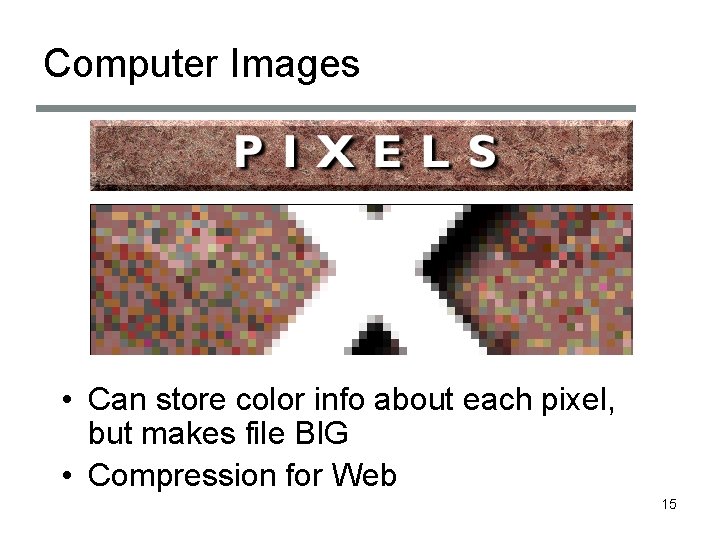
Computer Images • Can store color info about each pixel, but makes file BIG • Compression for Web 15
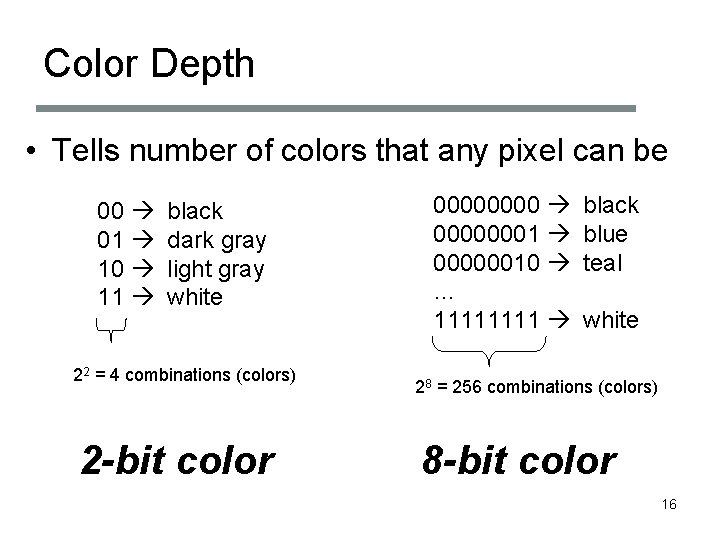
Color Depth • Tells number of colors that any pixel can be 00 01 10 11 black dark gray light gray white 22 = 4 combinations (colors) 2 -bit color 00000001 00000010 … 1111 black blue teal white 28 = 256 combinations (colors) 8 -bit color 16
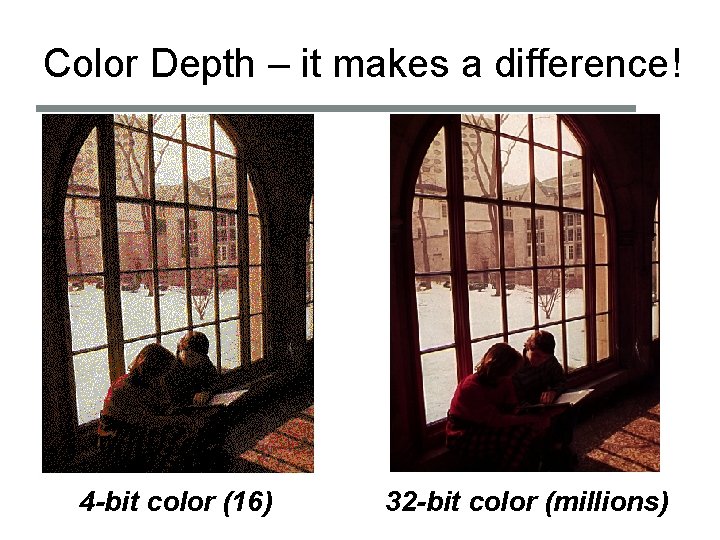
Color Depth – it makes a difference! 4 -bit color (16) 32 -bit color (millions)

Browser-ready graphics formats • GIF (Graphics Interchange Format) – Lossless compression – 8 -bit color – Good for images with regions of same color 18

Browser-ready graphics formats • PNG (Portable Network Graphics) – Lossless compression – 24 -bit color – Good for text, line-art, and regions with same color – Usually better compression rate than GIF • JPEG (Joint Photographic Experts Group) – Lossy compression – 24 -bit color – Good for photographs 19
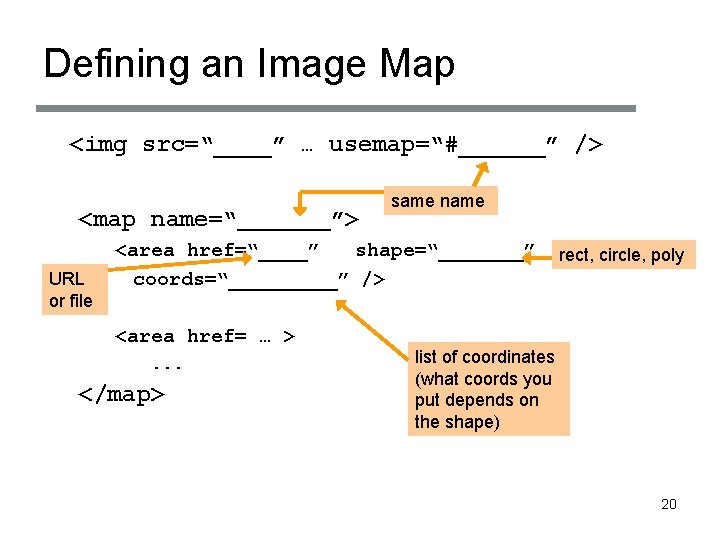
Defining an Image Map <img src=“____” … usemap=“#______” /> <map name=“_______”> URL or file same name <area href=“____” shape=“_______” coords=“_____” /> <area href= … >. . . </map> rect, circle, poly list of coordinates (what coords you put depends on the shape) 20
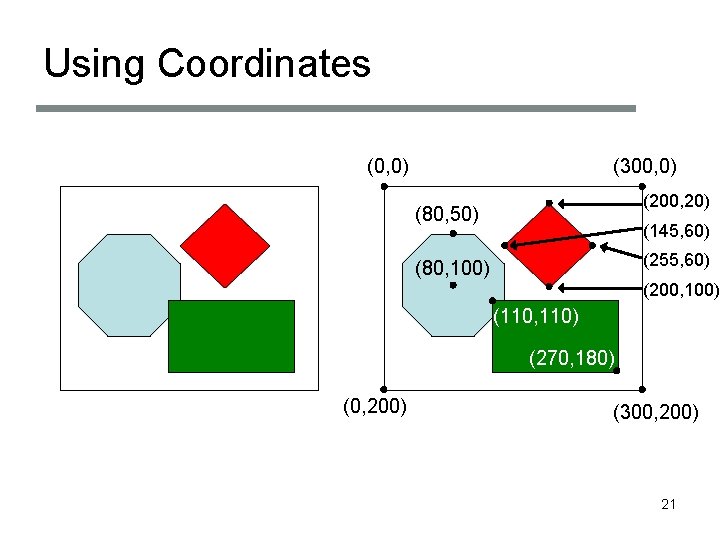
Using Coordinates (0, 0) (300, 0) (200, 20) (80, 50) (145, 60) (255, 60) (80, 100) (200, 100) (110, 110) (270, 180) (0, 200) (300, 200) 21
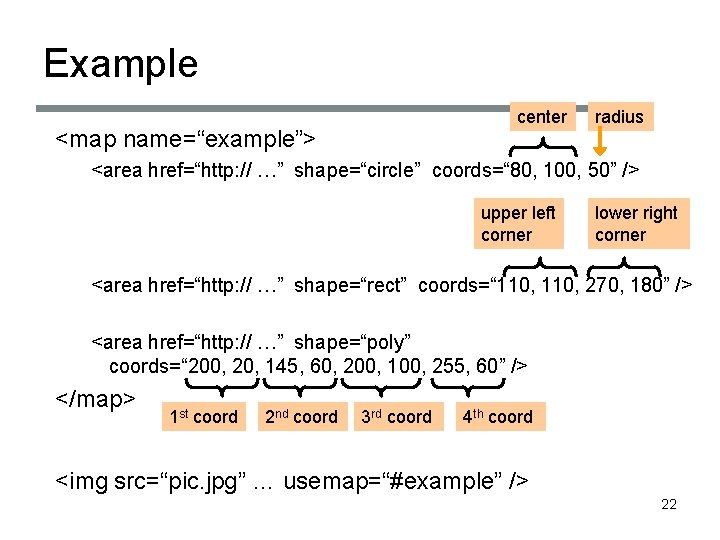
Example center <map name=“example”> radius <area href=“http: // …” shape=“circle” coords=“ 80, 100, 50” /> upper left corner lower right corner <area href=“http: // …” shape=“rect” coords=“ 110, 270, 180” /> <area href=“http: // …” shape=“poly” coords=“ 200, 20, 145, 60, 200, 100, 255, 60” /> </map> 1 st coord 2 nd coord 3 rd coord 4 th coord <img src=“pic. jpg” … usemap=“#example” /> 22
- Slides: 8