
COMPUTER GRAPHICS WORLD VIEW AND PROJECTION MATRICES CO

- Slides: 16
COMPUTER GRAPHICS WORLD, VIEW AND PROJECTION MATRICES CO 2409 Week 8
LECTURE CONTENTS 1. Viewing a 3 D Scene 2. Camera Positioning 3. The View Matrix 4. Camera Internals 5. Projecting 3 D Vertices to 2 D 6. Projection Matrices
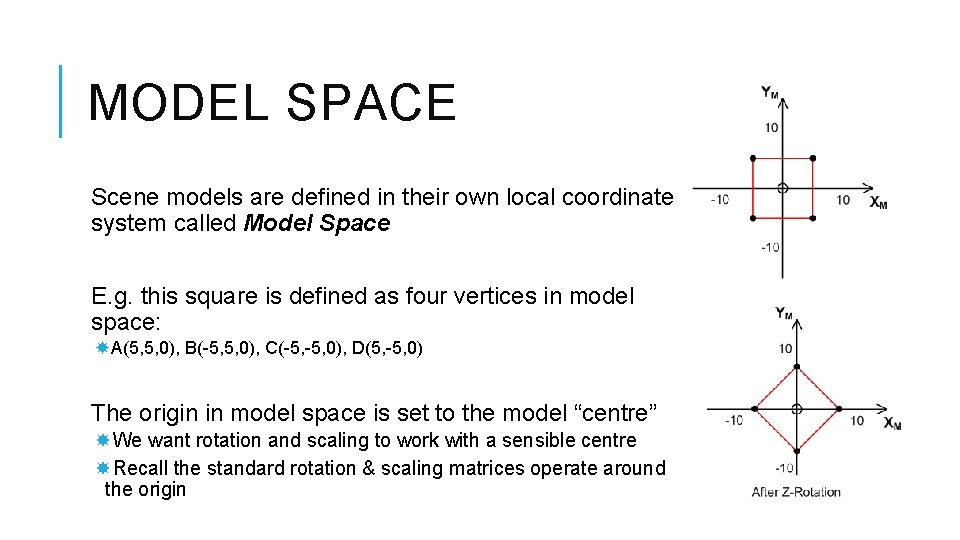
MODEL SPACE Scene models are defined in their own local coordinate system called Model Space E. g. this square is defined as four vertices in model space: A(5, 5, 0), B(-5, 5, 0), C(-5, 0), D(5, -5, 0) The origin in model space is set to the model “centre” We want rotation and scaling to work with a sensible centre Recall the standard rotation & scaling matrices operate around the origin
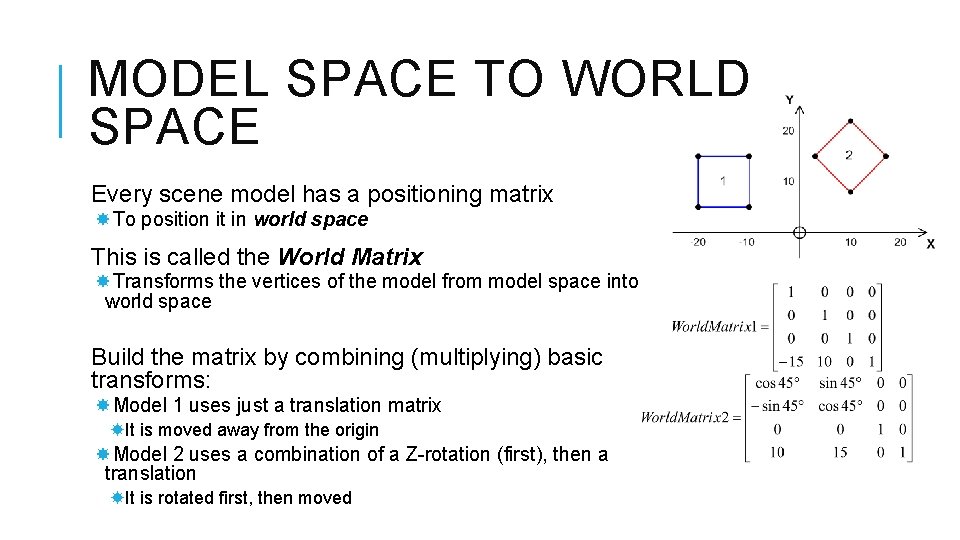
MODEL SPACE TO WORLD SPACE Every scene model has a positioning matrix To position it in world space This is called the World Matrix Transforms the vertices of the model from model space into world space Build the matrix by combining (multiplying) basic transforms: Model 1 uses just a translation matrix It is moved away from the origin Model 2 uses a combination of a Z-rotation (first), then a translation It is rotated first, then moved
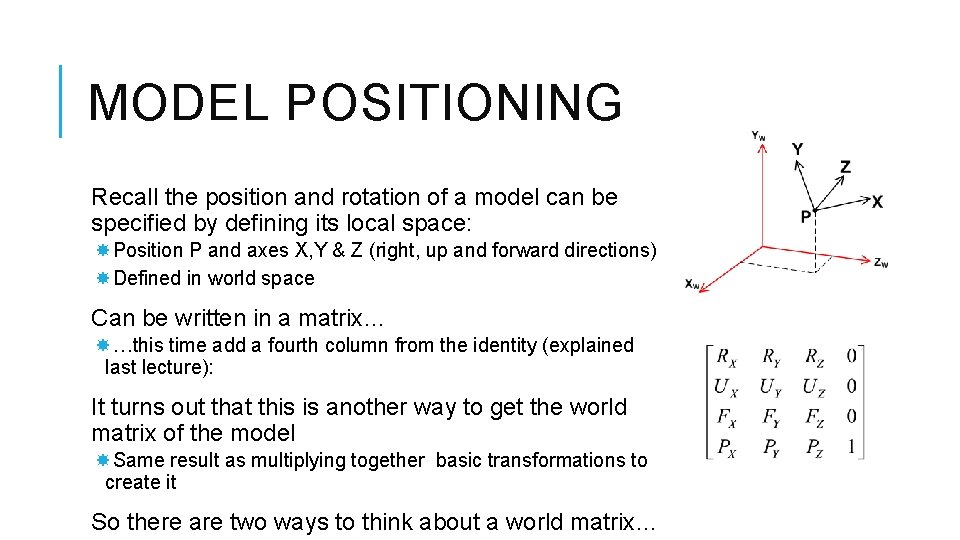
MODEL POSITIONING Recall the position and rotation of a model can be specified by defining its local space: Position P and axes X, Y & Z (right, up and forward directions) Defined in world space Can be written in a matrix… …this time add a fourth column from the identity (explained last lecture): It turns out that this is another way to get the world matrix of the model Same result as multiplying together basic transformations to create it So there are two ways to think about a world matrix…
BUILDING WORLD MATRICES Two ways to build a world matrix for a model: (a) Make a matrix from the desired position and axes i. e. fill in the values of the matrix on the last slide (b) Combine some basic transformations to move/rotate/scale the model from its original location E. g. World. Matrix = Rot(X) * Rot(Y) * Trans(P) Every time we render our scene, we either: Rebuild the world matrices from scratch From simpler variables, which we update to move the model E. g. Store x, y, z position and x, y, z rotation as floats, then build world matrix from basic transformation matrices made using these values Or store the matrix persistently, only changing it as necessary Update a world matrix by multiplying by another transform
VIEWING A 3 D SCENE We have only considered the models in a scene We haven’t considered the viewer We treat the viewer as an actual object in the 3 D environment, looking around This is different from 2 D where the viewer is considered to be outside of the scene, looking in The viewer has position and orientation just like a model The viewer (or viewpoint) is usually considered to be a person (shown as an eye) or a camera Will use the camera analogy in this module But you will see the eye used in some text-books / web pages
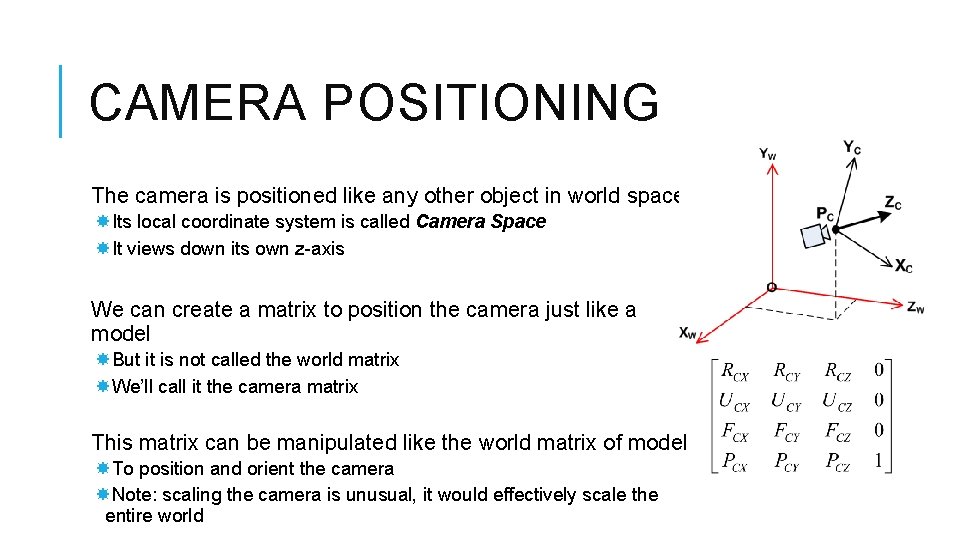
CAMERA POSITIONING The camera is positioned like any other object in world space Its local coordinate system is called Camera Space It views down its own z-axis We can create a matrix to position the camera just like a model But it is not called the world matrix We’ll call it the camera matrix This matrix can be manipulated like the world matrix of model To position and orient the camera Note: scaling the camera is unusual, it would effectively scale the entire world
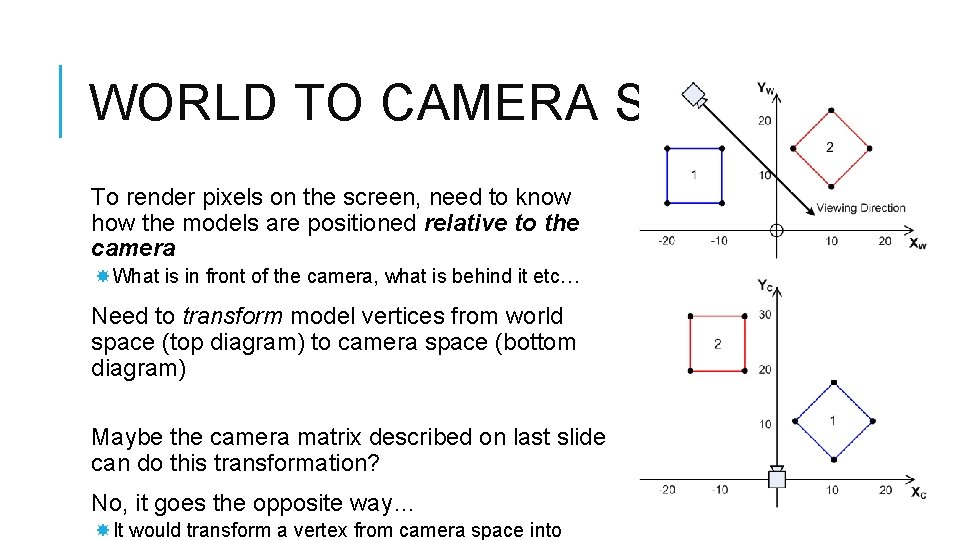
WORLD TO CAMERA SPACE To render pixels on the screen, need to know how the models are positioned relative to the camera What is in front of the camera, what is behind it etc… Need to transform model vertices from world space (top diagram) to camera space (bottom diagram) Maybe the camera matrix described on last slide can do this transformation? No, it goes the opposite way… It would transform a vertex from camera space into
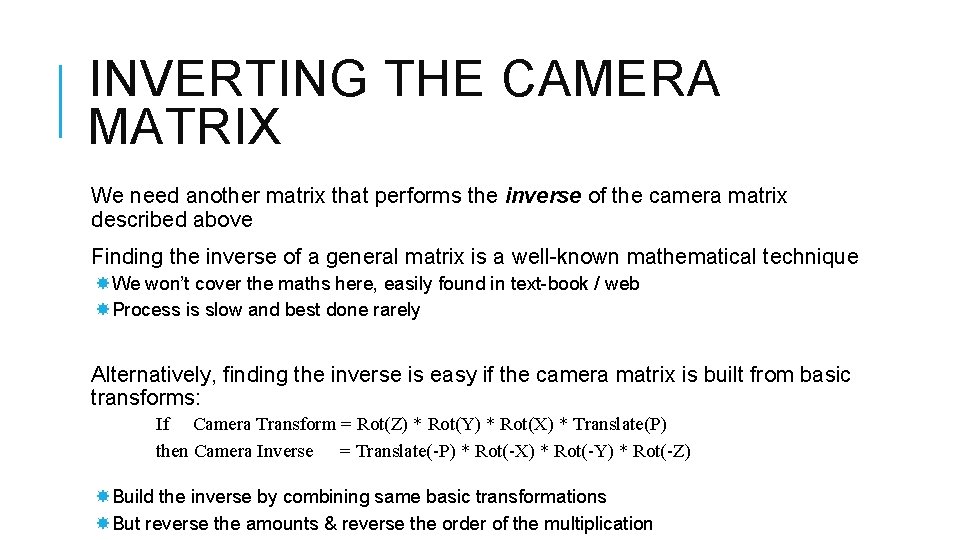
INVERTING THE CAMERA MATRIX We need another matrix that performs the inverse of the camera matrix described above Finding the inverse of a general matrix is a well-known mathematical technique We won’t cover the maths here, easily found in text-book / web Process is slow and best done rarely Alternatively, finding the inverse is easy if the camera matrix is built from basic transforms: If Camera Transform = Rot(Z) * Rot(Y) * Rot(X) * Translate(P) then Camera Inverse = Translate(-P) * Rot(-X) * Rot(-Y) * Rot(-Z) Build the inverse by combining same basic transformations But reverse the amounts & reverse the order of the multiplication
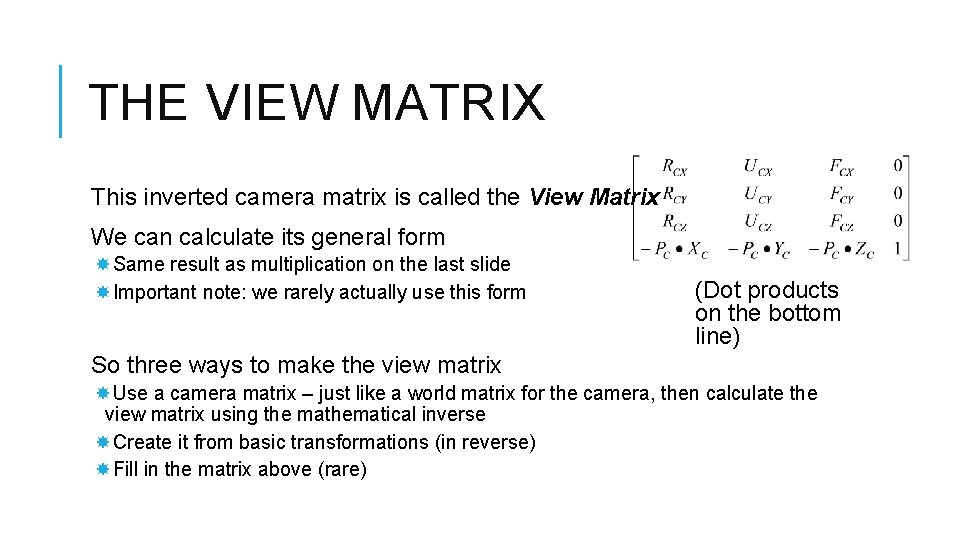
THE VIEW MATRIX This inverted camera matrix is called the View Matrix We can calculate its general form Same result as multiplication on the last slide Important note: we rarely actually use this form (Dot products on the bottom line) So three ways to make the view matrix Use a camera matrix – just like a world matrix for the camera, then calculate the view matrix using the mathematical inverse Create it from basic transformations (in reverse) Fill in the matrix above (rare)
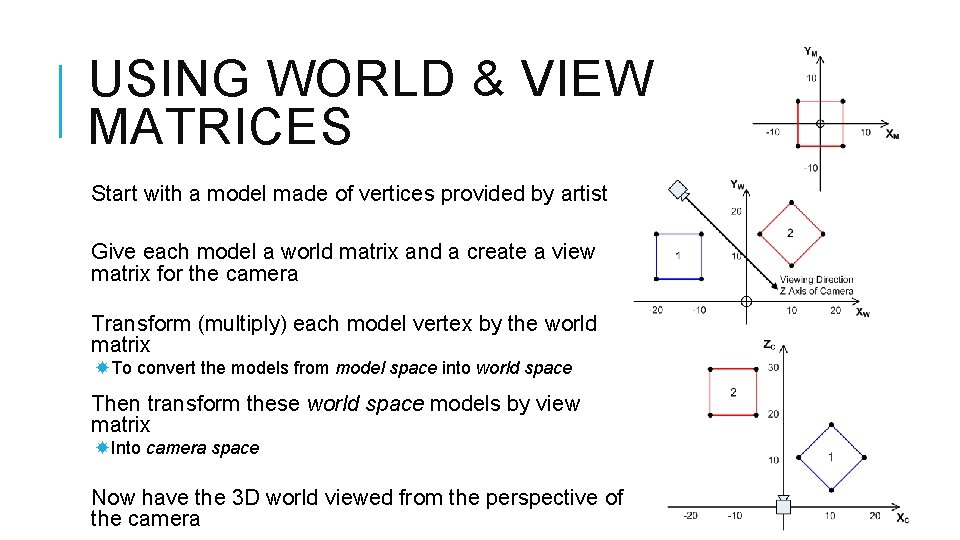
USING WORLD & VIEW MATRICES Start with a model made of vertices provided by artist Give each model a world matrix and a create a view matrix for the camera Transform (multiply) each model vertex by the world matrix To convert the models from model space into world space Then transform these world space models by view matrix Into camera space Now have the 3 D world viewed from the perspective of the camera
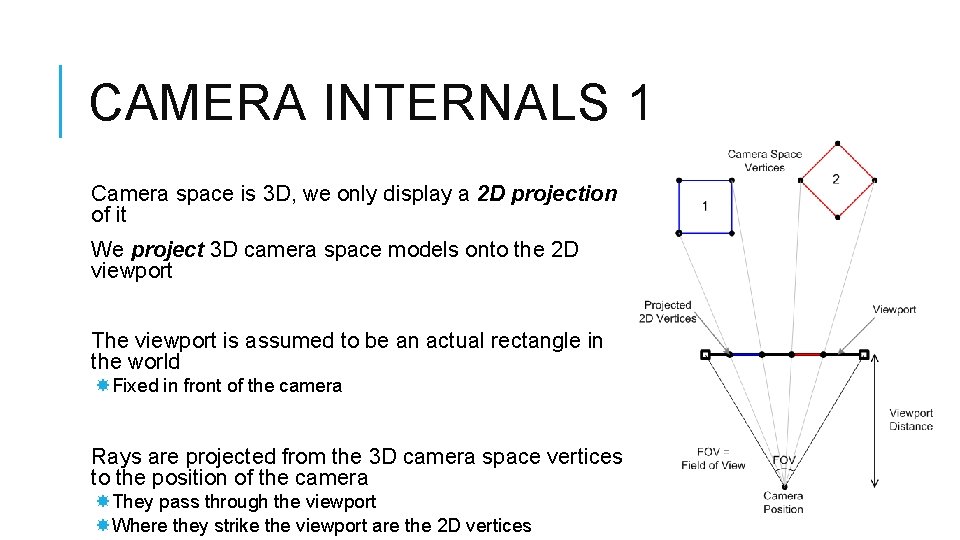
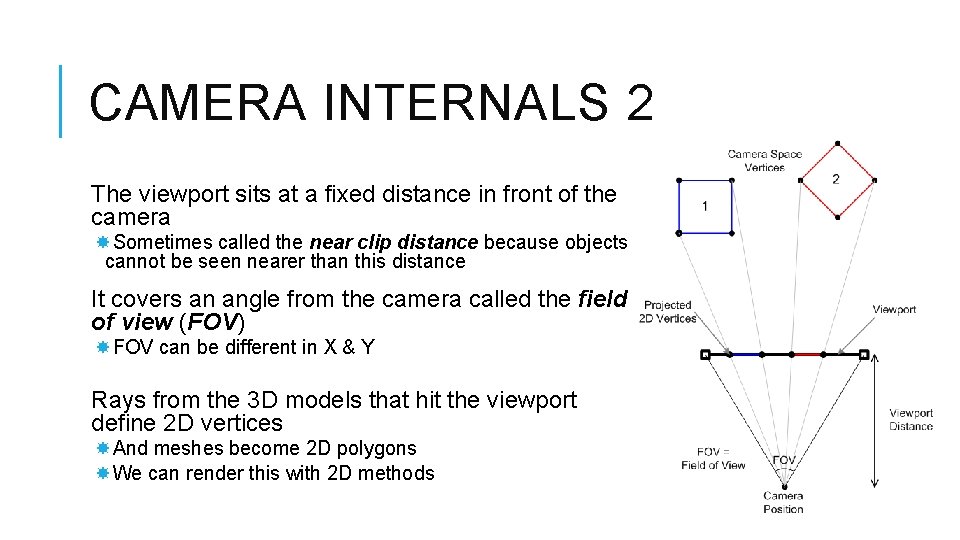
CAMERA INTERNALS 1 Camera space is 3 D, we only display a 2 D projection of it We project 3 D camera space models onto the 2 D viewport The viewport is assumed to be an actual rectangle in the world Fixed in front of the camera Rays are projected from the 3 D camera space vertices to the position of the camera They pass through the viewport Where they strike the viewport are the 2 D vertices
CAMERA INTERNALS 2 The viewport sits at a fixed distance in front of the camera Sometimes called the near clip distance because objects cannot be seen nearer than this distance It covers an angle from the camera called the field of view (FOV) FOV can be different in X & Y Rays from the 3 D models that hit the viewport define 2 D vertices And meshes become 2 D polygons We can render this with 2 D methods
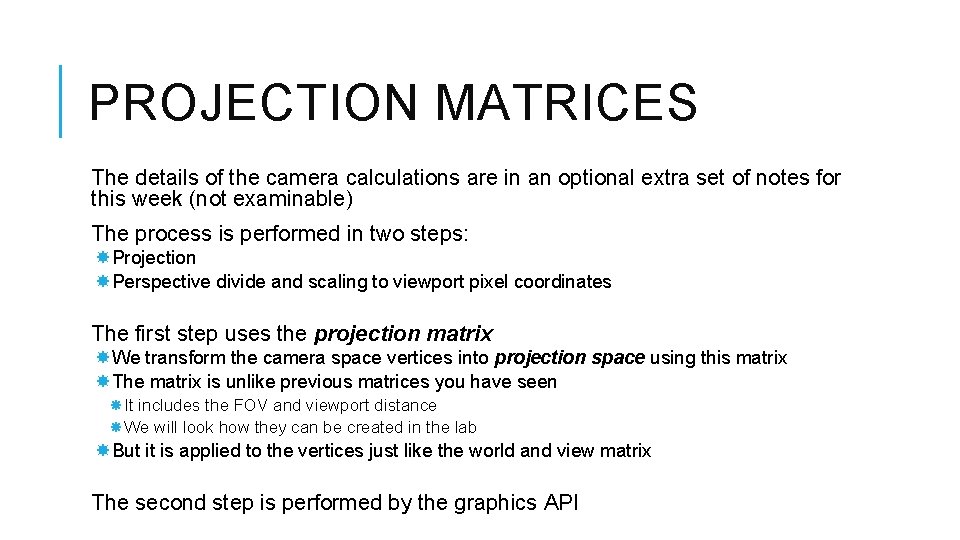
PROJECTION MATRICES The details of the camera calculations are in an optional extra set of notes for this week (not examinable) The process is performed in two steps: Projection Perspective divide and scaling to viewport pixel coordinates The first step uses the projection matrix We transform the camera space vertices into projection space using this matrix The matrix is unlike previous matrices you have seen It includes the FOV and viewport distance We will look how they can be created in the lab But it is applied to the vertices just like the world and view matrix The second step is performed by the graphics API
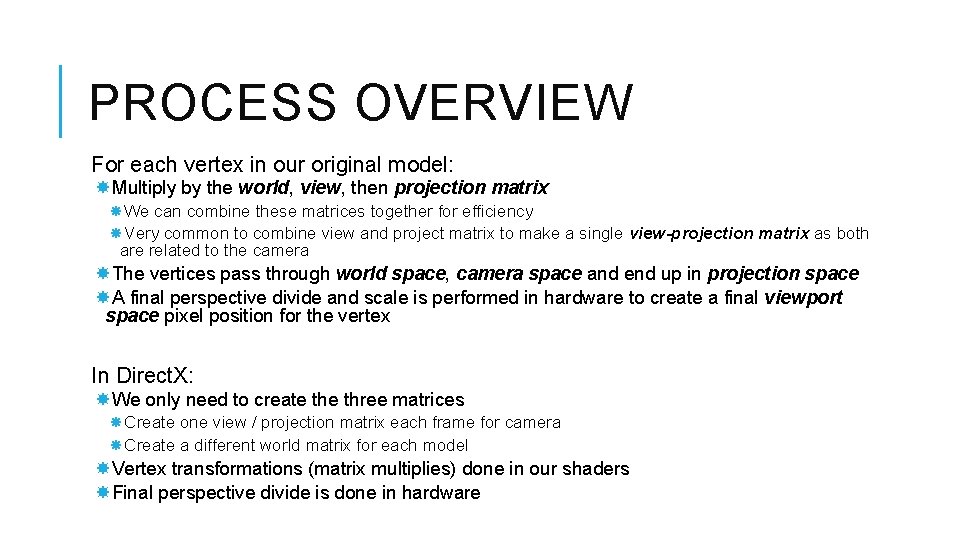
PROCESS OVERVIEW For each vertex in our original model: Multiply by the world, view, then projection matrix We can combine these matrices together for efficiency Very common to combine view and project matrix to make a single view-projection matrix as both are related to the camera The vertices pass through world space, camera space and end up in projection space A final perspective divide and scale is performed in hardware to create a final viewport space pixel position for the vertex In Direct. X: We only need to create three matrices Create one view / projection matrix each frame for camera Create a different world matrix for each model Vertex transformations (matrix multiplies) done in our shaders Final perspective divide is done in hardware