
Computer Graphics through Game Programming Graphics and Java

- Slides: 104
Computer Graphics through Game Programming Graphics and Java 2 D Omer Boyaci (C) 2010 Pearson Education, Inc. All rights reserved.
(C) 2010 Pearson Education, Inc. All rights reserved.
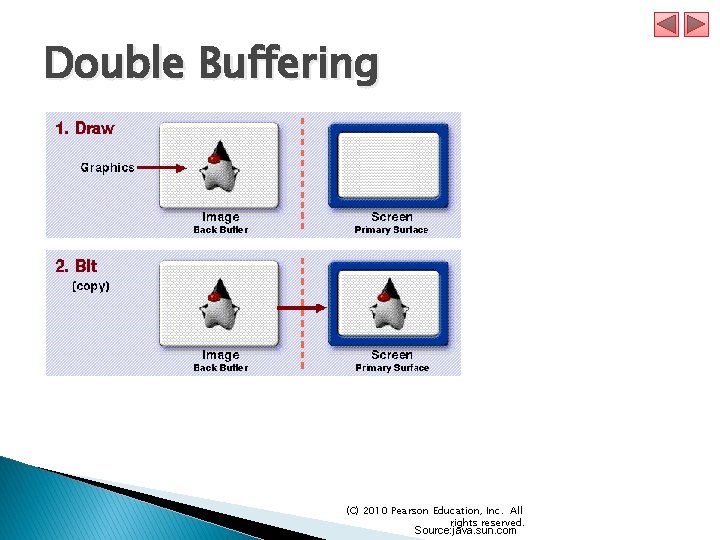
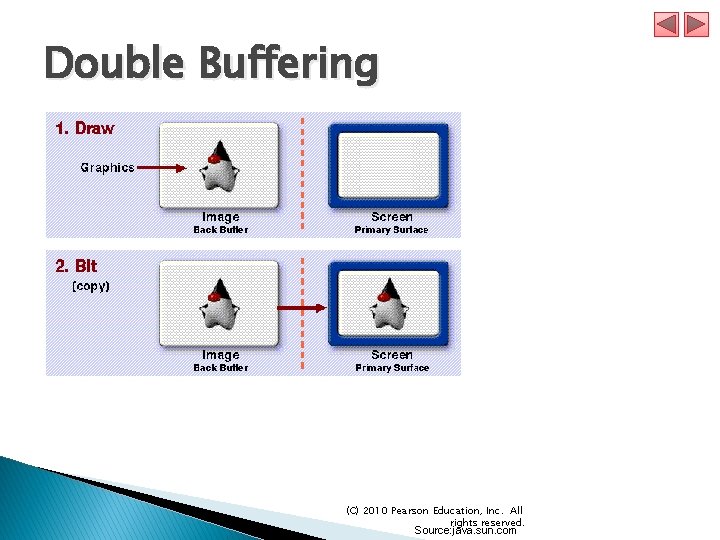
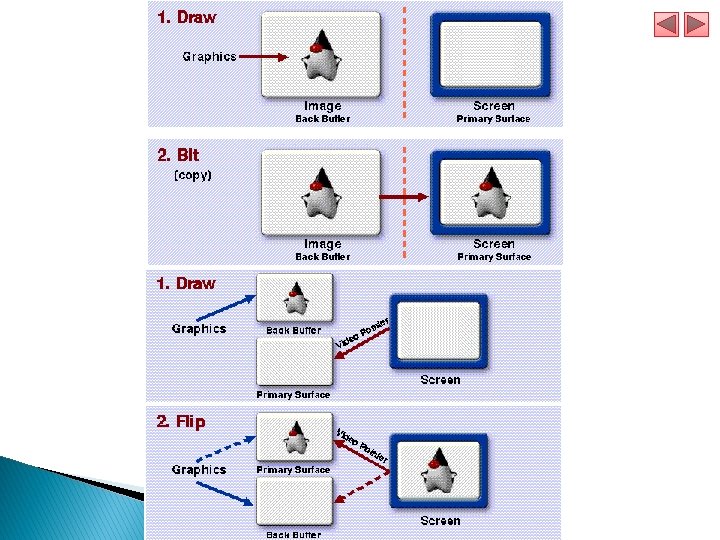
Double Buffering (C) 2010 Pearson Education, Inc. All rights reserved. Source: java. sun. com
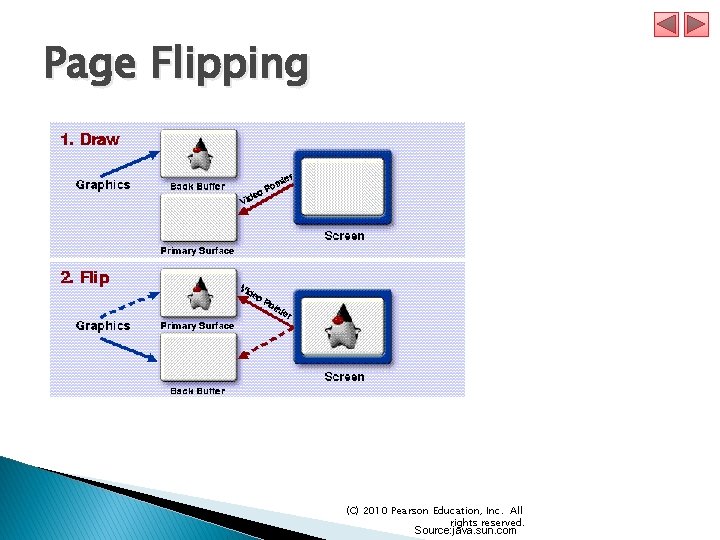
Page Flipping (C) 2010 Pearson Education, Inc. All rights reserved. Source: java. sun. com
Double Buffering (C) 2010 Pearson Education, Inc. All rights reserved. Source: java. sun. com
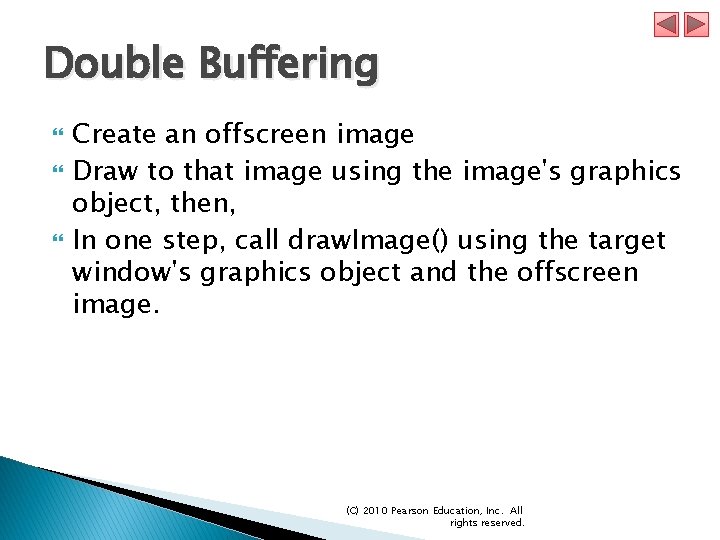
Double Buffering Create an offscreen image Draw to that image using the image's graphics object, then, In one step, call draw. Image() using the target window's graphics object and the offscreen image. (C) 2010 Pearson Education, Inc. All rights reserved.
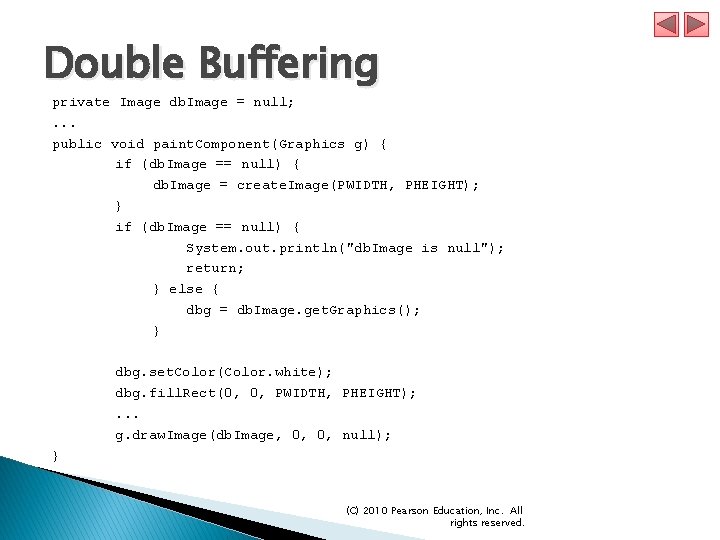
Double Buffering private Image db. Image = null; . . . public void paint. Component(Graphics g) { if (db. Image == null) { db. Image = create. Image(PWIDTH, PHEIGHT); } if (db. Image == null) { System. out. println("db. Image is null"); return; } else { dbg = db. Image. get. Graphics(); } dbg. set. Color(Color. white); dbg. fill. Rect(0, 0, PWIDTH, PHEIGHT); . . . g. draw. Image(db. Image, 0, 0, null); } (C) 2010 Pearson Education, Inc. All rights reserved.
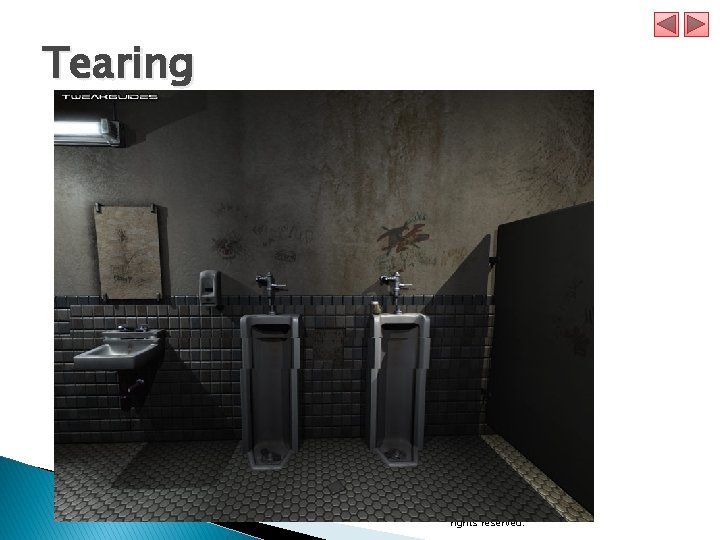
Tearing (C) 2010 Pearson Education, Inc. All rights reserved.
Page Flipping Only available in full-screen exclusive mode (C) 2010 Pearson Education, Inc. All rights reserved.
(C) 2010 Pearson Education, Inc. All rights reserved.
Benefits of DB and PF If your performance metric is simply the speed at which double-buffering or page-flipping occurs versus direct rendering, you may be disappointed. You may find that your numbers for direct rendering far exceed those for double-buffering and that those numbers far exceed those for pageflipping. Each of these techniques is for used for improving perceived performance, which is much more important in graphical applications than numerical performance. (C) 2010 Pearson Education, Inc. All rights reserved.
Benefits of DB and PF Double-buffering is used primarily to eliminate visible draws which can make an application look amateurish, sluggish, or appear to flicker. Page-flipping is used primarily to also eliminate tearing, a splitting effect that occurs when drawing to the screen happens faster than the monitor's refresh rate. Smoother drawing means better perceived performance and a much better user experience. (C) 2010 Pearson Education, Inc. All rights reserved.
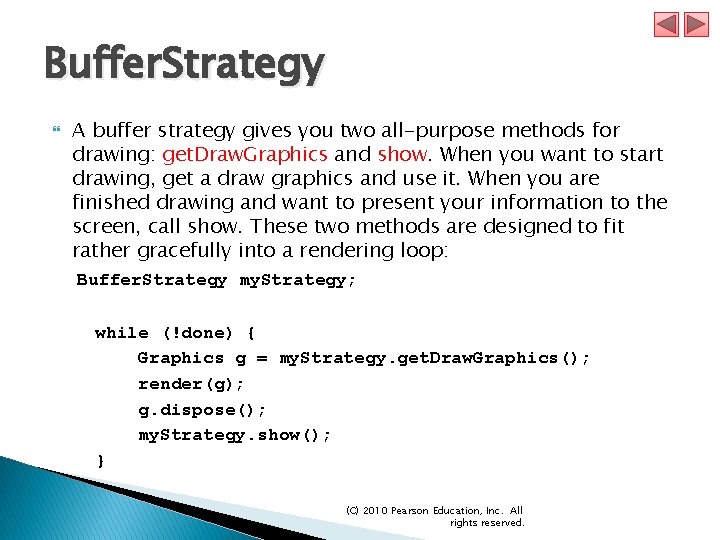
Buffer. Strategy In Java 2 Standard Edition, you don't have to worry about video pointers or video memory in order to take full advantage of either double-buffering or page-flipping. The new class java. awt. image. Buffer. Strategy has been added for the convenience of dealing with drawing to surfaces and components in a general way, regardless of the number of buffers used or the technique used to display them. (C) 2010 Pearson Education, Inc. All rights reserved.
Buffer. Strategy A buffer strategy gives you two all-purpose methods for drawing: get. Draw. Graphics and show. When you want to start drawing, get a draw graphics and use it. When you are finished drawing and want to present your information to the screen, call show. These two methods are designed to fit rather gracefully into a rendering loop: Buffer. Strategy my. Strategy; while (!done) { Graphics g = my. Strategy. get. Draw. Graphics(); render(g); g. dispose(); my. Strategy. show(); } (C) 2010 Pearson Education, Inc. All rights reserved.
(C) 2010 Pearson Education, Inc. All rights reserved.
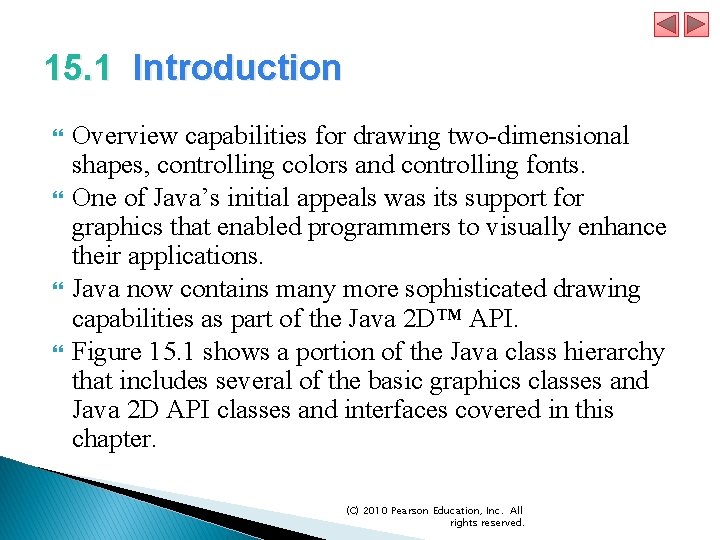
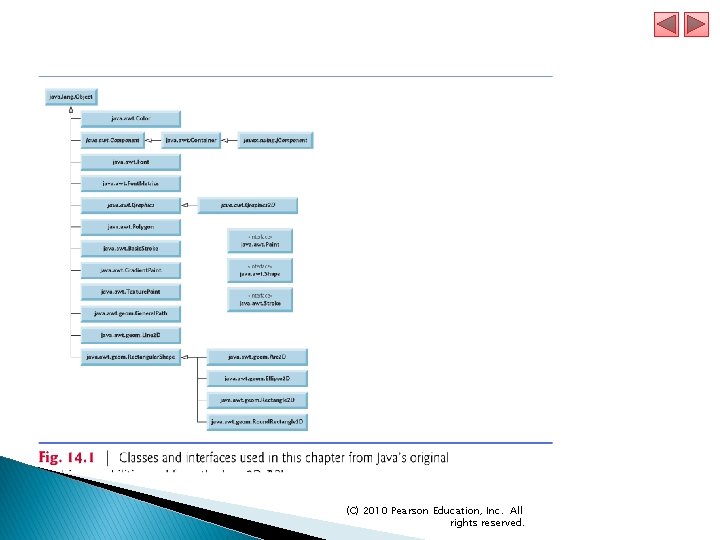
15. 1 Introduction Overview capabilities for drawing two-dimensional shapes, controlling colors and controlling fonts. One of Java’s initial appeals was its support for graphics that enabled programmers to visually enhance their applications. Java now contains many more sophisticated drawing capabilities as part of the Java 2 D™ API. Figure 15. 1 shows a portion of the Java class hierarchy that includes several of the basic graphics classes and Java 2 D API classes and interfaces covered in this chapter. (C) 2010 Pearson Education, Inc. All rights reserved.
(C) 2010 Pearson Education, Inc. All rights reserved.
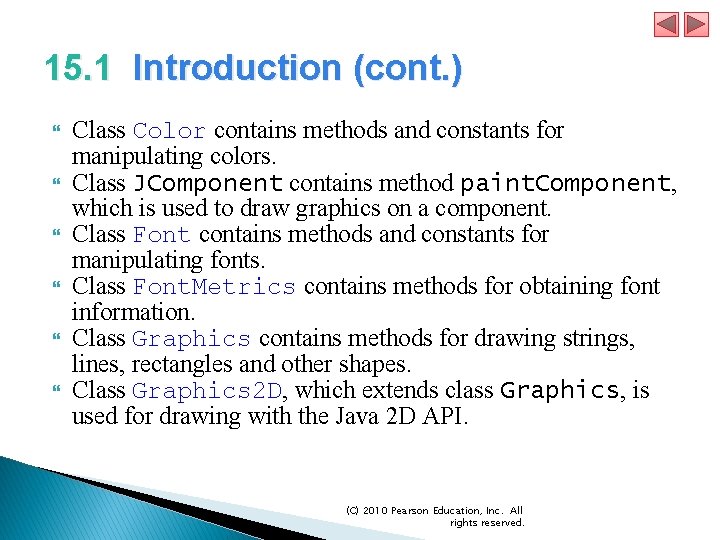
15. 1 Introduction (cont. ) Class Color contains methods and constants for manipulating colors. Class JComponent contains method paint. Component, which is used to draw graphics on a component. Class Font contains methods and constants for manipulating fonts. Class Font. Metrics contains methods for obtaining font information. Class Graphics contains methods for drawing strings, lines, rectangles and other shapes. Class Graphics 2 D, which extends class Graphics, is used for drawing with the Java 2 D API. (C) 2010 Pearson Education, Inc. All rights reserved.
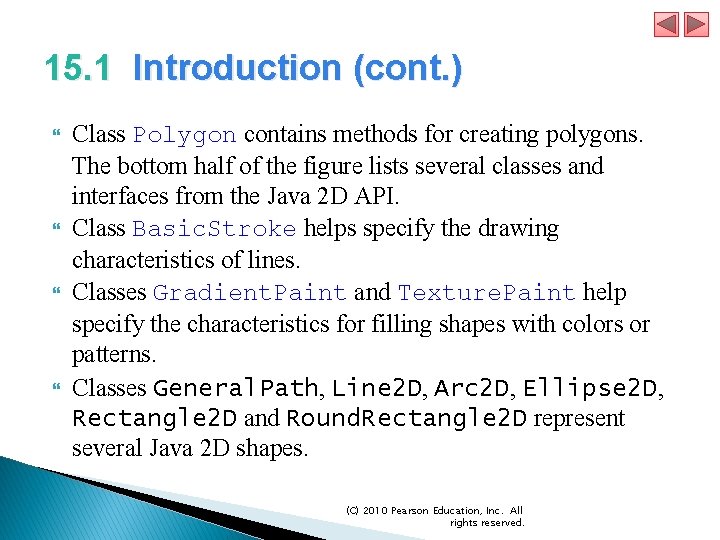
15. 1 Introduction (cont. ) Class Polygon contains methods for creating polygons. The bottom half of the figure lists several classes and interfaces from the Java 2 D API. Class Basic. Stroke helps specify the drawing characteristics of lines. Classes Gradient. Paint and Texture. Paint help specify the characteristics for filling shapes with colors or patterns. Classes General. Path, Line 2 D, Arc 2 D, Ellipse 2 D, Rectangle 2 D and Round. Rectangle 2 D represent several Java 2 D shapes. (C) 2010 Pearson Education, Inc. All rights reserved.
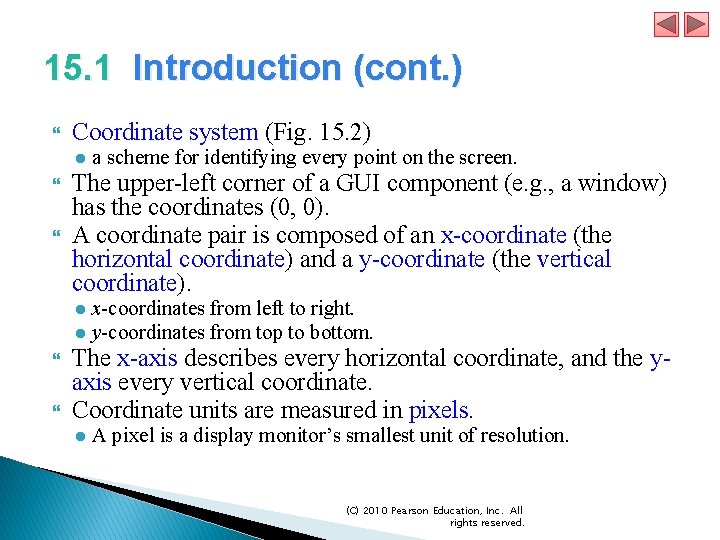
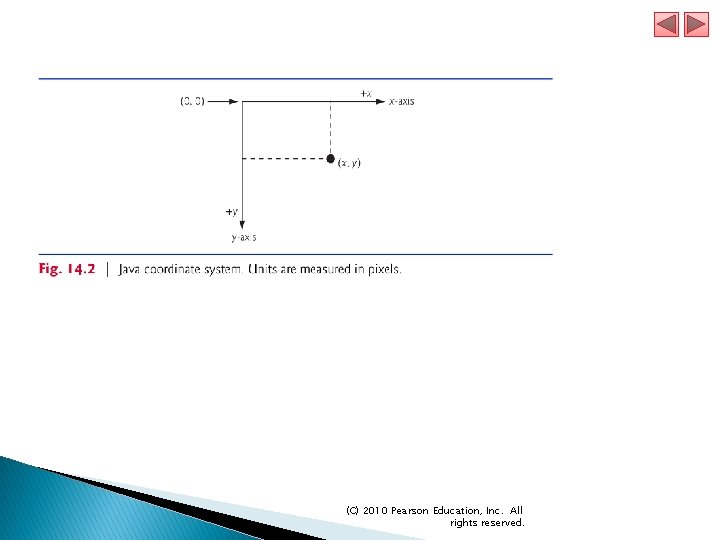
15. 1 Introduction (cont. ) Coordinate system (Fig. 15. 2) The upper-left corner of a GUI component (e. g. , a window) has the coordinates (0, 0). A coordinate pair is composed of an x-coordinate (the horizontal coordinate) and a y-coordinate (the vertical coordinate). ● a scheme for identifying every point on the screen. ● x-coordinates from left to right. ● y-coordinates from top to bottom. The x-axis describes every horizontal coordinate, and the yaxis every vertical coordinate. Coordinate units are measured in pixels. ● A pixel is a display monitor’s smallest unit of resolution. (C) 2010 Pearson Education, Inc. All rights reserved.
(C) 2010 Pearson Education, Inc. All rights reserved.
(C) 2010 Pearson Education, Inc. All rights reserved.
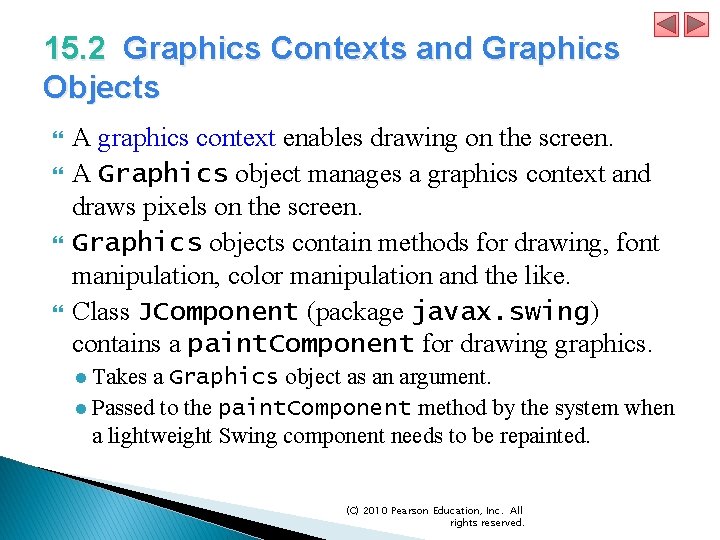
15. 2 Graphics Contexts and Graphics Objects A graphics context enables drawing on the screen. A Graphics object manages a graphics context and draws pixels on the screen. Graphics objects contain methods for drawing, font manipulation, color manipulation and the like. Class JComponent (package javax. swing) contains a paint. Component for drawing graphics. ● Takes a Graphics object as an argument. ● Passed to the paint. Component method by the system when a lightweight Swing component needs to be repainted. (C) 2010 Pearson Education, Inc. All rights reserved.
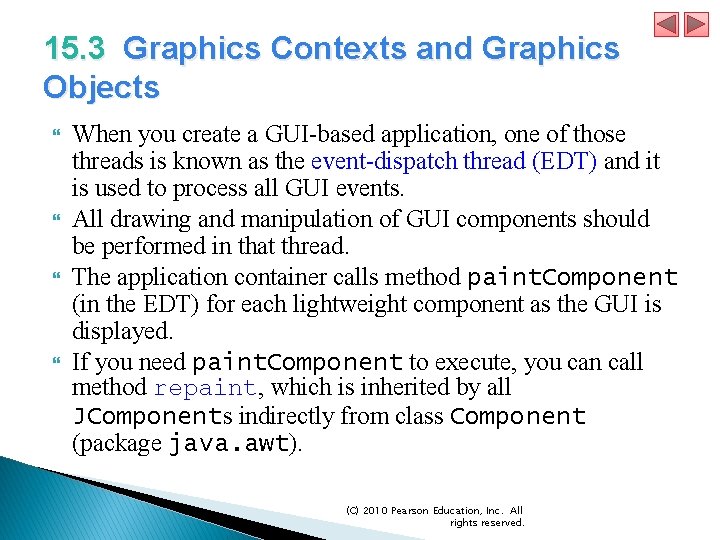
15. 3 Graphics Contexts and Graphics Objects When you create a GUI-based application, one of those threads is known as the event-dispatch thread (EDT) and it is used to process all GUI events. All drawing and manipulation of GUI components should be performed in that thread. The application container calls method paint. Component (in the EDT) for each lightweight component as the GUI is displayed. If you need paint. Component to execute, you can call method repaint, which is inherited by all JComponents indirectly from class Component (package java. awt). (C) 2010 Pearson Education, Inc. All rights reserved.
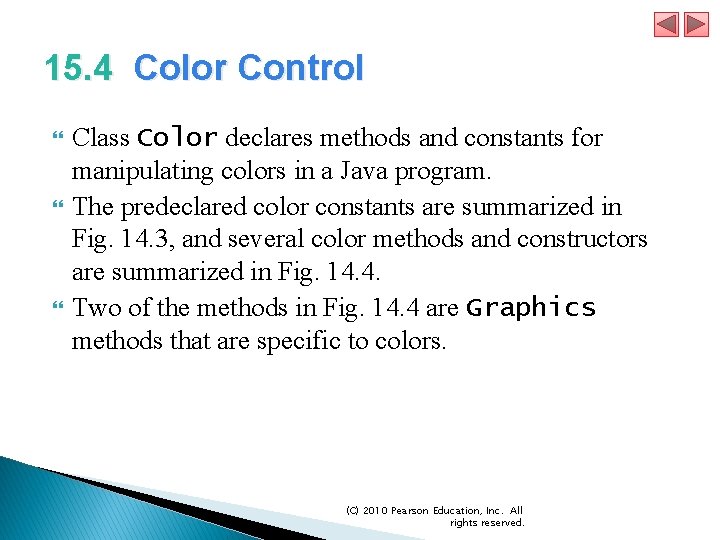
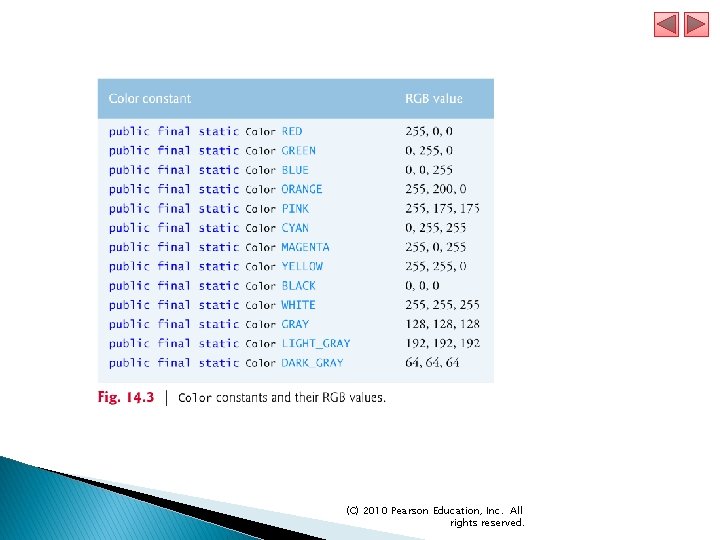
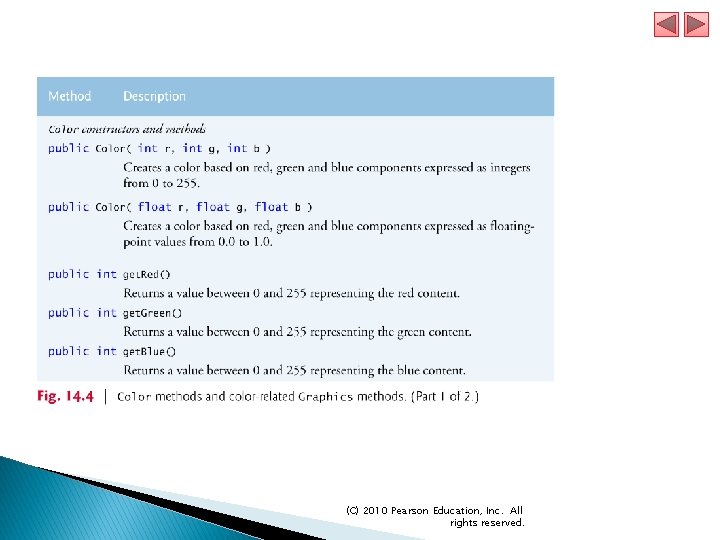
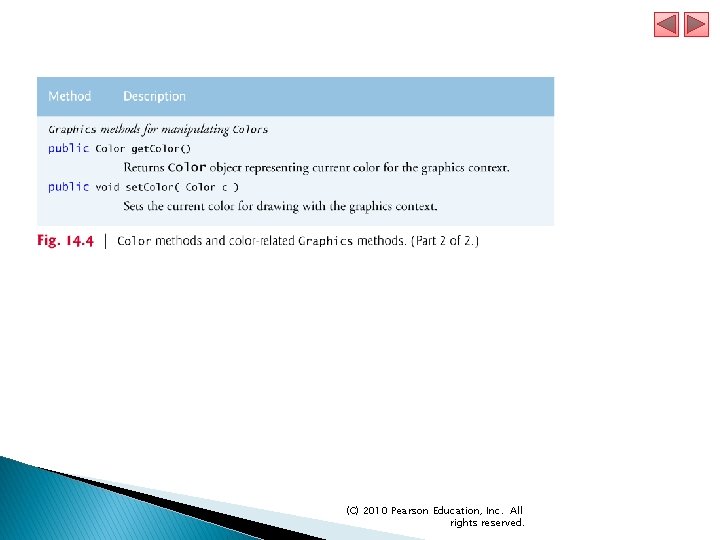
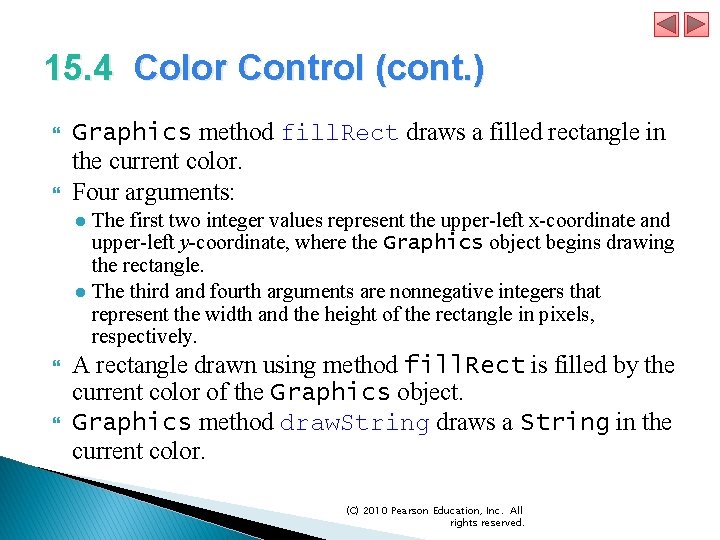
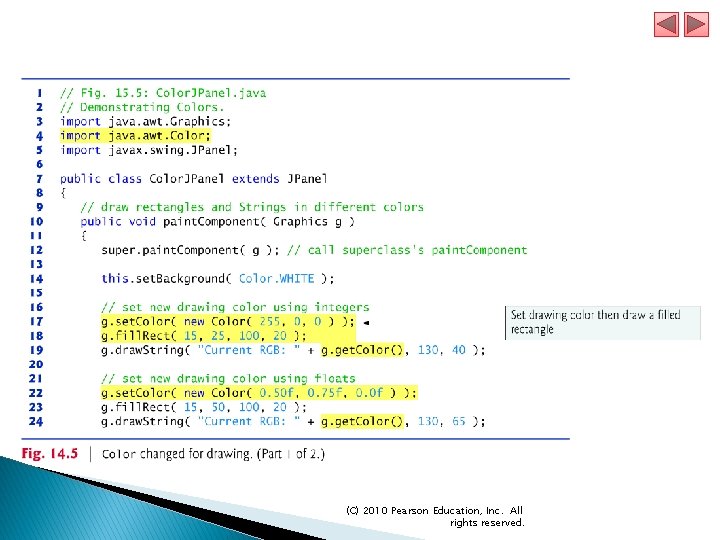
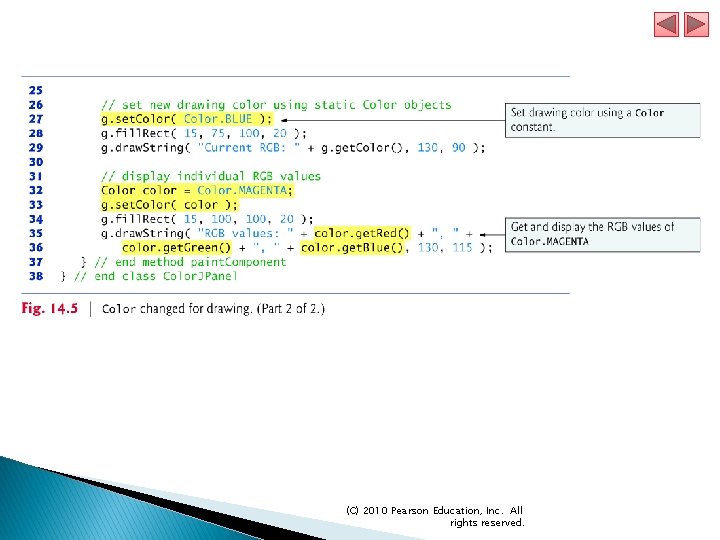
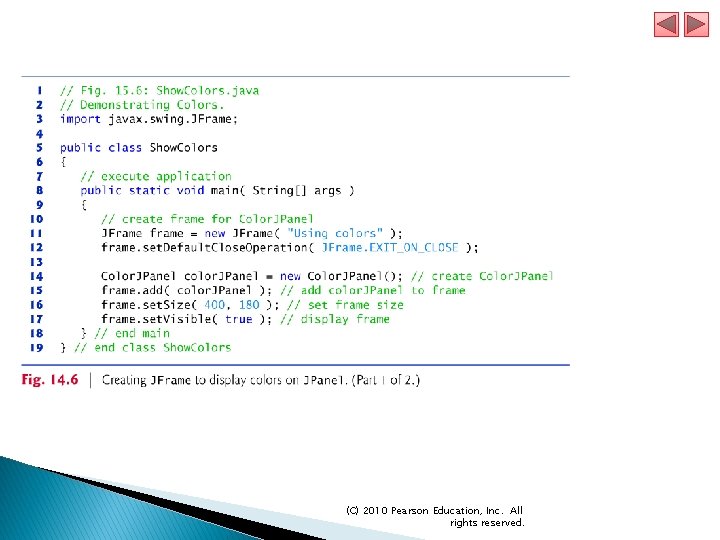
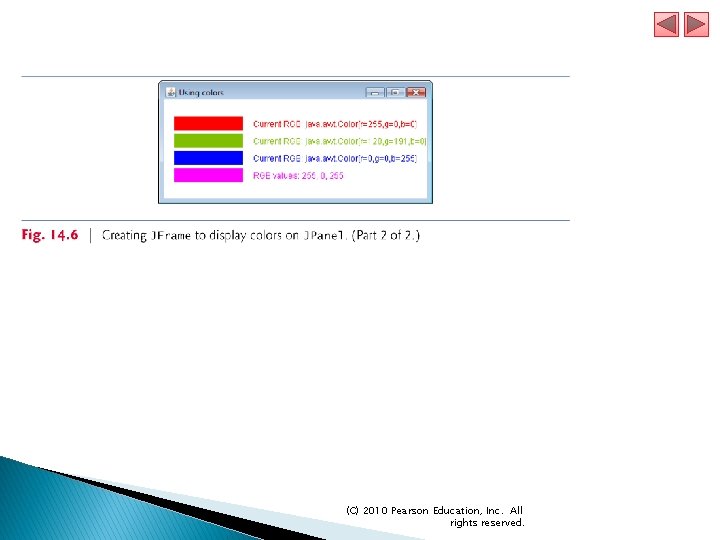
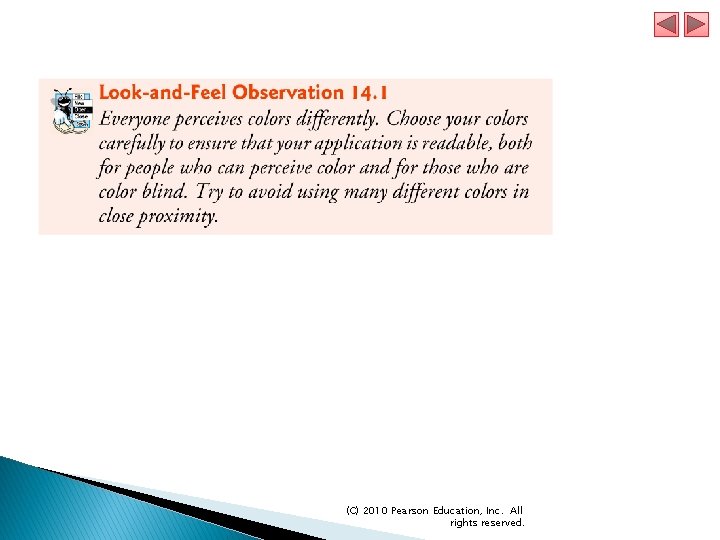
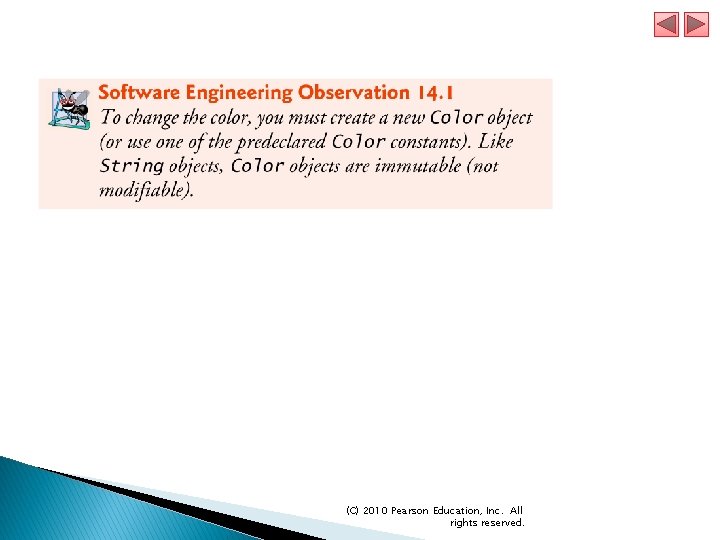
15. 4 Color Control Class Color declares methods and constants for manipulating colors in a Java program. The predeclared color constants are summarized in Fig. 14. 3, and several color methods and constructors are summarized in Fig. 14. 4. Two of the methods in Fig. 14. 4 are Graphics methods that are specific to colors. (C) 2010 Pearson Education, Inc. All rights reserved.
(C) 2010 Pearson Education, Inc. All rights reserved.
(C) 2010 Pearson Education, Inc. All rights reserved.
(C) 2010 Pearson Education, Inc. All rights reserved.
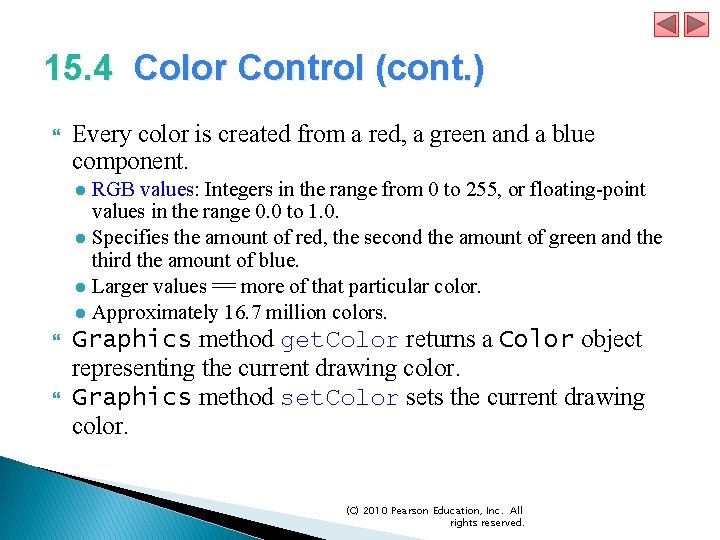
15. 4 Color Control (cont. ) Every color is created from a red, a green and a blue component. ● RGB values: Integers in the range from 0 to 255, or floating-point values in the range 0. 0 to 1. 0. ● Specifies the amount of red, the second the amount of green and the third the amount of blue. ● Larger values == more of that particular color. ● Approximately 16. 7 million colors. Graphics method get. Color returns a Color object representing the current drawing color. Graphics method set. Color sets the current drawing color. (C) 2010 Pearson Education, Inc. All rights reserved.
15. 4 Color Control (cont. ) Graphics method fill. Rect draws a filled rectangle in the current color. Four arguments: ● The first two integer values represent the upper-left x-coordinate and upper-left y-coordinate, where the Graphics object begins drawing the rectangle. ● The third and fourth arguments are nonnegative integers that represent the width and the height of the rectangle in pixels, respectively. A rectangle drawn using method fill. Rect is filled by the current color of the Graphics object. Graphics method draw. String draws a String in the current color. (C) 2010 Pearson Education, Inc. All rights reserved.
(C) 2010 Pearson Education, Inc. All rights reserved.
(C) 2010 Pearson Education, Inc. All rights reserved.
(C) 2010 Pearson Education, Inc. All rights reserved.
(C) 2010 Pearson Education, Inc. All rights reserved.
(C) 2010 Pearson Education, Inc. All rights reserved.
(C) 2010 Pearson Education, Inc. All rights reserved.
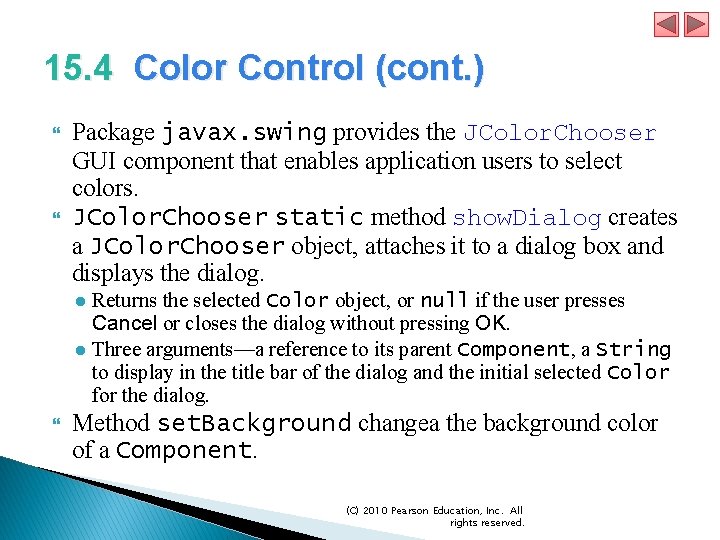
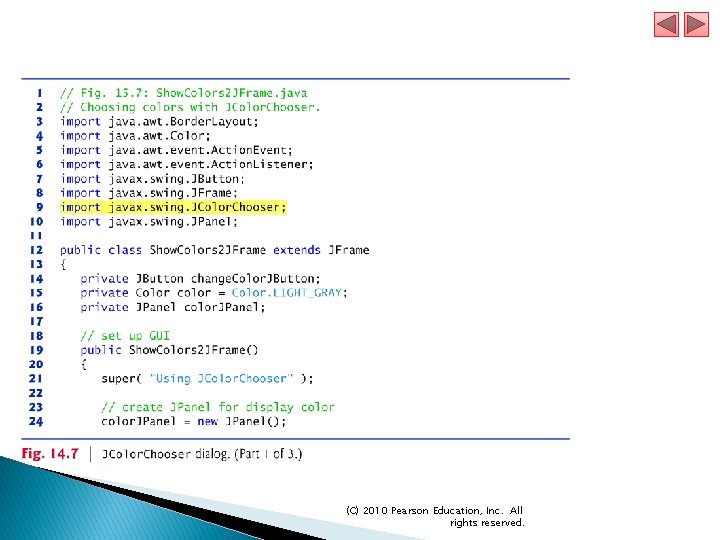
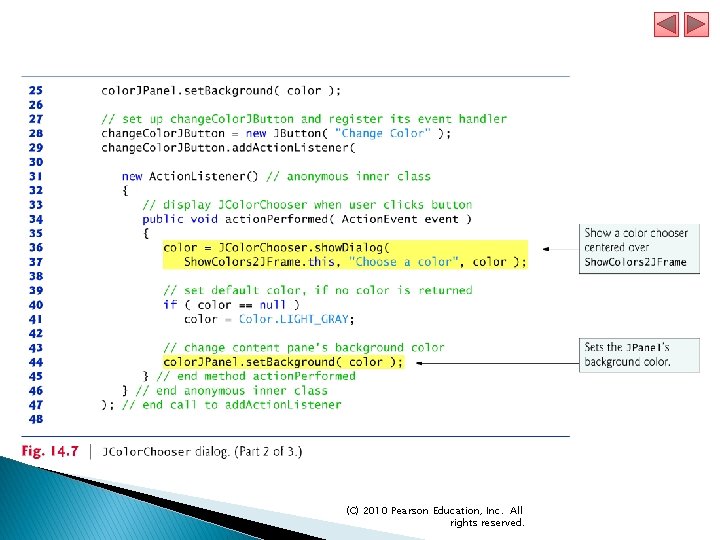
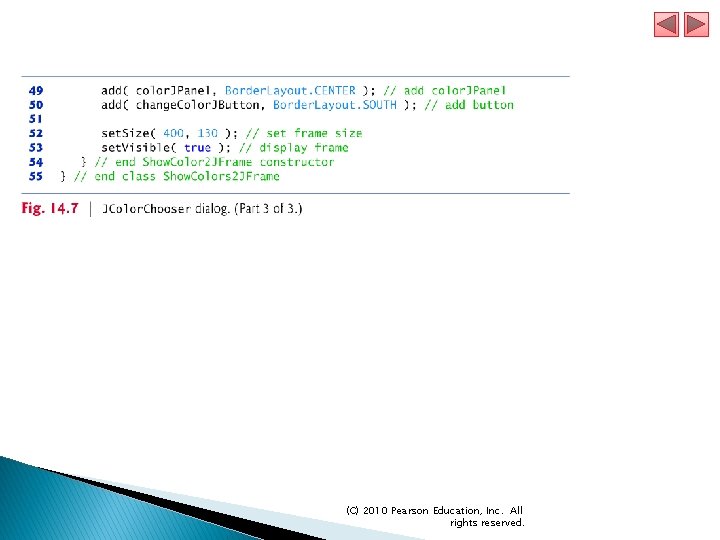
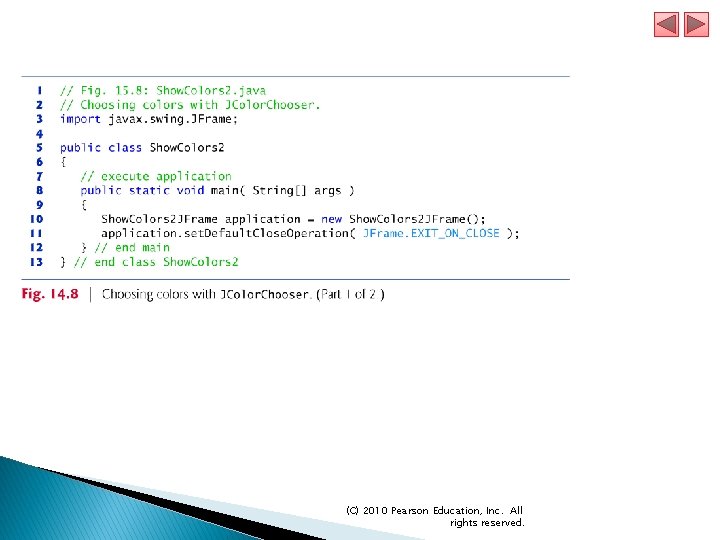
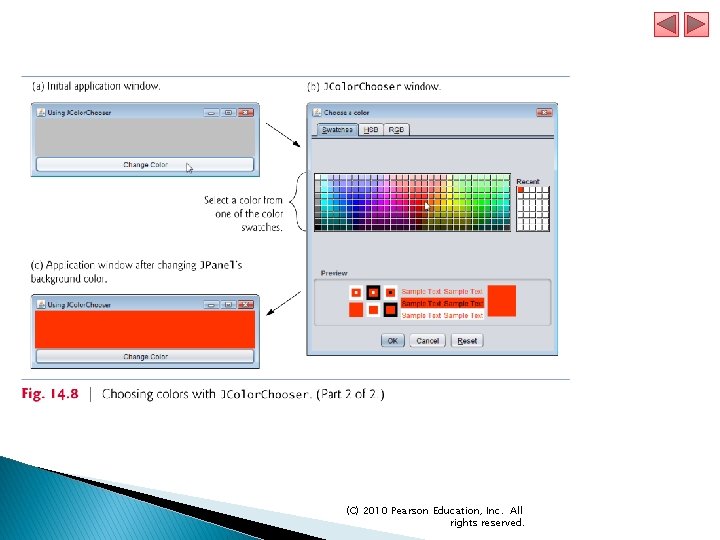
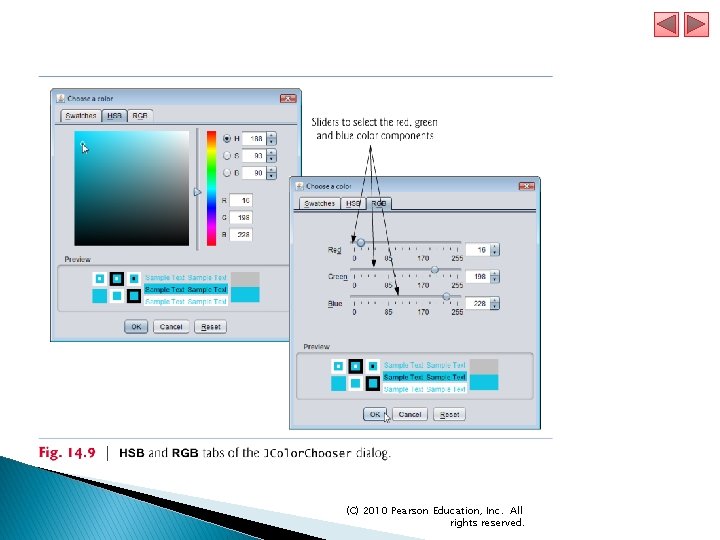
15. 4 Color Control (cont. ) Package javax. swing provides the JColor. Chooser GUI component that enables application users to select colors. JColor. Chooser static method show. Dialog creates a JColor. Chooser object, attaches it to a dialog box and displays the dialog. ● Returns the selected Color object, or null if the user presses Cancel or closes the dialog without pressing OK. ● Three arguments—a reference to its parent Component, a String to display in the title bar of the dialog and the initial selected Color for the dialog. Method set. Background changea the background color of a Component. (C) 2010 Pearson Education, Inc. All rights reserved.
(C) 2010 Pearson Education, Inc. All rights reserved.
(C) 2010 Pearson Education, Inc. All rights reserved.
(C) 2010 Pearson Education, Inc. All rights reserved.
(C) 2010 Pearson Education, Inc. All rights reserved.
(C) 2010 Pearson Education, Inc. All rights reserved.
(C) 2010 Pearson Education, Inc. All rights reserved.
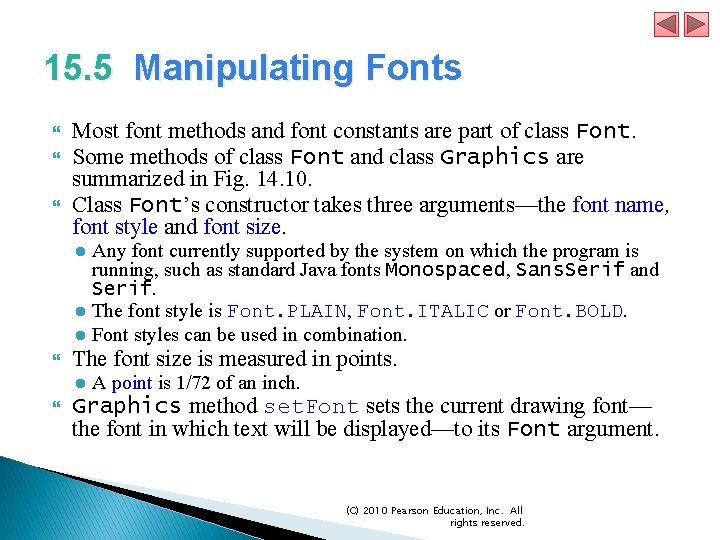
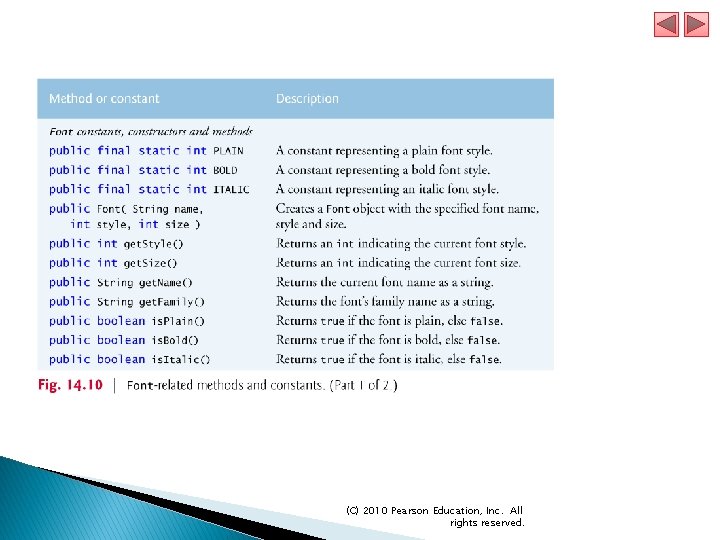
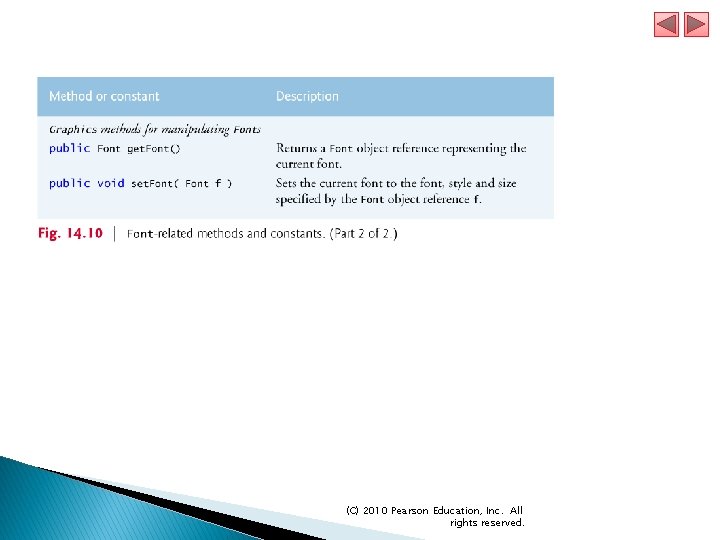
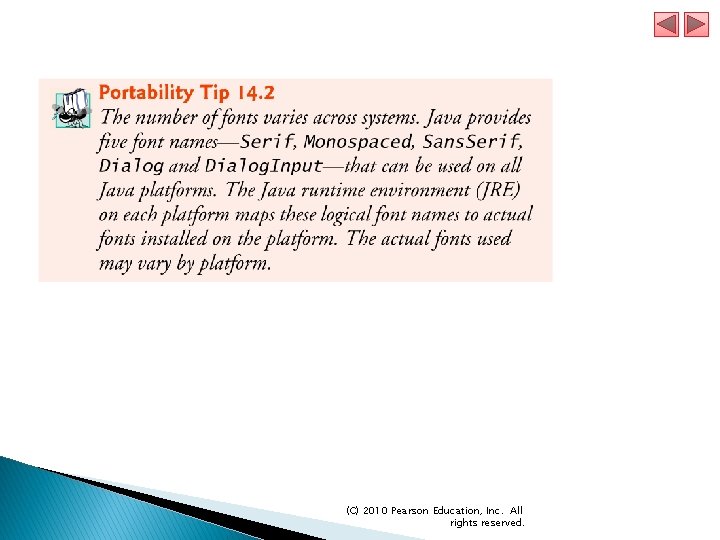
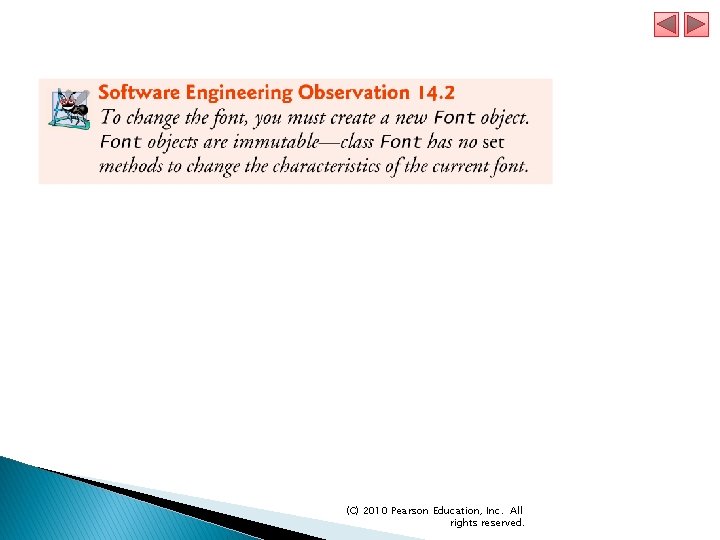
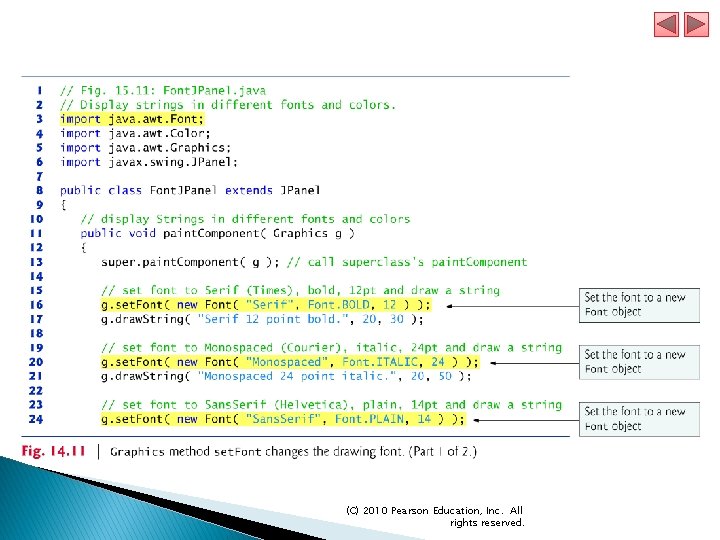
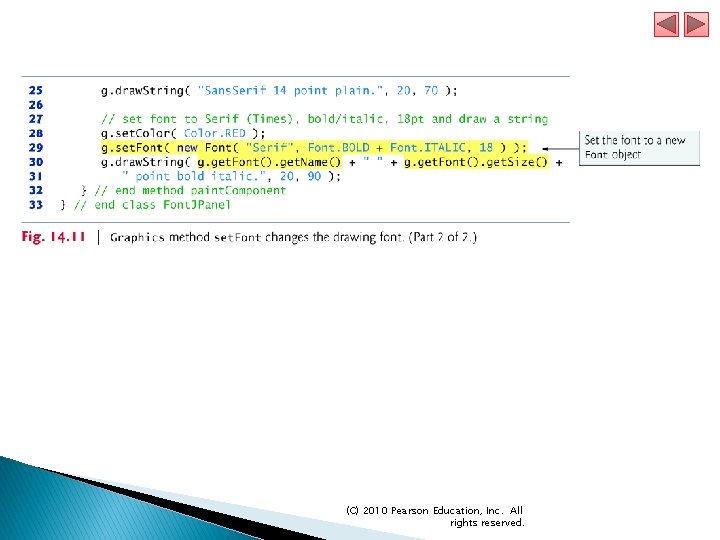
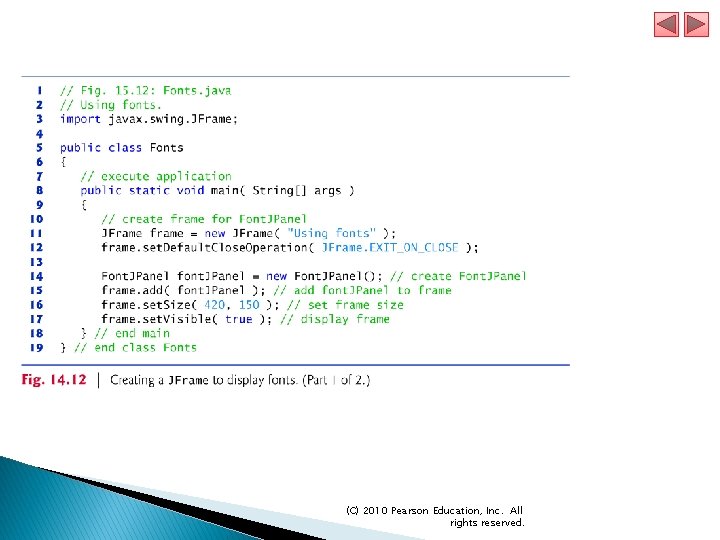
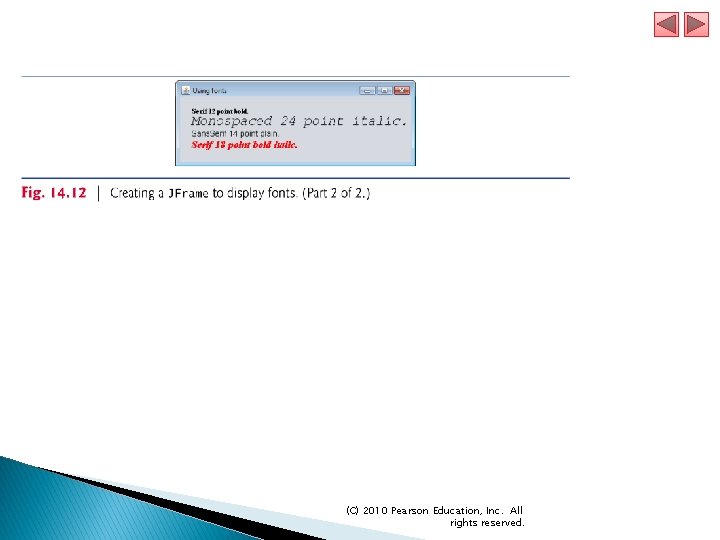
15. 5 Manipulating Fonts Most font methods and font constants are part of class Font. Some methods of class Font and class Graphics are summarized in Fig. 14. 10. Class Font’s constructor takes three arguments—the font name, font style and font size. ● Any font currently supported by the system on which the program is running, such as standard Java fonts Monospaced, Sans. Serif and Serif. ● The font style is Font. PLAIN, Font. ITALIC or Font. BOLD. ● Font styles can be used in combination. The font size is measured in points. Graphics method set. Font sets the current drawing font— the font in which text will be displayed—to its Font argument. ● A point is 1/72 of an inch. (C) 2010 Pearson Education, Inc. All rights reserved.
(C) 2010 Pearson Education, Inc. All rights reserved.
(C) 2010 Pearson Education, Inc. All rights reserved.
(C) 2010 Pearson Education, Inc. All rights reserved.
(C) 2010 Pearson Education, Inc. All rights reserved.
(C) 2010 Pearson Education, Inc. All rights reserved.
(C) 2010 Pearson Education, Inc. All rights reserved.
(C) 2010 Pearson Education, Inc. All rights reserved.
(C) 2010 Pearson Education, Inc. All rights reserved.
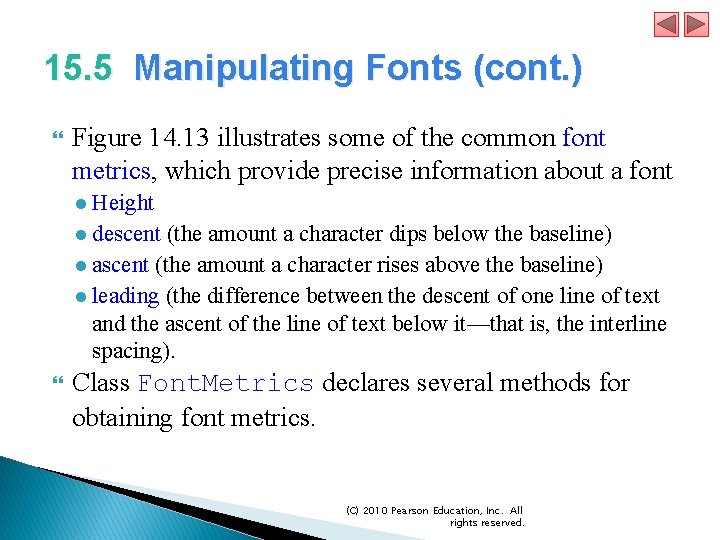
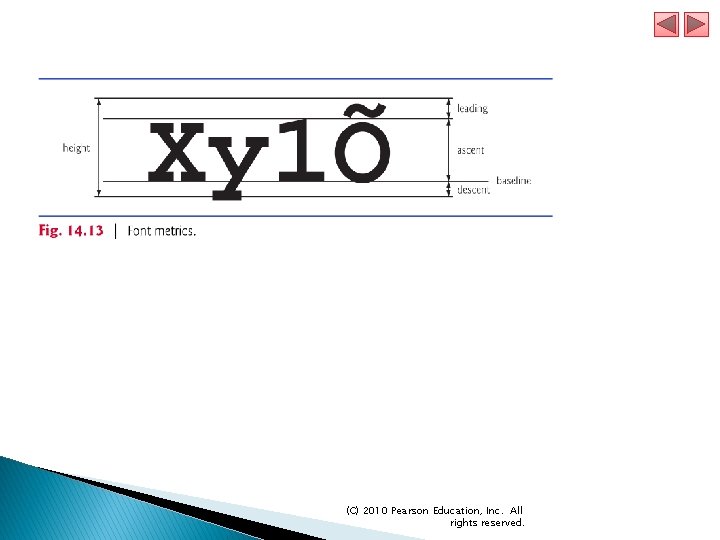
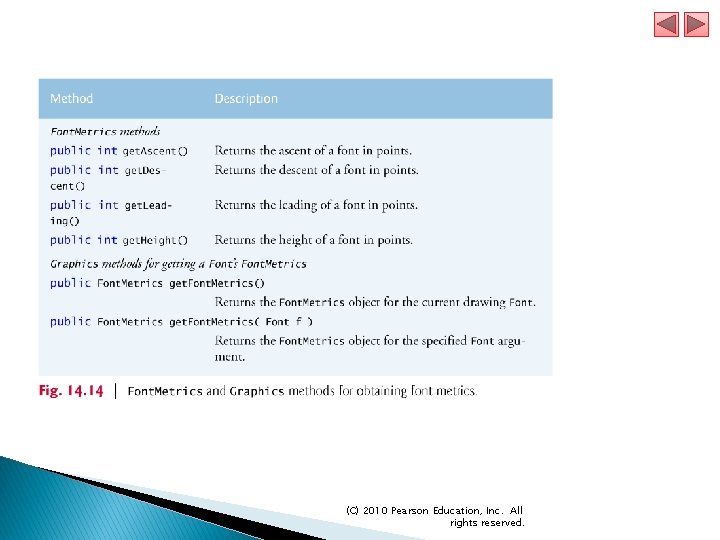
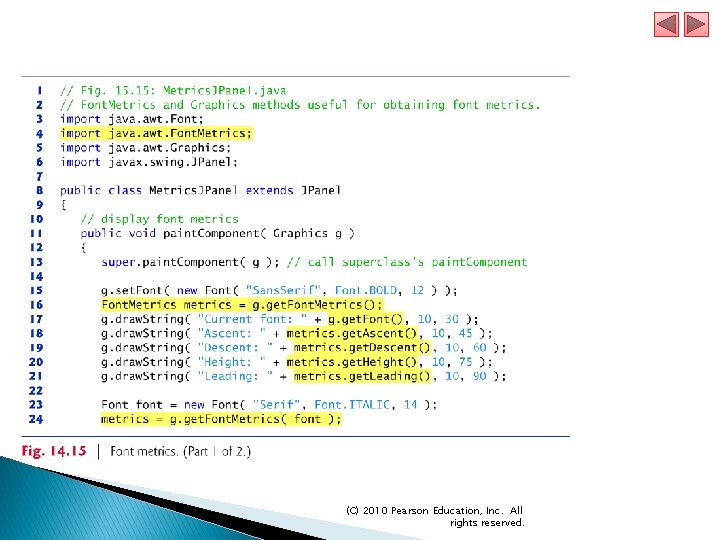
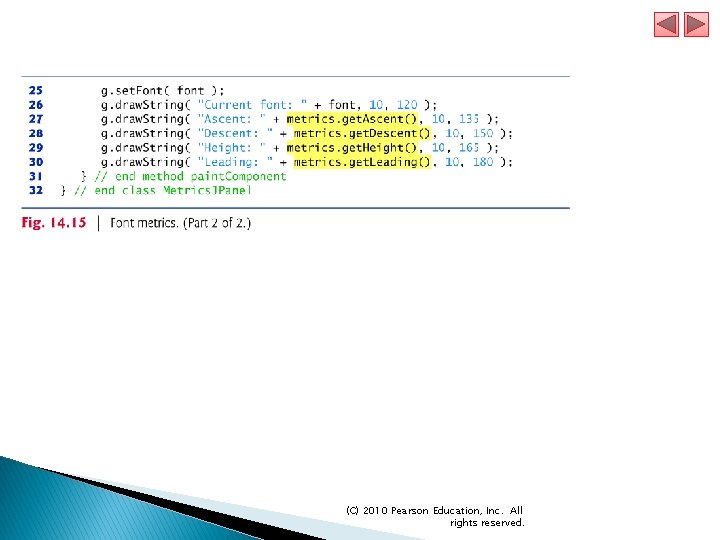
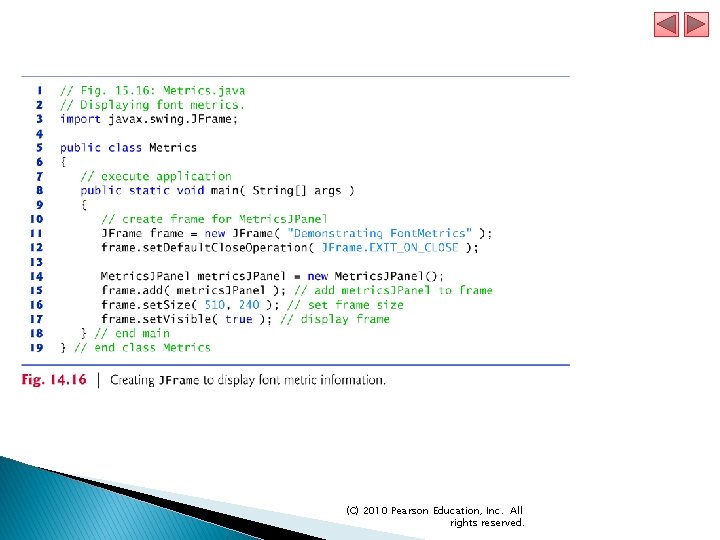
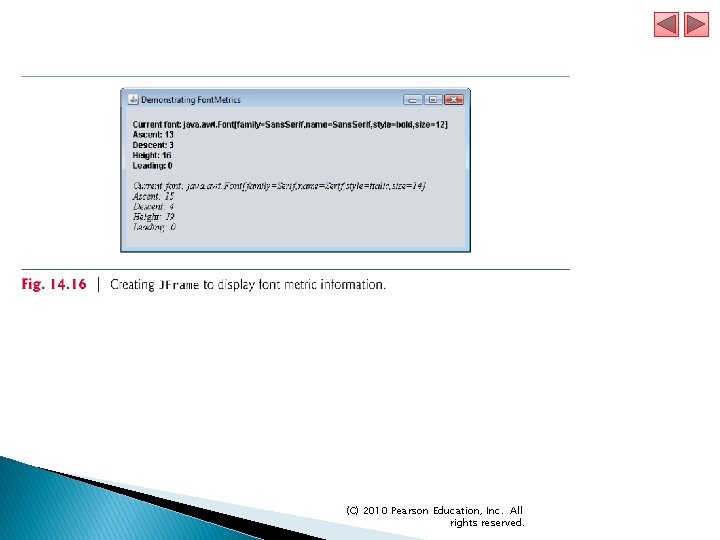
15. 5 Manipulating Fonts (cont. ) Figure 14. 13 illustrates some of the common font metrics, which provide precise information about a font ● Height ● descent (the amount a character dips below the baseline) ● ascent (the amount a character rises above the baseline) ● leading (the difference between the descent of one line of text and the ascent of the line of text below it—that is, the interline spacing). Class Font. Metrics declares several methods for obtaining font metrics. (C) 2010 Pearson Education, Inc. All rights reserved.
(C) 2010 Pearson Education, Inc. All rights reserved.
(C) 2010 Pearson Education, Inc. All rights reserved.
(C) 2010 Pearson Education, Inc. All rights reserved.
(C) 2010 Pearson Education, Inc. All rights reserved.
(C) 2010 Pearson Education, Inc. All rights reserved.
(C) 2010 Pearson Education, Inc. All rights reserved.
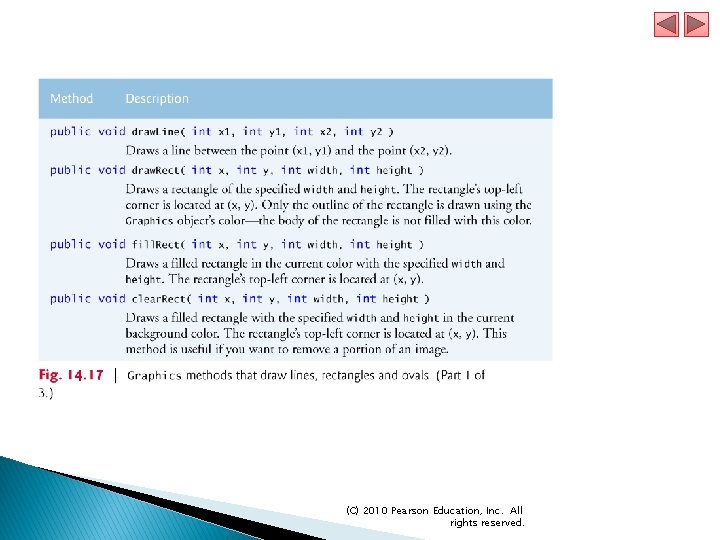
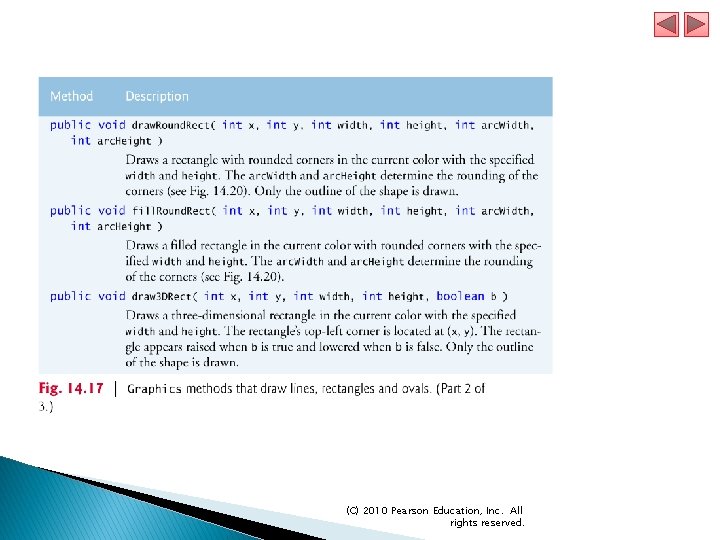
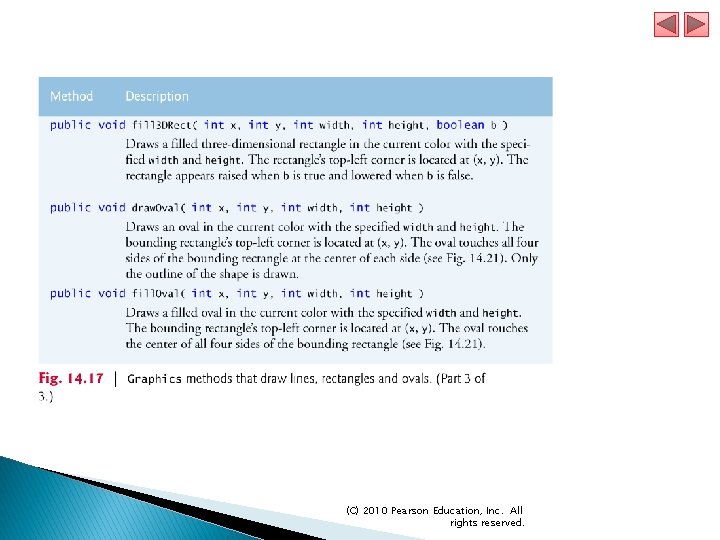
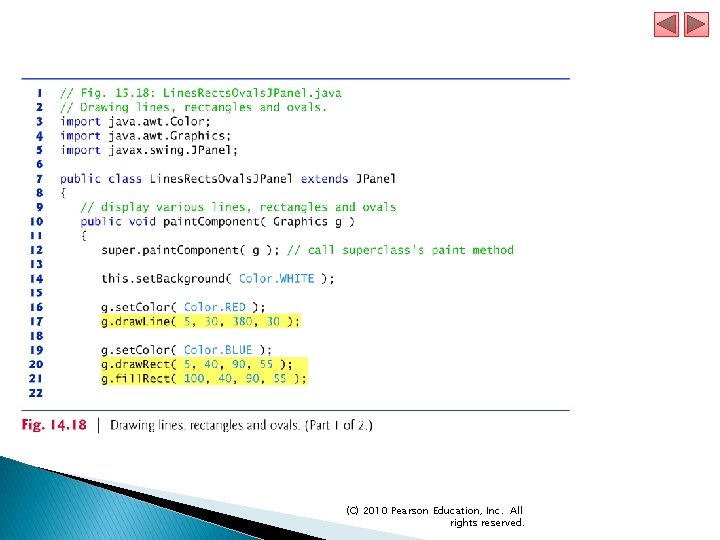
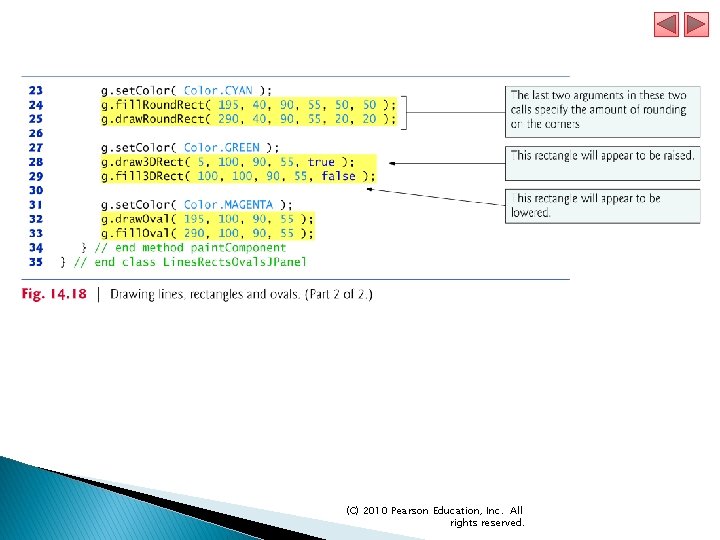
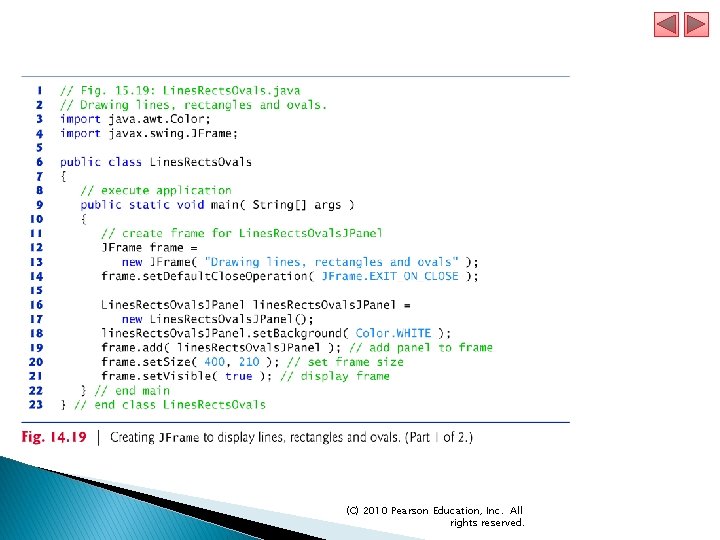
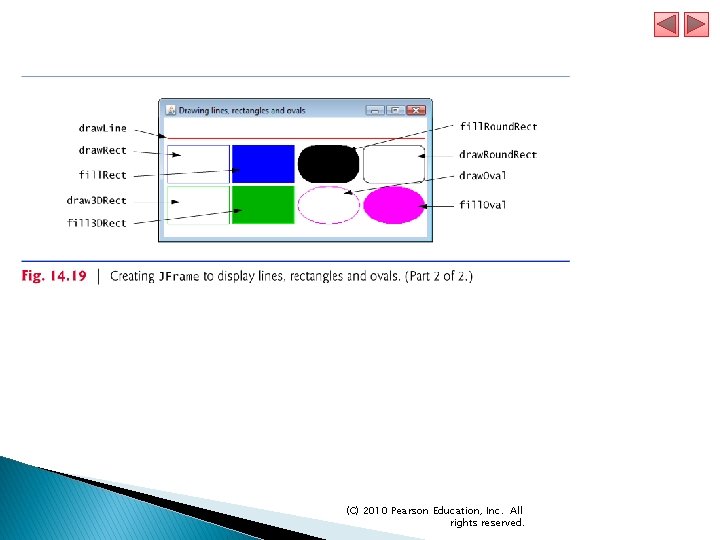
15. 6 Drawing Lines, Rectangles and Ovals This section presents Graphics methods for drawing lines, rectangles and ovals. The methods and their parameters are summarized in Fig. 14. 17. (C) 2010 Pearson Education, Inc. All rights reserved.
(C) 2010 Pearson Education, Inc. All rights reserved.
(C) 2010 Pearson Education, Inc. All rights reserved.
(C) 2010 Pearson Education, Inc. All rights reserved.
(C) 2010 Pearson Education, Inc. All rights reserved.
(C) 2010 Pearson Education, Inc. All rights reserved.
(C) 2010 Pearson Education, Inc. All rights reserved.
(C) 2010 Pearson Education, Inc. All rights reserved.
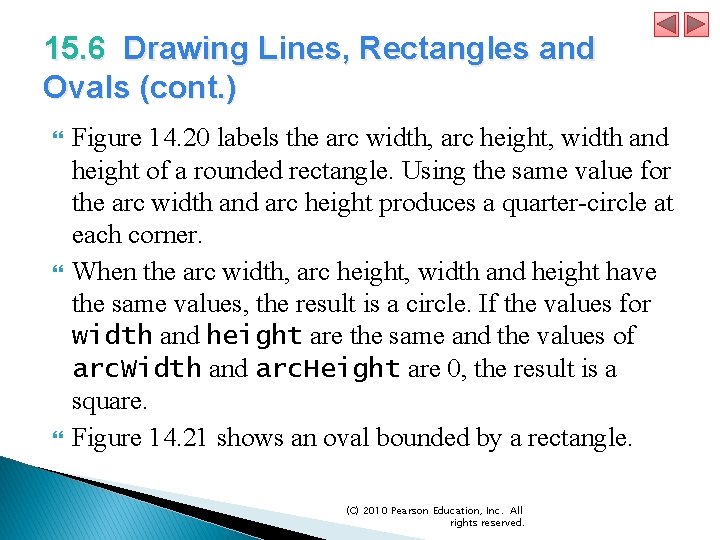
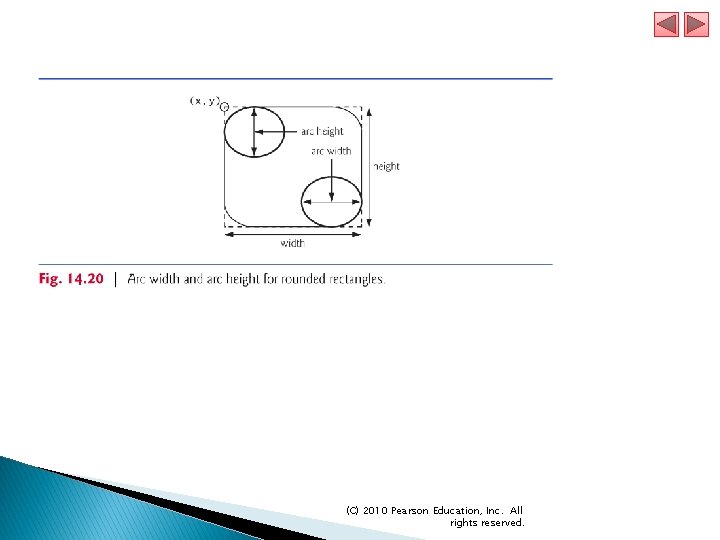
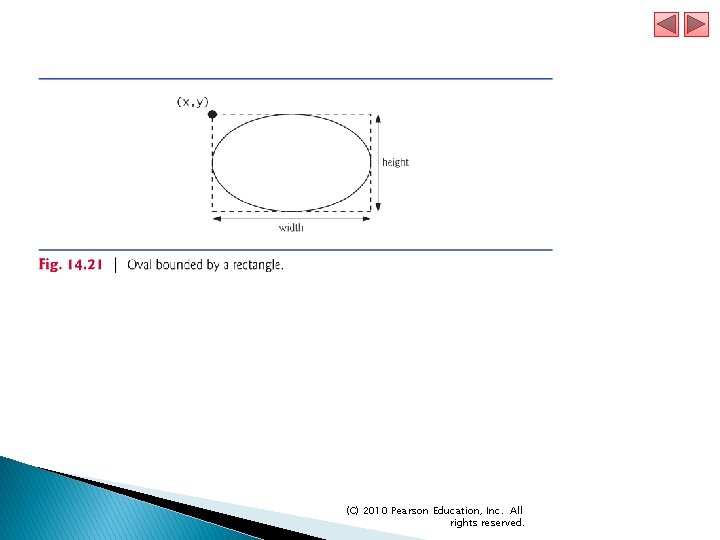
15. 6 Drawing Lines, Rectangles and Ovals (cont. ) Figure 14. 20 labels the arc width, arc height, width and height of a rounded rectangle. Using the same value for the arc width and arc height produces a quarter-circle at each corner. When the arc width, arc height, width and height have the same values, the result is a circle. If the values for width and height are the same and the values of arc. Width and arc. Height are 0, the result is a square. Figure 14. 21 shows an oval bounded by a rectangle. (C) 2010 Pearson Education, Inc. All rights reserved.
(C) 2010 Pearson Education, Inc. All rights reserved.
(C) 2010 Pearson Education, Inc. All rights reserved.
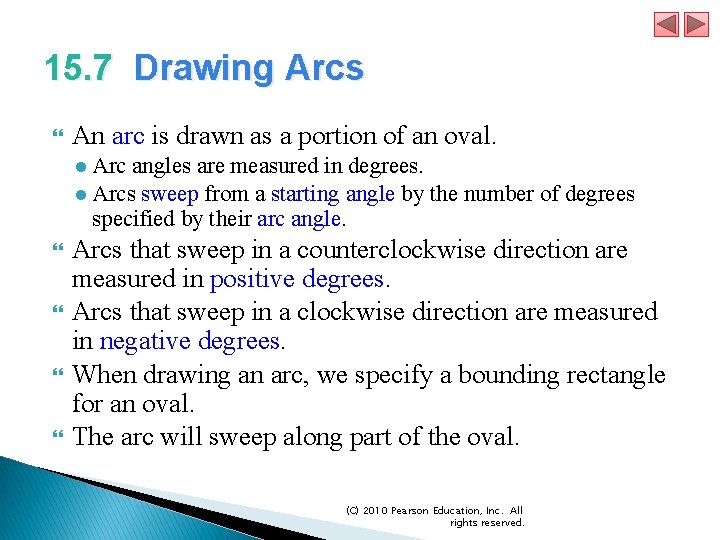
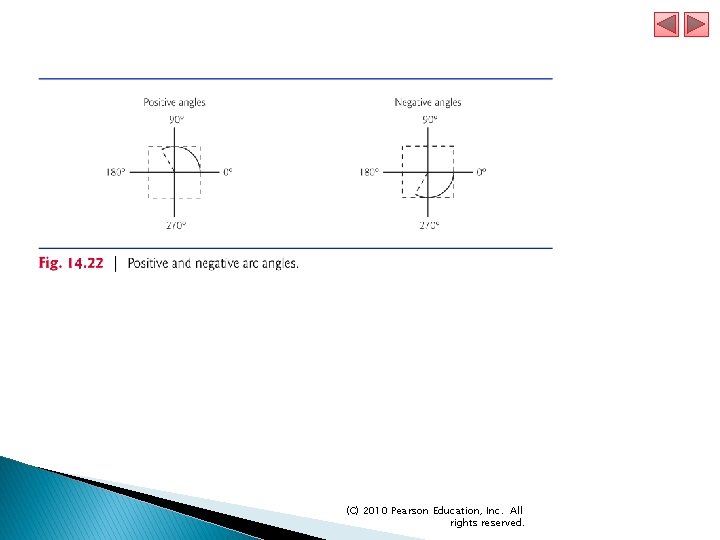
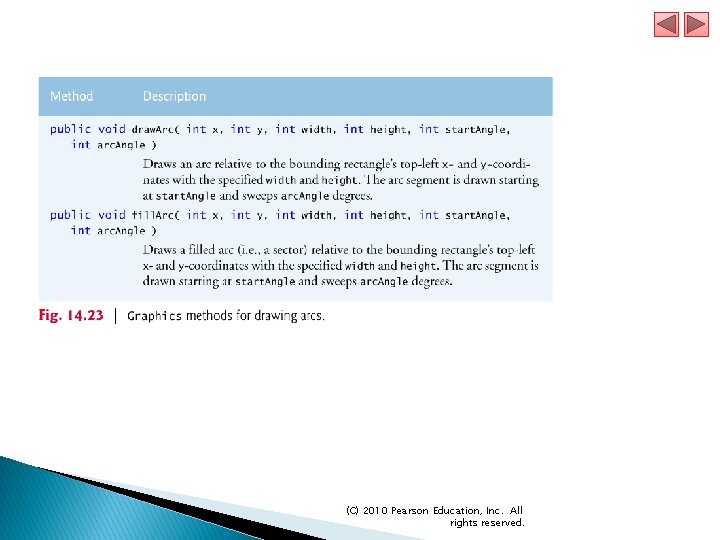
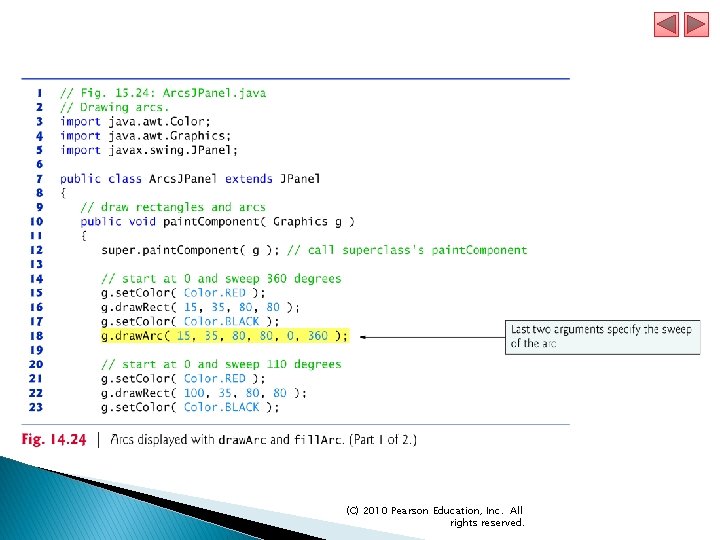
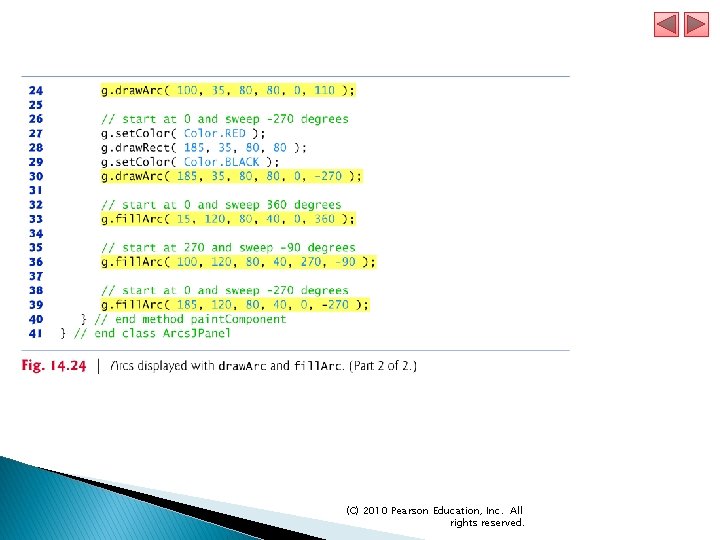
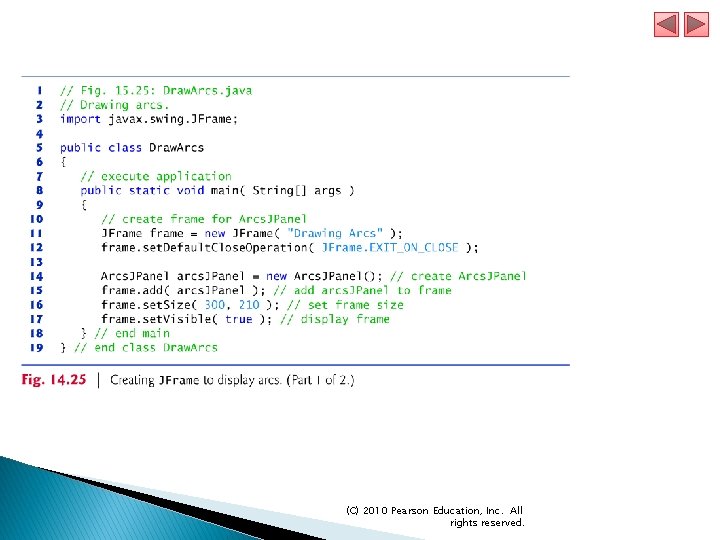
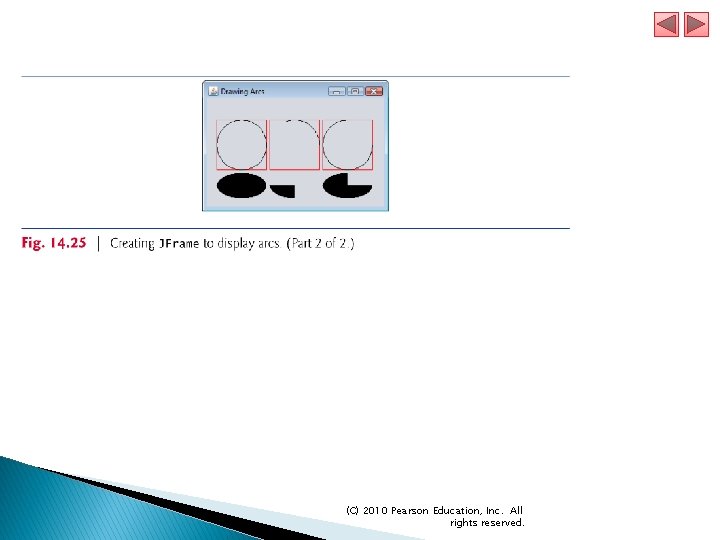
15. 7 Drawing Arcs An arc is drawn as a portion of an oval. ● Arc angles are measured in degrees. ● Arcs sweep from a starting angle by the number of degrees specified by their arc angle. Arcs that sweep in a counterclockwise direction are measured in positive degrees. Arcs that sweep in a clockwise direction are measured in negative degrees. When drawing an arc, we specify a bounding rectangle for an oval. The arc will sweep along part of the oval. (C) 2010 Pearson Education, Inc. All rights reserved.
(C) 2010 Pearson Education, Inc. All rights reserved.
(C) 2010 Pearson Education, Inc. All rights reserved.
(C) 2010 Pearson Education, Inc. All rights reserved.
(C) 2010 Pearson Education, Inc. All rights reserved.
(C) 2010 Pearson Education, Inc. All rights reserved.
(C) 2010 Pearson Education, Inc. All rights reserved.
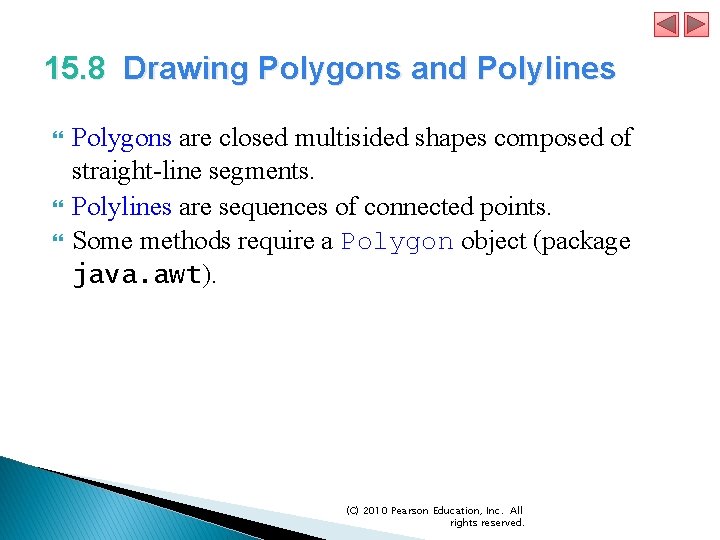
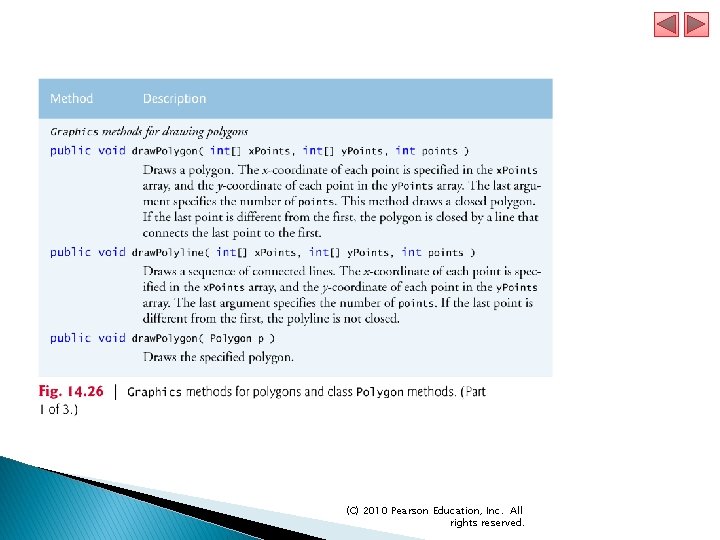
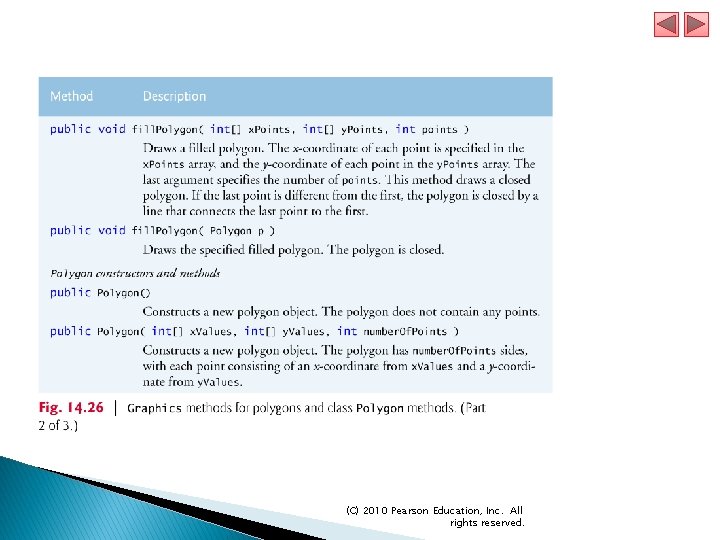
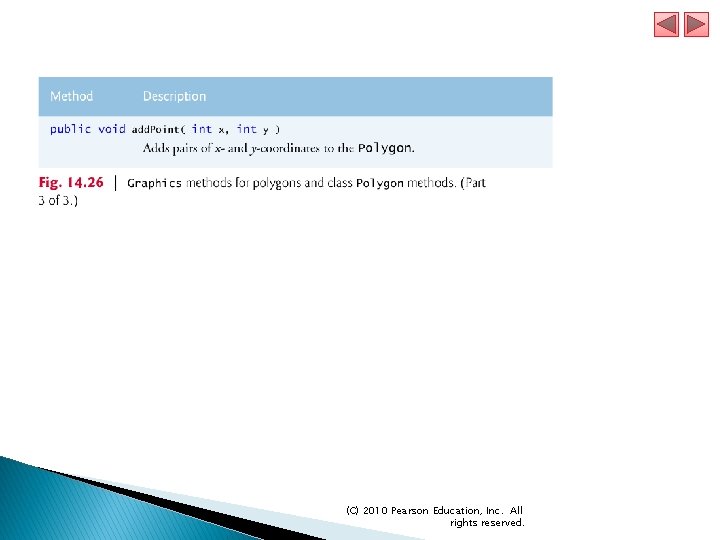
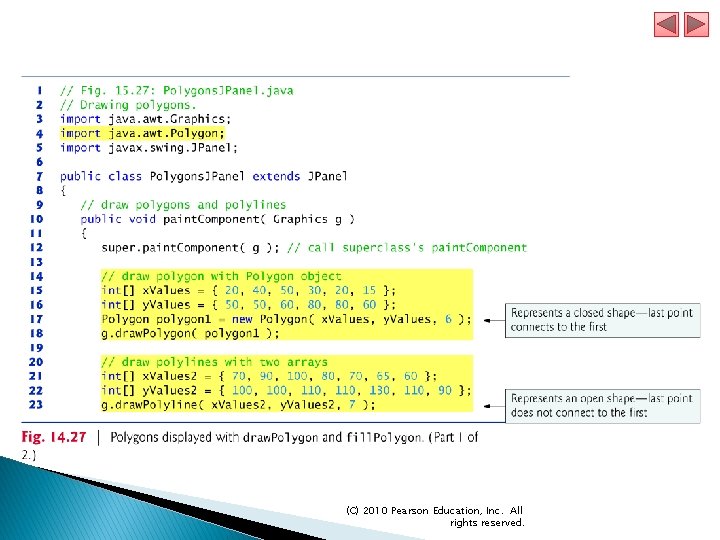
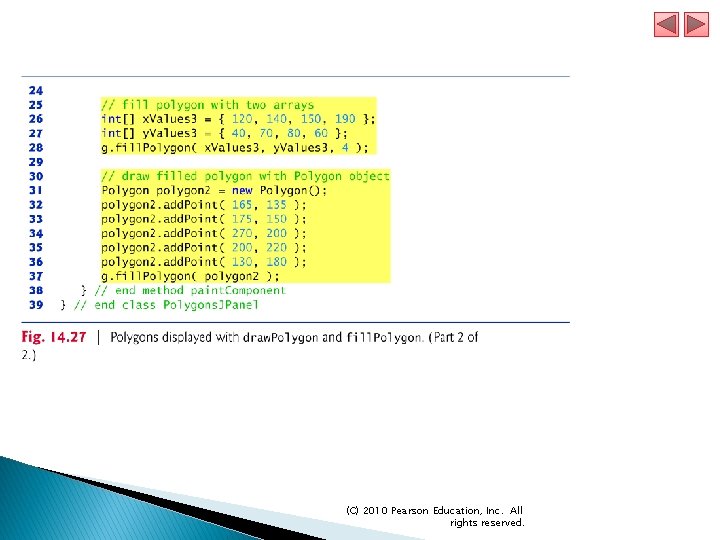
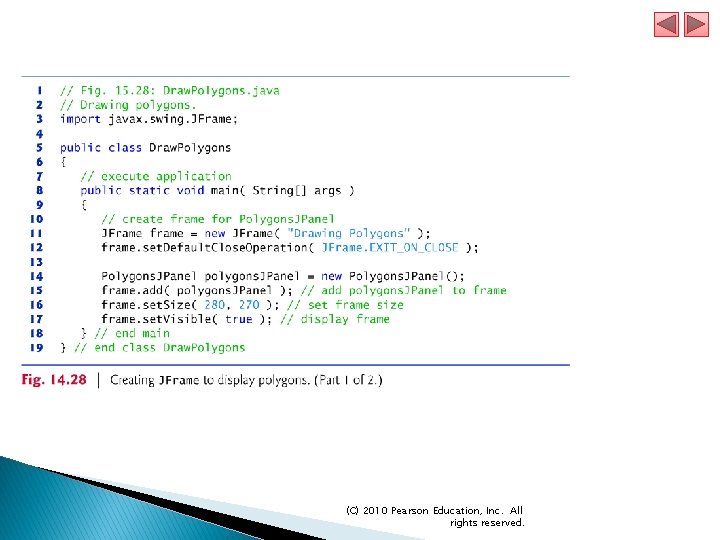
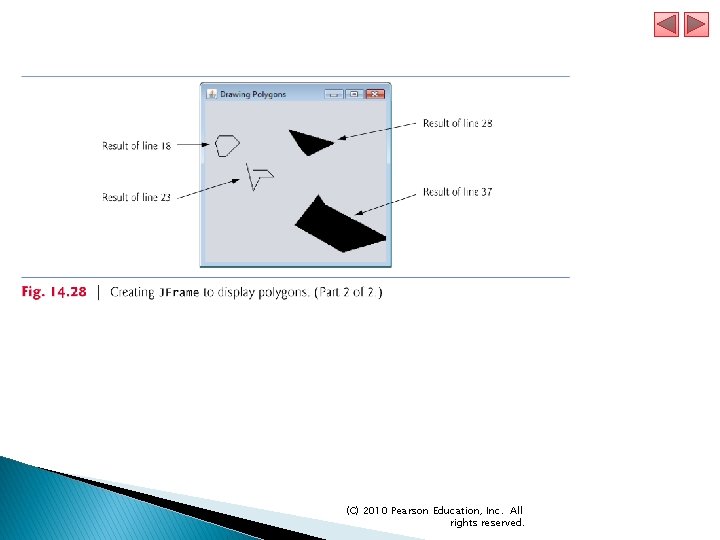
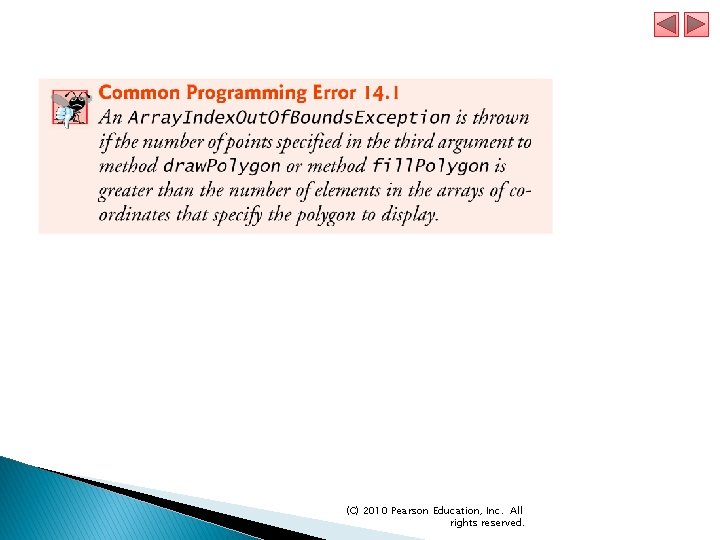
15. 8 Drawing Polygons and Polylines Polygons are closed multisided shapes composed of straight-line segments. Polylines are sequences of connected points. Some methods require a Polygon object (package java. awt). (C) 2010 Pearson Education, Inc. All rights reserved.
(C) 2010 Pearson Education, Inc. All rights reserved.
(C) 2010 Pearson Education, Inc. All rights reserved.
(C) 2010 Pearson Education, Inc. All rights reserved.
(C) 2010 Pearson Education, Inc. All rights reserved.
(C) 2010 Pearson Education, Inc. All rights reserved.
(C) 2010 Pearson Education, Inc. All rights reserved.
(C) 2010 Pearson Education, Inc. All rights reserved.
(C) 2010 Pearson Education, Inc. All rights reserved.
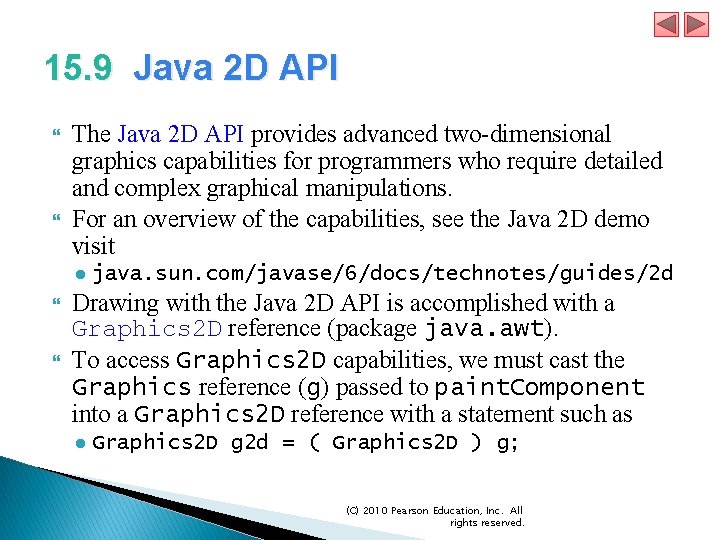
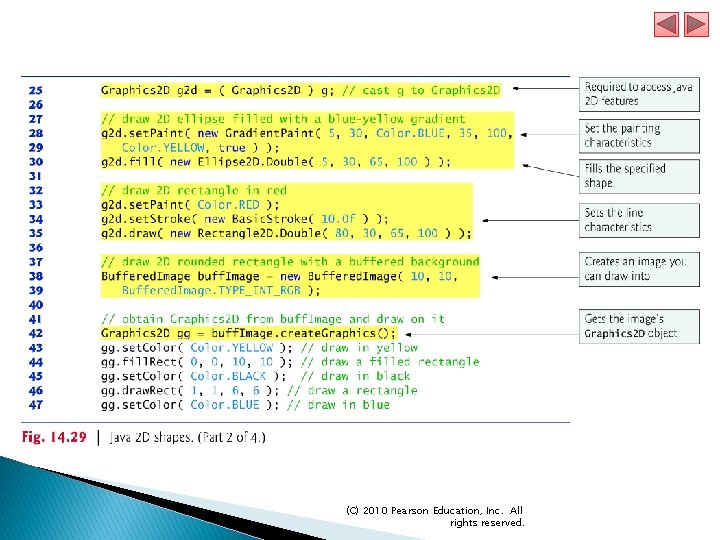
15. 9 Java 2 D API The Java 2 D API provides advanced two-dimensional graphics capabilities for programmers who require detailed and complex graphical manipulations. For an overview of the capabilities, see the Java 2 D demo visit ● java. sun. com/javase/6/docs/technotes/guides/2 d Drawing with the Java 2 D API is accomplished with a Graphics 2 D reference (package java. awt). To access Graphics 2 D capabilities, we must cast the Graphics reference (g) passed to paint. Component into a Graphics 2 D reference with a statement such as ● Graphics 2 D g 2 d = ( Graphics 2 D ) g; (C) 2010 Pearson Education, Inc. All rights reserved.
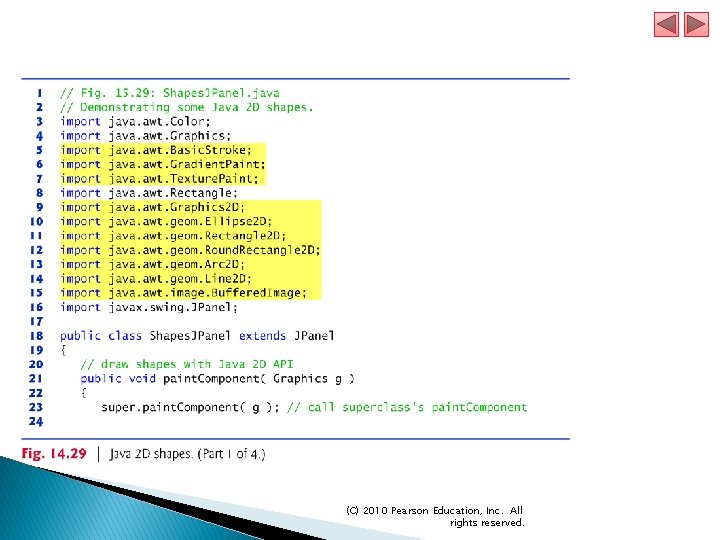
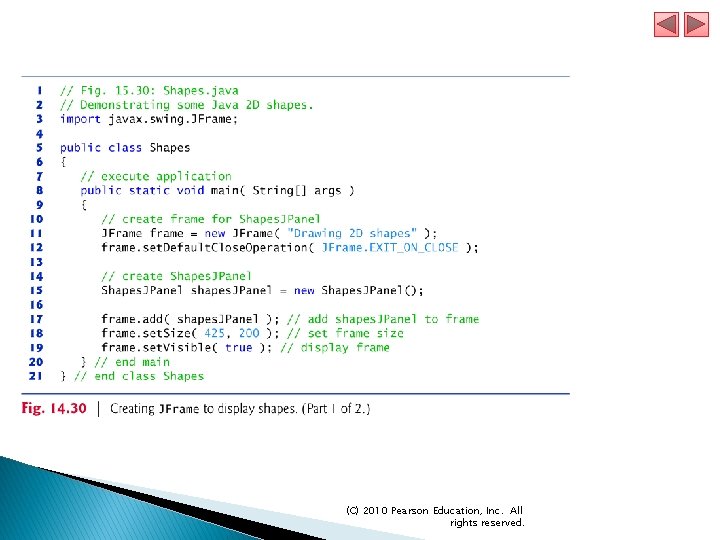
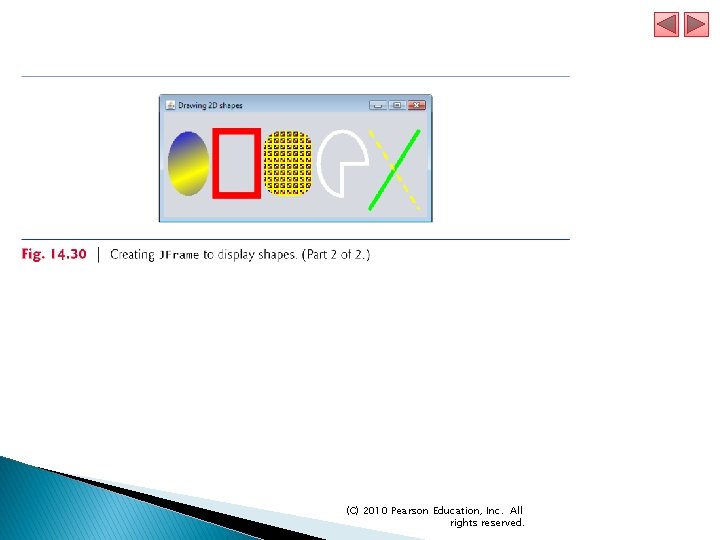
15. 9 Java 2 D API (cont. ) Example demonstrates several Java 2 D shapes from package java. awt. geom, including Line 2 D. Double, Rectangle 2 D. Double, Round. Rectangle 2 D. Double, Arc 2 D. Double and Ellipse 2 D. Double. (C) 2010 Pearson Education, Inc. All rights reserved.
(C) 2010 Pearson Education, Inc. All rights reserved.
(C) 2010 Pearson Education, Inc. All rights reserved.
(C) 2010 Pearson Education, Inc. All rights reserved.
(C) 2010 Pearson Education, Inc. All rights reserved.
(C) 2010 Pearson Education, Inc. All rights reserved.
(C) 2010 Pearson Education, Inc. All rights reserved.
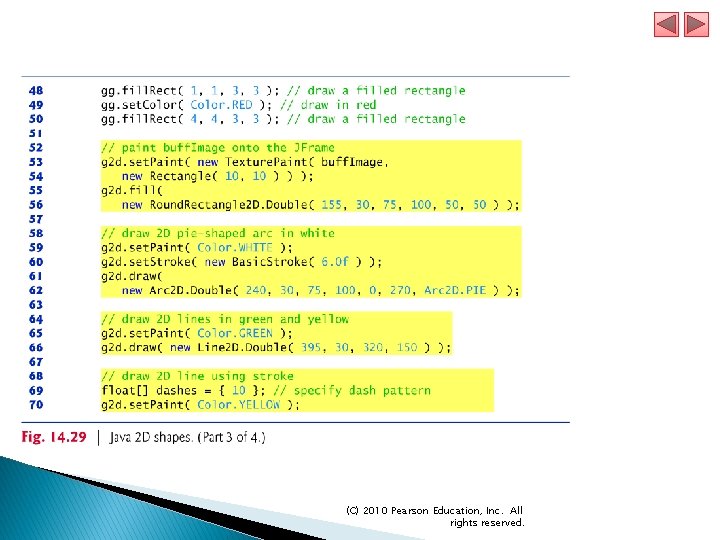
15. 9 Java 2 D API (cont. ) Graphics 2 D method set. Paint sets the Paint object that determines the color for the shape to display. A Paint object implements interface java. awt. Paint. ● Can be something one of the predeclared Color, or it can be an instance of the Java 2 D API’s Gradient. Paint, System. Color, Texture. Paint, Linear. Gradient. Paint or Radial. Gradient. Paint classes. Class Gradient. Paint helps draw a shape in gradually changing colors—called a gradient. Graphics 2 D method fill draws a filled Shape object —an object that implements interface Shape (package java. awt). (C) 2010 Pearson Education, Inc. All rights reserved.
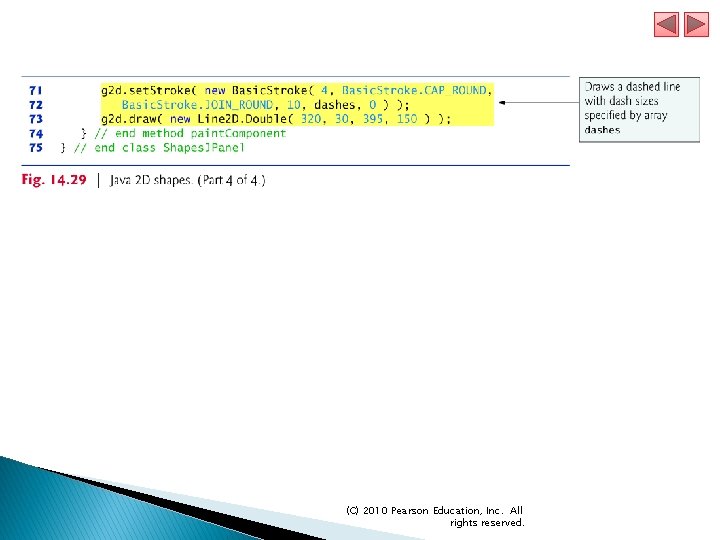
15. 9 Java 2 D API (cont. ) Graphics 2 D method set. Stroke sets the characteristics of the shape’s border (or the lines for any other shape). ● Requires as its argument an object that implements interface Stroke (package java. awt). Class Basic. Stroke provides several constructors to specify the width of the line, how the line ends (called the end caps), how lines join together (called line joins) and the dash attributes of the line (if it’s a dashed line). Graphics 2 D method draws a Shape object. (C) 2010 Pearson Education, Inc. All rights reserved.
15. 9 Java 2 D API (cont. ) Class Buffered. Image (package java. awt. image) can be used to produce images in color and grayscale. The third argument Buffered. Image. TYPE_INT_RGB indicates that the image is stored in color using the RGB color scheme. Buffered. Image method create-Graphics creates a Graphics 2 D object for drawing into the Buffered. Image. A Texture. Paint object uses the image stored in its associated Buffered. Image (the first constructor argument) as the fill texture for a filled-in shape. (C) 2010 Pearson Education, Inc. All rights reserved.
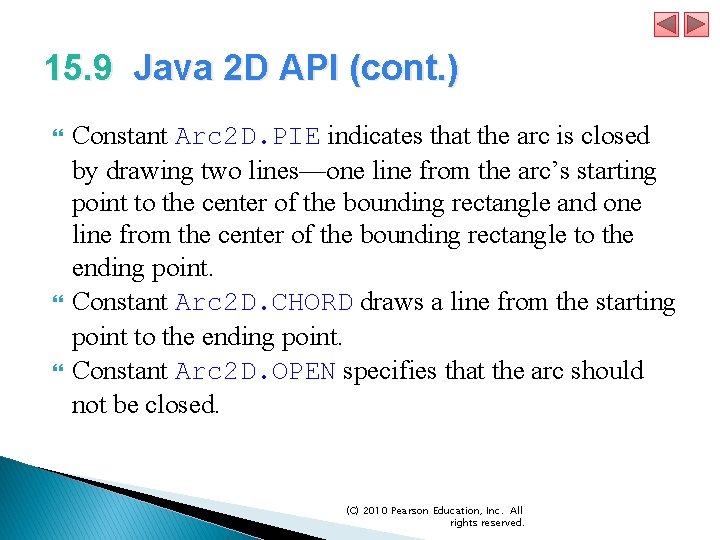
15. 9 Java 2 D API (cont. ) Constant Arc 2 D. PIE indicates that the arc is closed by drawing two lines—one line from the arc’s starting point to the center of the bounding rectangle and one line from the center of the bounding rectangle to the ending point. Constant Arc 2 D. CHORD draws a line from the starting point to the ending point. Constant Arc 2 D. OPEN specifies that the arc should not be closed. (C) 2010 Pearson Education, Inc. All rights reserved.
15. 9 Java 2 D API (cont. ) Basic. Stroke. CAP_ROUND causes a line to have rounded ends. If lines join together (as in a rectangle at the corners), use Basic. Stroke. JOIN_ROUND to indicate a rounded join. (C) 2010 Pearson Education, Inc. All rights reserved.
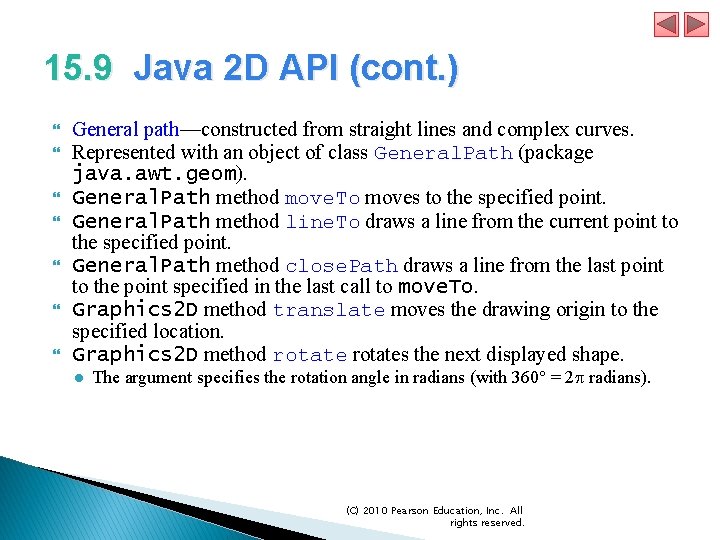
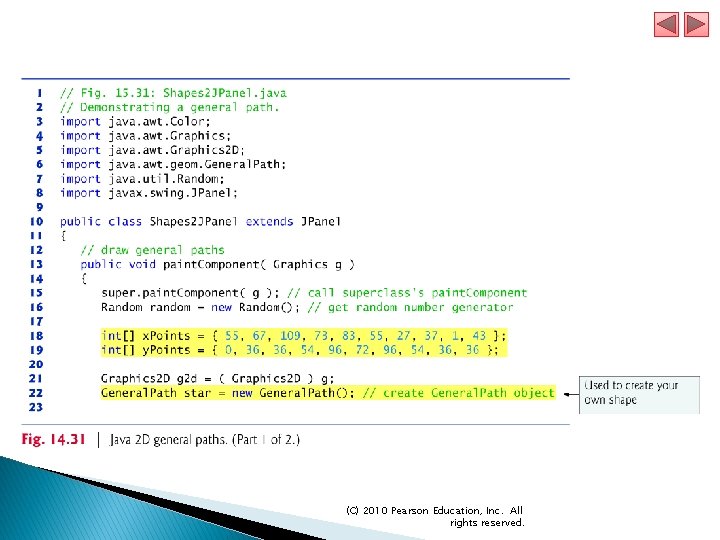
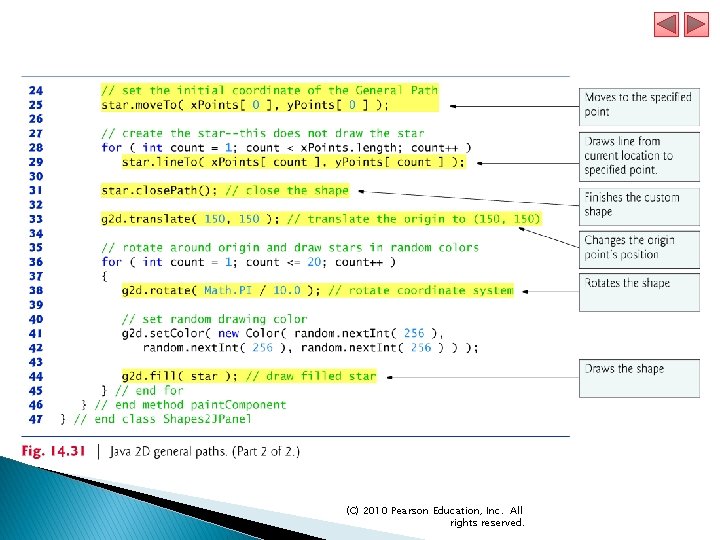
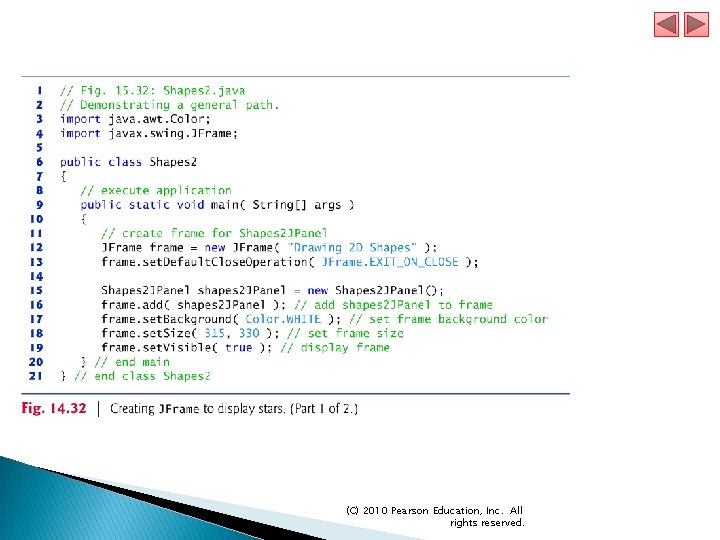
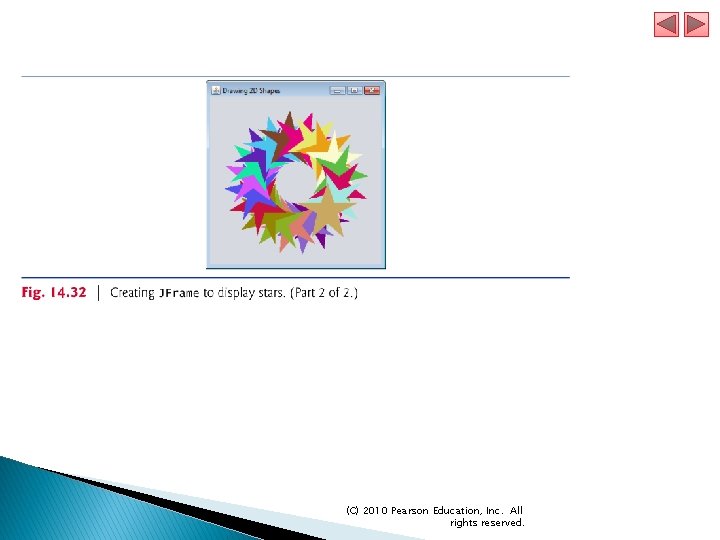
15. 9 Java 2 D API (cont. ) General path—constructed from straight lines and complex curves. Represented with an object of class General. Path (package java. awt. geom). General. Path method move. To moves to the specified point. General. Path method line. To draws a line from the current point to the specified point. General. Path method close. Path draws a line from the last point to the point specified in the last call to move. To. Graphics 2 D method translate moves the drawing origin to the specified location. Graphics 2 D method rotates the next displayed shape. ● The argument specifies the rotation angle in radians (with 360° = 2 p radians). (C) 2010 Pearson Education, Inc. All rights reserved.
(C) 2010 Pearson Education, Inc. All rights reserved.
(C) 2010 Pearson Education, Inc. All rights reserved.
(C) 2010 Pearson Education, Inc. All rights reserved.
(C) 2010 Pearson Education, Inc. All rights reserved.