
Computer Graphics Overview Color Displays Drawing Pipeline Sep

- Slides: 22
Computer Graphics Overview Color Displays Drawing Pipeline Sep 21, Fall 2006 IAT 410 1
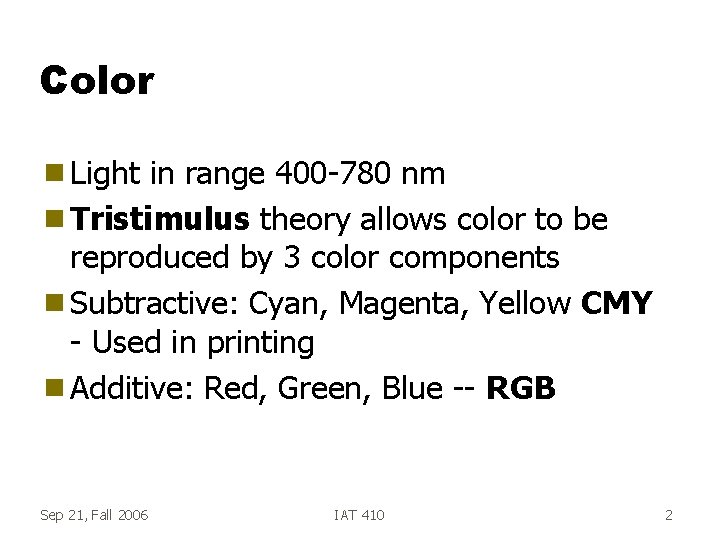
Color g Light in range 400 -780 nm g Tristimulus theory allows color to be reproduced by 3 color components g Subtractive: Cyan, Magenta, Yellow CMY - Used in printing g Additive: Red, Green, Blue -- RGB Sep 21, Fall 2006 IAT 410 2
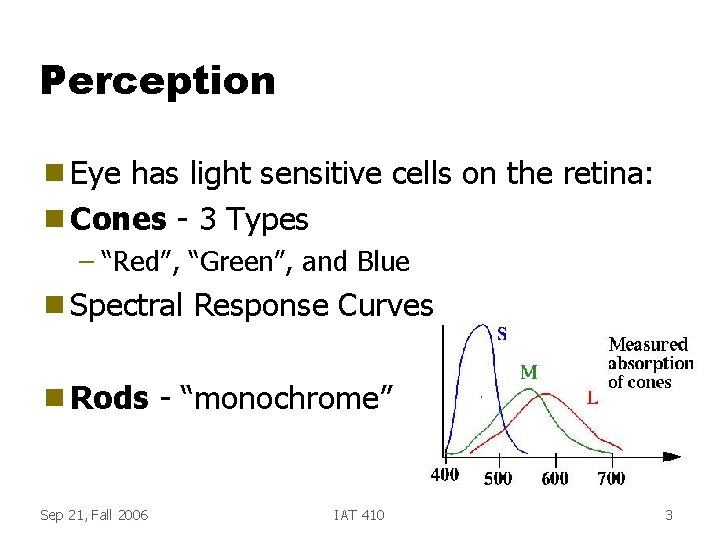
Perception g Eye has light sensitive cells on the retina: g Cones - 3 Types – “Red”, “Green”, and Blue g Spectral g Rods Sep 21, Fall 2006 Response Curves - “monochrome” IAT 410 3
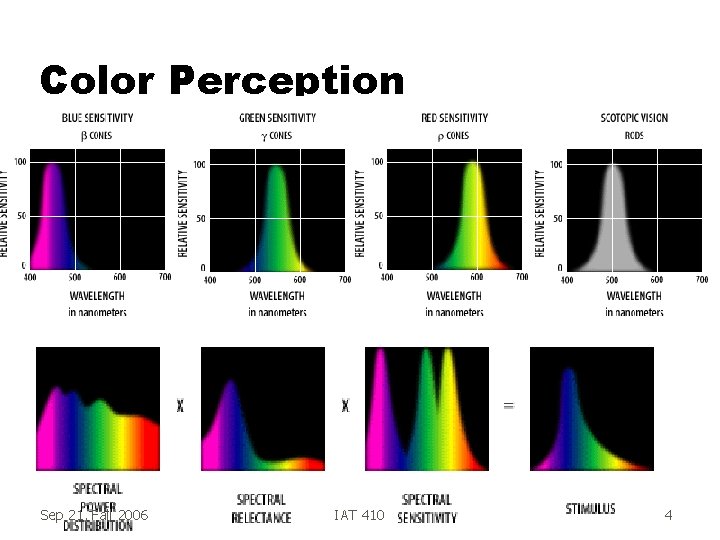
Color Perception Sep 21, Fall 2006 IAT 410 4
Perception g Fovea is the high-resolution area the eye – Cones are mostly at the Fovea g Cones aren’t very sensitive – Not too useful in the dark – Long temporal response time g Rods are placed all over retina – Night vision – Peripheral vision Sep 21, Fall 2006 IAT 410 5
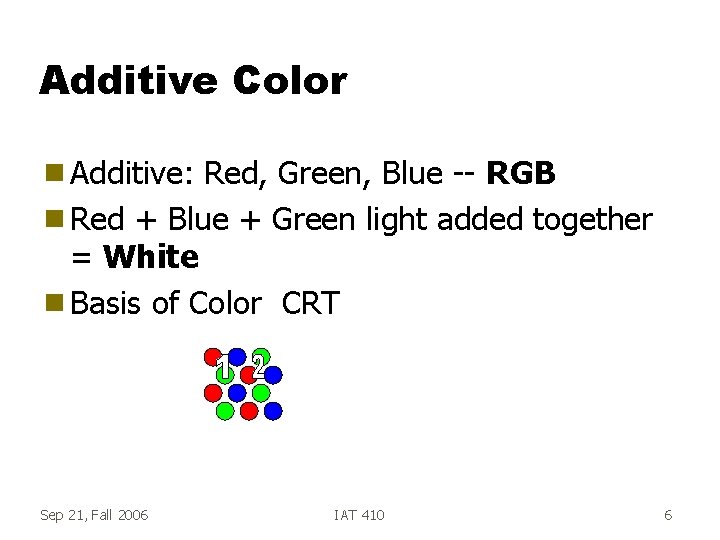
Additive Color g Additive: Red, Green, Blue -- RGB g Red + Blue + Green light added together = White g Basis of Color CRT Sep 21, Fall 2006 IAT 410 6
Displays g Color CRT contains rectangular array of colored dots - Pixels – RGB Triads – R, G, and B controlled separately per pixel – 8 bits for each R, G and B g In a 1280 x 1024 pixel display, have – 1280 x 1024 x 3 bytes per image – Refreshed 60 or more times/second: – 225 Megabytes/Sec Sep 21, Fall 2006 IAT 410 7
Frame Buffer g Stores image to be refreshed on CRT g Dual port: Refresh port + Random-access port g Video RAM g Random-Access port used to load frame buffer with images Sep 21, Fall 2006 IAT 410 8
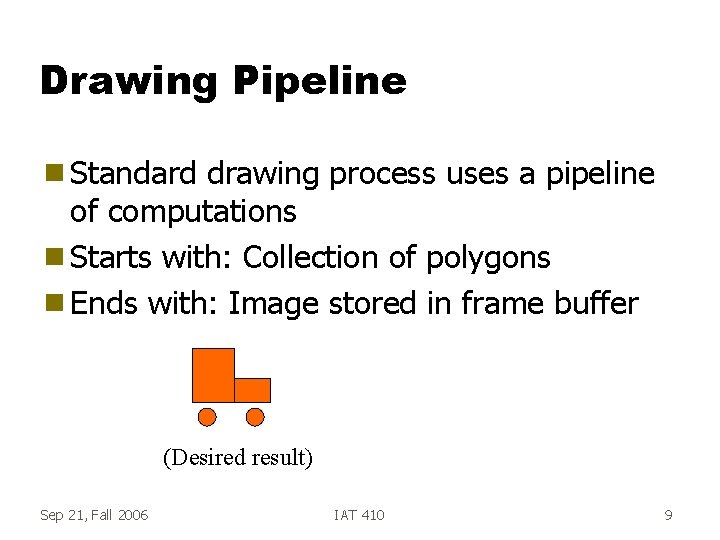
Drawing Pipeline g Standard drawing process uses a pipeline of computations g Starts with: Collection of polygons g Ends with: Image stored in frame buffer (Desired result) Sep 21, Fall 2006 IAT 410 9
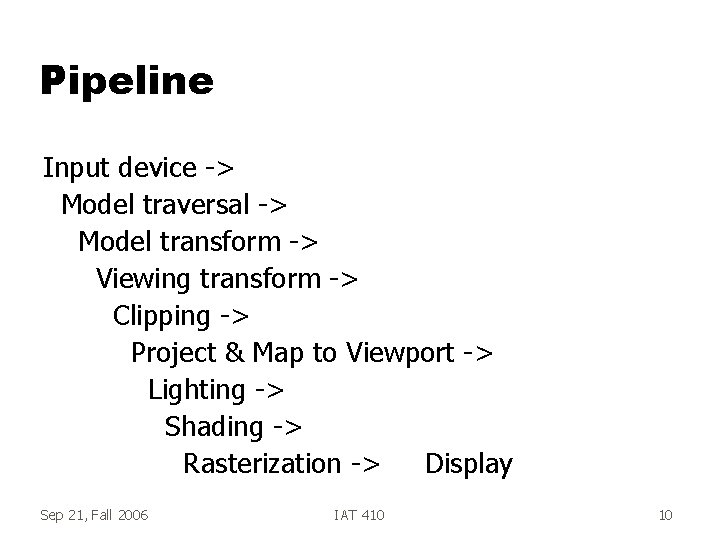
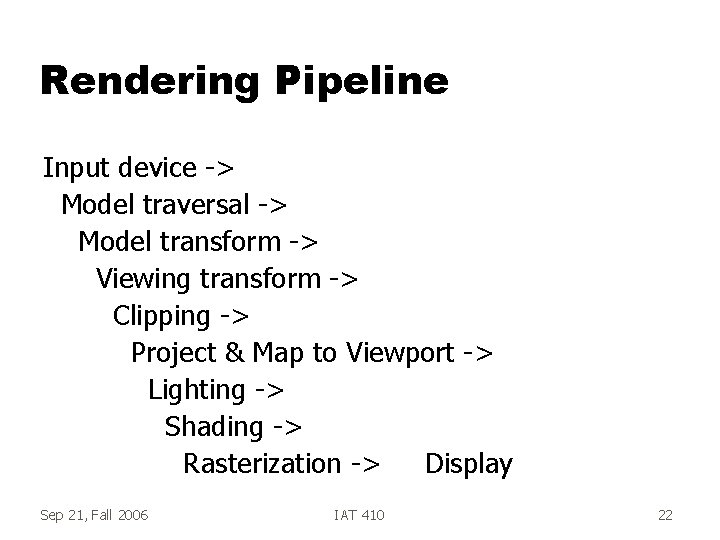
Pipeline Input device -> Model traversal -> Model transform -> Viewing transform -> Clipping -> Project & Map to Viewport -> Lighting -> Shading -> Rasterization -> Display Sep 21, Fall 2006 IAT 410 10
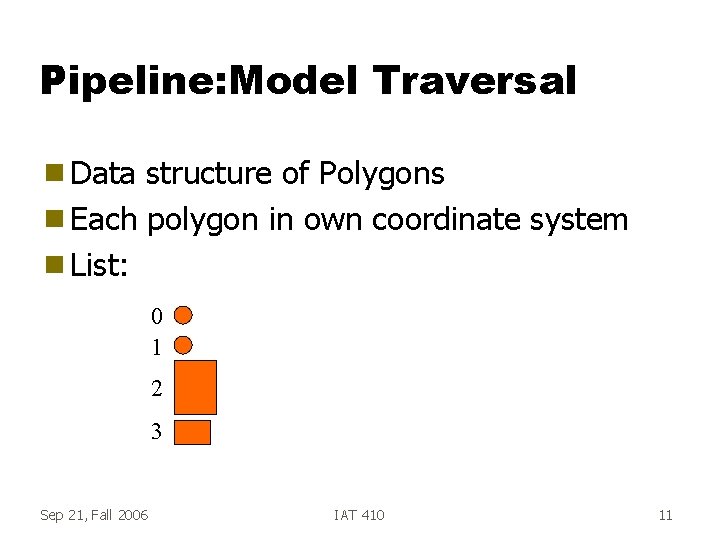
Pipeline: Model Traversal g Data structure of Polygons g Each polygon in own coordinate system g List: 0 1 2 3 Sep 21, Fall 2006 IAT 410 11
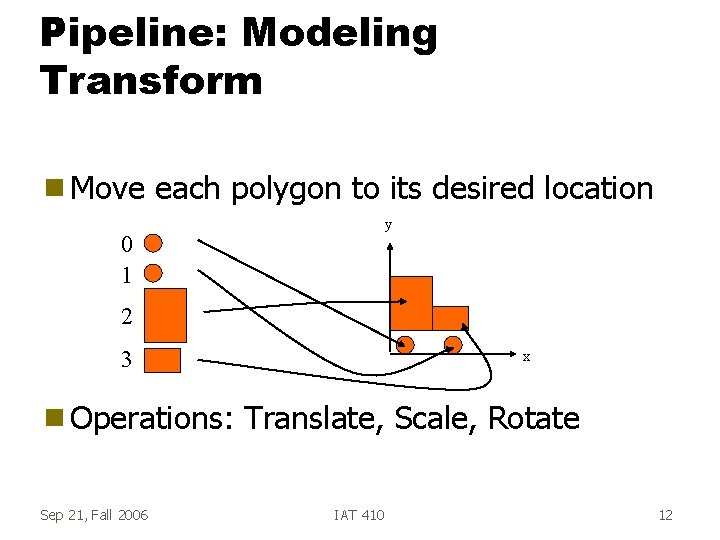
Pipeline: Modeling Transform g Move each polygon to its desired location y 0 1 2 3 g Operations: Sep 21, Fall 2006 x Translate, Scale, Rotate IAT 410 12
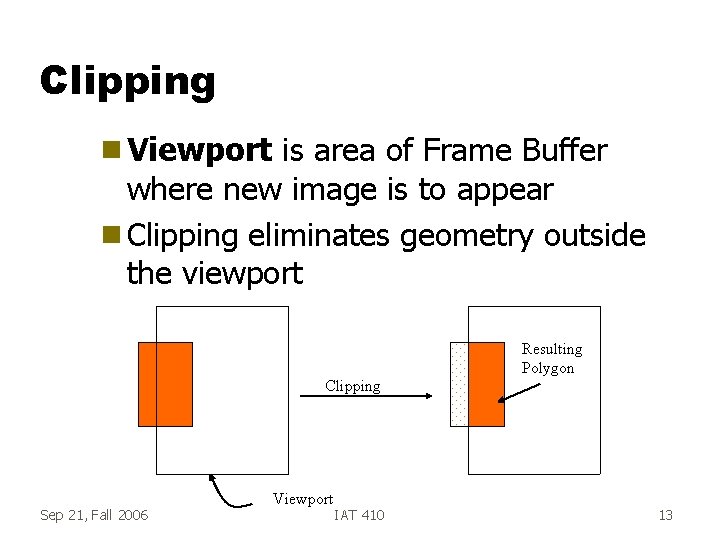
Clipping g Viewport is area of Frame Buffer where new image is to appear g Clipping eliminates geometry outside the viewport Resulting Polygon Clipping Sep 21, Fall 2006 Viewport IAT 410 13
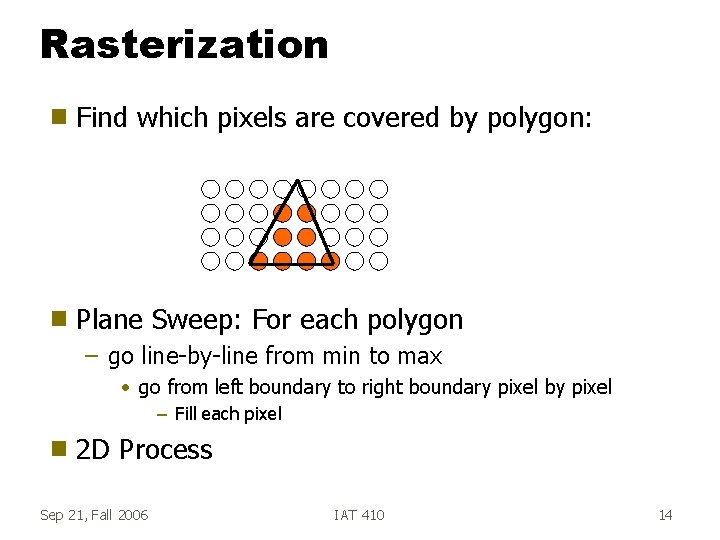
Rasterization g Find which pixels are covered by polygon: g Plane Sweep: For each polygon – go line-by-line from min to max • go from left boundary to right boundary pixel by pixel – Fill each pixel g 2 D Process Sep 21, Fall 2006 IAT 410 14
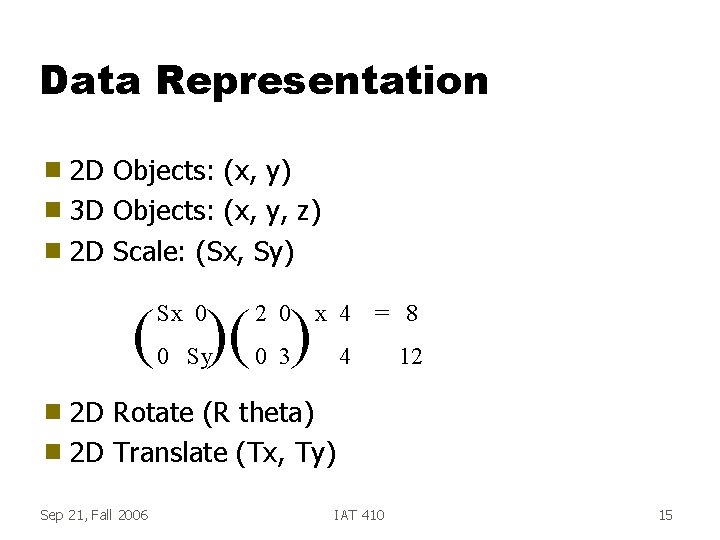
Data Representation 2 D Objects: (x, y) g 3 D Objects: (x, y, z) g 2 D Scale: (Sx, Sy) g ( )( ) Sx 0 2 0 x 4 = 8 0 Sy 0 3 4 12 2 D Rotate (R theta) g 2 D Translate (Tx, Ty) g Sep 21, Fall 2006 IAT 410 15
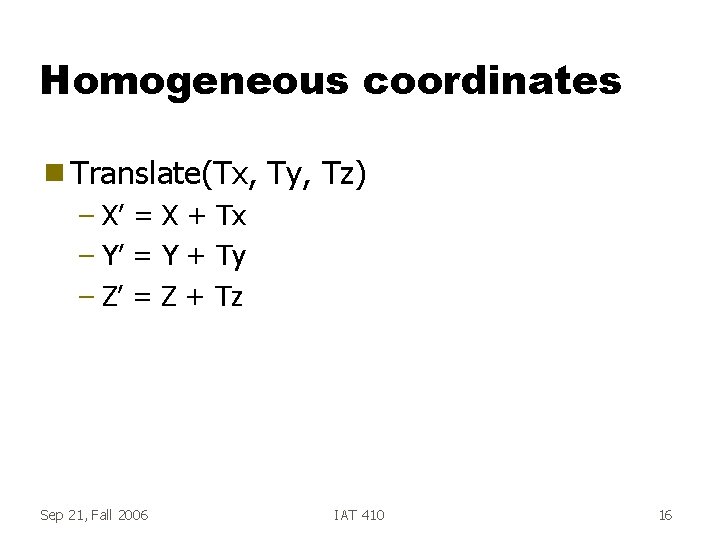
Homogeneous coordinates g Translate(Tx, Ty, Tz) – X’ = X + Tx – Y’ = Y + Ty – Z’ = Z + Tz Sep 21, Fall 2006 IAT 410 16
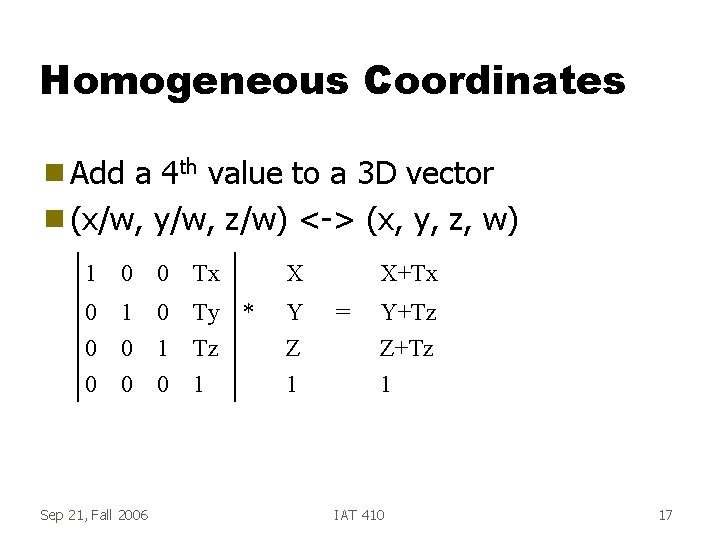
Homogeneous Coordinates g Add a 4 th value to a 3 D vector g (x/w, y/w, z/w) <-> (x, y, z, w) 1 0 0 Tx X 0 0 0 1 0 Ty * Tz 1 Y Z 1 Sep 21, Fall 2006 X+Tx = Y+Tz Z+Tz 1 IAT 410 17
3 D Graphics Sep 21, Fall 2006 IAT 410 18
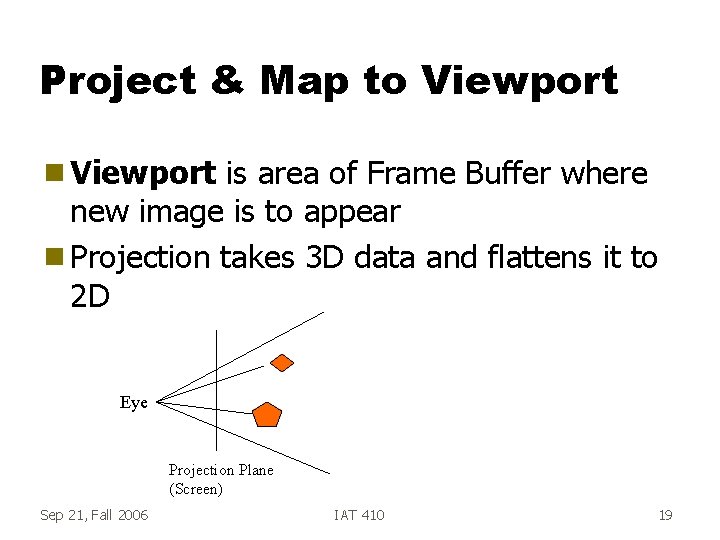
Project & Map to Viewport g Viewport is area of Frame Buffer where new image is to appear g Projection takes 3 D data and flattens it to 2 D Eye Projection Plane (Screen) Sep 21, Fall 2006 IAT 410 19
Lighting g Simulate effects of light on surface of objects g Each polygon gets some light independent of other objects Specular Diffuse (Lambertian) Sep 21, Fall 2006 IAT 410 20
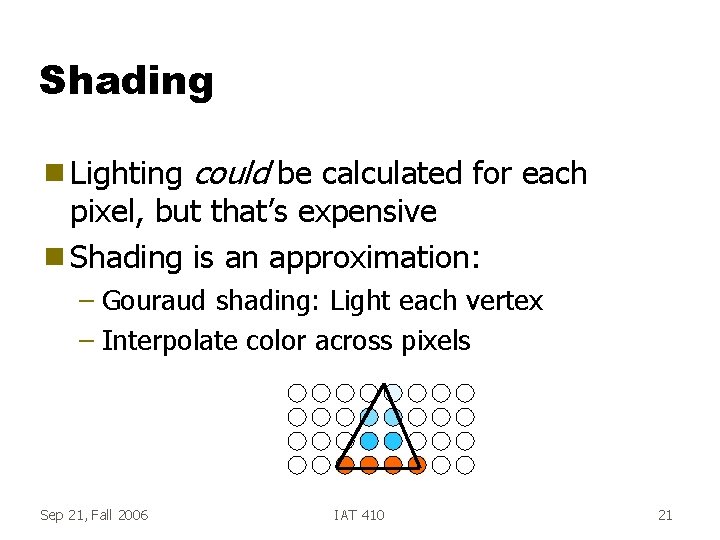
Shading g Lighting could be calculated for each pixel, but that’s expensive g Shading is an approximation: – Gouraud shading: Light each vertex – Interpolate color across pixels Sep 21, Fall 2006 IAT 410 21
Rendering Pipeline Input device -> Model traversal -> Model transform -> Viewing transform -> Clipping -> Project & Map to Viewport -> Lighting -> Shading -> Rasterization -> Display Sep 21, Fall 2006 IAT 410 22