
Computer Graphics Lecture 9 Antialiasing Texture Mapping Inf
- Slides: 36
Computer Graphics Lecture 9 Antialiasing, Texture Mapping Inf 4/MSc
Computer Graphics Inf 4/MSc Today • Texture mapping – Common texture coordinates mapping – Texture coordinates • Antialiasing-textures 2
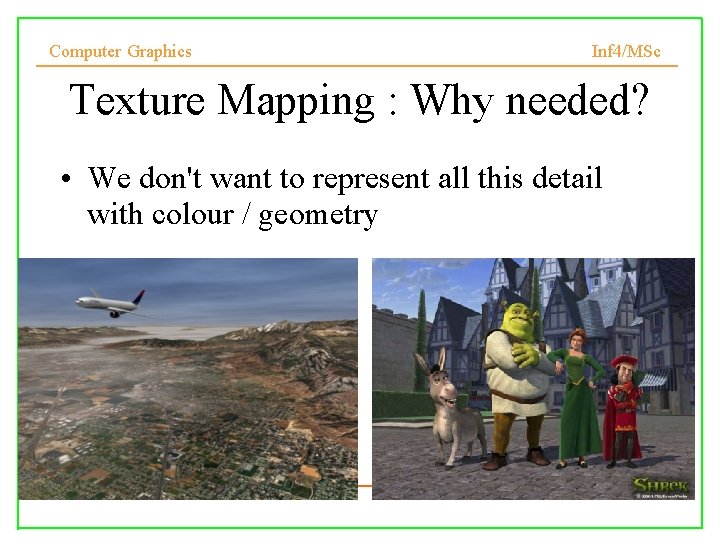
Computer Graphics Inf 4/MSc Texture Mapping : Why needed? • We don't want to represent all this detail with colour / geometry
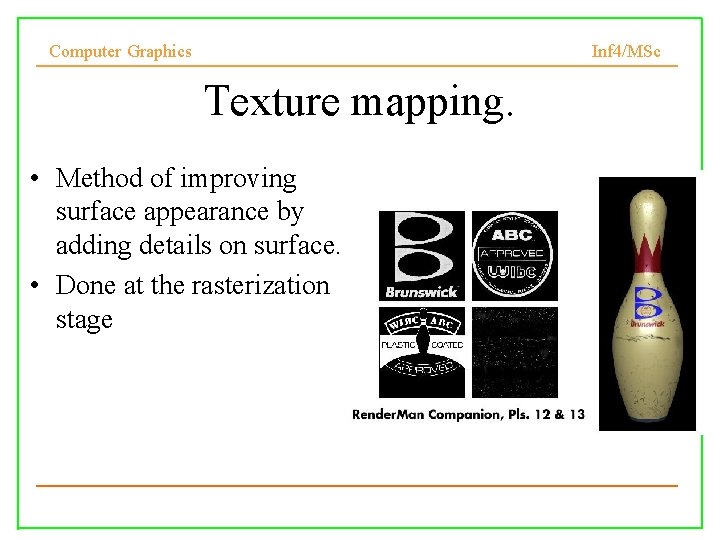
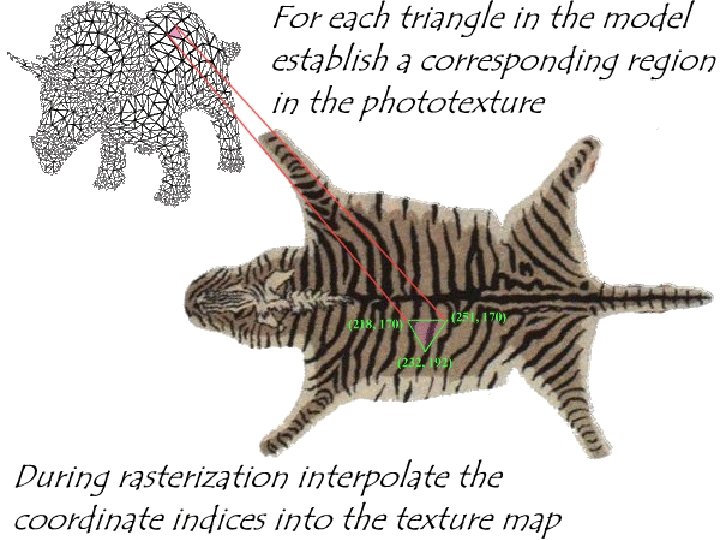
Computer Graphics Inf 4/MSc Texture mapping. • Method of improving surface appearance by adding details on surface. • Done at the rasterization stage 4
Computer Graphics Inf 4/MSc Photo-textures
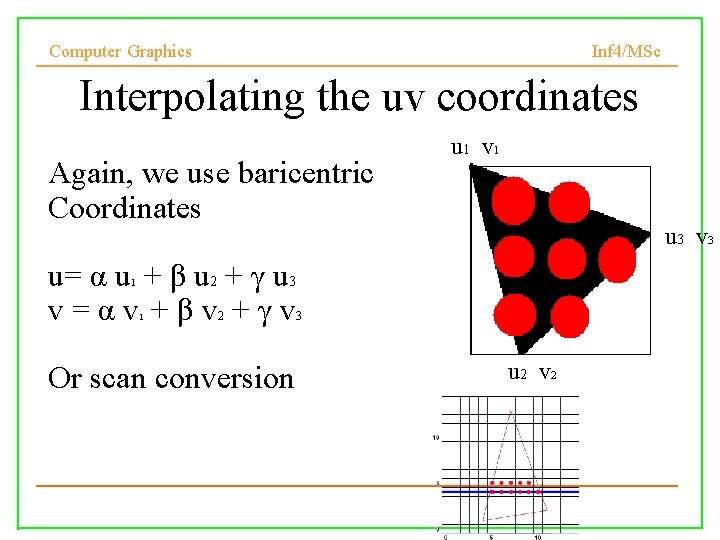
Computer Graphics Inf 4/MSc Interpolating the uv coordinates Again, we use baricentric Coordinates u 1 v 1 u 3 v 3 u= α u + β u 2 + γ u 3 v=αv +βv +γv 1 1 2 Or scan conversion 3 u 2 v 2
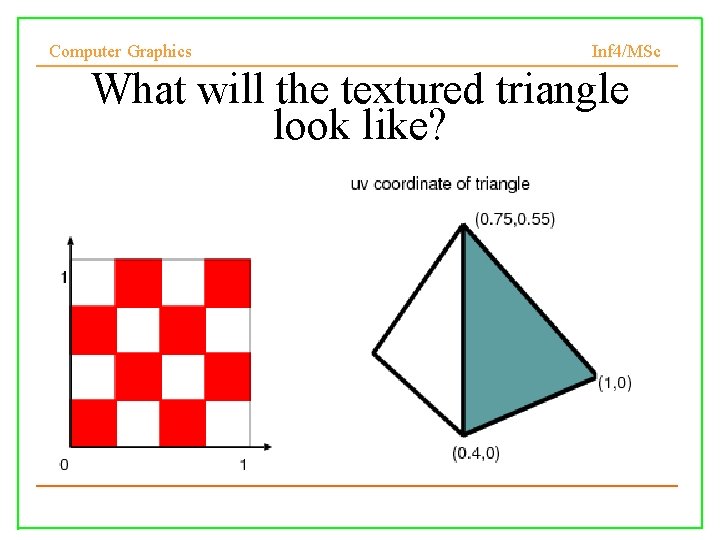
Computer Graphics Inf 4/MSc What will the textured triangle look like?
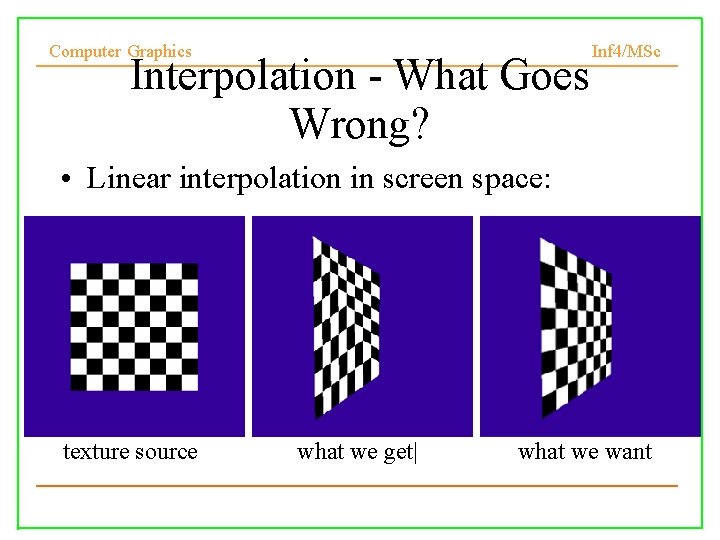
Computer Graphics Interpolation - What Goes Wrong? Inf 4/MSc • Linear interpolation in screen space: texture source what we get| what we want
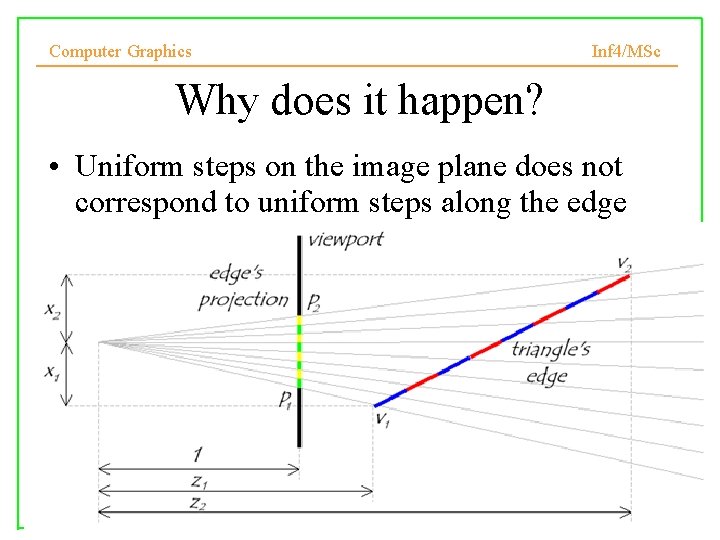
Computer Graphics Inf 4/MSc Why does it happen? • Uniform steps on the image plane does not correspond to uniform steps along the edge
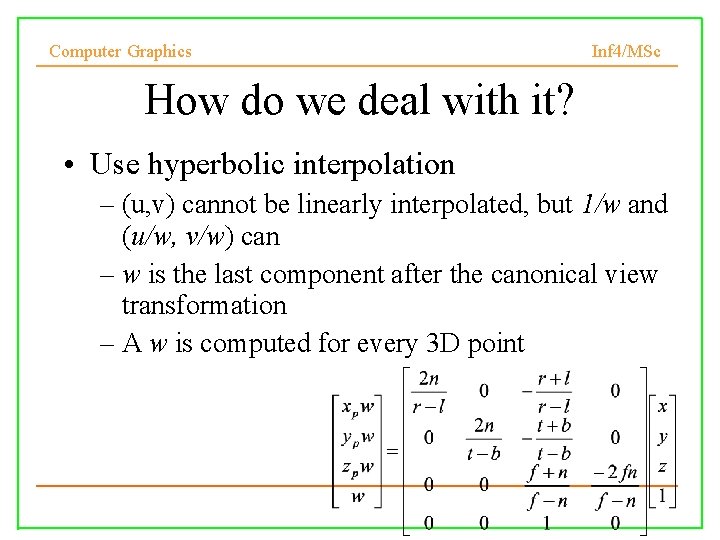
Computer Graphics Inf 4/MSc How do we deal with it? • Use hyperbolic interpolation – (u, v) cannot be linearly interpolated, but 1/w and (u/w, v/w) can – w is the last component after the canonical view transformation – A w is computed for every 3 D point
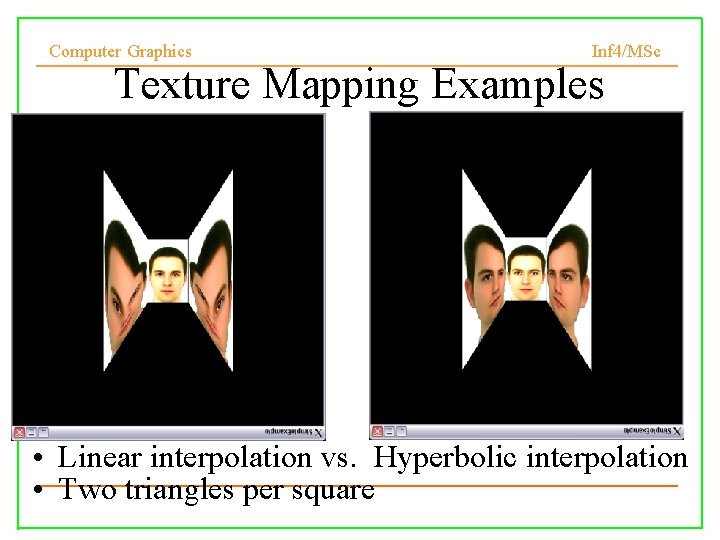
Computer Graphics Inf 4/MSc Texture Mapping Examples • Linear interpolation vs. Hyperbolic interpolation • Two triangles per square
Computer Graphics Inf 4/MSc In what case hyperbolic interpolation is essential? 1. ? 2. ?
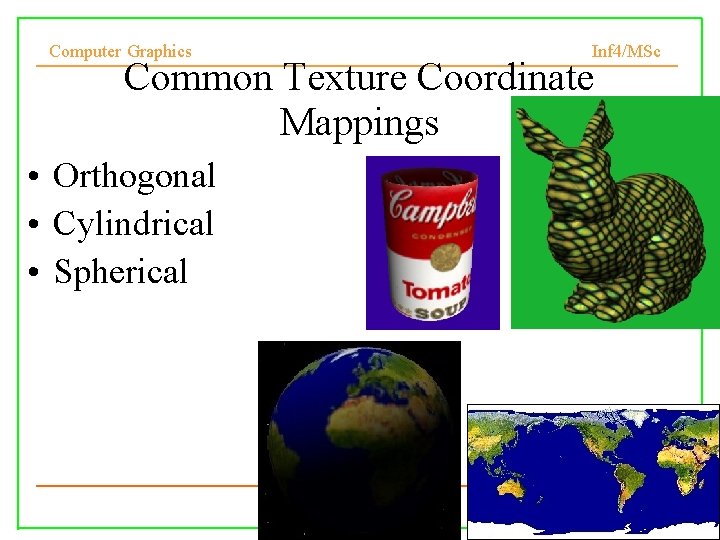
Computer Graphics Inf 4/MSc Common Texture Coordinate Mappings • Orthogonal • Cylindrical • Spherical
Computer Graphics Inf 4/MSc Texture Mapping & Illumination Texture mapping can be used to alter some or all of the constants in the illumination equation: – pixel color, diffuse color
Computer Graphics Inf 4/MSc Today • Texture mapping • Common texture coordinates mapping • Texture coordinates • Antialiasing textures 15
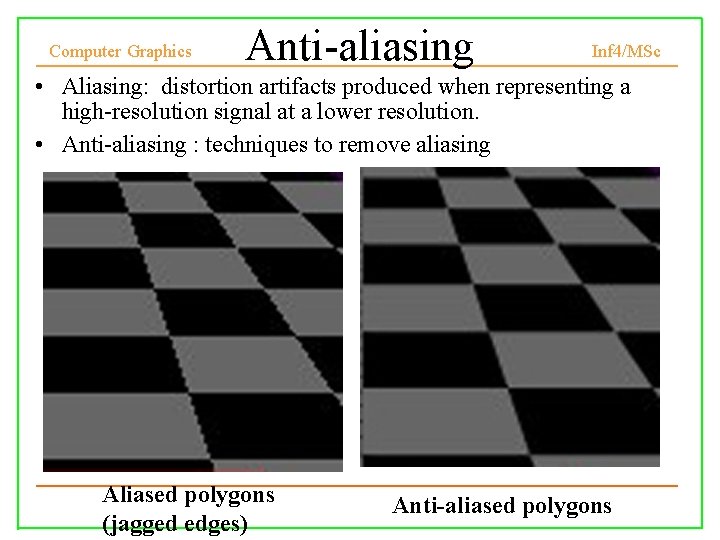
Computer Graphics Anti-aliasing Inf 4/MSc • Aliasing: distortion artifacts produced when representing a high-resolution signal at a lower resolution. • Anti-aliasing : techniques to remove aliasing Aliased polygons (jagged edges) Anti-aliased polygons 16
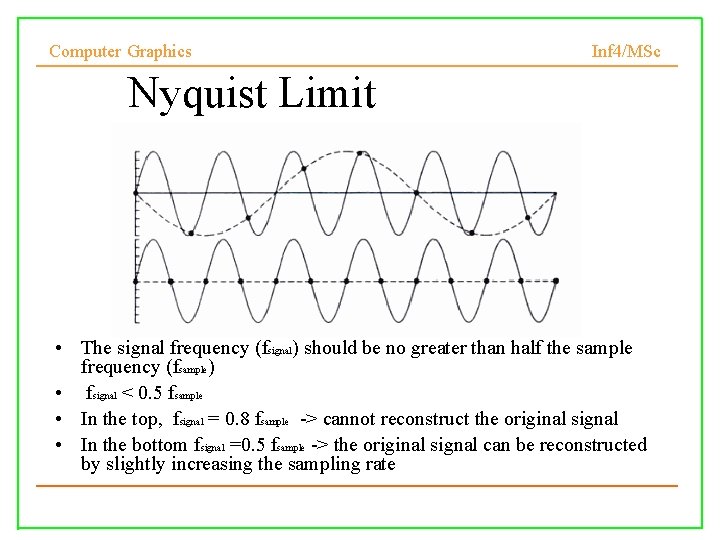
Computer Graphics Inf 4/MSc Nyquist Limit • The signal frequency (fsignal) should be no greater than half the sample frequency (fsample) • fsignal < 0. 5 fsample • In the top, fsignal = 0. 8 fsample -> cannot reconstruct the original signal • In the bottom fsignal =0. 5 fsample -> the original signal can be reconstructed by slightly increasing the sampling rate
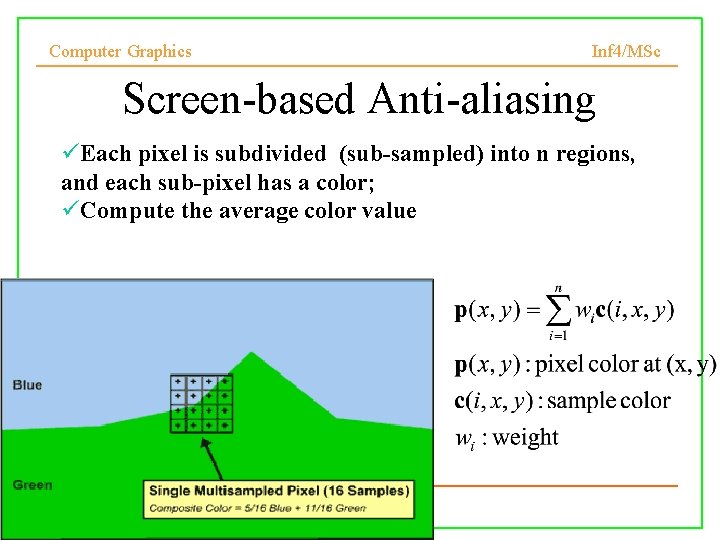
Computer Graphics Inf 4/MSc Screen-based Anti-aliasing Each pixel is subdivided (sub-sampled) into n regions, and each sub-pixel has a color; Compute the average color value 18
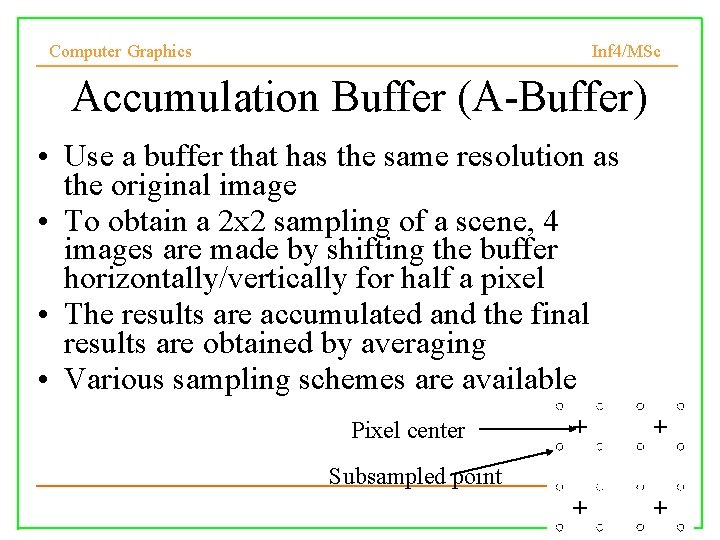
Computer Graphics Inf 4/MSc Accumulation Buffer (A-Buffer) • Use a buffer that has the same resolution as the original image • To obtain a 2 x 2 sampling of a scene, 4 images are made by shifting the buffer horizontally/vertically for half a pixel • The results are accumulated and the final results are obtained by averaging • Various sampling schemes are available Pixel center Subsampled point
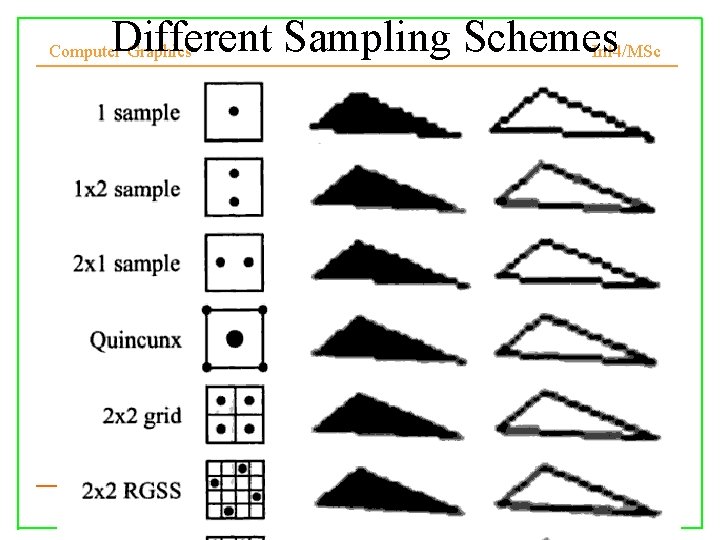
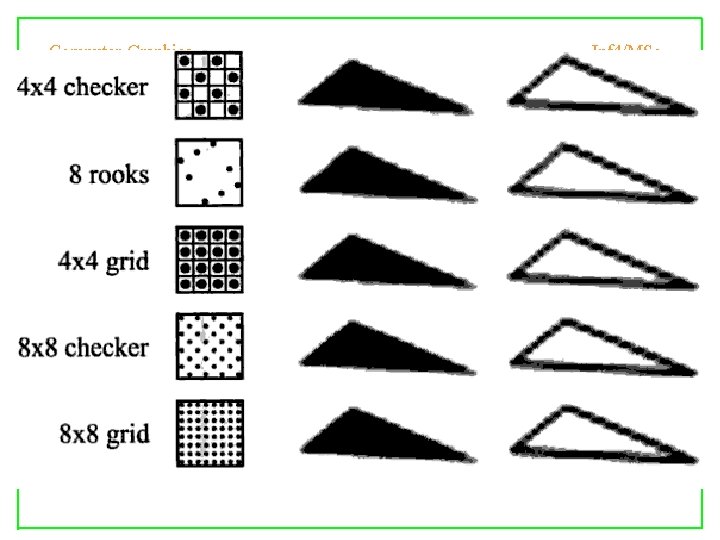
Different Sampling Schemes Inf 4/MSc Computer Graphics
Computer Graphics Inf 4/MSc
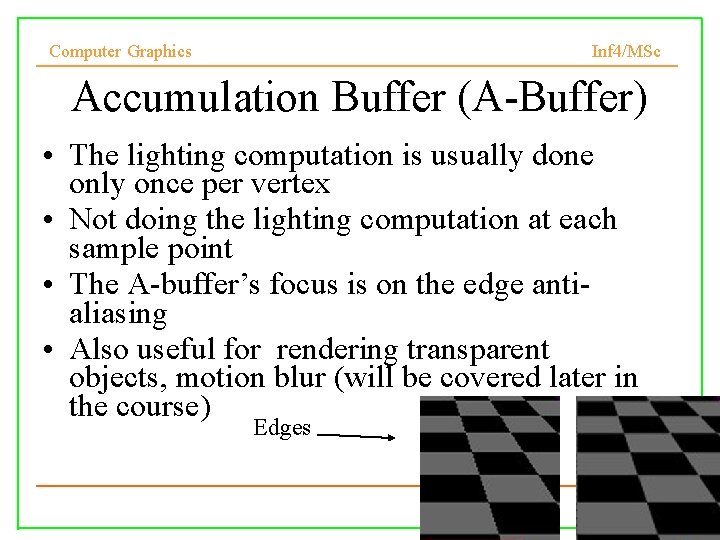
Computer Graphics Inf 4/MSc Accumulation Buffer (A-Buffer) • The lighting computation is usually done only once per vertex • Not doing the lighting computation at each sample point • The A-buffer’s focus is on the edge antialiasing • Also useful for rendering transparent objects, motion blur (will be covered later in the course) Edges
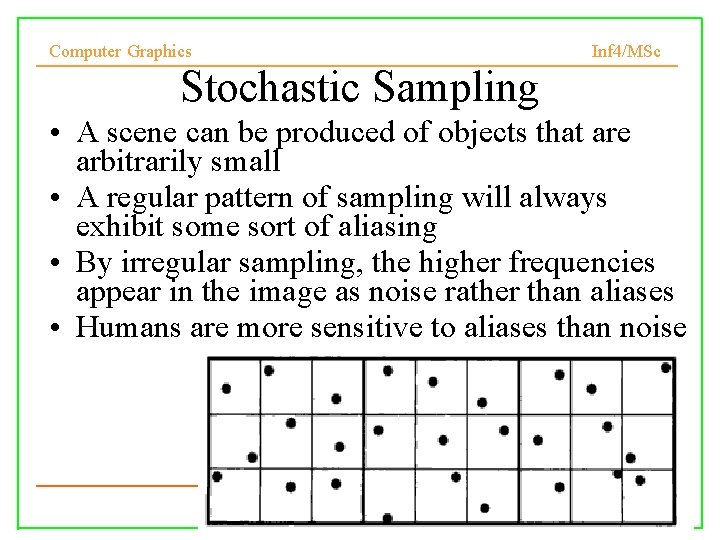
Computer Graphics Inf 4/MSc Stochastic Sampling • A scene can be produced of objects that are arbitrarily small • A regular pattern of sampling will always exhibit some sort of aliasing • By irregular sampling, the higher frequencies appear in the image as noise rather than aliases • Humans are more sensitive to aliases than noise
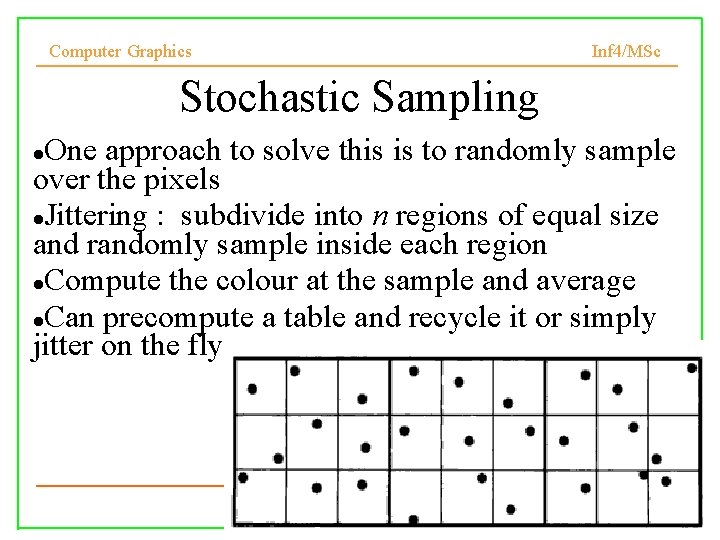
Computer Graphics Inf 4/MSc Stochastic Sampling One approach to solve this is to randomly sample over the pixels Jittering : subdivide into n regions of equal size and randomly sample inside each region Compute the colour at the sample and average Can precompute a table and recycle it or simply jitter on the fly
Computer Graphics Comparison Inf 4/MSc
Computer Graphics Inf 4/MSc Today • Texture mapping • Common texture coordinates mapping • Texture coordinates • Antialiasing textures 26
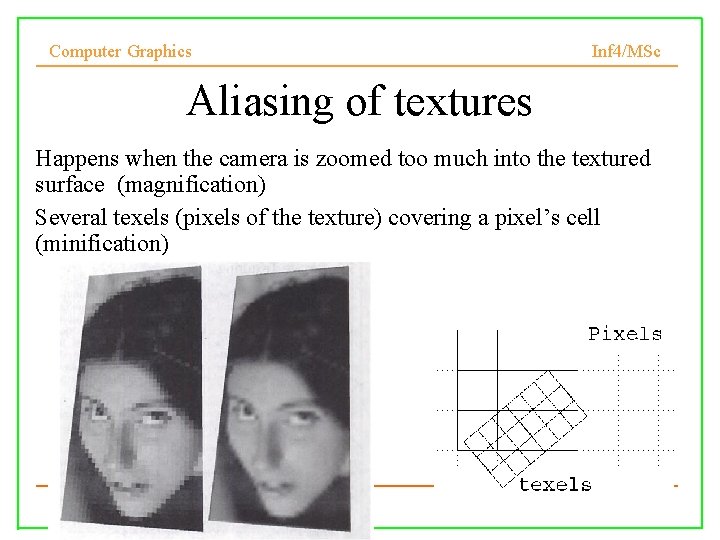
Computer Graphics Inf 4/MSc Aliasing of textures Happens when the camera is zoomed too much into the textured surface (magnification) Several texels (pixels of the texture) covering a pixel’s cell (minification) 27
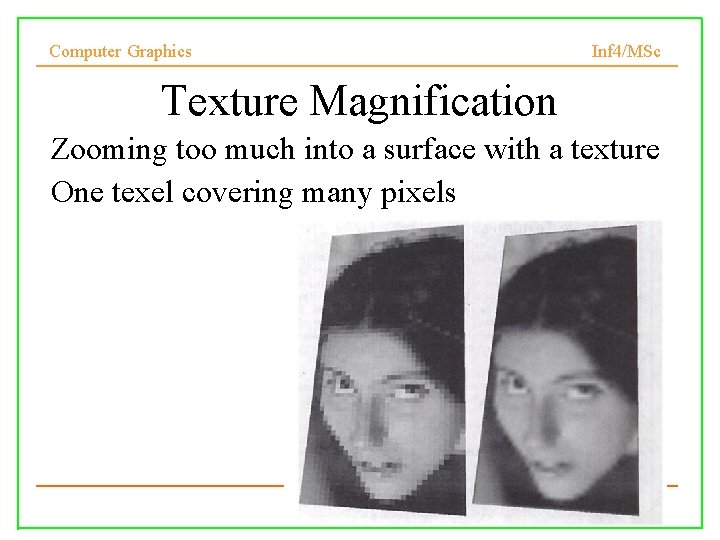
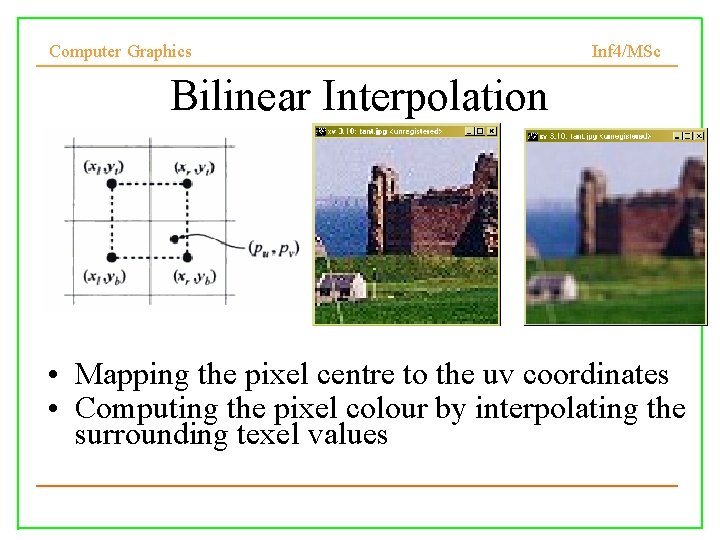
Computer Graphics Inf 4/MSc Texture Magnification • Zooming too much into a surface with a texture • One texel covering many pixels 28
Computer Graphics Inf 4/MSc Bilinear Interpolation • Mapping the pixel centre to the uv coordinates • Computing the pixel colour by interpolating the surrounding texel values 29
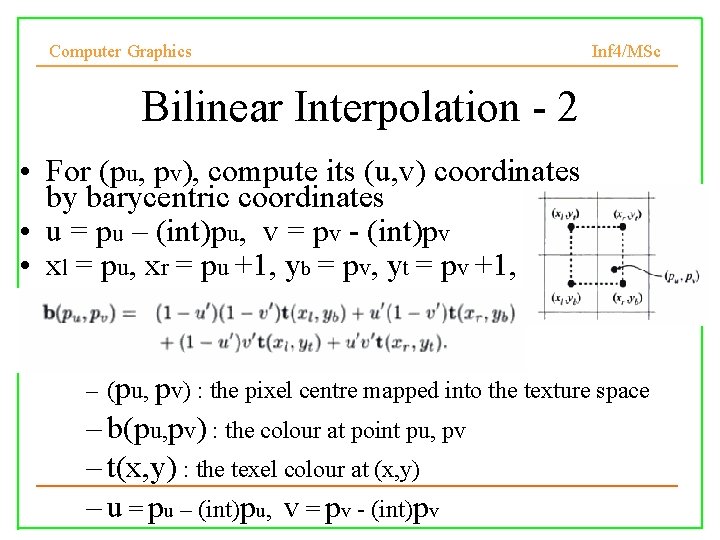
Computer Graphics Inf 4/MSc Bilinear Interpolation - 2 • For (pu, pv), compute its (u, v) coordinates by barycentric coordinates • u = pu – (int)pu, v = pv - (int)pv • xl = pu, xr = pu +1, yb = pv, yt = pv +1, – (pu, pv) : the pixel centre mapped into the texture space – b(pu, pv) : the colour at point pu, pv – t(x, y) : the texel colour at (x, y) – u = pu – (int)pu, v = pv - (int)pv
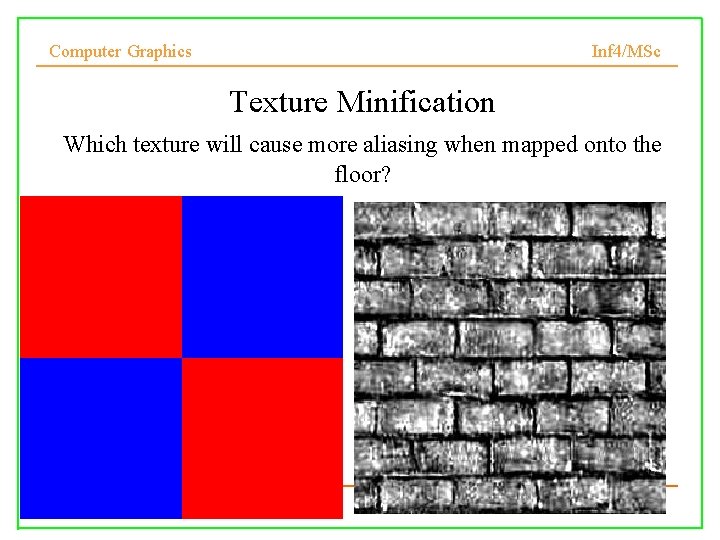
Computer Graphics Inf 4/MSc Texture Minification Which texture will cause more aliasing when mapped onto the floor?
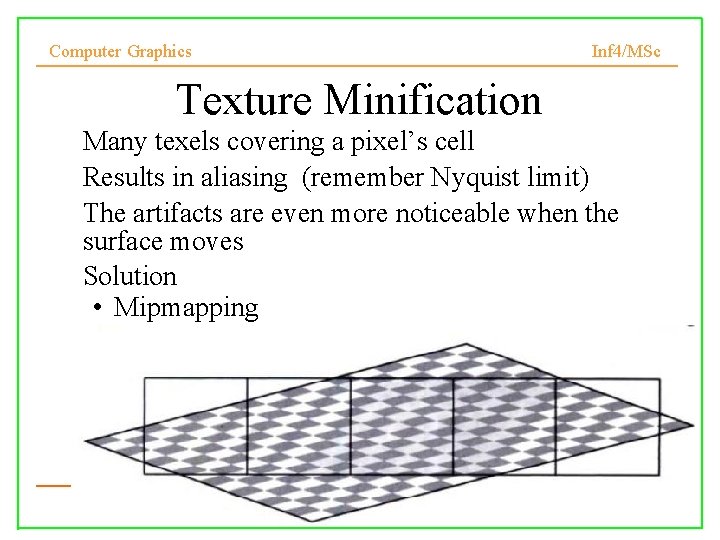
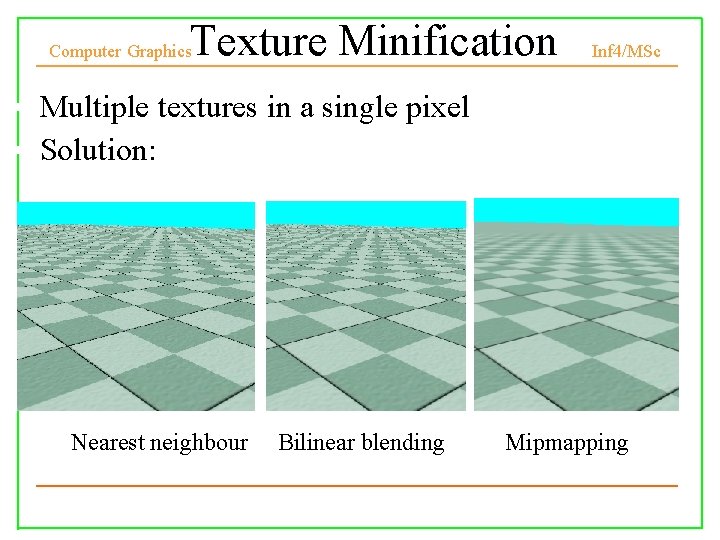
Computer Graphics Inf 4/MSc Texture Minification • Many texels covering a pixel’s cell • Results in aliasing (remember Nyquist limit) • The artifacts are even more noticeable when the surface moves • Solution • Mipmapping 32
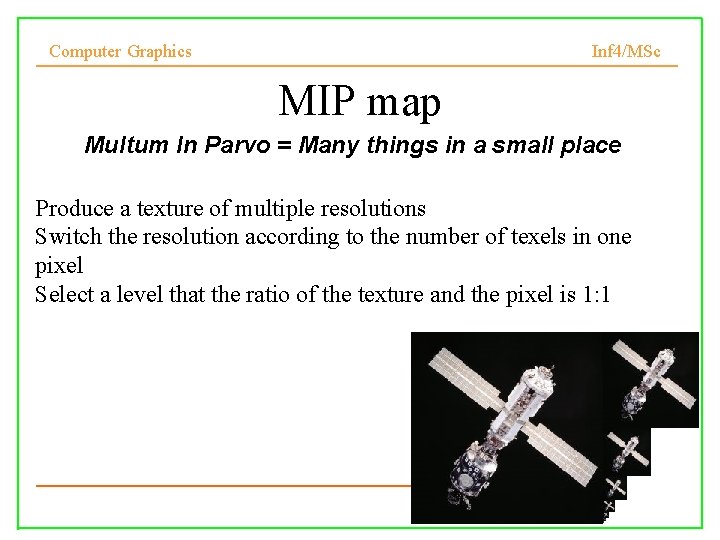
Computer Graphics Inf 4/MSc MIP map Multum In Parvo = Many things in a small place Produce a texture of multiple resolutions Switch the resolution according to the number of texels in one pixel Select a level that the ratio of the texture and the pixel is 1: 1 33
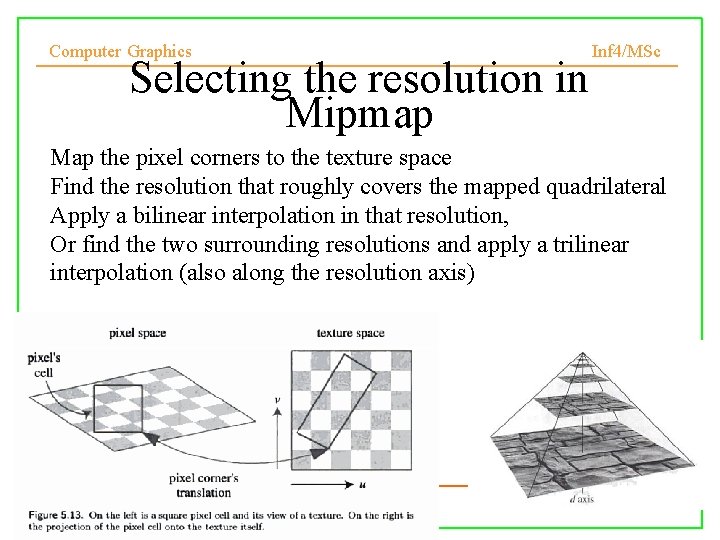
Computer Graphics Selecting the resolution in Mipmap Inf 4/MSc Map the pixel corners to the texture space Find the resolution that roughly covers the mapped quadrilateral Apply a bilinear interpolation in that resolution, Or find the two surrounding resolutions and apply a trilinear interpolation (also along the resolution axis) 34
Texture Minification Computer Graphics Inf 4/MSc • Multiple textures in a single pixel • Solution: • Nearest neighbour Bilinear blending Mipmapping 35
Computer Graphics Inf 4/MSc Readings • Chapter 5. 1 -2 of Real-Time Rendering Second edition – http: //books. google. co. uk/books? id=m. OKEf. BT w 4 x 0 C&printsec=frontcover&source=gbs_v 2_ summary_r&cad=0#v=onepage&q=&f=false • “Hyperbolic Interpolation” IEEE Computer Graphics and Applications, vol 12, no. 4, 8994, 1992