
Computer Graphics KenYi Lee National Taiwan University GPGPU

- Slides: 35
Computer Graphics Ken-Yi Lee National Taiwan University
GPGPU and Open. CL o Introduction to GPGPU n n Graphics Pipeline GPGPU Programming o Introduction to Open. CL n n n Open. CL Framework Open. CL C Language Example: Dense Matrix Multiplication
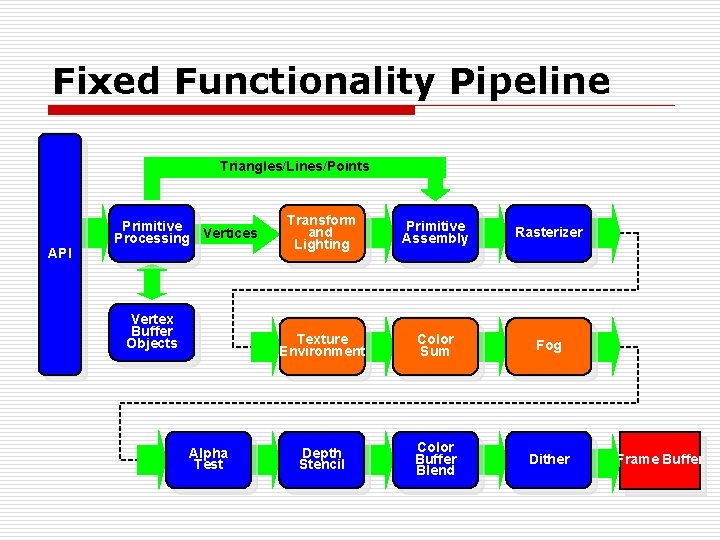
Fixed Functionality Pipeline Triangles/Lines/Points API Primitive Processing Vertices Vertex Buffer Objects Alpha Test Transform and Lighting Primitive Assembly Rasterizer Texture Environment Color Sum Fog Depth Stencil Color Buffer Blend Dither Frame Buffer
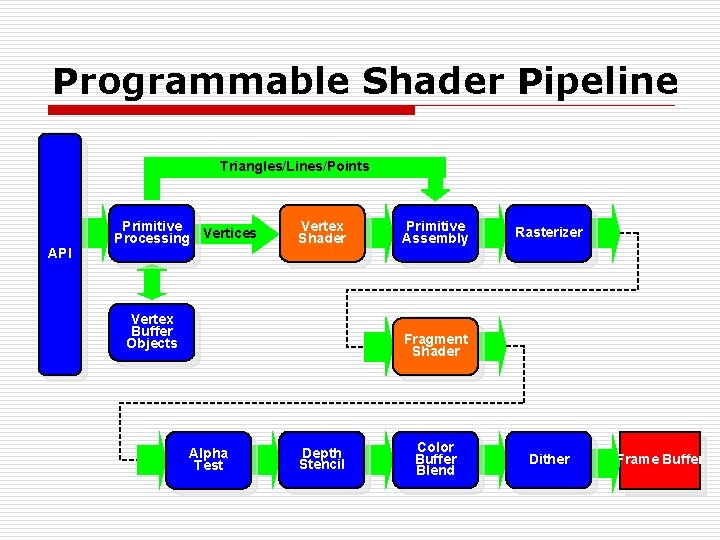
Programmable Shader Pipeline Triangles/Lines/Points API Primitive Processing Vertices Vertex Shader Vertex Buffer Objects Primitive Assembly Rasterizer Fragment Shader Alpha Test Depth Stencil Color Buffer Blend Dither Frame Buffer
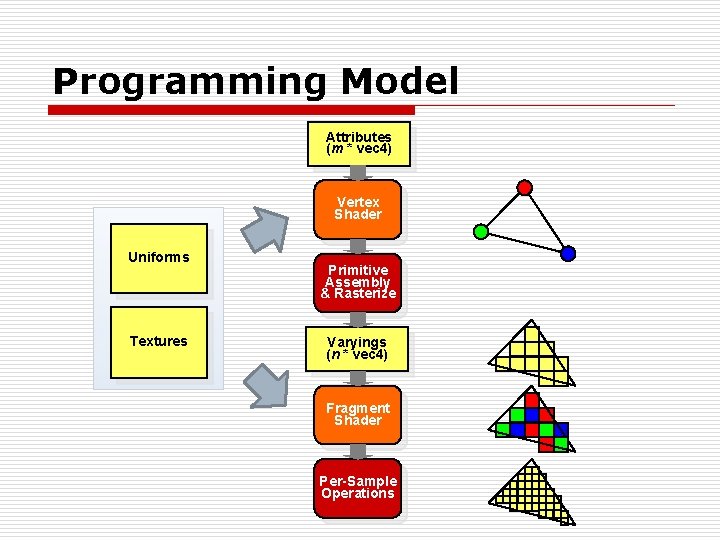
Programming Model Attributes (m * vec 4) Vertex Shader Uniforms Textures Primitive Assembly & Rasterize Varyings (n * vec 4) Fragment Shader Per-Sample Operations
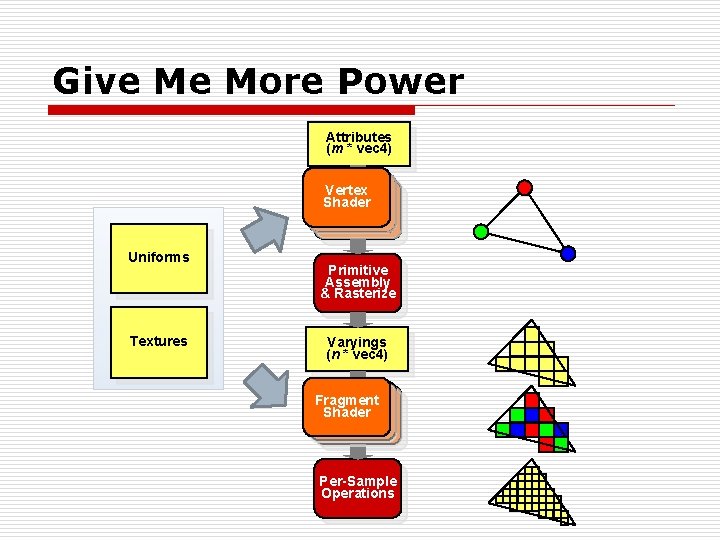
Give Me More Power Attributes (m * vec 4) Vertex Shader Uniforms Textures Primitive Assembly & Rasterize Varyings (n * vec 4) Fragment Shader Per-Sample Operations
Introduction to GPGPU: General-Purpose Graphics Processing Unit n There is a GPU, don’t let it idle ! (better than none) n Will a program run faster with GPU than CPU ? o It depends. But note that we used to write programs for CPUs, not GPUs. o If you care about scalability…
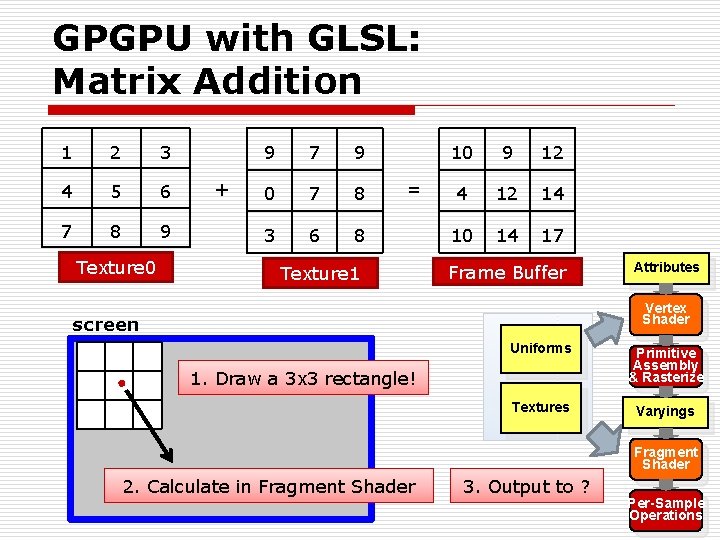
GPGPU with GLSL: Matrix Addition 1 2 3 4 5 6 7 8 9 Texture 0 + 9 7 9 0 7 8 3 6 8 = Texture 1 10 9 12 4 12 14 10 14 17 Frame Buffer Attributes Vertex Shader screen Uniforms Primitive Assembly & Rasterize Textures Varyings 1. Draw a 3 x 3 rectangle! Fragment Shader 2. Calculate in Fragment Shader 3. Output to ? Per-Sample Operations
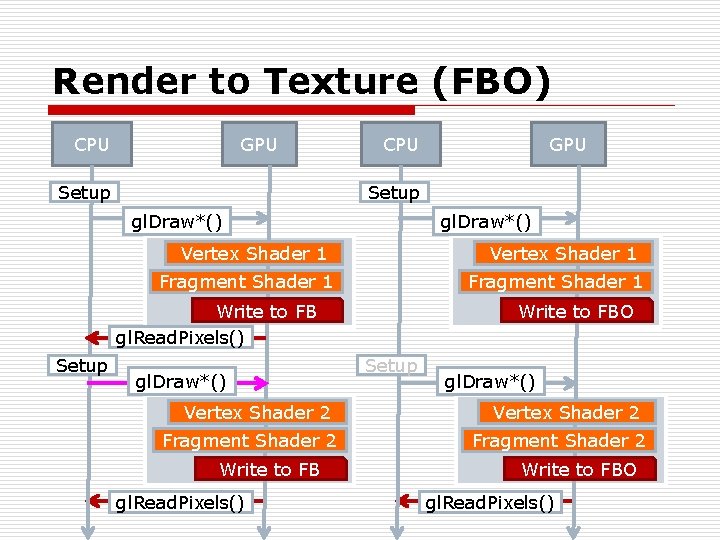
Render to Texture (FBO) CPU GPU CPU Setup gl. Draw*() Vertex Shader 1 Fragment Shader 1 Write to FBO Write to FB gl. Read. Pixels() Setup GPU gl. Draw*() Vertex Shader 2 Fragment 1 Shader 2 Write to FB gl. Read. Pixels() Setup gl. Draw*() Vertex Shader 2 Fragment Shader 2 Write to FBO gl. Read. Pixels()
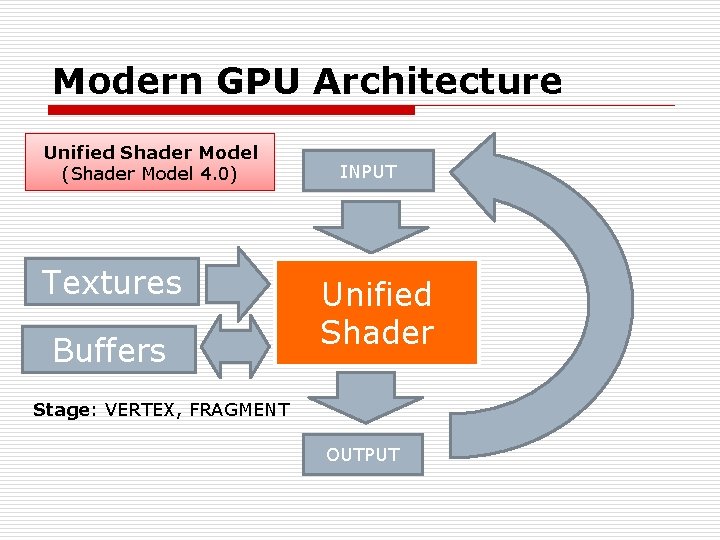
Modern GPU Architecture Unified Shader Model (Shader Model 4. 0) Textures Buffers INPUT Unified Shader Stage: VERTEX, FRAGMENT OUTPUT
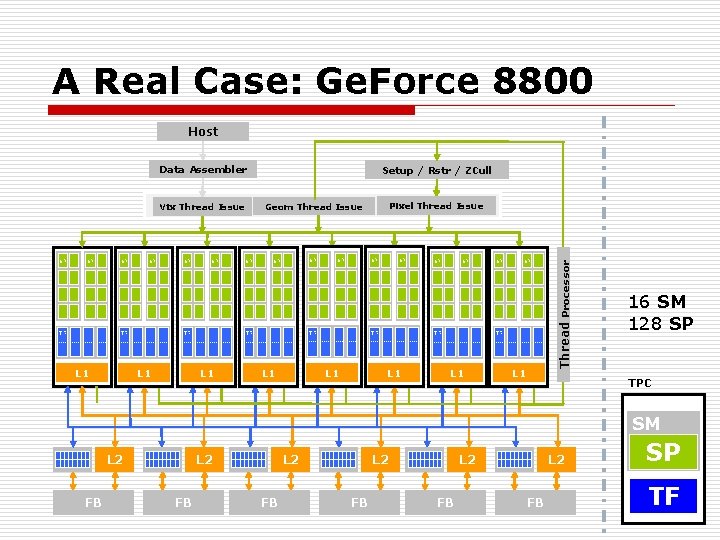
A Real Case: Ge. Force 8800 Host Data Assembler TF SP SP TF L 1 SP SP SP TF TF L 1 SP SP SP TF L 1 L 1 Thread Processor SP Pixel Thread Issue Geom Thread Issue Vtx Thread Issue SP Setup / Rstr / ZCull 16 SM 128 SP TPC SM L 2 FB L 2 FB SP TF
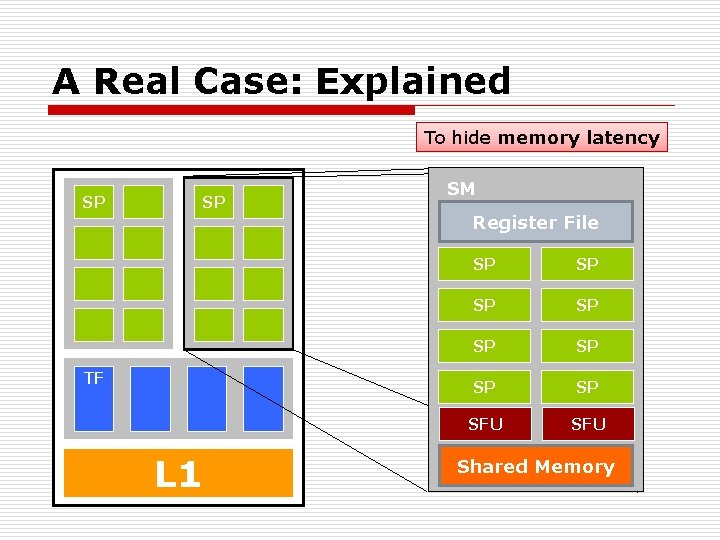
A Real Case: Explained To hide memory latency SP SP TF L 1 SM Register File SP SP SFU Shared Memory
Modern GPGPU o Get rid of the graphics stuffs ! n I am not a graphics expert but I want to utilize the GPU power ! o Beyond graphics ! n NVIDIA CUDA / AMD Stream SDK n Open. CL o However, you can’t really get rid of it. n Based on the same device
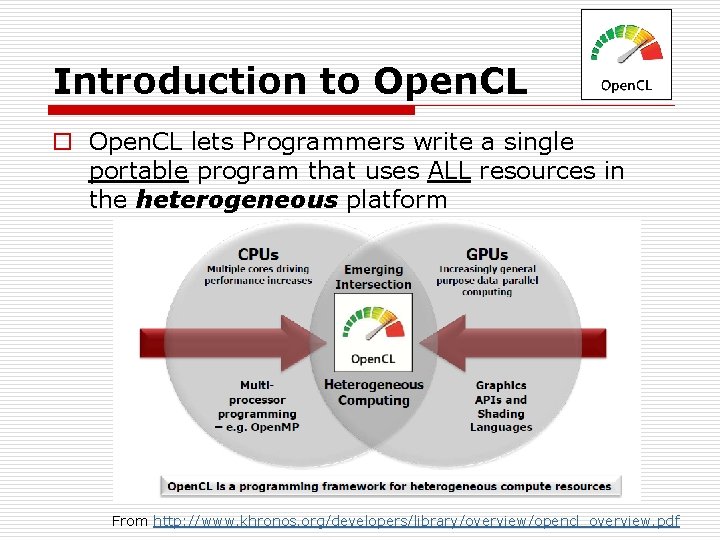
Introduction to Open. CL lets Programmers write a single portable program that uses ALL resources in the heterogeneous platform From http: //www. khronos. org/developers/library/overview/opencl_overview. pdf
How to Use Open. CL ? o To use Open. CL, you must n n Define the platform Execute code on the platform Move data around in memory Write (and build) programs
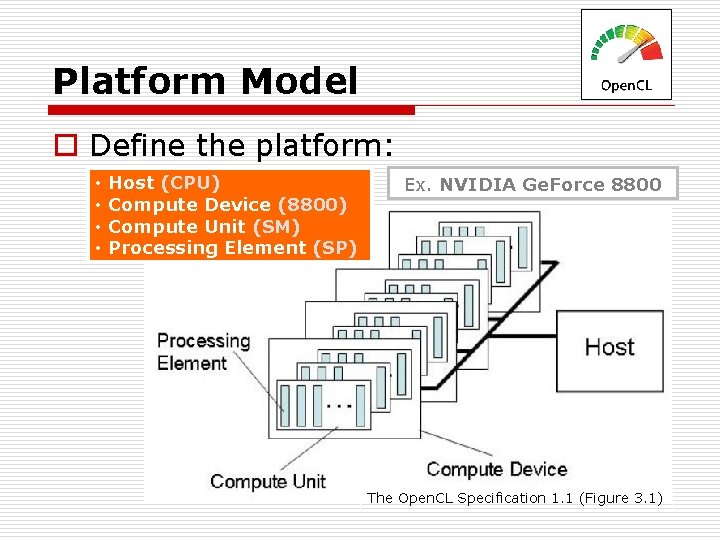
Platform Model o Define the platform: • • Host (CPU) Compute Device (8800) Compute Unit (SM) Processing Element (SP) Ex. NVIDIA Ge. Force 8800 The Open. CL Specification 1. 1 (Figure 3. 1)
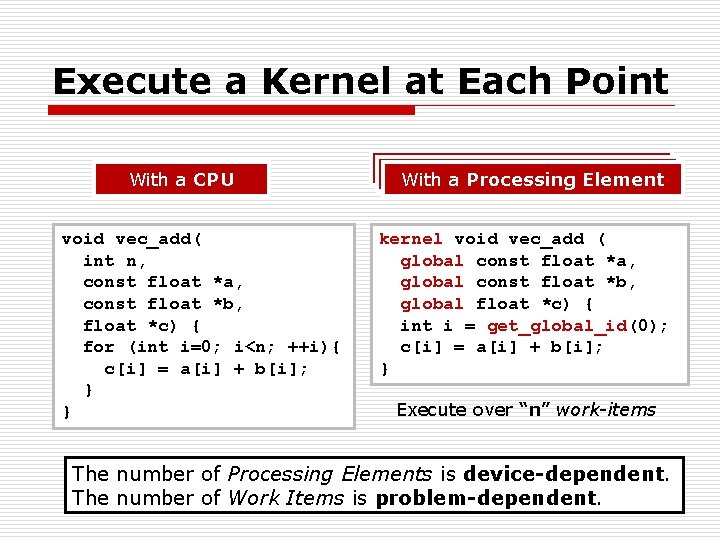
Execute a Kernel at Each Point With a CPU void vec_add( int n, const float *a, const float *b, float *c) { for (int i=0; i<n; ++i){ c[i] = a[i] + b[i]; } } With a Processing Element kernel void vec_add ( global const float *a, global const float *b, global float *c) { int i = get_global_id(0); c[i] = a[i] + b[i]; } Execute over “n” work-items The number of Processing Elements is device-dependent. The number of Work Items is problem-dependent.
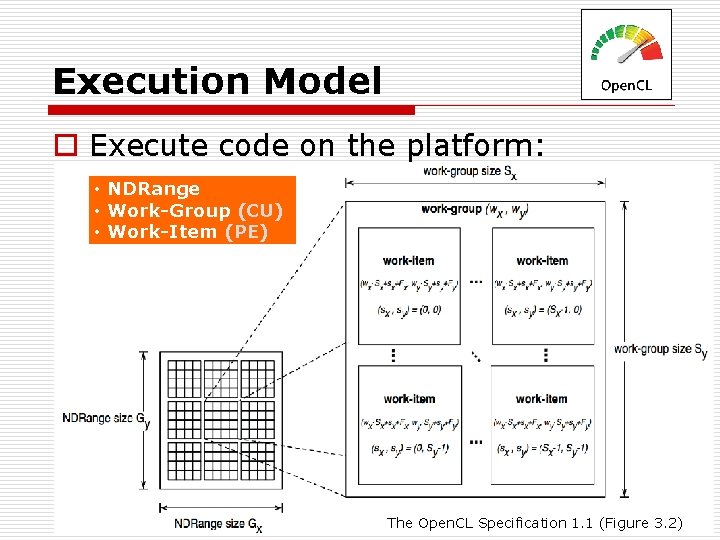
Execution Model o Execute code on the platform: • NDRange • Work-Group (CU) • Work-Item (PE) The Open. CL Specification 1. 1 (Figure 3. 2)
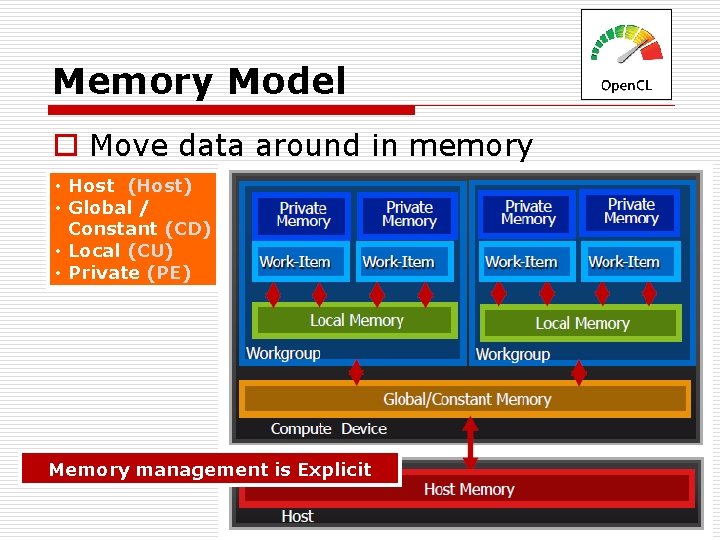
Memory Model o Move data around in memory • Host (Host) • Global / Constant (CD) • Local (CU) • Private (PE) Memory management is Explicit
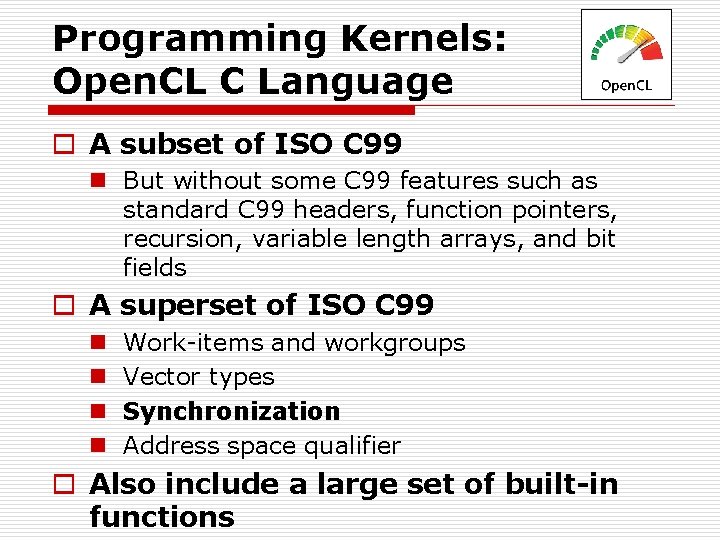
Programming Kernels: Open. CL C Language o A subset of ISO C 99 n But without some C 99 features such as standard C 99 headers, function pointers, recursion, variable length arrays, and bit fields o A superset of ISO C 99 n n Work-items and workgroups Vector types Synchronization Address space qualifier o Also include a large set of built-in functions
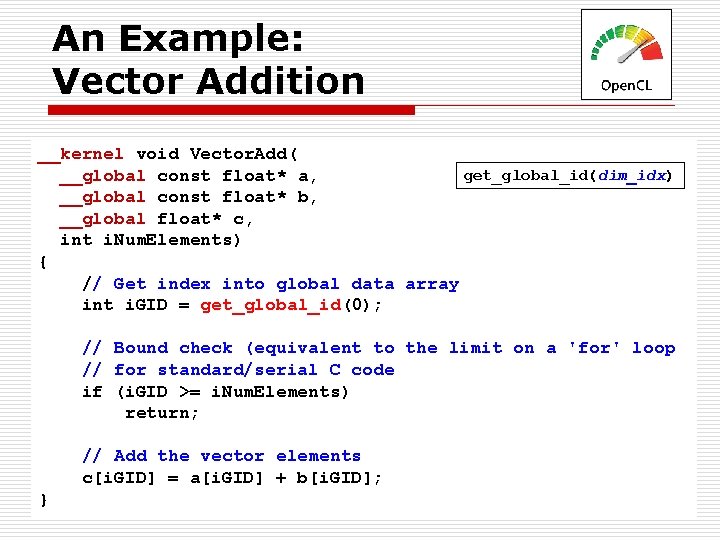
An Example: Vector Addition __kernel void Vector. Add( get_global_id(dim_idx) __global const float* a, __global const float* b, __global float* c, int i. Num. Elements) { // Get index into global data array int i. GID = get_global_id(0); // Bound check (equivalent to the limit on a 'for' loop // for standard/serial C code if (i. GID >= i. Num. Elements) return; // Add the vector elements c[i. GID] = a[i. GID] + b[i. GID]; }
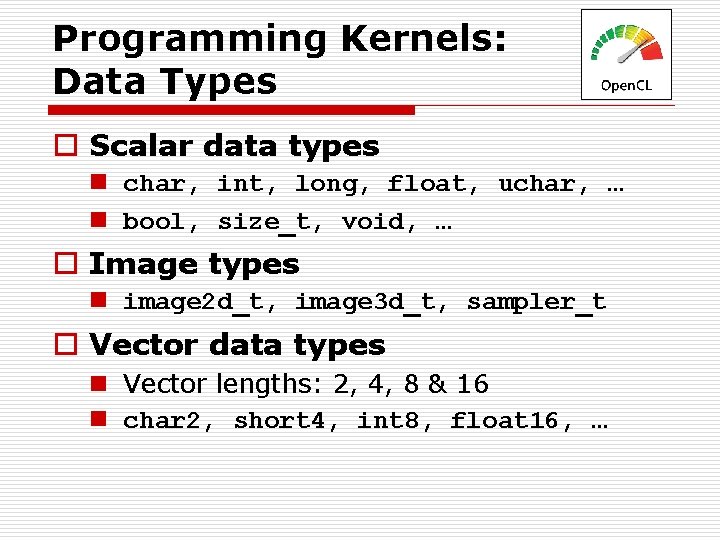
Programming Kernels: Data Types o Scalar data types n char, int, long, float, uchar, … n bool, size_t, void, … o Image types n image 2 d_t, image 3 d_t, sampler_t o Vector data types n Vector lengths: 2, 4, 8 & 16 n char 2, short 4, int 8, float 16, …
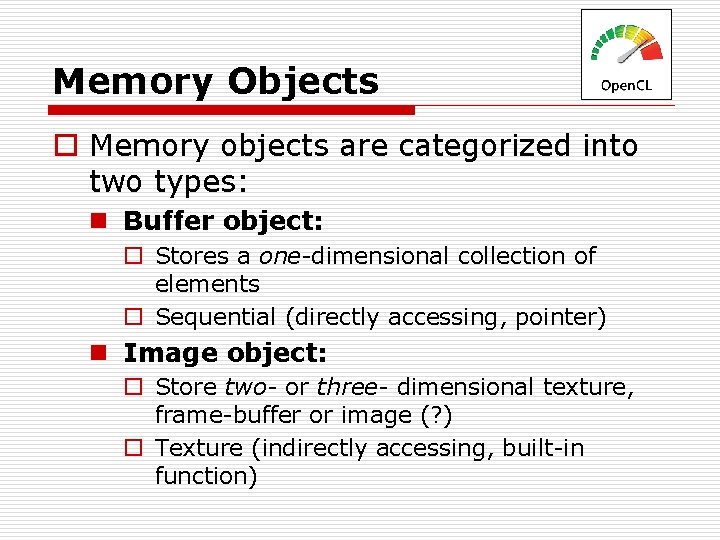
Memory Objects o Memory objects are categorized into two types: n Buffer object: o Stores a one-dimensional collection of elements o Sequential (directly accessing, pointer) n Image object: o Store two- or three- dimensional texture, frame-buffer or image (? ) o Texture (indirectly accessing, built-in function)
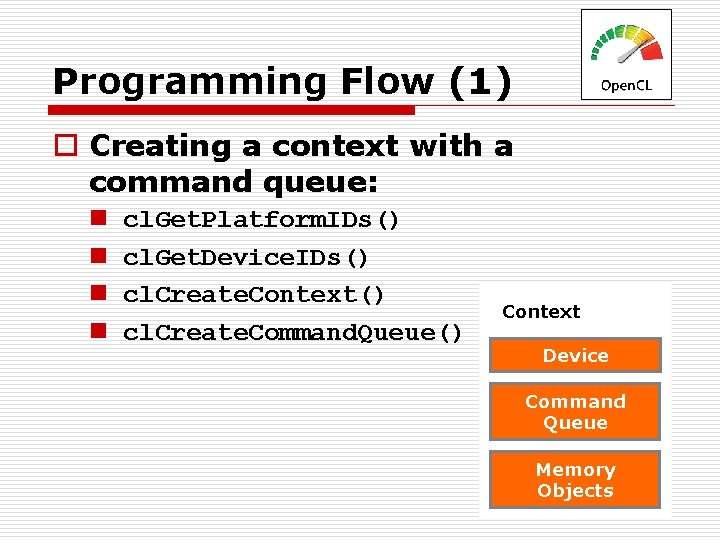
Programming Flow (1) o Creating a context with a command queue: n n cl. Get. Platform. IDs() cl. Get. Device. IDs() cl. Create. Context() cl. Create. Command. Queue() Context Device Command Queue Memory Objects
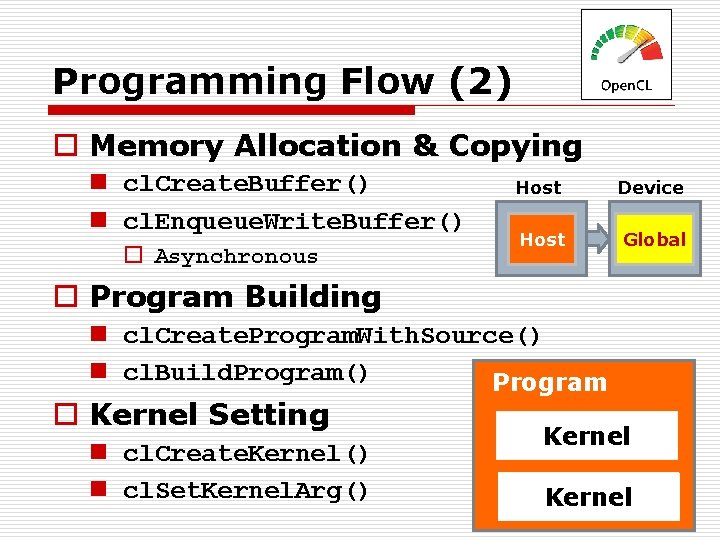
Programming Flow (2) o Memory Allocation & Copying n cl. Create. Buffer() n cl. Enqueue. Write. Buffer() o Asynchronous Host Device Host Global o Program Building n cl. Create. Program. With. Source() n cl. Build. Program() Program o Kernel Setting n cl. Create. Kernel() n cl. Set. Kernel. Arg() Kernel
Programming Flow (3) o Kernel Execution: n cl. Enqueue. NDRange. Kernel() o Readback: n cl. Enqueue. Read. Buffer()
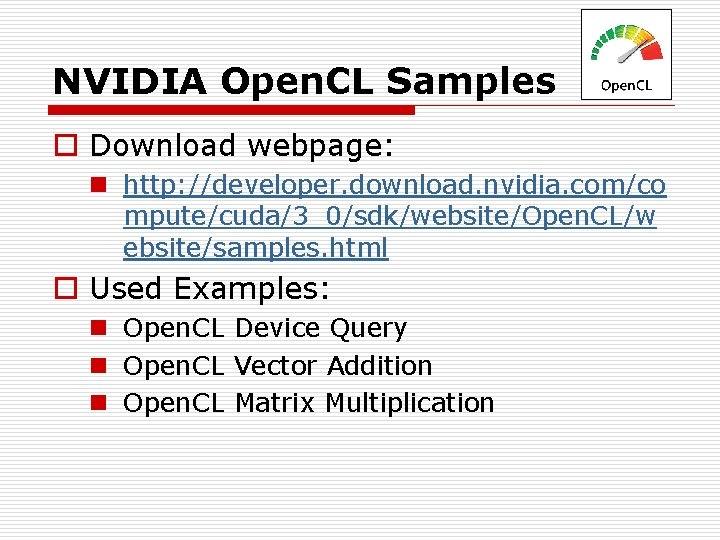
NVIDIA Open. CL Samples o Download webpage: n http: //developer. download. nvidia. com/co mpute/cuda/3_0/sdk/website/Open. CL/w ebsite/samples. html o Used Examples: n Open. CL Device Query n Open. CL Vector Addition n Open. CL Matrix Multiplication
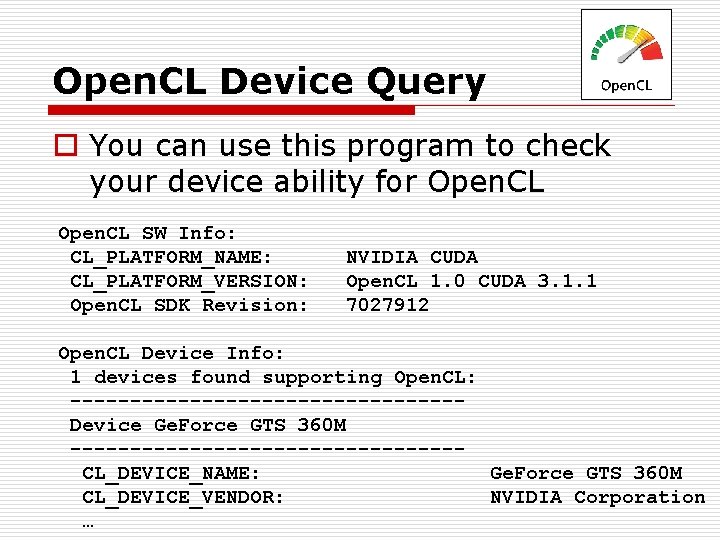
Open. CL Device Query o You can use this program to check your device ability for Open. CL SW Info: CL_PLATFORM_NAME: CL_PLATFORM_VERSION: Open. CL SDK Revision: NVIDIA CUDA Open. CL 1. 0 CUDA 3. 1. 1 7027912 Open. CL Device Info: 1 devices found supporting Open. CL: ----------------Device Ge. Force GTS 360 M ----------------CL_DEVICE_NAME: Ge. Force GTS 360 M CL_DEVICE_VENDOR: NVIDIA Corporation …
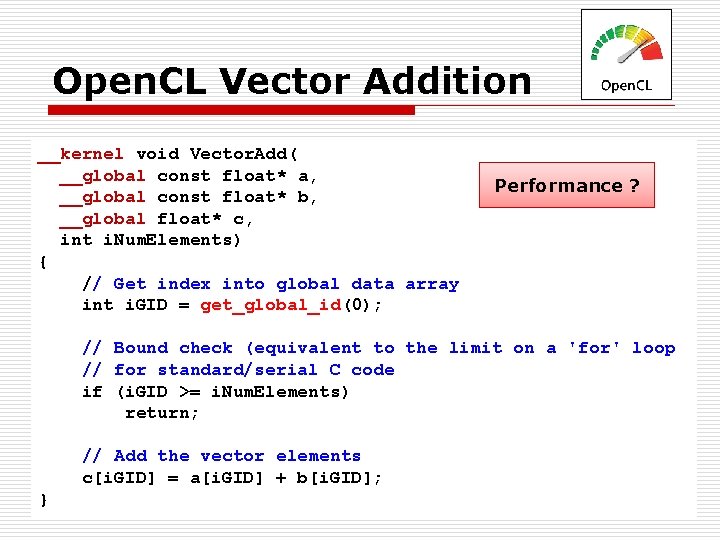
Open. CL Vector Addition __kernel void Vector. Add( __global const float* a, __global const float* b, __global float* c, int i. Num. Elements) { // Get index into global data array int i. GID = get_global_id(0); Performance ? // Bound check (equivalent to the limit on a 'for' loop // for standard/serial C code if (i. GID >= i. Num. Elements) return; // Add the vector elements c[i. GID] = a[i. GID] + b[i. GID]; }
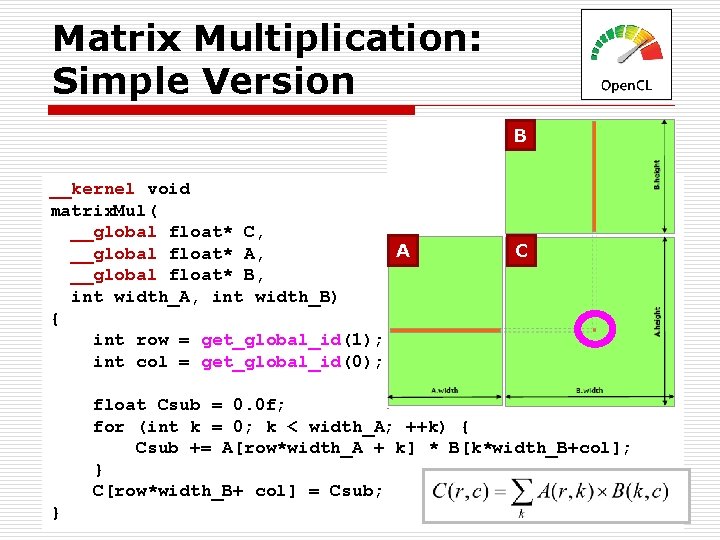
Matrix Multiplication: Simple Version B __kernel void matrix. Mul( __global float* C, A __global float* A, __global float* B, int width_A, int width_B) { int row = get_global_id(1); int col = get_global_id(0); C float Csub = 0. 0 f; for (int k = 0; k < width_A; ++k) { Csub += A[row*width_A + k] * B[k*width_B+col]; } C[row*width_B+ col] = Csub; }
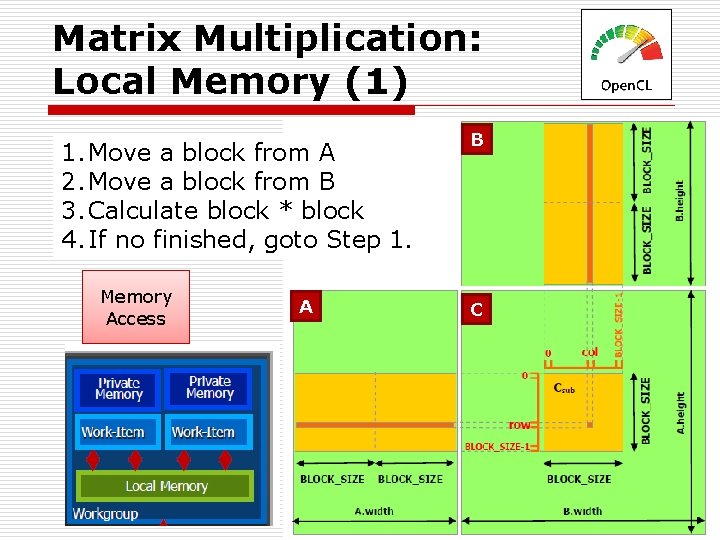
Matrix Multiplication: Local Memory (1) 1. Move a block from A 2. Move a block from B 3. Calculate block * block 4. If no finished, goto Step 1. Memory Access A B C
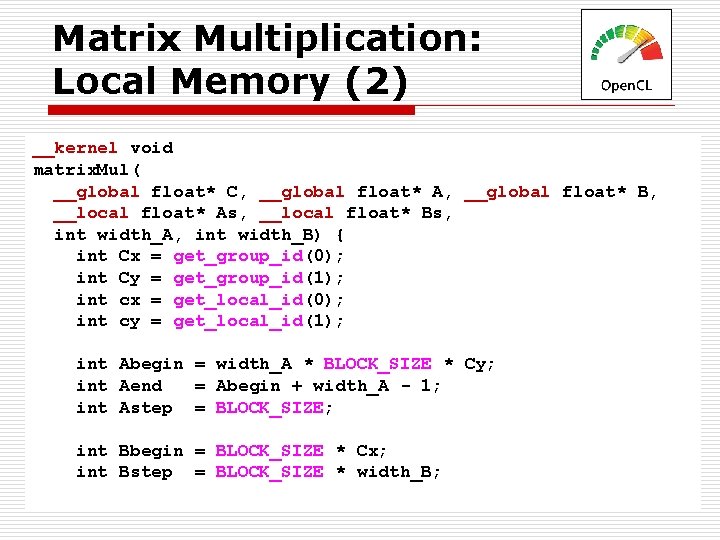
Matrix Multiplication: Local Memory (2) __kernel void matrix. Mul( __global float* C, __global float* A, __global float* B, __local float* As, __local float* Bs, int width_A, int width_B) { int Cx = get_group_id(0); int Cy = get_group_id(1); int cx = get_local_id(0); int cy = get_local_id(1); int Abegin = width_A * BLOCK_SIZE * Cy; int Aend = Abegin + width_A - 1; int Astep = BLOCK_SIZE; int Bbegin = BLOCK_SIZE * Cx; int Bstep = BLOCK_SIZE * width_B;
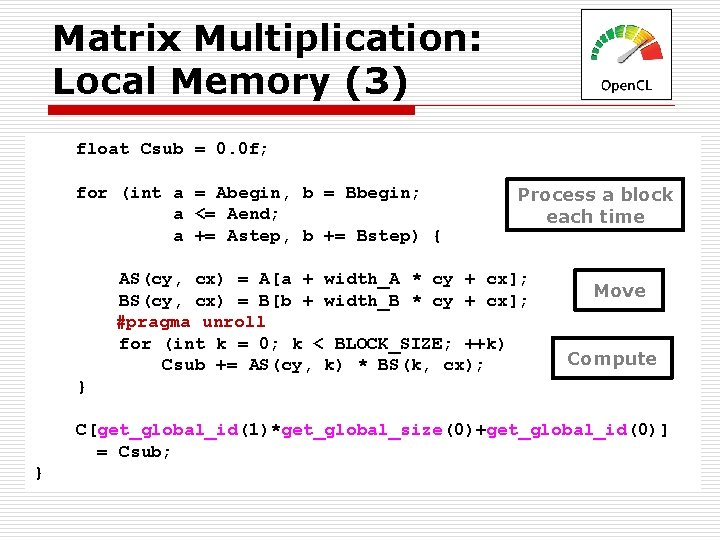
Matrix Multiplication: Local Memory (3) float Csub = 0. 0 f; for (int a = Abegin, b = Bbegin; a <= Aend; a += Astep, b += Bstep) { Process a block each time AS(cy, cx) = A[a + width_A * cy + cx]; BS(cy, cx) = B[b + width_B * cy + cx]; #pragma unroll for (int k = 0; k < BLOCK_SIZE; ++k) Csub += AS(cy, k) * BS(k, cx); Move Compute } C[get_global_id(1)*get_global_size(0)+get_global_id(0)] = Csub; }
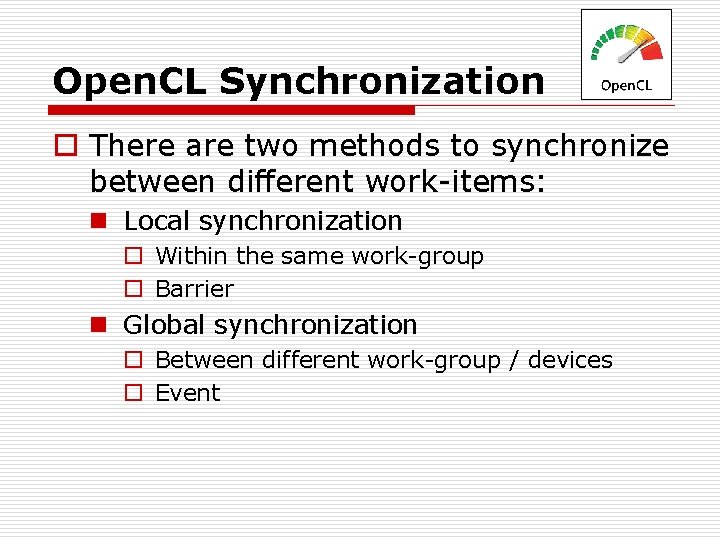
Open. CL Synchronization o There are two methods to synchronize between different work-items: n Local synchronization o Within the same work-group o Barrier n Global synchronization o Between different work-group / devices o Event
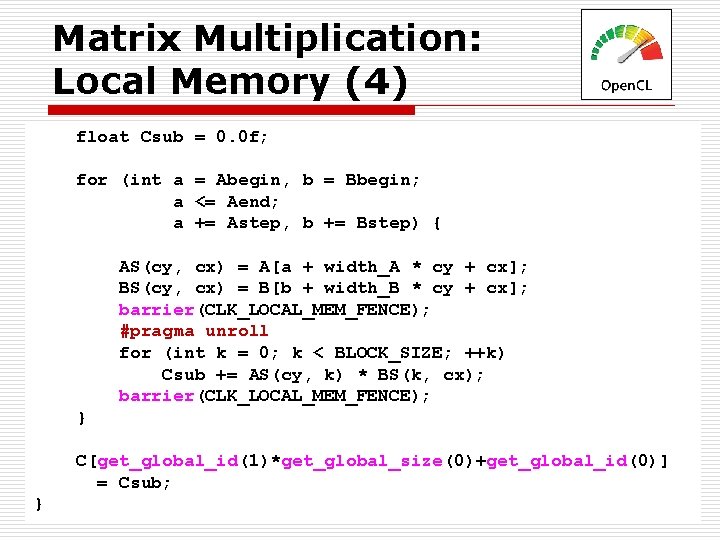
Matrix Multiplication: Local Memory (4) float Csub = 0. 0 f; for (int a = Abegin, b = Bbegin; a <= Aend; a += Astep, b += Bstep) { AS(cy, cx) = A[a + width_A * cy + cx]; BS(cy, cx) = B[b + width_B * cy + cx]; barrier(CLK_LOCAL_MEM_FENCE); #pragma unroll for (int k = 0; k < BLOCK_SIZE; ++k) Csub += AS(cy, k) * BS(k, cx); barrier(CLK_LOCAL_MEM_FENCE); } C[get_global_id(1)*get_global_size(0)+get_global_id(0)] = Csub; }