
Computer Graphics Clipping By Ureerat Suksawatchon 2 of
Computer Graphics : Clipping By Ureerat Suksawatchon
2 of 23 Contents Clipping – Introduction – Brute Force – Cohen-Sutherland Clipping Algorithm
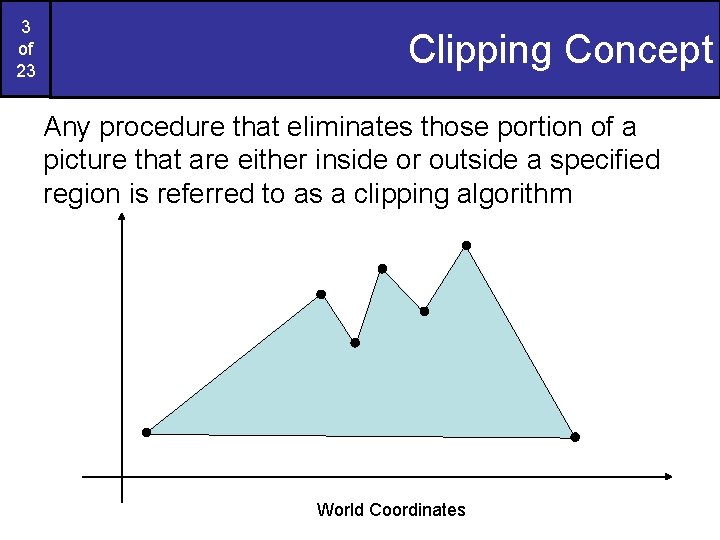
3 of 23 Clipping Concept Any procedure that eliminates those portion of a picture that are either inside or outside a specified region is referred to as a clipping algorithm World Coordinates
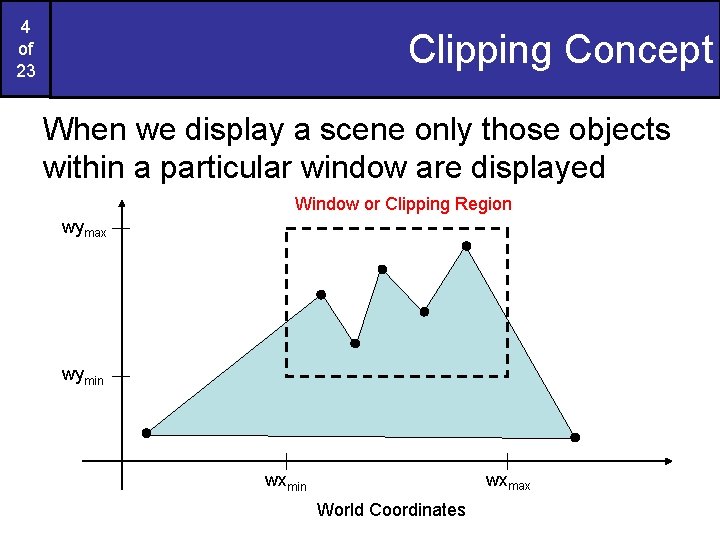
4 of 23 Clipping Concept When we display a scene only those objects within a particular window are displayed Window or Clipping Region wymax wymin wxmax wxmin World Coordinates
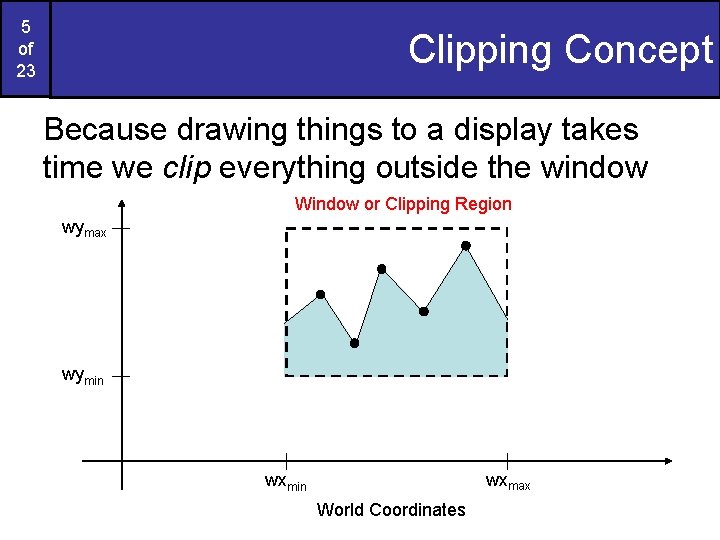
5 of 23 Clipping Concept Because drawing things to a display takes time we clip everything outside the window Window or Clipping Region wymax wymin wxmax wxmin World Coordinates
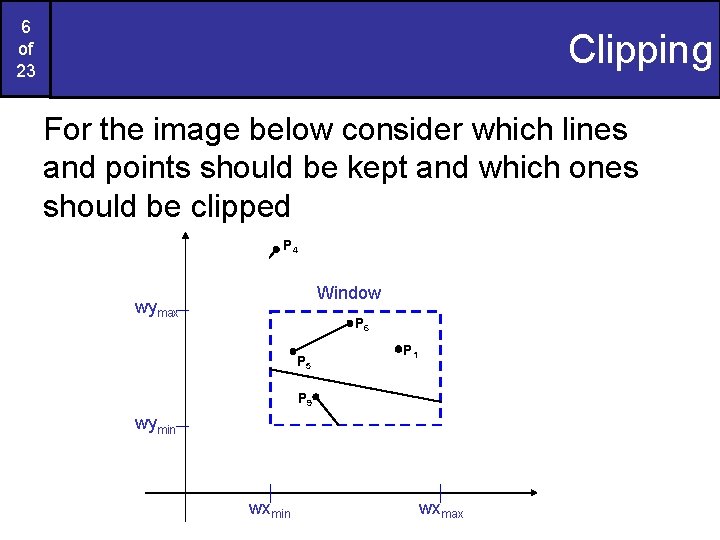
6 of 23 Clipping For the image below consider which lines and points should be kept and which ones should be clipped P 4 Window wymax P 2 P 6 P 3 P 1 P 5 P 7 P 9 P 8 wymin P 10 wxmin wxmax
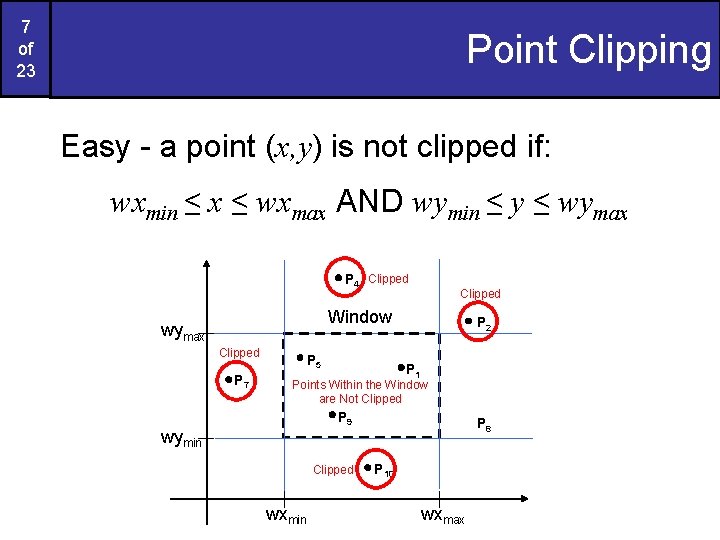
7 of 23 Point Clipping Easy - a point (x, y) is not clipped if: wxmin ≤ x ≤ wxmax AND wymin ≤ y ≤ wymax P 4 Clipped Window wymax Clipped P 7 P 5 P 2 P 1 Points Within the Window are Not Clipped P 9 wymin Clipped wxmin P 8 P 10 wxmax
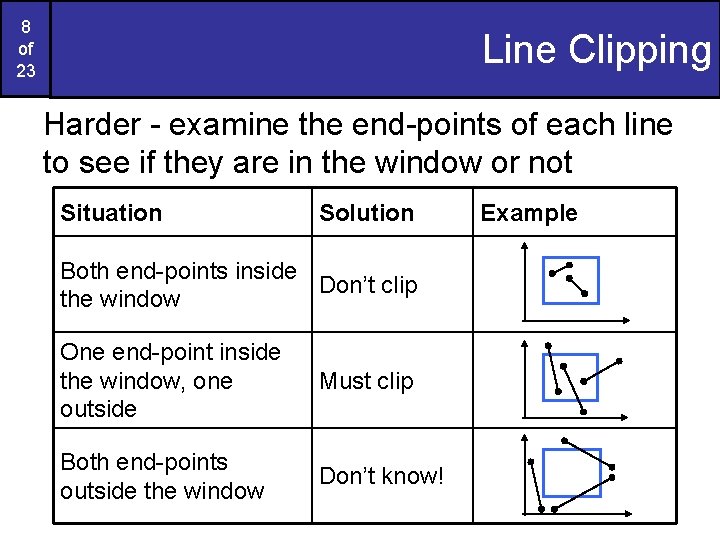
8 of 23 Line Clipping Harder - examine the end-points of each line to see if they are in the window or not Situation Solution Both end-points inside Don’t clip the window One end-point inside the window, one outside Must clip Both end-points outside the window Don’t know! Example
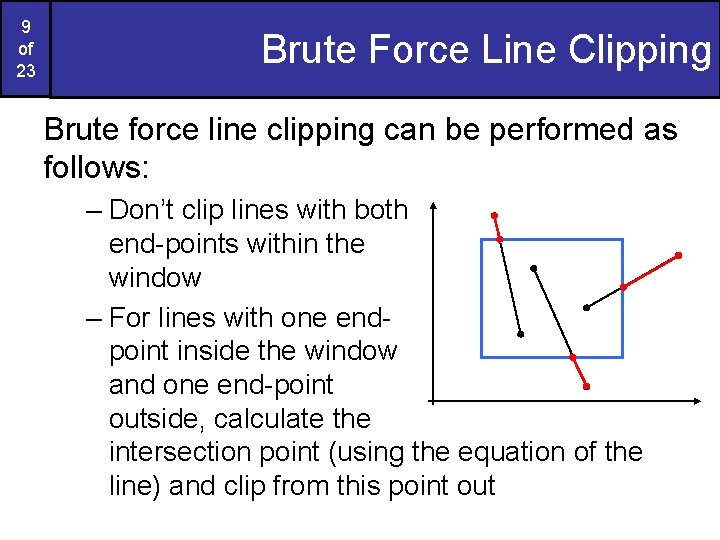
9 of 23 Brute Force Line Clipping Brute force line clipping can be performed as follows: – Don’t clip lines with both end-points within the window – For lines with one endpoint inside the window and one end-point outside, calculate the intersection point (using the equation of the line) and clip from this point out
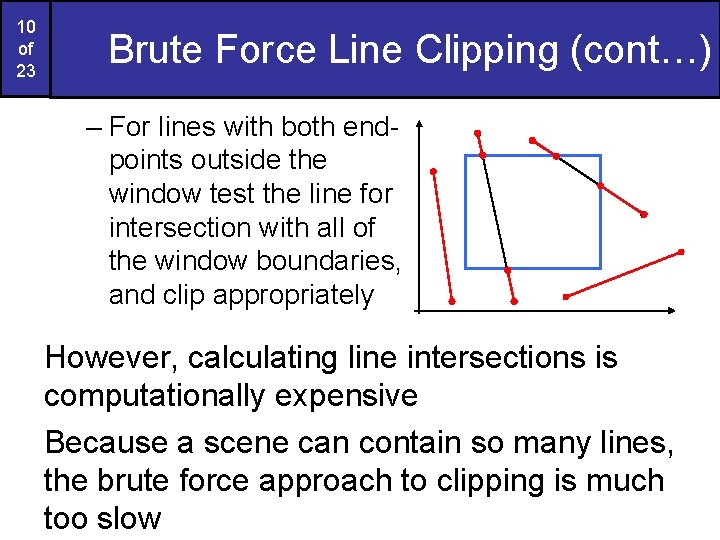
10 of 23 Brute Force Line Clipping (cont…) – For lines with both endpoints outside the window test the line for intersection with all of the window boundaries, and clip appropriately However, calculating line intersections is computationally expensive Because a scene can contain so many lines, the brute force approach to clipping is much too slow

11 of 23 Cohen-Sutherland Clipping Algorithm An efficient line clipping algorithm The key advantage of the algorithm is that it vastly reduces the number of line intersections that must be calculated Cohen is something of a mystery – can anybody find out who he was? Dr. Ivan E. Sutherland co -developed the Cohen. Sutherland clipping algorithm. Sutherland is a graphics giant and includes amongst his achievements the invention of the head mounted display.
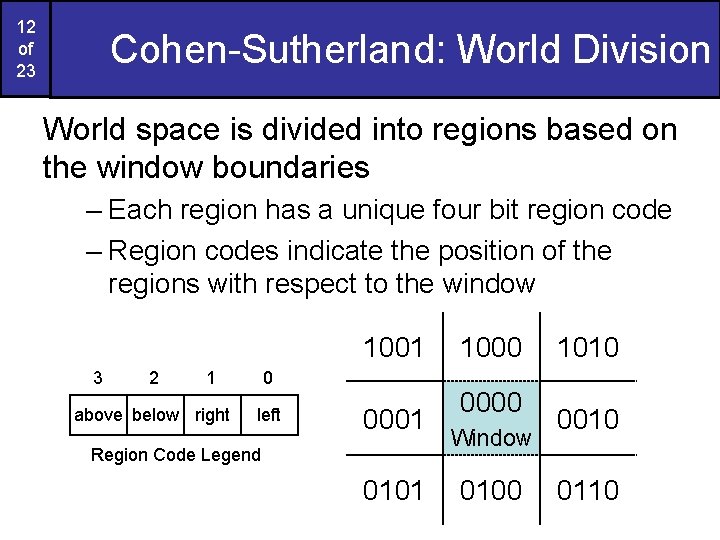
12 of 23 Cohen-Sutherland: World Division World space is divided into regions based on the window boundaries – Each region has a unique four bit region code – Region codes indicate the position of the regions with respect to the window 1001 3 2 1 above below right 0 left 0001 Region Code Legend 0101 1000 0000 Window 0100 1010 0110
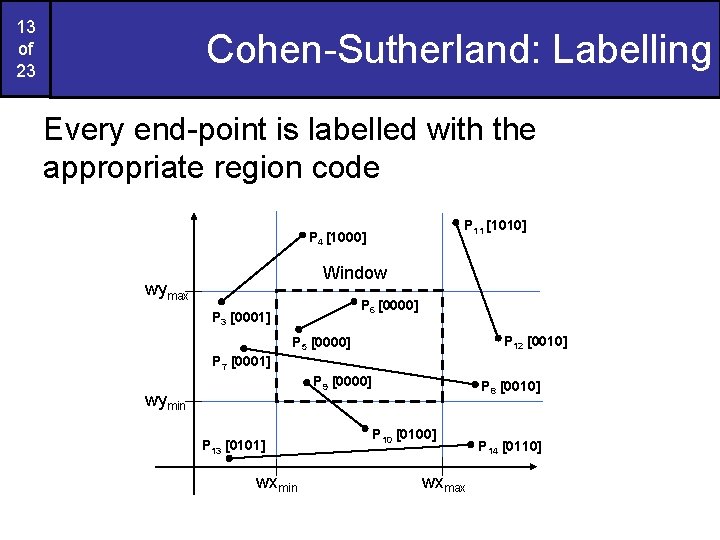
13 of 23 Cohen-Sutherland: Labelling Every end-point is labelled with the appropriate region code P 11 [1010] P 4 [1000] Window wymax P 6 [0000] P 3 [0001] P 12 [0010] P 5 [0000] P 7 [0001] P 9 [0000] wymin P 13 [0101] wxmin P 8 [0010] P 10 [0100] wxmax P 14 [0110]
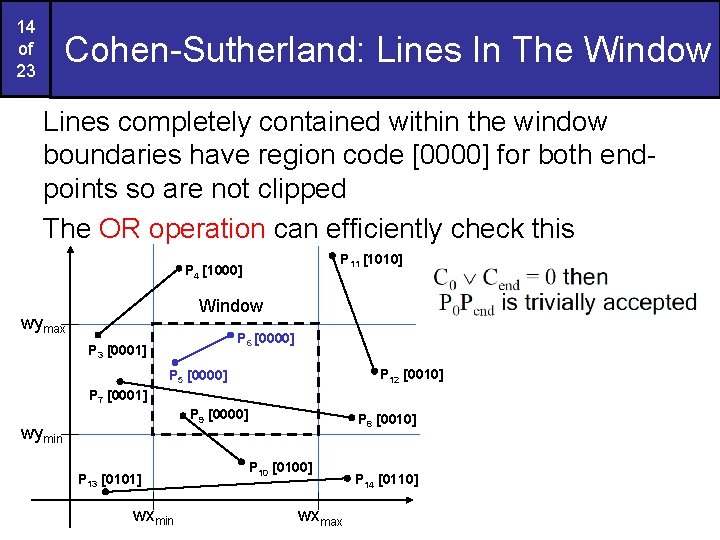
14 of 23 Cohen-Sutherland: Lines In The Window Lines completely contained within the window boundaries have region code [0000] for both endpoints so are not clipped The OR operation can efficiently check this P 11 [1010] P 4 [1000] Window wymax P 6 [0000] P 3 [0001] P 12 [0010] P 5 [0000] P 7 [0001] P 9 [0000] wymin P 13 [0101] wxmin P 8 [0010] P 10 [0100] wxmax P 14 [0110]
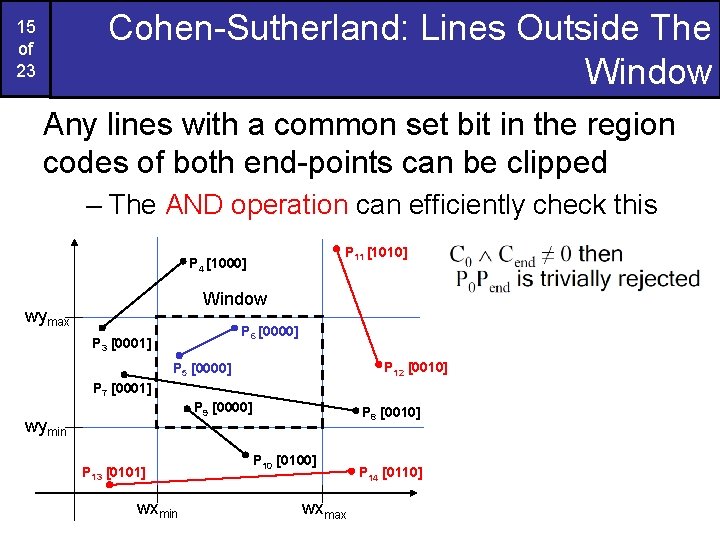
Cohen-Sutherland: Lines Outside The Window 15 of 23 Any lines with a common set bit in the region codes of both end-points can be clipped – The AND operation can efficiently check this P 11 [1010] P 4 [1000] Window wymax P 6 [0000] P 3 [0001] P 12 [0010] P 5 [0000] P 7 [0001] P 9 [0000] wymin P 13 [0101] wxmin P 8 [0010] P 10 [0100] wxmax P 14 [0110]
16 of 23 Cohen-Sutherland: Other Lines that cannot be identified as completely inside or outside the window may or may not cross the window interior These lines are processed as follows: – Compare an end-point outside the window to a boundary (choose any order in which to consider boundaries e. g. left, right, bottom, top) and determine how much can be discarded – If the remainder of the line is entirely inside or outside the window, retain it or clip it respectively
17 of 23 Cohen-Sutherland: Other Lines (cont…) – Otherwise, compare the remainder of the line against the other window boundaries – Continue until the line is either discarded or a segment inside the window is found We can use the region codes to determine which window boundaries should be considered for intersection – To check if a line crosses a particular boundary we compare the appropriate bits in the region codes of its end-points – If one of these is a 1 and the other is a 0 then the line crosses the boundary
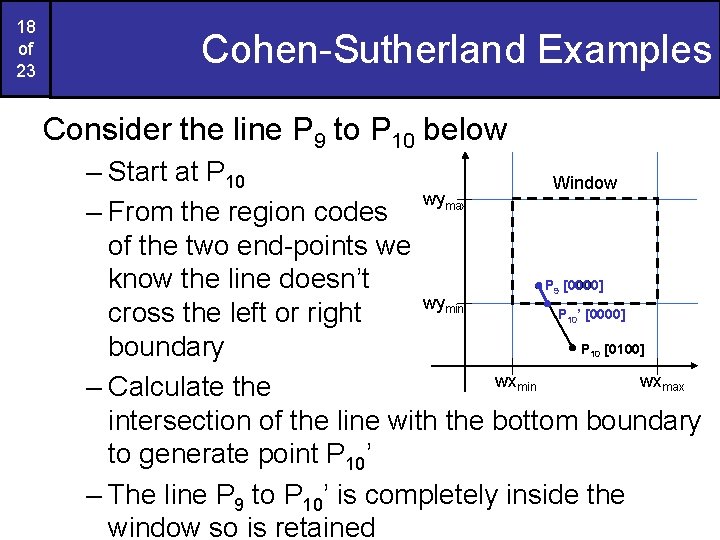
18 of 23 Cohen-Sutherland Examples Consider the line P 9 to P 10 below – Start at P 10 Window wymax – From the region codes of the two end-points we know the line doesn’t P [0000] wymin P ’ [0000] cross the left or right P [0100] boundary wxmin wxmax – Calculate the intersection of the line with the bottom boundary to generate point P 10’ – The line P 9 to P 10’ is completely inside the window so is retained 9 10 10
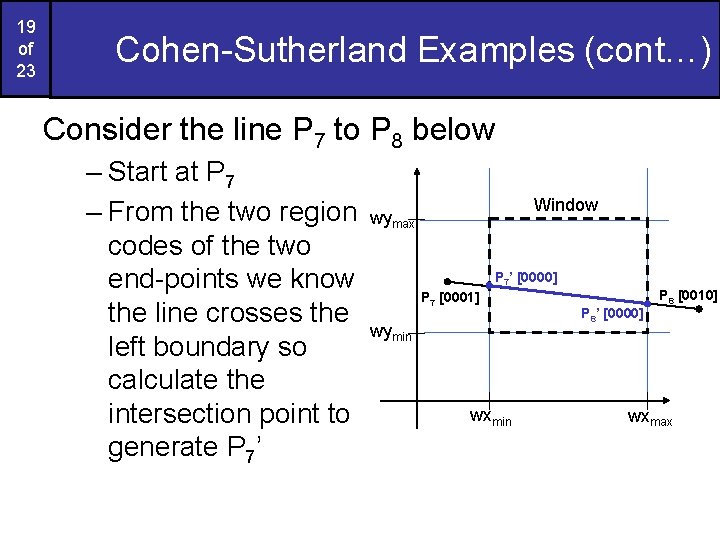
19 of 23 Cohen-Sutherland Examples (cont…) Consider the line P 7 to P 8 below – Start at P 7 – From the two region codes of the two end-points we know the line crosses the left boundary so calculate the intersection point to generate P 7’ Window wymax P 7’ [0000] P 7 [0001] wymin wxmin P 8 [0010] P 8’ [0000] wxmax
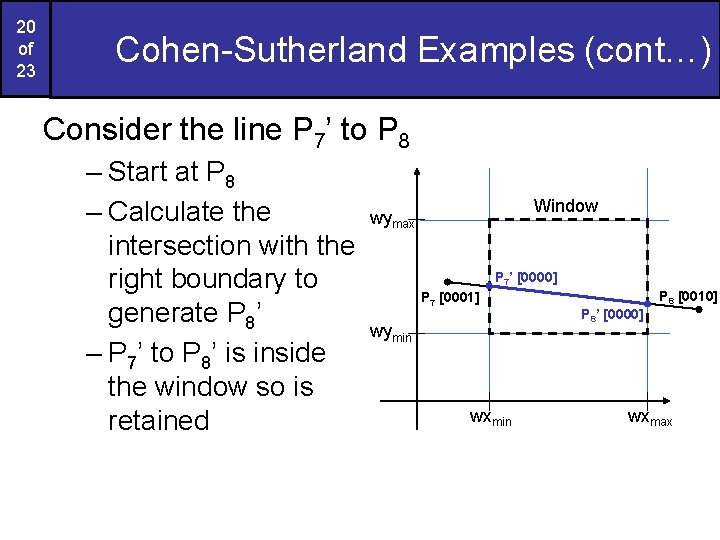
20 of 23 Cohen-Sutherland Examples (cont…) Consider the line P 7’ to P 8 – Start at P 8 – Calculate the intersection with the right boundary to generate P 8’ – P 7’ to P 8’ is inside the window so is retained Window wymax P 7’ [0000] P 7 [0001] wymin wxmin P 8 [0010] P 8’ [0000] wxmax
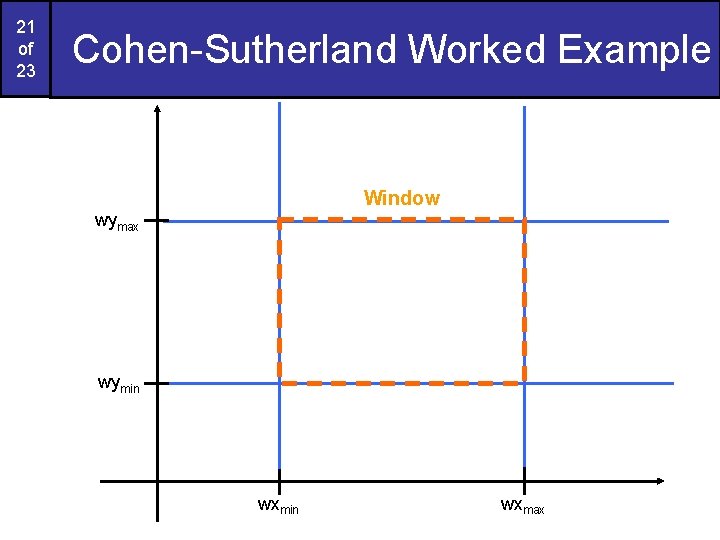
21 of 23 Cohen-Sutherland Worked Example Window wymax wymin wxmax
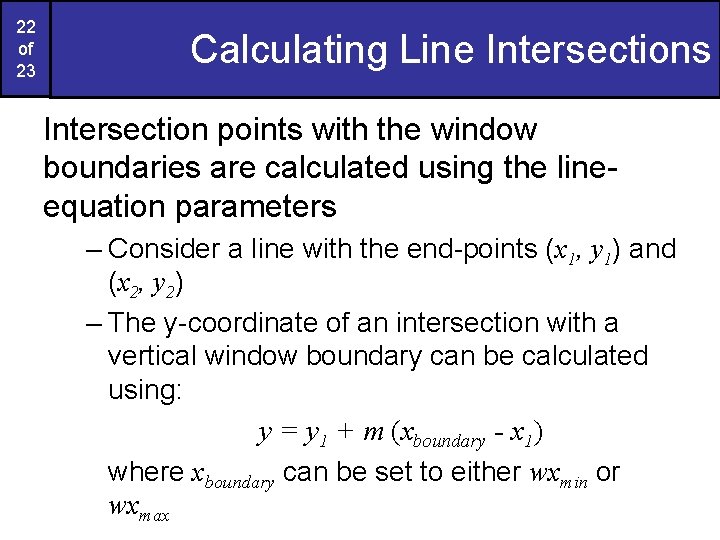
22 of 23 Calculating Line Intersections Intersection points with the window boundaries are calculated using the lineequation parameters – Consider a line with the end-points (x 1, y 1) and (x 2, y 2) – The y-coordinate of an intersection with a vertical window boundary can be calculated using: y = y 1 + m (xboundary - x 1) where xboundary can be set to either wxmin or wxmax
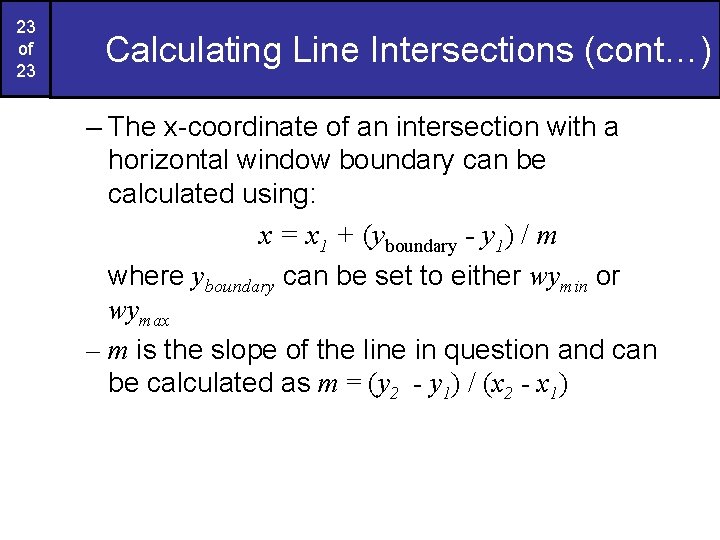
23 of 23 Calculating Line Intersections (cont…) – The x-coordinate of an intersection with a horizontal window boundary can be calculated using: x = x 1 + (yboundary - y 1) / m where yboundary can be set to either wymin or wymax – m is the slope of the line in question and can be calculated as m = (y 2 - y 1) / (x 2 - x 1)
- Slides: 23