
Computer Ergonomics Technology Mrs Huddleston What is ergonomics


- Slides: 12
Computer Ergonomics Technology Mrs. Huddleston
What is ergonomics? l Definition: applied science devoted to comfort, safety, and efficiency in the work place. Huddleston - Ergonomics 2
Why study ergonomics? l Increased risk of acquiring Repetitive Strain Injury (RSI) l A class of injuries that results from repeated small movements in joints, tendons, and nerves. l Describes how the injury was sustained rather than what the injury is (e. g. sports injury) l RSI is not, in itself, a medical diagnosis. l RSI is almost always occupational in origin. Huddleston - Ergonomics 3
Associated RSI Injuries l l l Carpal Tunnel Syndrome Tendonitis Bursitis Writer’s Cramp Arthritis is NOT RSI because arthritis is not a work-related injury. It is most often a genetic disorder or occurs as your body ages. Huddleston - Ergonomics 4
RSI Symptoms l l l Numbness Tingling Sharp pain or dull ache Weakness Loss of grip Restricted movement of limbs Huddleston - Ergonomics 5
Primary RSI Risk Factors l l l Ergonomically unsound workstation Prolonged periods of work without adequate breaks Sustained overuse from too much repetitive movement Poor posture Excessive workload Patterns of work in a cold working environment Huddleston - Ergonomics 6
Guarding Against RSITablet User Disclaimer l l Tablets and laptops by nature violate basic ergonomic requirements in that the screen and keyboard are not separate. Using a tablet/laptop is often a trade off between poor neck/head posture and poor hand/wrist posture. Huddleston - Ergonomics 7
Ideal Workstation Setup Huddleston - Ergonomics 8
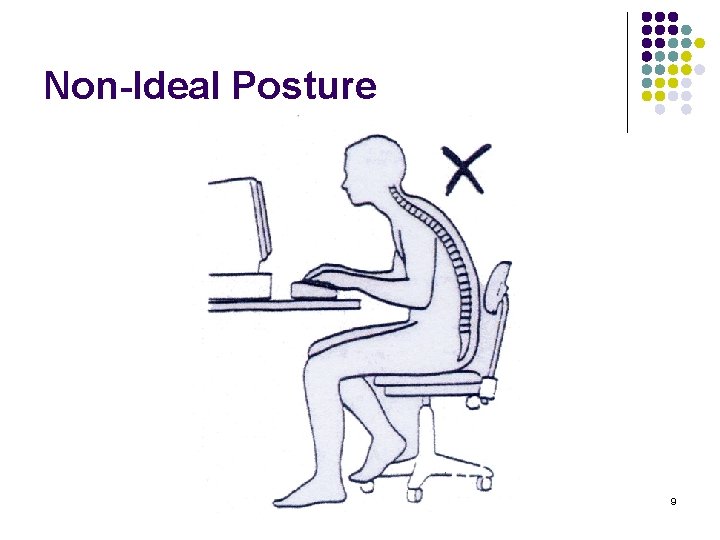
Non-Ideal Posture Huddleston - Ergonomics 9
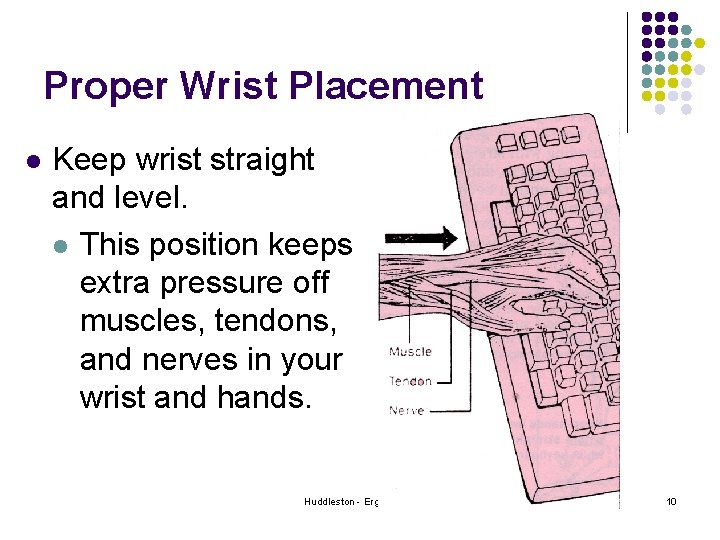
Proper Wrist Placement l Keep wrist straight and level. l This position keeps extra pressure off muscles, tendons, and nerves in your wrist and hands. Huddleston - Ergonomics 10
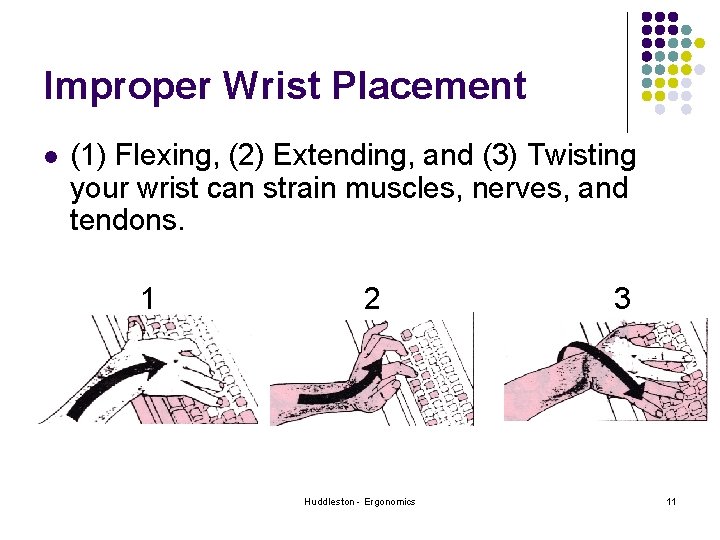
Improper Wrist Placement l (1) Flexing, (2) Extending, and (3) Twisting your wrist can strain muscles, nerves, and tendons. 1 2 Huddleston - Ergonomics 3 11
Relieving Muscle & Joint Stress l 1 hour at computer = 3 -5 minute break l Stretch neck, shoulder and wrist muscles l Get up and walk around Use a separate keyboard l Blink often l Computer users blink 3 -5 x less than normal when looking at a screen. This causes the eyes to dry out and become irritated. l Huddleston - Ergonomics 12