
Computer Concepts A Brief Introduction CAS 133 Basic
Computer Concepts A Brief Introduction CAS 133 – Basic Computer Skills/MS Office XP Russ Erdman - Instructor
Computer Concepts “Oh drat these computers! They’re so naughty and so complex, I could pinch them!”
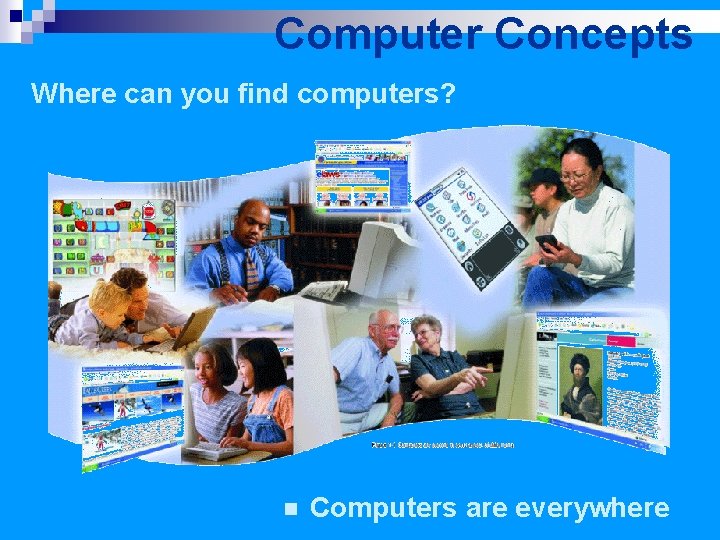
Computer Concepts Where can you find computers? n Computers are everywhere
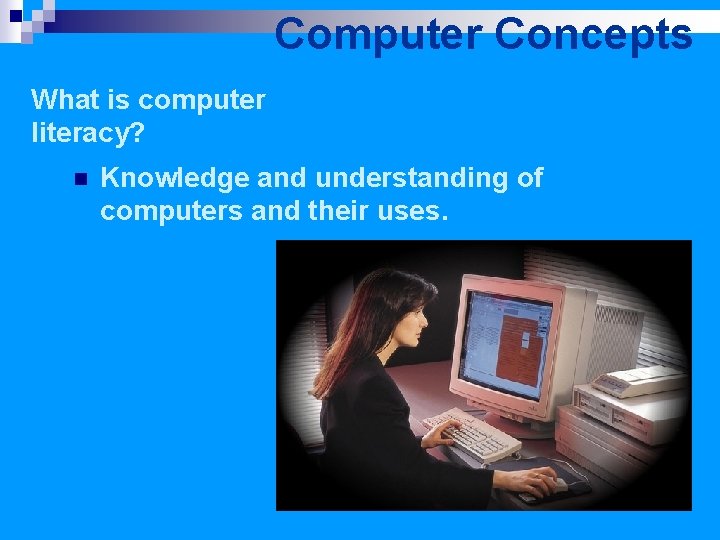
Computer Concepts What is computer literacy? n Knowledge and understanding of computers and their uses.
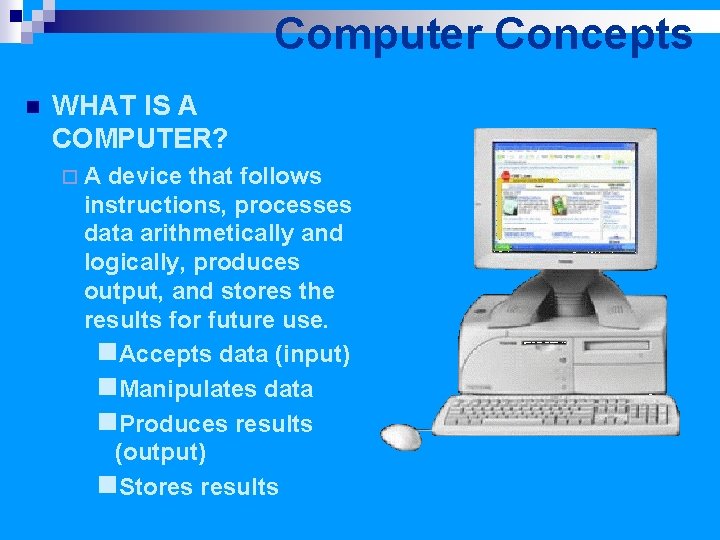
Computer Concepts n WHAT IS A COMPUTER? ¨A device that follows instructions, processes data arithmetically and logically, produces output, and stores the results for future use. n. Accepts data (input) n. Manipulates data n. Produces results (output) n. Stores results
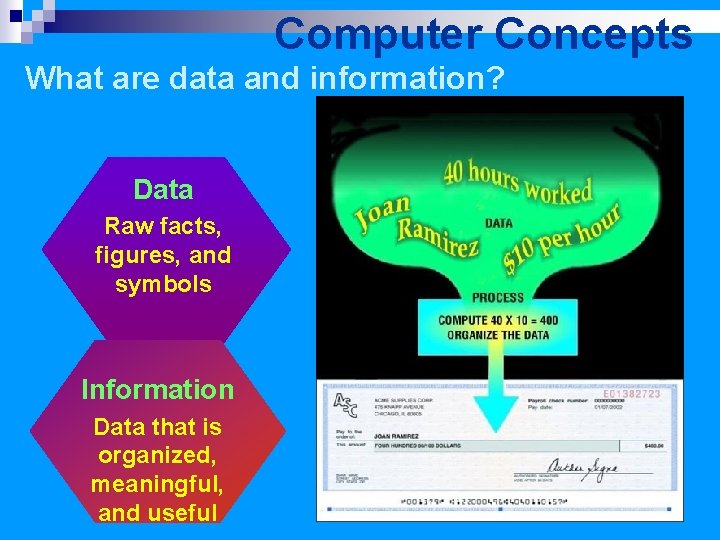
Computer Concepts What are data and information? Data Raw facts, figures, and symbols Information Data that is organized, meaningful, and useful
Computer Concepts What are hardware and software? Hardware Electronic and mechanical equipment Software Instructions that tell hardware how to perform tasks
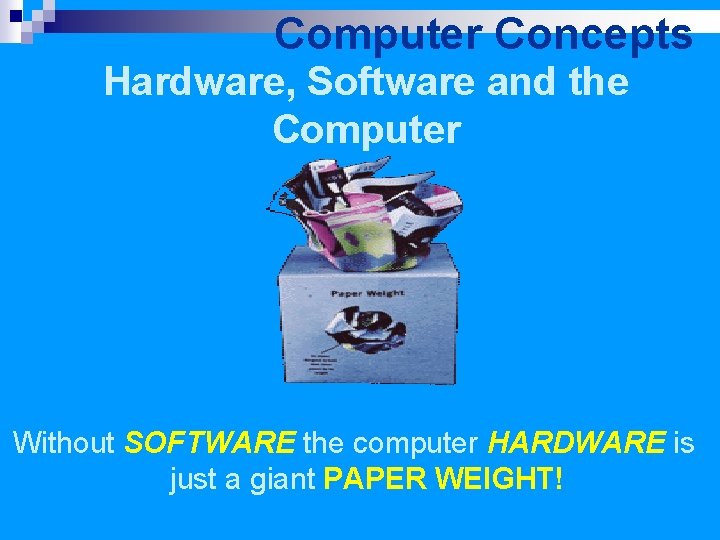
Computer Concepts Hardware, Software and the Computer Without SOFTWARE the computer HARDWARE is just a giant PAPER WEIGHT!
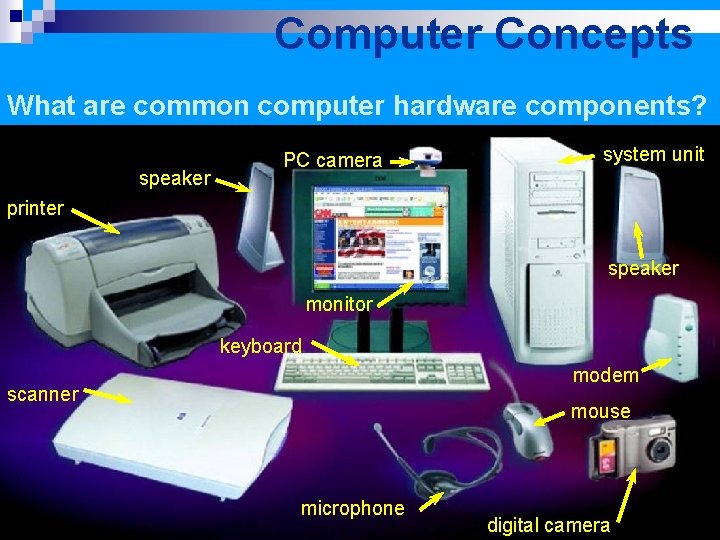
Computer Concepts What are common computer hardware components? speaker PC camera system unit printer speaker monitor keyboard modem scanner mouse microphone digital camera
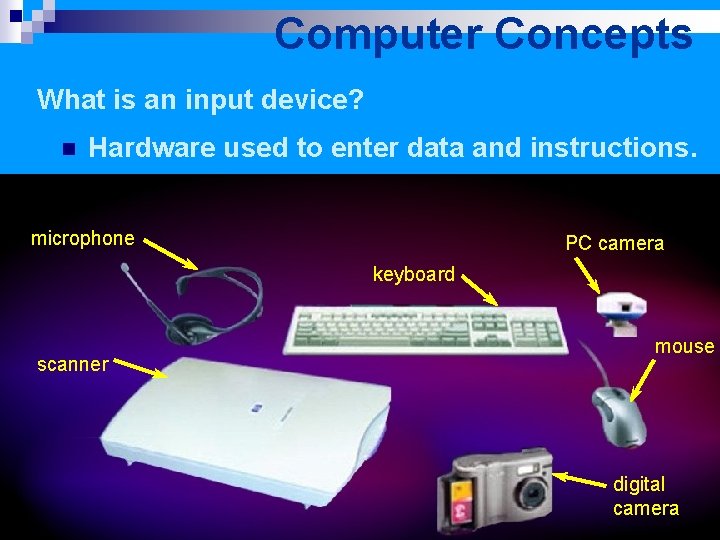
Computer Concepts What is an input device? n Hardware used to enter data and instructions. microphone PC camera keyboard scanner mouse digital camera
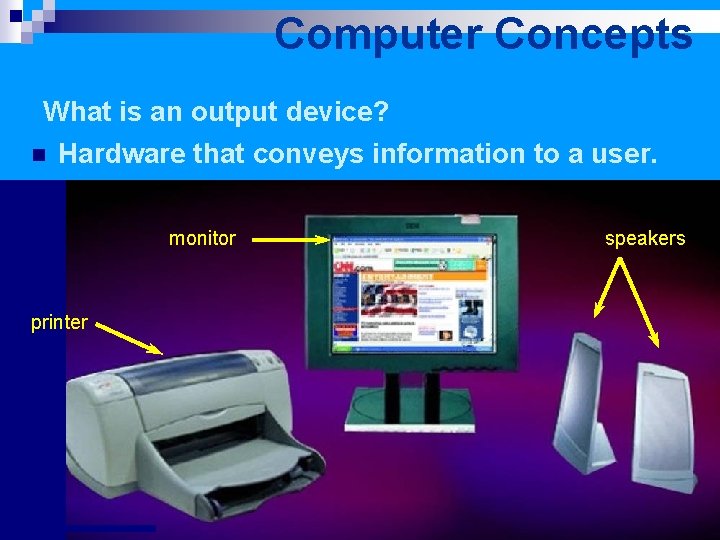
Computer Concepts What is an output device? n Hardware that conveys information to a user. monitor printer speakers
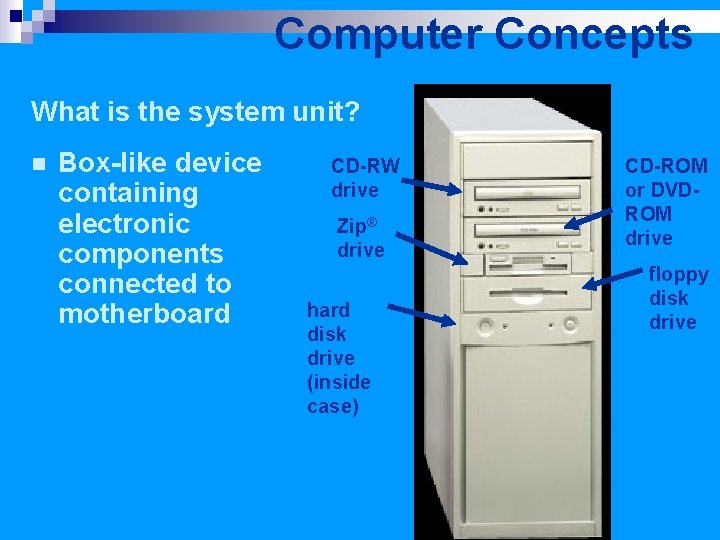
Computer Concepts What is the system unit? n Box-like device containing electronic components connected to motherboard CD-RW drive Zip® drive hard disk drive (inside case) CD-ROM or DVDROM drive floppy disk drive
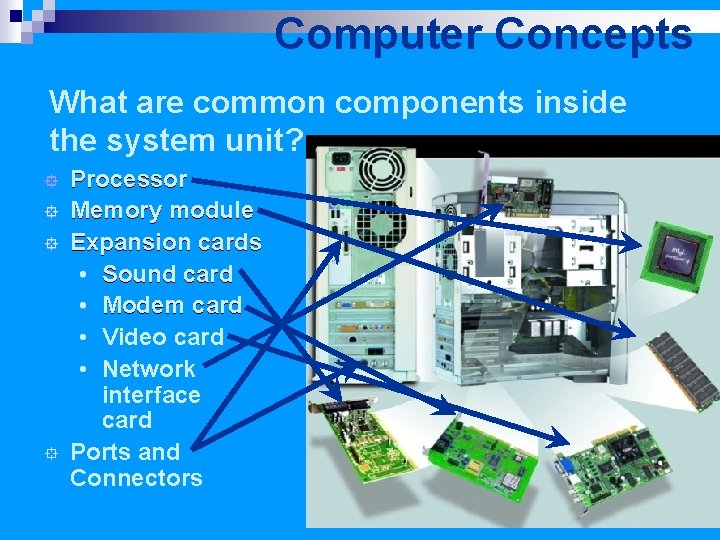
Computer Concepts What are common components inside the system unit? ° ° Processor Memory module Expansion cards • Sound card • Modem card • Video card • Network interface card Ports and Connectors
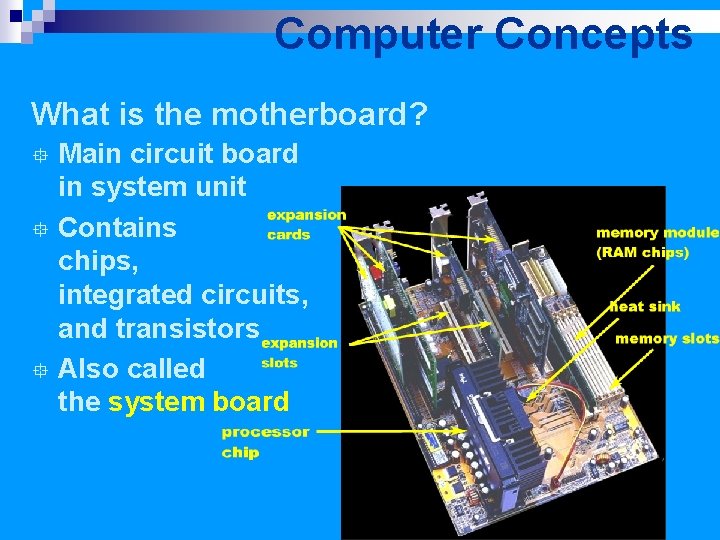
Computer Concepts What is the motherboard? Main circuit board in system unit ° Contains chips, integrated circuits, and transistors ° Also called the system board °
Computer Concepts What are two main components on the motherboard? Central Processing Unit (CPU) • Also called a processor • Carries out instructions that tell computer what to do Memory (RAM & ROM) • Temporary holding place for data and instructions
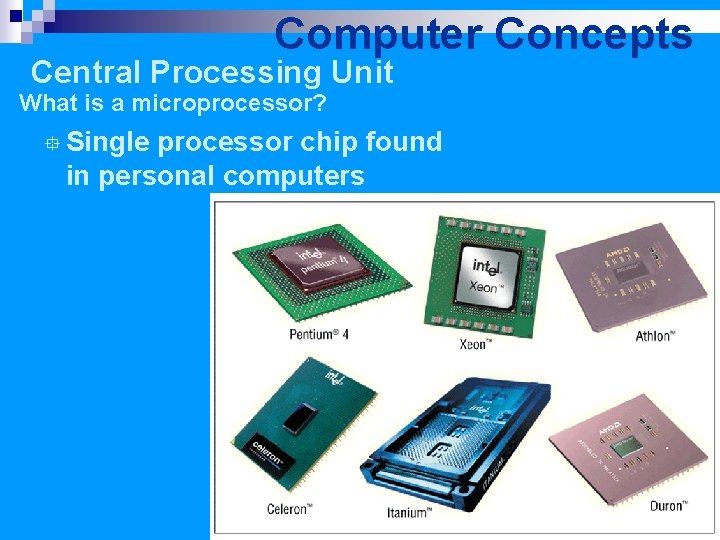
Computer Concepts Central Processing Unit What is a microprocessor? ° Single processor chip found in personal computers
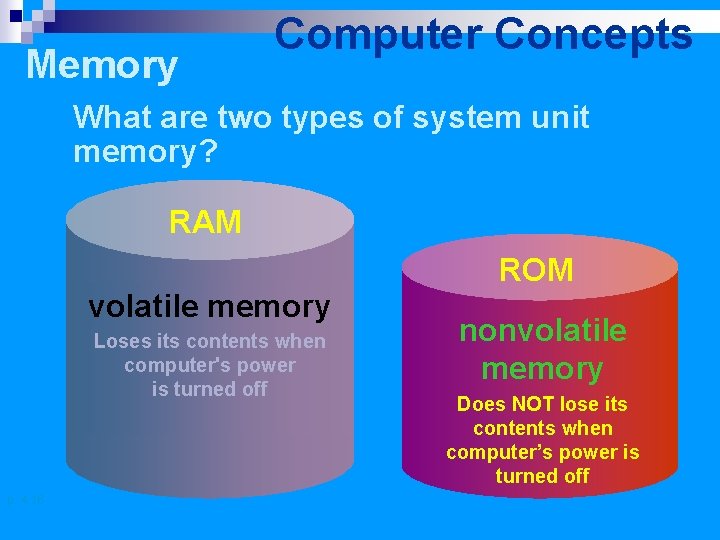
Memory Computer Concepts What are two types of system unit memory? RAM ROM volatile memory Loses its contents when thecomputer'spower is isturnedoff p. 4. 16 nonvolatile memory Does NOT lose its contents when computer’s power is turned off
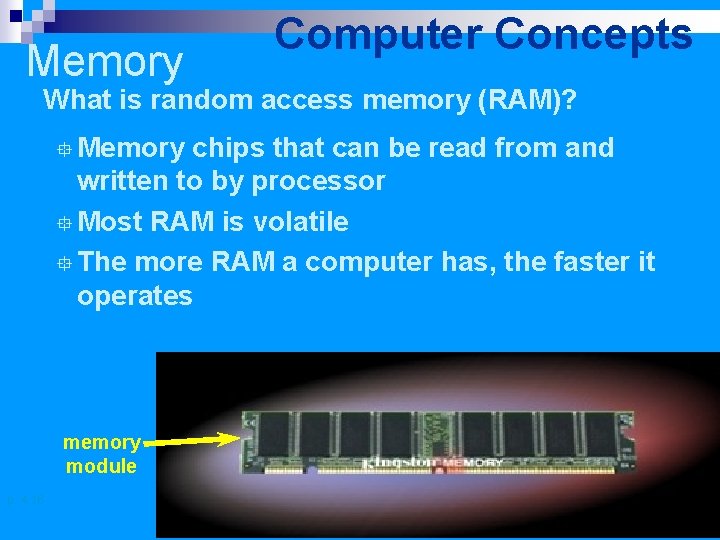
Memory Computer Concepts What is random access memory (RAM)? ° Memory chips that can be read from and written to by processor ° Most RAM is volatile ° The more RAM a computer has, the faster it operates memory module p. 4. 16
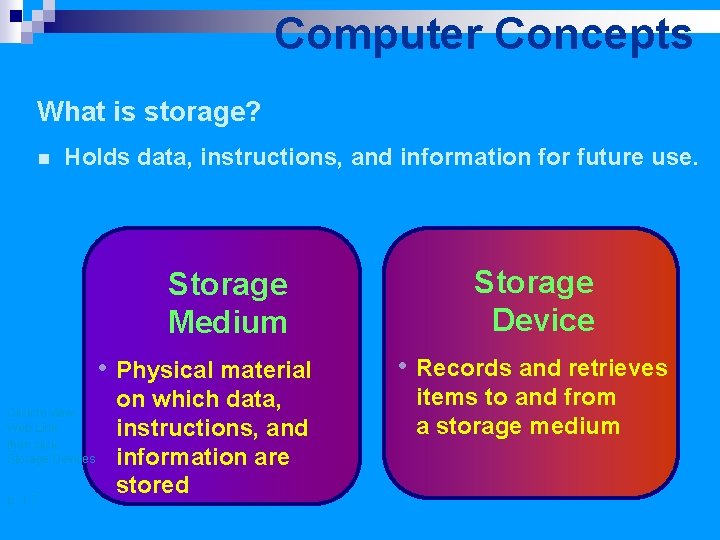
Computer Concepts What is storage? n Holds data, instructions, and information for future use. Storage Medium • Physical material Click to view Web Link then click Storage Devices p. 1. 7 on which data, instructions, and information are stored Storage Device • Records and retrieves items to and from a storage medium
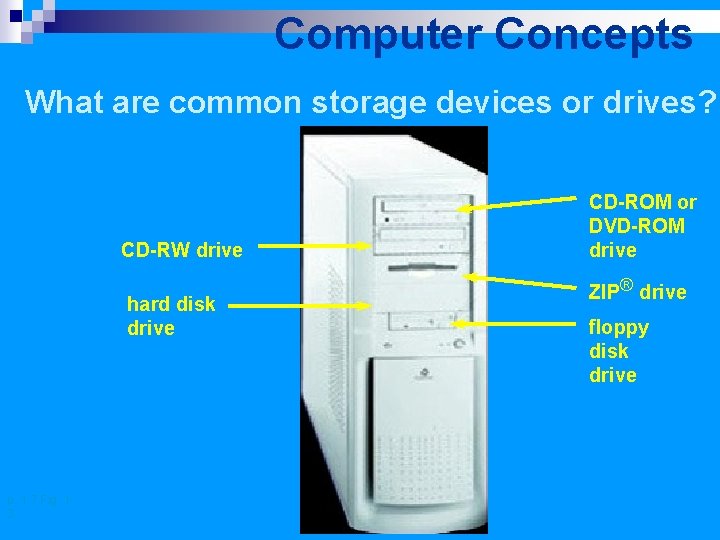
Computer Concepts What are common storage devices or drives? CD-RW drive hard disk drive p. 1. 7 Fig. 13 CD-ROM or DVD-ROM drive ZIP® drive floppy disk drive
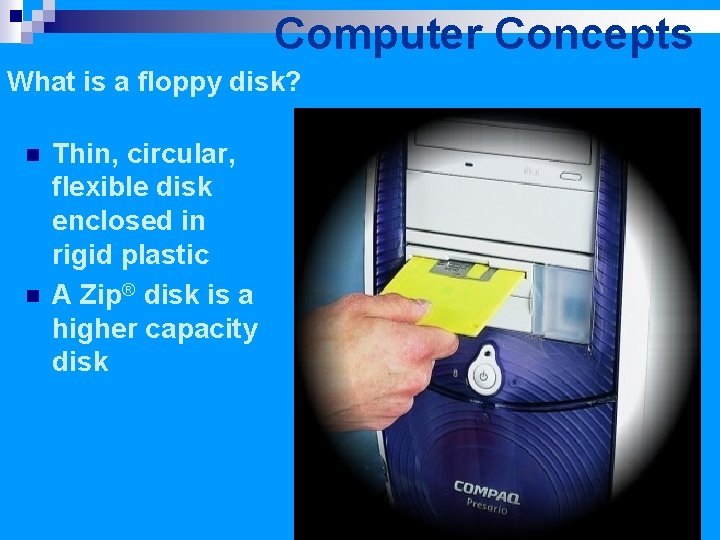
Computer Concepts What is a floppy disk? n n Thin, circular, flexible disk enclosed in rigid plastic A Zip® disk is a higher capacity disk
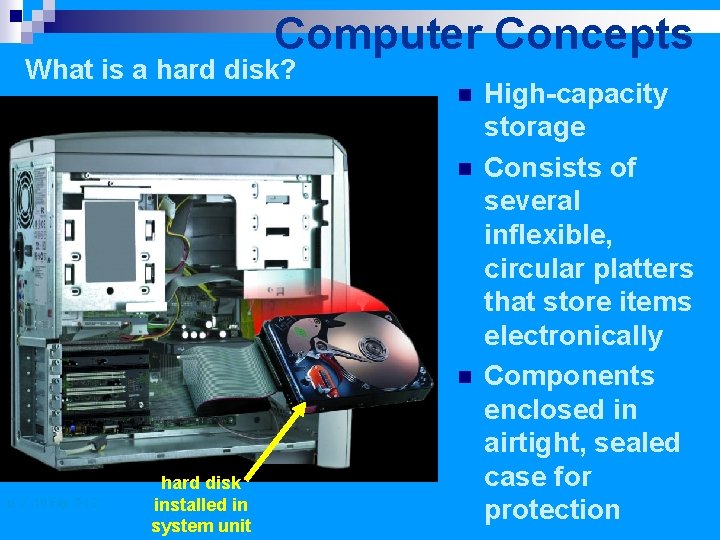
Computer Concepts What is a hard disk? n n n p. 7. 10 Fig. 7 -12 hard disk installed in system unit High-capacity storage Consists of several inflexible, circular platters that store items electronically Components enclosed in airtight, sealed case for protection
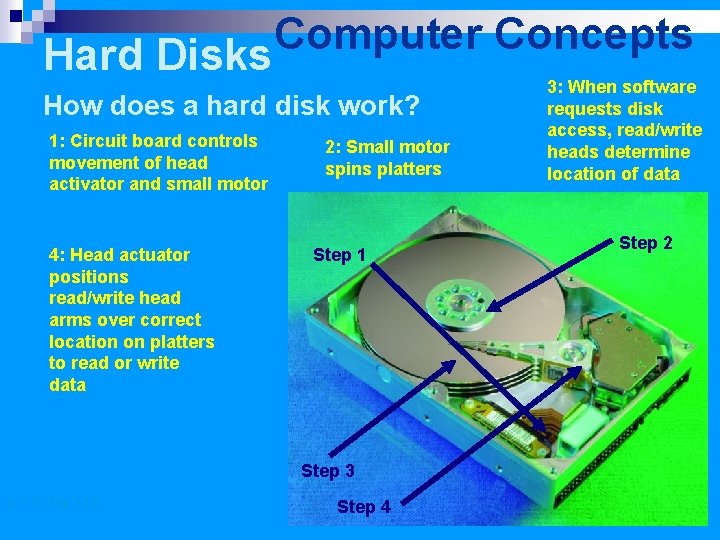
Computer Concepts Hard Disks How does a hard disk work? 1: Circuit board controls movement of head activator and small motor 4: Head actuator positions read/write head arms over correct location on platters to read or write data 2: Small motor spins platters Step 1 Step 3 p. 7. 11 Fig. 7 -13 Step 4 3: When software requests disk access, read/write heads determine location of data Step 2
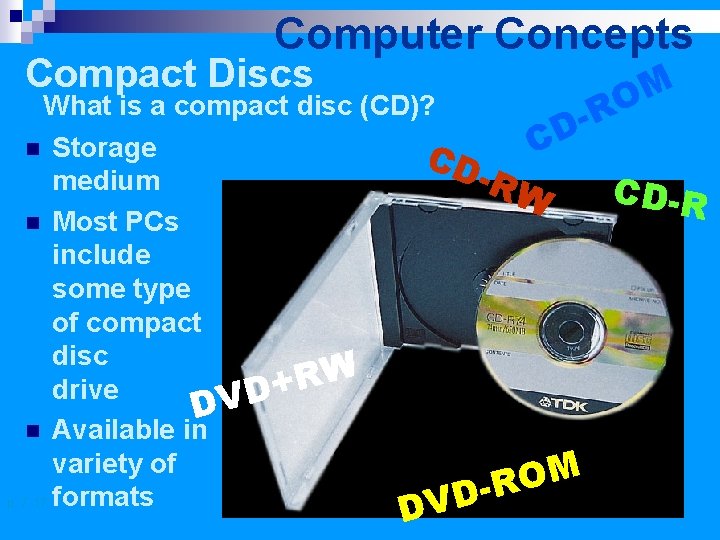
Computer Concepts Compact Discs What is a compact disc (CD)? Storage medium n Most PCs include some type of compact disc W R + drive DVD n Available in variety of p. 7. 17 formats n M O R D C CD -RW M O R D DV CD-R
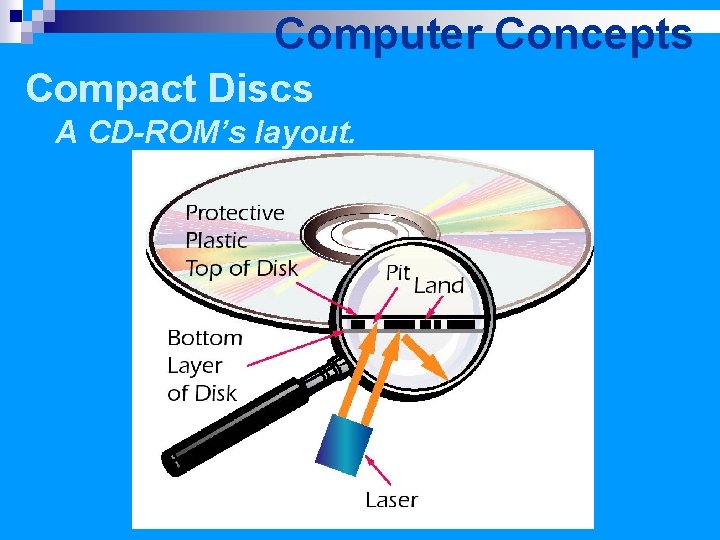
Computer Concepts Compact Discs A CD-ROM’s layout.
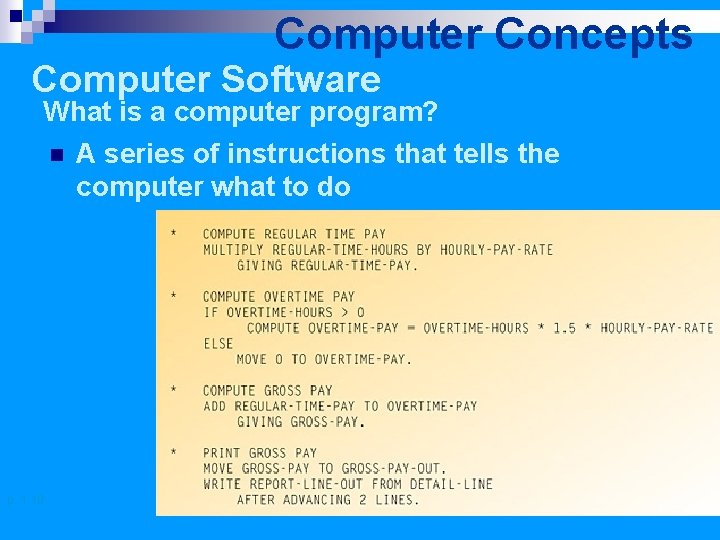
Computer Concepts Computer Software What is a computer program? n p. 1. 10 A series of instructions that tells the computer what to do
Computer Concepts Advantages of a computer ¨Speed ¨Reliability ¨Accuracy ¨Storage ¨Communications
Computer Concepts Advantages of a computer n Speed ¨Operates at close to the speed of light – 186, 000 miles/second! ¨Consider word processing (typing) over writing by hand. n Reliability ¨Hardware seldom fails ¨When the bank says the computers are down it may not be true.
Computer Concepts Advantages of a computer n Accuracy ¨Software – GIGO (Garbage In Garbage Out) ¨Humans make 1 error every 300 characters typed, computers make 1 error every 3, 000 characters processed. n Storage ¨Concept of bits (1 s & 0 s), bytes (8 bits), kilobytes (1024 bytes), megabytes (1024 KB), gigabytes (1024 MB), terabytes (1024 GB). ¨All the works of Shakespeare can fit on one CD… with much room to spare!
Storage Computer Concepts Data Representation n Five basic types of data are represented in the computer. ¨ Numeric ¨ Character ¨ Visual ¨ Audio ¨ Instructional
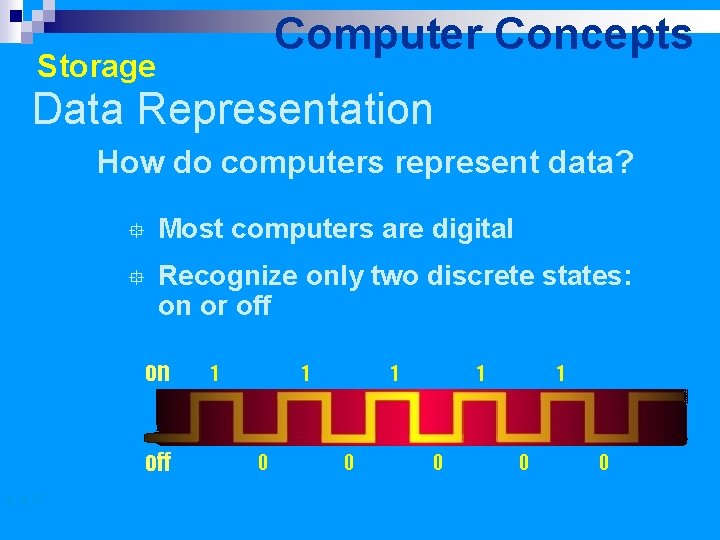
Computer Concepts Storage Data Representation How do computers represent data? ° Most computers are digital ° Recognize only two discrete states: on or off on off p. 4. 13 1 1 0 1 0 0
Storage n n n Computer Concepts A digital computer’s circuits are binary. The circuits can exist in either one of two electrical states, normally represented by 0 and 1, that is, OFF or ON. Each 1 or 0 is called a binary digit or bit and are the basis for measurement of storage. Each character (letter, number, etc. ) equals one byte. These bytes can add up, especially when representing images (graphics).
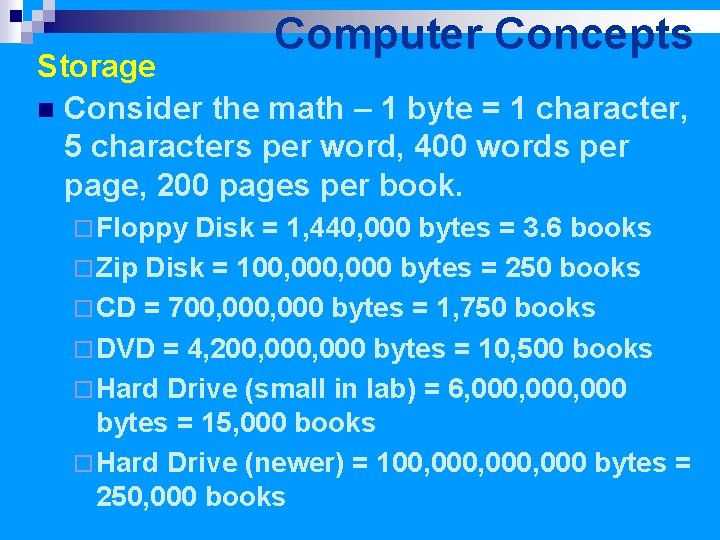
Computer Concepts Storage n Consider the math – 1 byte = 1 character, 5 characters per word, 400 words per page, 200 pages per book. ¨ Floppy Disk = 1, 440, 000 bytes = 3. 6 books ¨ Zip Disk = 100, 000 bytes = 250 books ¨ CD = 700, 000 bytes = 1, 750 books ¨ DVD = 4, 200, 000 bytes = 10, 500 books ¨ Hard Drive (small in lab) = 6, 000, 000 bytes = 15, 000 books ¨ Hard Drive (newer) = 100, 000, 000 bytes = 250, 000 books
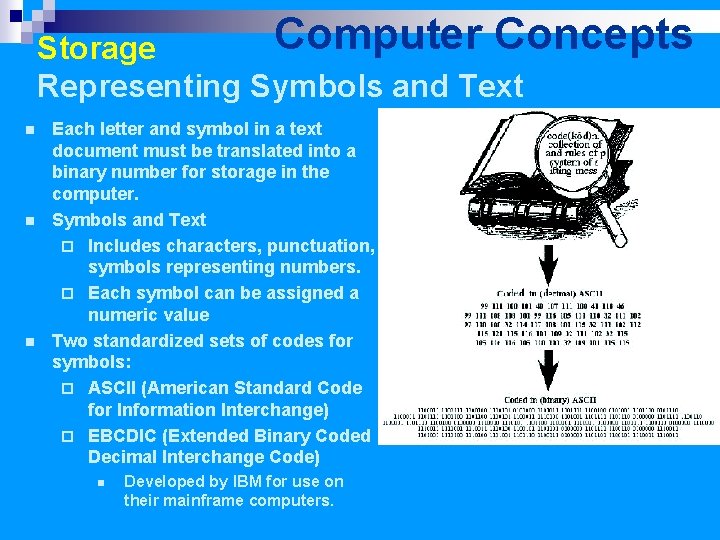
Computer Concepts Storage Representing Symbols and Text n n n Each letter and symbol in a text document must be translated into a binary number for storage in the computer. Symbols and Text ¨ Includes characters, punctuation, symbols representing numbers. ¨ Each symbol can be assigned a numeric value Two standardized sets of codes for symbols: ¨ ASCII (American Standard Code for Information Interchange) ¨ EBCDIC (Extended Binary Coded Decimal Interchange Code) n Developed by IBM for use on their mainframe computers.
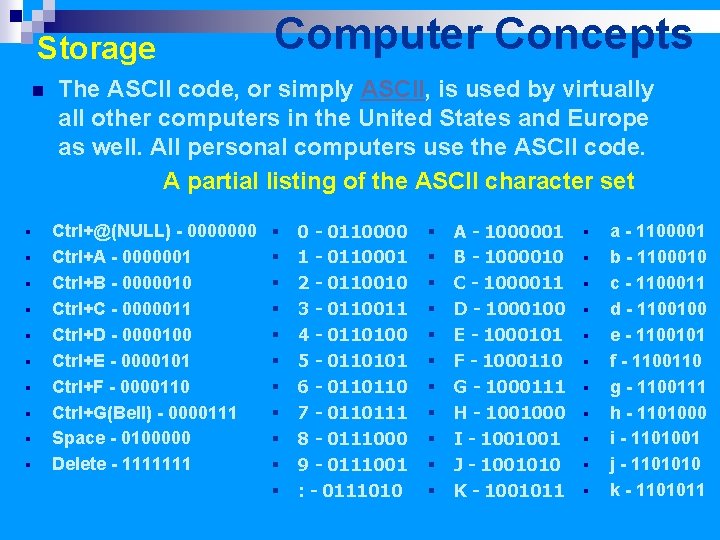
Storage n § § § § § Computer Concepts The ASCII code, or simply ASCII, is used by virtually all other computers in the United States and Europe as well. All personal computers use the ASCII code. A partial listing of the ASCII character set Ctrl+@(NULL) - 0000000 Ctrl+A - 0000001 Ctrl+B - 0000010 Ctrl+C - 0000011 Ctrl+D - 0000100 Ctrl+E - 0000101 Ctrl+F - 0000110 Ctrl+G(Bell) - 0000111 Space - 0100000 Delete - 1111111 § § § 0 - 0110000 1 - 0110001 2 - 0110010 3 - 0110011 4 - 0110100 5 - 0110101 6 - 0110110 7 - 0110111 8 - 0111000 9 - 0111001 : - 0111010 § § § A - 1000001 B - 1000010 C - 1000011 D - 1000100 E - 1000101 F - 1000110 G - 1000111 H - 1001000 I - 1001001 J - 1001010 K - 1001011 § § § a - 1100001 b - 1100010 c - 1100011 d - 1100100 e - 1100101 f - 1100110 g - 1100111 h - 1101000 i - 1101001 j - 1101010 k - 1101011
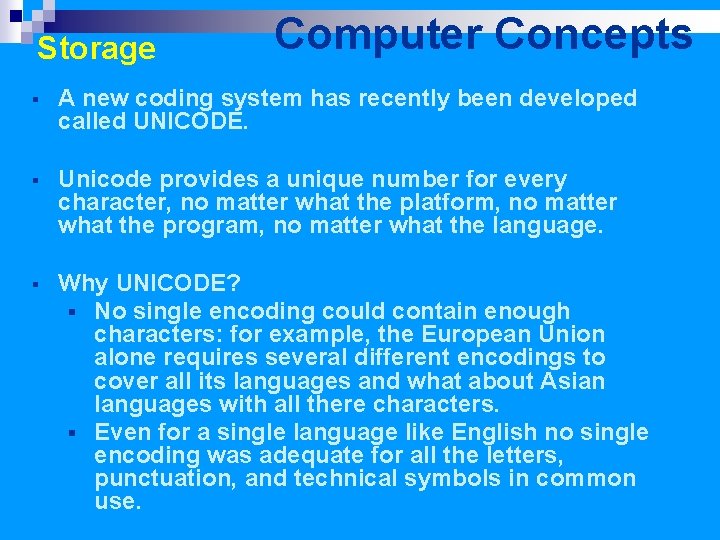
Storage Computer Concepts § A new coding system has recently been developed called UNICODE. § Unicode provides a unique number for every character, no matter what the platform, no matter what the program, no matter what the language. § Why UNICODE? § No single encoding could contain enough characters: for example, the European Union alone requires several different encodings to cover all its languages and what about Asian languages with all there characters. § Even for a single language like English no single encoding was adequate for all the letters, punctuation, and technical symbols in common use.
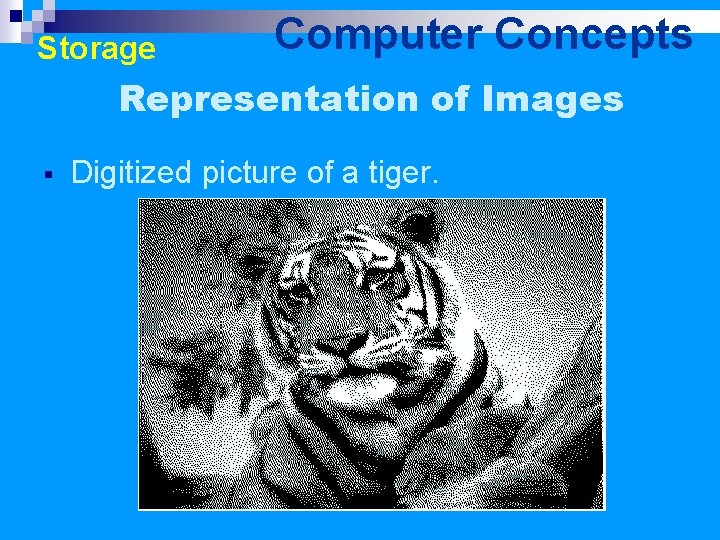
Storage Computer Concepts Representation of Images § Digitized picture of a tiger.
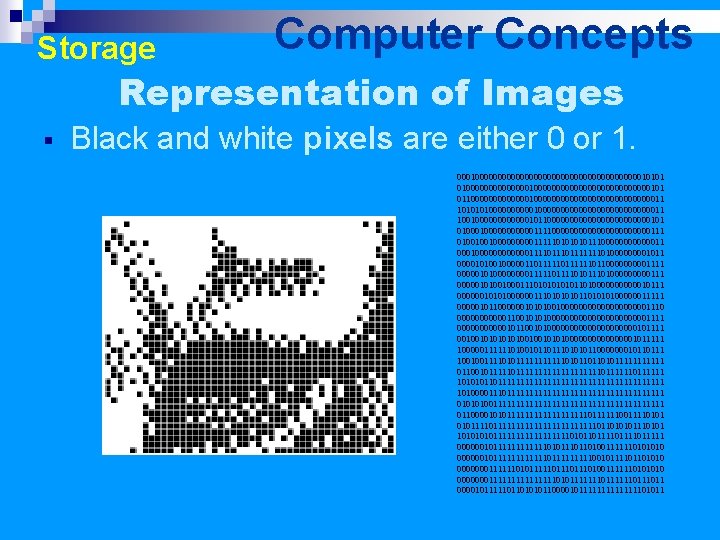
Storage Computer Concepts Representation of Images § Black and white pixels are either 0 or 1. 0001000000000000000000010101 0100000000000000000000101 0110000000000000000000011 1010000001000000000000011 10010000001011000000000000101 010000000111100000000000111 01001001000001111101011100000011 00010000001111011111110100001011 000010100100000110111111011000001111 000001010000111110101110100000111 0000010100100011101010110100000010111 0000001010100000011101010100000011111 0000010110000001010100100000000001110 000000110010101000000000001111 0000001011001010000000000101111 00100101010010010101000000001011111 100000111111010010110101011000000010110111 100100111101011111101011011010111111 01100101111111111110111111 1010101101111111111111111111 10100001111111111111111111 010101001111111111111111111 0110000101011111111101111110011110101111111111111011010101110101111111110101101111011111 00000010111111010110100111111010 000000101111110111110010111101101010 00000001111110101111101110100111111010 0000000111111110101111110111011 000010111110110101011000010111111101011
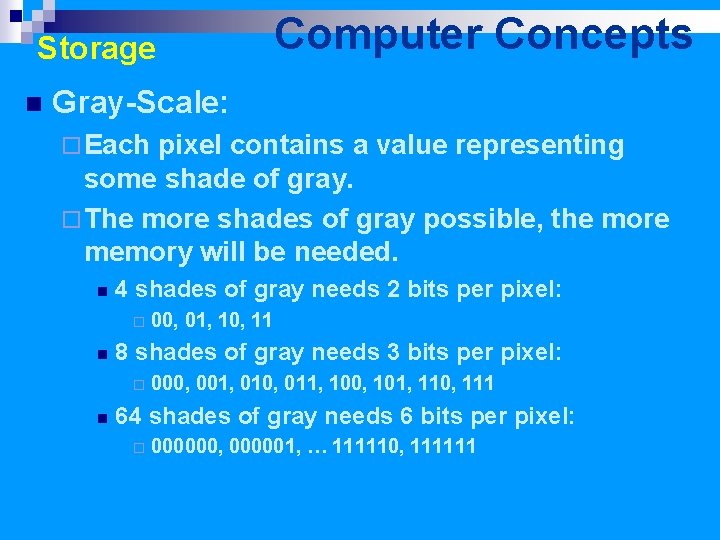
Storage n Computer Concepts Gray-Scale: ¨ Each pixel contains a value representing some shade of gray. ¨ The more shades of gray possible, the more memory will be needed. n 4 shades of gray needs 2 bits per pixel: ¨ n 8 shades of gray needs 3 bits per pixel: ¨ n 00, 01, 10, 11 000, 001, 010, 011, 100, 101, 110, 111 64 shades of gray needs 6 bits per pixel: ¨ 000000, 000001, … 111110, 111111
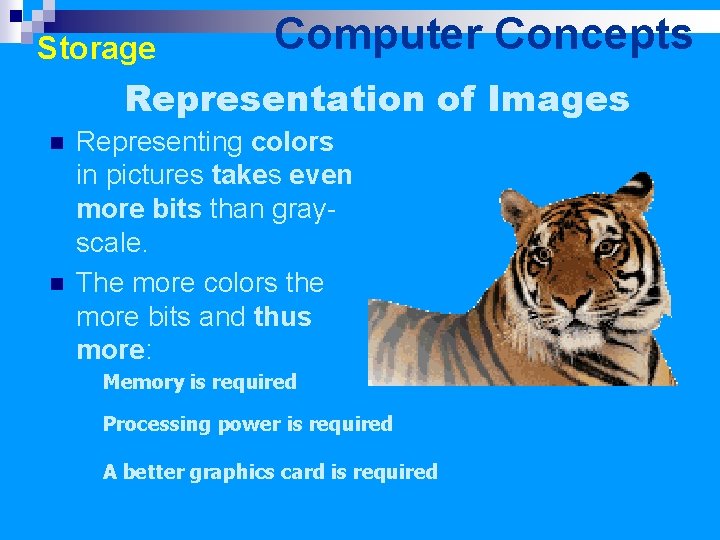
Storage Computer Concepts Representation of Images n n Representing colors in pictures takes even more bits than grayscale. The more colors the more bits and thus more: Memory is required Processing power is required A better graphics card is required
Storage Computer Concepts ¨ Fact: All types of information are stored in binary form. ¨ Problem: The computer has no way of discerning between types unless a file is marked in some manner for identification by the operating system. ¨ Files are marked as to type with unique icons and have an extension that indicates file type. (e. g. , . doc, . txt, . html, . xls, . ppt, . wav, . jpg and so forth)
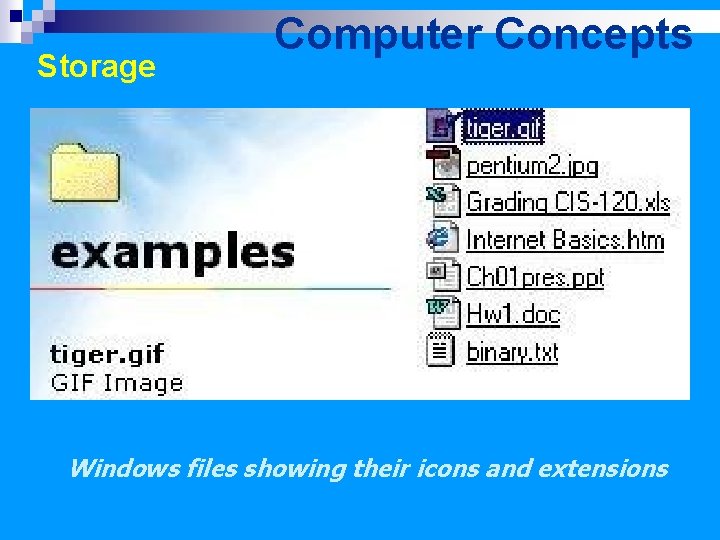
Storage Computer Concepts Windows files showing their icons and extensions
Computer Concepts Advantages of a computer n Communications ¨Allows us to easily share data n Networks n Email n The Internet n The World Wide Web n Modern Wireless Devices ¨Cell phones ¨Wi. Fi and Bluetooth
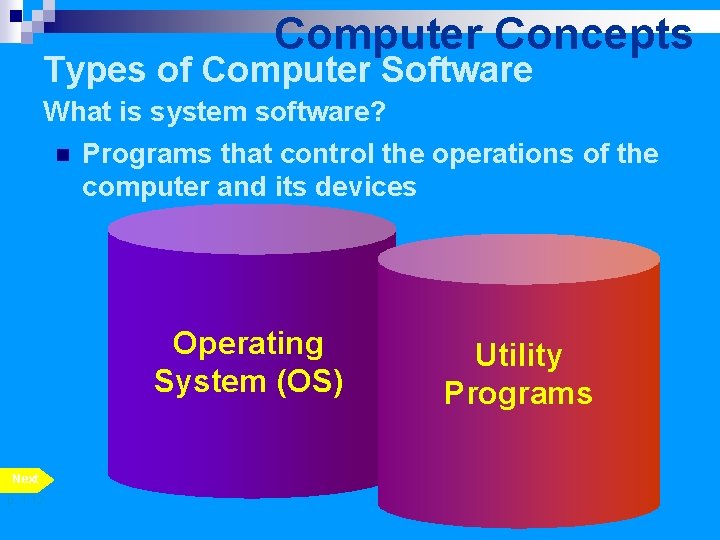
Computer Concepts Types of Computer Software What is system software? n Programs that control the operations of the computer and its devices Operating System (OS) Next p. 1. 12 Utility Programs
Computer Concepts Types of Computer Software The operating system (OS) on the computers in the lab is Windows 2000 Professional. n Some other OS names are: n ¨ DOS (Disk Operating System) ¨ Windows 98, Me, XP ¨ Windows 2000 Active Server ¨ Unix ¨ Linux ¨ Macintosh OS X and others
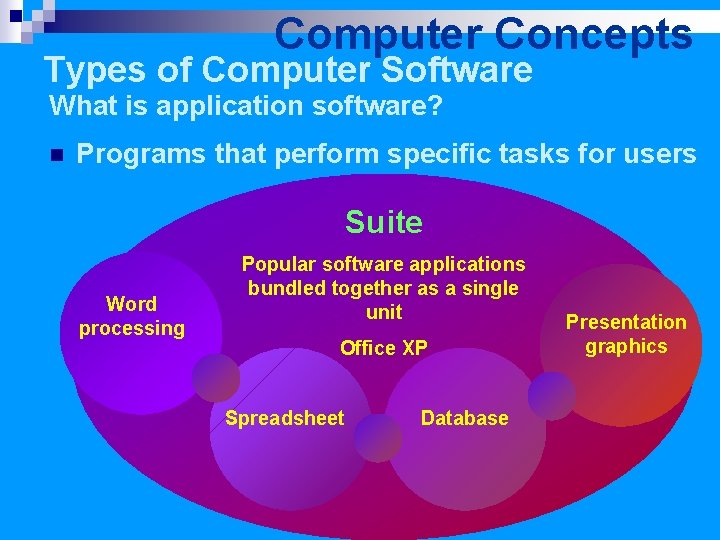
Computer Concepts Types of Computer Software What is application software? n Programs that perform specific tasks for users Suite Word processing software Popular software applications bundled together as a single unit Office XP Spreadsheet software Database software Presentation graphics software
Computer Concepts Types of Computer Software There must be some type of (OS) system software for application software to run on. n The application software must be compatible with the OS software. n The application software we will work with includes: ¨Word (Word processing) ¨Excel (Spreadsheets) ¨Access (Databases) ¨Internet Explorer (Web Browser) ¨M. S. Paint (Graphics) ¨Other n
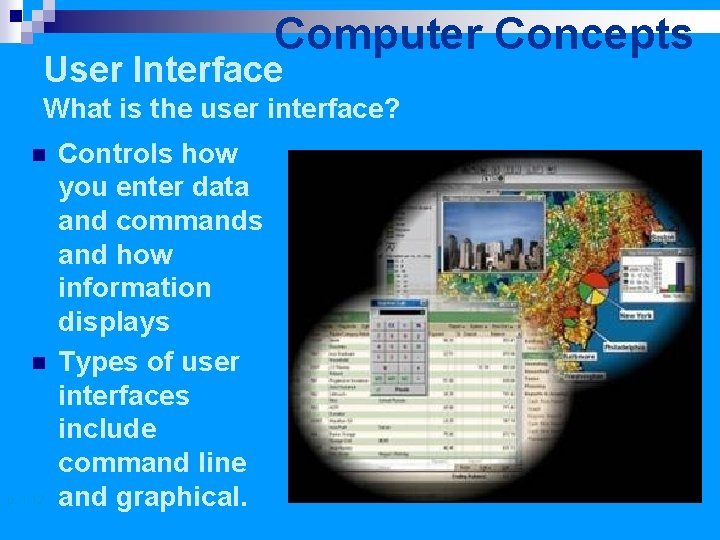
Computer Concepts User Interface What is the user interface? n n p. 1. 12 Controls how you enter data and commands and how information displays Types of user interfaces include command line and graphical.
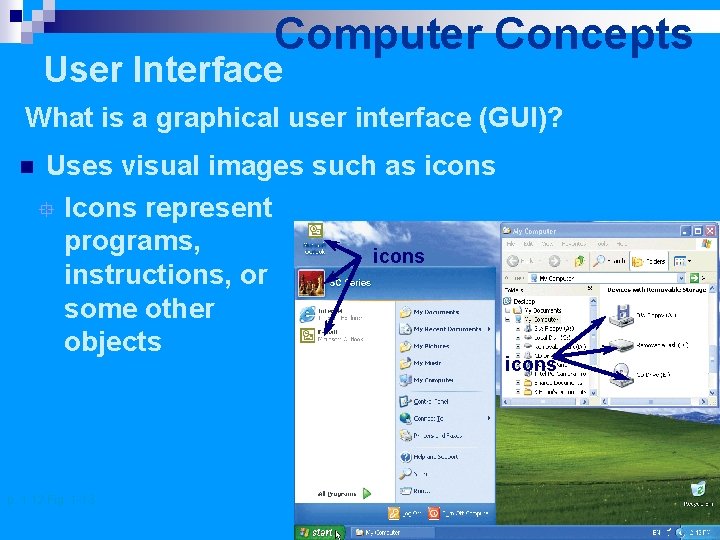
Computer Concepts User Interface What is a graphical user interface (GUI)? n Uses visual images such as icons ° Icons represent programs, icons instructions, or some other objects p. 1. 12 Fig. 1 -13 icons
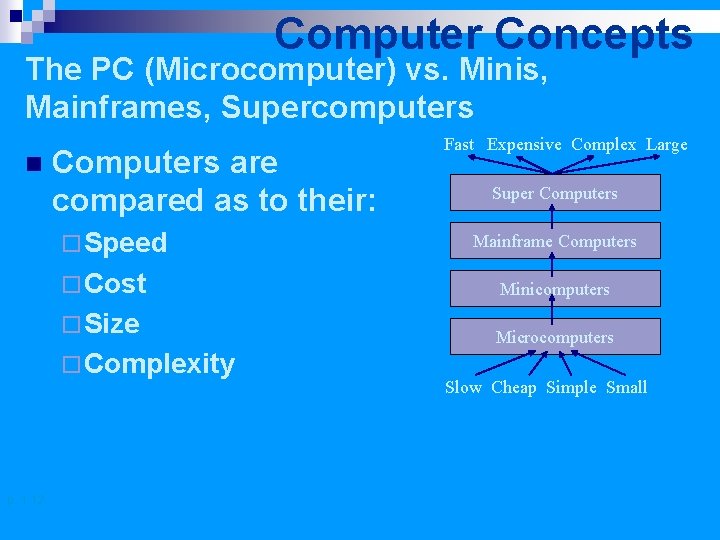
Computer Concepts The PC (Microcomputer) vs. Minis, Mainframes, Supercomputers n Computers are compared as to their: ¨ Speed Super Computers Mainframe Computers ¨ Cost Minicomputers ¨ Size Microcomputers ¨ Complexity p. 1. 12 Fast Expensive Complex Large Slow Cheap Simple Small
Computer Concepts The PC (Microcomputer) vs. Minis, Mainframes, Supercomputers § Microcomputers: § Are single-user systems (PCs) – only one processor. § Minicomputer: § Most often used by several people (10 to hundreds of users). Usually faster than a microcomputer but the difference is rapidly fading. § May have more than one processor. § Mainframe: § A powerful multi-user computer capable of supporting many hundreds or thousands of users simultaneously. § Has many processors § Supercomputer: p. 1. 12 § An extremely fast computer that can perform hundreds of millions of instructions per second. § May have hundreds of processors
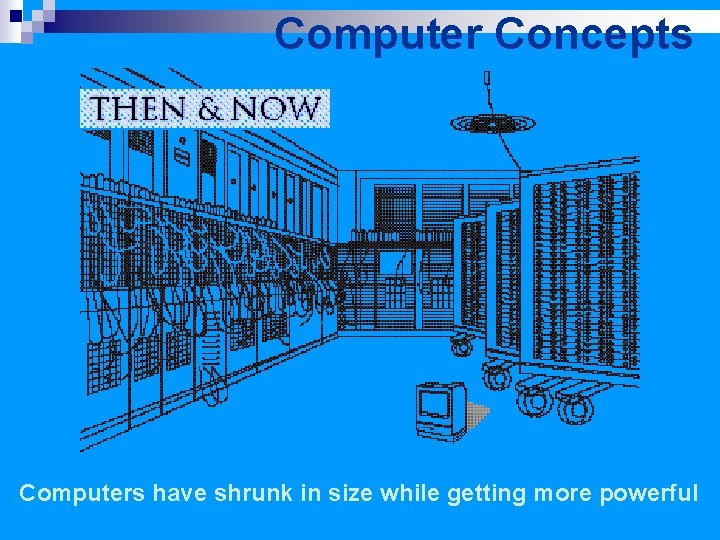
Computer Concepts Computers have shrunk in size while getting more powerful p. 1. 12
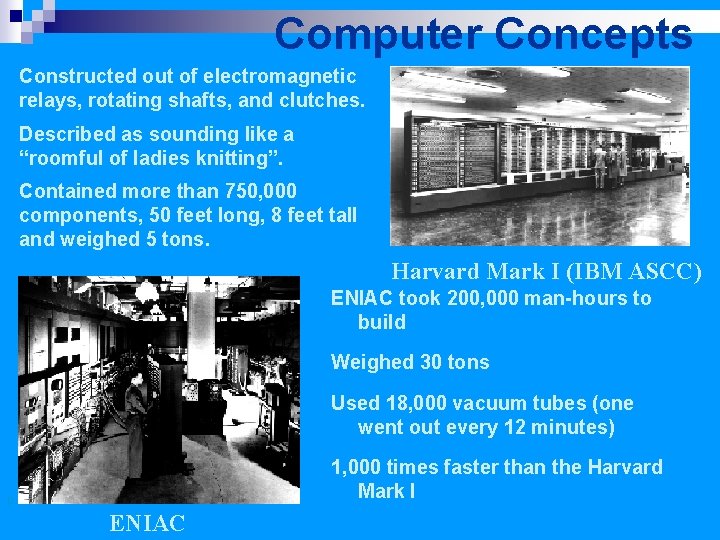
Computer Concepts Constructed out of electromagnetic relays, rotating shafts, and clutches. Described as sounding like a “roomful of ladies knitting”. Contained more than 750, 000 components, 50 feet long, 8 feet tall and weighed 5 tons. Harvard Mark I (IBM ASCC) ENIAC took 200, 000 man-hours to build Weighed 30 tons Used 18, 000 vacuum tubes (one went out every 12 minutes) 1, 000 times faster than the Harvard Mark I p. 1. 12 ENIAC
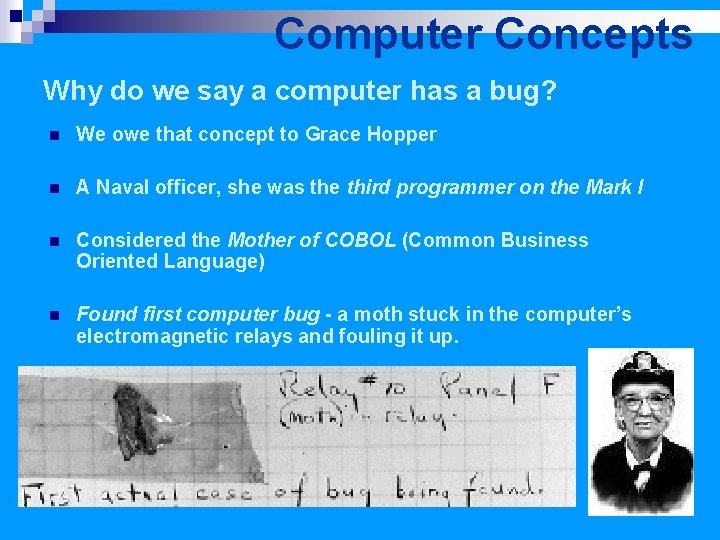
Computer Concepts Why do we say a computer has a bug? p. 1. 12 n We owe that concept to Grace Hopper n A Naval officer, she was the third programmer on the Mark I n Considered the Mother of COBOL (Common Business Oriented Language) n Found first computer bug - a moth stuck in the computer’s electromagnetic relays and fouling it up.
Computer Concepts n The invention of the transistor and integrated circuits led to: ¨ Smaller computers ¨ Many more diverse capabilities and uses for computers ¨ Today’s Intel Pentium 4 chip has 25 layers and 55 million transistors in a chip about 3/8 th of an inch square p. 1. 12
Computer Concepts “That’s all folks!” p. 1. 12
- Slides: 56