
Computer Basics Review Computer Applications Question No 1
Computer Basics Review Computer Applications
Question No. 1 l Software that performs specific tasks for end users ¡ Application
Question No. 2 l What is RAM? ¡ Random Access Memory ¡ “Working memory” ¡ Temporary
Question No. 3 l What device reads data from a disk? ¡ Disk drive
Question No. 4 l List two advantages and two disadvantages of networking a computer l Advantages ¡ Sharing files, sharing peripheral devices, larger storage capacity l Disadvantages ¡ Viruses, power outages, stealing files
Question No. 5 l What ¡ The is software? set of instructions that tell the computer what to do
Question No. 6 l What software would you use to calculate large amounts of data? ¡ Spreadsheet l Example: Excel
Question No. 7 l What is the brain of the computer? ¡ CPU ¡ Performs calculations and sorts data
Question No. 8 l What is a stand alone computer? ¡ Complete working computer ¡ Contains all hardware and software needed to operate independently
Question No. 9 l List three facts about a computer system. ¡ Combines hardware and software ¡ Used to perform complex tasks ¡ Usually fast and accurate
Question No. 10 l What software would be used to type letters, reports, or memos? ¡ Word l processing Example - Microsoft Word
Question No. 11 l What is the name for the storage device located in the computer’s cabinet or tower? ¡ Hard drive
Question No. 12 l What ¡ Two must a computer network contain? or more computers connected together
Question No. 13 l What device is used to store data files and programs in one central location? ¡ File server
Question No. 14 l What is the definition of byte? ¡ Measures the capacity of your hard drive
Question No. 15 l Talking ¡G = l ¡k about bytes … Gigabyte – one billion units = l ¡b Kilobyte – one thousand units = l ¡M l Bit – 1 bit = Megabyte – one million units
Question No. 16 l What software controls utilities? ¡ Systems software
Question No. 17 l What type of memory cannot be deleted? ¡ ROM – Read Only Memory
Question No. 18 l How is the speed of the CPU measured? ¡ Hertz
Question No. 19 l What software would you use to create slide shows? ¡ Presentation l Example - Power. Point
Question No. 20 l What steps should you follow when buying a computer? ¡ Decide on your use ¡ Decide on your budget ¡ Comparison shop - What is included? ¡ Other considerations: Upgradeable? l Warranty? l Buy local or mail order? l Virus Protection? l
Question No. 21 l Explain the difference between a laser printer and an inkjet printer? l Laser l Inkjet ¡ Black/white ¡ Quiet, color ¡ Ink Cartridges ¡ How long to print? productive printing ¡ Shorter time to print with black/white and
Question No. 22 l What type of monitor is an LCD? ¡ Liquid-crystal display ¡ View entire screen
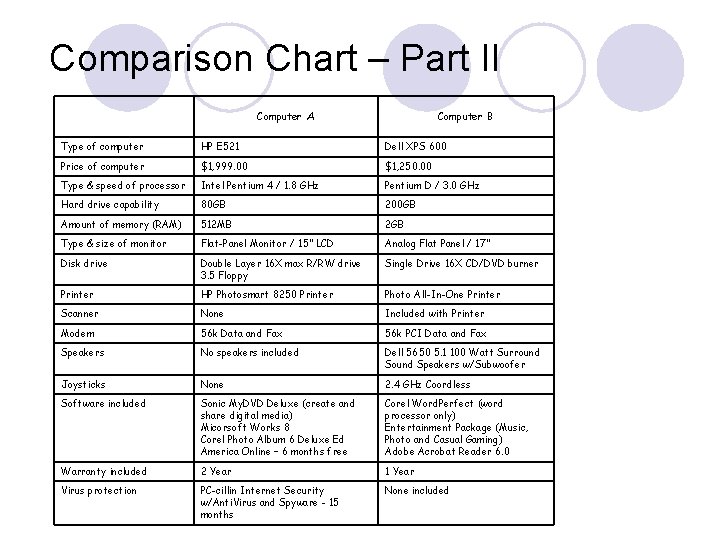
Comparison Chart – Part II Computer A Computer B Type of computer HP E 521 Dell XPS 600 Price of computer $1, 999. 00 $1, 250. 00 Type & speed of processor Intel Pentium 4 / 1. 8 GHz Pentium D / 3. 0 GHz Hard drive capability 80 GB 200 GB Amount of memory (RAM) 512 MB 2 GB Type & size of monitor Flat-Panel Monitor / 15” LCD Analog Flat Panel / 17” Disk drive Double Layer 16 X max R/RW drive 3. 5 Floppy Single Drive 16 X CD/DVD burner Printer HP Photosmart 8250 Printer Photo All-In-One Printer Scanner None Included with Printer Modem 56 k Data and Fax 56 k PCI Data and Fax Speakers No speakers included Dell 5650 5. 1 100 Watt Surround Speakers w/Subwoofer Joysticks None 2. 4 GHz Coordless Software included Sonic My. DVD Deluxe (create and share digital media) Micorsoft Works 8 Corel Photo Album 6 Deluxe Ed America Online – 6 months free Corel Word. Perfect (word processor only) Entertainment Package (Music, Photo and Casual Gaming) Adobe Acrobat Reader 6. 0 Warranty included 2 Year 1 Year Virus protection PC-cillin Internet Security w/Anti. Virus and Spyware - 15 months None included
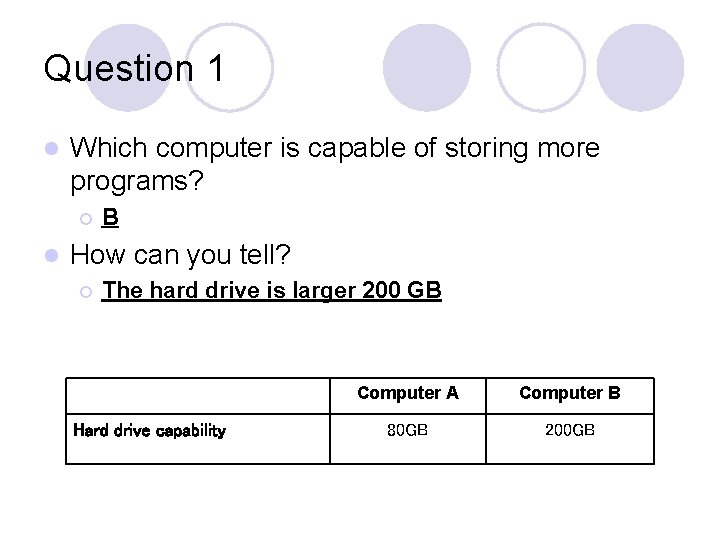
Question 1 l Which computer is capable of storing more programs? ¡ l B How can you tell? ¡ The hard drive is larger 200 GB Hard drive capability Computer A Computer B 80 GB 200 GB
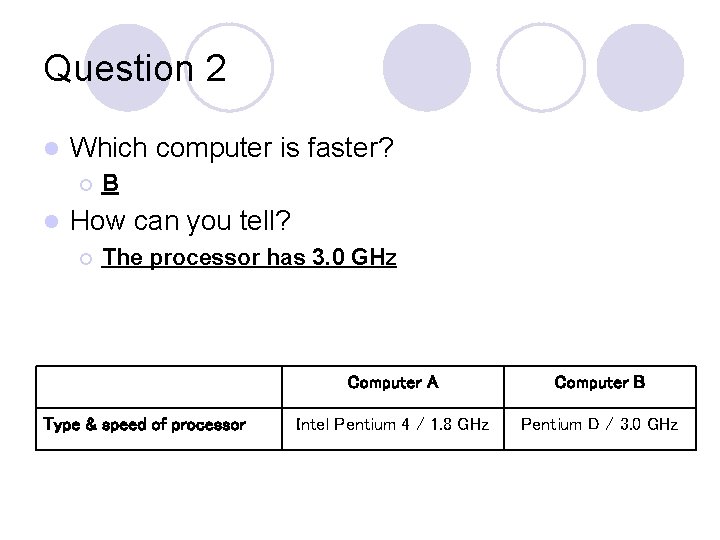
Question 2 l Which computer is faster? ¡ l B How can you tell? ¡ The processor has 3. 0 GHz Type & speed of processor Computer A Computer B Intel Pentium 4 / 1. 8 GHz Pentium D / 3. 0 GHz
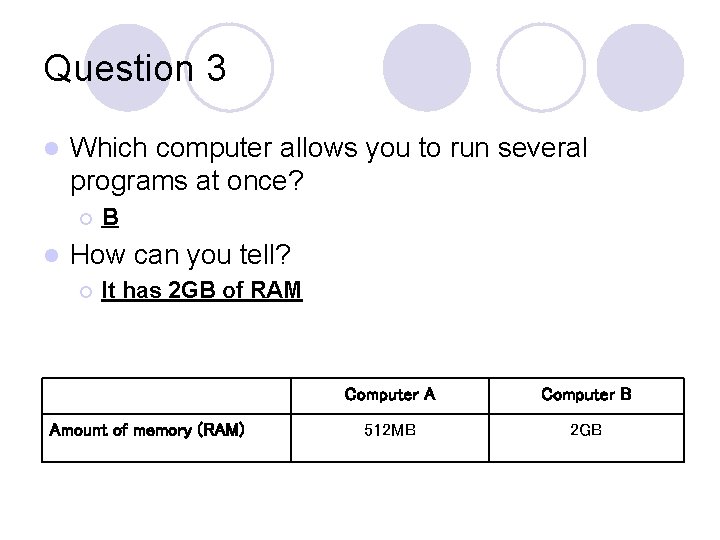
Question 3 l Which computer allows you to run several programs at once? ¡ l B How can you tell? ¡ It has 2 GB of RAM Amount of memory (RAM) Computer A Computer B 512 MB 2 GB
- Slides: 27