
Computer Architecture Prof Dr Nizamettin AYDIN naydinyildiz edu
- Slides: 68
Computer Architecture Prof. Dr. Nizamettin AYDIN naydin@yildiz. edu. tr http: //www. yildiz. edu. tr/~naydin 1
Course Details • • • Course Code: COMP 303 Course Name: Computer Architecture Credit: 3 Nature of the course: Lecture Course web page: http: //www. yildiz. edu. tr/~naydin/na_CAr. htm • Instructors: Nizamettin AYDIN Room: …. Email: naydin@yildiz. edu. tr, nizamettinaydin@gmail. com 2
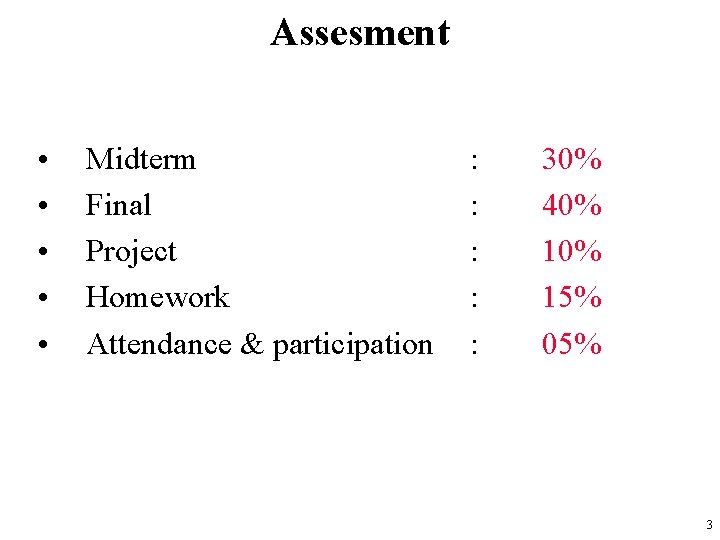
Assesment • • • Midterm Final Project Homework Attendance & participation : : : 30% 40% 15% 05% 3
Rules of the Conduct • No eating /drinking in class – except water • Cell phones must be kept outside of class or switched-off during class • No talking with your peers • No late arrival or early leave to/from the lecture • No web surfing and/or unrelated use of computers – when computers are used in class or lab 4
Rules of the Conduct • You are responsible for checking the class web page often for announcements. – http: //www. yildiz. edu. tr/~naydin/na_CAr. htm • Academic dishonesty and cheating – will not be tolerated – will be dealt with according to university rules and regulations • http: //www. yok. gov. tr/content/view/475/ • Presenting any work that does not belong to you is also considered academic dishonesty. 5
Recommended Texts • Computer Organization and Design, David A. Patterson and John L. Hennessy • Computer Architecture: A Quantitative Approach, John L. Hennessy, David A. Patterson • Computer Organization and Architecture: Designing for Performance, William Stallings • Computer System Architecture, M. Morris Mano • Logic and Computer Design Fundamentals, M. Morris Mano, Charles Kime • … 6
Week’s Agenda • • • What is computer architecture? Why study computer architecture? HW/SW abstractions Manufacturing of a chip Course Info … 7
Objectives • Know the difference between computer organization and computer architecture. • Understand units of measure common to computer systems. • Appreciate the evolution of computers. • Understand the computer as a layered system. • Be able to explain the von Neumann architecture and the function of basic computer components. 8
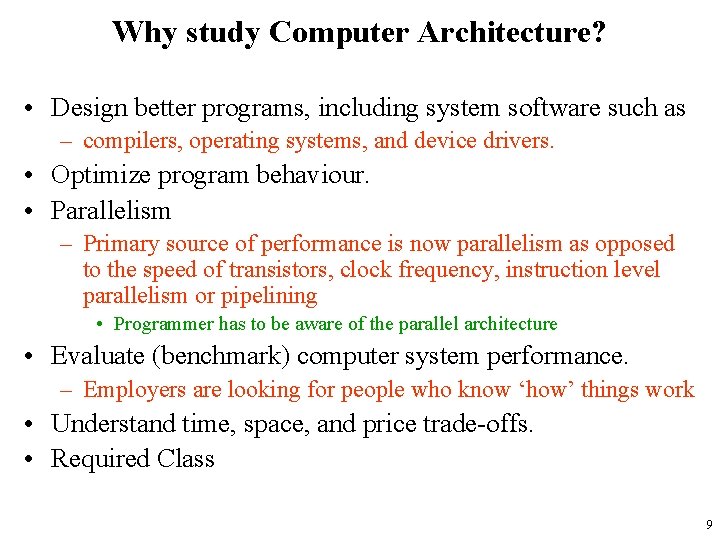
Why study Computer Architecture? • Design better programs, including system software such as – compilers, operating systems, and device drivers. • Optimize program behaviour. • Parallelism – Primary source of performance is now parallelism as opposed to the speed of transistors, clock frequency, instruction level parallelism or pipelining • Programmer has to be aware of the parallel architecture • Evaluate (benchmark) computer system performance. – Employers are looking for people who know ‘how’ things work • Understand time, space, and price trade-offs. • Required Class 9
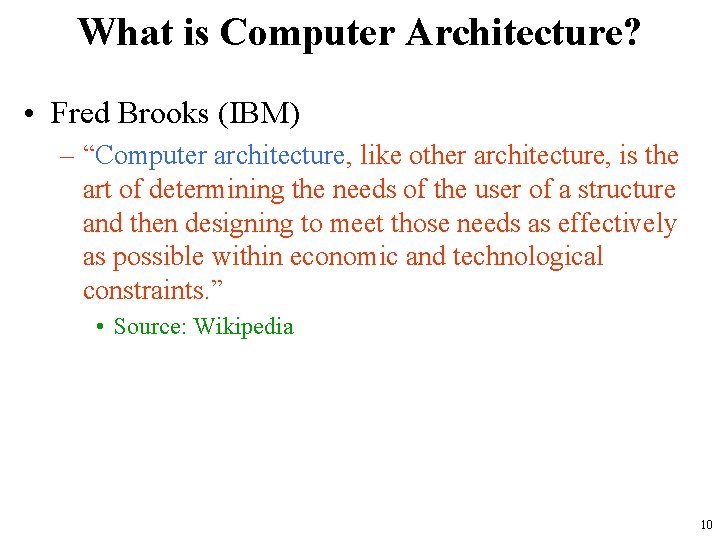
What is Computer Architecture? • Fred Brooks (IBM) – “Computer architecture, like other architecture, is the art of determining the needs of the user of a structure and then designing to meet those needs as effectively as possible within economic and technological constraints. ” • Source: Wikipedia 10
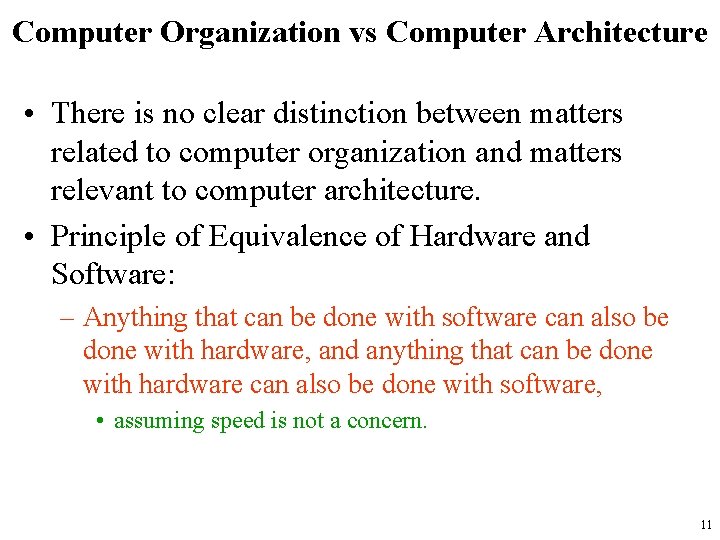
Computer Organization vs Computer Architecture • There is no clear distinction between matters related to computer organization and matters relevant to computer architecture. • Principle of Equivalence of Hardware and Software: – Anything that can be done with software can also be done with hardware, and anything that can be done with hardware can also be done with software, • assuming speed is not a concern. 11
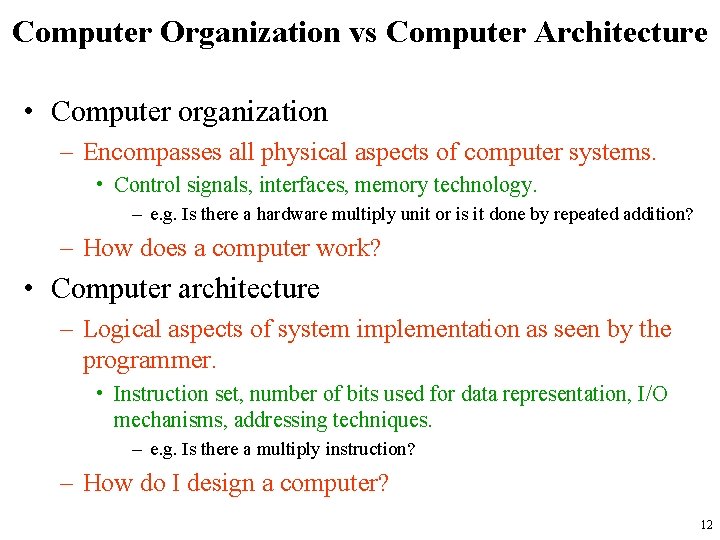
Computer Organization vs Computer Architecture • Computer organization – Encompasses all physical aspects of computer systems. • Control signals, interfaces, memory technology. – e. g. Is there a hardware multiply unit or is it done by repeated addition? – How does a computer work? • Computer architecture – Logical aspects of system implementation as seen by the programmer. • Instruction set, number of bits used for data representation, I/O mechanisms, addressing techniques. – e. g. Is there a multiply instruction? – How do I design a computer? 12
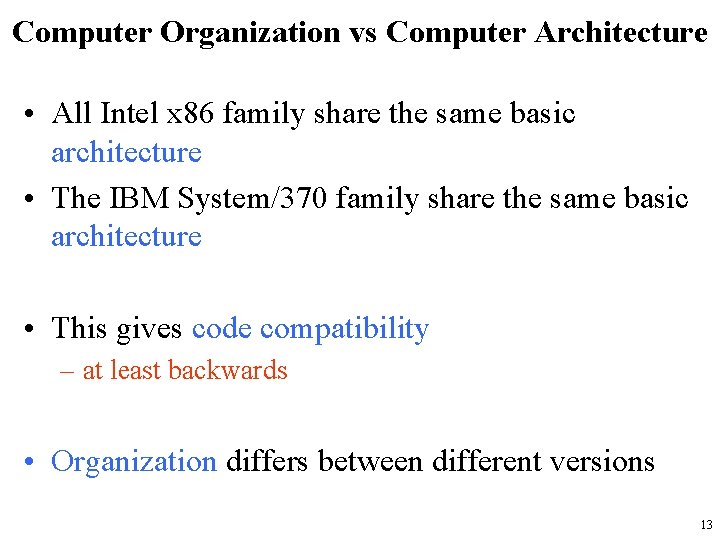
Computer Organization vs Computer Architecture • All Intel x 86 family share the same basic architecture • The IBM System/370 family share the same basic architecture • This gives code compatibility – at least backwards • Organization differs between different versions 13
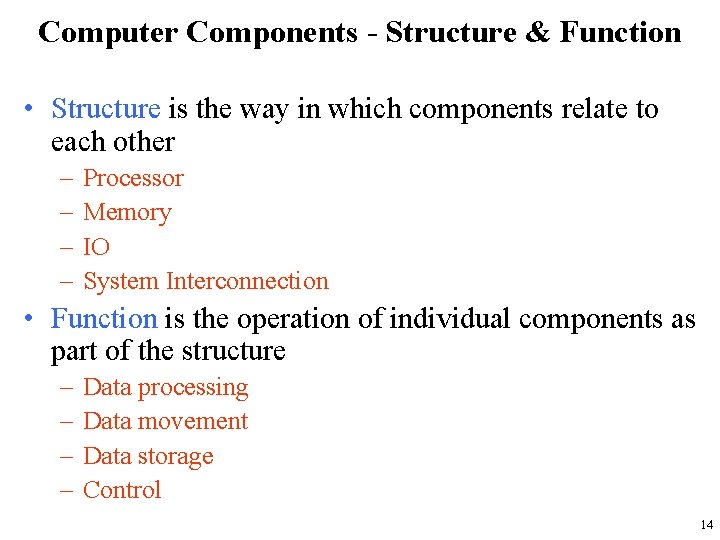
Computer Components - Structure & Function • Structure is the way in which components relate to each other – – Processor Memory IO System Interconnection • Function is the operation of individual components as part of the structure – – Data processing Data movement Data storage Control 14
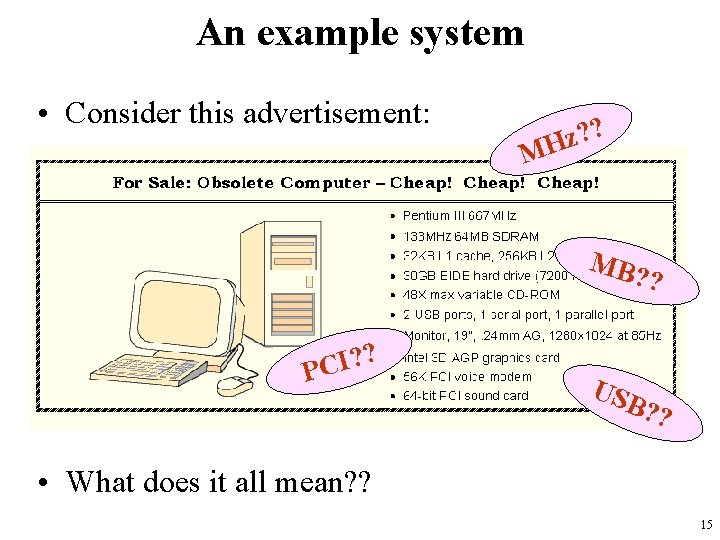
An example system • Consider this advertisement: ? ? z H M MB? ? ? ? I C P USB ? ? • What does it all mean? ? 15
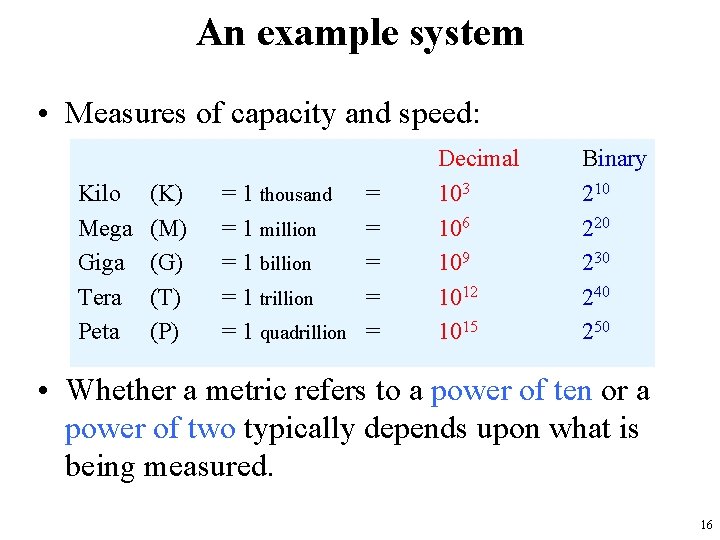
An example system • Measures of capacity and speed: Kilo Mega Giga Tera Peta (K) (M) (G) (T) (P) = 1 thousand = 1 million = 1 billion = 1 trillion = 1 quadrillion = = = Decimal 103 106 109 1012 1015 Binary 210 220 230 240 250 • Whether a metric refers to a power of ten or a power of two typically depends upon what is being measured. 16
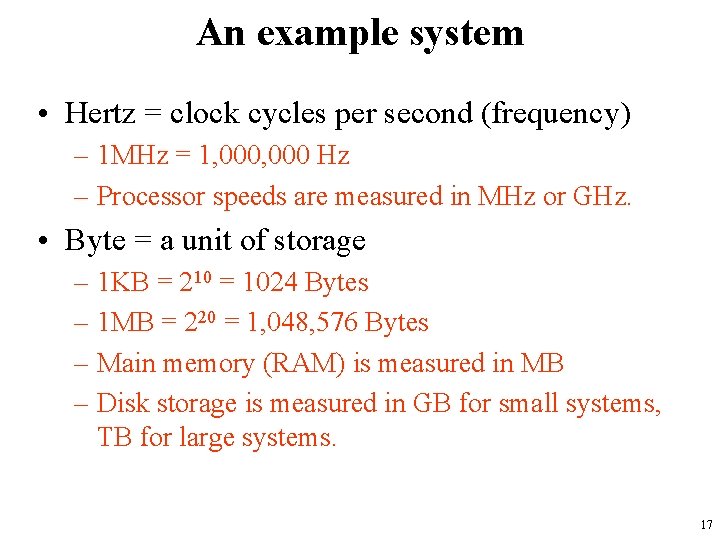
An example system • Hertz = clock cycles per second (frequency) – 1 MHz = 1, 000 Hz – Processor speeds are measured in MHz or GHz. • Byte = a unit of storage – 1 KB = 210 = 1024 Bytes – 1 MB = 220 = 1, 048, 576 Bytes – Main memory (RAM) is measured in MB – Disk storage is measured in GB for small systems, TB for large systems. 17
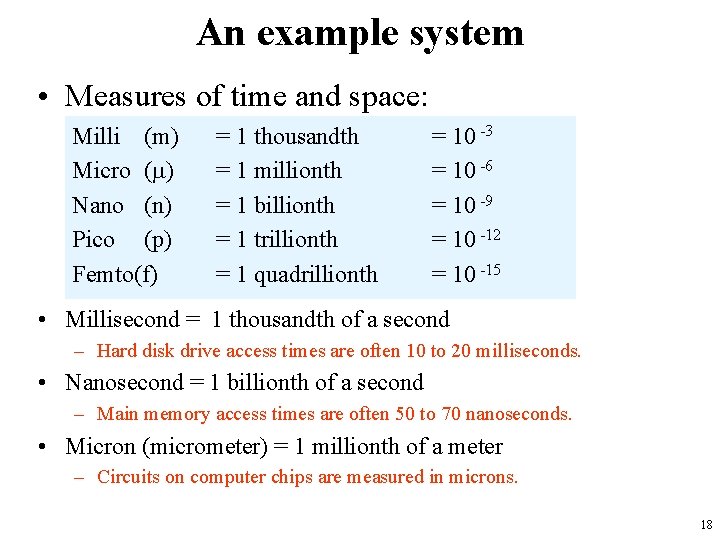
An example system • Measures of time and space: Milli (m) Micro ( ) Nano (n) Pico (p) Femto(f) = 1 thousandth = 1 millionth = 1 billionth = 1 trillionth = 1 quadrillionth = 10 -3 = 10 -6 = 10 -9 = 10 -12 = 10 -15 • Millisecond = 1 thousandth of a second – Hard disk drive access times are often 10 to 20 milliseconds. • Nanosecond = 1 billionth of a second – Main memory access times are often 50 to 70 nanoseconds. • Micron (micrometer) = 1 millionth of a meter – Circuits on computer chips are measured in microns. 18
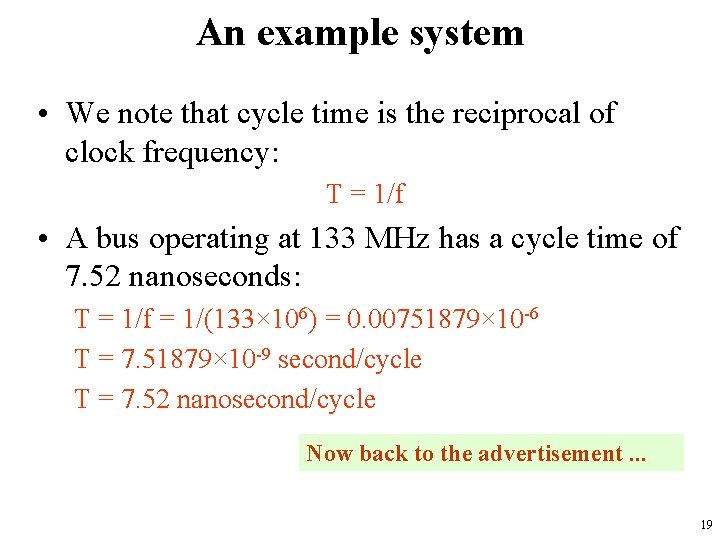
An example system • We note that cycle time is the reciprocal of clock frequency: T = 1/f • A bus operating at 133 MHz has a cycle time of 7. 52 nanoseconds: T = 1/f = 1/(133× 106) = 0. 00751879× 10 -6 T = 7. 51879× 10 -9 second/cycle T = 7. 52 nanosecond/cycle Now back to the advertisement. . . 19
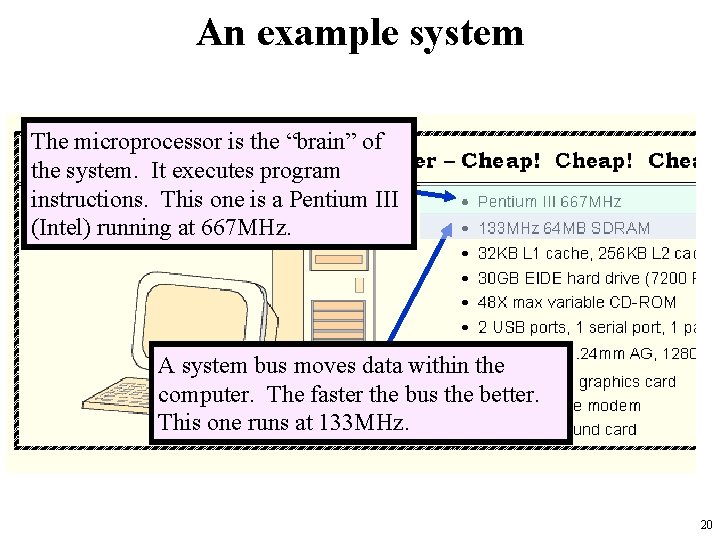
An example system The microprocessor is the “brain” of the system. It executes program instructions. This one is a Pentium III (Intel) running at 667 MHz. A system bus moves data within the computer. The faster the bus the better. This one runs at 133 MHz. 20
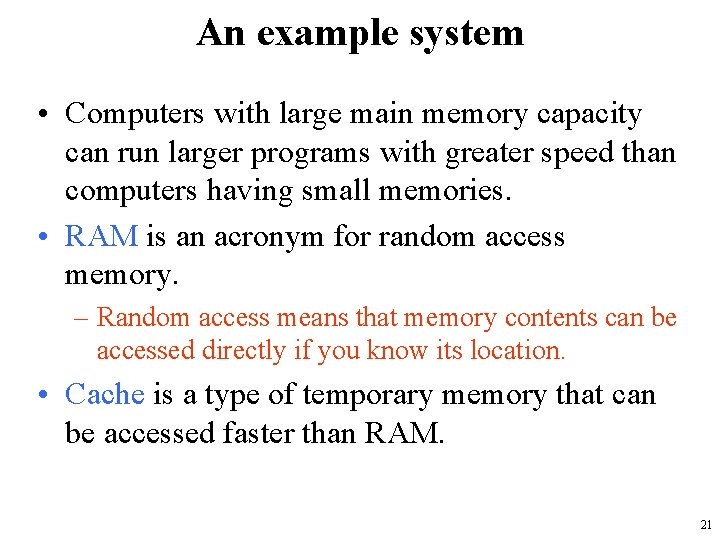
An example system • Computers with large main memory capacity can run larger programs with greater speed than computers having small memories. • RAM is an acronym for random access memory. – Random access means that memory contents can be accessed directly if you know its location. • Cache is a type of temporary memory that can be accessed faster than RAM. 21
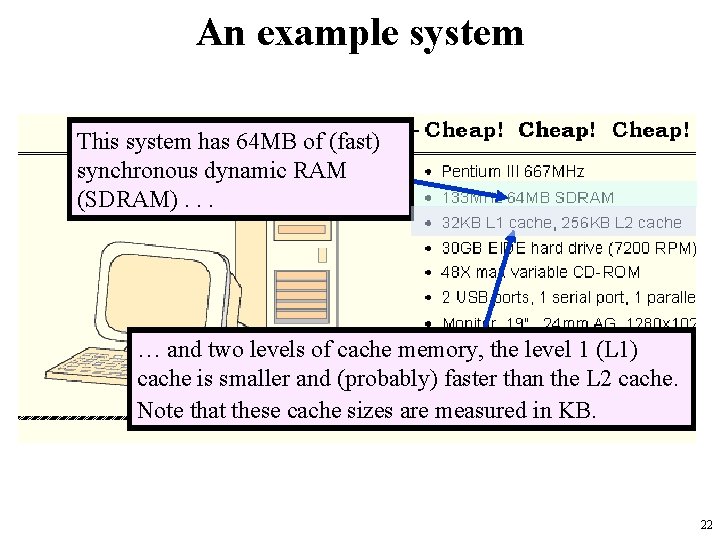
An example system This system has 64 MB of (fast) synchronous dynamic RAM (SDRAM). . . … and two levels of cache memory, the level 1 (L 1) cache is smaller and (probably) faster than the L 2 cache. Note that these cache sizes are measured in KB. 22
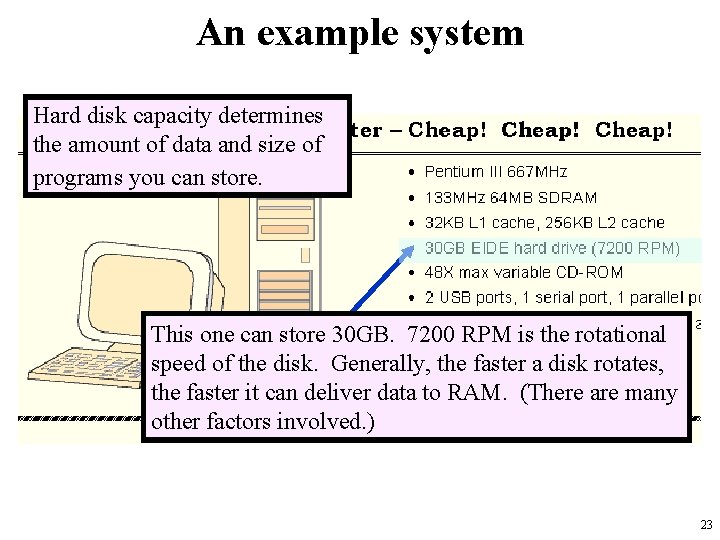
An example system Hard disk capacity determines the amount of data and size of programs you can store. This one can store 30 GB. 7200 RPM is the rotational speed of the disk. Generally, the faster a disk rotates, the faster it can deliver data to RAM. (There are many other factors involved. ) 23
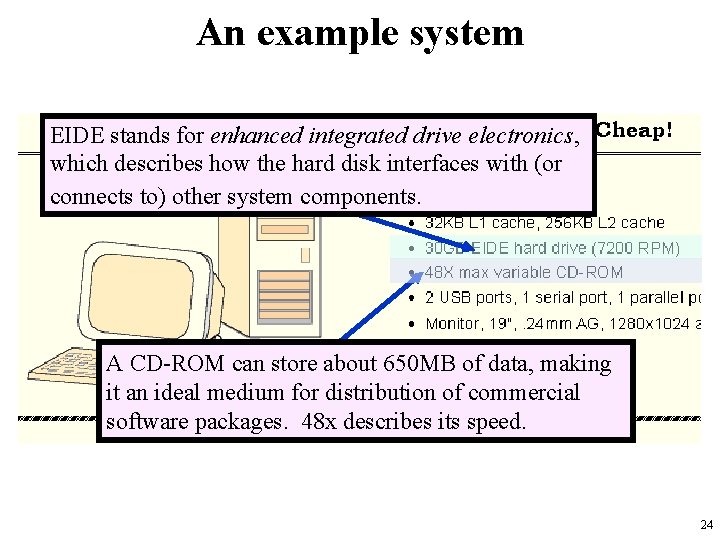
An example system EIDE stands for enhanced integrated drive electronics, which describes how the hard disk interfaces with (or connects to) other system components. A CD-ROM can store about 650 MB of data, making it an ideal medium for distribution of commercial software packages. 48 x describes its speed. 24
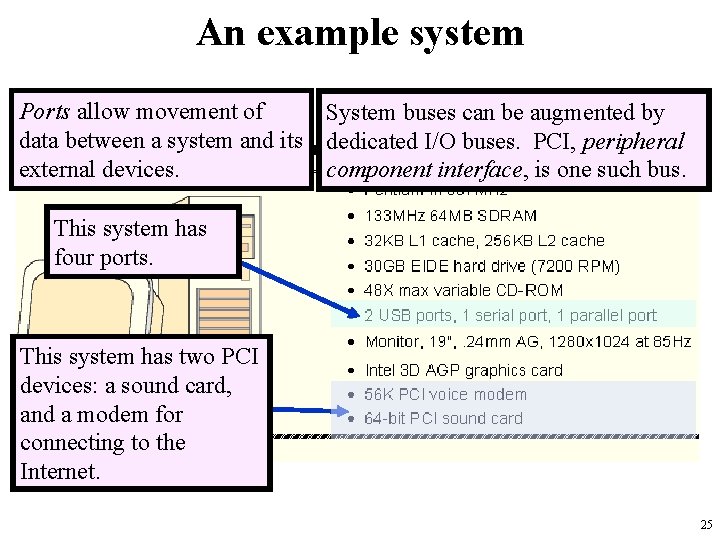
An example system Ports allow movement of System buses can be augmented by data between a system and its dedicated I/O buses. PCI, peripheral external devices. component interface, is one such bus. This system has four ports. This system has two PCI devices: a sound card, and a modem for connecting to the Internet. 25
An example system • Serial ports send data as a series of pulses along one or two data lines. • Parallel ports send data as a single pulse along at least eight data lines. • USB (universal serial bus) is an intelligent serial interface that is self-configuring. – It supports “plug and play. ” 26
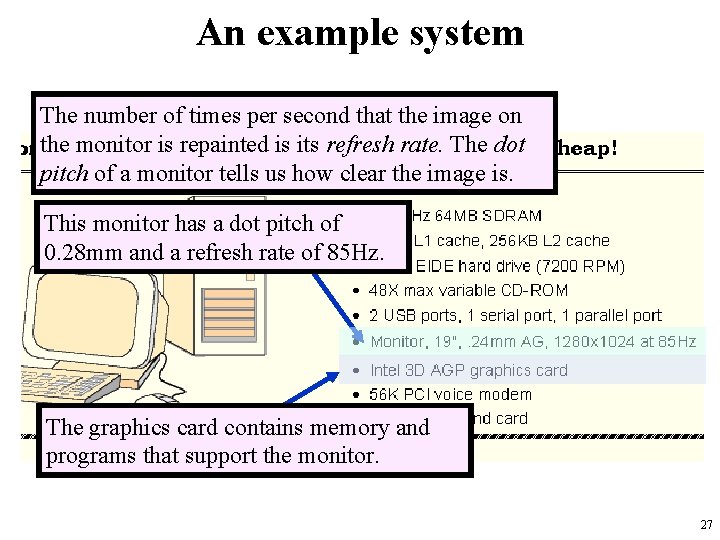
An example system The number of times per second that the image on the monitor is repainted is its refresh rate. The dot pitch of a monitor tells us how clear the image is. This monitor has a dot pitch of 0. 28 mm and a refresh rate of 85 Hz. The graphics card contains memory and programs that support the monitor. 27
An example system • Throughout the remainder of this course you will see how these components work and how they interact with software to make complete computer systems. • The above statement raises two important questions: – What assurance do we have that computer components will operate as we expect? – And what assurance do we have that computer components will operate together? 28
Standards Organizations • There are many organizations that set computer hardware standards – to include the interoperability of computer components. • Throughout this course, and in your career, you will encounter many of them. • Some of the most important standards-setting groups are. . . 29
Standards Organizations • The Institute of Electrical and Electronic Engineers (IEEE) – Promotes the interests of the worldwide electrical engineering community. – Establishes standards for • • computer components, data representation, signaling protocols, . . . 30
Standards Organizations • The International Telecommunications Union (ITU) – Concerns itself with the interoperability of telecommunications systems, including data communications and telephony. • National groups establish standards within their respective countries: – – The American National Standards Institute (ANSI) The British Standards Institution (BSI) Türk Standartları Enstitüsü … 31
Standards Organizations • The International Organization for Standardization (ISO) – establishes worldwide standards for everything from screw threads to photographic film. – is influential in formulating standards for computer hardware and software, including their methods of manufacture. • Note: ISO is not an acronym. ISO comes from the Greek, isos, meaning equal. 32
Historical Development • To fully appreciate the computers of today, it is helpful to understand how things got the way they are. • The evolution of computing machinery has taken place over several centuries. • In modern times computer evolution is usually classified into four generations according to the salient technology of the era. – We note that many of the following dates are approximate. 33
Historical Development • Generation Zero – Mechanical Calculating Machines (1642 - 1945) • Calculating Clock - Wilhelm Schickard (1592 - 1635). • Pascaline - Blaise Pascal (1623 - 1662). • Difference Engine - Charles Babbage (1791 - 1871), also designed but never built the Analytical Engine. • Punched card tabulating machines - Herman Hollerith (1860 - 1929). – Hollerith cards were commonly used for computer input well into the 1970 s. 34
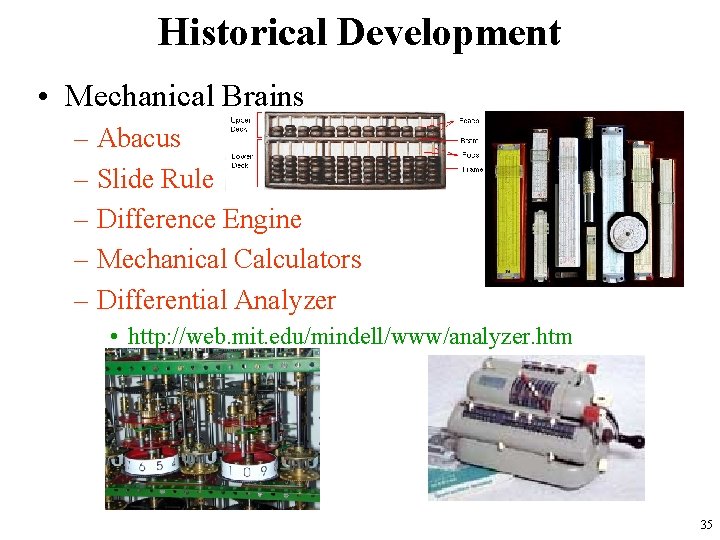
Historical Development • Mechanical Brains – Abacus – Slide Rule – Difference Engine – Mechanical Calculators – Differential Analyzer • http: //web. mit. edu/mindell/www/analyzer. htm 35
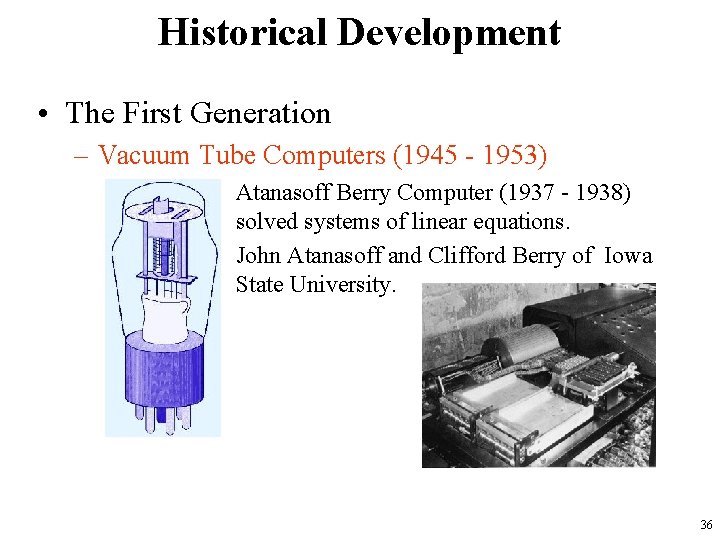
Historical Development • The First Generation – Vacuum Tube Computers (1945 - 1953) Atanasoff Berry Computer (1937 - 1938) solved systems of linear equations. John Atanasoff and Clifford Berry of Iowa State University. 36
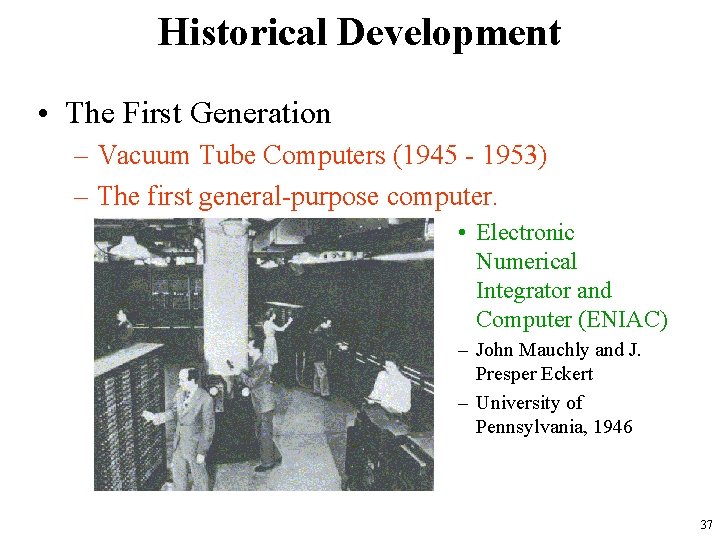
Historical Development • The First Generation – Vacuum Tube Computers (1945 - 1953) – The first general-purpose computer. • Electronic Numerical Integrator and Computer (ENIAC) – John Mauchly and J. Presper Eckert – University of Pennsylvania, 1946 37
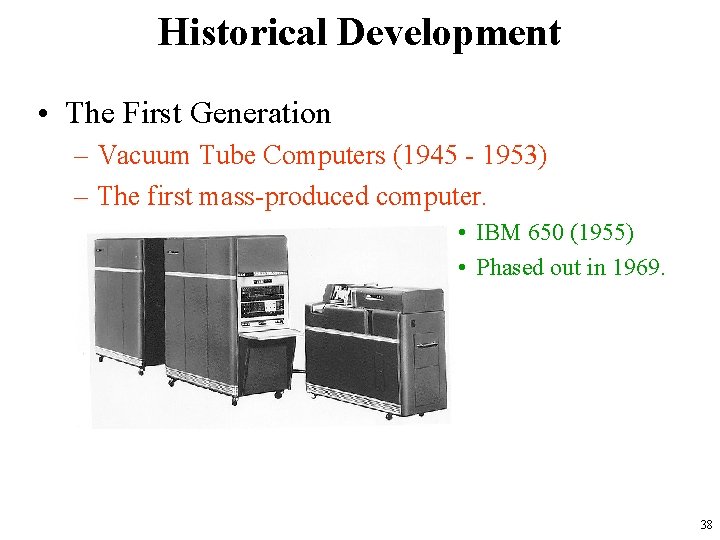
Historical Development • The First Generation – Vacuum Tube Computers (1945 - 1953) – The first mass-produced computer. • IBM 650 (1955) • Phased out in 1969. 38
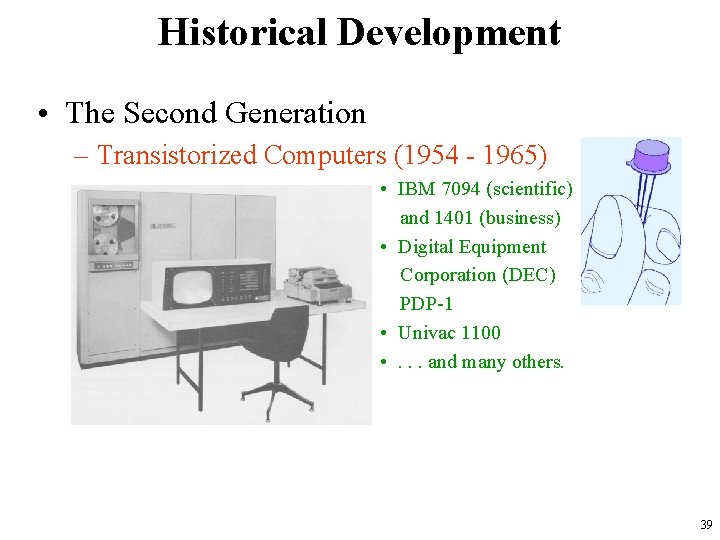
Historical Development • The Second Generation – Transistorized Computers (1954 - 1965) • IBM 7094 (scientific) and 1401 (business) • Digital Equipment Corporation (DEC) PDP-1 • Univac 1100 • . . . and many others. 39
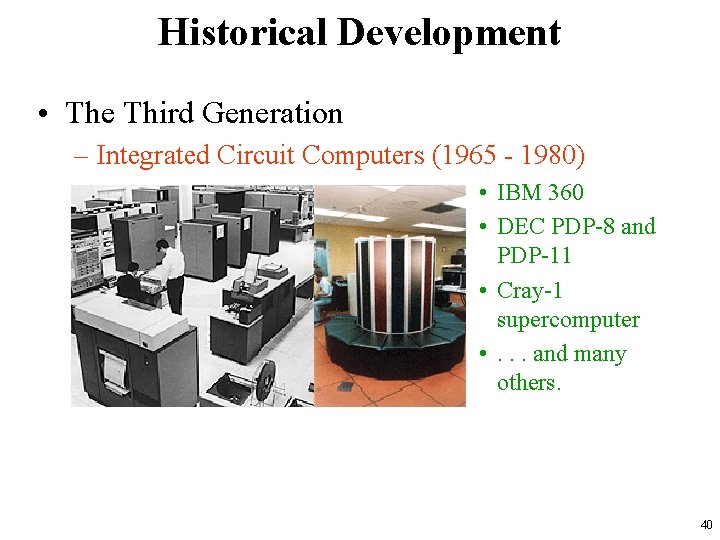
Historical Development • The Third Generation – Integrated Circuit Computers (1965 - 1980) • IBM 360 • DEC PDP-8 and PDP-11 • Cray-1 supercomputer • . . . and many others. 40
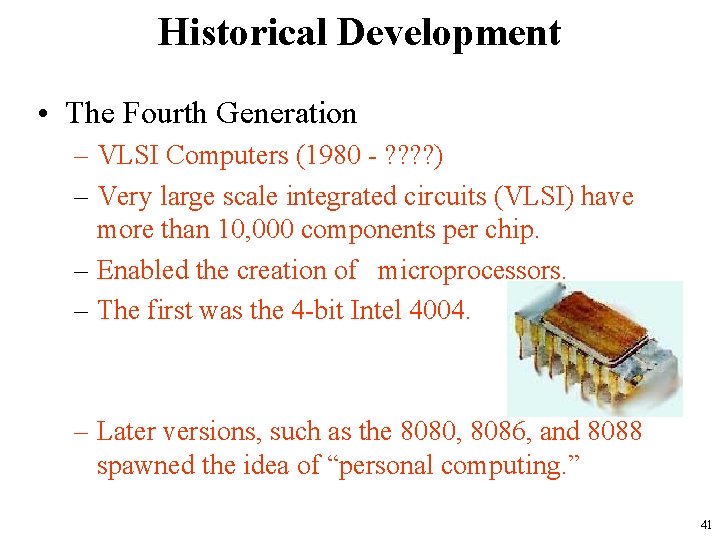
Historical Development • The Fourth Generation – VLSI Computers (1980 - ? ? ) – Very large scale integrated circuits (VLSI) have more than 10, 000 components per chip. – Enabled the creation of microprocessors. – The first was the 4 -bit Intel 4004. – Later versions, such as the 8080, 8086, and 8088 spawned the idea of “personal computing. ” 41
Historical Development • Moore’s Law (1965) – Gordon Moore, Intel founder – “The density of transistors in an integrated circuit will double every year. ” • Contemporary version: – “The density of silicon chips doubles every 18 months. ” – But this “law” cannot hold forever. . . 42
Historical Development • Rock’s Law – Arthur Rock, Intel financier – “The cost of capital equipment to build semiconductors will double every four years. ” – In 1968, a new chip plant cost about $12, 000. • At the time, $12, 000 would buy a nice home in the suburbs. • An executive earning $12, 000 per year was “making a very comfortable living. ” 43
Historical Development • Rock’s Law – In 2003, a chip plants under construction will cost over $2. 5 billion. • $2. 5 billion is more than the gross domestic product of some small countries, including Belize, Bhutan, and the Republic of Sierra Leone. – For Moore’s Law to hold, Rock’s Law must fall, or vice versa. • But no one can say which will give out first. 44
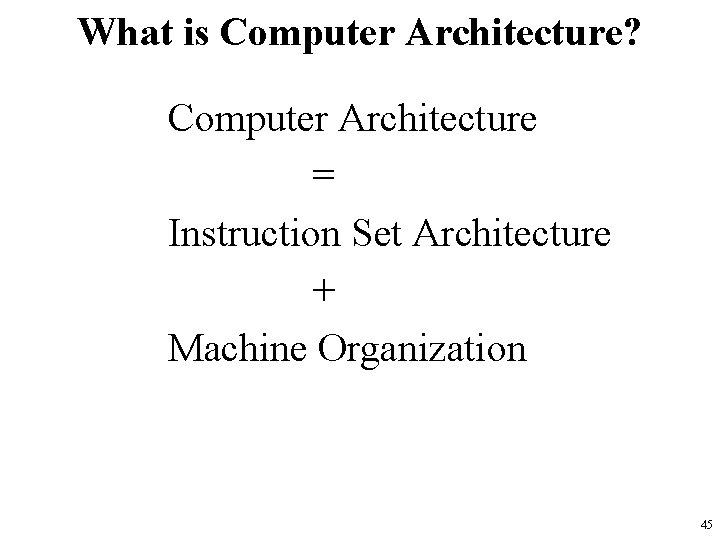
What is Computer Architecture? Computer Architecture = Instruction Set Architecture + Machine Organization 45
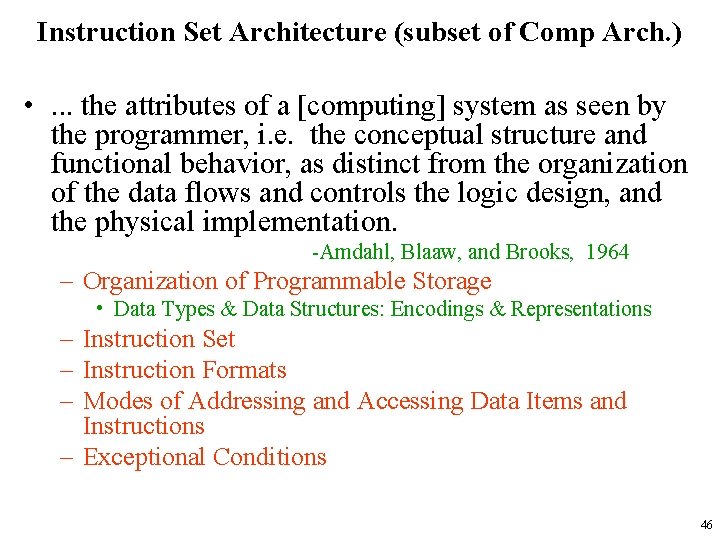
Instruction Set Architecture (subset of Comp Arch. ) • . . . the attributes of a [computing] system as seen by the programmer, i. e. the conceptual structure and functional behavior, as distinct from the organization of the data flows and controls the logic design, and the physical implementation. -Amdahl, Blaaw, and Brooks, 1964 – Organization of Programmable Storage • Data Types & Data Structures: Encodings & Representations – Instruction Set – Instruction Formats – Modes of Addressing and Accessing Data Items and Instructions – Exceptional Conditions 46
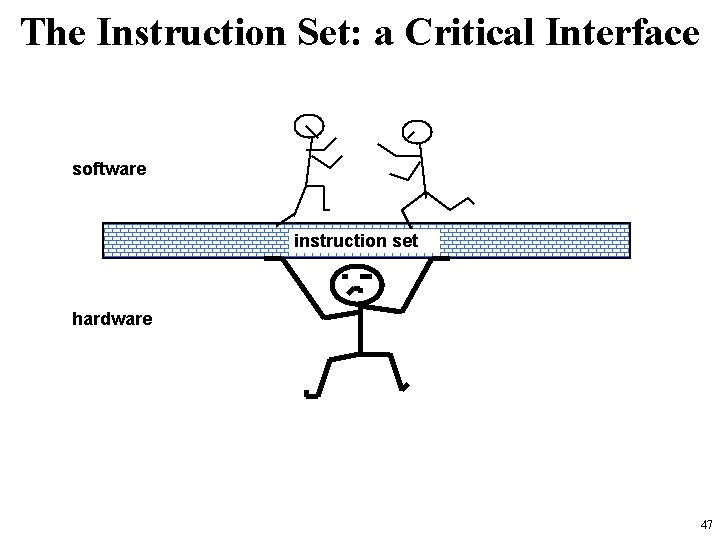
The Instruction Set: a Critical Interface software instruction set hardware 47
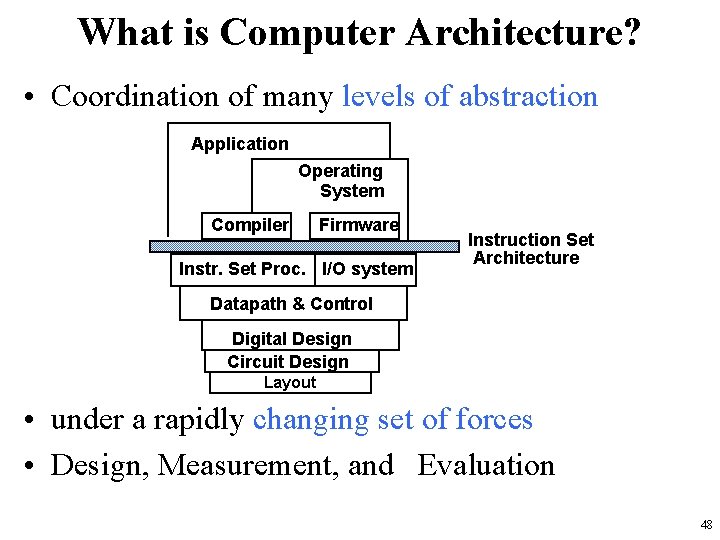
What is Computer Architecture? • Coordination of many levels of abstraction Application Operating System Compiler Firmware Instr. Set Proc. I/O system Instruction Set Architecture Datapath & Control Digital Design Circuit Design Layout • under a rapidly changing set of forces • Design, Measurement, and Evaluation 48
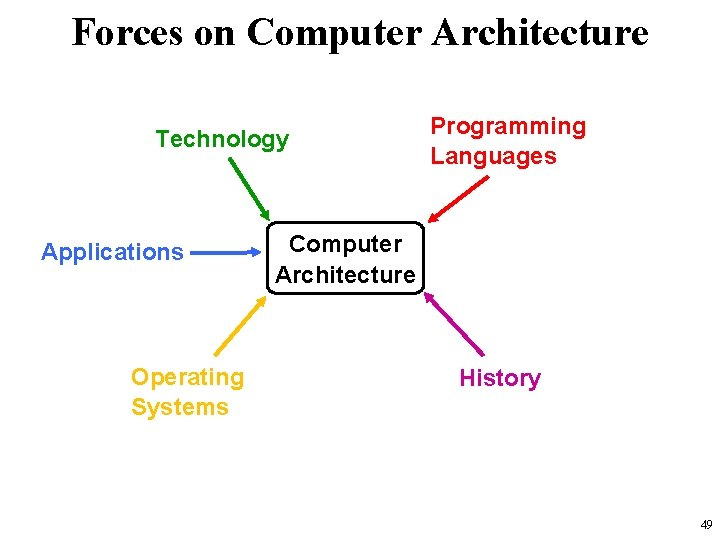
Forces on Computer Architecture Technology Applications Operating Systems Programming Languages Computer Architecture History 49
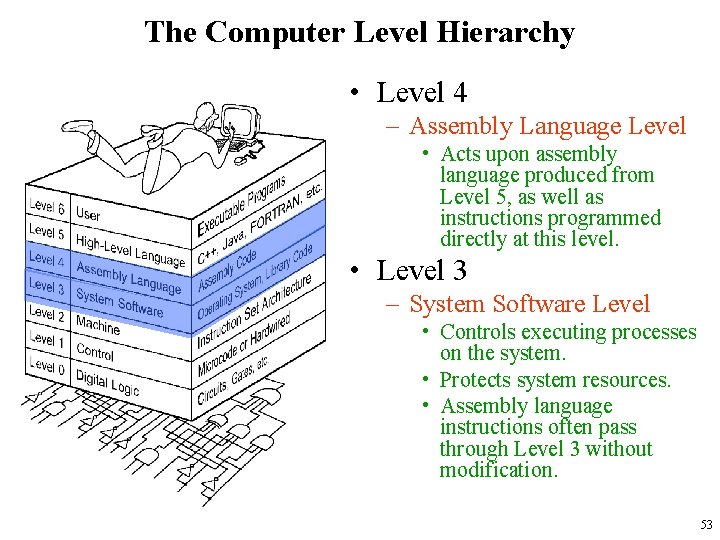
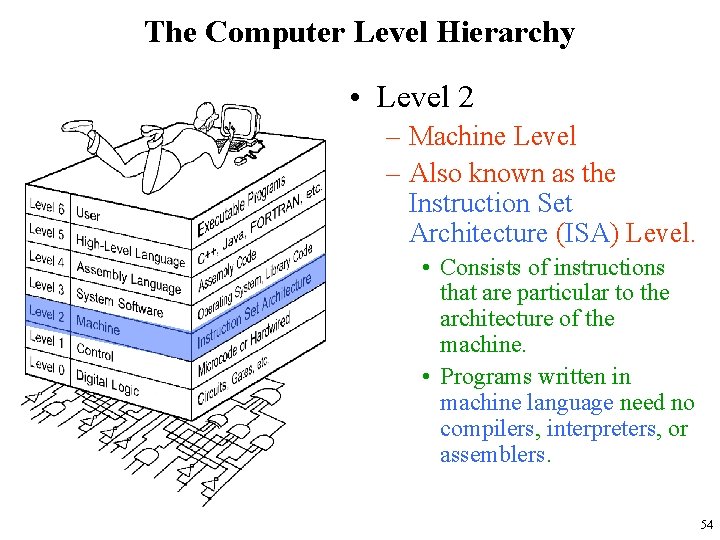
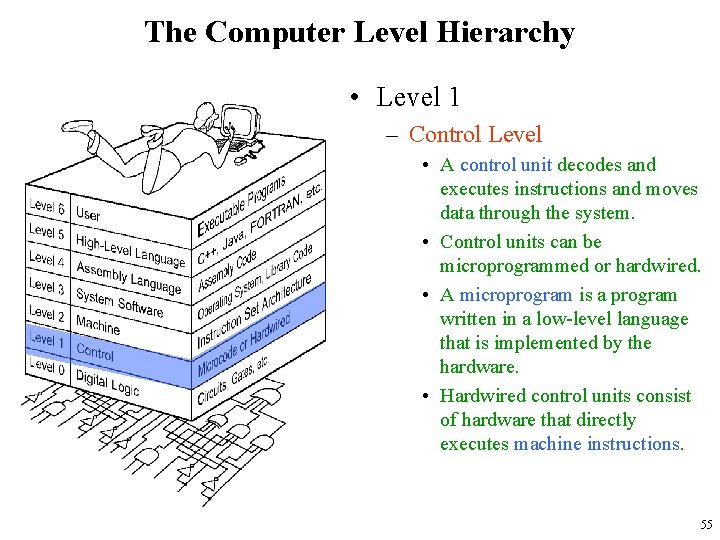
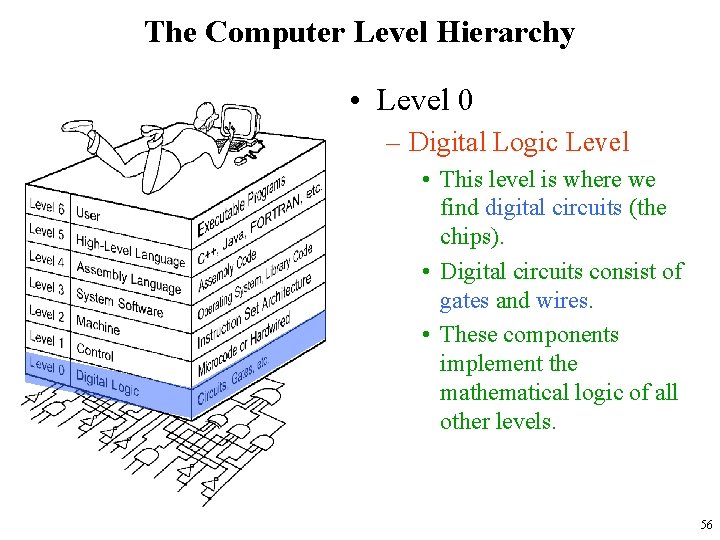
The Computer Level Hierarchy • Computers consist of many things besides chips. • Before a computer can do anything worthwhile, it must also use software. • Writing complex programs requires a “divide and conquer” approach, where each program module solves a smaller problem. • Complex computer systems employ a similar technique through a series of virtual machine layers. 50
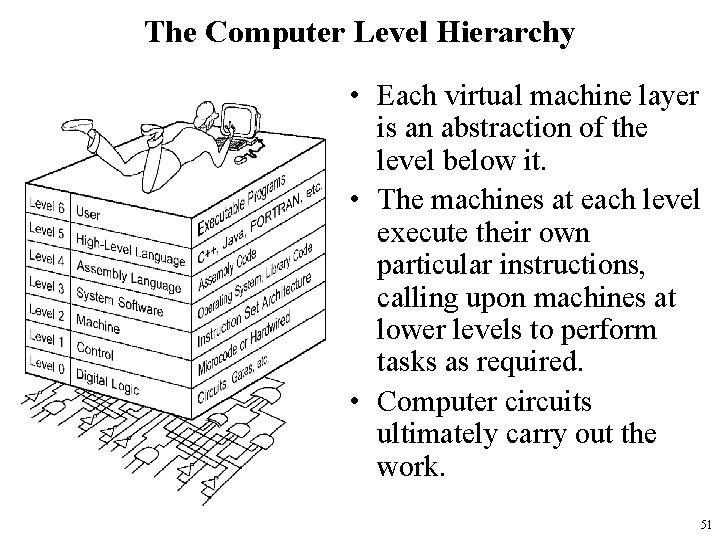
The Computer Level Hierarchy • Each virtual machine layer is an abstraction of the level below it. • The machines at each level execute their own particular instructions, calling upon machines at lower levels to perform tasks as required. • Computer circuits ultimately carry out the work. 51
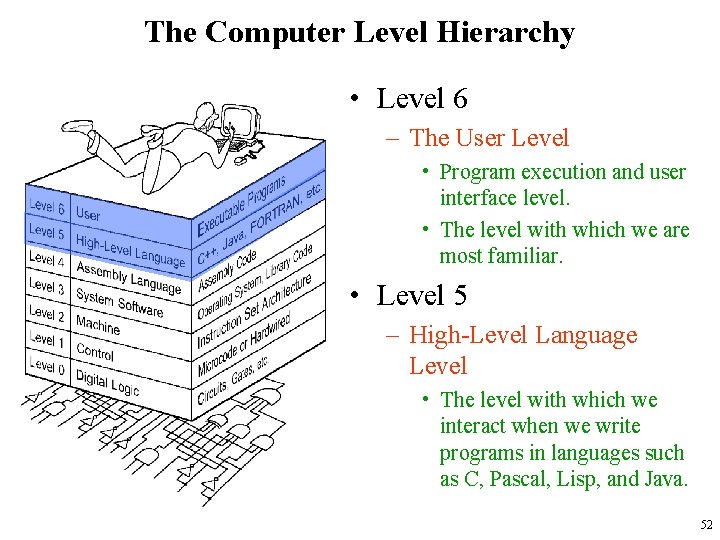
The Computer Level Hierarchy • Level 6 – The User Level • Program execution and user interface level. • The level with which we are most familiar. • Level 5 – High-Level Language Level • The level with which we interact when we write programs in languages such as C, Pascal, Lisp, and Java. 52
The Computer Level Hierarchy • Level 4 – Assembly Language Level • Acts upon assembly language produced from Level 5, as well as instructions programmed directly at this level. • Level 3 – System Software Level • Controls executing processes on the system. • Protects system resources. • Assembly language instructions often pass through Level 3 without modification. 53
The Computer Level Hierarchy • Level 2 – Machine Level – Also known as the Instruction Set Architecture (ISA) Level. • Consists of instructions that are particular to the architecture of the machine. • Programs written in machine language need no compilers, interpreters, or assemblers. 54
The Computer Level Hierarchy • Level 1 – Control Level • A control unit decodes and executes instructions and moves data through the system. • Control units can be microprogrammed or hardwired. • A microprogram is a program written in a low-level language that is implemented by the hardware. • Hardwired control units consist of hardware that directly executes machine instructions. 55
The Computer Level Hierarchy • Level 0 – Digital Logic Level • This level is where we find digital circuits (the chips). • Digital circuits consist of gates and wires. • These components implement the mathematical logic of all other levels. 56
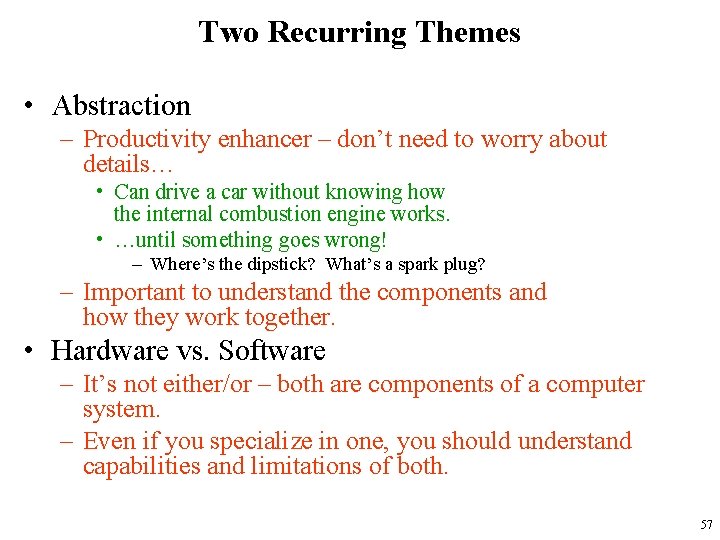
Two Recurring Themes • Abstraction – Productivity enhancer – don’t need to worry about details… • Can drive a car without knowing how the internal combustion engine works. • …until something goes wrong! – Where’s the dipstick? What’s a spark plug? – Important to understand the components and how they work together. • Hardware vs. Software – It’s not either/or – both are components of a computer system. – Even if you specialize in one, you should understand capabilities and limitations of both. 57
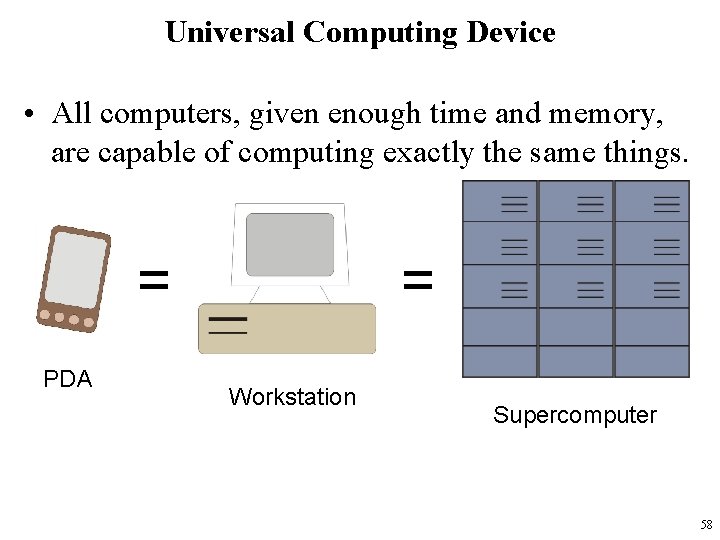
Universal Computing Device • All computers, given enough time and memory, are capable of computing exactly the same things. = PDA = Workstation Supercomputer 58
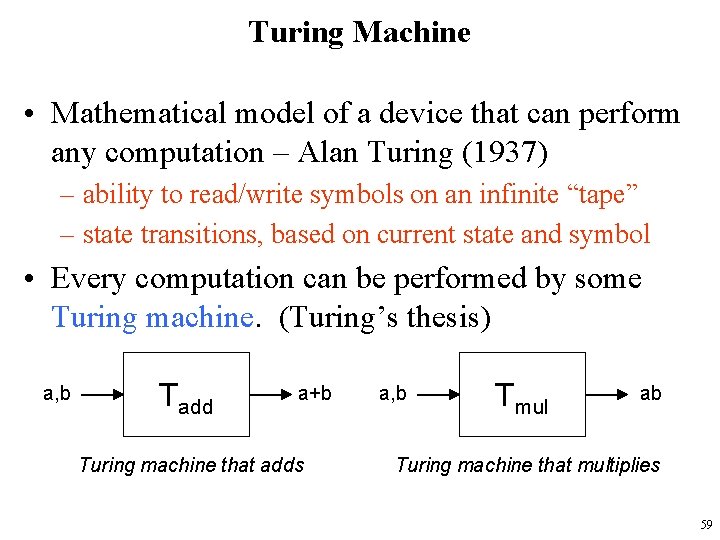
Turing Machine • Mathematical model of a device that can perform any computation – Alan Turing (1937) – ability to read/write symbols on an infinite “tape” – state transitions, based on current state and symbol • Every computation can be performed by some Turing machine. (Turing’s thesis) a, b Tadd a+b Turing machine that adds a, b Tmul ab Turing machine that multiplies 59
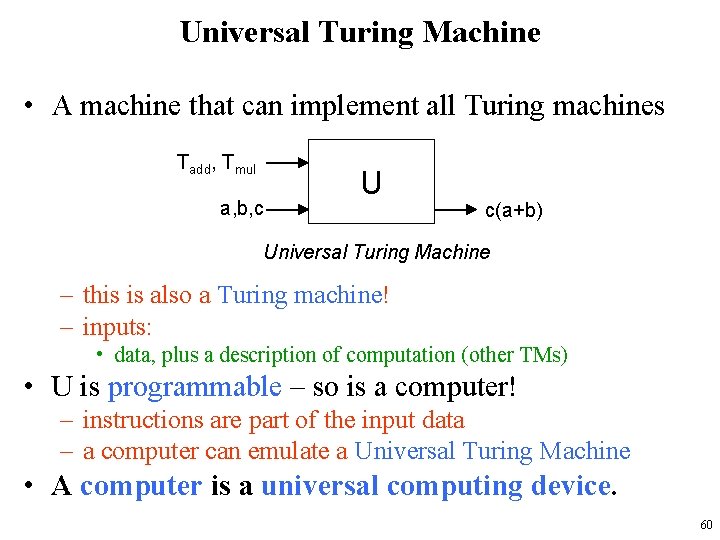
Universal Turing Machine • A machine that can implement all Turing machines Tadd, Tmul a, b, c U c(a+b) Universal Turing Machine – this is also a Turing machine! – inputs: • data, plus a description of computation (other TMs) • U is programmable – so is a computer! – instructions are part of the input data – a computer can emulate a Universal Turing Machine • A computer is a universal computing device. 60
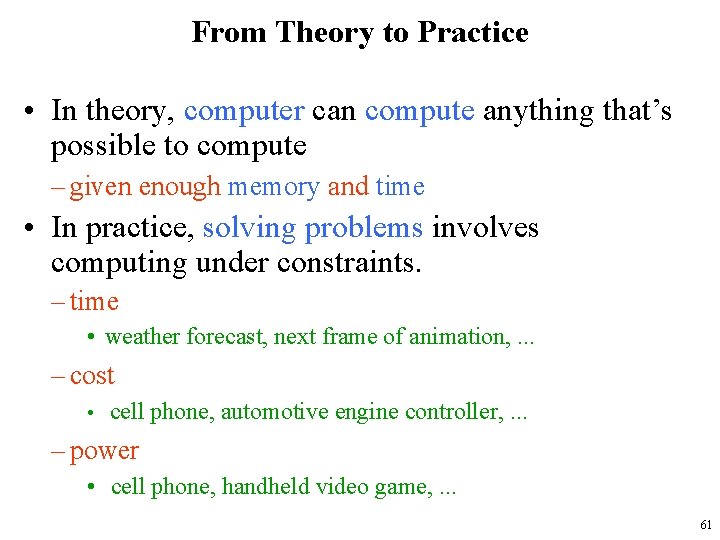
From Theory to Practice • In theory, computer can compute anything that’s possible to compute – given enough memory and time • In practice, solving problems involves computing under constraints. – time • weather forecast, next frame of animation, . . . – cost • cell phone, automotive engine controller, . . . – power • cell phone, handheld video game, . . . 61
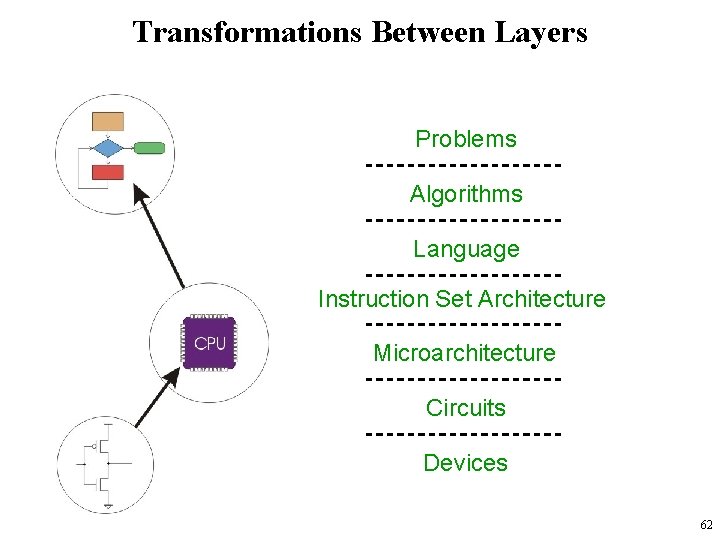
Transformations Between Layers Problems Algorithms Language Instruction Set Architecture Microarchitecture Circuits Devices 62
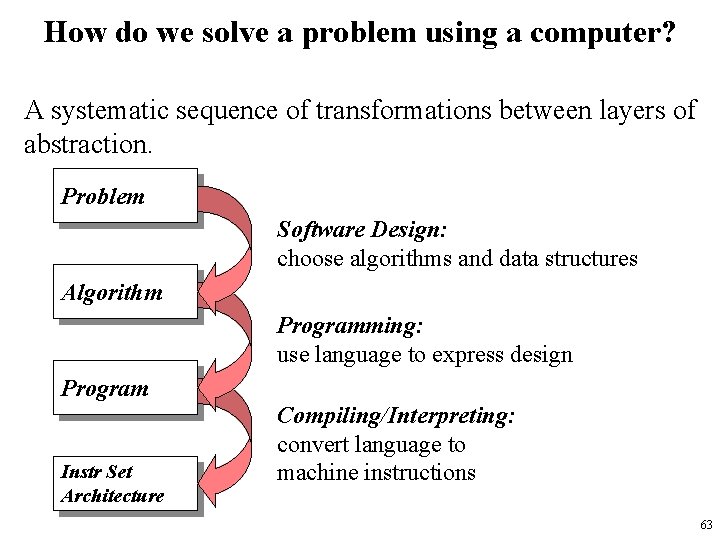
How do we solve a problem using a computer? A systematic sequence of transformations between layers of abstraction. Problem Software Design: choose algorithms and data structures Algorithm Programming: use language to express design Program Instr Set Architecture Compiling/Interpreting: convert language to machine instructions 63
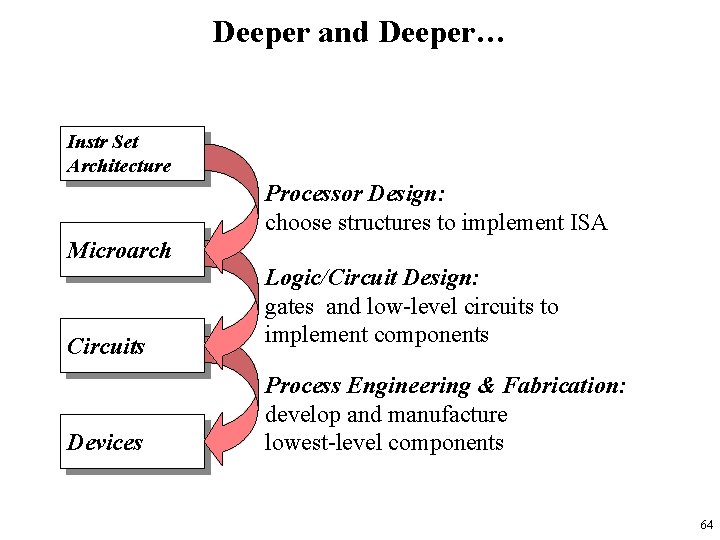
Deeper and Deeper… Instr Set Architecture Processor Design: choose structures to implement ISA Microarch Circuits Logic/Circuit Design: gates and low-level circuits to implement components Devices Process Engineering & Fabrication: develop and manufacture lowest-level components 64
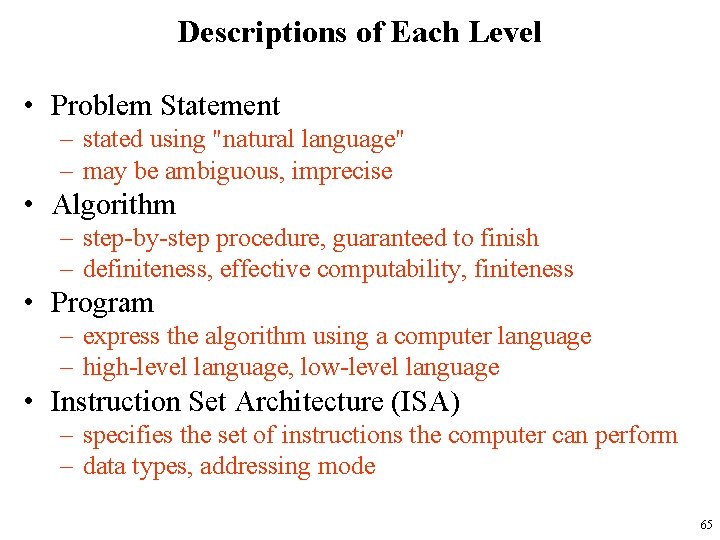
Descriptions of Each Level • Problem Statement – stated using "natural language" – may be ambiguous, imprecise • Algorithm – step-by-step procedure, guaranteed to finish – definiteness, effective computability, finiteness • Program – express the algorithm using a computer language – high-level language, low-level language • Instruction Set Architecture (ISA) – specifies the set of instructions the computer can perform – data types, addressing mode 65
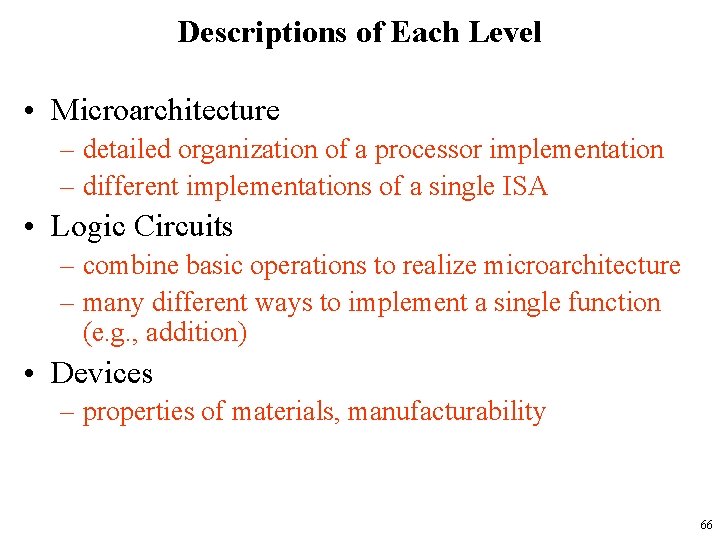
Descriptions of Each Level • Microarchitecture – detailed organization of a processor implementation – different implementations of a single ISA • Logic Circuits – combine basic operations to realize microarchitecture – many different ways to implement a single function (e. g. , addition) • Devices – properties of materials, manufacturability 66
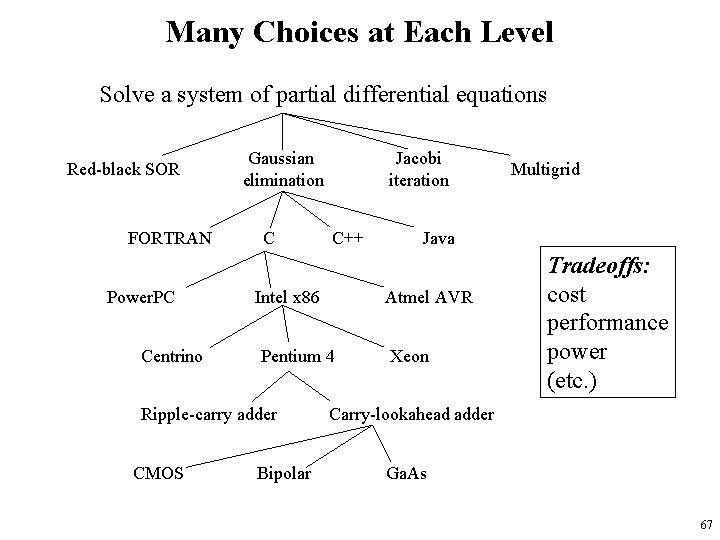
Many Choices at Each Level Solve a system of partial differential equations Red-black SOR FORTRAN Power. PC Centrino C C++ Intel x 86 Bipolar Multigrid Java Atmel AVR Pentium 4 Ripple-carry adder CMOS Jacobi iteration Gaussian elimination Xeon Tradeoffs: cost performance power (etc. ) Carry-lookahead adder Ga. As 67
Course Outline - What is Next? • • How to represent information The building blocks of computers: logic gates The basic algorithm: the von Neumann model Example 1: VVM (Visible Virtual Machine) Example 2: The MIPS structure and language Programming the machine: assembly language A higher-level language: C 68