
computer architecture Operating Systems and Architecture UFCFCU30 1
- Slides: 33
<computer architecture> Operating Systems and Architecture (UFCFCU-30 -1)
<outcomes> • After completing this section of the module you will be able to: • Describe and explain computer architecture, digital logic and machine level representation of data (number systems) • • • Fetch – execute ALU Registers Buses Control unit
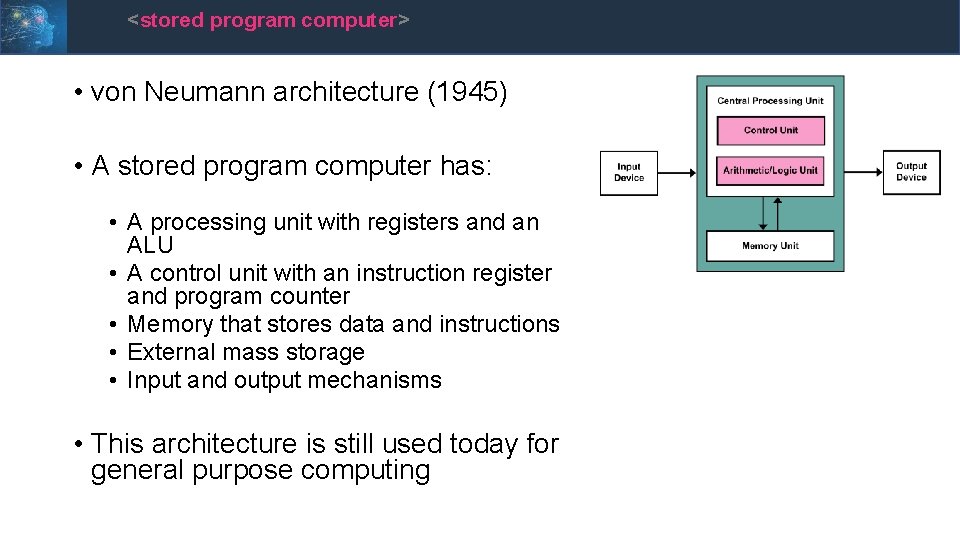
<stored program computer> • von Neumann architecture (1945) • A stored program computer has: • A processing unit with registers and an ALU • A control unit with an instruction register and program counter • Memory that stores data and instructions • External mass storage • Input and output mechanisms • This architecture is still used today for general purpose computing
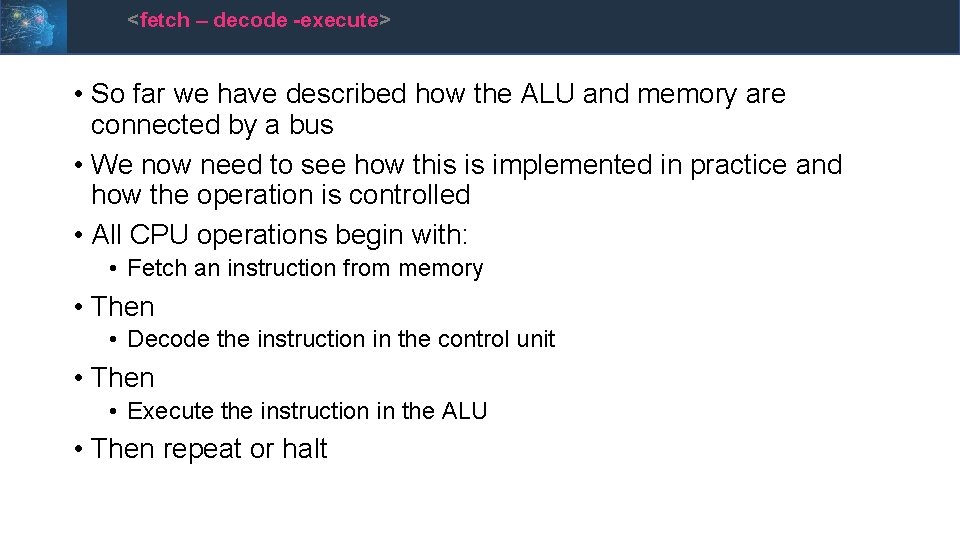
<fetch – decode -execute> • So far we have described how the ALU and memory are connected by a bus • We now need to see how this is implemented in practice and how the operation is controlled • All CPU operations begin with: • Fetch an instruction from memory • Then • Decode the instruction in the control unit • Then • Execute the instruction in the ALU • Then repeat or halt
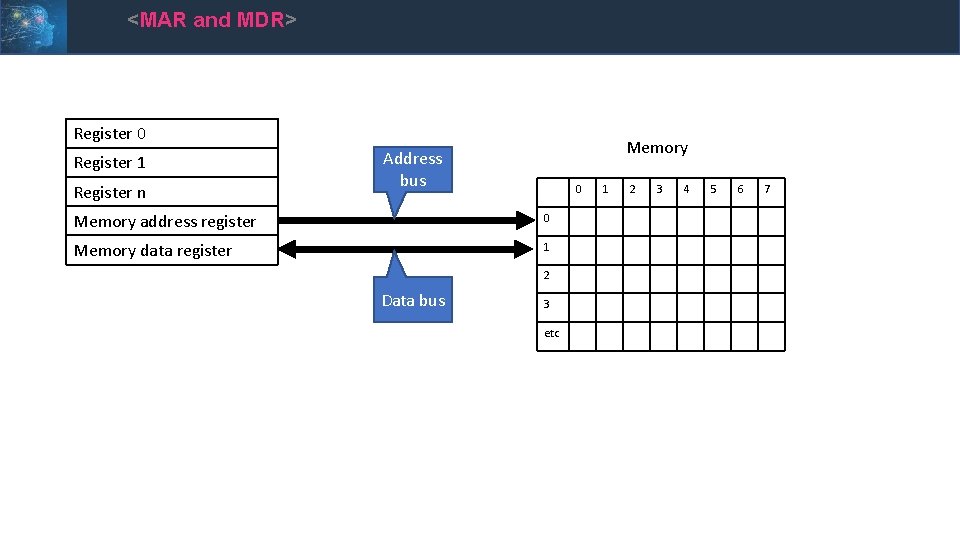
<MAR and MDR> • There are 2 internal registers which: • Contain the address in memory to be read or written to, the memory address register (MAR) • Store the data to be written, or the data read, from memory, the memory data register (MDR) • There are two buses connecting the registers to memory • The address bus • The data bus
<MAR and MDR> Register 0 Register 1 Register n Memory Address bus 0 Memory address register 0 Memory data register 1 2 Data bus 3 etc 1 2 3 4 5 6 7
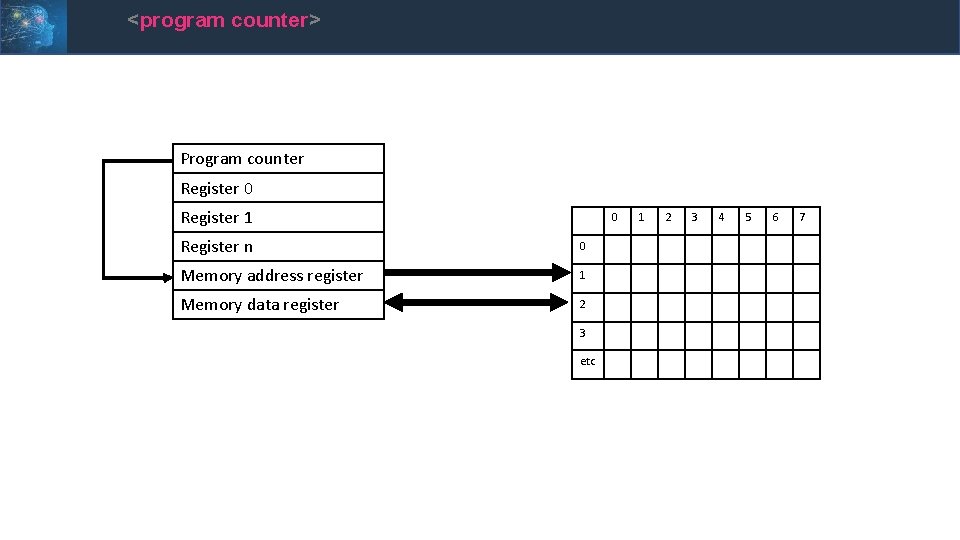
<program counter> • Where does the MAR get its value from? • The program counter (PC) – another internal register • This register holds the address in memory of the next instruction • Where does the first value in the program counter come from when a CPU is first powered up?
<program counter> Program counter Register 0 Register 1 0 Register n 0 Memory address register 1 Memory data register 2 3 etc 1 2 3 4 5 6 7
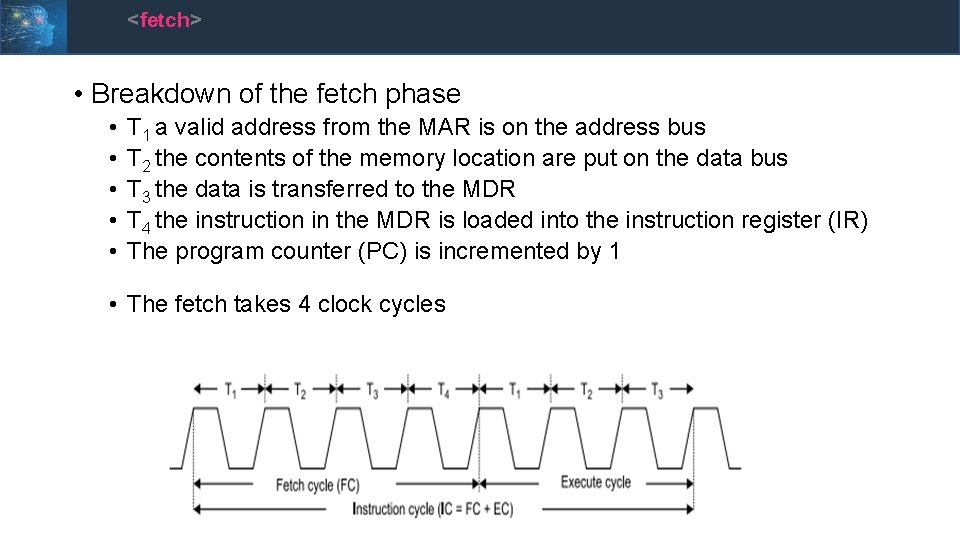
<fetch> • Breakdown of the fetch phase • • • T 1 a valid address from the MAR is on the address bus T 2 the contents of the memory location are put on the data bus T 3 the data is transferred to the MDR T 4 the instruction in the MDR is loaded into the instruction register (IR) The program counter (PC) is incremented by 1 • The fetch takes 4 clock cycles
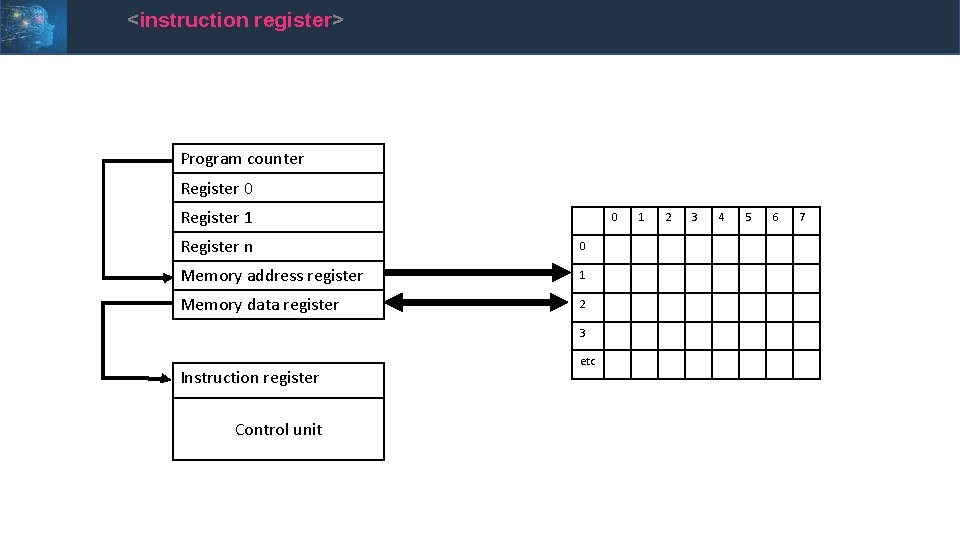
<instruction register> Program counter Register 0 Register 1 0 Register n 0 Memory address register 1 Memory data register 2 3 Instruction register Control unit etc 1 2 3 4 5 6 7
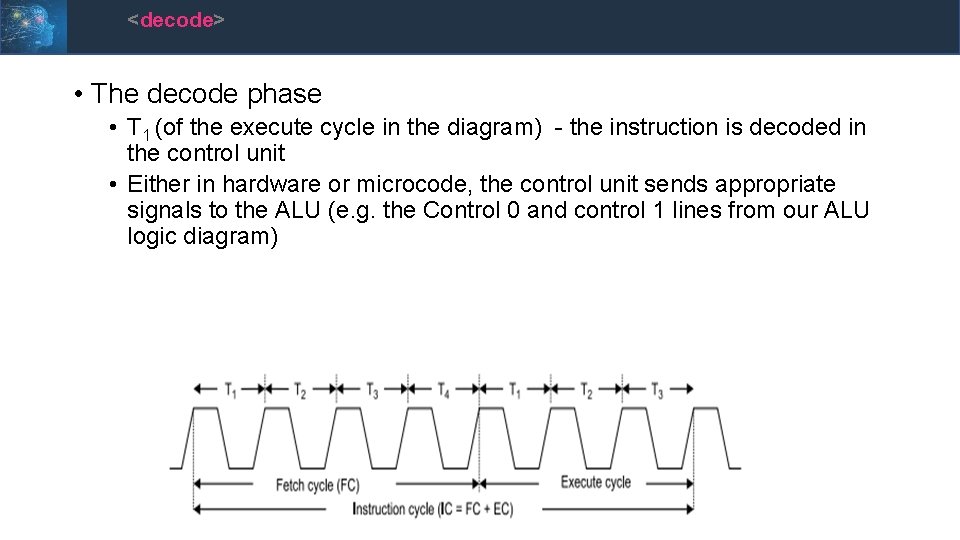
<decode> • The decode phase • T 1 (of the execute cycle in the diagram) - the instruction is decoded in the control unit • Either in hardware or microcode, the control unit sends appropriate signals to the ALU (e. g. the Control 0 and control 1 lines from our ALU logic diagram)
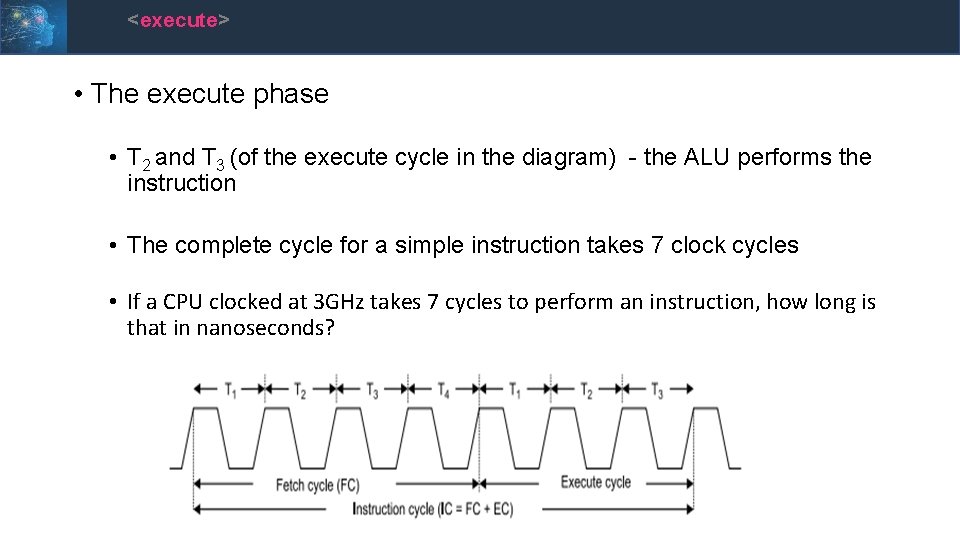
<execute> • The execute phase • T 2 and T 3 (of the execute cycle in the diagram) - the ALU performs the instruction • The complete cycle for a simple instruction takes 7 clock cycles • If a CPU clocked at 3 GHz takes 7 cycles to perform an instruction, how long is that in nanoseconds?
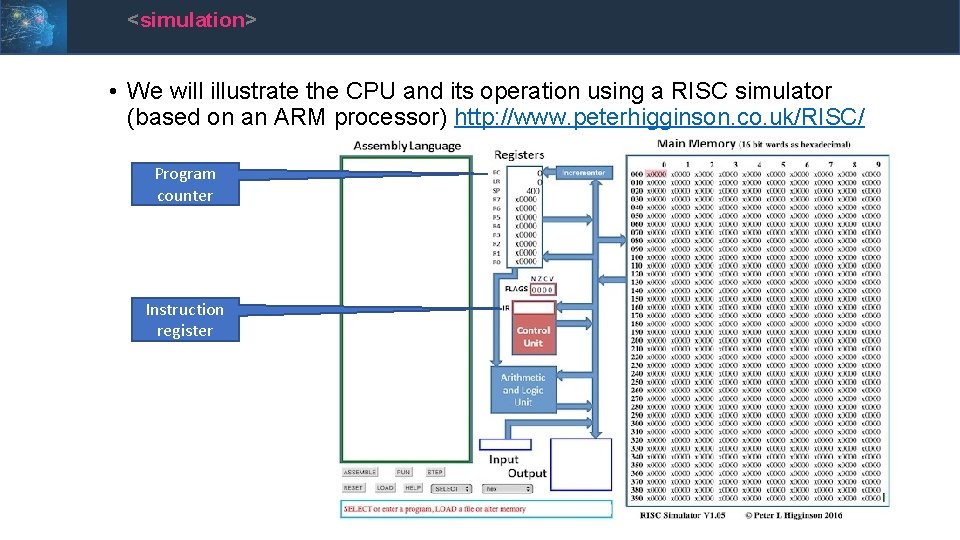
<simulation> • We will illustrate the CPU and its operation using a RISC simulator (based on an ARM processor) http: //www. peterhigginson. co. uk/RISC/ Program counter Instruction register
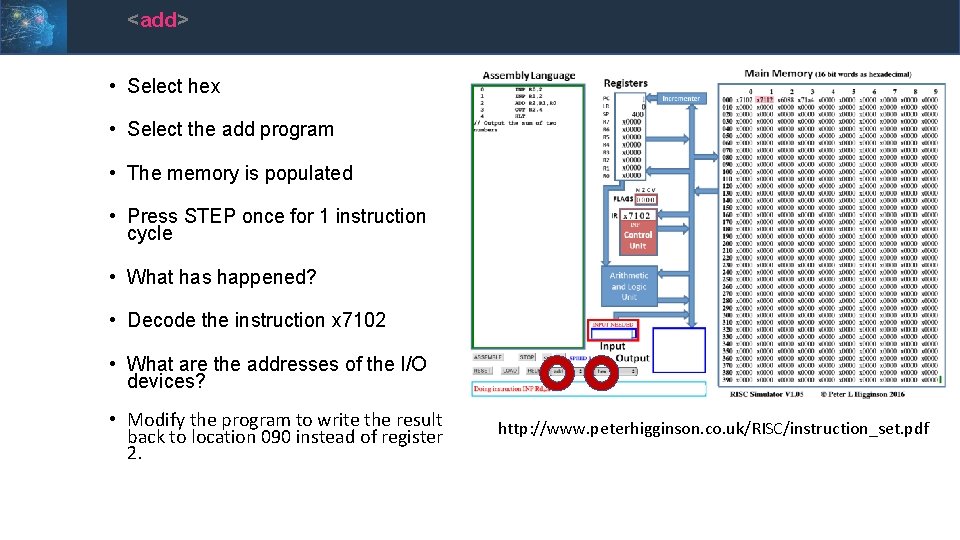
<add> • Select hex • Select the add program • The memory is populated • Press STEP once for 1 instruction cycle • What has happened? • Decode the instruction x 7102 • What are the addresses of the I/O devices? • Modify the program to write the result back to location 090 instead of register 2. http: //www. peterhigginson. co. uk/RISC/instruction_set. pdf
<sequence> • Step though the remainder of the program • This is an example of the programming construct – sequence • There are two other programming constructs: • Selection • Iteration • The next example contains both
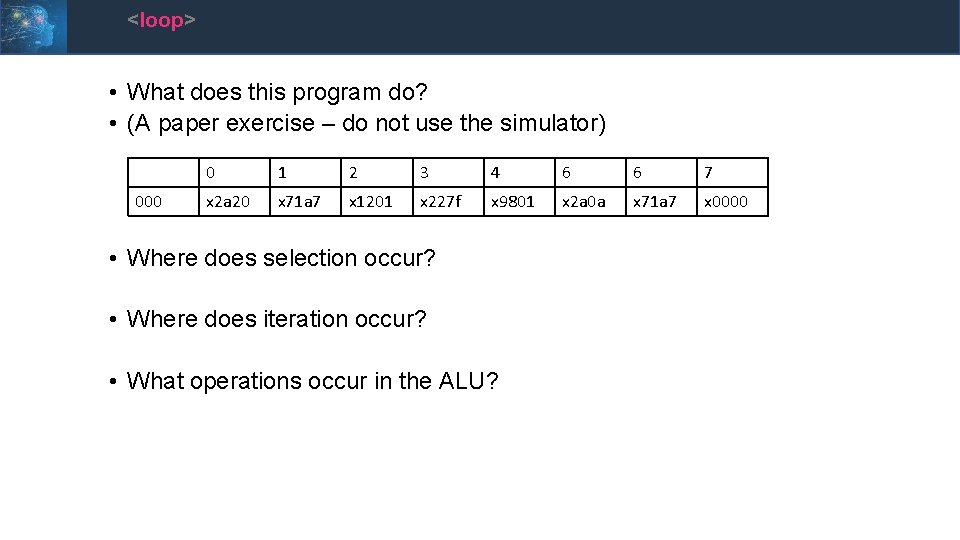
<loop> • What does this program do? • (A paper exercise – do not use the simulator) 000 0 1 2 3 4 6 6 7 x 2 a 20 x 71 a 7 x 1201 x 227 f x 9801 x 2 a 0 a x 71 a 7 x 0000 • Where does selection occur? • Where does iteration occur? • What operations occur in the ALU?
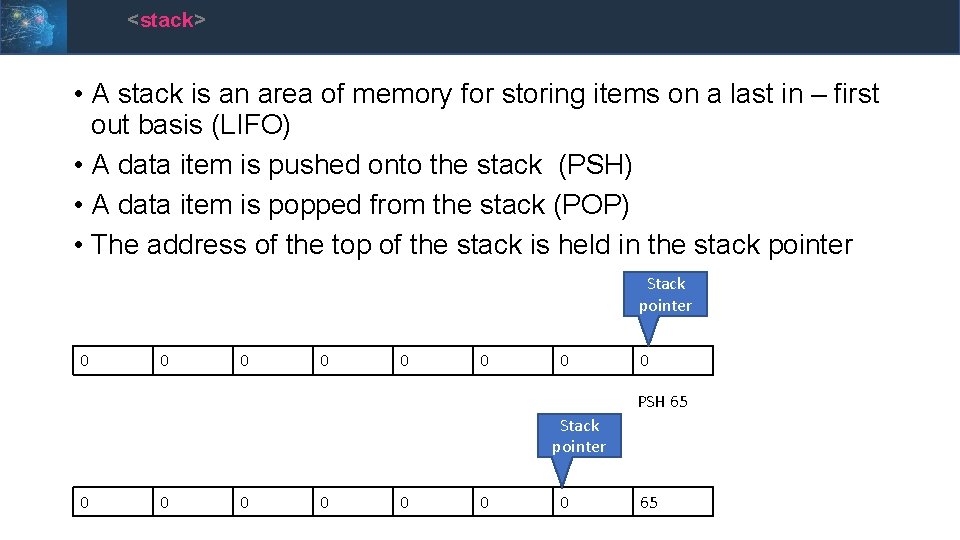
<stack> • A stack is an area of memory for storing items on a last in – first out basis (LIFO) • A data item is pushed onto the stack (PSH) • A data item is popped from the stack (POP) • The address of the top of the stack is held in the stack pointer Stack pointer 0 0 0 0 PSH 65 Stack pointer 0 0 0 0 65
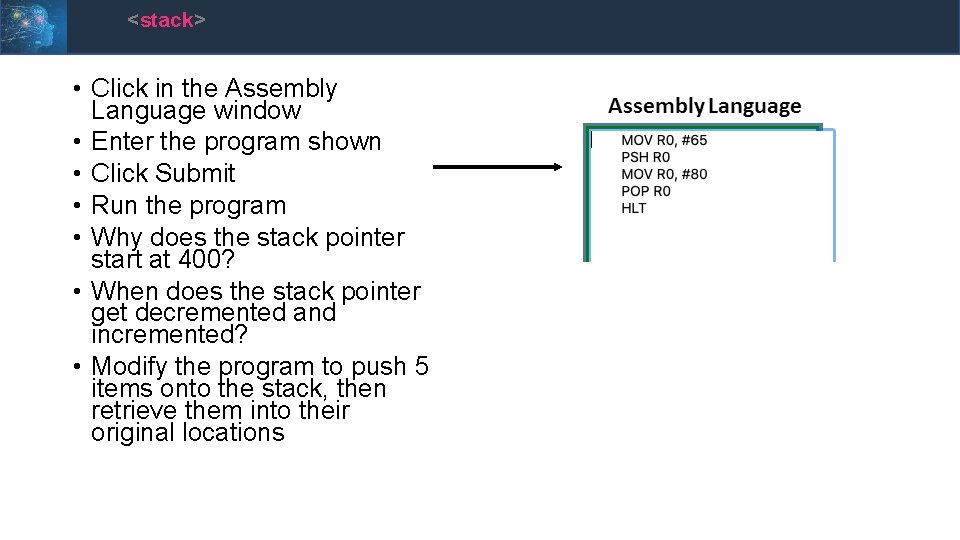
<stack> • Click in the Assembly Language window • Enter the program shown • Click Submit • Run the program • Why does the stack pointer start at 400? • When does the stack pointer get decremented and incremented? • Modify the program to push 5 items onto the stack, then retrieve them into their original locations
<stack> • What use is a stack? • Saving the position and status of a program when jumping to a subroutine, then restoring them when the subroutine finishes • Passing values (parameters, variable) from one part of a program to another (e. g. functions) • What are potential cyber problems with stacks?
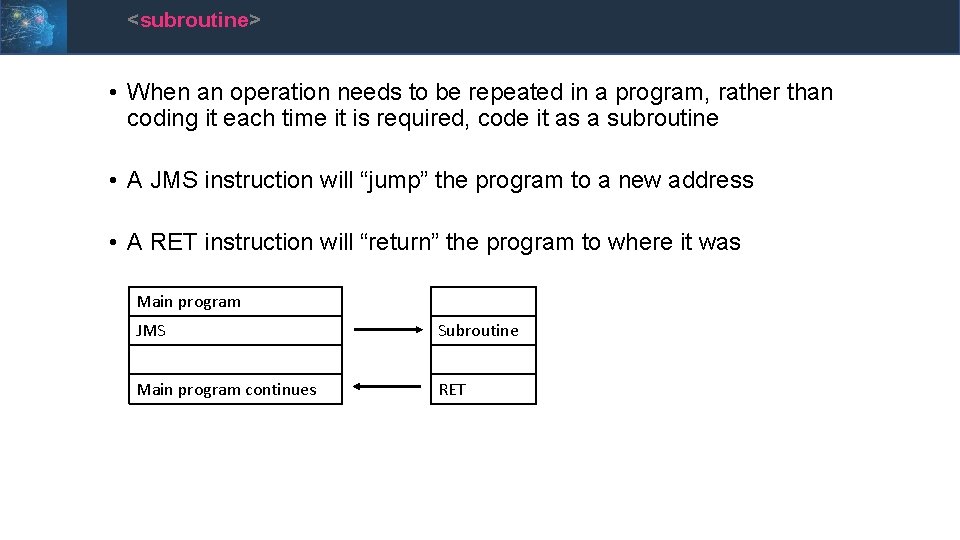
<subroutine> • When an operation needs to be repeated in a program, rather than coding it each time it is required, code it as a subroutine • A JMS instruction will “jump” the program to a new address • A RET instruction will “return” the program to where it was Main program JMS Subroutine Main program continues RET
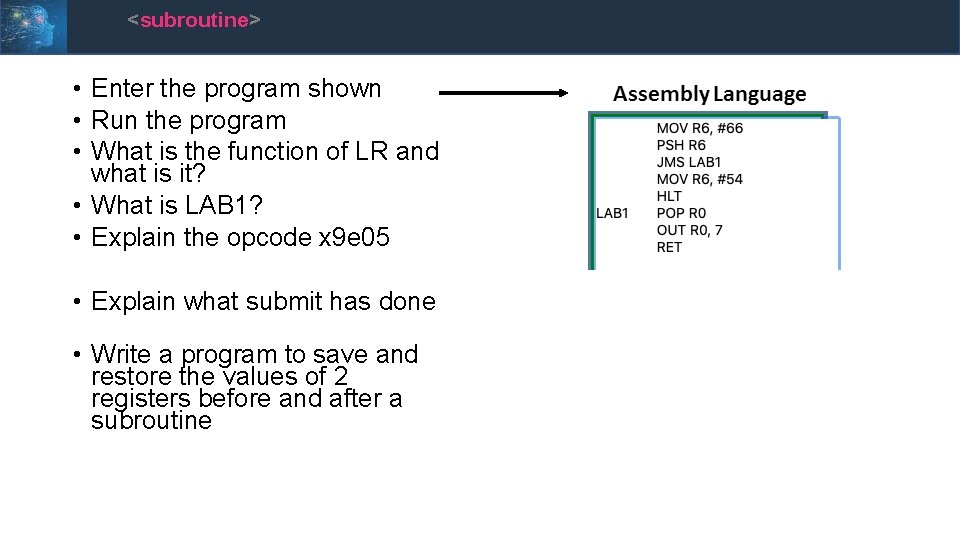
<subroutine> • Enter the program shown • Run the program • What is the function of LR and what is it? • What is LAB 1? • Explain the opcode x 9 e 05 • Explain what submit has done • Write a program to save and restore the values of 2 registers before and after a subroutine
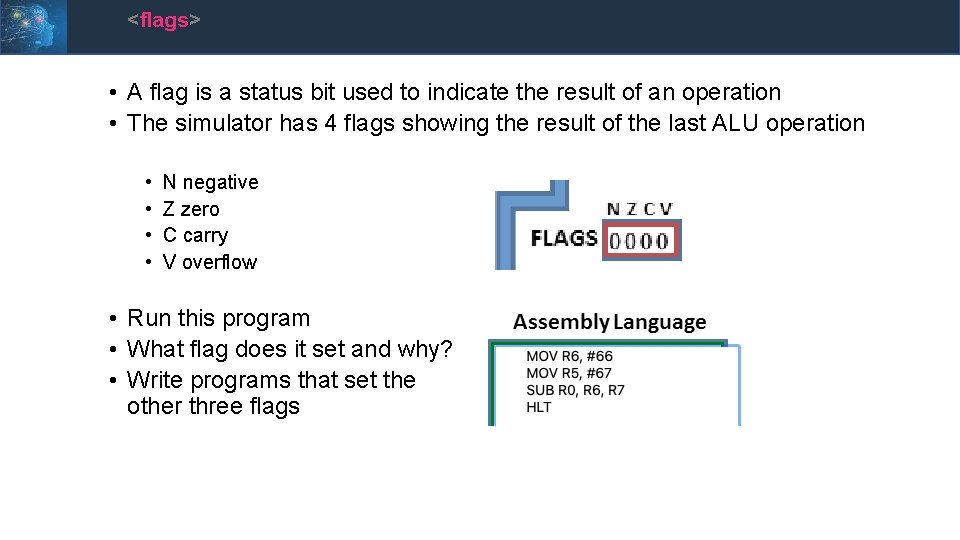
<flags> • A flag is a status bit used to indicate the result of an operation • The simulator has 4 flags showing the result of the last ALU operation • • N negative Z zero C carry V overflow • Run this program • What flag does it set and why? • Write programs that set the other three flags
<summary> • You should now be able to explain the architecture of the RISC simulator • Address and data buses and registers • The instruction cycle • The specialised registers • Program counter • Stack pointer • Instruction register • PSH and POP • JMS and RET • Flags
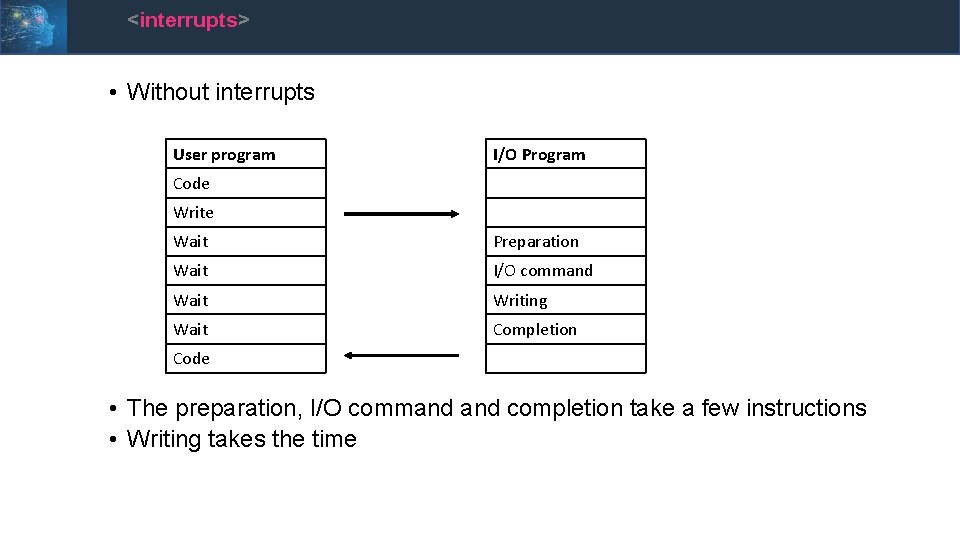
<interrupts> • Apart from subroutines, the programs have been linear sequences • The output device (address 4 and 7) was instantaneous • In real implementations, output devices are not instantaneous • Suppose a program needs to write to a hard disk • It rotates at 7, 200 rpm. A half track rotation time is 4 m. S • Given our 3 GHz example earlier, how many instructions could be run while waiting for 4 m. S? • In the dark ages (1981) of DOS 1. 0, the PC would be unable to do anything else if it was printing • The solution to these issues are interrupts
<interrupts> • Without interrupts User program I/O Program Code Write Wait Preparation Wait I/O command Wait Writing Wait Completion Code • The preparation, I/O command completion take a few instructions • Writing takes the time
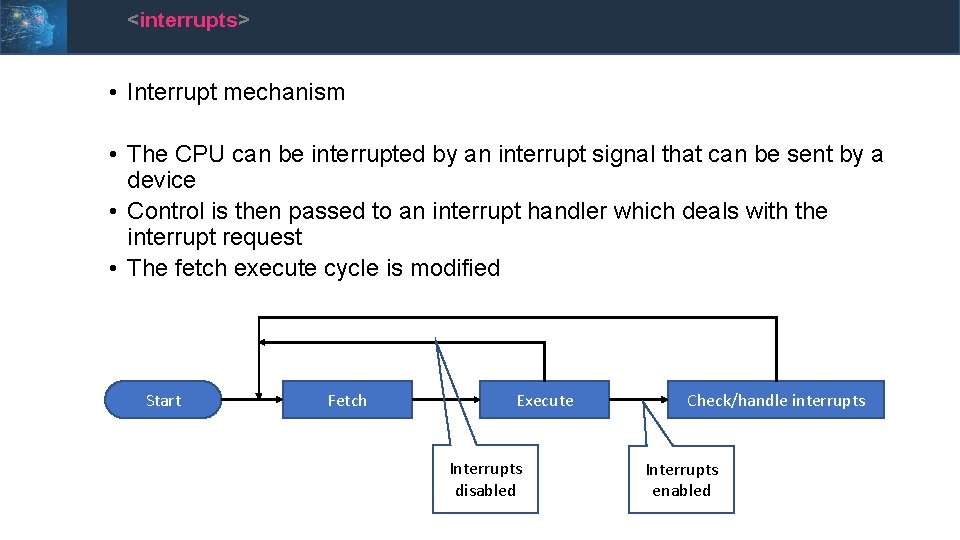
<interrupts> • Interrupt mechanism • The CPU can be interrupted by an interrupt signal that can be sent by a device • Control is then passed to an interrupt handler which deals with the interrupt request • The fetch execute cycle is modified Start Fetch Execute Interrupts disabled Check/handle interrupts Interrupts enabled
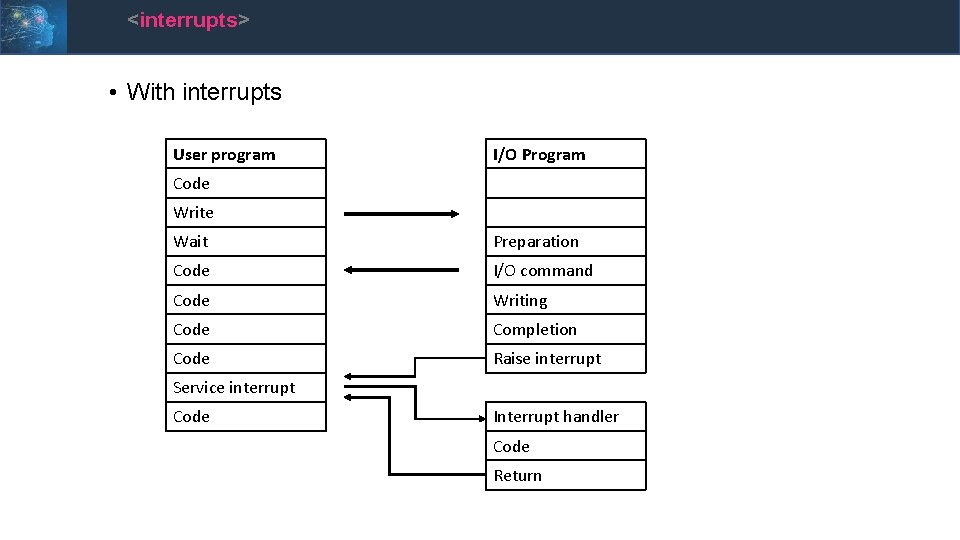
<interrupts> • With interrupts User program I/O Program Code Write Wait Preparation Code I/O command Code Writing Code Completion Code Raise interrupt Service interrupt Code Interrupt handler Code Return
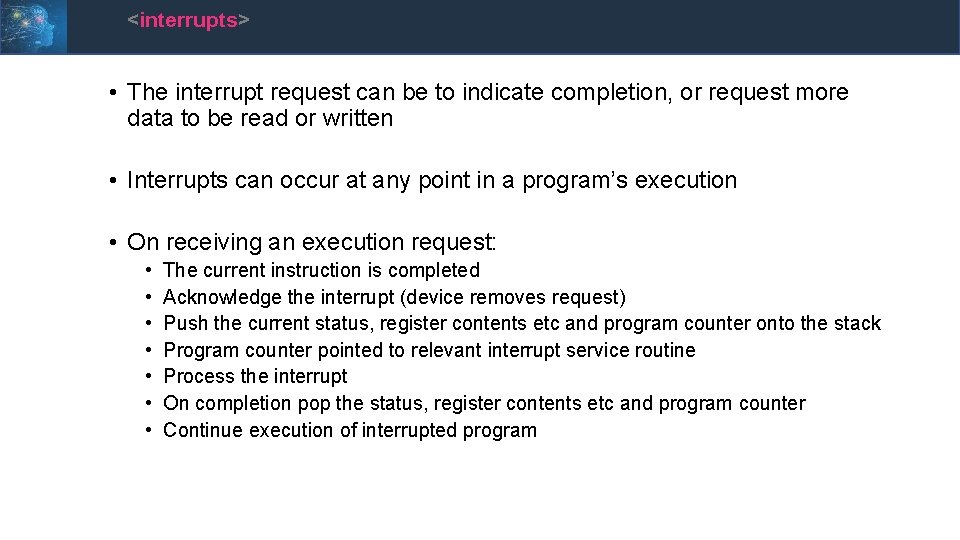
<interrupts> • The interrupt request can be to indicate completion, or request more data to be read or written • Interrupts can occur at any point in a program’s execution • On receiving an execution request: • • The current instruction is completed Acknowledge the interrupt (device removes request) Push the current status, register contents etc and program counter onto the stack Program counter pointed to relevant interrupt service routine Process the interrupt On completion pop the status, register contents etc and program counter Continue execution of interrupted program
<multiple interrupts> • What happens if an interrupt occurs during an interrupt? • Interrupts can be disabled during interrupt handling • Second or subsequent interrupts held in a pending state • Serviced in sequence • What are the problems with this? • Consider three devices: • Printer • Hard disk • Comms adapter
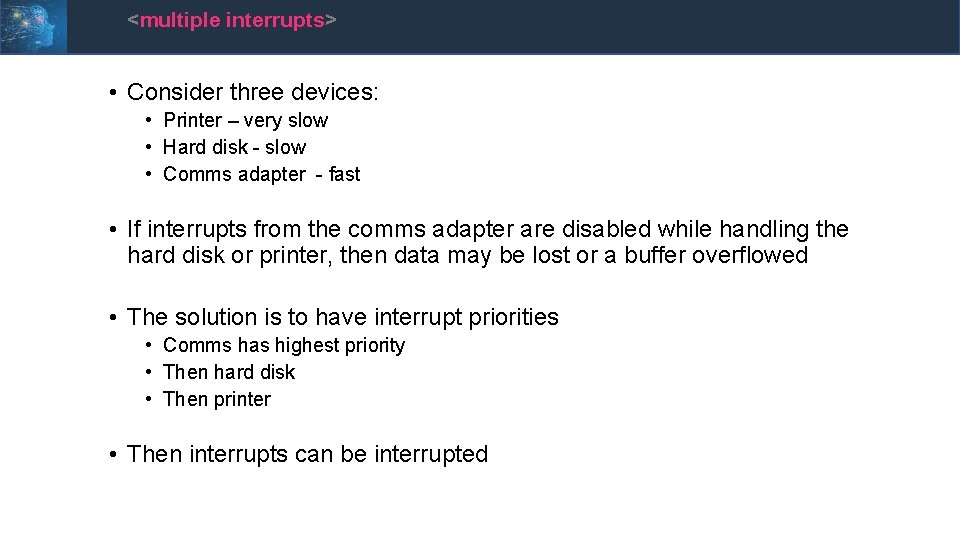
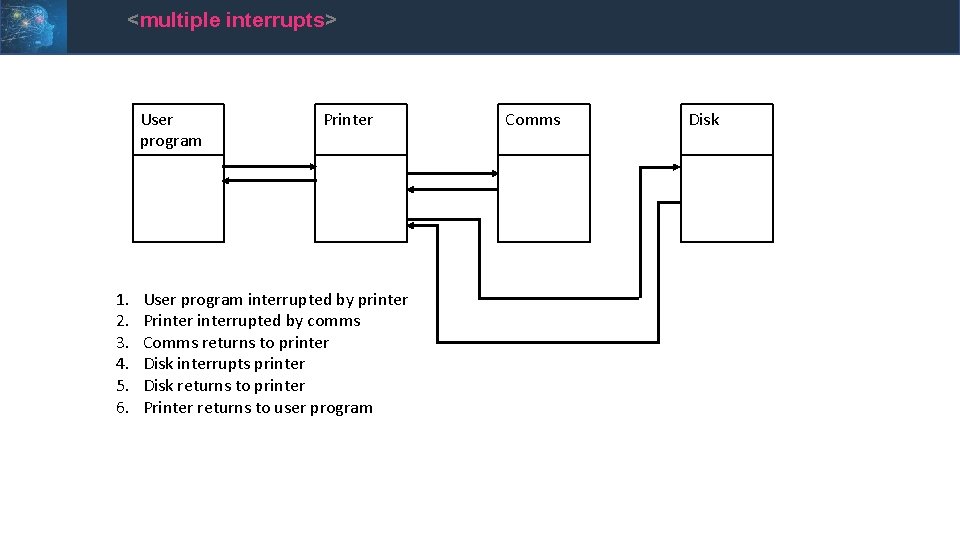
<multiple interrupts> • Consider three devices: • Printer – very slow • Hard disk - slow • Comms adapter - fast • If interrupts from the comms adapter are disabled while handling the hard disk or printer, then data may be lost or a buffer overflowed • The solution is to have interrupt priorities • Comms has highest priority • Then hard disk • Then printer • Then interrupts can be interrupted
<multiple interrupts> User program 1. 2. 3. 4. 5. 6. Printer User program interrupted by printer Printerrupted by comms Comms returns to printer Disk interrupts printer Disk returns to printer Printer returns to user program Comms Disk
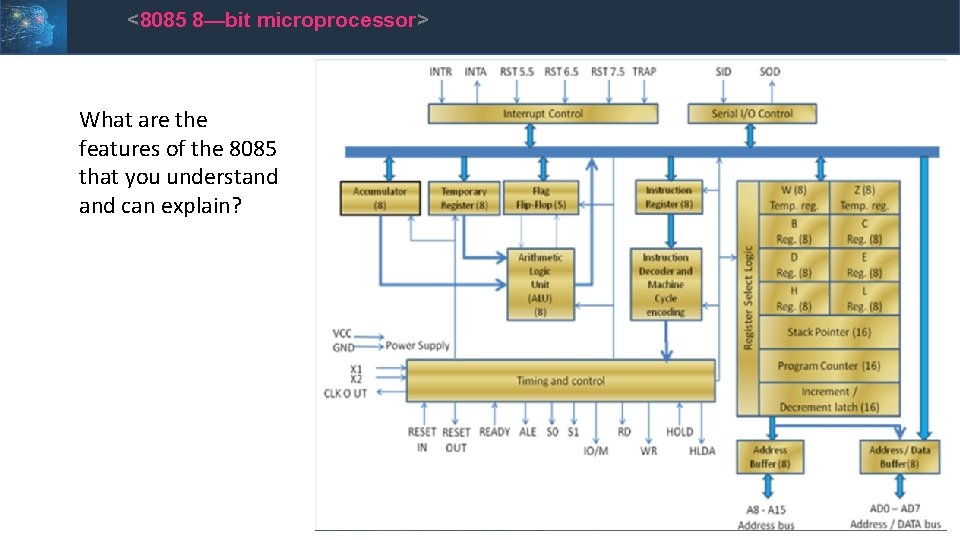
<8085 8—bit microprocessor> What are the features of the 8085 that you understand can explain?
<conclusion> • We have covered: • The essential components of the CPU • How the CPU is architected • How the individual components operate • I/O systems will be covered on day 5