
Computer Architecture CPSC 321 E J Kim Addressing
- Slides: 27
Computer Architecture CPSC 321 E. J. Kim
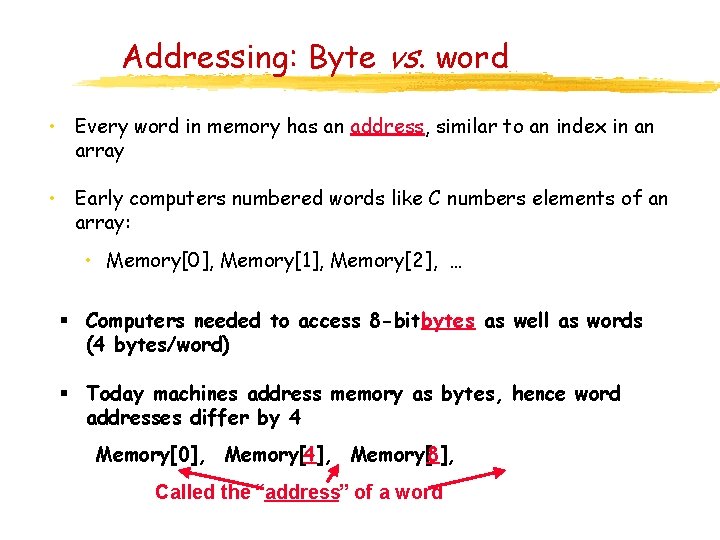
Addressing: Byte vs. word • Every word in memory has an address, similar to an index in an array • Early computers numbered words like C numbers elements of an array: • Memory[0], Memory[1], Memory[2], … § Computers needed to access 8 -bitbytes as well as words (4 bytes/word) § Today machines address memory as bytes, hence word addresses differ by 4 Memory[0], Memory[4], Memory[8], Called the “address” of a word
Notes about Memory • Pitfall: Forgetting that sequential word addresses in machines with byte addressing do not differ by 1. • Many an assembly language programmer has toiled over errors made by assuming that the address of the next word can be found by incrementing the address in a register by 1 instead of by the word size in bytes. • So remember that for both lw and sw, the sum of the base address and the offset must be a multiple of 4 (to be word aligned)
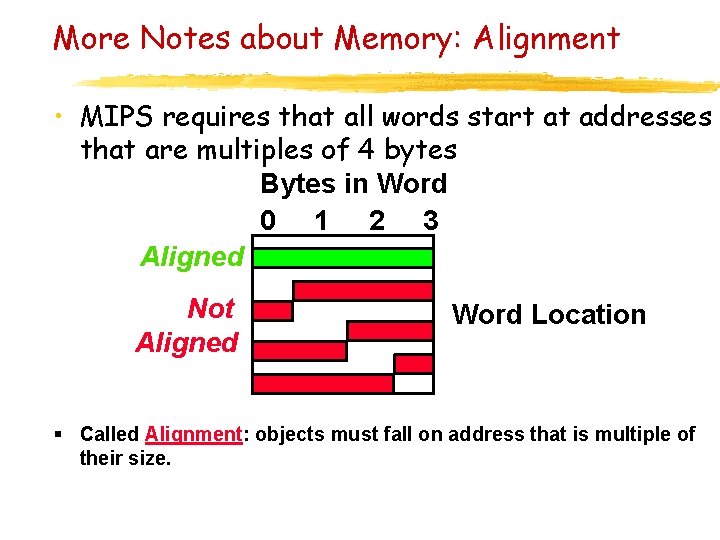
More Notes about Memory: Alignment • MIPS requires that all words start at addresses that are multiples of 4 bytes Bytes in Word 0 1 2 3 Aligned Not Aligned Word Location § Called Alignment: objects must fall on address that is multiple of their size.
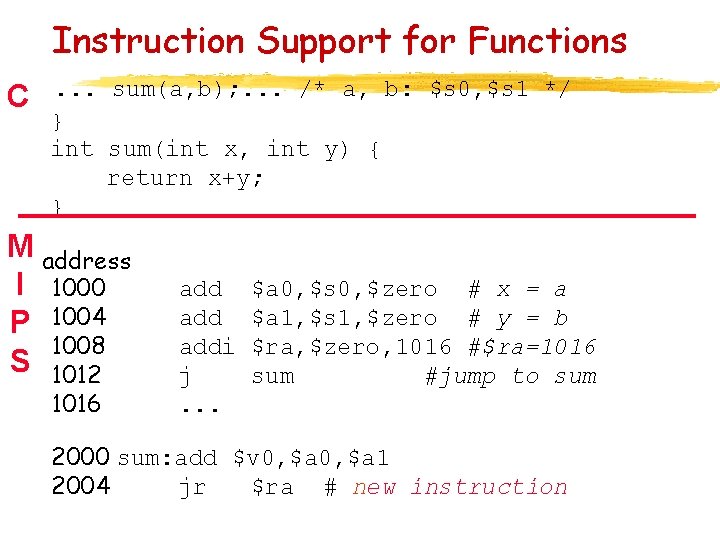
Instruction Support for Functions C . . . sum(a, b); . . . /* a, b: $s 0, $s 1 */ } int sum(int x, int y) { return x+y; } M address I 1000 P 1004 1008 S 1012 1016 add addi j. . . $a 0, $s 0, $zero # x = a $a 1, $s 1, $zero # y = b $ra, $zero, 1016 #$ra=1016 sum #jump to sum 2000 sum: add $v 0, $a 1 2004 jr $ra # new instruction
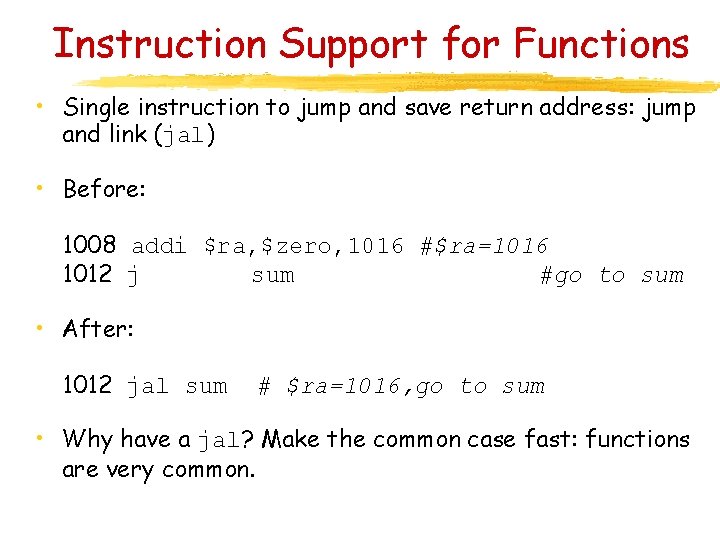
Instruction Support for Functions • Single instruction to jump and save return address: jump and link (jal) • Before: 1008 addi $ra, $zero, 1016 #$ra=1016 1012 j sum #go to sum • After: 1012 jal sum # $ra=1016, go to sum • Why have a jal? Make the common case fast: functions are very common.
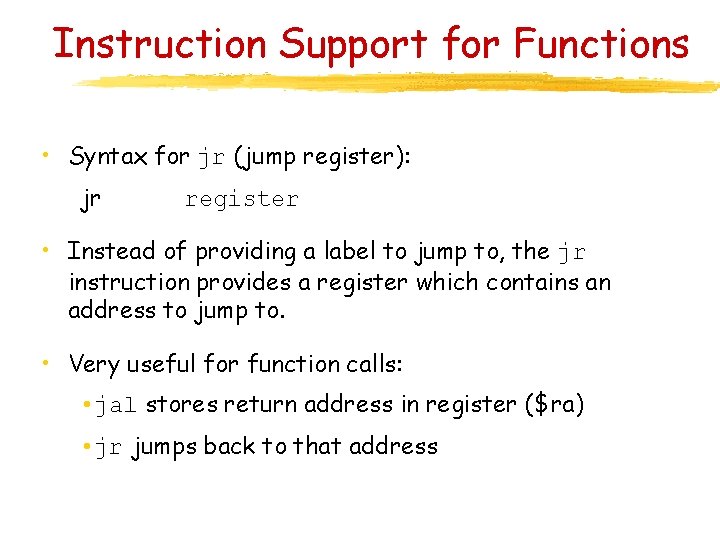
Instruction Support for Functions • Syntax for jr (jump register): jr register • Instead of providing a label to jump to, the jr instruction provides a register which contains an address to jump to. • Very useful for function calls: • jal stores return address in register ($ra) • jr jumps back to that address
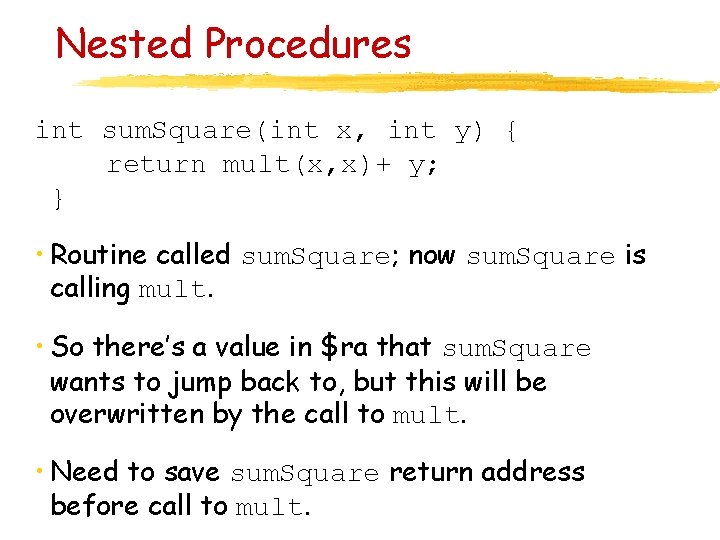
Nested Procedures int sum. Square(int x, int y) { return mult(x, x)+ y; } • Routine called sum. Square; now sum. Square is calling mult. • So there’s a value in $ra that sum. Square wants to jump back to, but this will be overwritten by the call to mult. • Need to save sum. Square return address before call to mult.
Nested Procedures • In general, may need to save some other info in addition to $ra. • When a C program is run, there are 3 important memory areas allocated: • Static: Variables declared once per program, cease to exist only after execution completes • Heap: Variables declared dynamically • Stack: Space to be used by procedure during execution; this is where we can save register values
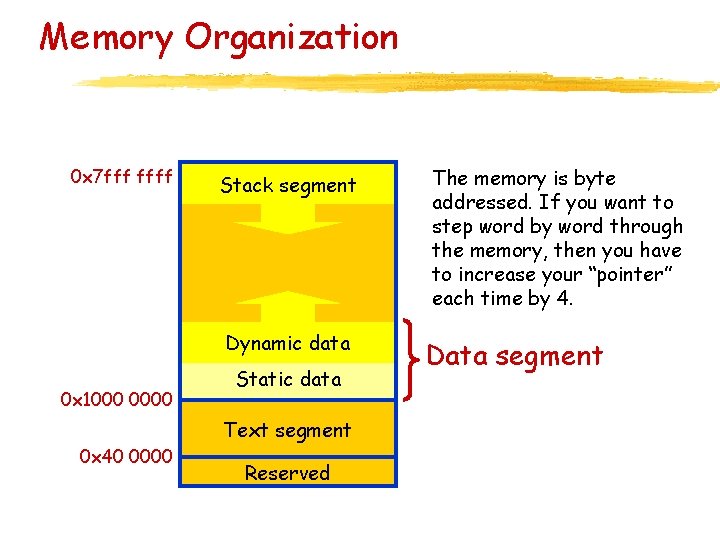
Memory Organization 0 x 7 fff ffff Stack segment Dynamic data 0 x 1000 0000 Static data Text segment 0 x 40 0000 Reserved The memory is byte addressed. If you want to step word by word through the memory, then you have to increase your “pointer” each time by 4. Data segment
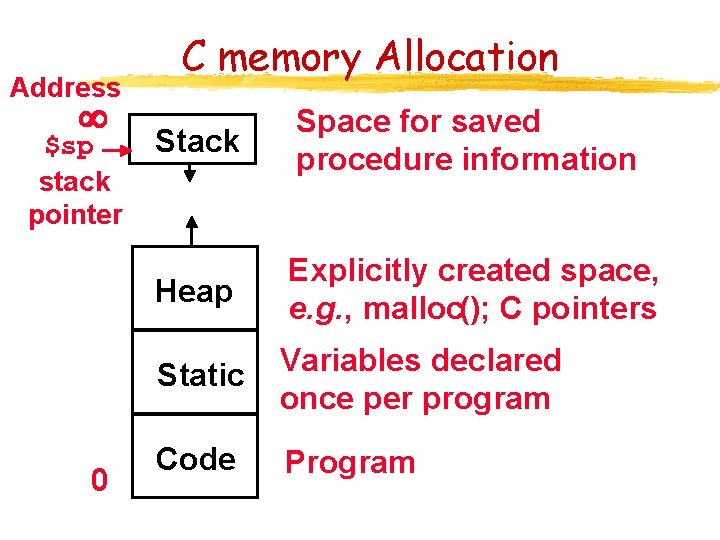
Address $sp stack pointer 0 C memory Allocation Stack Space for saved procedure information Heap Explicitly created space, e. g. , malloc(); C pointers Static Variables declared once per program Code Program
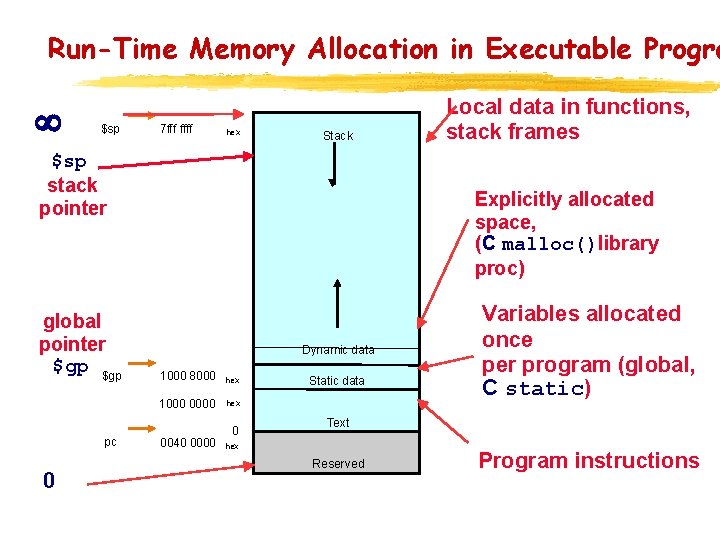
Run-Time Memory Allocation in Executable Progra $sp 7 fff ffff hex Stack $sp stack pointer global pointer $gp pc 0 Local data in functions, stack frames Explicitly allocated space, (C malloc()library proc) Dynamic data 1000 8000 hex 1000 0000 hex 0040 0000 0 Static data Variables allocated once per program (global, C static) Text hex Reserved Program instructions
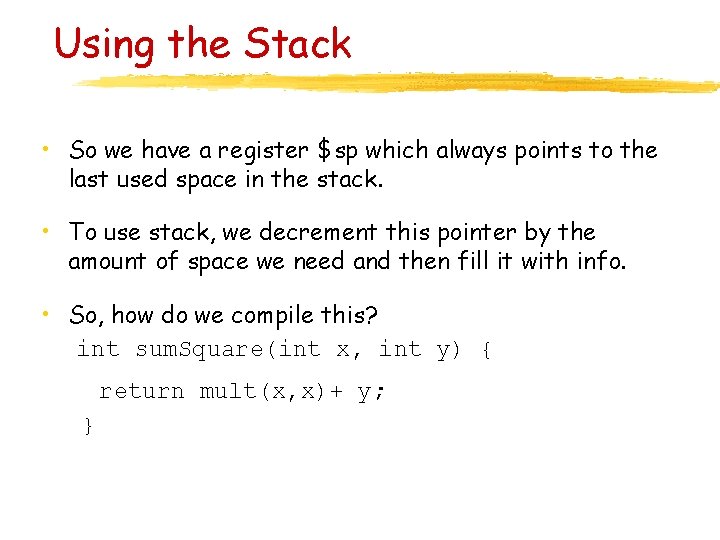
Using the Stack • So we have a register $sp which always points to the last used space in the stack. • To use stack, we decrement this pointer by the amount of space we need and then fill it with info. • So, how do we compile this? int sum. Square(int x, int y) { return mult(x, x)+ y; ° }
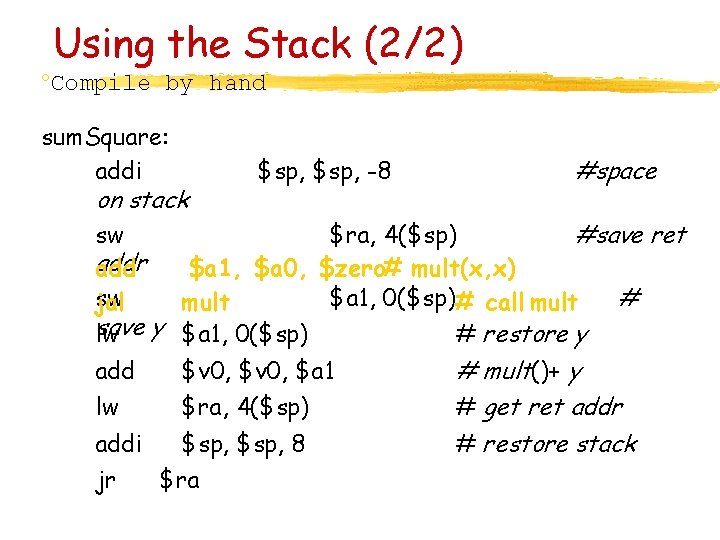
Using the Stack (2/2) °Compile by hand sum. Square: addi on stack $sp, -8 #space sw $ra, 4($sp) #save ret addr add $a 1, $a 0, $zero# mult(x, x) sw $a 1, 0($sp)# call mult # jal mult save lw y $a 1, 0($sp) # restore y add $v 0, $a 1 lw $ra, 4($sp) addi $sp, 8 jr $ra # mult()+ y # get ret addr # restore stack
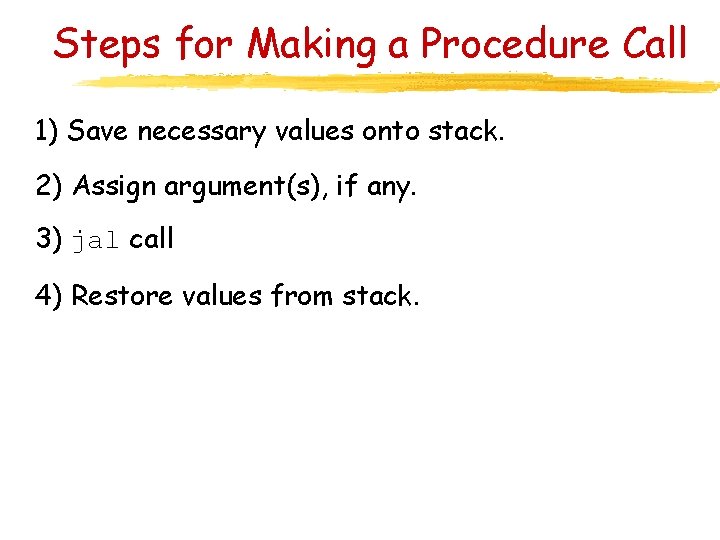
Steps for Making a Procedure Call 1) Save necessary values onto stack. 2) Assign argument(s), if any. 3) jal call 4) Restore values from stack.
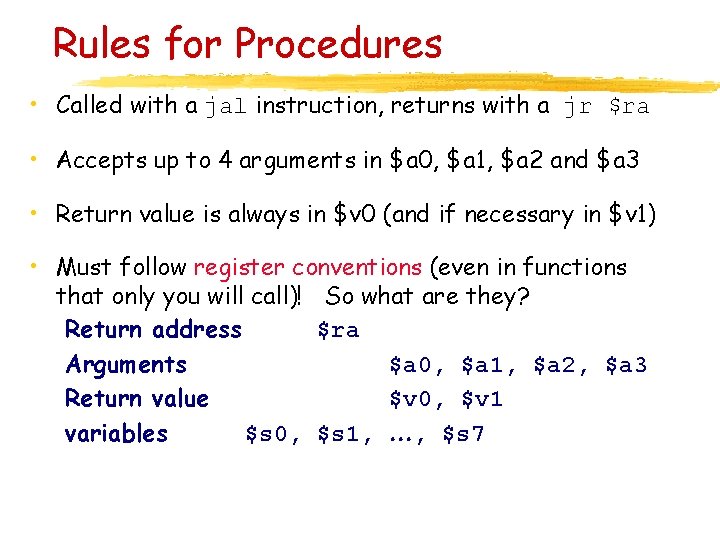
Rules for Procedures • Called with a jal instruction, returns with a jr $ra • Accepts up to 4 arguments in $a 0, $a 1, $a 2 and $a 3 • Return value is always in $v 0 (and if necessary in $v 1) • Must follow register conventions (even in functions that only you will call)! So what are they? Return address $ra Arguments $a 0, $a 1, $a 2, $a 3 Return value $v 0, $v 1 variables $s 0, $s 1, , $s 7
Register Conventions (1/6) • Caller: the calling function • Callee: the function being called • When callee returns from executing, the caller needs to know which registers may have changed and which are guaranteed to be unchanged. ° Register Conventions: A set of generally accepted rules as to which registers will be unchanged after a procedure call (jal) and which may be changed.
Register Conventions (2/6) • $0: No Change. Always 0. • $v 0 -$v 1: Change. These are expected to contain new values. • $a 0 -$a 3: Change. These are volatile argument registers. • $t 0 -$t 9: Change. That’s why they’re called temporary: any procedure may change them at any time.
Register Conventions (3/6) • $s 0 -$s 7: No Change. Very important, that’s why they’re called saved registers. If the callee changes these in any way, it must restore the original values before returning. • $sp: No Change. The stack pointer must point to the same place before and after the jal call, or else the caller won’t be able to restore values from the stack. • $ra: Change. The jal call itself will change this register.
Register Conventions (4/6) • What do these conventions mean? • If function A calls function B, then function A must save any temporary registers that it may be using onto the stack before making a jal call. • Function B must save any S (saved) registers it intends to use before garbling up their values • Remember: Caller/callee need to save only temporary / saved registers they are using, not all registers.
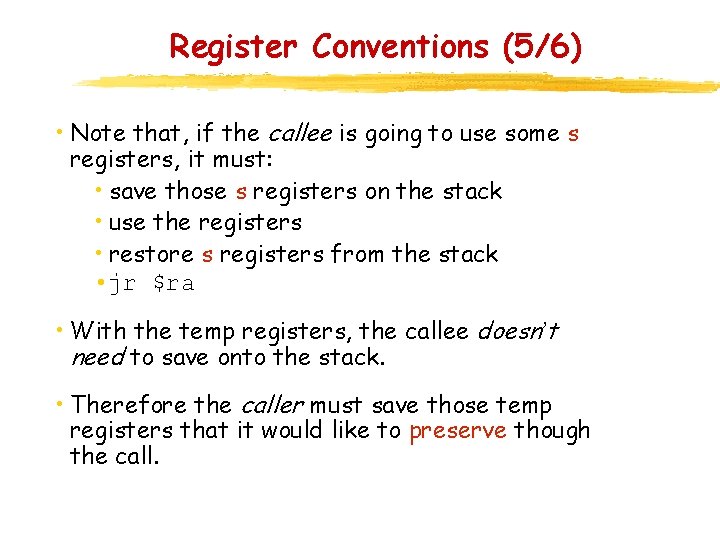
Register Conventions (5/6) • Note that, if the callee is going to use some s registers, it must: • save those s registers on the stack • use the registers • restore s registers from the stack • jr $ra • With the temp registers, the callee doesn’t need to save onto the stack. • Therefore the caller must save those temp registers that it would like to preserve though the call.
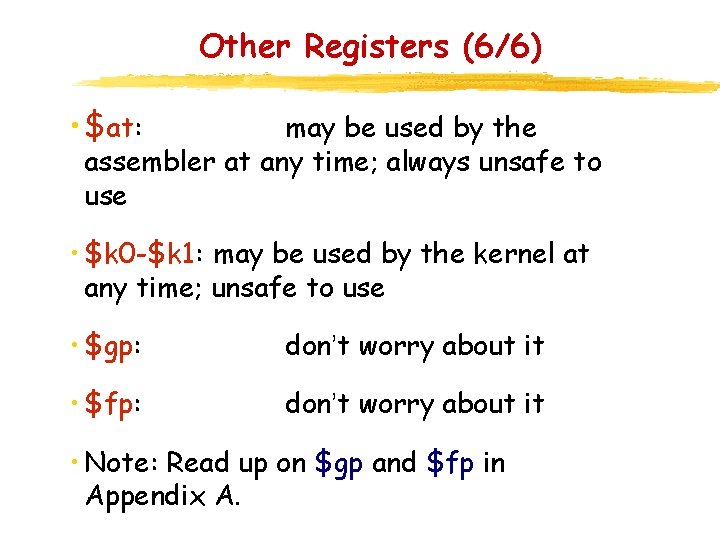
Other Registers (6/6) • $at: may be used by the assembler at any time; always unsafe to use • $k 0 -$k 1: may be used by the kernel at any time; unsafe to use • $gp: don’t worry about it • $fp: don’t worry about it • Note: Read up on $gp and $fp in Appendix A.
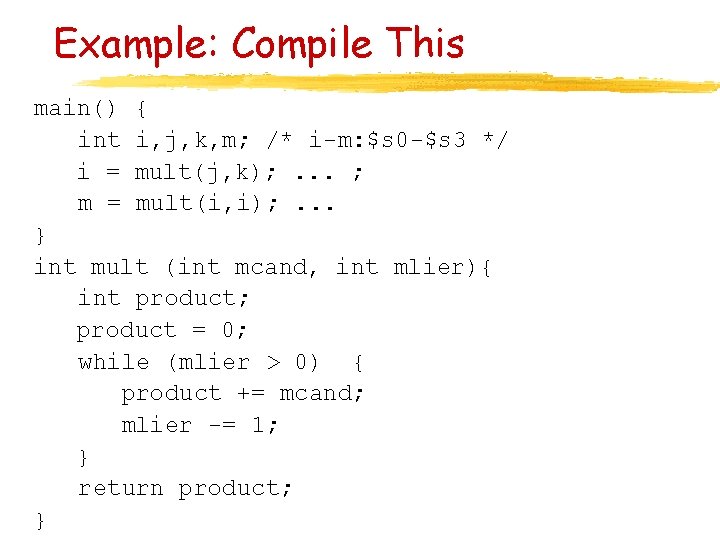
Example: Compile This main() { int i, j, k, m; /* i-m: $s 0 -$s 3 */ i = mult(j, k); . . . ; m = mult(i, i); . . . } int mult (int mcand, int mlier){ int product; product = 0; while (mlier > 0) { product += mcand; mlier -= 1; } return product; }
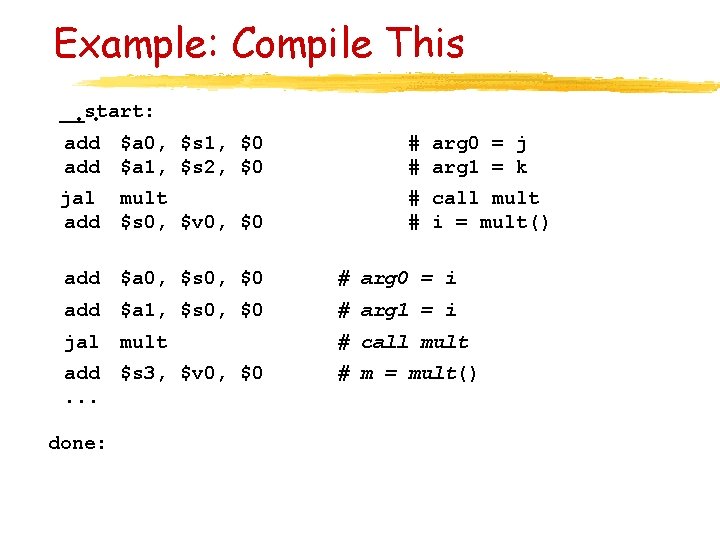
Example: Compile This __start: . . add $a 0, $s 1, $0 add $a 1, $s 2, $0 # arg 0 = j # arg 1 = k jal mult add $s 0, $v 0, $0 # call mult # i = mult() add $a 0, $s 0, $0 # arg 0 = i add $a 1, $s 0, $0 # arg 1 = i jal mult # call mult add $s 3, $v 0, $0. . . # m = mult() done:
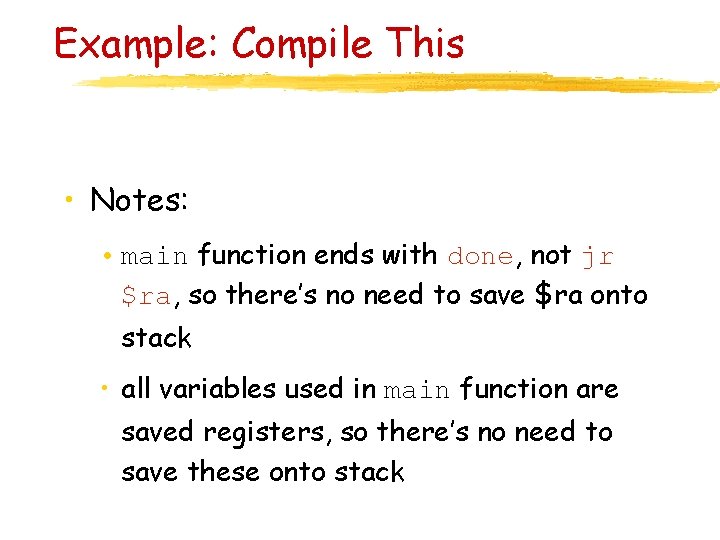
Example: Compile This • Notes: • main function ends with done, not jr $ra, so there’s no need to save $ra onto stack • all variables used in main function are saved registers, so there’s no need to save these onto stack
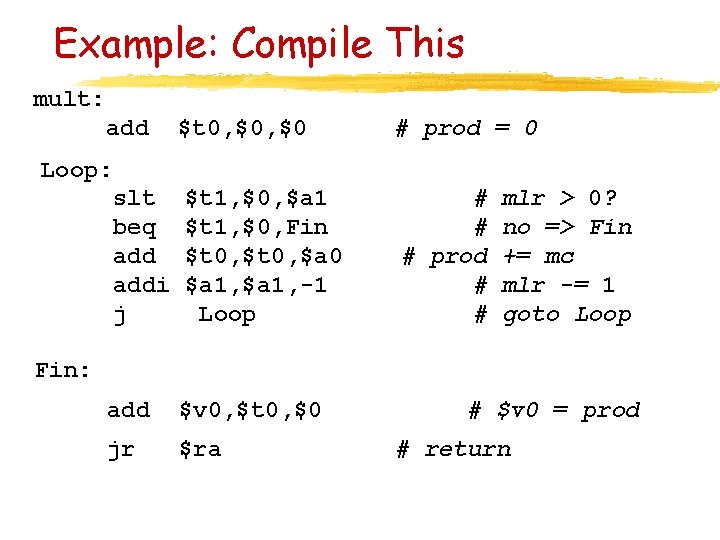
Example: Compile This mult: add Loop: slt beq addi j $t 0, $0 # prod = 0 $t 1, $0, $a 1 $t 1, $0, Fin $t 0, $a 0 $a 1, -1 Loop # # # prod # # mlr > 0? no => Fin += mc mlr -= 1 goto Loop Fin: add $v 0, $t 0, $0 jr $ra # $v 0 = prod # return
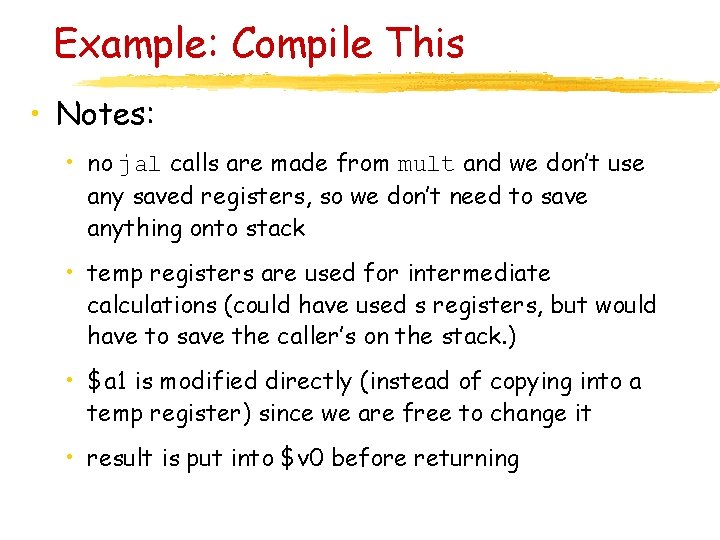
Example: Compile This • Notes: • no jal calls are made from mult and we don’t use any saved registers, so we don’t need to save anything onto stack • temp registers are used for intermediate calculations (could have used s registers, but would have to save the caller’s on the stack. ) • $a 1 is modified directly (instead of copying into a temp register) since we are free to change it • result is put into $v 0 before returning