
Computer Architecture Class 9 Microprogramming Class 9 1

![Step 4: (R-type or memory-access) ° Loads and stores access memory MDR = Memory[ALUOut];](https://slidetodoc.com/presentation_image_h2/47e6d3a1ddb117e976939cf9dbe99447/image-7.jpg "Step 4: (R-type or memory-access) ° Loads and stores access memory MDR = Memory[ALUOut];")
- Slides: 33
Computer Architecture Class 9 Microprogramming Class 9. 1 Computer Architecture - HUJI
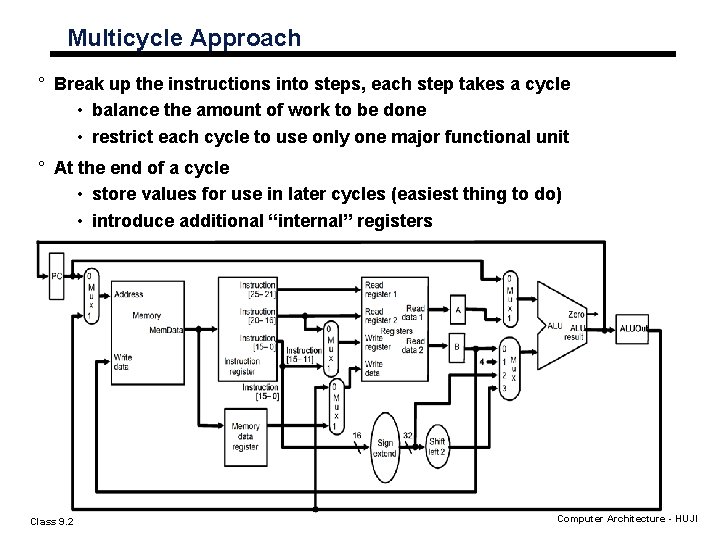
Multicycle Approach ° Break up the instructions into steps, each step takes a cycle • balance the amount of work to be done • restrict each cycle to use only one major functional unit ° At the end of a cycle • store values for use in later cycles (easiest thing to do) • introduce additional “internal” registers Class 9. 2 Computer Architecture - HUJI
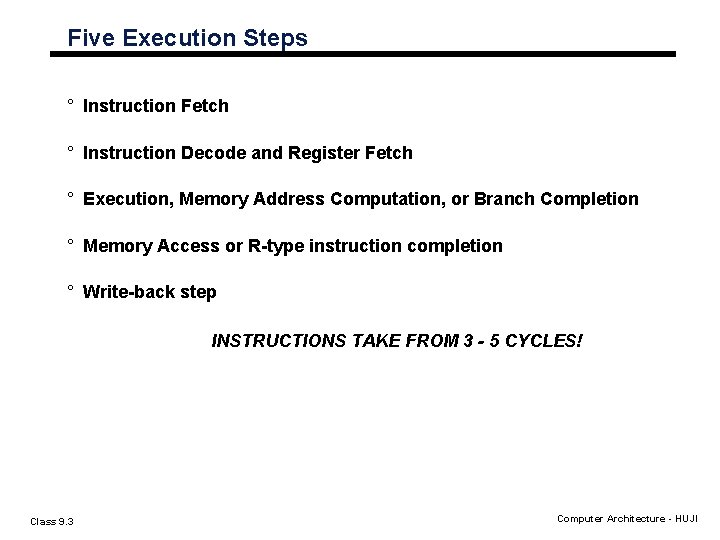
Five Execution Steps ° Instruction Fetch ° Instruction Decode and Register Fetch ° Execution, Memory Address Computation, or Branch Completion ° Memory Access or R-type instruction completion ° Write-back step INSTRUCTIONS TAKE FROM 3 - 5 CYCLES! Class 9. 3 Computer Architecture - HUJI
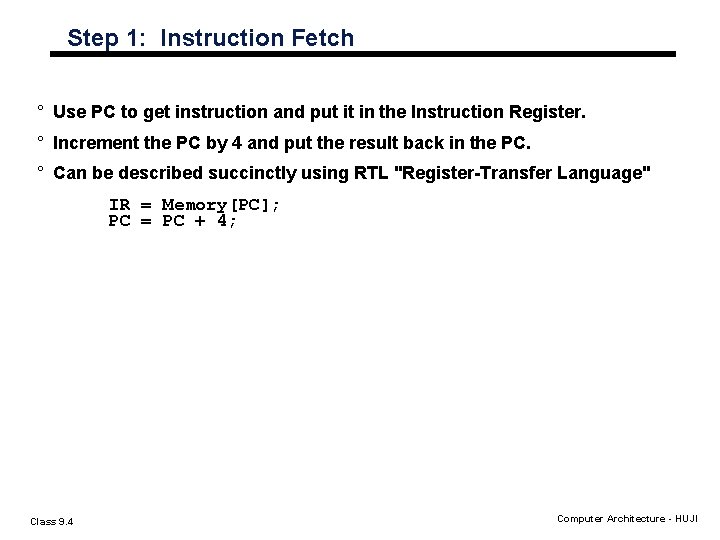
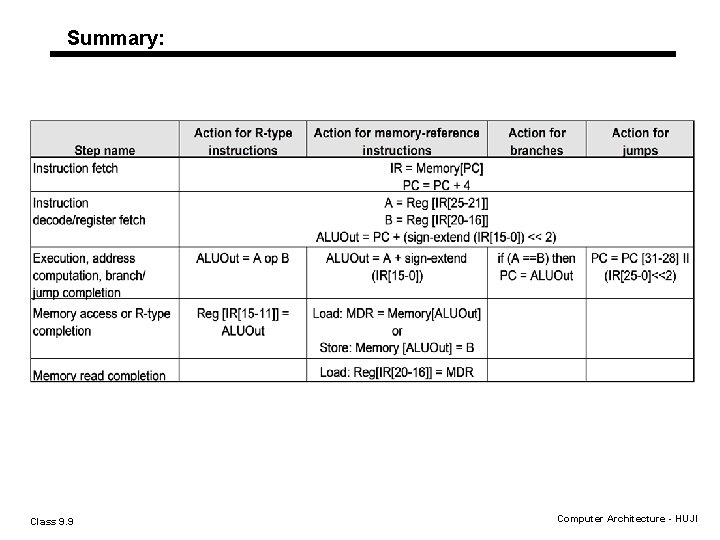
Step 1: Instruction Fetch ° Use PC to get instruction and put it in the Instruction Register. ° Increment the PC by 4 and put the result back in the PC. ° Can be described succinctly using RTL "Register-Transfer Language" IR = Memory[PC]; PC = PC + 4; Class 9. 4 Computer Architecture - HUJI
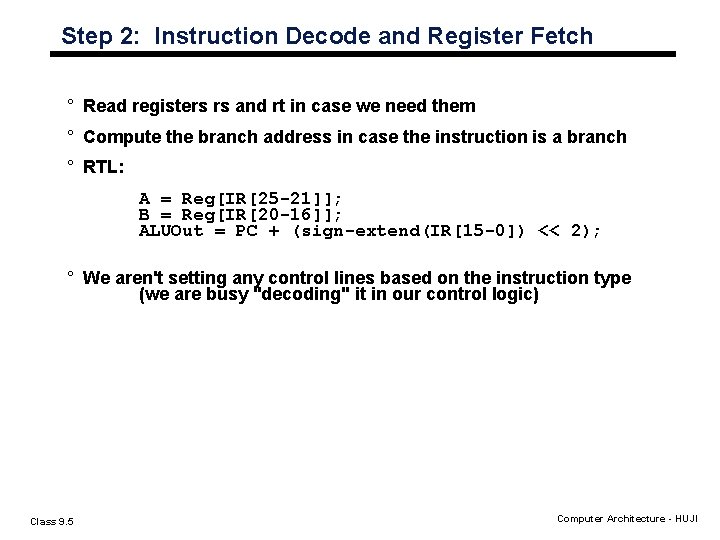
Step 2: Instruction Decode and Register Fetch ° Read registers rs and rt in case we need them ° Compute the branch address in case the instruction is a branch ° RTL: A = Reg[IR[25 -21]]; B = Reg[IR[20 -16]]; ALUOut = PC + (sign-extend(IR[15 -0]) << 2); ° We aren't setting any control lines based on the instruction type (we are busy "decoding" it in our control logic) Class 9. 5 Computer Architecture - HUJI
Step 3: (instruction dependent) ° ALU is performing one of three functions, based on instruction type ° Memory Reference: ALUOut = A + sign-extend(IR[15 -0]); ° R-type: ALUOut = A op B; ° Branch: if (A==B) PC = ALUOut; Class 9. 6 Computer Architecture - HUJI
Step 4: (R-type or memory-access) ° Loads and stores access memory MDR = Memory[ALUOut]; or Memory[ALUOut] = B; ° R-type instructions finish Reg[IR[15 -11]] = ALUOut; Class 9. 7 Computer Architecture - HUJI
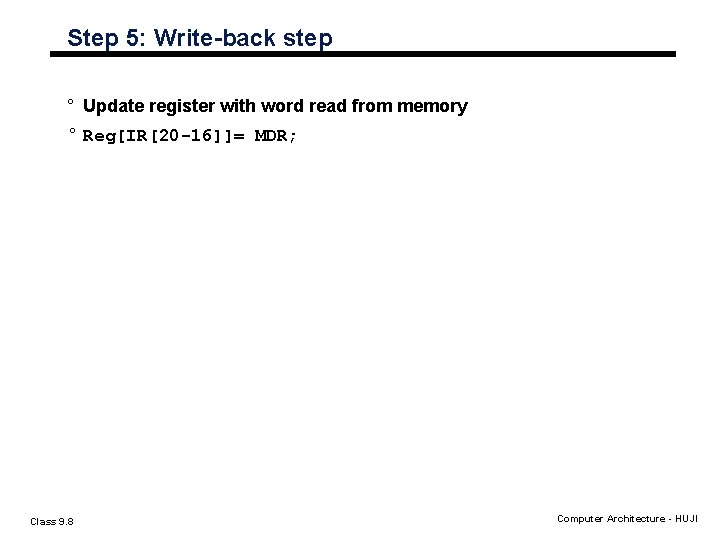
Step 5: Write-back step ° Update register with word read from memory ° Reg[IR[20 -16]]= MDR; Class 9. 8 Computer Architecture - HUJI
Summary: Class 9. 9 Computer Architecture - HUJI
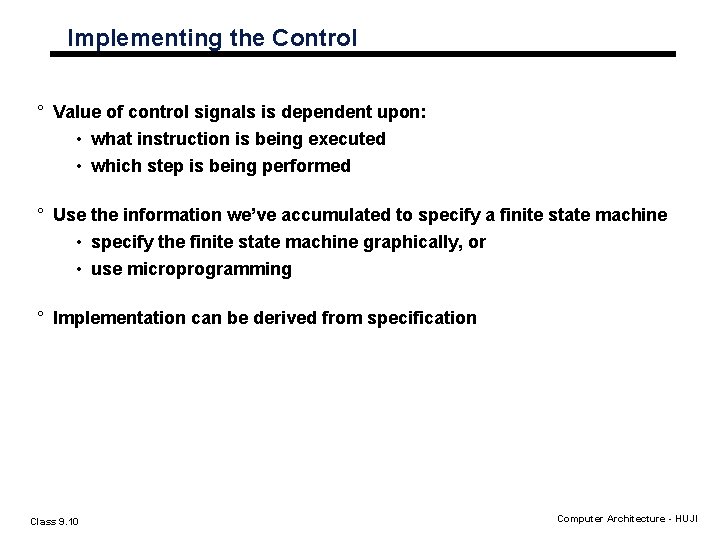
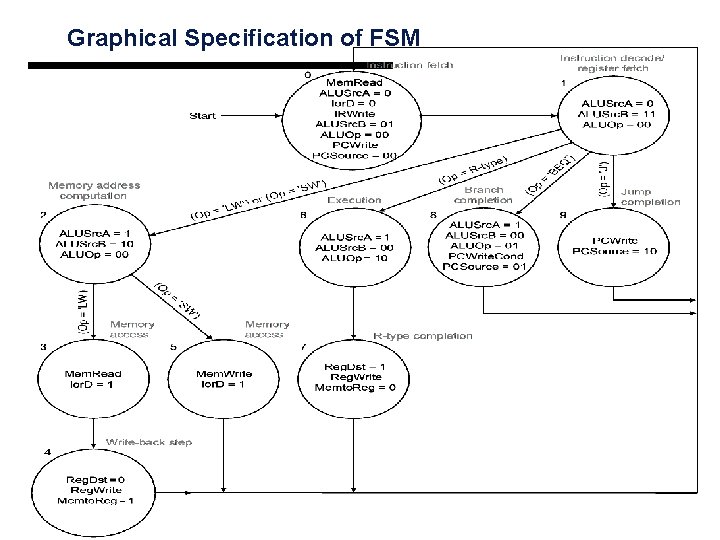
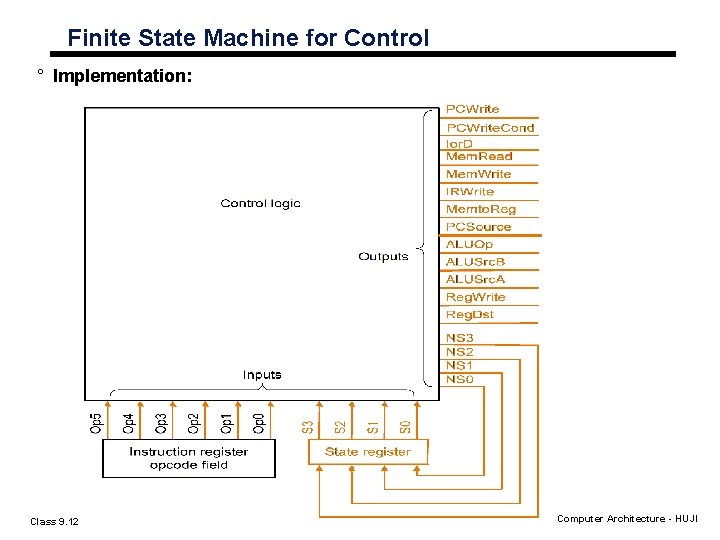
Implementing the Control ° Value of control signals is dependent upon: • what instruction is being executed • which step is being performed ° Use the information we’ve accumulated to specify a finite state machine • specify the finite state machine graphically, or • use microprogramming ° Implementation can be derived from specification Class 9. 10 Computer Architecture - HUJI
Graphical Specification of FSM
Finite State Machine for Control ° Implementation: Class 9. 12 Computer Architecture - HUJI
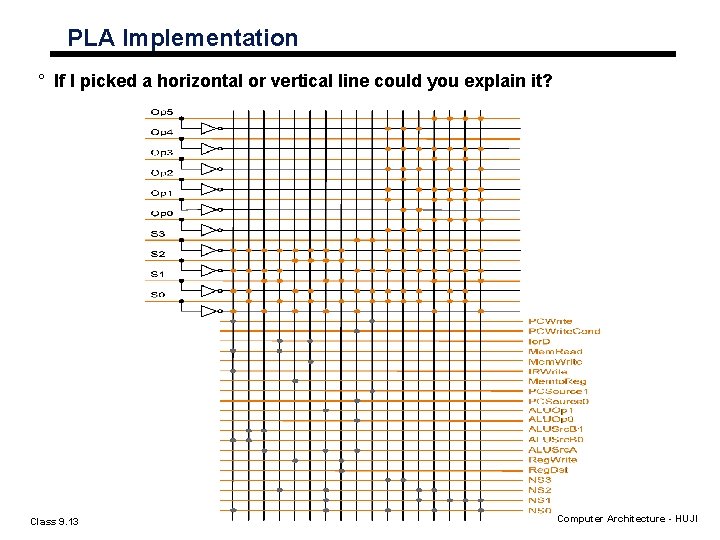
PLA Implementation ° If I picked a horizontal or vertical line could you explain it? Class 9. 13 Computer Architecture - HUJI
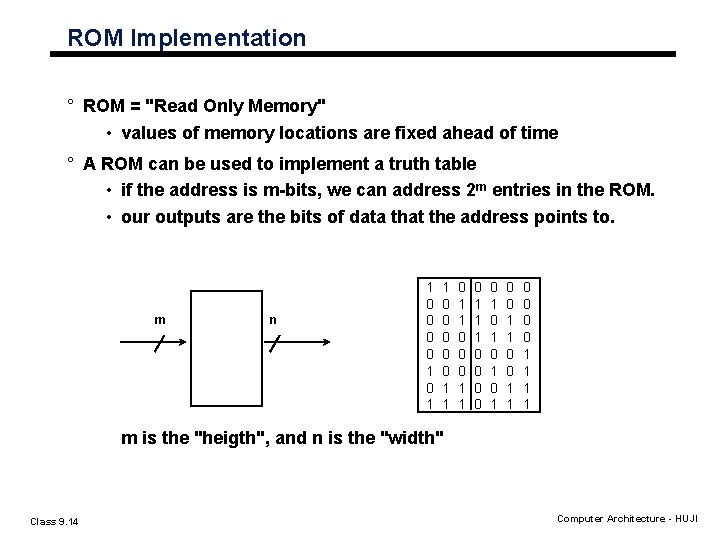
ROM Implementation ° ROM = "Read Only Memory" • values of memory locations are fixed ahead of time ° A ROM can be used to implement a truth table • if the address is m-bits, we can address 2 m entries in the ROM. • our outputs are the bits of data that the address points to. m n 1 0 0 1 0 1 1 0 0 0 1 1 1 0 0 0 1 0 1 0 0 1 1 m is the "heigth", and n is the "width" Class 9. 14 Computer Architecture - HUJI
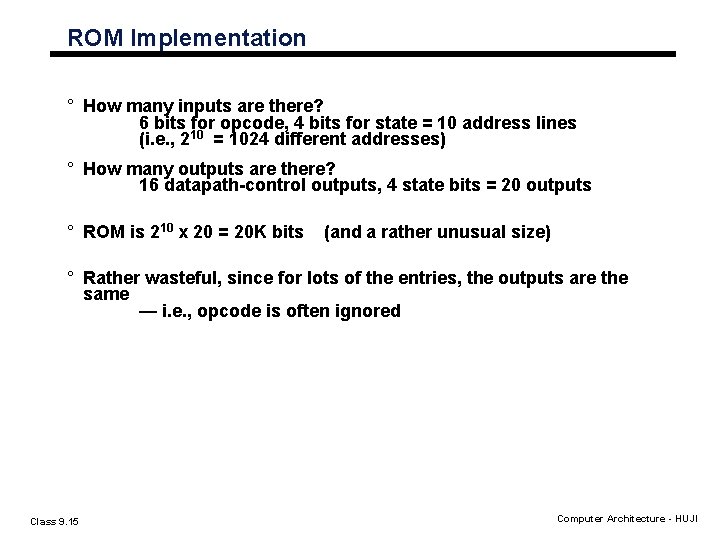
ROM Implementation ° How many inputs are there? 6 bits for opcode, 4 bits for state = 10 address lines (i. e. , 210 = 1024 different addresses) ° How many outputs are there? 16 datapath-control outputs, 4 state bits = 20 outputs ° ROM is 210 x 20 = 20 K bits (and a rather unusual size) ° Rather wasteful, since for lots of the entries, the outputs are the same — i. e. , opcode is often ignored Class 9. 15 Computer Architecture - HUJI
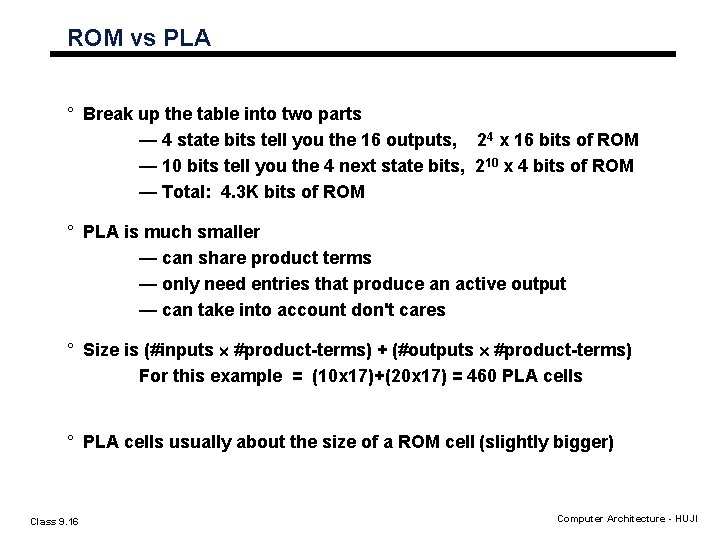
ROM vs PLA ° Break up the table into two parts — 4 state bits tell you the 16 outputs, 24 x 16 bits of ROM — 10 bits tell you the 4 next state bits, 210 x 4 bits of ROM — Total: 4. 3 K bits of ROM ° PLA is much smaller — can share product terms — only need entries that produce an active output — can take into account don't cares ° Size is (#inputs ´ #product-terms) + (#outputs ´ #product-terms) For this example = (10 x 17)+(20 x 17) = 460 PLA cells ° PLA cells usually about the size of a ROM cell (slightly bigger) Class 9. 16 Computer Architecture - HUJI
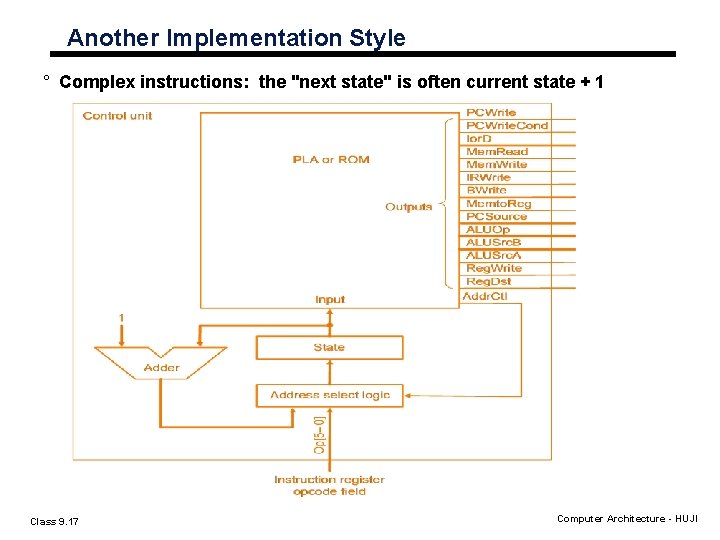
Another Implementation Style ° Complex instructions: the "next state" is often current state + 1 Class 9. 17 Computer Architecture - HUJI
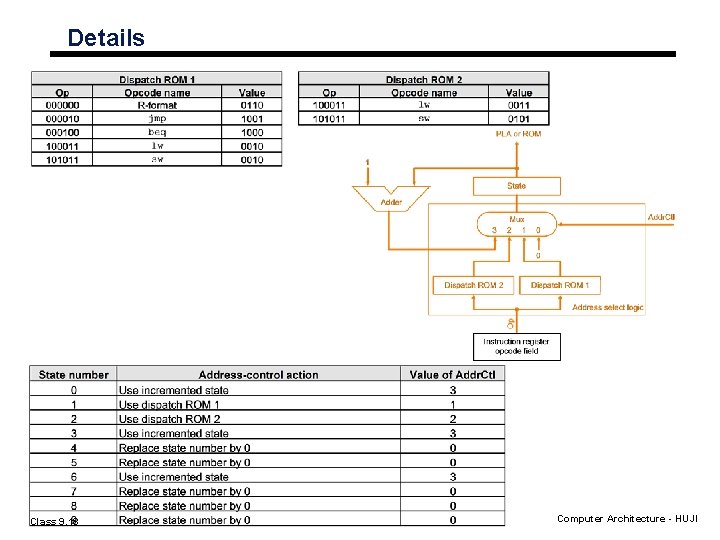
Details Class 9. 18 Computer Architecture - HUJI
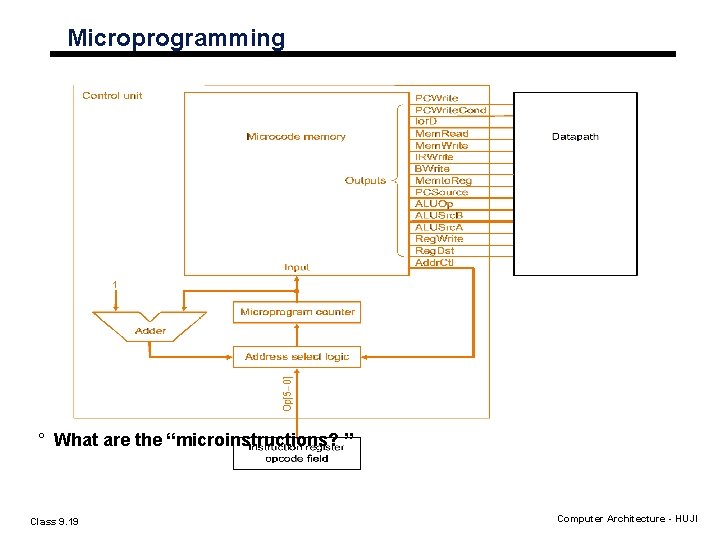
Microprogramming ° What are the “microinstructions? ” Class 9. 19 Computer Architecture - HUJI
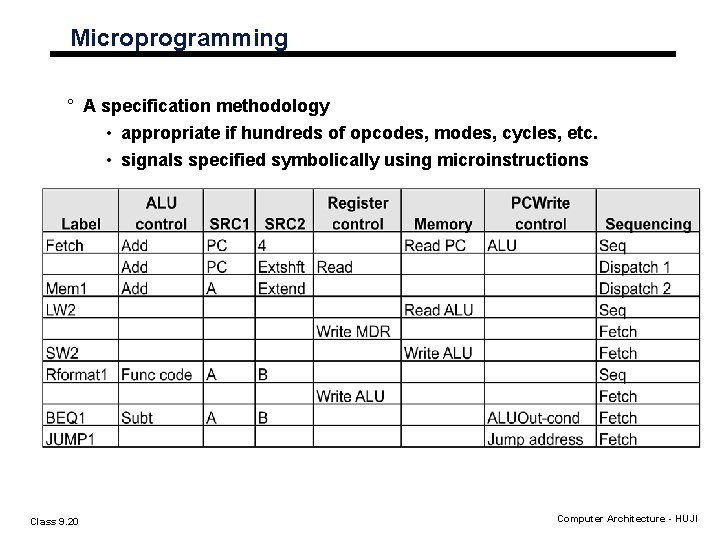
Microprogramming ° A specification methodology • appropriate if hundreds of opcodes, modes, cycles, etc. • signals specified symbolically using microinstructions Class 9. 20 Computer Architecture - HUJI
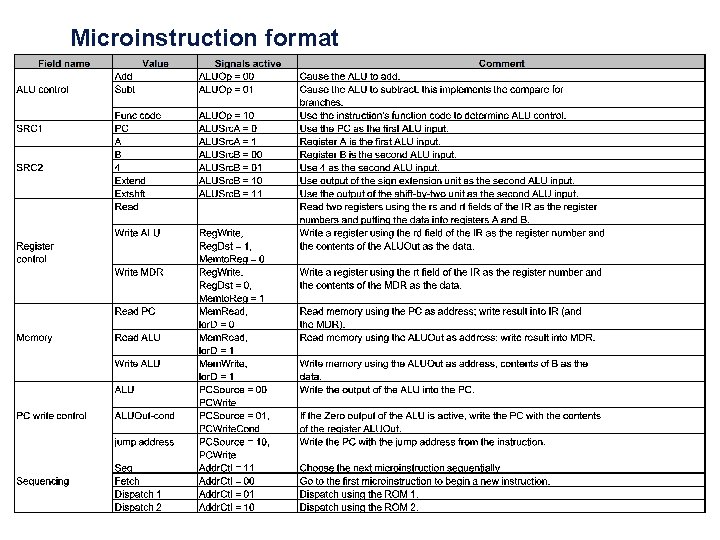
Microinstruction format
ALU Control field ° Specify the operation being done by the ALU during this clock; the result is always written in ALUOut. ° Values: • Add: Cause the ALU to add. • Subt: Cause the ALU to subtract. • Func code: Use the instruction’s funct field to determine ALU control. ° Add is used to increment the PC. ° Subt is used to implement the compare for branches. ° Func is used for R-type instructions. Class 9. 22 Computer Architecture - HUJI
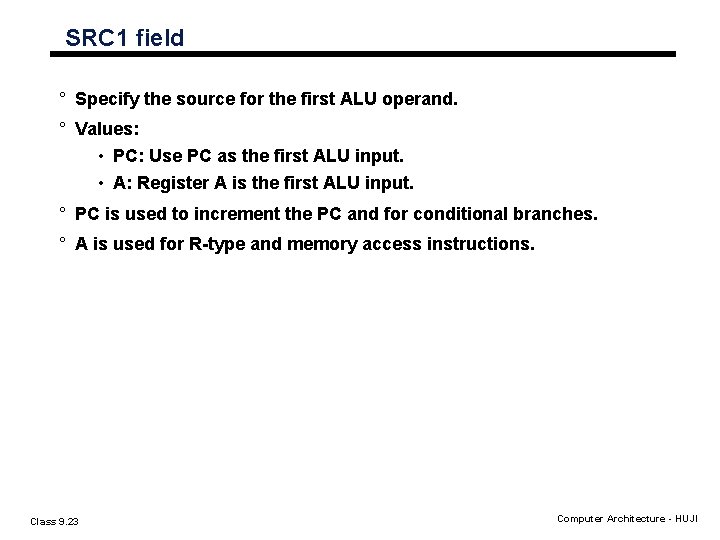
SRC 1 field ° Specify the source for the first ALU operand. ° Values: • PC: Use PC as the first ALU input. • A: Register A is the first ALU input. ° PC is used to increment the PC and for conditional branches. ° A is used for R-type and memory access instructions. Class 9. 23 Computer Architecture - HUJI
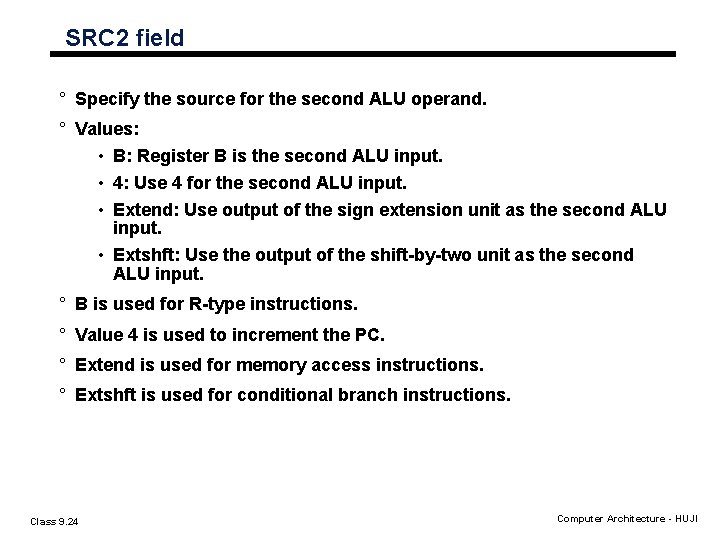
SRC 2 field ° Specify the source for the second ALU operand. ° Values: • B: Register B is the second ALU input. • 4: Use 4 for the second ALU input. • Extend: Use output of the sign extension unit as the second ALU input. • Extshft: Use the output of the shift-by-two unit as the second ALU input. ° B is used for R-type instructions. ° Value 4 is used to increment the PC. ° Extend is used for memory access instructions. ° Extshft is used for conditional branch instructions. Class 9. 24 Computer Architecture - HUJI
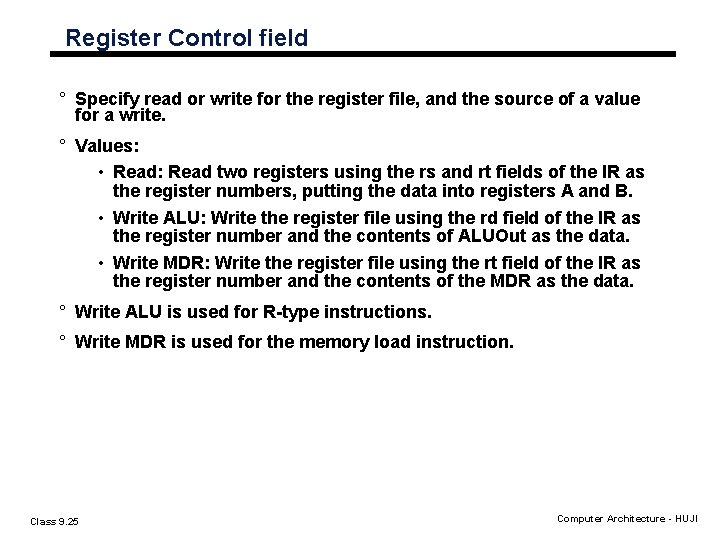
Register Control field ° Specify read or write for the register file, and the source of a value for a write. ° Values: • Read: Read two registers using the rs and rt fields of the IR as the register numbers, putting the data into registers A and B. • Write ALU: Write the register file using the rd field of the IR as the register number and the contents of ALUOut as the data. • Write MDR: Write the register file using the rt field of the IR as the register number and the contents of the MDR as the data. ° Write ALU is used for R-type instructions. ° Write MDR is used for the memory load instruction. Class 9. 25 Computer Architecture - HUJI
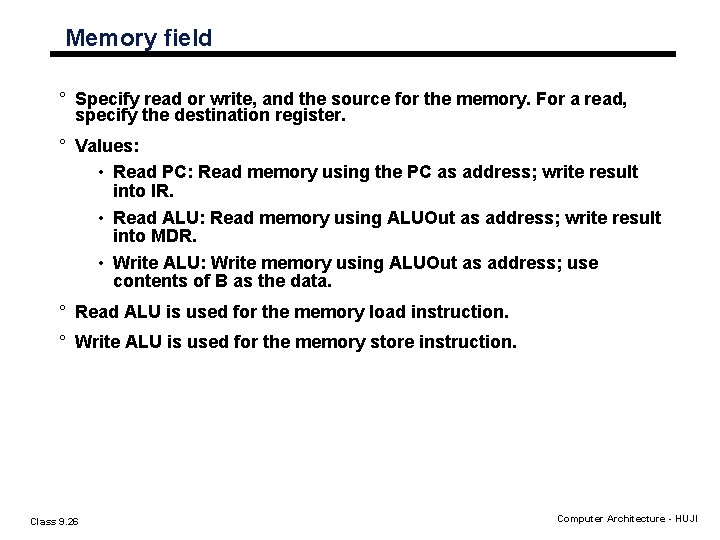
Memory field ° Specify read or write, and the source for the memory. For a read, specify the destination register. ° Values: • Read PC: Read memory using the PC as address; write result into IR. • Read ALU: Read memory using ALUOut as address; write result into MDR. • Write ALU: Write memory using ALUOut as address; use contents of B as the data. ° Read ALU is used for the memory load instruction. ° Write ALU is used for the memory store instruction. Class 9. 26 Computer Architecture - HUJI
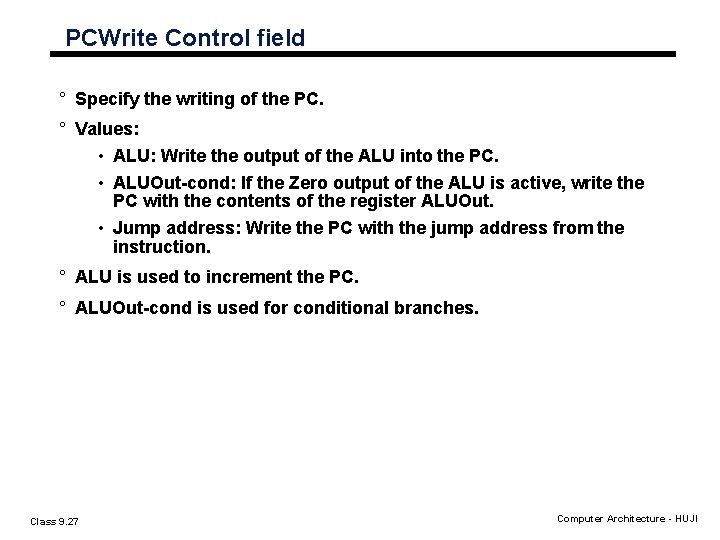
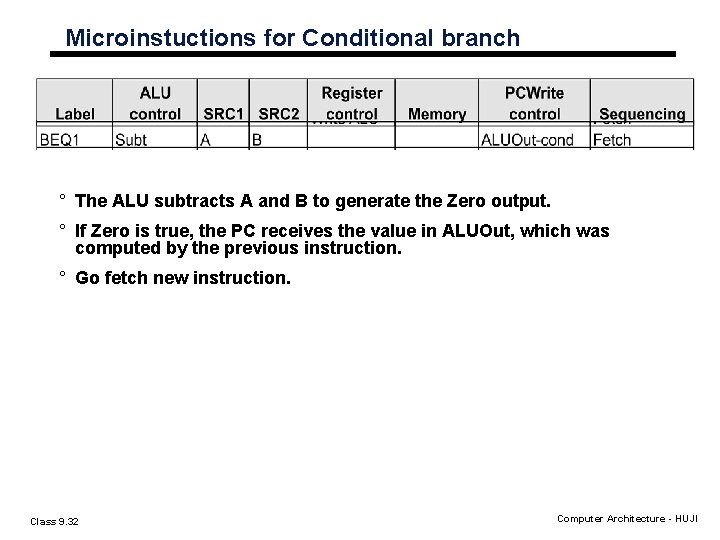
PCWrite Control field ° Specify the writing of the PC. ° Values: • ALU: Write the output of the ALU into the PC. • ALUOut-cond: If the Zero output of the ALU is active, write the PC with the contents of the register ALUOut. • Jump address: Write the PC with the jump address from the instruction. ° ALU is used to increment the PC. ° ALUOut-cond is used for conditional branches. Class 9. 27 Computer Architecture - HUJI
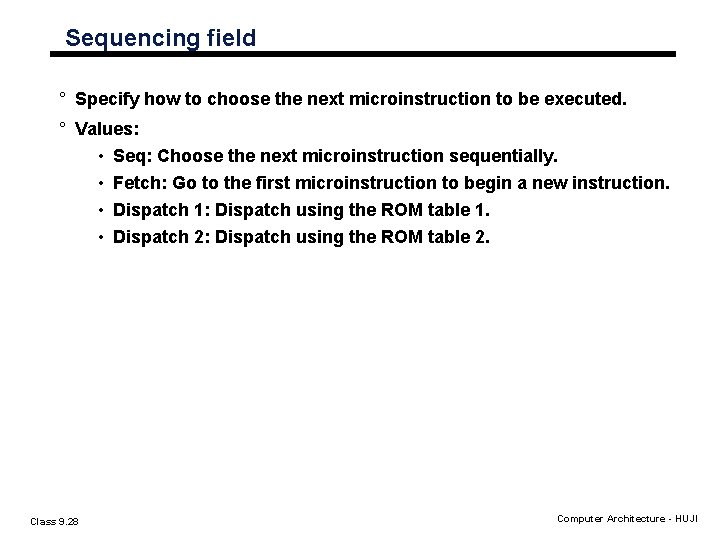
Sequencing field ° Specify how to choose the next microinstruction to be executed. ° Values: • Seq: Choose the next microinstruction sequentially. • Fetch: Go to the first microinstruction to begin a new instruction. • Dispatch 1: Dispatch using the ROM table 1. • Dispatch 2: Dispatch using the ROM table 2. Class 9. 28 Computer Architecture - HUJI
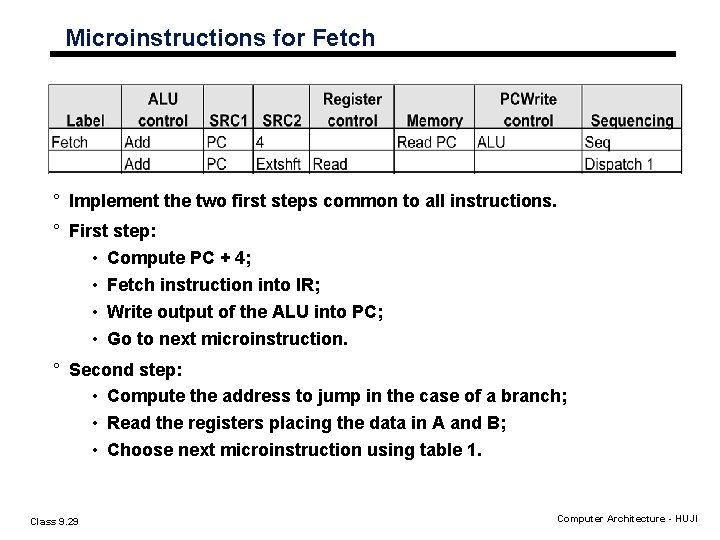
Microinstructions for Fetch ° Implement the two first steps common to all instructions. ° First step: • Compute PC + 4; • Fetch instruction into IR; • Write output of the ALU into PC; • Go to next microinstruction. ° Second step: • Compute the address to jump in the case of a branch; • Read the registers placing the data in A and B; • Choose next microinstruction using table 1. Class 9. 29 Computer Architecture - HUJI
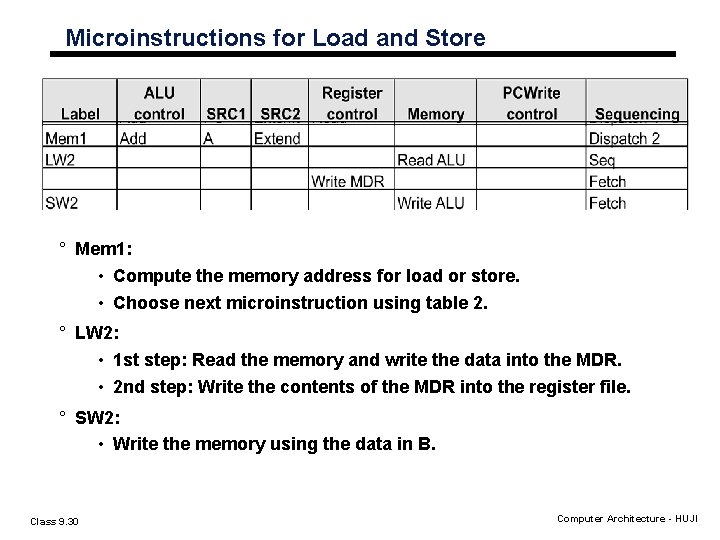
Microinstructions for Load and Store ° Mem 1: • Compute the memory address for load or store. • Choose next microinstruction using table 2. ° LW 2: • 1 st step: Read the memory and write the data into the MDR. • 2 nd step: Write the contents of the MDR into the register file. ° SW 2: • Write the memory using the data in B. Class 9. 30 Computer Architecture - HUJI
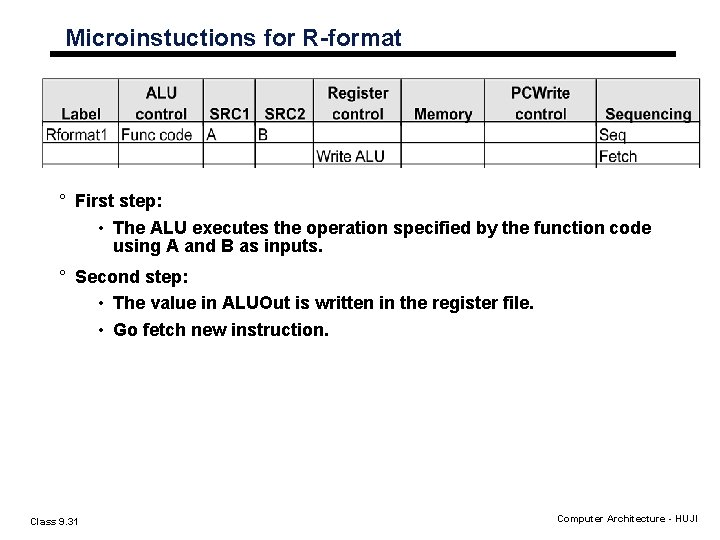
Microinstuctions for R-format ° First step: • The ALU executes the operation specified by the function code using A and B as inputs. ° Second step: • The value in ALUOut is written in the register file. • Go fetch new instruction. Class 9. 31 Computer Architecture - HUJI
Microinstuctions for Conditional branch ° The ALU subtracts A and B to generate the Zero output. ° If Zero is true, the PC receives the value in ALUOut, which was computed by the previous instruction. ° Go fetch new instruction. Class 9. 32 Computer Architecture - HUJI
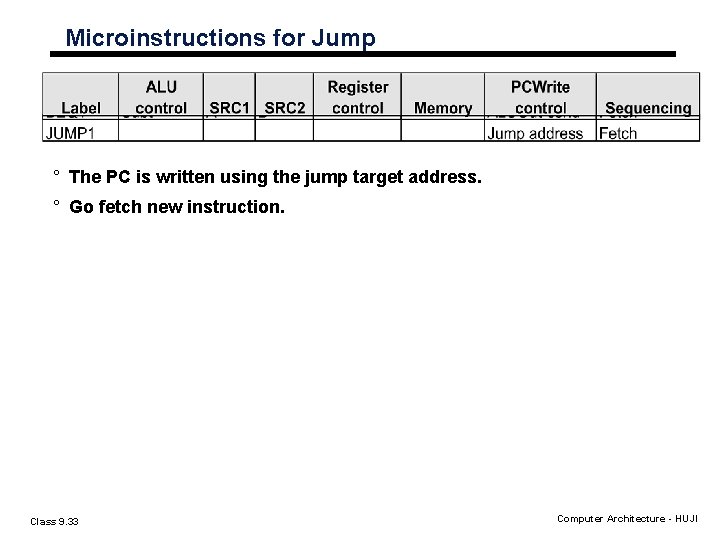
Microinstructions for Jump ° The PC is written using the jump target address. ° Go fetch new instruction. Class 9. 33 Computer Architecture - HUJI