
Computer Applications Skills Assessment Review Created by Doug

Computer Applications Skills Assessment Review Created by Doug Schneider
JCPS Acceptable Use Agreement • Jefferson County’s web page is www. jefferson. k 12. ky. us To use the computer is a privilege; not a right. • Students agree to use the school network appropriately as outlined in the use agreement. • Students may use the internet for research use, not playing games, sharing work, talking to oneanother on the internet, checking out my-space pages.

Operating System • The operating system (OS) is the system software responsible for the direct control and management of hardware and basic system operations, as well as running application software such as word processing programs and web browsers. • This program operates the computer! Very important!
Rich Text Format • Rich text format is a standard formalized by the Microsoft Corporation for specifying formatting of documents. • We use RTF format when we save word processing documents and then it can be used/opened on a variety of computers and applications. • For example, if you have an Apple computer at home and want to forward your portfolio piece from home to a computer at school, you can save it as an RTF.
Database • A database is a collection of related information organized for rapid search and retrieval. • This program allows you to store and manipulate data. • The Microsoftware for databases is called: ACCESS
Kentucky House Bill 91 • House Bill 91, often referred to as the “Bullying Bill, ” (now codified as KRS 158. 156) was passed during the 2008 legislative session. The legislation requires the Kentucky Department of Education to provide guidance to local school districts to assist with the implementation at the local level. Additionally, the legislation requires that “model policies” (bullying, code of conduct, and supervision of students) be provided to school districts. The Dropout Prevention Branch in KDE has prepared a guidance document for HB 91, including a set of model policies to assist schools with the implementation of the new legislation.
Cyberbullying • "Cyberbullying" is when a child, preteen or teen is tormented, threatened, harassed, humiliated, embarrassed or otherwise targeted by another child, preteen or teen using the Internet, interactive and digital technologies or mobile phones. It has to have a minor on both sides, or at least have been instigated by a minor against another minor. Once adults become involved, it is plain and simple cyber-harassment or cyberstalking.
Sex-ting • Sexting is sending sexually explicit messages via cell phone or instant messenger. As technology has advanced and cell phones have the capability to record and send photos and video, the practice of sending suggestive and explicit pictures has increased, especially among teens.
Sex-ting • 20% of teens (ages 13 -19) and 33% of young adults (ages 20 -26) have shared nude or semi-nude pictures of themselves either via text or by posting online. Teen girls are slightly more likely to do this than boys and 11% of the young teen girls (ages 13 -16) admitted to sending suggestive photos of themselves.
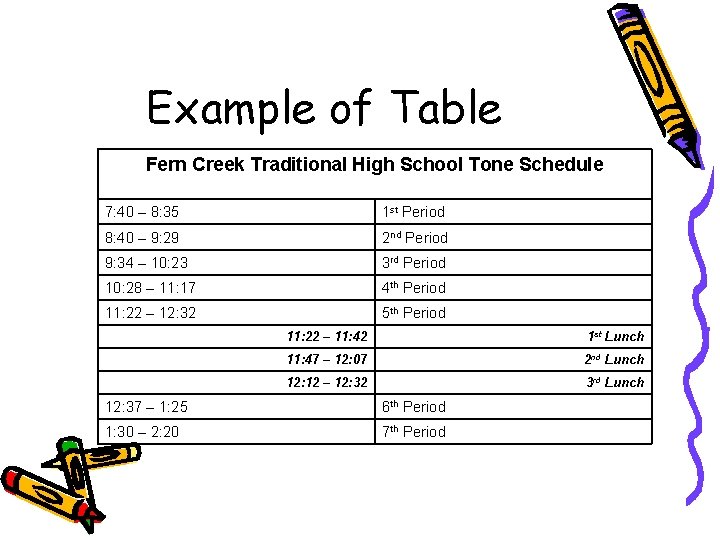
Example of Table Fern Creek Traditional High School Tone Schedule 7: 40 – 8: 35 1 st Period 8: 40 – 9: 29 2 nd Period 9: 34 – 10: 23 3 rd Period 10: 28 – 11: 17 4 th Period 11: 22 – 12: 32 5 th Period 11: 22 – 11: 42 1 st Lunch 11: 47 – 12: 07 2 nd Lunch 12: 12 – 12: 32 3 rd Lunch 12: 37 – 1: 25 6 th Period 1: 30 – 2: 20 7 th Period
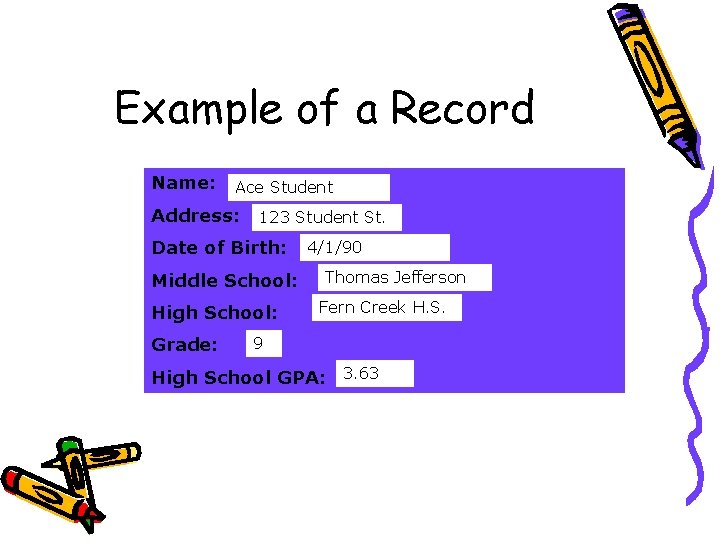
Example of a Record Name: Ace Student Address: 123 Student St. Date of Birth: Middle School: High School: Grade: 4/1/90 Thomas Jefferson Fern Creek H. S. 9 High School GPA: 3. 63
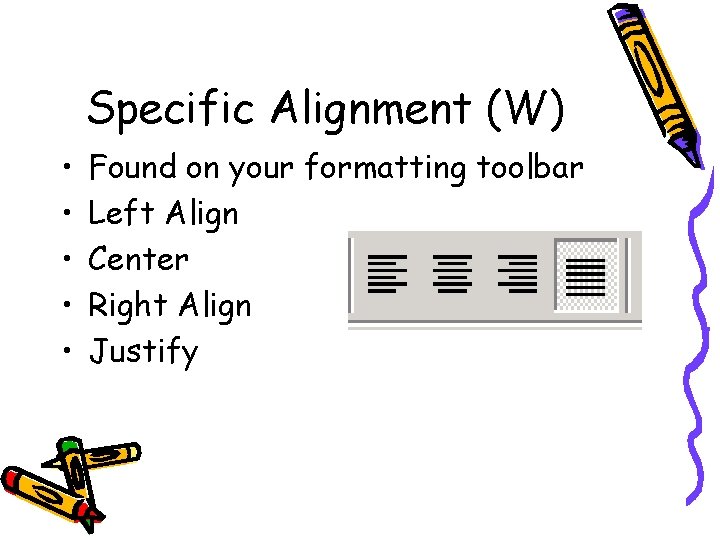
Specific Alignment (W) • • • Found on your formatting toolbar Left Align Center Right Align Justify
Headers/Footers (W/E/P) • Adds text that will either print at the top or the bottom of every page of your document.
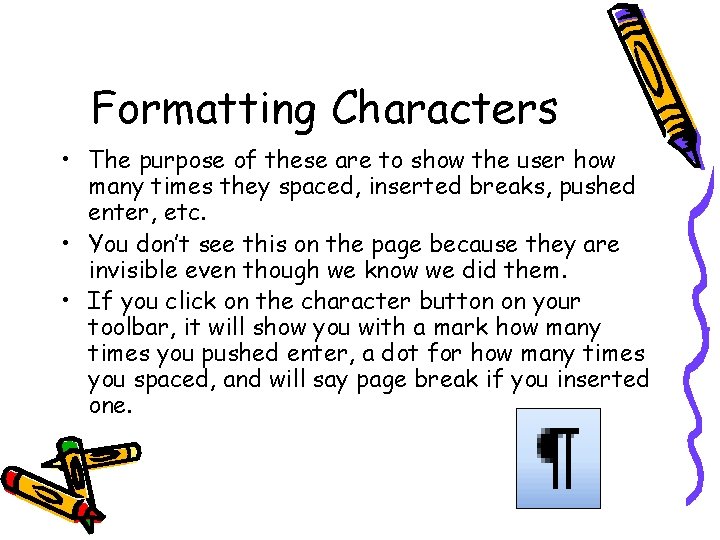
Formatting Characters • The purpose of these are to show the user how many times they spaced, inserted breaks, pushed enter, etc. • You don’t see this on the page because they are invisible even though we know we did them. • If you click on the character button on your toolbar, it will show you with a mark how many times you pushed enter, a dot for how many times you spaced, and will say page break if you inserted one.
Wizard/ Assistant • Allows the user to get help whenever needed. • Often found under the help menu.
Shareware • Copyright software that can be freely copied for a limited period of time; however if you decide to keep it, you must pay a fee to the author. • Shareware is generally inexpensive as compared to commercial software.
What is a Hacker? • A person who gains access to another person’s computer or a computer system WITHOUT permission. • Usually a hacker intents to destroy or delete data/files or modify computer codes.
Copyright • The sole right to reproduce, publish, and sell a literary or artistic work. • You cannot copy someone else’s work without the permission of the owner. • You can cite the source and give the owner credit. • When a teacher makes copies from an internet source for his or her class to use as a reference it is called Fair Use.
![Forms of Telecommunication Collaborations • Wiki-A wiki is a website that allows the easy[1]](http://slidetodoc.com/presentation_image_h2/b2532bd96b78b7ac0343b10c7b11fd90/image-19.jpg "Forms of Telecommunication Collaborations • Wiki-A wiki is a website that allows the easy[1]")
Forms of Telecommunication Collaborations • Wiki-A wiki is a website that allows the easy[1] creation and editing of any number of interlinked Web pages, using a simplified markup language or a WYSIWYG text editor, within the browser. [2][3] Wikis are typically powered by wiki software. Wikis are often used to create collaborative websites, to power community websites, for personal note taking, in corporate intranets, and in knowledge management systems.
Cont. • Google Docs - Google Docs is a free, Web-based word processor, spreadsheet, presentation, and form application offered by Google. It allows users to create and edit documents online while collaborating in real-time with other users.
Cont. • Blogs - Many blogs provide commentary or news on a particular subject; others function as more personal online diaries. A typical blog combines text, images, and links to other blogs, Web pages, and other media related to its topic. • JCPS Online is what we use to communicate!!!
Citing Electronic Pieces • Must have: – Author or originator. – Title of item. – [Online] Date of document or download or accessed (day, month, year). – URL <http: //address/filename>.
WAN/LAN • A WAN is a wide area network that links computers and networks in different geographic areas. • A LAN is a local area network that links computers or networks in a smaller geographic area such as a room or building.
Flaming • When using your email or instant messaging and you are angry, you • TYPE IN ALL CAPITAL LETTERS and may add some **&^()^%$#!!!
Excel Screen (E) • Rows are numbered and go across the screen. • Columns are letters and go up/down on the screen. • If you need to format an entire row, you select the specific row number. • If you need to format an entire column, you select the column label or letter.
Correct Formulas (E) • Formulas in Excel ALWAYS begin with an equal (=) sign! =A 1+B 1 =A 2*H 7 ARGUMENT =B 7/B 3 =H 7 -I 7 =SUM(A 2: A 19) The range that is inside the parentheses is called the argument!
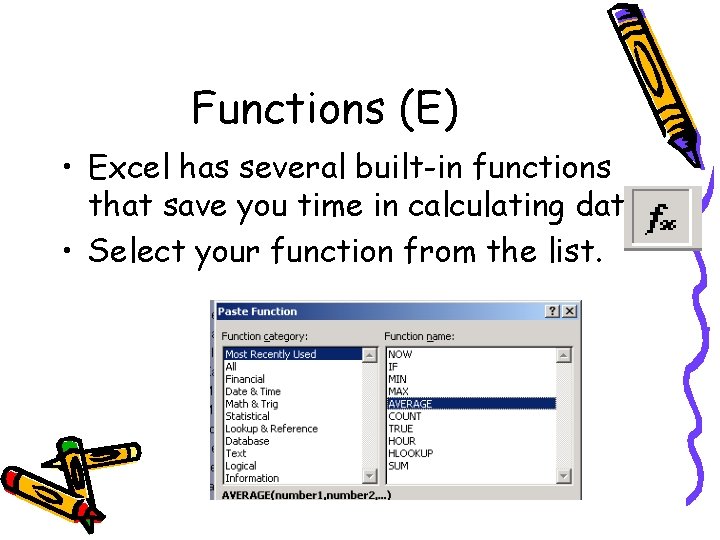
Functions (E) • Excel has several built-in functions that save you time in calculating data. • Select your function from the list.
Large Ranges of Data (E) • If you have a large range of data, the easiest way to select it would be to: – Position your active cell to the starting point of the range. – Next using your scroll bars, scroll so you can see the end of the range. – Hold your shift key down and then click on the last cell of the range.
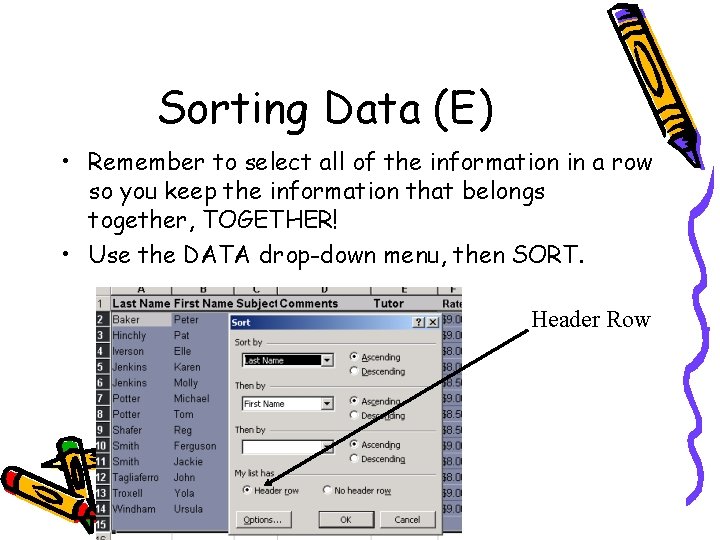
Sorting Data (E) • Remember to select all of the information in a row so you keep the information that belongs together, TOGETHER! • Use the DATA drop-down menu, then SORT. Header Row
Fill Feature (E) • In Excel you can copy the contents of one cell to one or more cells. You can do this by using the Fill Handle in the active cell. • Make the white plus go to black when you move the mouse to the bottom right-hand corner. • Drag over the range (group of cells) you want to fill. • Can also be found on the EDIT menu.
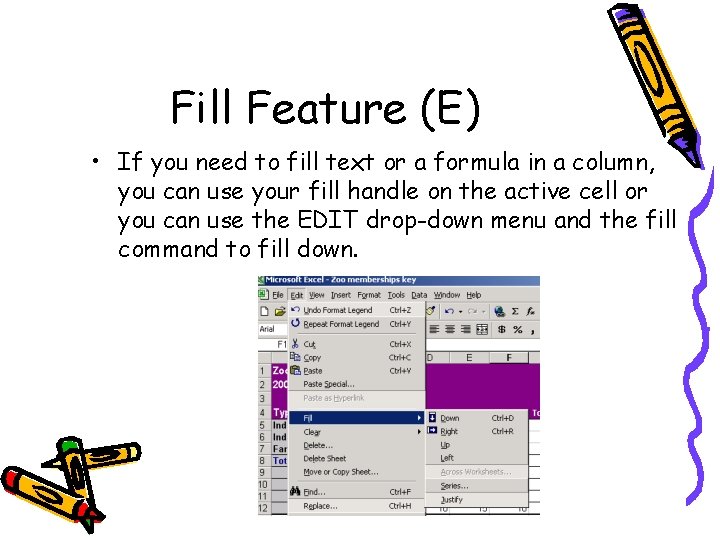
Fill Feature (E) • If you need to fill text or a formula in a column, you can use your fill handle on the active cell or you can use the EDIT drop-down menu and the fill command to fill down.
Excel Terminology • Examples of Logical Operators are And, =, Greater than and less than <> symbols • Examples of Functions are Sum, Average, Maximum, Minimum • Absolute Value does not change when it is being copied down a row or column. • Relative cells will change as they are being copied.
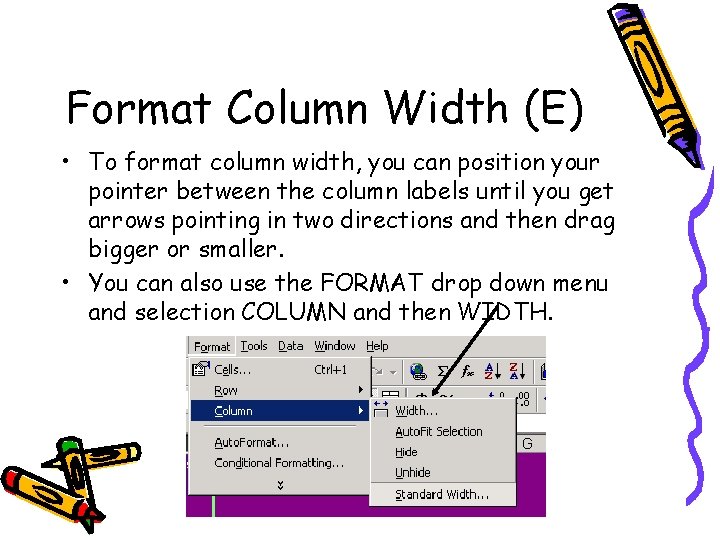
Format Column Width (E) • To format column width, you can position your pointer between the column labels until you get arrows pointing in two directions and then drag bigger or smaller. • You can also use the FORMAT drop down menu and selection COLUMN and then WIDTH.
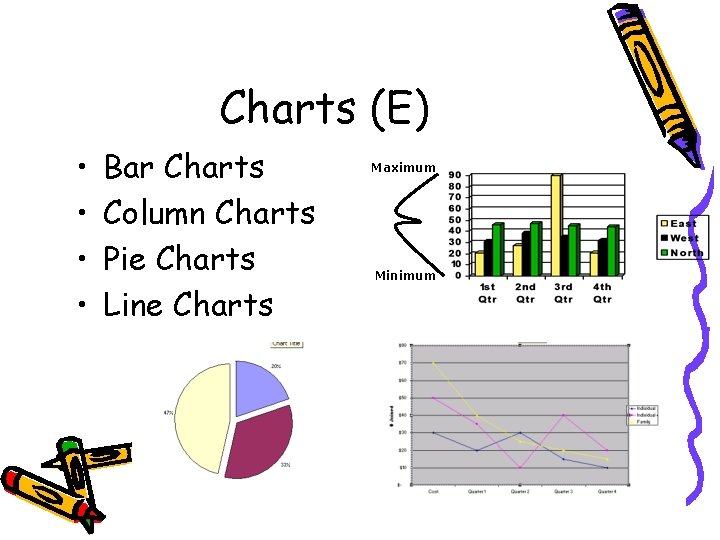
Charts (E) • • Bar Charts Column Charts Pie Charts Line Charts Maximum Minimum
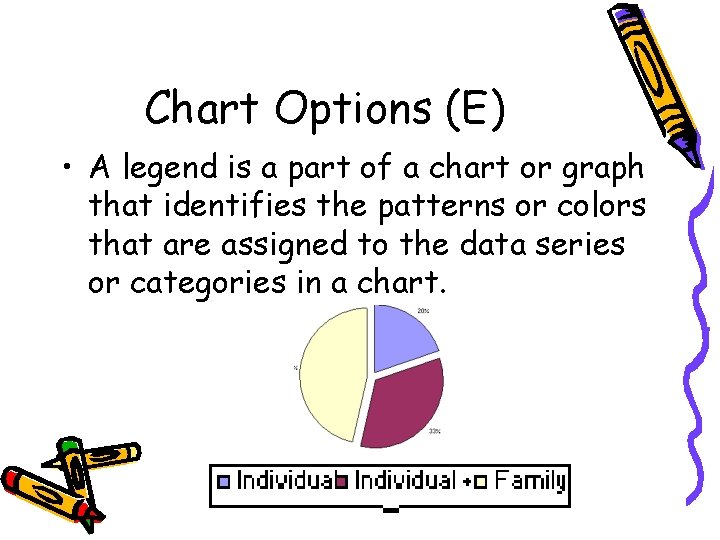
Chart Options (E) • A legend is a part of a chart or graph that identifies the patterns or colors that are assigned to the data series or categories in a chart.
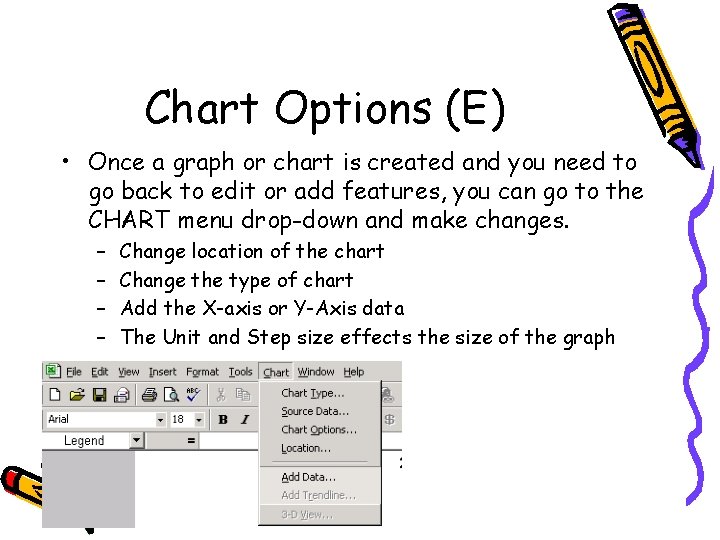
Chart Options (E) • Once a graph or chart is created and you need to go back to edit or add features, you can go to the CHART menu drop-down and make changes. – – Change location of the chart Change the type of chart Add the X-axis or Y-Axis data The Unit and Step size effects the size of the graph
Presentations (P) • Presentations can contain: – – Multiple slides Information about any topic Pictures or graphics Music and/or sound
Insert Pictures in Presentations (P) • When inserting a picture found on the internet, you must cite the picture on the page in which it occurs.
Hyperlink • When you want a picture, word, or symbol to connect you to internet when you click it, you must hyperlink it. • Highlight the item you want to hyperlink, right click, click on hyperlink, type in the address you want to hyperlink it to. • This will allow you to use resources within your document on the internet.
Adding Music to a Presentation (P) • How much music can you legally use in a Presentation or Multimedia product? – 10 percent or no more than 30 seconds.
Master Slides (P) • The slide master controls certain text characteristics — such as font type, size, and color — called "master text, " as well as background color and certain special effects, such as shadowing and bullet style. • The slide master contains text placeholders and placeholders for footers, such as the date, time, and slide number. • When you want to make a global change to the look of your slides, you don't have to change each slide individually. It will change all the slides!
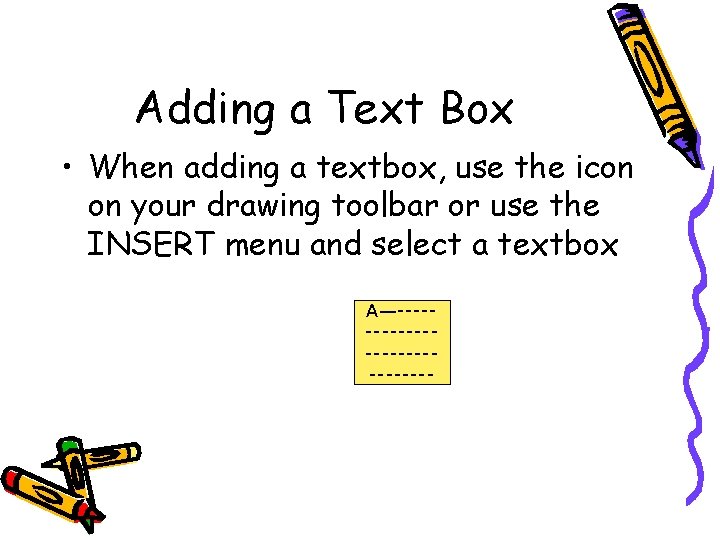
Adding a Text Box • When adding a textbox, use the icon on your drawing toolbar or use the INSERT menu and select a textbox A—--------------
Breaks • If you want your information to go to another page you Insert a Page Break. • If you want only a specific part of your information or data changed, it is called a Section Break. • Highlight only the section and change it, not the entire document!
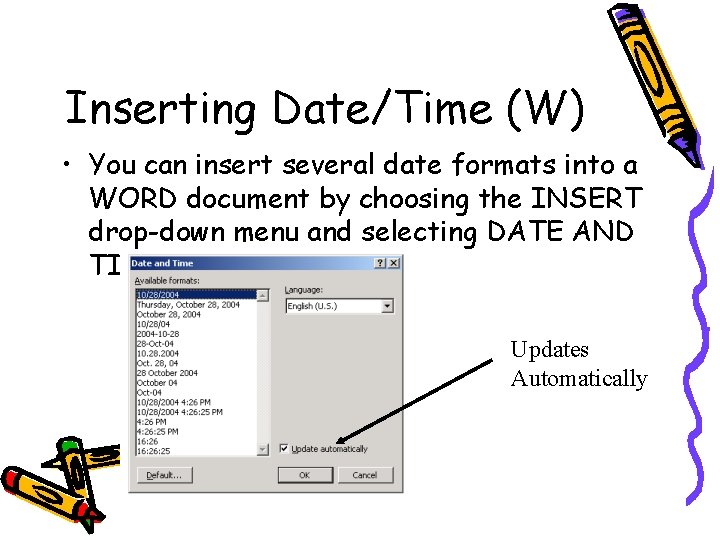
Inserting Date/Time (W) • You can insert several date formats into a WORD document by choosing the INSERT drop-down menu and selecting DATE AND TIME. Updates Automatically
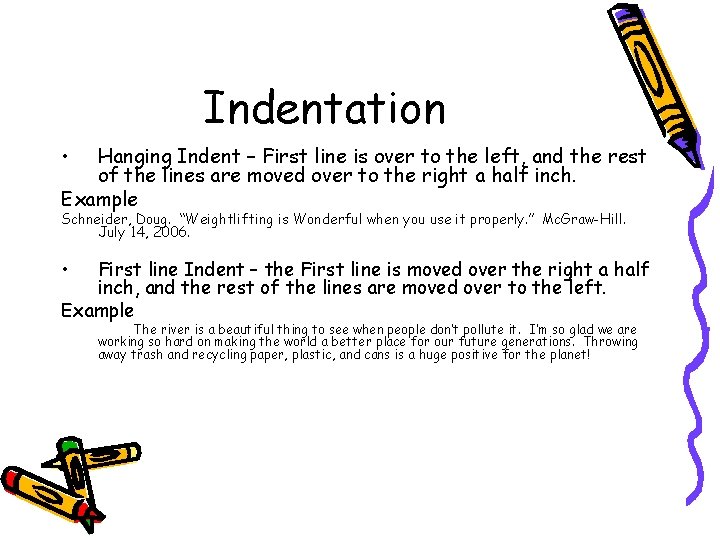
Indentation • Hanging Indent – First line is over to the left, and the rest of the lines are moved over to the right a half inch. Example Schneider, Doug. “Weightlifting is Wonderful when you use it properly. ” Mc. Graw-Hill. July 14, 2006. • First line Indent – the First line is moved over the right a half inch, and the rest of the lines are moved over to the left. Example The river is a beautiful thing to see when people don’t pollute it. I’m so glad we are working so hard on making the world a better place for our future generations. Throwing away trash and recycling paper, plastic, and cans is a huge positive for the planet!
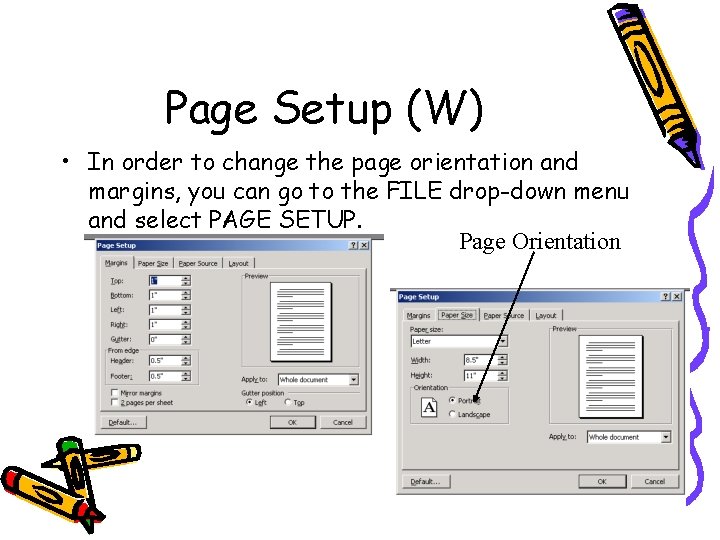
Page Setup (W) • In order to change the page orientation and margins, you can go to the FILE drop-down menu and select PAGE SETUP. Page Orientation
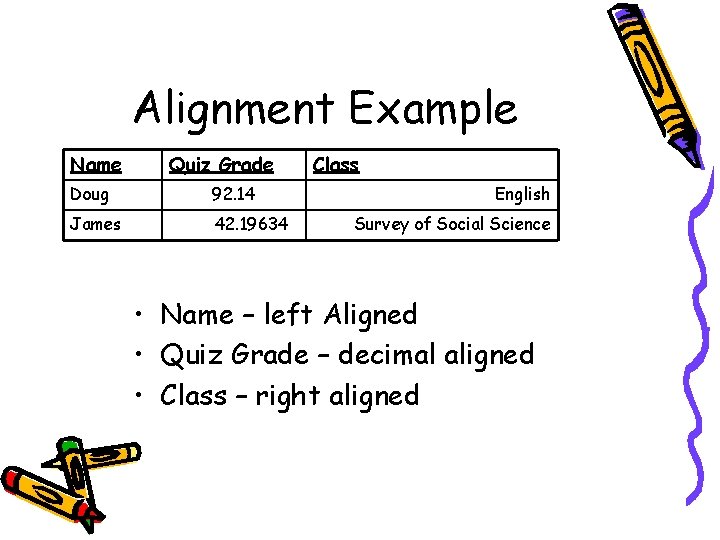
Alignment Example Name Quiz Grade Doug 92. 14 James 42. 19634 Class English Survey of Social Science • Name – left Aligned • Quiz Grade – decimal aligned • Class – right aligned
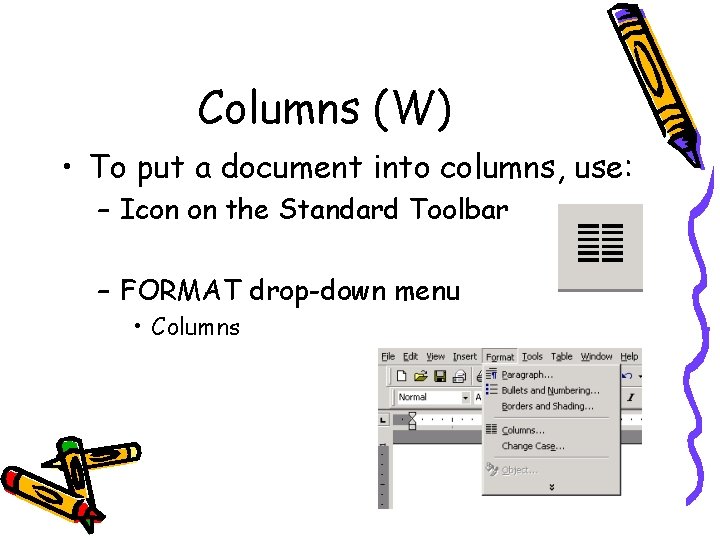
Columns (W) • To put a document into columns, use: – Icon on the Standard Toolbar – FORMAT drop-down menu • Columns
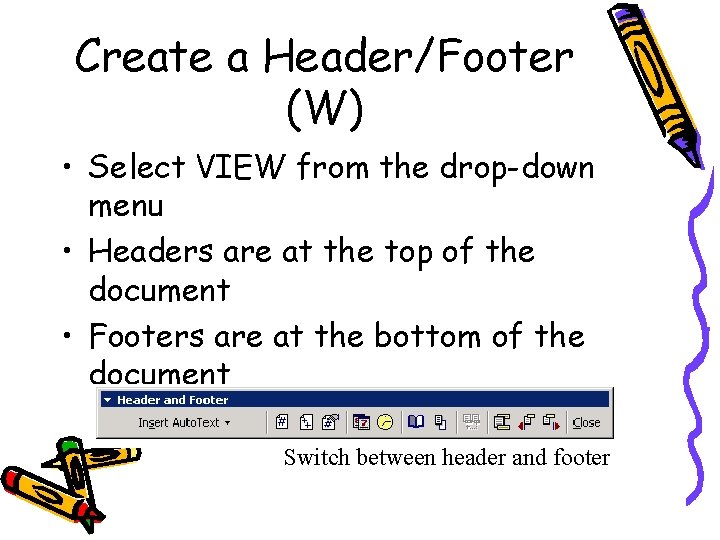
Create a Header/Footer (W) • Select VIEW from the drop-down menu • Headers are at the top of the document • Footers are at the bottom of the document Switch between header and footer
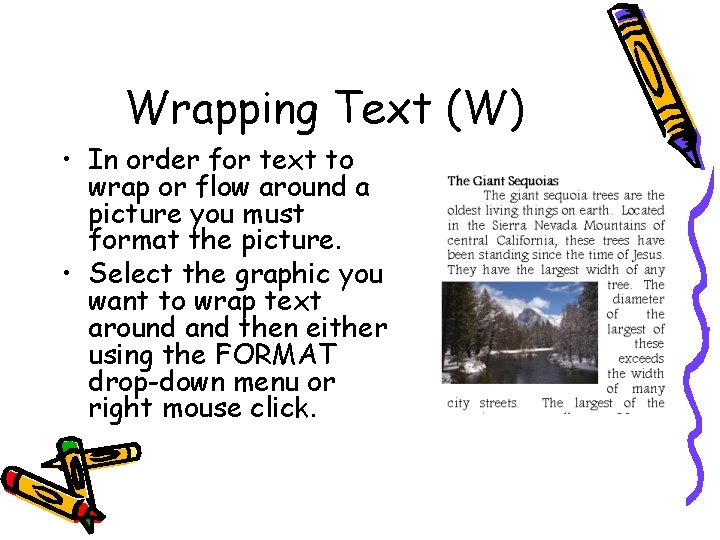
Wrapping Text (W) • In order for text to wrap or flow around a picture you must format the picture. • Select the graphic you want to wrap text around and then either using the FORMAT drop-down menu or right mouse click.
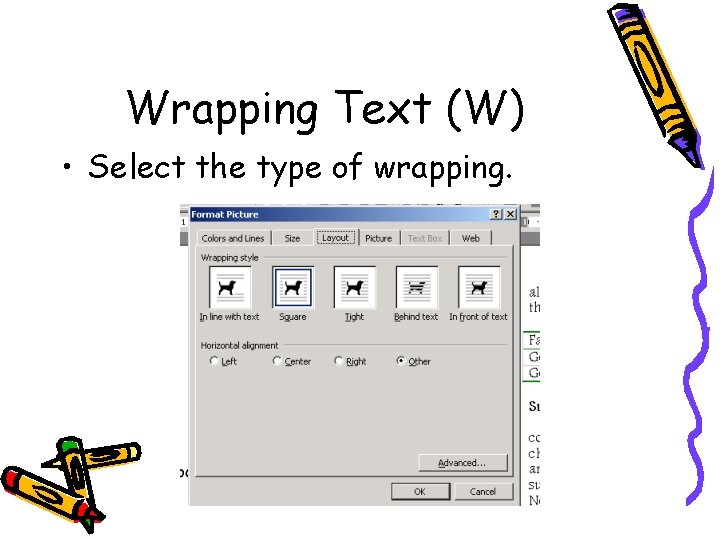
Wrapping Text (W) • Select the type of wrapping.
Scripts • Subscripts – The number goes below the text. (Remember- The subway goes underground, submarines are underwater. Mg. SO 4) • Superscripts – the number goes above the text. (Remember- Superman flies up in the air. A 2+B 2=C 2. )
Phishing • The act of sending an e-mail to a user falsely claiming to be an established legitimate enterprise in an attempt to scam the user into surrendering private information that will be used for identity theft. The e-mail directs the user to visit a Web site where they are asked to update personal information, such as passwords and credit card, social security, and bank account numbers, that the legitimate organization already has. The Web site , however, is bogus and set up only to steal the user’s information.
E-mail • Don’t forward chain letters • Use standard font and size • Feel in the Subject for the reader to identify what they are looking at. • Don’t open e-mails from mysterious sources. They could have viruses attached to them. • Don’t use e-mail as a way of bullying people.
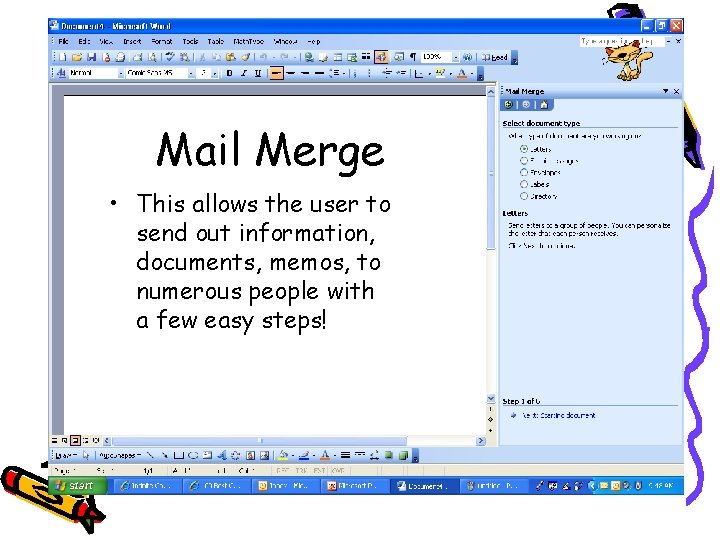
Mail Merge • This allows the user to send out information, documents, memos, to numerous people with a few easy steps!
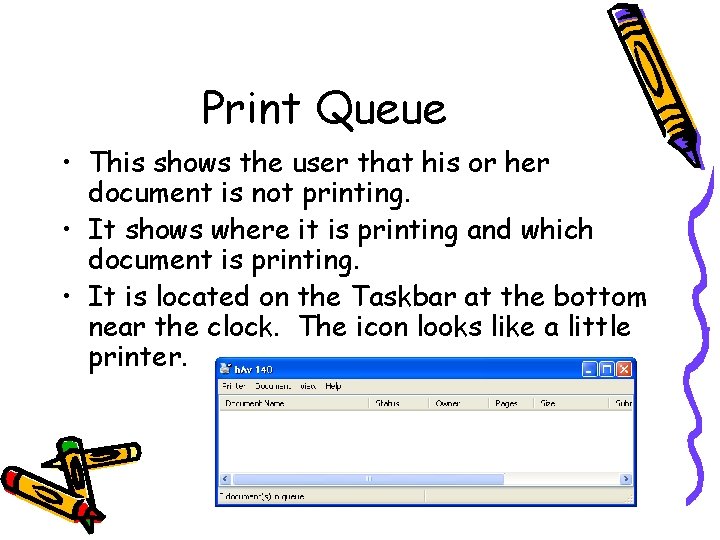
Print Queue • This shows the user that his or her document is not printing. • It shows where it is printing and which document is printing. • It is located on the Taskbar at the bottom near the clock. The icon looks like a little printer.
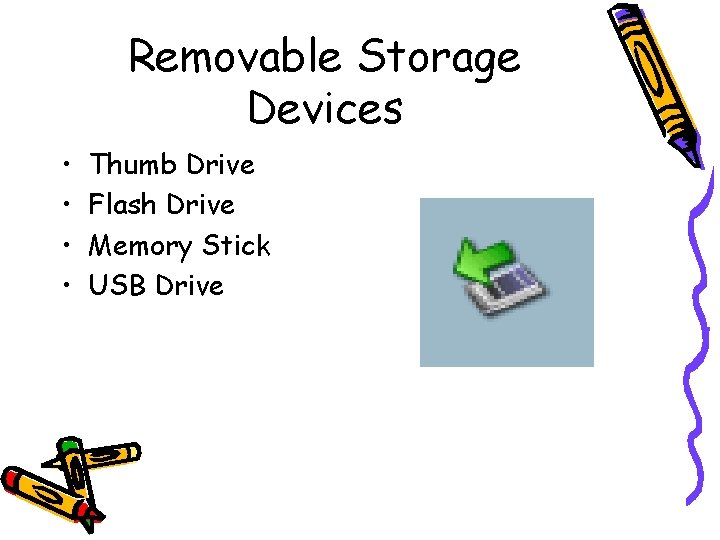
Removable Storage Devices • • Thumb Drive Flash Drive Memory Stick USB Drive
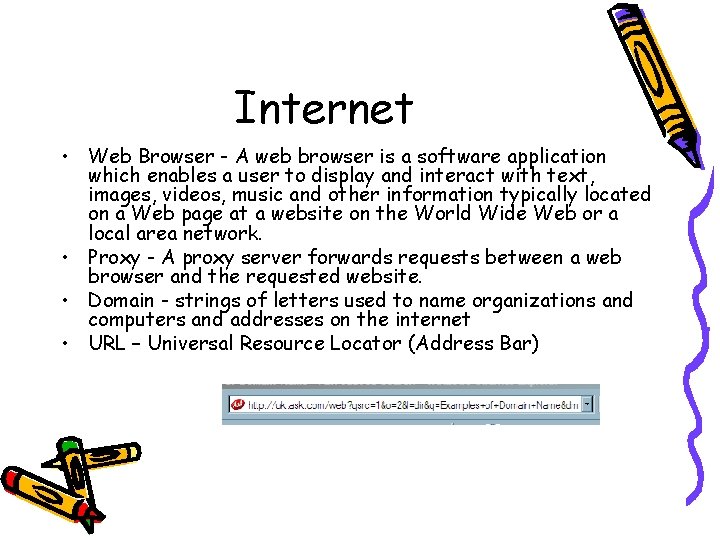
Internet • Web Browser - A web browser is a software application which enables a user to display and interact with text, images, videos, music and other information typically located on a Web page at a website on the World Wide Web or a local area network. • Proxy - A proxy server forwards requests between a web browser and the requested website. • Domain - strings of letters used to name organizations and computers and addresses on the internet • URL – Universal Resource Locator (Address Bar)
Template • If you frequently create documents that contain a lot of specialized formatting but don't always contain the same text, you can save yourself a considerable amount of time if you create Word templates to use as the basis of future documents. By using Word’s template feature, you can focus your concentration on the content of the document and leave the formatting up to the template.
- Slides: 59