
Computer Adaptive Assessment How do I use Class
- Slides: 17
Computer Adaptive Assessment How do I use Class Profile Reports to develop classroom instructional strategies? DRAFT
Login to Computer Adaptive Assessments? • Visit www. performanceseries. com • Click Staff Login • Enter your Site ID • Tip: Be sure to include the dashes. • Enter your Staff ID • Enter your Password • Click Login
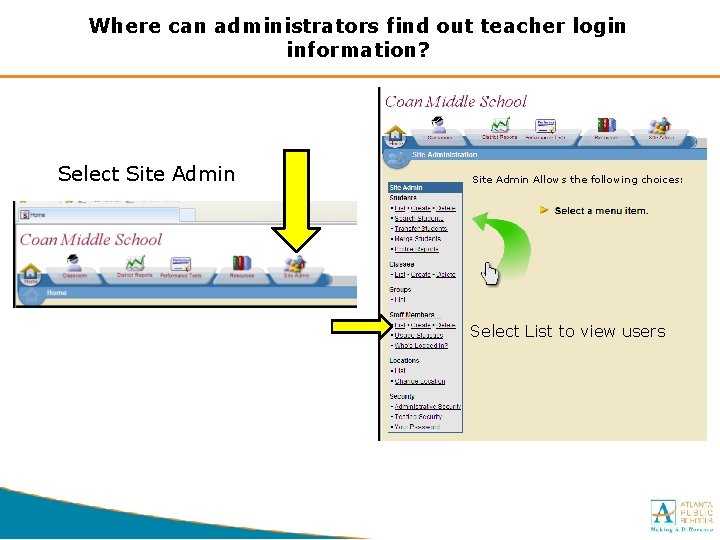
Where can administrators find out teacher login information? Select Site Admin Allows the following choices: Select List to view users
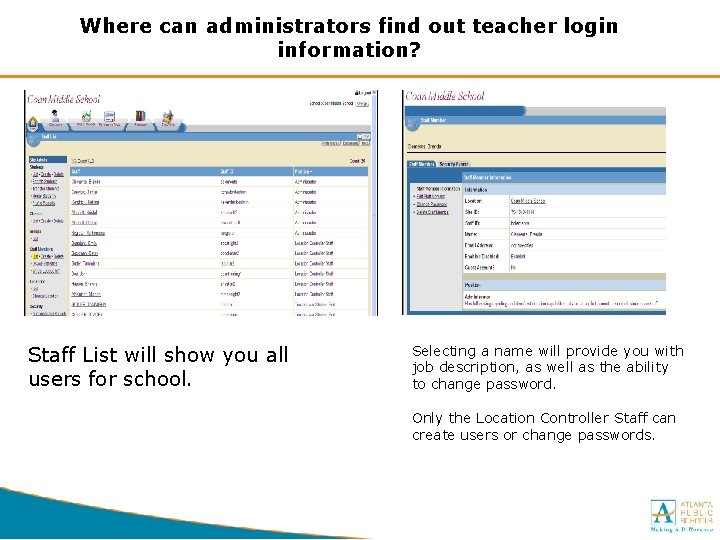
Where can administrators find out teacher login information? Staff List will show you all users for school. Selecting a name will provide you with job description, as well as the ability to change password. Only the Location Controller Staff can create users or change passwords.
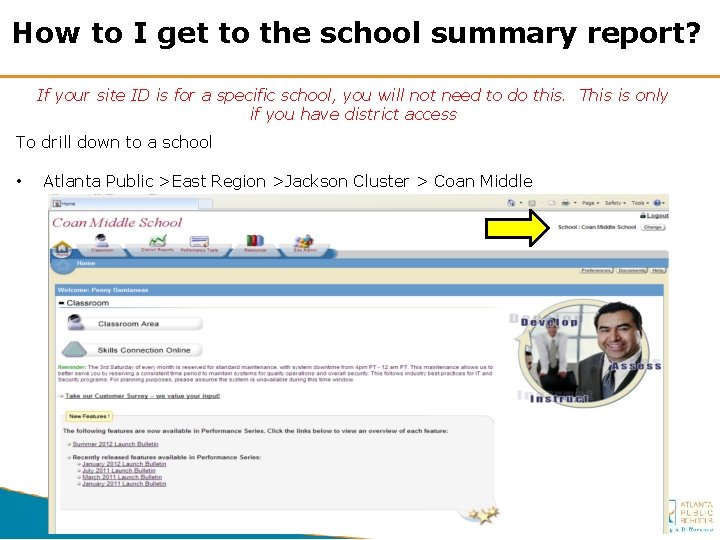
How to I get to the school summary report? If your site ID is for a specific school, you will not need to do this. This is only if you have district access To drill down to a school • Atlanta Public >East Region >Jackson Cluster > Coan Middle
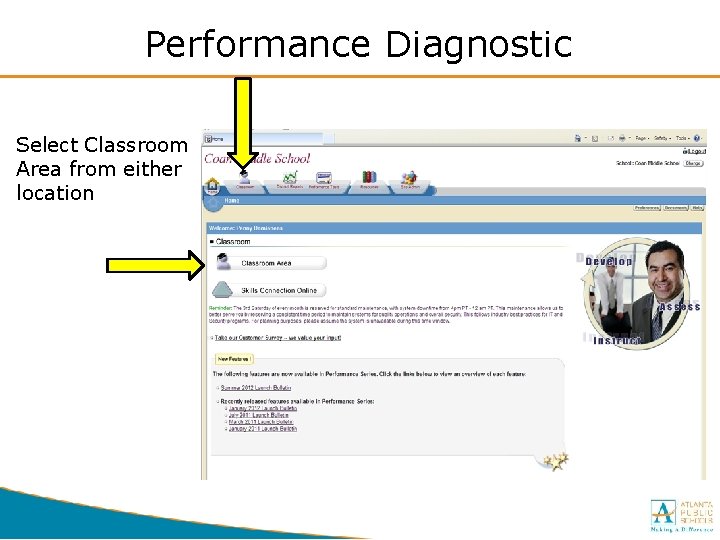
Performance Diagnostic Select Classroom Area from either location
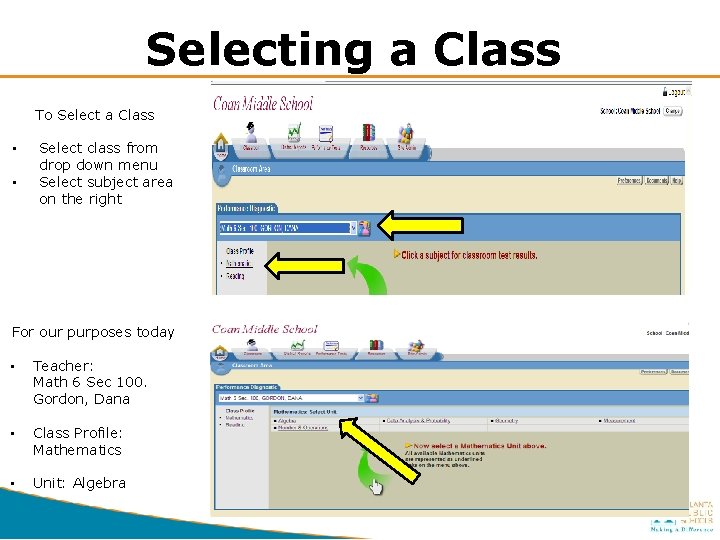
Selecting a Class To Select a Class • • Select class from drop down menu Select subject area on the right For our purposes today • Teacher: Math 6 Sec 100. Gordon, Dana • Class Profile: Mathematics • Unit: Algebra
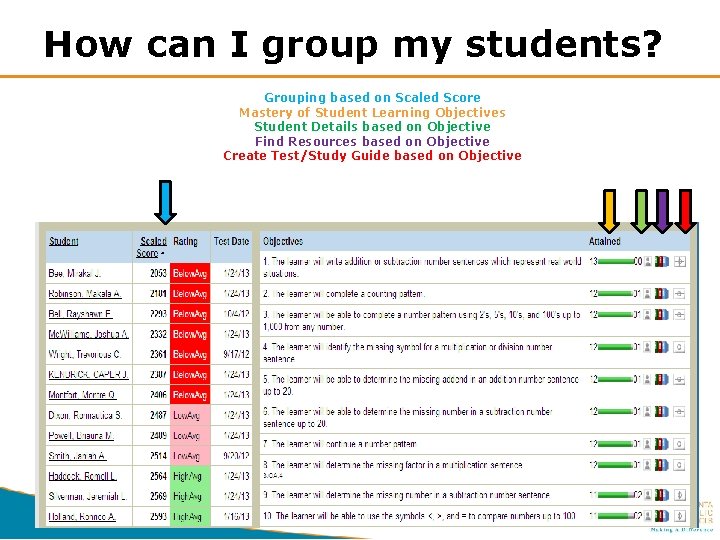
How can I group my students? Grouping based on Scaled Score Mastery of Student Learning Objectives Student Details based on Objective Find Resources based on Objective Create Test/Study Guide based on Objective
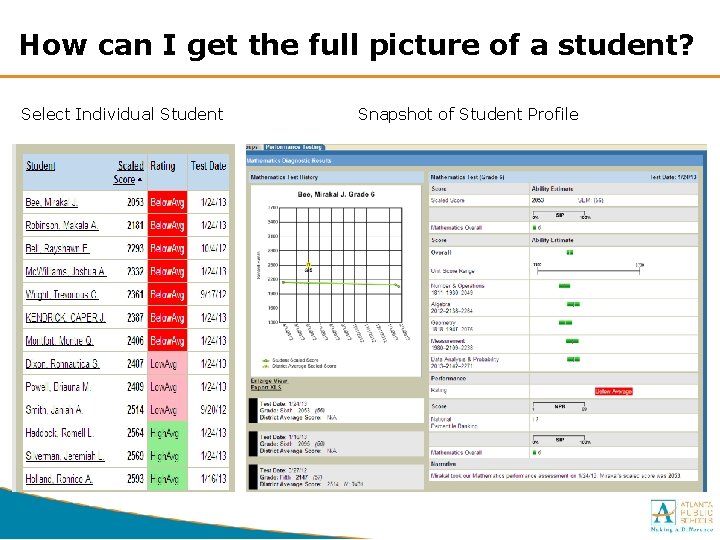
How can I get the full picture of a student? Select Individual Student Snapshot of Student Profile
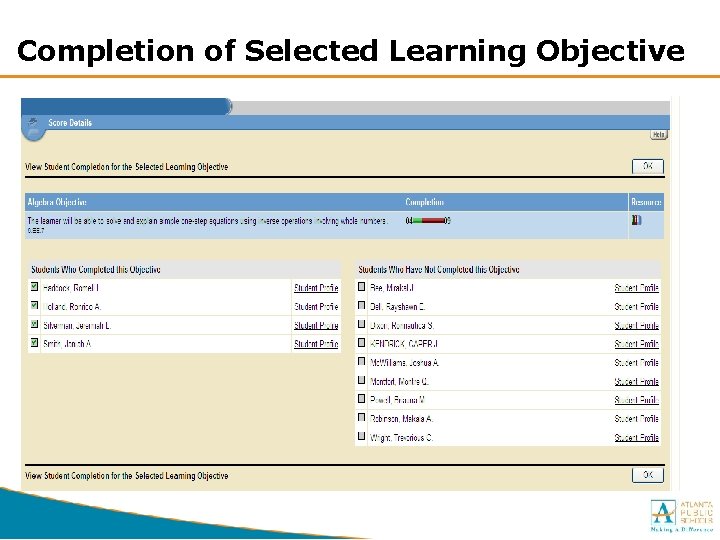
Completion of Selected Learning Objective
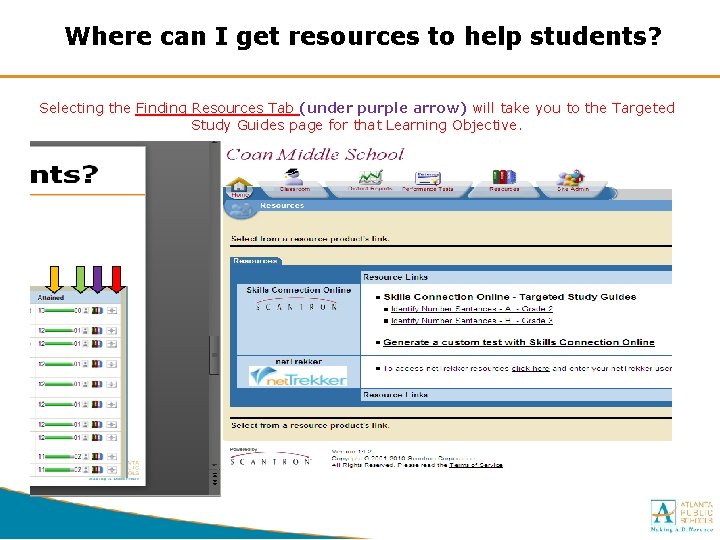
Where can I get resources to help students? Selecting the Finding Resources Tab (under purple arrow) will take you to the Targeted Study Guides page for that Learning Objective.
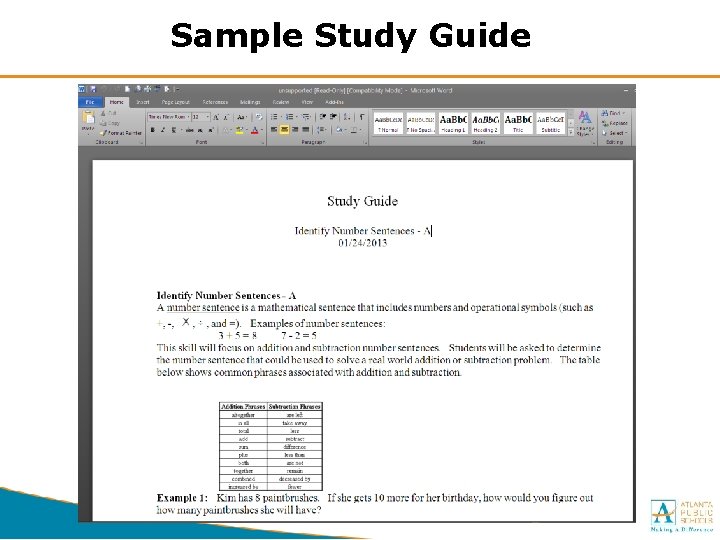
Sample Study Guide
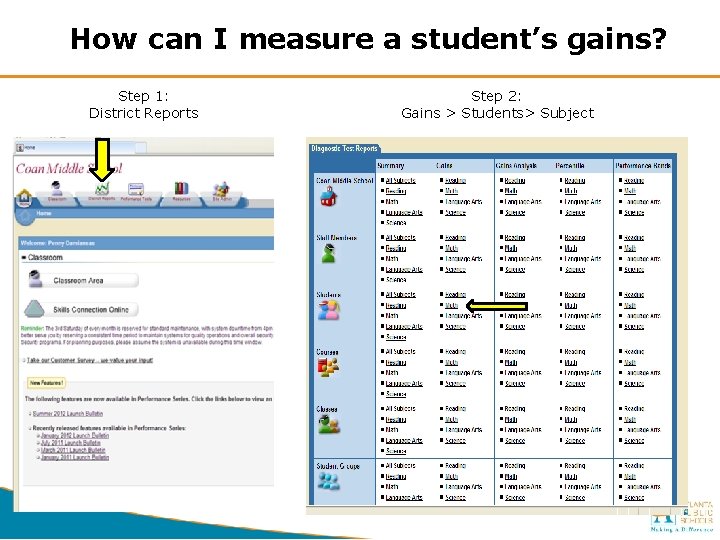
How can I measure a student’s gains? Step 1: District Reports Step 2: Gains > Students> Subject
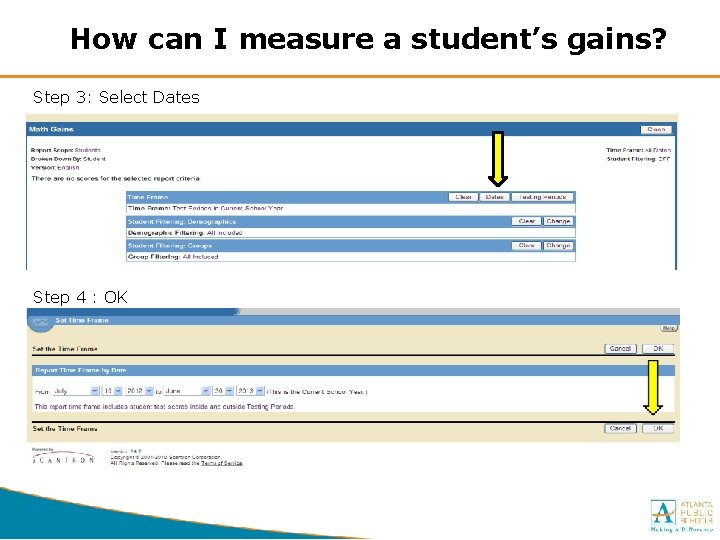
How can I measure a student’s gains? Step 3: Select Dates Step 4 : OK
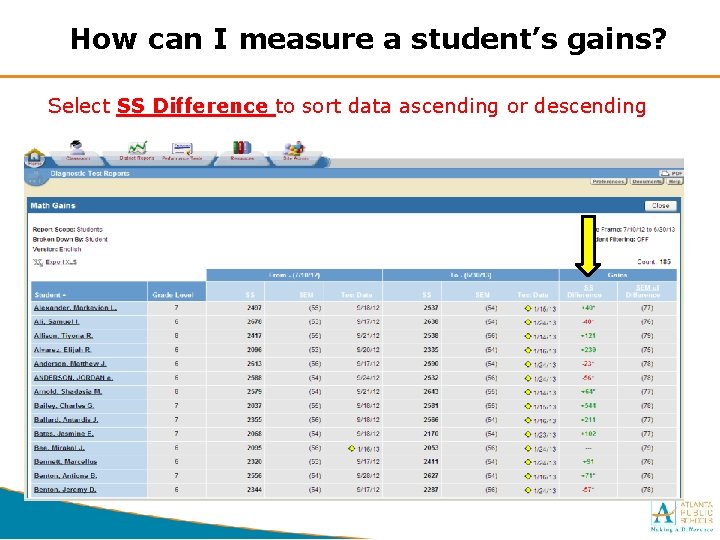
How can I measure a student’s gains? Select SS Difference to sort data ascending or descending
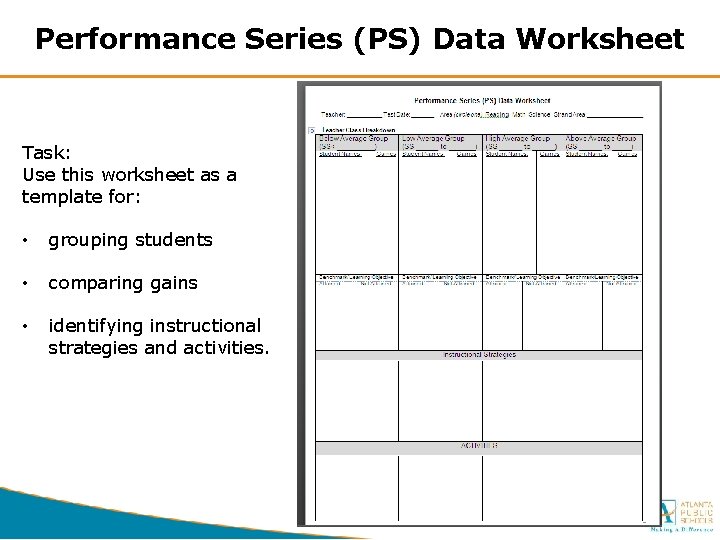
Performance Series (PS) Data Worksheet Task: Use this worksheet as a template for: • grouping students • comparing gains • identifying instructional strategies and activities.
Contact Information RESEARCH & EVALUATION Director Research & Evaluation Rubye Sullivan rsullivan@atlanta. k 12. ga. us 404 -802 -2765 West Region Dr. Curtis L. Grier clgrier@atlanta. k 12. ga. us 404. 802. 2644 East Region Stacey L. Johnson johnsonsl@atlanta. k 12. ga. us 404. 802. 1696/CLL 404. 802. 3748/East South Region Adrienne T. Johnson adtjohnson@atlanta. k 12. ga. us 404. 802. 2697 North Region Holly Hayes-Morrisey hmorrisey@atlanta. k 12. ga. us 404. 802. 1678/CLL 404. 802. 6535/North Central Office (CLL) Dr. Sue Swanson sswanson@atlanta. k 12. ga. us 404. 802. 2657 TESTING & ASSESSMENT Director Testing & Assessment Joe Blessing jblessing@atlanta. k 12. ga. us 404 -802 -2694 CAA Project Manager Panagiota (Penny) Damianeas pddamianeas@atlanta. k 12. ga. us 404 -802 -2710 Benchmark Support Specialist Seketha Wilson sdwilson@atlanta. k 12. ga. us 404 -802 -2716 Director of Testing and Assessment