
Components of Continuity Editing Avoid jump cuts A
- Slides: 39
Components of Continuity Editing Avoid jump cuts: A shot of a person sitting—cut to the same shot of the person standing creates a noticeable jump in time Preserving screen direction at cuts (180 degree rule) Intercutting The Cutting Edge on Vimeo
Cut tight – The best editing approach is to cut tight scenes without becoming too “cutty”. This means taking out unnecessary pauses between actors’ delivery of dialogue lines. Sometimes it means tightening the gaps within dialogue sentences through the use of carefully placed cutaways. It may also mean losing redundant lines of dialogue, after the director has reviewed your cut.
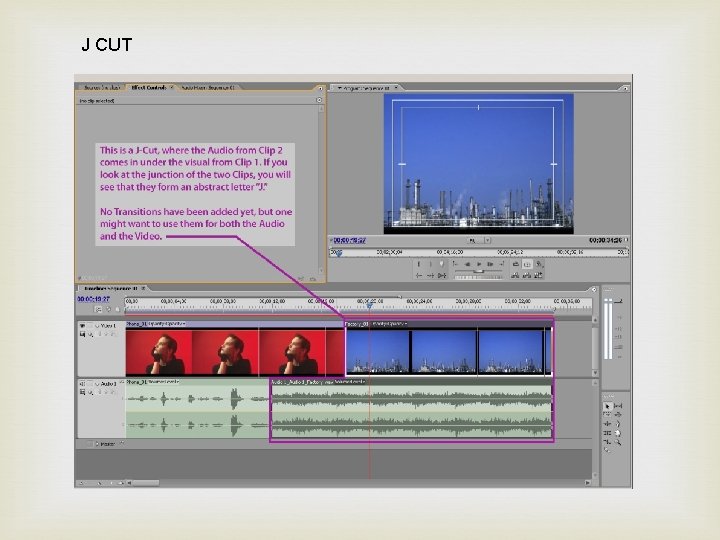
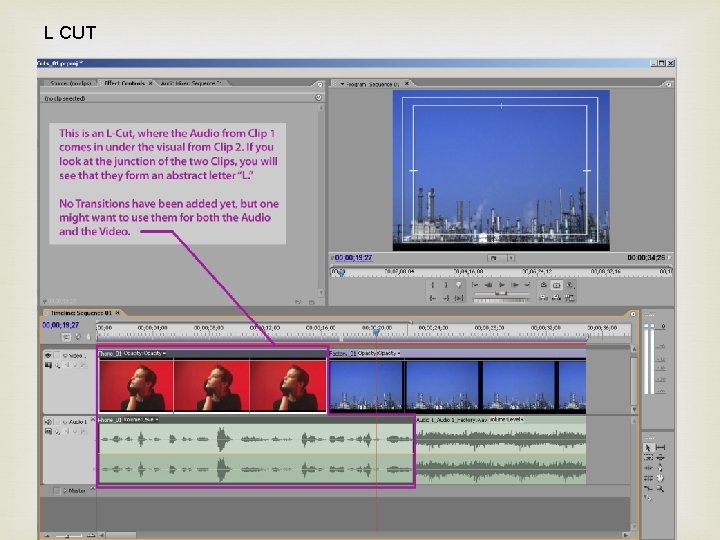
No Dragnet edits – The original Dragnet television series used a certain approach to cutting dialogue scenes. Audio and video edits tended to be made as straight cuts between the actors without any overlaps as they delivered their lines. It followed this formula: cut to actor A – deliver the line; cut to actor B – deliver the line; cut back to actor A and so on. Our brains seem to react better to edits where the change in picture and sound is not always together. These are called split edits, L-cuts or J-cuts.
J CUT
L CUT
Matching action – Matching actors’ hand positions, use of props, eyeline and stage position from one cut to another fall into the technical category of how to make a proper edit. The greatest weight is given to whether that cut drives the emotion of the scene or moves the story along. The audience will often ignore many minor continuity differences from one shot to the next if they stay totally engrossed in the story. Your job as the editor is to cut in such as way that they do.
Don’t cut back to the exact same angle – If you have a choice of several camera angles, don’t automatically cut back to the same camera angle or take that you just used in the previous shot. if the director shot different takes with different framing, try to use a little of all of them. Don’t get stuck in a cutting rut, like master/single/reverse, etc. Mix it up.
B-roll shots in threes If your interview footage is your A-Roll, then most everything else is relegated to B-Roll duty. But B-Roll is what makes up the bulk of the visuals in a video, so despite the inferior name, B-Roll is a big deal. When the scene calls for cutaway inserts, it feels right to use three on a row. Not a single shot, not two, but three. These should be at least 1. 5 -2 seconds long (or longer). An example might be when a character enters the room and looks around. The POV inserts work nicely in triplets and give the audience a good idea of the landscape that the character encounters. It mimics our real-world experience of moving our head around and seeing different aspects of the same surroundings.
Cut for the eyes Actors that do well on TV and in films (as compared with the stage) are all very expressive with their face, but most importantly, their eyes. When I’m cutting an intense dialogue scene, I’m looking at how the actors’ eyes play in the scene. Do they convey the proper emotion? What is the reaction of the other actors in the scene? What the actors are or aren’t doing facially determines my cutting. It drives my decision to stick with the principal actor delivering the dialogue or whether I briefly cut away to see reactions from the others.
Pull the air out of actors’ performances Recognize that many actors will overact. They will milk a scene for more than is appropriate. They will accentuate pauses, add more stumbles and stammers (where scripted) and give lengthy glances. Sometimes this works, but your job as the editor is to dial these back as you cut. Take these pauses out by cutting away and then back. Cut out redundant actions and line deliveries. Make it real, so it doesn’t feel like ACTING.
Non-Linear Editing Allows access to any clip without scrubbing through entire clips Film was the first nonlinear editing system
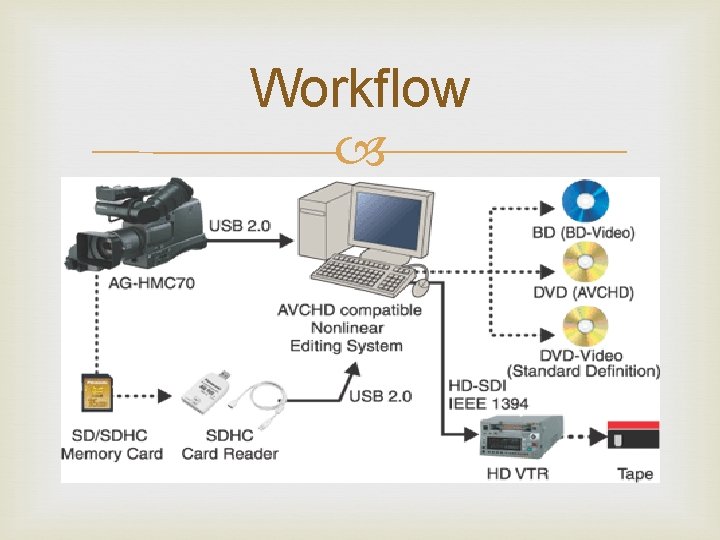
Workflow
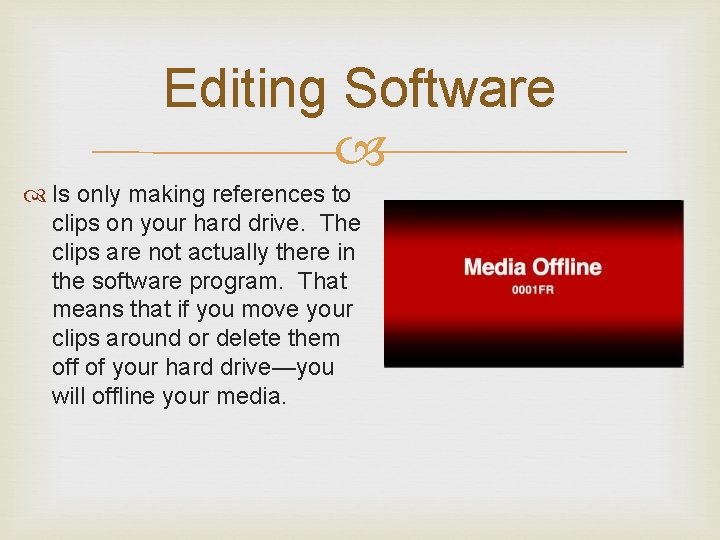
Editing Software Is only making references to clips on your hard drive. The clips are not actually there in the software program. That means that if you move your clips around or delete them off of your hard drive—you will offline your media.
Premiere Pro and Cache Files Cache: A cache (pronounced CASH) is a place to store something temporarily in a computing environment. In computing, active data is often cached to shorten data access times
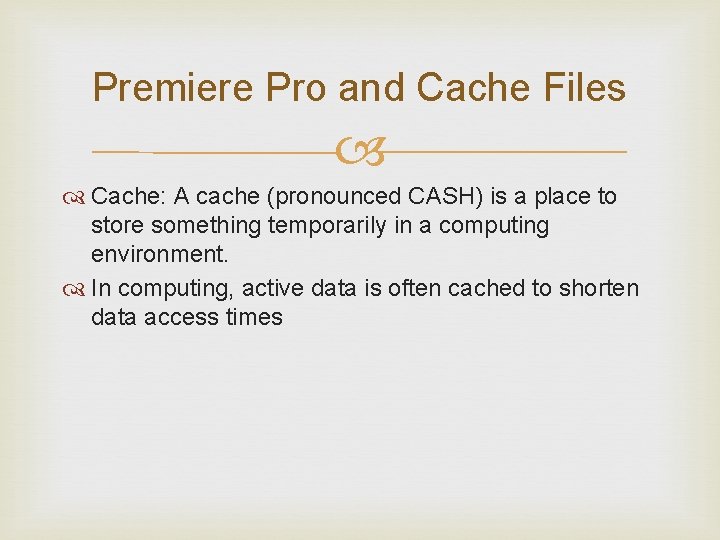
Premiere Pro and Cache Files You can pretty much throw anything on the Premiere Pro Timeline and it will just work When you import your camera native files (say some. MTS files) Premiere will start to ‘conform’ those files getting them ready to play back. creates a cache of all those conformed previews in a folder on your boot drive where it ends up taking up a lot of disk space You can move the media cache folder to your media storage drive
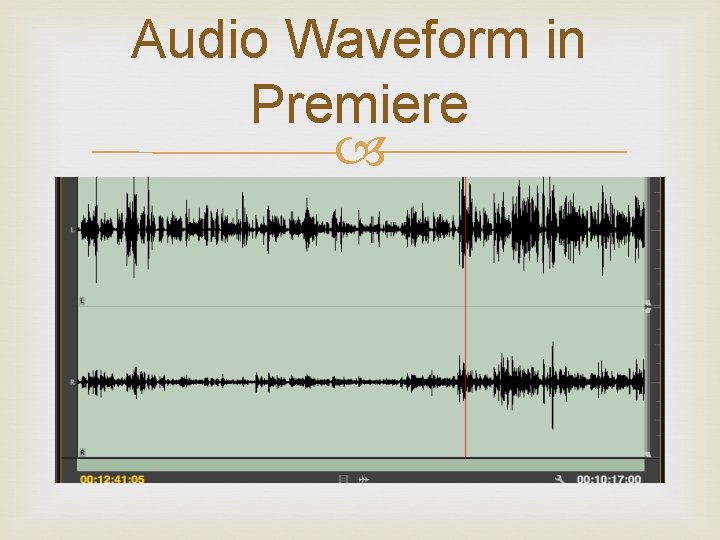
Audio Waveform in Premiere
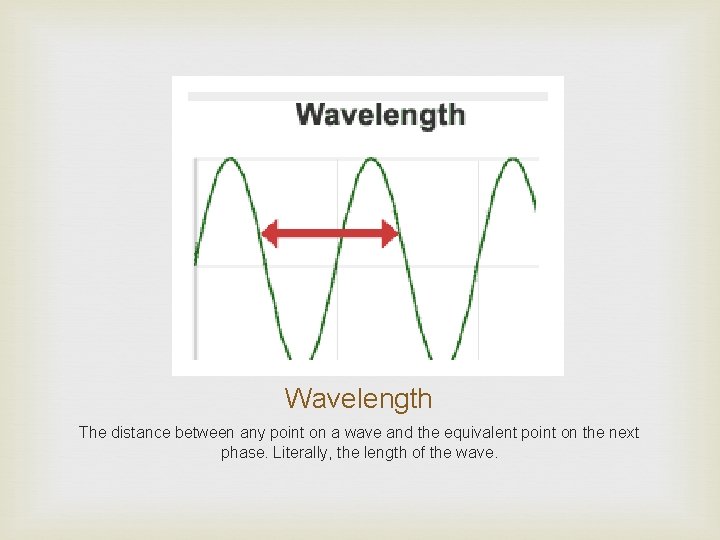
Wavelength The distance between any point on a wave and the equivalent point on the next phase. Literally, the length of the wave.
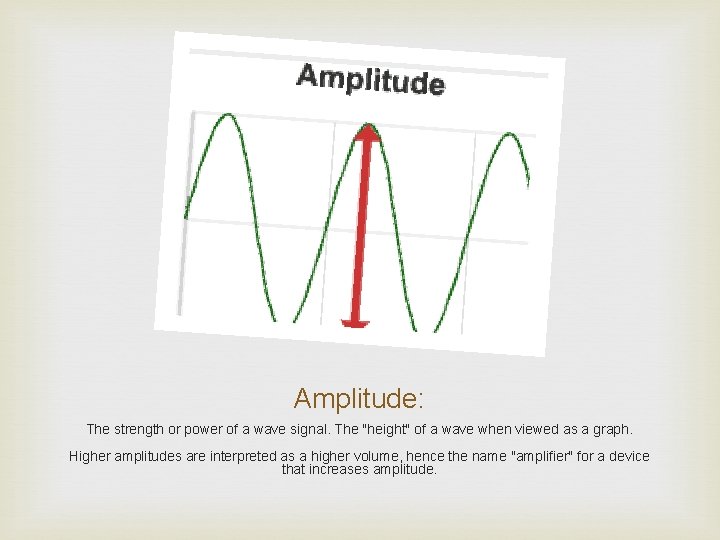
Amplitude: The strength or power of a wave signal. The "height" of a wave when viewed as a graph. Higher amplitudes are interpreted as a higher volume, hence the name "amplifier" for a device that increases amplitude.
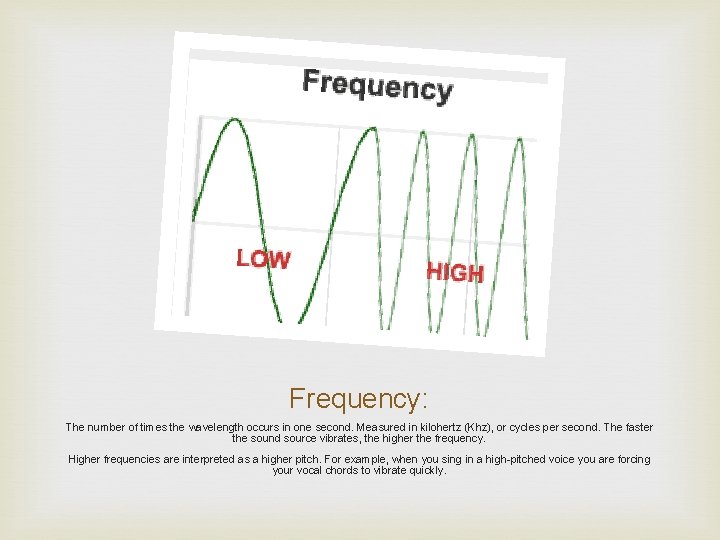
Frequency: The number of times the wavelength occurs in one second. Measured in kilohertz (Khz), or cycles per second. The faster the sound source vibrates, the higher the frequency. Higher frequencies are interpreted as a higher pitch. For example, when you sing in a high-pitched voice you are forcing your vocal chords to vibrate quickly.
Sound Levels On old analog recorders 0 d. B was 14 decibels higher than it is on many professional audio recorders on magnetic tape and could push the recording level past the 0 d. B setting on a regular basis without any serious consequences.
Digital audio has a hard ceiling that is measured as 0 d. B When you push the audio level beyond that point, digital clipping occurs. This produces nasty distortion that effectively ruins your recording during the clipping. To avoid digital clipping, it's good practice to keep your recording levels well below the ceiling. A common setting is -10 d. BFS. This gives you some headroom for inevitable peaks and still keeps the signal loud enough to avoid noise. Many devices also include a signal limiter of some kind.
Audio Levels on Premiere “The key is, you never want to exceed zero, because your audio will get distorted. ” “Now some of you might be delivering to a broadcast station, and they might have specific requirements for your audio mix level. It may be minus 18 or minus 20. The best rule of thumb is ask before you start editing and you won't have to go back and fix it”
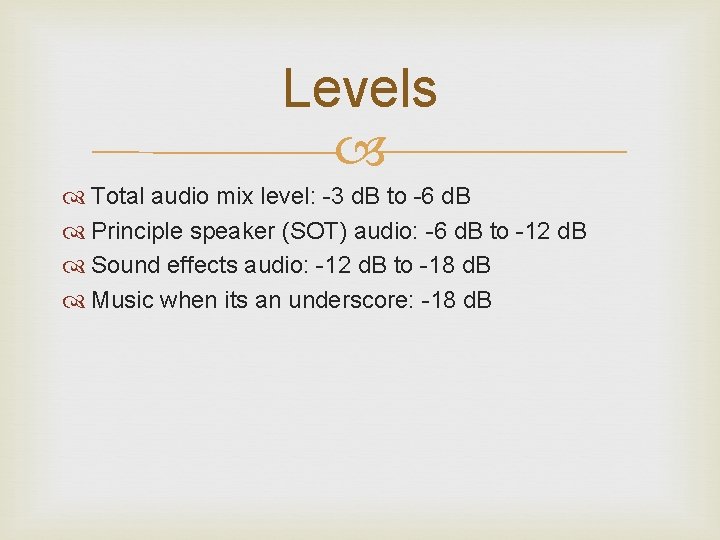
Levels Total audio mix level: -3 d. B to -6 d. B Principle speaker (SOT) audio: -6 d. B to -12 d. B Sound effects audio: -12 d. B to -18 d. B Music when its an underscore: -18 d. B
Diegetic and Non-Diegetic Sound http: //www. npr. org/blogs/deceptivecadence/2013/11/ 23/246916733/a-sound-of-fear-forged-in-the-shadowofwar? utm_content=socialflow&utm_campaign=nprfac ebook&utm_source=npr&utm_medium=facebook
Diegetic vs. Non-Diegetic Part of the story world of the film The Most Dangerous Game Diner Scene 2
Offscreen Sound: Paranormal Activity 1 and Paranormal Activity 2 http: //www. youtube. com/watch? v=r. S 1 C 7 kzn-FA http: //www. youtube. com/watch? v=HDq 1_2 s 9 oy. I
Cutting Dialogue Tracks Sometimes words have to be separated Avoid clipping (up-cutting a word) A two-frame crossfade can help make an awkward cut sound natural
Narration or Voiceover Tips and Tricks from -- Digital Films a blog by Oliver Peters Narration works best when woven in with sync sound from a scene Be careful that background sounds do not become distracting Ideally, final narration should be recorded in a sound booth to get high-quality clean sound
Interview Using one camera or two? Shooting a one person production or with a crew? Interviewing free style with open-ended questions? Recording the question-and-response or response only? Capturing single or multiple takes for each question/response? Using an interview style of a person on the street, in a formal studio setting, or a casual/business home or office location? Making your interview style provocative, to get the real story or casual and informative? Shooting one-on-one with a single interviewee or several simultaneously?
Prep Interviewee The first thing to do is prepare your interviewees so they know what to expect and what is expected of them. Good interview techniques include content and visuals. Discuss the topic focus and interview process with your subjects. Know your topic and your interviewees. Time is the measure. Focus tightly on questions and anticipated responses. You should plan with an open schedule and plenty of time to allow for wandering off -script or even an extended session for extra content.
Stay courteous, genuine and personable. Exuding an air of antagonism or judgmental attitude at the start is a sure way to sabotage your interviews. Essentially, regardless of your programming, interview style Setting up prior to your interviewee's arrival is a good approach but that isn't always possible. Maybe you're conducting impromptu interviews on the sidewalk or in a public place. There's not much planning you can do during a run-and-gun session or reality-show style production.
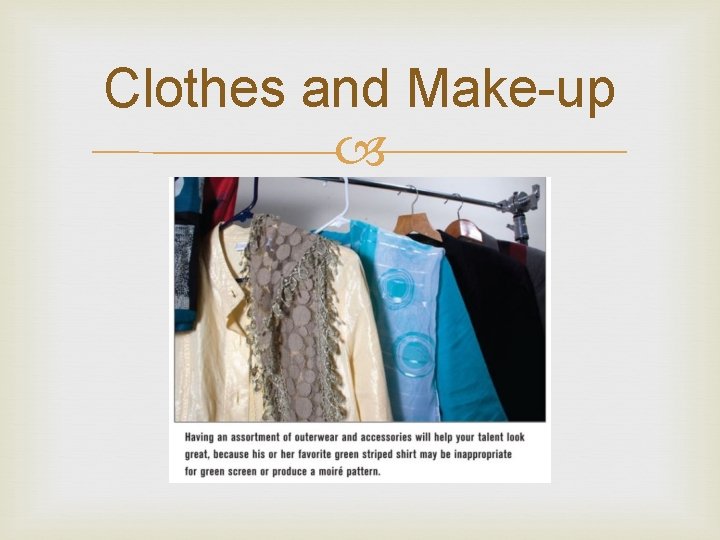
Clothes and Make-up
8. When the Producer Wears All the Hats Producers that wear all the hats: interviewer, shooter, grip, lighting, audio; face unique challenges. Again, time is key. Schedule additional time that is required for doing it all single-handedly. Discuss sessions in advance. Share the Q&A sheet and anticipated responses ahead of time. Set up early. Be ready to move into interviews quickly. Keep downtime to a minimum by being ready and pushing the agenda with confidence. Let nothing interfere with your primary objective: great interview sessions with quality audio and video. 9. A Little Help's a Big Help It helps if you can afford or acquire a volunteer crew. One additional body makes a big difference, someone to handle setup while you prep interviewees saves time. Time is money. Getting more done in less time by bringing in crew for audio and video reduces risk of fatigue or overrunning the clock. Crewing up isn't always a matter of money, it's often a matter of friends, family, wannabes or networking with other video producers. 10. A Well Known Secret Shooting video is usually exciting, preparing to shoot video often isn't. Editing video is fun for most of us, preparing to edit usually isn't. The catch to having fun with all this video stuff, including recording interviews, is - it takes preparation. This is the part of what we do that most of us wish would go away!
Editing Interviews Before you shoot your interview you must know how it will be edited. For example, if there are going to be lots of other shots inserted you may want to hold a static shot throughout the IV so that these shots can easily be added anywhere. On the other hand, if there is to be little or no editing you may want to vary your shots to maintain interest. Despite the many different styles of interview, most have a fairly common basic structure. The following example outlines a typical approach: Establishing Shot A very wide shot which shows the location. Not always necessary. 2 -Shot A visual introduction to both interview participants (interviewer and guest). Usually a wide shot or MCU. 1 -Shot Begin concentrating on the guest with an MCU and overlay name/title key. Questions & Noddies While most of the interview concentrates on the guest, the interviewer is occasionally shown asking and responding to questions. Cutaways When appropriate, relevant cutaways can be dropped in.
Cutting Between Interviewer and Guest The most common edit is the cut between shots of interviewer and guest, whether it be live cuts between cameras or post-production edits. The natural instinct is to cut exactly between the end of a question and the beginning of the answer. However this tends to look stilted. Try cutting a little before or after the question/answer is complete. In live multi-camera situations it's easy to get caught behind the action, cutting to the wrong person at the wrong time. This can happen, for example, when you expect one person to speak but another person does. Do not "chase" the person speaking - it's better to have a shot of someone else listening for a few seconds than to cut quickly to the speaker and draw attention to your mistake. If you have the luxury of a wide shot, this can often get you out of trouble.
Back-Cut Questions If you are using one camera and the IV is to be edited in post-production, the usual routine is to concentrate your framing on the guest during the interview. Then when the interview has finished you reposition the camera to face the interviewer and shoot them asking the questions again. The interviewer is in exactly the same position as they were during the IV, facing the empty space where the guest was (which is of course out of shot). These shots are then inserted into the interview over the original questions. The result is an interview which looks like it was shot with two cameras. Obviously it's important to record the back-cut questions exactly the same as they were asked during the actual IV. You will usually have a pre-prepared list of questions to help you, but you should also make notes during the IV of any new questions. Make sure your positioning and eyelines are consistent, as well as microphone placement.
Noddies "Noddy" is the term given to a shot of the interviewer reacting to the guest. The interviewer may be nodding, smiling, frowning, looking concerned, etc. Noddies perform two functions. To include the interviewer and show their reactions. To provide edit points.
Some More Rules: When shooting for post-production create clean lead-in and lead-out space, and include information about the IV content. At the beginning of the IV have the presenter record a brief intro and 3 second countdown, leaving the "one" silent, e. g: "IV with John Smith regarding environmental contamination, starting in 3. . . 2. . (silence). . . " The interviewer then begins the actual interview on "zero". At the conclusion of the interview, pause and don't move. This stops the guest from immediately looking or walking away, providing you with enough time to mix or wipe away to the next shot.