
Comp TIA Network Chapter 3 Identifying Network components



- Slides: 56
Comp. TIA Network + Chapter 3 Identifying Network components
Objectives § What are the characteristics of various media types? § What is the role of a given network infrastructure component? § What features are provided by specified specialized network devices? § How are virtualization technologies impacting traditional corporate data center designs? § What are some of the primary protocols and hardware components found in a Voice over IP(Vo. IP) network?
Identify Network Components • Many modern networks contain a daunting number of devices. • It is our job to understand the function of each device and how they work with each other. • The interconnection of these devices uses one of a variety of media (cables) types.
The Media • By definition, a network is an interconnection of devices. Those interconnections occur over some type of media. • The media might be physical, such as a copper and fiber-optic cable or it might be the air, through which radio waves propagate.
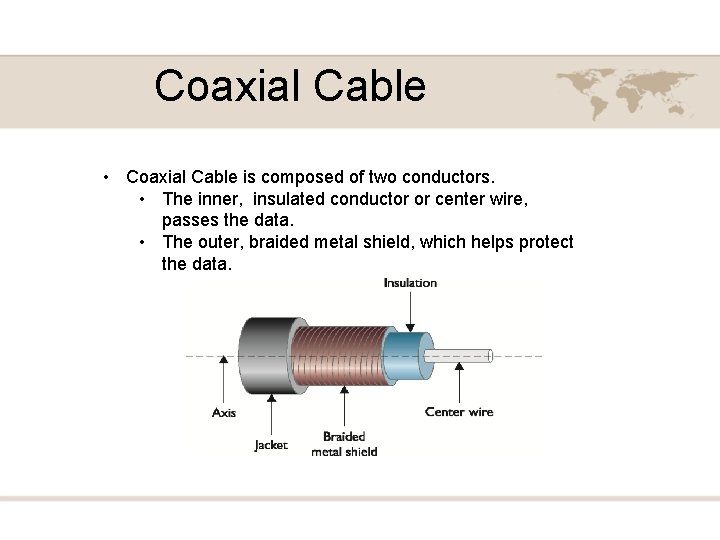
Coaxial Cable • Coaxial Cable is composed of two conductors. • The inner, insulated conductor or center wire, passes the data. • The outer, braided metal shield, which helps protect the data.
Coaxial Cable • Three of the most common types of coaxial cables are; • RG-6: Commonly used by local cable companies to connect individual homes. • RG-58: This type of coaxial cable was popular with early 10 BASE 2 Ethernet networks. • RG-59: Typical used to carry composite video between two nearby devices. (i. e. cable box to TV) • Although RG-58 was commonplace in early networks, coaxial cables role in modern computer networks is as the media used by cable modems
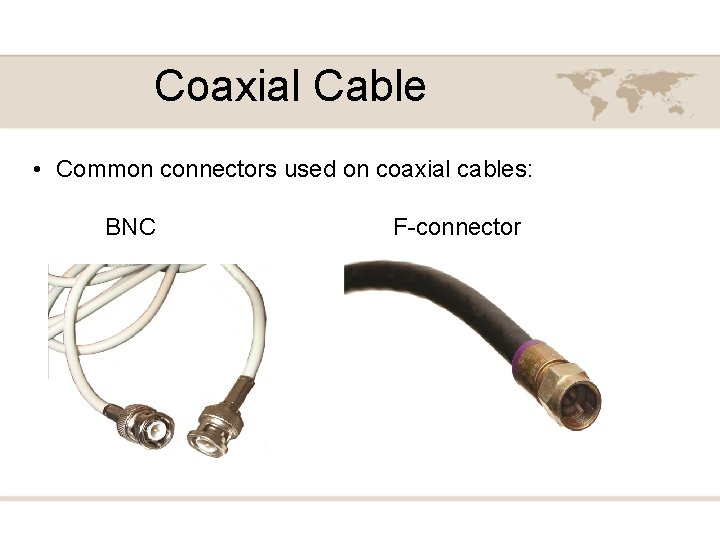
Coaxial Cable • Common connectors used on coaxial cables: BNC F-connector
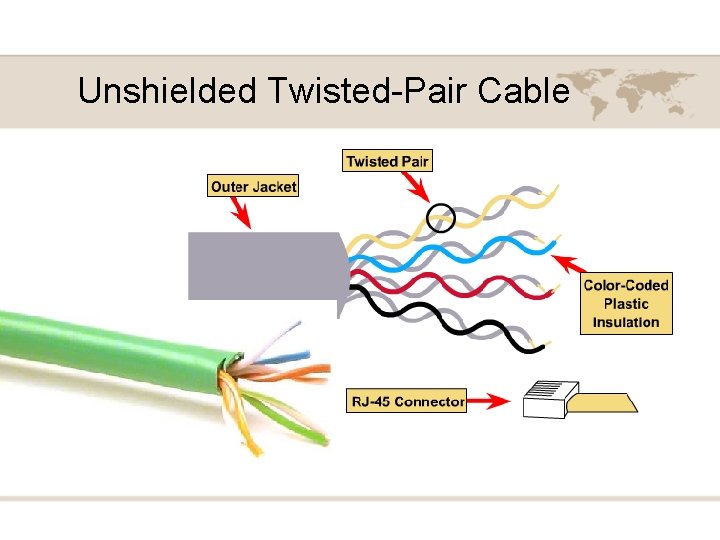
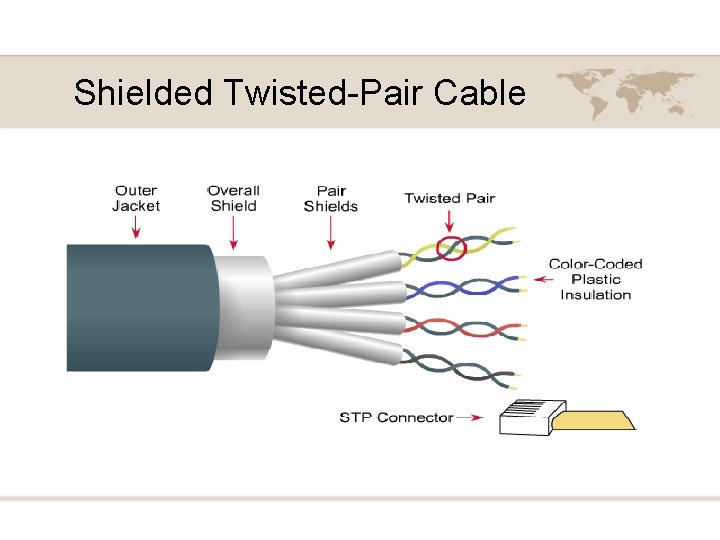
Twisted-Pair Cable • The most popular LAN media type is twistedpair cable, where individually insulated copper strands are intertwined into pairs. • There are two categories of twisted pair: • UTP – Unshielded Twisted Pair • STP – Shielded Twisted Pair
Unshielded Twisted-Pair Cable
Shielded Twisted-Pair Cable
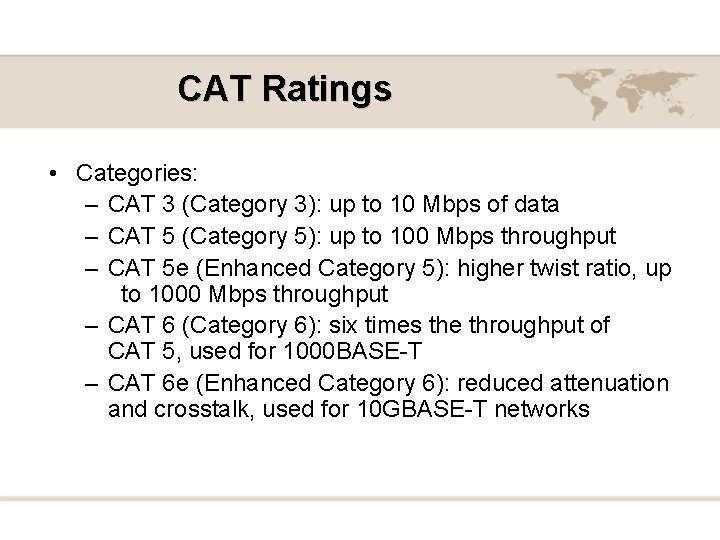
CAT Ratings • Categories: – CAT 3 (Category 3): up to 10 Mbps of data – CAT 5 (Category 5): up to 100 Mbps throughput – CAT 5 e (Enhanced Category 5): higher twist ratio, up to 1000 Mbps throughput – CAT 6 (Category 6): six times the throughput of CAT 5, used for 1000 BASE-T – CAT 6 e (Enhanced Category 6): reduced attenuation and crosstalk, used for 10 GBASE-T networks
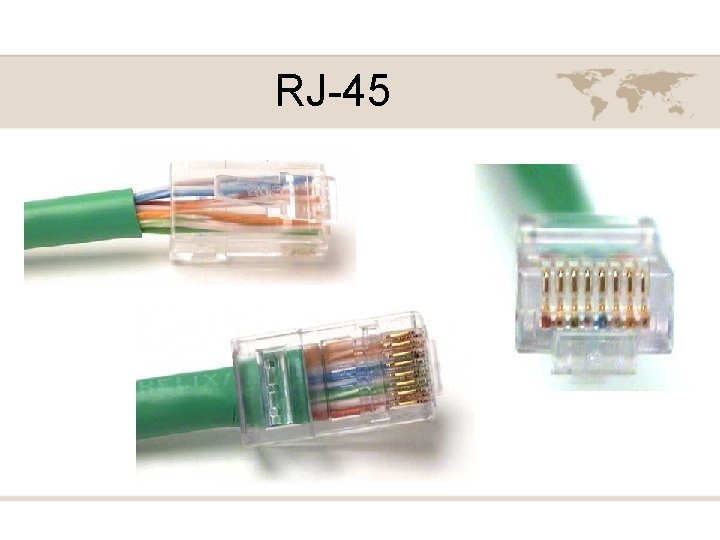
RJ-45
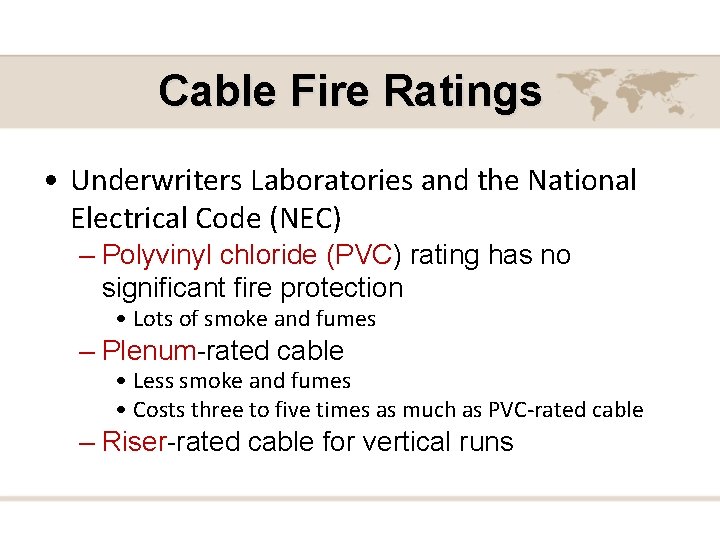
Cable Fire Ratings • Underwriters Laboratories and the National Electrical Code (NEC) – Polyvinyl chloride (PVC) rating has no significant fire protection • Lots of smoke and fumes – Plenum-rated cable • Less smoke and fumes • Costs three to five times as much as PVC-rated cable – Riser-rated cable for vertical runs
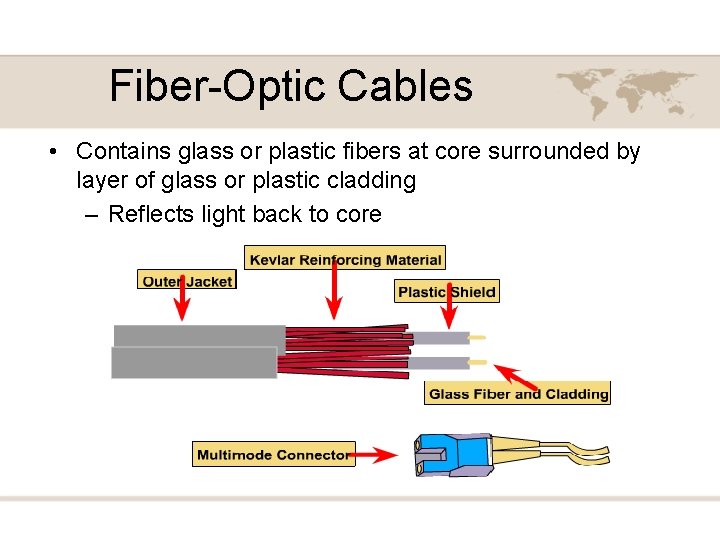
Fiber-Optic Cables • Contains glass or plastic fibers at core surrounded by layer of glass or plastic cladding – Reflects light back to core
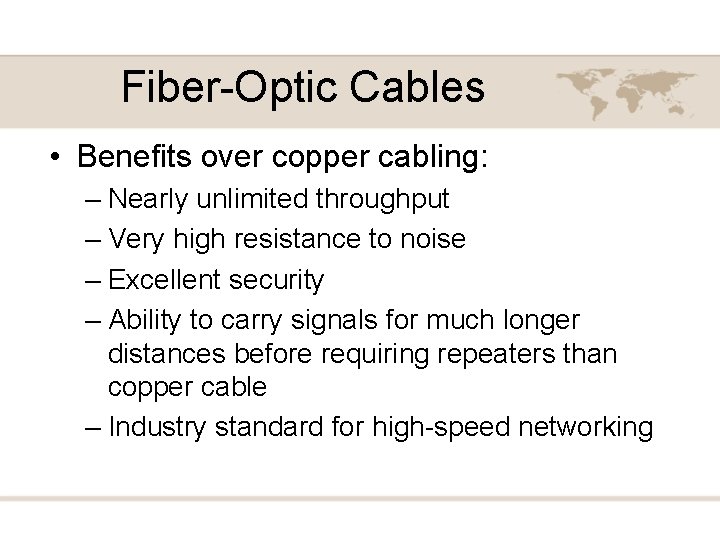
Fiber-Optic Cables • Benefits over copper cabling: – Nearly unlimited throughput – Very high resistance to noise – Excellent security – Ability to carry signals for much longer distances before requiring repeaters than copper cable – Industry standard for high-speed networking
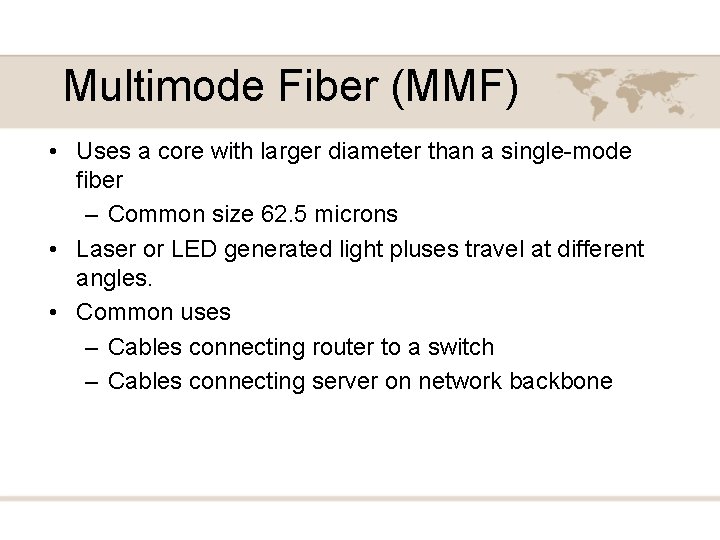
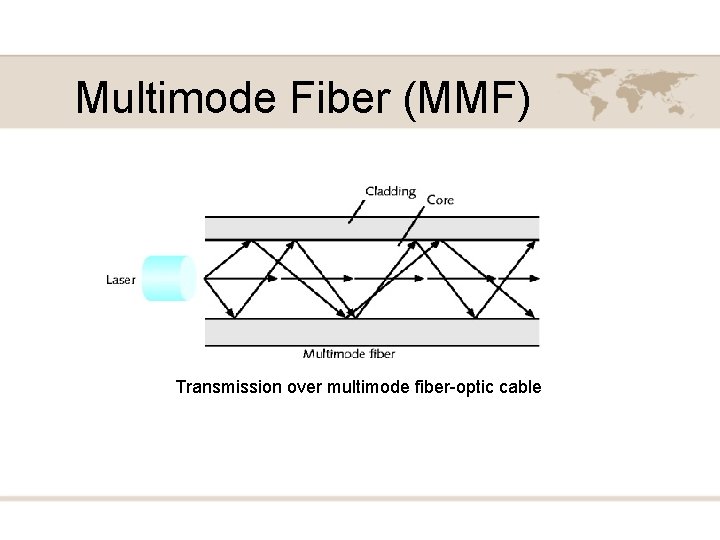
Multimode Fiber (MMF) • Uses a core with larger diameter than a single-mode fiber – Common size 62. 5 microns • Laser or LED generated light pluses travel at different angles. • Common uses – Cables connecting router to a switch – Cables connecting server on network backbone
Multimode Fiber (MMF) Transmission over multimode fiber-optic cable
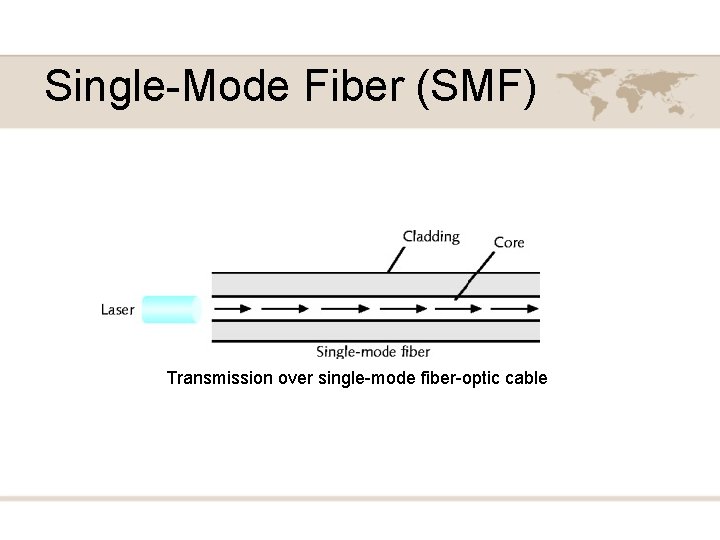
Single-Mode Fiber (SMF) • Uses a narrow core (< 10 microns in diameter) – Laser generated light pluses travels over one path. • Little reflection – Light does not disperse • Accommodates – Higher bandwidth, longer distances – Connects carrier’s two facilities • Cost prohibit typical LANs, WANs use
Single-Mode Fiber (SMF) Transmission over single-mode fiber-optic cable
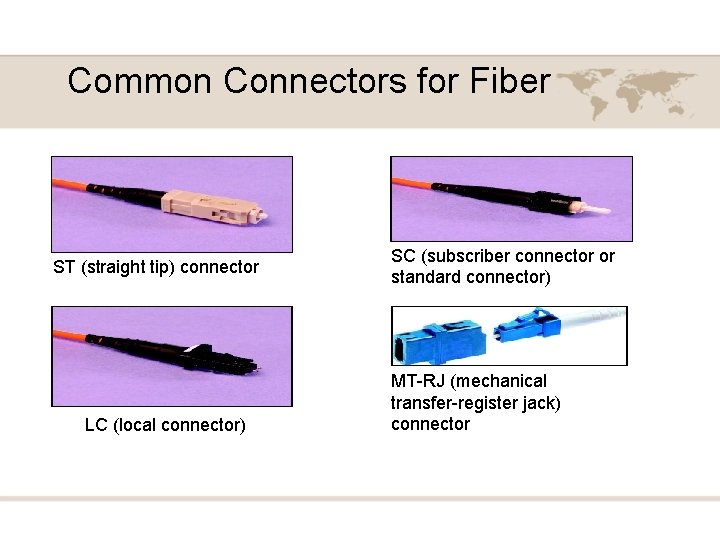
Common Connectors for Fiber ST (straight tip) connector LC (local connector) SC (subscriber connector or standard connector) MT-RJ (mechanical transfer-register jack) connector
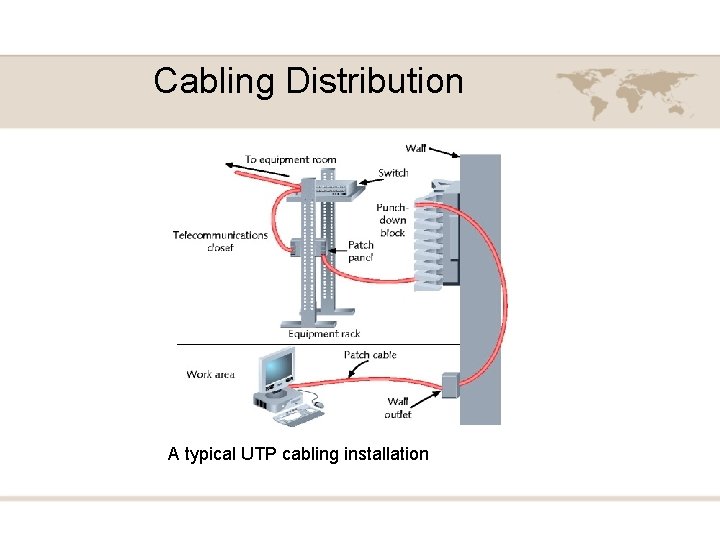
Cabling Distribution • Cable plant – Hardware making up enterprise-wide cabling system • Standard – TIA/EIA joint 568 Commercial Building Wiring Standard
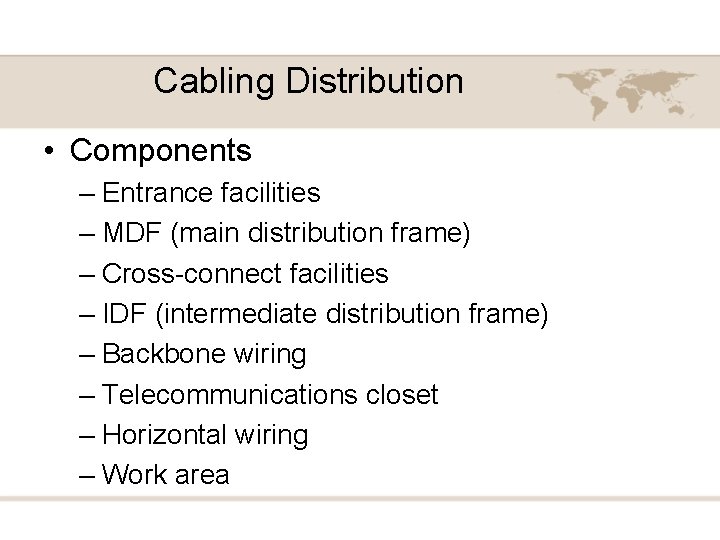
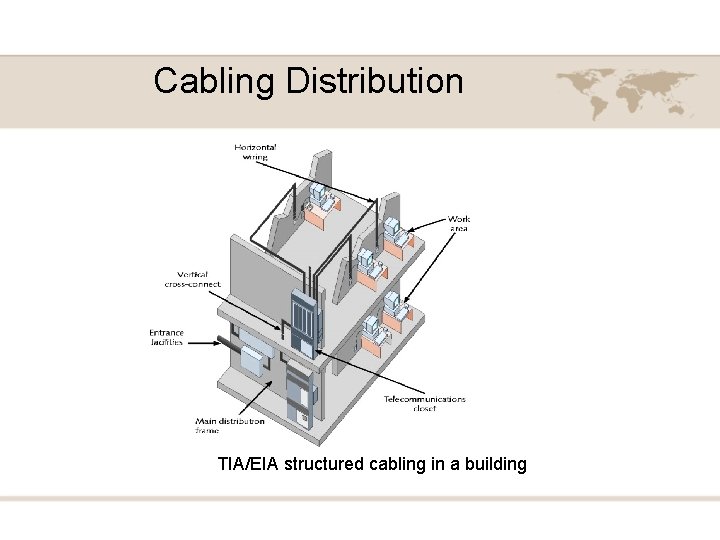
Cabling Distribution • Components – Entrance facilities – MDF (main distribution frame) – Cross-connect facilities – IDF (intermediate distribution frame) – Backbone wiring – Telecommunications closet – Horizontal wiring – Work area
Cabling Distribution TIA/EIA structured cabling in a building
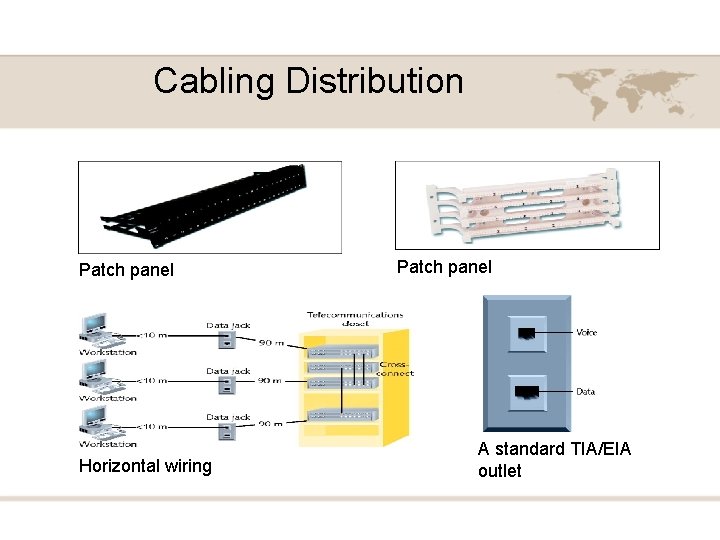
Cabling Distribution Patch panel Horizontal wiring Patch panel A standard TIA/EIA outlet
Cabling Distribution A typical UTP cabling installation
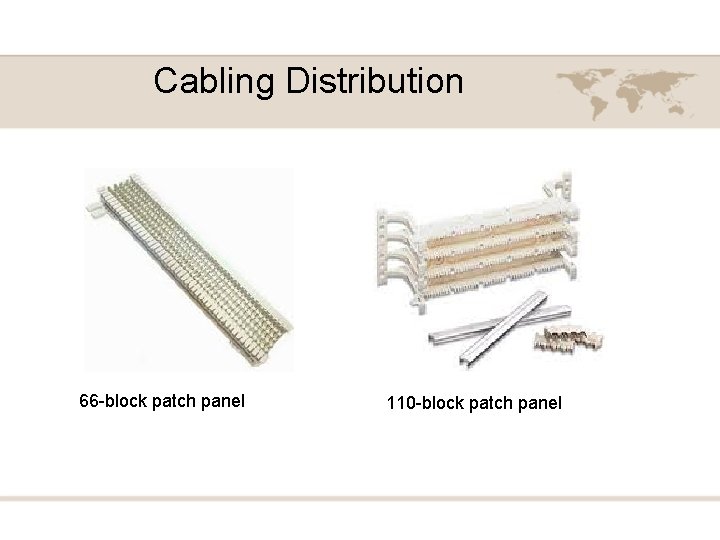
Cabling Distribution 66 -block patch panel 110 -block patch panel
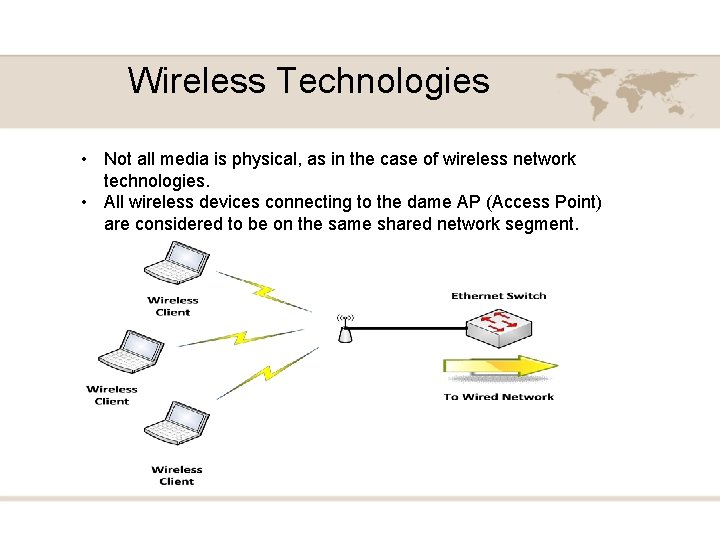
Wireless Technologies • Not all media is physical, as in the case of wireless network technologies. • All wireless devices connecting to the dame AP (Access Point) are considered to be on the same shared network segment.
Network Infrastructure Devices • The devices used in a network infrastructure can vary on the layer 1 technology used. • For example, a Token Ring network might use a multistation access unit (MSAU), while an Ethernet network might use a switch. • Because Ethernet-based networks are dominant today’s LANs, the infrastructure devices presented here lend themselves to networking using Ethernet as the Layer 1 transport.
HUB • A HUB is at layer 1 of the OSI model. • A HUB does not make forwarding decisions. • A HUB receives bits in on one port and then retransmits those bits out all other ports. • HUB most often use UTP cabling to connect to other network devices. • Three basic types of Ethernet HUBs exist. • Passive HUB • Active HUB • Smart HUB (with SNMP)
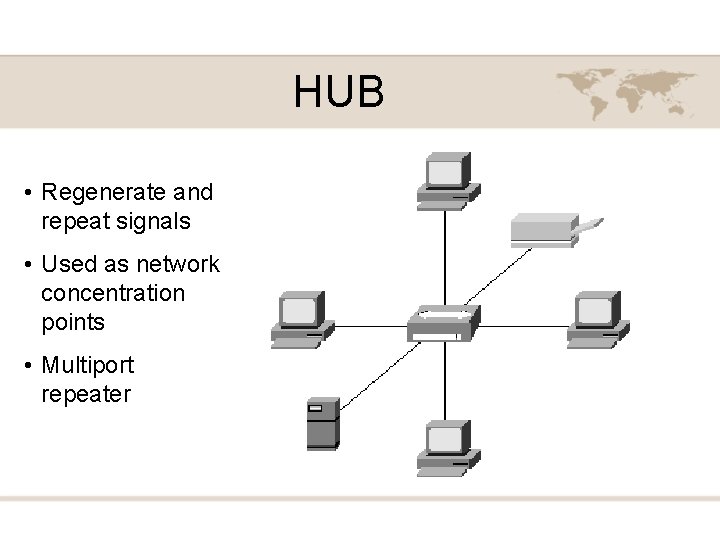
HUB • Regenerate and repeat signals • Used as network concentration points • Multiport repeater
Bridges • A bridge joins together two or more LAN segments, typically two Ethernet LAN segments. • Each LAN segment is a separate collision domain. • A bridge makes intelligent forwarding decisions based on the destination MAC address present in a frame. • A bridge analyzes source MAC address information on frames entering the bridge and populates an internal MAC address table based on learned information.
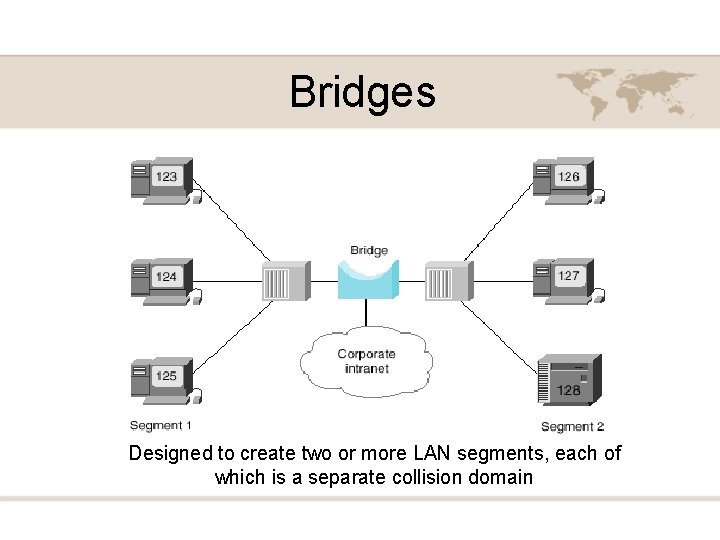
Bridges Designed to create two or more LAN segments, each of which is a separate collision domain
Switches • Like a bridge, switch can dynamically learn the MAC address attached to various ports by looking at the source MAC address on frames coming into a port. • Initially, however the switch is unaware of what MAC address reside off of which ports. • When a switch receives a frame destined for a MAC address not yet present in the switch’s MAC address table, the switch floods that frame out of all of the switch port, other than the port on which the frame arrived.
Switches Designed to create two or more LAN segments, each of which is a separate collision domain
Multilayer Switches • Although a Layer 2 switch, makes forwarding decisions based on MAC address information, a multilayer switch can make forwarding decisions based on upper-layer information. • A multilayer switch could function as a router, and make forwarding decisions on IP address information.
Multilayer Switches Eight collision Domains, Two Broadcast Domain
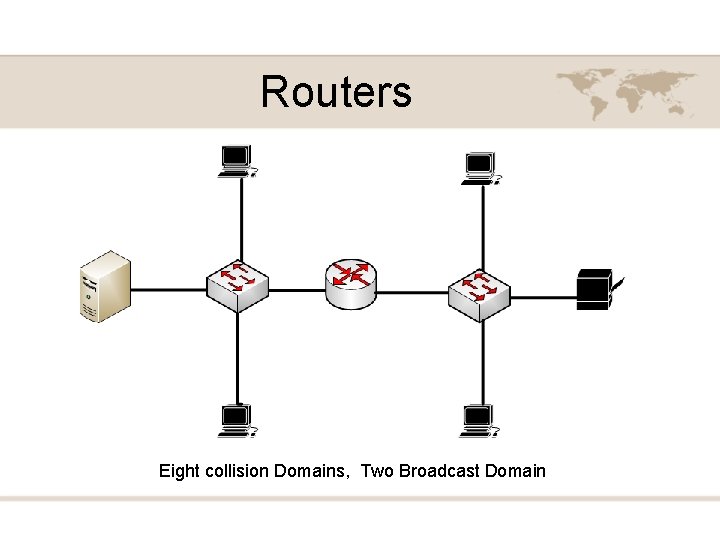
Routers • A Router is a layer 3 device, meaning that it makes forwarding decisions based on logical network address information. Such as IP addresses. • A router has the capability to consider high-layer traffic parameters in making its forwarding decisions. • Each port on a Router is a separate collision domain and a separate broadcast domain. • Routers are typically more feature-rich and support a broader range of interface types.
Routers Eight collision Domains, Two Broadcast Domain
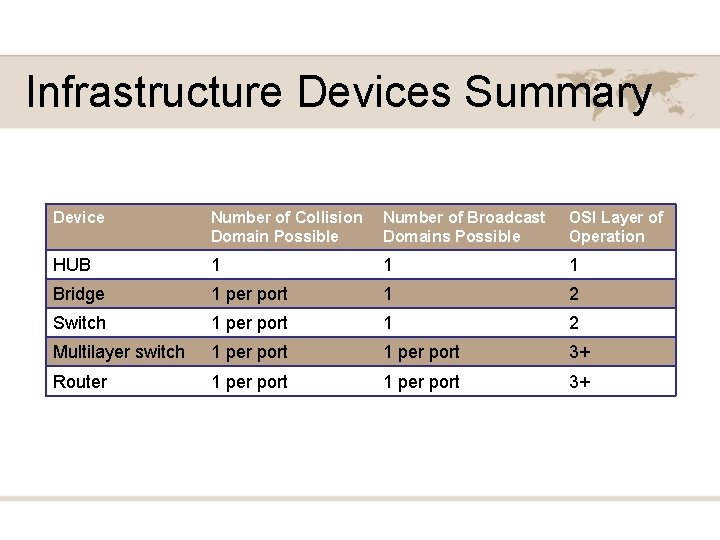
Infrastructure Devices Summary Device Number of Collision Domain Possible Number of Broadcast Domains Possible OSI Layer of Operation HUB 1 1 1 Bridge 1 per port 1 2 Switch 1 per port 1 2 Multilayer switch 1 per port 3+ Router 1 per port 3+
Chapter 3 Identifying Network components PART II
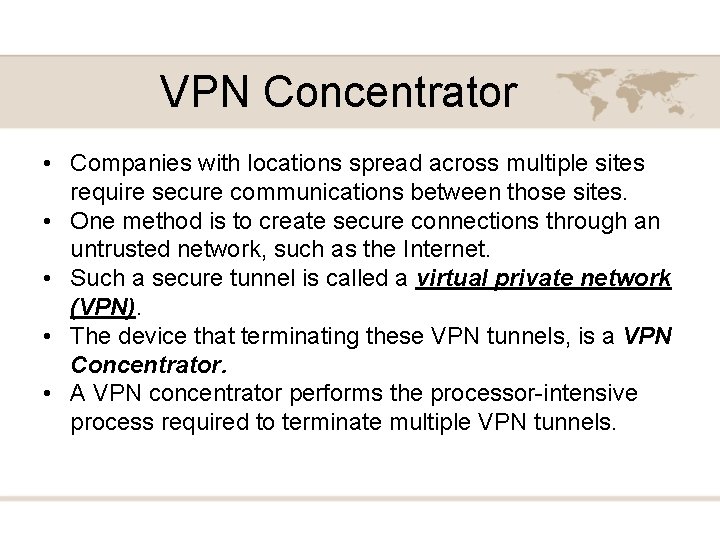
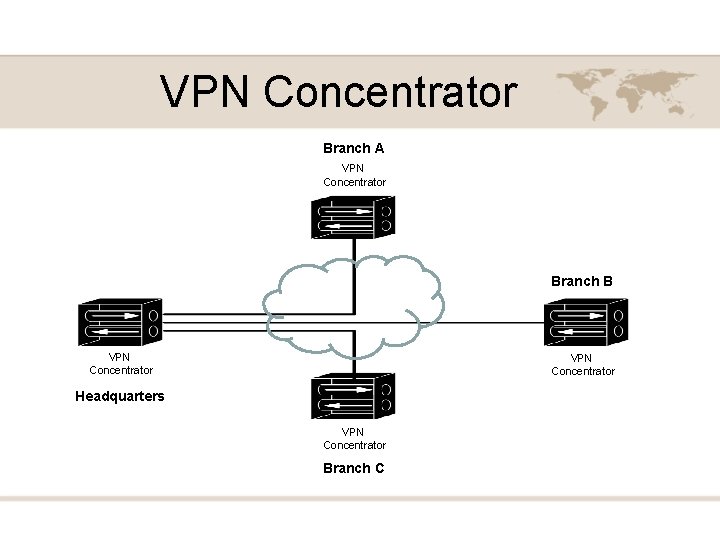
VPN Concentrator • Companies with locations spread across multiple sites require secure communications between those sites. • One method is to create secure connections through an untrusted network, such as the Internet. • Such a secure tunnel is called a virtual private network (VPN). • The device that terminating these VPN tunnels, is a VPN Concentrator. • A VPN concentrator performs the processor-intensive process required to terminate multiple VPN tunnels.
VPN Concentrator Branch A VPN Concentrator Branch B VPN Concentrator Headquarters VPN Concentrator Branch C
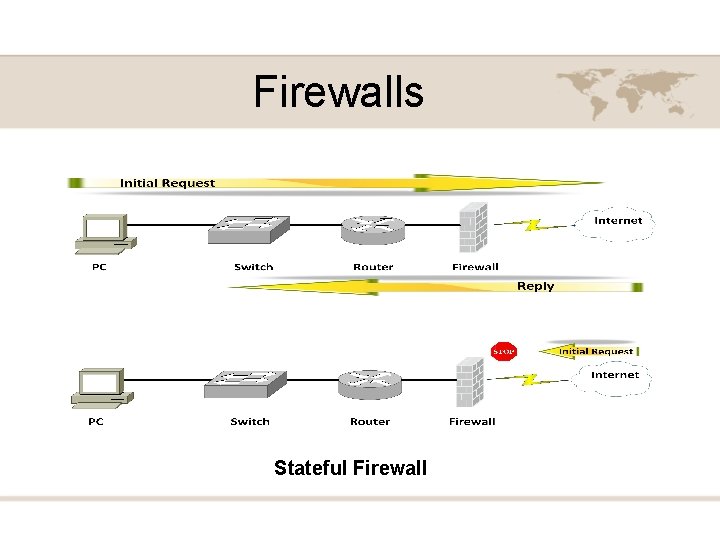
Firewalls • A Firewall is primarily a network security appliance, is stands guard at the door of your network, protecting it from malicious Internet traffic. • There are many types of firewalls, a stateful firewall is one example.
Firewalls Stateful Firewall
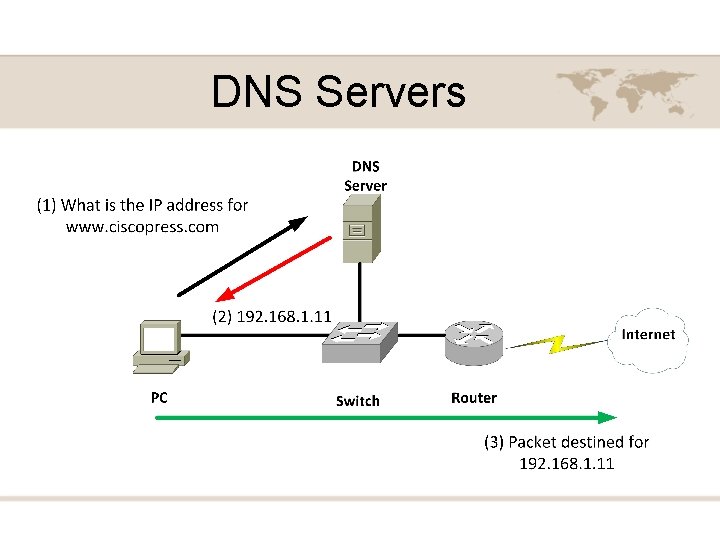
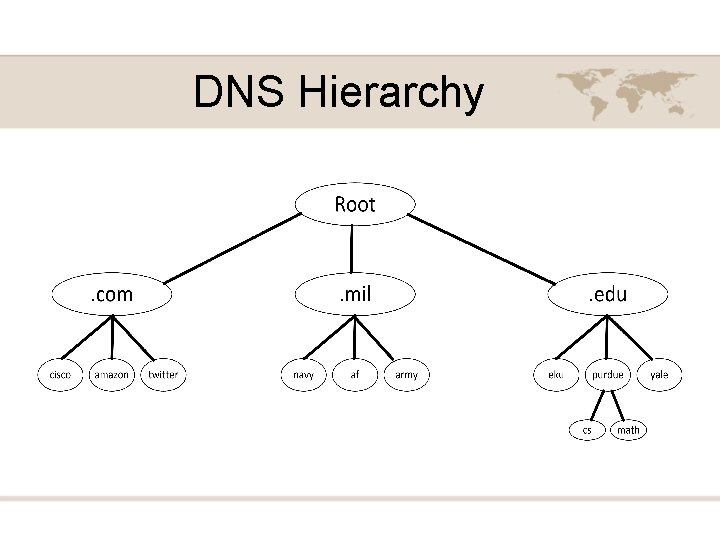
DNS Servers • A Domain Name System (DNS) server performs the task of taking a domain name like, www. ciscopress. com and resolving that name into a corresponding IP address. • Computers and the internet use numbers not names, but people recall names better than numbers. • www. ciscopress. com is an example of a fully-qualified domain name (FQDN) • An FQDN is a series of strings delimited by periods. The right-most string represents the root domain.
DNS Servers
DNS Hierarchy
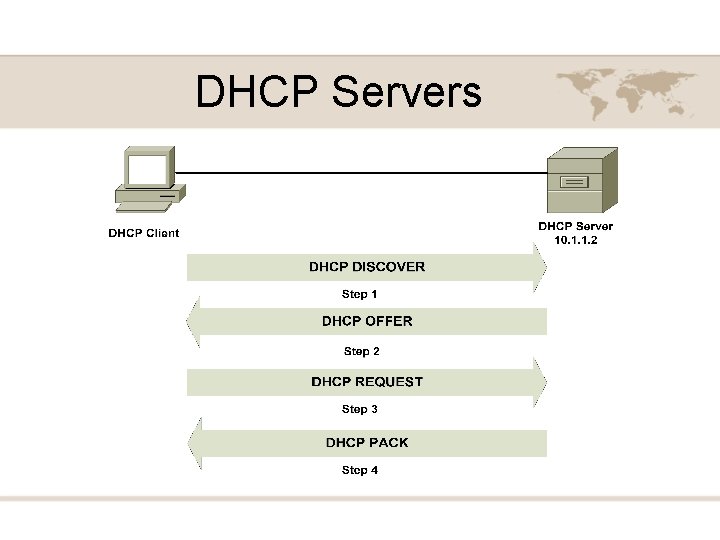
DHCP Servers • Most modern networks have IP address assigned to networking devices, and those logical Layer 3 addresses are used to route traffic between networks. • IP address can be statically configured on each host, however such process is time consuming and error prone (Manual). • A far more efficient method of IP address assignment is to dynamically assign IP addresses to network devices (Automatic). • This process assigns the; IP Address, Subnet Mask, Default Gateway, DNS Server to the host.
DHCP Servers
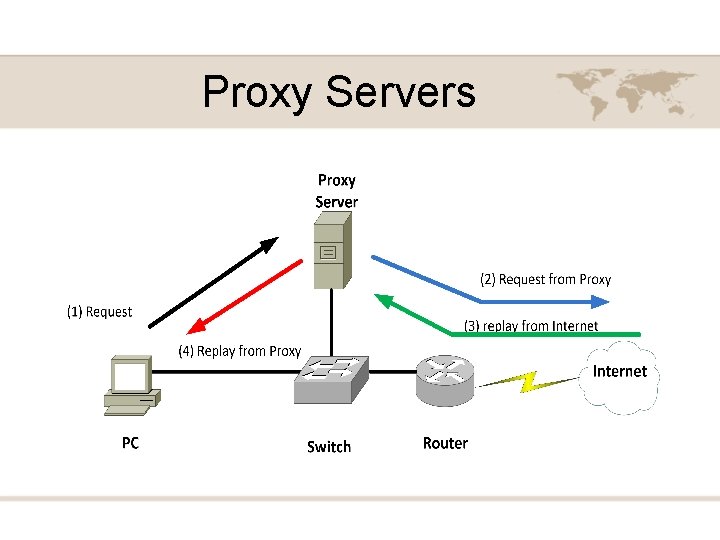
Proxy Servers • A Proxy Server is a device that makes request on behalf of its client. • Clients are configured to forward their packets, which are seemingly destined for the Internet, to a proxy server. • The proxy server evaluates the request, if it has a copy of the information the client is looking for it replies with it. • If the requested page is not in the server it forwards the request to the Internet.
Proxy Servers
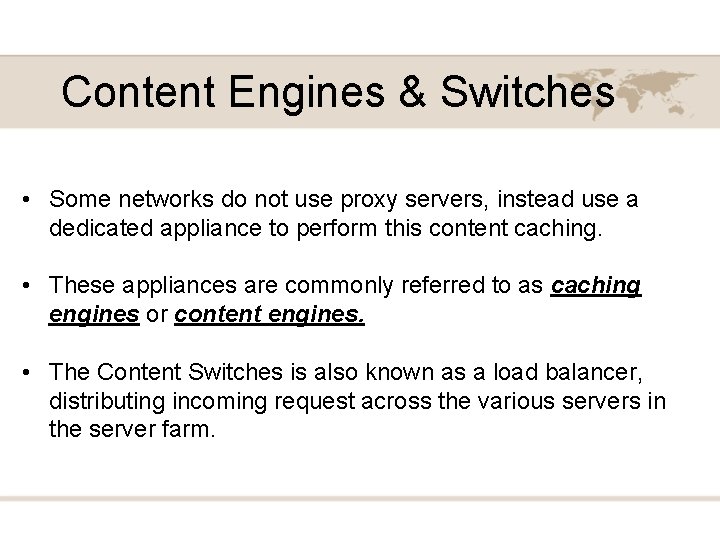
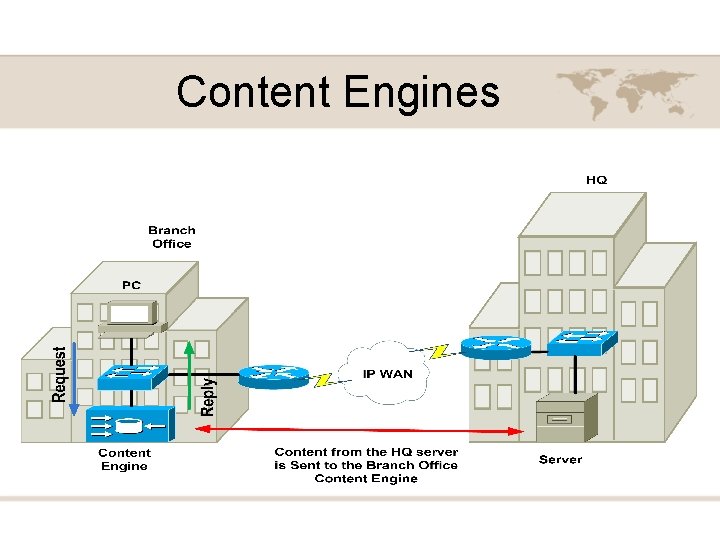
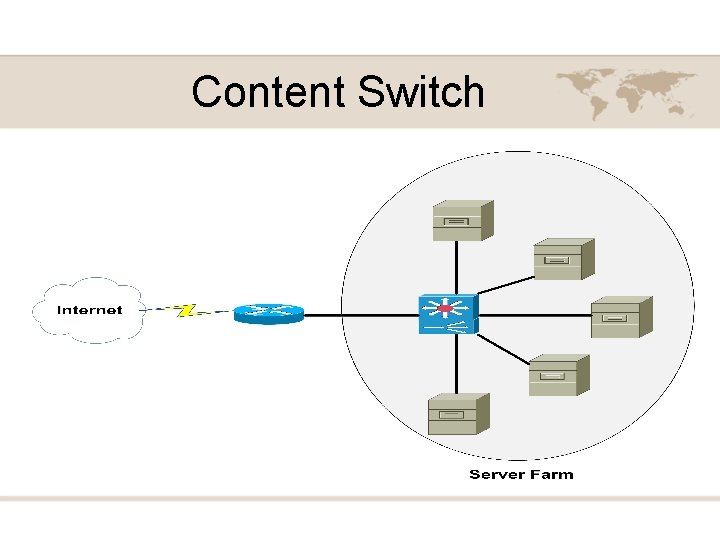
Content Engines & Switches • Some networks do not use proxy servers, instead use a dedicated appliance to perform this content caching. • These appliances are commonly referred to as caching engines or content engines. • The Content Switches is also known as a load balancer, distributing incoming request across the various servers in the server farm.
Content Engines
Content Switch
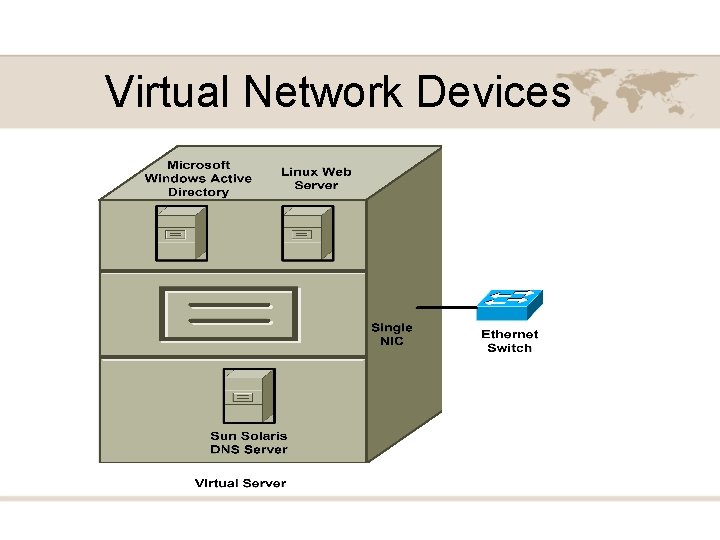
Virtual Network Devices
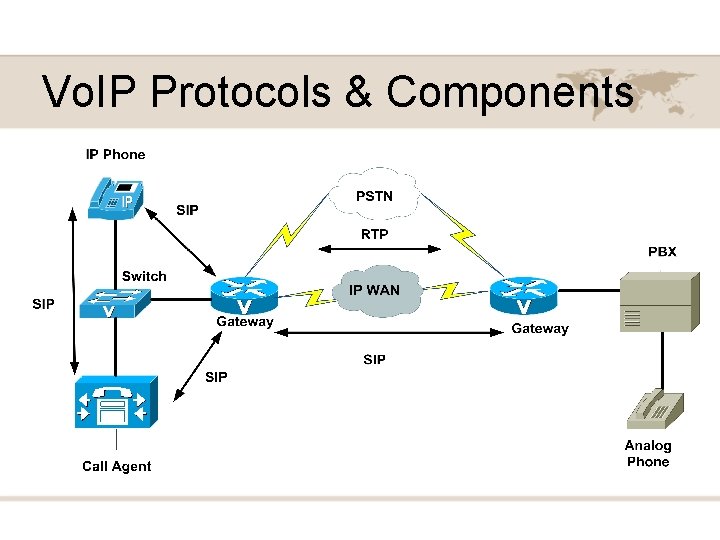
Vo. IP Protocols & Components