
COMP 401 GRAPH VS DAG VS TREE OBJECT
COMP 401 GRAPH VS. DAG VS. TREE OBJECT STRUCTURES Instructor: Prasun Dewan
PREREQUISITE Composite Object Shapes 2
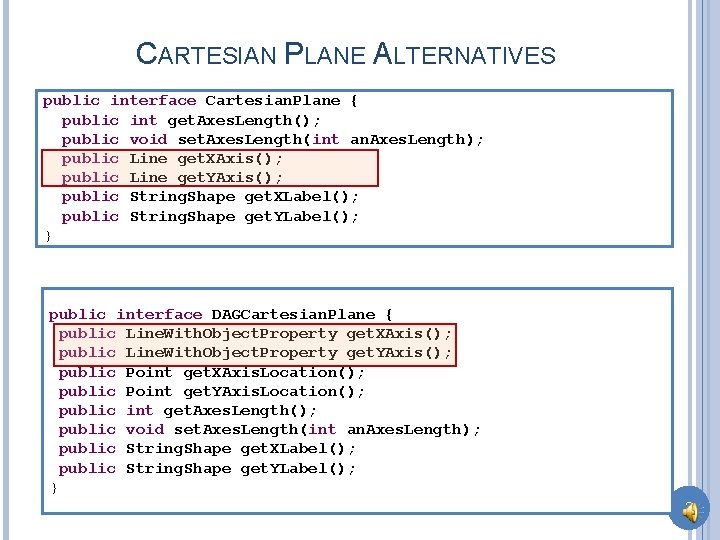
CARTESIAN PLANE ALTERNATIVES public interface Cartesian. Plane { public int get. Axes. Length(); public void set. Axes. Length(int an. Axes. Length); public Line get. XAxis(); public Line get. YAxis(); public String. Shape get. XLabel(); public String. Shape get. YLabel(); } public interface DAGCartesian. Plane { public Line. With. Object. Property get. XAxis(); public Line. With. Object. Property get. YAxis(); public Point get. XAxis. Location(); public Point get. YAxis. Location(); public int get. Axes. Length(); public void set. Axes. Length(int an. Axes. Length); public String. Shape get. XLabel(); public String. Shape get. YLabel(); } 3
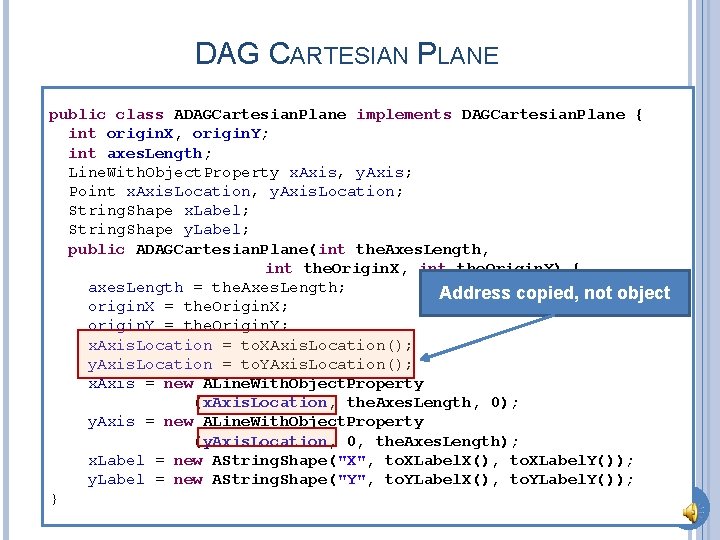
DAG CARTESIAN PLANE public class ADAGCartesian. Plane implements DAGCartesian. Plane { int origin. X, origin. Y; int axes. Length; Line. With. Object. Property x. Axis, y. Axis; Point x. Axis. Location, y. Axis. Location; String. Shape x. Label; String. Shape y. Label; public ADAGCartesian. Plane(int the. Axes. Length, int the. Origin. X, int the. Origin. Y) { axes. Length = the. Axes. Length; Address copied, not object origin. X = the. Origin. X; origin. Y = the. Origin. Y; x. Axis. Location = to. XAxis. Location(); y. Axis. Location = to. YAxis. Location(); x. Axis = new ALine. With. Object. Property (x. Axis. Location, the. Axes. Length, 0); y. Axis = new ALine. With. Object. Property (y. Axis. Location, 0, the. Axes. Length); x. Label = new AString. Shape("X", to. XLabel. X(), to. XLabel. Y()); y. Label = new AString. Shape("Y", to. YLabel. X(), to. YLabel. Y()); } 4
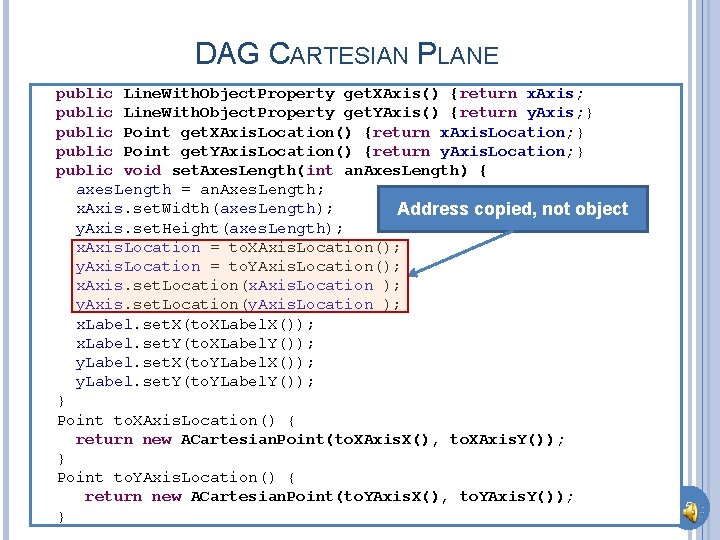
DAG CARTESIAN PLANE public Line. With. Object. Property get. XAxis() {return x. Axis; public Line. With. Object. Property get. YAxis() {return y. Axis; } public Point get. XAxis. Location() {return x. Axis. Location; } public Point get. YAxis. Location() {return y. Axis. Location; } public void set. Axes. Length(int an. Axes. Length) { axes. Length = an. Axes. Length; x. Axis. set. Width(axes. Length); Address copied, not object y. Axis. set. Height(axes. Length); x. Axis. Location = to. XAxis. Location(); y. Axis. Location = to. YAxis. Location(); x. Axis. set. Location(x. Axis. Location ); y. Axis. set. Location(y. Axis. Location ); x. Label. set. X(to. XLabel. X()); x. Label. set. Y(to. XLabel. Y()); y. Label. set. X(to. YLabel. X()); y. Label. set. Y(to. YLabel. Y()); } Point to. XAxis. Location() { return new ACartesian. Point(to. XAxis. X(), to. XAxis. Y()); } Point to. YAxis. Location() { return new ACartesian. Point(to. YAxis. X(), to. YAxis. Y()); } 5
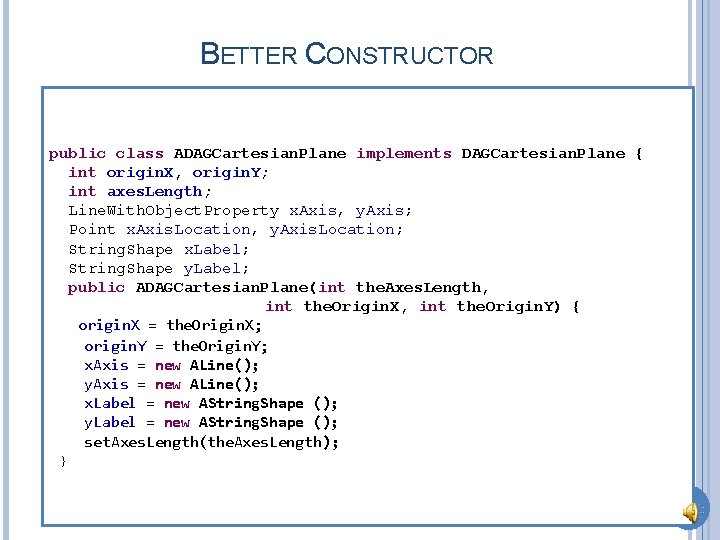
BETTER CONSTRUCTOR public class ADAGCartesian. Plane implements DAGCartesian. Plane { int origin. X, origin. Y; int axes. Length; Line. With. Object. Property x. Axis, y. Axis; Point x. Axis. Location, y. Axis. Location; String. Shape x. Label; String. Shape y. Label; public ADAGCartesian. Plane(int the. Axes. Length, int the. Origin. X, int the. Origin. Y) { origin. X = the. Origin. X; origin. Y = the. Origin. Y; x. Axis = new ALine(); y. Axis = new ALine(); x. Label = new AString. Shape (); y. Label = new AString. Shape (); set. Axes. Length(the. Axes. Length); } 6
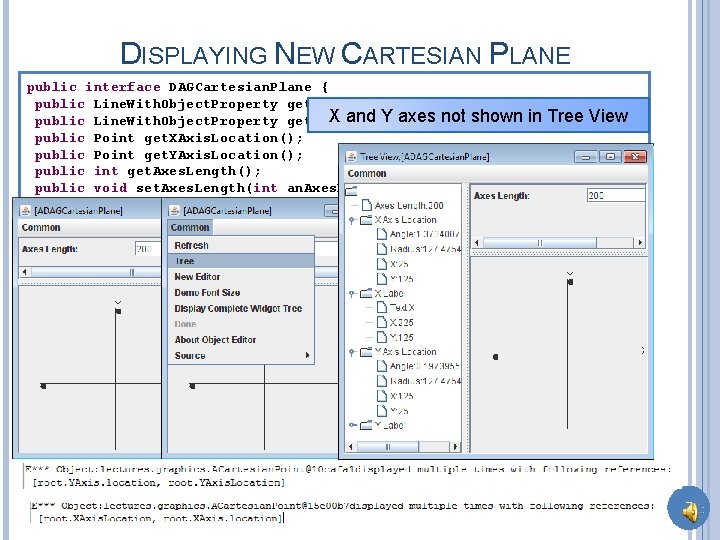
DISPLAYING NEW CARTESIAN PLANE public interface DAGCartesian. Plane { public Line. With. Object. Property get. XAxis(); X and Y axes public Line. With. Object. Property get. YAxis(); public Point get. XAxis. Location(); public Point get. YAxis. Location(); public int get. Axes. Length(); public void set. Axes. Length(int an. Axes. Length); public String. Shape get. XLabel(); public String. Shape get. YLabel(); } not shown in Tree View 7

DISPLAYING NEW CARTESIAN PLANE (REVIEW) public interface DAGCartesian. Plane { public Line. With. Object. Property get. XAxis(); X and Y axes public Line. With. Object. Property get. YAxis(); public Point get. XAxis. Location(); public Point get. YAxis. Location(); public int get. Axes. Length(); public void set. Axes. Length(int an. Axes. Length); public String. Shape get. XLabel(); public String. Shape get. YLabel(); } not shown in Tree View 8
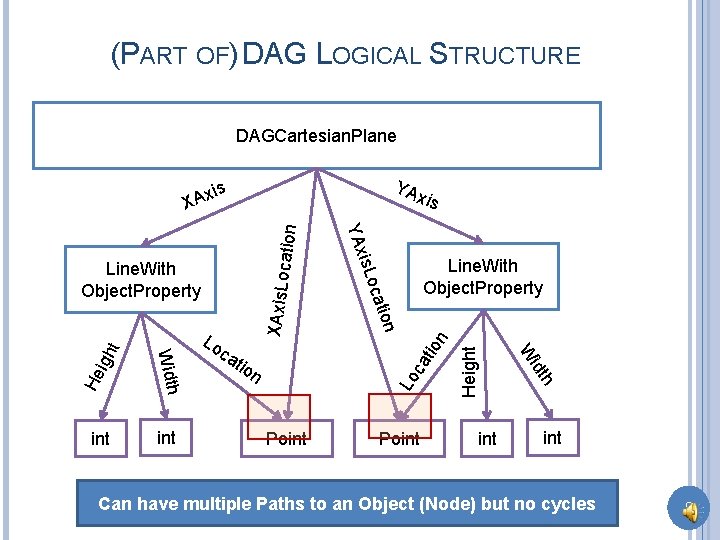
(PART OF) DAG LOGICAL STRUCTURE DAGCartesian. Plane YA s Axi Point Height n ca tio XAxis. Lo Lo t igh Point h n idt tio W He on int ca cati Width int Lo Line. With Object. Property is. Lo Line. With Object. Property xis YAx cation X int Can have multiple Paths to an Object (Node) but no cycles 9
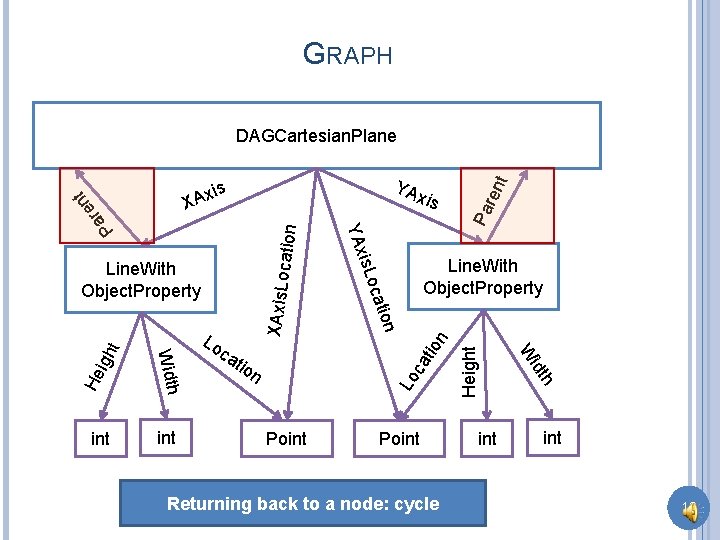
GRAPH ca tio XAxis. Lo n cation Pa Lo t igh Point Returning back to a node: cycle int h n idt tio W He on cati int ca Line. With Object. Property is. Lo Width int Lo YAx Line. With Object. Property xis Height t n re X Pa re YA s Axi nt DAGCartesian. Plane int 10
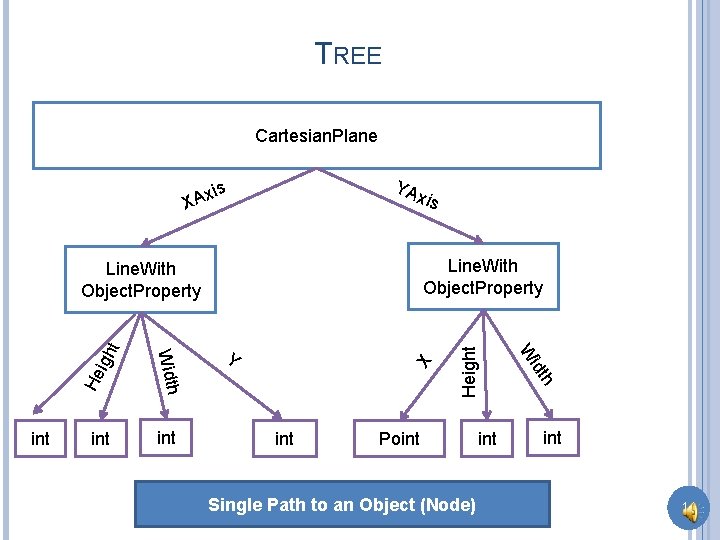
TREE Cartesian. Plane YA s Axi X xis X t He igh int Point Single Path to an Object (Node) int h int idt int W Width int Y Height Line. With Object. Property int 11
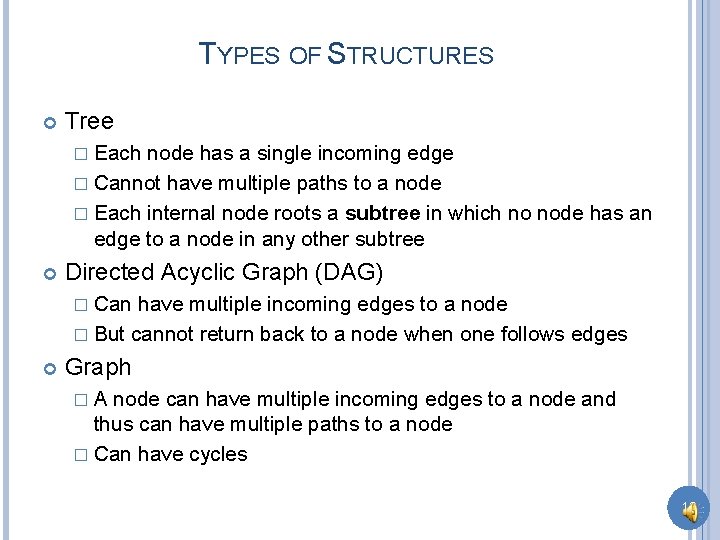
TYPES OF STRUCTURES Tree � Each node has a single incoming edge � Cannot have multiple paths to a node � Each internal node roots a subtree in which no node has an edge to a node in any other subtree Directed Acyclic Graph (DAG) � Can have multiple incoming edges to a node � But cannot return back to a node when one follows edges Graph �A node can have multiple incoming edges to a node and thus can have multiple paths to a node � Can have cycles 12
OBJECT EDITOR AND STRUCTURES Object. Editor does not display certain non-tree logical structures � How to display them textually? � Performance and implementation reasons. Neither does Swing or AWT What if we have a non tree logical structure? 13
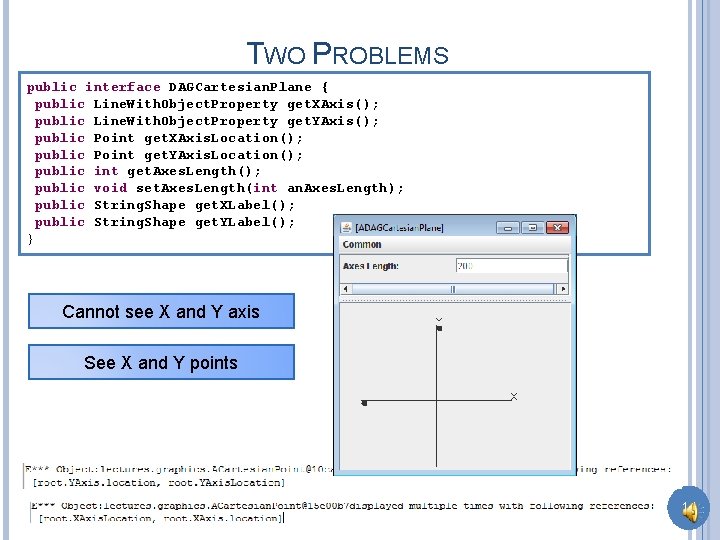
TWO PROBLEMS public interface DAGCartesian. Plane { public Line. With. Object. Property get. XAxis(); public Line. With. Object. Property get. YAxis(); public Point get. XAxis. Location(); public Point get. YAxis. Location(); public int get. Axes. Length(); public void set. Axes. Length(int an. Axes. Length); public String. Shape get. XLabel(); public String. Shape get. YLabel(); } Cannot see X and Y axis See X and Y points 14
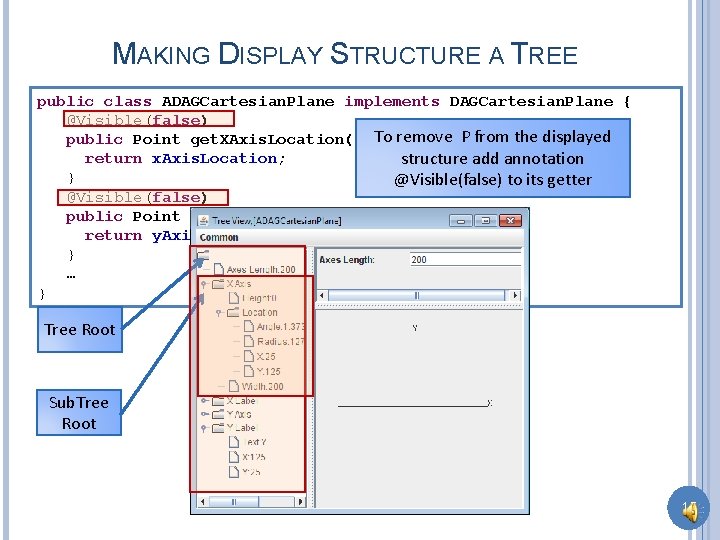
MAKING DISPLAY STRUCTURE A TREE public class ADAGCartesian. Plane implements DAGCartesian. Plane { @Visible(false) To remove P from the displayed public Point get. XAxis. Location() { return x. Axis. Location; structure add annotation } @Visible(false) to its getter @Visible(false) public Point get. YAxis. Location() { return y. Axis. Location; } … } Tree Root Sub. Tree Root 15
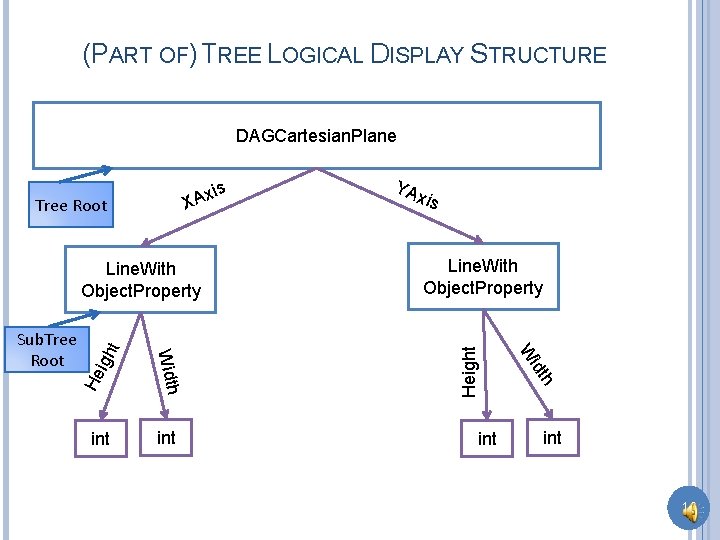
(PART OF) TREE LOGICAL DISPLAY STRUCTURE DAGCartesian. Plane Tree Root X He igh int Line. With Object. Property idt int xis W Width Sub. Tree Root t Line. With Object. Property YA Height s Axi int 16
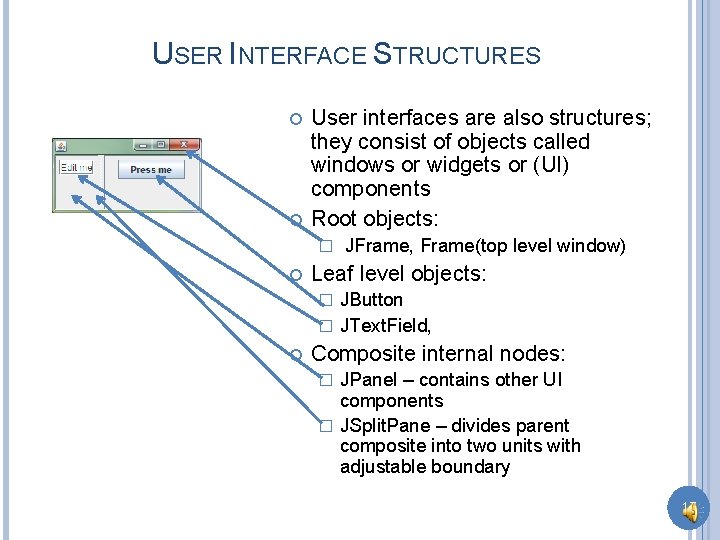
USER INTERFACE STRUCTURES User interfaces are also structures; they consist of objects called windows or widgets or (UI) components Root objects: � JFrame, Frame(top level window) Leaf level objects: JButton � JText. Field, � Composite internal nodes: JPanel – contains other UI components � JSplit. Pane – divides parent composite into two units with adjustable boundary � 17
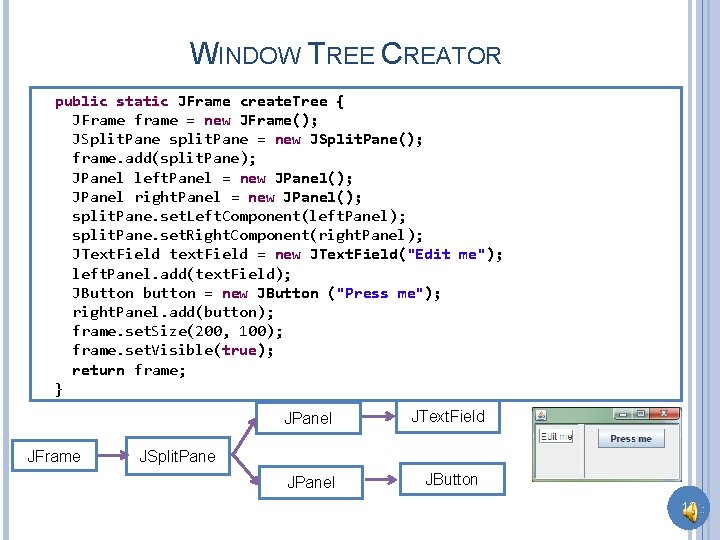
WINDOW TREE CREATOR public static JFrame create. Tree { JFrame frame = new JFrame(); JSplit. Pane split. Pane = new JSplit. Pane(); frame. add(split. Pane); JPanel left. Panel = new JPanel(); JPanel right. Panel = new JPanel(); split. Pane. set. Left. Component(left. Panel); split. Pane. set. Right. Component(right. Panel); JText. Field text. Field = new JText. Field("Edit me"); left. Panel. add(text. Field); JButton button = new JButton ("Press me"); right. Panel. add(button); frame. set. Size(200, 100); frame. set. Visible(true); return frame; } JFrame JPanel JText. Field JPanel JButton JSplit. Pane 18
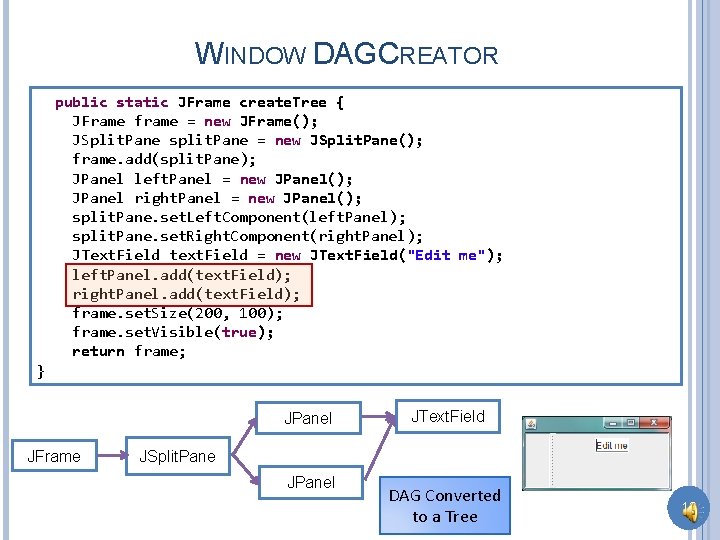
WINDOW DAGCREATOR public static JFrame create. Tree { JFrame frame = new JFrame(); JSplit. Pane split. Pane = new JSplit. Pane(); frame. add(split. Pane); JPanel left. Panel = new JPanel(); JPanel right. Panel = new JPanel(); split. Pane. set. Left. Component(left. Panel); split. Pane. set. Right. Component(right. Panel); JText. Field text. Field = new JText. Field("Edit me"); left. Panel. add(text. Field); right. Panel. add(text. Field); frame. set. Size(200, 100); frame. set. Visible(true); return frame; } JPanel JFrame JText. Field JSplit. Pane JPanel DAG Converted to a Tree 19
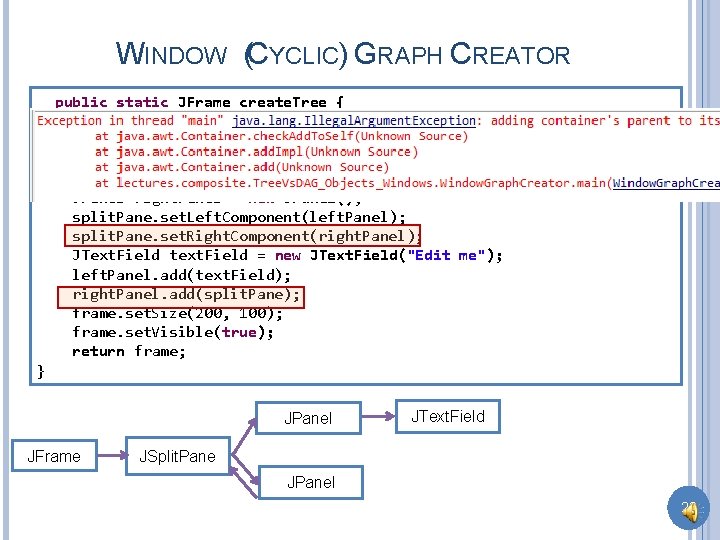
WINDOW (CYCLIC) GRAPH CREATOR public static JFrame create. Tree { JFrame frame = new JFrame(); JSplit. Pane split. Pane = new JSplit. Pane(); frame. add(split. Pane); JPanel left. Panel = new JPanel(); JPanel right. Panel = new JPanel(); split. Pane. set. Left. Component(left. Panel); split. Pane. set. Right. Component(right. Panel); JText. Field text. Field = new JText. Field("Edit me"); left. Panel. add(text. Field); right. Panel. add(split. Pane); frame. set. Size(200, 100); frame. set. Visible(true); return frame; } JPanel JFrame JText. Field JSplit. Pane JPanel 20
WINDOW VS. OTHER STRUCTURES Both are object structures that can be trees, DAGs and arbitrary Graphs Window structures describe components of the user interface Non window object structures we have seen are mapped to window structures by Object. Editor Some window structures are Beans � JSplit. Pane has fixed number of left and right component of with getters and setters Some are collections � JPanel has dynamic number of components added by add() 21
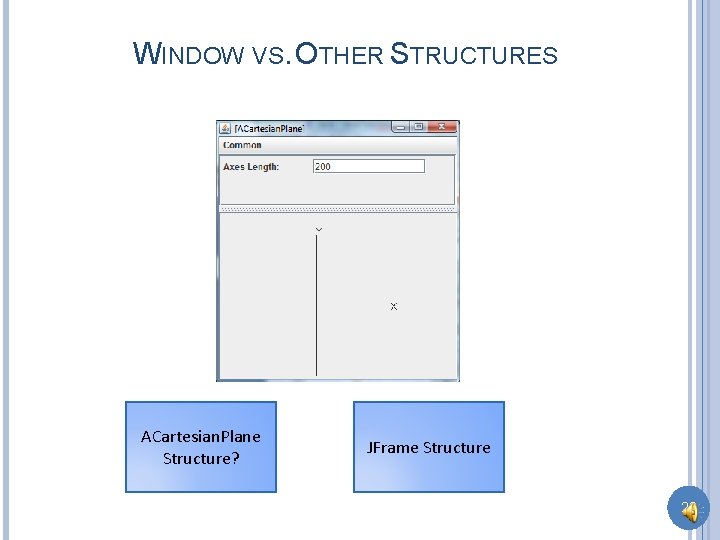
WINDOW VS. OTHER STRUCTURES ACartesian. Plane Structure? JFrame Structure 22
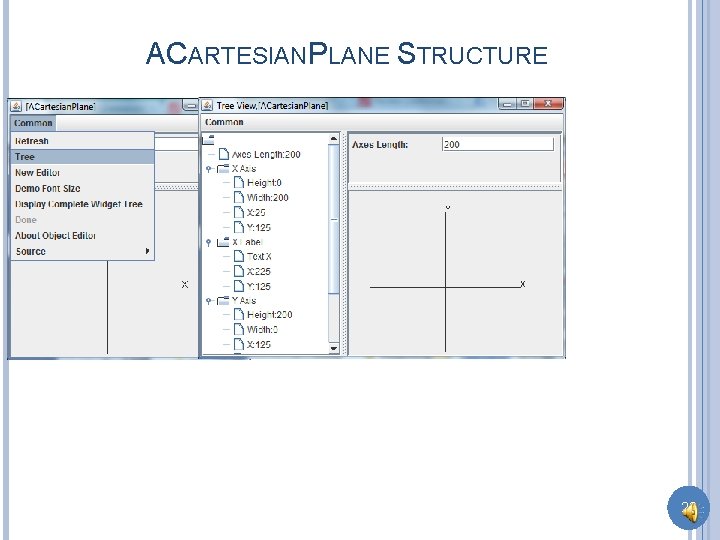
ACARTESIANPLANE STRUCTURE 23
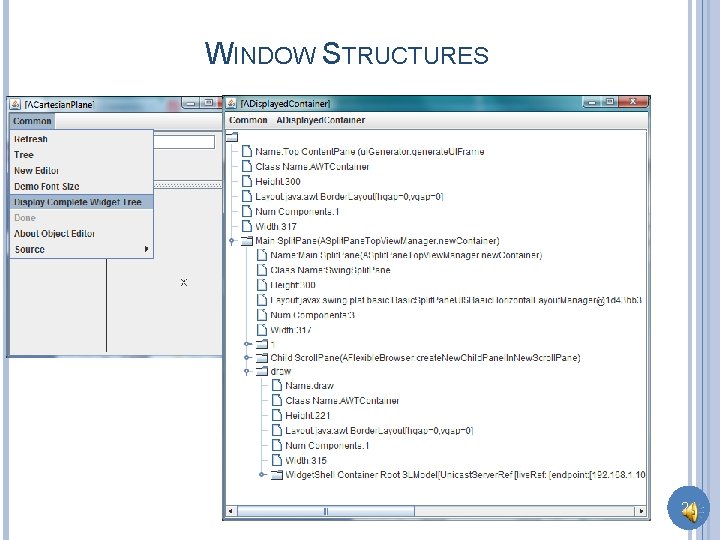
WINDOW STRUCTURES 24
REST ARE EXTRA 25
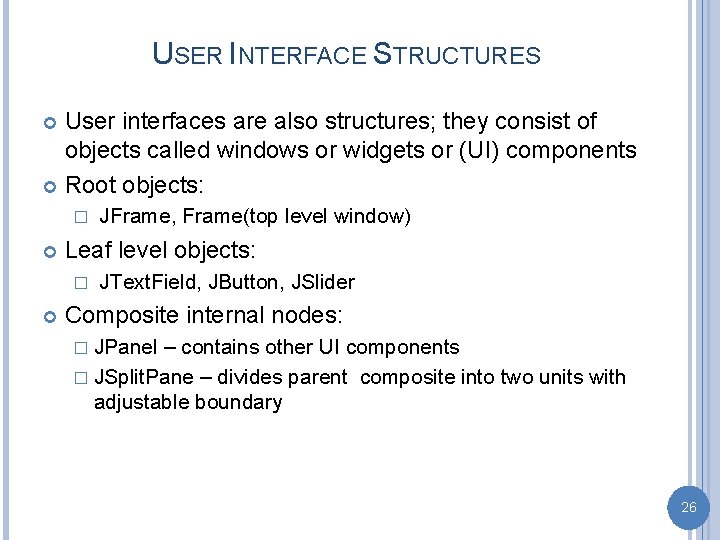
USER INTERFACE STRUCTURES User interfaces are also structures; they consist of objects called windows or widgets or (UI) components Root objects: � Leaf level objects: � JFrame, Frame(top level window) JText. Field, JButton, JSlider Composite internal nodes: � JPanel – contains other UI components � JSplit. Pane – divides parent composite into two units with adjustable boundary 26
- Slides: 26