
COMP 2322 Lab 1 Introduction to Wireless LAN
COMP 2322 Lab 1 Introduction to Wireless LAN Weichao Li Apr. 8, 2016
Content • Introduction to WLAN • IEEE 802. 11 wireless network protocol • Analyze the protocol 2

Introduction • Wireless Local Area Network (WLAN) • A type of short range wireless network – Are confined to a limited area – Covers corporate building, school campuses, homes, … – Operate on an unlicensed spectrum for industrial, scientific, medical (ISM) usage 3
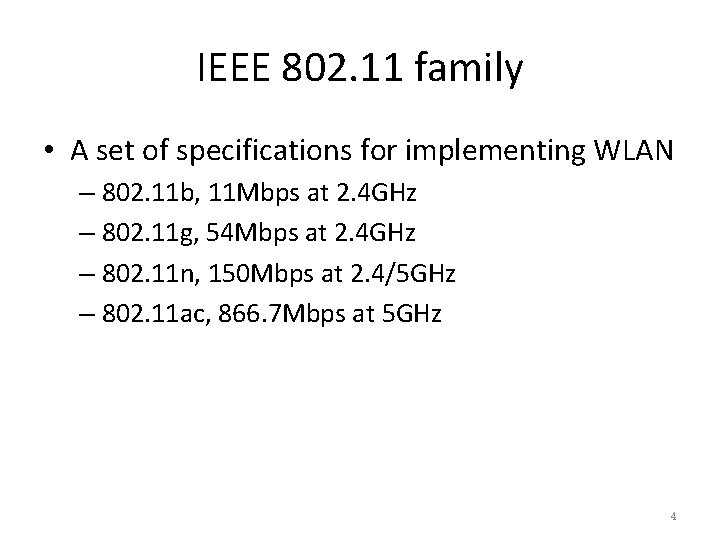
IEEE 802. 11 family • A set of specifications for implementing WLAN – 802. 11 b, 11 Mbps at 2. 4 GHz – 802. 11 g, 54 Mbps at 2. 4 GHz – 802. 11 n, 150 Mbps at 2. 4/5 GHz – 802. 11 ac, 866. 7 Mbps at 5 GHz 4
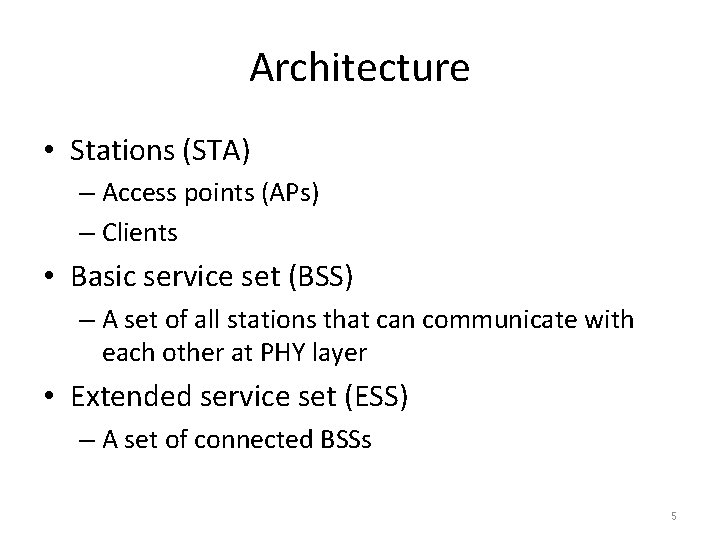
Architecture • Stations (STA) – Access points (APs) – Clients • Basic service set (BSS) – A set of all stations that can communicate with each other at PHY layer • Extended service set (ESS) – A set of connected BSSs 5

Network type • Infrastructure mode – An AP acts as a wireless hub, and clients communicate through the hub • Ad hoc mode – Stations communicate only peer to peer 6
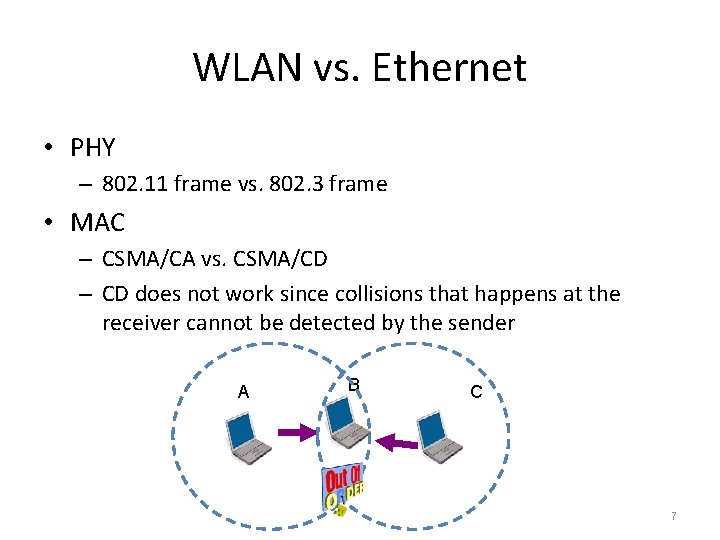
WLAN vs. Ethernet • PHY – 802. 11 frame vs. 802. 3 frame • MAC – CSMA/CA vs. CSMA/CD – CD does not work since collisions that happens at the receiver cannot be detected by the sender A B C 7
CSMA/CA • Uses short signaling packets for collision avoidance – RTS – request (or ready) to send • If the sender wants to send a data packet , it first broadcasts a short RTS packet to the receiver to request the right – CTS – clear to send • The receiver grants the right by broadcasting a CTS packet as soon as it is ready to receive – DATA • When the sender receives the CTS, it sends the data to the receiver 8
Packet capturing in WLAN • 802. 11 frames cannot be captured directly – The WNIC (wireless network interface card)/driver will transfer the 802. 11 frames to 802. 3 Ethernet frame 9
Packet capturing in WLAN (cont’d) • In windows, use special WNIC and driver (e. g. , Air. Pcap) – https: //support. riverbed. com/content/support/softw are/steelcentral-npm/airpcap. html • In Linux – Enable monitor mode with iwconfig • iwconfig wlan 0 mode monitor – Force the WNIC work at promiscuous mode • ifconfig wlan 0 promisc – Not all WNICs support monitor mode 10
802. 11 frames • Data frames • Control frames – Assist with the delivery of the data frames – E. g. , Power Save (PS) Poll, RTS, CTS, Acknowledgement (ACK), … • Management frames – Are used by stations to establish and maintain communications – Beacon, Association Request, Association Response, Disassociation, Authentication, Deauthentication, … 11
802. 11 frames (cont’d) • Beacon frame – The AP periodically sends a beacon frame to announce its presence and relay information – WNICs continually scan all 802. 11 radio channels and listen to beacons • Association-related frames – The management frames exchanged when a client tries to join/leave a BSS 12
802. 11 frames (cont’d) • Radiotap header – Provides additional information that is added to each 802. 11 frame when capturing frames with an analysis application – Not part of the standard 802. 11 frame format 13
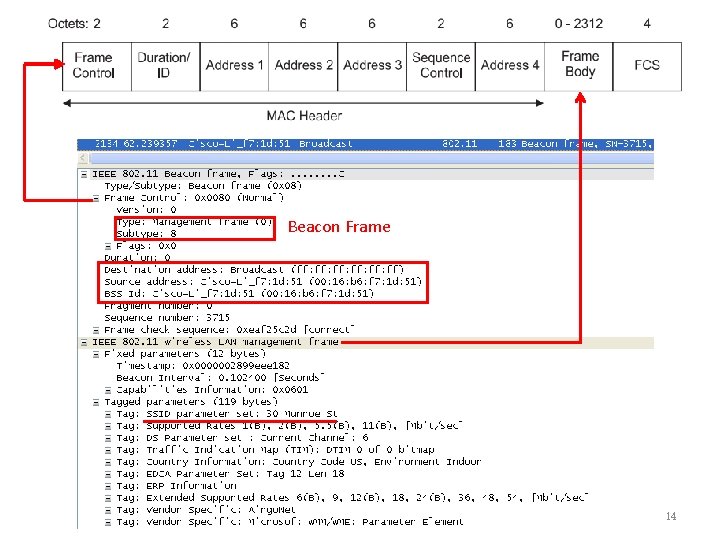
Beacon Frame 14 14
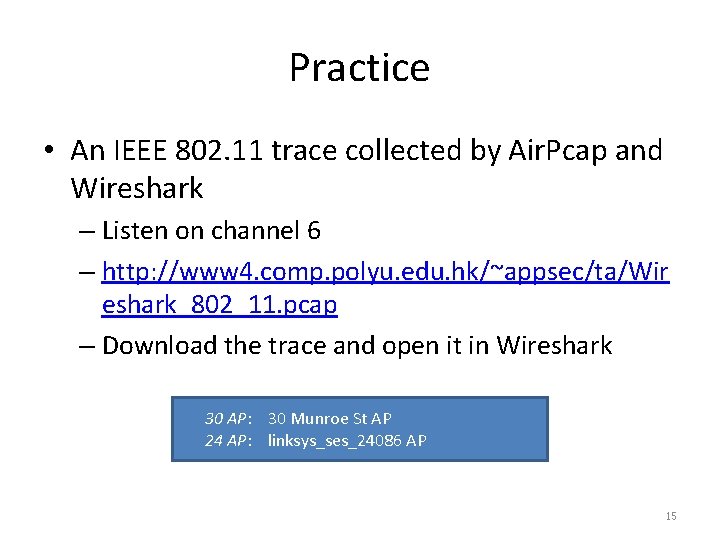
Practice • An IEEE 802. 11 trace collected by Air. Pcap and Wireshark – Listen on channel 6 – http: //www 4. comp. polyu. edu. hk/~appsec/ta/Wir eshark_802_11. pcap – Download the trace and open it in Wireshark 30 AP: 30 Munroe St AP 24 AP: linksys_ses_24086 AP 15
Questions (1) – Overall information • (5 marks) How many ESSs can be observed in the trace on channel 6? List the name of them. • (5 marks) How many APs can be found for each ESS? List the BSSID for them. 16
Questions (2) – Beacon frame • (2 marks) What are the BSSIDs of the two APs that are issuing most of the beacon frames in this trace? • (3 marks) What are the intervals of time between transmission of the beacon frames for the two APs? • (2 marks) What (in hexadecimal notation) is the destination MAC address in the beacon frame? • (3 marks) The beacon frames from “ 30 AP” advertise that it can support four data rates and eight additional “extended supported rates. ” What are these rates? 17
Questions(3) – Data transfer • Find 802. 11 frame containing SYN TCP segment for this first TCP connection (that downloads alice. txt). – (3 marks) What are three MAC address fields in the 802. 11 frame? And what does the destination MAC address corresponds to? – (2 marks) What is the IP address of the wireless host sending this TCP segment? What does the destination IP corresponds to? • Find 802. 11 frame containing SYN/ACK segment for this TCP connection. – (3 marks) What are three MAC address fields in the 802. 11 frame? And what does the destination MAC address corresponds to? – (2 marks) Does the sender MAC address in the frame correspond to the source IP address within this datagram? Explain your answer. 18
Questions(4) – Association/disassociation • (3 marks) What are the two actions taken (i. e. , frames are sent) by host just after t=49 to end the association with “ 30 AP”? Explain Type and Subtype for 802. 11 -layer action. • (3 marks) Set the Wireshark display filter to display only AUTHENTICATION messages sent from host to “ 24 AP” (whose MAC is Cisco_Li_f 5: ba: bb). Write down your filter setting , and answer how many those messages? – Hint: the first AUTHENTICATION is started at around t=49. • (2 marks) Does the host want authentication to require a key or be open? Explain it using a field in the management frame. • (2 marks) Do you see a reply AUTHENTICATION from “ 24 AP” in the trace? If not, explain why not. 19
Questions(5) – Association/disassociation • Consider what happens as host gives up associating with “ 24 AP” and now tries to associate with “ 30 AP” – (3 marks) At what time is the first AUTHENTICATION frame from host to 30 AP, and when for reply AUTHENTICATION frame? • An ASSOCIATE REQUEST from host to AP, and a corresponding ASSOCIATE RESPONSE frame from AP to host are used for host to associated with an AP – (5 marks) At what time is there an ASSOCIATE REQUEST from host to “ 30 AP”? When is the corresponding ASSOCIATE REPLY sent? And write down your Wireshark display filter setting. – (2 marks) What transmission rates are the host willing to use? “ 30 AP”? 20
Some display filters • Display only the frames that are transmitted in a BSS – wlan. bssid==BSSID • Display only the frames that are transmitted in an ESS – wlan_mgt. ssid==“ESSID” • Display a particular type of management frames – wlan. fc. subtype==subtype number 21
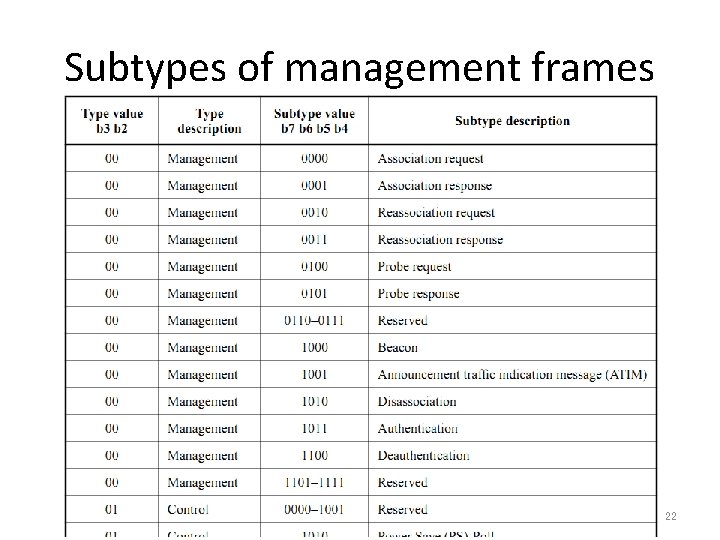
Subtypes of management frames 22
Resources • 802. 11 Frame formats – Section 7 in http: //gaia. cs. umass. edu/wiresharklabs/802. 11 -1999. pdf – Quite useful!!! • Computer Networking: A Top-down Approach, 5 th edition – Section 6. 3 • Wireshark protocol hints 23

Thanks 24
- Slides: 24