
COMP 1800 Computing in Python SPRING 2021 DAVID
- Slides: 18
COMP 1800 Computing in Python SPRING, 2021 DAVID J. STUCKI
ALERTS Reading assignment: Chapter 6 (pp. 177 -220) Lab 6 due by Friday at 11: 59 pm Questions? Midterm: next Friday, March 5 ◦ details on the next slide. . . No class March 8 -10 ◦ March 10 is reading day: all classes cancelled ◦ March 8 -9 is a virtual spring break (my classes only)
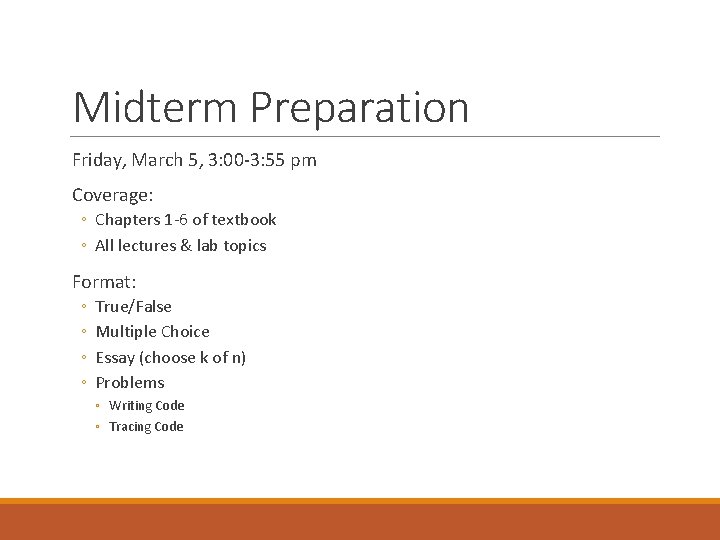
Midterm Preparation Friday, March 5, 3: 00 -3: 55 pm Coverage: ◦ Chapters 1 -6 of textbook ◦ All lectures & lab topics Format: ◦ ◦ True/False Multiple Choice Essay (choose k of n) Problems ◦ Writing Code ◦ Tracing Code
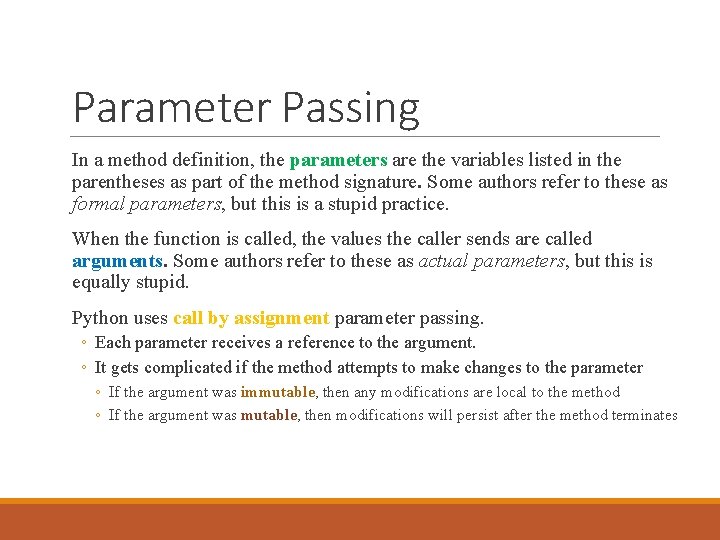
Parameter Passing In a method definition, the parameters are the variables listed in the parentheses as part of the method signature. Some authors refer to these as formal parameters, but this is a stupid practice. When the function is called, the values the caller sends are called arguments. Some authors refer to these as actual parameters, but this is equally stupid. Python uses call by assignment parameter passing. ◦ Each parameter receives a reference to the argument. ◦ It gets complicated if the method attempts to make changes to the parameter ◦ If the argument was immutable, then any modifications are local to the method ◦ If the argument was mutable, then modifications will persist after the method terminates
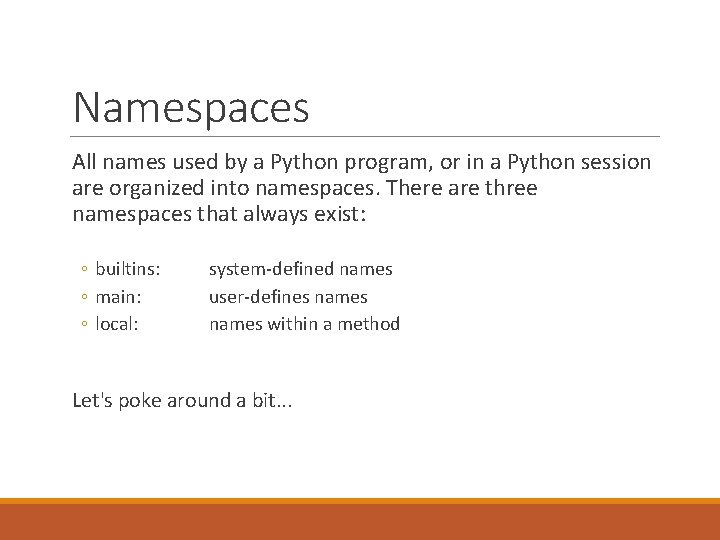
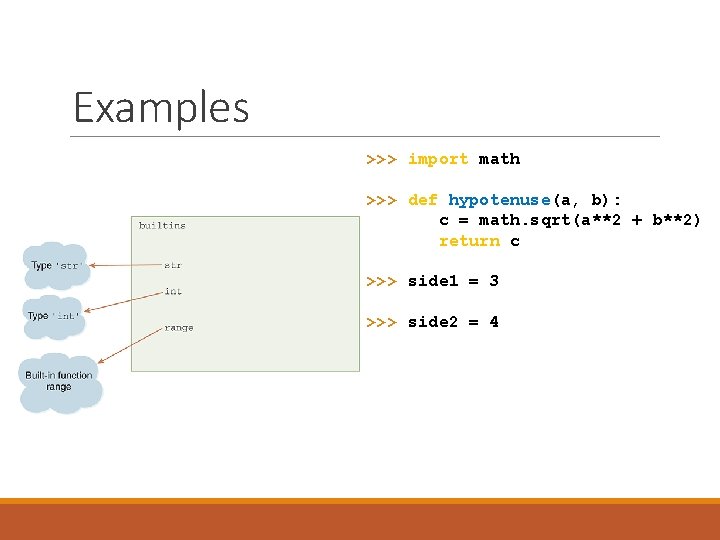
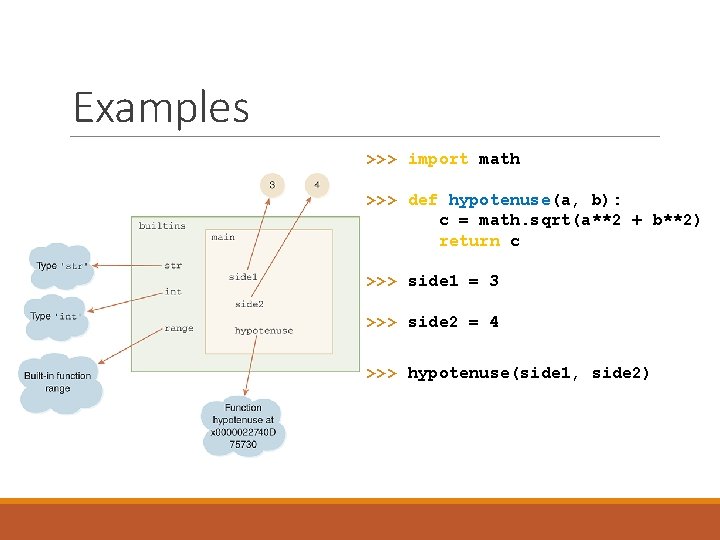
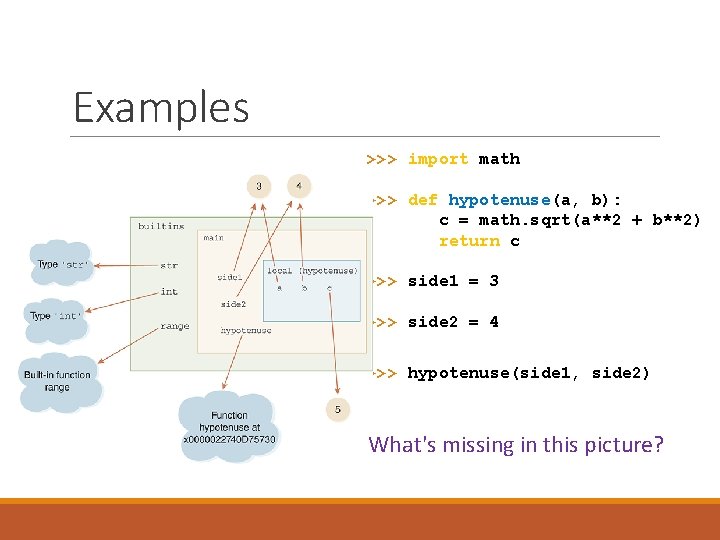
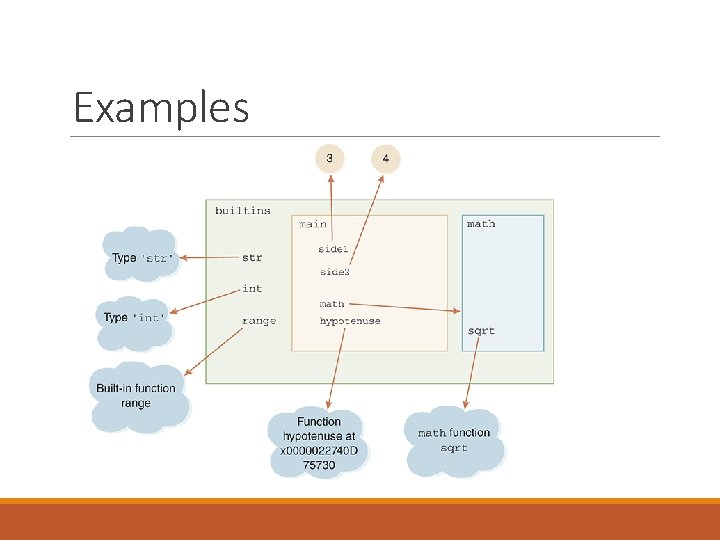
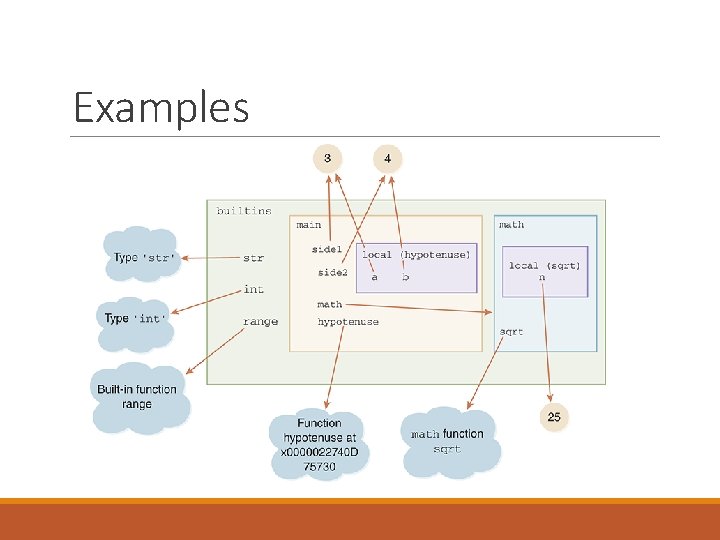
Namespaces All names used by a Python program, or in a Python session are organized into namespaces. There are three namespaces that always exist: ◦ builtins: ◦ main: ◦ local: system-defined names user-defines names within a method Let's poke around a bit. . .
Examples >>> import math >>> def hypotenuse(a, b): c = math. sqrt(a**2 + b**2) return c >>> side 1 = 3 >>> side 2 = 4
Examples >>> import math >>> def hypotenuse(a, b): c = math. sqrt(a**2 + b**2) return c >>> side 1 = 3 >>> side 2 = 4 >>> hypotenuse(side 1, side 2)
Examples >>> import math >>> def hypotenuse(a, b): c = math. sqrt(a**2 + b**2) return c >>> side 1 = 3 >>> side 2 = 4 >>> hypotenuse(side 1, side 2) What's missing in this picture?
Examples
Examples
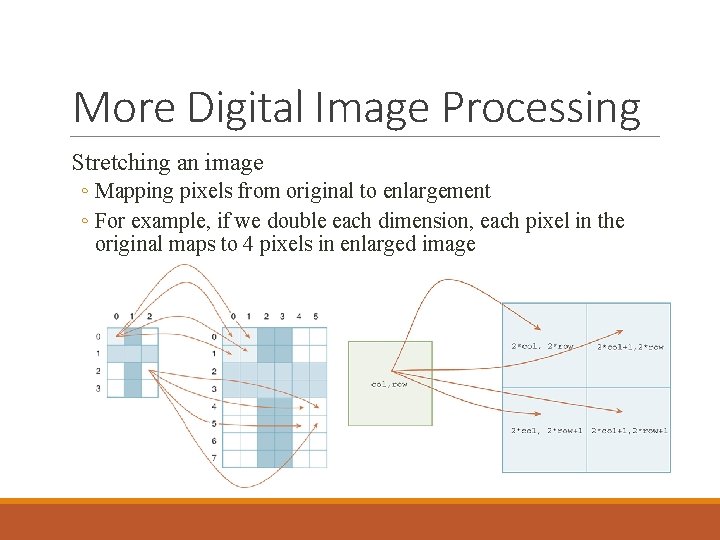
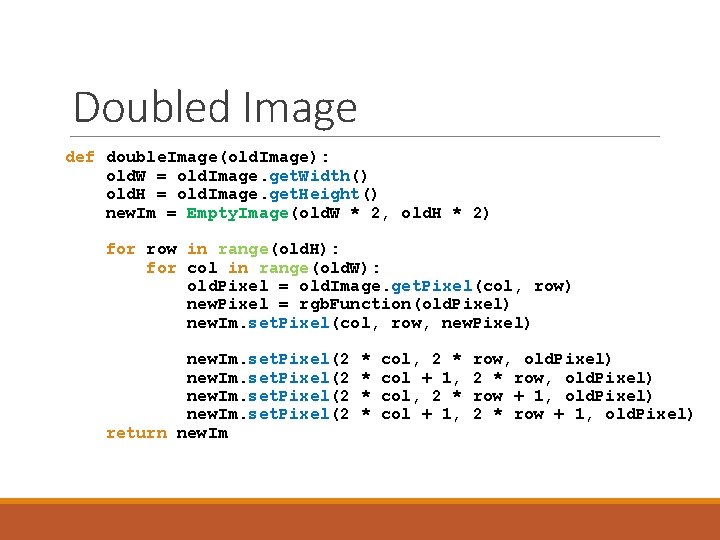
More Digital Image Processing Stretching an image ◦ Mapping pixels from original to enlargement ◦ For example, if we double each dimension, each pixel in the original maps to 4 pixels in enlarged image
Doubled Image def double. Image(old. Image): old. W = old. Image. get. Width() old. H = old. Image. get. Height() new. Im = Empty. Image(old. W * 2, old. H * 2) for row in range(old. H): for col in range(old. W): old. Pixel = old. Image. get. Pixel(col, row) new. Pixel = rgb. Function(old. Pixel) new. Im. set. Pixel(col, row, new. Pixel) new. Im. set. Pixel(2 return new. Im * * col, 2 * col + 1, row, old. Pixel) 2 * row, old. Pixel) row + 1, old. Pixel) 2 * row + 1, old. Pixel)
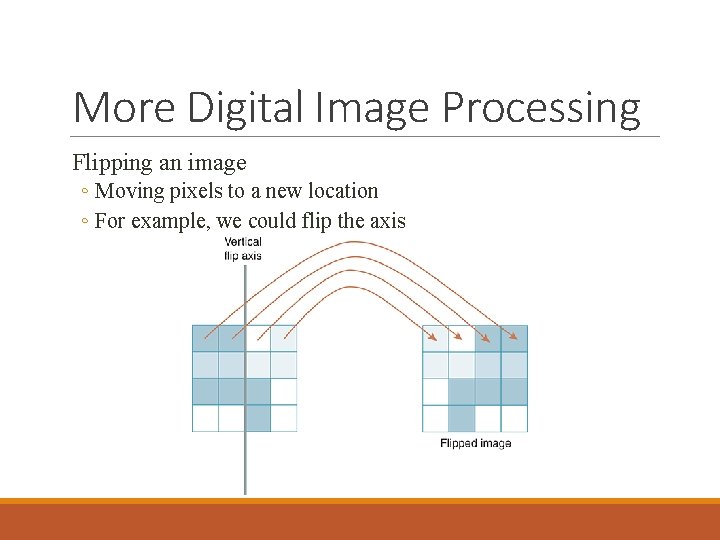
More Digital Image Processing Flipping an image ◦ Moving pixels to a new location ◦ For example, we could flip the axis
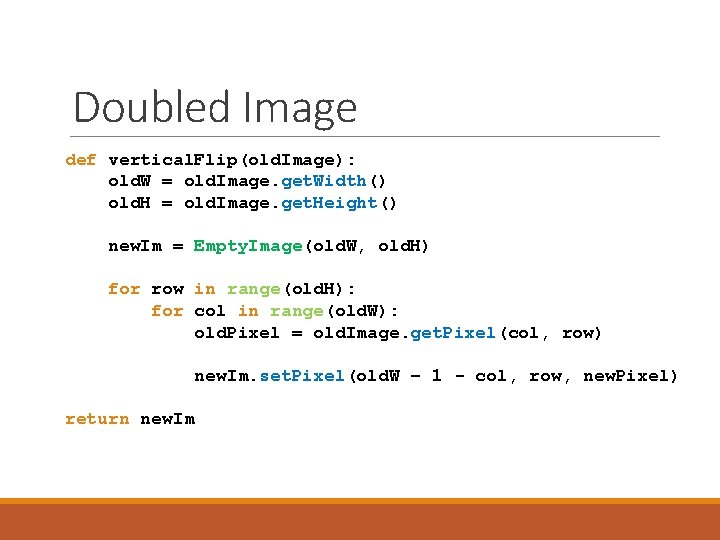
Doubled Image def vertical. Flip(old. Image): old. W = old. Image. get. Width() old. H = old. Image. get. Height() new. Im = Empty. Image(old. W, old. H) for row in range(old. H): for col in range(old. W): old. Pixel = old. Image. get. Pixel(col, row) new. Im. set. Pixel(old. W – 1 - col, row, new. Pixel) return new. Im
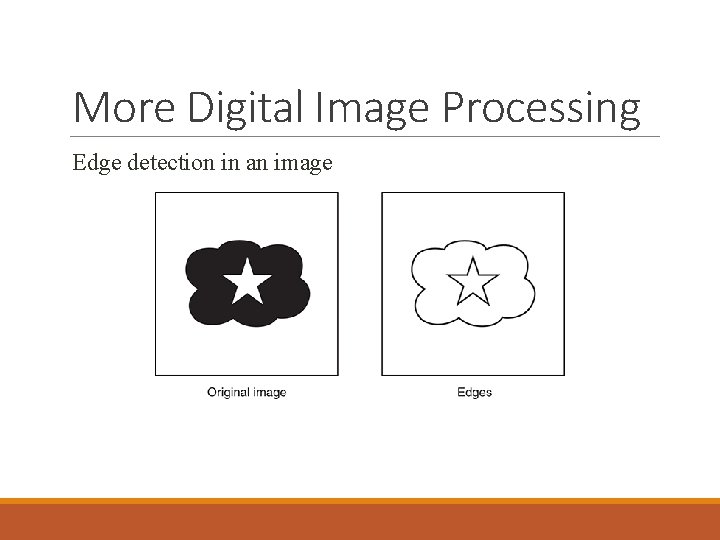
More Digital Image Processing Edge detection in an image
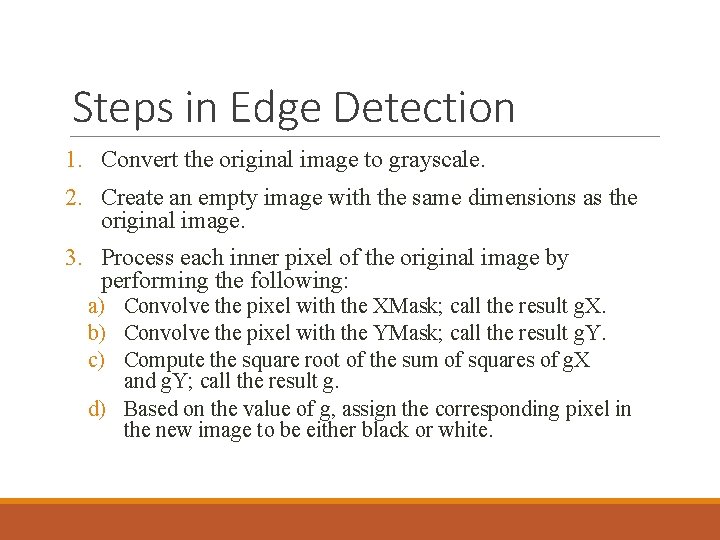
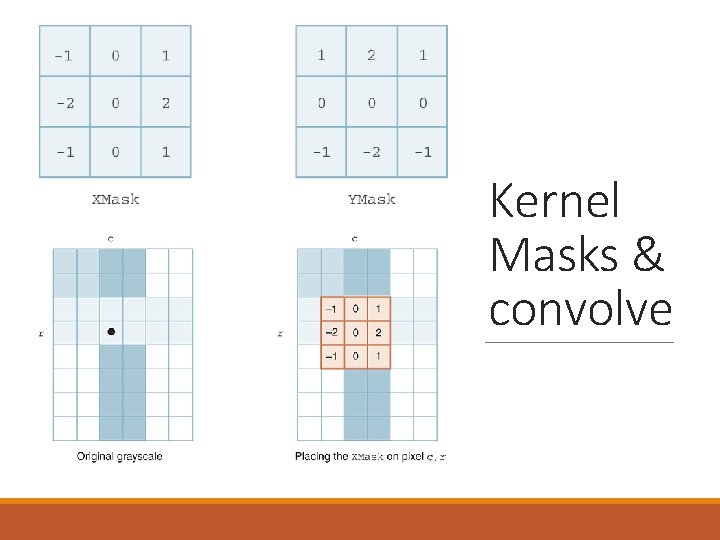
Steps in Edge Detection 1. Convert the original image to grayscale. 2. Create an empty image with the same dimensions as the original image. 3. Process each inner pixel of the original image by performing the following: a) Convolve the pixel with the XMask; call the result g. X. b) Convolve the pixel with the YMask; call the result g. Y. c) Compute the square root of the sum of squares of g. X and g. Y; call the result g. d) Based on the value of g, assign the corresponding pixel in the new image to be either black or white.
Kernel Masks & convolve
Next time: Lab on Friday ◦ either finish up Turings. Craft assignments, ◦ or begin lab 7