
COMMON TECHNICAL ISSUES RESOLUTIONS OKCL FRAMEWORK CYCLE Use
- Slides: 26
COMMON TECHNICAL ISSUES & RESOLUTIONS OKCL
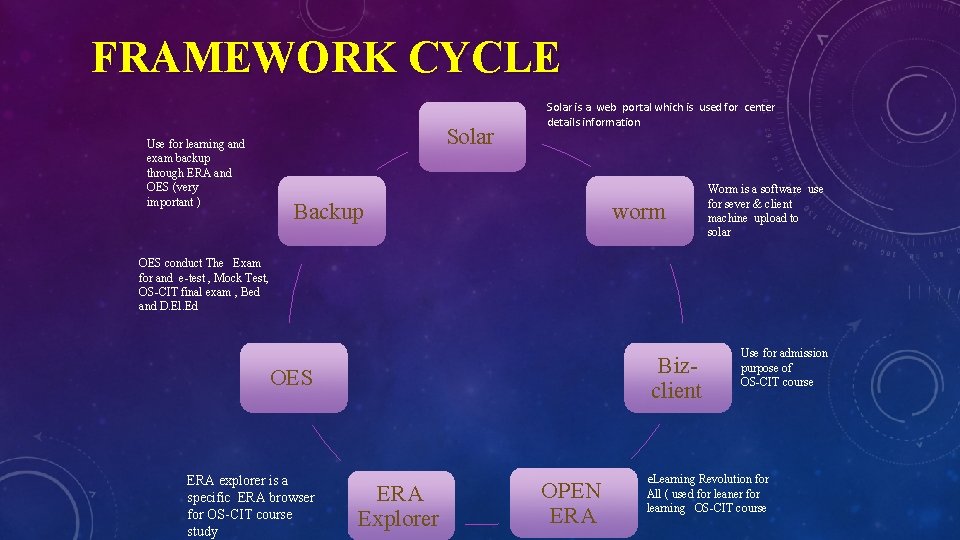
FRAMEWORK CYCLE Use for learning and exam backup through ERA and OES (very important ) Solar is a web portal which is used for center details information Backup worm Worm is a software use for sever & client machine upload to solar OES conduct The Exam for and e-test , Mock Test, OS-CIT final exam , Bed and D. El. Ed Bizclient OES ERA explorer is a specific ERA browser for OS-CIT course study ERA Explorer OPEN ERA Use for admission purpose of OS-CIT course e. Learning Revolution for All ( used for leaner for learning OS-CIT course
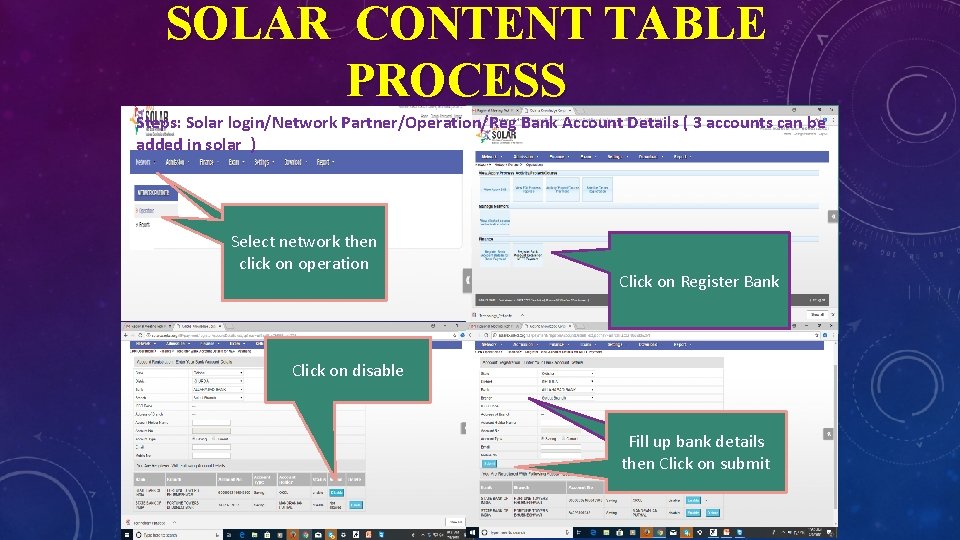
SOLAR CONTENT TABLE PROCESS Steps: Solar login/Network Partner/Operation/Reg Bank Account Details ( 3 accounts can be added in solar ) Select network then click on operation Add Bank details in solar Click on Register Bank Click on disable Fill up bank details then Click on submit
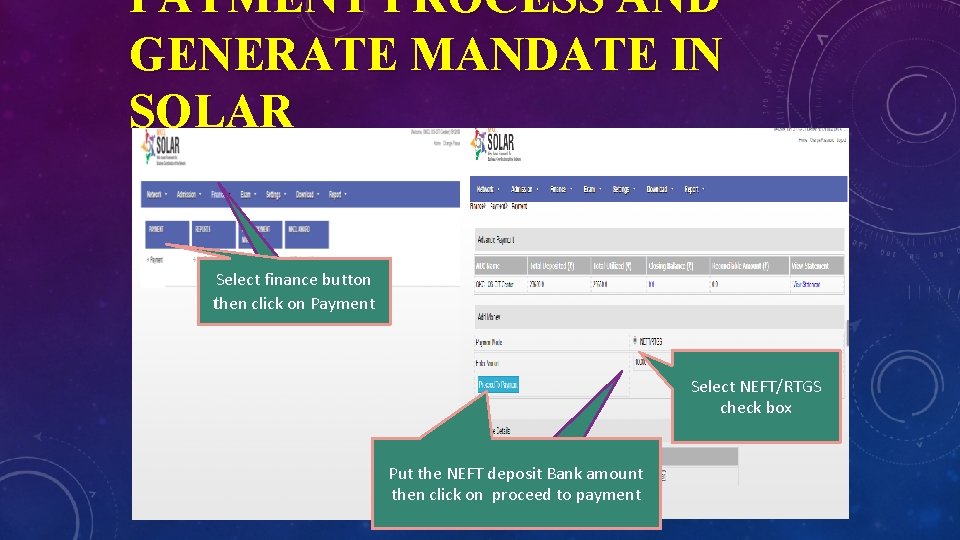
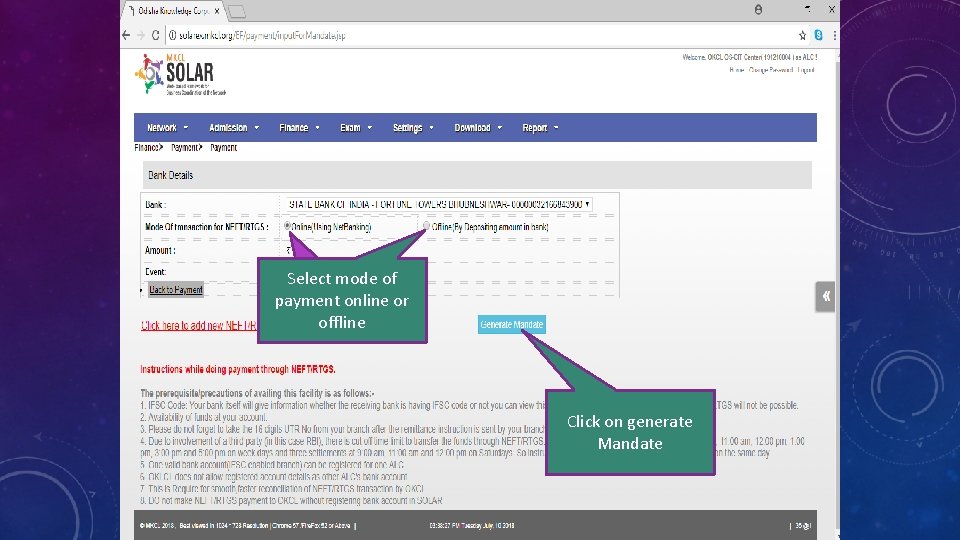
PAYMENT PROCESS AND GENERATE MANDATE IN SOLAR Select finance button then click on Payment Select NEFT/RTGS check box Put the NEFT deposit Bank amount then click on proceed to payment
Select mode of payment online or offline Click on generate Mandate
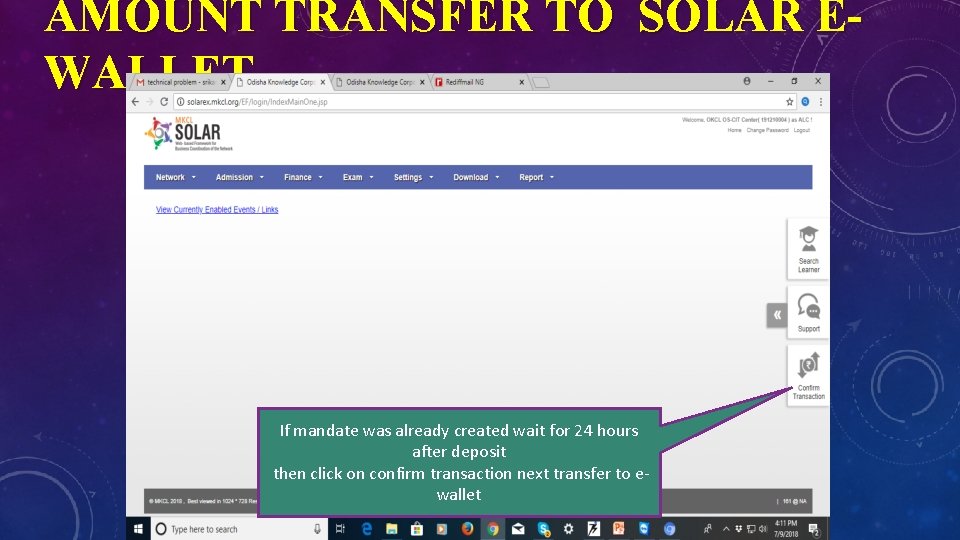
AMOUNT TRANSFER TO SOLAR EWALLET If mandate was already created wait for 24 hours after deposit then click on confirm transaction next transfer to ewallet
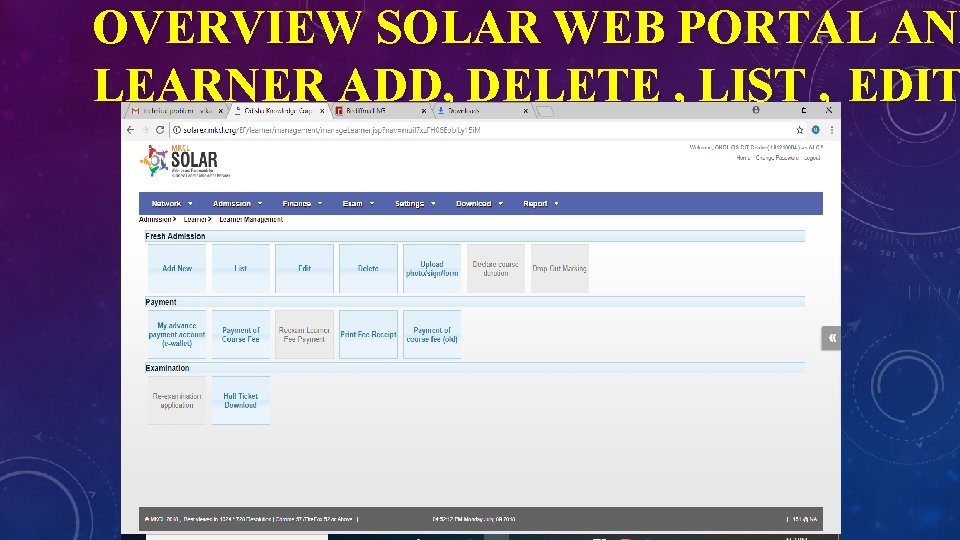
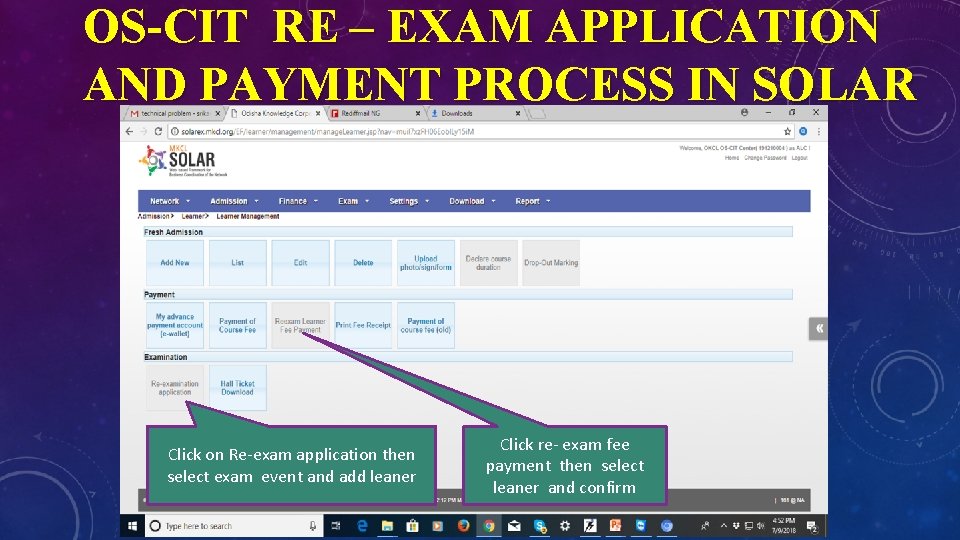
OVERVIEW SOLAR WEB PORTAL AND LEARNER ADD, DELETE , LIST , EDIT
OS-CIT RE – EXAM APPLICATION AND PAYMENT PROCESS IN SOLAR Click on Re-exam application then select exam event and add leaner Click re- exam fee payment then select leaner and confirm
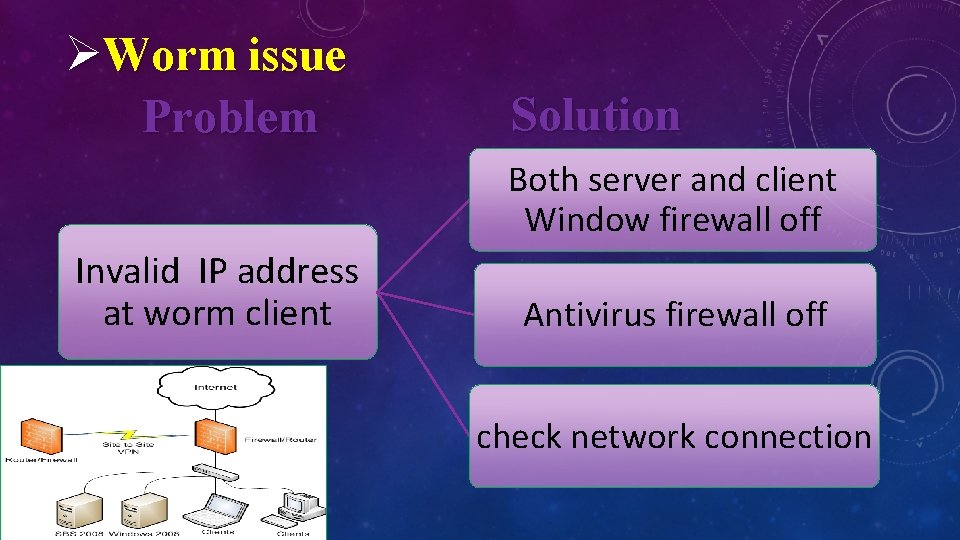
ØWorm issue Problem Solution Both server and client Window firewall off Invalid IP address at worm client Antivirus firewall off check network connection
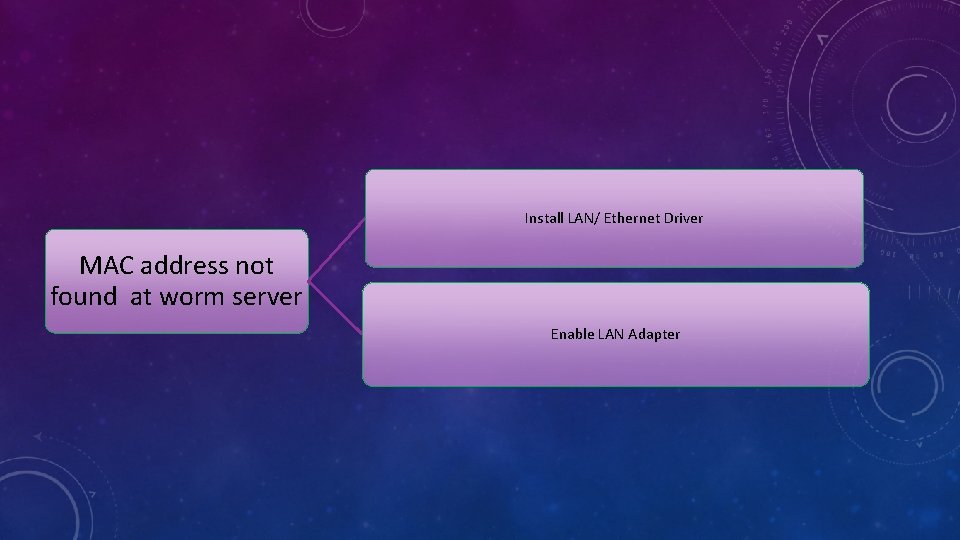
Install LAN/ Ethernet Driver MAC address not found at worm server Enable LAN Adapter
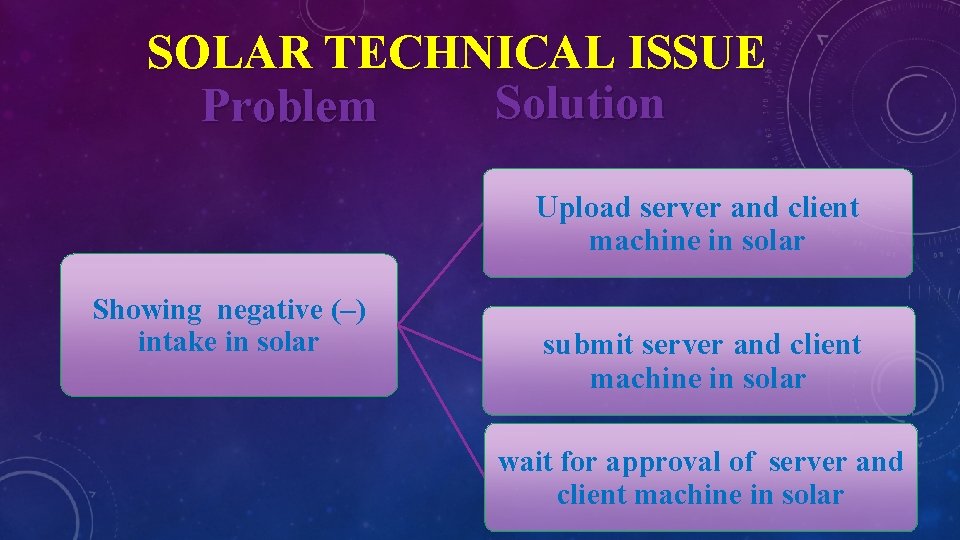
SOLAR TECHNICAL ISSUE Solution Problem Upload server and client machine in solar Showing negative (–) intake in solar submit server and client machine in solar wait for approval of server and client machine in solar
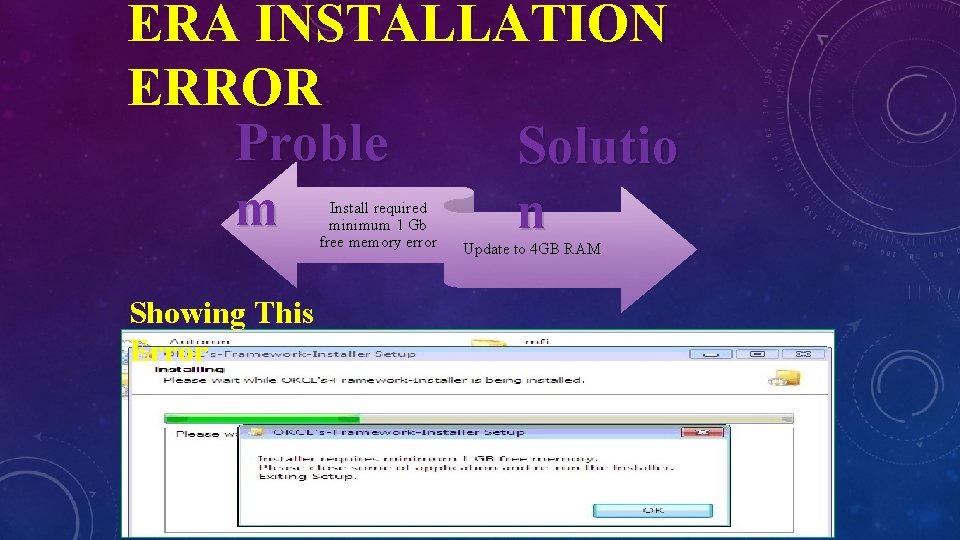
ERA INSTALLATION ERROR Proble Solutio m n Install required minimum 1 Gb free memory error Showing This Error Update to 4 GB RAM
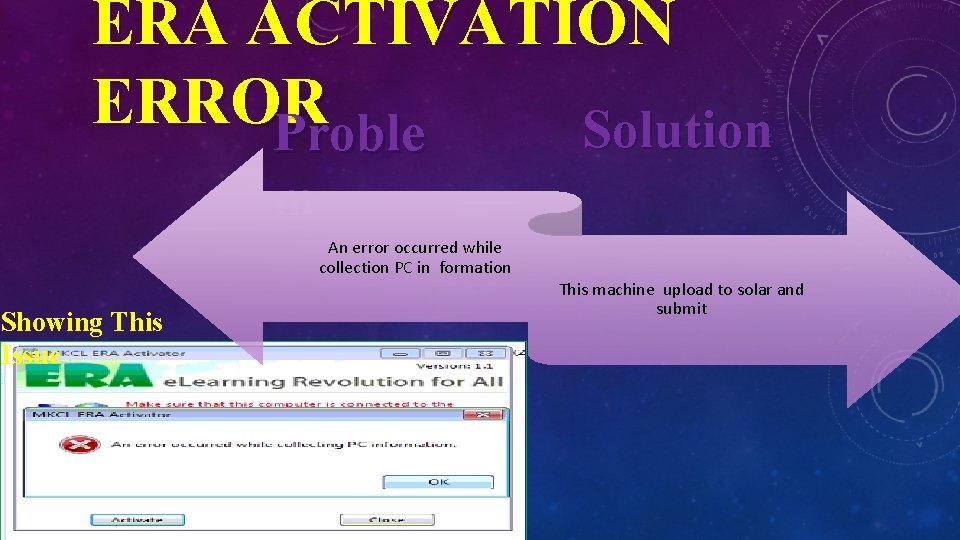
ERA ACTIVATION ERROR Solution Proble m An error occurred while collection PC in formation Showing This Issue This machine upload to solar and submit
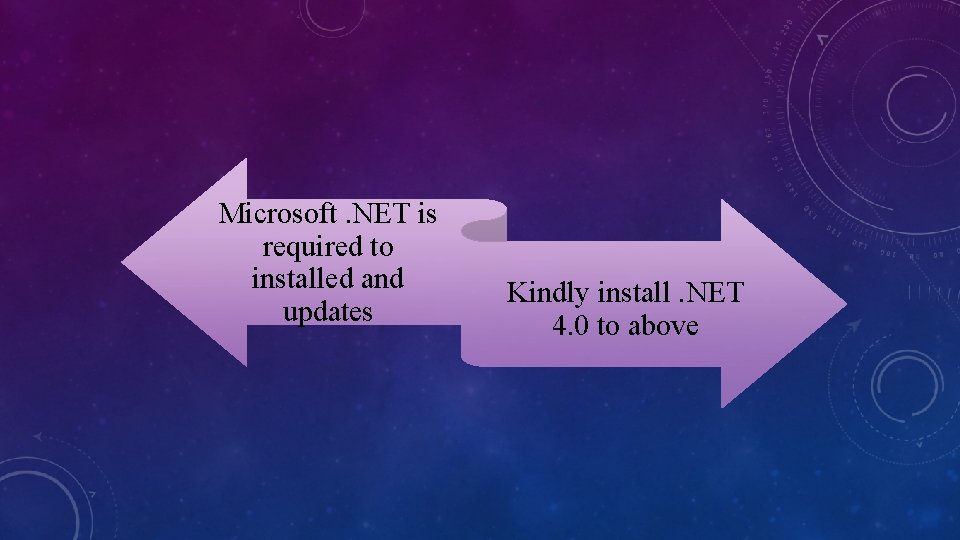
Microsoft. NET is required to installed and updates Kindly install. NET 4. 0 to above
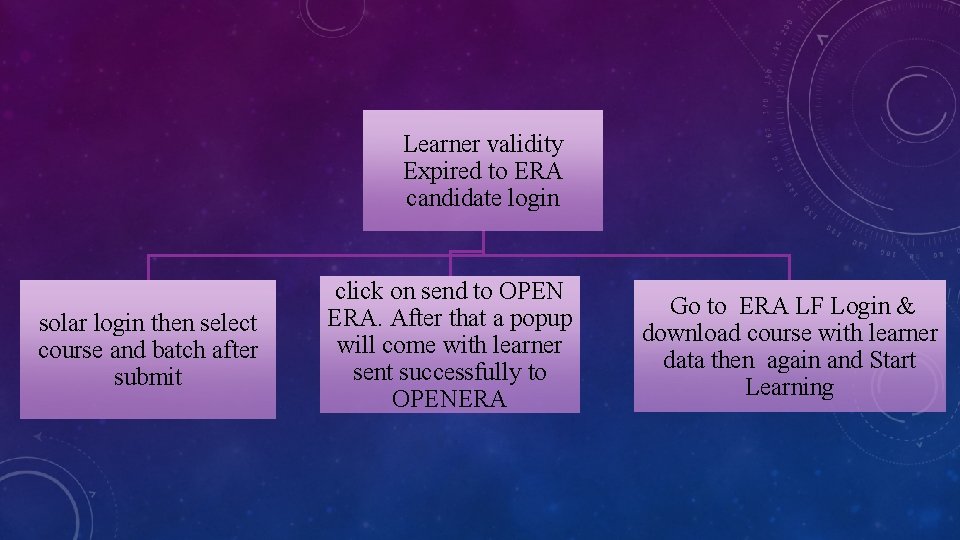
Learner validity Expired to ERA candidate login solar login then select course and batch after submit click on send to OPEN ERA. After that a popup will come with learner sent successfully to OPENERA Go to ERA LF Login & download course with learner data then again and Start Learning
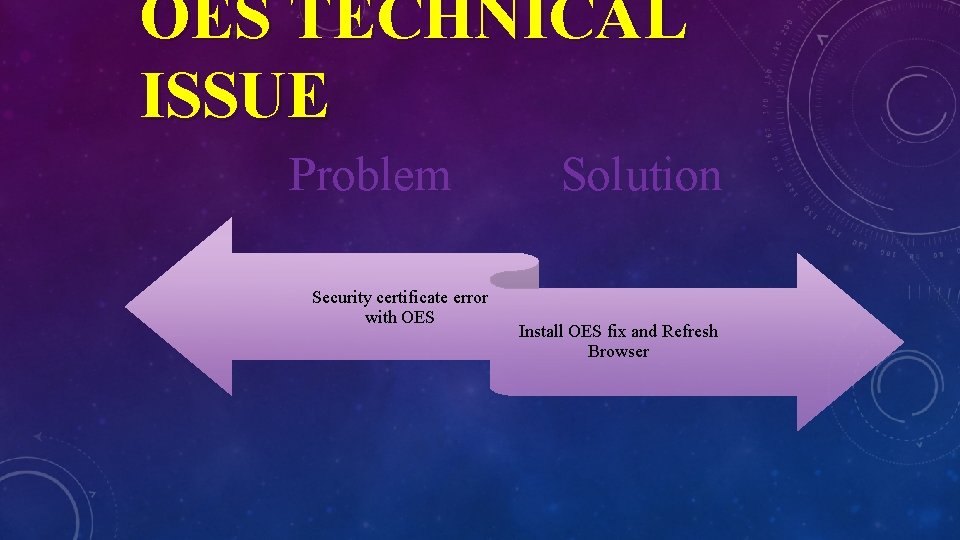
OES TECHNICAL ISSUE Problem Security certificate error with OES Solution Install OES fix and Refresh Browser
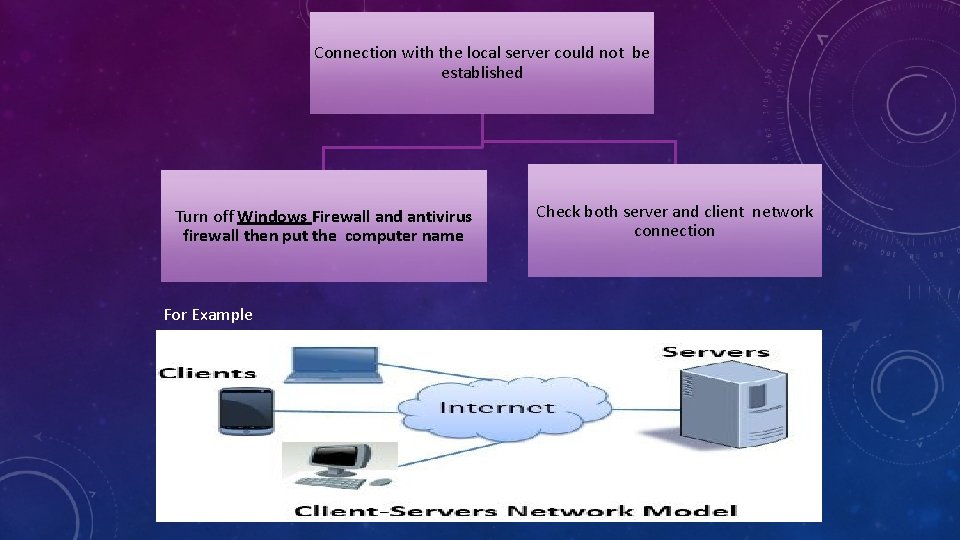
Connection with the local server could not be established Turn off Windows Firewall and antivirus firewall then put the computer name For Example Check both server and client network connection
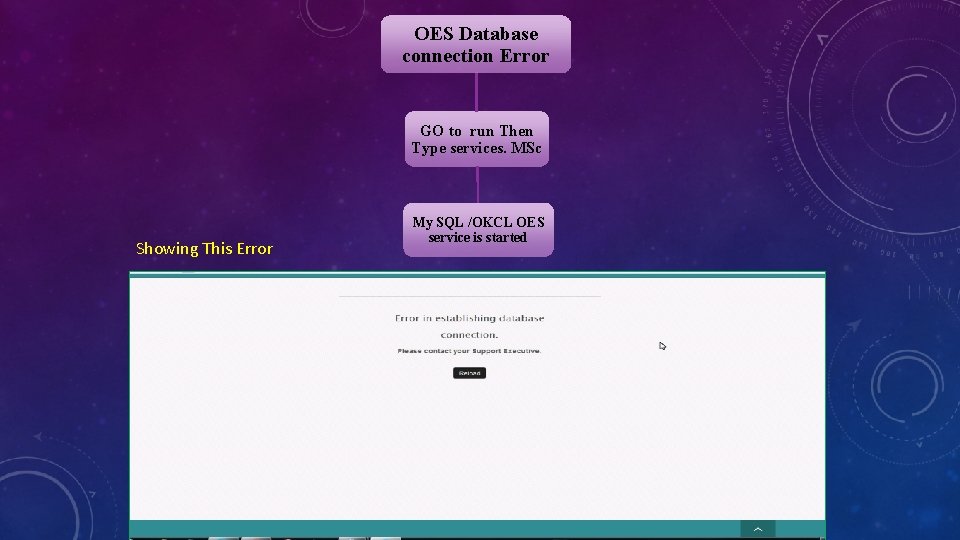
OES Database connection Error GO to run Then Type services. MSc Showing This Error My SQL /OKCL OES service is started
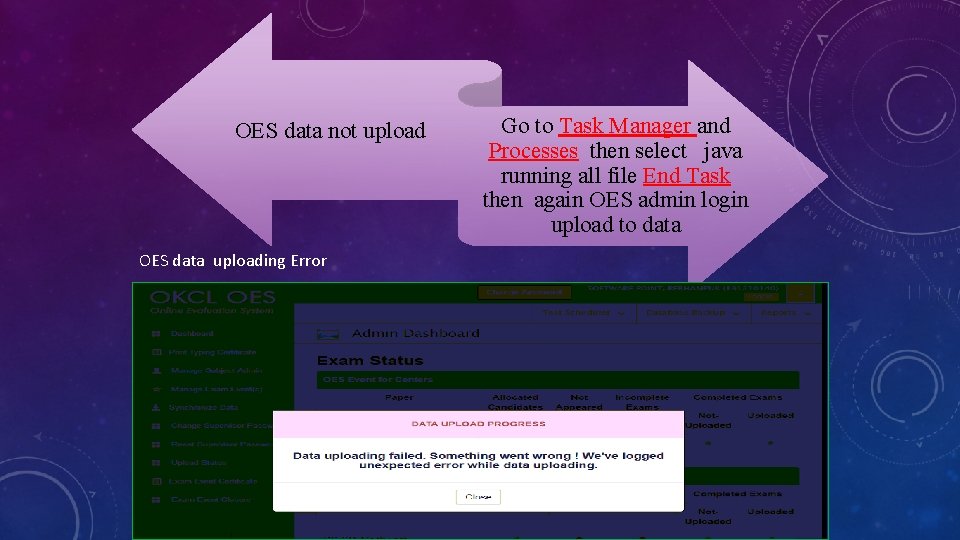
OES data not upload OES data uploading Error Go to Task Manager and Processes then select java running all file End Task then again OES admin login upload to data
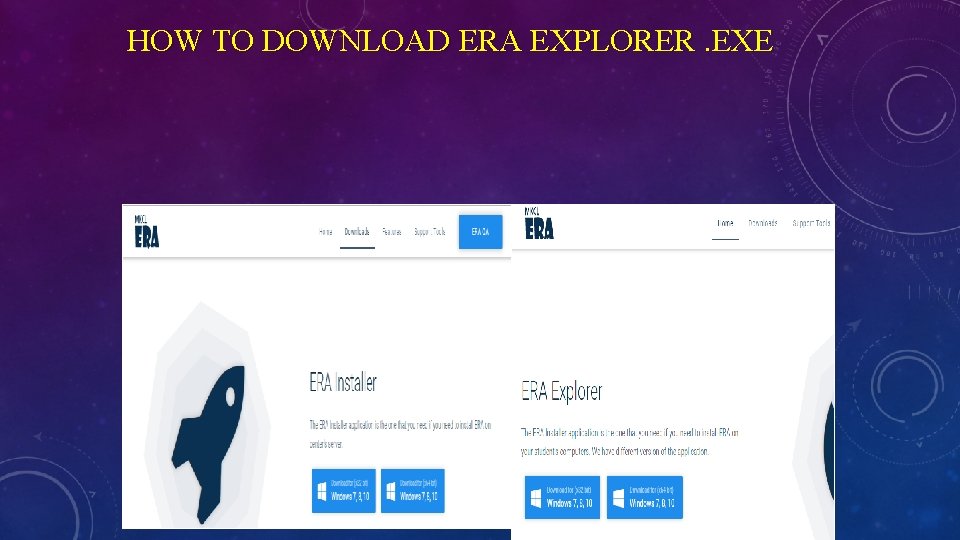
HOW TO DOWNLOAD ERA EXPLORER. EXE ØFor downloading the below link. Ø http: //eralms. mkcl. org/ ERA Explorer Setup , please click on
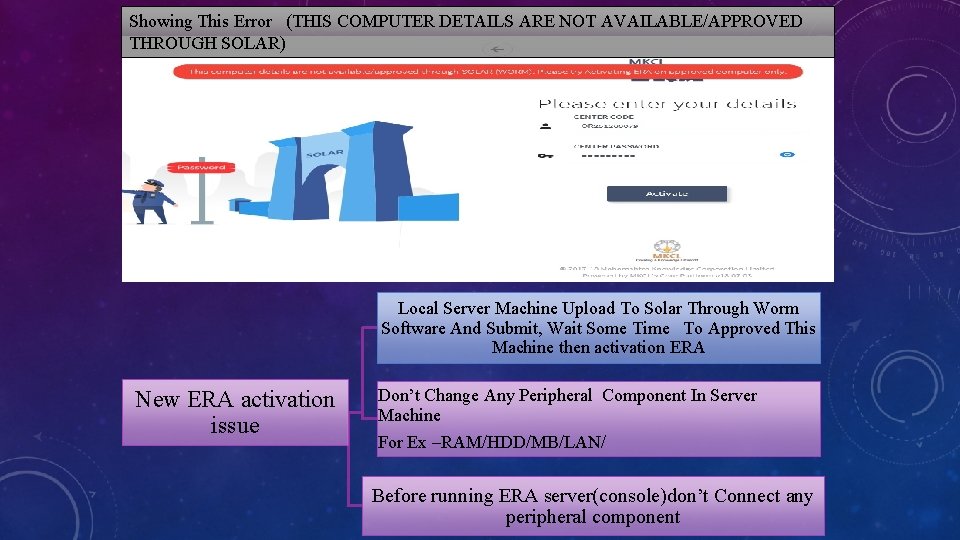
Showing This Error (THIS COMPUTER DETAILS ARE NOT AVAILABLE/APPROVED THROUGH SOLAR) Local Server Machine Upload To Solar Through Worm Software And Submit, Wait Some Time To Approved This Machine then activation ERA New ERA activation issue Don’t Change Any Peripheral Component In Server Machine For Ex –RAM/HDD/MB/LAN/ Before running ERA server(console)don’t Connect any peripheral component
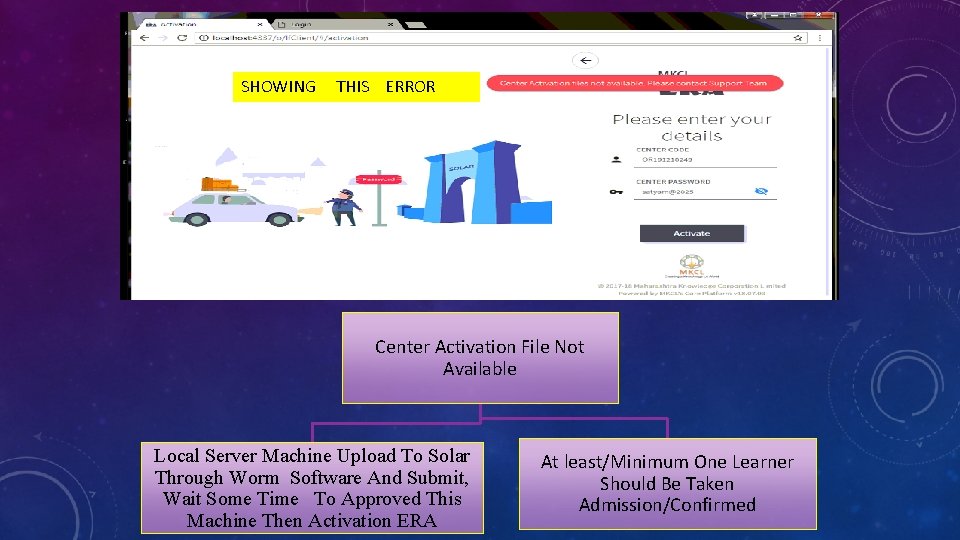
SHOWING THIS ERROR Center Activation File Not Available Local Server Machine Upload To Solar Through Worm Software And Submit, Wait Some Time To Approved This Machine Then Activation ERA At least/Minimum One Learner Should Be Taken Admission/Confirmed
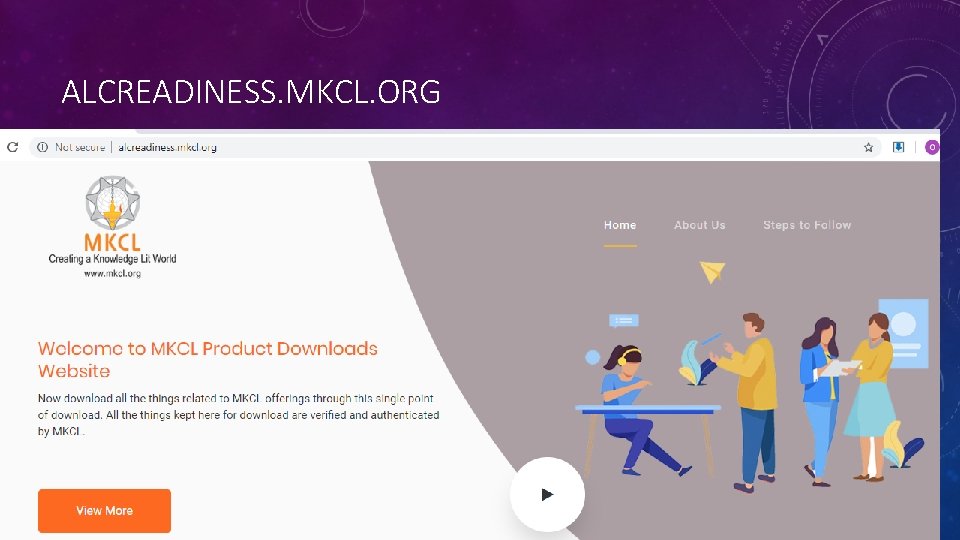
ALCREADINESS. MKCL. ORG
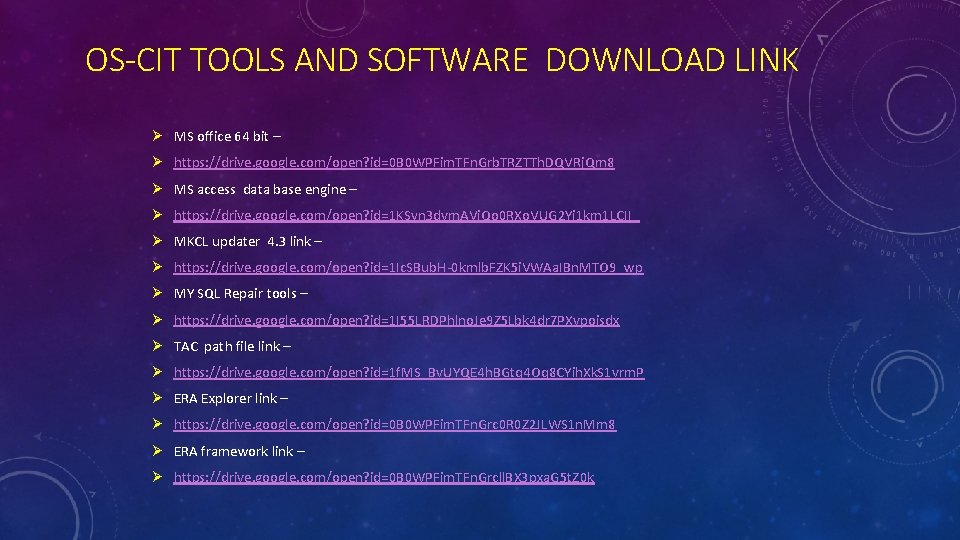
OS-CIT TOOLS AND SOFTWARE DOWNLOAD LINK Ø MS office 64 bit – Ø https: //drive. google. com/open? id=0 B 0 WPFim. TFn. Grb. TRZTTh. DQVRj. Qm 8 Ø MS access data base engine – Ø https: //drive. google. com/open? id=1 KSyn 3 dvm. AVj. Qo 0 RXo. VUG 2 Yi 1 km 1 LCII_ Ø MKCL updater 4. 3 link – Ø https: //drive. google. com/open? id=1 Ic. SBub. H-0 kmlb. FZK 5 i. VWAa. IBn. MTO 9_wp Ø MY SQL Repair tools – Ø https: //drive. google. com/open? id=1 I 55 LRDPhlno. Je 9 Z 5 Lbk 4 dr 7 PXvpoisdx Ø TAC path file link – Ø https: //drive. google. com/open? id=1 f. MS_Bv. UYQE 4 h. BGtq 4 Oq 8 CYih. Xk. S 1 vrm. P Ø ERA Explorer link – Ø https: //drive. google. com/open? id=0 B 0 WPFim. TFn. Grc 0 R 0 Z 2 JLWS 1 n. Mm 8 Ø ERA framework link – Ø https: //drive. google. com/open? id=0 B 0 WPFim. TFn. Grcll. BX 3 pxa. G 5 t. Z 0 k
THANK YOU