
Common Computer Connector Types MODULE 1 4 PAGES

- Slides: 20
Common Computer Connector Types MODULE 1. 4 PAGES 23 -35
Computer Connectors • In this section will be able to identify how all the components are connected to form a complete personal computer system. In this topic, you will compare the connector types that are used to join hardware components together. • Identifying the different methods that are used to connect devices to a computer will enable you, a computer technician, to install, upgrade, and replace computer components quickly and effectively.
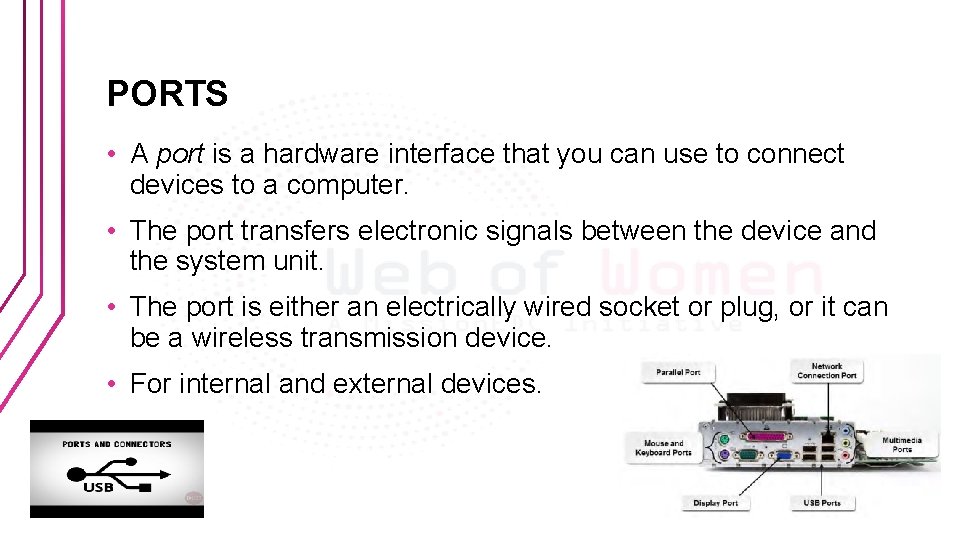
PORTS • A port is a hardware interface that you can use to connect devices to a computer. • The port transfers electronic signals between the device and the system unit. • The port is either an electrically wired socket or plug, or it can be a wireless transmission device. • For internal and external devices.
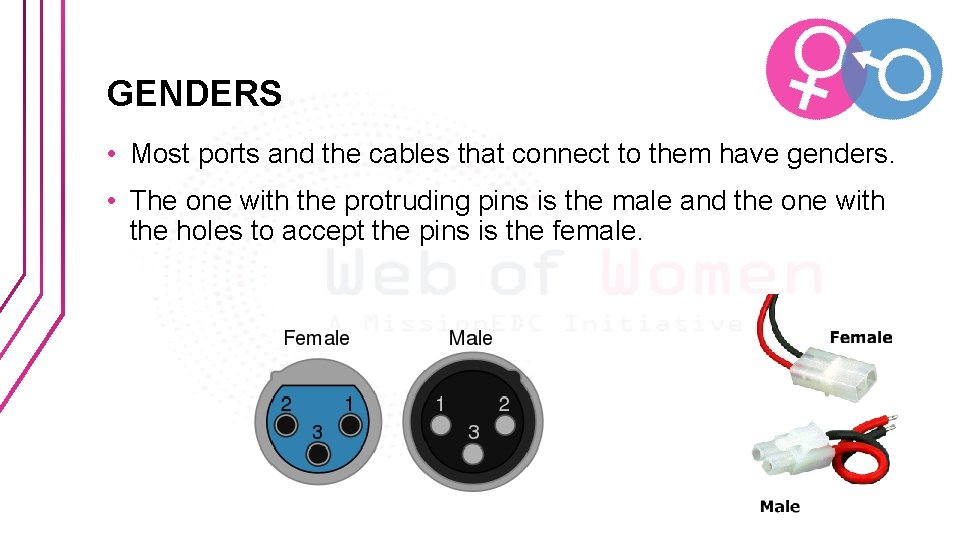
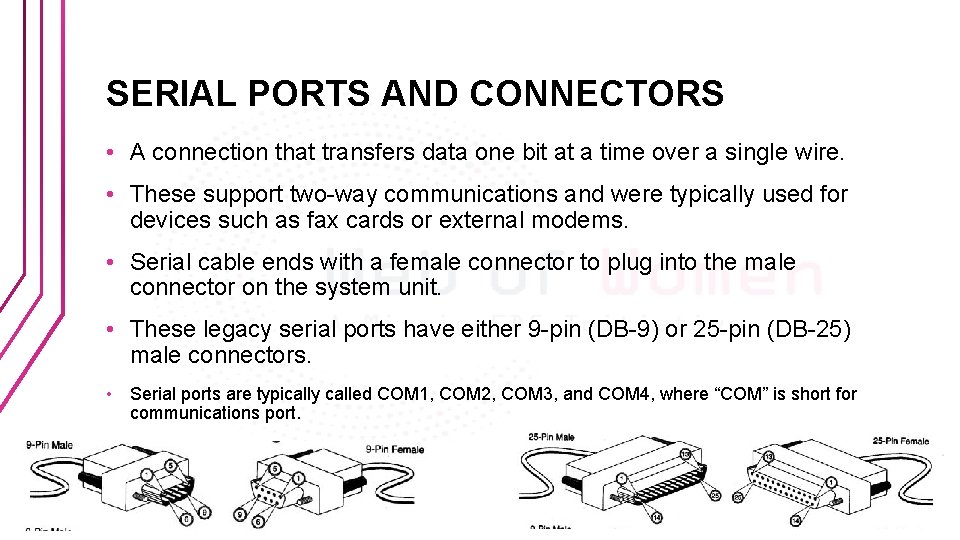
GENDERS • Most ports and the cables that connect to them have genders. • The one with the protruding pins is the male and the one with the holes to accept the pins is the female.
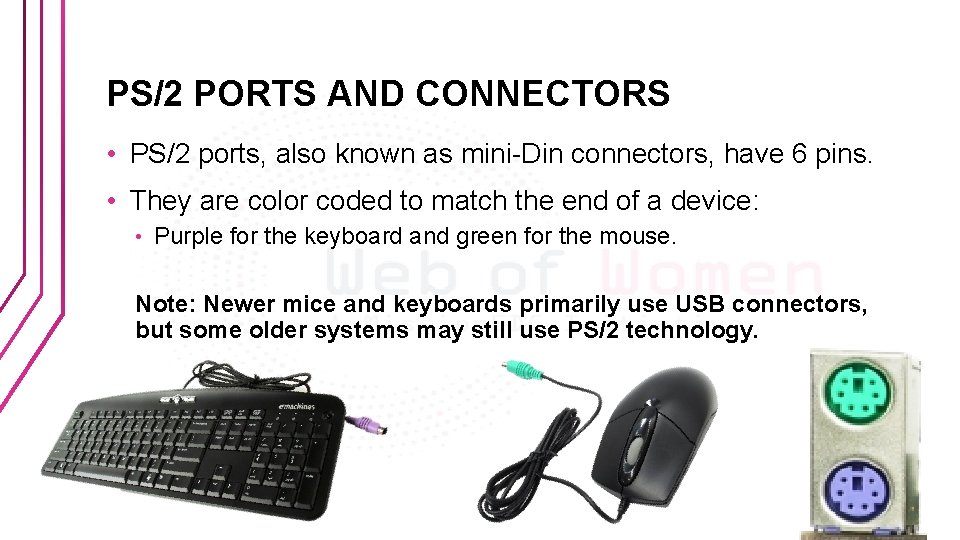
PS/2 PORTS AND CONNECTORS • PS/2 ports, also known as mini-Din connectors, have 6 pins. • They are color coded to match the end of a device: • Purple for the keyboard and green for the mouse. Note: Newer mice and keyboards primarily use USB connectors, but some older systems may still use PS/2 technology.
SERIAL PORTS AND CONNECTORS • A connection that transfers data one bit at a time over a single wire. • These support two-way communications and were typically used for devices such as fax cards or external modems. • Serial cable ends with a female connector to plug into the male connector on the system unit. • These legacy serial ports have either 9 -pin (DB-9) or 25 -pin (DB-25) male connectors. • Serial ports are typically called COM 1, COM 2, COM 3, and COM 4, where “COM” is short for communications port.
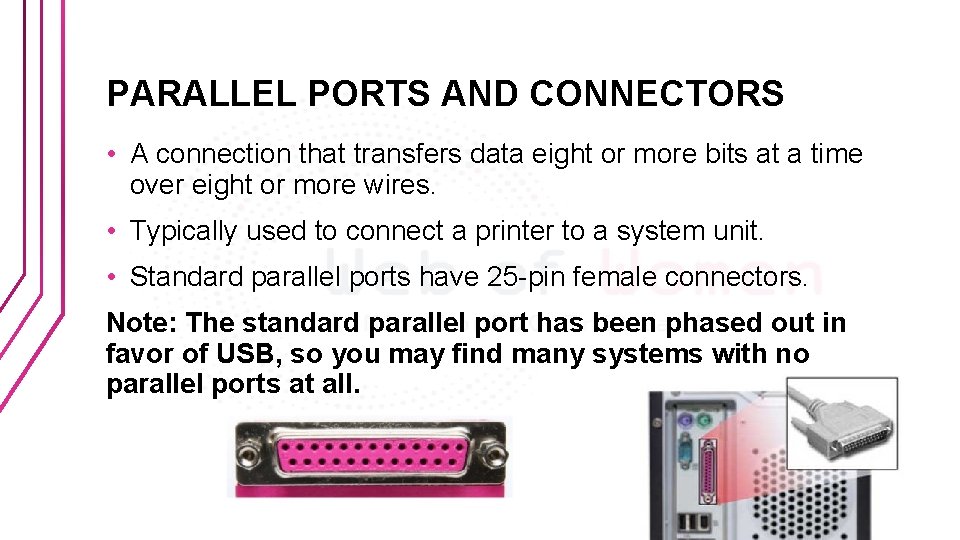
PARALLEL PORTS AND CONNECTORS • A connection that transfers data eight or more bits at a time over eight or more wires. • Typically used to connect a printer to a system unit. • Standard parallel ports have 25 -pin female connectors. Note: The standard parallel port has been phased out in favor of USB, so you may find many systems with no parallel ports at all.
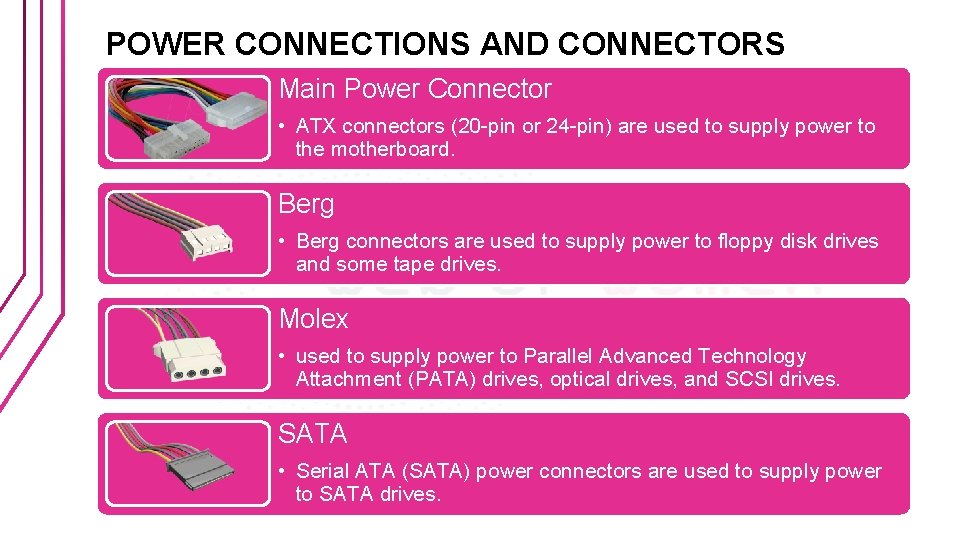
POWER CONNECTIONS AND CONNECTORS Main Power Connector • ATX connectors (20 -pin or 24 -pin) are used to supply power to the motherboard. Berg • Berg connectors are used to supply power to floppy disk drives and some tape drives. Molex • used to supply power to Parallel Advanced Technology Attachment (PATA) drives, optical drives, and SCSI drives. SATA • Serial ATA (SATA) power connectors are used to supply power to SATA drives.
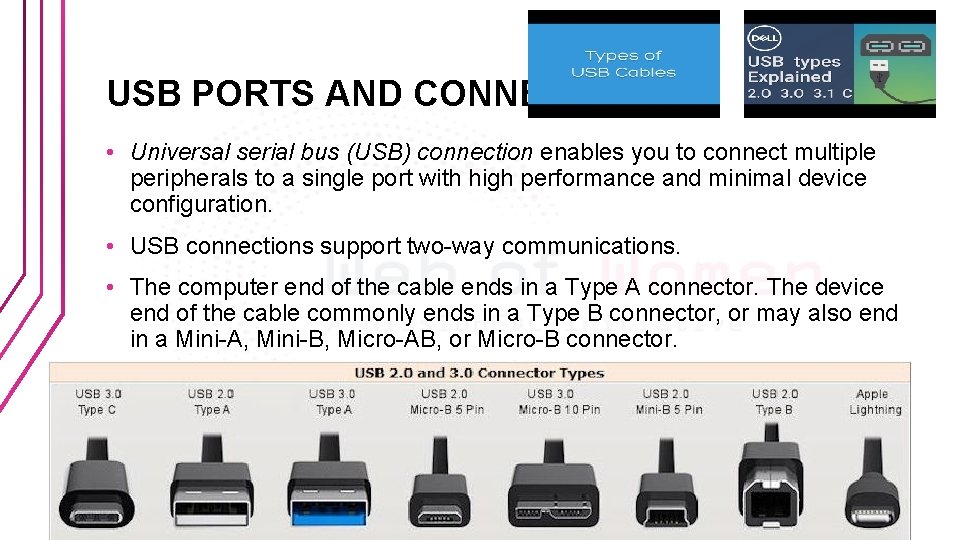
USB PORTS AND CONNECTORS • Universal serial bus (USB) connection enables you to connect multiple peripherals to a single port with high performance and minimal device configuration. • USB connections support two-way communications. • The computer end of the cable ends in a Type A connector. The device end of the cable commonly ends in a Type B connector, or may also end in a Mini-A, Mini-B, Micro-AB, or Micro-B connector.
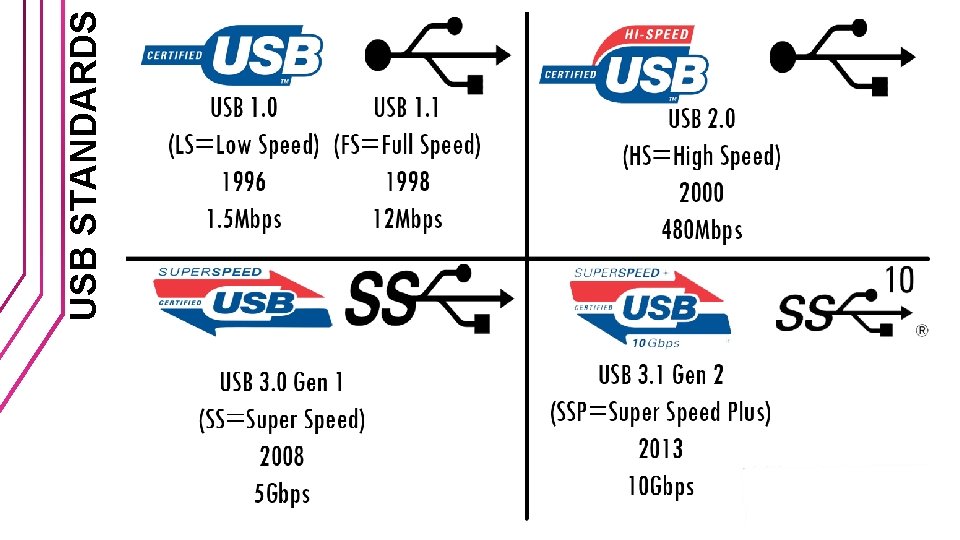
USB STANDARDS
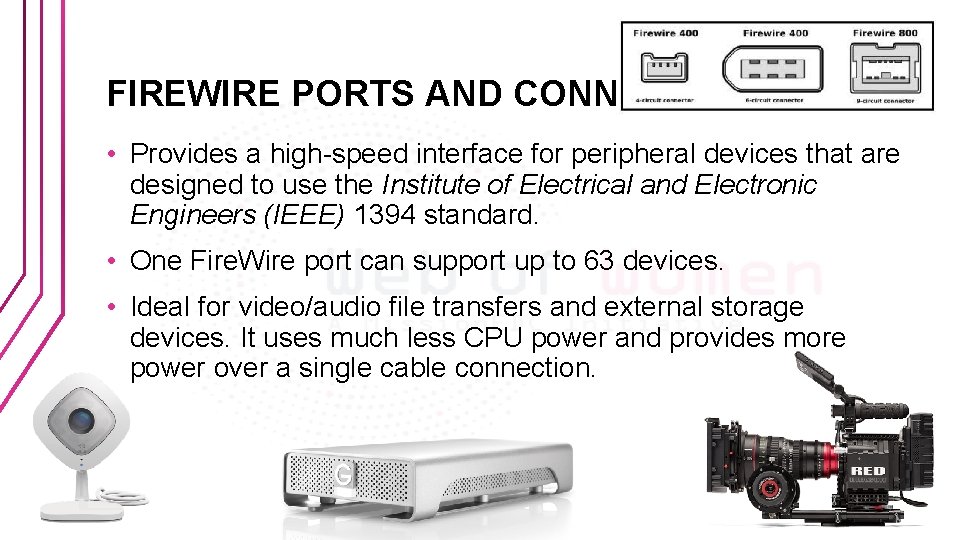
FIREWIRE PORTS AND CONNECTORS • Provides a high-speed interface for peripheral devices that are designed to use the Institute of Electrical and Electronic Engineers (IEEE) 1394 standard. • One Fire. Wire port can support up to 63 devices. • Ideal for video/audio file transfers and external storage devices. It uses much less CPU power and provides more power over a single cable connection.
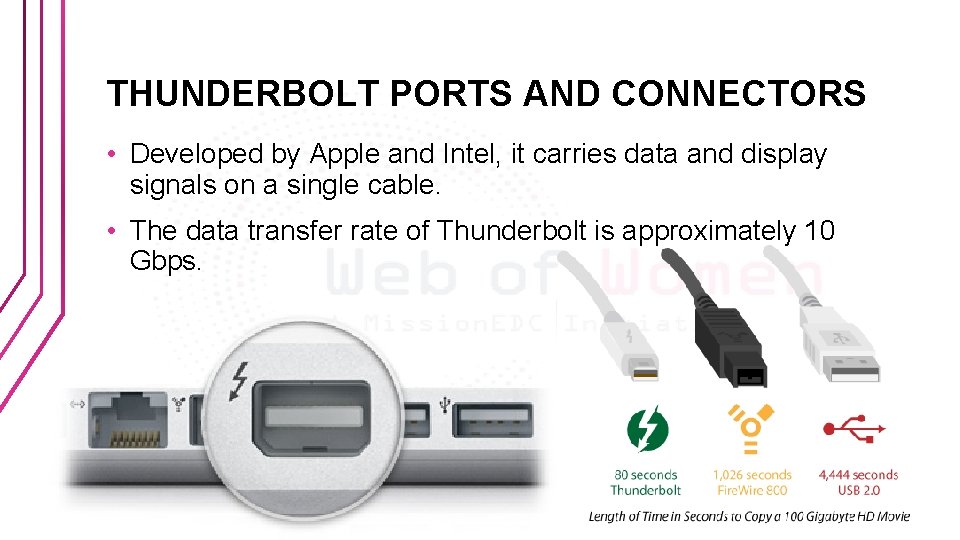
THUNDERBOLT PORTS AND CONNECTORS • Developed by Apple and Intel, it carries data and display signals on a single cable. • The data transfer rate of Thunderbolt is approximately 10 Gbps.
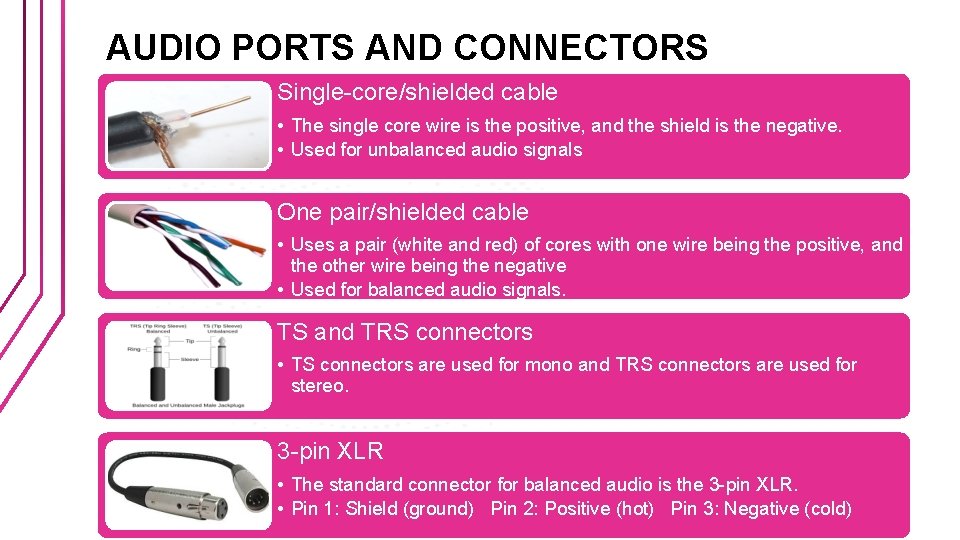
AUDIO PORTS AND CONNECTORS Single-core/shielded cable • The single core wire is the positive, and the shield is the negative. • Used for unbalanced audio signals One pair/shielded cable • Uses a pair (white and red) of cores with one wire being the positive, and the other wire being the negative • Used for balanced audio signals. TS and TRS connectors • TS connectors are used for mono and TRS connectors are used for stereo. 3 -pin XLR • The standard connector for balanced audio is the 3 -pin XLR. • Pin 1: Shield (ground) Pin 2: Positive (hot) Pin 3: Negative (cold)
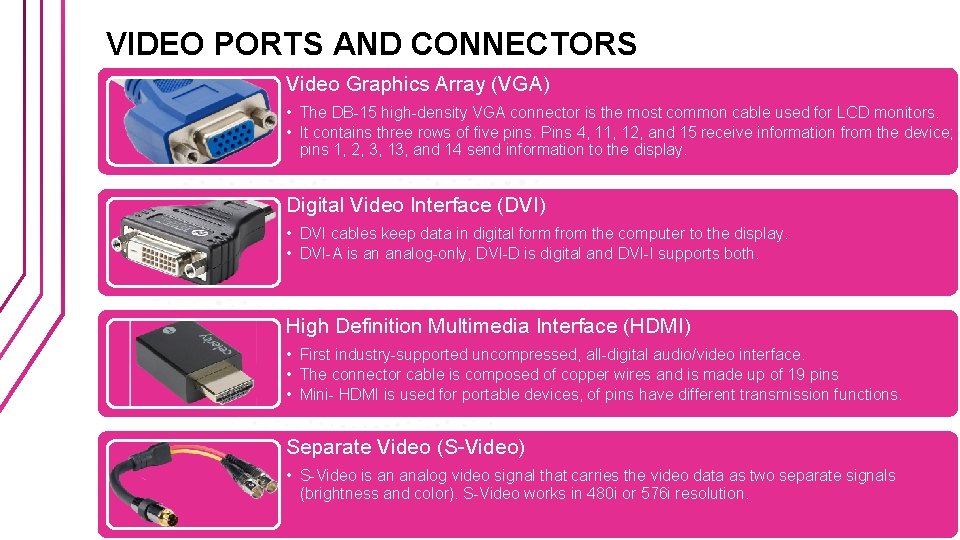
VIDEO PORTS AND CONNECTORS Video Graphics Array (VGA) • The DB-15 high-density VGA connector is the most common cable used for LCD monitors. • It contains three rows of five pins. Pins 4, 11, 12, and 15 receive information from the device; pins 1, 2, 3, 13, and 14 send information to the display. Digital Video Interface (DVI) • DVI cables keep data in digital form from the computer to the display. • DVI-A is an analog-only, DVI-D is digital and DVI-I supports both. High Definition Multimedia Interface (HDMI) • First industry-supported uncompressed, all-digital audio/video interface. • The connector cable is composed of copper wires and is made up of 19 pins • Mini- HDMI is used for portable devices, of pins have different transmission functions. Separate Video (S-Video) • S-Video is an analog video signal that carries the video data as two separate signals (brightness and color). S-Video works in 480 i or 576 i resolution.
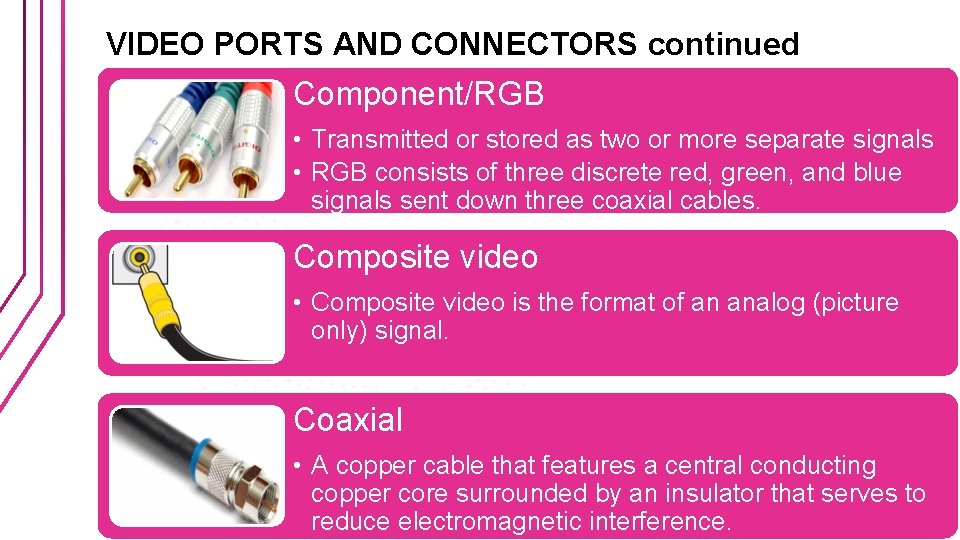
VIDEO PORTS AND CONNECTORS continued Component/RGB • Transmitted or stored as two or more separate signals • RGB consists of three discrete red, green, and blue signals sent down three coaxial cables. Composite video • Composite video is the format of an analog (picture only) signal. Coaxial • A copper cable that features a central conducting copper core surrounded by an insulator that serves to reduce electromagnetic interference.
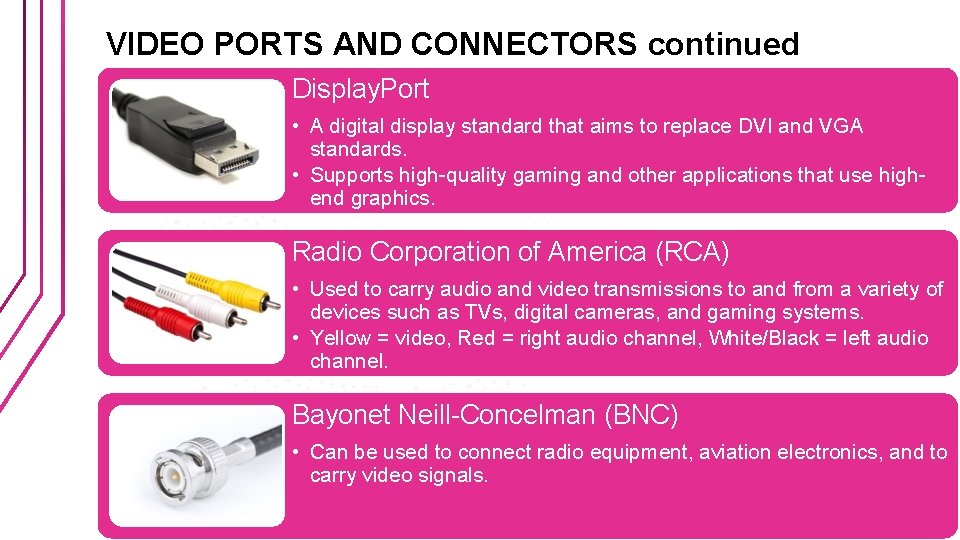
VIDEO PORTS AND CONNECTORS continued Display. Port • A digital display standard that aims to replace DVI and VGA standards. • Supports high-quality gaming and other applications that use highend graphics. Radio Corporation of America (RCA) • Used to carry audio and video transmissions to and from a variety of devices such as TVs, digital cameras, and gaming systems. • Yellow = video, Red = right audio channel, White/Black = left audio channel. Bayonet Neill-Concelman (BNC) • Can be used to connect radio equipment, aviation electronics, and to carry video signals.
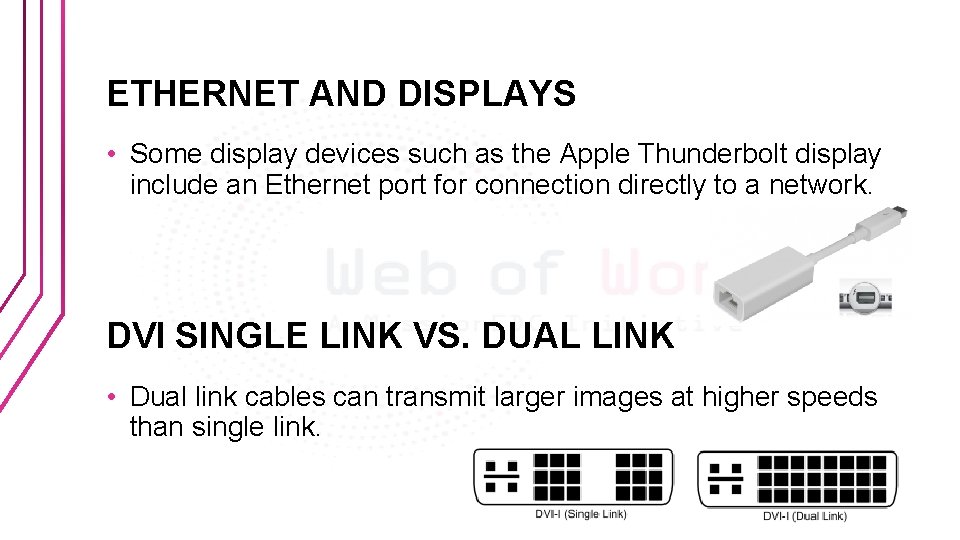
ETHERNET AND DISPLAYS • Some display devices such as the Apple Thunderbolt display include an Ethernet port for connection directly to a network. DVI SINGLE LINK VS. DUAL LINK • Dual link cables can transmit larger images at higher speeds than single link.
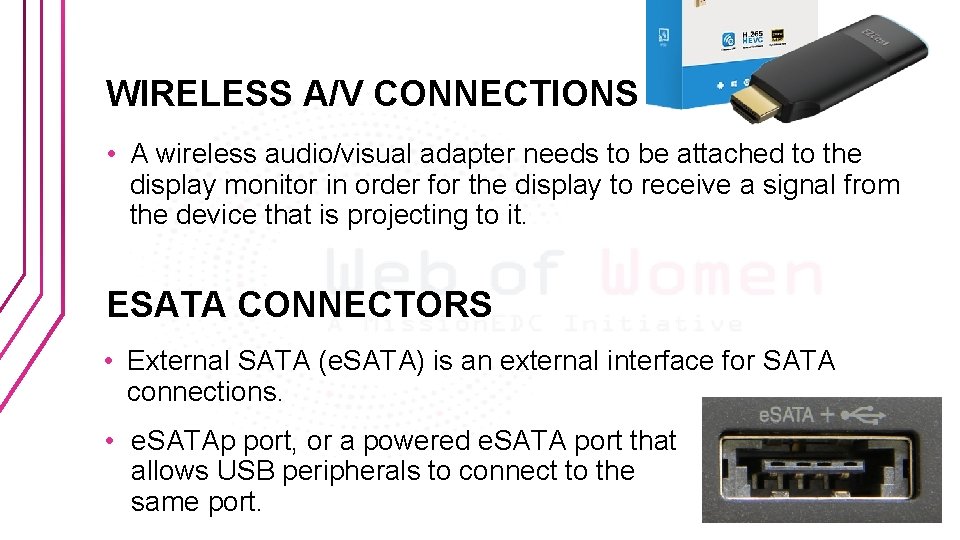
WIRELESS A/V CONNECTIONS • A wireless audio/visual adapter needs to be attached to the display monitor in order for the display to receive a signal from the device that is projecting to it. ESATA CONNECTORS • External SATA (e. SATA) is an external interface for SATA connections. • e. SATAp port, or a powered e. SATA port that allows USB peripherals to connect to the same port.
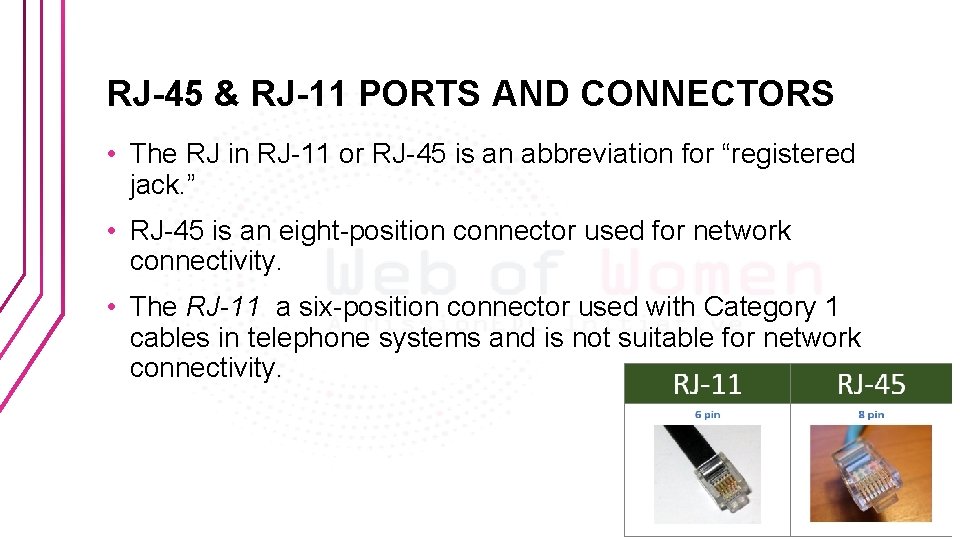
RJ-45 & RJ-11 PORTS AND CONNECTORS • The RJ in RJ-11 or RJ-45 is an abbreviation for “registered jack. ” • RJ-45 is an eight-position connector used for network connectivity. • The RJ-11 a six-position connector used with Category 1 cables in telephone systems and is not suitable for network connectivity.
Quizziz • https: //quizizz. com/admin/quiz/5 b 29 f 28 c 37 bcf 700190 dcfc 7