
Combining Edges and Points for Interactive HighQuality Rendering
Combining Edges and Points for Interactive High-Quality Rendering Kavita Bala Bruce Walter Donald Greenberg Cornell University
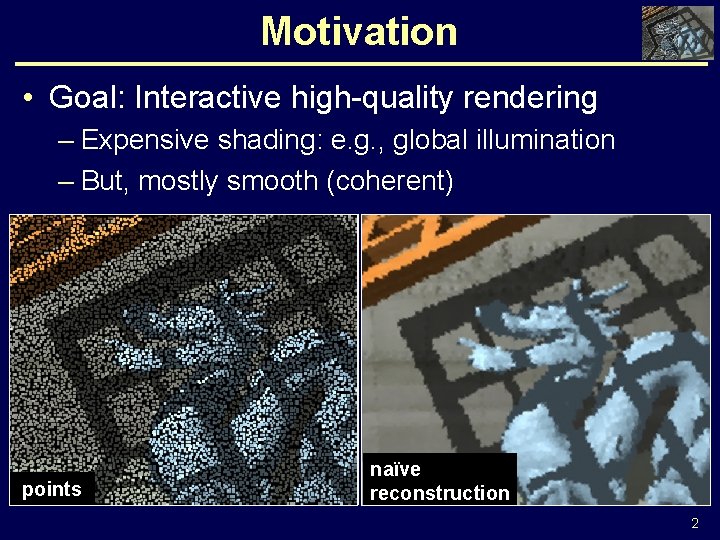
Motivation • Goal: Interactive high-quality rendering – Expensive shading: e. g. , global illumination – But, mostly smooth (coherent) points naïve reconstruction 2
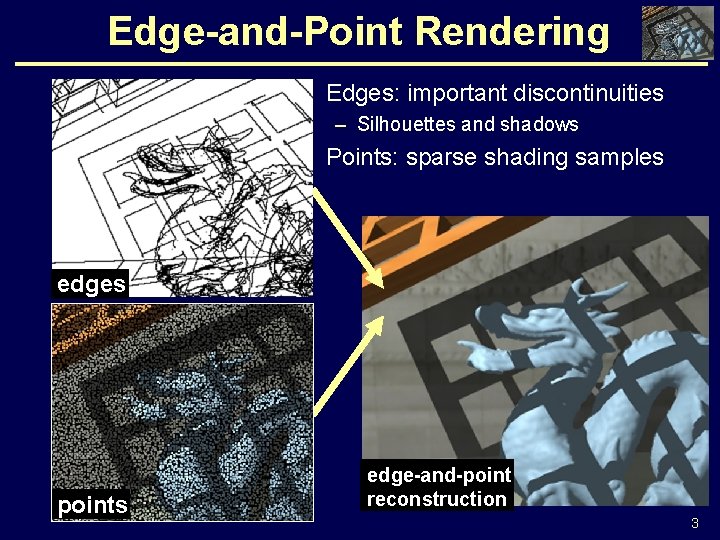
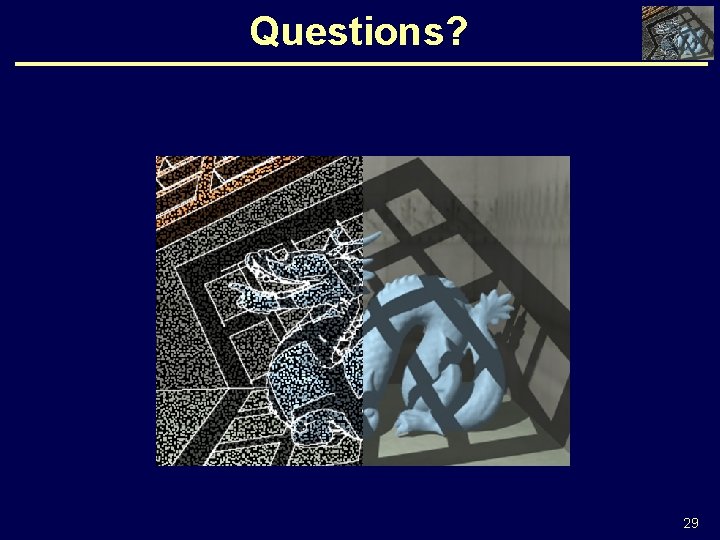
Edge-and-Point Rendering • Edges: important discontinuities – Silhouettes and shadows • Points: sparse shading samples edges points edge-and-point reconstruction 3
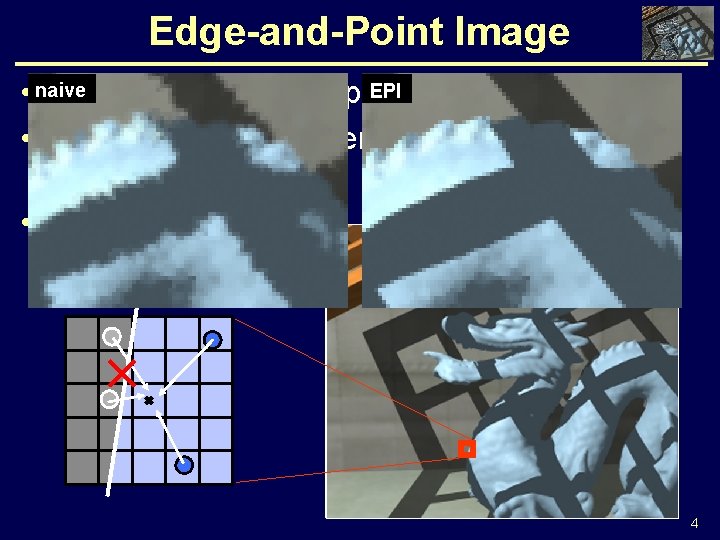
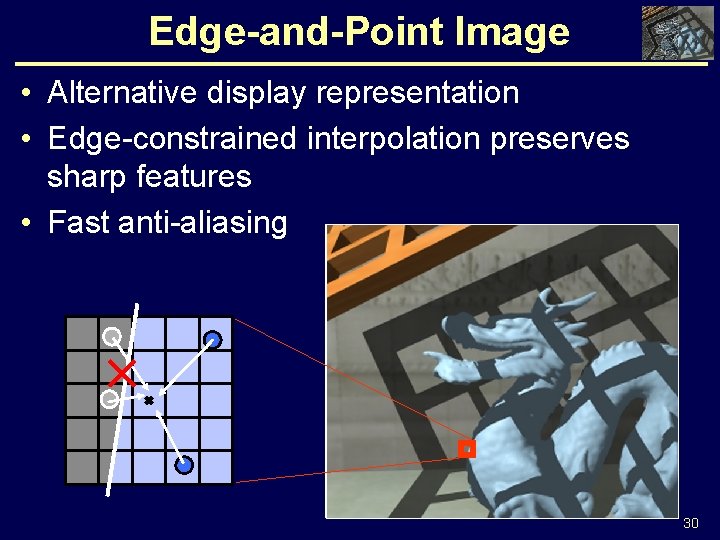
Edge-and-Point Image EPI • naive Alternative display representation • Edge-constrained interpolation preserves sharp features • Fast anti-aliasing 4
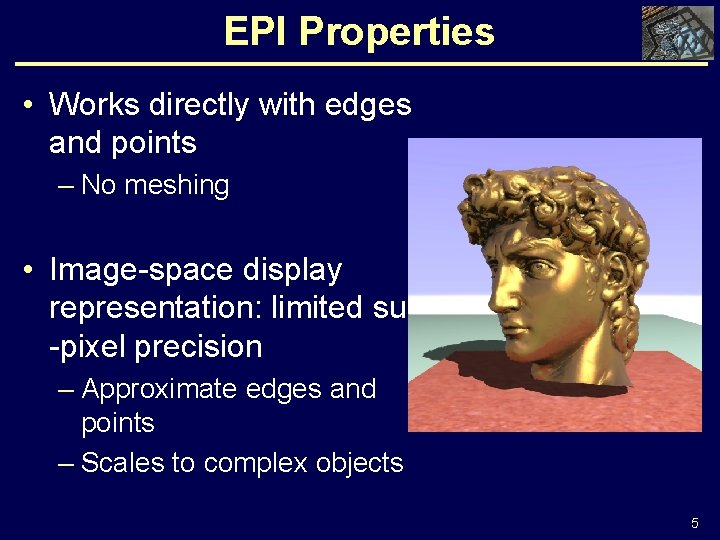
EPI Properties • Works directly with edges and points – No meshing • Image-space display representation: limited sub -pixel precision – Approximate edges and points – Scales to complex objects 5
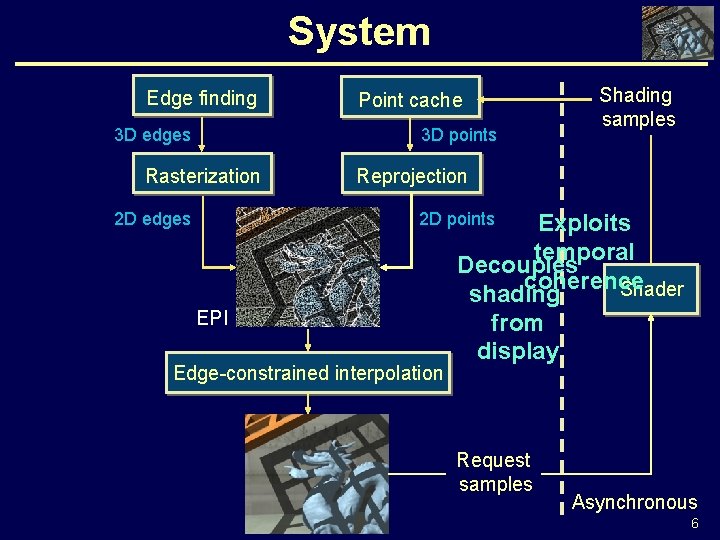
System Edge finding 3 D edges Point cache 3 D points Rasterization 2 D edges Shading samples Reprojection 2 D points EPI Edge-constrained interpolation Exploits temporal Decouples coherence Shader shading from display Request samples Asynchronous 6
Related Work • Sparse sampling and reconstruction – [Bala 99, Guo 98, Pighin 97, Simmons 00, Stamminger 00, Tole 02, Wald 02, Walter 99] • Fast ray tracing – [Parker 99, Purcell 02, Wald 01] • Display representation – [Levoy 86, Pfister 00, Rusinkiewicz 00, Zwicker 01] • Edge finding – Discontinuity meshing [Heckbert 92, Lischinski 92] – Event finding [Duguet 02, Durand 99] – [Johnson 01, Sander 00, Sander 01] 7
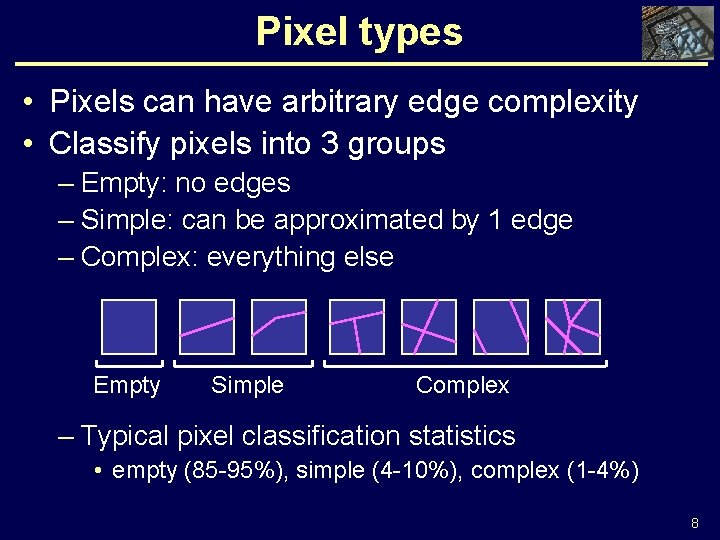
Pixel types • Pixels can have arbitrary edge complexity • Classify pixels into 3 groups – Empty: no edges – Simple: can be approximated by 1 edge – Complex: everything else Empty Simple Complex – Typical pixel classification statistics • empty (85 -95%), simple (4 -10%), complex (1 -4%) 8
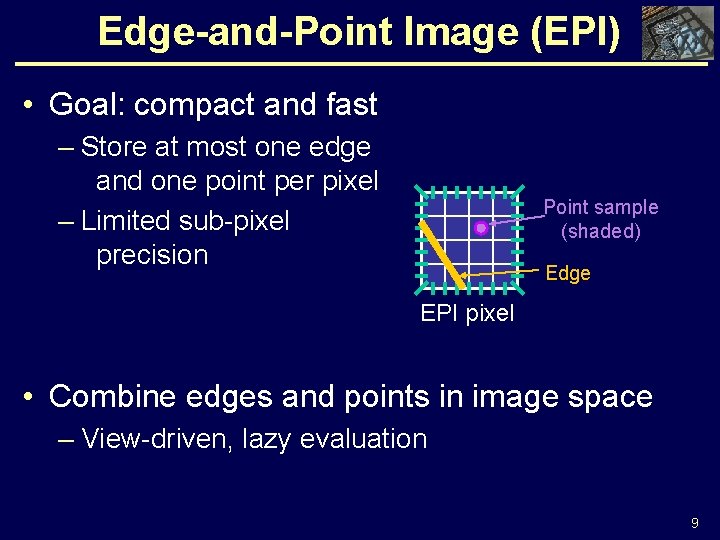
Edge-and-Point Image (EPI) • Goal: compact and fast – Store at most one edge and one point per pixel – Limited sub-pixel precision Point sample (shaded) Edge EPI pixel • Combine edges and points in image space – View-driven, lazy evaluation 9
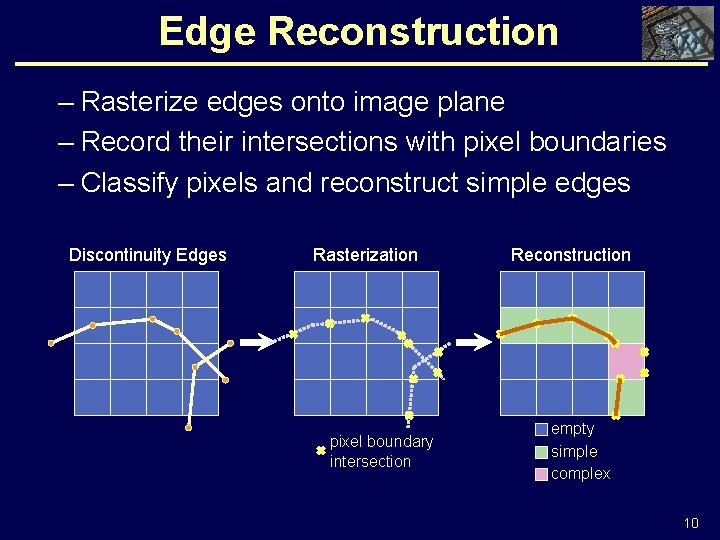
Edge Reconstruction – Rasterize edges onto image plane – Record their intersections with pixel boundaries – Classify pixels and reconstruct simple edges Discontinuity Edges Rasterization pixel boundary intersection Reconstruction empty simple complex 10
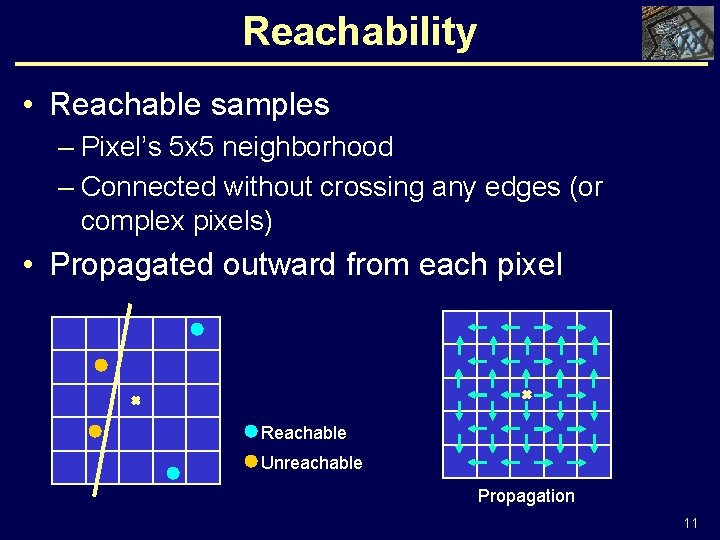
Reachability • Reachable samples – Pixel’s 5 x 5 neighborhood – Connected without crossing any edges (or complex pixels) • Propagated outward from each pixel Reachable Unreachable Propagation 11
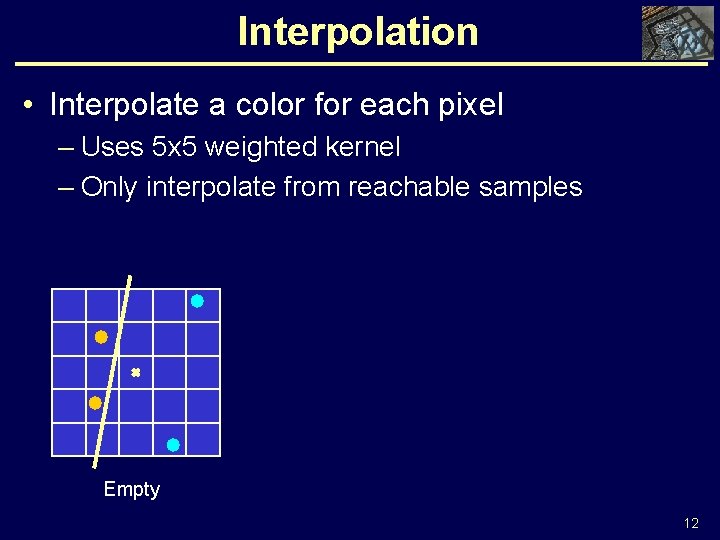
Interpolation • Interpolate a color for each pixel – Uses 5 x 5 weighted kernel – Only interpolate from reachable samples Empty 12
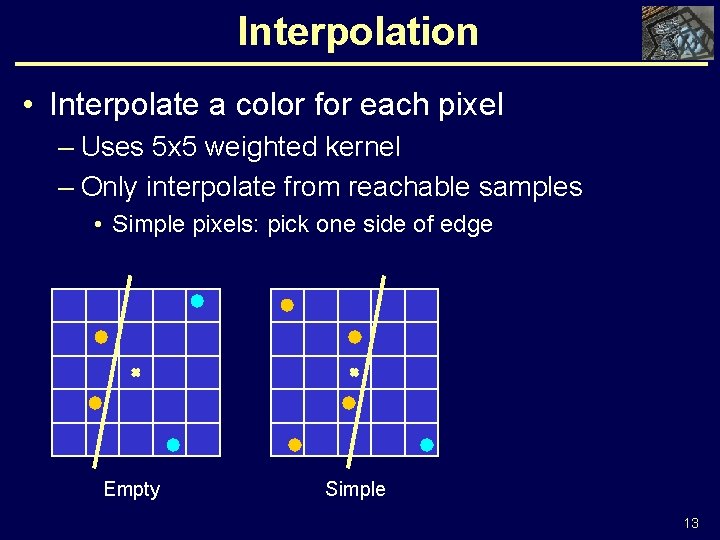
Interpolation • Interpolate a color for each pixel – Uses 5 x 5 weighted kernel – Only interpolate from reachable samples • Simple pixels: pick one side of edge Empty Simple 13
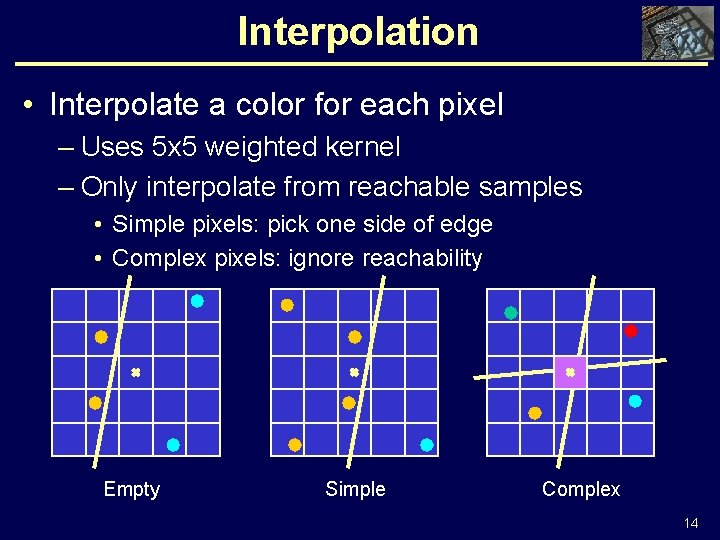
Interpolation • Interpolate a color for each pixel – Uses 5 x 5 weighted kernel – Only interpolate from reachable samples • Simple pixels: pick one side of edge • Complex pixels: ignore reachability Empty Simple Complex 14
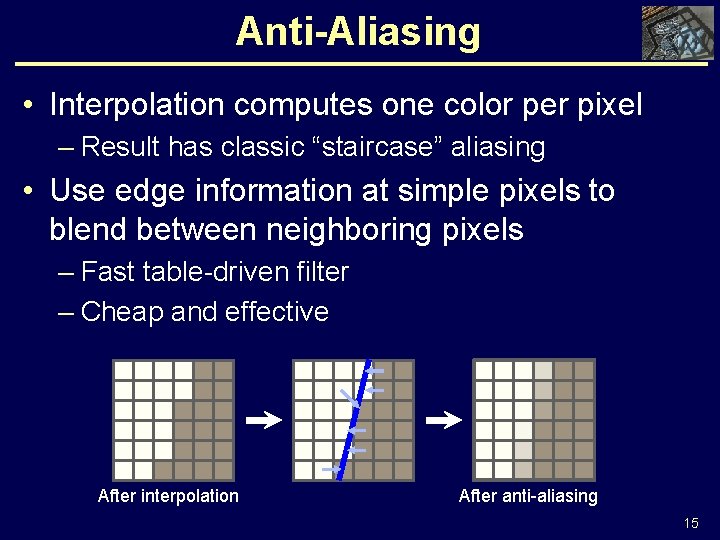
Anti-Aliasing • Interpolation computes one color per pixel – Result has classic “staircase” aliasing • Use edge information at simple pixels to blend between neighboring pixels – Fast table-driven filter – Cheap and effective After interpolation After anti-aliasing 15
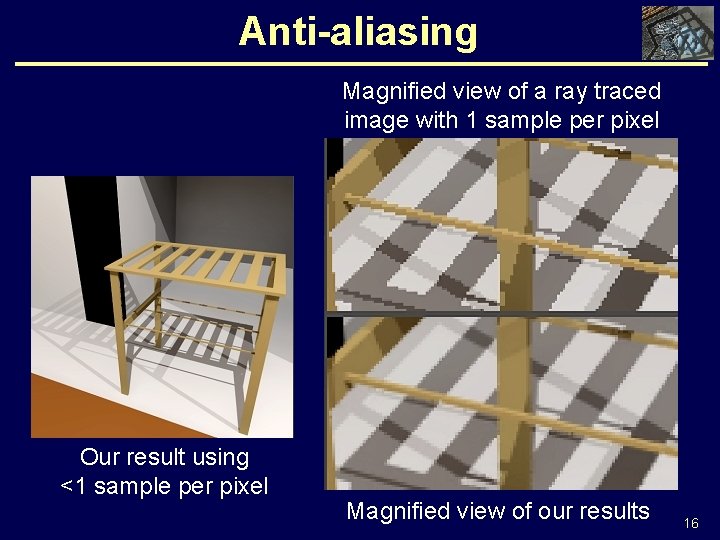
Anti-aliasing Magnified view of a ray traced image with 1 sample per pixel Our result using <1 sample per pixel Edges Magnified view of our results 16
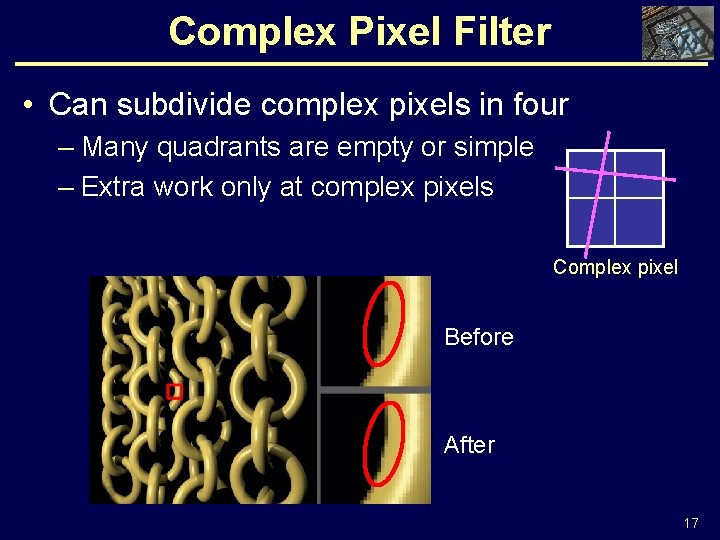
Complex Pixel Filter • Can subdivide complex pixels in four – Many quadrants are empty or simple – Extra work only at complex pixels Complex pixel Before After 17
Point Sampling • Point sample handling – Based on the Render Cache [Walter 99, 02] – Produced by asynchronous shaders – Stored in a fixed size point cache – Project points onto current image plane – Request new samples based on feedback 18
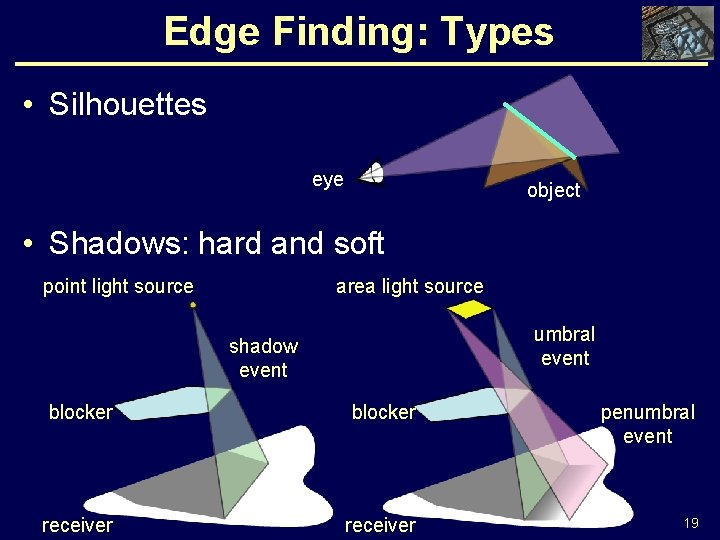
Edge Finding: Types • Silhouettes eye object • Shadows: hard and soft point light source area light source umbral event shadow event blocker penumbral event receiver 19
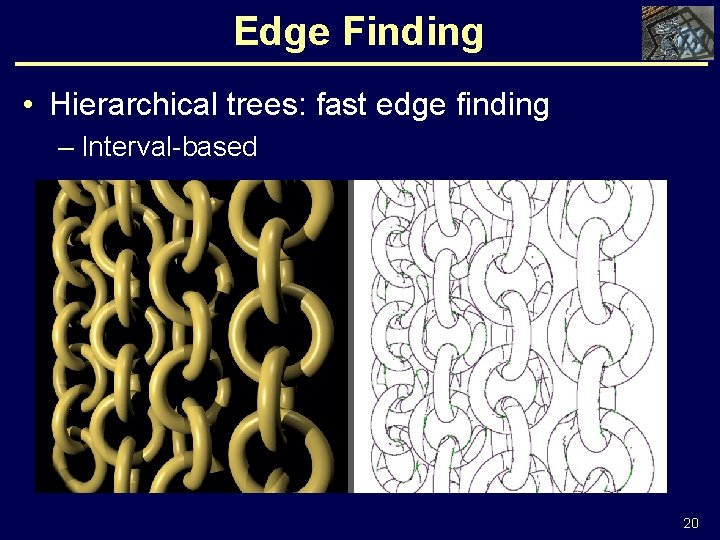
Edge Finding • Hierarchical trees: fast edge finding – Interval-based 20
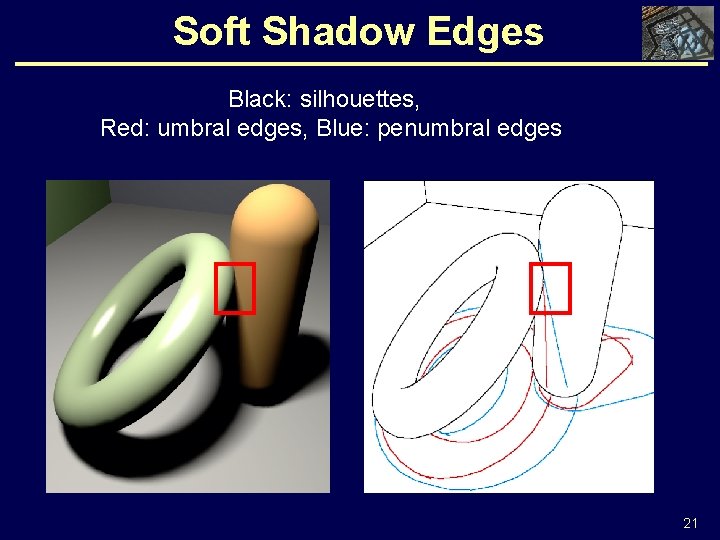
Soft Shadow Edges Black: silhouettes, Red: umbral edges, Blue: penumbral edges 21
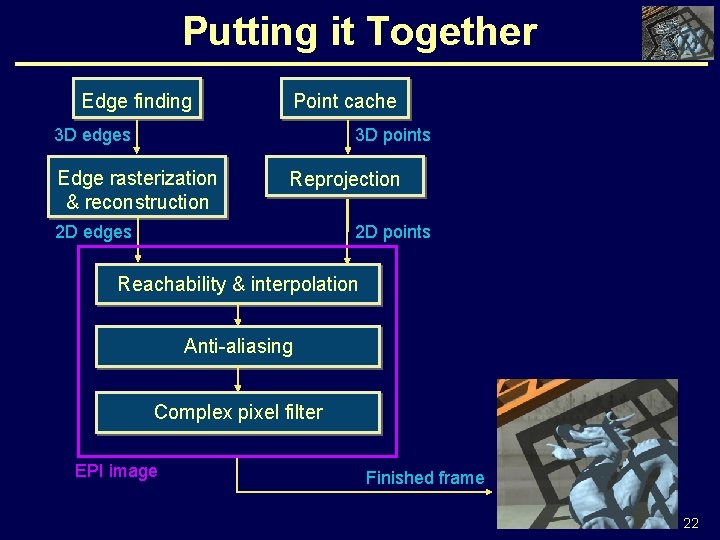
Putting it Together Edge finding Point cache 3 D edges 3 D points Edge rasterization & reconstruction Reprojection 2 D edges 2 D points Reachability & interpolation Anti-aliasing Complex pixel filter EPI image Finished frame 22
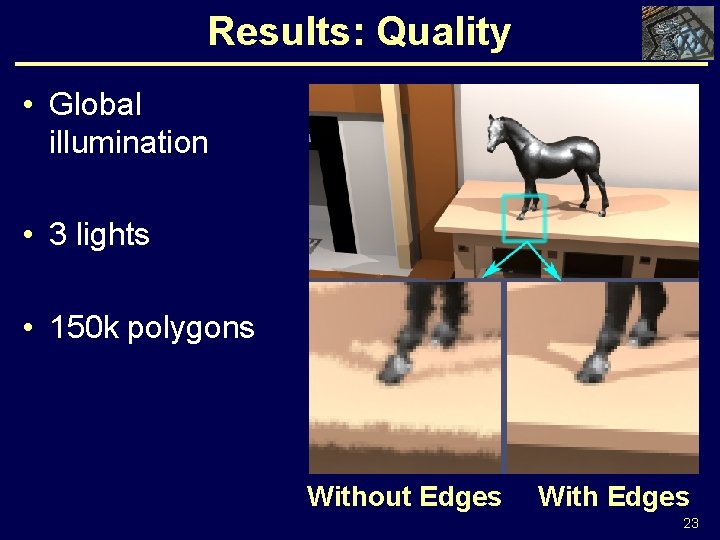
Results: Quality • Global illumination • 3 lights • 150 k polygons Without Edges With Edges 23
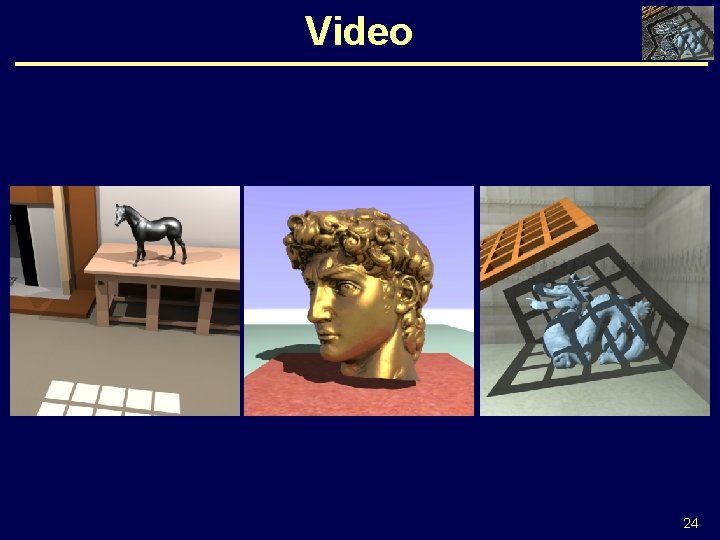
Video 24
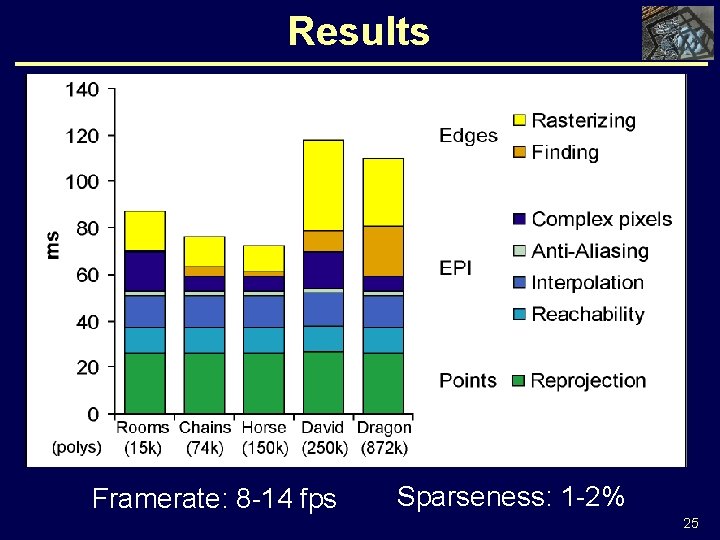
Results Framerate: 8 -14 fps Sparseness: 1 -2% 25
Summary • EPI: New display representation – Combines edges and points – Image-space: no meshing – Compact EPI optimizes for common case – Scales to complex scenes – Fast anti-aliasing • Fast, hierarchical edge finding for silhouettes and shadows 26
Conclusion • Combines best of edges and points • Decouple display from shading – Arbitrary slow shaders • Exploit coherence – Spatial: interpolation – Temporal: reprojection • Software implementation GPU 27
Acknowledgments • Sebastian Fernandez • Everybody at the Program of Computer Graphics • Stanford’s Digital Michelangelo Project • Georgia Tech’s Large Geometric Model Archive • NSF • Intel 28
Questions? 29
Edge-and-Point Image • Alternative display representation • Edge-constrained interpolation preserves sharp features • Fast anti-aliasing 30
- Slides: 30