
COM Securing System Enterprise Services Outline Why use
![Example [assembly: Assembly. Delay. Sign(true)] [assembly: Assembly. Key. File(@". . pubkey")] [assembly: Application. Name("Pet](https://slidetodoc.com/presentation_image_h2/b294923765bc1fef12d69ce011ed1c28/image-16.jpg "Example [assembly: Assembly. Delay. Sign(true)] [assembly: Assembly. Key. File(@\". . pubkey\")] [assembly: Application. Name(\"Pet")
- Slides: 18
COM+ Securing System. Enterprise. Services
Outline • • Why use COM+? Security settings Role-based access checks Deployment model 2
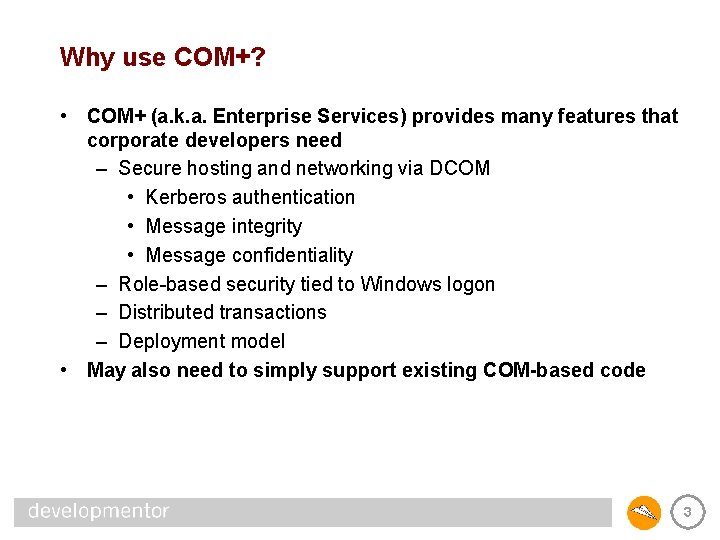
Why use COM+? • COM+ (a. k. a. Enterprise Services) provides many features that corporate developers need – Secure hosting and networking via DCOM • Kerberos authentication • Message integrity • Message confidentiality – Role-based security tied to Windows logon – Distributed transactions – Deployment model • May also need to simply support existing COM-based code 3
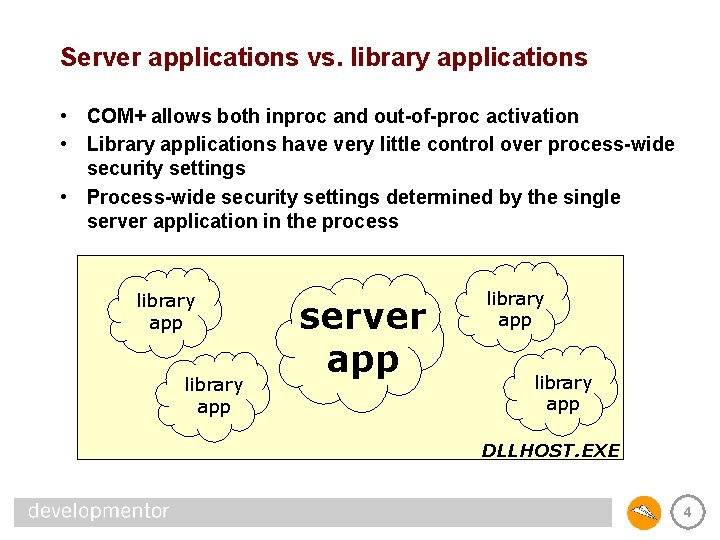
Server applications vs. library applications • COM+ allows both inproc and out-of-proc activation • Library applications have very little control over process-wide security settings • Process-wide security settings determined by the single server application in the process library app server app library app DLLHOST. EXE 4
Process-wide security settings • Authentication level • Impersonation level • Role-based access checks 5
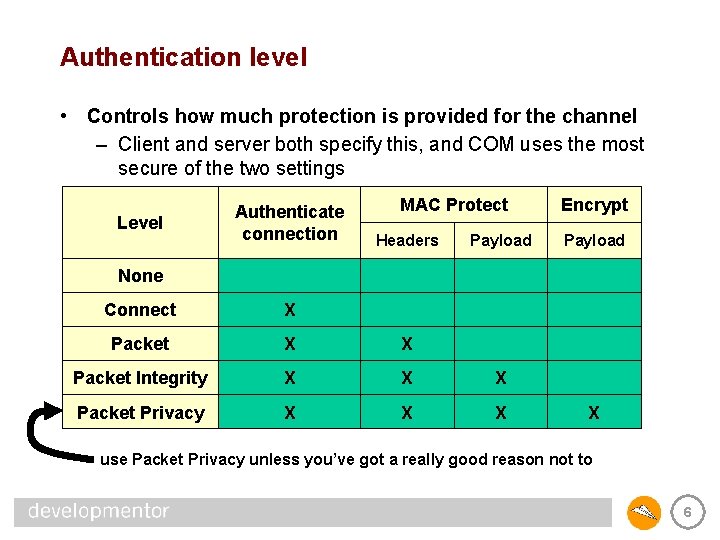
Authentication level • Controls how much protection is provided for the channel – Client and server both specify this, and COM uses the most secure of the two settings Level Authenticate connection MAC Protect Headers Payload Encrypt Payload None Connect X Packet X X Packet Integrity X X X Packet Privacy X X use Packet Privacy unless you’ve got a really good reason not to 6
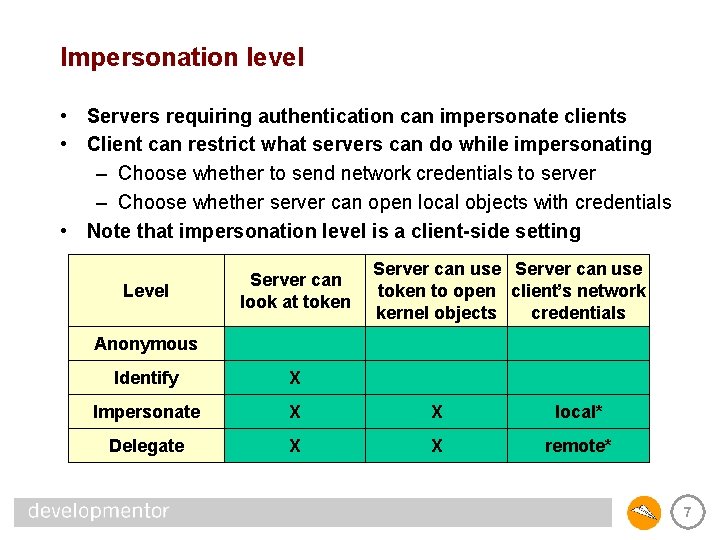
Impersonation level • Servers requiring authentication can impersonate clients • Client can restrict what servers can do while impersonating – Choose whether to send network credentials to server – Choose whether server can open local objects with credentials • Note that impersonation level is a client-side setting Level Server can look at token Server can use token to open client’s network kernel objects credentials Anonymous Identify X Impersonate X X local* Delegate X X remote* 7
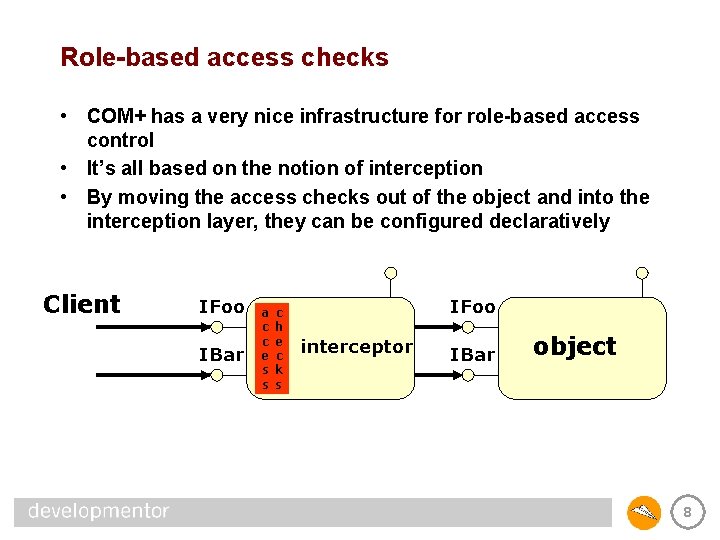
Role-based access checks • COM+ has a very nice infrastructure for role-based access control • It’s all based on the notion of interception • By moving the access checks out of the object and into the interception layer, they can be configured declaratively Client IFoo IBar a c c e s s c h e c k s IFoo interceptor IBar a c c e s s c h e c k s object 8
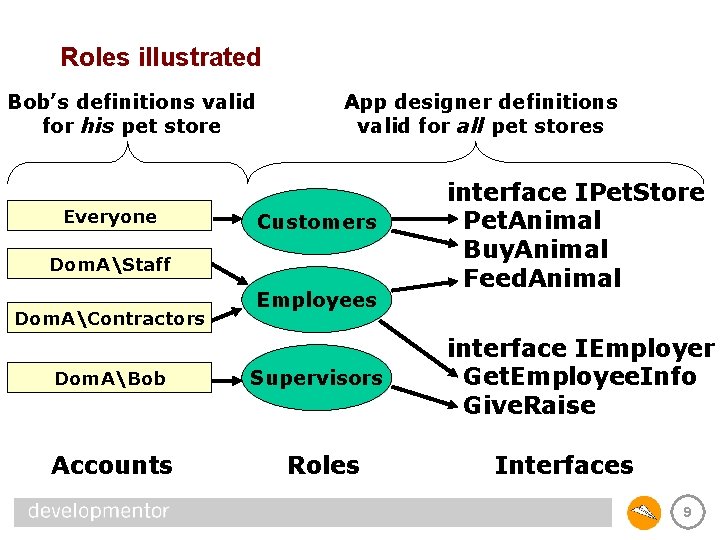
Roles illustrated Bob’s definitions valid for his pet store Everyone App designer definitions valid for all pet stores Customers Dom. AStaff Dom. AContractors Dom. ABob Accounts Employees Supervisors Roles interface IPet. Store Pet. Animal Buy. Animal Feed. Animal interface IEmployer Get. Employee. Info Give. Raise Interfaces 9
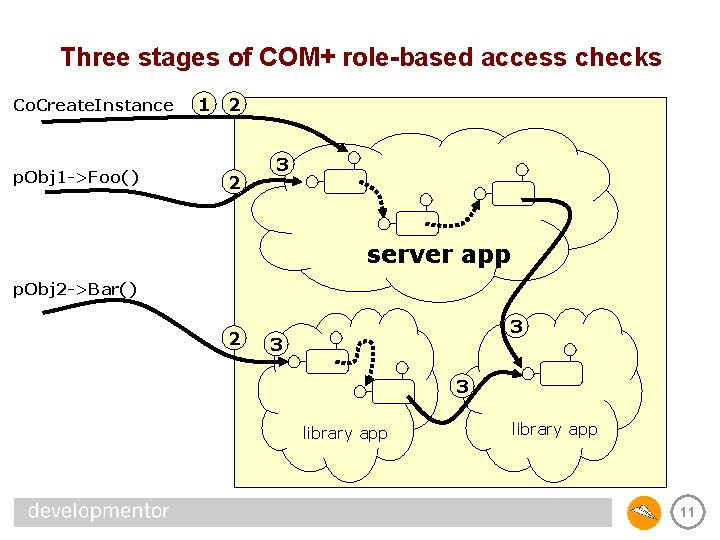
Role-based access checks • COM+ performs three stages of access checks – 1) At server process launch, client must be member of a role – 2) At server process entry, client must be member of a role – 3) At application entry, client must be in a role that grants access to the class, interface, or method being called • Once inside an application, calls between objects are not checked (we assume they trust each other) 10
Three stages of COM+ role-based access checks Co. Create. Instance p. Obj 1 ->Foo() 1 2 2 3 server app p. Obj 2 ->Bar() 2 3 3 3 library app 11
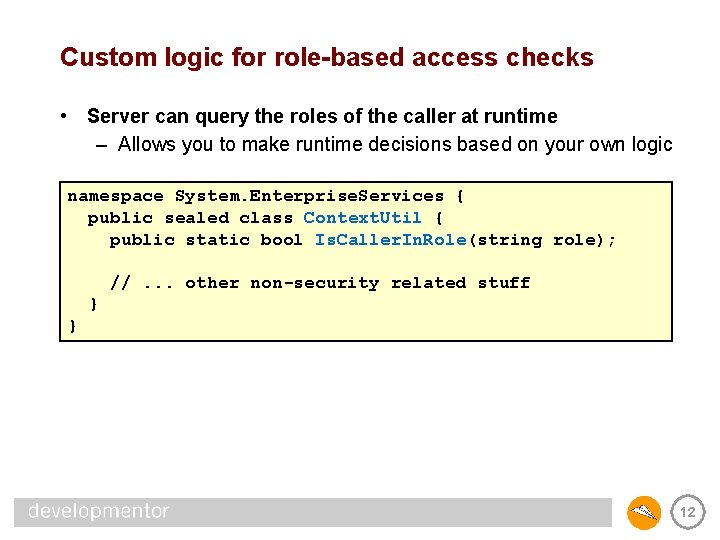
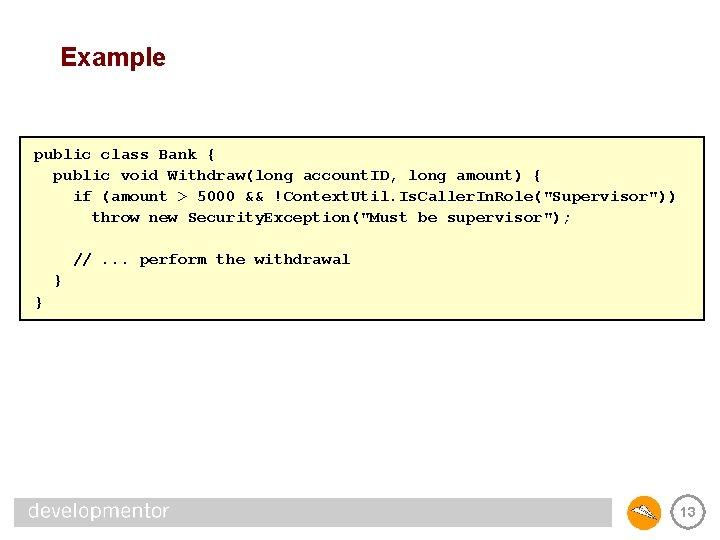
Custom logic for role-based access checks • Server can query the roles of the caller at runtime – Allows you to make runtime decisions based on your own logic namespace System. Enterprise. Services { public sealed class Context. Util { public static bool Is. Caller. In. Role(string role); //. . . other non-security related stuff } } 12
Example public class Bank { public void Withdraw(long account. ID, long amount) { if (amount > 5000 && !Context. Util. Is. Caller. In. Role("Supervisor")) throw new Security. Exception("Must be supervisor"); //. . . perform the withdrawal } } 13
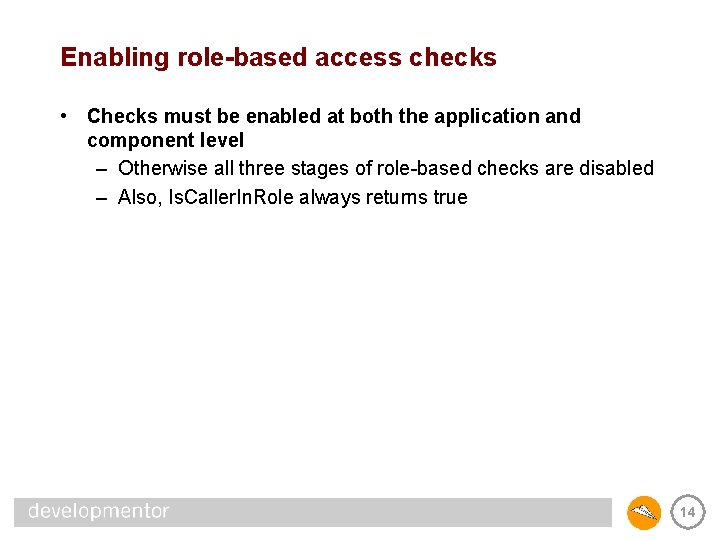
Enabling role-based access checks • Checks must be enabled at both the application and component level – Otherwise all three stages of role-based checks are disabled – Also, Is. Caller. In. Role always returns true 14
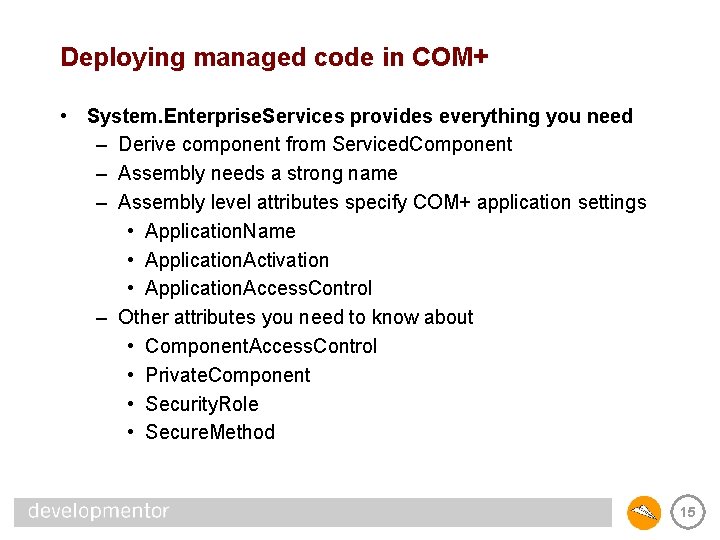
Deploying managed code in COM+ • System. Enterprise. Services provides everything you need – Derive component from Serviced. Component – Assembly needs a strong name – Assembly level attributes specify COM+ application settings • Application. Name • Application. Activation • Application. Access. Control – Other attributes you need to know about • Component. Access. Control • Private. Component • Security. Role • Secure. Method 15
Example [assembly: Assembly. Delay. Sign(true)] [assembly: Assembly. Key. File(@". . pubkey")] [assembly: Application. Name("Pet Store")] [assembly: Application. Activation(Activation. Option. Server)] [assembly: Application. Access. Control(true, Authentication = Authentication. Option. Privacy, Impersonation. Level = Impersonation. Level. Option. Identify, Access. Checks. Level = Access. Checks. Level. Option. Application. Component)] [Component. Access. Control(true)] [Secure. Method] public class Pet. Store : Serviced. Component, IPet. Store { [Security. Role("Customers")] public void Pet. Animal() [Security. Role("Customers")] public void Buy. Animal() [Security. Role("Staff")] public void Feed. Animal() [Security. Role("Owners")] public void Give. Away. Money() } {} {} 16
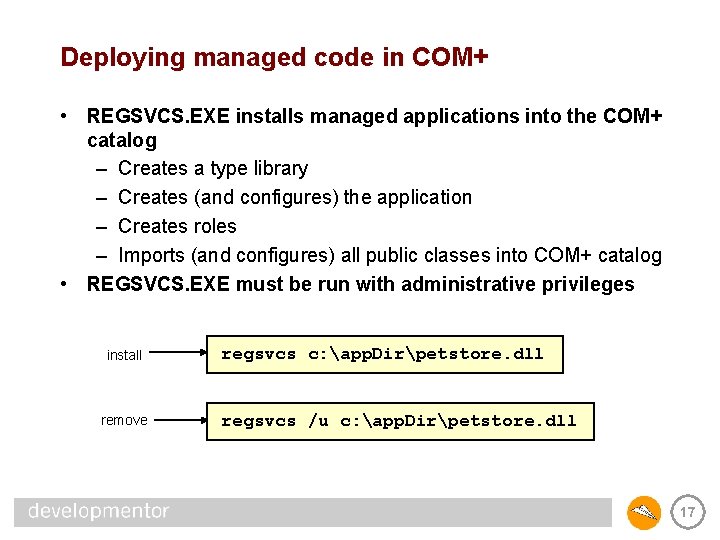
Deploying managed code in COM+ • REGSVCS. EXE installs managed applications into the COM+ catalog – Creates a type library – Creates (and configures) the application – Creates roles – Imports (and configures) all public classes into COM+ catalog • REGSVCS. EXE must be run with administrative privileges install remove regsvcs c: app. Dirpetstore. dll regsvcs /u c: app. Dirpetstore. dll 17
Summary • COM+ provides a complete security framework – Unlike System. Runtime. Remoting at the moment • Can easily deploy managed code in COM+ • COM+ isn’t going away any time soon 18