
Color DMS UI Updates Following Initial Design Review
- Slides: 36
Color DMS UI Updates Following Initial Design Review 10/25/2021 1
Second Design Review Comments from preliminary design review were solicited from districts l Comments were consolidated for consideration by CO l After evaluation by CO, list of approved changes was developed l These mock ups represent the changes approved following the preliminary design review l Design Review 10/25/2021 2
Feedback Still Needed Dialogs are much closer to finalized, but could still be tweaked l If any showstoppers are present, please speak up l Design Review 10/25/2021 3
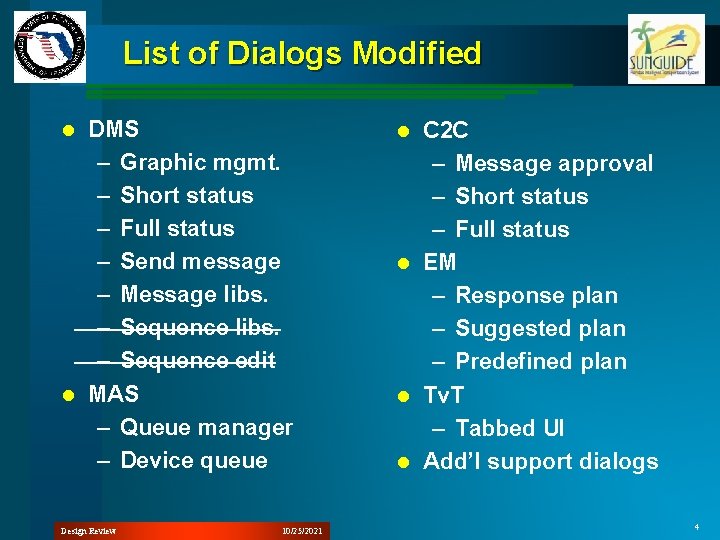
List of Dialogs Modified DMS – Graphic mgmt. – Short status – Full status – Send message – Message libs. – Sequence edit l MAS – Queue manager – Device queue l Design Review 10/25/2021 C 2 C – Message approval – Short status – Full status l EM – Response plan – Suggested plan – Predefined plan l Tv. T – Tabbed UI l Add’l support dialogs l 4
Common Modifications The following features and modifications are present in each dialog where appropriate – New background / color theme – Alternating row colors – Grid header sort / filter – Grid column selection l Many functions will be available through context menus rather than on-screen buttons – Find on Map – Collapse / expand all l Design Review 10/25/2021 5
Dev. Express WPF Toolkit Many features are dependent on third party WPF GUI control toolkit – May not have ability to change implementation of features without selecting alternate toolkit or building from scratch l Per-developer license fee required – Starts at $900/seat, reduced for multiple seats l Includes: Data Grid, Ribbon, Toolbars, Charts, Scheduler, Tree Grid, Docking, and more controls l Design Review 10/25/2021 6
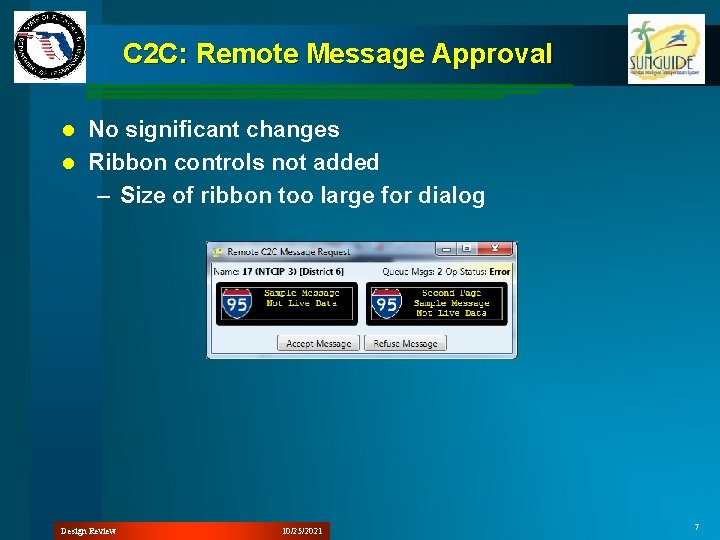
C 2 C: Remote Message Approval No significant changes l Ribbon controls not added – Size of ribbon too large for dialog l Design Review 10/25/2021 7
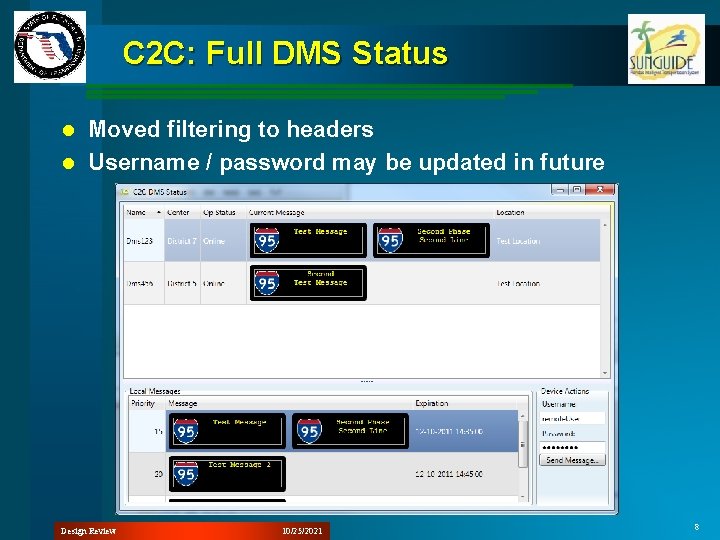
C 2 C: Full DMS Status Moved filtering to headers l Username / password may be updated in future l Design Review 10/25/2021 8
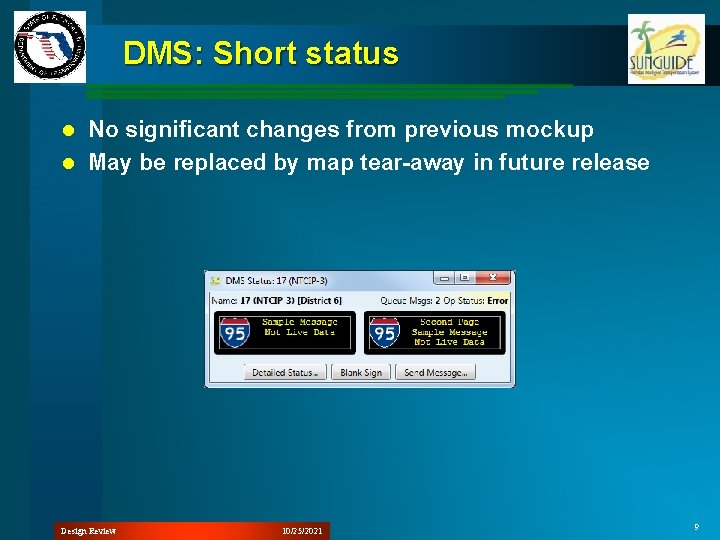
DMS: Short status No significant changes from previous mockup l May be replaced by map tear-away in future release l Design Review 10/25/2021 9
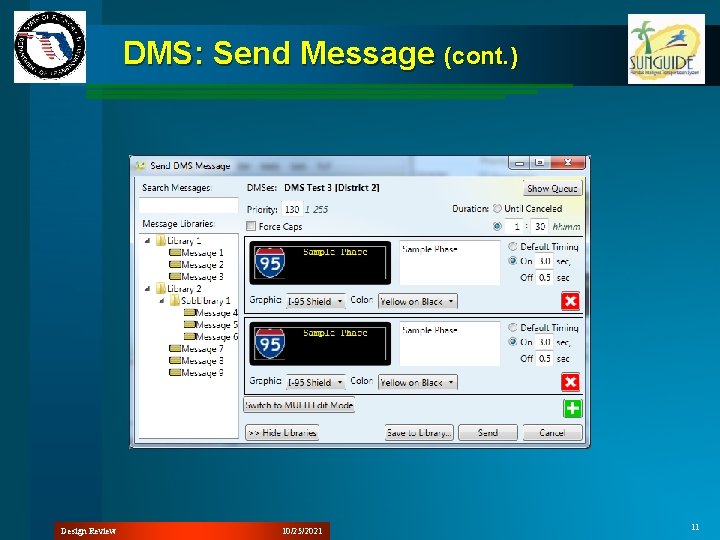
DMS: Send Message l l l l Add / Remove page buttons replaced by icons Color dropdown will show items colored Graphic dropdown will show image folder structure Message search moved to top of dialog New buttons: Save to Library, Show Queue, Collapse All (Libraries) Show / Hide Library controls Tree icons Note: Ribbon not added because edit control used in multiple places – Integrating ribbon into each dialog would require additional effort Design Review 10/25/2021 10
DMS: Send Message (cont. ) Design Review 10/25/2021 11
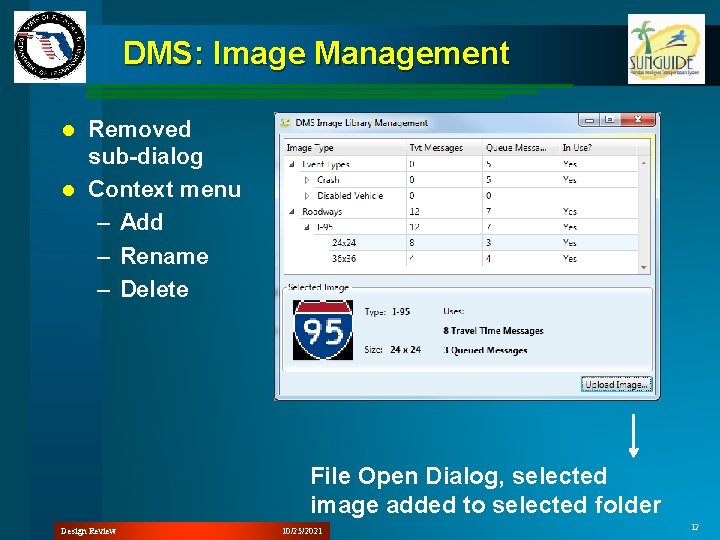
DMS: Image Management Removed sub-dialog l Context menu – Add – Rename – Delete l File Open Dialog, selected image added to selected folder Design Review 10/25/2021 12
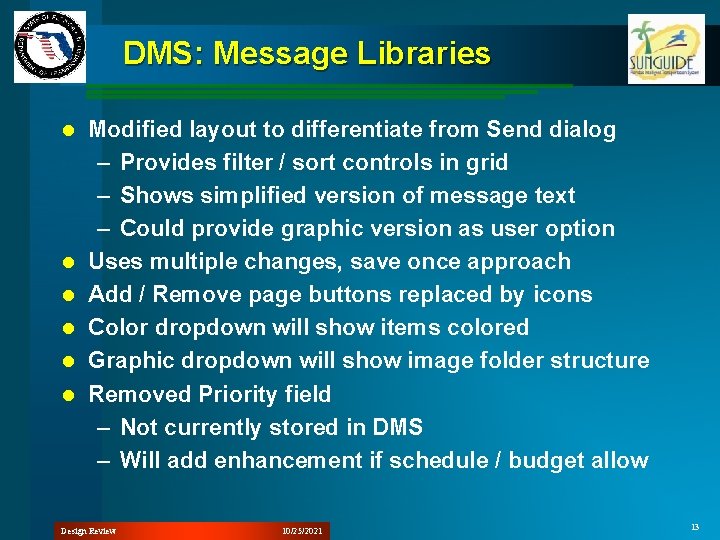
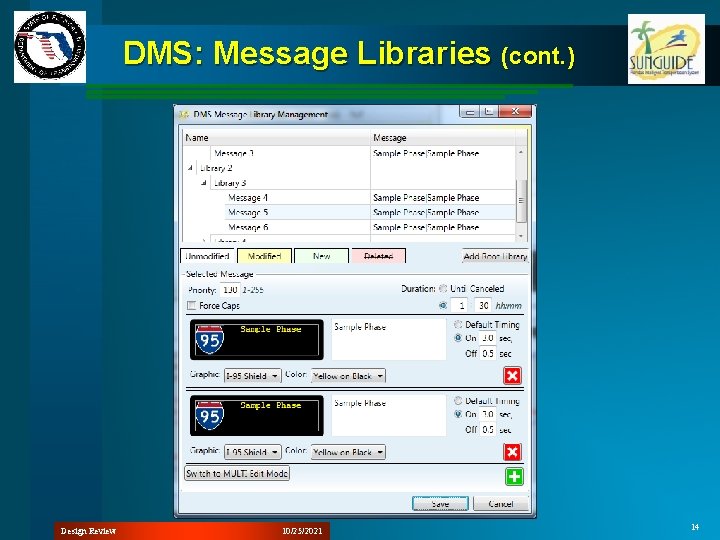
DMS: Message Libraries l l l Modified layout to differentiate from Send dialog – Provides filter / sort controls in grid – Shows simplified version of message text – Could provide graphic version as user option Uses multiple changes, save once approach Add / Remove page buttons replaced by icons Color dropdown will show items colored Graphic dropdown will show image folder structure Removed Priority field – Not currently stored in DMS – Will add enhancement if schedule / budget allow Design Review 10/25/2021 13
DMS: Message Libraries (cont. ) Design Review 10/25/2021 14
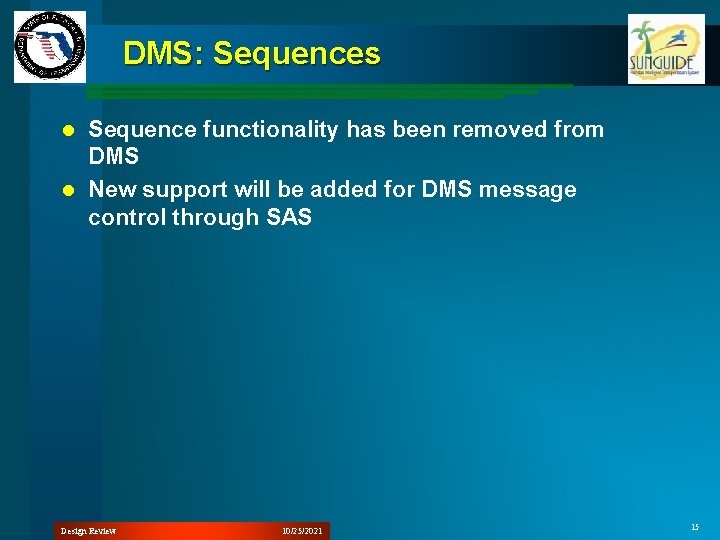
DMS: Sequences Sequence functionality has been removed from DMS l New support will be added for DMS message control through SAS l Design Review 10/25/2021 15
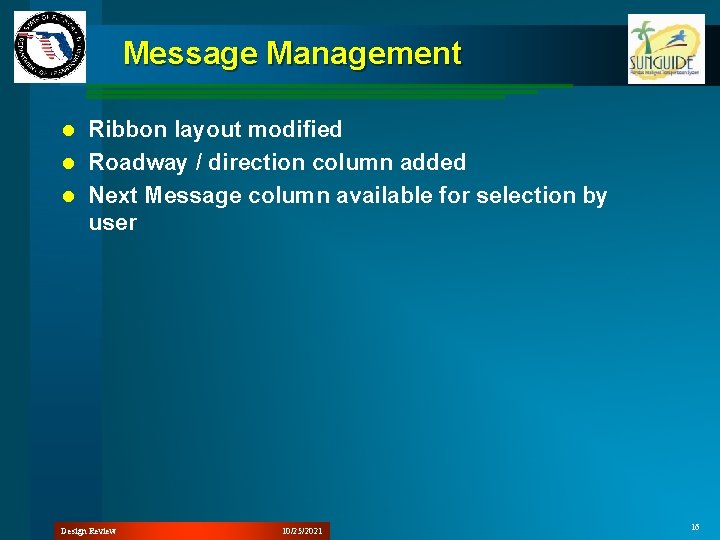
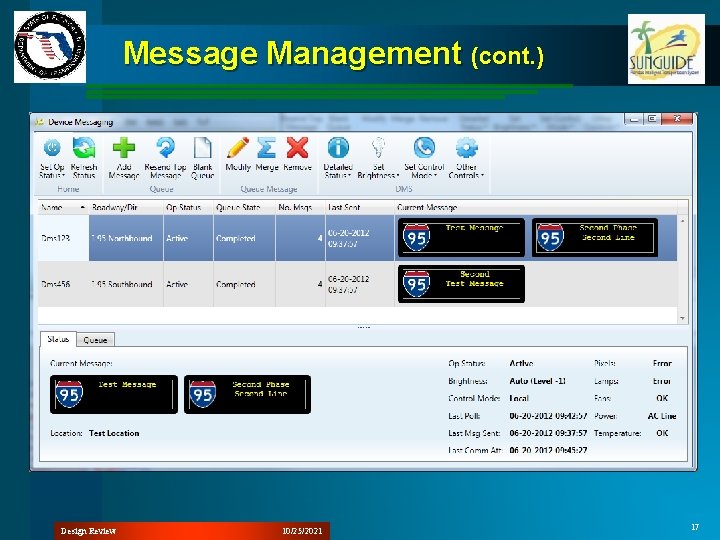
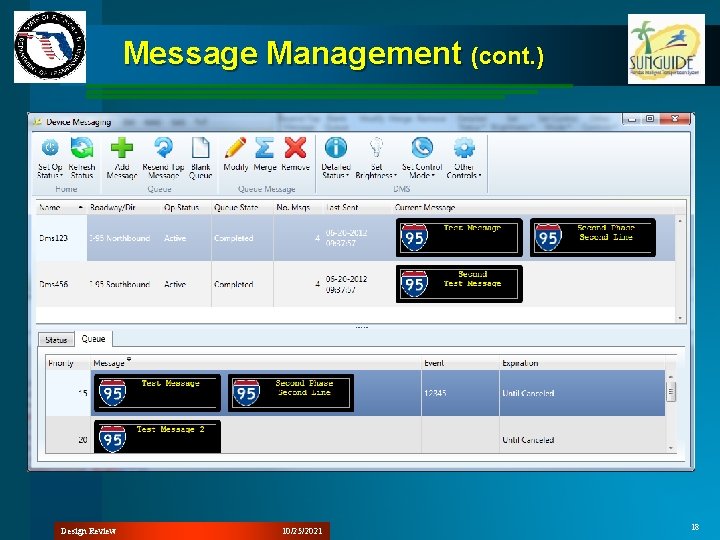
Message Management Ribbon layout modified l Roadway / direction column added l Next Message column available for selection by user l Design Review 10/25/2021 16
Message Management (cont. ) Design Review 10/25/2021 17
Message Management (cont. ) Design Review 10/25/2021 18
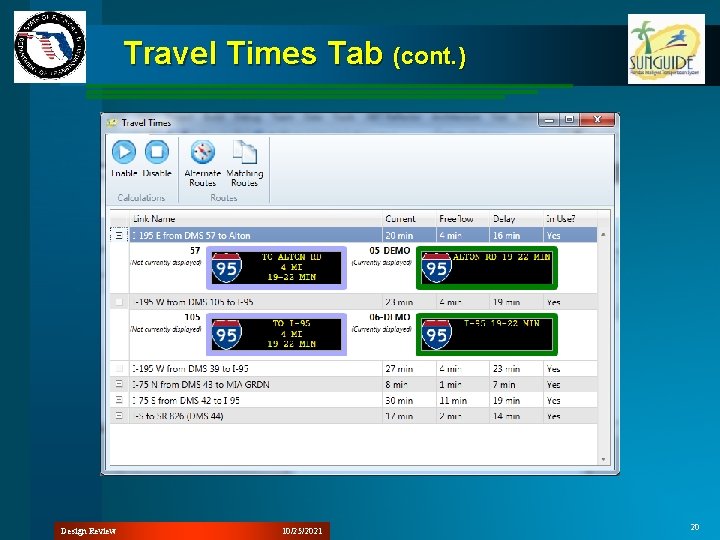
Travel Times Tab l l l Moved button commands to Ribbon bar Find on Map moved to context menu Description column available through column chooser Using third party grid control for filter / sort support – Provides individual expansion of detail rows not available in default Microsoft control Rearranged elements of DMS display to reduce vertical space use Not implementing tabbed dialog in this release – Comprehensive tabbing / docking solution needed Design Review 10/25/2021 19
Travel Times Tab (cont. ) Design Review 10/25/2021 20
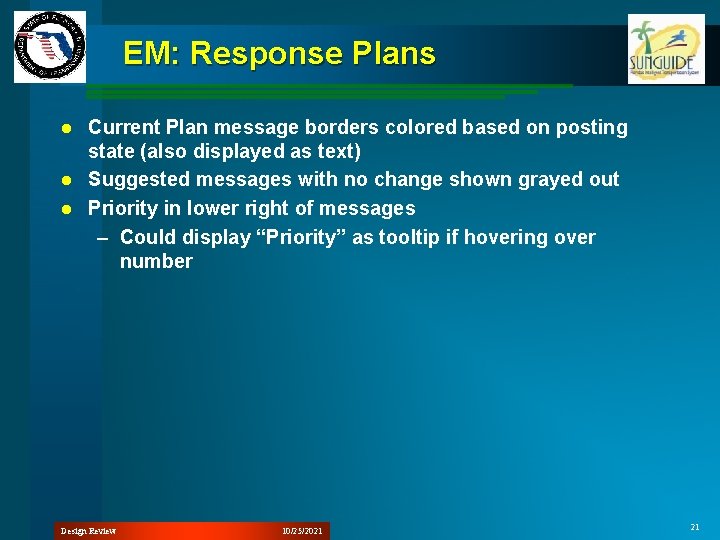
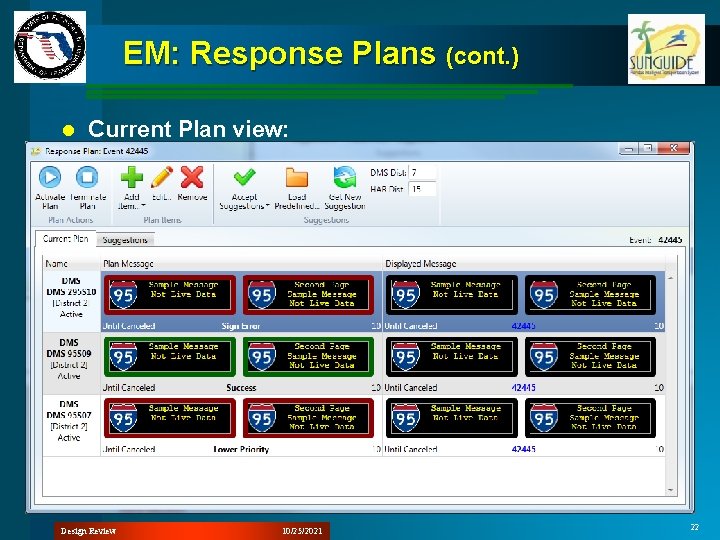
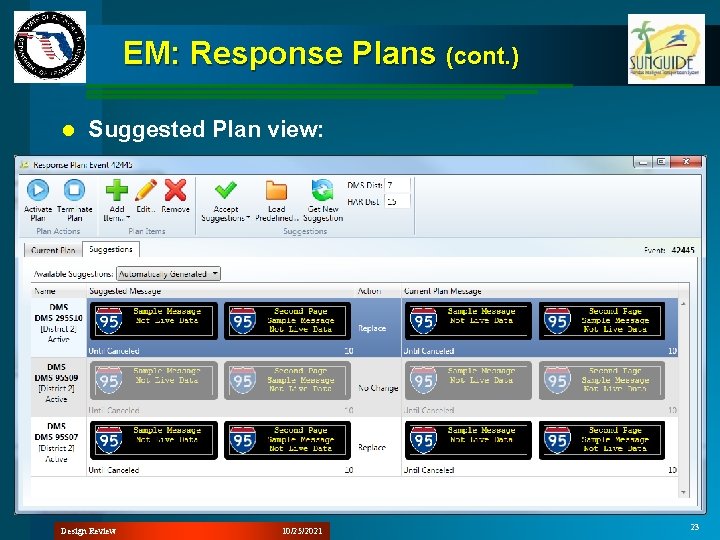
EM: Response Plans Current Plan message borders colored based on posting state (also displayed as text) l Suggested messages with no change shown grayed out l Priority in lower right of messages – Could display “Priority” as tooltip if hovering over number l Design Review 10/25/2021 21
EM: Response Plans (cont. ) l Current Plan view: Design Review 10/25/2021 22
EM: Response Plans (cont. ) l Suggested Plan view: Design Review 10/25/2021 23
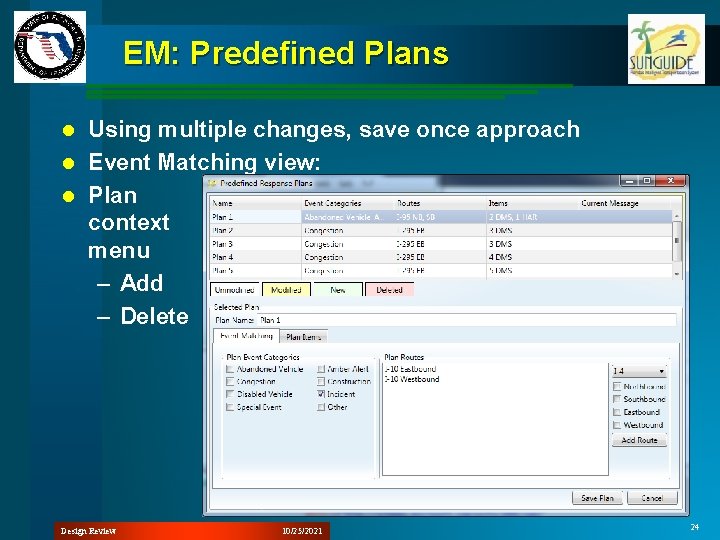
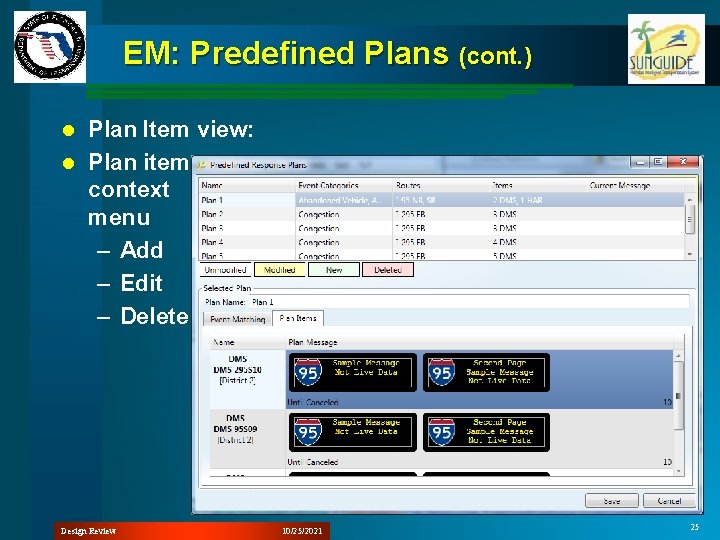
EM: Predefined Plans Using multiple changes, save once approach l Event Matching view: l Plan context menu – Add – Delete l Design Review 10/25/2021 24
EM: Predefined Plans (cont. ) Plan Item view: l Plan item context menu – Add – Edit – Delete l Design Review 10/25/2021 25
Scheduled Actions Updates Following Initial Design Review 10/25/2021 26
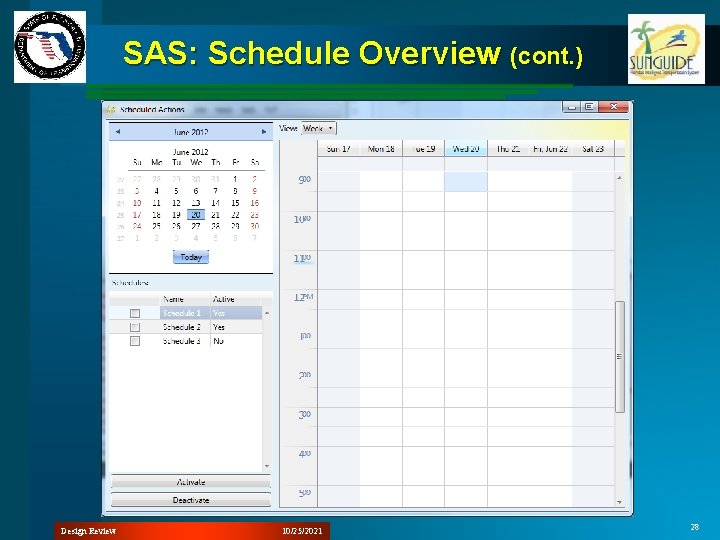
SAS: Schedule Overview Replaced previous calendar control – Third party toolkit used for data grids and ribbon also includes schedule calendar control – Full functionality will be evaluated and additional features incorporated where possible l Added month view calendar control l Added visibility checkboxes to list of schedules l Context menu – Add – Edit – Delete l Design Review 10/25/2021 27
SAS: Schedule Overview (cont. ) Design Review 10/25/2021 28
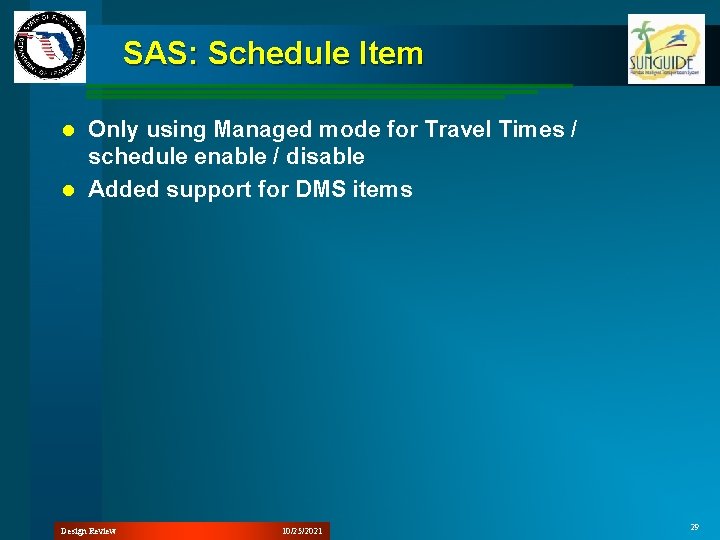
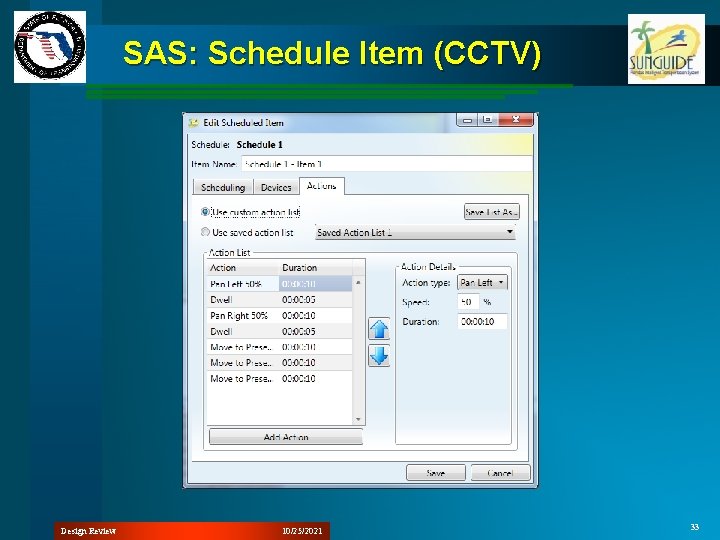
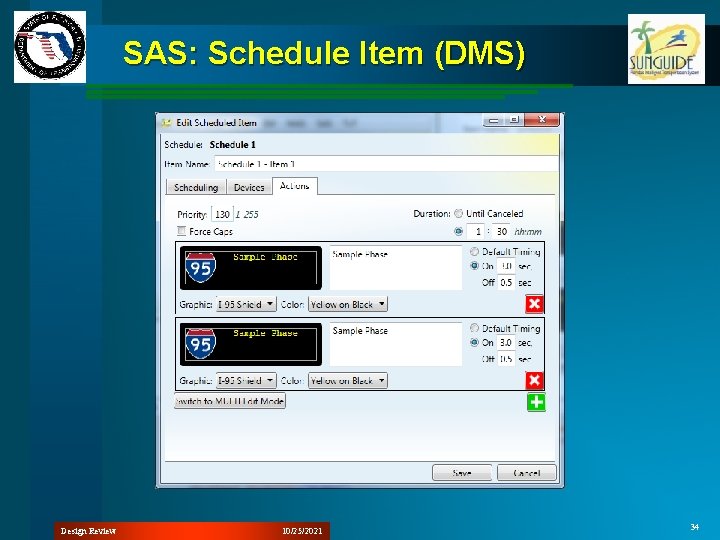
SAS: Schedule Item Only using Managed mode for Travel Times / schedule enable / disable l Added support for DMS items l Design Review 10/25/2021 29
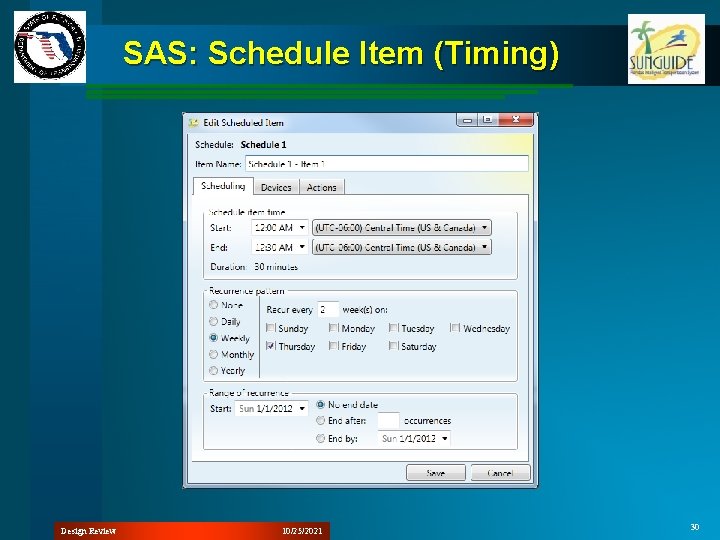
SAS: Schedule Item (Timing) Design Review 10/25/2021 30
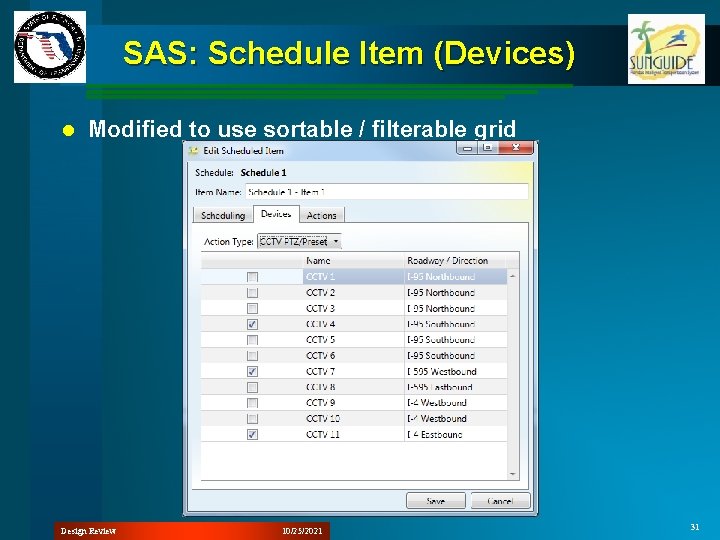
SAS: Schedule Item (Devices) l Modified to use sortable / filterable grid Design Review 10/25/2021 31
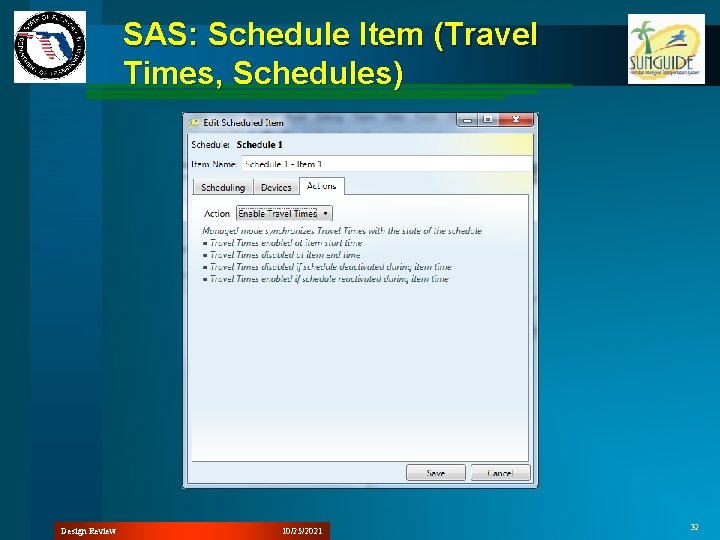
SAS: Schedule Item (Travel Times, Schedules) Design Review 10/25/2021 32
SAS: Schedule Item (CCTV) Design Review 10/25/2021 33
SAS: Schedule Item (DMS) Design Review 10/25/2021 34
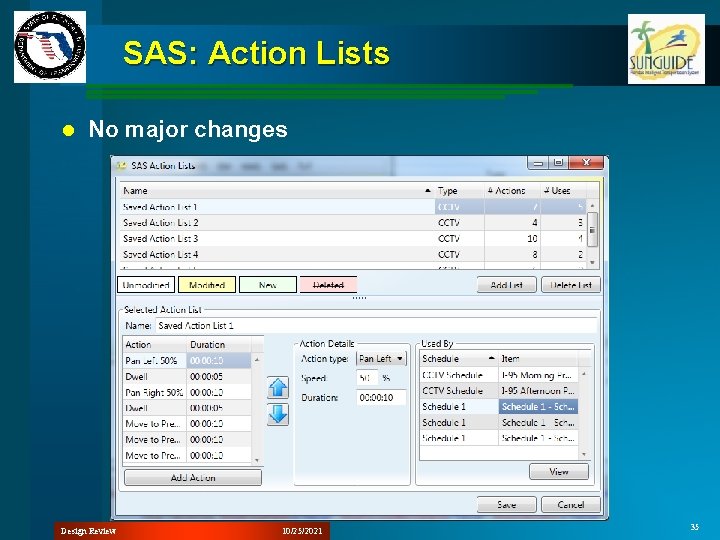
SAS: Action Lists l No major changes Design Review 10/25/2021 35
Future SAS Enhancements New structure of SAS could allow additional items to be scheduled. – HAR – TAM (Connected Vehicles) – Enable / disable Incident Detection devices – Report generation – Video switching – Pricing mode changes l Event actions could be scheduled – Event creation? – Response plan activation only? l Design Review 10/25/2021 36