
Collaborate Knowledge Byte In this section you will
Collaborate Knowledge Byte In this section, you will learn about the following: • • Types of J 2 EE Containers Various HTTP Methods Collaborate Lesson 1 C / Slide 1 of 22
Collaborate Types of J 2 EE Containers • Various types of J 2 EE components are: • • Servlets Java Server Pages (JSP) Applets Enterprise Java. Beans (EJB) Collaborate Lesson 1 C / Slide 2 of 22
Collaborate Types of J 2 EE Containers (Contd. ) • Various types of J 2 EE containers for each type of J 2 EE components are: • • Web container: Provides a runtime environment to manage deployed Web components, such as servlets and JSP. Applet container: Provides the runtime environment for executing applets. EJB container: Provides a runtime environment to manage deployed EJB components. Application client container: Provides a runtime environment for J 2 EE application clients. Collaborate Lesson 1 C / Slide 3 of 22
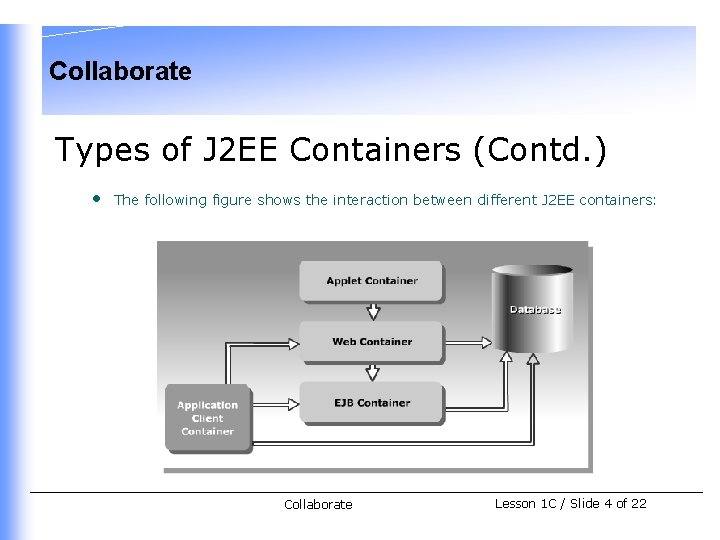
Collaborate Types of J 2 EE Containers (Contd. ) • The following figure shows the interaction between different J 2 EE containers: Collaborate Lesson 1 C / Slide 4 of 22
Collaborate Types of J 2 EE Containers (Contd. ) • Some of the J 2 EE compliant application servers that are available in the market are: • • • Web. Logic application server from BEA Systems. Web. Sphere application server from IBM Sun ONE application server from Sun Microsystems, Inc Collaborate Lesson 1 C / Slide 5 of 22
Collaborate Various HTTP methods • • • The HTTP protocol supports various types of request, such as GET, POST, PUT, HEAD, DELETE, TRACE, and OPTIONS that are used by clients to request data. All these HTTP requests are handled by the service() method, which is defined in the Http. Servlet class. The Http. Servlet class defines all the methods supported by HTTP protocol to which the service() method delegates the requests to handle the specific client requests. These methods are of the form do. XXX() where XXX corresponds to the specific HTTP requests. The various methods that are defined in the Http. Servlet class are do. Get(), do. Post(), do. Put(), do. Delete(), do. Trace(), and do. Options(). Collaborate Lesson 1 C / Slide 6 of 22
Collaborate Various HTTP methods (Contd. ) • The HTTP PUT Request Method is: • • Primarily designed for the client to upload a file to the ftp server. Mapped to the do. Put() method of the Http. Servlet class. Triggered when you submit an HTML form with the METHOD attribute of the Form tag set to PUT. The HTTP DELETE Request Method is: • • • Used to delete a resource from the server. For example, a client can use the DELETE method to delete a Web page from the server. Mapped to the do. Delete() method of the Http. Servlet class. Used to handle requests that are sent using the DELETE method. Collaborate Lesson 1 C / Slide 7 of 22
Collaborate Various HTTP methods (Contd. ) • The HTTP TRACE Request Method is: • • • Primarily designed for the client to request for the loop-back data of the previous requests made by the client. Used by the client to determine the path that the data has taken, from source to destination during transmission using the loop-back data. Mapped to the do. Trace() method of the Http. Servlet class. Used for debugging and returns the content type, message size, and the message associated with the previous requests. The HTTP OPTIONS Request Method is: • • Used to obtain information about the HTTP methods that the server supports. Mapped to the do. Options() method of the Http. Servlet class. Collaborate Lesson 1 C / Slide 8 of 22
Collaborate From the Expert’s Desk This section will introduce the following: • • Best practice on upgrading a static Web site to provide dynamic output using servlets Tips on handling HTTP methods Tips on caching servlets FAQs on advantages of JNDI and deployment descriptors Collaborate Lesson 1 C / Slide 9 of 22
Collaborate Best Practices Upgrading a Static Web Site to Provide Dynamic Output Using Servlets • • • Avoid displaying static content in a servlet. Define static content in the init() method, if a servlet needs to display both static and dynamic content. Append the static content to the dynamic content defined in the do. Get() or do. Post() method before sending it as a response. Flush the response buffer explicitly by using the flush() method of the Servlet. Output. Stream class while sending large amount of binary response. Explicit flush the response buffer to intermittently allow the client to start partly displaying the content instead of waiting for the entire content to arrive. Collaborate Lesson 1 C / Slide 10 of 22
Collaborate Tips Handling HTTP Methods • • At times, while working with servlet applications, you are not sure of whether the client is making a GET request or a POST request. In such a situation, the server returns a response that the particular method is not supported by the servlet. To avoid such instances: • Provide request handling code inside do. Post() method. • Call the do. Post() method from within the do. Get() method. This will ensure that the client request is always serviced no matter which method is invoked. Collaborate Lesson 1 C / Slide 11 of 22
Collaborate Tips (Contd. ) Caching Servlets • • • Stores recently accessed data in the memory of the client machine, so that it can be used for future requests. Reduces the time between a client request and the servlet response. Reduces the network traffic as the browser can display a cached servlet response to the client, instead of sending the request to the application server for the servlet. Collaborate Lesson 1 C / Slide 12 of 22
Collaborate Tips (Contd. ) Caching Servlets (Contd. ) • • Caching using servlet is done through two HTTP headers, Last-Modified and If-Modified-Since. The server adds a Last-Modified header to the response to indicate the last modification time of the servlet. When the browser sends a subsequent request for the same servlet to the server, the browser adds a If-Modified-Since header to the request with the time received in the Last-Modified header. When the server receives the browser request, the server compares the values of both the headers to check for any difference in the value. Collaborate Lesson 1 C / Slide 13 of 22
Collaborate Tips (Contd. ) Caching Servlets (Contd. ) • • • If no difference is found, the server sends a status code to the browser, which indicate that the browser can display the previous output stored in the browser cache. A difference in the value of Last-Modified and If-Modified-Since headers indicate a change in the servlet content. The server then needs to re-send the modified servlet output to the browser along with modified time of servlet output in the Last-Modified header. Collaborate Lesson 1 C / Slide 14 of 22
Collaborate Tips (Contd. ) Caching Servlets (Contd. ) • • • You can programatically control how a browser caches your servlet content by overriding the get. Last. Modified() method of the Http. Servlet class. When the server receives a request for a servlet from a browser with If. Modified-Since header, the server calls the get. Last. Modified() method to retrieve the last modified time of the servlet. The server then compares the time returned by the get. Last. Modified() method with the time stored in Last-Modified header. If there is no difference in the time of two header values, a status code is sent to the browser to display the servlet output from the browser cache. Otherwise, a call to service() method of the servlet is made to send a response to the browser with a new value to Last-Modified header. Collaborate Lesson 1 C / Slide 15 of 22
Collaborate FAQs • What is the advantage of using JNDI data source lookups instead of Driver. Manager code to obtain a data source in Web applications? • JNDI • • Provides location transparency to objects. Does not necessitates the client to be aware of the location of the object. Enables a servlet, which accesses a database, to obtain a connection by performing a JNDI lookup on the data source configured on the application server. Does not require you to make any change in the servlet, if the data source properties, such as the driver, URL, user name, and password changes. Collaborate Lesson 1 C / Slide 16 of 22
Collaborate FAQs (Contd. ) • What is the advantage of using JNDI data source lookups instead of Driver. Manager code to obtain a data source in Web applications? (Contd. ) • Driver. Manager requires you to: • • Hard code information, such as driver name and JDBC URL to access a database. Provide user credentials such as username and password to access the data source, which can raise security issues. Collaborate Lesson 1 C / Slide 17 of 22
Collaborate FAQs (Contd. ) • How does a servlet obtain information from the deployment descriptor? • • When a Web application is deployed, the Web container obtains the information from the deployment descriptor and initializes a Servlet. Config object and a Servlet. Context object with it. The container passes the Servlet. Config object to the init() method of the servlet to initialize it. The servlet can obtain information, such as its initialization parameter using the Servlet. Config object. The servlet can then call methods of the Servlet. Context object to obtain information, such as the context initialization parameters that was specified in the deployment descriptor. Collaborate Lesson 1 C / Slide 18 of 22
Collaborate FAQs (Contd. ) • How does a Web component deployment descriptor differs from the Application Server deployment descriptor? • Web component deployment descriptor: • Is a standard web. xml file, which is stored in the WEB-INF directory of a Web component WAR file. • Contains component specific information, such as, name of servlet, class file of servlet, URL mapping, error pages, initialization parameters, and listeners. • Application deployment descriptor: • Is the standard application. xml file, which is stored in the top level of the META-INF directory of a J 2 EE application EAR file. • Contains information of the J 2 EE application, such as the different Web modules the application contains and their context root. Collaborate Lesson 1 C / Slide 19 of 22
Collaborate FAQs (Contd. ) • How does a Web component deployment descriptor differs from the Application Server deployment descriptor? (Contd. ) • Application server-specific deployment descriptor • • Is an application server-specific XML file that allows you to specify how the application server needs to deploy your Web application. For example, the J 2 EE application server provides the sun-web. xml deployment descriptor for handling deployment of Web components. You can configure properties specific to the J 2 EE application server in this deployment descriptor. For example, you can specify whether the server needs to cache your servlet and the time for which the servlet needs to be in cache. Collaborate Lesson 1 C / Slide 20 of 22
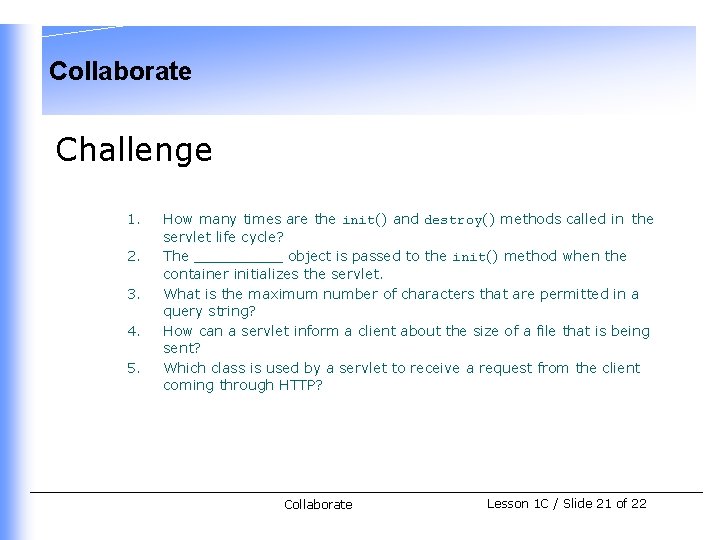
Collaborate Challenge 1. 2. 3. 4. 5. How many times are the init() and destroy() methods called in the servlet life cycle? The _____ object is passed to the init() method when the container initializes the servlet. What is the maximum number of characters that are permitted in a query string? How can a servlet inform a client about the size of a file that is being sent? Which class is used by a servlet to receive a request from the client coming through HTTP? Collaborate Lesson 1 C / Slide 21 of 22
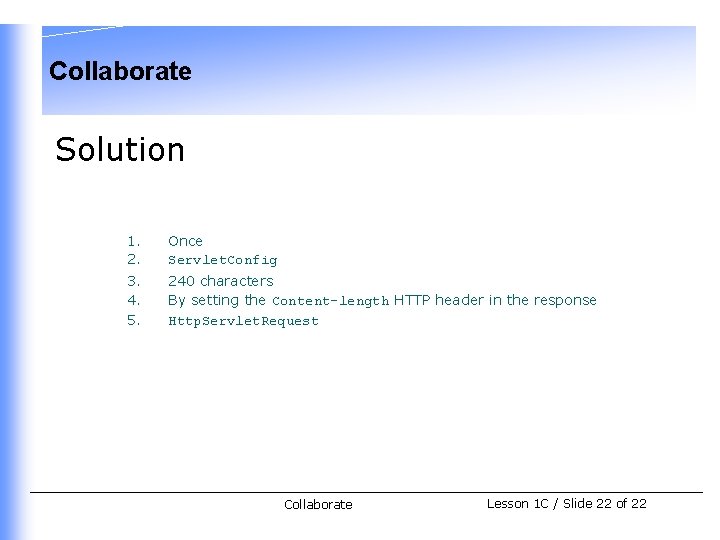
Collaborate Solution 1. 2. 3. 4. 5. Once Servlet. Config 240 characters By setting the Content-length HTTP header in the response Http. Servlet. Request Collaborate Lesson 1 C / Slide 22 of 22
- Slides: 22