
Collaborate in the Cloud with Microsoft 365 Everything
Collaborate in the Cloud with Microsoft 365 Everything you need, wherever you need it, in one solution.
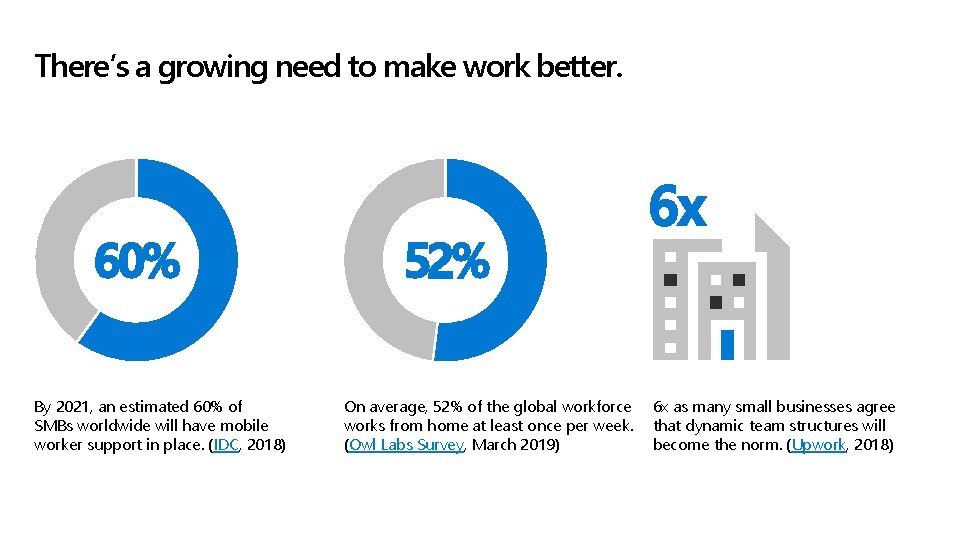
There’s a growing need to make work better. 60% By 2021, an estimated 60% of SMBs worldwide will have mobile worker support in place. (IDC, 2018) 52% On average, 52% of the global workforce works from home at least once per week. (Owl Labs Survey, March 2019) 6 x 6 x as many small businesses agree that dynamic team structures will become the norm. (Upwork, 2018)
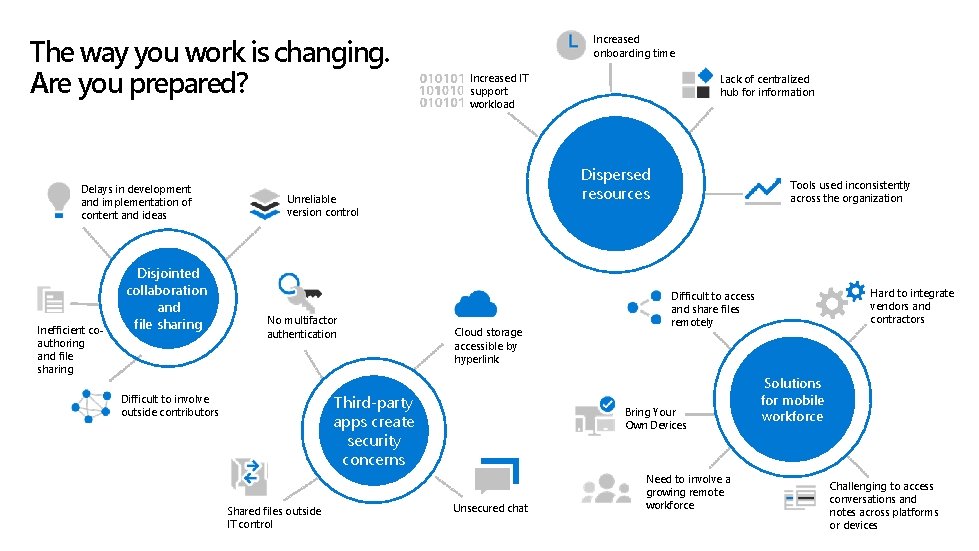
The way you work is changing. Are you prepared? Delays in development and implementation of content and ideas Inefficient coauthoring and file sharing Disjointed collaboration and file sharing Increased onboarding time Increased IT support workload Dispersed resources Unreliable version control No multifactor authentication Cloud storage accessible by hyperlink Third-party apps create security concerns Difficult to involve outside contributors Shared files outside IT control Lack of centralized hub for information Tools used inconsistently across the organization Bring Your Own Devices Unsecured chat Hard to integrate vendors and contractors Difficult to access and share files remotely Need to involve a growing remote workforce Solutions for mobile workforce Challenging to access conversations and notes across platforms or devices

Imagine a workplace without walls or limits. Real-time collaboration on documents. Ability to work from anywhere on any device. All files for projects in one accessible place. Online meetings at the click of a button. Simple device management and always-on security.

Your customer needs an urgent response, but you’re already on your way home …

Don’t stress. Stay productive. Work from anywhere. Make work easy. Collaborate in real time.

You often access work on your mobile device …
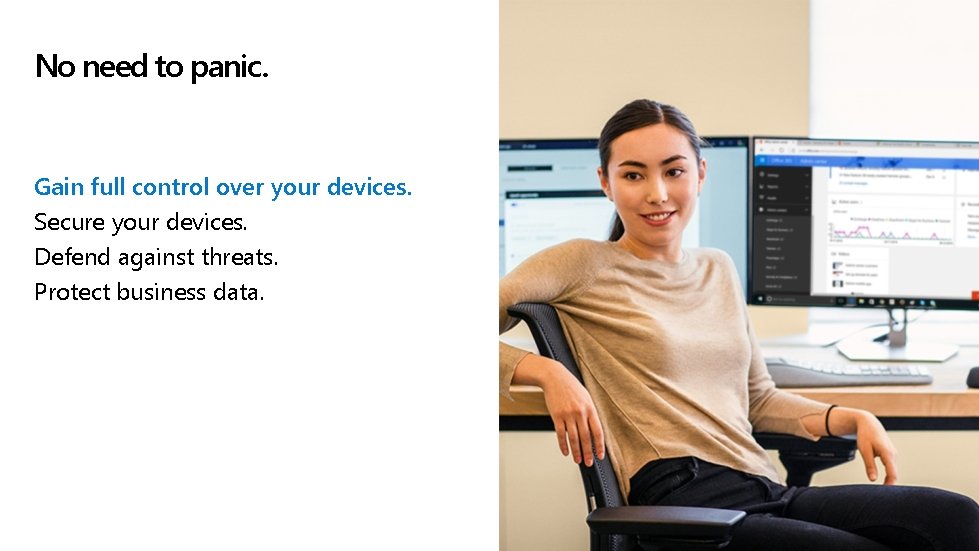
No need to panic. Gain full control over your devices. Secure your devices. Defend against threats. Protect business data.
You need to complete a project with a remote co-worker.
No problem. Collaborate in real time. Access and share content remotely. Connect and work together. Coauthor files simultaneously.
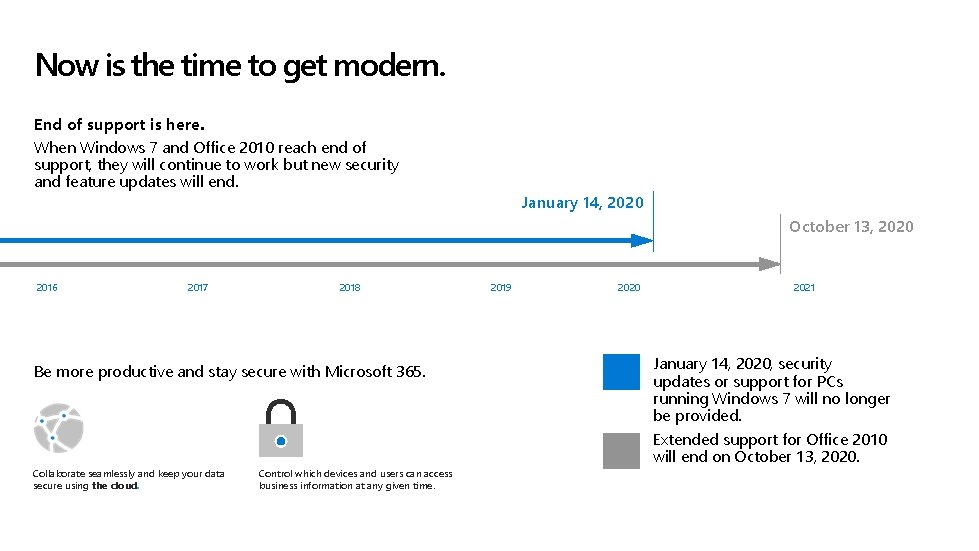
Now is the time to get modern. End of support is here. When Windows 7 and Office 2010 reach end of support, they will continue to work but new security and feature updates will end. January 14, 2020 October 13, 2020 2016 2017 2018 Be more productive and stay secure with Microsoft 365. Collaborate seamlessly and keep your data secure using the cloud. Control which devices and users can access business information at any given time. 2019 2020 2021 January 14, 2020, security updates or support for PCs running Windows 7 will no longer be provided. Extended support for Office 2010 will end on October 13, 2020.
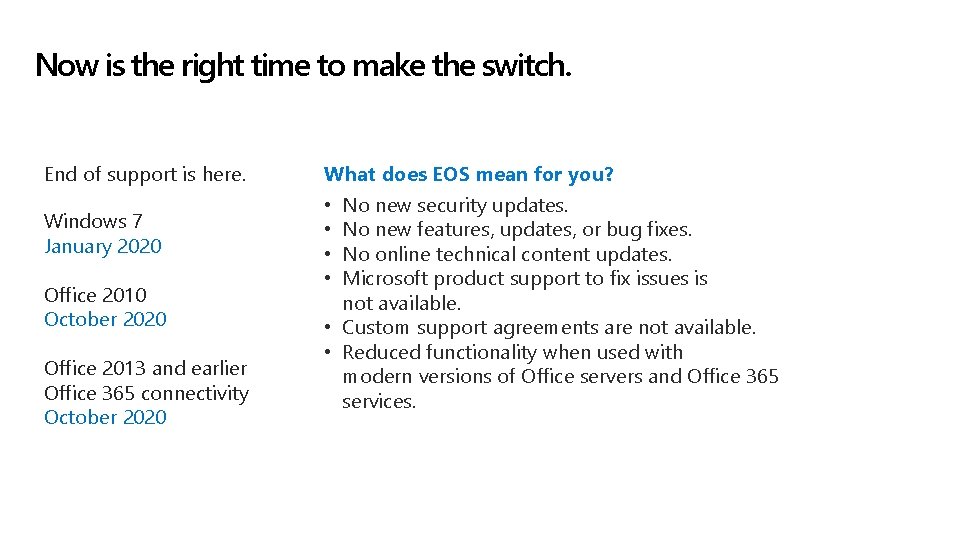
Now is the right time to make the switch. End of support is here. Windows 7 January 2020 Office 2010 October 2020 Office 2013 and earlier Office 365 connectivity October 2020 What does EOS mean for you? • No new security updates. • No new features, updates, or bug fixes. • No online technical content updates. • Microsoft product support to fix issues is not available. • Custom support agreements are not available. • Reduced functionality when used with modern versions of Office servers and Office 365 services.
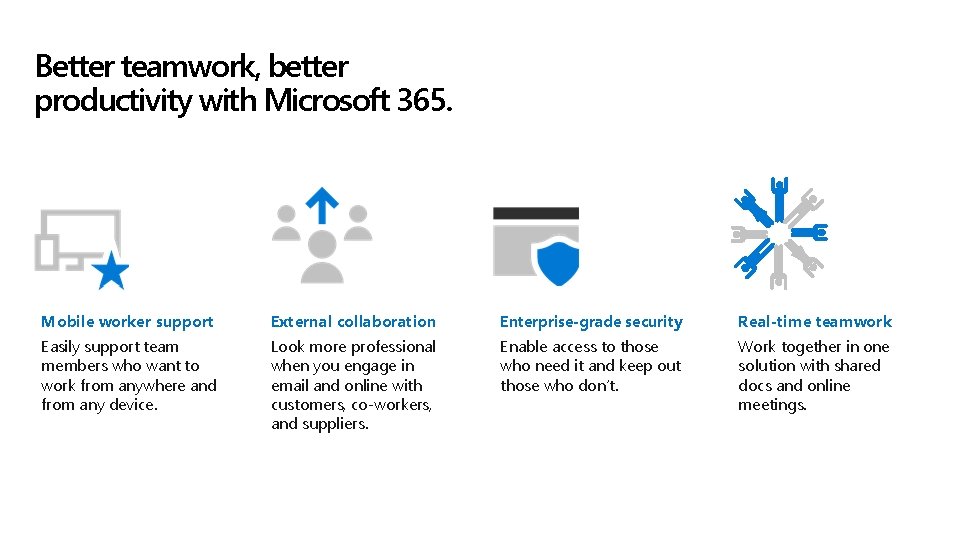
Better teamwork, better productivity with Microsoft 365. Mobile worker support External collaboration Enterprise-grade security Real-time teamwork Easily support team members who want to work from anywhere and from any device. Look more professional when you engage in email and online with customers, co-workers, and suppliers. Enable access to those who need it and keep out those who don’t. Work together in one solution with shared docs and online meetings.
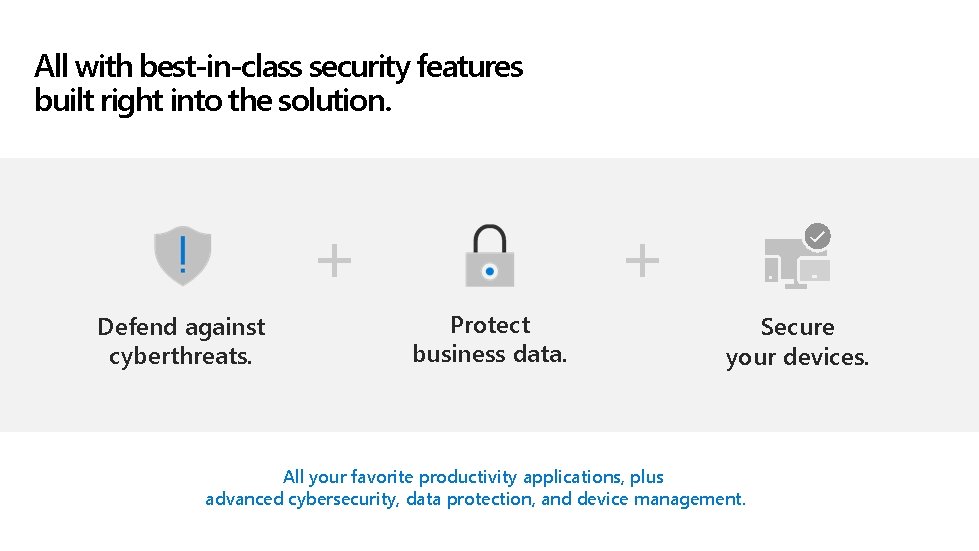
All with best-in-class security features built right into the solution. + Defend against cyberthreats. + Protect business data. Secure your devices. All your favorite productivity applications, plus advanced cybersecurity, data protection, and device management.
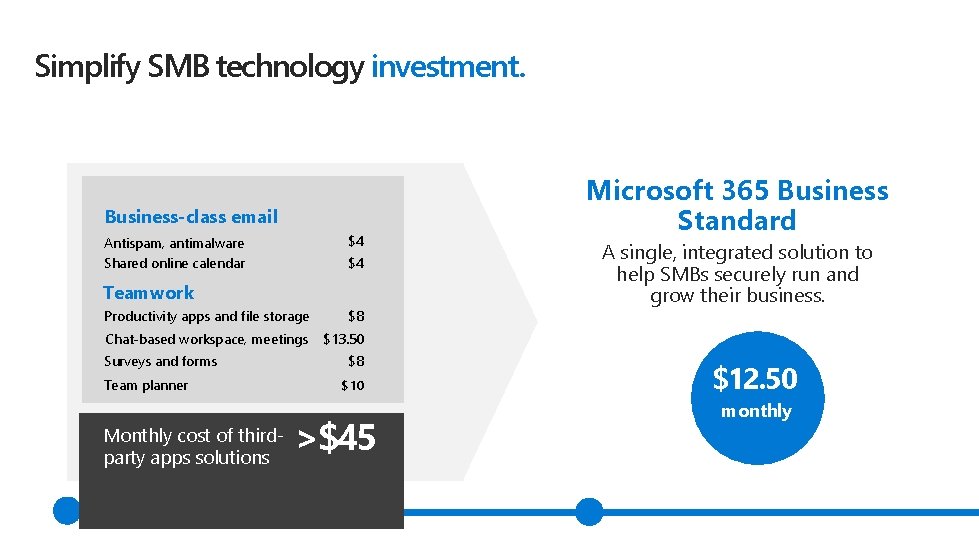
Simplify SMB technology investment. Business-class email $4 Antispam, antimalware Shared online calendar $4 Teamwork Productivity apps and file storage $8 Chat-based workspace, meetings $13. 50 Surveys and forms Team planner Monthly cost of thirdparty apps solutions $8 $10 >$45 Microsoft 365 Business Standard A single, integrated solution to help SMBs securely run and grow their business. $12. 50 monthly
Take your business to the next level with these services. [Partner to customize with unique service offerings. ] [!Delete this Message!] Partner: Looking for creative ideas about what to offer? Check the appendix for suggested sales scenarios and more offerings templates. [!Delete this Message!]
![[Partner: Customize with your specific customer case studies or quotes, if available. ] Case](http://slidetodoc.com/presentation_image_h2/ef27c1e31456efca0ff47cf3f799a821/image-17.jpg "[Partner: Customize with your specific customer case studies or quotes, if available. ] Case")
[Partner: Customize with your specific customer case studies or quotes, if available. ] Case studies Jack’s Diving Locker Garner Foods i. Salon Software “We’re really excited about being in the cloud and having modern technology. We run more efficiently and stay connected. ” – Teri Leicher, Owner and Managing Partner, Jack’s Diving Locker “There are huge time and cost savings in going with Microsoft. We manage our IT infrastructure with just two IT employees, even though we sell millions of cases of product every year. ” – Brad Everts, IT Supervisor, Garner Foods “We now have all we need in one portal. I can track and control what I need to meet GDPR standards and implement IT policies across the company in minutes. ” – Ryan Taylor, IT Manager, i. Salon

Next steps Collaborate in the Cloud with Microsoft 365 today. [Partner to customize with specific next steps and contact info. ] Get everything you need, wherever you need it, in one solution today!

© Copyright 2020 Microsoft Corporation. All rights reserved.
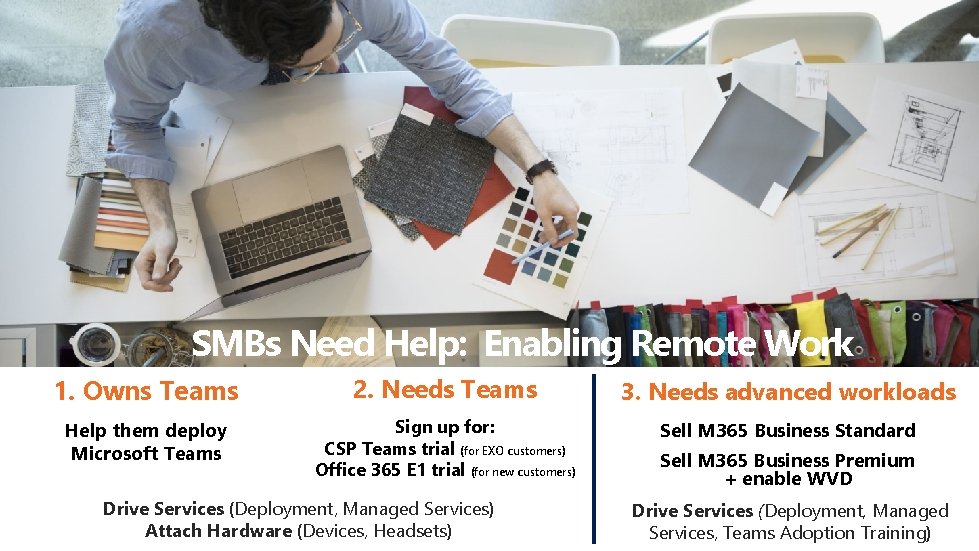
SMBs Need Help: Enabling Remote Work 1. Owns Teams 2. Needs Teams 3. Needs advanced workloads Help them deploy Microsoft Teams Sign up for: CSP Teams trial (for EXO customers) Office 365 E 1 trial (for new customers) Sell M 365 Business Standard Drive Services (Deployment, Managed Services) Attach Hardware (Devices, Headsets) Sell M 365 Business Premium + enable WVD Drive Services (Deployment, Managed Services, Teams Adoption Training)
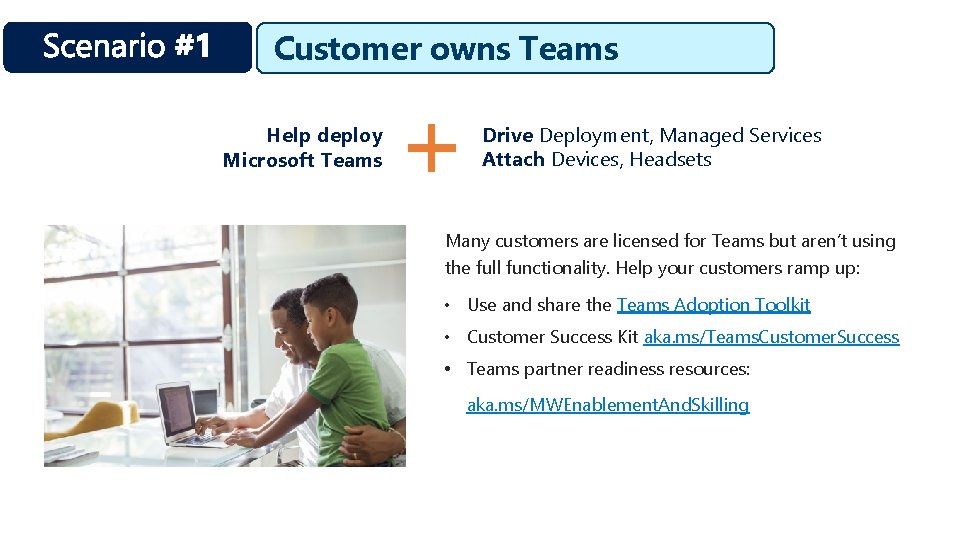
Customer owns Teams Help deploy Microsoft Teams Drive Deployment, Managed Services Attach Devices, Headsets Many customers are licensed for Teams but aren’t using the full functionality. Help your customers ramp up: • Use and share the Teams Adoption Toolkit • Customer Success Kit aka. ms/Teams. Customer. Success • Teams partner readiness resources: aka. ms/MWEnablement. And. Skilling
![[!Delete this Message!] Pitch Template for Sales Scenario 1. [!Delete this Message!] Not using](http://slidetodoc.com/presentation_image_h2/ef27c1e31456efca0ff47cf3f799a821/image-22.jpg "[!Delete this Message!] Pitch Template for Sales Scenario 1. [!Delete this Message!] Not using")
[!Delete this Message!] Pitch Template for Sales Scenario 1. [!Delete this Message!] Not using all the features in Microsoft Teams? We can help you maximize your productivity and collaboration. Assess [Partner to customize with ASSESSMENT offering/process. ] Gear Up [Partner to customize with DEVICE offerings. ] Deploy [Partner to customize with DEPLOYMENT offerings. ] Support [Partner to customize with MANAGED SERVICES offerings. ]
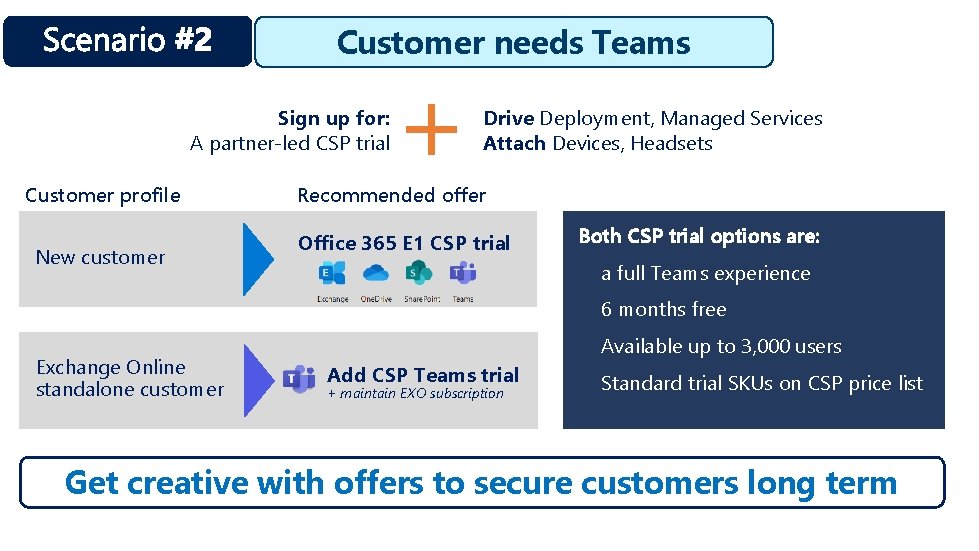
Customer needs Teams Sign up for: A partner-led CSP trial Customer profile New customer Drive Deployment, Managed Services Attach Devices, Headsets Recommended offer Office 365 E 1 CSP trial Both CSP trial options are: a full Teams experience 6 months free Exchange Online standalone customer Available up to 3, 000 users Add CSP Teams trial + maintain EXO subscription Standard trial SKUs on CSP price list Get creative with offers to secure customers long term
![[!Delete this Message!] Pitch Template for Sales Scenario 2. [!Delete this Message!] Want to](http://slidetodoc.com/presentation_image_h2/ef27c1e31456efca0ff47cf3f799a821/image-24.jpg "[!Delete this Message!] Pitch Template for Sales Scenario 2. [!Delete this Message!] Want to")
[!Delete this Message!] Pitch Template for Sales Scenario 2. [!Delete this Message!] Want to see what Microsoft 365 can do for your organization? We can help. Assess Gear Up [Partner to customize with DEVICE offerings. ] [Partner to customize with ASSESSMENT offering/process. ] Enable [Partner to customize with CSP TRIAL offerings. ] Deploy Support [Partner to customize with DEPLOYMENT offerings. ] [Partner to customize with MANAGED SERVICES offerings. ]
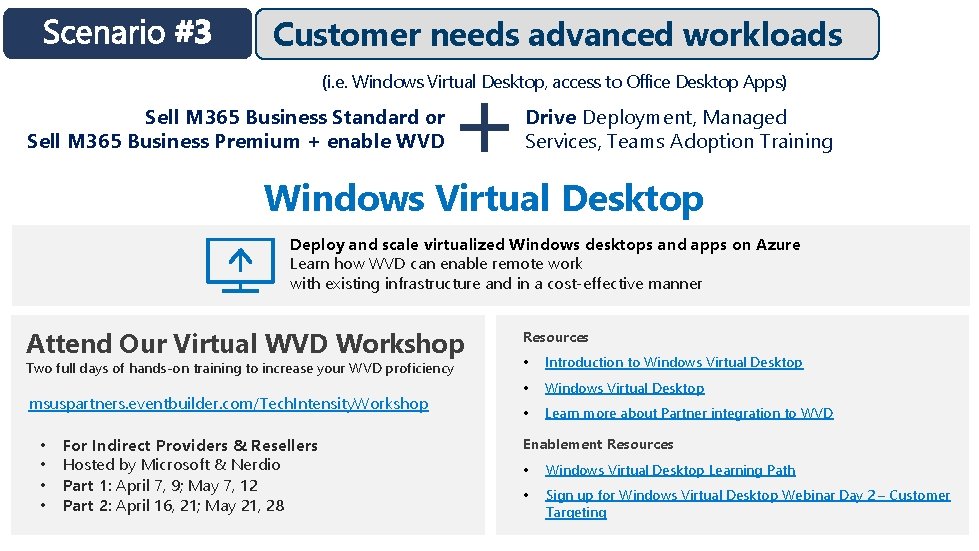
Customer needs advanced workloads (i. e. Windows Virtual Desktop, access to Office Desktop Apps) Sell M 365 Business Standard or Sell M 365 Business Premium + enable WVD Drive Deployment, Managed Services, Teams Adoption Training Windows Virtual Desktop Deploy and scale virtualized Windows desktops and apps on Azure Learn how WVD can enable remote work with existing infrastructure and in a cost-effective manner Attend Our Virtual WVD Workshop Two full days of hands-on training to increase your WVD proficiency msuspartners. eventbuilder. com/Tech. Intensity. Workshop • • For Indirect Providers & Resellers Hosted by Microsoft & Nerdio Part 1: April 7, 9; May 7, 12 Part 2: April 16, 21; May 21, 28 Resources • Introduction to Windows Virtual Desktop • Learn more about Partner integration to WVD Enablement Resources • Windows Virtual Desktop Learning Path • Sign up for Windows Virtual Desktop Webinar Day 2 – Customer Targeting
![[!Delete this Message!] Pitch Template for Sales Scenario 3. [!Delete this Message!] Take your](http://slidetodoc.com/presentation_image_h2/ef27c1e31456efca0ff47cf3f799a821/image-26.jpg "[!Delete this Message!] Pitch Template for Sales Scenario 3. [!Delete this Message!] Take your")
[!Delete this Message!] Pitch Template for Sales Scenario 3. [!Delete this Message!] Take your business to the next level with Microsoft 365 and Windows Virtual Desktop. Assess [Partner to customize with ASSESSMENT offering/process. ] Gear Up Explore [Partner to customize with DEVICE offerings. ] [Partner to customize with MICROSOFT 365 and ADVANCED SECURITY offering to deepen customer engagement. ] Deploy [Partner to customize with DEPLOYMENT & TRAINING offerings. ] Support [Partner to customize with MANAGED SERVICES offerings. ] Scale [Partner to customize with WINDOWS VIRTUAL DESKTOP offering. ]
- Slides: 26