
Coding with Minecraft 3 Coordinates LESSON A Introduction
- Slides: 36
Coding with Minecraft 3: Coordinates
LESSON A: Introduction to Coordinates
WHAT WE’LL LEARN The difference between relative coordinates and absolute coordinates in real life and Minecraft The importance of coordinates Code a compass rose in Minecraft with coordinates
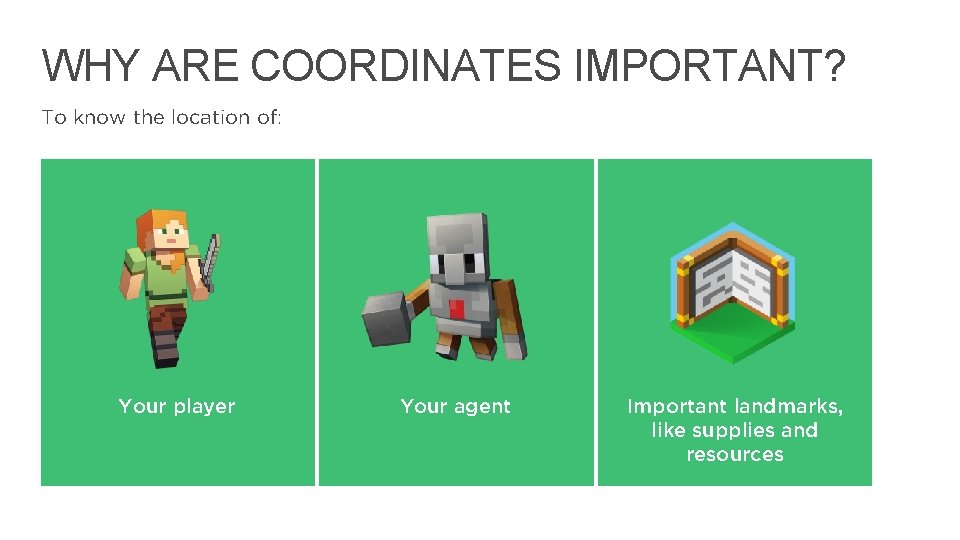
WHY ARE COORDINATES IMPORTANT? To know the location of: Your player Your agent Important landmarks, like supplies and resources 4
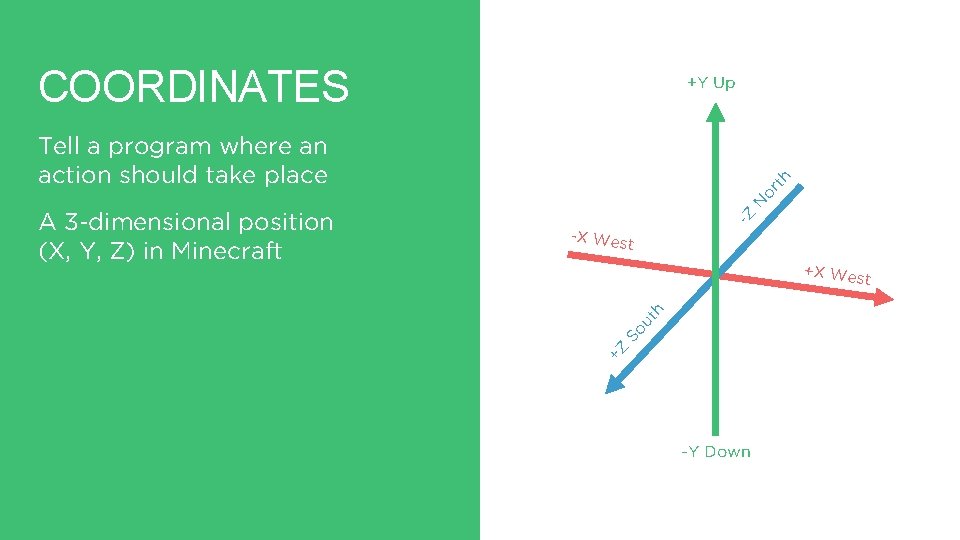
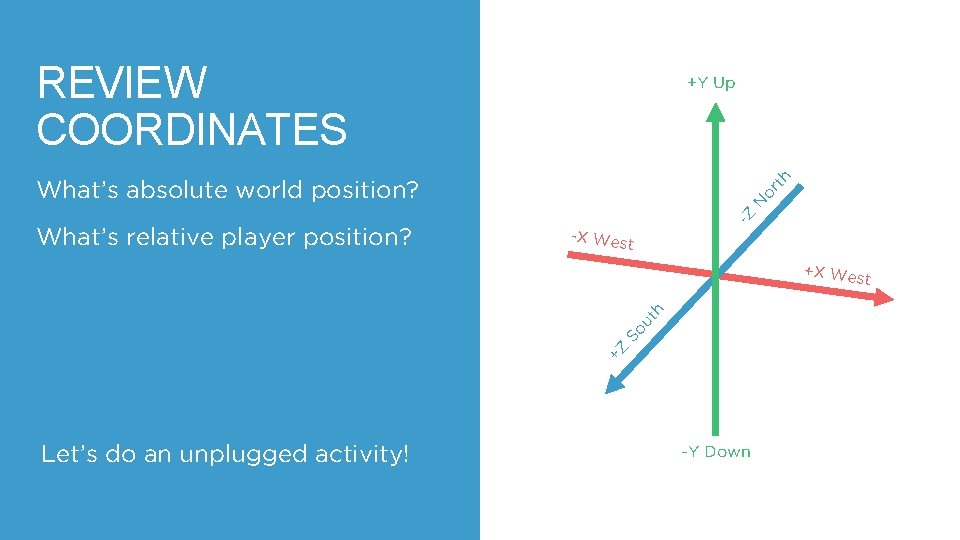
COORDINATES +Y Up or N -Z -X West +X Wes So ut h t +Z A 3 -dimensional position (X, Y, Z) in Minecraft th Tell a program where an action should take place -Y Down
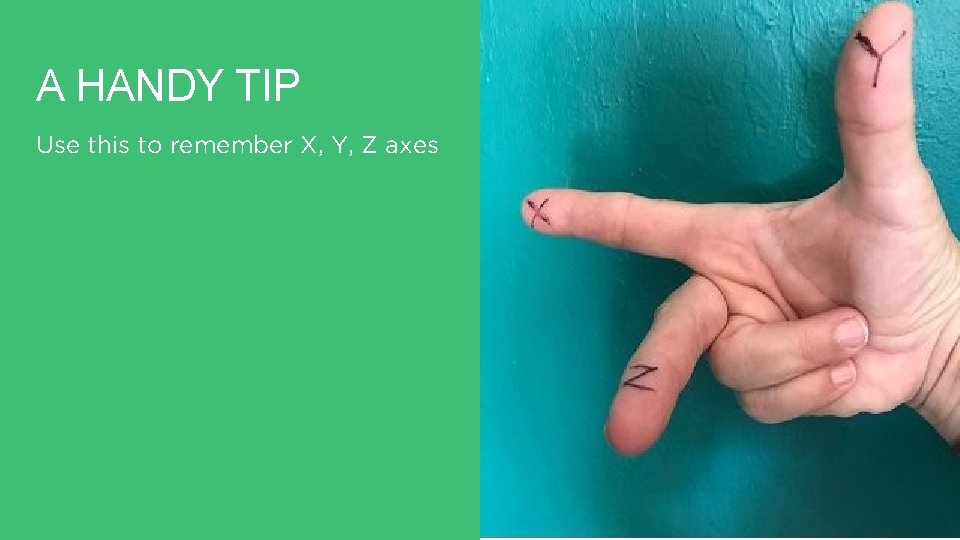
A HANDY TIP Use this to remember X, Y, Z axes
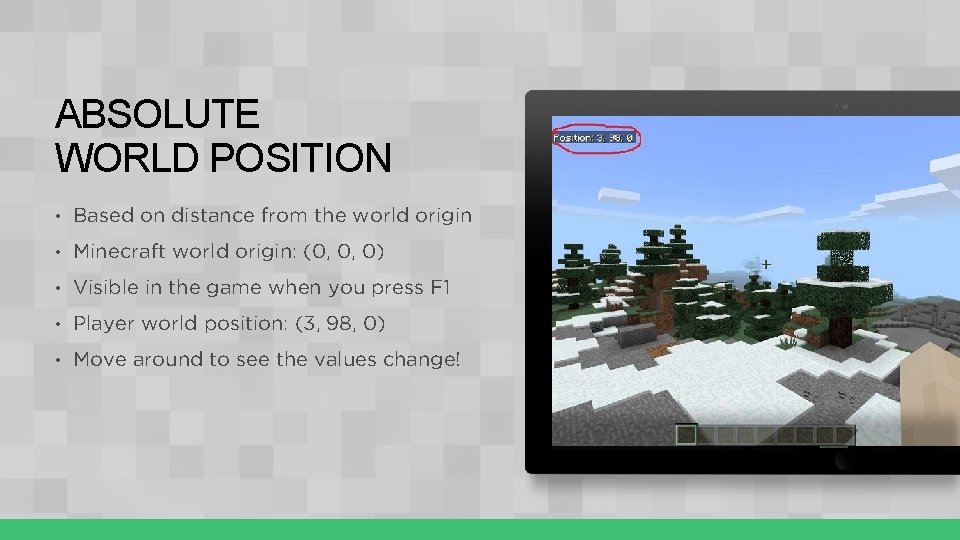
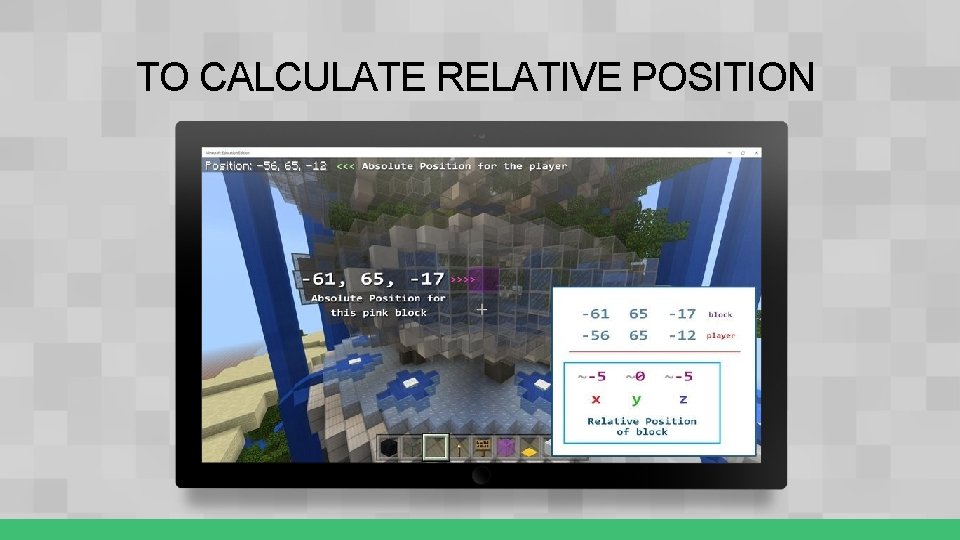
ABSOLUTE WORLD POSITION • Based on distance from the world origin • Minecraft world origin: (0, 0, 0) • Visible in the game when you press F 1 • Player world position: (3, 98, 0) • Move around to see the values change!
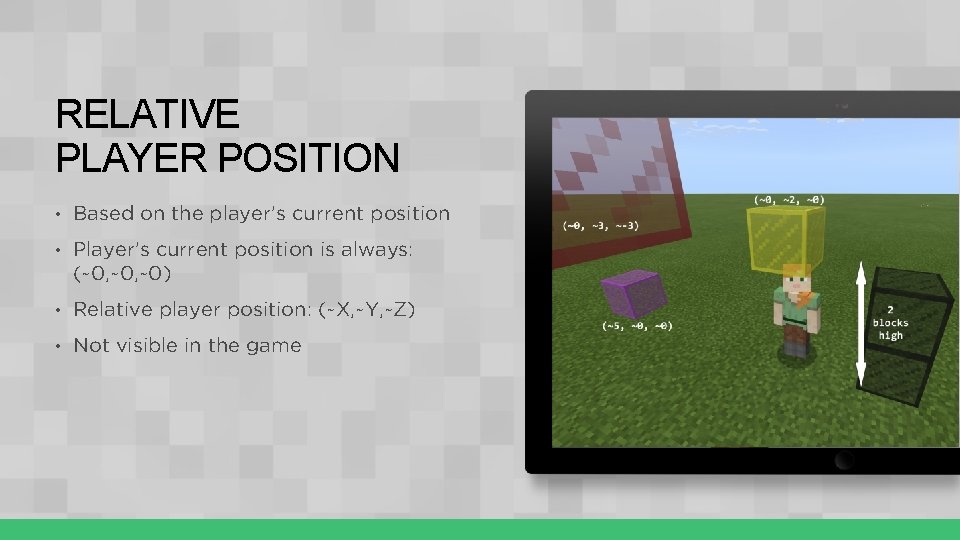
RELATIVE PLAYER POSITION • Based on the player’s current position • Player’s current position is always: (~0, ~0) • Relative player position: (~X, ~Y, ~Z) • Not visible in the game
TO CALCULATE RELATIVE POSITION
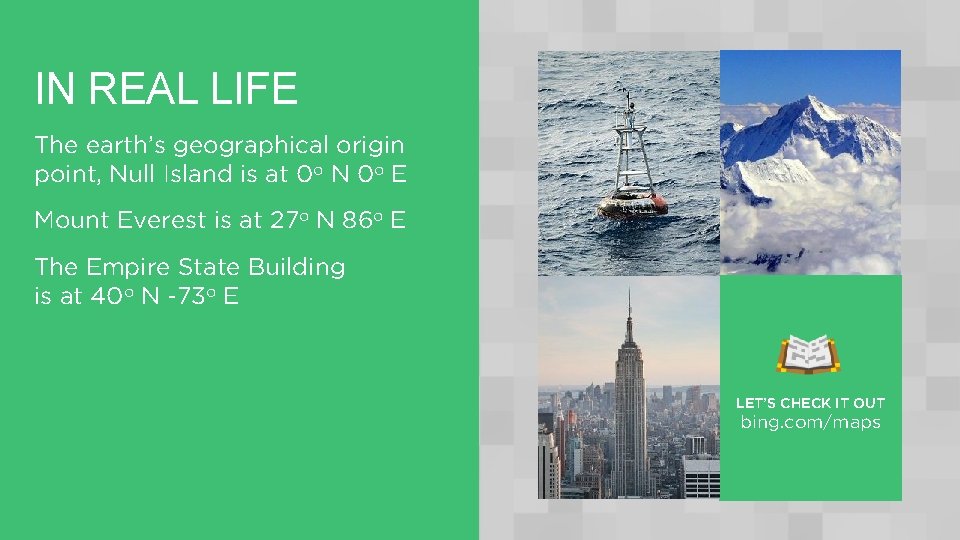
IN REAL LIFE The earth’s geographical origin point, Null Island is at 0 o N 0 o E Mount Everest is at 27 o N 86 o E The Empire State Building is at 40 o N -73 o E LET’S CHECK IT OUT bing. com/maps
LET’S DISCUSS What are the values for X, Y, Z for the world origin? Is the world origin an absolute or relative position? Is (~0, ~0) an absolute or relative position? 11
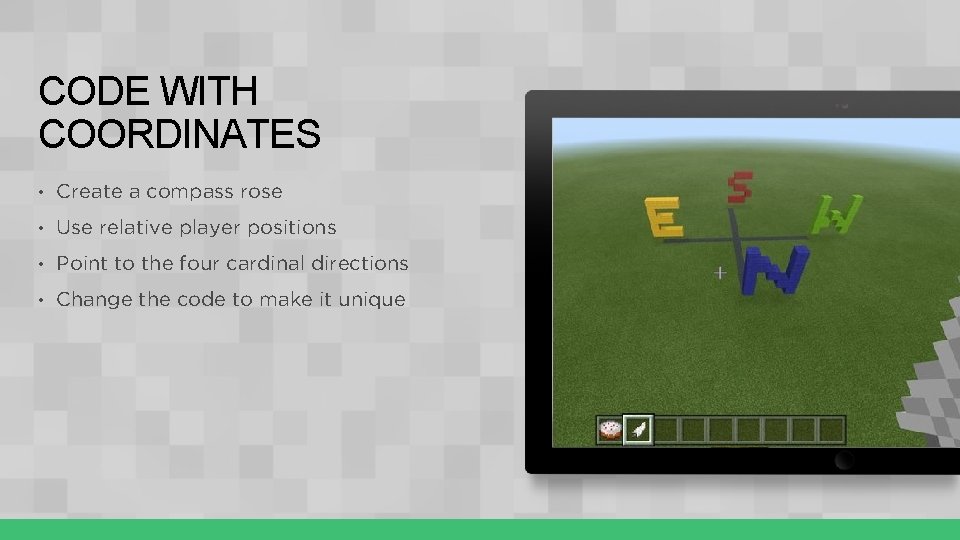
CODE WITH COORDINATES • Create a compass rose • Use relative player positions • Point to the four cardinal directions • Change the code to make it unique
LET’S DISCUSS What other ideas do you have to use positions when coding? What’s the difference between absolute world position and relative player position? 13
LESSON A What we learned today Why coordinates are important The difference between absolute and relative positions Calculated both types of positions from a world map Coded with an on chat command relative player positions to create a compass rose
NEXT TIME Turn our classroom into a Minecraft world More coding with coordinates to copy and paste any part of the Minecraft landscape where you want 15
LESSON B: Coding with Coordinates
WHAT WE’LL LEARN Pretend our classroom is a Minecraft world to calculate relative and absolute positions Code with relative and absolute positions Copy and paste any part of the Minecraft landscape, like buildings or whatever you want
REVIEW COORDINATES +Y Up or N -Z What’s relative player position? th What’s absolute world position? -X West +X Wes +Z So ut h t Let’s do an unplugged activity! -Y Down
LET’S DISCUSS Does the absolute position of an object with a permanent place change? Does the position of an object relative to your position change as you move around the classroom? 19
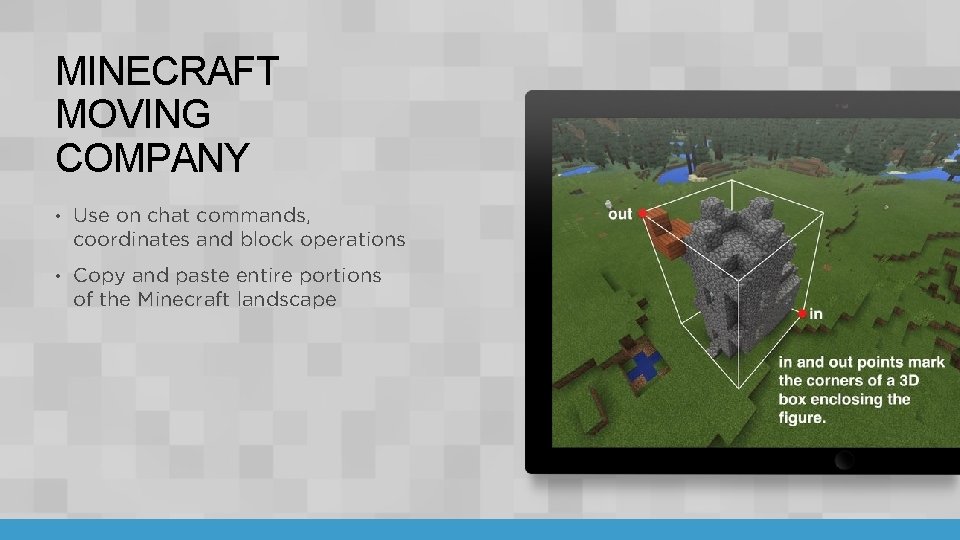
MINECRAFT MOVING COMPANY • Use on chat commands, coordinates and block operations • Copy and paste entire portions of the Minecraft landscape
LET’S DISCUSS In Minecraft, what keyboard shortcut shows your players world position? How do you easily duplicate blocks in the Make. Code coding workspace? 21
LESSON B What we learned today Calculated relative and absolute positions in our “Minecraft” classroom Coded a tool with relative and absolute positions to copy and paste parts of the Minecraft landscape, like buildings or whatever you want
NEXT TIME Spawn and herd sheep with code Take a short quiz 23
LESSON C: CODE WITH COORDINATES AND MOVING OBJECTS
WHAT WE’LL LEARN Calculate and code a four-sided pen in Minecraft to herd sheep that we spawn Check our learning progress with a quiz
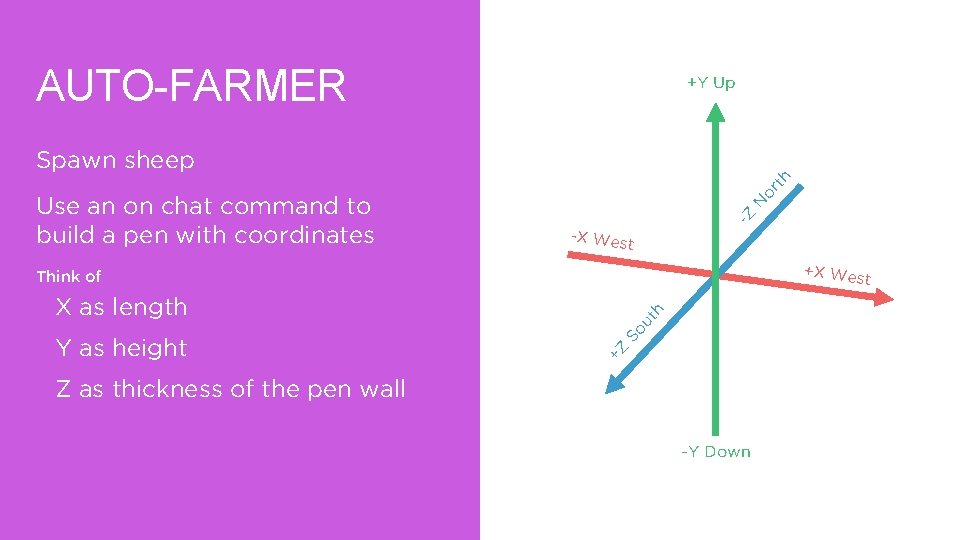
AUTO-FARMER +Y Up N -Z Use an on chat command to build a pen with coordinates or th Spawn sheep -X West +X Wes Think of t ut So +Z Y as height h X as length Z as thickness of the pen wall -Y Down
LESSON C WHAT WE LEARNED TODAY Used coordinates to calculate and code a pen to herd sheep Took a quiz
NEXT TIME Your independent project Think about how you could code with coordinates in a new way to change the Minecraft landscape 28
LESSON D : GET CREATIVE WITH COORDINATES
WHAT WE’LL LEARN Take what you’ve learned about coding to the next level Create your own Make. Code project that alters the Minecraft landscape in some way
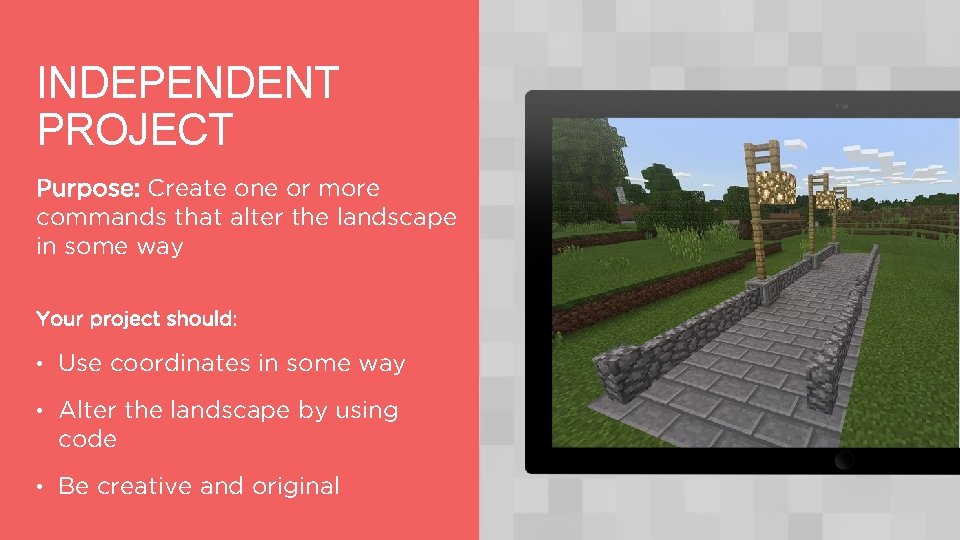
INDEPENDENT PROJECT Purpose: Create one or more commands that alter the landscape in some way Your project should: • Use coordinates in some way • Alter the landscape by using code • Be creative and original
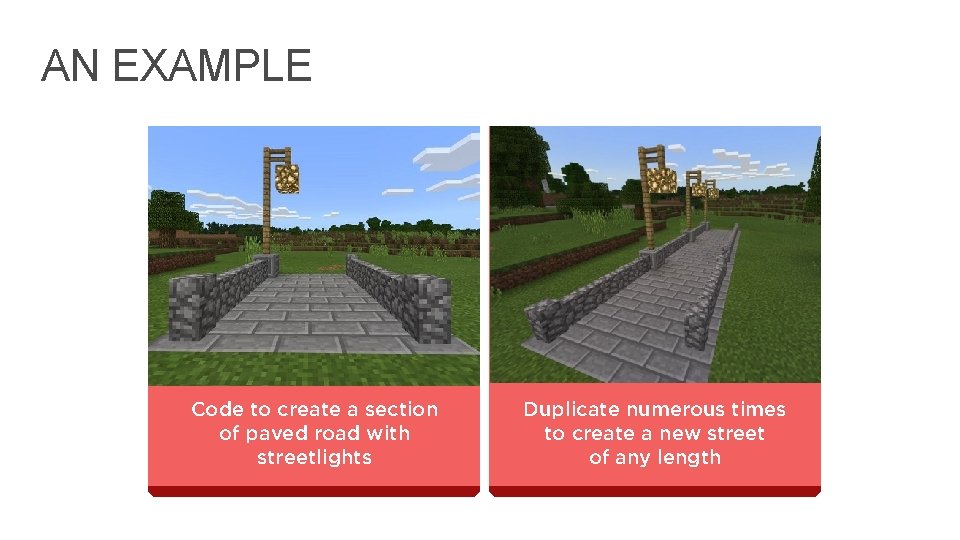
IDEAS TO CONSIDER • In a set area, replace all blocks of a certain type with something new (for example, replace all grass with lava) • Create an “instant swimming pool” filled with water or lava • Create a way to instantly tunnel through a mountain or portions of the nether • Create a way to literally “move mountains” • Make a rainbow • Improve the Minecraft Moving Company activity so that you can enter a height for the upper coordinate rather than having to actually stand there yourself • Experiment with the Mask and Mode menus on the clone block 32
AN EXAMPLE Code to create a section of paved road with streetlights Duplicate numerous times to create a new street of any length 33
MINECRAFT DIARY ENTRY • How did you come up with this idea? What problem are you trying to solve and why? • What did you decide to alter in the landscape? • What does your program do? • Describe how your program alters the landscape. • Include at least one screenshot of the result of your program.
LESSON C What we learned today To apply our new coding skills with coordinates in original and creative ways Created your own Make. Code project to alter the Minecraft landscape
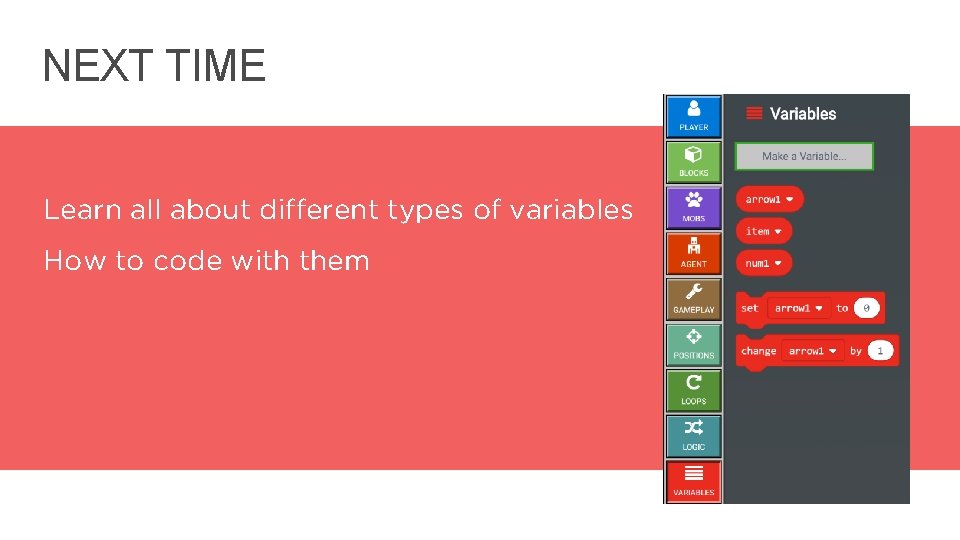
NEXT TIME Learn all about different types of variables How to code with them 36