
CNIT 221 Security 1 ver 2 Module 8
![Standard Numbered Access List Format Router(config)# access-list-number {deny | permit} source [source-wildcard] Austin 2(config)#](https://slidetodoc.com/presentation_image/2ffed78f55273ef3b72715e6c1cc1646/image-14.jpg "Standard Numbered Access List Format Router(config)# access-list-number {deny | permit} source [source-wildcard] Austin 2(config)#")
![Inspection Rules for Application Protocols Router(config)# ip inspect name inspection-name protocol [alert {on|off}] [audit-trail](https://slidetodoc.com/presentation_image/2ffed78f55273ef3b72715e6c1cc1646/image-31.jpg "Inspection Rules for Application Protocols Router(config)# ip inspect name inspection-name protocol [alert {on|off}] [audit-trail")
![Inspection Rules for Java Router(config)# ip inspect name inspection-name http java-list acl-num [alert {on|off}]](https://slidetodoc.com/presentation_image/2ffed78f55273ef3b72715e6c1cc1646/image-32.jpg "Inspection Rules for Java Router(config)# ip inspect name inspection-name http java-list acl-num [alert {on|off}]")
![Inspection Rules for RPC Applications Router(config)# ip inspect name inspection-name rpc program-number [wait-time minutes]](https://slidetodoc.com/presentation_image/2ffed78f55273ef3b72715e6c1cc1646/image-33.jpg "Inspection Rules for RPC Applications Router(config)# ip inspect name inspection-name rpc program-number [wait-time minutes]")
![Inspection Rules for SMTP Applications Router(config)# ip inspect name inspection-name smtp [alert {on|off}] [audit-trail](https://slidetodoc.com/presentation_image/2ffed78f55273ef3b72715e6c1cc1646/image-34.jpg "Inspection Rules for SMTP Applications Router(config)# ip inspect name inspection-name smtp [alert {on|off}] [audit-trail")
- Slides: 49
CNIT 221 Security 1 ver. 2 Module 8 City College of San Francisco Spring 2007 © Cisco Systems, Inc. All rights reserved. © 2004, 2005 Cisco 1 1
Network Security 1 Module 8 – Configure Filtering on a Router © 2005 Cisco Systems, Inc. All rights reserved. 2
Learning Objectives • 8. 1 Filtering Technologies • 8. 2 Cisco IOS Firewall Context-Based Access Control • 8. 3 Configure Cisco IOS Firewall Context-Based Access Control © 2005 Cisco Systems, Inc. All rights reserved. 3
Module 8 – Configure Filtering on a Router 8. 2 Cisco IOS Firewall Context-Based Access Control © 2005 Cisco Systems, Inc. All rights reserved. 4
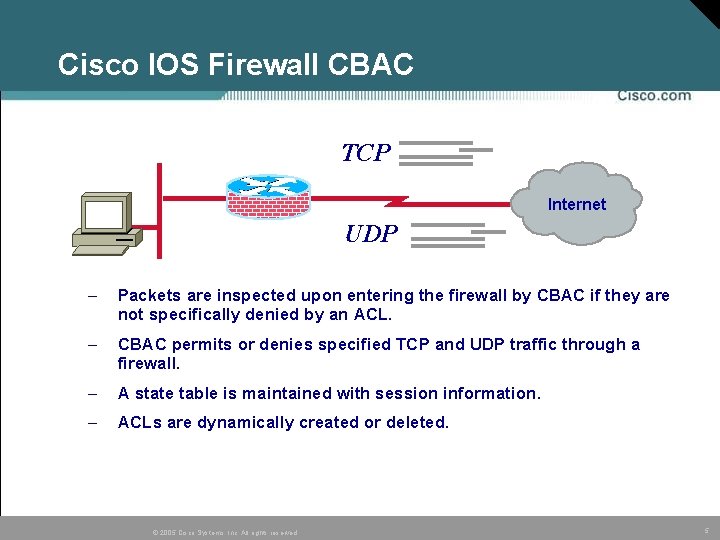
Cisco IOS Firewall CBAC TCP Internet UDP – Packets are inspected upon entering the firewall by CBAC if they are not specifically denied by an ACL. – CBAC permits or denies specified TCP and UDP traffic through a firewall. – A state table is maintained with session information. – ACLs are dynamically created or deleted. © 2005 Cisco Systems, Inc. All rights reserved. 5
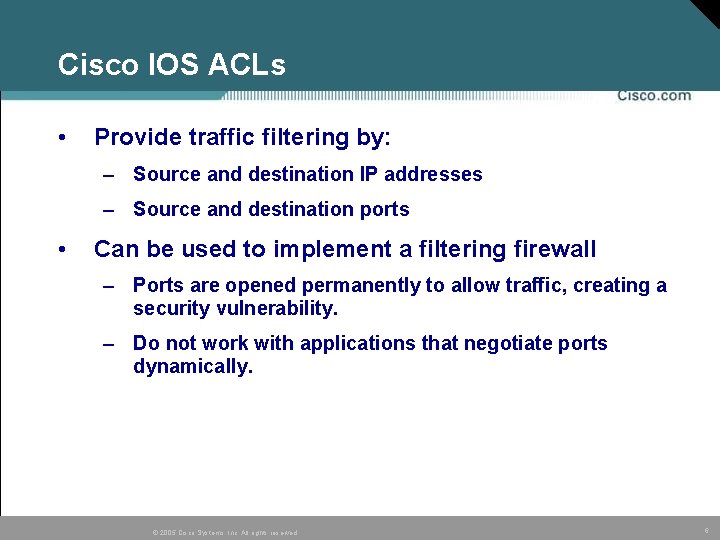
Cisco IOS ACLs • Provide traffic filtering by: – Source and destination IP addresses – Source and destination ports • Can be used to implement a filtering firewall – Ports are opened permanently to allow traffic, creating a security vulnerability. – Do not work with applications that negotiate ports dynamically. © 2005 Cisco Systems, Inc. All rights reserved. 6
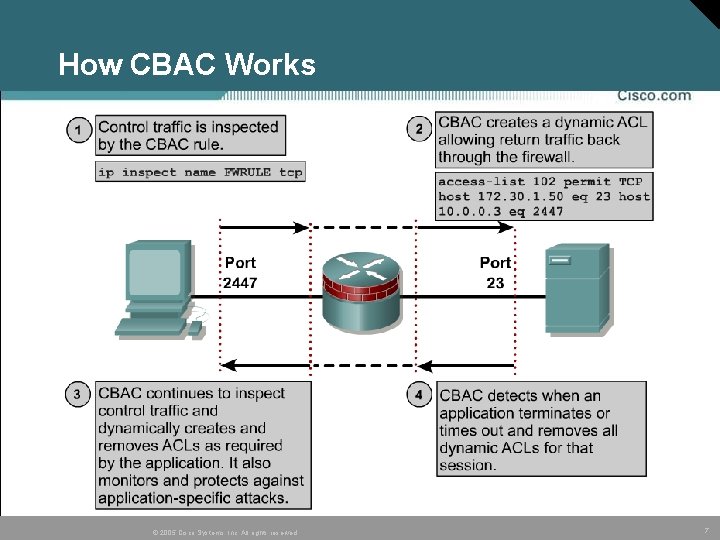
How CBAC Works © 2005 Cisco Systems, Inc. All rights reserved. 7
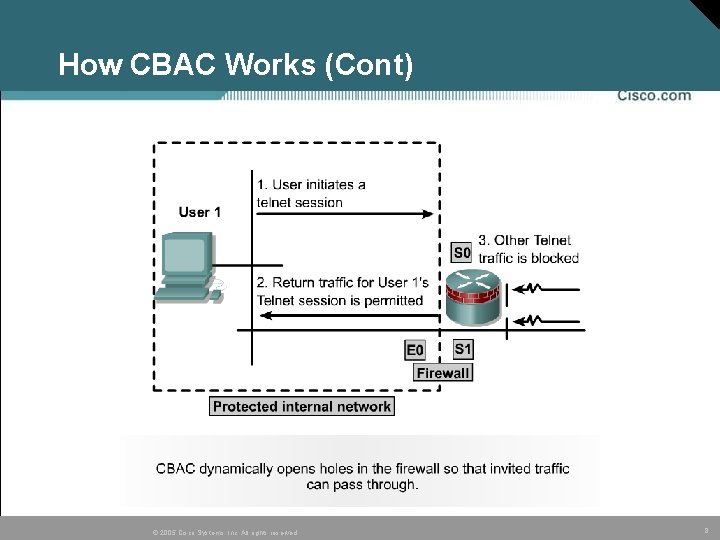
How CBAC Works (Cont) © 2005 Cisco Systems, Inc. All rights reserved. 8
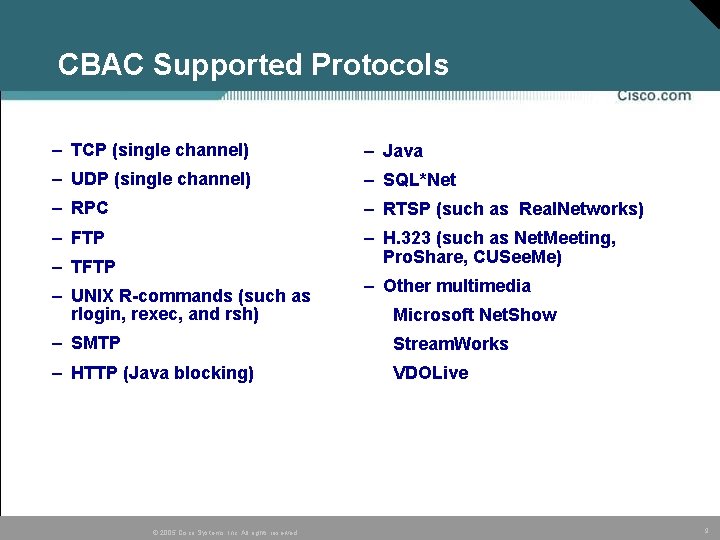
CBAC Supported Protocols – TCP (single channel) – Java – UDP (single channel) – SQL*Net – RPC – RTSP (such as Real. Networks) – FTP – H. 323 (such as Net. Meeting, Pro. Share, CUSee. Me) – TFTP – UNIX R-commands (such as rlogin, rexec, and rsh) – Other multimedia Microsoft Net. Show – SMTP Stream. Works – HTTP (Java blocking) VDOLive © 2005 Cisco Systems, Inc. All rights reserved. 9
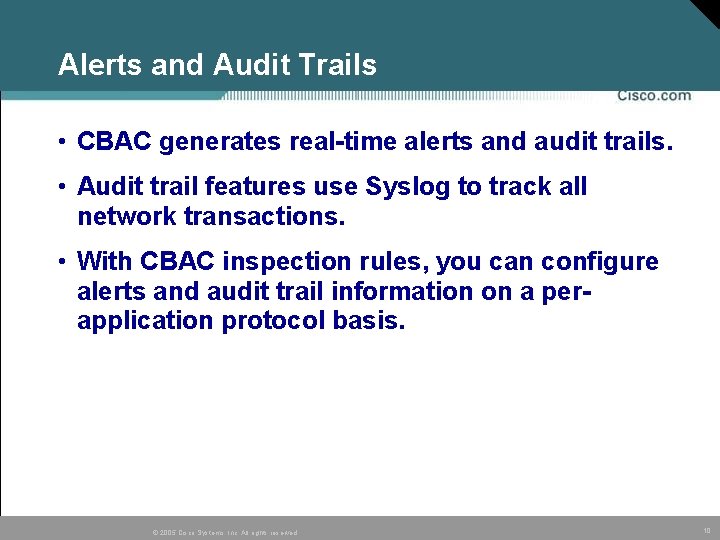
Alerts and Audit Trails • CBAC generates real-time alerts and audit trails. • Audit trail features use Syslog to track all network transactions. • With CBAC inspection rules, you can configure alerts and audit trail information on a perapplication protocol basis. © 2005 Cisco Systems, Inc. All rights reserved. 10
Access Control List (ACL) Review © 2005 Cisco Systems, Inc. All rights reserved. 11
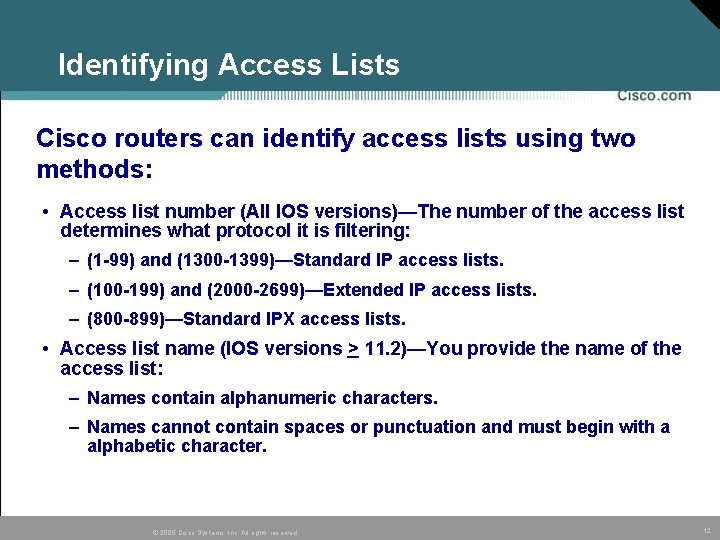
Identifying Access Lists Cisco routers can identify access lists using two methods: • Access list number (All IOS versions)—The number of the access list determines what protocol it is filtering: – (1 -99) and (1300 -1399)—Standard IP access lists. – (100 -199) and (2000 -2699)—Extended IP access lists. – (800 -899)—Standard IPX access lists. • Access list name (IOS versions > 11. 2)—You provide the name of the access list: – Names contain alphanumeric characters. – Names cannot contain spaces or punctuation and must begin with a alphabetic character. © 2005 Cisco Systems, Inc. All rights reserved. 12
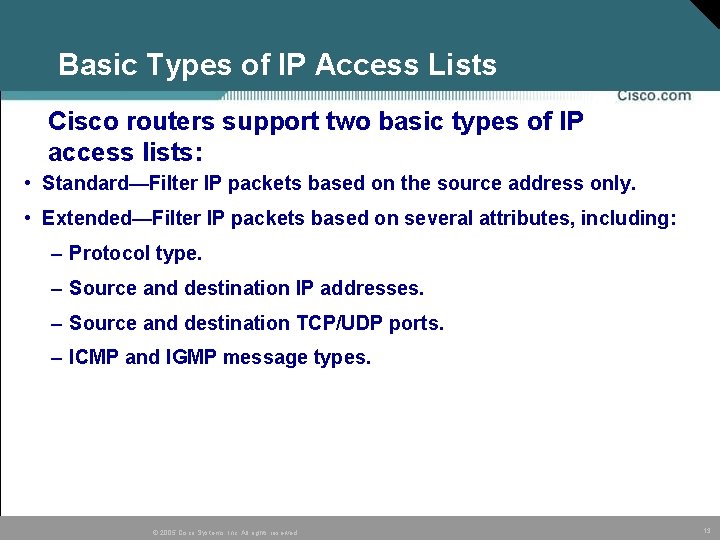
Basic Types of IP Access Lists Cisco routers support two basic types of IP access lists: • Standard—Filter IP packets based on the source address only. • Extended—Filter IP packets based on several attributes, including: – Protocol type. – Source and destination IP addresses. – Source and destination TCP/UDP ports. – ICMP and IGMP message types. © 2005 Cisco Systems, Inc. All rights reserved. 13
Standard Numbered Access List Format Router(config)# access-list-number {deny | permit} source [source-wildcard] Austin 2(config)# access-list 2 permit 36. 48. 0. 3 Austin 2(config)# access-list 2 deny 36. 48. 0. 0. 255 Austin 2(config)# access-list 2 permit 36. 0. 0. 0 0. 255 Austin 2(config)# interface e 0/1 Austin 2(config-if)# ip access-group 2 in © 2005 Cisco Systems, Inc. All rights reserved. 14
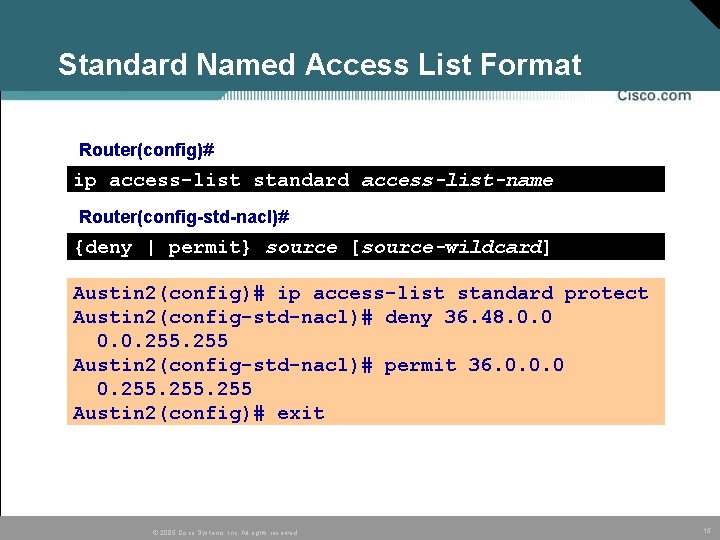
Standard Named Access List Format Router(config)# ip access-list standard access-list-name Router(config-std-nacl)# {deny | permit} source [source-wildcard] Austin 2(config)# ip access-list standard protect Austin 2(config-std-nacl)# deny 36. 48. 0. 0. 255 Austin 2(config-std-nacl)# permit 36. 0. 0. 0 0. 255 Austin 2(config)# exit © 2005 Cisco Systems, Inc. All rights reserved. 15
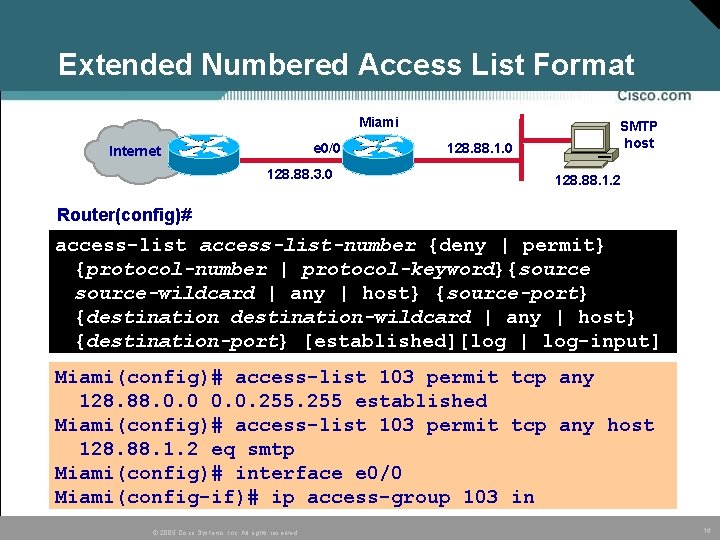
Extended Numbered Access List Format Miami e 0/0 Internet 128. 88. 3. 0 128. 88. 1. 0 SMTP host 128. 88. 1. 2 Router(config)# access-list-number {deny | permit} {protocol-number | protocol-keyword}{source-wildcard | any | host} {source-port} {destination-wildcard | any | host} {destination-port} [established][log | log-input] Miami(config)# access-list 103 permit tcp any 128. 88. 0. 0. 255 established Miami(config)# access-list 103 permit tcp any host 128. 88. 1. 2 eq smtp Miami(config)# interface e 0/0 Miami(config-if)# ip access-group 103 in © 2005 Cisco Systems, Inc. All rights reserved. 16
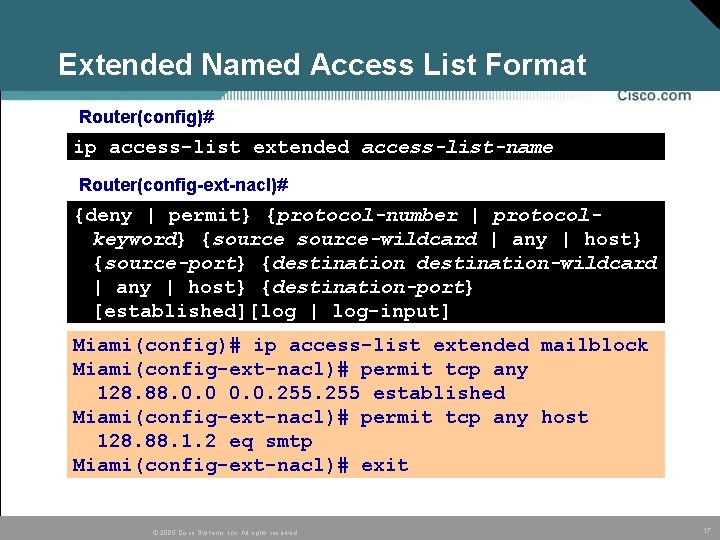
Extended Named Access List Format Router(config)# ip access-list extended access-list-name Router(config-ext-nacl)# {deny | permit} {protocol-number | protocolkeyword} {source-wildcard | any | host} {source-port} {destination-wildcard | any | host} {destination-port} [established][log | log-input] Miami(config)# ip access-list extended mailblock Miami(config-ext-nacl)# permit tcp any 128. 88. 0. 0. 255 established Miami(config-ext-nacl)# permit tcp any host 128. 88. 1. 2 eq smtp Miami(config-ext-nacl)# exit © 2005 Cisco Systems, Inc. All rights reserved. 17
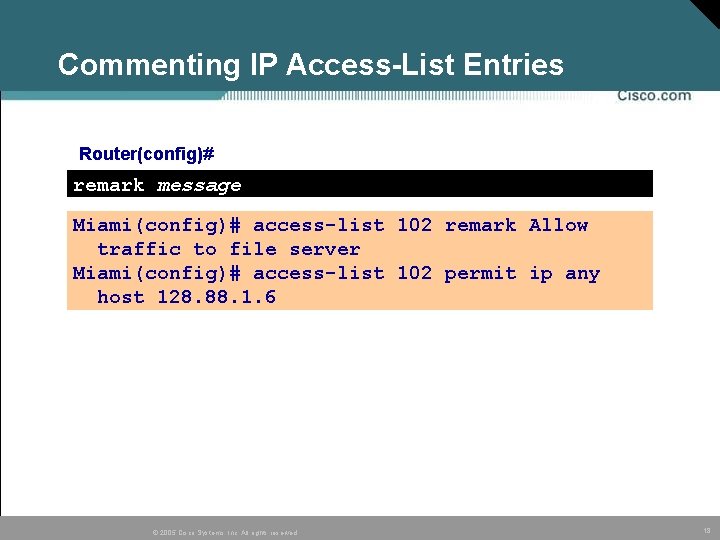
Commenting IP Access-List Entries Router(config)# remark message Miami(config)# access-list 102 remark Allow traffic to file server Miami(config)# access-list 102 permit ip any host 128. 88. 1. 6 © 2005 Cisco Systems, Inc. All rights reserved. 18
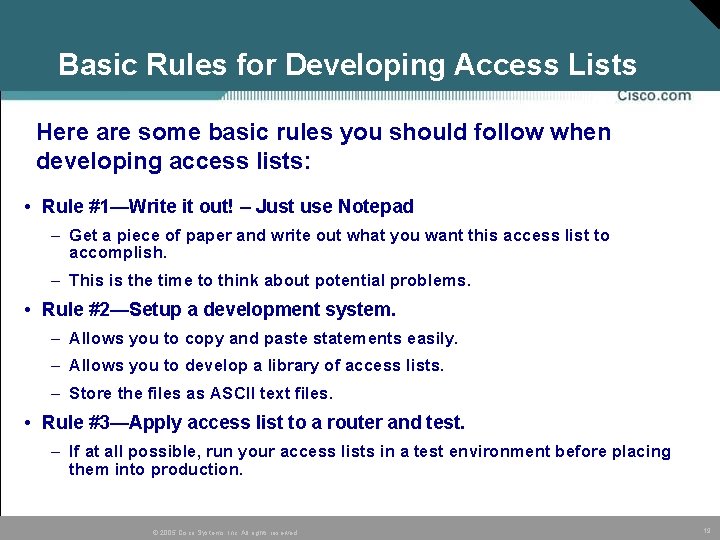
Basic Rules for Developing Access Lists Here are some basic rules you should follow when developing access lists: • Rule #1—Write it out! – Just use Notepad – Get a piece of paper and write out what you want this access list to accomplish. – This is the time to think about potential problems. • Rule #2—Setup a development system. – Allows you to copy and paste statements easily. – Allows you to develop a library of access lists. – Store the files as ASCII text files. • Rule #3—Apply access list to a router and test. – If at all possible, run your access lists in a test environment before placing them into production. © 2005 Cisco Systems, Inc. All rights reserved. 19
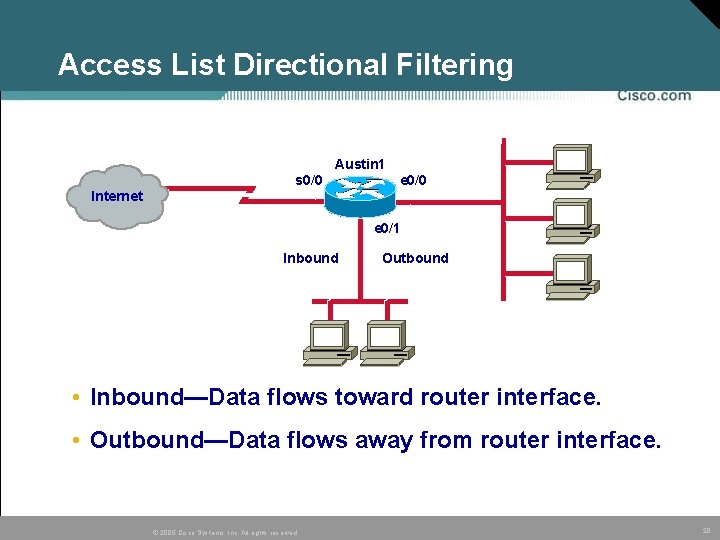
Access List Directional Filtering Austin 1 s 0/0 e 0/0 Internet e 0/1 Inbound Outbound • Inbound—Data flows toward router interface. • Outbound—Data flows away from router interface. © 2005 Cisco Systems, Inc. All rights reserved. 20
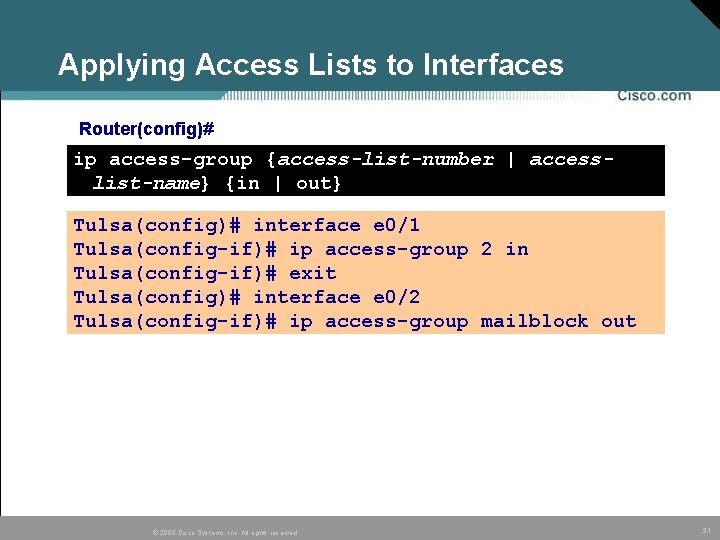
Applying Access Lists to Interfaces Router(config)# ip access-group {access-list-number | accesslist-name} {in | out} Tulsa(config)# interface e 0/1 Tulsa(config-if)# ip access-group 2 in Tulsa(config-if)# exit Tulsa(config)# interface e 0/2 Tulsa(config-if)# ip access-group mailblock out © 2005 Cisco Systems, Inc. All rights reserved. 21
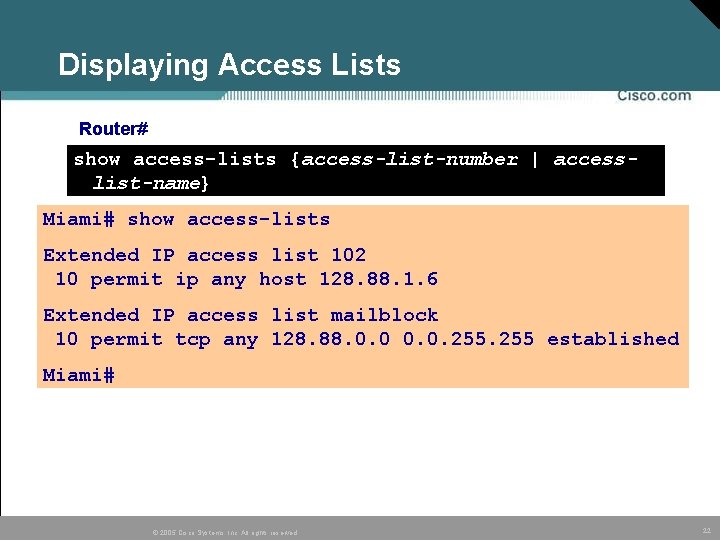
Displaying Access Lists Router# show access-lists {access-list-number | accesslist-name} Miami# show access-lists Extended IP access list 102 10 permit ip any host 128. 88. 1. 6 Extended IP access list mailblock 10 permit tcp any 128. 88. 0. 0. 255 established Miami# © 2005 Cisco Systems, Inc. All rights reserved. 22
Module 8 – Configure Filtering on a Router 8. 3 Configure Cisco IOS Firewall Context. Based Access Control © 2005 Cisco Systems, Inc. All rights reserved. 23
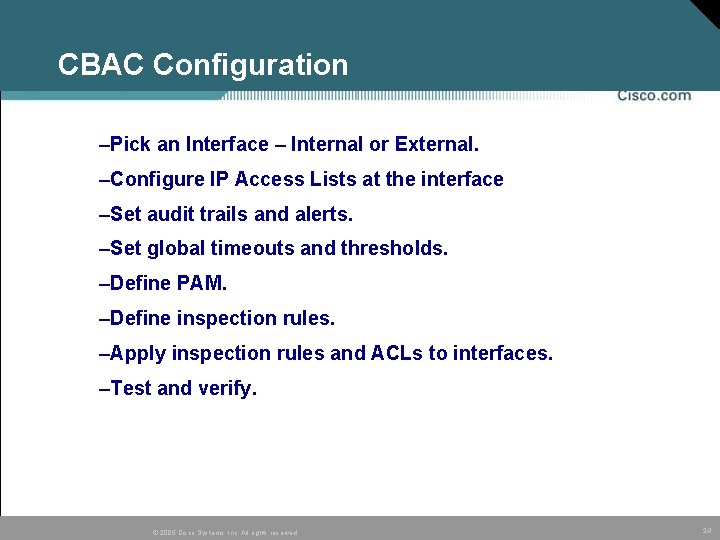
CBAC Configuration –Pick an Interface – Internal or External. –Configure IP Access Lists at the interface –Set audit trails and alerts. –Set global timeouts and thresholds. –Define PAM. –Define inspection rules. –Apply inspection rules and ACLs to interfaces. –Test and verify. © 2005 Cisco Systems, Inc. All rights reserved. 24
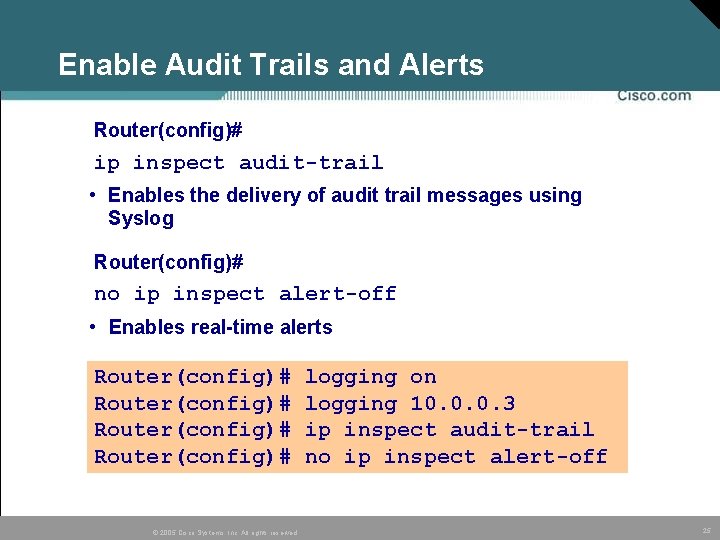
Enable Audit Trails and Alerts Router(config)# ip inspect audit-trail • Enables the delivery of audit trail messages using Syslog Router(config)# no ip inspect alert-off • Enables real-time alerts Router(config)# © 2005 Cisco Systems, Inc. All rights reserved. logging on logging 10. 0. 0. 3 ip inspect audit-trail no ip inspect alert-off 25
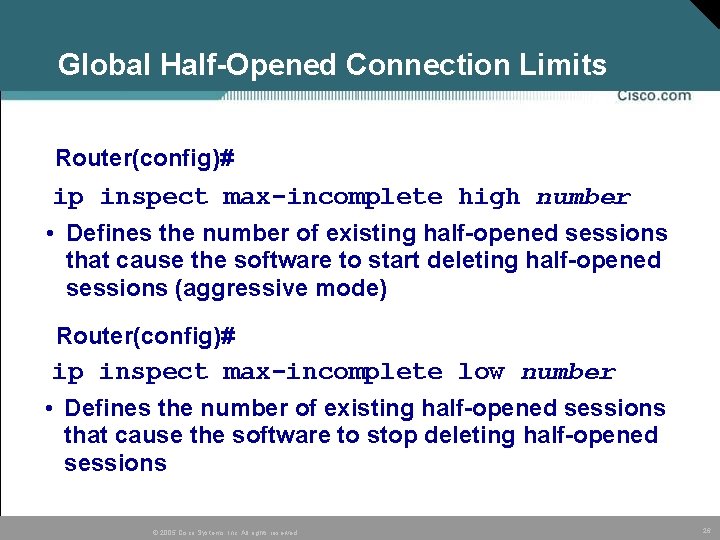
Global Half-Opened Connection Limits Router(config)# ip inspect max-incomplete high number • Defines the number of existing half-opened sessions that cause the software to start deleting half-opened sessions (aggressive mode) Router(config)# ip inspect max-incomplete low number • Defines the number of existing half-opened sessions that cause the software to stop deleting half-opened sessions © 2005 Cisco Systems, Inc. All rights reserved. 26
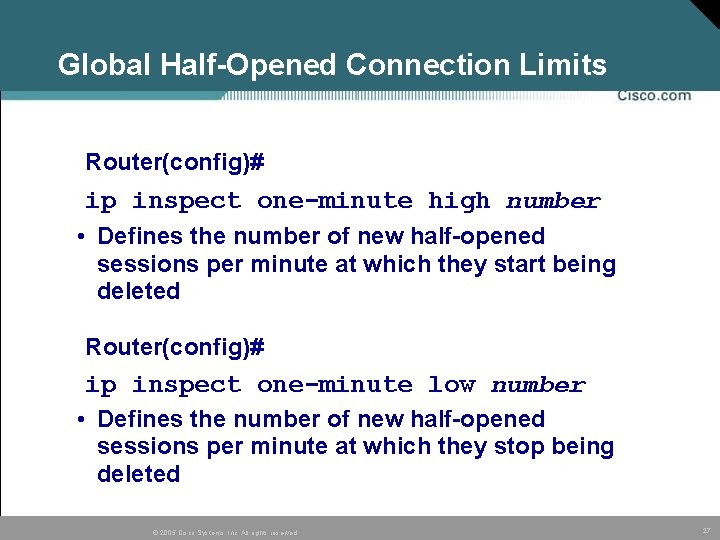
Global Half-Opened Connection Limits Router(config)# ip inspect one-minute high number • Defines the number of new half-opened sessions per minute at which they start being deleted Router(config)# ip inspect one-minute low number • Defines the number of new half-opened sessions per minute at which they stop being deleted © 2005 Cisco Systems, Inc. All rights reserved. 27
Port-to-Application Mapping Overview • Ability to configure any port number for an application protocol. • CBAC uses PAM to determine the application configured for a port. © 2005 Cisco Systems, Inc. All rights reserved. 28
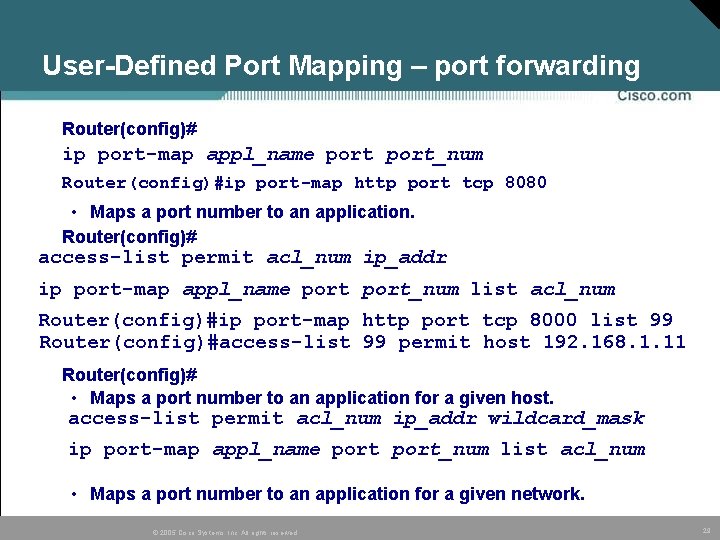
User-Defined Port Mapping – port forwarding Router(config)# ip port-map appl_name port_num Router(config)#ip port-map http port tcp 8080 • Maps a port number to an application. Router(config)# access-list permit acl_num ip_addr ip port-map appl_name port_num list acl_num Router(config)#ip port-map http port tcp 8000 list 99 Router(config)#access-list 99 permit host 192. 168. 1. 11 Router(config)# • Maps a port number to an application for a given host. access-list permit acl_num ip_addr wildcard_mask ip port-map appl_name port_num list acl_num • Maps a port number to an application for a given network. © 2005 Cisco Systems, Inc. All rights reserved. 29
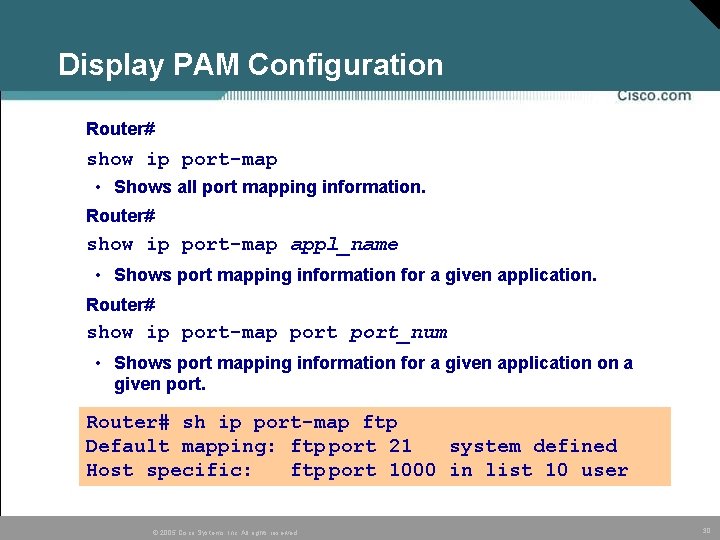
Display PAM Configuration Router# show ip port-map • Shows all port mapping information. Router# show ip port-map appl_name • Shows port mapping information for a given application. Router# show ip port-map port_num • Shows port mapping information for a given application on a given port. Router# sh ip port-map ftp Default mapping: ftp port 21 system defined Host specific: ftp port 1000 in list 10 user © 2005 Cisco Systems, Inc. All rights reserved. 30
Inspection Rules for Application Protocols Router(config)# ip inspect name inspection-name protocol [alert {on|off}] [audit-trail {on|off}] [timeout seconds] –Defines the application protocols to inspect. –Will be applied to an interface Available protocols: tcp, udp, cuseeme, ftp, http, h 323, netshow, rcmd, realaudio, rpc, smtp, sqlnet, streamworks, tftp, and vdolive. alert, audit-trail, and timeout are configurable per protocol and override global settings. Router(config)# audit-trail on ip inspect name FWRULE smtp alert on timeout 300 ip inspect name FWRULE ftp alert on timeout 300 © 2005 Cisco Systems, Inc. All rights reserved. 31
Inspection Rules for Java Router(config)# ip inspect name inspection-name http java-list acl-num [alert {on|off}] [audit-trail {on|off}] [timeout seconds] • Controls java blocking with a standard ACL. Router(config)# ip inspect name FWRULE http java-list 10 alert on audit-trail on timeout 300 Router(config)# ip access-list 10 deny 172. 26. 0 0. 0. 0. 255 Router(config)# ip access-list 10 permit 172. 27. 0 0. 0. 0. 255 © 2005 Cisco Systems, Inc. All rights reserved. 32
Inspection Rules for RPC Applications Router(config)# ip inspect name inspection-name rpc program-number [wait-time minutes] [alert {on|off}] [audit-trail {on|off}] [timeout seconds] • Allows given RPC program numbers—wait-time keeps the connection open for a specified number of minutes. Router(config)# ip inspect name FWRULE rpc program-number 100022 wait-time 0 alert off audit-trail on © 2005 Cisco Systems, Inc. All rights reserved. 33
Inspection Rules for SMTP Applications Router(config)# ip inspect name inspection-name smtp [alert {on|off}] [audit-trail {on|off}] [timeout seconds] • Allows only the following legal commands in SMTP applications: DATA, EXPN, HELO, HELP, MAIL, NOOP, QUIT, RCPT, RSET, SAML, SEND, SOML, and VRFY. • If disabled, all SMTP commands are allowed through the firewall, and potential mail server vulnerabilities are exposed. Router(config)# ip inspect name FWRULE smtp © 2005 Cisco Systems, Inc. All rights reserved. 34
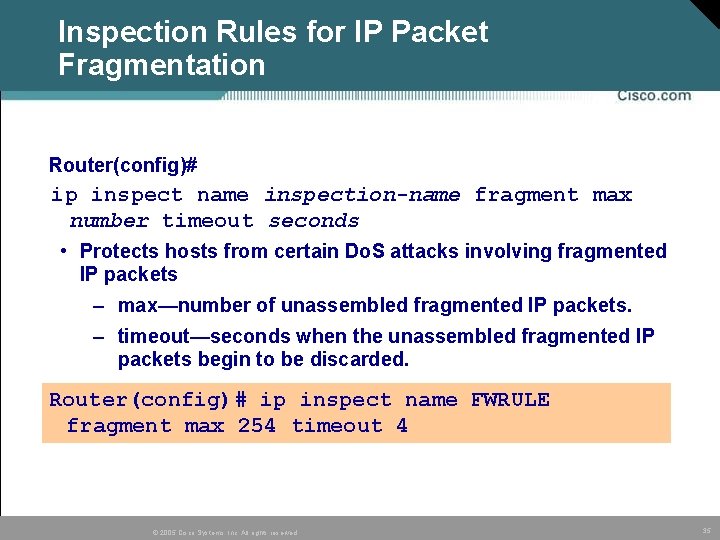
Inspection Rules for IP Packet Fragmentation Router(config)# ip inspect name inspection-name fragment max number timeout seconds • Protects hosts from certain Do. S attacks involving fragmented IP packets – max—number of unassembled fragmented IP packets. – timeout—seconds when the unassembled fragmented IP packets begin to be discarded. Router(config)# ip inspect name FWRULE fragment max 254 timeout 4 © 2005 Cisco Systems, Inc. All rights reserved. 35
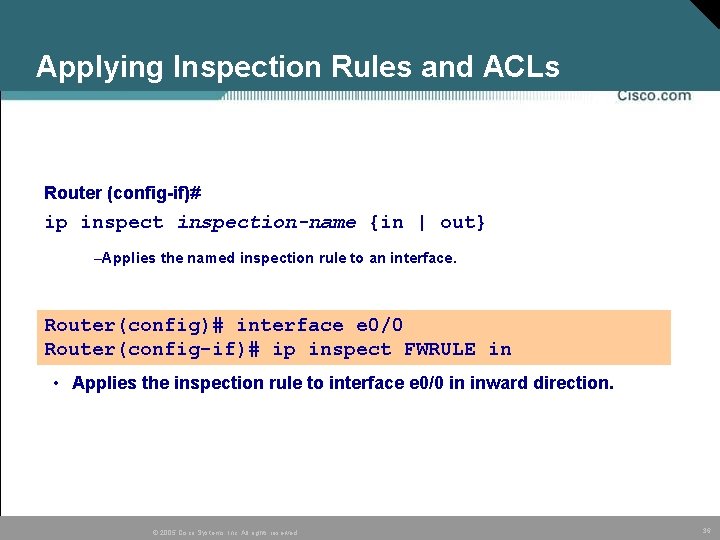
Applying Inspection Rules and ACLs Router (config-if)# ip inspection-name {in | out} –Applies the named inspection rule to an interface. Router(config)# interface e 0/0 Router(config-if)# ip inspect FWRULE in • Applies the inspection rule to interface e 0/0 in inward direction. © 2005 Cisco Systems, Inc. All rights reserved. 36
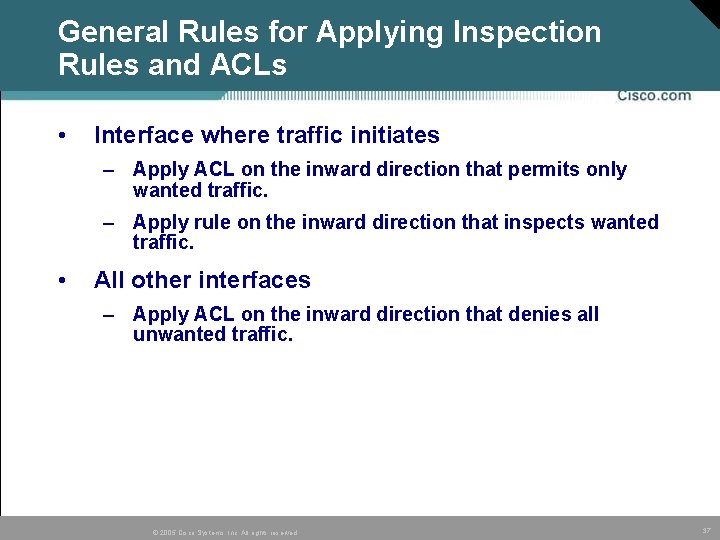
General Rules for Applying Inspection Rules and ACLs • Interface where traffic initiates – Apply ACL on the inward direction that permits only wanted traffic. – Apply rule on the inward direction that inspects wanted traffic. • All other interfaces – Apply ACL on the inward direction that denies all unwanted traffic. © 2005 Cisco Systems, Inc. All rights reserved. 37
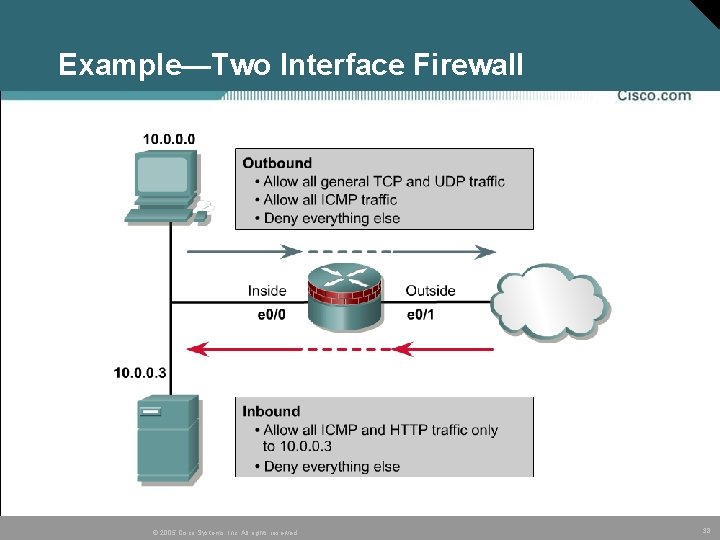
Example—Two Interface Firewall © 2005 Cisco Systems, Inc. All rights reserved. 38
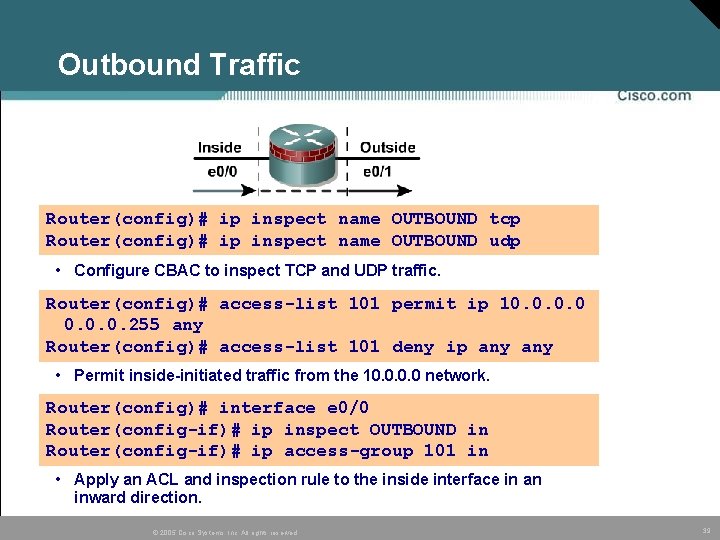
Outbound Traffic Router(config)# ip inspect name OUTBOUND tcp Router(config)# ip inspect name OUTBOUND udp • Configure CBAC to inspect TCP and UDP traffic. Router(config)# access-list 101 permit ip 10. 0. 255 any Router(config)# access-list 101 deny ip any • Permit inside-initiated traffic from the 10. 0 network. Router(config)# interface e 0/0 Router(config-if)# ip inspect OUTBOUND in Router(config-if)# ip access-group 101 in • Apply an ACL and inspection rule to the inside interface in an inward direction. © 2005 Cisco Systems, Inc. All rights reserved. 39
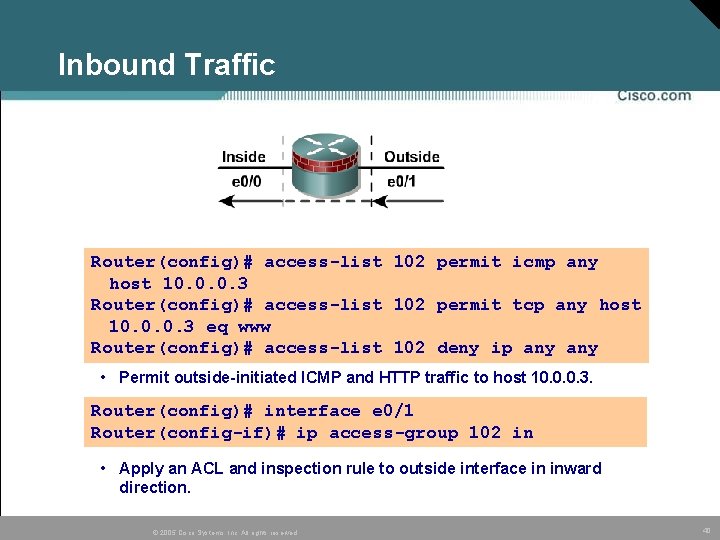
Inbound Traffic Router(config)# access-list 102 permit icmp any host 10. 0. 0. 3 Router(config)# access-list 102 permit tcp any host 10. 0. 0. 3 eq www Router(config)# access-list 102 deny ip any • Permit outside-initiated ICMP and HTTP traffic to host 10. 0. 0. 3. Router(config)# interface e 0/1 Router(config-if)# ip access-group 102 in • Apply an ACL and inspection rule to outside interface in inward direction. © 2005 Cisco Systems, Inc. All rights reserved. 40
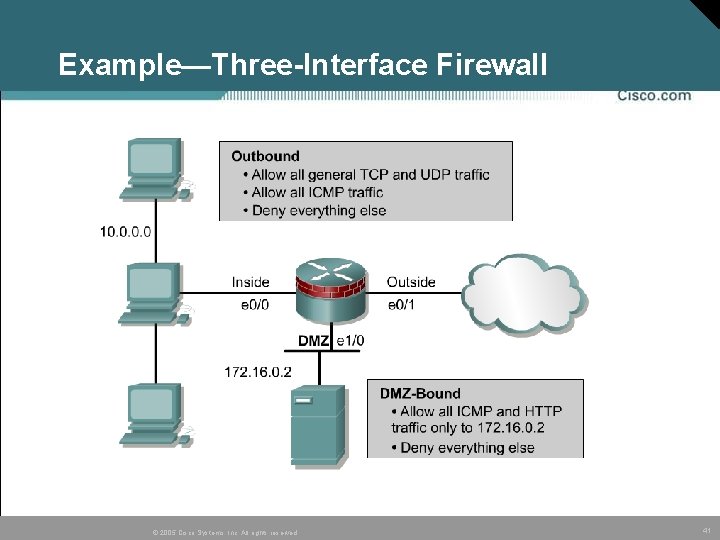
Example—Three-Interface Firewall © 2005 Cisco Systems, Inc. All rights reserved. 41
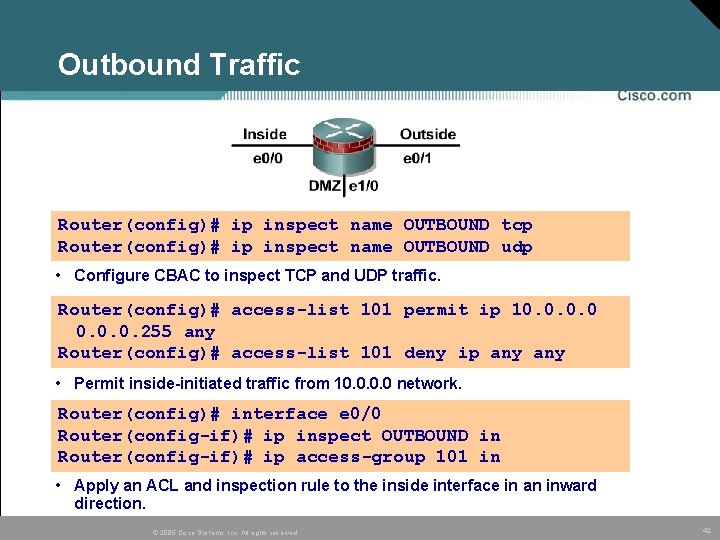
Outbound Traffic Router(config)# ip inspect name OUTBOUND tcp Router(config)# ip inspect name OUTBOUND udp • Configure CBAC to inspect TCP and UDP traffic. Router(config)# access-list 101 permit ip 10. 0. 255 any Router(config)# access-list 101 deny ip any • Permit inside-initiated traffic from 10. 0 network. Router(config)# interface e 0/0 Router(config-if)# ip inspect OUTBOUND in Router(config-if)# ip access-group 101 in • Apply an ACL and inspection rule to the inside interface in an inward direction. © 2005 Cisco Systems, Inc. All rights reserved. 42
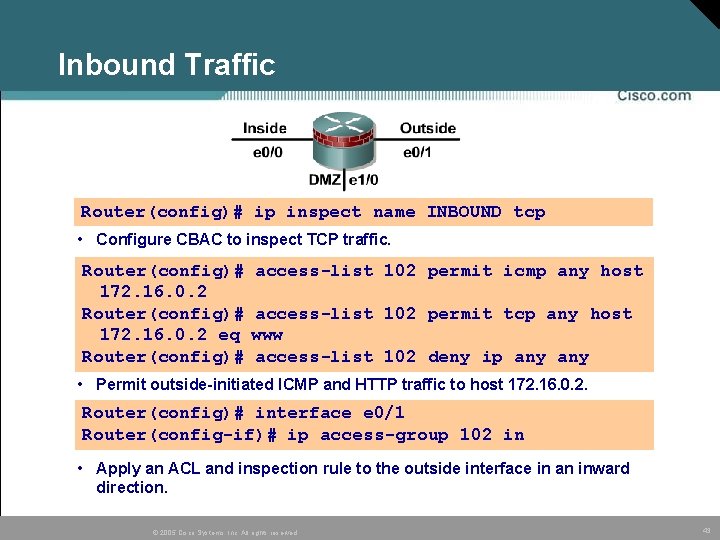
Inbound Traffic Router(config)# ip inspect name INBOUND tcp • Configure CBAC to inspect TCP traffic. Router(config)# 172. 16. 0. 2 eq Router(config)# access-list 102 permit icmp any host access-list 102 permit tcp any host www access-list 102 deny ip any • Permit outside-initiated ICMP and HTTP traffic to host 172. 16. 0. 2. Router(config)# interface e 0/1 Router(config-if)# ip access-group 102 in • Apply an ACL and inspection rule to the outside interface in an inward direction. © 2005 Cisco Systems, Inc. All rights reserved. 43
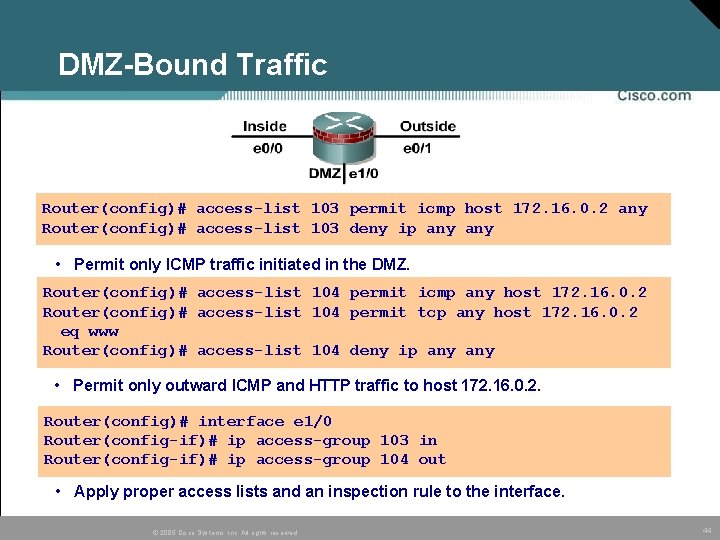
DMZ-Bound Traffic Router(config)# access-list 103 permit icmp host 172. 16. 0. 2 any Router(config)# access-list 103 deny ip any • Permit only ICMP traffic initiated in the DMZ. Router(config)# access-list 104 permit icmp any host 172. 16. 0. 2 Router(config)# access-list 104 permit tcp any host 172. 16. 0. 2 eq www Router(config)# access-list 104 deny ip any • Permit only outward ICMP and HTTP traffic to host 172. 16. 0. 2. Router(config)# interface e 1/0 Router(config-if)# ip access-group 103 in Router(config-if)# ip access-group 104 out • Apply proper access lists and an inspection rule to the interface. © 2005 Cisco Systems, Inc. All rights reserved. 44
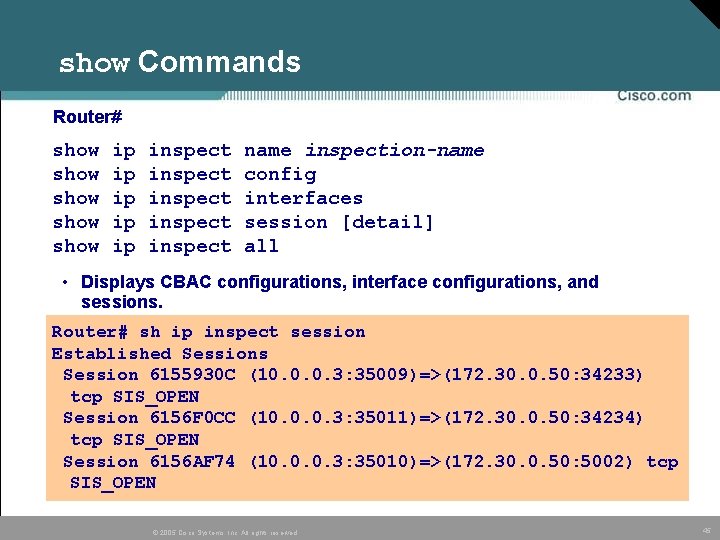
show Commands Router# show show ip ip ip inspect inspect name inspection-name config interfaces session [detail] all • Displays CBAC configurations, interface configurations, and sessions. Router# sh ip inspect session Established Sessions Session 6155930 C (10. 0. 0. 3: 35009)=>(172. 30. 0. 50: 34233) tcp SIS_OPEN Session 6156 F 0 CC (10. 0. 0. 3: 35011)=>(172. 30. 0. 50: 34234) tcp SIS_OPEN Session 6156 AF 74 (10. 0. 0. 3: 35010)=>(172. 30. 0. 50: 5002) tcp SIS_OPEN © 2005 Cisco Systems, Inc. All rights reserved. 45
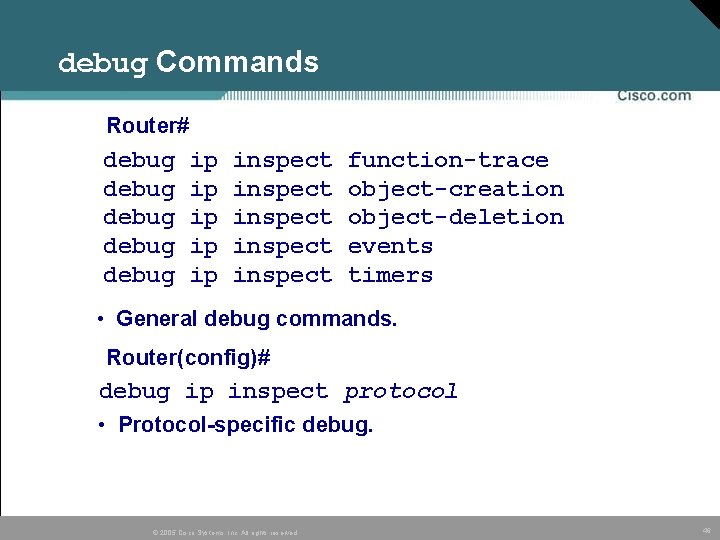
debug Commands Router# debug debug ip ip ip inspect inspect function-trace object-creation object-deletion events timers • General debug commands. Router(config)# debug ip inspect protocol • Protocol-specific debug. © 2005 Cisco Systems, Inc. All rights reserved. 46
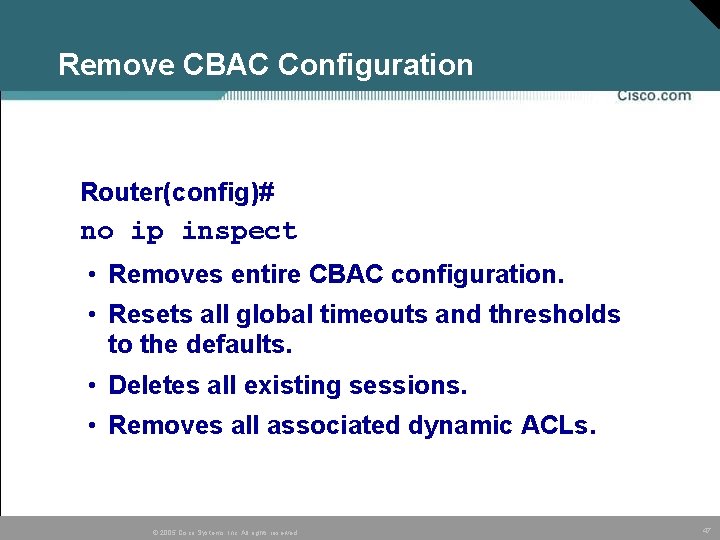
Remove CBAC Configuration Router(config)# no ip inspect • Removes entire CBAC configuration. • Resets all global timeouts and thresholds to the defaults. • Deletes all existing sessions. • Removes all associated dynamic ACLs. © 2005 Cisco Systems, Inc. All rights reserved. 47
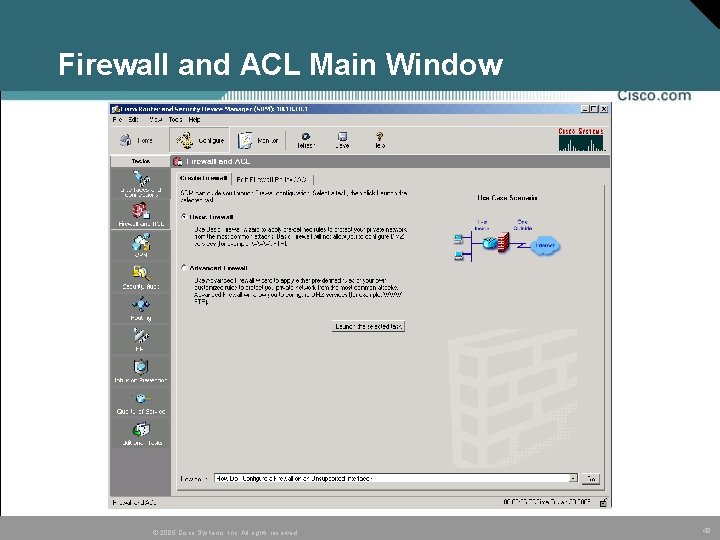
Firewall and ACL Main Window © 2005 Cisco Systems, Inc. All rights reserved. 48
© Cisco Systems, Inc. All rights reserved. © 2005, 2005 Cisco 49 49