
CMU Review Training Presented by Behavioral Health Services
CMU Review Training Presented by: Behavioral Health Services (BHS) Care Management Unit (CMU)
Introductions ¨ Welcome ¨ Purpose of Training – Review CMU Workflow – Review Clinical Forms – Review Claims Process – Review Provider Portal – Additional Updates ¨ HousekeepingBreaks ¨ Question Format ¨ Presenter Introductions
CONTRA COSTA HEALTH SERVICES BEHAVIORAL HEALTH DIVISION MISSION STATEMENT The mission of Contra Costa Behavioral Health, in partnership with consumers, families, staff, and community-based agencies, is to provide welcoming, integrated services for mental health, substance use, homelessness and other needs that promote wellness, recovery, and resiliency while respecting the complexity and diversity of the people we serve. VISION STATEMENT Contra Costa Behavioral Health envisions a system of care that supports independence, hope, and healthy lives by making accessible behavioral health services that are integrated, responsive, compassionate, and respectful.
CMU WORKFLOW OVERVIEW
CCMHP PROVIDER NETWORK Ø The Provider Network is a panel of licensed providers that operates to serve the mental health needs of Contra Costa County residents with “Full Scope” Medi-Cal coverage. Ø Approximately 200 Network Providers Ø Approximately 4500 – 5000 Beneficiaries served annually Ø Part of system of care that includes mental health clinics, community-based organizations, and other health care providers.

CCMHP – ACCESS LINE Ø The Behavioral Health Access Line is responsible for screening beneficiaries for referrals to mental health and substance use services Ø Services are authorized for all beneficiaries who meet Medi-Cal Medical and Service Necessity and insurance eligibility requirements. Ø Provides up to three verbal referrals for therapy Ø Best choice of Provider based on gender, culture, language, geography, and clinical specialty. Ø Also provides an initial authorization for planned mental health services to providers who call with clinical knowledge of the beneficiary Ø Referrals for medication evaluations Ø Information and referrals to other resources
CCMHP - ACCESS LINE ENTRY POINT FOR SERVICE DELIVERY ¨ Clients call - screened by an Access Line Clinician ¨ Screened for acuity (mild-moderate or moderate-severe) ¨ Medi-Cal eligibility for services is verified ¨ Given UP TO 3 verbal referrals, but are told to only make an appointment with ONE provider. (page 9 of packet)
ACCESS LINE SCRIPT • Please call the provider today, as their availability may be limited or may change. • If only one referral is given, Access clinician offers a warm transfer • You may call three providers if you are concerned about finding a good match--discuss any concerns you may have over the phone, but please only schedule with ONE provider. • If you get their voicemail, please speak slowly, including: Your name, phone number (twice), and a brief message (such as “I have Medi-Cal, was authorized to you by the Access Line, and would like to schedule an appointment”). • Give the provider 3 business days to return your call, and make sure your voicemail is setup. • If you have not heard back from any of the providers in 3 days, or they do not have availability, you may call the Access Line for additional referrals (1 -888 -678 -7277) (or if Mild Mod, the back line at 925 -372 -4428).
CLIENT CONTACTS YOU FOR APPOINTMENT ¨ Note the date the client first called you ¨ Verify Access line screening ¨ Have them call Access if not pre-screened ¨ Ask about any other appointments ¨ Obtain name, CIN, birth date ¨ Schedule an appointment ¨ Note if an earlier appointment was offered (page 10 of packet)
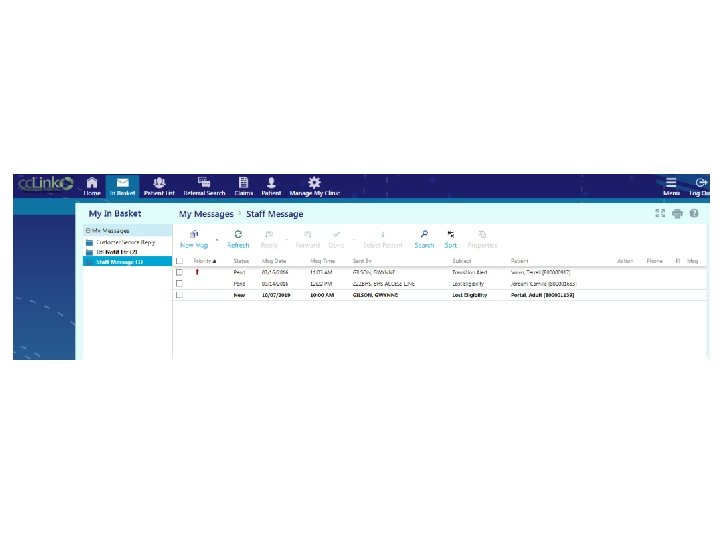
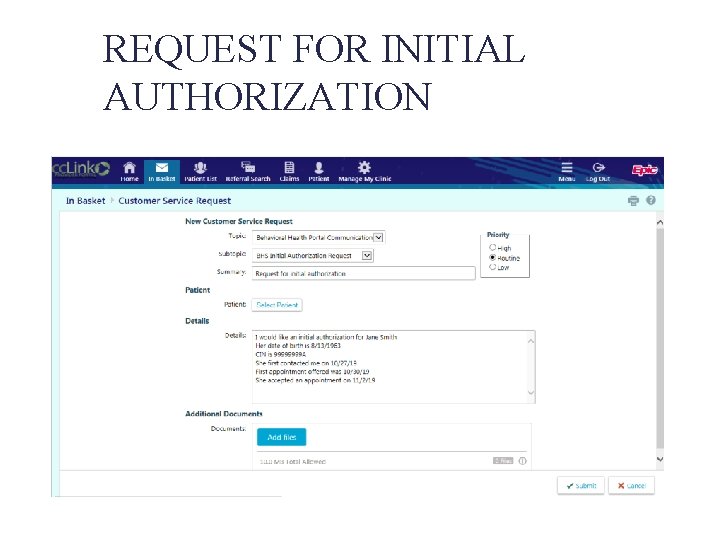
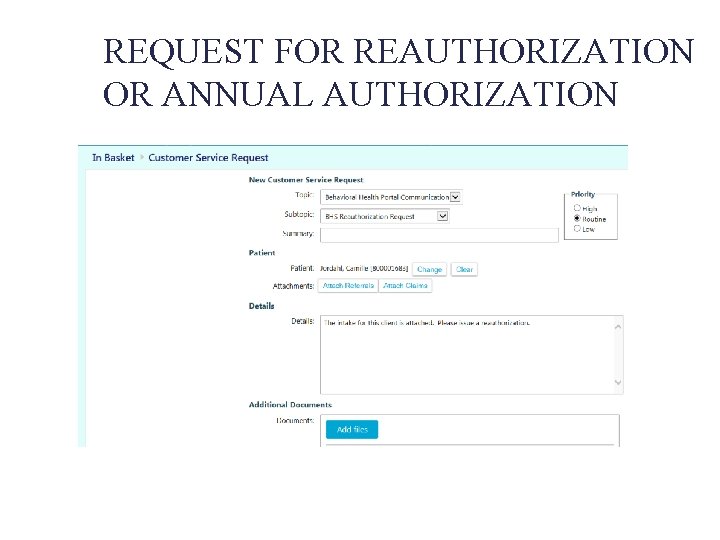
REQUEST AN INITIAL AUTHORIZATION ¨ Request as soon as possible – Call 925 -372 -4400, Option 2 – Request through Provider Portal • Subtopic = “BHS Initial Authorization Request” • Report name, DOB, CIN, first date client contacted you, first appt. offered/first accepted ¨ For returning clients, submit request prior to scheduling an appointment, in order to verify eligibility (page 10 of packet)
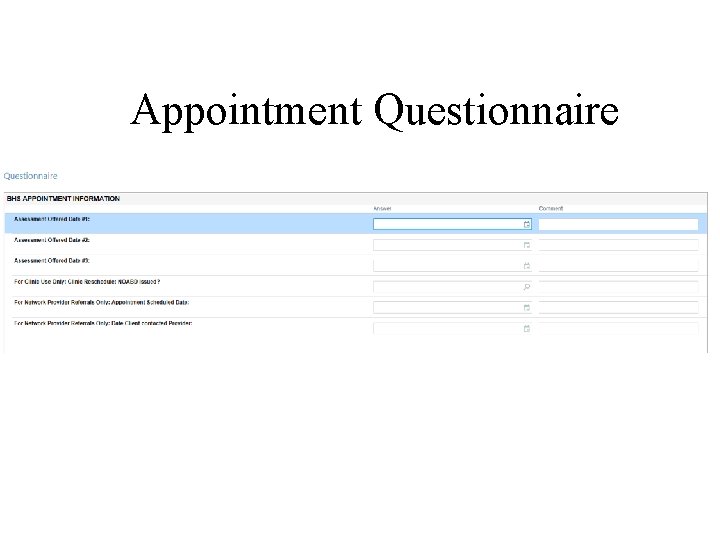
Appointment Questionnaire
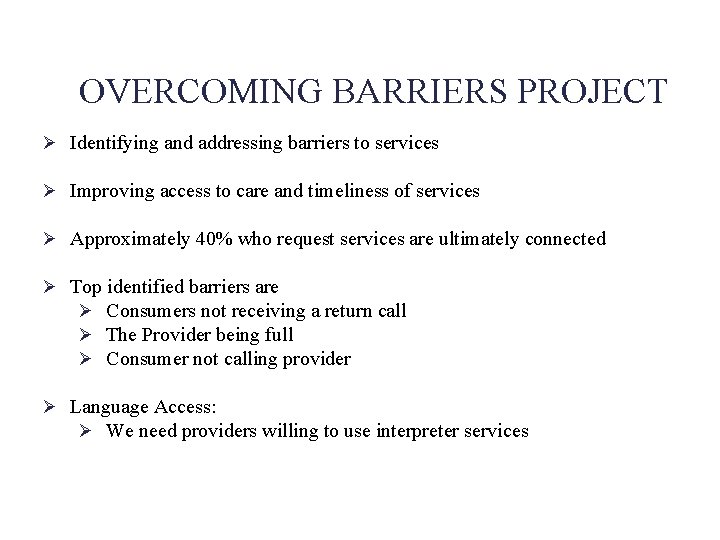
OVERCOMING BARRIERS PROJECT Ø Identifying and addressing barriers to services Ø Improving access to care and timeliness of services Ø Approximately 40% who request services are ultimately connected Ø Top identified barriers are Ø Consumers not receiving a return call Ø The Provider being full Ø Consumer not calling provider Ø Language Access: Ø We need providers willing to use interpreter services
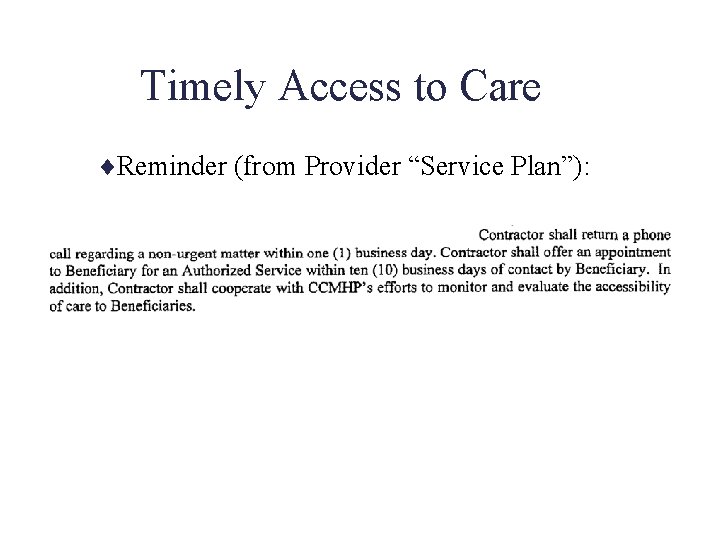
Timely Access to Care ¨Reminder (from Provider “Service Plan”):
CCMHP PROVIDER NETWORK • Reminder of Provider Requirements Ø Return calls within 1 business day of the consumer’s original contact/voice- mail, to schedule intake appointment ØOffer appt within 10 business days of client’s first contact ØKeep voice mail clear, return calls even if practice is full Ø Have established plan for 24 -hour crisis response, detailed on your outgoing voice message Ø Assure client callback w/in 1 business day for routine matters Ø Participate in at least one training meeting a year.
CCMHP PROVIDER NETWORK Reminder of Provider Requirements: ØNotify Provider Services of availability changes ØNotify Provider Services as soon as possible of address changes, name changes, change of practice name, etc. ØRespond to CMU, Provider Services, and Access Line communications within one business day. ØComplete PAVE registration ASAP. ØYou have 120 days from your start date to complete enrollment
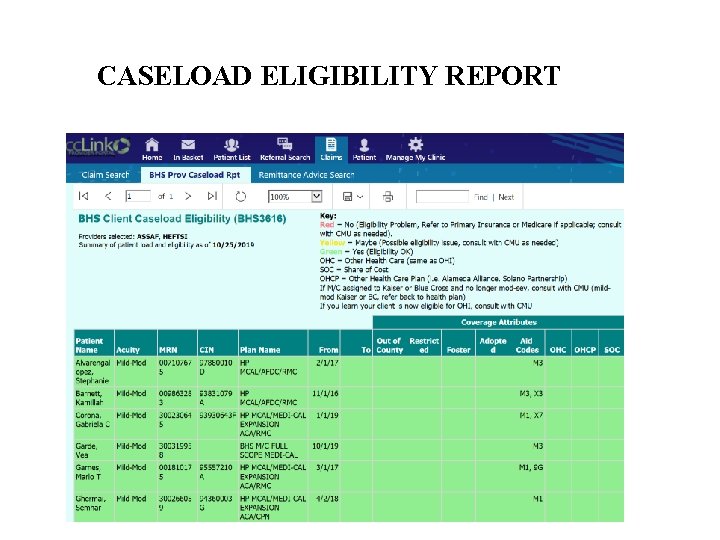
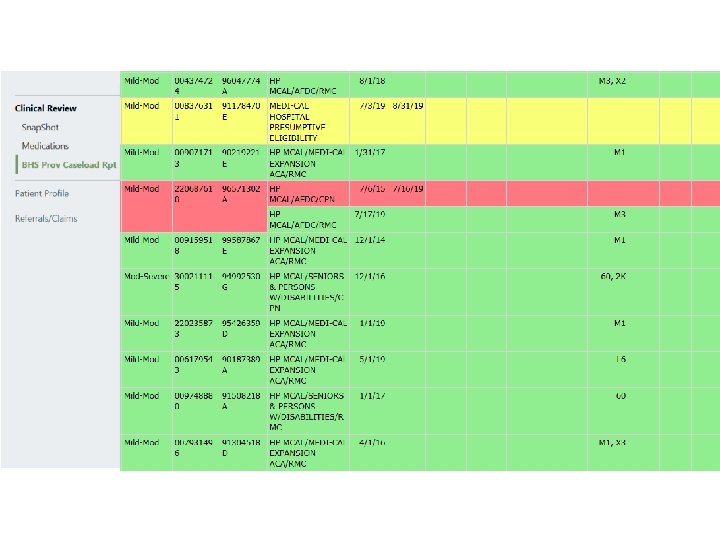
BEGIN MEETING WITH CLIENT (page 11 of packet) ¨ No need to inform of no shows ¨ Continue checking eligibility • Recommend checking 1 st of the month and 15 th of month. • Use Caseload Eligibility Report in Provider Portal if possible • Complete “Client Registration and Admission” form and submit prior to submitting claims. • “Admission Date” is the first date you met with client (Sample registration form on page 17)
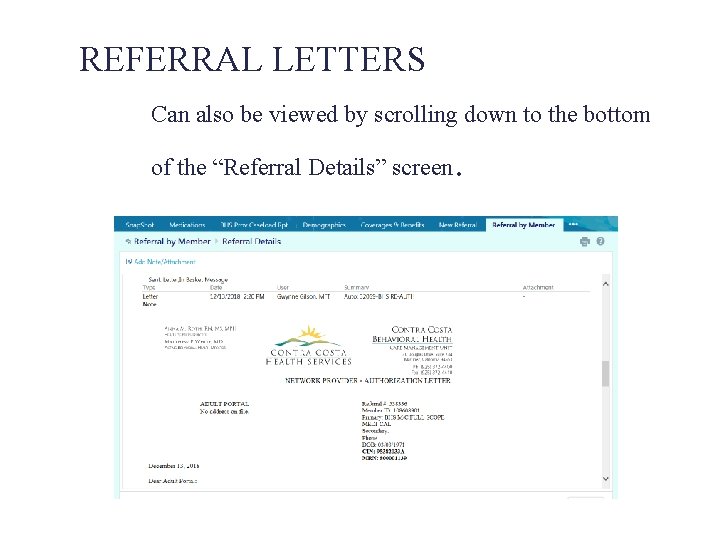
AUTHORIZATIONS/REFERRALS ¨ Initial authorizations are the preliminary group of referrals given when you set an appointment (Page 15 of packet) ¨ Reauthorizations are the (usually) year-long set of referrals given based on an approved intake. (Page 29 of packet) ¨ Annual authorizations are given based on approved updates after the first year of service.
SUBMITTING CLINICAL PAPERWORK ¨ Submit intake within 30 days if possible ¨ “Admission date” should match what you entered on the Registration and Admission form ¨ Write out full DSM 5 Diagnosis Narrative. ¨ Use official crosswalk to ensure: – Diagnosis is Included – Name, DSM 5 code, and ICD-10 code MATCH (page 19 of packet)
SUBMITTING CLINICAL PAPERWORK Ø Presenting Problem (page 19) Criteria that justifies diagnosis • Goals will link to the symptoms and functional impairments described here Ø Safety Risk (Page 20) • If one is described, need a matching goal •
SUBMITTING CLINICAL PAPERWORK Ø Functional Impairments (page 21) Must have at least one checked, at least mild Ø Impairment Criteria • Must have A, B, and/or C checked Ø Intervention Criteria • Expect that A, B and/or C Ø Must have Box D checked (bottom right) •
SUBMITTING CLINICAL PAPERWORK Ø Partnership Plan (page 22) • Treatment goals must have at least ONE mental health goal. • Connects to the presenting problem and functional impairments • Observable/Measurable
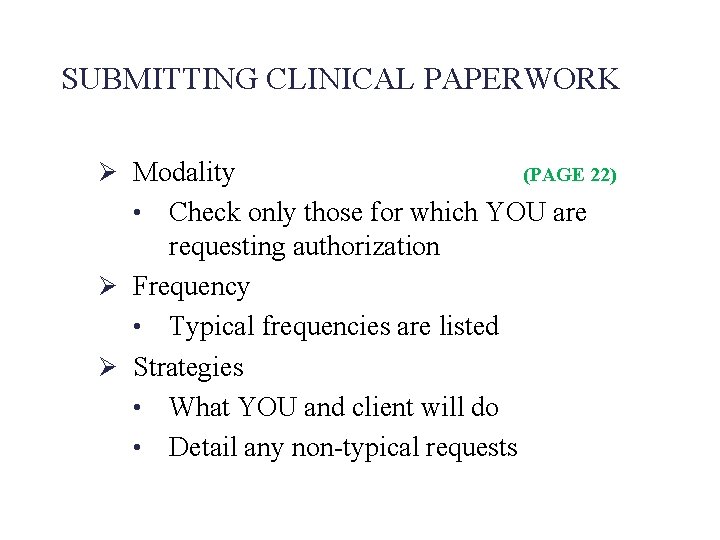
SUBMITTING CLINICAL PAPERWORK Ø Modality (PAGE 22) Check only those for which YOU are requesting authorization Ø Frequency • Typical frequencies are listed Ø Strategies • What YOU and client will do • Detail any non-typical requests •
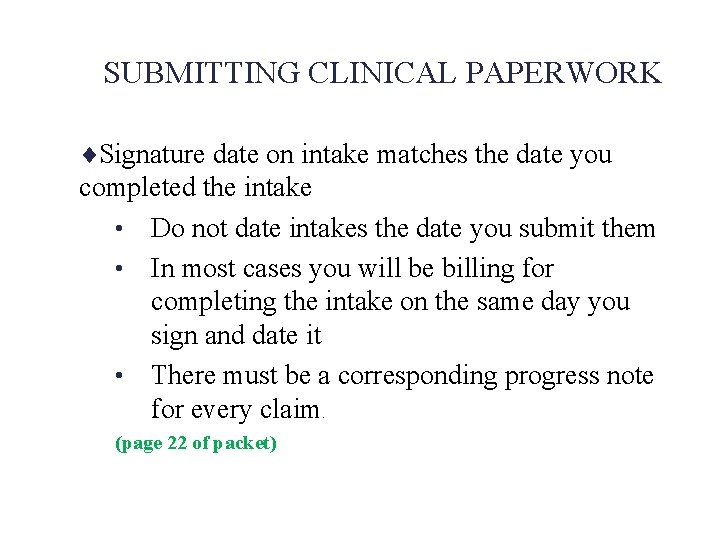
SUBMITTING CLINICAL PAPERWORK ¨Signature date on intake matches the date you completed the intake • Do not date intakes the date you submit them • In most cases you will be billing for completing the intake on the same day you sign and date it • There must be a corresponding progress note for every claim. (page 22 of packet)
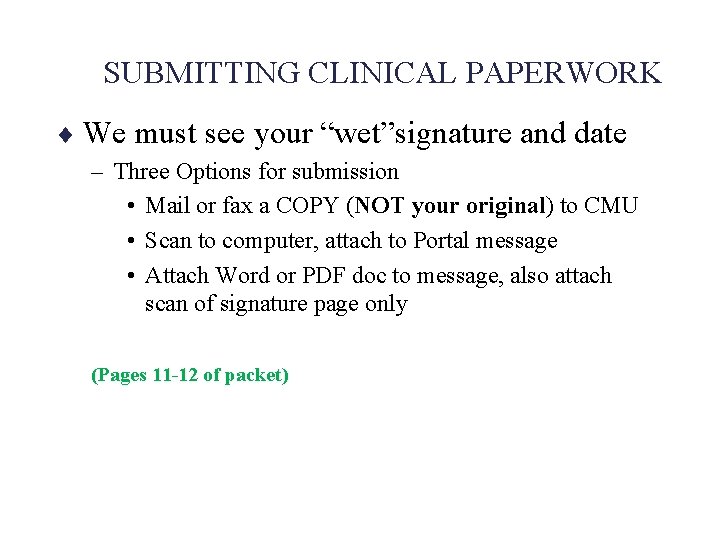
SUBMITTING CLINICAL PAPERWORK ¨ We must see your “wet”signature and date – Three Options for submission • Mail or fax a COPY (NOT your original) to CMU • Scan to computer, attach to Portal message • Attach Word or PDF doc to message, also attach scan of signature page only (Pages 11 -12 of packet)
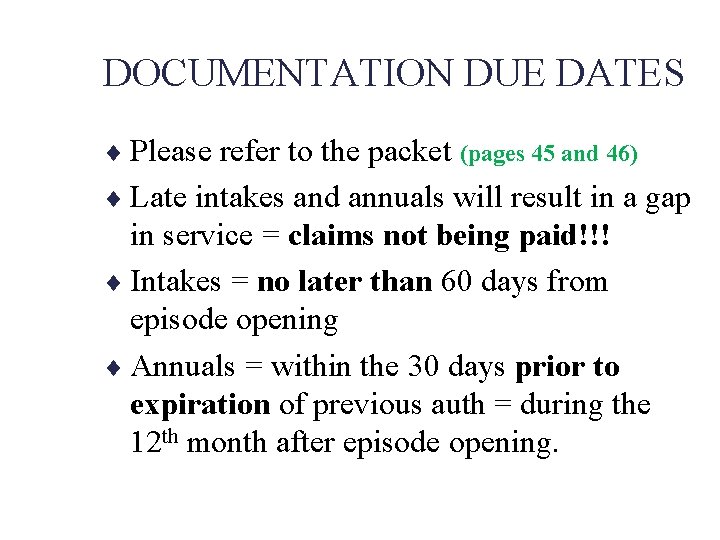
DOCUMENTATION DUE DATES ¨ Please refer to the packet (pages 45 and 46) ¨ Late intakes and annuals will result in a gap in service = claims not being paid!!! ¨ Intakes = no later than 60 days from episode opening ¨ Annuals = within the 30 days prior to expiration of previous auth = during the 12 th month after episode opening.
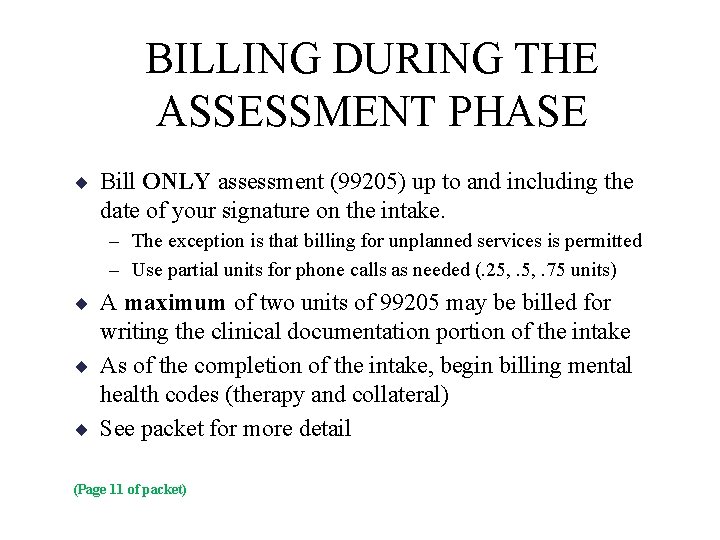
BILLING DURING THE ASSESSMENT PHASE ¨ Bill ONLY assessment (99205) up to and including the date of your signature on the intake. – The exception is that billing for unplanned services is permitted – Use partial units for phone calls as needed (. 25, . 75 units) ¨ A maximum of two units of 99205 may be billed for writing the clinical documentation portion of the intake ¨ As of the completion of the intake, begin billing mental health codes (therapy and collateral) ¨ See packet for more detail (Page 11 of packet)
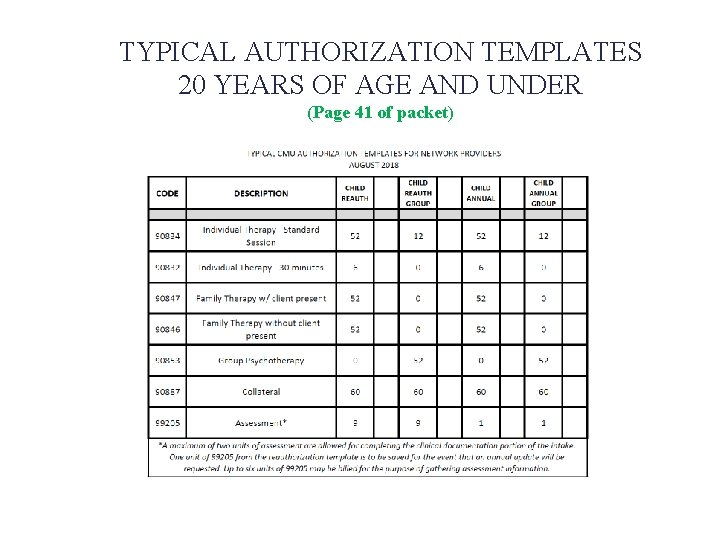
TYPICAL AUTHORIZATION TEMPLATES 20 YEARS OF AGE AND UNDER (Page 41 of packet)
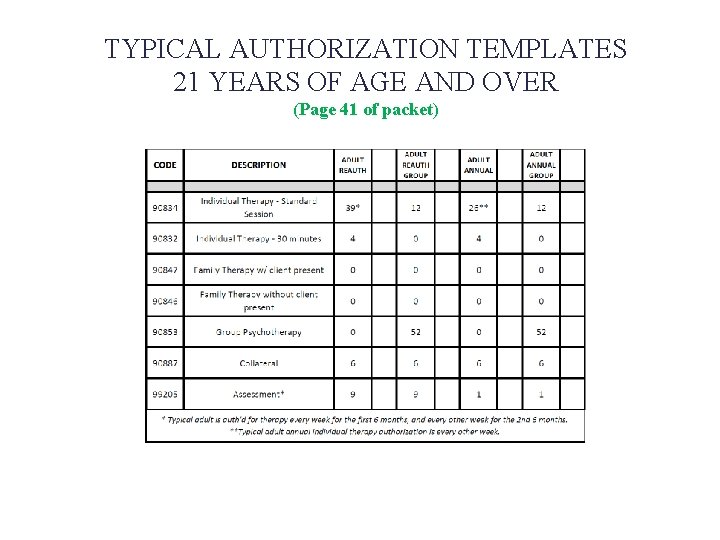
TYPICAL AUTHORIZATION TEMPLATES 21 YEARS OF AGE AND OVER (Page 41 of packet)
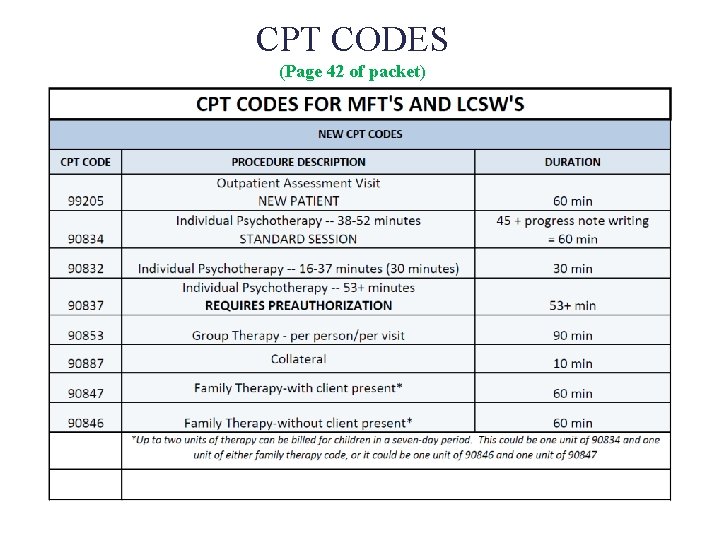
CPT CODES (Page 42 of packet)
SUBMITTING CLINICAL PAPERWORK ¨ DO NOT SUBMIT CLINICAL PAPERWORK TO DOCUSTREAM ¨ Claims, and only claims, go to Docustream.
REASONS FOR DEFERRED AUTHORIZATIONS ¨ Significant corrections needed – Non-included diagnosis – Insufficient clinical information – No impairment criteria checked – No mental health treatment goal – No provider signature – No client signature/box not checked – Name of diagnosis is abbreviated or incomplete – Safety risk identified but no goal to address it – Annual updates need to show progress/updated goals
REQUESTING ATYPICAL AUTHORIZATION (Page 22) ¨ Document your request in the “Strategies” section of the “Part B Partnership Plan” – Be specific – Document the exact request – Provide the clinical justification
NETWORK PROVIDER CHANGE OF TREATMENT AUTHORIZATION REQUEST (Page 39) • One-Page Form • Submit when requesting to add more than two additional • • units to previous authorization Follow prompts on form for required clinical information Space provided for Partnership Plan if applicable due to change in beneficiary condition Consult with CMU prior to submitting form to avoid potential need for NOABD Submit PRIOR TO the date the change is requested
Discharge Form (Page 40) ¨Submit as soon as possible after ending services. ¨“Discharge date” is the last date you provided services to the client. ¨For cases open for fewer than 60 days, submit the “Registration and Admission” form along with the “Discharge Form” ¨Completion of the Discharge Form is not billable.
Questions about CMU Workflow? Check the CMU Website for updates! https: //cchealth. org/mentalhealth/network-provider
CLAIMS PROCEDURES (starts on page 47)
Docu. Stream - Claim Process ¨ Billing Process Options – Docu. Health. Link Electronic Claiming • Requires Windows Operating System • Most Efficient Online Claiming • Fastest Processing of Claims – Mac Users – Print and mail • Slower Processing • Fillable PDF – ReadableScannable Faster Processing
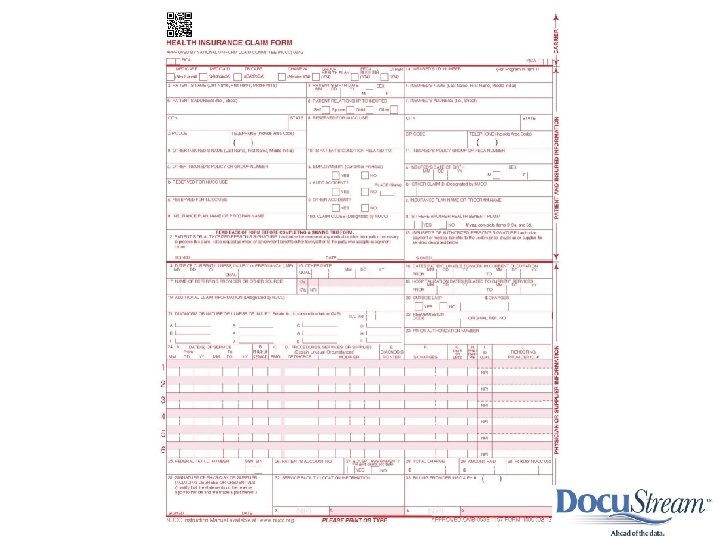
CMS-1500 FORM ¨ Must be typed/printed ¨ Update to Adobe Reader DC – Follow instructions as needed for Windows 10 ¨ Use CMS-1500 PDF Template – Request from CMU if needed ¨ Use pre-printed forms to submit by mail – use electronic template to print data on the forms
¨RESET
Docu. Stream – 1500 Claim Forms ¨Set up Provider Master (start on page 55) ¨Set up Client Master (page 56) ¨Update Patient Master for Claiming
TIPS ON CLAIMS ¨ Use ONLY approved CPT codes ¨ 90834 is the standard individual therapy code ¨ DO NOT BILL 90837 without pre-authorization ¨ DO NOT enter any data in Box 14 unless the client has pregnancy–related Medi-Cal ¨ Enter ICD-10 code exactly – No extra “ 0”’s – Do not omit necessary “ 0”’s ¨ Submit claims at any time of the month ¨ Claim different months on separate claims
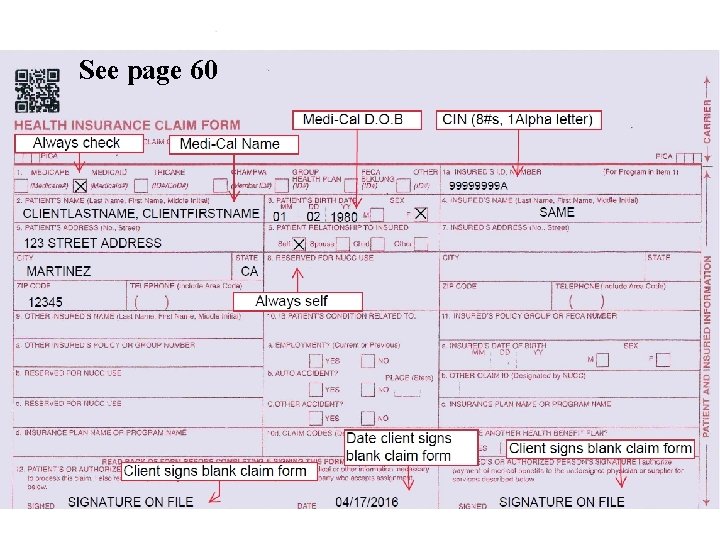
See page 60
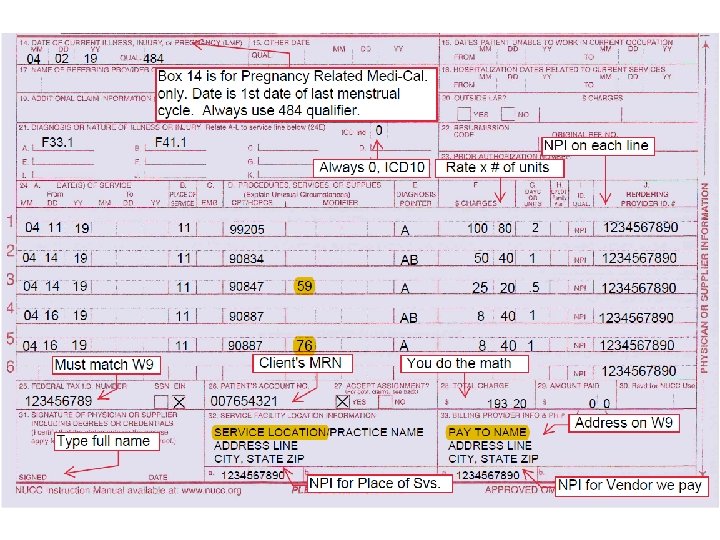
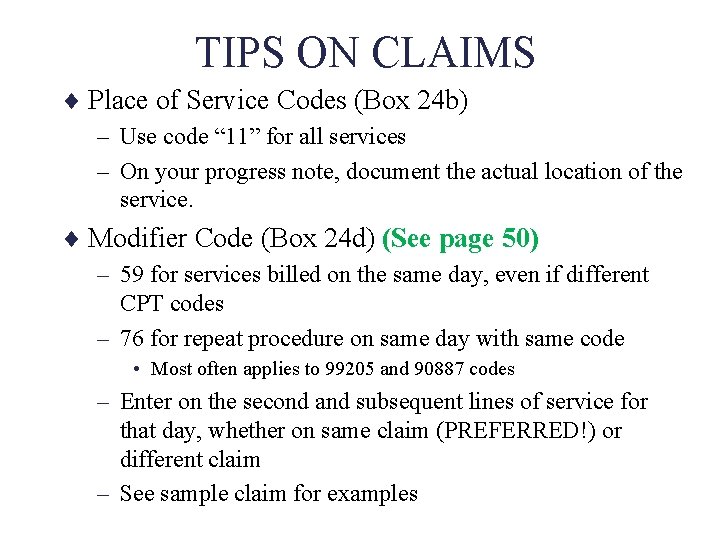
TIPS ON CLAIMS ¨ Place of Service Codes (Box 24 b) – Use code “ 11” for all services – On your progress note, document the actual location of the service. ¨ Modifier Code (Box 24 d) (See page 50) – 59 for services billed on the same day, even if different CPT codes – 76 for repeat procedure on same day with same code • Most often applies to 99205 and 90887 codes – Enter on the second and subsequent lines of service for that day, whether on same claim (PREFERRED!) or different claim – See sample claim for examples
Submitting the Completed Claim ¨ Sign up to send Electronically using Docu. Healthlink (instructions start on page 54) ¨ Mail the Claim to: CONTRA COSTA MENTAL HEALTH PLAN PO BOX 2178 SAN LEANDRO, CA 94577 ¨ DO NOT Fax claims unless instructed to do so.
CLAIMS TERMINOLOGY ¨ Rejection: (sample e-mail on page 62) – Docu. Stream unable to process an electronic claim – You will receive an email giving a reason • See packet for sample email • Add general@docustream. com to safe senders list. – “No Member Match” most common error • Please review carefully for errors in name spelling, date of birth, CIN, MRN – Resubmit with corrected data any time
CLAIMS TERMINOLOGY ¨ Accepted: – Term for electronic claims that Docu. Stream was able to upload to our system – You will receive an email confirming acceptance. ¨ Pending: – A claim received via any method – Currently unable to be paid, awaiting further review (such as an intake) – You will not be notified – If on Provider Portal, you will see the status there
CLAIMS TERMINOLOGY ¨ Deferred: (sample letter page 63) – Mailed claim, uploaded by Docu. Stream, but unable to be processed by our system – You will receive a letter in the mail with instructions ¨ Denied: (sample letter page 64) – Claim received by mail or electronically which will not be paid. – You will receive a letter in the mail. – Also review RA for denial codes (see example)
CLAIMS TERMINOLOGY ¨ Approved: – A claim submitted by any method, which is payable – If a clean claim is submitted with referrals in place, expect payment within 30 days – You will receive a check in the mail – You will receive a Remittance Advice later • See sample Remittance Advices in packet – Pages 64 and 65 – Direct Deposit is not available
INFORMAL APPEALS for Denied Claims ØReview RA/Claim record in Provider Portal ØSample RAs pages 65 and 66 ØIf you are unable to determine reason for denial, or you disagree, contact CMU ØMessage through Portal ØCall the main CMU number Ø Have you records handy for reference when you call

Claims Questions?
Provider Portal
Provider Portal ¨ Web-Based Access to Real-Time Client information – – – Client List Eligibility Referrals Attachment of Intake Form to CRM Messages Claims Status Customer Relationship Management (CRM) and Inbasket Messaging
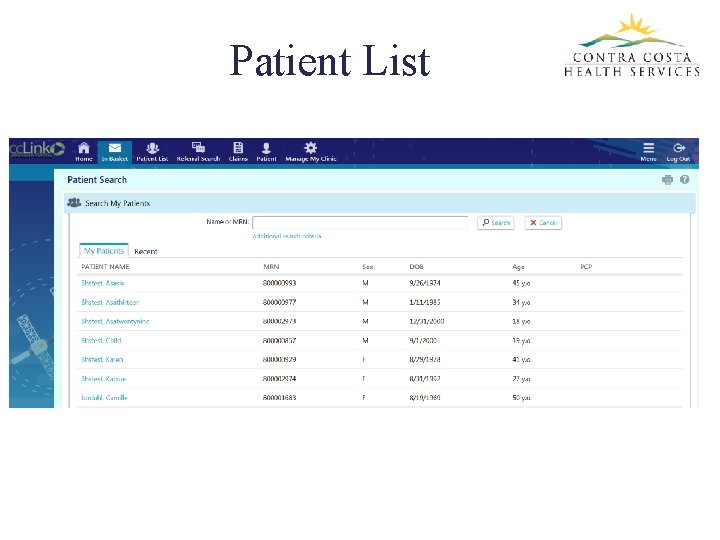
Patient List
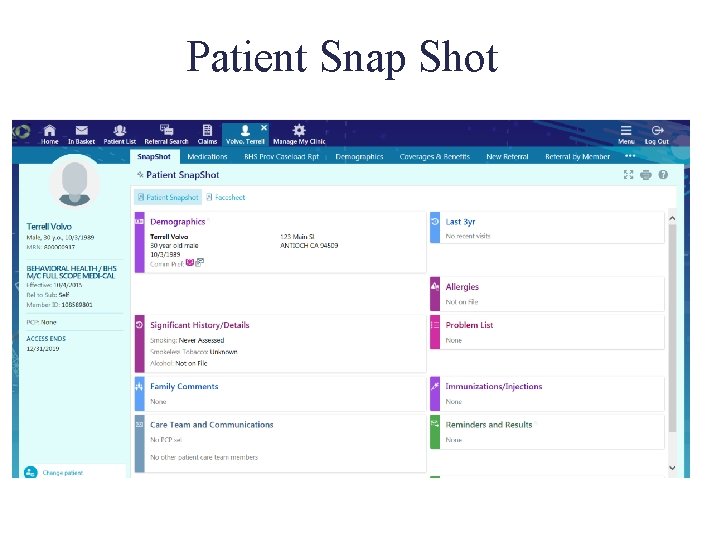
Patient Snap Shot
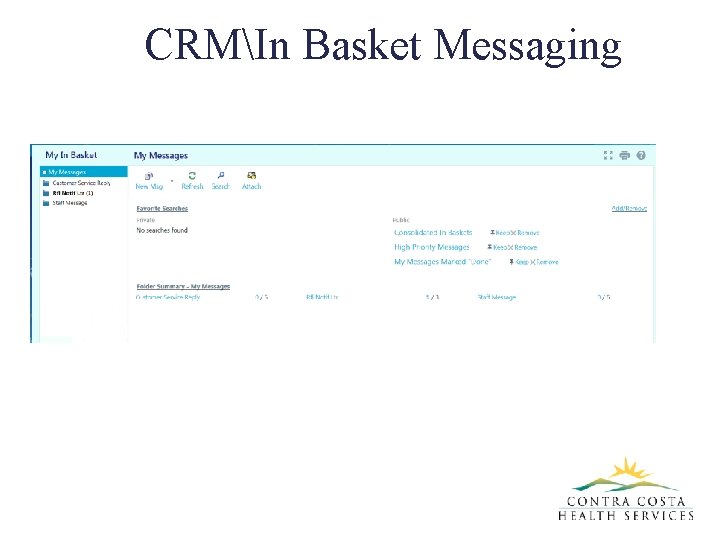
CRMIn Basket Messaging
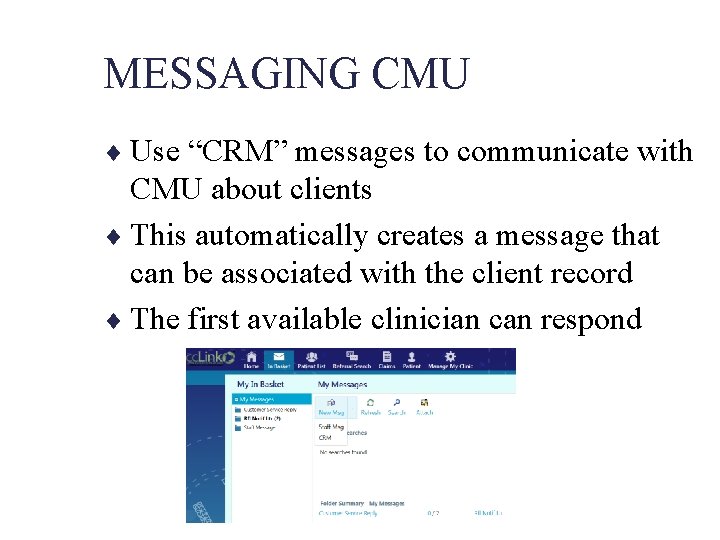
MESSAGING CMU ¨ Use “CRM” messages to communicate with CMU about clients ¨ This automatically creates a message that can be associated with the client record ¨ The first available clinician can respond
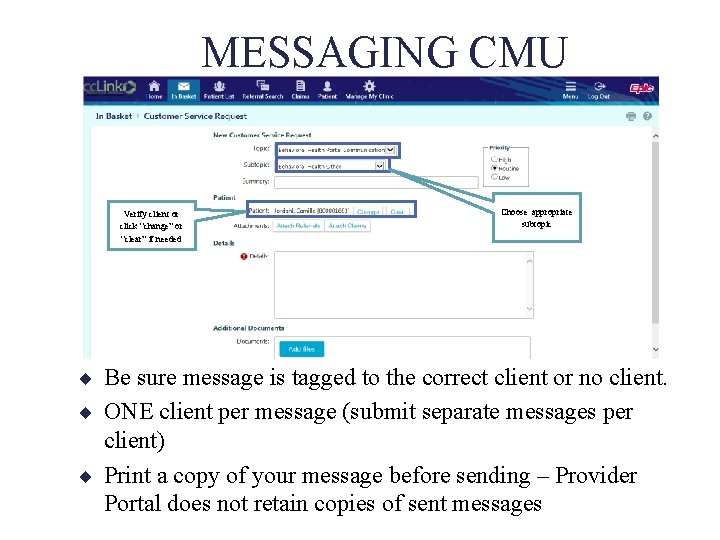
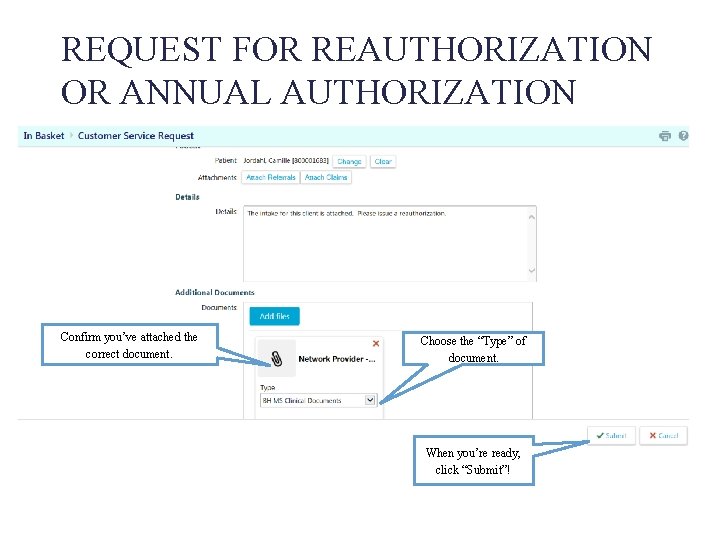
MESSAGING CMU Verify client or click “change” or “clear” if needed Choose appropriate subtopic ¨ Be sure message is tagged to the correct client or no client. ¨ ONE client per message (submit separate messages per client) ¨ Print a copy of your message before sending – Provider Portal does not retain copies of sent messages
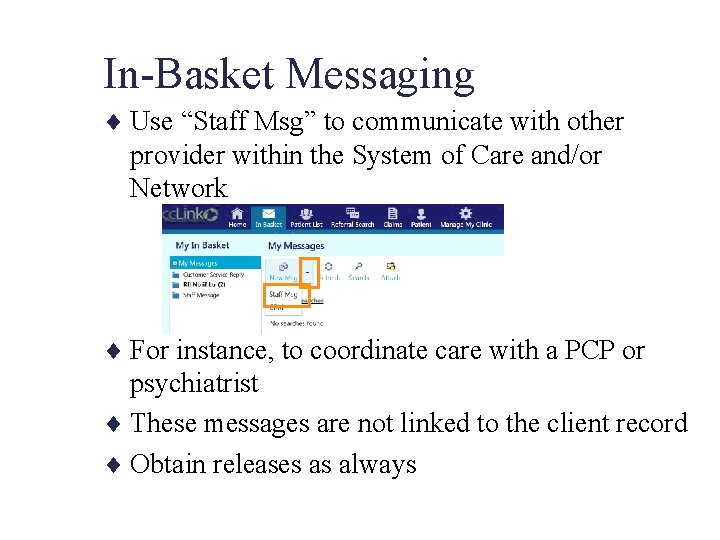
In-Basket Messaging ¨ Use “Staff Msg” to communicate with other provider within the System of Care and/or Network ¨ For instance, to coordinate care with a PCP or psychiatrist ¨ These messages are not linked to the client record ¨ Obtain releases as always
BEHAVIORAL HEALTH COMMUNICATION SUBTOPICS ¨ BHS Initial Authorization Request ¨ ¨ ¨ – Requests for initial authorizations once you have made an appointment BHS Reauthorization Request – Use when submitting intakes BHS Annual Authorization Request – Use when submitting annual updates BHS Open/Close – Use when submitting registration + Discharge for clients open for fewer than 60 days BHS Closings – Use when submitting discharge forms only BHS Registration Form – Use when submitting Registration & Admission form only
BEHAVIORAL HEALTH COMMUNICATION SUBTOPICS ¨ BHS Claims – Questions about claim denials or deferrals, checks, RA’s ¨ Behavioral Health Provider Services – Information updates (address, phone number, etc) – Responding to requests regarding contracts renewals – Availability updates ¨ Behavioral Health Other – Miscellaneous questions for CMU Clinicians ¨ BHS Informal Appeal – Provider Portal – Informal Appeals
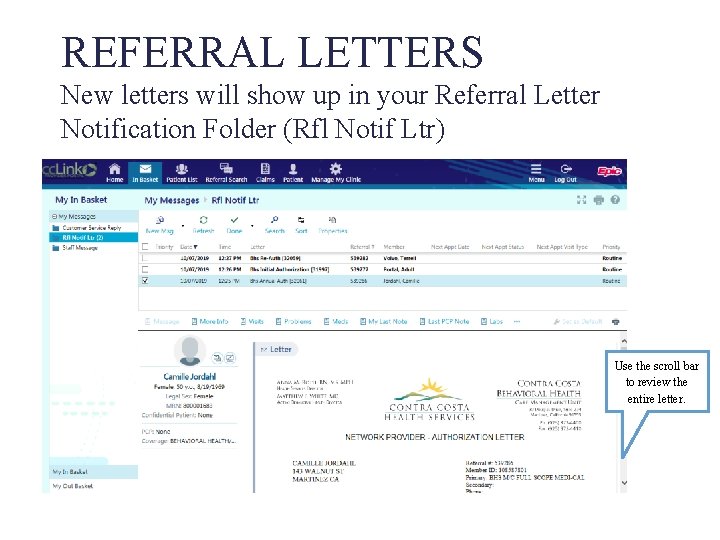
RESPONDING TO MESSAGES ¨ Responses from CMU will be in the “Customer Service Reply” folder ¨ You cannot reply to a Customer Service Reply. – Create a new message – Print before sending.
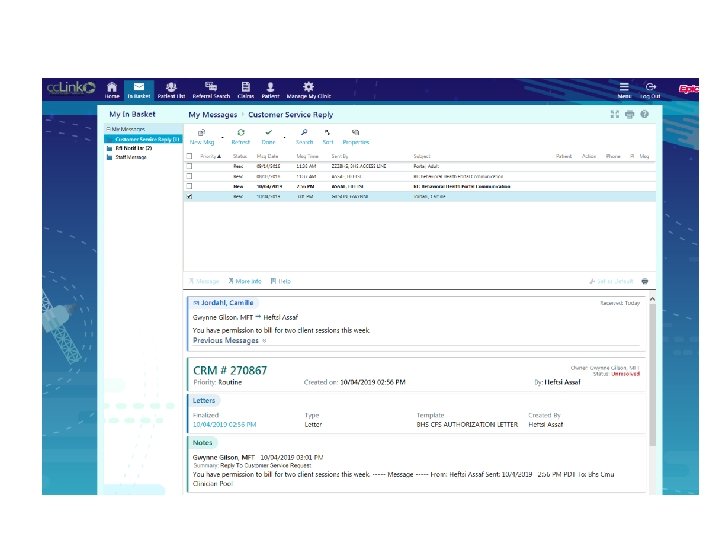
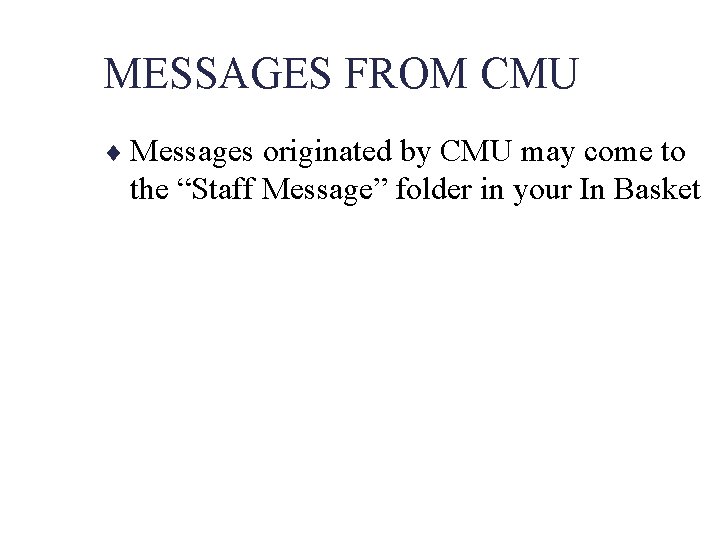
MESSAGES FROM CMU ¨ Messages originated by CMU may come to the “Staff Message” folder in your In Basket
REQUEST FOR INITIAL AUTHORIZATION
REQUEST FOR REAUTHORIZATION OR ANNUAL AUTHORIZATION
REQUEST FOR REAUTHORIZATION OR ANNUAL AUTHORIZATION Confirm you’ve attached the correct document. Choose the “Type” of document. When you’re ready, click “Submit”!
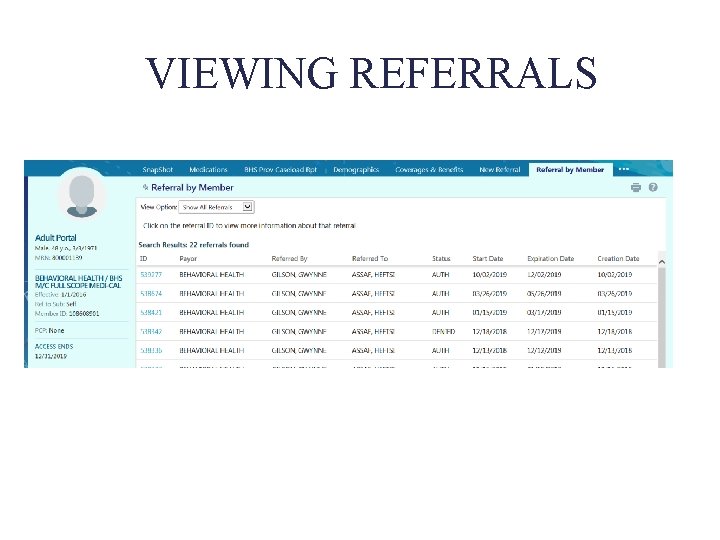
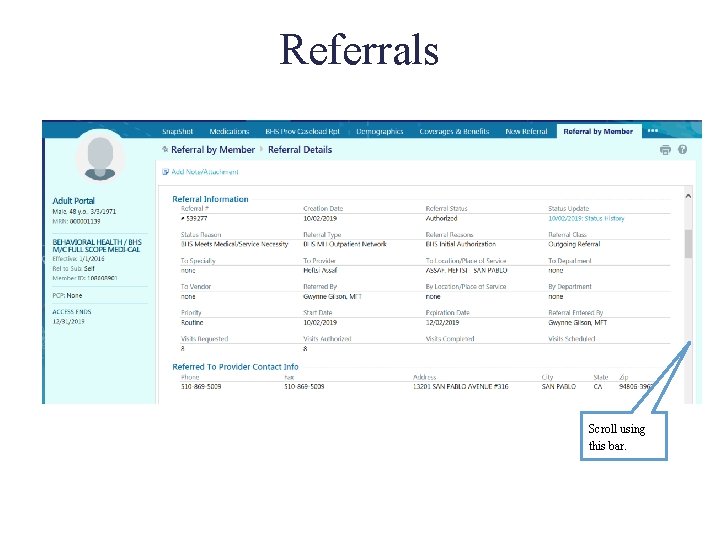
REFERRAL LETTERS New letters will show up in your Referral Letter Notification Folder (Rfl Notif Ltr) Use the scroll bar to review the entire letter.
REFERRAL LETTERS Can also be viewed by scrolling down to the bottom of the “Referral Details” screen .
VIEWING REFERRALS
Referrals Scroll using this bar.
CASELOAD ELIGIBILITY REPORT
Claim Status ¨ Electronic submission of claims is NOT completed in Provider Portal ¨ Information about the status of the claim will be provided as the claim changes status in processing. - Claims Unit Processing - Approved - Pending - Denied - Auditors Office Check Cycle - Processed - Check Sent
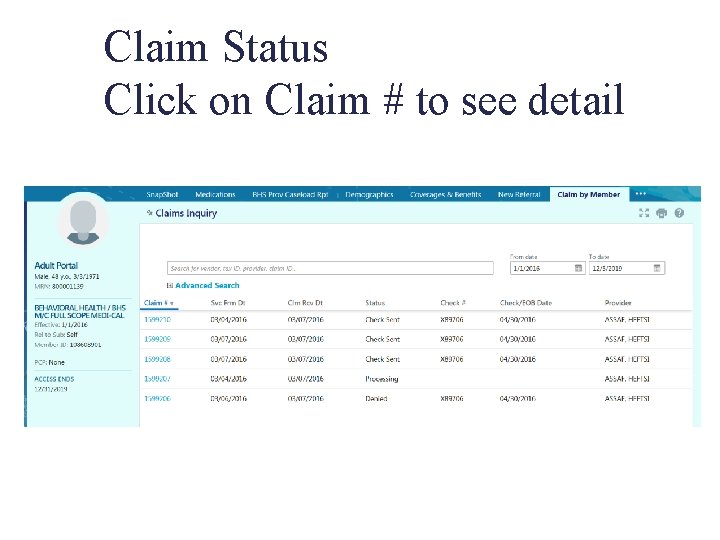
Claim Status Click on Claim # to see detail
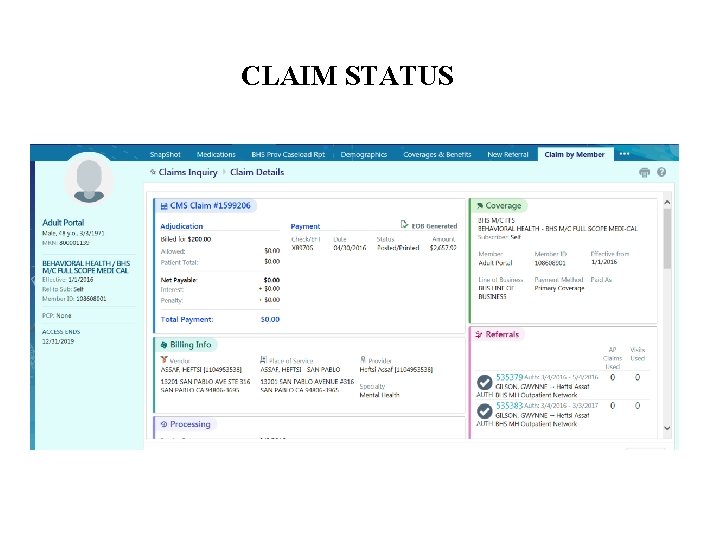
CLAIM STATUS
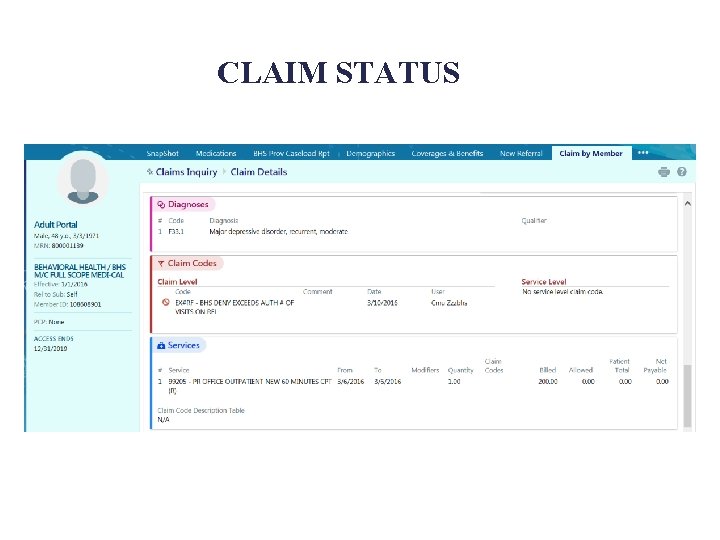
CLAIM STATUS
Provider Portal Registration Process ¨ Provider Completes cc. Link Provider Portal Access Agreement – PRINT LEGIBLY ¨ Include Attachment A: – Portal Access User Request – Solo Providers = Provider – GroupOrg Providers = All StaffOffice Admin Accessing Provider Portal on Behalf of Provider ¨ Primary user will receive two emails when account is set up.
Provider Portal Questions?
PLEASE…. Check your email for updates from CMU!!!

Thank You
- Slides: 82