
CMSC 202 Computer Science II for Majors Lecture

- Slides: 35
CMSC 202 Computer Science II for Majors Lecture 01 – Introduction and C++ Primer Dr. Katherine Gibson Based on slides by Chris Marron at UMBC www. umbc. edu
Course Overview www. umbc. edu
Course Information • Second course in the CMSC intro sequence – Preceded by 201 • CS majors must pass with a B or better • CMPE majors must get at least a C 3 www. umbc. edu
Quick Note About Grades • Students are not allowed to retake a class if they have taken its successor • If you are a CMSC major and received a “C” in 201, you must retake 201 before this class – If you receive a grade in this class, you can no longer be a computer science major at UMBC! • Students are only allowed two attempts in CMSC 201 or CMSC 202 – A “W” counts as an attempt! 4 www. umbc. edu
About Me • Dr. Katherine Gibson – Education • BS in Computer Science, UMBC • Ph. D, University of Pennsylvania – Likes • Video games • Dogs 5 www. umbc. edu
What the Course is About • An introduction to – Object-oriented programming (OOP) and object-oriented design (OOD) – Basic software engineering techniques • Emphasis on proper program design • Tools – C++ programming language, GCC (Gnu Compiler) – Linux (GL system) 6 www. umbc. edu
Review of the Syllabus • • • Grading Criteria Course Policies Attendance Communication Academic Integrity Professor Marron’s website (for assignments) http: //www. csee. umbc. edu/courses/undergraduate/202/spring 16_marron/ 7 www. umbc. edu
Announcement: Note Taker A peer note taker has been requested for this class. A peer note taker is a volunteer student who provides a copy of his or her notes for each class session to another member of the class who has been deemed eligible for this service based on a disability. Peer note takers will be paid a $200 stipend for their service. Peer note taking is not a part time job but rather a volunteer service for which enrolled students can earn a stipend for sharing the notes they are already taking for themselves. If you are interested in serving in this important role, please fill out a note taker application on the Student Disability Services website or in person in the SDS office in Math/Psychology 213. 8 www. umbc. edu
Today’s Objectives • To discuss the differences between the Python and C++ programming languages – Interpreted vs compiled – More restrictions on programming “style” • To begin covering the basics of C++ – Classes – Object-Oriented Programming 9 www. umbc. edu
Development Environment • You will use the GL Linux systems and GCC (GNU Compiler Collection) suite for development. • You will learn to be semi-literate in Linux and shell usage. • You will learn to use a text editor — Emacs is recommended. • You may use IDEs such as Eclipse or XCode, but support will not be provided, and… Your programs must compile and function correctly on the GL Linux systems. 10 www. umbc. edu
Challenges • Getting used to the Linux environment (tends to hit transfer students hardest). • Starting the projects early. • CMSC 202 is much more difficult than CMSC 201 – you will need to be more self-sufficient. • Waiting too late to seek help. • Thinking all that matters is the projects. – Practice programming outside of the projects! 11 www. umbc. edu
Why C++ for CMSC 202? • • Popular modern OO language Wide industry usage Used in many types of applications Desirable features – Object-oriented – Portable (not as much as Java, but fairly so) – Efficient – Retains much of its C origins 12 www. umbc. edu
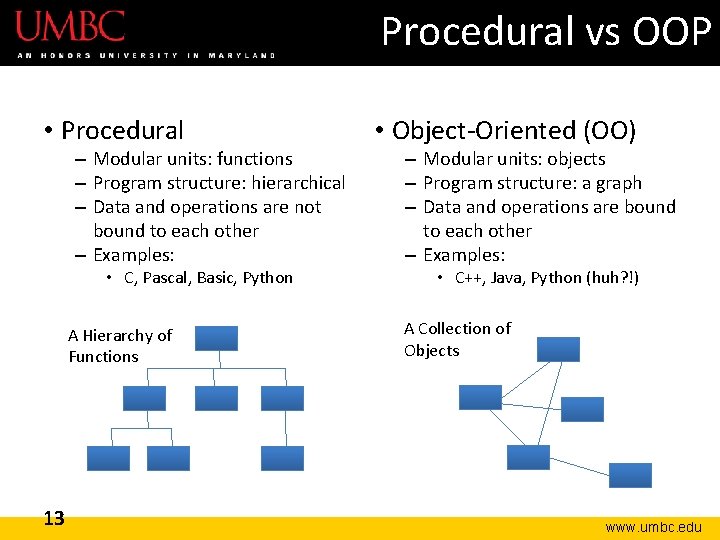
Procedural vs OOP • Procedural – Modular units: functions – Program structure: hierarchical – Data and operations are not bound to each other – Examples: • C, Pascal, Basic, Python A Hierarchy of Functions 13 • Object-Oriented (OO) – Modular units: objects – Program structure: a graph – Data and operations are bound to each other – Examples: • C++, Java, Python (huh? !) A Collection of Objects www. umbc. edu
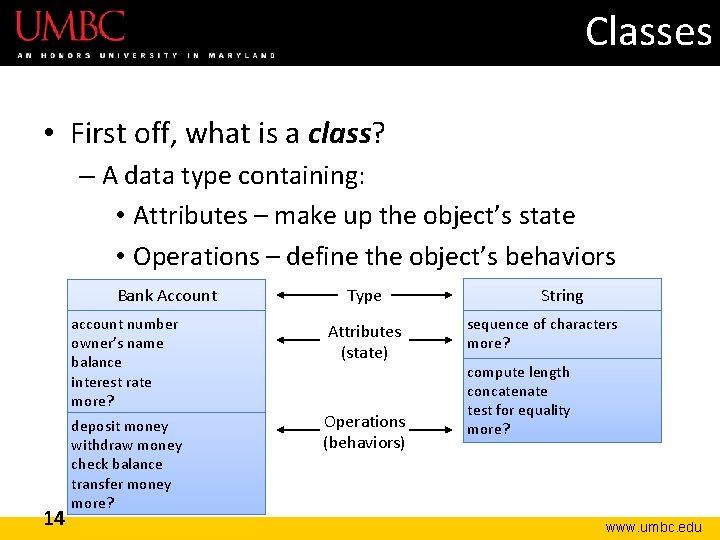
Classes • First off, what is a class? – A data type containing: • Attributes – make up the object’s state • Operations – define the object’s behaviors Bank Account account number owner’s name balance interest rate more? 14 deposit money withdraw money check balance transfer money more? Type Attributes (state) Operations (behaviors) String sequence of characters more? compute length concatenate test for equality more? www. umbc. edu
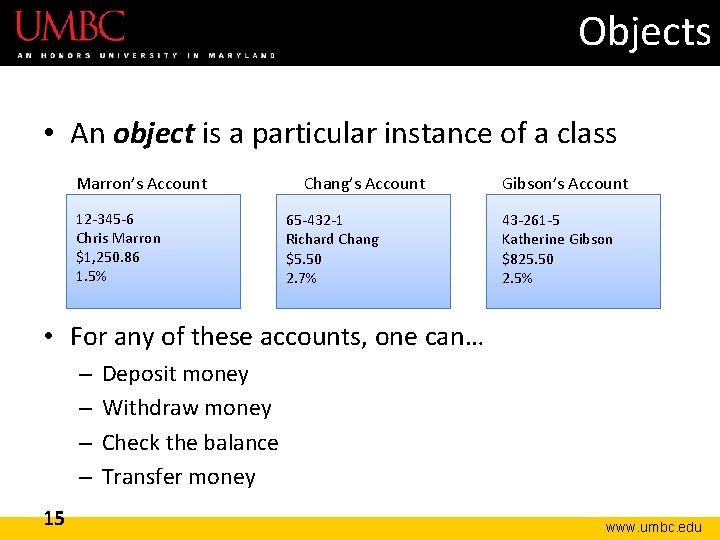
Objects • An object is a particular instance of a class Marron’s Account 12 -345 -6 Chris Marron $1, 250. 86 1. 5% Chang’s Account 65 -432 -1 Richard Chang $5. 50 2. 7% Gibson’s Account 43 -261 -5 Katherine Gibson $825. 50 2. 5% • For any of these accounts, one can… – – 15 Deposit money Withdraw money Check the balance Transfer money www. umbc. edu
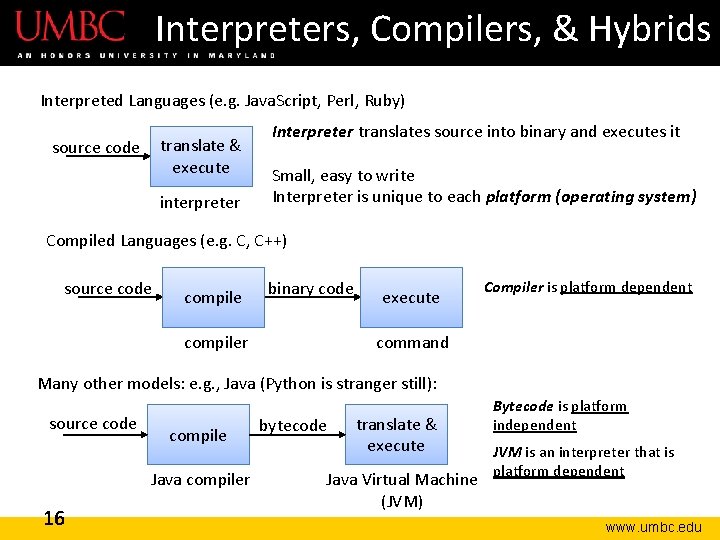
Interpreters, Compilers, & Hybrids Interpreted Languages (e. g. Java. Script, Perl, Ruby) translate & execute source code interpreter Interpreter translates source into binary and executes it Small, easy to write Interpreter is unique to each platform (operating system) Compiled Languages (e. g. C, C++) source code compile binary code compiler execute Compiler is platform dependent command Many other models: e. g. , Java (Python is stranger still): source code compile Java compiler 16 bytecode translate & execute Java Virtual Machine (JVM) Bytecode is platform independent JVM is an interpreter that is platform dependent www. umbc. edu
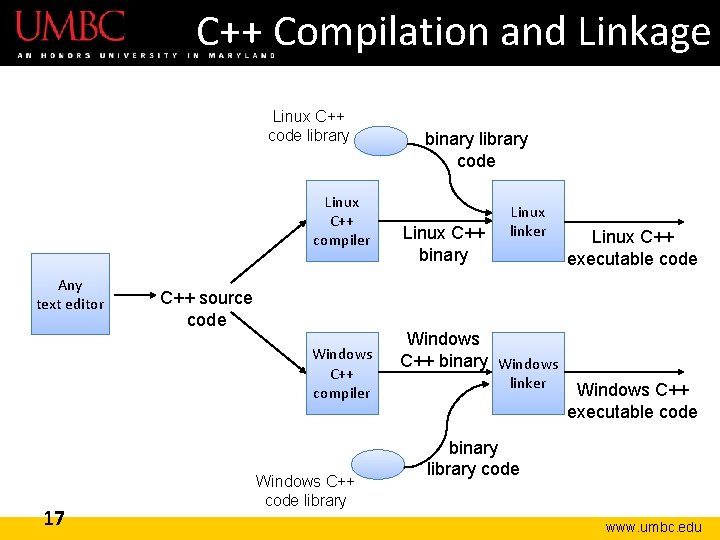
C++ Compilation and Linkage Linux C++ code library Linux C++ compiler Any text editor C++ source code Windows C++ compiler 17 Windows C++ code library binary library code Linux C++ binary Linux linker Linux C++ executable code Windows C++ binary Windows linker Windows C++ executable code binary library code www. umbc. edu
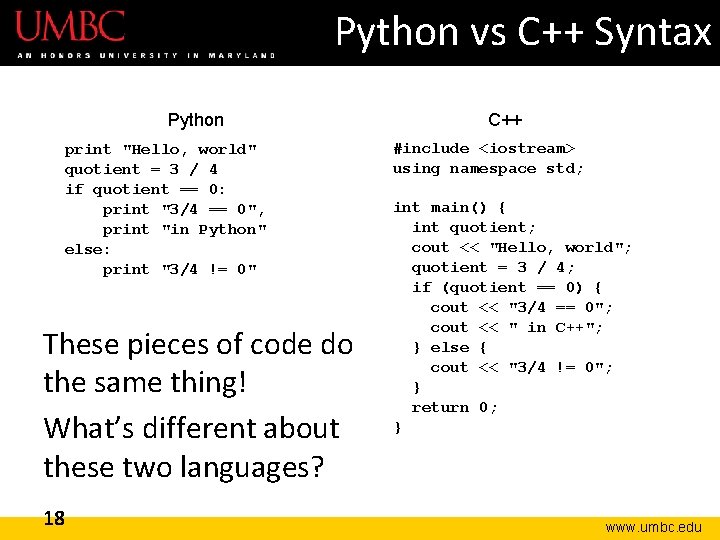
Python vs C++ Syntax Python print "Hello, world" quotient = 3 / 4 if quotient == 0: print "3/4 == 0", print "in Python" else: print "3/4 != 0" These pieces of code do the same thing! What’s different about these two languages? 18 C++ #include <iostream> using namespace std; int main() { int quotient; cout << "Hello, world"; quotient = 3 / 4; if (quotient == 0) { cout << "3/4 == 0"; cout << " in C++"; } else { cout << "3/4 != 0"; } return 0; } www. umbc. edu
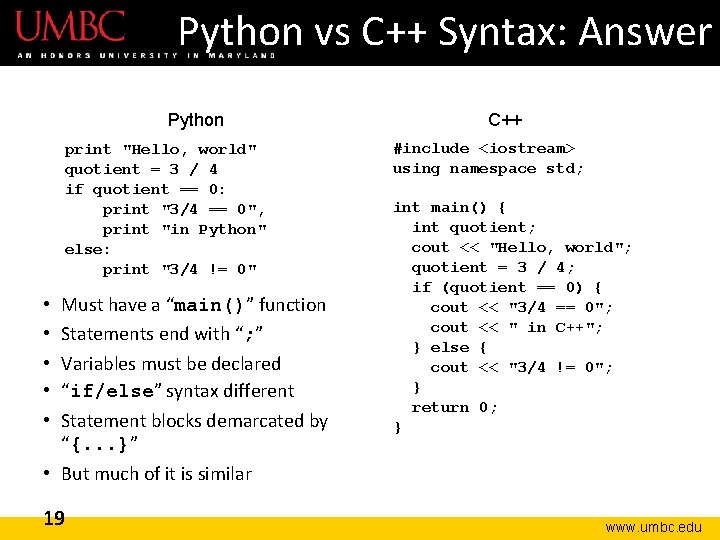
Python vs C++ Syntax: Answer Python print "Hello, world" quotient = 3 / 4 if quotient == 0: print "3/4 == 0", print "in Python" else: print "3/4 != 0" Must have a “main()” function Statements end with “; ” Variables must be declared “if/else” syntax different Statement blocks demarcated by “{. . . }” • But much of it is similar • • • 19 C++ #include <iostream> using namespace std; int main() { int quotient; cout << "Hello, world"; quotient = 3 / 4; if (quotient == 0) { cout << "3/4 == 0"; cout << " in C++"; } else { cout << "3/4 != 0"; } return 0; } www. umbc. edu
C++ Primer 20 www. umbc. edu
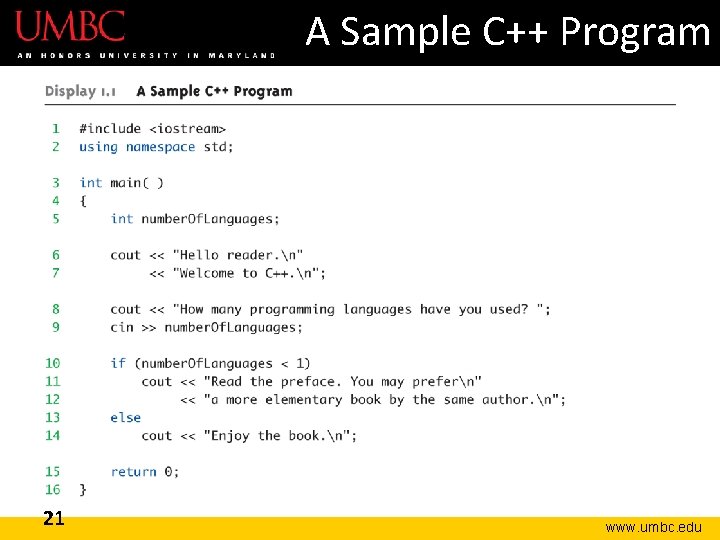
A Sample C++ Program 21 www. umbc. edu
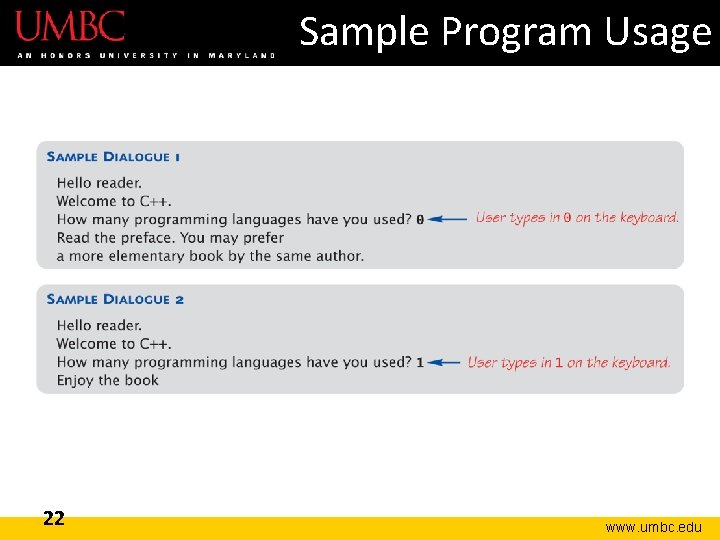
Sample Program Usage 22 www. umbc. edu
C++ Identifiers and Variables • C++ Identifiers – Can’t use keywords/reserved words – Case-sensitivity and validity of identifiers – Meaningful names! – Used for variables, class names, and more • Variables – A memory location to store data for a program – Must declare all data before use in program 23 www. umbc. edu
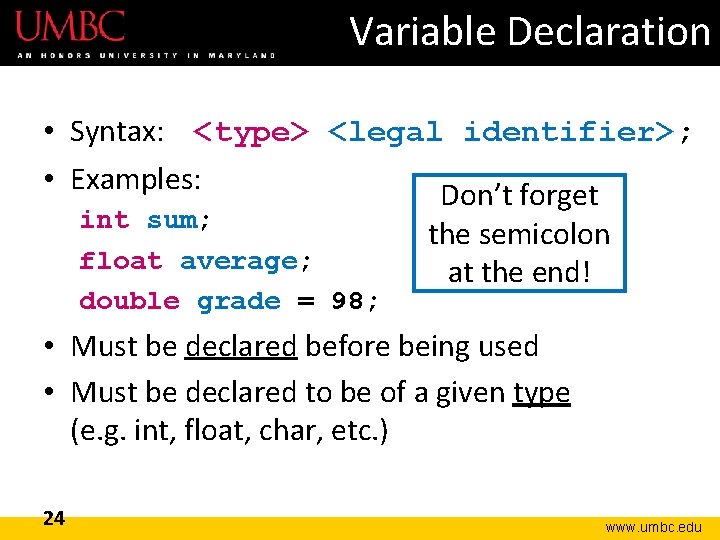
Variable Declaration • Syntax: <type> <legal identifier>; • Examples: Don’t forget int sum; the semicolon float average; at the end! double grade = 98; • Must be declared before being used • Must be declared to be of a given type (e. g. int, float, char, etc. ) 24 www. umbc. edu
Declaring a Variable • When we declare a variable, we tell the compiler: – When and where to set aside memory space for the variable – How much memory to set aside – How to interpret the contents of that memory; AKA, the specified data type – What name we will be referring to that location by: its identifier, or name 25 www. umbc. edu
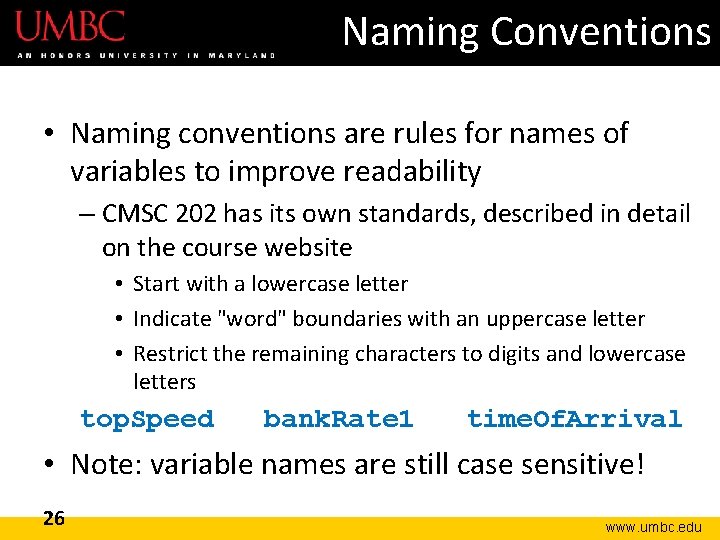
Naming Conventions • Naming conventions are rules for names of variables to improve readability – CMSC 202 has its own standards, described in detail on the course website • Start with a lowercase letter • Indicate "word" boundaries with an uppercase letter • Restrict the remaining characters to digits and lowercase letters top. Speed bank. Rate 1 time. Of. Arrival • Note: variable names are still case sensitive! 26 www. umbc. edu
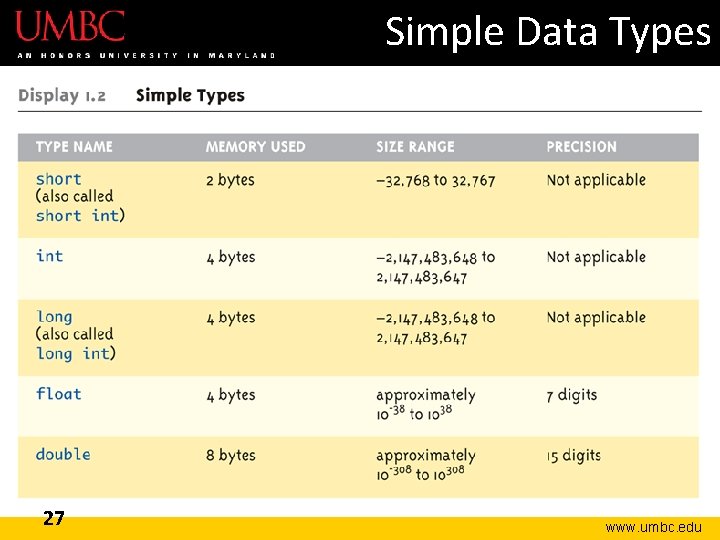
Simple Data Types 27 www. umbc. edu
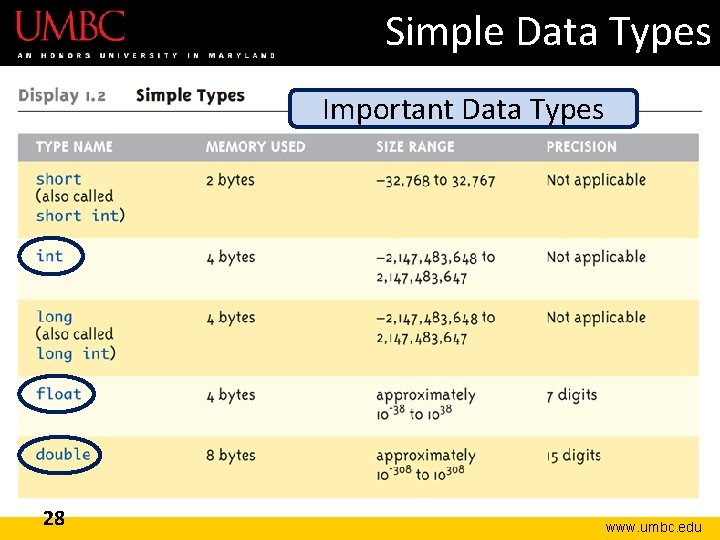
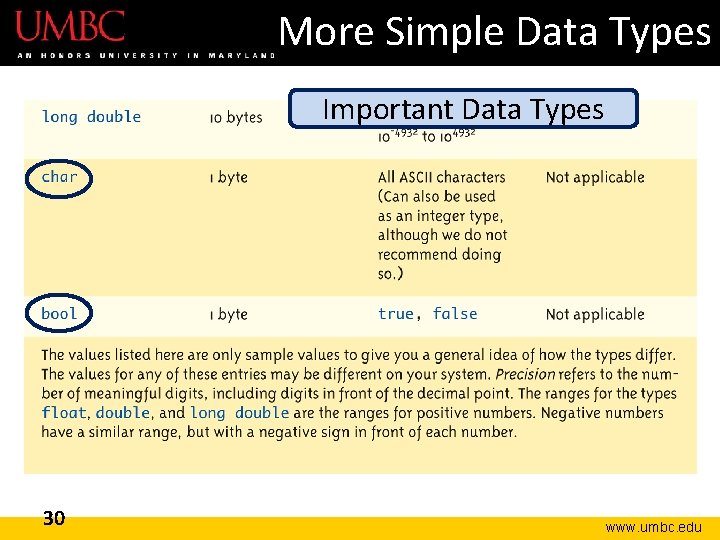
Simple Data Types Important Data Types 28 www. umbc. edu
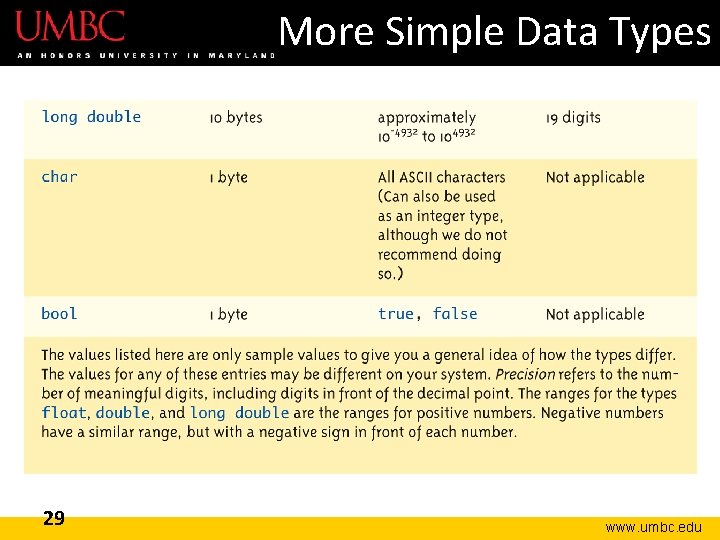
More Simple Data Types 29 www. umbc. edu
More Simple Data Types Important Data Types 30 www. umbc. edu
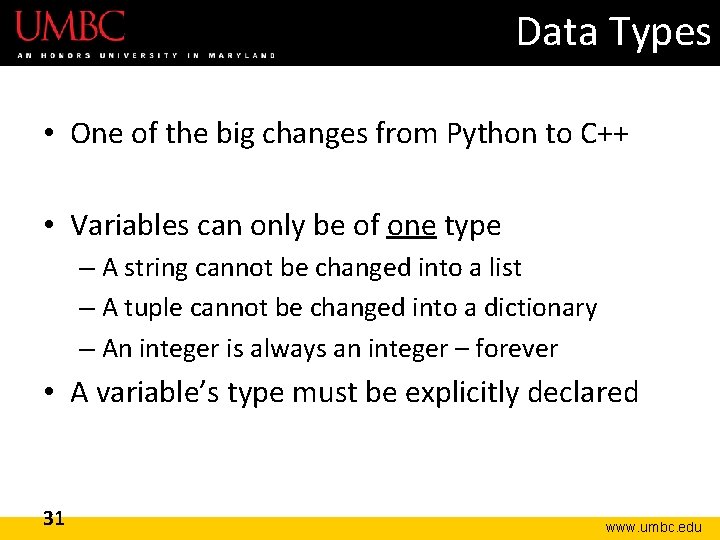
Data Types • One of the big changes from Python to C++ • Variables can only be of one type – A string cannot be changed into a list – A tuple cannot be changed into a dictionary – An integer is always an integer – forever • A variable’s type must be explicitly declared 31 www. umbc. edu
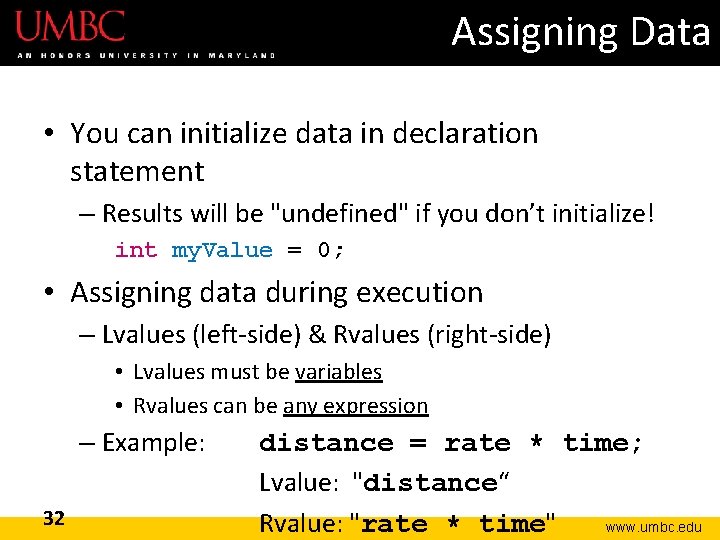
Assigning Data • You can initialize data in declaration statement – Results will be "undefined" if you don’t initialize! int my. Value = 0; • Assigning data during execution – Lvalues (left-side) & Rvalues (right-side) • Lvalues must be variables • Rvalues can be any expression – Example: 32 distance = rate * time; Lvalue: "distance“ Rvalue: "rate * time" www. umbc. edu
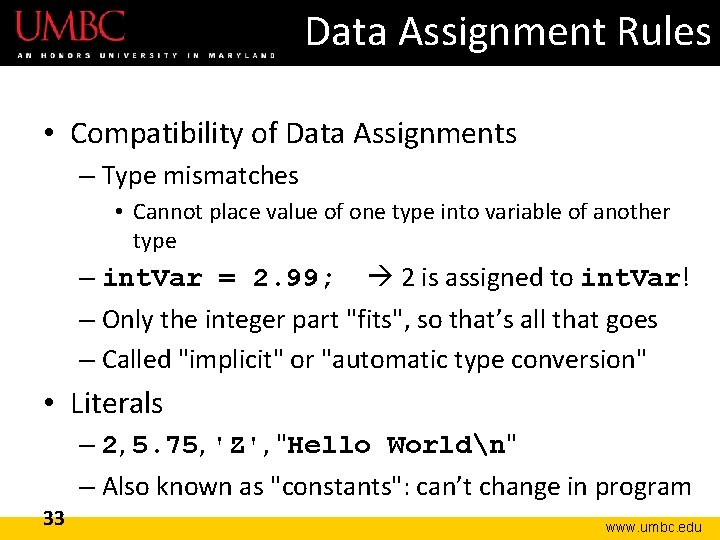
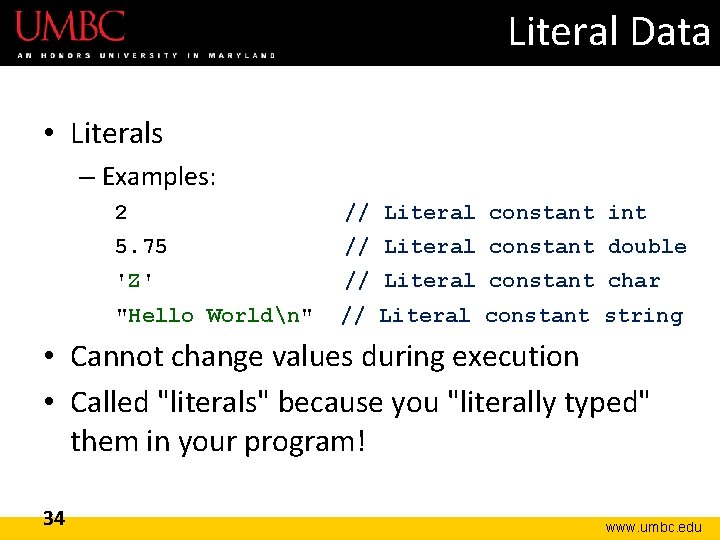
Data Assignment Rules • Compatibility of Data Assignments – Type mismatches • Cannot place value of one type into variable of another type – int. Var = 2. 99; 2 is assigned to int. Var! – Only the integer part "fits", so that’s all that goes – Called "implicit" or "automatic type conversion" • Literals – 2, 5. 75, 'Z', "Hello Worldn" – Also known as "constants": can’t change in program 33 www. umbc. edu
Literal Data • Literals – Examples: 2 // Literal constant int 5. 75 // Literal constant double 'Z' // Literal constant char "Hello Worldn" // Literal constant string • Cannot change values during execution • Called "literals" because you "literally typed" them in your program! 34 www. umbc. edu
Announcements • There will be an important handout on Tuesday, which will only be available in class • The Blackboard site will be available soon • Next Time: Continuation of the C++ Primer, and we’ll begin Functions 35 www. umbc. edu