
CMSC 202 Additional Lecture Makefiles Prof Katherine Gibson
CMSC 202 Additional Lecture – Makefiles Prof. Katherine Gibson
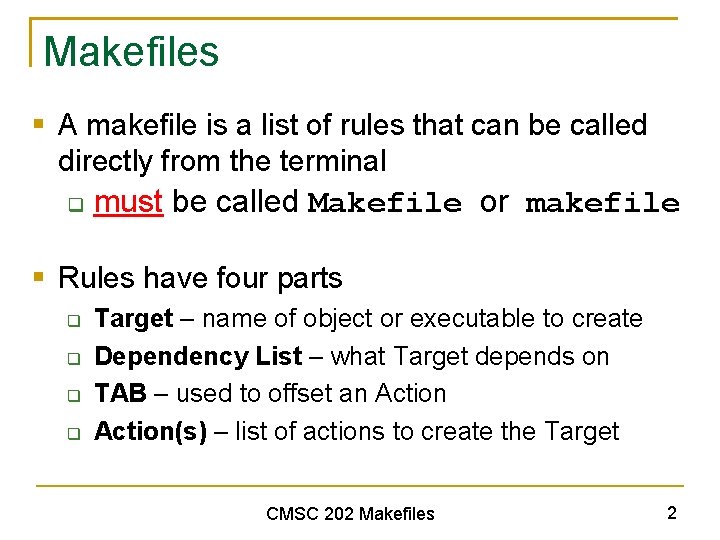
Makefiles § A makefile is a list of rules that can be called directly from the terminal q must be called Makefile or makefile § Rules have four parts q q Target – name of object or executable to create Dependency List – what Target depends on TAB – used to offset an Action(s) – list of actions to create the Target CMSC 202 Makefiles 2
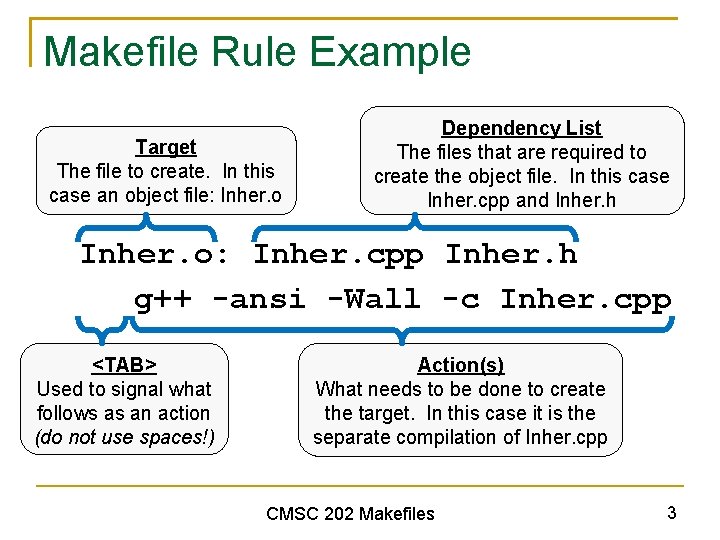
Makefile Rule Example Target The file to create. In this case an object file: Inher. o Dependency List The files that are required to create the object file. In this case Inher. cpp and Inher. h Inher. o: Inher. cpp Inher. h g++ -ansi -Wall -c Inher. cpp <TAB> Used to signal what follows as an action (do not use spaces!) Action(s) What needs to be done to create the target. In this case it is the separate compilation of Inher. cpp CMSC 202 Makefiles 3
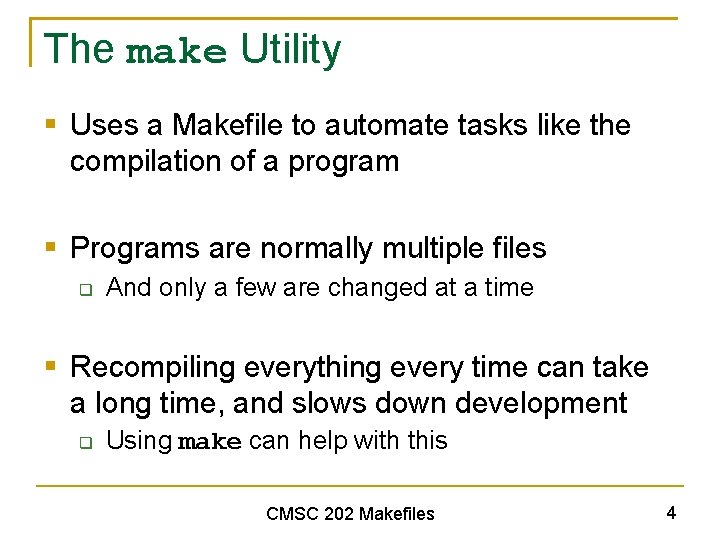
The make Utility § Uses a Makefile to automate tasks like the compilation of a program § Programs are normally multiple files q And only a few are changed at a time § Recompiling everything every time can take a long time, and slows down development q Using make can help with this CMSC 202 Makefiles 4
Efficiency of make § make only recompiles files that need to be q q Files that have been updated Files that depend on updated files § Compares the timestamp of the dependency list items to that of the target q q If a source is newer than the object file, the object file needs to be recompiled Likewise if an object file is newer than the executable it needs to be re-linked CMSC 202 Makefiles 5

Example Makefile Project 1: Project 1. o Inventory. o Cd. o Date. o g++ -ansi -Wall -o proj 1 Project 1. o Inventory. o Cd. o Date. o Project 1. o: Project 1. c Inventory. h g++ -ansi -Wall -c Project 1. c Inventory. o: Inventory. c Inventory. h Cd. h g++ -ansi -Wall -c Inventory. c Cd. o: Cd. c Cd. h Date. h g++ -ansi -Wall -c Cd. c Date. o: Date. c Date. h g++ -ansi -Wall -c Date. c CMSC 202 Makefiles 6
Specifying a Target § The first target in the file is the “default target” q q Should be the name of the executable to create Project 1 (creates proj 1 executable) § To call a specific rule or create a specific target, use make <TARGET> § Omitting the target (typing just “make”) will create the default target CMSC 202 Makefiles 7
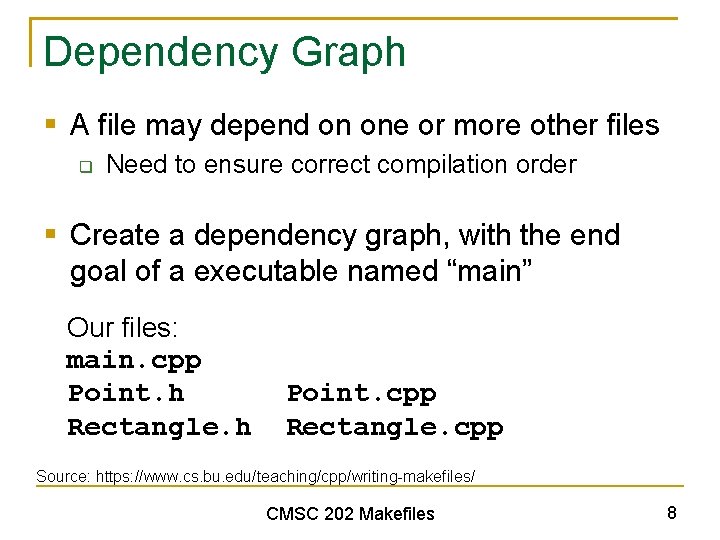
Dependency Graph § A file may depend on one or more other files q Need to ensure correct compilation order § Create a dependency graph, with the end goal of a executable named “main” Our files: main. cpp Point. h Rectangle. h Point. cpp Rectangle. cpp Source: https: //www. cs. bu. edu/teaching/cpp/writing-makefiles/ CMSC 202 Makefiles 8
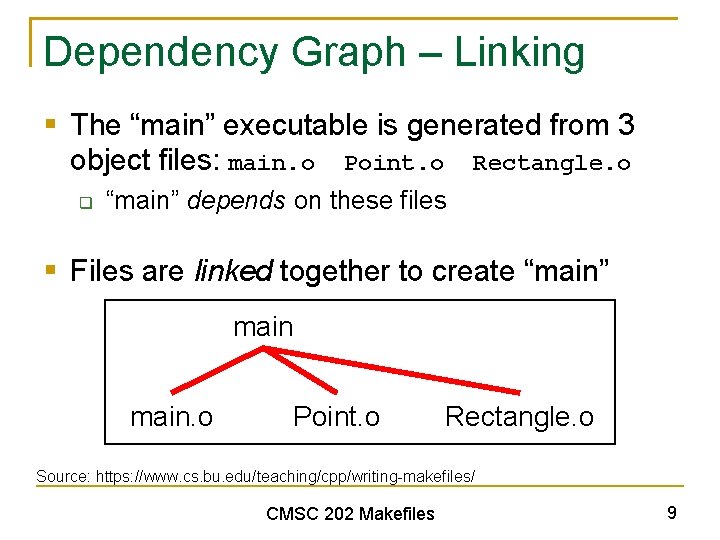
Dependency Graph – Linking § The “main” executable is generated from 3 object files: main. o Point. o Rectangle. o q “main” depends on these files § Files are linked together to create “main” main. o Point. o Rectangle. o Source: https: //www. cs. bu. edu/teaching/cpp/writing-makefiles/ CMSC 202 Makefiles 9
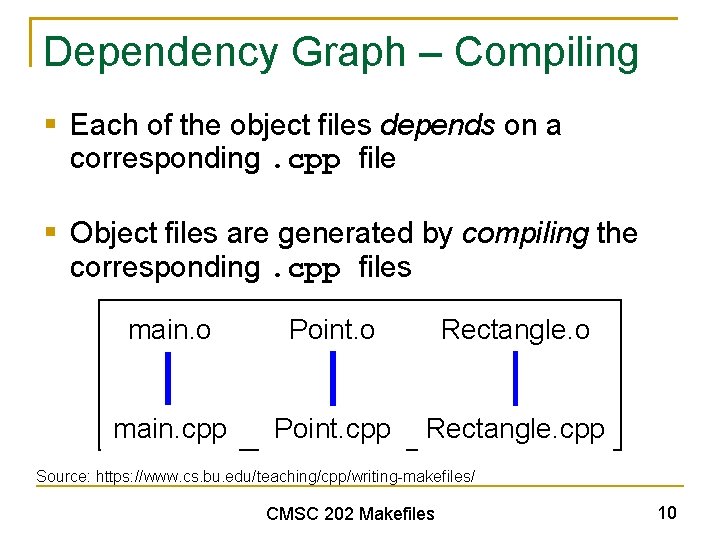
Dependency Graph – Compiling § Each of the object files depends on a corresponding. cpp file § Object files are generated by compiling the corresponding. cpp files main. o Point. o Rectangle. o main. cpp Point. cpp Rectangle. cpp Source: https: //www. cs. bu. edu/teaching/cpp/writing-makefiles/ CMSC 202 Makefiles 10
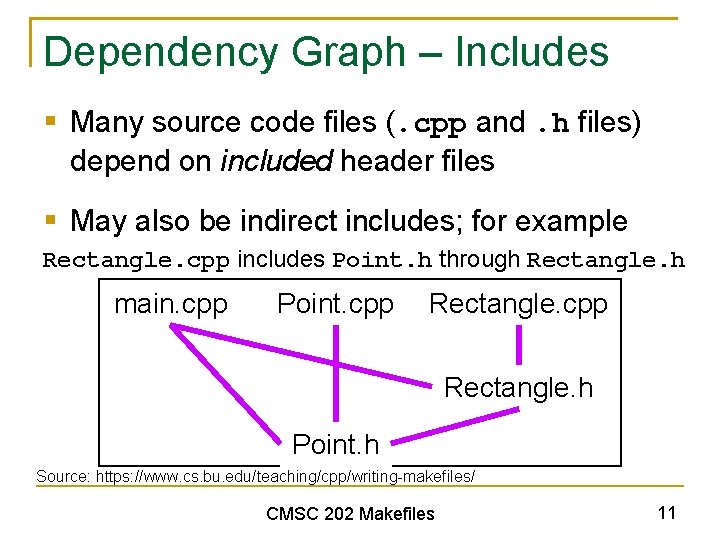
Dependency Graph – Includes § Many source code files (. cpp and. h files) depend on included header files § May also be indirect includes; for example Rectangle. cpp includes Point. h through Rectangle. h main. cpp Point. cpp Rectangle. h Point. h Source: https: //www. cs. bu. edu/teaching/cpp/writing-makefiles/ CMSC 202 Makefiles 11
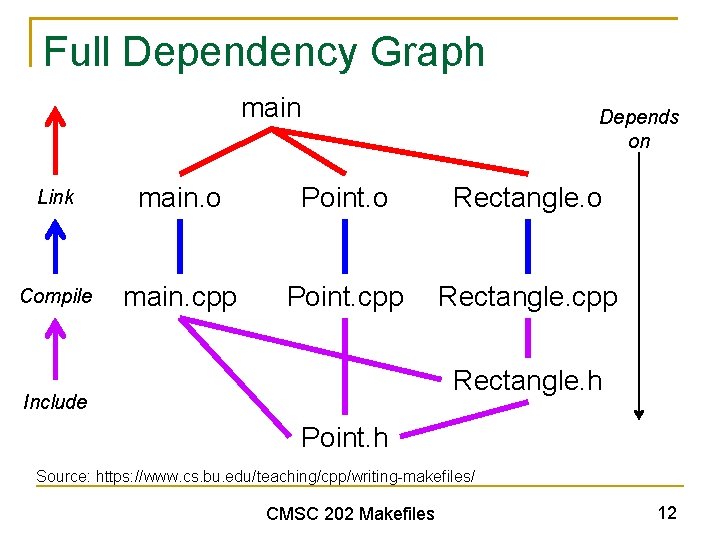
Full Dependency Graph main Depends on Link main. o Point. o Rectangle. o Compile main. cpp Point. cpp Rectangle. h Include Point. h Source: https: //www. cs. bu. edu/teaching/cpp/writing-makefiles/ CMSC 202 Makefiles 12
Makefile Macros CMSC 202 Makefiles
Why Even Use Makefiles? § Compiling, linking, and executing become… q q q Easier Quicker (more efficient) Less prone to human error § Also allows us to create and run helper rules q Clean up unneeded files (like hw 2. cpp~) § Laziness (but efficiently lazy) CMSC 202 Makefiles 14
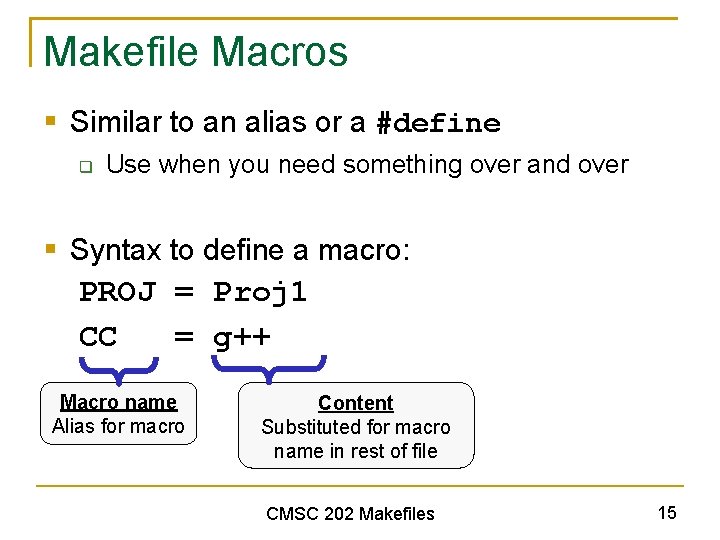
Makefile Macros § Similar to an alias or a #define q Use when you need something over and over § Syntax to define a macro: PROJ = Proj 1 CC = g++ Macro name Alias for macro Content Substituted for macro name in rest of file CMSC 202 Makefiles 15
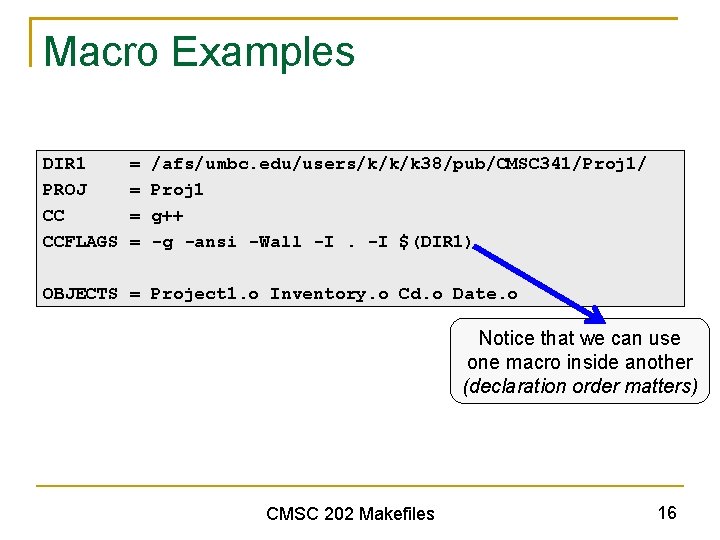
Macro Examples DIR 1 PROJ CC CCFLAGS = = /afs/umbc. edu/users/k/k/k 38/pub/CMSC 341/Proj 1/ Proj 1 g++ -g -ansi -Wall -I. -I $(DIR 1) OBJECTS = Project 1. o Inventory. o Cd. o Date. o Notice that we can use one macro inside another (declaration order matters) CMSC 202 Makefiles 16
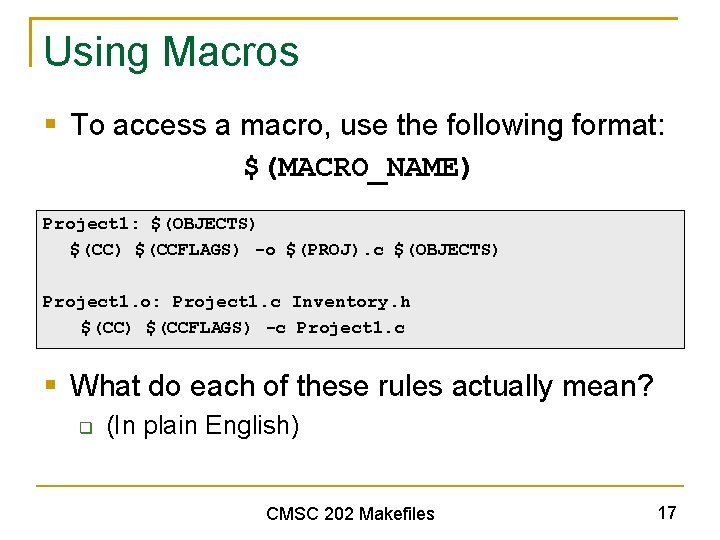
Using Macros § To access a macro, use the following format: $(MACRO_NAME) Project 1: $(OBJECTS) $(CCFLAGS) -o $(PROJ). c $(OBJECTS) Project 1. o: Project 1. c Inventory. h $(CC) $(CCFLAGS) -c Project 1. c § What do each of these rules actually mean? q (In plain English) CMSC 202 Makefiles 17
Helper Rules § You can specify targets that do auxiliary tasks and do not actually compile code q q q Remove object and executable files Print source code Submit all code § Timestamps don’t matter for these tasks q q Good practice to let the makefile know that These target are called “phony” targets CMSC 202 Makefiles 18
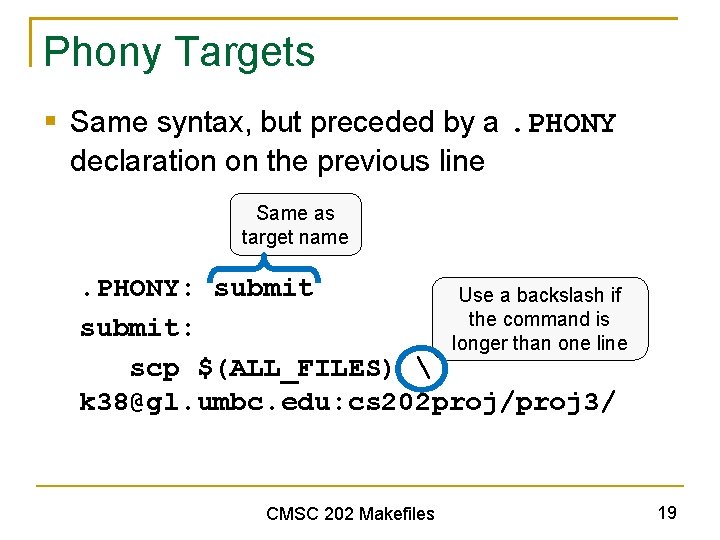
Phony Targets § Same syntax, but preceded by a. PHONY declaration on the previous line Same as target name . PHONY: submit Use a backslash if the command is submit: longer than one line scp $(ALL_FILES) k 38@gl. umbc. edu: cs 202 proj/proj 3/ CMSC 202 Makefiles 19
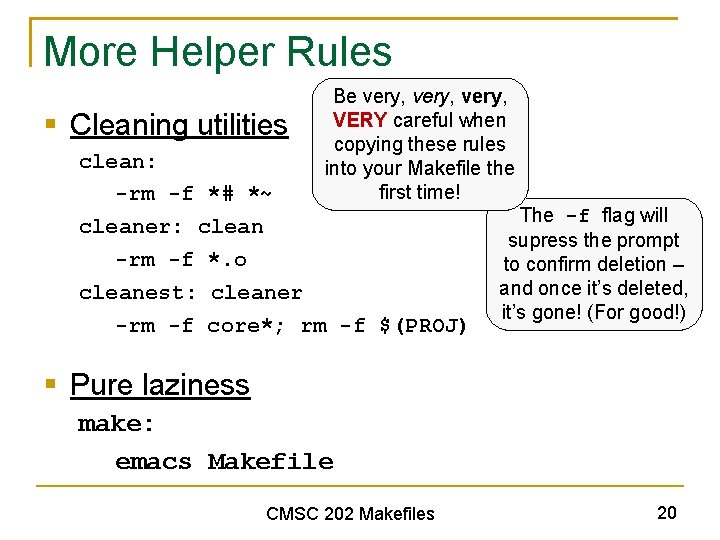
More Helper Rules § Cleaning utilities Be very, VERY careful when copying these rules into your Makefile the first time! clean: -rm -f *# *~ cleaner: clean -rm -f *. o cleanest: cleaner -rm -f core*; rm -f $(PROJ) The -f flag will supress the prompt to confirm deletion – and once it’s deleted, it’s gone! (For good!) § Pure laziness make: emacs Makefile CMSC 202 Makefiles 20
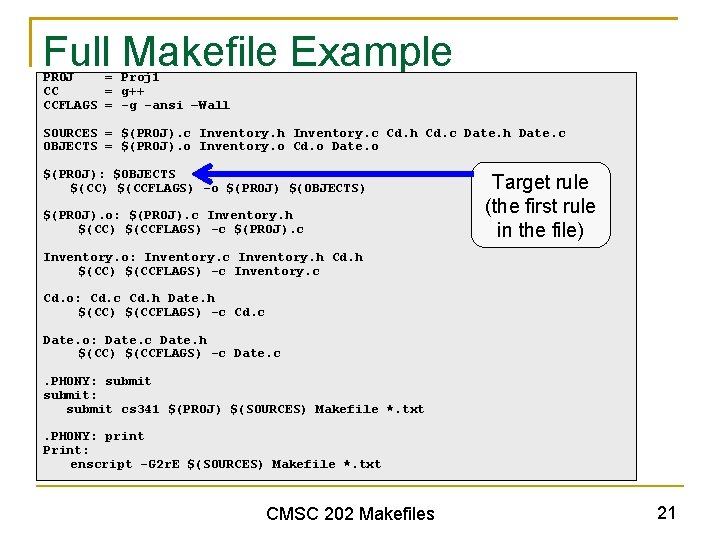
Full Makefile Example PROJ = Proj 1 CC = g++ CCFLAGS = -g -ansi –Wall SOURCES = $(PROJ). c Inventory. h Inventory. c Cd. h Cd. c Date. h Date. c OBJECTS = $(PROJ). o Inventory. o Cd. o Date. o $(PROJ): $OBJECTS $(CC) $(CCFLAGS) -o $(PROJ) $(OBJECTS) $(PROJ). o: $(PROJ). c Inventory. h $(CC) $(CCFLAGS) -c $(PROJ). c Target rule (the first rule in the file) Inventory. o: Inventory. c Inventory. h Cd. h $(CC) $(CCFLAGS) -c Inventory. c Cd. o: Cd. c Cd. h Date. h $(CC) $(CCFLAGS) -c Cd. c Date. o: Date. c Date. h $(CC) $(CCFLAGS) -c Date. c. PHONY: submit: submit cs 341 $(PROJ) $(SOURCES) Makefile *. txt. PHONY: print Print: enscript -G 2 r. E $(SOURCES) Makefile *. txt CMSC 202 Makefiles 21
- Slides: 21