
CMSC 150 INTRODUCTION TO COMPUTING ACKNOWLEDGEMENT THESE SLIDES
- Slides: 41
CMSC 150 INTRODUCTION TO COMPUTING ACKNOWLEDGEMENT: THESE SLIDES ARE ADAPTED FROM SLIDES PROVIDED WITH INTRODUCTION TO PROGRAMMING USING PYTHON, LIANG (PEARSON 2013) LECTURE 1 • INTRODUCTION TO COURSE • COMPUTER SCIENCE • HELLO WORLD
WELCOME • Questions?
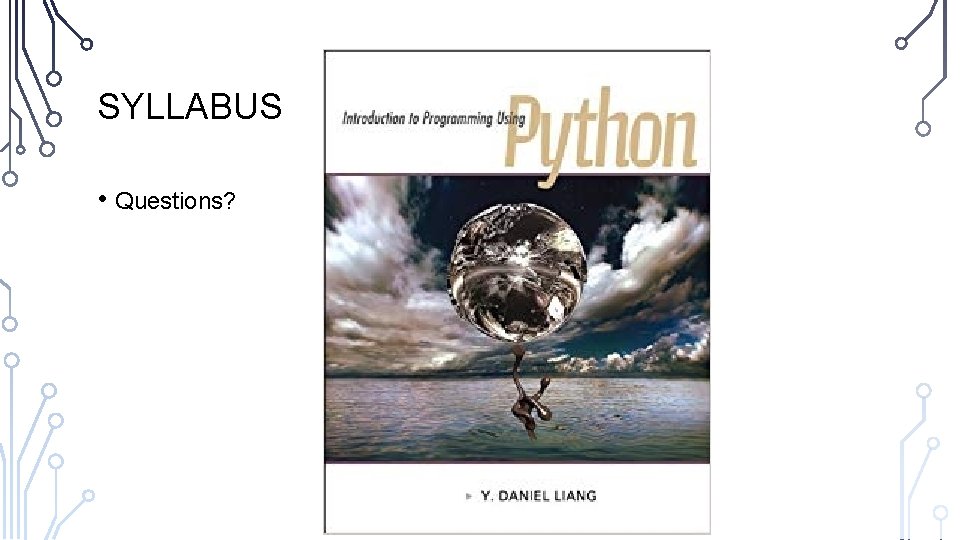
SYLLABUS • Questions?
WHAT IS COMPUTER SCIENCE AND COMPUTING?
COMPUTER SCIENCE • • Your thoughts? • Edsgar Dijkstra: “Computer Science is no more about computers than astronomy is about telescopes” Google: “The study of the principles and use of computers” Wikipedia: “The scientific and practical approach to computation and its applications” Dictionary. com: “The science that deals with theory and methods of processing information in digital computers, the design of computer hardware and software, and the applications of computers”
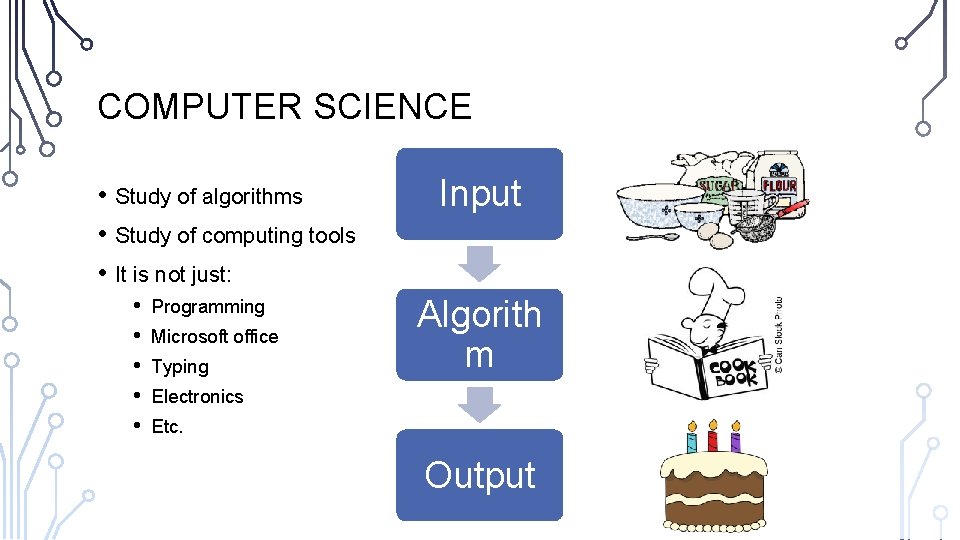
COMPUTER SCIENCE • Study of algorithms • Study of computing tools • It is not just: • • • Programming Microsoft office Typing Input Algorith m Electronics Etc. Output
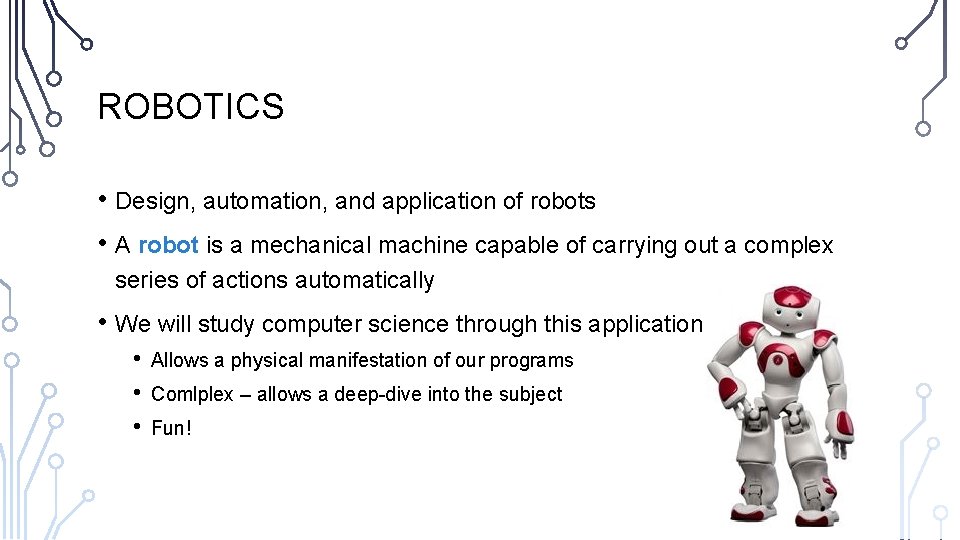
ROBOTICS • Design, automation, and application of robots • A robot is a mechanical machine capable of carrying out a complex series of actions automatically • We will study computer science through this application • • • Allows a physical manifestation of our programs Comlplex – allows a deep-dive into the subject Fun!
PROBLEM • Work in pairs/triplets • Create a methodology to move a robot from point A to point B • • • Determine the input Determine the algorithm Determine the output • Put another way…tell a computer how to do this task
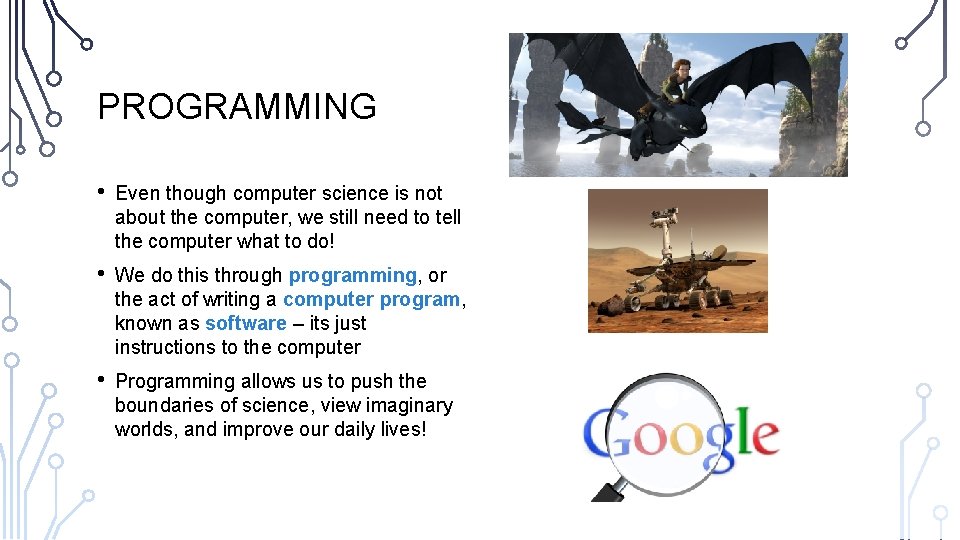
PROGRAMMING • Even though computer science is not about the computer, we still need to tell the computer what to do! • We do this through programming, or the act of writing a computer program, known as software – its just instructions to the computer • Programming allows us to push the boundaries of science, view imaginary worlds, and improve our daily lives!
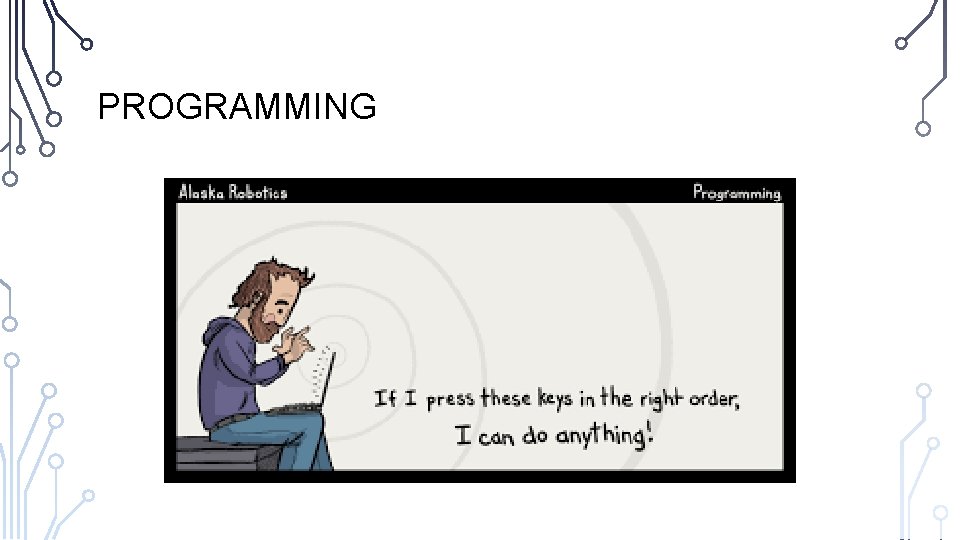
PROGRAMMING
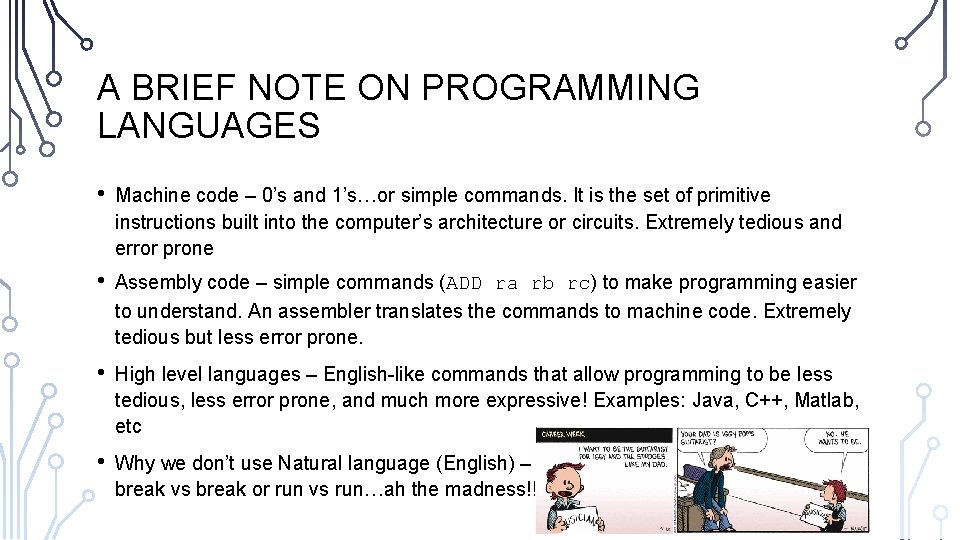
A BRIEF NOTE ON PROGRAMMING LANGUAGES • Machine code – 0’s and 1’s…or simple commands. It is the set of primitive instructions built into the computer’s architecture or circuits. Extremely tedious and error prone • Assembly code – simple commands (ADD ra rb rc) to make programming easier to understand. An assembler translates the commands to machine code. Extremely tedious but less error prone. • High level languages – English-like commands that allow programming to be less tedious, less error prone, and much more expressive! Examples: Java, C++, Matlab, etc • Why we don’t use Natural language (English) – Its ambiguous…which vs which or break vs break or run vs run…ah the madness!!!!
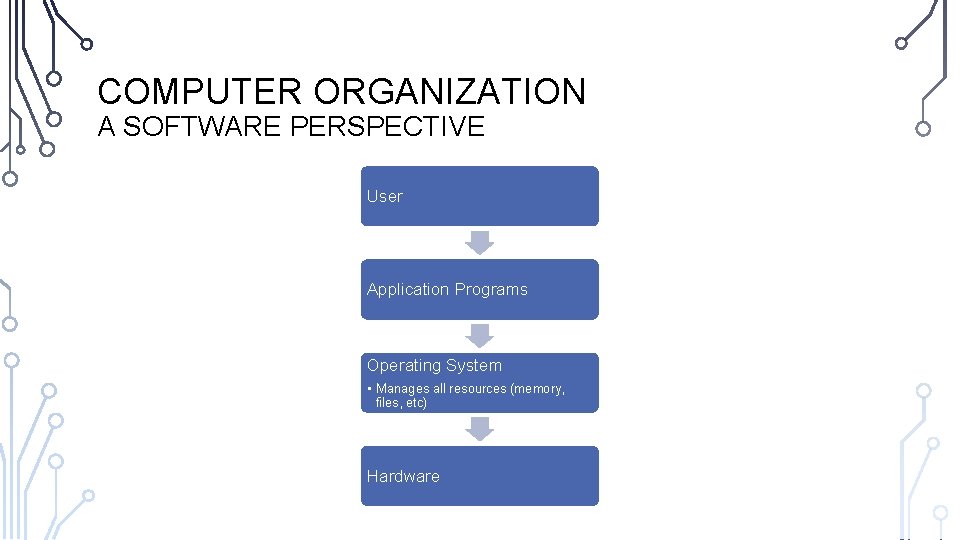
COMPUTER ORGANIZATION A SOFTWARE PERSPECTIVE User Application Programs Operating System • Manages all resources (memory, files, etc) Hardware
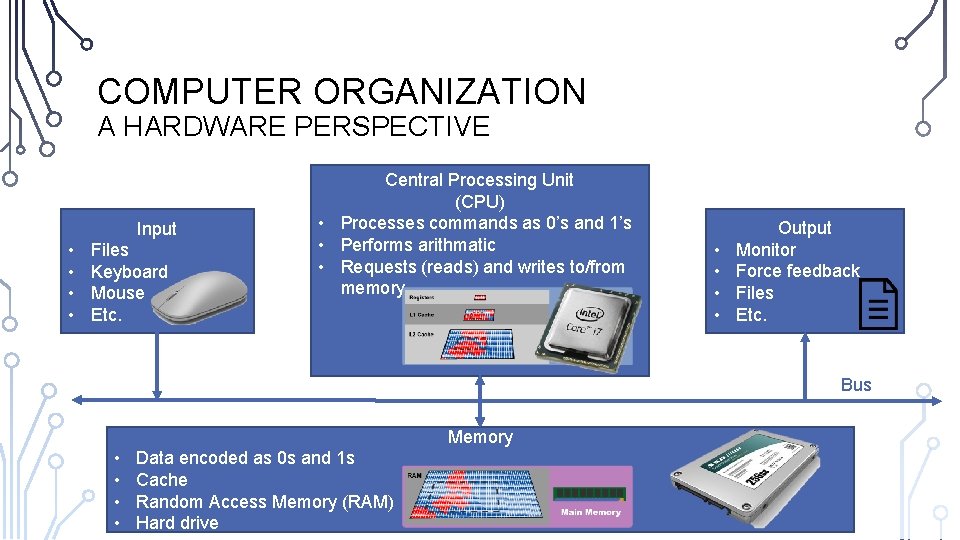
COMPUTER ORGANIZATION A HARDWARE PERSPECTIVE Input • • Files Keyboard Mouse Etc. Central Processing Unit (CPU) • Processes commands as 0’s and 1’s • Performs arithmatic • Requests (reads) and writes to/from memory • • Output Monitor Force feedback Files Etc. Bus Memory • • Data encoded as 0 s and 1 s Cache Random Access Memory (RAM) Hard drive
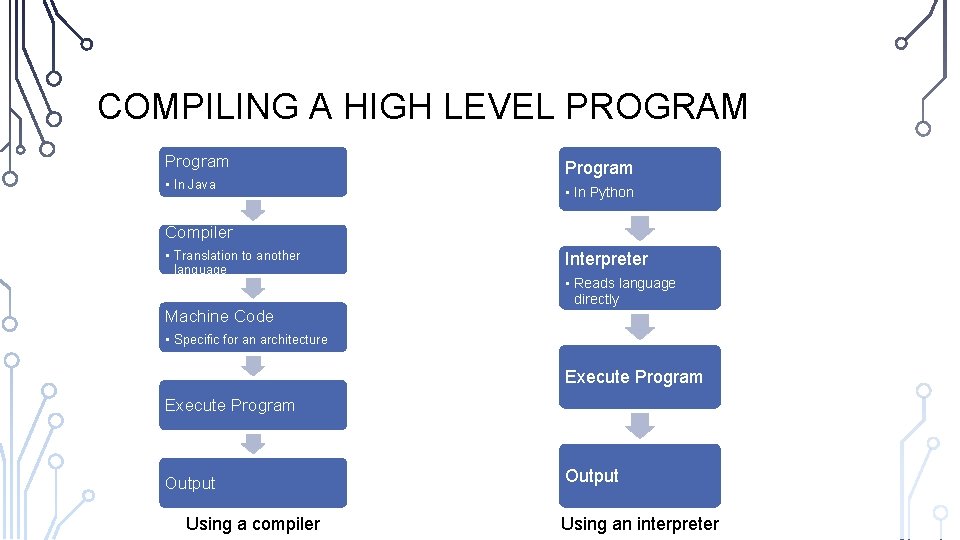
COMPILING A HIGH LEVEL PROGRAM Program • In Java Program • In Python Compiler • Translation to another language Interpreter • Reads language directly Machine Code • Specific for an architecture Execute Program Output Using a compiler Output Using an interpreter
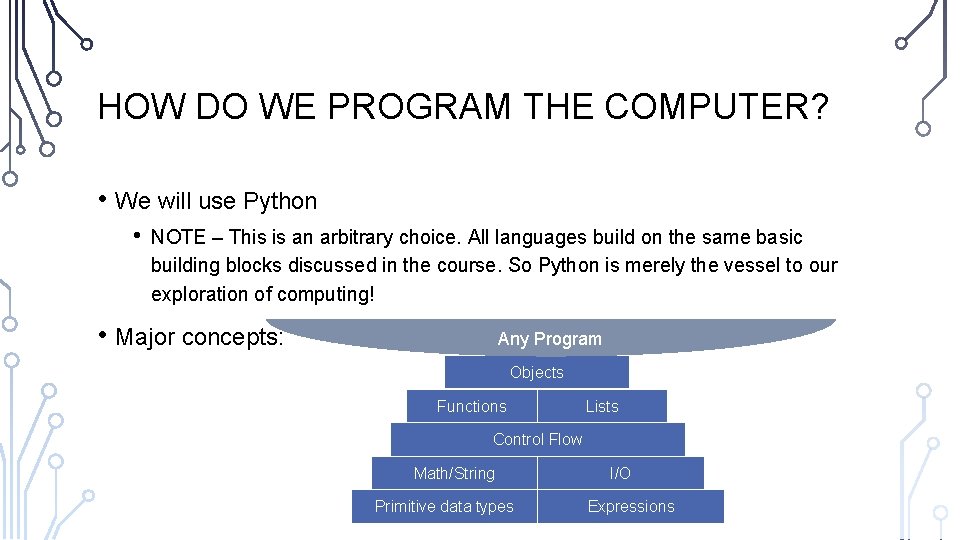
HOW DO WE PROGRAM THE COMPUTER? • We will use Python • NOTE – This is an arbitrary choice. All languages build on the same basic building blocks discussed in the course. So Python is merely the vessel to our exploration of computing! • Major concepts: Any Program Objects Functions Lists Control Flow Math/String Primitive data types I/O Expressions
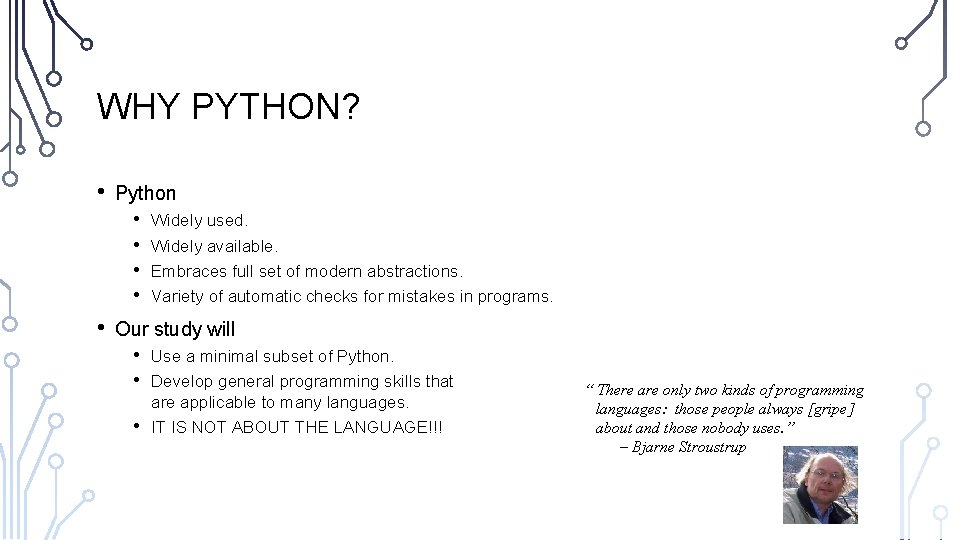
WHY PYTHON? • Python • • • Widely used. Widely available. Embraces full set of modern abstractions. Variety of automatic checks for mistakes in programs. Our study will • • • Use a minimal subset of Python. Develop general programming skills that are applicable to many languages. IT IS NOT ABOUT THE LANGUAGE!!! “ There are only two kinds of programming languages: those people always [gripe] about and those nobody uses. ” – Bjarne Stroustrup
PYTHON 2 VS PYTHON 3 • We will specifically use Python 3 in this class • Many resources online teach/use Python 2 • Python 3 is not backwards compatible, so be careful with using online resources
WALK THROUGH PROGRAMMING 1. 2. 3. 4. PROGRAM HELLOWORLD PROGRAM HELLOGRAPHICS PROGRAM HELLOROBOTICS TURN THIS SET OF PROGRAMS IN THROUGH GITHUB
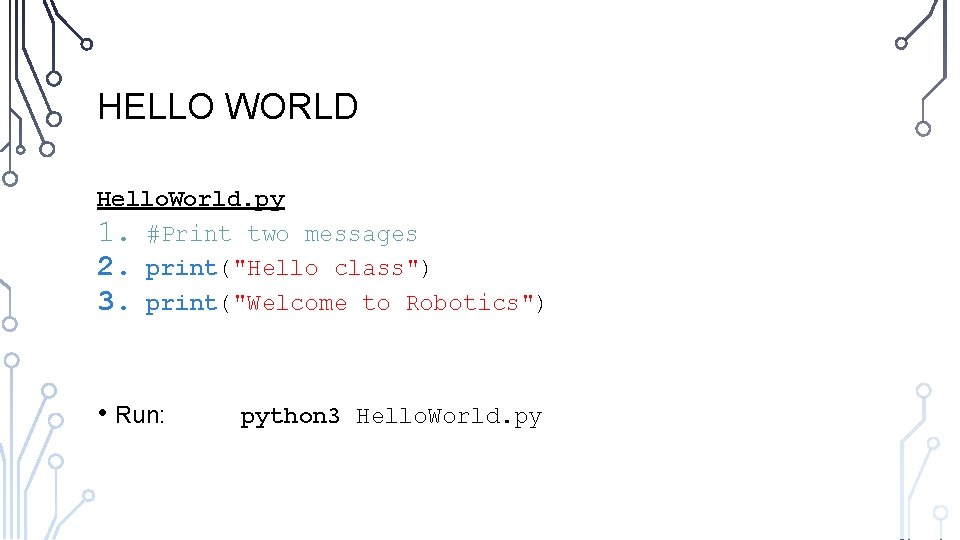
HELLO WORLD Hello. World. py 1. #Print two messages 2. print("Hello class") 3. print("Welcome to Robotics") • Run: python 3 Hello. World. py
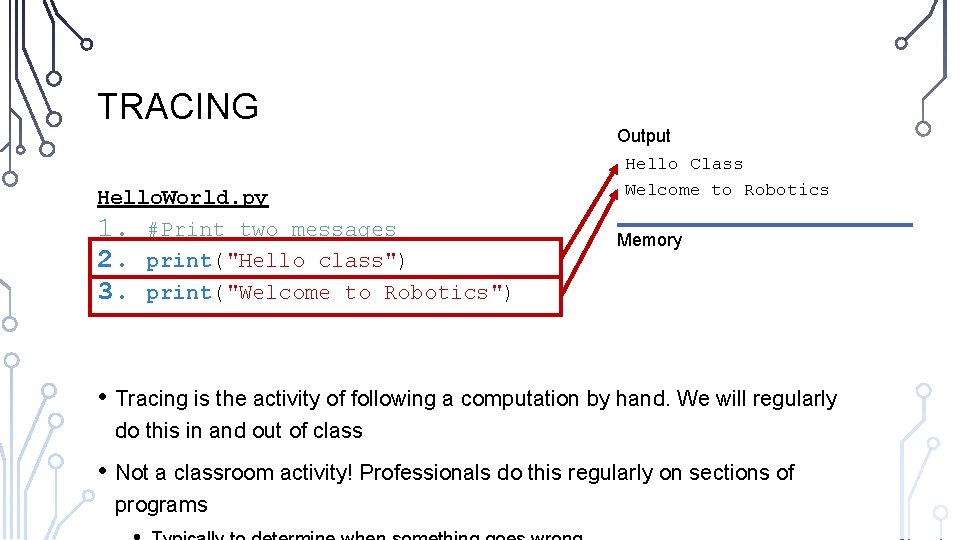
TRACING Hello. World. py 1. #Print two messages 2. print("Hello class") 3. print("Welcome to Robotics") Output Hello Class Welcome to Robotics Memory • Tracing is the activity of following a computation by hand. We will regularly do this in and out of class • Not a classroom activity! Professionals do this regularly on sections of programs
VS CODE AND TERMINAL • In this class, we will exclusively use Visual Studio Code (VS Code) text editor to write programs, its terminal to run our programs, and GIT to turn in assignments • Download and setup VS Code for activities tomorrow • Follow course website to setup python and GIT
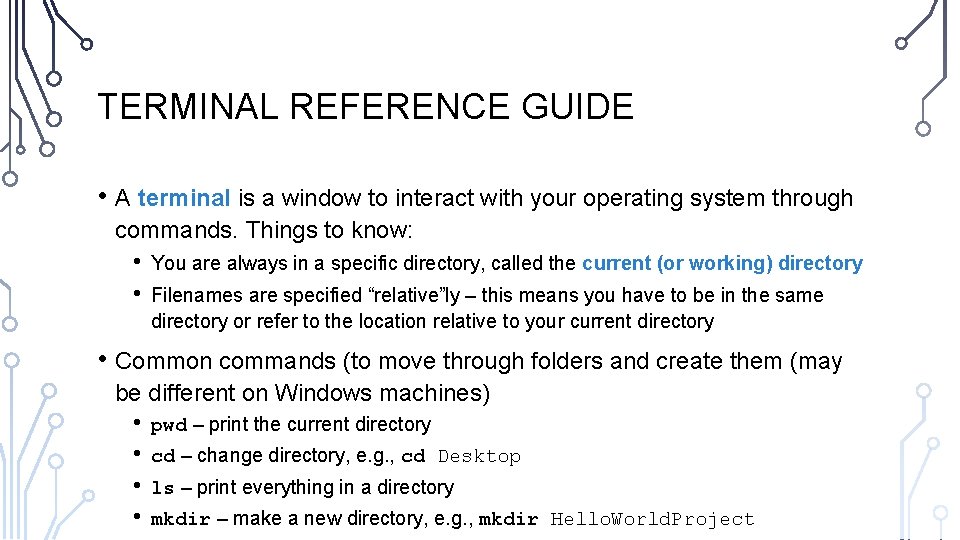
TERMINAL REFERENCE GUIDE • A terminal is a window to interact with your operating system through commands. Things to know: • • You are always in a specific directory, called the current (or working) directory Filenames are specified “relative”ly – this means you have to be in the same directory or refer to the location relative to your current directory • Common commands (to move through folders and create them (may be different on Windows machines) • • pwd – print the current directory cd – change directory, e. g. , cd Desktop ls – print everything in a directory mkdir – make a new directory, e. g. , mkdir Hello. World. Project
ANATOMY OF A PYTHON PROGRAM • Statements • Comments • Indentation
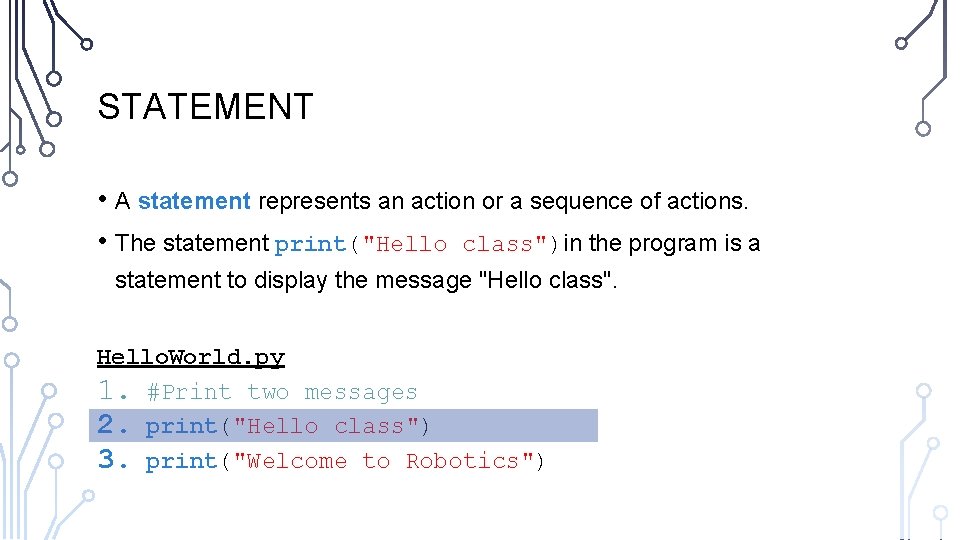
STATEMENT • A statement represents an action or a sequence of actions. • The statement print("Hello class")in the program is a statement to display the message "Hello class". Hello. World. py 1. #Print two messages 2. print("Hello class") 3. print("Welcome to Robotics")
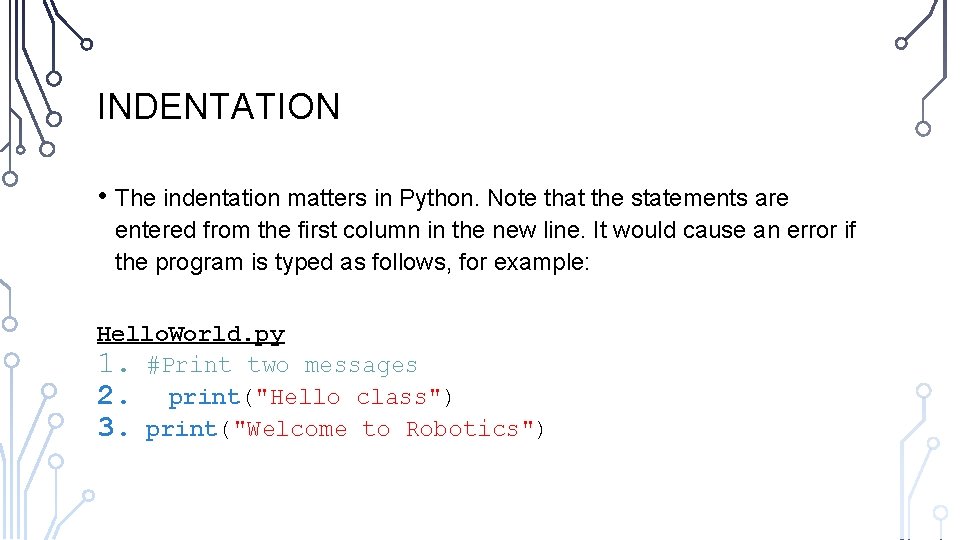
INDENTATION • The indentation matters in Python. Note that the statements are entered from the first column in the new line. It would cause an error if the program is typed as follows, for example: Hello. World. py 1. #Print two messages 2. print("Hello class") 3. print("Welcome to Robotics")
SPECIAL SYMBOLS
RESERVED WORDS • Reserved words or keywords are words that have a specific meaning to the compiler and cannot be used for other purposes in the program. We will see many of these during the course of the semester. The previous program doesn't have any specifically.
PROGRAMMING STYLE AND DOCUMENTATION • Appropriate Comments • Naming Conventions • Proper Indentation and Spacing Lines
APPROPRIATE COMMENTS • Include a summary at the beginning of the program to explain what the program does, its key features, its supporting data structures, and any unique techniques it uses. • Document each variable, function, and class • Include your name and a brief description at the beginning of the program.
NAMING CONVENTIONS • Choose meaningful and descriptive names.
PROPER INDENTATION AND SPACING • Indentation • • Indent two spaces. A consistent spacing style makes programs clear and easy to read, debug, and maintain. • Spacing • Use blank line to separate segments of the code.
PROGRAMMING ERRORS • Syntax Errors • Error in writing python syntax • Runtime Errors also called Exceptions • Causes the program to abort • Logic Errors • Produces incorrect result
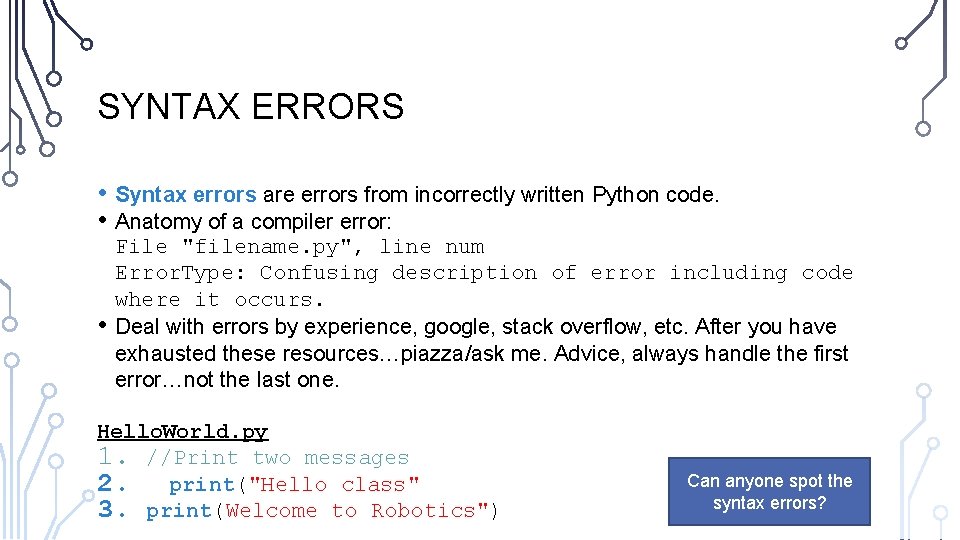
SYNTAX ERRORS • Syntax errors are errors from incorrectly written Python code. • Anatomy of a compiler error: • File "filename. py", line num Error. Type: Confusing description of error including code where it occurs. Deal with errors by experience, google, stack overflow, etc. After you have exhausted these resources…piazza/ask me. Advice, always handle the first error…not the last one. Hello. World. py 1. //Print two messages 2. print("Hello class" 3. print(Welcome to Robotics") Can anyone spot the syntax errors?
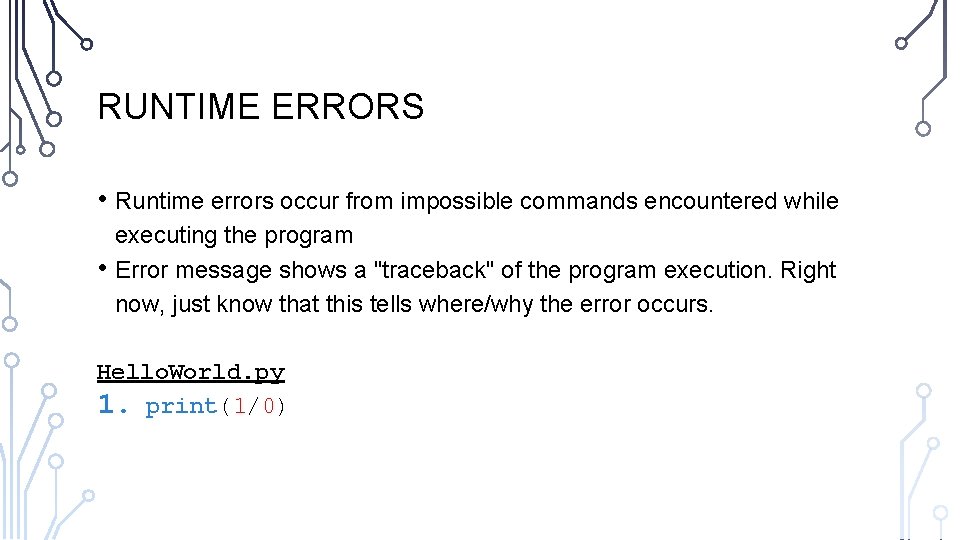
RUNTIME ERRORS • Runtime errors occur from impossible commands encountered while • executing the program Error message shows a "traceback" of the program execution. Right now, just know that this tells where/why the error occurs. Hello. World. py 1. print(1/0)
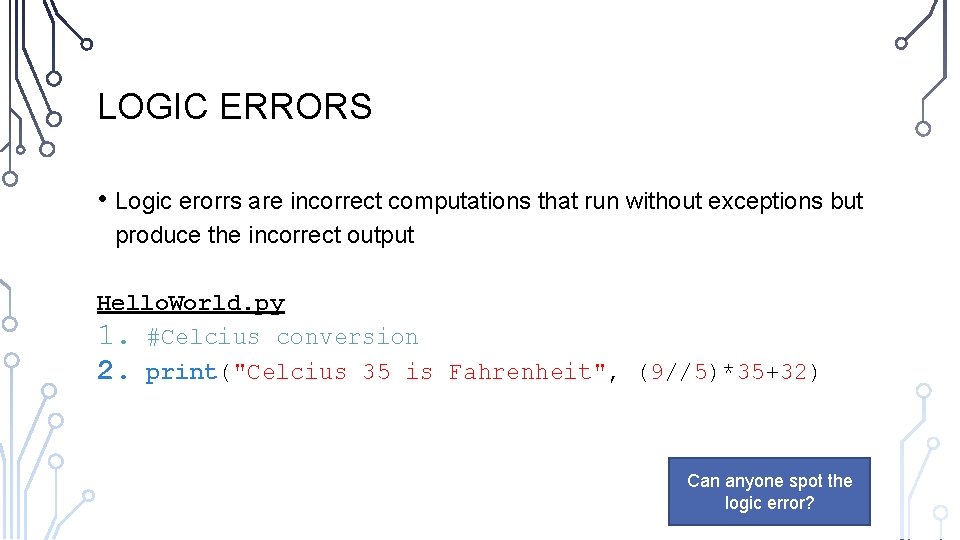
LOGIC ERRORS • Logic erorrs are incorrect computations that run without exceptions but produce the incorrect output Hello. World. py 1. #Celcius conversion 2. print("Celcius 35 is Fahrenheit", (9//5)*35+32) Can anyone spot the logic error?
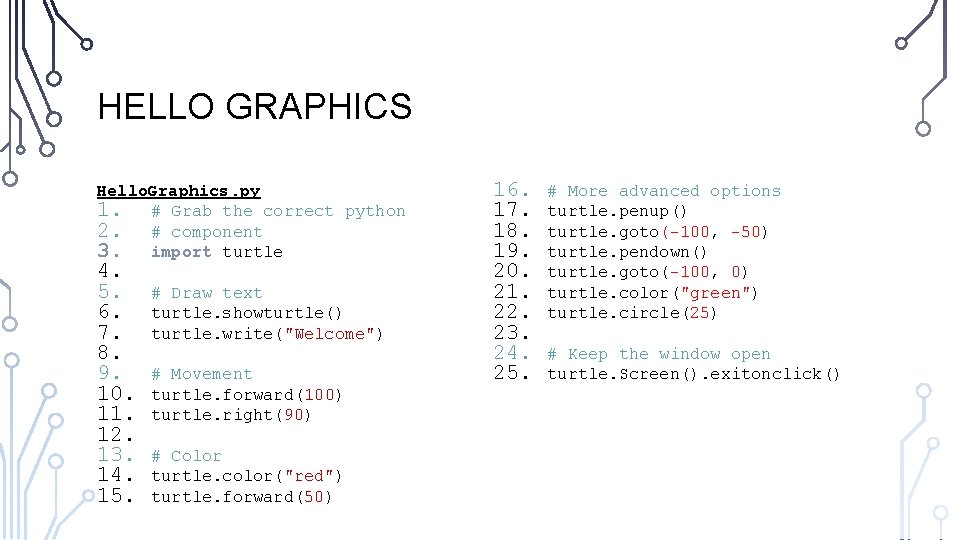
HELLO GRAPHICS • Python makes programming with graphics and user interfaces (GUI) easy • Turtle – Simple turtle graphics library • Tkinter – Simple GUI library • We will occasionally operate with graphics and GUIs
HELLO GRAPHICS Hello. Graphics. py 1. # Grab the correct python 2. # component 3. import turtle 4. 5. 6. 7. 8. 9. 10. 11. 12. 13. 14. 15. # Draw text turtle. showturtle() turtle. write("Welcome") # Movement turtle. forward(100) turtle. right(90) # Color turtle. color("red") turtle. forward(50) 16. 17. 18. 19. 20. 21. 22. 23. 24. 25. # More advanced options turtle. penup() turtle. goto(-100, -50) turtle. pendown() turtle. goto(-100, 0) turtle. color("green") turtle. circle(25) # Keep the window open turtle. Screen(). exitonclick()
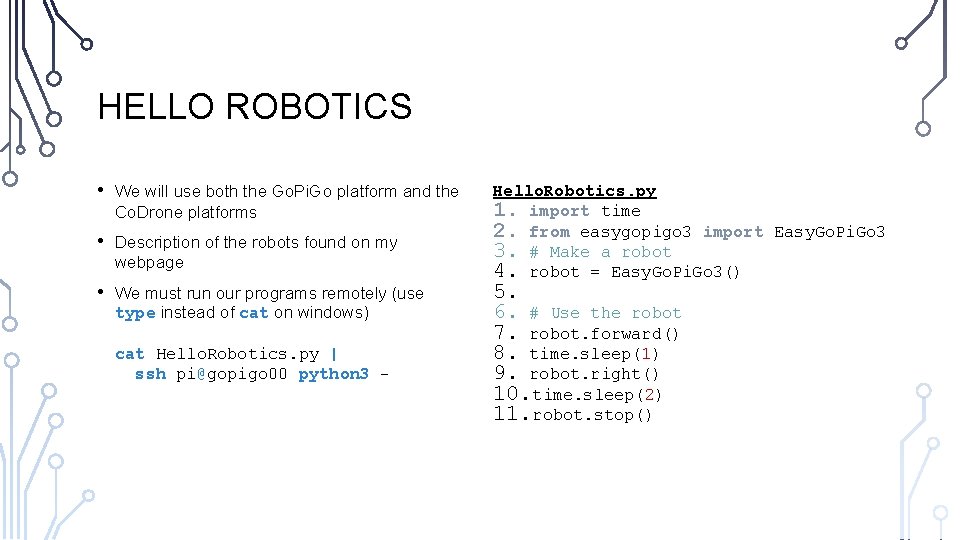
HELLO ROBOTICS • We will use both the Go. Pi. Go platform and the Co. Drone platforms • Description of the robots found on my webpage • We must run our programs remotely (use type instead of cat on windows) cat Hello. Robotics. py | ssh pi@gopigo 00 python 3 - Hello. Robotics. py 1. import time 2. from easygopigo 3 import Easy. Go. Pi. Go 3 3. # Make a robot 4. robot = Easy. Go. Pi. Go 3() 5. 6. # Use the robot 7. robot. forward() 8. time. sleep(1) 9. robot. right() 10. time. sleep(2) 11. robot. stop()
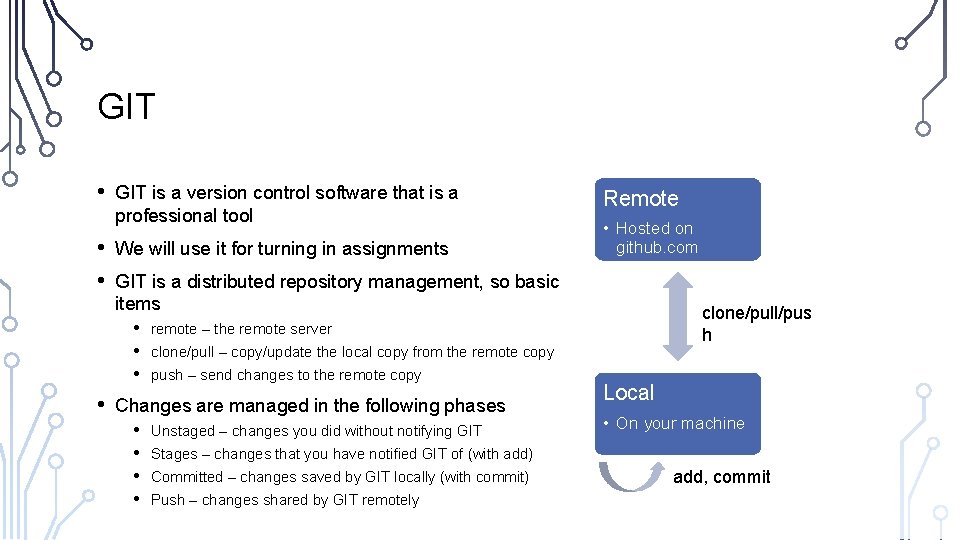
GIT • • GIT is a version control software that is a professional tool We will use it for turning in assignments GIT is a distributed repository management, so basic items • remote – the remote server • clone/pull – copy/update the local copy from the remote copy • push – send changes to the remote copy Changes are managed in the following phases • Unstaged – changes you did without notifying GIT • Stages – changes that you have notified GIT of (with add) • Committed – changes saved by GIT locally (with commit) • Push – changes shared by GIT remotely Remote • Hosted on github. com clone/pull/pus h Local • On your machine add, commit
FOLLOW ALONG WITH TURNING IN ON GIT • Accept assignment invitation • Clone your repository • Make changes and edit the Coverpage • Stage, Commit, and Push • Can be done as much as you need before the deadlines
EXERCISES 1. 2. Create a program to share three things about yourself. 3. Write a program to make the Go. Pi. Go move in a simple pattern (like a pentagon) 4. Work on Programming Assignment 0 Write a program to show a pentagon. Try to use different colors for each edge.