
CMS1500 Online Claims Entry Conduent Government Healthcare Solutions


- Slides: 43
CMS-1500 Online Claims Entry Conduent Government Healthcare Solutions
Purpose The purpose of this workshop is to provide an overview of the CMS-1500 direct data entry claims submission process via the New Mexico Medicaid Web Portal. Having an understanding of CMS-1500 direct data entry will improve billing practices by reducing claim denials and ensuring all rendered services are billed properly. 3/22/2018
Objectives Review the following processes regarding CMS-1500 claim submissions: • Claim Form Instructions • Timely Filing • Add/Manage Templates • Medicaid Primary Claims • Medicaid (TPL) Third Party Liability and PPO/HMO Claims • Medicare Replacement Plan Claims • Medicare Primary Claims 3/22/2018
Getting Access to Bill on the Web Portal • If you are currently not registered on to the New Mexico Medicaid Web Portal you can create an account using either your active New Mexico Medicaid Provider ID or your NPI using the following link: https: //nmmedicaid. portal. conduent. com/webportal/web. Registration/web. Reg. Start • If your New Mexico Provider ID or NPI is currently registered on the New Mexico Medicaid Web Portal but you do not have access to log in to the Web Portal please contact your Master Administrator. • If you do not know if your Provider ID or NPI is registered on the New Mexico Medicaid Web Portal or if you do not know who your Master Administrator is, you can contact the HIPAA Helpdesk for further assistance at 1 -800 -299 -7304 option 6, followed by option 4 or by email at HIPAA. Desk. NM@Conduent. com. 3/22/2018
Claim Form Instructions Conduent Government Healthcare Solutions
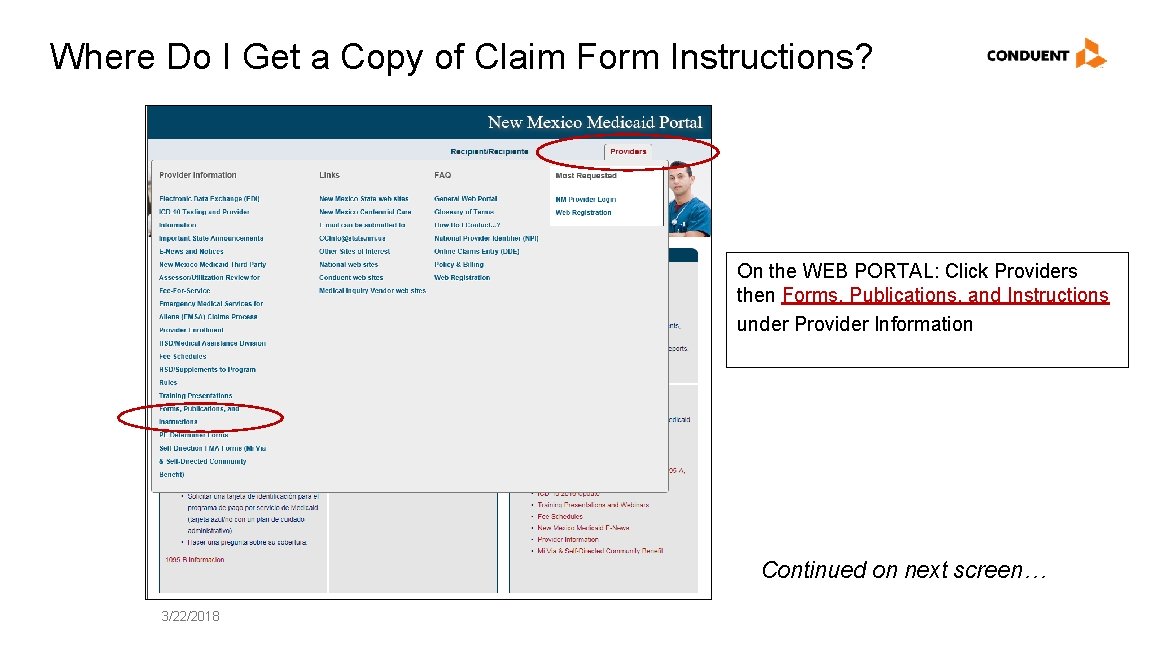
Where Do I Get a Copy of Claim Form Instructions? On the WEB PORTAL: Click Providers then Forms, Publications, and Instructions under Provider Information Continued on next screen… 3/22/2018
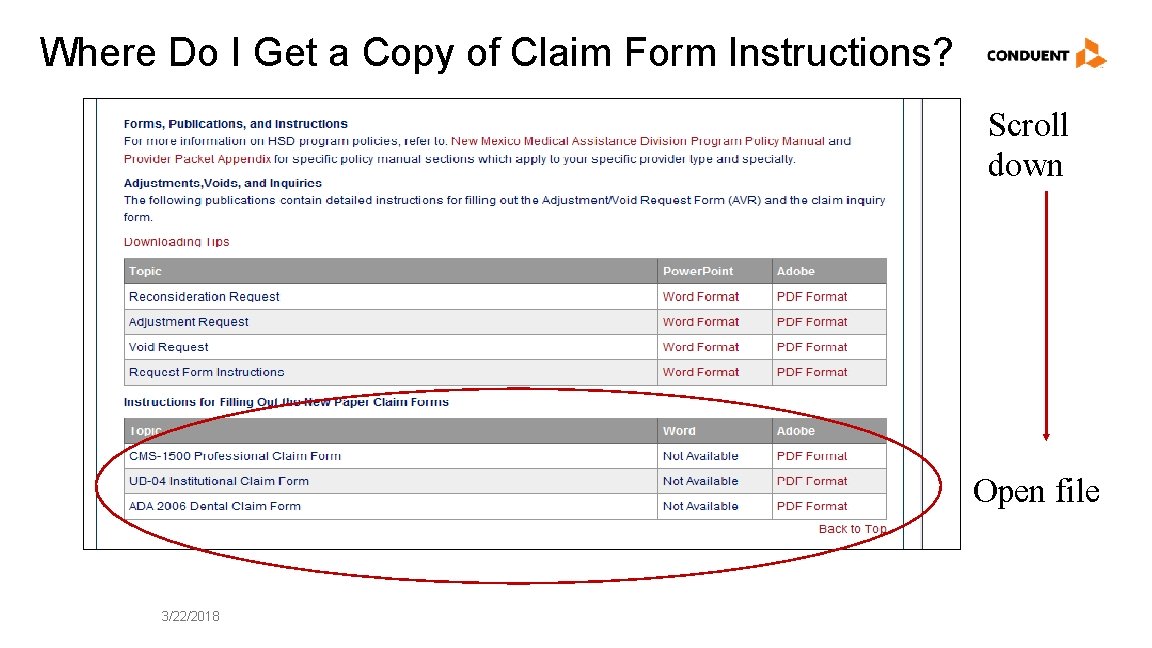
Where Do I Get a Copy of Claim Form Instructions? Scroll down Open file 3/22/2018
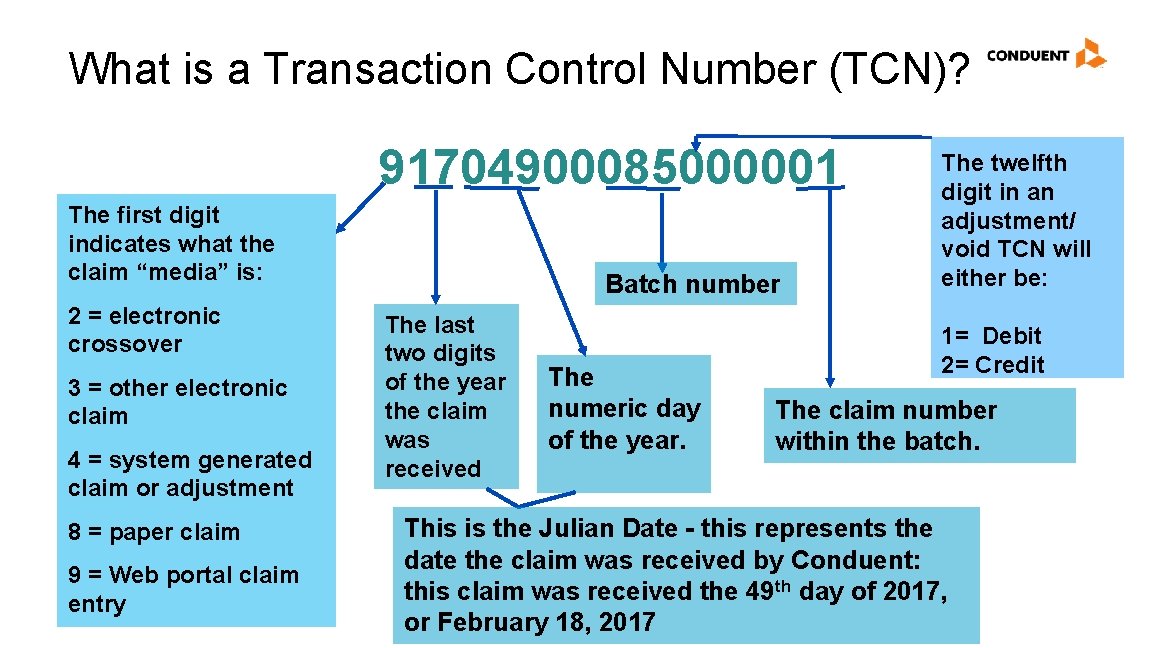
What is a Transaction Control Number (TCN)? 91704900085000001 The first digit indicates what the claim “media” is: 2 = electronic crossover 3 = other electronic claim 4 = system generated claim or adjustment 8 = paper claim 9 = Web portal claim entry Batch number The last two digits of the year the claim was received The numeric day of the year. The twelfth digit in an adjustment/ void TCN will either be: 1= Debit 2= Credit The claim number within the batch. This is the Julian Date - this represents the date the claim was received by Conduent: this claim was received the 49 th day of 2017, or February 18, 2017
Timely Filing Conduent Government Healthcare Solutions
Timely Filing • The information for Timely Filing is found on page 4 under the 8. 302. 2. 11 portion section A. (3): http: //www. hsd. state. nm. us/uploads/files/Providers/New%20 Mexico%20 Administrative%20 Code%20 Program%20 Rules%20 and%20 Billing/NMAC%20 Program%20 Rules/Chapter%20302/8_302_2(3). pdf • The rule can also be accessed via: http: //www. hsd. state. nm. us/providers/rules-nm-administrative-code-. aspx 3/22/2018
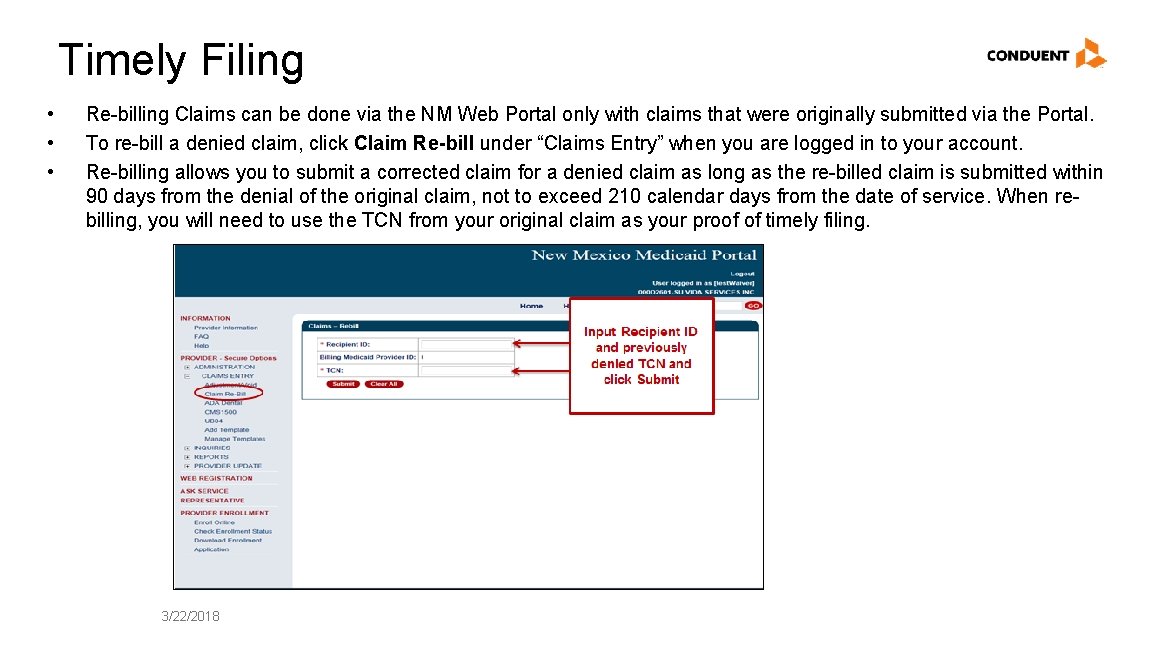
Timely Filing • • • Re-billing Claims can be done via the NM Web Portal only with claims that were originally submitted via the Portal. To re-bill a denied claim, click Claim Re-bill under “Claims Entry” when you are logged in to your account. Re-billing allows you to submit a corrected claim for a denied claim as long as the re-billed claim is submitted within 90 days from the denial of the original claim, not to exceed 210 calendar days from the date of service. When rebilling, you will need to use the TCN from your original claim as your proof of timely filing. 3/22/2018
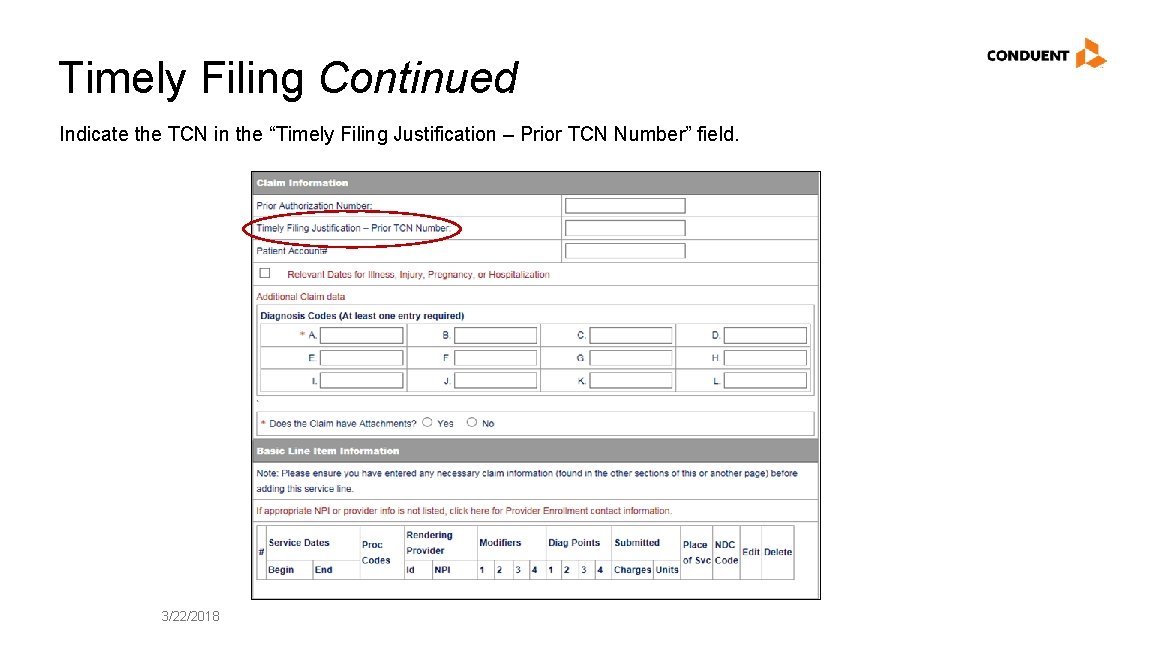
Timely Filing Continued Indicate the TCN in the “Timely Filing Justification – Prior TCN Number” field. 3/22/2018
Add/ Manage Templates Conduent Government Healthcare Solutions
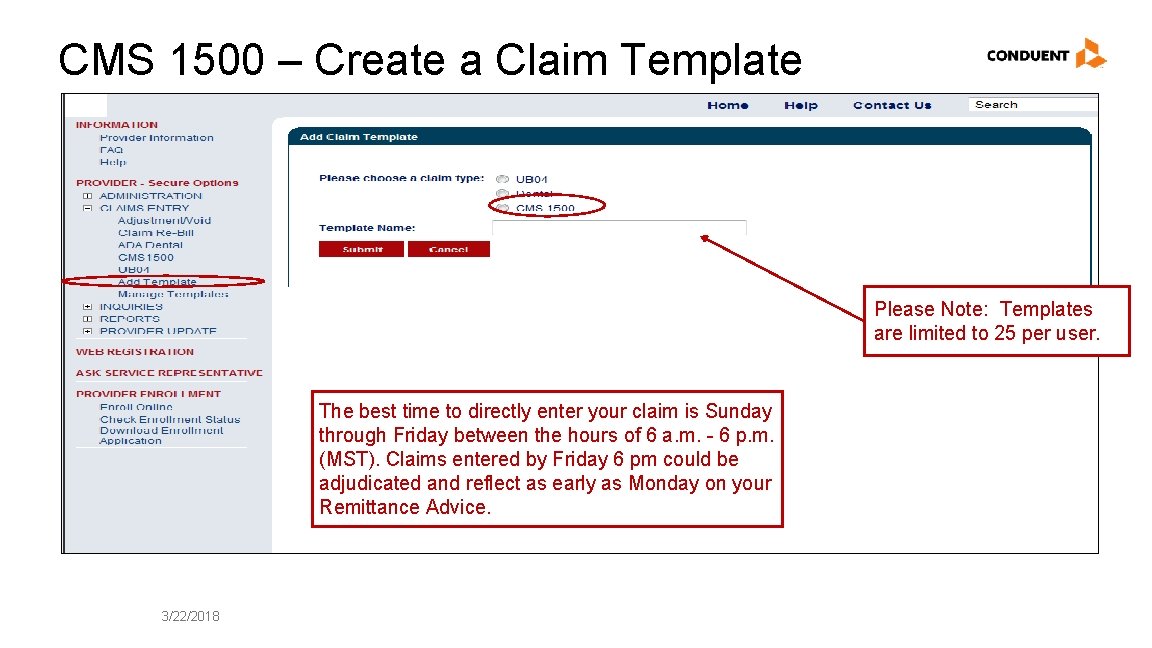
CMS 1500 – Create a Claim Template Please Note: Templates are limited to 25 per user. The best time to directly enter your claim is Sunday through Friday between the hours of 6 a. m. - 6 p. m. (MST). Claims entered by Friday 6 pm could be adjudicated and reflect as early as Monday on your Remittance Advice. 3/22/2018
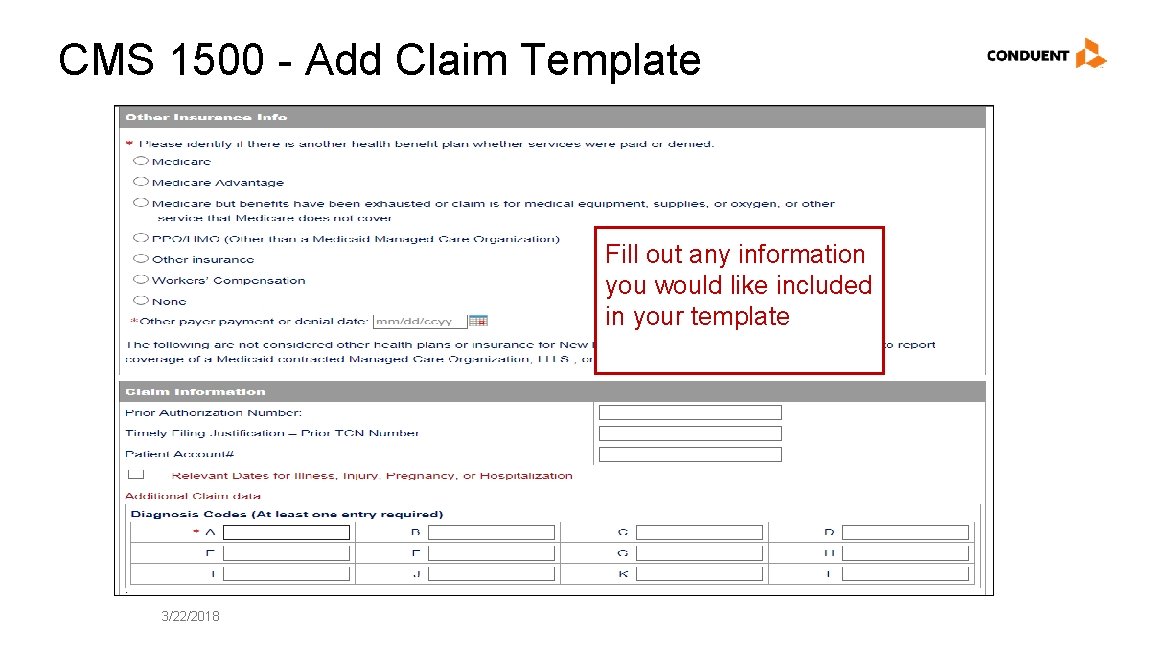
CMS 1500 - Add Claim Template Fill out any information you would like included in your template 3/22/2018
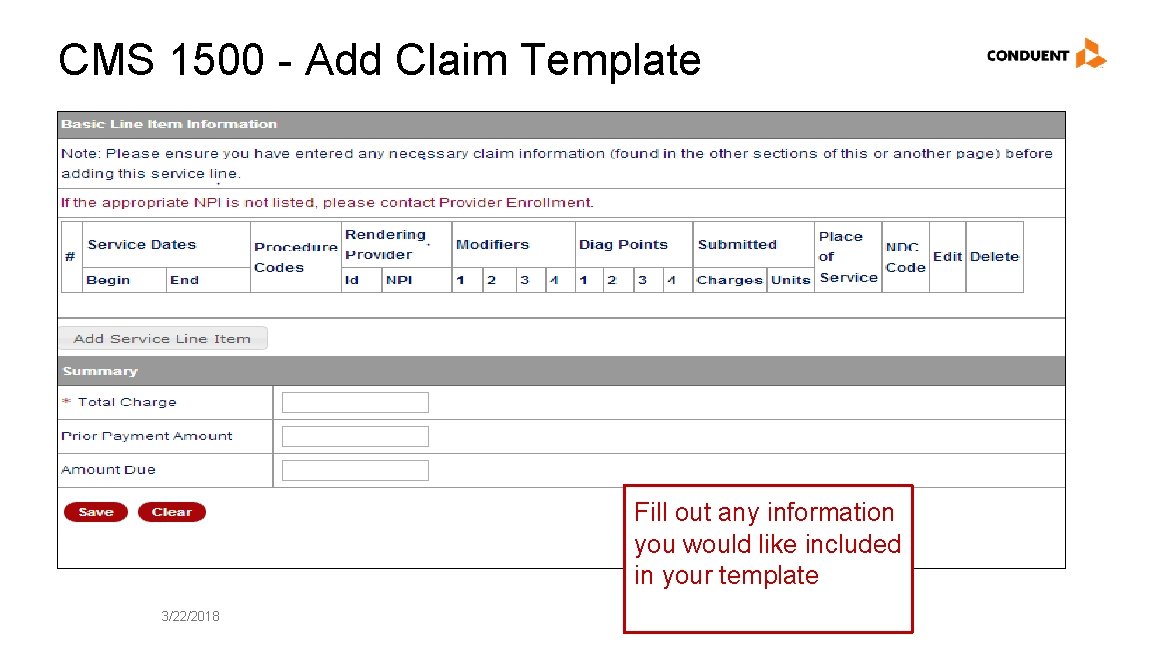
CMS 1500 - Add Claim Template Fill out any information you would like included in your template 3/22/2018
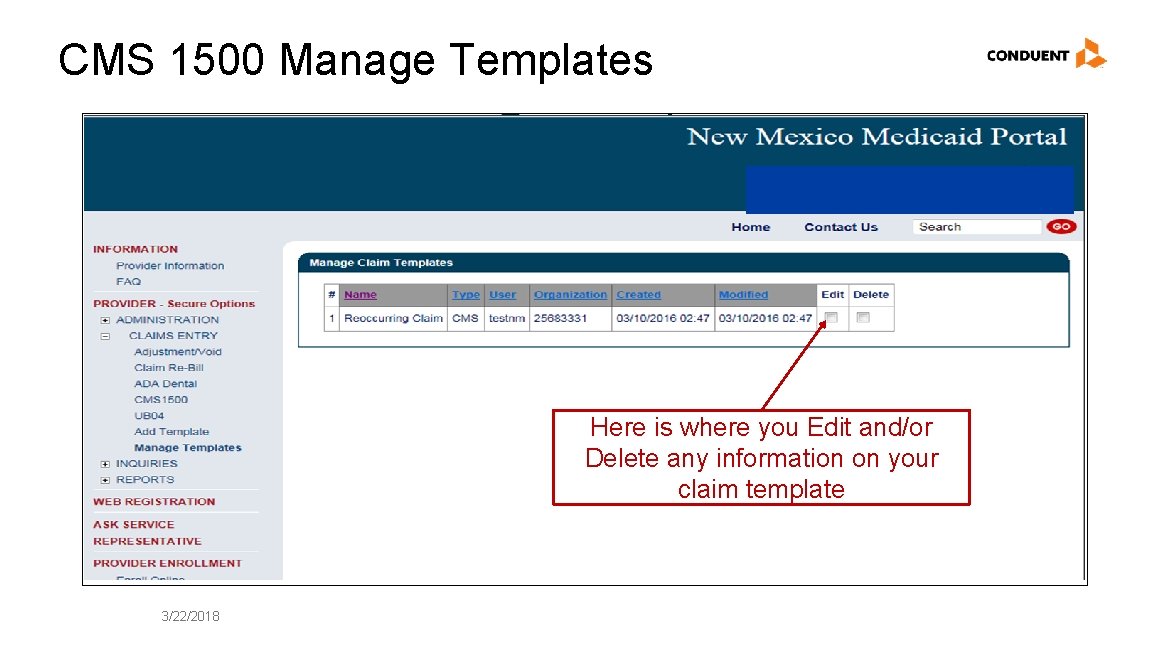
CMS 1500 Manage Templates Here is where you Edit and/or Delete any information on your claim template 3/22/2018
Medicaid Primary Web Portal Claim Submission Conduent Government Healthcare Solutions
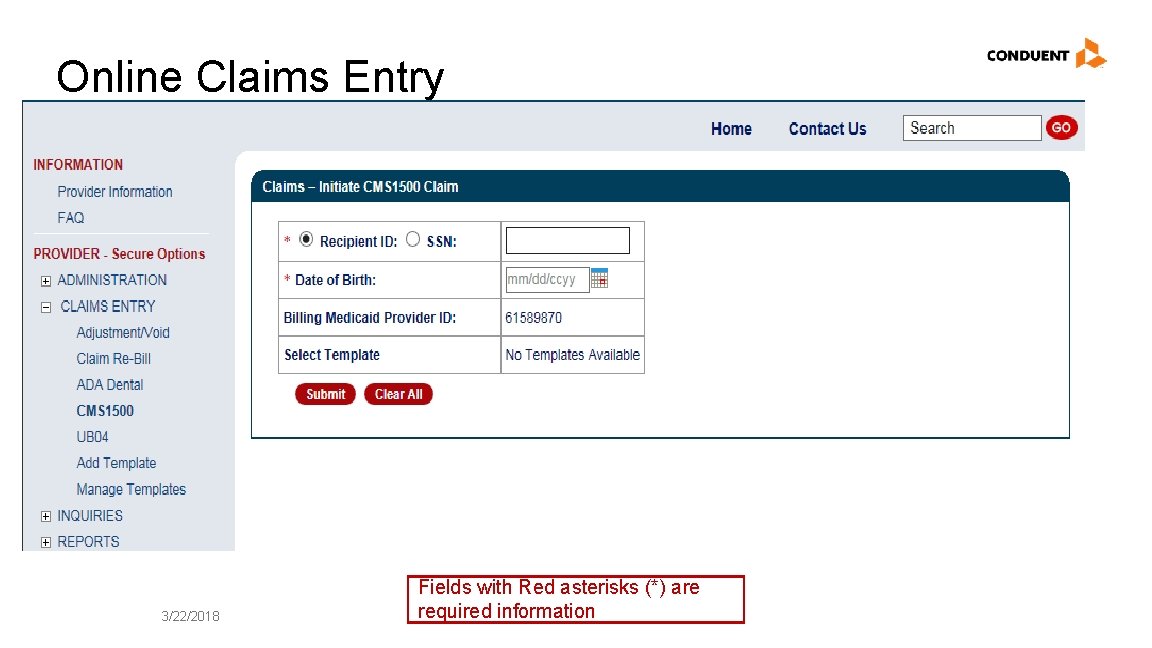
Online Claims Entry 3/22/2018 Fields with Red asterisks (*) are required information
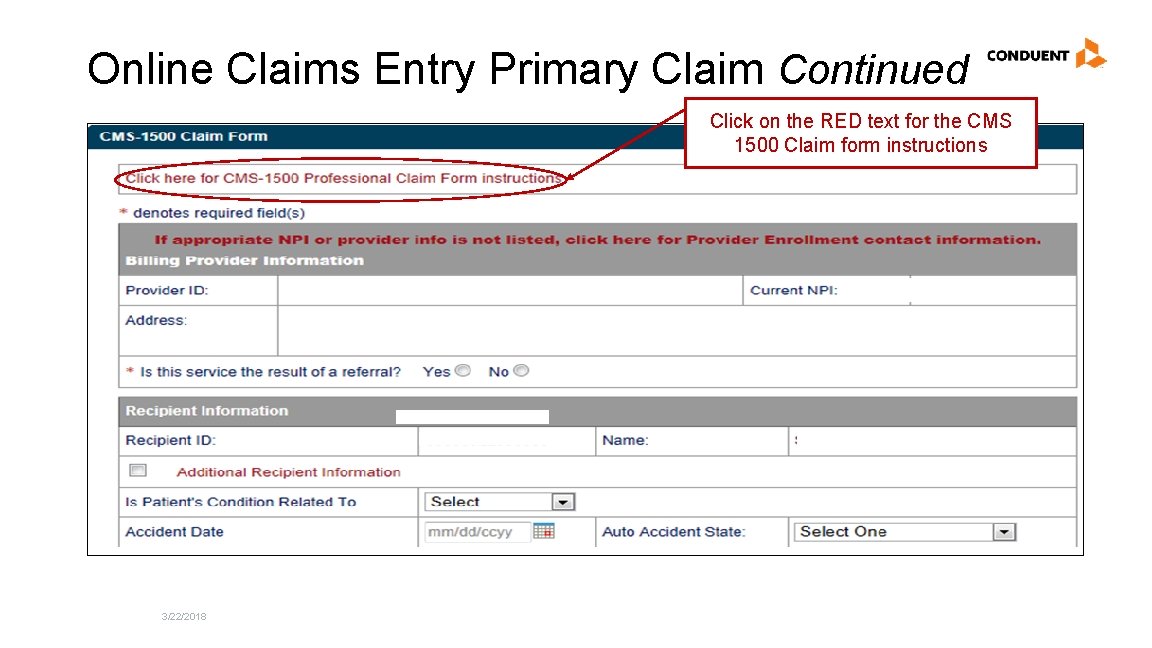
Online Claims Entry Primary Claim Continued Click on the RED text for the CMS 1500 Claim form instructions 3/22/2018
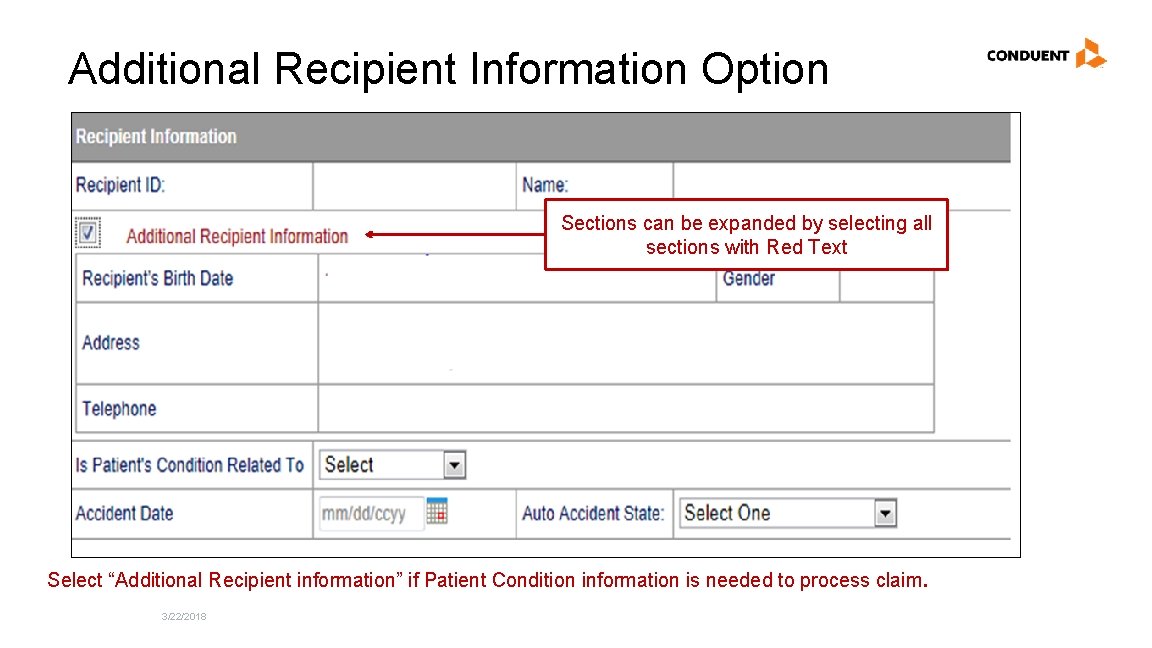
Additional Recipient Information Option Sections can be expanded by selecting all sections with Red Text Select “Additional Recipient information” if Patient Condition information is needed to process claim. 3/22/2018
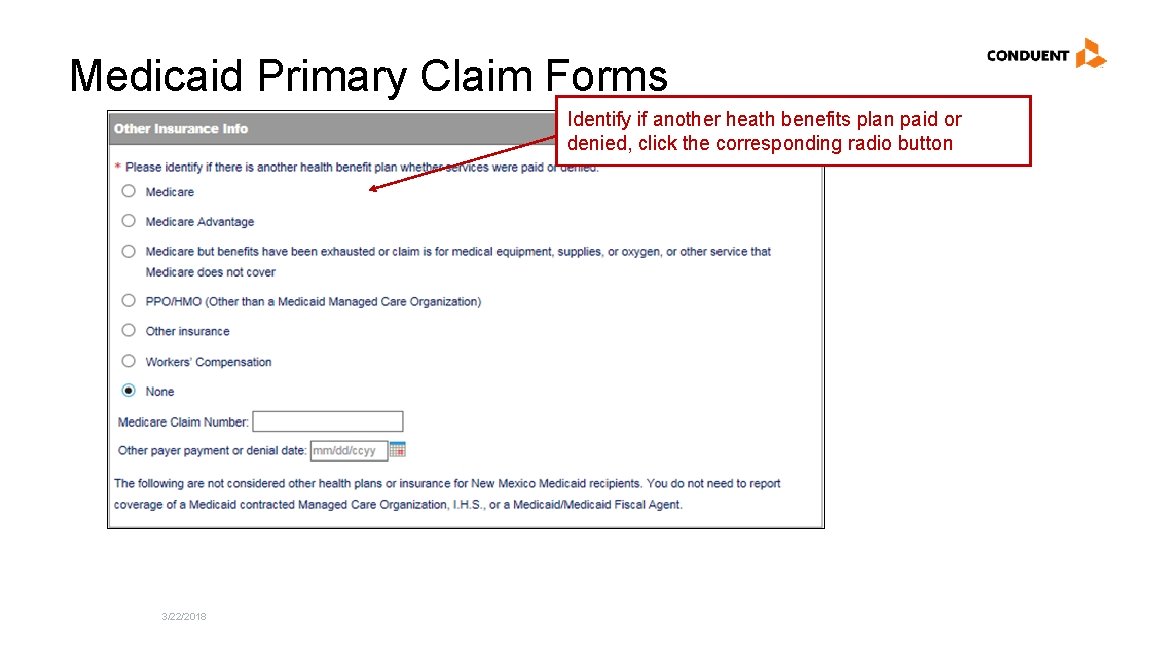
Medicaid Primary Claim Forms Identify if another heath benefits plan paid or denied, click the corresponding radio button 3/22/2018
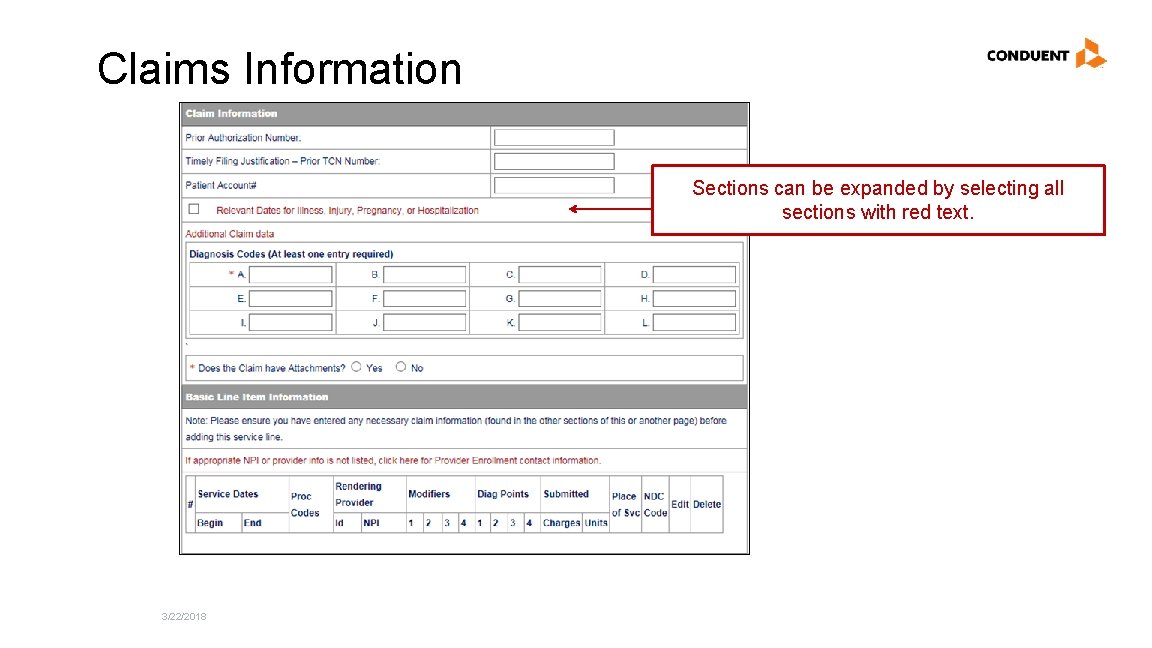
Claims Information Sections can be expanded by selecting all sections with red text. 3/22/2018
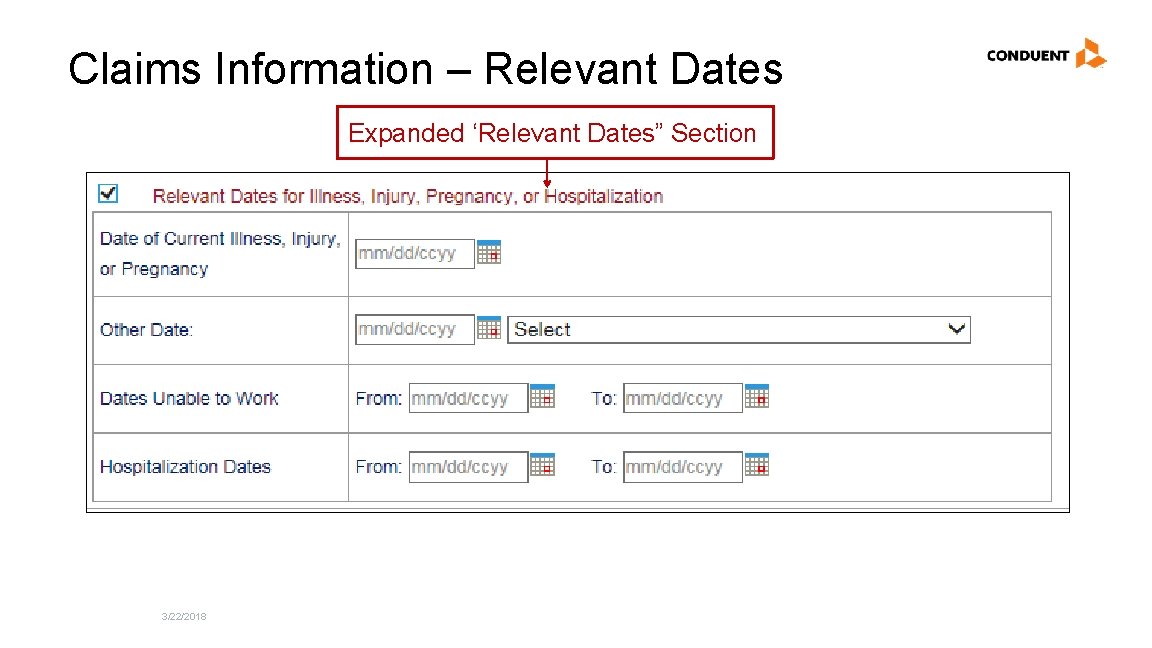
Claims Information – Relevant Dates Expanded ‘Relevant Dates” Section 3/22/2018
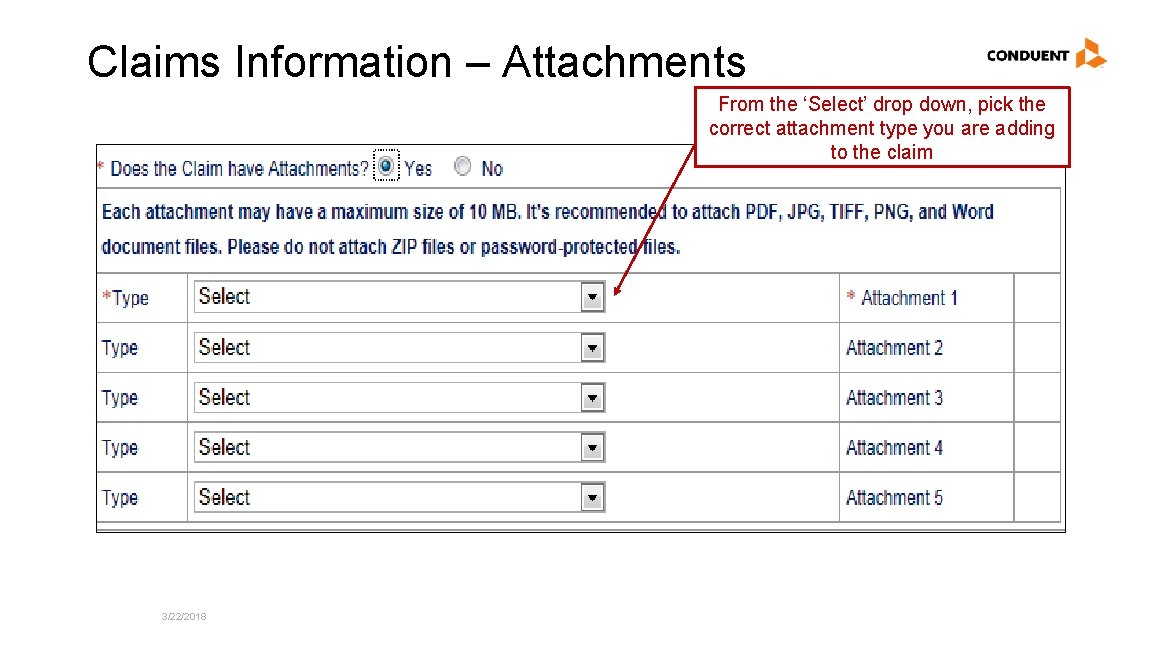
Claims Information – Attachments From the ‘Select’ drop down, pick the correct attachment type you are adding to the claim 3/22/2018
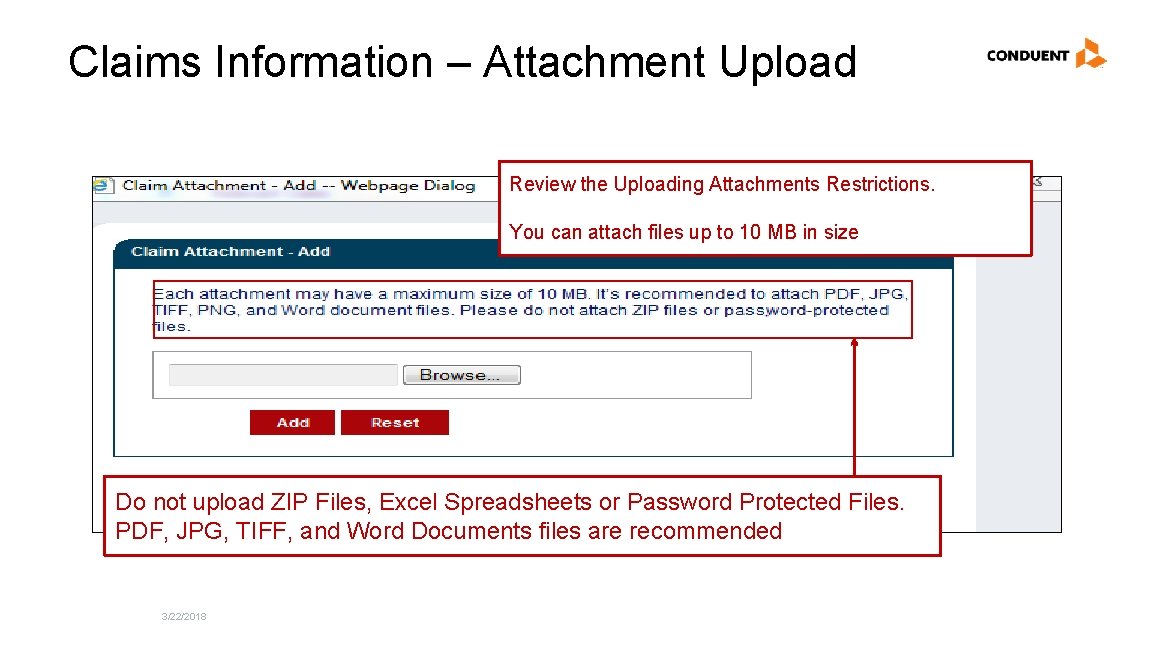
Claims Information – Attachment Upload Review the Uploading Attachments Restrictions. You can attach files up to 10 MB in size Do not upload ZIP Files, Excel Spreadsheets or Password Protected Files. PDF, JPG, TIFF, and Word Documents files are recommended 3/22/2018
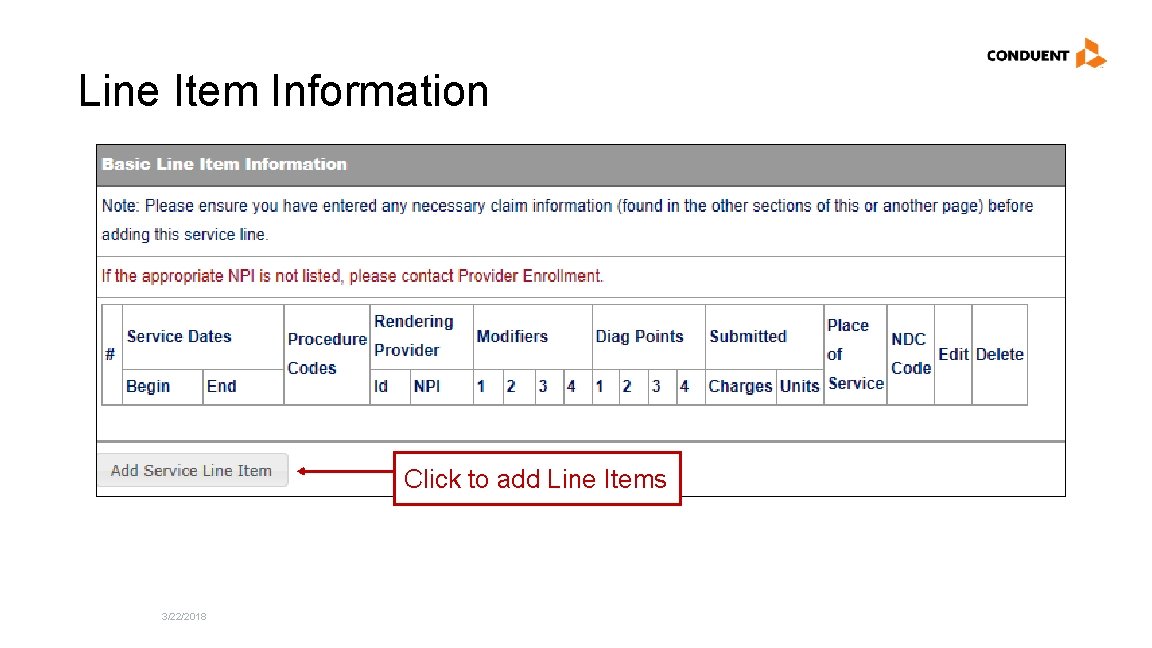
Line Item Information Click to add Line Items 3/22/2018
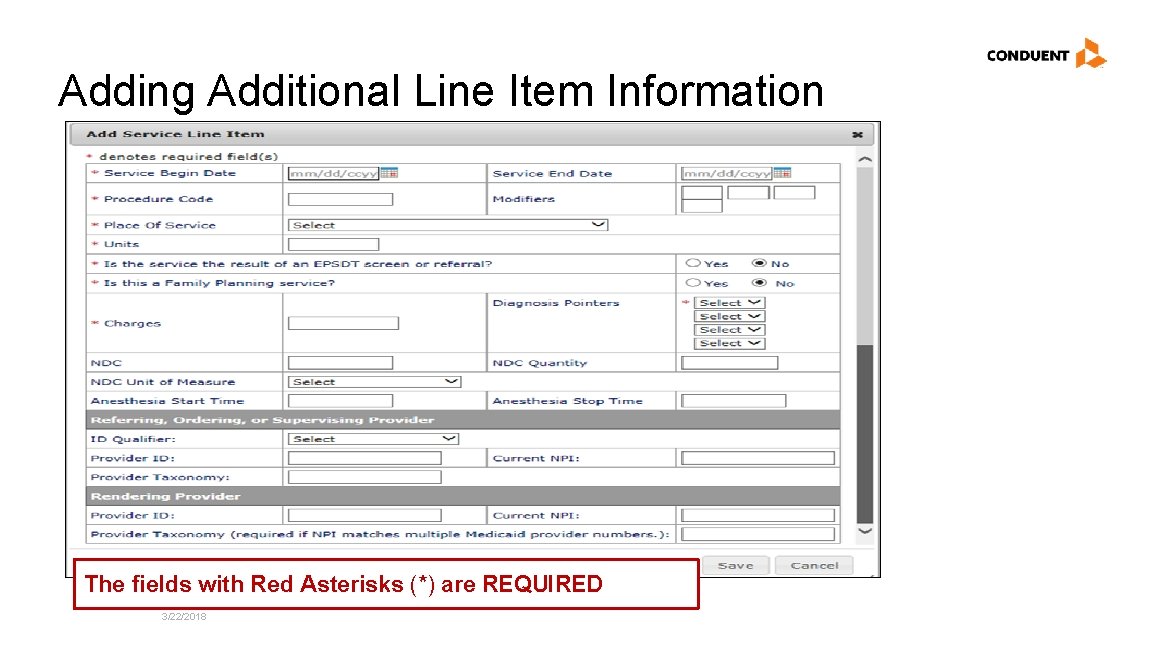
Adding Additional Line Item Information The fields with Red Asterisks (*) are REQUIRED 3/22/2018
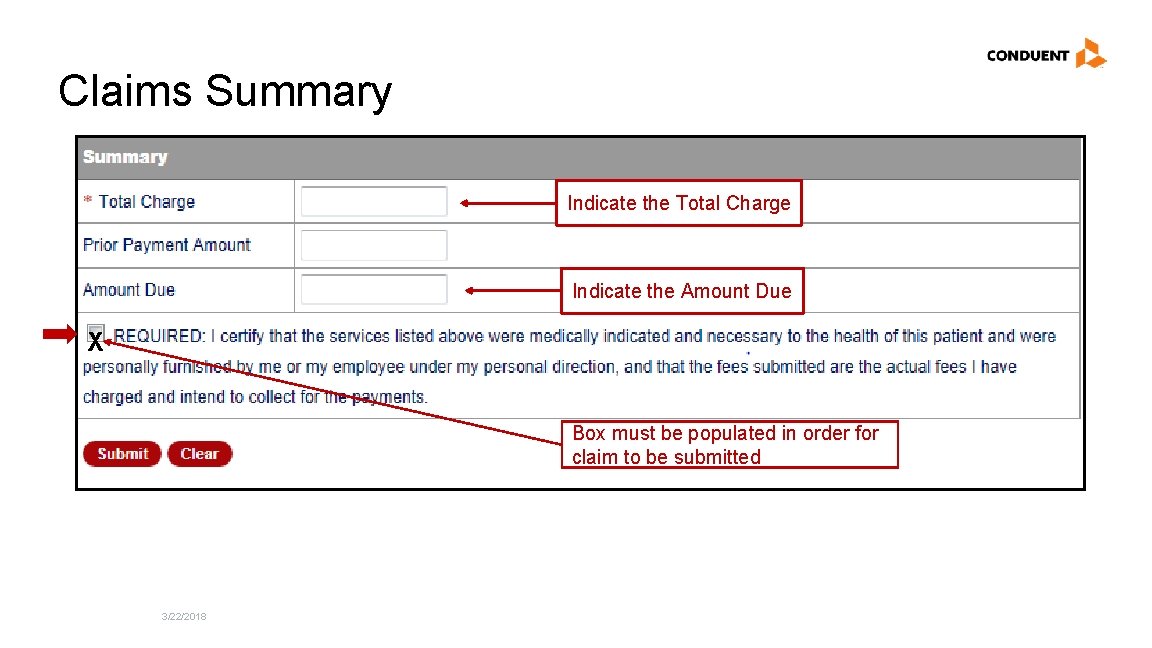
Claims Summary Indicate the Total Charge Indicate the Amount Due X Box must be populated in order for claim to be submitted 3/22/2018
TPL, HMO, and PPO Web Portal Claim Submission Conduent Government Healthcare Solutions
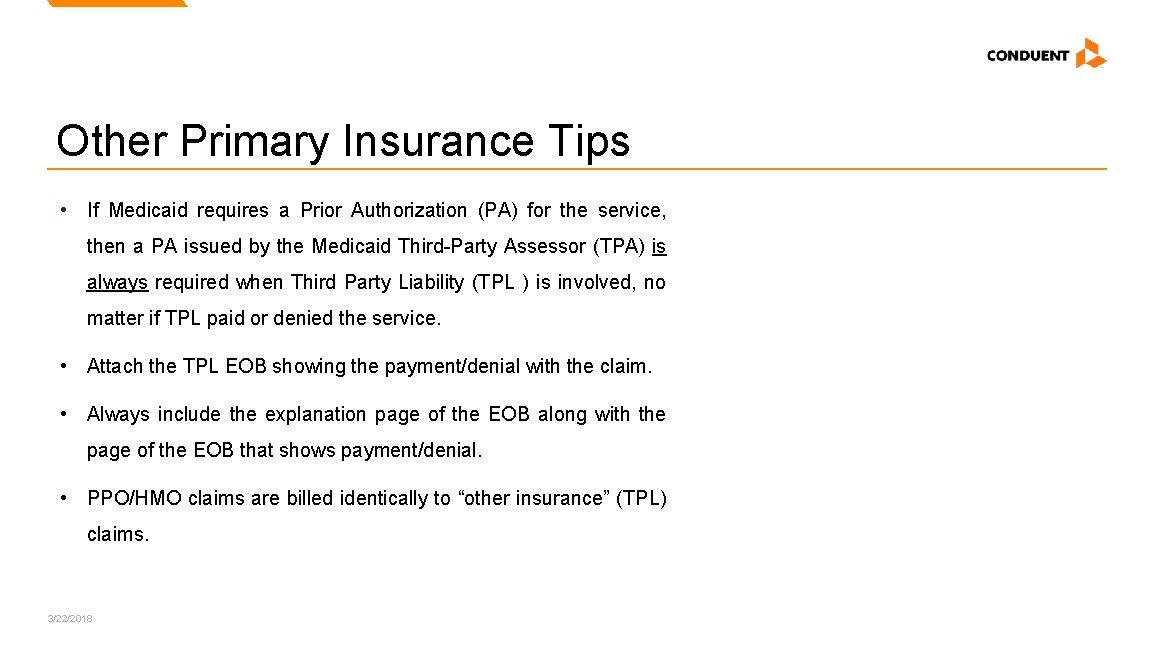
Other Primary Insurance Tips • If Medicaid requires a Prior Authorization (PA) for the service, then a PA issued by the Medicaid Third-Party Assessor (TPA) is always required when Third Party Liability (TPL ) is involved, no matter if TPL paid or denied the service. • Attach the TPL EOB showing the payment/denial with the claim. • Always include the explanation page of the EOB along with the page of the EOB that shows payment/denial. • PPO/HMO claims are billed identically to “other insurance” (TPL) claims. 3/22/2018
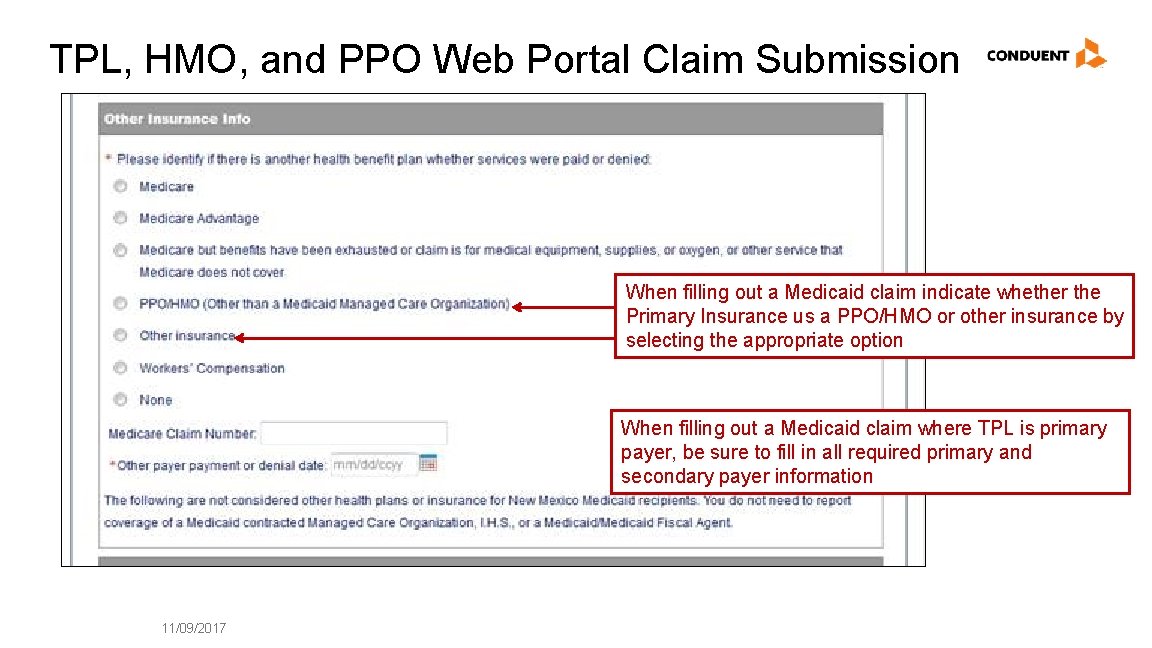
TPL, HMO, and PPO Web Portal Claim Submission When filling out a Medicaid claim indicate whether the Primary Insurance us a PPO/HMO or other insurance by selecting the appropriate option When filling out a Medicaid claim where TPL is primary payer, be sure to fill in all required primary and secondary payer information 11/09/2017
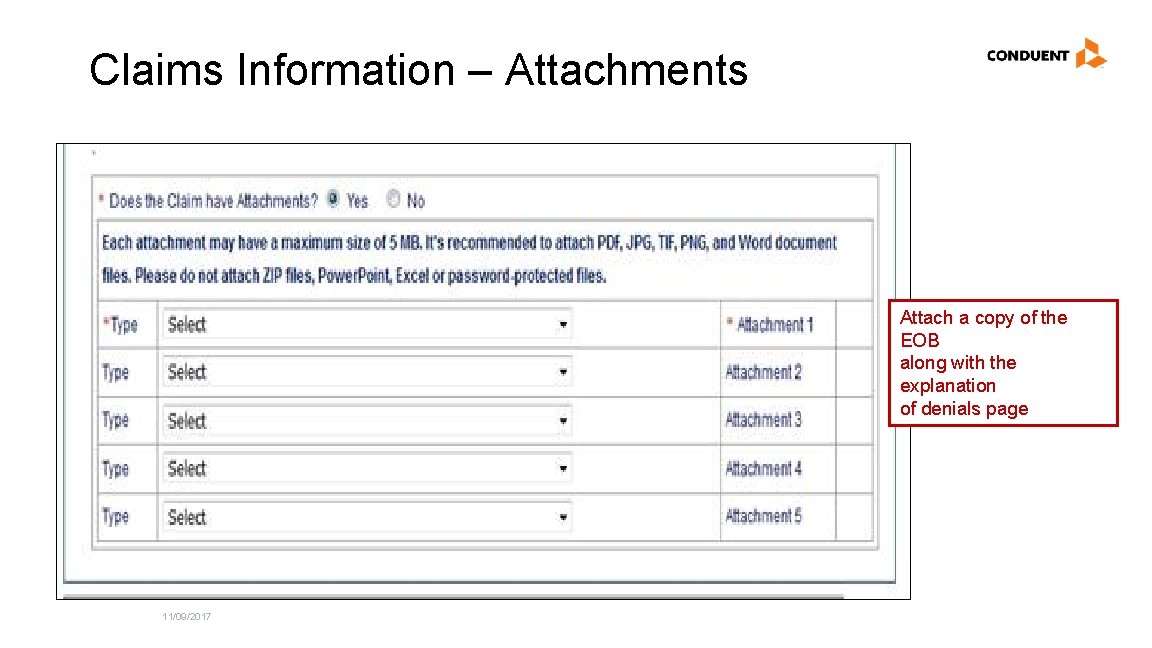
Claims Information – Attachments Attach a copy of the EOB along with the explanation of denials page 11/09/2017
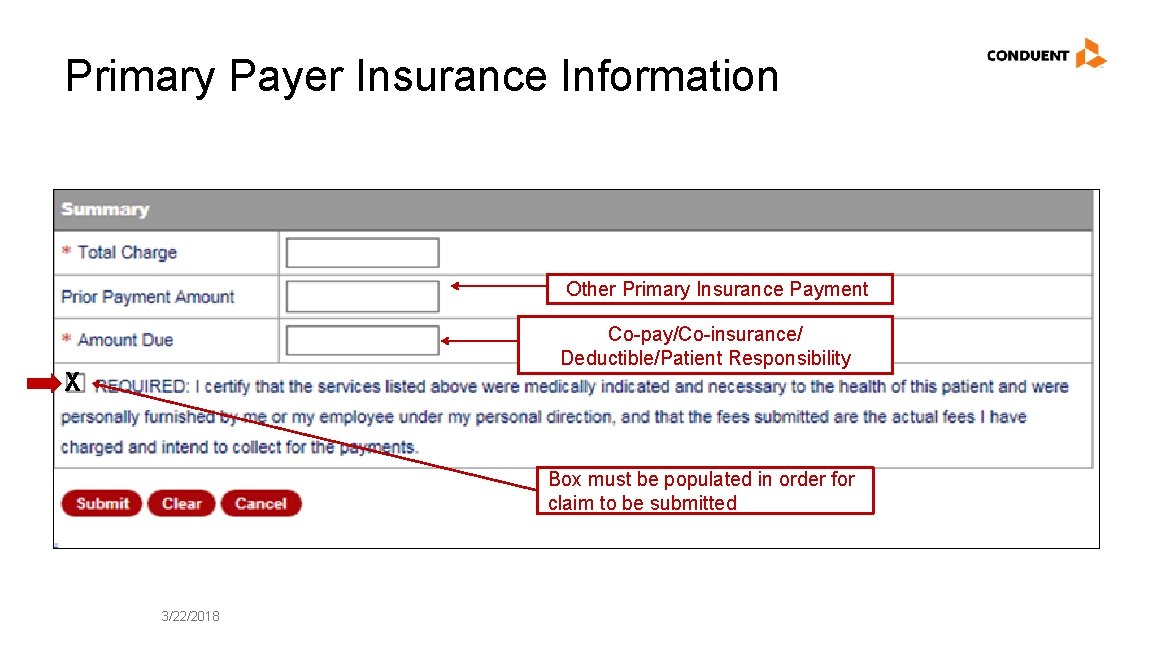
Primary Payer Insurance Information Other Primary Insurance Payment Co-pay/Co-insurance/ Deductible/Patient Responsibility X Box must be populated in order for claim to be submitted 3/22/2018
Medicare Primary Web Portal Claim Submission Conduent Government Healthcare Solutions
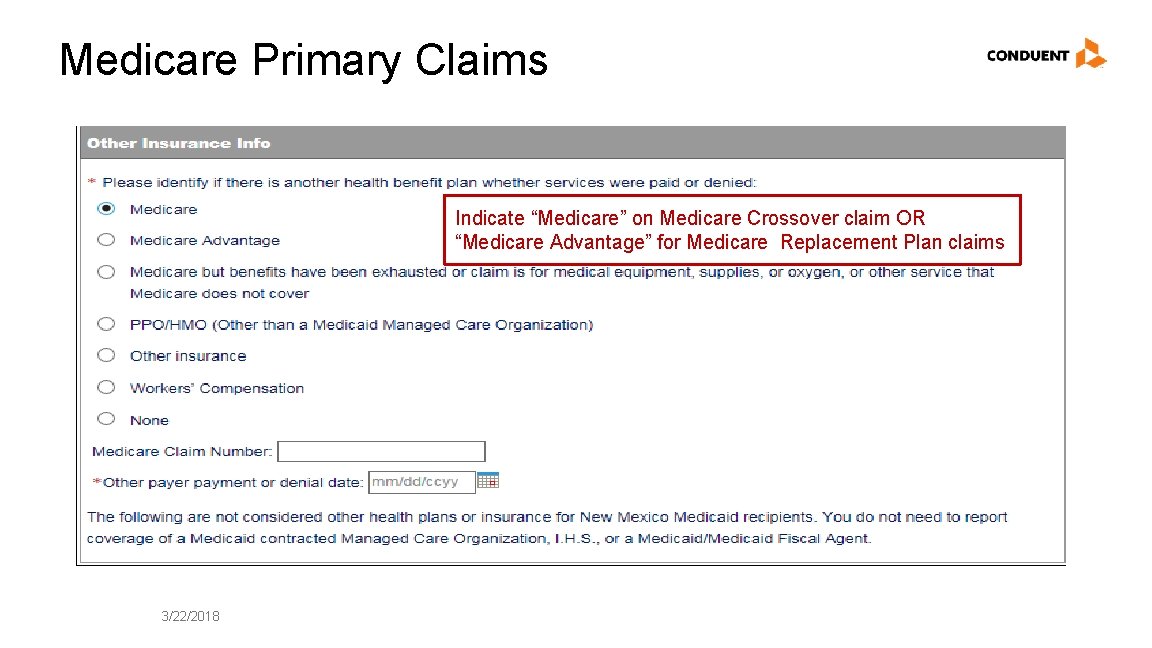
Medicare Primary Claims Indicate “Medicare” on Medicare Crossover claim OR “Medicare Advantage” for Medicare Replacement Plan claims 3/22/2018
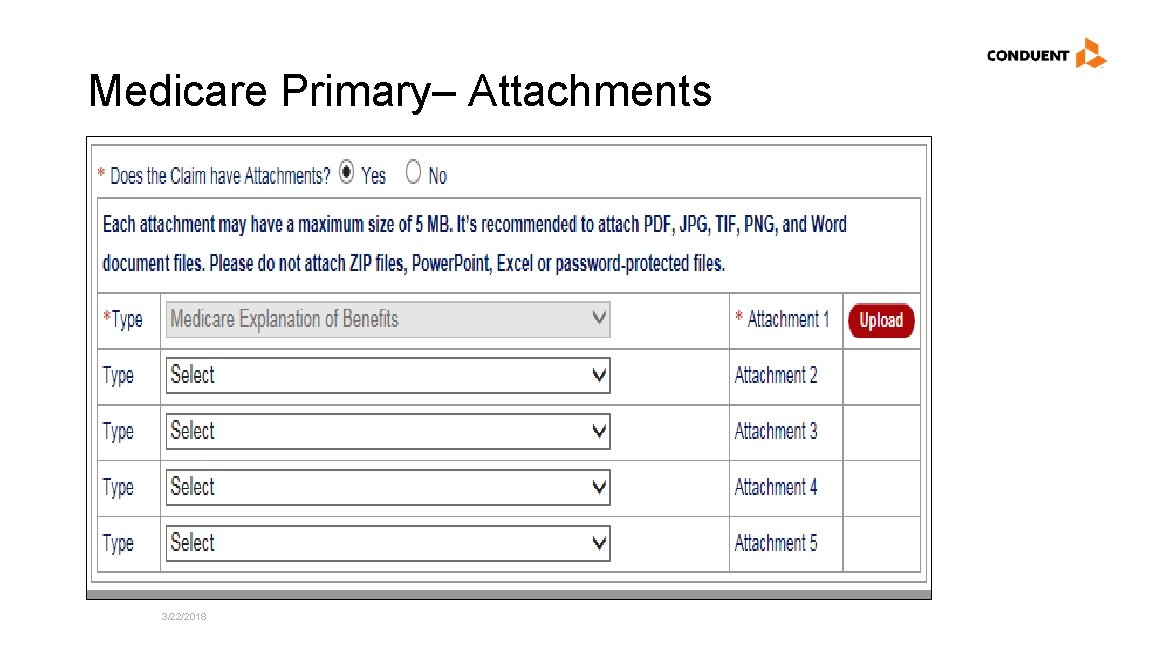
Medicare Primary– Attachments 3/22/2018
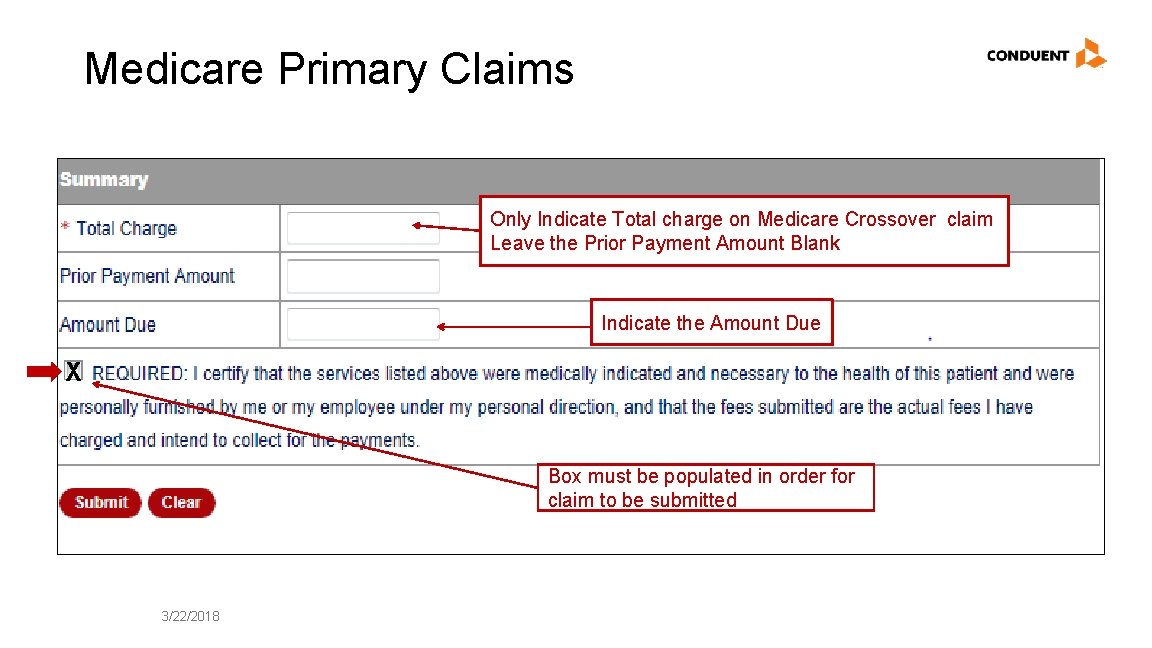
Medicare Primary Claims Only Indicate Total charge on Medicare Crossover claim Leave the Prior Payment Amount Blank Indicate the Amount Due X Box must be populated in order for claim to be submitted 3/22/2018
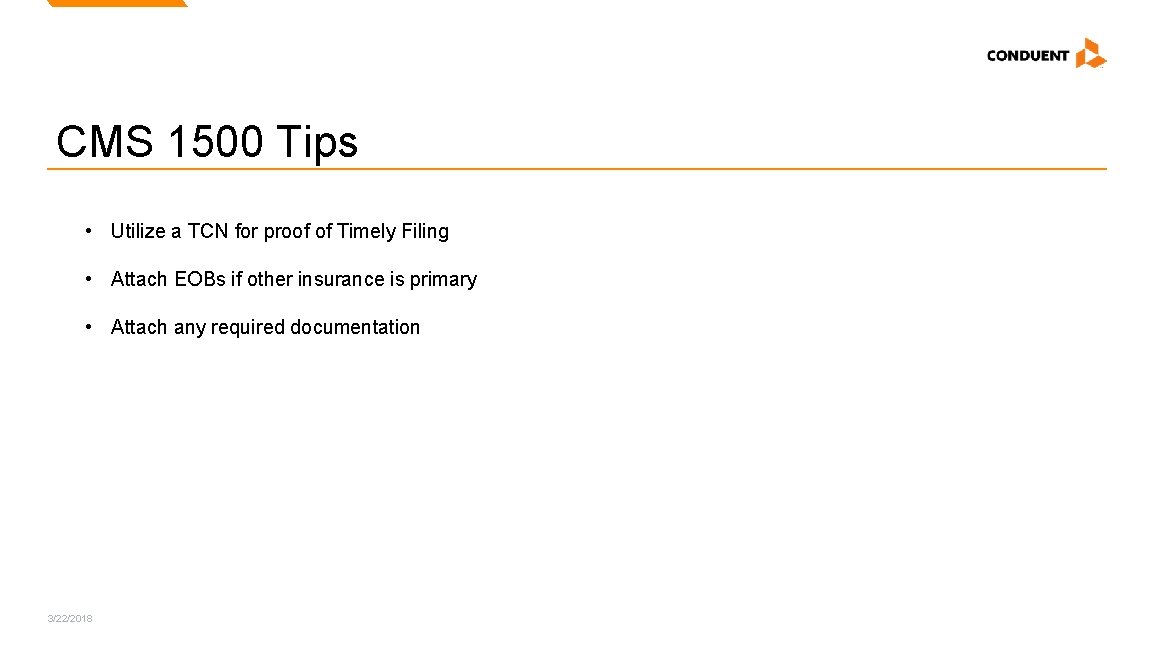
CMS 1500 Tips • Utilize a TCN for proof of Timely Filing • Attach EOBs if other insurance is primary • Attach any required documentation 3/22/2018
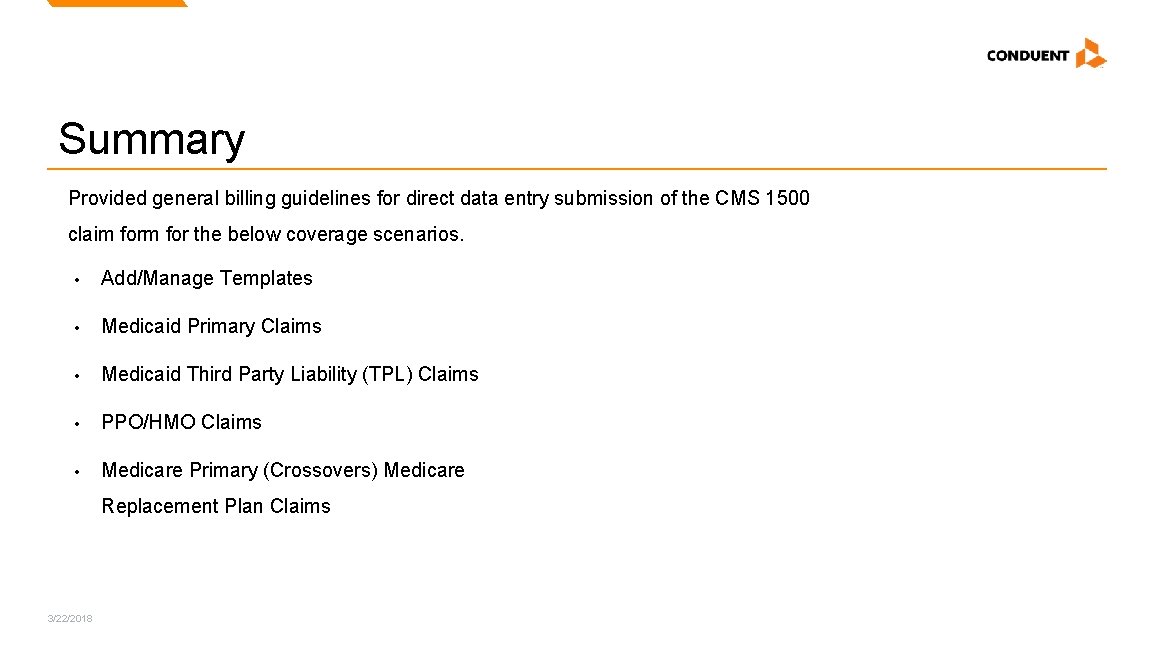
Summary Provided general billing guidelines for direct data entry submission of the CMS 1500 claim for the below coverage scenarios. • Add/Manage Templates • Medicaid Primary Claims • Medicaid Third Party Liability (TPL) Claims • PPO/HMO Claims • Medicare Primary (Crossovers) Medicare Replacement Plan Claims 3/22/2018
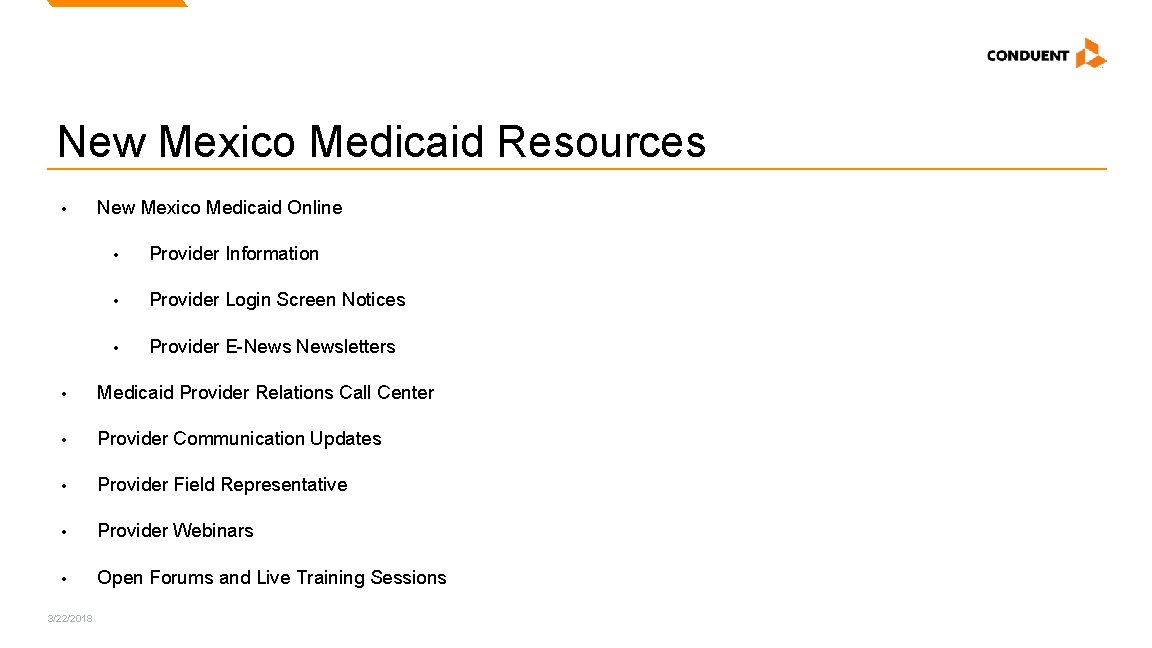
New Mexico Medicaid Resources • New Mexico Medicaid Online • Provider Information • Provider Login Screen Notices • Provider E-Newsletters • Medicaid Provider Relations Call Center • Provider Communication Updates • Provider Field Representative • Provider Webinars • Open Forums and Live Training Sessions 3/22/2018
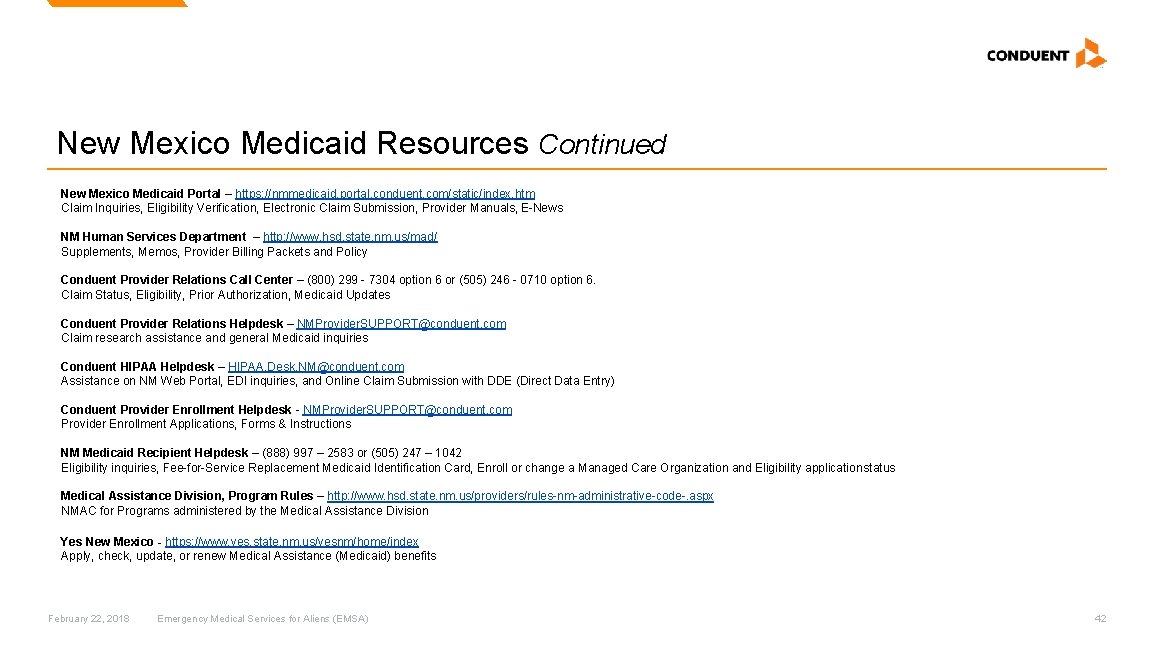
New Mexico Medicaid Resources Continued New Mexico Medicaid Portal – https: //nmmedicaid. portal. conduent. com/static/index. htm Claim Inquiries, Eligibility Verification, Electronic Claim Submission, Provider Manuals, E-News NM Human Services Department – http: //www. hsd. state. nm. us/mad/ Supplements, Memos, Provider Billing Packets and Policy Conduent Provider Relations Call Center – (800) 299 - 7304 option 6 or (505) 246 - 0710 option 6. Claim Status, Eligibility, Prior Authorization, Medicaid Updates Conduent Provider Relations Helpdesk – NMProvider. SUPPORT@conduent. com Claim research assistance and general Medicaid inquiries Conduent HIPAA Helpdesk – HIPAA. Desk. NM@conduent. com Assistance on NM Web Portal, EDI inquiries, and Online Claim Submission with DDE (Direct Data Entry) Conduent Provider Enrollment Helpdesk - NMProvider. SUPPORT@conduent. com Provider Enrollment Applications, Forms & Instructions NM Medicaid Recipient Helpdesk – (888) 997 – 2583 or (505) 247 – 1042 Eligibility inquiries, Fee-for-Service Replacement Medicaid Identification Card, Enroll or change a Managed Care Organization and Eligibility application status Medical Assistance Division, Program Rules – http: //www. hsd. state. nm. us/providers/rules-nm-administrative-code-. aspx NMAC for Programs administered by the Medical Assistance Division Yes New Mexico - https: //www. yes. state. nm. us/yesnm/home/index Apply, check, update, or renew Medical Assistance (Medicaid) benefits February 22, 2018 Emergency Medical Services for Aliens (EMSA) 42
© 2017 Conduent Business Services, LLC. All rights reserved. Conduent and Conduent Agile Star are trademarks of Conduent Business Services, LLC in the United States and/or other countries.